A new 1440p gaming monitor bearing a VA panel, which aims to be one of the best value-focused displays this year.

Product on Review: AW3226DM Gaming Monitor
Manufacturer: Alienware
Street Price: USD $299 | 600 AUD
When you think of Alienware monitors, your mind probably jumps straight to OLED panels with eye-watering refresh rates and price tags that require a moment of quiet reflection. The new Alienware AW3226DM, however, takes a very different approach. At just $299 USD | $600 AUD, Dell is clearly aiming at gamers who want the Alienware badge and premium styling without having to remortgage the house. And, on paper at least, it’s shaping up to be one of the more interesting value-focused gaming monitors we’ve seen this year.
Rather than chasing 4K resolutions or the latest OLED technology, the AW3226DM sticks with a 31.5-inch QHD (2560 x 1440) VA panel wrapped in a subtle 1500R curve. It pairs that with a blisteringly fast 240Hz refresh rate, a 1ms response time, AMD FreeSync Premium, VESA AdaptiveSync, and support for both Dolby Vision and VESA Display HDR 400. Throw in 95% DCI-P3 colour coverage, a healthy 3000:1 contrast ratio, HDMI 2.1 connectivity and even a handy front-mounted USB-C port, and suddenly this budget-friendly display starts reading like something that should cost considerably more.
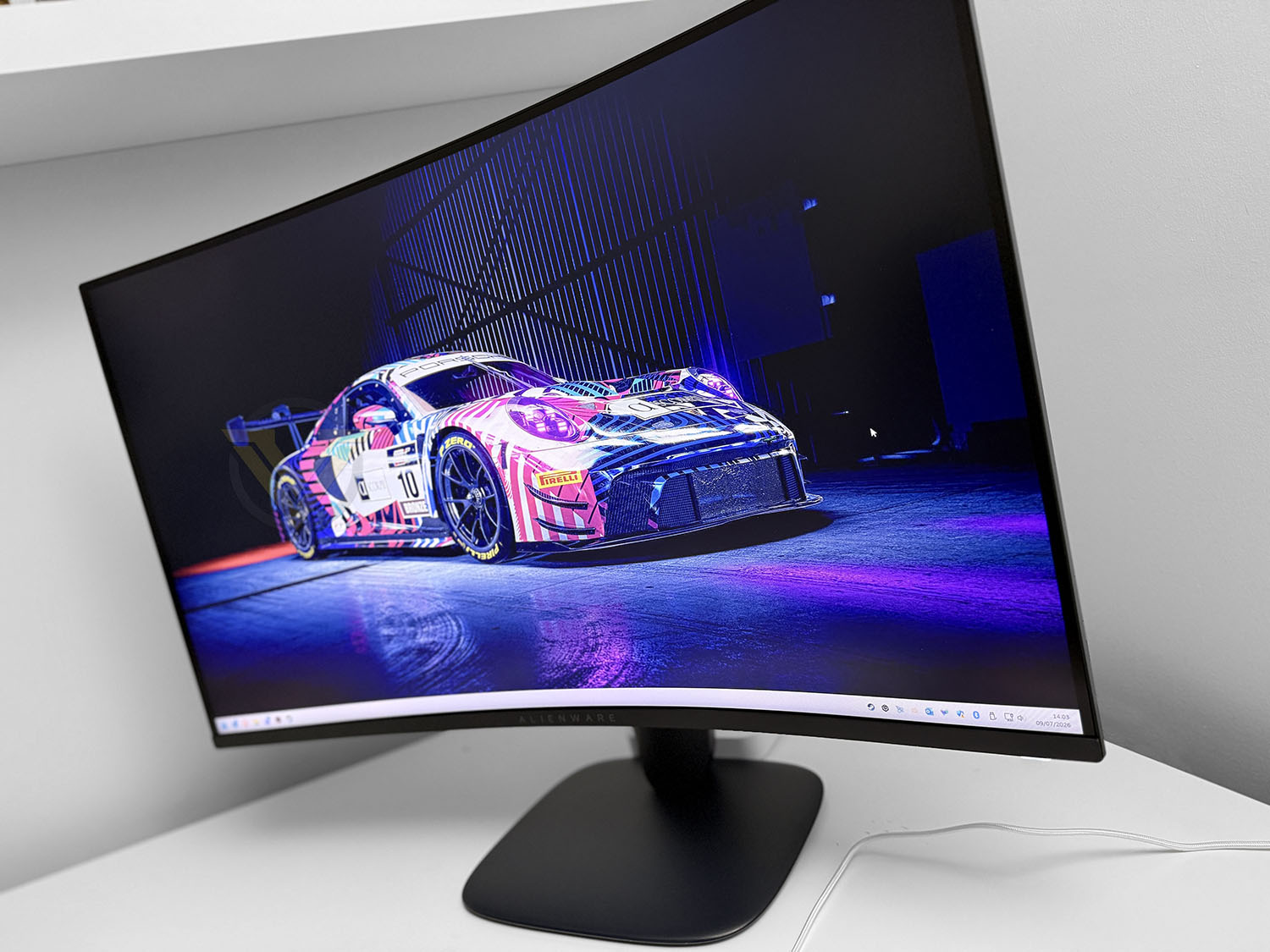
Of course, specifications only tell half the story. We’ve all been there before—reading a spec sheet that promises the world, only to discover the real-world experience doesn’t quite match the marketing department’s enthusiasm. Fortunately, Alienware has built a strong reputation for producing gaming monitors that deliver where it counts, so expectations are understandably high. The real question is whether this more affordable model can maintain that reputation while undercutting much of the competition on price.
To find out, we put the AW3226DM through a series of everyday tests, using it not only for gaming but also for photo editing, web browsing and general desktop work. After spending plenty of time with the display, it’s time to see whether this is one of the best gaming monitor bargains of 2026, or simply another budget monitor wearing an expensive-looking badge.
Technical Specifications
Below are the technical specifications surrounding the AW3226DM supplied directly from Alienware:
Screen Size
31.5-inch
Panel Type
VA (Vertical Alignment)
Screen Curvature
1500R
Resolution
2560 x 1440 (QHD)
Aspect Ratio
16:9
Maximum Refresh Rate
240Hz
Response Time
1ms (Grey-to-Grey, Extreme Mode)
2ms (Super Fast Mode)
4ms (Fast Mode)
Variable Refresh Rate
AMD FreeSync Premium
VESA AdaptiveSync
HDR Support
VESA DisplayHDR 400
Dolby Vision
Contrast Ratio
3000:1 (Typical)
Brightness
400 nits (Typical SDR)
450 nits (Typical HDR)
Colour Gamut
95% DCI-P3
Colour Depth
1.07 Billion Colours (10-bit, 8-bit + FRC)
Viewing Angles
178° Horizontal / 178° Vertical
Screen Coating
Anti-Glare (3H Hard Coating)
Low Blue Light
Hardware-based Low Blue Light (Category III)
Flicker-Free
Yes
Pixel Density
93 PPI
Pixel Pitch
0.2724mm
Connectivity
DisplayPort
1 × DisplayPort 1.4
HDMI
2 × HDMI 2.1 (FRL)
USB Upstream
1 × USB 5Gbps Type-B
USB Downstream
1 × USB 5Gbps Type-A (Front)
USB-C
1 × USB-C 5Gbps (Front, 15W Power Delivery)
Audio Output
None
Microphone
None
Stand & Ergonomics
Height Adjustment
110mm
Tilt
-5° to +21°
Swivel
No
Pivot
No
VESA Mount
100 x 100mm
Dimensions (With Stand)
Height (Extended)
583.3mm
Height (Lowest Position)
473.8mm
Width
707.4mm
Depth
232mm
Weight
With Stand & Cables
9.63kg
Without Stand
6.72kg
Stand Weight
2.50kg
Packaging & Bundle

The AW3226DM arrives in a large, sturdy retail box that does an excellent job of protecting the monitor during transit. Finished in Alienware’s signature black and blue colour scheme with minimalist branding, the packaging looks clean and premium without being overly flashy. More importantly, the internal packaging keeps everything securely in place, with the display and accessories well protected by moulded inserts that prevent movement inside the box. Despite the monitor’s generous 32-inch size, unpacking it is straightforward and gives the impression that Dell has put plenty of thought into the overall unboxing experience.

Inside the box you’ll find everything needed to get up and running immediately. Alongside the monitor itself is the two-piece stand, a power cable, DisplayPort cable, HDMI 2.1 cable and a USB Type-A to Type-B upstream cable for enabling the monitor’s USB hub functionality. Dell also includes the usual quick start documentation and a small Alienware-branded accessory pack. It’s always refreshing to see both DisplayPort and HDMI cables included, as it saves users from rummaging through drawers or making an extra purchase before they can experience the monitor at its full 240Hz refresh rate.

The stand continues Alienware’s modern design language with a clean, understated appearance finished in its distinctive Interstellar Indigo colour. Assembly couldn’t be much simpler, with the upright attaching to the base via an integrated thumbscrew before clipping securely into the rear of the monitor without the need for tools. Once assembled, the stand feels reassuringly solid and provides excellent stability despite the monitor’s size. It also incorporates a cable management hole through the upright to help keep cables tidy, while offering 110mm of height adjustment and a generous tilt range, allowing users to quickly find a comfortable viewing position.
Closer Look

At first glance, the Alienware AW3226DM looks every bit the premium gaming monitor despite its surprisingly affordable price tag. Dominating the front is a generous 31.5-inch display with a QHD resolution of 2560 x 1440, offering a sweet spot between image sharpness and gaming performance. Rather than chasing 4K, Dell has opted for a resolution that’s considerably easier to drive at high frame rates, making it an excellent pairing for today’s mid-range and upper mid-range graphics cards. Surrounding the panel are slim bezels on three sides, helping to maximise screen real estate while giving the monitor a modern appearance that’s equally suited to multi-monitor setups. The VA panel also boasts a 240Hz refresh rate, 1ms response time, 95% DCI-P3 colour coverage, Dolby Vision and VESA DisplayHDR 400 support, resulting in a display that’s designed for both immersive gaming and vibrant everyday content.

Turning the monitor around reveals Alienware’s familiar minimalist styling. Rather than covering the rear with aggressive lines and oversized RGB lighting, Dell has kept things relatively restrained with a smooth, sculpted design that feels clean and contemporary. The rear features the iconic Alienware logo along with subtle embossed icons that indicate the joystick control and cable routing, adding just enough visual interest without becoming distracting. One interesting detail is the finish itself. Although it initially appears black, it’s actually finished in Alienware’s signature Interstellar Indigo, giving the chassis a subtle blue hue that becomes more noticeable under natural light. It’s a small touch, but one that helps the monitor stand out from the sea of plain black gaming displays.

Viewed from the side, the AW3226DM showcases its gentle 1500R curve, which wraps the edges of the display slightly towards the user. While not as aggressive as some ultrawide gaming monitors, the curvature is enough to create a more immersive viewing experience, particularly during gaming, while also helping to reduce the need for your eyes to constantly refocus across the width of the 32-inch panel. The monitor’s profile remains relatively slim throughout, with the central mounting point flowing neatly into the sturdy support arm. The arm itself feels exceptionally robust, utilising a smooth hinge mechanism that makes adjustments feel controlled and well damped rather than loose or flimsy.

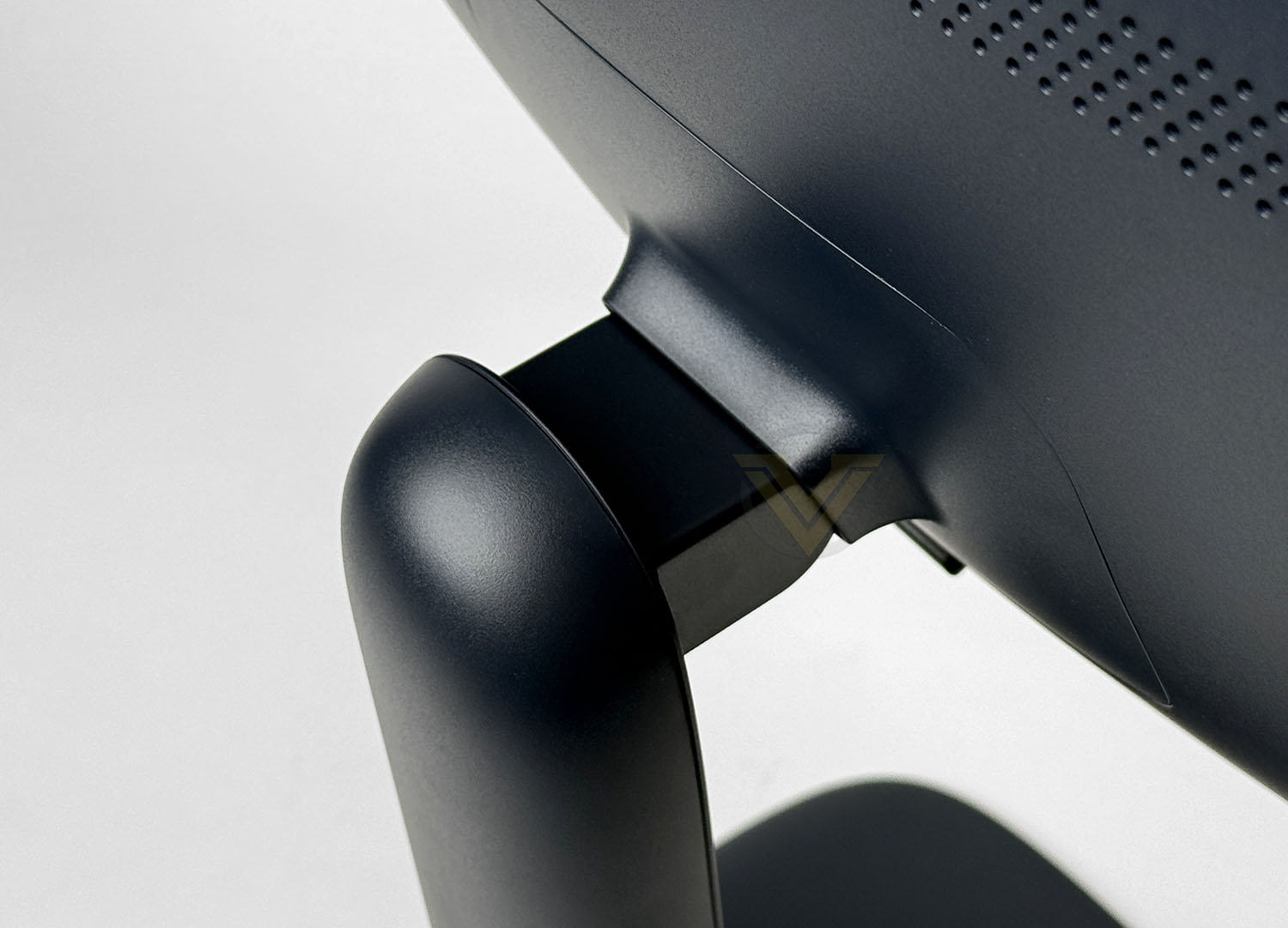
Dell has also ensured the stand offers enough flexibility to accommodate a variety of desk setups. The monitor provides 110mm of height adjustment, allowing it to be positioned comfortably whether you’re sitting at a traditional desk or using a slightly higher workspace. Tilt adjustment ranges from -5° to 21°, making it easy to fine-tune the viewing angle without excessive effort. There are no swivel or pivot functions, which is hardly surprising given the size and curved nature of the panel, but the adjustments that are available operate smoothly and hold their position securely once set.
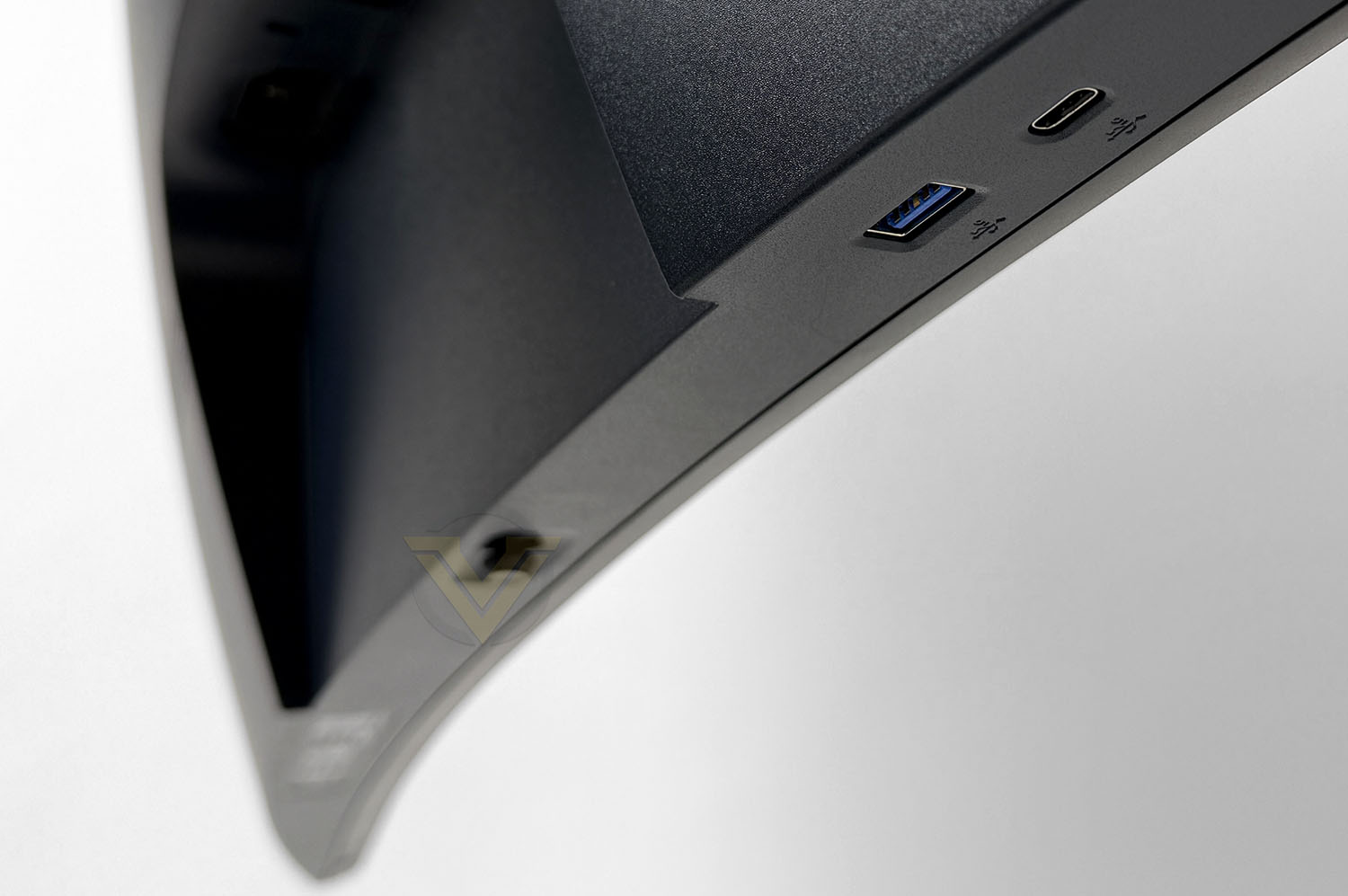
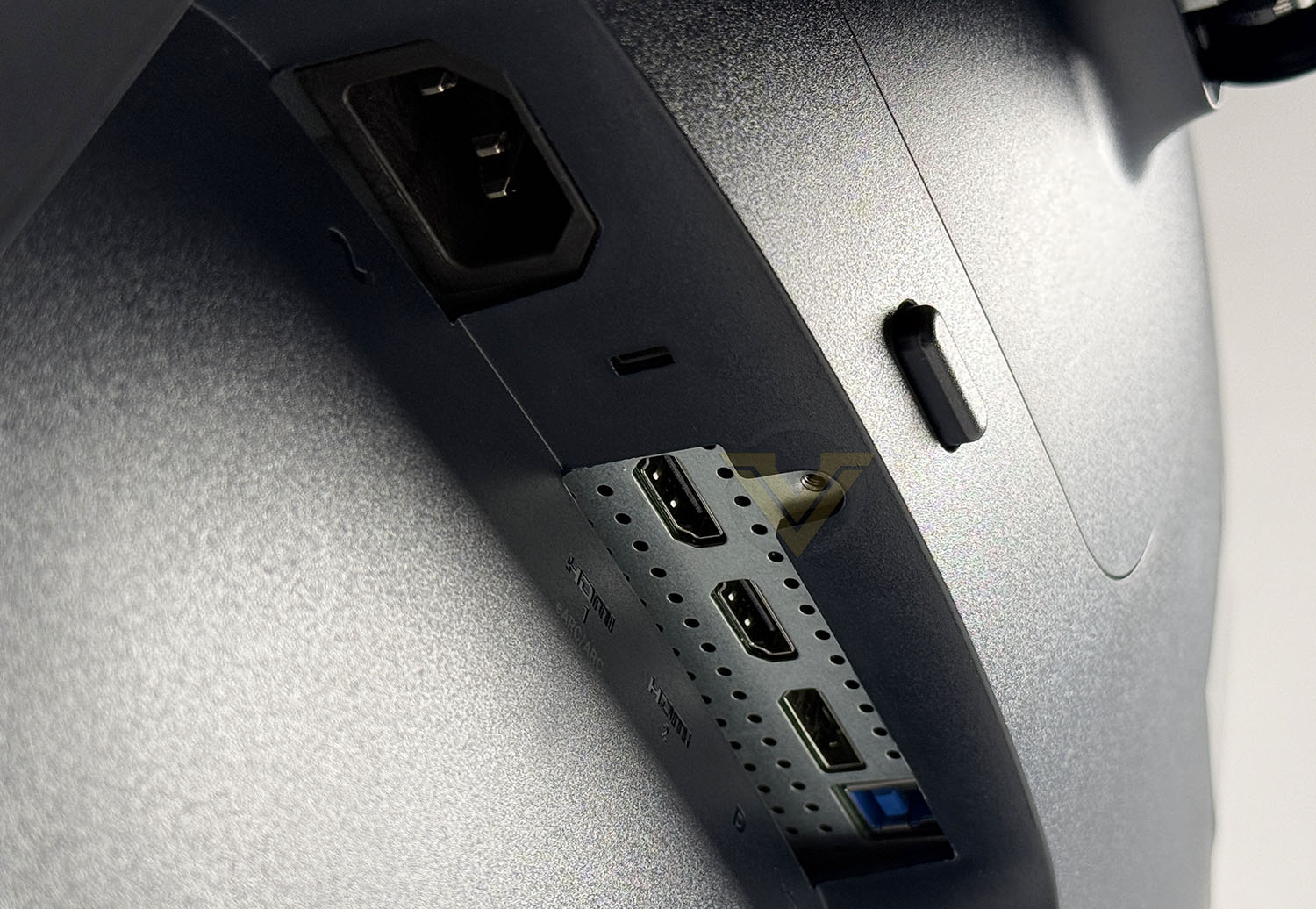
Connectivity is split between easily accessible front-facing ports and the primary rear I/O. Beneath the left-hand side of the display you’ll find a USB Type-A 5Gbps port alongside a USB-C 5Gbps port capable of delivering up to 15W of charging power, making them ideal for quickly connecting peripherals or charging devices without reaching around the back. The main ports are positioned on the rear underside and include two HDMI 2.1 inputs, a DisplayPort 1.4 connection, a USB Type-B upstream port and the power connector. Unlike some previous Alienware displays, there isn’t a removable plastic cover to conceal these ports and cables. While this does leave the connections permanently visible from certain angles, it also makes swapping cables considerably easier.
Viewing Angles, HDR, Gaming
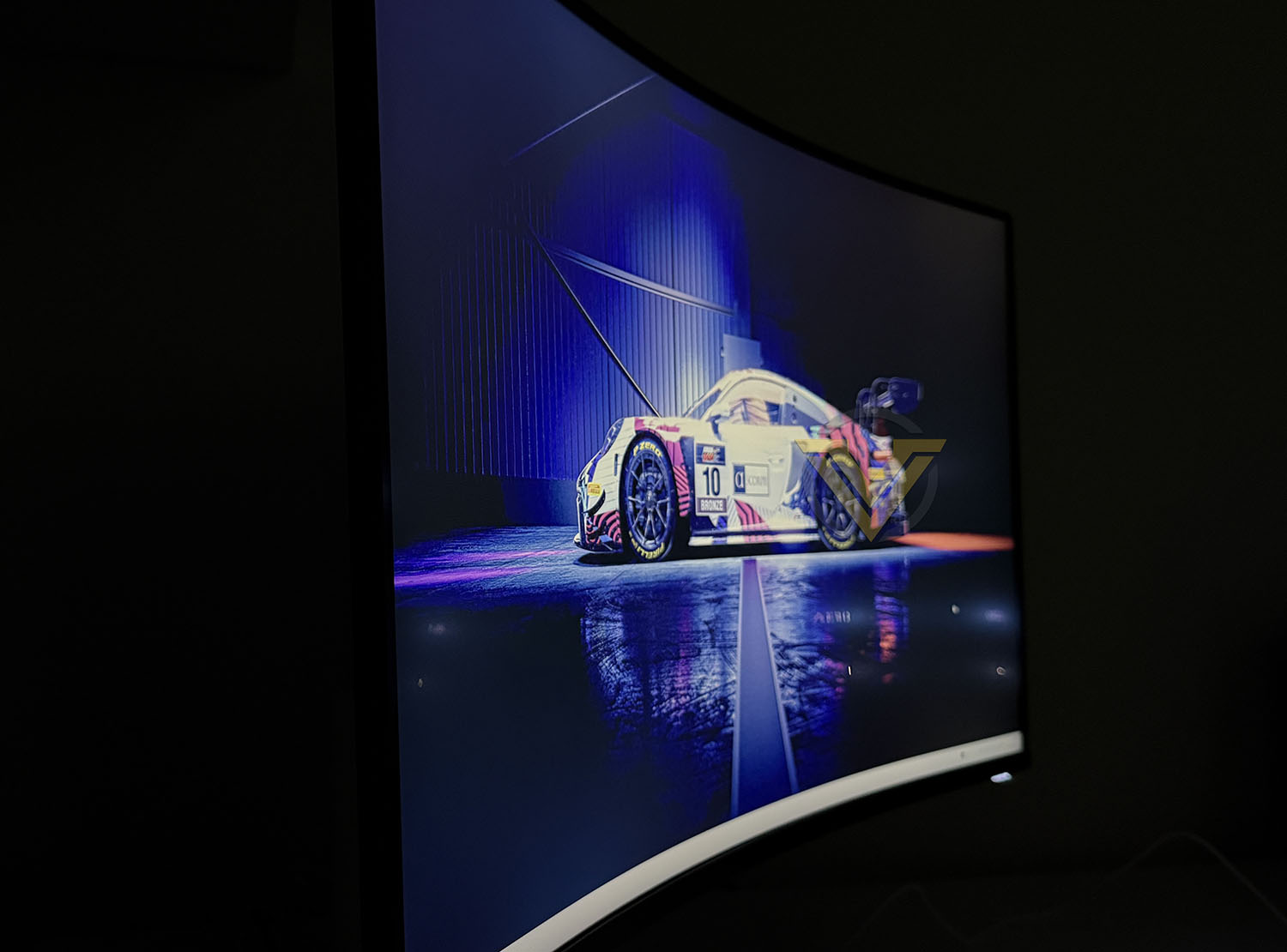

One area where the AW3226DM performs surprisingly well is its viewing angles. Traditionally, VA panels have sat somewhere between IPS and TN technology, offering noticeably better contrast than IPS but often sacrificing some viewing angle performance. TN panels tend to suffer the most, with colour and brightness shifting quite dramatically when viewed off-centre, while IPS remains the benchmark for wide viewing angles and colour consistency. Fortunately, Dell’s implementation of this VA panel is excellent. Even when viewing the monitor from fairly extreme horizontal or vertical angles, colour shift and brightness loss are kept to a minimum, allowing the image to remain clear and vibrant. Unless you’re viewing the display from an unusually awkward position, the viewing experience remains consistently impressive, making it suitable not only for gaming but also for sharing content with others around the desk.
HDR + GAMING
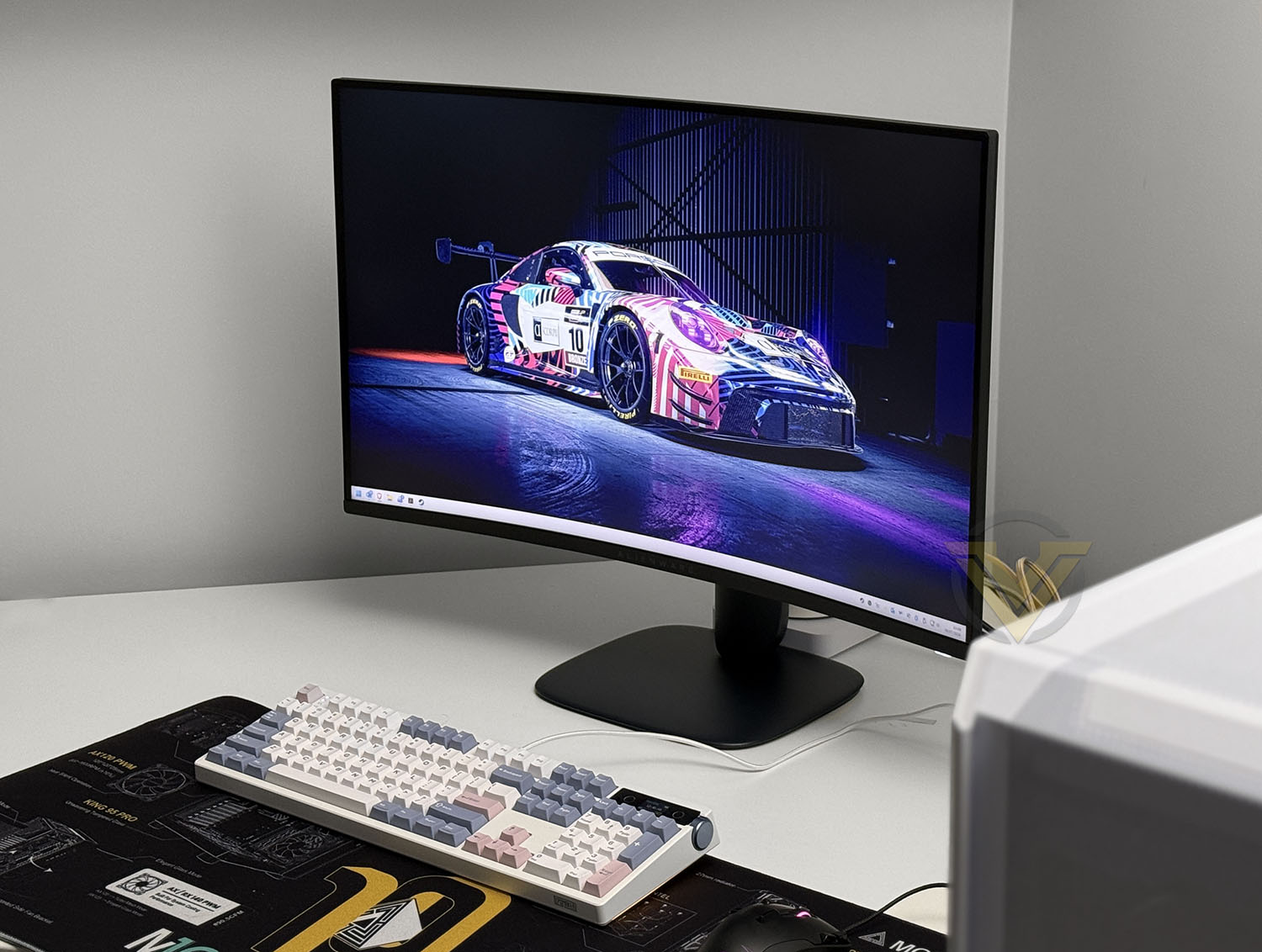
HDR performance is another pleasant surprise considering the AW3226DM’s $299 USD price tag. Supporting both Dolby Vision and VESA DisplayHDR 400, the monitor is capable of producing noticeably more dynamic images than a standard SDR display, while its typical HDR brightness of 450 nits helps highlights stand out without appearing overly washed out. Combined with the VA panel’s excellent native 3000:1 contrast ratio and 95% DCI-P3 colour coverage, games and HDR-enabled media benefit from punchy colours and convincing depth. Although it won’t rival the pixel-perfect blacks of an OLED display, HDR content still looks vibrant and engaging, particularly in colourful racing games and cinematic titles where the wider colour gamut can really shine.
Outside of gaming, the AW3226DM also proved to be an excellent all-round performer. The 31.5-inch QHD resolution provides plenty of desktop space for multitasking, while still maintaining a comfortable pixel density that keeps text and images looking sharp. Photo editing also proved enjoyable thanks to the wide colour gamut and vibrant VA panel, producing rich, accurate-looking colours that are more than suitable for enthusiast content creation. Of course, gaming is where this display truly comes alive. The combination of the 240Hz refresh rate, 1ms response time and Adaptive Sync technologies results in an incredibly fluid experience, with fast-paced titles benefiting from exceptionally smooth motion. During our time playing Assetto Corsa Rally, the monitor performed flawlessly, delivering crisp visuals, excellent motion clarity and responsive gameplay that made it easy to appreciate the high refresh rate.

BACKLIGHT BLEED
One aspect we did notice during testing was a degree of backlight bleed, particularly during very dark loading screens and black backgrounds. This manifested as lighter patches around sections of the display that became visible when the rest of the panel was displaying near-black content. While it is certainly noticeable in specific scenarios, it largely disappears during normal gameplay, browsing and everyday desktop use. It’s also worth noting that a certain amount of backlight bleed is considered normal on LCD monitors, including VA panels, with the severity varying slightly from unit to unit due to manufacturing tolerances. Unless you frequently use the monitor in a completely dark room while viewing predominantly black content, it’s unlikely to be something that significantly detracts from the overall experience.Conclusion
At just $299 USD | 600 AUD, it’s difficult not to be impressed by what Alienware has managed to deliver with the AW3226DM. In a market where gaming monitors seem to be getting increasingly expensive, this display manages to tick an impressive number of boxes without demanding a premium price. You get a large 31.5-inch QHD panel, a silky smooth 240Hz refresh rate, HDR support and a feature set that genuinely feels aimed at gamers rather than marketing checklists. It proves that you don’t necessarily need to spend OLED money to enjoy a fast, immersive gaming experience.
The choice of a 2560 x 1440 resolution also deserves praise. QHD has become something of the sweet spot for mid-range and high-end gaming PCs, offering a noticeable jump in image quality over Full HD while remaining much easier to drive than 4K. That means modern graphics cards can comfortably push high frame rates, allowing users to make full use of the monitor’s impressive 240Hz refresh rate. Pair that with the subtle 1500R curve and you end up with a display that feels genuinely engaging whether you’re tearing around rally stages, editing photos or simply browsing the web. The curve never feels excessive either—it simply adds a little extra immersion without becoming distracting during productivity tasks.
Of course, no monitor is perfect, and there are a few compromises that remind you this is still a $299 USD display. The stand is perfectly functional, offering good stability and height adjustment, but it lacks the premium feel and more elaborate design found on Alienware’s flagship models. Likewise, while the bezels are physically very slim, the panel still retains a visible black border around the image, something we’ve seen on many LCD monitors but that can make the bezel appear slightly thicker when Windows is in use. We also experienced a small amount of backlight bleed during particularly dark loading screens, although this was limited to specific scenarios and rarely noticeable during normal day-to-day use or gaming.
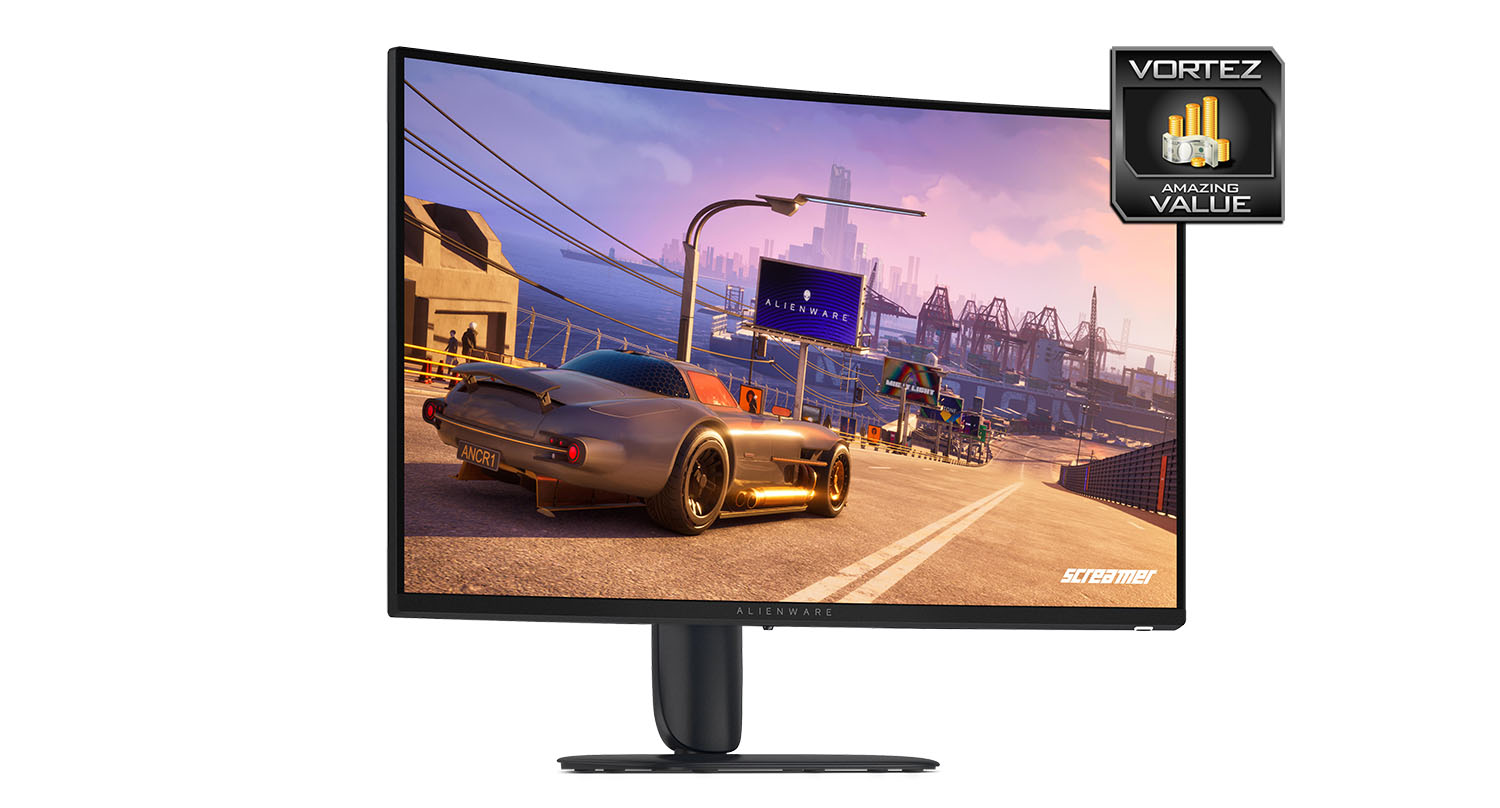
Overall, the Alienware AW3226DM is an easy monitor to recommend. It combines excellent value for money with a fast 240Hz refresh rate, ultra-responsive performance, surprisingly good viewing angles for a VA panel, HDR 400 support, VESA mount compatibility and the welcome addition of an easily accessible front-mounted USB-C port. Sure, it isn’t the flashiest Alienware monitor ever made, and it won’t replace an OLED for those chasing absolute perfection, but that’s also missing the point. This monitor knows exactly what it wants to be: a fast, capable and affordable gaming display that gets the important things right. For gamers shopping in the QHD market without wanting their bank account to file a missing persons report, the AW3226DM is one of the standout options currently available.
+ Very good value for money
+ Silky smooth 240Hz refresh rate
+ Ultra-fast response time
+ Good viewing angles
+ Offers HDR 400
+ 100x100mm VESA mount ready
+ Features front mounted Type-C port
Cons
– Thin bezel but still retains border within Windows
– No thrills stand/build quality
– Slight backlight bleed visible – only in certain circumstances
Click here for an explanation of our awards at Vortez.net.
Stay connected with Vortez social media pages: