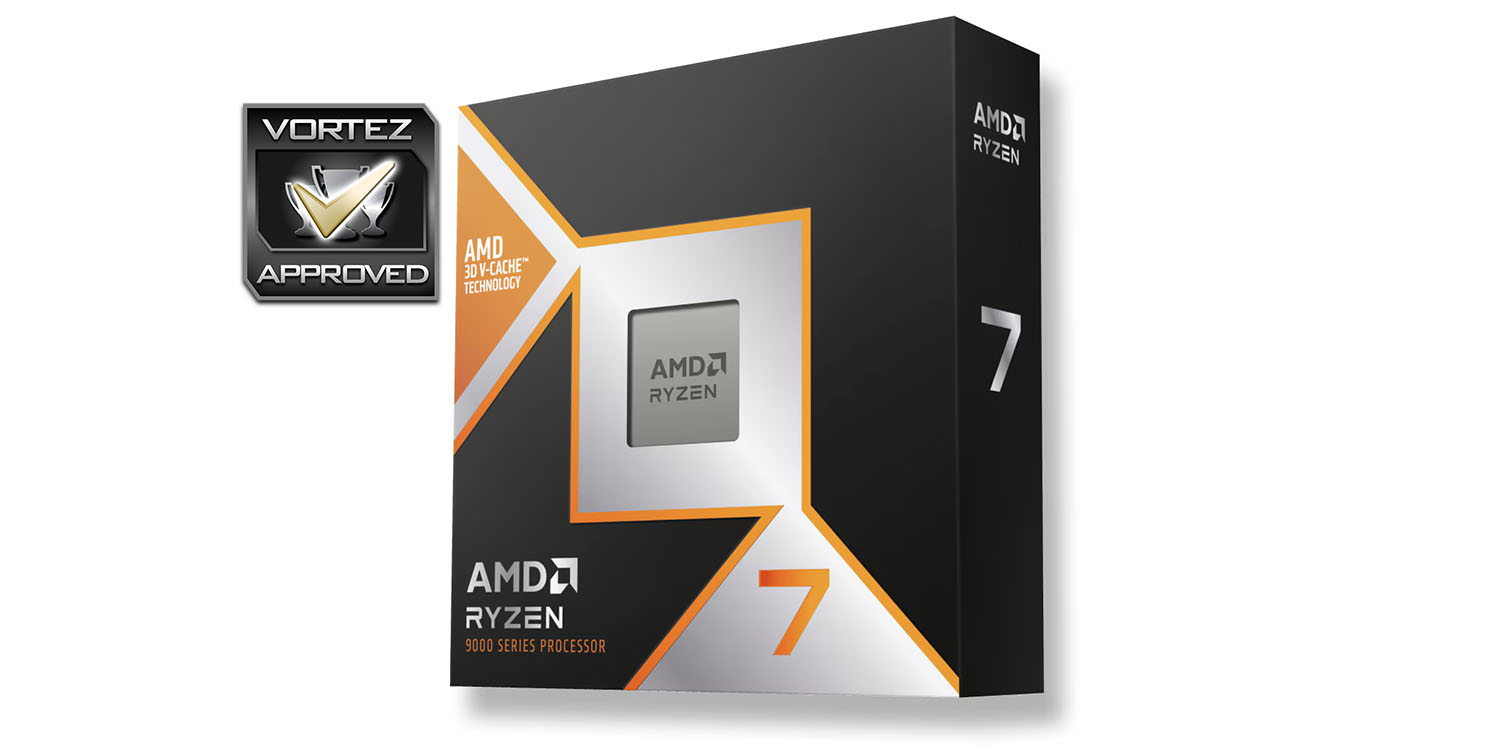
Touting groundbreaking 3D V-Cache technology, the AMD Ryzen 7 9800X3D Processor is set to pave the way for a new standard in gaming performance.

Product on Review: Ryzen 7 9800X3D
Manufacturer: AMD
MSRP: US: $479
The AMD Ryzen 7 9800X3D represents AMD’s latest push into the high-performance CPU market, leveraging their innovative 3D V-Cache technology to deliver exceptional gaming and multi-threaded performance. Building on the success of previous Ryzen 7000 series chips, the 9800X3D promises a unique blend of speed and efficiency, packing in more cache than ever to improve workloads sensitive to memory latency. This processor is geared toward power users and gamers alike, standing as a competitor in the upper echelon of consumer CPUs. In this review, we’ll break down its performance metrics, power efficiency, and value for the modern PC enthusiast, comparing it to both AMD’s previous generation and Intel’s closest contenders. We’ve already reviewed AMD’s flagship Ryzen 9 9900X and 9950X, and now we’re turning our attention to a processor designed to appeal to users who want high performance without fully stepping into the top-tier price bracket.
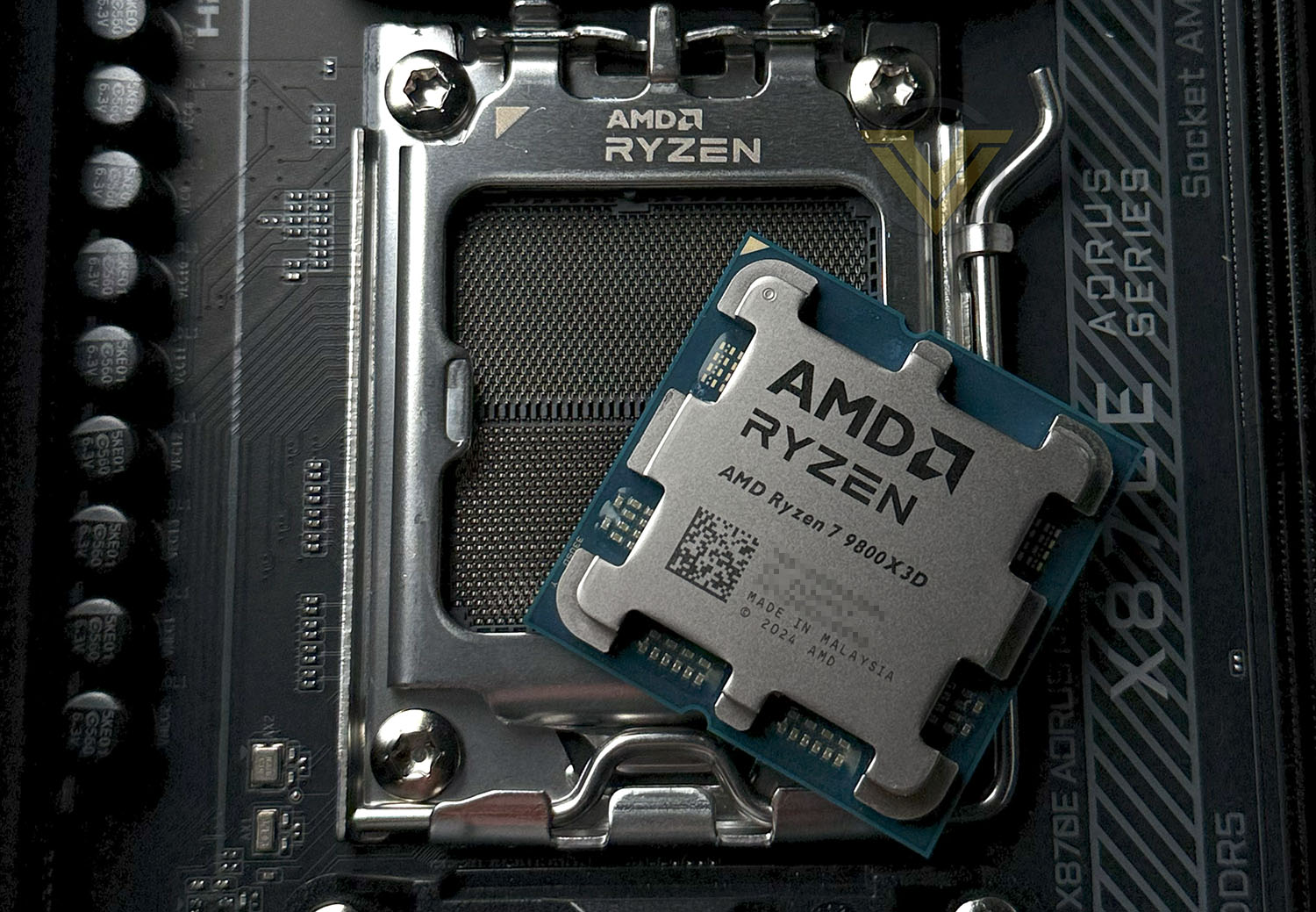
The AMD Ryzen 7 9800X3D brings 8 cores and 16 threads to the table, running at a base clock of 4.2 GHz with boost speeds reaching up to 5.7 GHz. Built on a 5nm process with a 120W TDP, it fits into the AM5 socket and boasts a massive 96MB L3 cache enhanced by 3D V-Cache technology.
Does the 9800X3D live up to the same high standards AMD set with its premium models, or does it offer an even better value proposition for users looking to maximize performance per dollar? Let’s dive in and see what AMD’s latest mid-tier powerhouse has to offer.
GIGABYTE X3D Turbo Mode
In our review of 9800X3D we’ll be using the AORUS X870E MASTER which offers X3D Turbo Mode.
X3D Turbo Mode is a BIOS feature developed by GIGABYTE for motherboards supporting AMD’s Ryzen X3D processors, specifically those with AMD’s 3D V-Cache technology just like our 9800X3D. It optimizes performance by adjusting core usage and boost frequencies to get the most out of the X3D CPUs in different applications. Here’s a breakdown of what it does:
CORE PARKING MANAGEMENT
Gigabyte’s X3D Turbo Mode uses “core parking” to selectively disable or reduce the workload on cores with the 3D V-Cache for applications where high clock speeds are more beneficial than the additional cache. By focusing on non-3D V-Cache cores, the CPU can achieve higher boost clocks, which improves performance for tasks that benefit more from clock speed than from cache, such as certain single-threaded applications.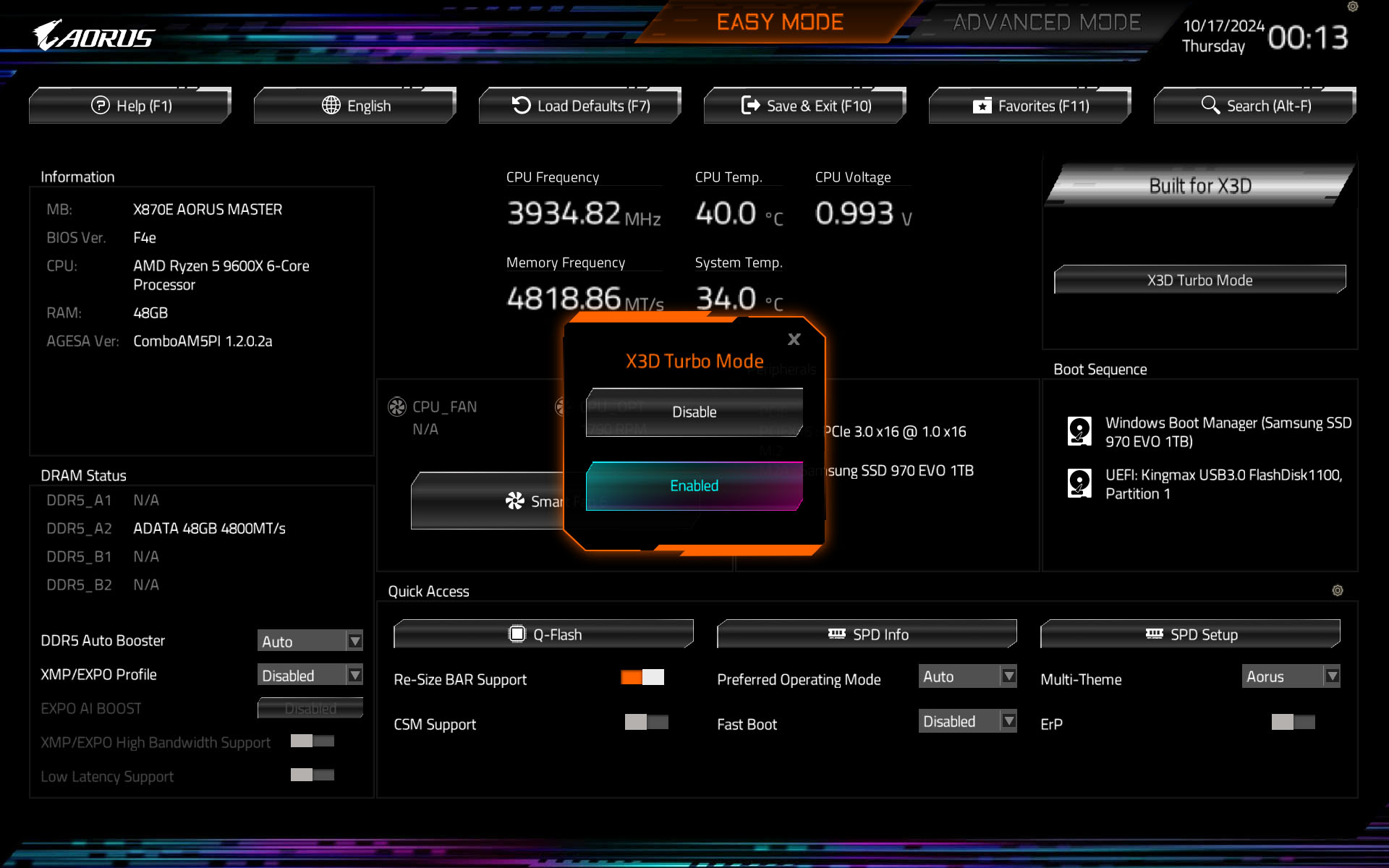
DYNAMIC CORE SWITCHING
The mode enables the system to automatically switch between 3D V-Cache and non-3D V-Cache cores depending on the application’s needs. For example, in gaming, the mode might prioritize the cache-enabled cores for latency-sensitive tasks, while shifting to high-clock cores for compute-heavy tasks to maximize FPS.IMPROVED APPLICATION PERFORMANCE BALANCE
Gigabyte’s X3D Turbo Mode aims to balance performance between gaming and productivity tasks by using this intelligent core management. It provides a better user experience in hybrid workloads, enhancing both gaming smoothness and productivity responsiveness.GIGABYTE X3D Turbo Mode is particularly useful for users who want a “hands-off” way to optimize their AMD Ryzen X3D processor’s performance, automatically balancing between cache and clock speed benefits without manual tuning. This makes it easier for gamers and professionals to get the best performance across diverse workloads.
Test Setup & Testing
For the purpose of testing the 9800X3D we used the X870E AORUS MASTER since it is placed as a high-end motherboard and we are able to tap into that X3D Turbo mode, this should give us the capabilities of showing the true potential of this chip.
CPU being tested
AMD Ryzen 7 9800X3DTEST SETUP
Cooling CORSAIR H150i ELITE LCDMotherboard X870E AORUS MASTER
Memory 64GB CORSAIR Dominator Platinum RGB 5200MHz DDR5
Graphics ZOTAC RTX 3070 Ti HOLO Extreme
Storage CORSAIR Force LX 512GB SSD
PSU Corsair RM 1000 80 Plus Gold Certified PSU
Monitor AOC U2879VF
BENCHMARKS
Cinebench R23 – Single/Multi-core CPU Renderingx264 HD 4.0 – 1st and 2nd pass encoding
SiSoftware SANDRA – CPU & Memory benchmarks
POV-RAY – CPU Ray Tracing
TrueCrypt – CPU Encryption Read/Write
AIDA64 – CPU benchmarks & Memory
PCMARK 10 – CPU Productivity
Davinci Resolve – Puget Benchmark
Blender – Classroom Benchmark
Games – Assassin’s Creed Odyssey & Total War: WARHAMMER II
OTHER SOFTWARE
Temperature Analysis: CoreTempStress Testing Software: AIDA64 Stability Test
CPU Specification Monitoring: CPU-Z
Temperatures
Below are the temperatures for each of the CPUs – without any overclock applied. We’ve also compared to previously released AMD and Intel counterparts (which we’ve also benchmarked against on the subsequent pages too):
Power Consumption
It’s interesting to note the power consumption across all processors. Although they are using a combination of different motherboard chipsets, energy results can fluctuate between manufacturers due to the features and specifications that are integrated. First of all, for the idle tests the system is cold booted into Windows and no additional applications are executed – the watts are noted on the external energy monitor we use and then the system is loaded with 3DMark FireStrike – watts are again monitored for the duration of the test and the highest rated wattage result is then noted down. Below are the results of this energy test.
Ray Tracing Performance – POV-Ray 3.7
Persistence of Vision Raytracer’s PovRay is a free and open source 3D animator application with versions for computers with different operating systems.
This product allows users to build their custom 3D worlds with excellent quality despite their computer’s hardware. It has adjustable options for levels of radiance, refraction, and reflection. Calculation time may vary depending on the computer model, but PovRay can adapt to many computer builds, and is supported by the open source community.
This product allows users to build their custom 3D worlds with excellent quality despite their computer’s hardware. It has adjustable options for levels of radiance, refraction, and reflection. Calculation time may vary depending on the computer model, but PovRay can adapt to many computer builds, and is supported by the open source community.
AES Encryption Performance – TrueCrypt 7.1a
TrueCrypt is a discontinued source-available freeware utility used for on-the-fly encryption (OTFE). It can create a virtual encrypted disk within a file or encrypt a partition or (under Microsoft Windows except Windows 8 with GPT) the entire storage device (pre-boot authentication).
Encoding Performance – X264 HD
Simply put, this test measures how fast your machine can encode a short, DVD quality MPEG-2 video clip into a high-quality x264 video clip. What’s x264, you ask? It’s more or less the next-generation Xvid/DivX codec. I think it’s ideal for a benchmark because the application (x264.exe) reports fairly accurate compression results (in frames per second) for each pass of the video encoding process, and it uses multi-core processors very efficiently.
x264 HD gives results for 2 passes when compressing an MPEG-2 clip into x264. It presents 4 separate results for each pass giving a total of 8 – all results are given in FPS. For each pass I have averaged out the results.
Processing Features Performance – AIDA64
AIDA64 Product Page
This simple integer benchmark focuses on the branch prediction capabilities and the misprediction penalties of the CPU. It finds the solutions for the classic “Queens problem” on a 10 by 10 sized chessboard. At the same clock speed theoretically the processor with the shorter pipeline and smaller misprediction penalties will attain higher benchmark scores. For example — with HyperThreading disabled — the Intel Northwood core processors get higher scores than the Intel Prescott core based ones due to the 20-step vs 31-step long pipeline. CPU Queen test uses integer MMX, SSE2 and SSSE3 optimizations.
Memory Transfer Performance – AIDA64
AIDA64 Product PageThis simple integer benchmark focuses on the branch prediction capabilities and the misprediction penalties of the CPU. It finds the solutions for the classic “Queens problem” on a 10 by 10 sized chessboard. At the same clock speed theoretically the processor with the shorter pipeline and smaller misprediction penalties will attain higher benchmark scores. For example — with HyperThreading disabled — the Intel Northwood core processors get higher scores than the Intel Prescott core based ones due to the 20-step vs 31-step long pipeline. CPU Queen test uses integer MMX, SSE2 and SSSE3 optimizations.
Processing Power Performance – Cinebench R23
CINEBENCH can measure systems with up to 64 processor threads. This test scene contains approximately 2,000 objects which in turn contain more than 300,000 polygons in total, and uses sharp and blurred reflections, area lights, shadows, procedural shaders, antialiasing, and much more. The result is displayed in points (pts). The higher the number, the faster your processor.
Bandwidth Performance – SiSoftware SANDRA
SiSoftware Product PageSANDRA isn’t always a benchmark that is included in hardware reviews but I believe it shouldn’t be ignored. SANDRA provides a vigorous package that tests your system in a rather large array of benchmarks. There are many aspects of benchmark that can be executed. We will be considering – CPU and memory tests.
Overall System Performance – PCMark 10
PCMark 10 Product Page
Developed in partnership with Benchmark Development Program members Acer, AMD, Condusiv Technologies, Dell, HGST, HP, Intel, Microsoft, NVIDIA, Samsung, SanDisk, Seagate and Western Digital, PCMark 10 is the latest version in FutureMark’s popular series of PC benchmarking tools. Improving on previous releases, PCMark 10 includes new tests using popular applications from Adobe and Microsoft.
4K Editing Performance – DaVinci Resolve PugetBench
DaVinci Resolve is not only an industry-standard coloring tool, but also includes features for video editing, VFX, and more. While we also have benchmarks for Premiere Pro, After Effects, and other creative applications, every application will utilize the hardware in a computer in very different and unique ways which can make it extremely difficult to determine exactly what hardware will give the end user the best possible performance.
Rendering Performance – Blender
Blender is a free and open-source 3D computer graphics software toolset used for creating animated films, visual effects, art, 3D printed models, motion graphics, interactive 3D applications, virtual reality, and computer games. Blender’s features include 3D modeling, UV unwrapping, texturing, raster graphics editing, rigging and skinning, fluid and smoke simulation, particle simulation, soft body simulation, sculpting, animating, match moving, rendering, motion graphics, video editing, and compositing.
Please note: Blender has recently been updated and the metric for results has changed with the new update, rendering our historical benchmarks void – hence why we have less results for this benchmark, taking on the new samples per minute metric.
Gaming Performance – AC: Odyssey & Total War: WARHAMMER II
It’s important for us to perform a number of game benchmarks as well as the synthetic tests because gamers will want to know if there are any significant benefits. So here we have two recent gaming titles benchmarked with the RTX 3070 Ti. Both gaming titles are CPU-intensive – AC Odyssey is the last AC title in the series to be CPU-bound. Valhalla uses DX12 API.
Conclusion
The AMD Ryzen 7 9800X3D stands out in the competitive CPU market for a plethora of reasons. It manages to offer up a good blend of impressive performance, efficiency, and versatility, especially in areas where temperature and power consumption are crucial. Thanks to AMD’s advanced 3D V-Cache technology, the 9800X3D runs at notably lower temperatures than many of its competitors, which is a strong advantage in high-demand setups. This lower thermal footprint allows for quieter operation and less dependency on heavy cooling solutions, making it an appealing choice for users focused on efficient, cooler-running systems.
Power consumption is another area where the 9800X3D excels, particularly compared to other high-performance processors on the market. By balancing performance with efficient power management, it achieves significant energy savings without compromising speed. This feature is especially advantageous for users who prioritise eco-friendly setups or want to avoid excessive power draws, as the 9800X3D operates at lower power levels even under intensive tasks. This power efficiency also contributes to overall cost savings in energy over time.
In single-threaded applications, the Ryzen 7 9800X3D performs exceptionally well, often surpassing even some of AMD’s own high-end processors. Its high single-threaded performance makes it a top choice for applications that depend heavily on single-core speeds, such as certain creative or technical software. This characteristic also makes it highly competitive against Intel’s latest offerings, which traditionally excel in single-core processing. As a result, users relying on applications like certain design tools or data processing software will appreciate the 9800X3D’s ability to handle these workloads with precision and speed.
Encoding performance on the 9800X3D is also above average, catering well to users engaged in media work, from content creators to streamers. Its encoding capabilities are notably improved by the added cache from AMD’s 3D V-Cache technology, which enhances data handling efficiency, allowing faster encoding times. This makes the 9800X3D a reliable choice for workflows involving file compression, media conversion, and streaming, especially when combined with a robust GPU for added performance.
Those wanting to dabble in video editing will be pleased to know that the 9800X3D delivers decent performance in this department too, thanks to its balance of clock speed, core count, and the added 3D V-Cache. Editing software that demands both single-threaded and multi-threaded power benefits greatly from this CPU, allowing for smoother scrubbing, faster rendering, and reduced export times. The 9800X3D’s efficiency also ensures that longer editing sessions remain stable and efficient, which is ideal for professionals handling high-resolution footage or multi-layered compositions.
The AMD Ryzen 7 9800X3D offers excellent gaming performance, and GIGABYTE’S X3D Turbo Mode takes it a step further by dynamically adjusting core usage to boost frame rates significantly. This feature is particularly beneficial for gamers, as it optimises clock speeds for better in-game responsiveness. However, while Turbo Mode enhances gaming, it can slightly impact performance in other content creation tasks, particularly in multi-threaded applications like video rendering and encoding. When enabled, this setting may reduce the efficiency of workloads requiring balanced, simultaneous core utilization, making it a feature best suited for gaming-focused setups or users willing to toggle it off for productivity sessions.
The AMD Ryzen 7 9800X3D offers exceptional value at $479 USD, combining low power consumption, efficient cooling, and standout performance in both gaming and productivity tasks. With impressive single-threaded speeds, above-average encoding abilities, and smooth video editing capabilities, it excels in diverse workflows. Gaming performance is particularly strong, especially when paired with Gigabyte’s X3D Turbo Mode, which optimizes frame rates dynamically. Altogether, the 9800X3D stands out as a balanced and budget-friendly powerhouse for users looking to maximize performance per dollar.
Pros
+ Great gaming results
+ Offers a decent balance of single & multi-thread perf.
+ Exceptional power efficiency
+ Improved thermal performance compared to prev. gen
+ 3D V-Cache brings numerous benefits
Cons
– Limited to Ryzen 7 and lower core/thread count
+ Great gaming results
+ Offers a decent balance of single & multi-thread perf.
+ Exceptional power efficiency
+ Improved thermal performance compared to prev. gen
+ 3D V-Cache brings numerous benefits
Cons
– Limited to Ryzen 7 and lower core/thread count
Click here for an explanation of our awards at Vortez.net.
Stay connected with the Vortez Social Media pages:
Join in with the discussions on Discord