Carrying the renowned WINDFORCE cooling system and a factory overclock, is this new AORUS RTX 4080 MASTER graphics card worth considering for your next GPU upgrade?

Product on Review: RTX 4080 MASTER
Manufacturer: AORUS
Street Price: GBP £1700 | USD $1800 | AUD $2500
The graphics card we’ll be taking a look at today, the AORUS RTX 4080 MASTER, is just one of many varieties of custom RTX 4080 cards that are available on the market. AORUS being GIGABYTE’s higher tier and which focuses primarily on performance.
While the MASTER sits underneath the XTREME in terms of its features and performance, it should still be considered a high-end offering and above that of GIGABYTE’s GAMING OC options.
MASTER comes equipped with a triple fan configuration and an elevated GPU clock boost over the reference settings, but like many 4080 cards, be warned; this thing is gigantic in its proportions and weight.
Looking for a GPU upgrade? Should you consider the 4080? Let’s find out.
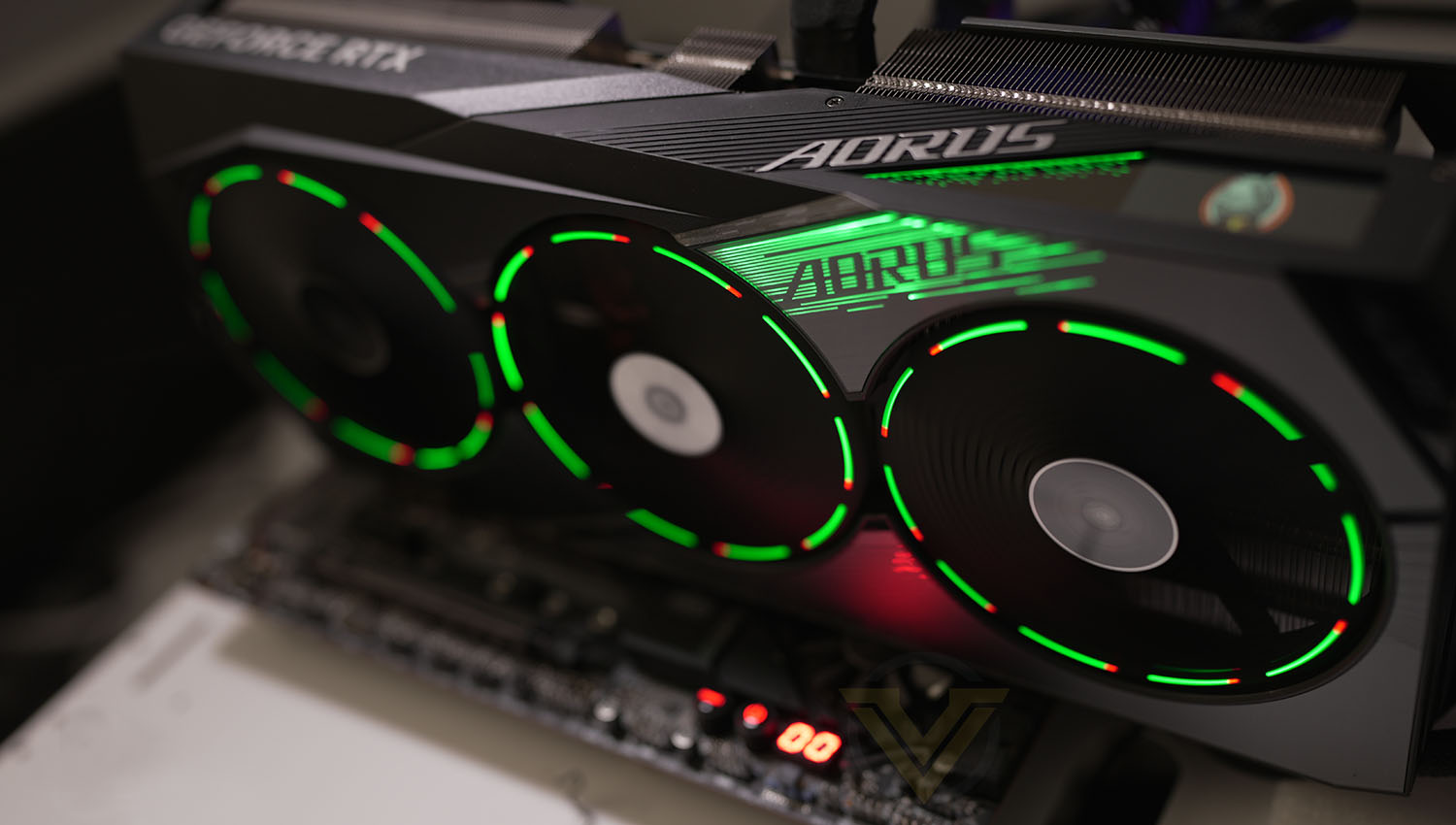
AORUS on their WINDFORCE cooling
The WINDFORCE cooling system features three 110mm newly designed bionic shark fans, alternate spinning, 12 composite copper heat pipes, a large vapor chamber directly touches the GPU, 3D active fans and Screen cooling, which together provide high efficiency heat dissipation.
Technical Specifications
Below are the technical specifications surrounding the MASTER:
GPU
AD103
Shader Units
9728
Video Memory
16GB GDDR6X
Memory Bus
256-bit
Engine Clock Boost
2550 MHz (Reference: 2505 MHz
Memory Clock
1400MHz
PCI Express
4.0
Display Outputs
3x DisplayPort 1.4a
1x HDMI 2.1
Recommended Power Supply
850W
DirectX
12 API feature level 12_2
OpenGL
4.6
Cooling
Triple cooling fans
Slot Size
3
Card Length
357 x 163 x 75 mm
AD103
Shader Units
9728
Video Memory
16GB GDDR6X
Memory Bus
256-bit
Engine Clock Boost
2550 MHz (Reference: 2505 MHz
Memory Clock
1400MHz
PCI Express
4.0
Display Outputs
3x DisplayPort 1.4a
1x HDMI 2.1
Recommended Power Supply
850W
DirectX
12 API feature level 12_2
OpenGL
4.6
Cooling
Triple cooling fans
Slot Size
3
Card Length
357 x 163 x 75 mm
Closer Look
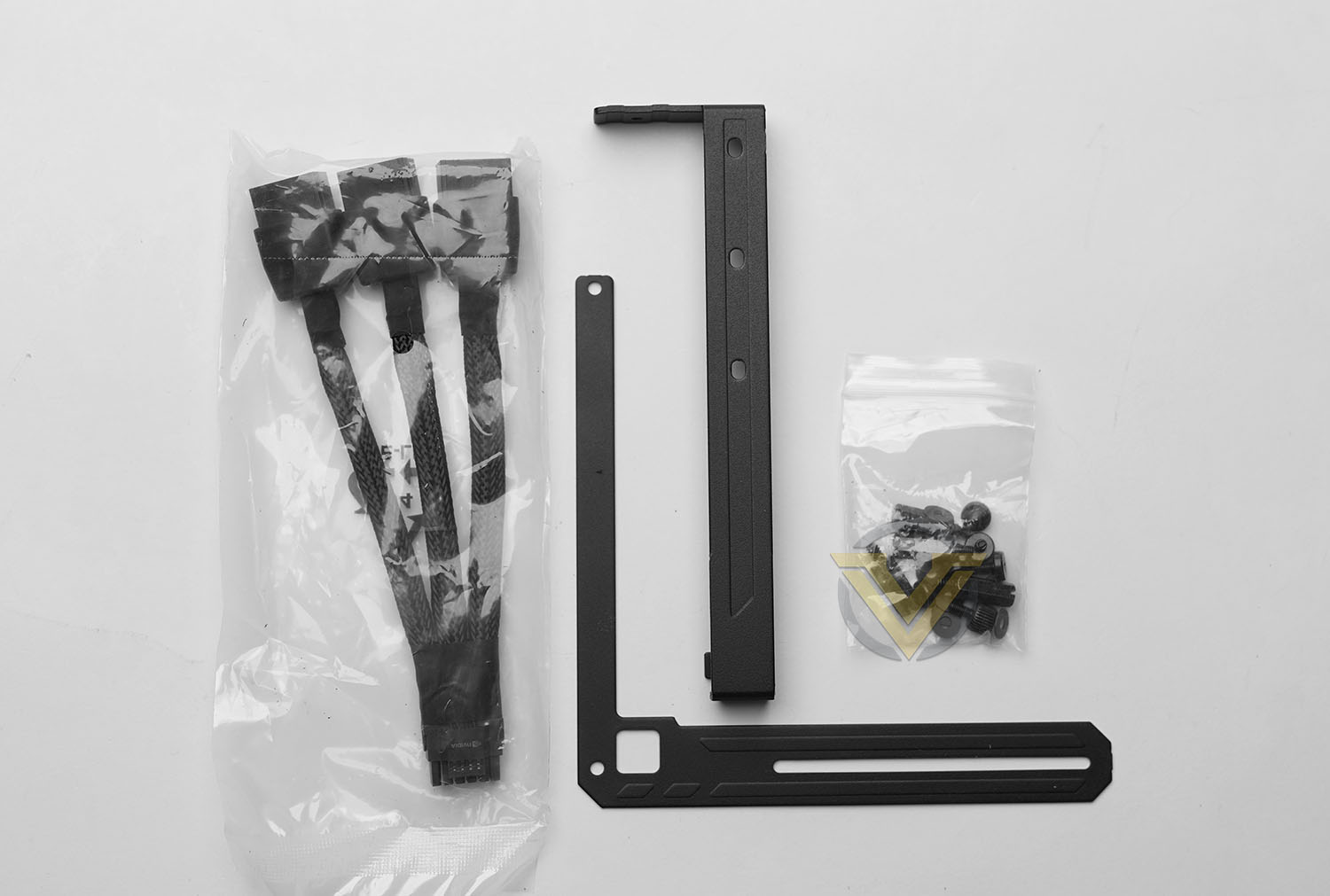
First up we have the bundled accessories which consist of the following:
• Quick Start Guide
• Warranty Reg.
• Anti-sag bracket
• A 16-pin to triple 8-pin power adapter
• Metal case badge
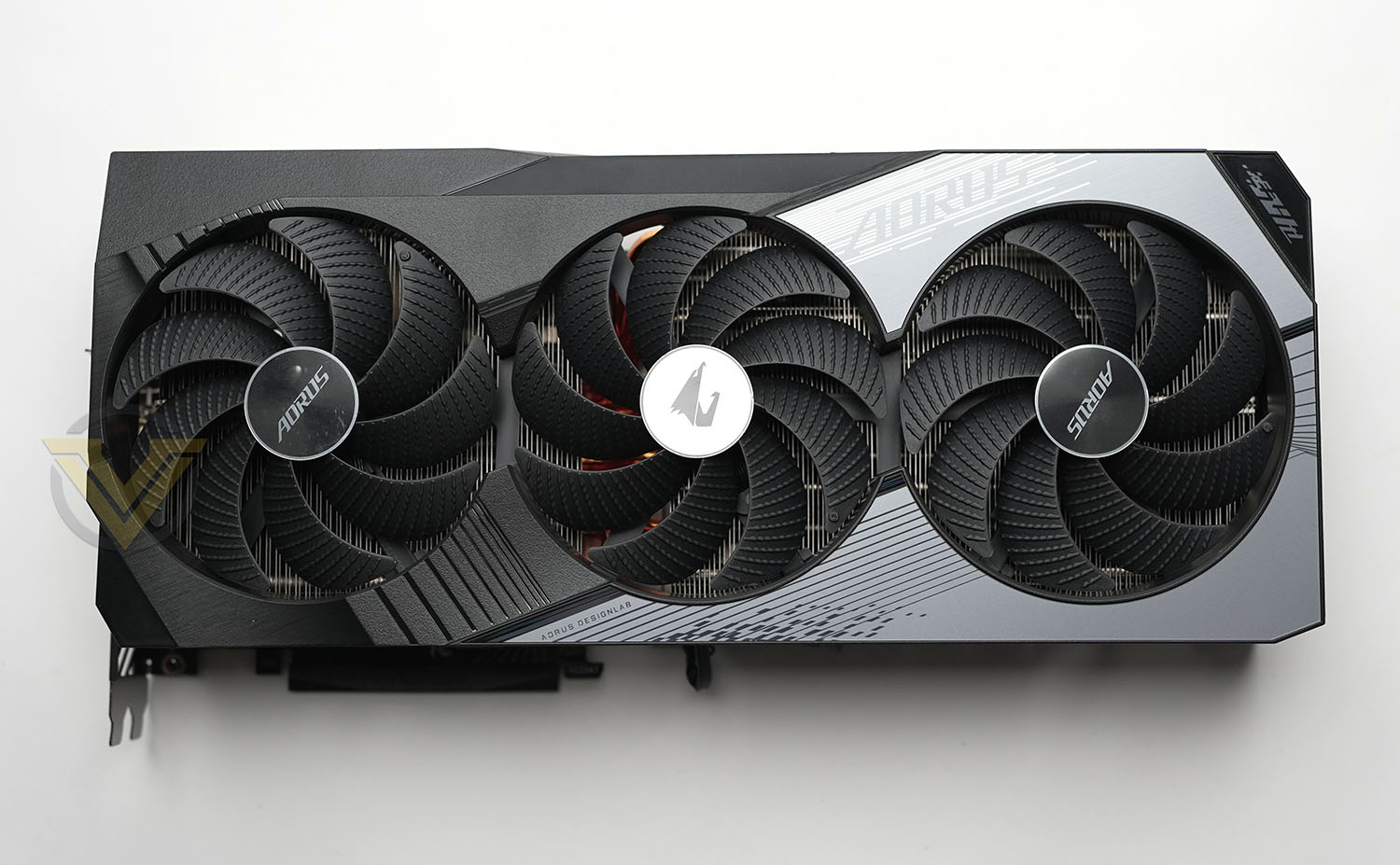
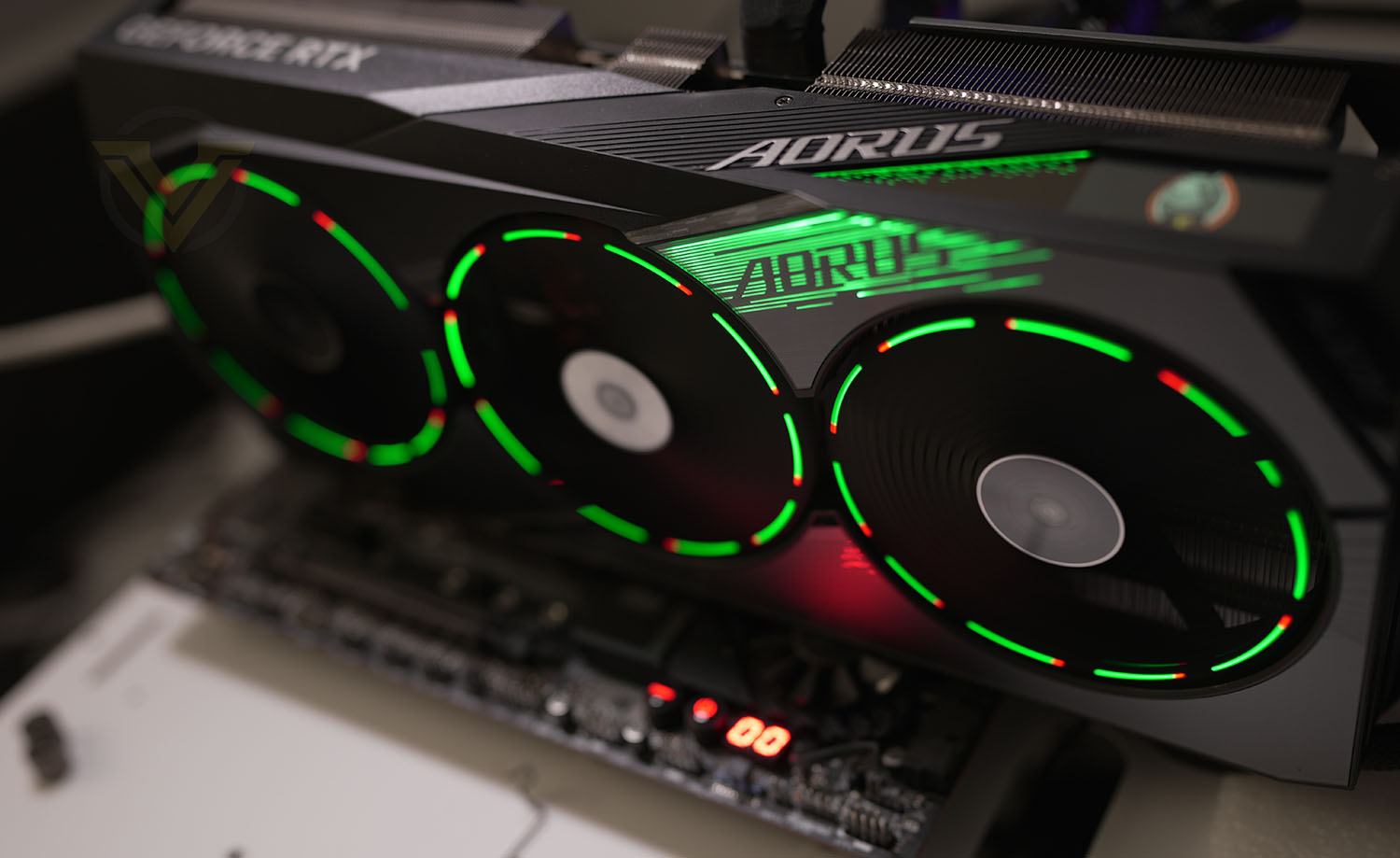
MASTER’s physical design is aesthetically very pleasing and opts for a black/grey theme. This card uses a triple fan configuration which is the next iteration of WINDFORCE. Three 110mm fans sit over a large vapour chamber heatsink which uses 12 composite copper heatpipes. As usual, these fans make use of 3D active fan, meaning the fans will stop spinning when the graphics card is idle and not under load, the middle fan spins clockwise, while the other two spin anti-clockwise. AORUS has given each fan an LED which, when the blades spin, creates an impressive ring effect. The light can of course be modified using GIGABYTE CONTROL CENTER.
While the shroud is plastic, this card does still weigh significantly heavier than other cards we’ve previously reviewed. MASTER’s size should not be underestimated either at a gigantic: 357 x 163 x 75 mm. Case dimensions will almost certainly need to be looked at prior to purchase.
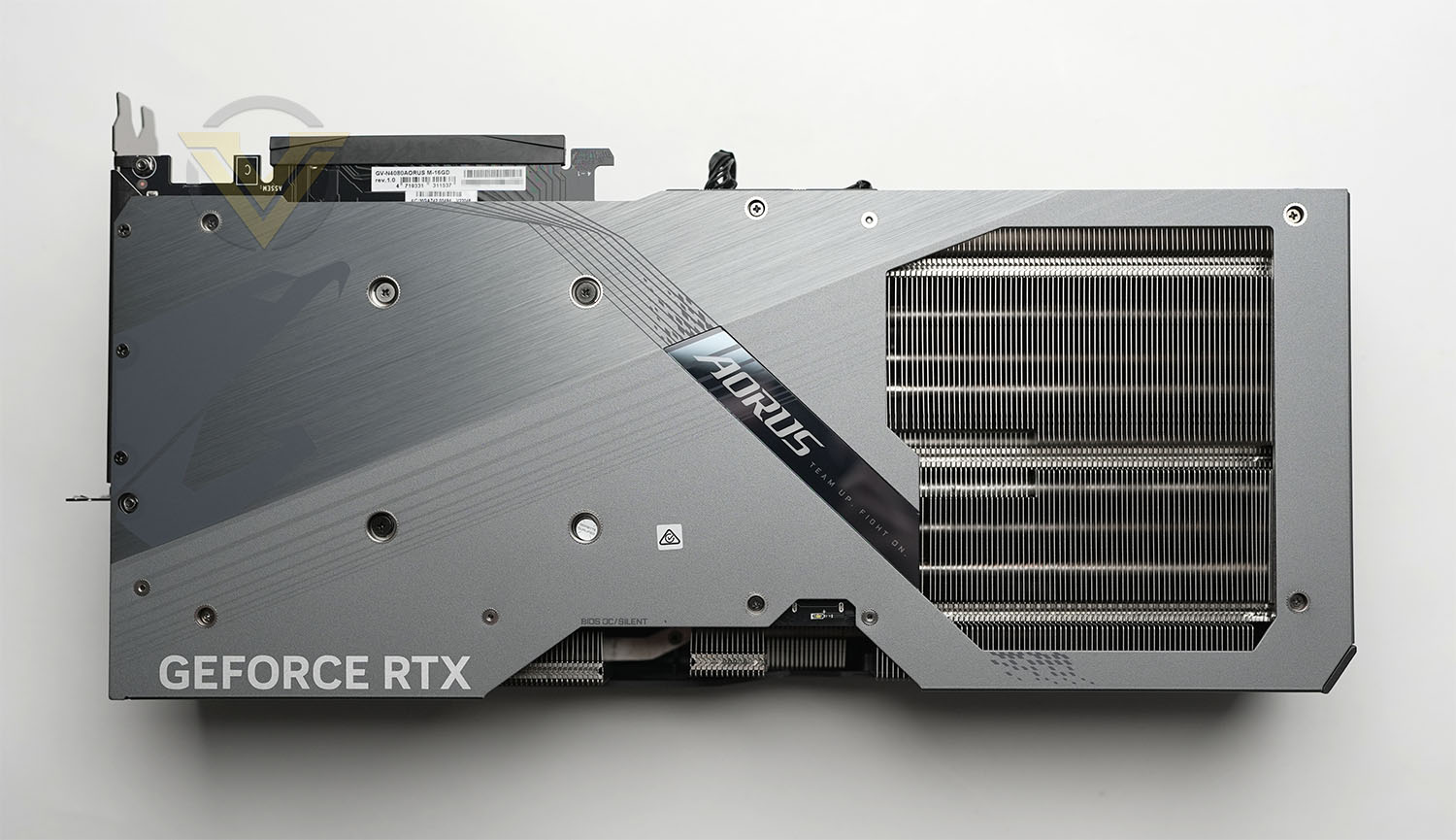
The backside of MASTER features a metal backplate which is likely the aspect which contributes to the hefty weight (as well as the huge heatsink underneath). This has a large cut-out which allows airflow to pass thorugh from the cooling fan on the other side. The backside also features a dual-BIOS switch, allowing users to flick to a silent mode, where the fan curve is less aggressive.
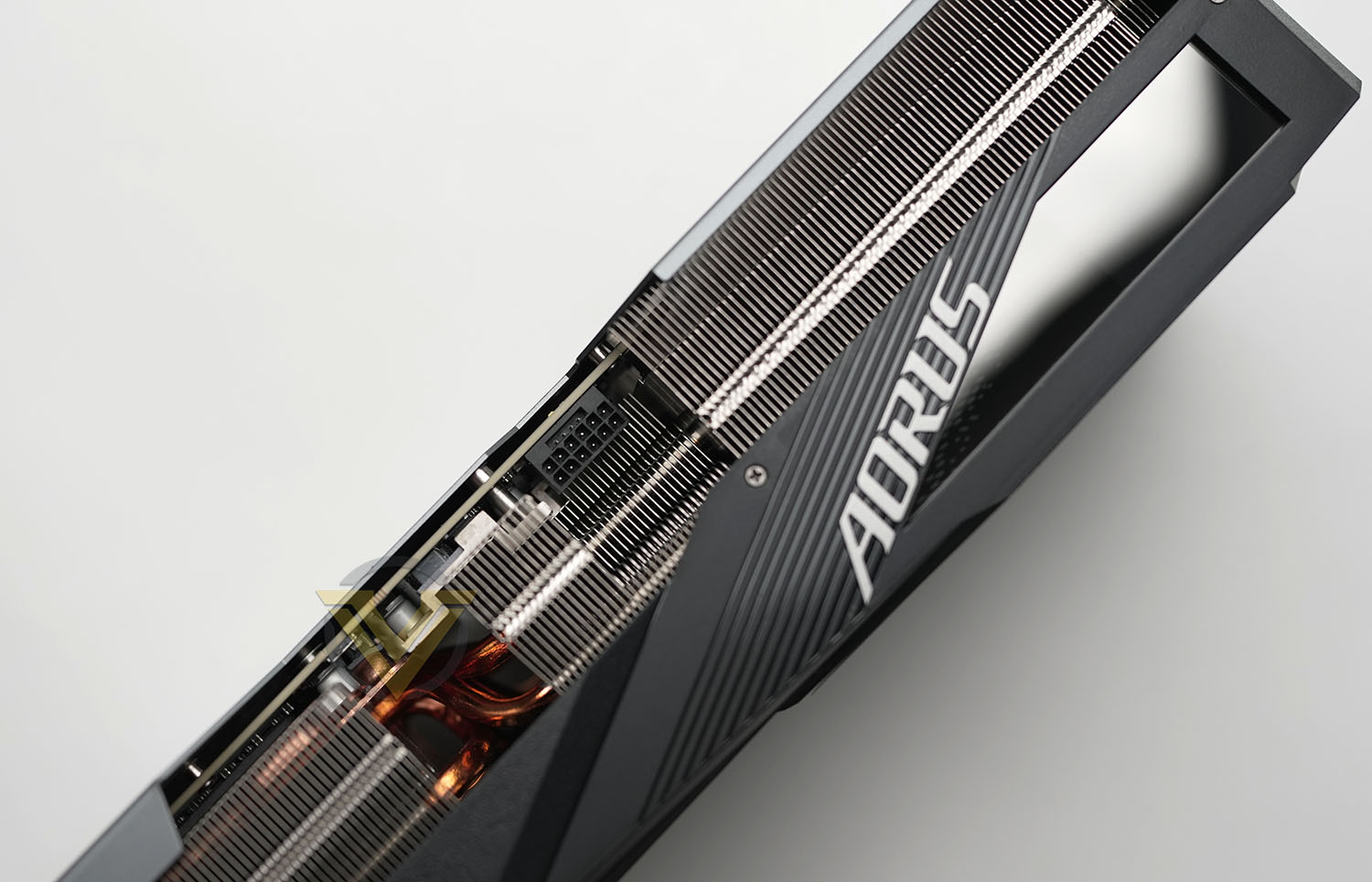
As seen on other 4080s and 4090s, this card features the 12-pin PCI Express and since PSUs lack a 12-pin PCIe 5.0 connector, AORUS has included a 12-pin to triple 8-pin. As such it is necessary to have an 850W power supply and no less. On this edge of the card we have the “LCD Edge View” which can display critical GPU info but also can be customised within the software to feature your own text, pictures or GIF.
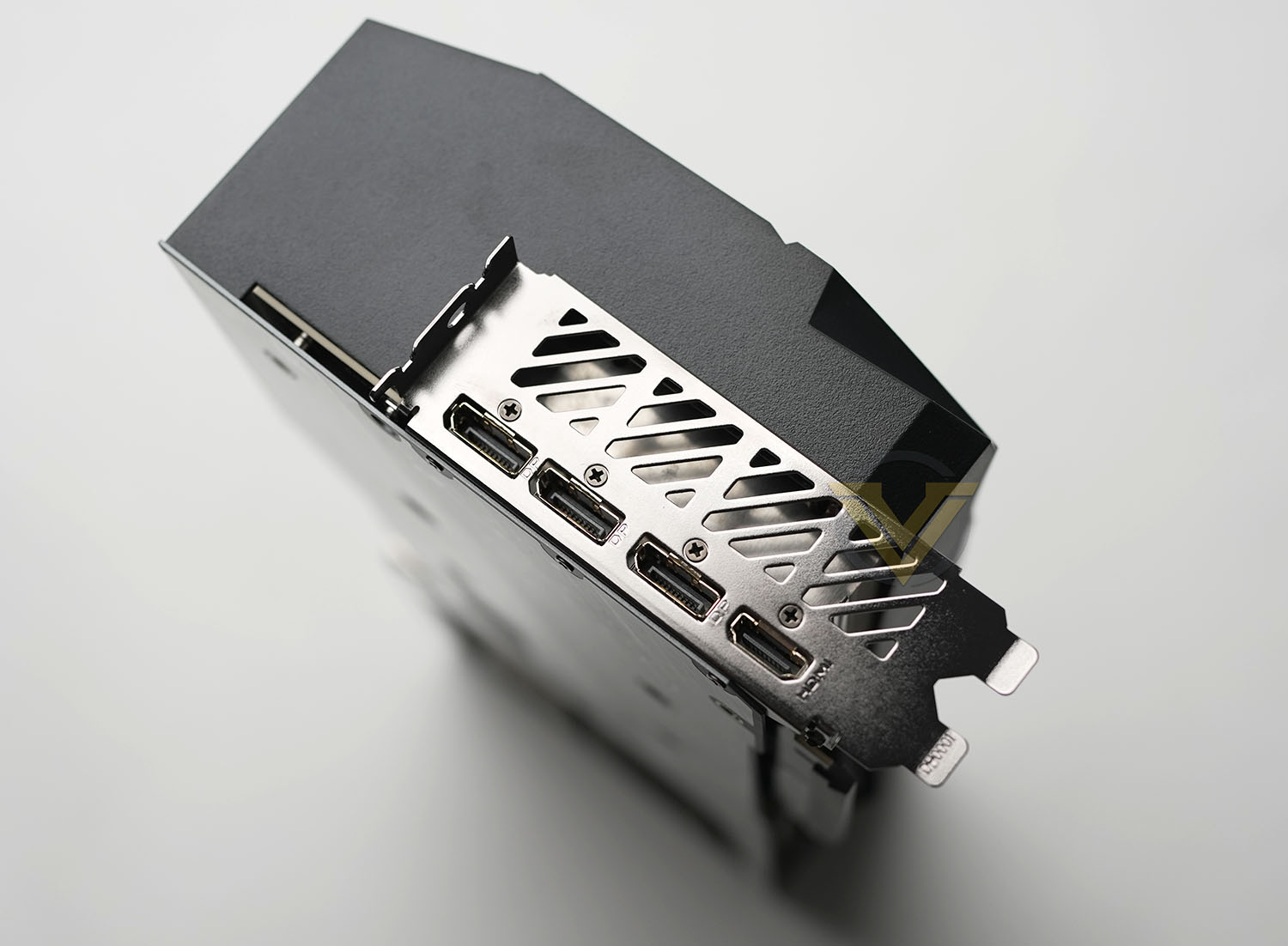
On the rear IO panel there are a total of four video outputs – 3x DisplayPort 1.4 and 1x HDMI 2.1. From this angle we can clearly see that 75mm of height – making this card stray into four PCI Express slots; something to consider.
Out of the box, MASTER comes with a factory overclock which sees the GPU clock boost elevate from 2505MHz to 2550MHz. Memory sits at the reference settings of 1400MHz or 22.5GBps. The factory overclock on this card is fairly conservative – other cards on the market reach 2640MHz. For the money, we would have liked to see more from AORUS.
Test Setup & Methodology
HOW WE TEST GRAPHICS CARDS
Testing a graphics card is an extremely lengthy process. We sometimes see reviews where a graphics card has been tested using out of date equipment, out of date games and even out of date drivers. While the latter can be excused due to the sheer amount of driver updates making a thorough review impossible we will however notify the reader when we have used a different driver to the normal for example a pre-release driver. For the most part however we will always use the same hardware and latest drivers so this does certainly need to be taken into consideration when viewing our testing results. Each game and benchmark is tested times with the lowest and highest scores omitted out of the 5 results and the average then taken from the three remaining to give us our final result for each resolution and setting used.HARDWARE
In Q3 2020 we decided to move on from our Intel X99-based graphics card test system to embrace AMD Ryzen Gen3. The basis for this was quite simple, AMD’s platform is one of the most popular choices for gamers and by using such a configuration, we can hopefully showcase to our readership what they can expect. In the past we’ve used HEDT platforms and while this does indeed align itself to the bleeding edge for a computer system, it doesn’t reflect what most gamers will be using.With NVIDIA and AMD now using PCIe 4.0 for their bus interface on graphics cards, AMD Ryzen Gen3 and the X570 chipset are well-equipped to test appropriately.
Graphics Cards on test:
AMD RX 5700
AMD RX 5700 XT
AMD RX 6800
XFX MERC 319 RX 6800 XT
NVIDIA RTX 2060
NVIDIA RTX 2060 SUPER
NVIDIA RTX 2070 SUPER
NVIDIA RTX 2080 SUPER
NVIDIA RTX 2080 Ti
ZOTAC RTX 3060 Ti Twin Edge OC
GIGABYTE RTX 3070 GAMING OC
Colorful iGame RTX 3070 Advanced OC-V
Colorful iGame RTX 3070 Ti Advanced OC-V
ASUS TUF RTX 3080 OC
AORUS RTX 3080 Master
ASUS ROG STRIX RTX 3090 OC
AORUS RTX 4080 MASTER
ASUS TUF RTX 4090 OC
Special thanks go to AMD, MSI, Corsair, Noctua and AverMedia for providing the hardware configuration for our graphics card reviews:
Motherboard: MSI PRESTIGE X570 CREATION
CPU: AMD Ryzen 7 3800X
RAM – 16GB (2x8GB) Corsair LPX Vengeance DDR4 @ 3000MHz
Power Supply – CORSAIR HX1050
Hard Drive – Samsung 830 EVO 250GB + Crucial MX300 2TB
Cooler – CORSAIR Hydro Series™ H150i Pro 360mm Extreme Performance Liquid CPU Cooler
Capture Card – Avermedia Live Gamer Extreme 2
CPU: AMD Ryzen 7 3800X
RAM – 16GB (2x8GB) Corsair LPX Vengeance DDR4 @ 3000MHz
Power Supply – CORSAIR HX1050
Hard Drive – Samsung 830 EVO 250GB + Crucial MX300 2TB
Cooler – CORSAIR Hydro Series™ H150i Pro 360mm Extreme Performance Liquid CPU Cooler
Capture Card – Avermedia Live Gamer Extreme 2
BENCHMARKS
If you are a regular reader of our reviews you will know we like to test the latest hardware with the latest games and benchmarks on the market. Here are the games we’ve chosen:Horizon Zero Dawn
Control
Shadow of the Tomb Raider
F1 2020
A Total War Saga: Troy
Control
Shadow of the Tomb Raider
F1 2020
A Total War Saga: Troy
To capture framerates we use a combination of in-game benchmark tools and FRAPS.
We also take into consideration the benchmarkers out there so have included three of the more popular synthetic benchmarks available:
3DMark Time Spy
3DMark Port Royal
Unigine: SuperPosition
3DMark Port Royal
Unigine: SuperPosition
In light of the new RTX and DLSS features, we have also added in some tests to cover this tech to provide some analysis, showcasing what users can expect with/without such a feature enabled. For this we are using:
3DMark DLSS
Control – RT Off/RT On
Control – RT Off/RT On
Let’s see how today’s graphics card performed…
Power, Temperatures, Acoustics
To test for power consumption, we take a measurement from the plug socket. It is important to note that the figures below represent total system power use and not just the GPU. The CPU was always in a fixed state so did not affect the additional power load when the GPU was placed under 100% load using AIDA64 stability test (GPU Only) which was ran for 20 minutes at which point a load reading was taken. Idle readings were taken 5 minutes after system boot to ensure any background services and applications had loaded.
TEMPERATURE
To test temperatures we measured idle temperatures after booting windows, letting all applications finish loading and ran a few benchmarks. Once the benchmarks were complete we left the card to reach a cooling plateau where we then took the idle temperatures. For the load tests we set Unigine SuperPosition running in game mode continuously for ~30 minutes and recorded the peak/maximum GPU temperature.ACOUSTICS
For the purpose of testing audio levels we have the NDI KC-3300 sound level meter. During the temperature recording above, while in Unigine SuperPosition gamemode we monitored the audio and the results are found below. All graphics cards are tested in their out of the box state (auto).DX12: 3DMark Time Spy
Download your copy nowWith its pure DirectX 12 engine, which supports new API features like asynchronous compute, explicit multi-adapter, and multi-threading, 3DMark Time Spy is the ideal benchmark for testing the DirectX 12 performance of the latest graphics cards.
DX12: 3DMark Port Royal
Download your copy now3DMark Port Royal is the world’s first dedicated real-time ray tracing benchmark for gamers. You can use Port Royal to test and compare the real-time ray tracing performance of any graphics card that supports Microsoft DirectX Raytracing. As well as benchmarking performance, 3DMark Port Royal provides a realistic and practical example of what to expect from ray tracing in upcoming games.
DX11: Unigine SuperPosition
Superposition is a new-generation benchmark tailored for testing reliability and performance of the latest GPUs. Top-notch visuals, support for VR-devices and an interactive mode with mini-games — the list of features built into Superposition could go on and on.
DX12: Horizon Zero Dawn
Horizon Zero Dawn is an action role-playing game developed by Guerrilla Games and published by Sony Interactive Entertainment. The plot follows Aloy, a hunter in a world overrun by machines, who sets out to uncover her past
DX12: Control
Control Ultimate Edition contains the main game and all previously released Expansions (“The Foundation” and “AWE"
 in one great value package. Winner of over 80 awards, Control is a visually stunning third-person action-adventure that will keep you on the edge of your seat.
DX12: Shadow of the Tomb Raider
Shadow of the Tomb Raider is an action-adventure video game developed by Eidos Montréal in conjunction with Crystal Dynamics and published by Square Enix. It continues the narrative from the 2013 game Tomb Raider and its sequel Rise of the Tomb Raider, and is the twelfth mainline entry in the Tomb Raider series.
DX12: F1 2020
F1® 2020 allows you to create your F1® team for the very first time and race alongside the official teams and drivers. Alternatively, challenge your friends in new split-screen with casual race options for more relaxed racing. Compete on 22 circuits, with current and classic content.
DX12: A Total War Saga: TROY
A Total War Saga: TROY is the first in the award-winning strategy series to focus on the Bronze-Age Mediterranean and the legendary twenty-year conflict between the kingdoms of Troy and Mycenaean Greece, known as the Trojan War.
DLSS Analysis: 3DMark DLSS
Deep Learning Super Sampling (DLSS) is an NVIDIA RTX technology that uses the power of deep learning and AI to improve game performance while maintaining visual quality.
Ray Tracing Analysis: Control
Control is an action-adventure video game title which has the ability to take advantage of real-time ray tracing. For this test we ran the game in 1440p with Ultra Detail set. Under the settings we enable Ray Tracingand assign the preset as “High”. Below are the results with RT On and RT Off.
Conclusion
The new RTX 4080 is an excellent upgrade from last-gens RTX 3080, this new GPU manages to exceed the performance output of the renowned RTX 3090.
While the RTX 4090 is reserved for 4K and above, the RTX 4080 is still suitable for 1440p (and 4K). It’s Cuda core count, VRAM spec, and clock speeds make it the ideal GPU for both these resolutions. It should be quite clear and obvious from the 1080p results that there is really no significant benefit to owning an RTX 4080 or 4090 and both cards come into their own once more demanding workflow is applied.
Turning to the design of the AORUS MASTER, we are left with a beautiful graphics card that has been tastefully designed, taking into account the non-RGB and RGB elements. The problem arises when we look at the footprint of this thing, it is vast, to say the last. Its height will mean it will stray into four PCI Express slots and the computer chassis dimensions will need to be taken into account.
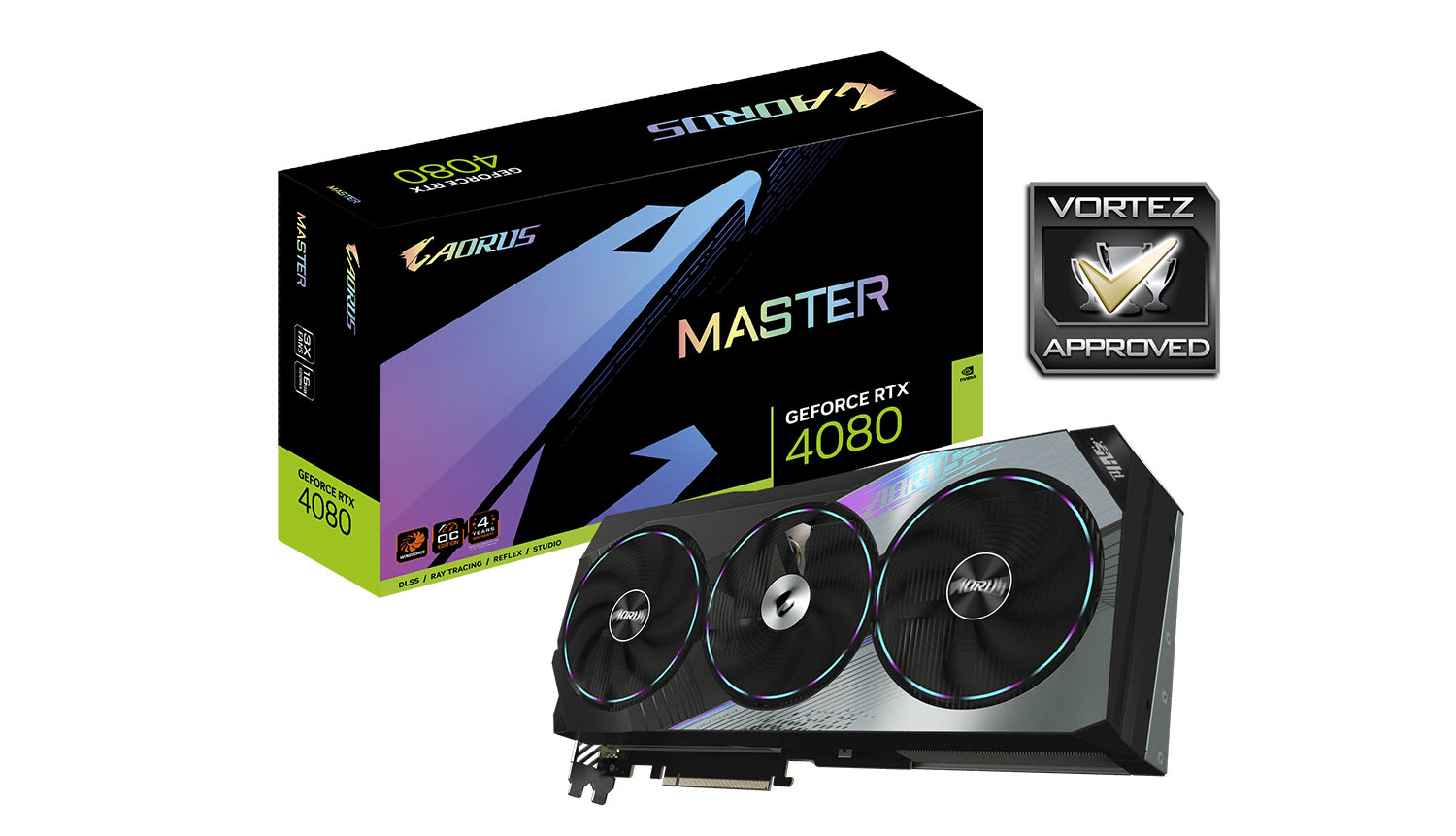
MASTER arrives with a factory overclock applied to just the GPU clock boost – taking it from 2505 MHz up to 2550 MHz. We would have liked to see more from an AORUS GPU, such a modification is pretty tame.
The AORUS RTX 4080 MASTER comes in at a GBP £1700 | USD $1800 | AUD $2500. Gamers will need deep pockets and the RTX 4090 isn’t that far away, yet the performance increase is quite substantial.
AORUS’ RTX 4080 MASTER has hallmarks for a superb graphics card. It offers excellent performance for gamers at 1440p/4K and has a truly excellent cooler – just take into account the physical dimensions and weight!
Pros
+ Impressive design
+ Unique RGB Lighting
+ Handy dual BIOS switch on rear IO
+ Excellent gaming performance over 3090 Ti
+ Cooling performs very well
+ Zero decibel technology
Cons
– Tame factory overclock
– Big power draw
– Huge dimensions
– Heavy
– Cost
+ Impressive design
+ Unique RGB Lighting
+ Handy dual BIOS switch on rear IO
+ Excellent gaming performance over 3090 Ti
+ Cooling performs very well
+ Zero decibel technology
Cons
– Tame factory overclock
– Big power draw
– Huge dimensions
– Heavy
– Cost
Click here for an explanation of our awards at Vortez.net.
Stay connected with the Vortez Social Media pages:
Join in with the discussions on Discord