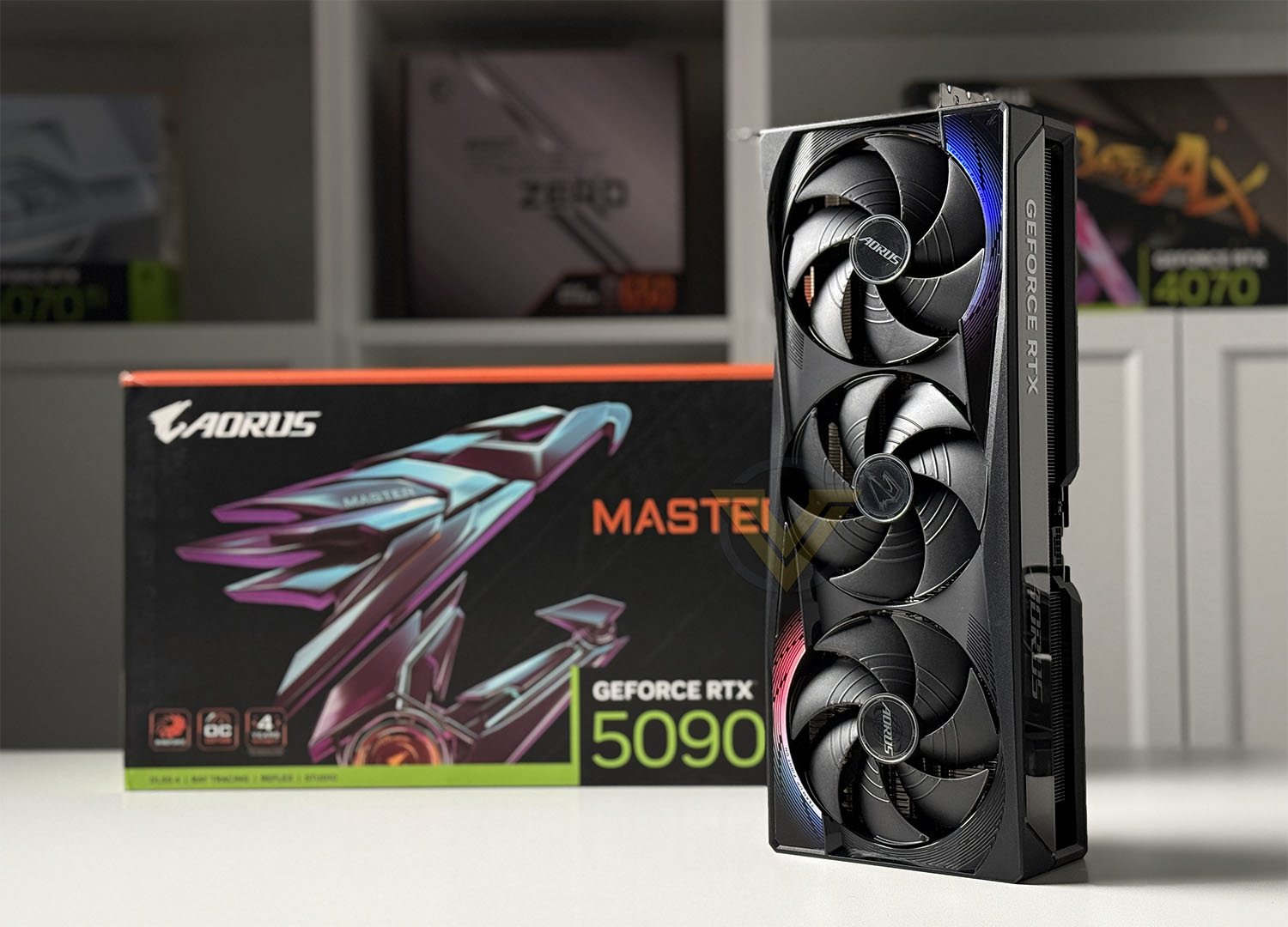
Under the guise of NVIDIA’s new flagship GPU, AORUS give it their MASTER treatment. Can the AORUS RTX 5090 MASTER deliver on every possible metric a gamer could demand? GV-N5090AORUS M-32GD

Product on Review: RTX 5090 MASTER
Manufacturer: GIGABYTE
Street Price: USD 3000 | GBP 2500 | AUD 7000
The AORUS GeForce RTX 5090 MASTER is GIGABYTE’s flagship take on NVIDIA’s latest Blackwell-based GPU, engineered for extreme performance and high-end gaming. Packing 21,760 CUDA cores and 32GB of ultra-fast GDDR7 memory across a 512-bit bus, this card pushes a staggering 1.79 TB/s of memory bandwidth and delivers up to 115.5 TFLOPS of FP32 compute power. With a boost clock of 2,655 MHz and a massive quad-slot cooler, it’s built for those who want uncompromised performance at 4K and beyond. In this review, I’ll be putting the AORUS RTX 5090 MASTER through its paces, focusing on how it handles the latest AAA titles with ray tracing and DLSS enabled, and comparing it directly to the best from the previous generation—including the RTX 4090 and 4080 SUPER.
Beyond raw specs, the AORUS RTX 5090 MASTER features GIGABYTE’s advanced Windforce cooling system, triple 100mm fans, a vapor chamber, and even a customizable LCD display on the side of the shroud. I’ll be evaluating not just the gaming performance, but also how well the card manages heat and noise under load, and how it stacks up in terms of power efficiency and overclocking potential. With a hefty 575W TDP and a premium build, it’s clear this card is aimed at enthusiasts—but the big question is whether it delivers a meaningful step up in real-world gaming. Let’s dive into the benchmarks and see how it performs.
About GIGABYTE
Technical Specifications
Graphics Processing
GeForce RTX™ 5090
Core Clock
2655 MHz (Reference card : 2407MHz)
CUDA® Cores
21760
Memory Clock
28 Gbps
Memory Size
32 GB
Memory Type
GDDR7
Memory Bus
512 bit
Card Bus
PCI-E 5.0
Digital max resolution
7680×4320
Multi-view
4
Card size
L=360 W=150 H=75 mm
PCB Form
ATX
DirectX
DirectX 12 API
OpenGL
4.6
Recommended PSU
1000W
Power Connectors
16 Pin*1
Output
DisplayPort 2.1b *3
HDMI 2.1b *1
Accessories
1. Quick guide
2. Warranty registration
3. 1x 12V-2×6 to 4x PCIe 8pin adapter
4. AORUS identity stickers
5. AORUS metal sticker
6. Versatile VGA holder
7. Versatile VGA holder manual
Closer Look
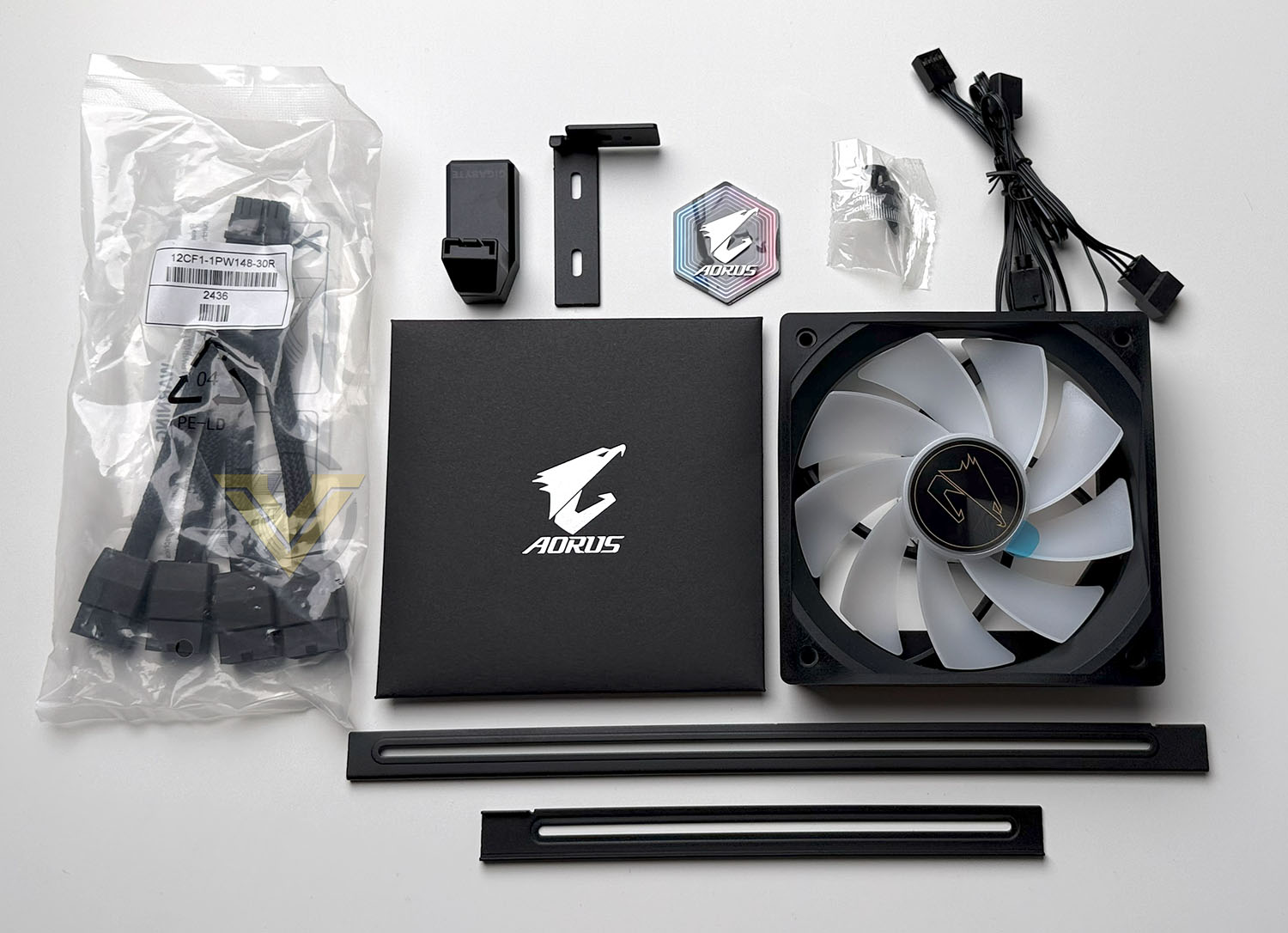
AORUS includes a small assortment of items within the bundle, providing a manual, warranty notice, 1x 12v 2×6 to 4x PCIe 8pin adapter, stickers. and a GPU bracket to support the card inside the computer chassis.
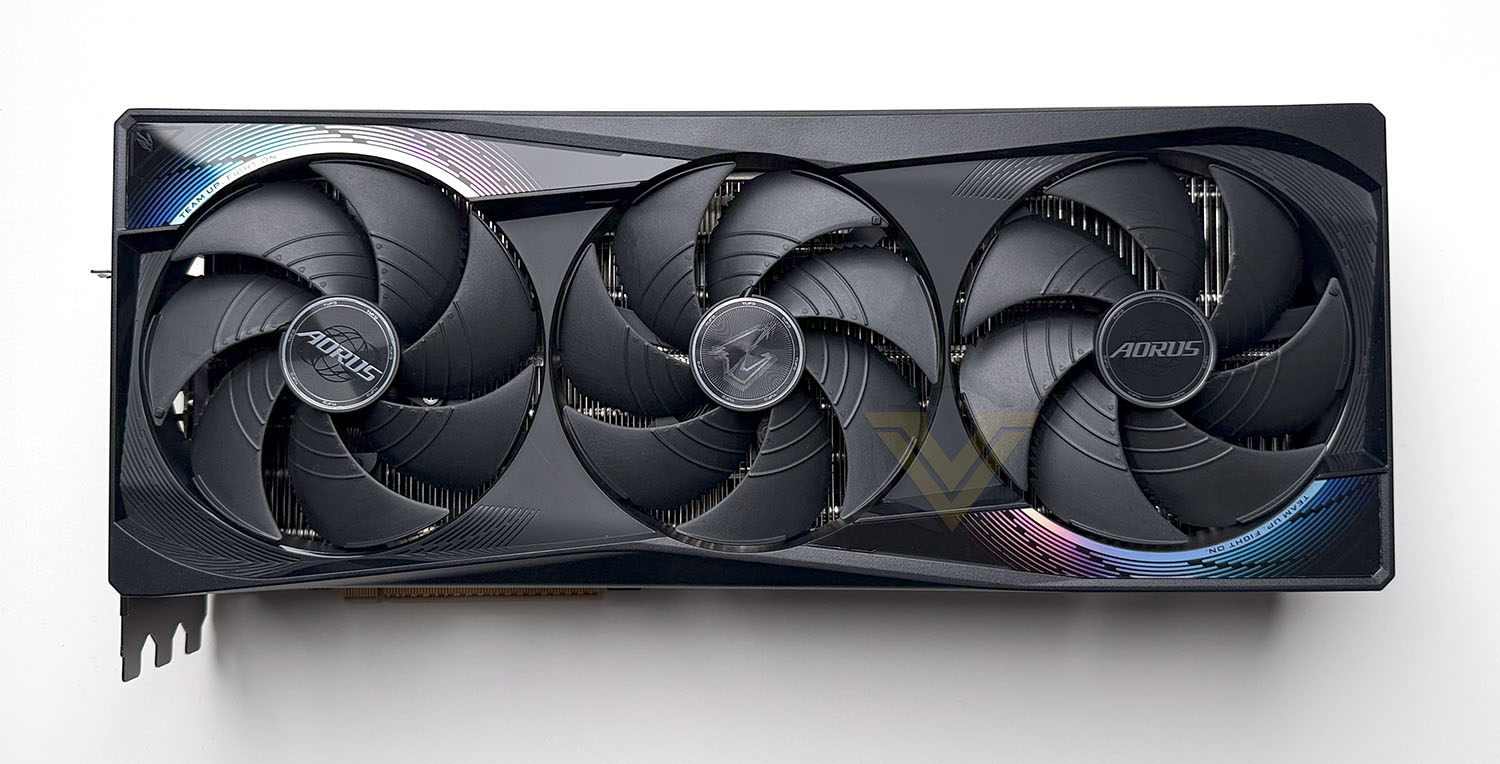
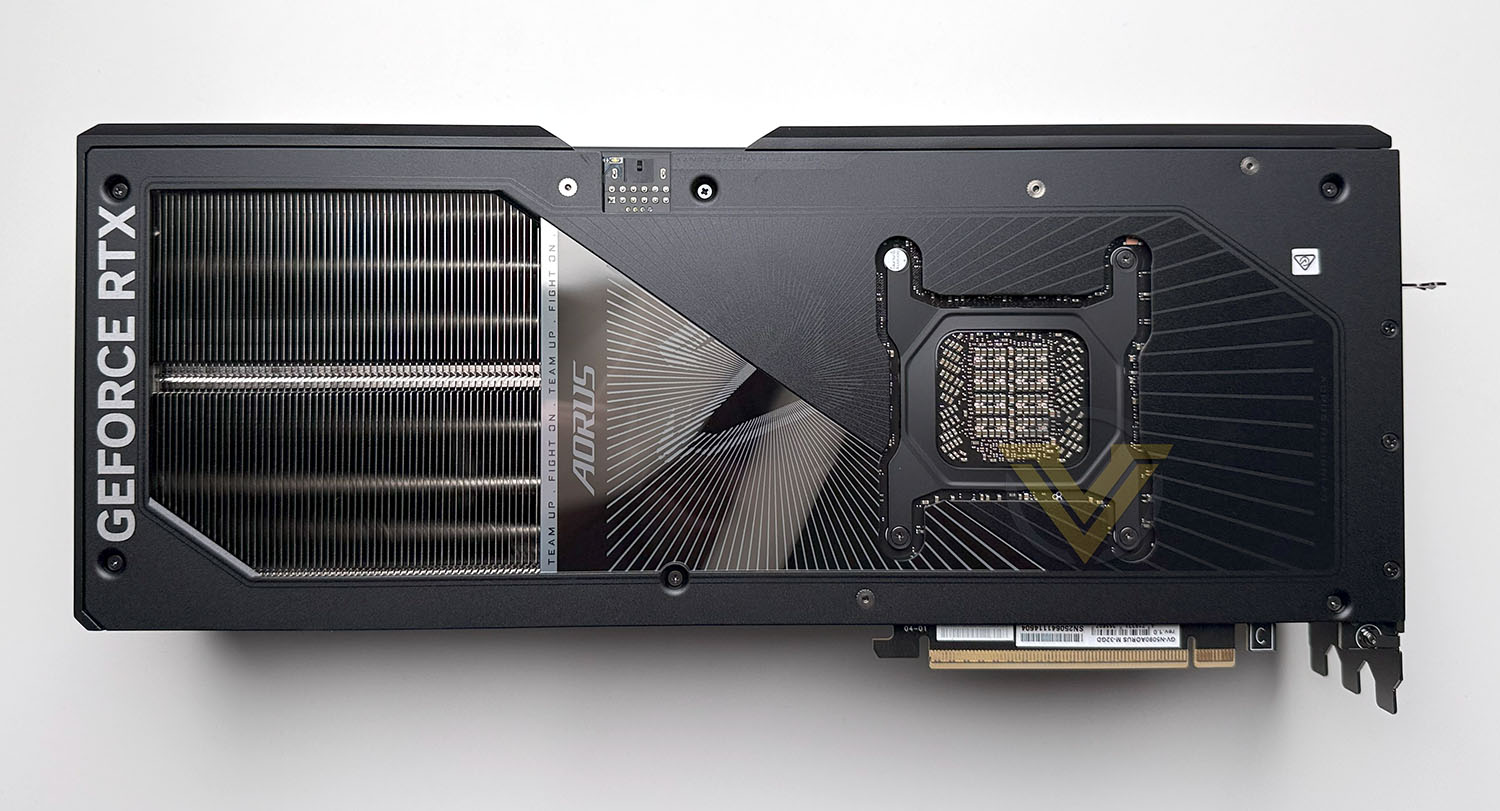
MASTER is a monster of a card, with a decidedly luxurious shroud sitting over the cooler and framing the triple fan design.
Our graphics card features a bold, futuristic design that reflects its flagship status, combining premium materials with functional airflow elements. It features a matte black finish with metallic accents, sharply angular lines, and integrated RGB Halo lighting rings around each of the triple 100mm fans, giving it a distinct visual signature. The build quality is reinforced by a full-length metal backplate and an included anti-sag bracket, ensuring the massive card remains structurally sound in vertical or horizontal orientations. The standout feature is the embedded LCD edge display on the side, which can be customized to show system stats, custom images, or animations—blending aesthetics with practical monitoring. Overall, the shroud design strikes a balance between aggressive styling and purposeful engineering.
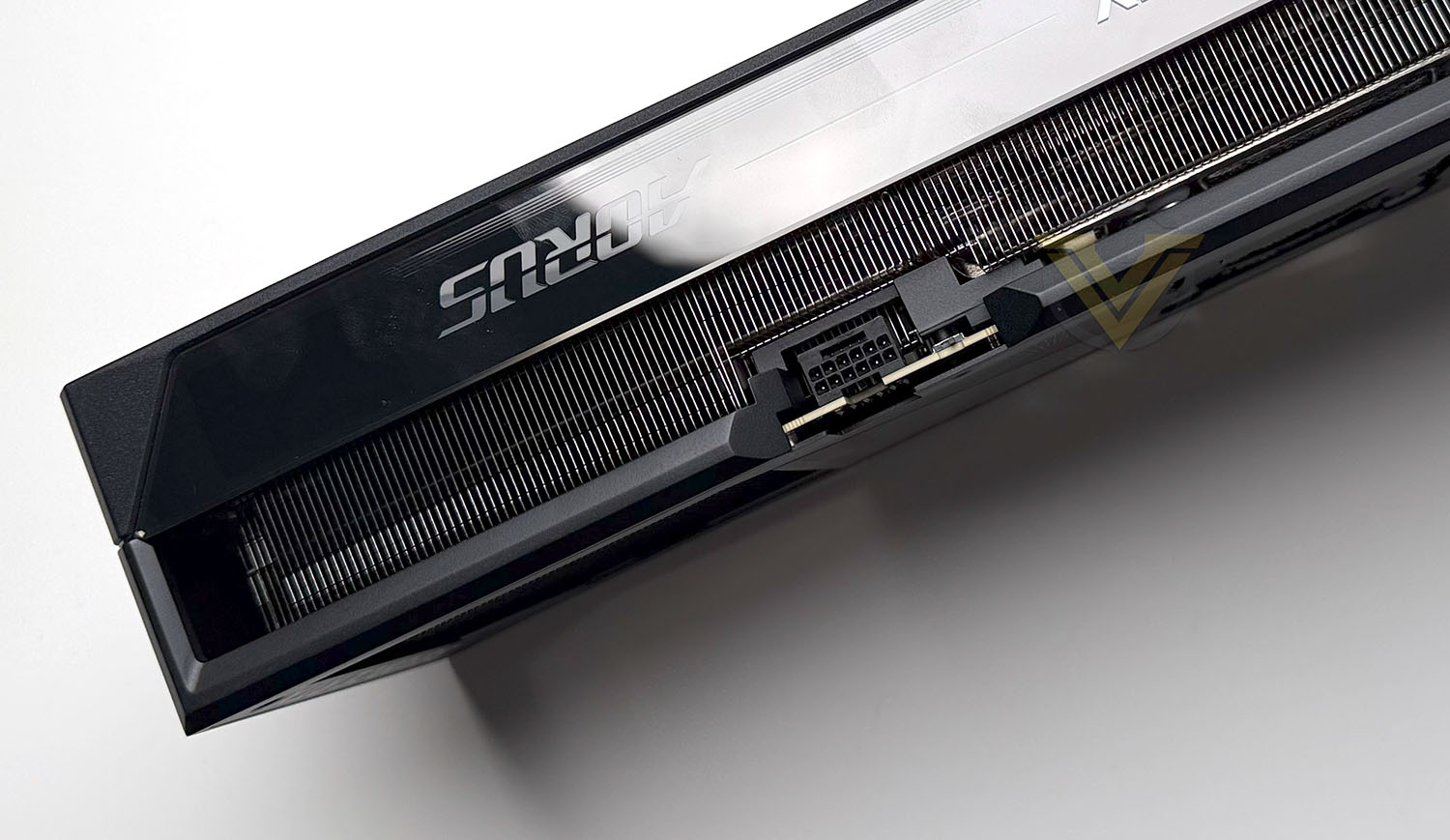
This card features a single 12VHPWR connector – meaning you will need a power supply which is PCIE Gen 5 ready if you want to use the 16-pin directly. However, AORUS has included an adapter to mitigate this. It is recommended that a 1000W power supply is used to sufficiently power this card.
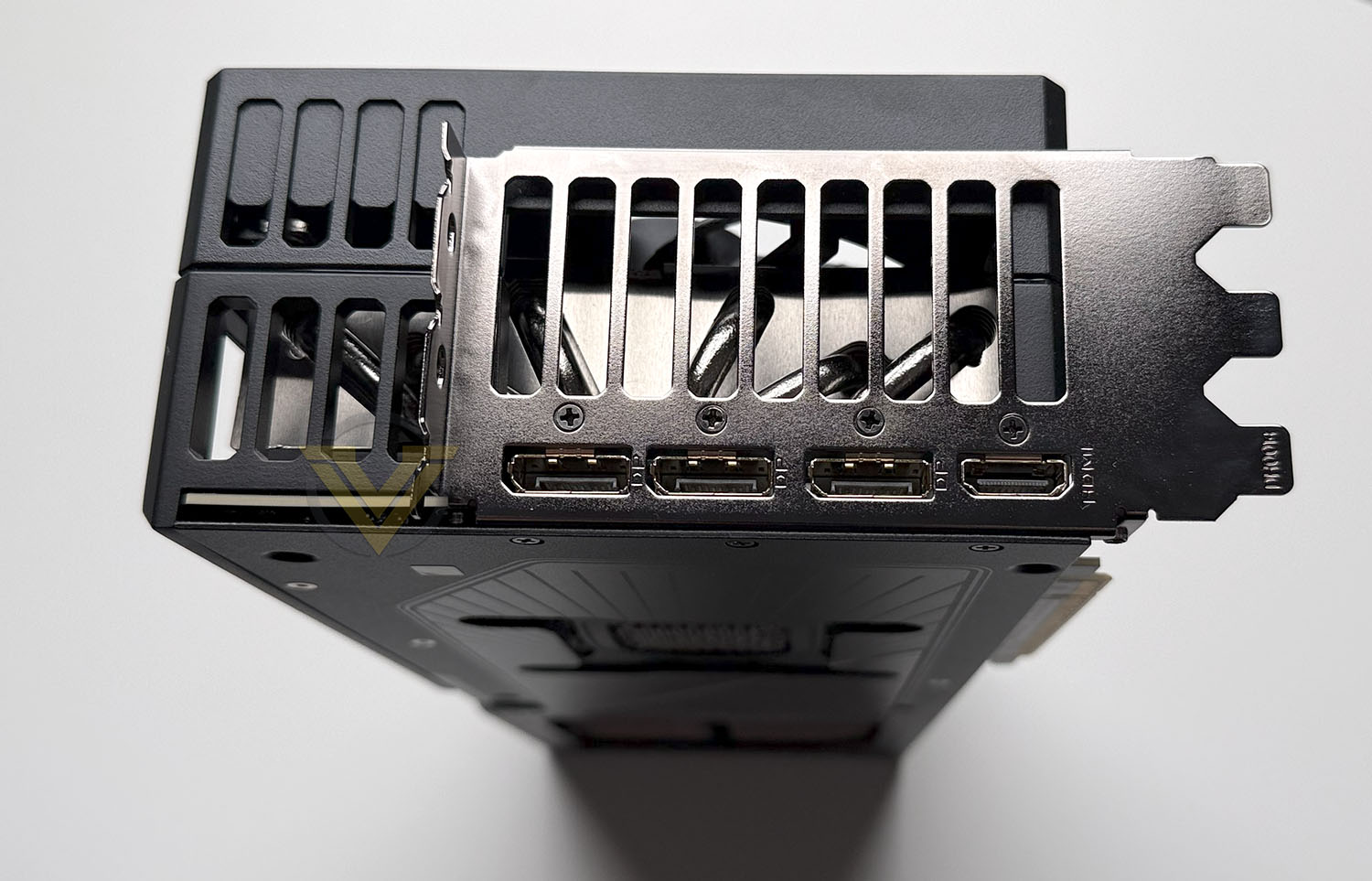
On the rear IO panel there are a total of four video outputs – 3x DisplayPort 2.1b and 1x HDMI 2.1b. So, if you need additional display support, it will have to come by way of DP.
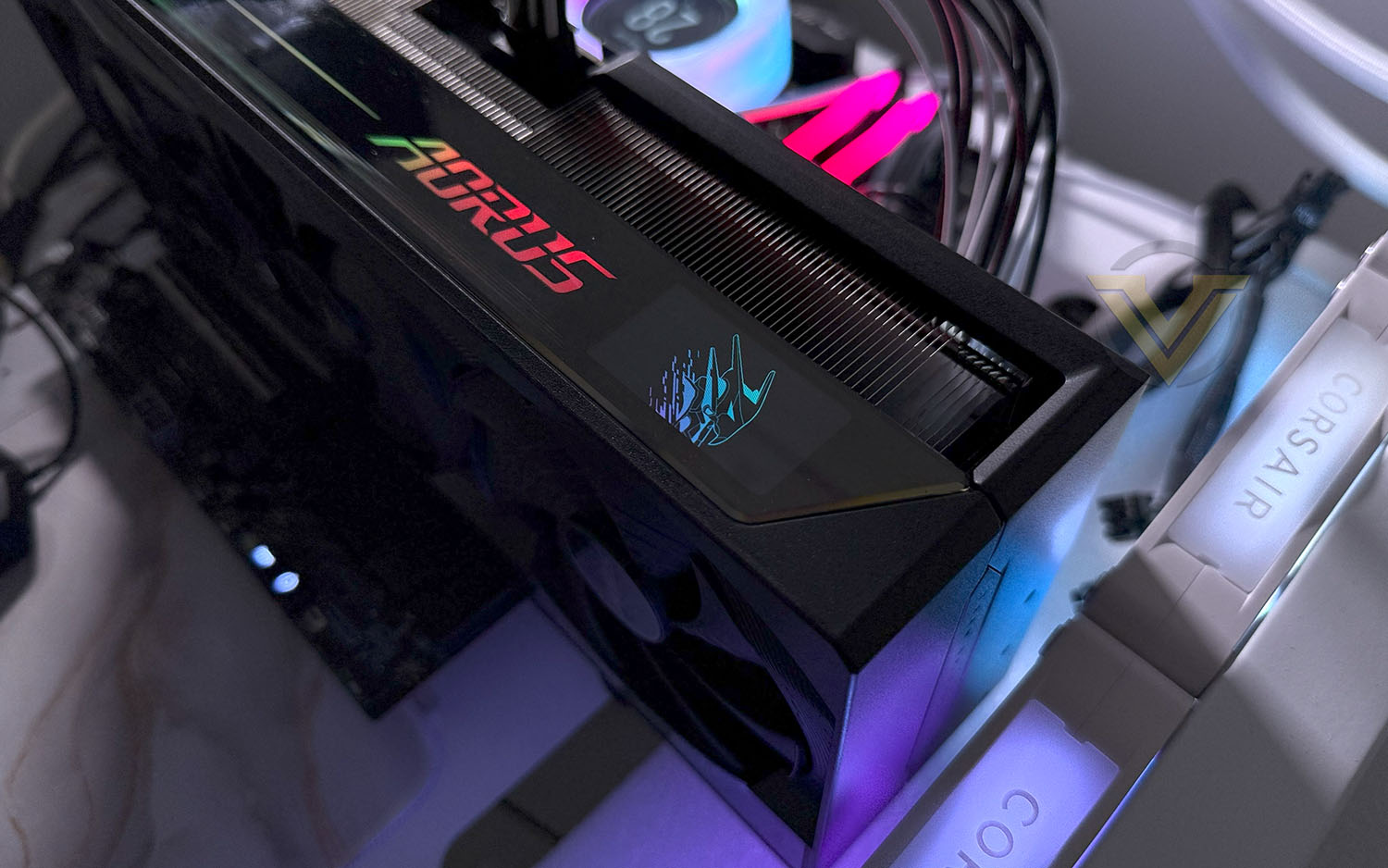
Running along the outer edge of the card, AORUS has given this card RGB lighting which is customisable, along with a funky LCD panel which can also be fully customised to showcase your own animation. The cooling fans also benefit from having triple-ring Halo lighting – which will look fantastic if you have the card vertically mounted.
MASTER comes with a factory overclock, boosting the GPU clock to 2,655 MHz. This represents a modest but meaningful increase over NVIDIA’s reference RTX 5090 boost clock, which is set at 2,520 MHz—an uplift of 135 MHz, or roughly 5.4%. While this isn’t a massive jump on paper, the robust power delivery and advanced cooling system allow the card to sustain these higher frequencies more consistently under load.
Test Setup & Methodology
HOW WE TEST GRAPHICS CARDS
Testing a graphics card is an extremely lengthy process. We sometimes see reviews where a graphics card has been tested using out of date equipment, out of date games and even out of date drivers. While the latter can be excused due to the sheer amount of driver updates making a thorough review impossible we will however notify the reader when we have used a different driver to the normal for example a pre-release driver. For the most part however we will always use the same hardware and latest drivers so this does certainly need to be taken into consideration when viewing our testing results. Each game and benchmark is tested times with the lowest and highest scores omitted out of the 5 results and the average then taken from the three remaining to give us our final result for each resolution and setting used.HARDWARE
In Q1 2025 we decided to upgrade our test system to the very latest AMD X870E platform with the renowned AMD Ryzen 7 9800X3D – currently regarded as one of the best gaming CPUs to date. AMD’s platform is one of the most popular choices for gamers and by using such a configuration, we can hopefully showcase to our readership what they can expect.This new platform provides us with the very latest technology and standards to be able to accurately report back on performance of modern graphics cards.
Graphics Cards on test:
MSI VENTUS 2X OC RTX 4060 TI
ASUS PRIME RTX 4070 SUPER
INNO3D RTX 4080 SUPER X3
PNY RTX 4090 XLR8 VERTO EPIC-X
GIGABYTE RTX 5070 TI EAGLE OC ICE
GIGABYTE RTX 5080 GAMING OC
GIGABYTE RTX 5080 AERO OC SFF
AORUS RTX 5090 MASTER
GIGABYTE RX 7700 XT GAMING OC
POWERCOLOR RED DEVIL RX 7800 XT
POWERCOLOR HELLHOUND RX 7900 GRE
XFX MERC 310 RX 7900 XTX
POWERCOLOR HELLHOUND RX 9070
Special thanks go to MSI and Corsair for providing the hardware configuration for our graphics card reviews:
CPU: AMD Ryzen 7 9800X3D
RAM – 32GB HyperX FURY Renegade 7600MHz
Power Supply – Corsair RM1000X
Hard Drive – Samsung 990 PRO
Cooler – Corsair iCue Link Titan 360 RX LCD
BENCHMARKS
If you are a regular reader of our reviews you will know we like to test the latest hardware with the latest games and benchmarks on the market. Here are the games we’ve chosen:Indiana Jones and the Great Circle
Black Myth: Wukong
Silent Hill 2 Remake
TEKKEN 8
Horizon Forbidden West
To capture framerates we use CapFrameX.
Other benchmark tools have been included to give a broad overview of performance and these include:
PugetBench for Davinci Resolve
ProCyon AI Image Generation
ProCyon Video Editing
3DMark SpeedWay
3DMark Nomad
Let’s see how today’s graphics card performed…
Power, Temperatures, Acoustics
To test for power consumption, we take a measurement from the plug socket. It is important to note that the figures below represent total system power use and not just the GPU. The CPU was always in a fixed state so did not affect the additional power load when the GPU was placed under 100% load using AIDA64 stability test (GPU Only) which was ran for 20 minutes at which point a load reading was taken. Idle readings were taken 5 minutes after system boot to ensure any background services and applications had loaded.
TEMPERATURE
To test temperatures we measured idle temperatures after booting windows, letting all applications finish loading and ran a few benchmarks. Once the benchmarks were complete we left the card to reach a cooling plateau where we then took the idle temperatures. For the load tests we use GPU-Z and have this running throughout all of our benchmarks, and then report back on the maximum temperatures at the end of this exhaustive session.ACOUSTICS
For the purpose of testing audio levels we have the NDI KC-3300 sound level meter. During the temperature recording above, while in Black Myth Wukong benchmark we monitored the audio and the results are found below. All graphics cards are tested in their out of the box state (auto).PugetBench for Davinci Resolve
Procyon AI Image Generation
Procyon Video Editing Benchmark
Procyon benchmarks use real applications to test performance whenever possible. The Procyon Video Editing Benchmark uses Adobe Premiere Pro in a typical video editing workflow.
3DMark Speed Way
3DMark Steel Nomad
S.T.A.L.K.E.R 2
Silent Hill 2 Remake
Indiana Jones and the Great Circle
Black Myth: Wukong
TEKKEN 8
Horizon Forbidden West
Conclusion
The AORUS RTX 5090 MASTER delivers truly outstanding gaming performance, setting a new benchmark for what’s possible in modern titles. Whether you’re pushing ultra settings at 4K with full ray tracing or using DLSS 3.5 to drive high refresh rates on next-gen displays, this card handles it all with ease. In every game tested, from S.T.A.L.K.E.R 2 to Black Myth: Wukong, the 5090 MASTER consistently sat at the top of the performance charts, leaving even the RTX 4090 in the rearview mirror. For gamers who want the absolute best with no compromises, this is currently the fastest GPU money can buy.
Beyond gaming, the raw power of the RTX 5090 MASTER makes it a monster in productivity and creative workloads. Its 32GB of GDDR7 memory and over 21,000 CUDA cores allow it to chew through 3D rendering, video encoding, AI model training, and complex simulations with remarkable efficiency. It’s a serious tool for professionals who need maximum throughput and minimal bottlenecks—especially in workflows where time is money. The factory overclock, combined with excellent thermal performance, ensures that you’re getting top-tier performance without needing to tweak anything.
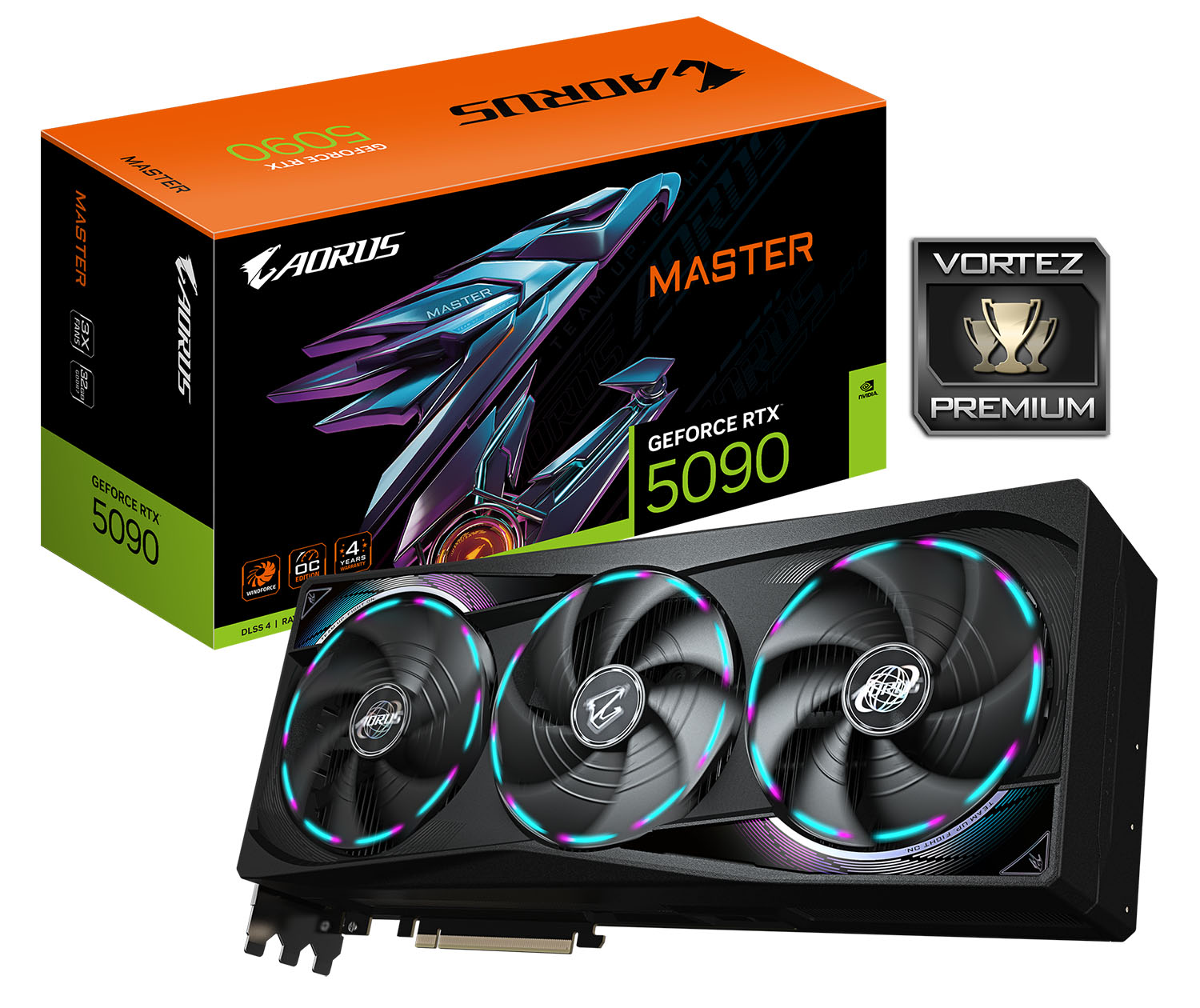
That said, this level of performance comes with some major caveats—starting with the sheer size and weight of the card. The MASTER is enormous, taking up four slots and requiring a case with ample clearance and strong GPU support. The RGB implementation, particularly the triple-ring Halo lighting and customisable side LCD, is visually stunning and adds a premium flair to high-end builds. But it all contributes to a card that’s not just powerful, but physically dominant—and it demands an equally capable chassis and airflow setup to match.
Perhaps the biggest barrier, however, is the cost. With an eye-watering price tag of $3,000 USD, £2,500 GBP, or $7,000 AUD, and a recommended minimum 1000W power supply (which itself isn’t cheap), this card sits firmly in the ultra-enthusiast category. For most users, it’s overkill. But for those who demand the absolute pinnacle of GPU performance—whether for competitive gaming, high-end creation, or just bragging rights—the AORUS RTX 5090 MASTER delivers in every possible metric. Just be ready to pay the premium it commands.
+ Outstanding gaming performance
+ Top choice for intensive workflows
+ The fastest GPU on the market
+ Impressive GBT lighting
+ Low noise and temperatures
Cons
– Huge in size
– Heavy
– Enormous price-tag
Click here for an explanation of our awards at Vortez.net.
Stay connected with the Vortez Social Media pages:
Join in with the discussions on Discord