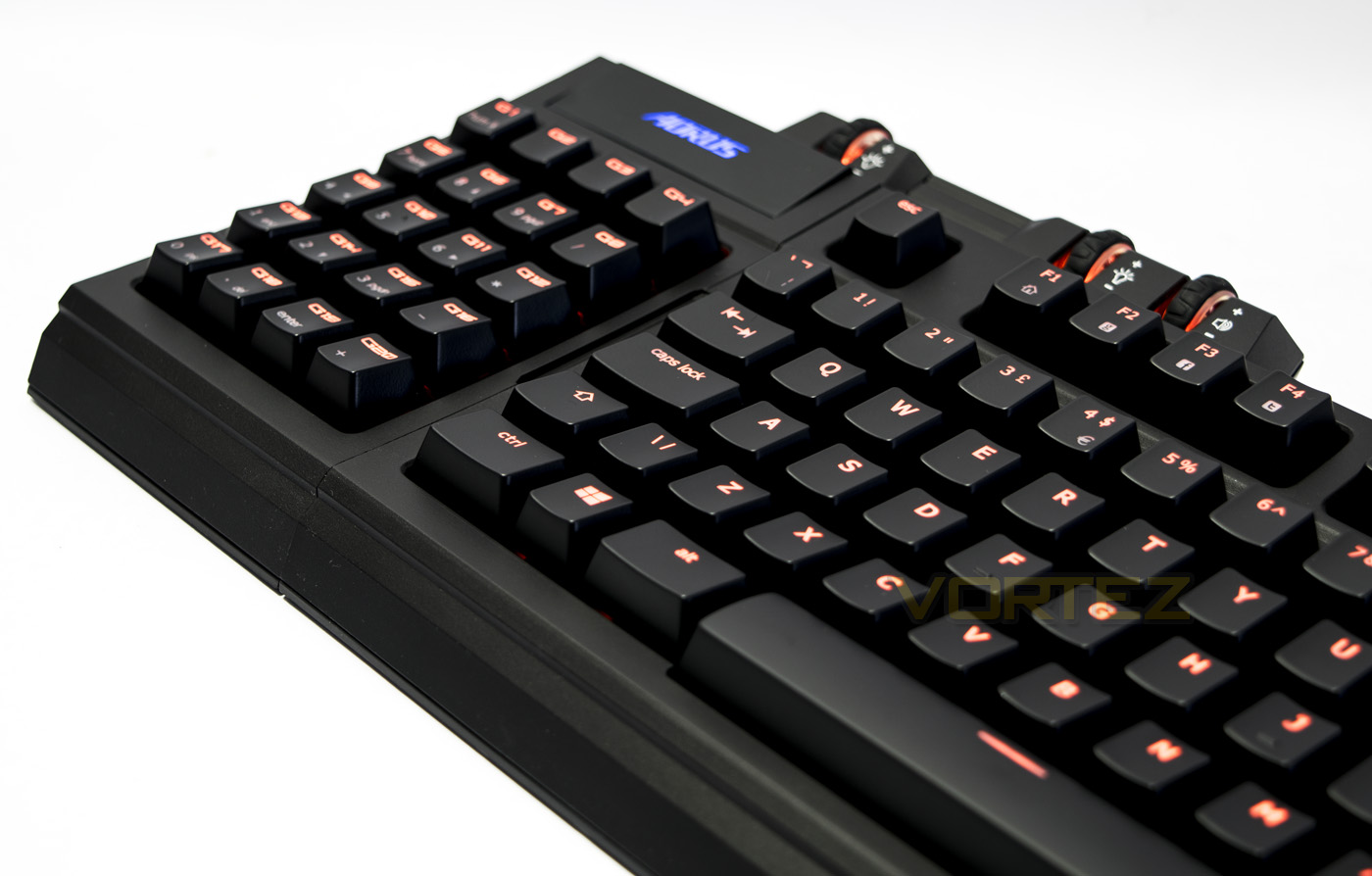
The Aorus Thunder K7 mechanical keyboard has a modular 20 key macropad that can be orientated in various ways, freeing up space for your mouse movements.

Product on Review: Aorus Thunder K7
Manufacturer: AORUS
Street Price: UK: £129.99, US: $139.99
People in the UK may not be too familiar with the Aorus brand yet, but if you do a little digging you will discover that ‘Aorus’ is the gaming subsidiary from ‘GIGABYTE’, a more familiar name. Aorus have been in the international scene since 2014 and have released various gaming products that are now slowly penetrating into the UK market, so Aorus will be a brand to keep an eye out for.
The Aorus Thunder K7 has a rather unique design due to its modular, fully programmable numpad-come-macropad that can be attached to either side of the TKL keyboard, dubbed the ‘80% keyboard’. By swapping the numpad/macro pad to the left hand side, (right handed) gamers will benefit from having more space to move their mouse around. Should you not require a full keyboard or are gaming on-the-go, there is a separate USB cable that can attach to the 20% part (macropad) for stand alone use, making it an exceptional compact/transportable solution. The Thunder K7 ships with a wrist rest and sports the renowned CHERRY MX Red switches.
About Aorus
Inspired by the legacy and origins of an old breed of board games, we set upon a journey. Led and driven by the gaming nature that is in our blood, we made our way here. As told by the great ancestors of Egypt, victory, for generations, falls to those who are watched over by Horus. The bravery and wisdom inherited by pharaohs for generations have now been revived with AORUS.
Technical Specifications
Interface: USB 2.0
Activation: Cherry Red Mechanical Switch
Switch Life: 50 million times
Key Profile: Standard
Travel Distance: 4mm to the bottom
Activation Distance: 2mm to actuation point
Peak Force: 45g
Weight: 1500g ±10%
Dimension: 454(L)* 257(W)*45(H) mm
Cable Length: 2.0m ±10%
OS Support: Windows XP/ Vista/ Windows 7/ Windows 8
Certificate: CE, FCC, BSMI
Color: Black
Anti-GHOST: Full range N key rollover
Game mode: press “Fn+G”, supports 64 simultaneous key presses via USB connection
Normal mode: press “Fn+N”, supports 6 simultaneous key presses via USB connection
Activation: Cherry Red Mechanical Switch
Switch Life: 50 million times
Key Profile: Standard
Travel Distance: 4mm to the bottom
Activation Distance: 2mm to actuation point
Peak Force: 45g
Weight: 1500g ±10%
Dimension: 454(L)* 257(W)*45(H) mm
Cable Length: 2.0m ±10%
OS Support: Windows XP/ Vista/ Windows 7/ Windows 8
Certificate: CE, FCC, BSMI
Color: Black
Anti-GHOST: Full range N key rollover
Game mode: press “Fn+G”, supports 64 simultaneous key presses via USB connection
Normal mode: press “Fn+N”, supports 6 simultaneous key presses via USB connection
Packaging & Bundle
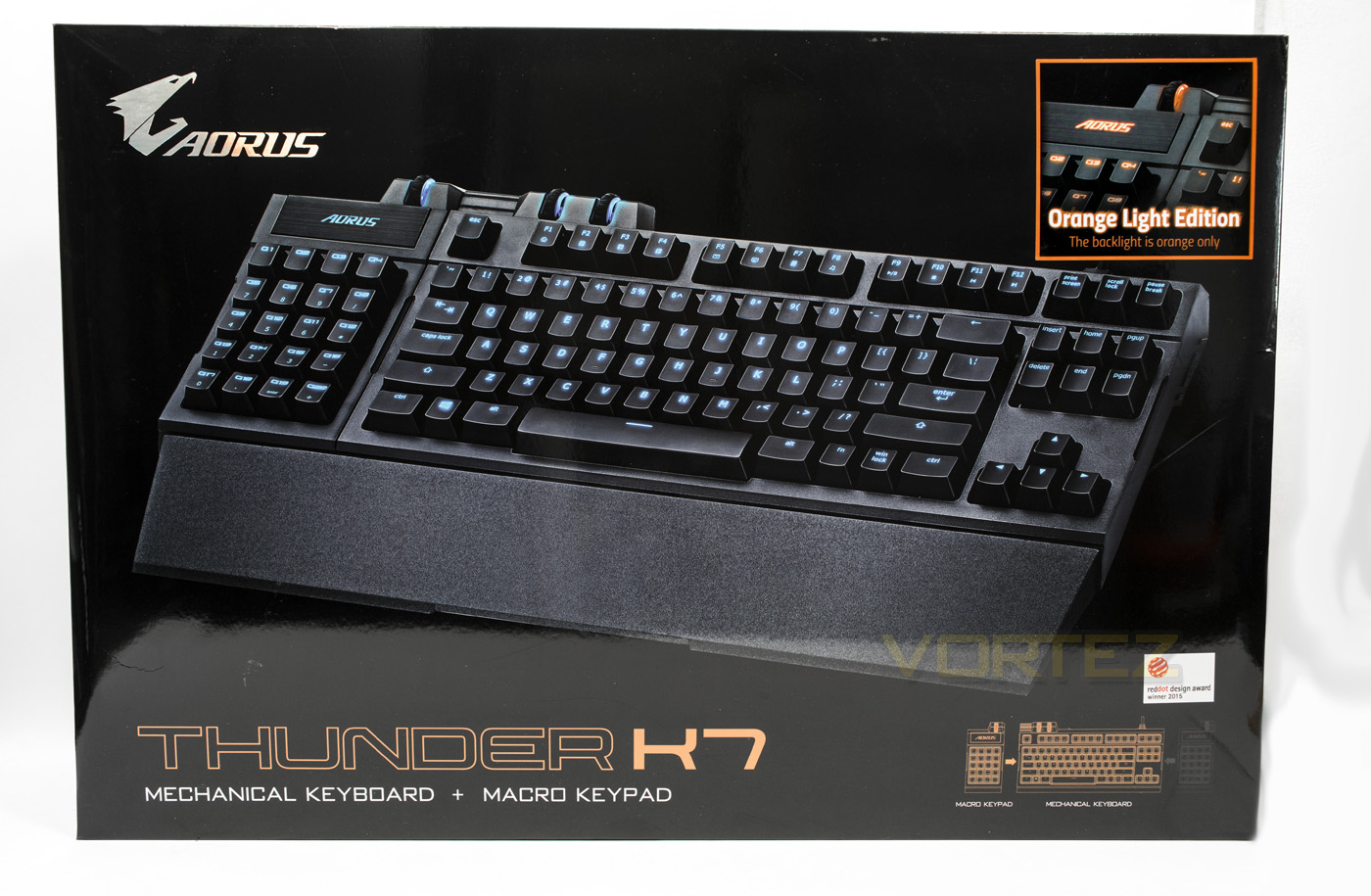
As far as keyboard packaging goes, I thought the box for the ROCCAT Ryos MK FX was big, but Aorus takes the biscuit with this huge monstrosity at 400 x 550mm. The front image clearly shows the product, the colour of the backlighting and the orientations of the macropad.
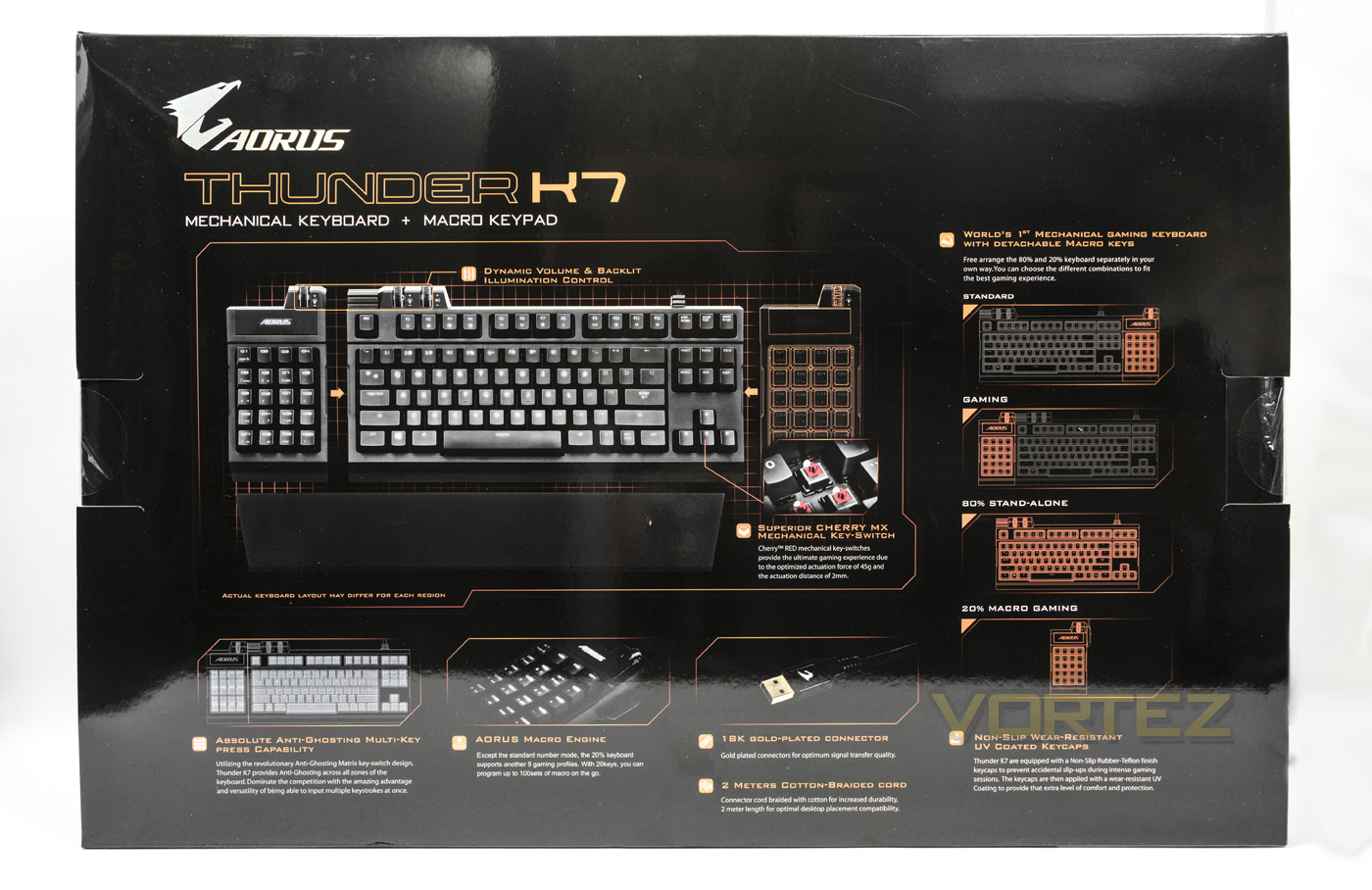
At the back there are diagrams detailing the various ways you can use the product with a right/left orientation, or the stand alone variations. Along the bottom details some other features of the Thunder K7.
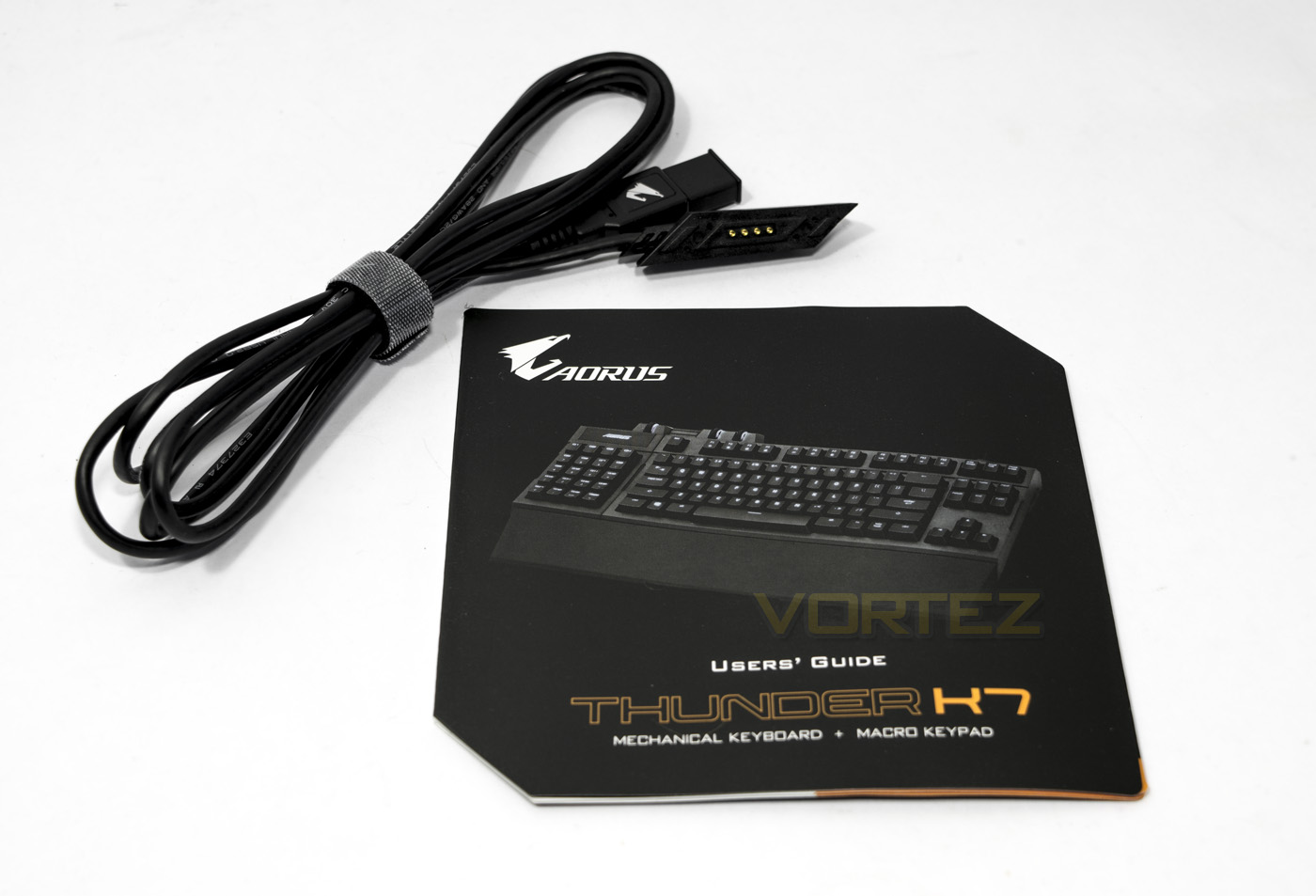
Inside the box you will be greeted with lots of padding to protect all the components, as well as a guide and additional cable to use the macropad alone.
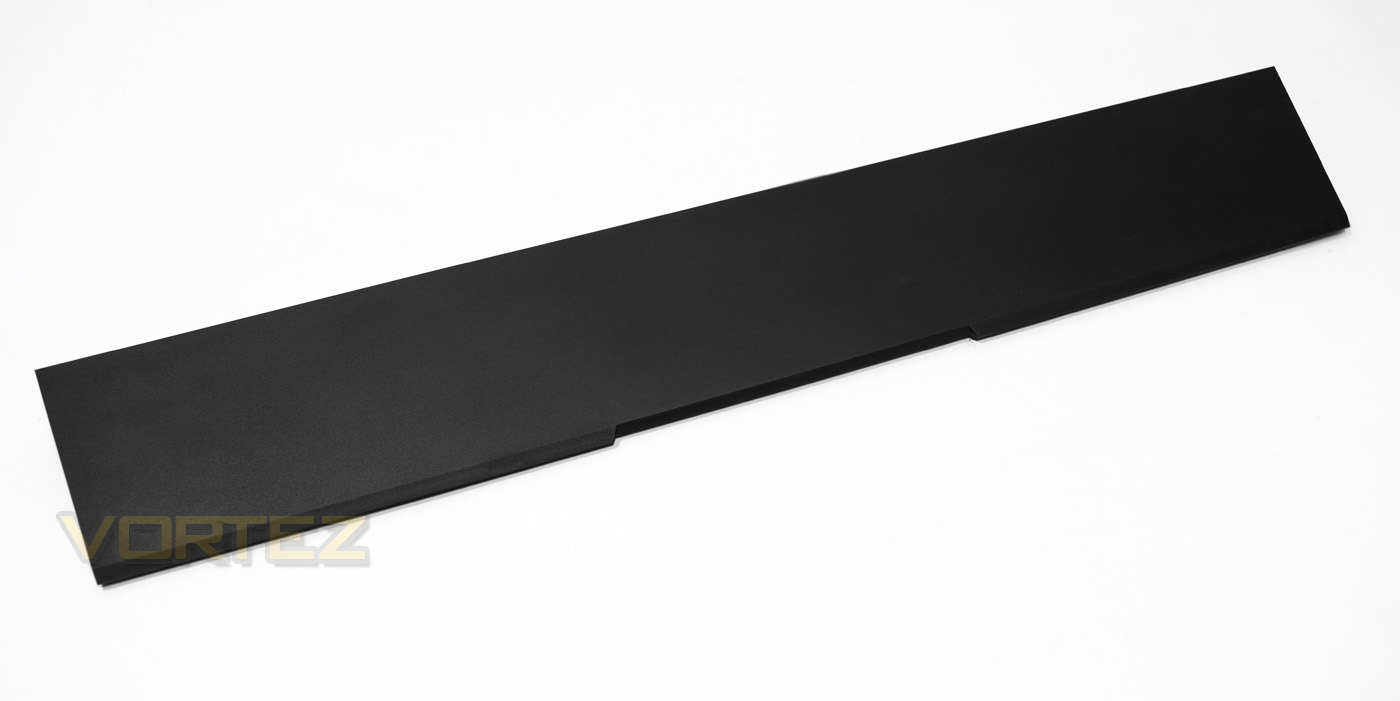
The Thunder K7 also features a curved, shaped wrist rest that attaches to the base of the keyboard magnetically. It is just a textured plastic surface and I personally would rather some bounce/squishiness to a wristrest, though the curved shape should help keep things comfortable.
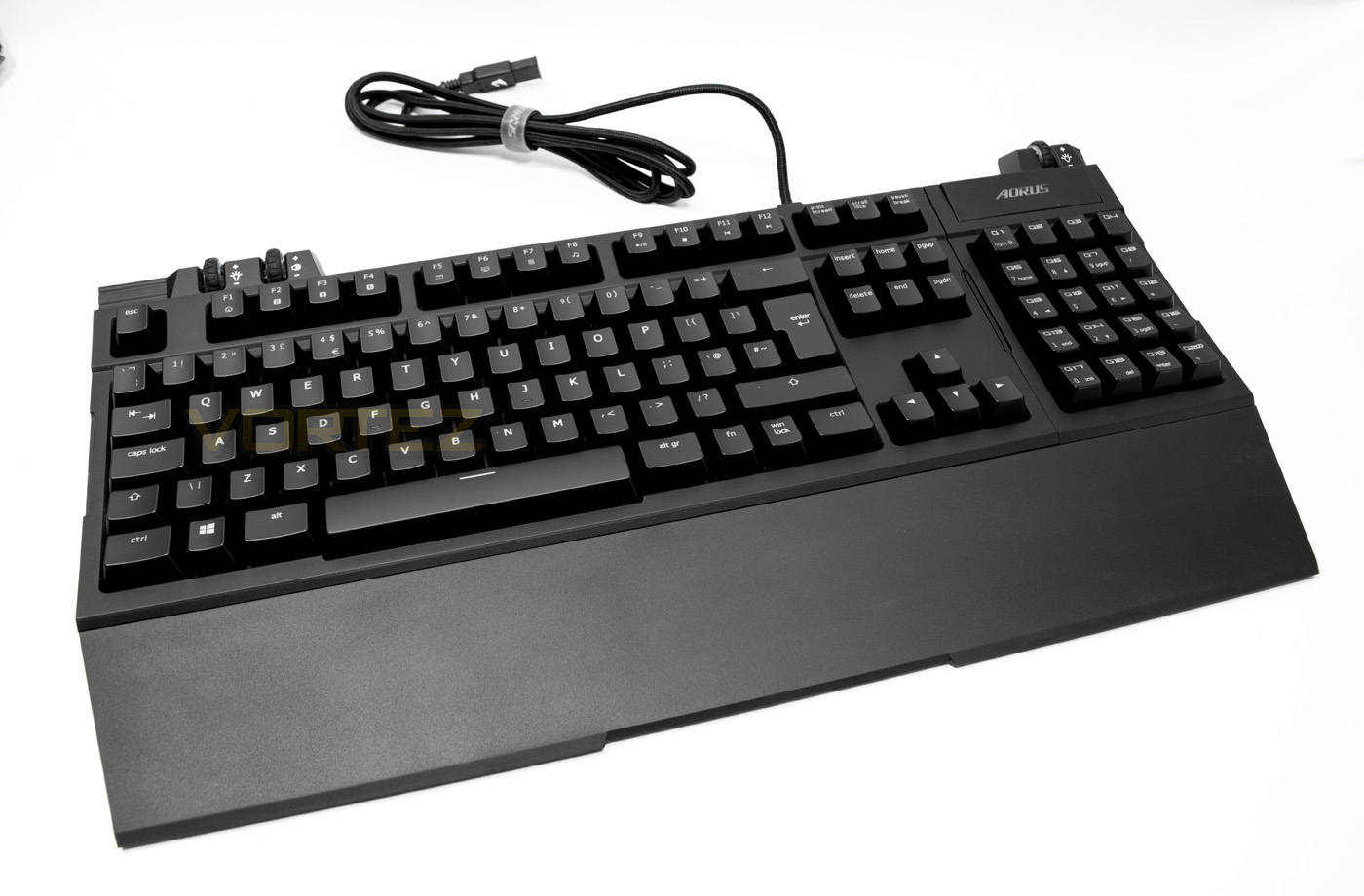
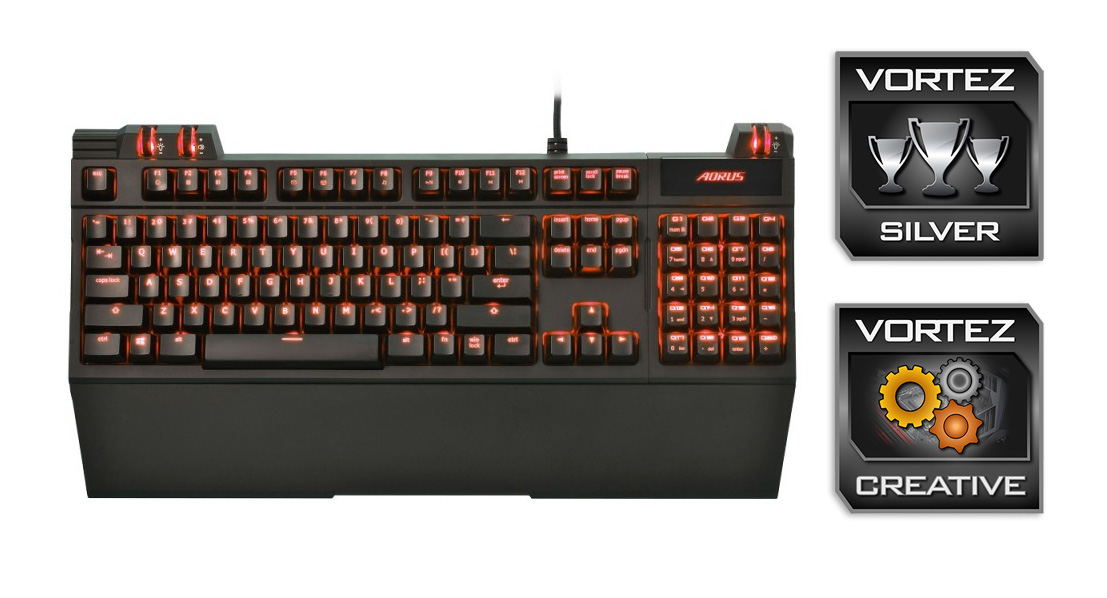
In the standard 100% layout, the design looks sleek and attractive and you can see that the wrist rest is made to span the entire length of both keyboard and the macropad.
Closer Look
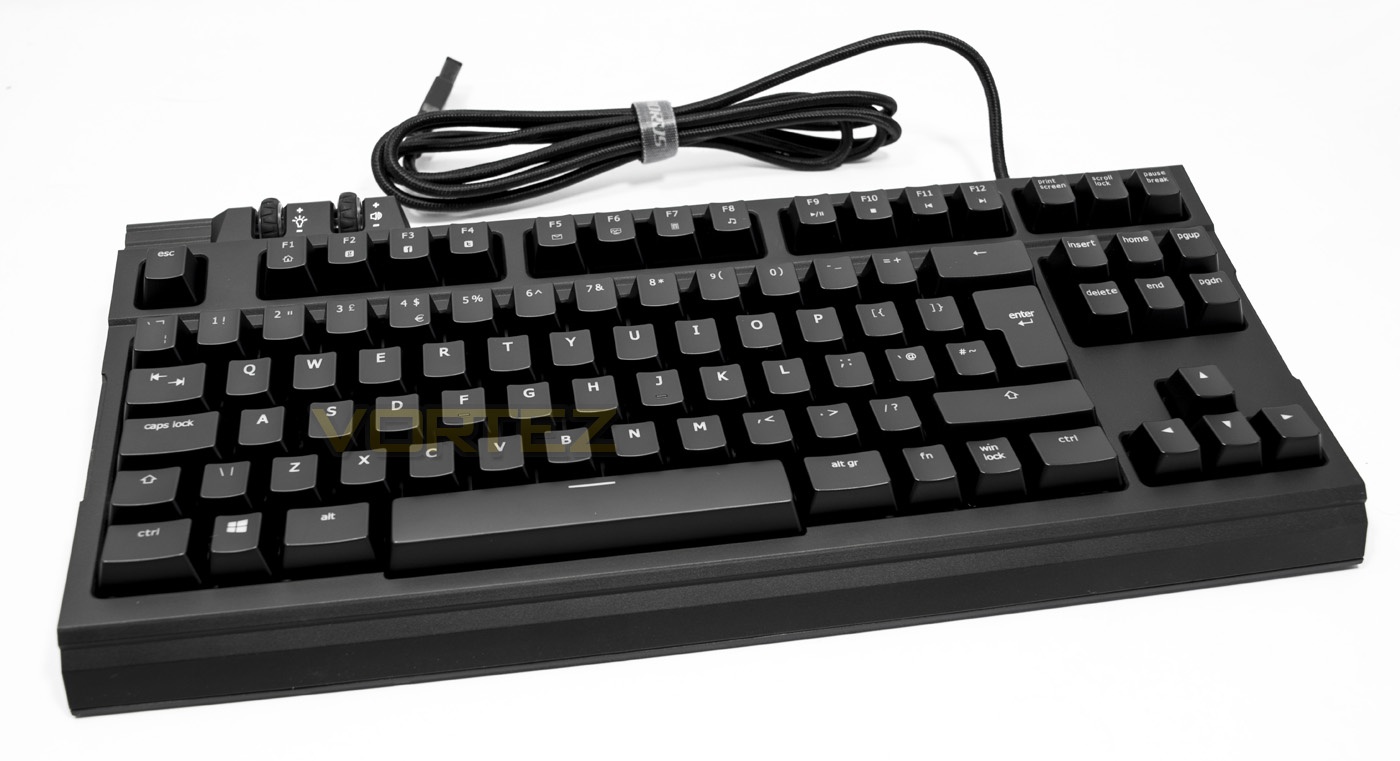
The stand alone TKL keyboard (80% portion) has a hard wired 2m cotton braided cable that ends in an 18ct gold plated connector, which is nice. The keycaps have a durable UV coating and then overall aesthetic is neat and attractive.
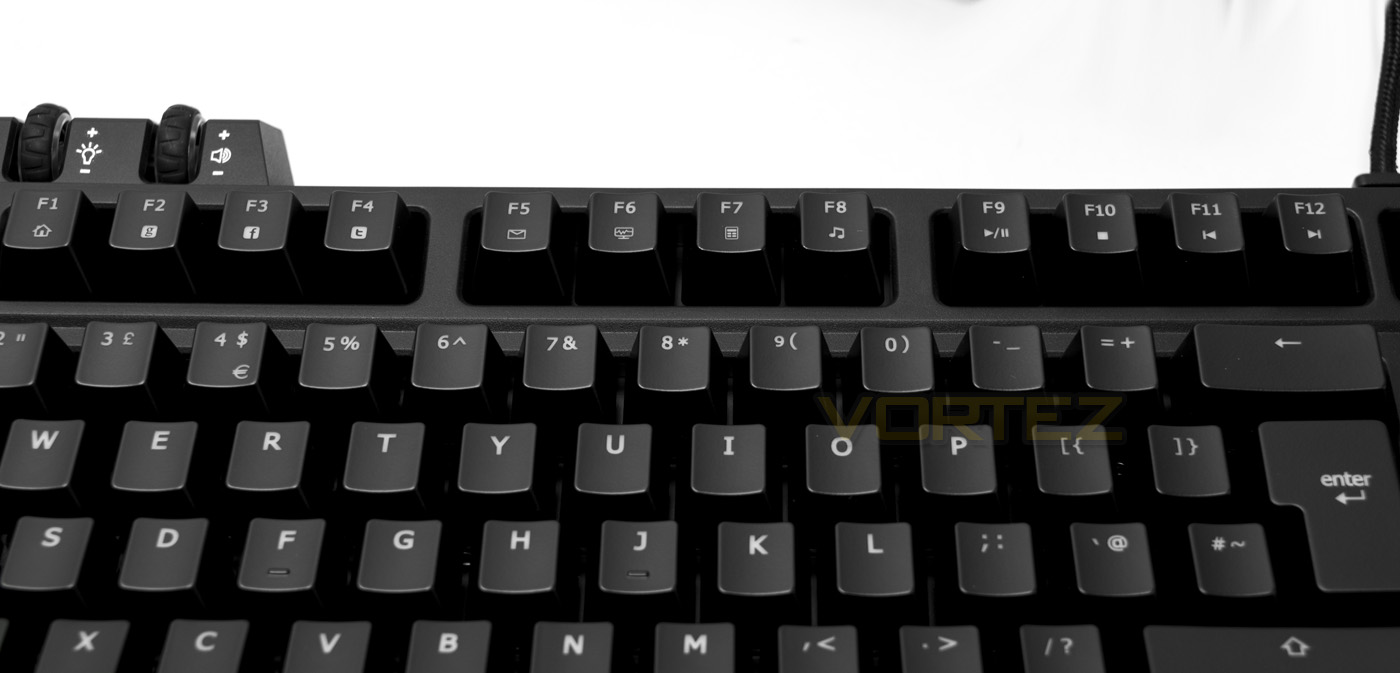
The Fkeys double up as FN media keys, featuring an internet home, google, facebook, twitter, mail, task manager, calculator, media player, play/pause, stop, skip back and skip forward functions. Some of these seem a little strange, but they are a nice inclusion regardless.
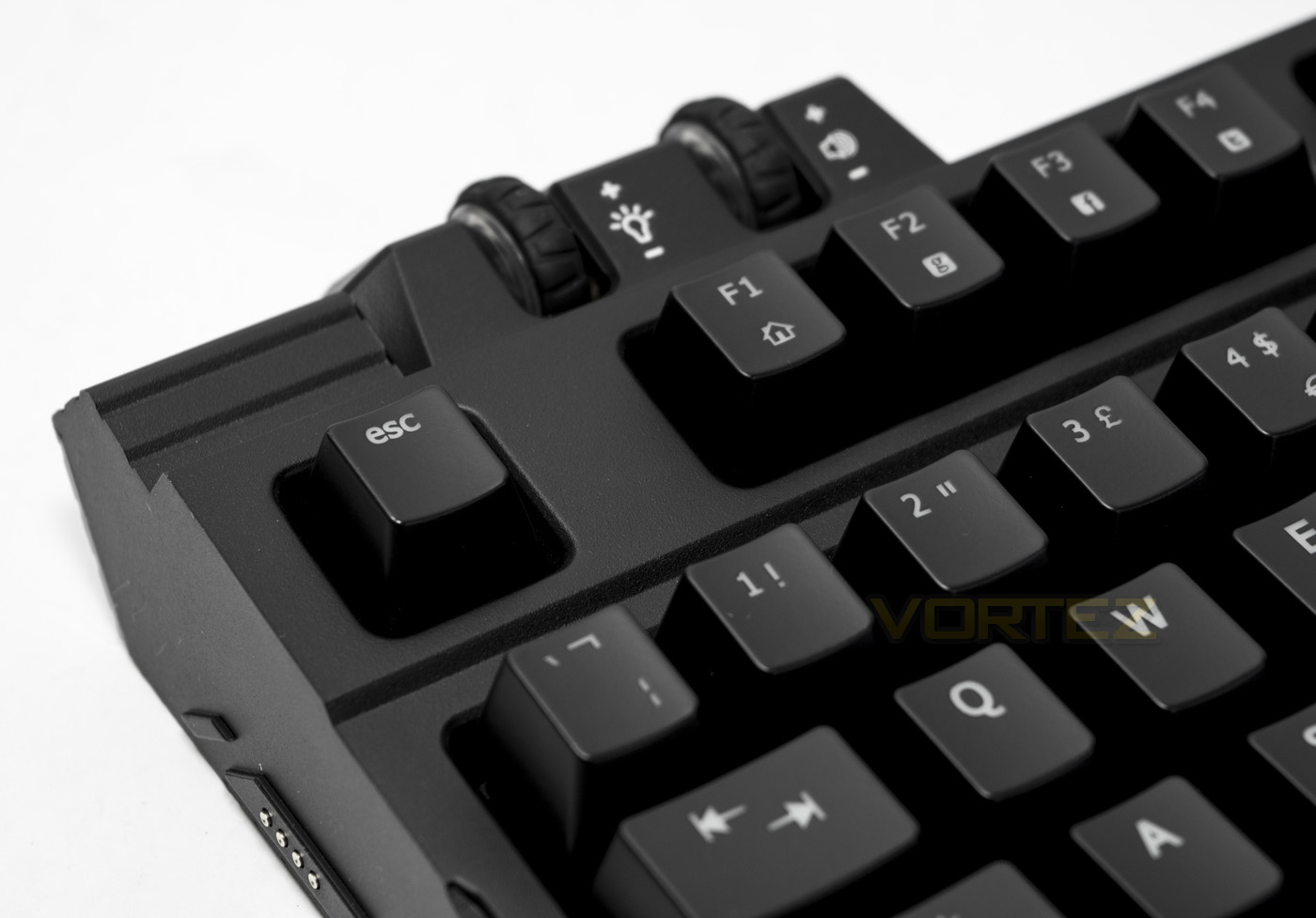
A standout feature of the keyboard are the rubberised mouse wheel like dials. The left hand wheel controls the backlighting brightness, clicking it in switches the lighting off/on. The right hand dial is for volume, clicking it in mutes.
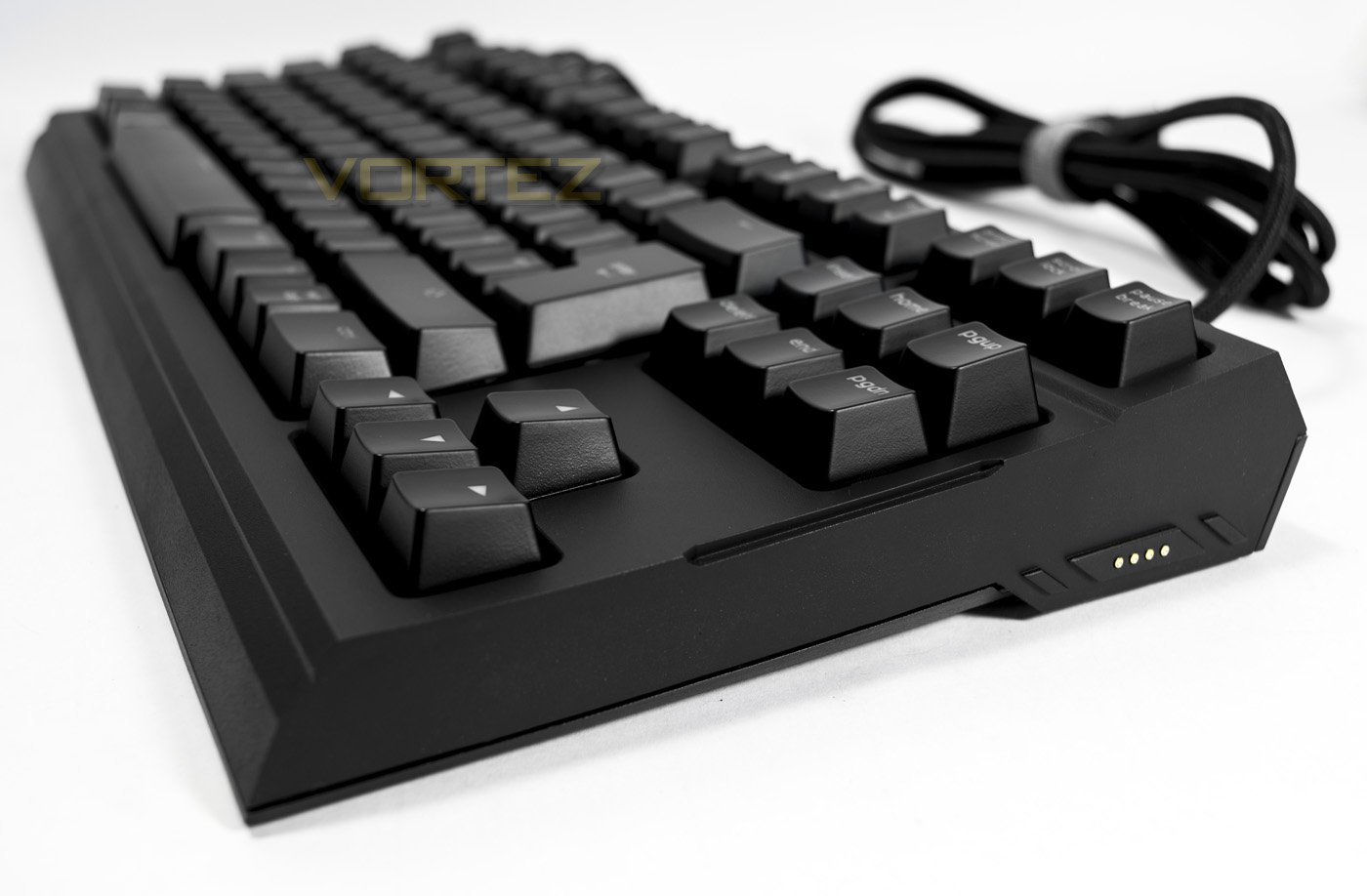
The dimensions of the keyboard seem rather squared off, and on either side there are a row of 4 pins where the macropad can lock in magnetically.
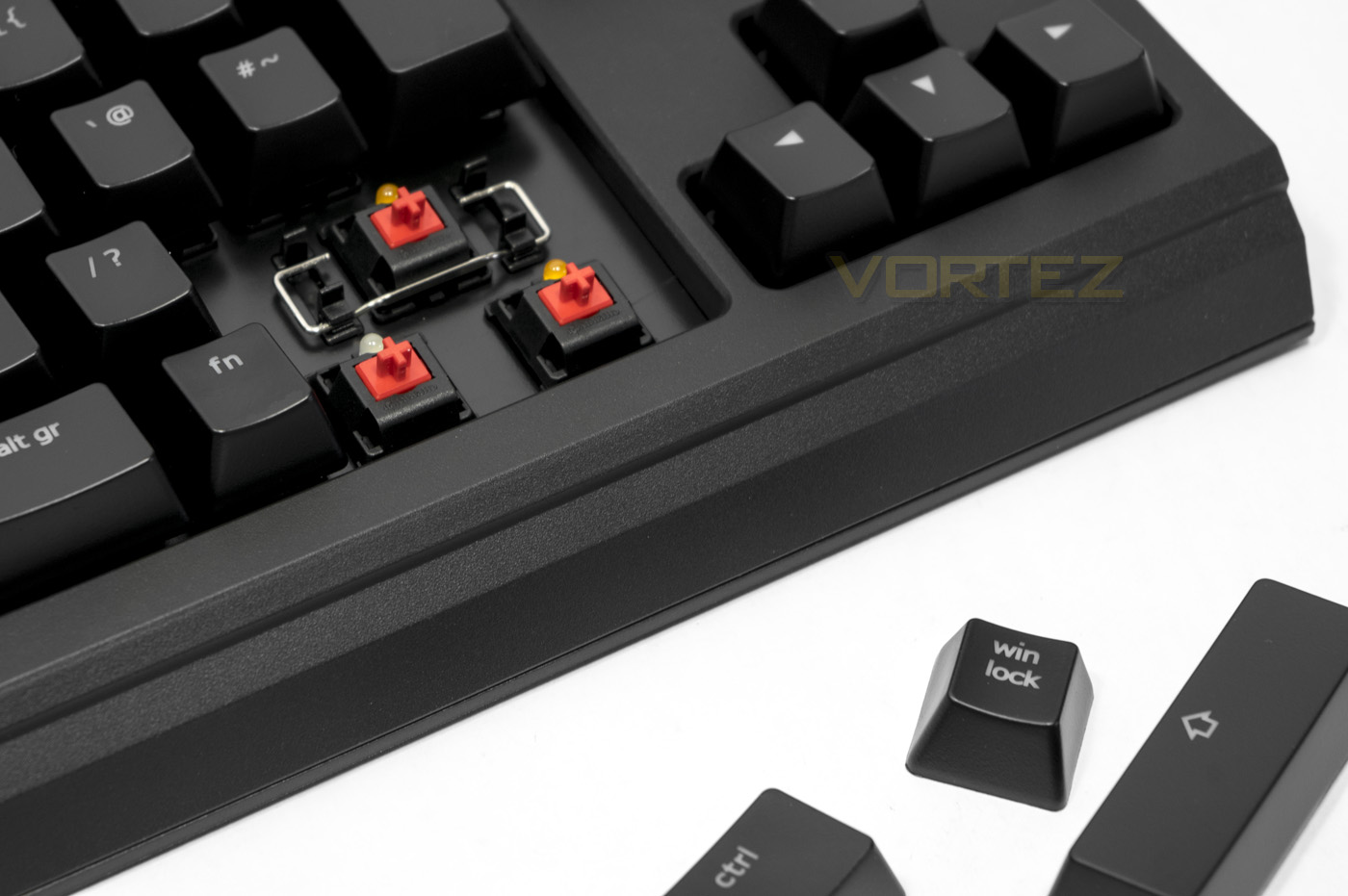
The Thunder K7 is only available in CHERRY MX Red, for the larger keys instead of using dummy switch stabilisers, they have opted to use the metal bar method to evenly distribute the pressure when a key is pressed. This is disappointing for the price, though as with many other products it will do the trick. Although the backlighting is only in Orange (UK version), the various lock keys toggle between orange/white to show they are enabled.
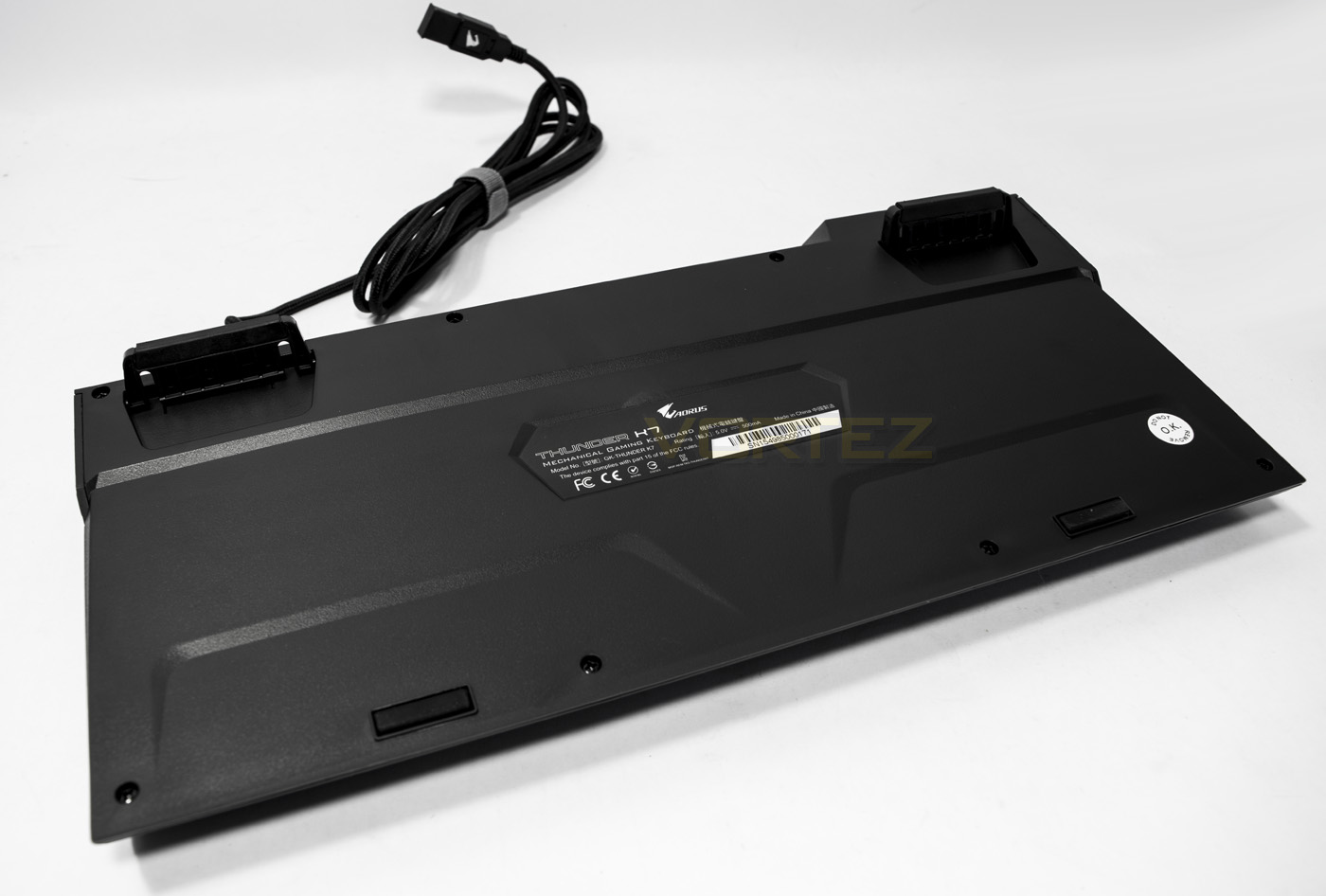
The underside is rather plain though the fold out feet are coated in a non-slip rubber and are extra large. There is no additional cable routing or USB/audio passthroughs featured.
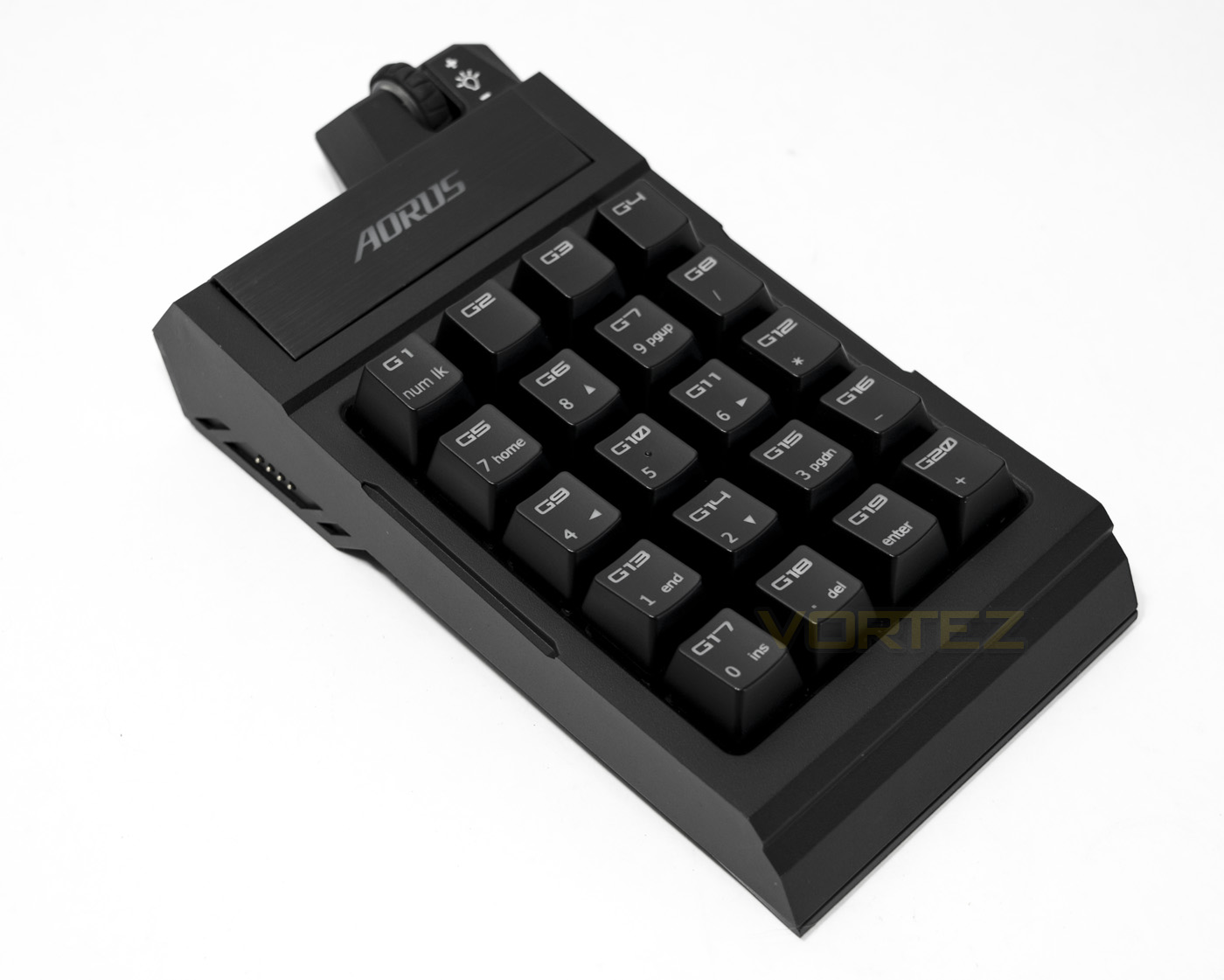
The macro pad isn’t a standard layout numpad and features 20 keys. The large logo button is a profile toggle that has 5 customisable profiles alongside the default numpad profile, allowing for up to 100 programmable macros.
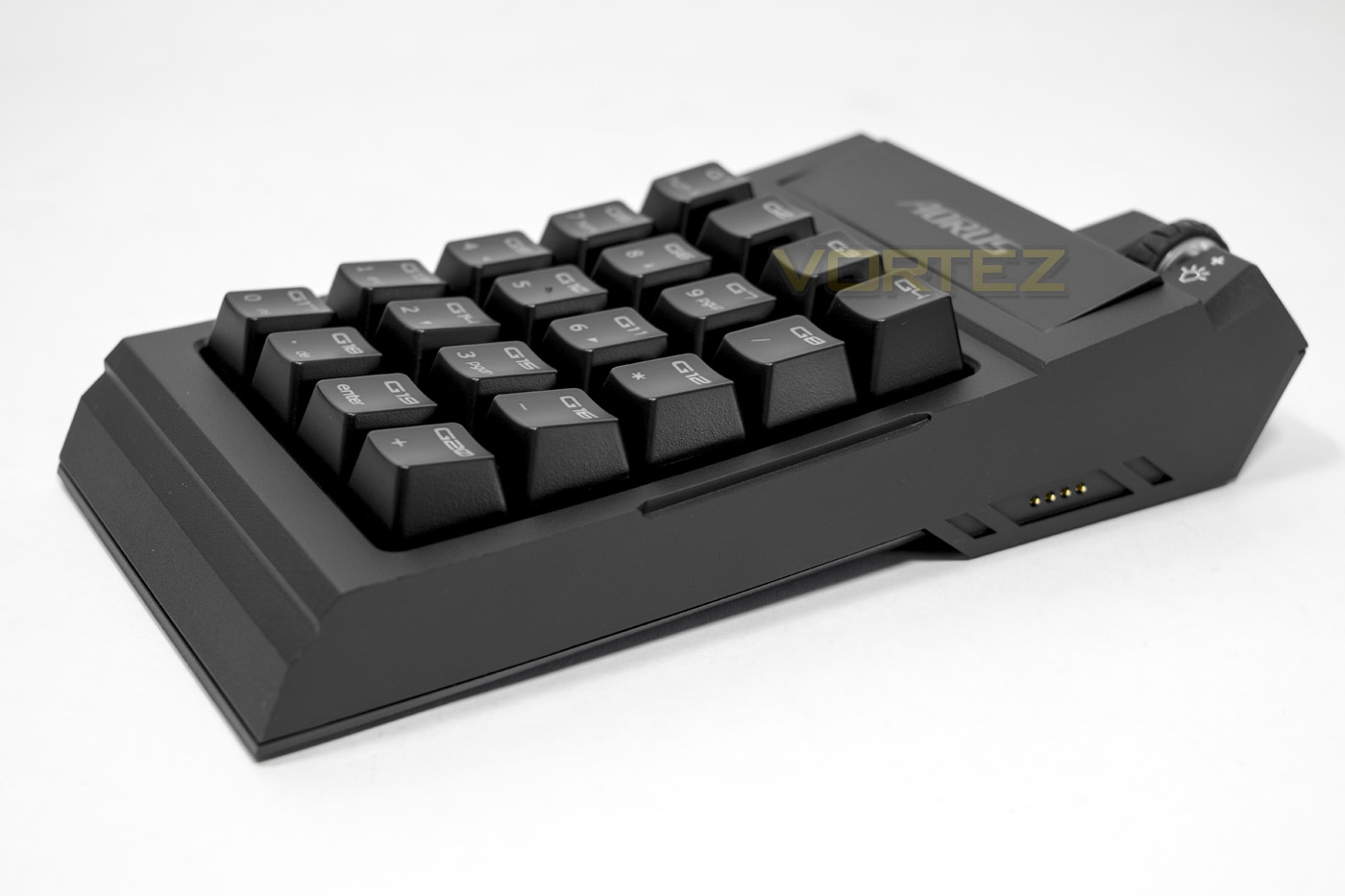
The macro pad follows in suit with the keyboard aesthetically and features the connectors either side. The included cable attaches to the connectors magnetically and can be used stand alone.
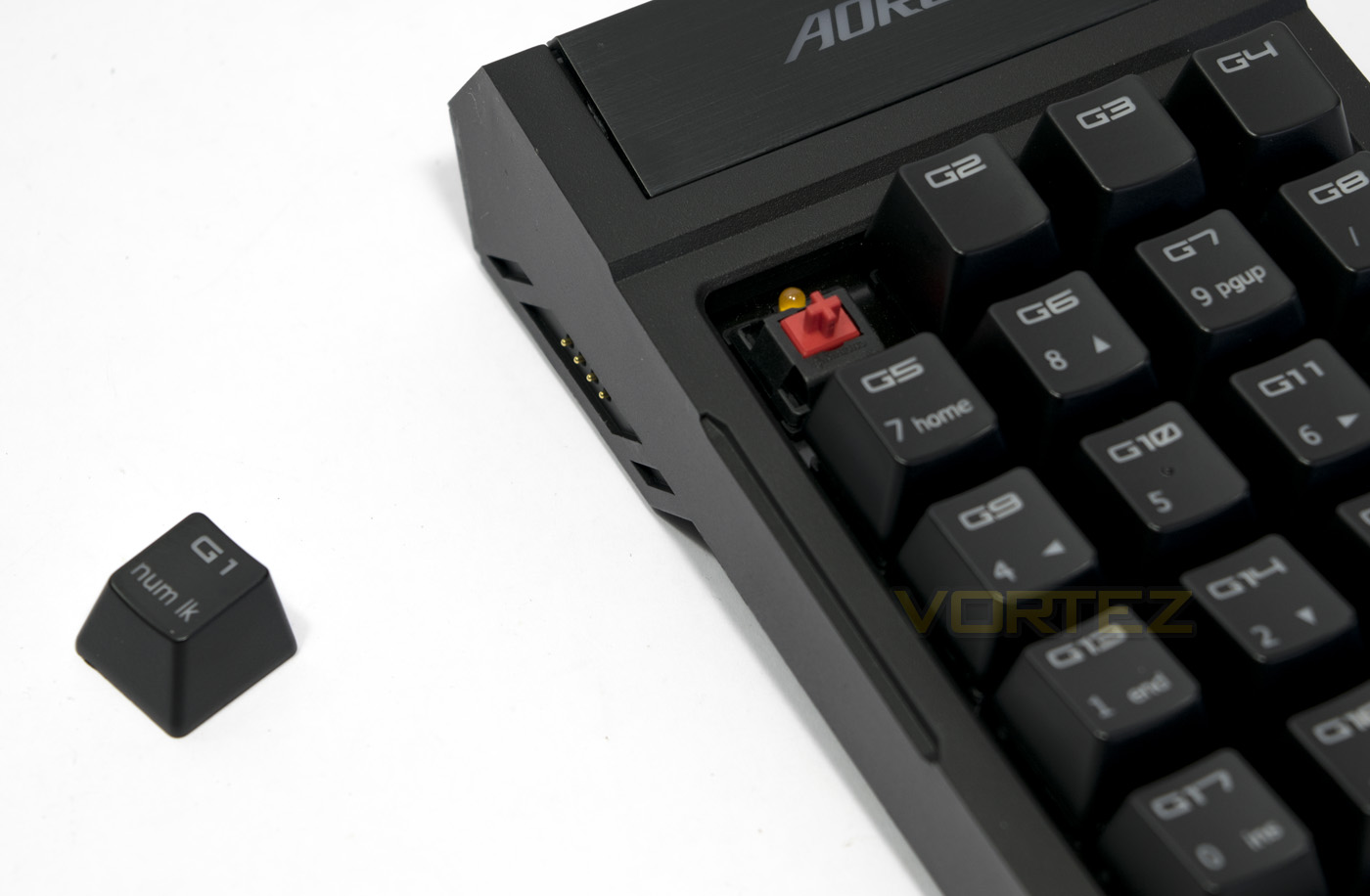
The macropad also uses the CHERRY MX Red switches for consistency, unlike the lock keys on the main 80% portion toggle between orange/white, the numlock key does not.
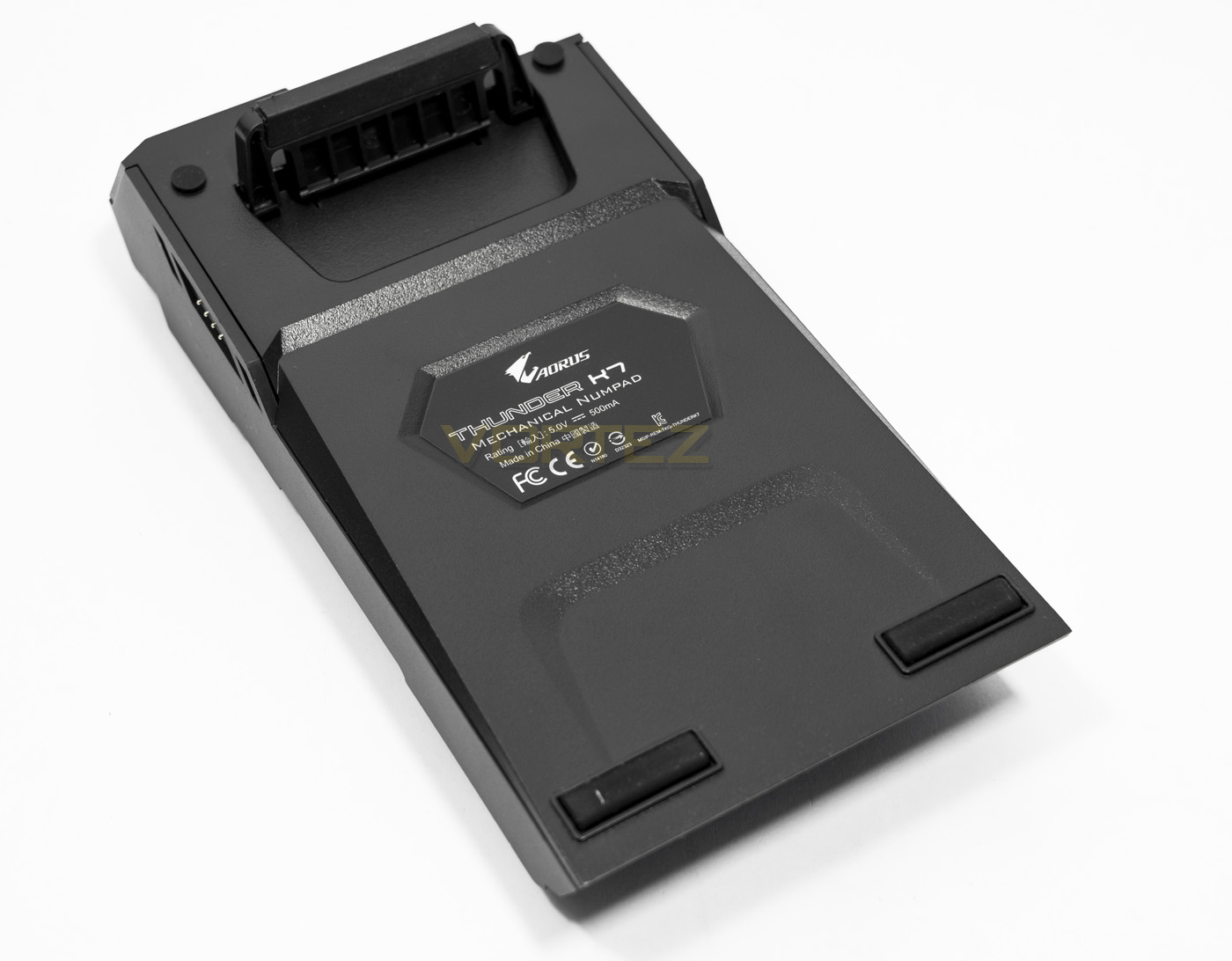
The underside of the macropad features a single large stand similar to that on the keyboard to hold it up.
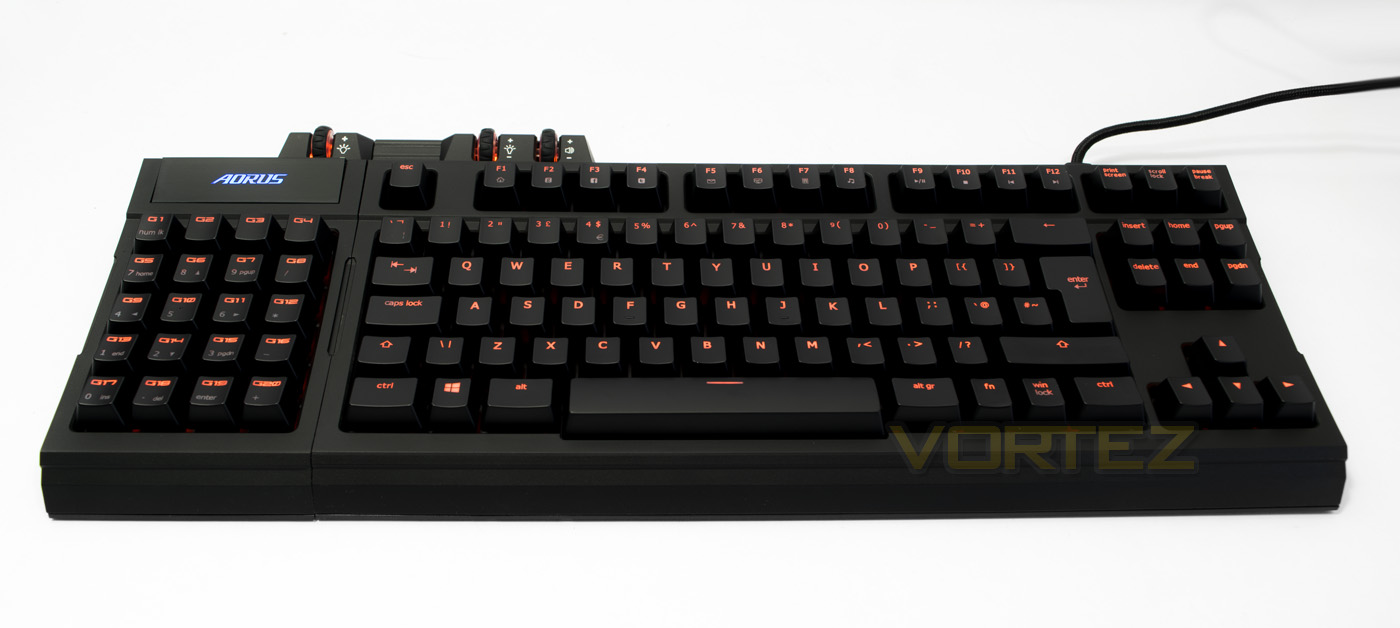
Having the macropad orientated on the left will allow gamers to have the extra space benefits of a TKL keyboard, yet have the functionality of the numpad and macros. The orange backlighting (UK version) may not be to everyone’s taste, despite that, we think it looks fantastic and will be a great alternative colour scheme for anyone not too fussed about RGB lighting.
Software
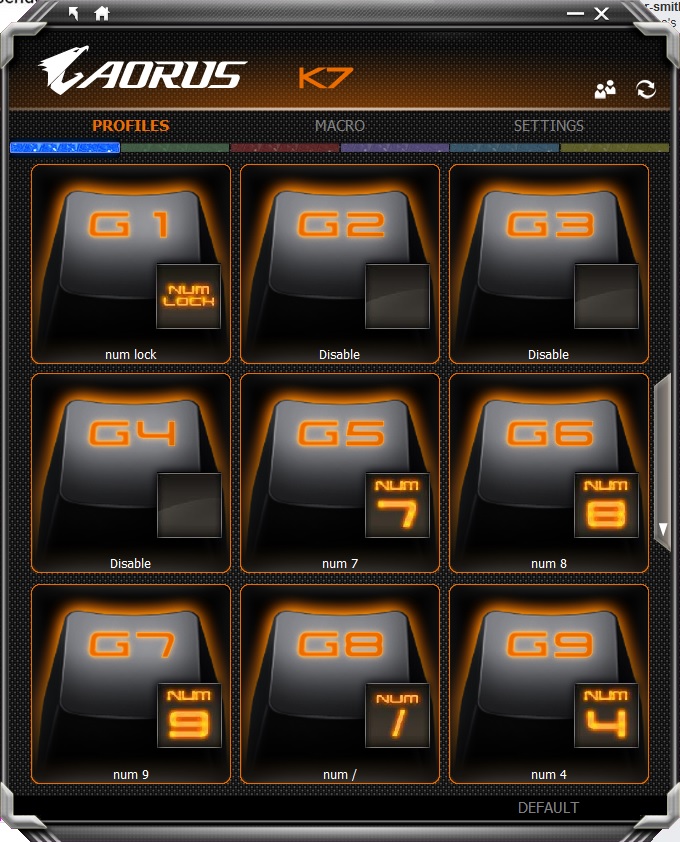
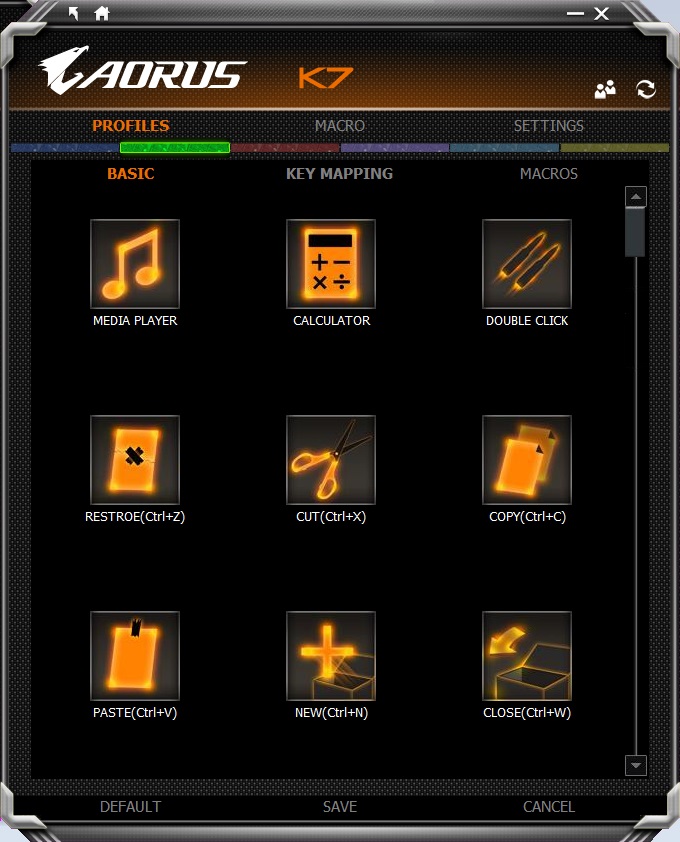
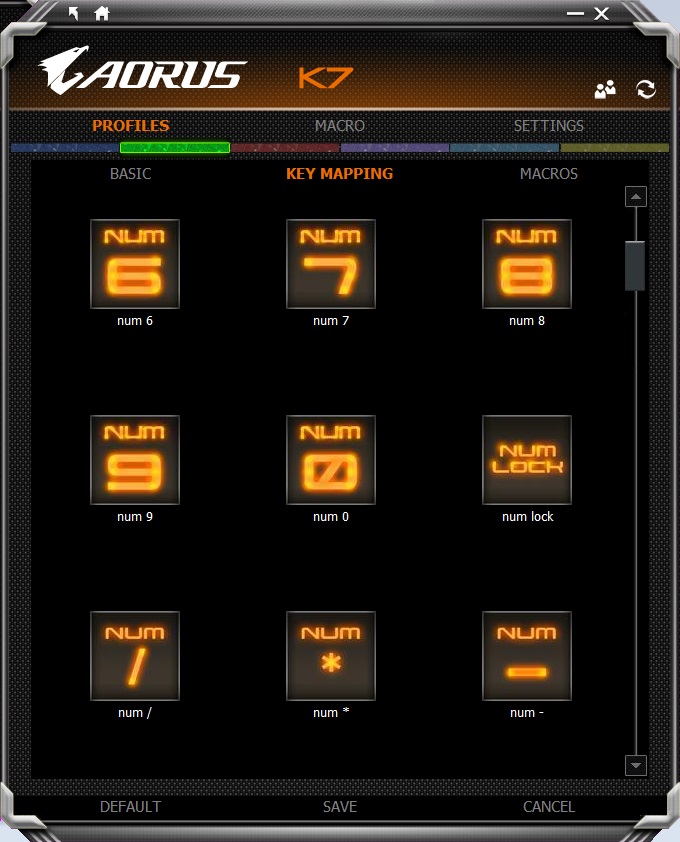
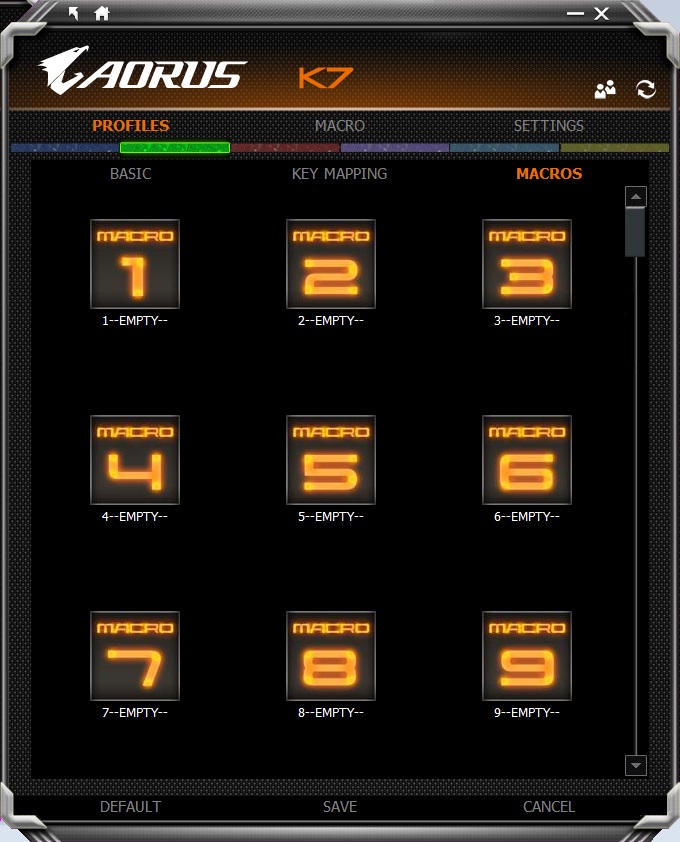
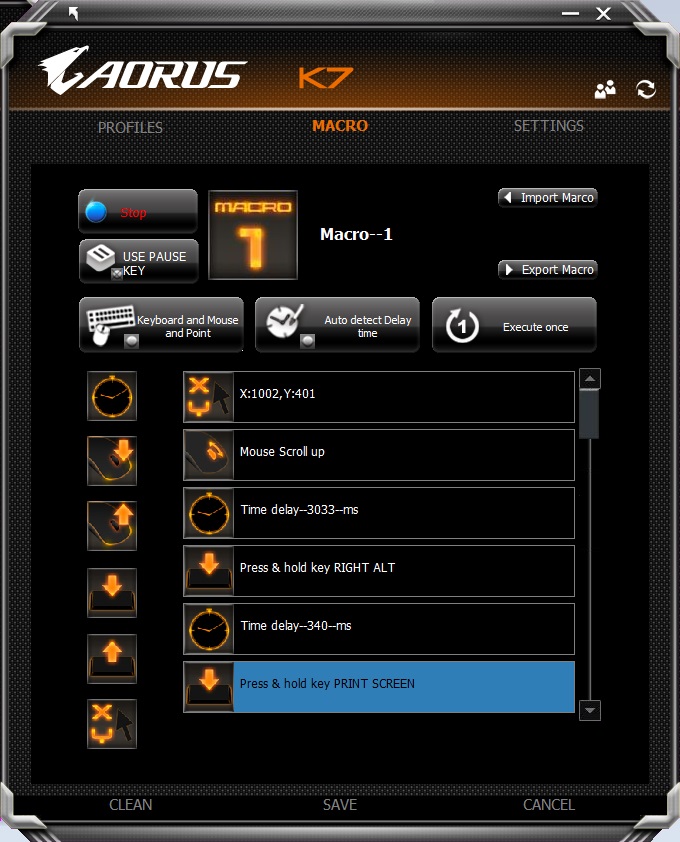
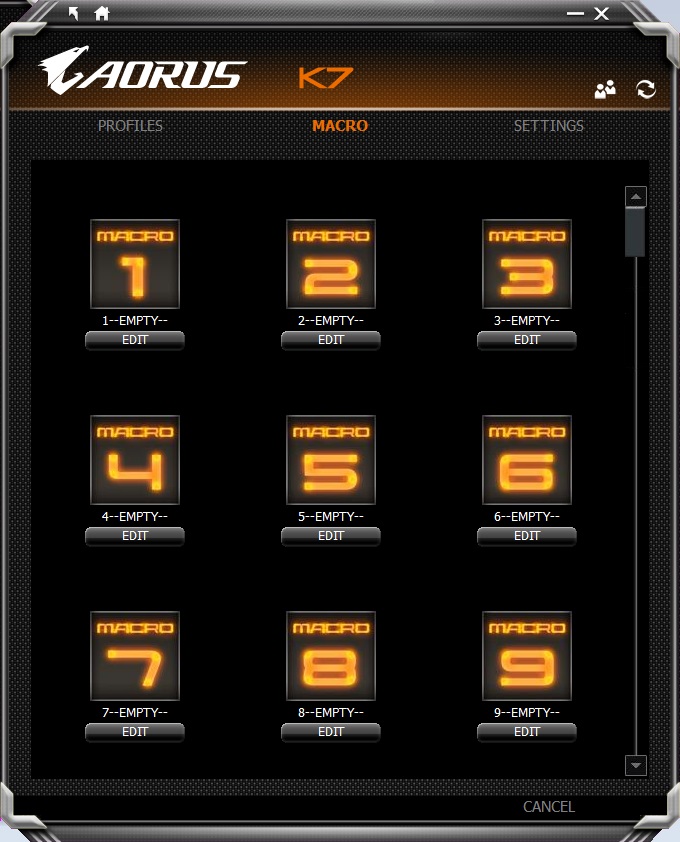
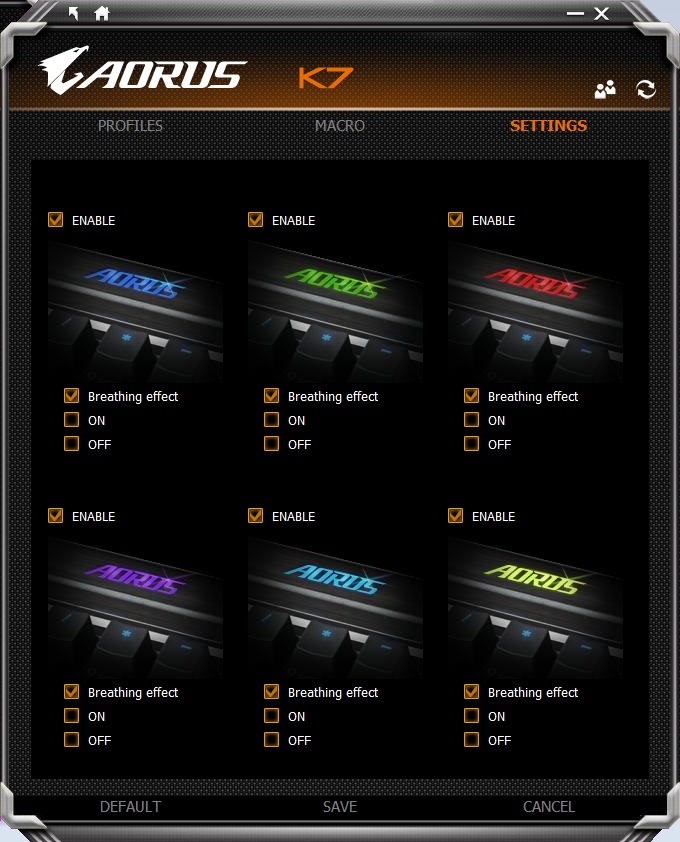
The Aorus MacroEngine software is an easy to navigate and attractive UI to customise each of the 5 colour coded profiles on the macropad. You can assign from basic functions, remap existing keys, as well as custom macros that you can record using the macro editor. The macro editor is intuitive and works fluidly without problem and records all mouse/keyboard actuations. There is also the option to import/export recorded macros. Within the software there is space to save up to 100 macros.
Inside the software there are various options to clear saved settings as well as adjust the lighting mode for the profile indicator, though it becomes rather evident that there are various limitations to the Thunder K7. That being, the only programmable keys, are on the macropad, where many other keyboards in this price range are offering complete per-key programmability. It is also evident that there are absolutely no lighting effects available, which includes no per-key customisable backlighting. This may not be much of a loss for some, though some would argue that per-key programmability and per-key customisable backlighting should go hand in hand.
Performance Testing
Setup, Design & Observations
The Arous Thunder K7 will work out the box via a single USB 2.0 port and does not necessarily require the software installation, though for use of custom macros with the macropad, the software is a must.
Out the box the keyboard will run using 6 key rollover, to swap this to NKRO, press ‘FN + G’ to enable game mode. Though it claims to be full NKRO, it is actually only 64 key rollover, though this level of anti-ghosting is more than adequate. To change it back to 6KRO, press ‘FN + N’ for normal mode. It is worth noting that the macropad is always in 6KRO mode.
The macropad magnetically slots into place on either side and has a locking shape that prevents it from sliding out of place, the wrist rest too, uses a similar magnetic feature so slot into place, though is more prone to sliding left and right.
The keyboard itself is comfortable to use with or without the wrist rest, and though not being padded, the curved shape of the wrist rest felt nice. The UV treated key caps felt solid and high quality to press and the use of CHERRY MX Red switches gives a smooth, quiet typing/gaming experience. It is a shame that it is only available with MX Red as it restricts people’s preferences.
The brightness/ volume wheels feel good, like a quality mouse wheel, and the brightness of the macropad and keyboard can be individually varied. The cheapest aspect of the Thunder K7 seems the profile toggle button on the macropad, which is just a slab of plastic and could have been implemented a bit better.
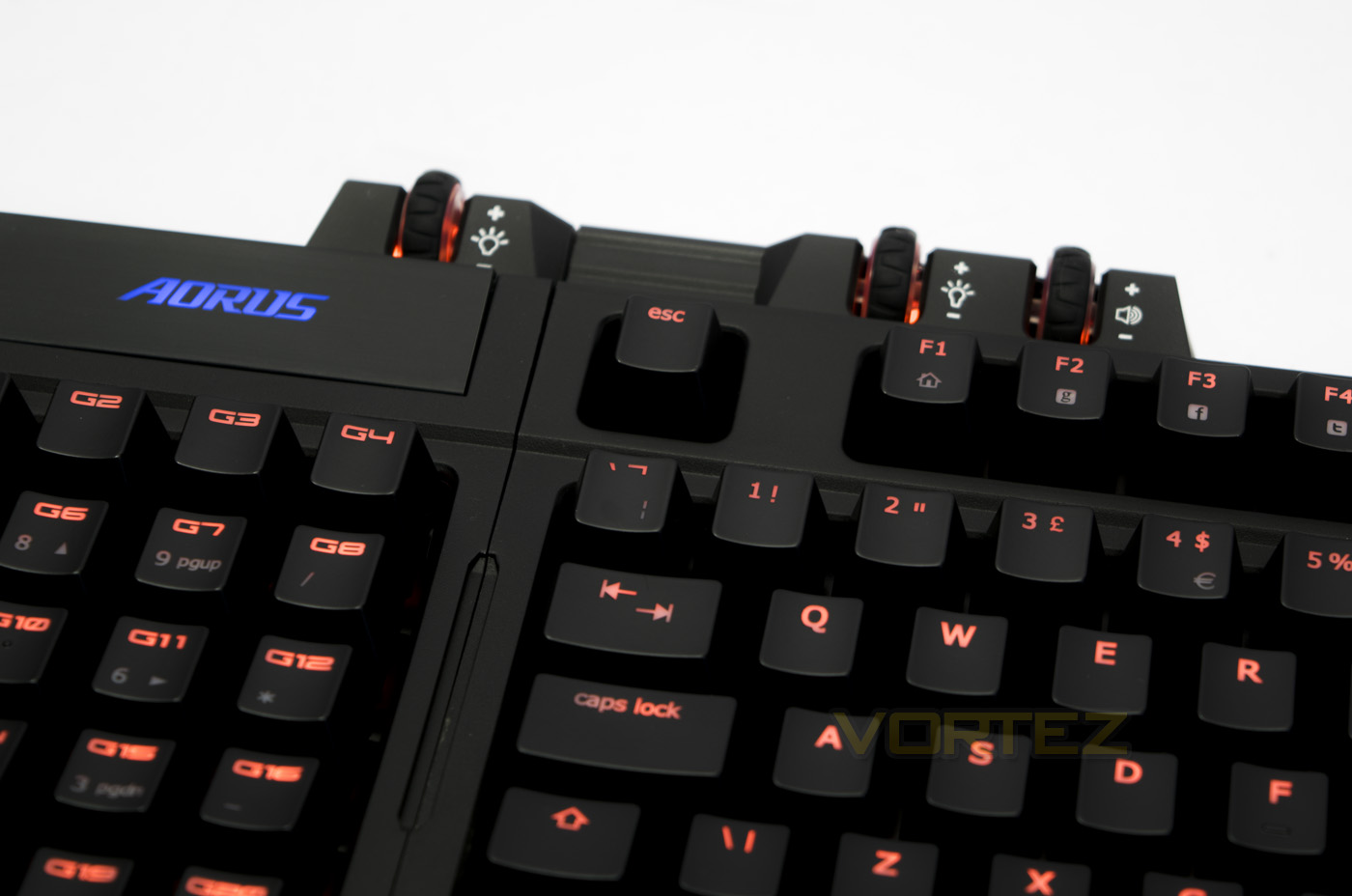
Using the keyboard in the gaming orientation (macropad on the left) you really benefit from a more comfortable mouse position due to the opened up space allowance, as you would expect from a TKL keyboard. This extra mouse space, if you haven’t experienced it, can really liberate your movements in high speed games. This extends even futher if you remap your controls onto the macropad and use it as the 20% stand alone. Though in use, I felt that the magnetic attachment on the USB cable could have been stronger or maybe have a re-enforced clip function to prevent the cable from detaching, while it never became a problem for me in use, it just seemed like a possibility. Due to how easy it is to remap the keys on the macropad, I would have liked to have seen a mini transport pouch included as this would make an awesome statement to lan gamers. Despite the fantastic gaming experience, there was another gripe that I picked up with the macropad, and that is, it doesn’t directly act like a numpad in its default profile. This was observed by failing in all my attempts to input various ALT-codes with the macropad to write down various symbols.
Conclusion
The Aorus Thunder K7 provides a great gaming experience by freeing up more space for your mouse hand yet still provides most of the functionality of a full size keyboard. The build quality is solid and aesthetically it looks fantastic, so is a pleasure to use day to day for gaming or otherwise. The macropad makes the Thunder K7 what it is, providing the versatility and programmability that gamers will want. As the macropad can be used stand alone, it makes it a convenient option to be used in situations where you are unlikely to require full keyboard functionality.
The Aorus Thunder K7 in its modularity comes at a price and so ends up fighting against some big contenders. Namely the fully programmable RGB types from Corsair, Razer, ROCCAT and so on. Though unique physically, there are some sub-par features that hold it back comparatively. Such as the lack of customisable per-key backlighting, lack of general programmability and that it uses metal bar pressure distribution rather than stabiliser switches under the keys. Finally, it is worth noting that it is limited to Cherry MX Red switches, combine this with the fact that the macropad doesn’t fully operate like a numpad, makes the Thunder K7 a less likely choice for those that spend a lot of time writing/typing.
These considerations may not be a huge issue for some people. For example, programmability on the macropad alone may be enough. Or you may be one that considers backlighting to be a convenience during low light situations only, so RGB/customisation may not be a big deal for you. Finally, MX Red is a popular switch type for gamers and so the lack of choice could ultimately be a null point. So in summary, if the positives check your boxes for what you want in a keyboard, the Aorus Thunder K7 is a quality product that is worth serious consideration.
The Aorus Thunder K7 is a good quality, attractive gaming keyboard that is unique in its versatility due to a modular, 20 key macropad that is fully programmable.
Pros.
+ Attractive design
+ TKL layout- provides more mouse space
+ Modular 20 key macropad
+ Solid construction
+ Intuitive software
Cons.
– No per-key customisable lighting
– Programmability limited to macropad
– No USB/audio passthrough
– Metal bar stabilisers
+ Attractive design
+ TKL layout- provides more mouse space
+ Modular 20 key macropad
+ Solid construction
+ Intuitive software
Cons.
– No per-key customisable lighting
– Programmability limited to macropad
– No USB/audio passthrough
– Metal bar stabilisers
Click here for an explanation of our awards at Vortez.net.