







A gaming mouse designed for MMO gamers – with an 8200 DPI laser sensor, 16 programmable buttons and much more!

Product on Review: THUNDER M7 / THUNDER P3
Manufacturer & Sponsor: AORUS
Street Price: $90 USD / $40 USD
Newcomers to the scene, AORUS have already made a lasting impression with their high-performance gaming notebooks: the X7 and the X3. Being a hardcore gaming brand, the next-step would inevitably take them to the arena of the peripherals and this is where today’s review finds us.
Last month AORUS announced their THUNDER M7 – A gaming mouse specifically designed for MMO titles. THUNDER M7 has up to 16 programmable buttons, an 8200 DPI laser sensor and the ability to configure MMO hot-keys and commands.
Today we’ll be looking at THUNDER M7 in great detail whilst using it in conjunction with THUNDER P3.
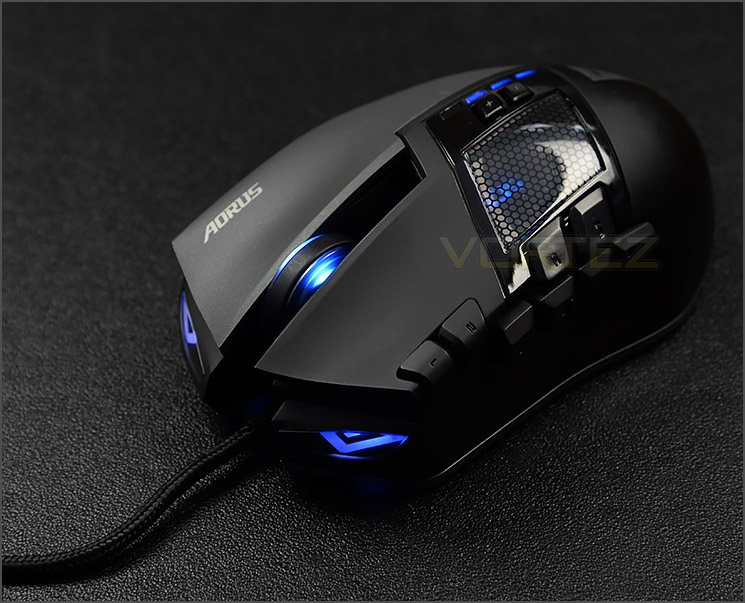
AORUS on their THUNDER M7
With the advanced laser sensor, THUNDER M7 supports up to 8200dpi resolution and 150ips tracking speed. The top-of-the-line gaming laser sensor ensures efficient and smooth movement on multi-screens or the most high resolution monitors. It also exclusively features built-in AORUS Macro Engine which can support five gaming profiles on the go. The profile switch at the fingertips enables gamers to switch between five different gaming profiles; thus, they will have a superior mouse with up to 70 macros memorization on the go!
Technical Specifications
THUNDER M7
Interface
USB
Tracking System
Pro-Laser
Sensitivity
200~8200dpi
Report Rate
1000Hz
Frame Rate
12000 frames/ second
Maximum Tracking Speed
150ips
Maximum Acceleration
30g
DPI Switch
800/1600/3200/5600DPI Switchable
Scrolling
Standard Scrolling Wheel
Side Buttons
11
Switch Life (L/R click)
20 Million Times
Dimension
(L)116mm *(W)70mm *(H)44mm
Weight
110g ±10g
Cable Length
1.8M
Color
Black
Software
AORUS Macro Engine
OS Support
Windows XP 32bit/ Vista/ 7/ 8
Certificate
CE/FCC/BSMI/KCC
USB
Tracking System
Pro-Laser
Sensitivity
200~8200dpi
Report Rate
1000Hz
Frame Rate
12000 frames/ second
Maximum Tracking Speed
150ips
Maximum Acceleration
30g
DPI Switch
800/1600/3200/5600DPI Switchable
Scrolling
Standard Scrolling Wheel
Side Buttons
11
Switch Life (L/R click)
20 Million Times
Dimension
(L)116mm *(W)70mm *(H)44mm
Weight
110g ±10g
Cable Length
1.8M
Color
Black
Software
AORUS Macro Engine
OS Support
Windows XP 32bit/ Vista/ 7/ 8
Certificate
CE/FCC/BSMI/KCC
THUNDER P3
Surface
Superior Slick Gliding Micro-fabric
Color
Black
Approximate Dimension
Thickness of all Thunder P3 is 3mm
S : 265mm (L) x 210mm (W)
M : 350mm (L) x 260mm (W)
L : 440mm (L) x 300mm (W)
Extended: 1000mm (L) x 400mm (W)
Superior Slick Gliding Micro-fabric
Color
Black
Approximate Dimension
Thickness of all Thunder P3 is 3mm
S : 265mm (L) x 210mm (W)
M : 350mm (L) x 260mm (W)
L : 440mm (L) x 300mm (W)
Extended: 1000mm (L) x 400mm (W)
Packaging
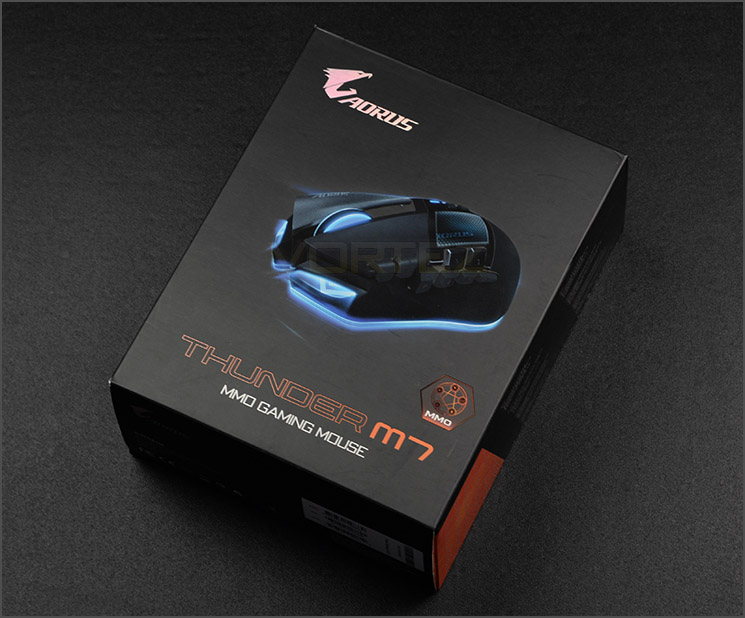
THUNDER M7 Packaging
THUNDER M7 is presented in a professionally designed box – there is a depiction of the mouse on the front and on the reverse there are further details surrounding the actual feat-reset with additional illustrations.
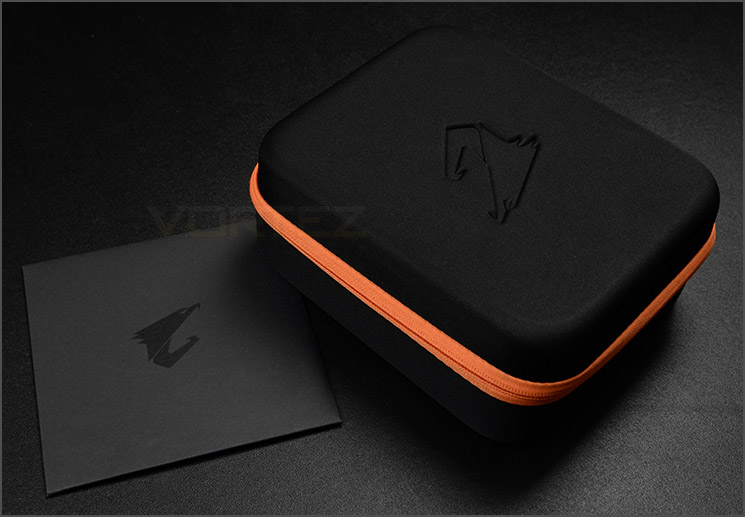
Extra packaging for the mouse
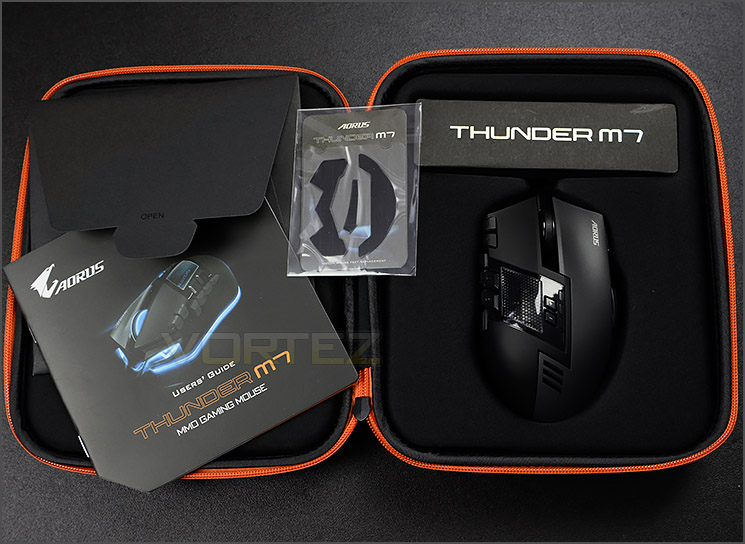
The included items
Within the outer packaging there is an additional carry case which protects the mouse and the included accessories which include: the user’s guide and a set of glide pads.
This carry case is a useful thing to have if you are planning to transport devices and hardware to LAN events.
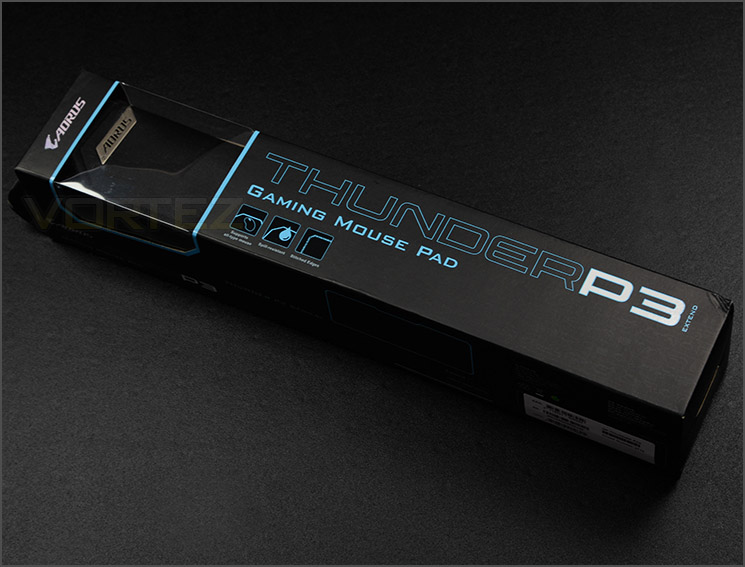
THUNDER P3 packaging
The THUNDER P3 gaming pad also comes in a nicely designed box. The packaging has a number of features listed and a window to allow a sneak preview of the pad inside.
Incidentally, P3 is available in four different sizes:
S : 265mm (L) x 210mm (W)
M : 350mm (L) x 260mm (W)
L : 440mm (L) x 300mm (W)
Extended: 1000mm (L) x 400mm (W)
We’ll be reviewing the extended version today.
THUNDER M7: Closer Look
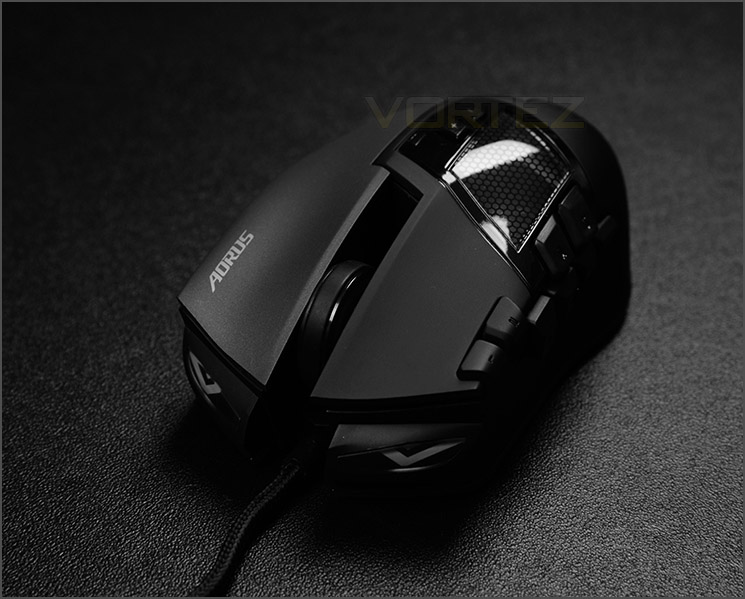
An aggressive looking gaming mouse
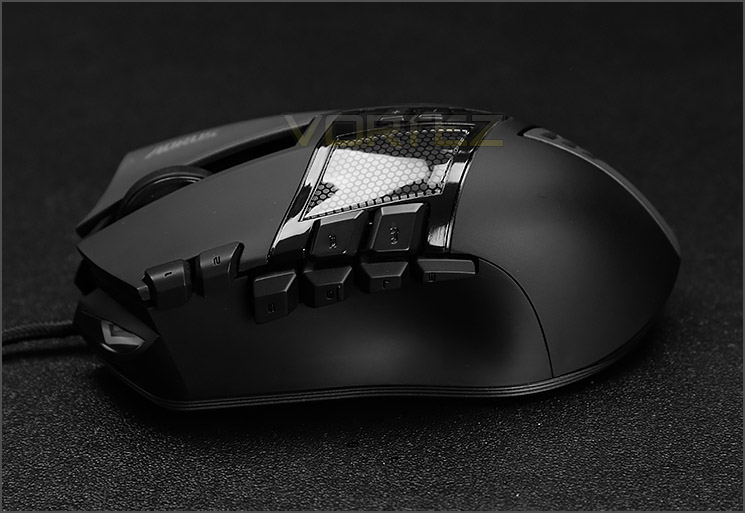
A multitude of customisable buttons
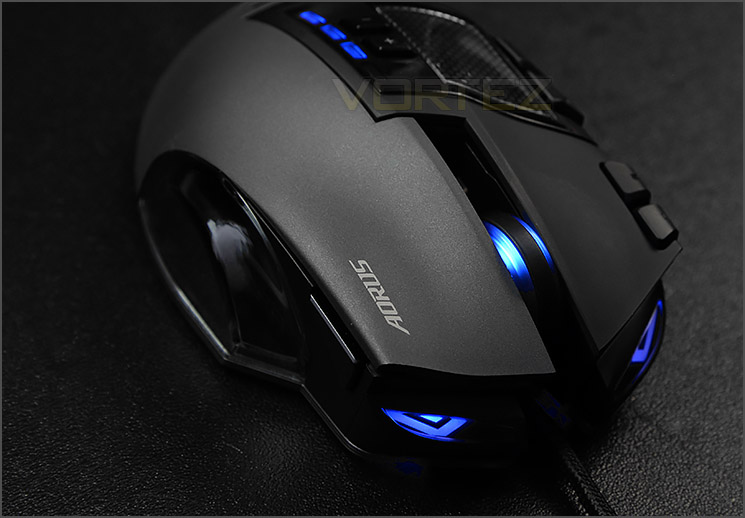
AORUS has given M7 super-sleek and clean aesthetics which will compliment any computer desk. This mouse is designed for right-handed gamers and has been tailored in such a fashion to make the most of MMO style of games. The abundance of buttons alludes to this style of mouse, M7 actually has a total of 16 programmable buttons all of which can have macros and certain commands applied to them via the provided software. (Demonstration further in the review).
M7 measures (L)116mm *(W)70mm *(H)44mm and weighs 110g – having no detachable weights.
Two buttons have been placed on the outer edge of the left mouse button whilst a cluster of six occupy the area were the thumb typically rests. The thumb rest is a smooth plastic texture.
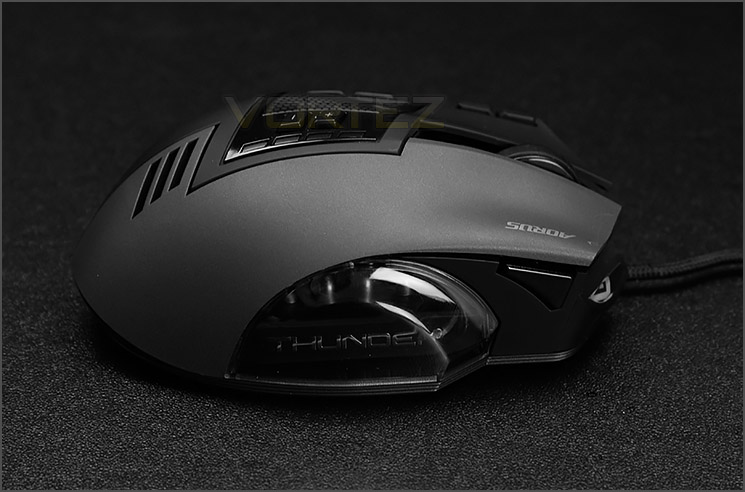
Clean aesthetics
Over on the other side, there is just one extra button accompanying the right mouse button – by default, this button allows you to switch between five different gaming profiles. Both the left and right mouse buttons make use ofuUltra-durable 20 million clicks Omron switches.
The surface of the right mouse button features a different texture compared to the left mouse button – a coarser, matt quality has been used for a variation on the grip.
Also on this side is a plastic cavity which has the “THUNDER” typography, this lights up when the mouse has power.
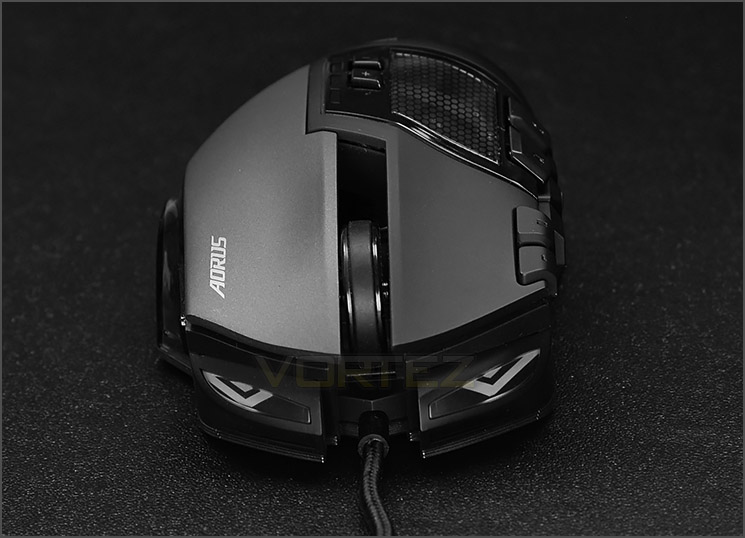
Front facing LEDs
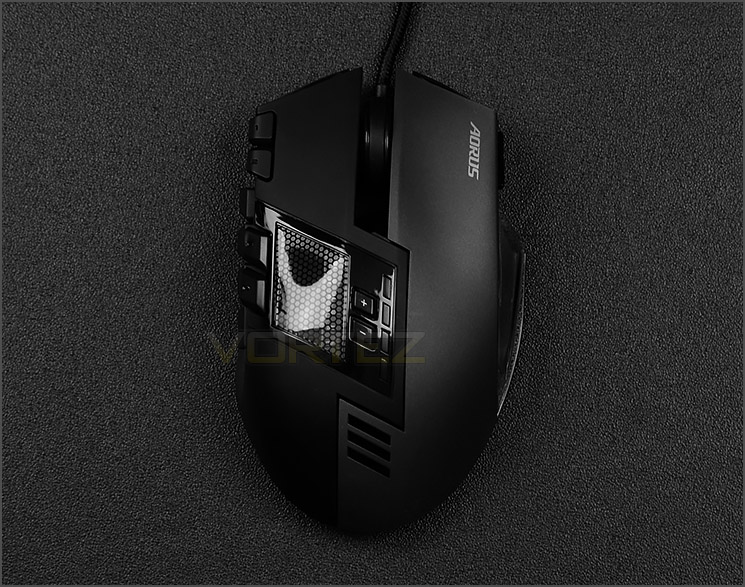
Two-tone exterior
At the front of M7 there are forward facing LEDs which emits a glow when the mouse is connected. The scrolling wheel can also be seen from the front view – the increments on this wheel are quite slack and it has a rubber strips running down the middle for grip. Just like other aspects of M7, the wheel also glows when given power.
On the top side of the mouse there are even more buttons to take advantage of. AORUS has placed the DPI increase/decrease buttons next to a large transparent window which gives a view of the internal LED design. Users can switch to the 800/1600/3200/5600DPI all on-the-fly. There is a handy LED indicator to reference which DPI setting you are using.
At the heart of M7 is a 8200 DPI laser sensor which has a maximum acceleration of 30g and 12000 frames per second.
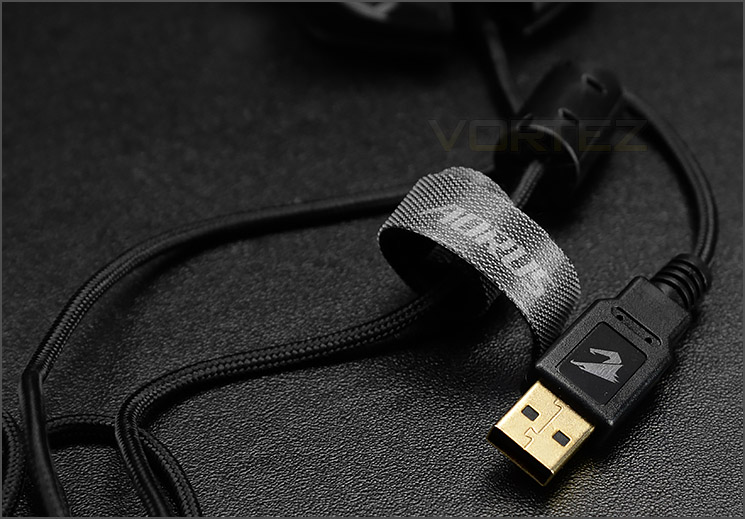
Gold-plated USB
THUNDER M7 is a corded gaming mouse which uses a USB 2.0 gold-plated connector. The cable is 1.8M long.
The connector has a custom design to help you locate it whilst at the back of the PC and AORUS bundle a handy cable strap to help keep the cable free from tangling up.
THUNDER P3: Closer Look
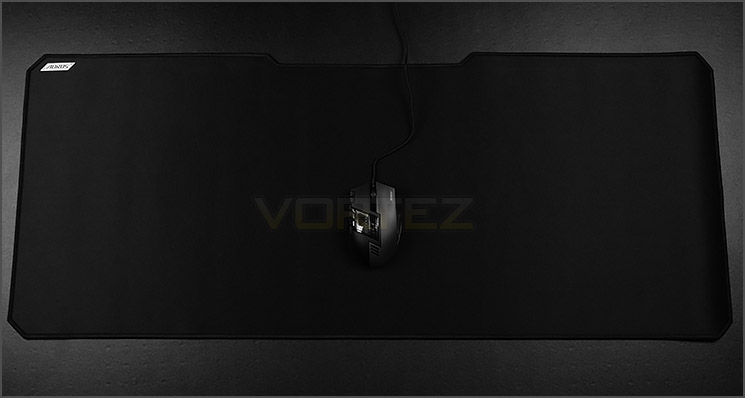
The huge, extended version of THUNDER P3
As part of this review we’re also looking at the THUNDER P3 gaming pad. This pad is available in four different sizes – we’re looking at the largest available option which is the biggest pad we’ve ever used. This extended version measures in at a whopping: 1000mm (L) x 400mm (W).
From the picture above it’s clear to see the scale of this gargantuan pad. The sheer size makes it possible to place the keyboard on the surface also so that there is no inner edge between the mouse and the keyboard.
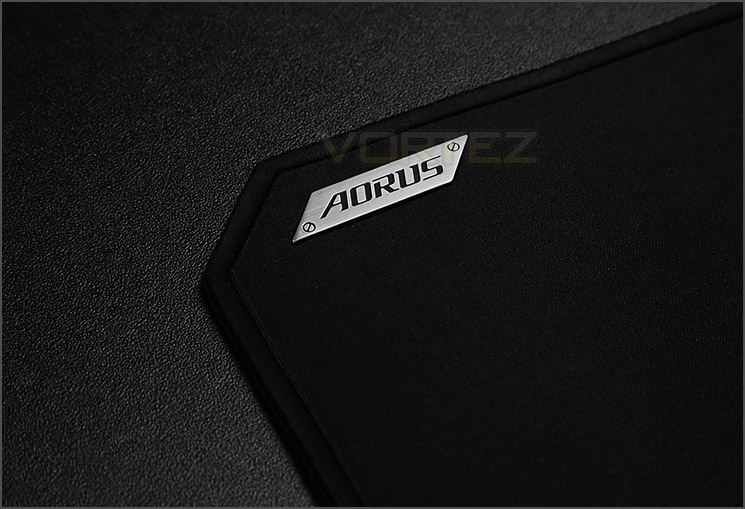
A cloth pad with stitched edge
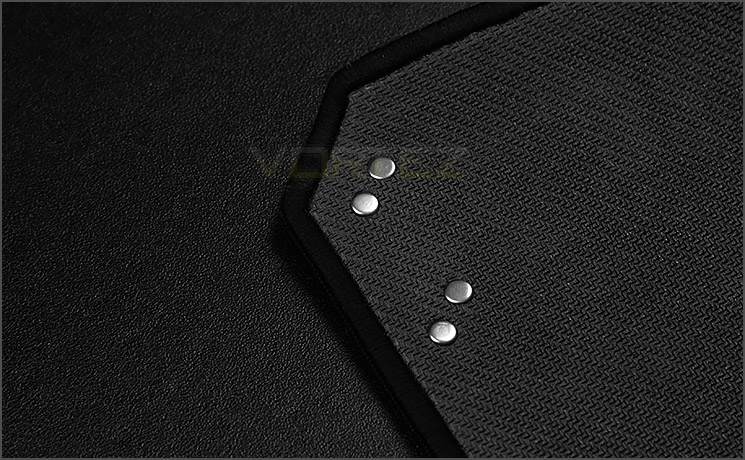
Non-slip rubber base
P3 is a cloth pad which has a stitched edge to prevent fraying and in the top right corner of the pad there is a metallic AORUS badge
AORUS has used a material which is spill resistant so that any liquid spilt on the surface of the pad will be repelled rather than absorbed.
On the reverse side there is a non-slip rubberised material to help reduce any movement when the mouse and pad are being used.
AORUS Software & Performance
The software for THUNDER M7 is found on AORUS website and allows for extensive customisation of the gaming mouse. The software (as shown in our video below) is intuitive and easy to use. The only thing we’d have liked to see present which is currently missing is the ability to completely disable all lighting (though there is the option to disable wheel and window LEDs).
Performance
There is no disputing that M7 is designed for MMO but even so, we felt it necessary to also test FPS games too. To that end we can conclude this mouse is cumbersome to use for FPS games and better suited to MMO titles (as intended).
The ergonomics and button placement makes M7 ideal for MMO and the option to assign up to 70 macros is a particular highlight which will result in performing specific moves and spells much easier. Due to the size and shape of M7 a claw type grip is the preferred option.
Response from the 8200 DPI laser sensor is very good. Movement is precise and accurate and whether you opt to use the THUNDER M7 or a hardened pad with texture, the performance is still great. We experienced no friction or glide issues during our testing.
Conclusion
THUNDER M7 is AORUS first gaming mouse and they’ve really jumped in at the deep end by producing a product which is aimed at MMO gamers. The reason we say this is because MMO mice are highly specialised and compared to a standard gaming mouse, require more thought in regards to layout and button placement.
The styling, build quality and aesthetics on this gaming mouse are superb and when it’s powered up the glow from the LEDs further strengthens this argument but we do appreciate that not everyone likes to have lighting so it would have been a good idea for AORUS to provide an option within the software to completely disable this (although there is an option to partly disable wheel and window LEDs).
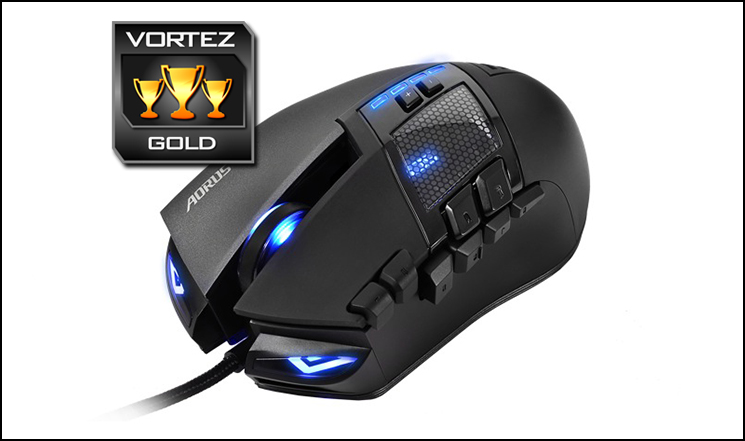
Using the M7 as an MMO gaming mouse, we’re left in no doubt of its excellence. It handles movement with precision and traction is accurate on different surfaces. The numerous buttons pave the way for extensive functionality and by installing the software users can either assign commands to these 16 buttons or configure and make use of up to 70 macros.
The option to have up to 8200 DPI and control over basic settings such as report rate and wheel speed is useful to have at the finger tips too. The actual DPI profiling can be configured within the software and then activated on-the-fly via the top mounted buttons.
At the moment we can only find THUNDER M7 in US stores for $90 – which is neither here, nor there. All things considered, we feel the cost is realistic.
THUNDER M7 is a powerful MMO gaming mouse which has a super-accurate 8200 DPI laser sensor. AORUS has designed and produced a wonderful product which looks and feels exceptional.
Pros
+ Brilliant aesthetics
+ Excellent packaging + carry case
+ Very accurate
+ Lots of buttons
+ Great for MMO gamers
+ Up to 8200 DPI
+ Intuitive software
Cons
– Cannot completely switch off LEDs
– Cumbersome to use for FPS
+ Brilliant aesthetics
+ Excellent packaging + carry case
+ Very accurate
+ Lots of buttons
+ Great for MMO gamers
+ Up to 8200 DPI
+ Intuitive software
Cons
– Cannot completely switch off LEDs
– Cumbersome to use for FPS
The THUNDER P3 which we tested throughout this review of M7 we also fully approve and report no problems whatsoever.

Click here for an explanation of our awards at Vortez.net.


