Today we look at an affordable, pressure-optimised 120mm fan from Arctic, a company renowned for it’s cost-efficient yet noteworthy products.

Product on Review: Arctic BioniX P120
Manufacturer: Arctic
Street Price: GBP 13.99 / USD $15.99
Arctic have been around for a while now, best known for their cooling products, particularly the MX series of thermal compounds and the Freezer range of CPU coolers.
Today we look at one of their new 120mm fan offerings, the BioniX P120. This new fan is optimised for increased static pressure, making it useful on heatsinks and radiators, while other refinements include reduced power consumption through the use of a Neodym-Iron-Boron-Magnet motor, decreased motor vibration with clever magnet placement and, perhaps best of all, an extended lifespan via reduced operating temperatures.
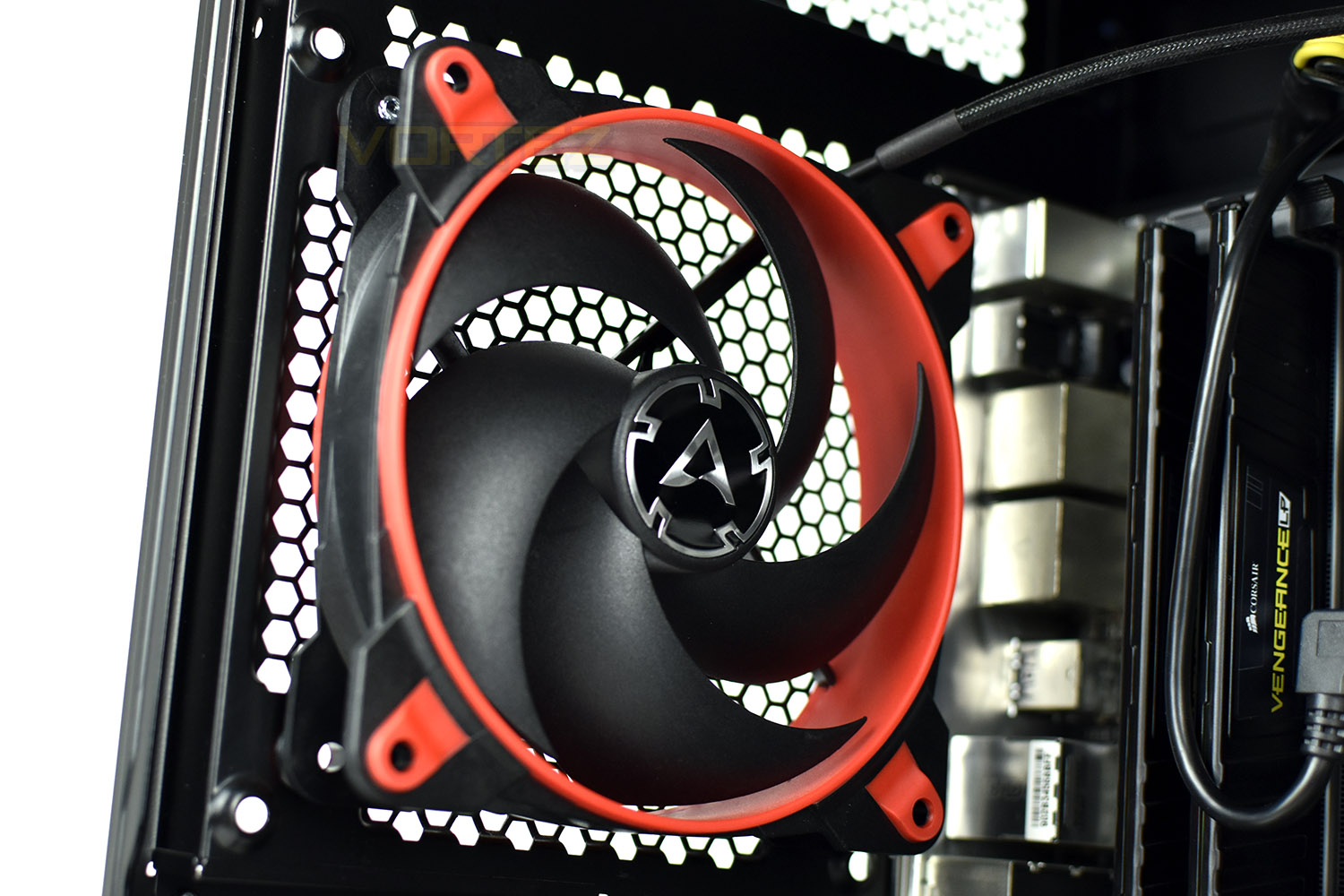
The P120 utilises the PWM connection standard, allowing a range of 200 to 2100 RPM as well as an idle-mode, which stops the fan completely when the PWM signal drops below 5%, ensuring absolute silence when the system doesn’t require airflow.
The BioniX P120 will be available early December, black & white or black & red, with a price tag of £13.99/$15.99. The specifications certainly sound promising so let’s take a closer look and see how it performs.
Noctua on the NF-P12 Redux:
During the development of the new BioniX P120, special emphasis was placed on a focused airstream and thus a high static pressure. The fan guarantees extremely efficient cooling, even with increased air resistance. Therefore, the BioniX P120 is particularly suitable for use on heatsinks and radiators.
Technical Specifications
Performance
Fan: 120 mm, 200 – 2 100 RPM (Controlled by PWM), 0 dB fan mode below 5 % PWM
Air Flow: 67.56 CFM / 114.79 m3/h (@ 2.100 RPM)
Noise Level: 0.45 Sone (@ 2 100 RPM)
Static Pressure: 2.75 mm H2O (@ 2 100 U/min)
Electrical Characteristics
Typical Voltage: 12 V DC
Cable Length: 400 mm
Sub PST Cable Length: 50 mm
Connection
Motherboard: +12V DC
PWM control signal
4-pin connector + 4-pin socket
Fan: 120 mm, 200 – 2 100 RPM (Controlled by PWM), 0 dB fan mode below 5 % PWM
Air Flow: 67.56 CFM / 114.79 m3/h (@ 2.100 RPM)
Noise Level: 0.45 Sone (@ 2 100 RPM)
Static Pressure: 2.75 mm H2O (@ 2 100 U/min)
Electrical Characteristics
Typical Voltage: 12 V DC
Cable Length: 400 mm
Sub PST Cable Length: 50 mm
Connection
Motherboard: +12V DC
PWM control signal
4-pin connector + 4-pin socket
Packaging, Bundle & Closer Look
The packaging wastes no materials, being the exact size of a 120mm fan. The front advertises the 10-year extended warranty and the size of the fan.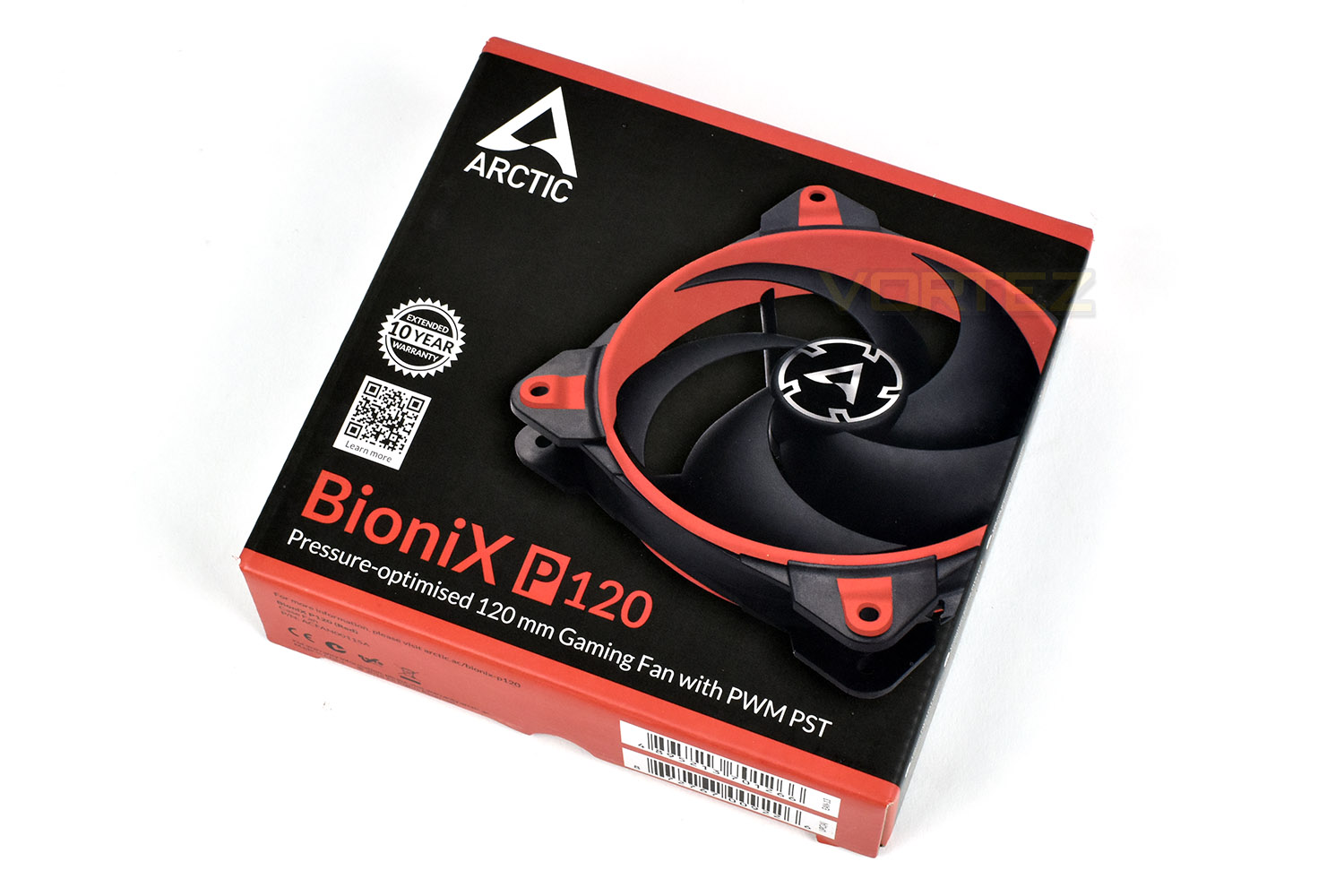
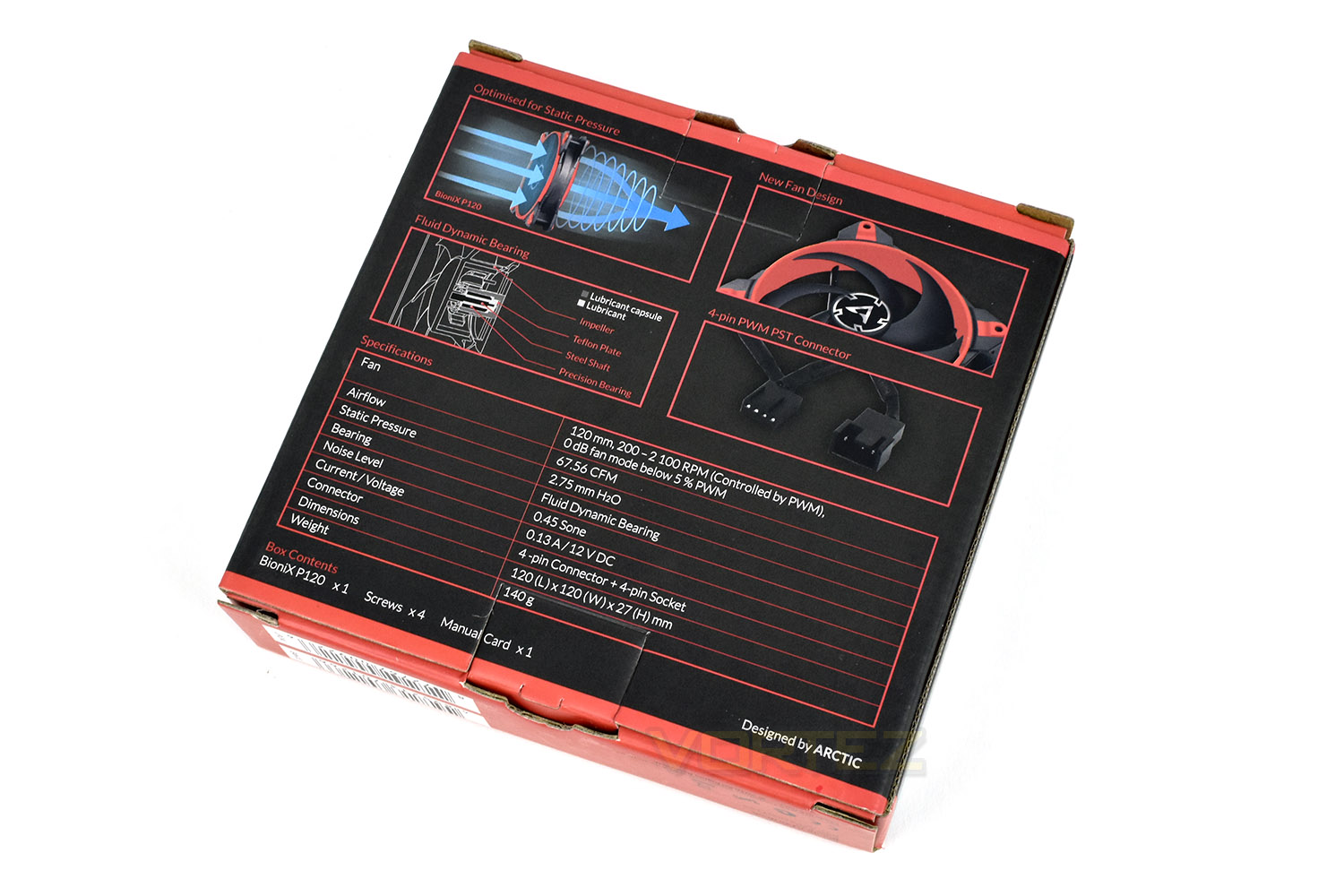
The reverse side gives some illustrations and a specifications table.
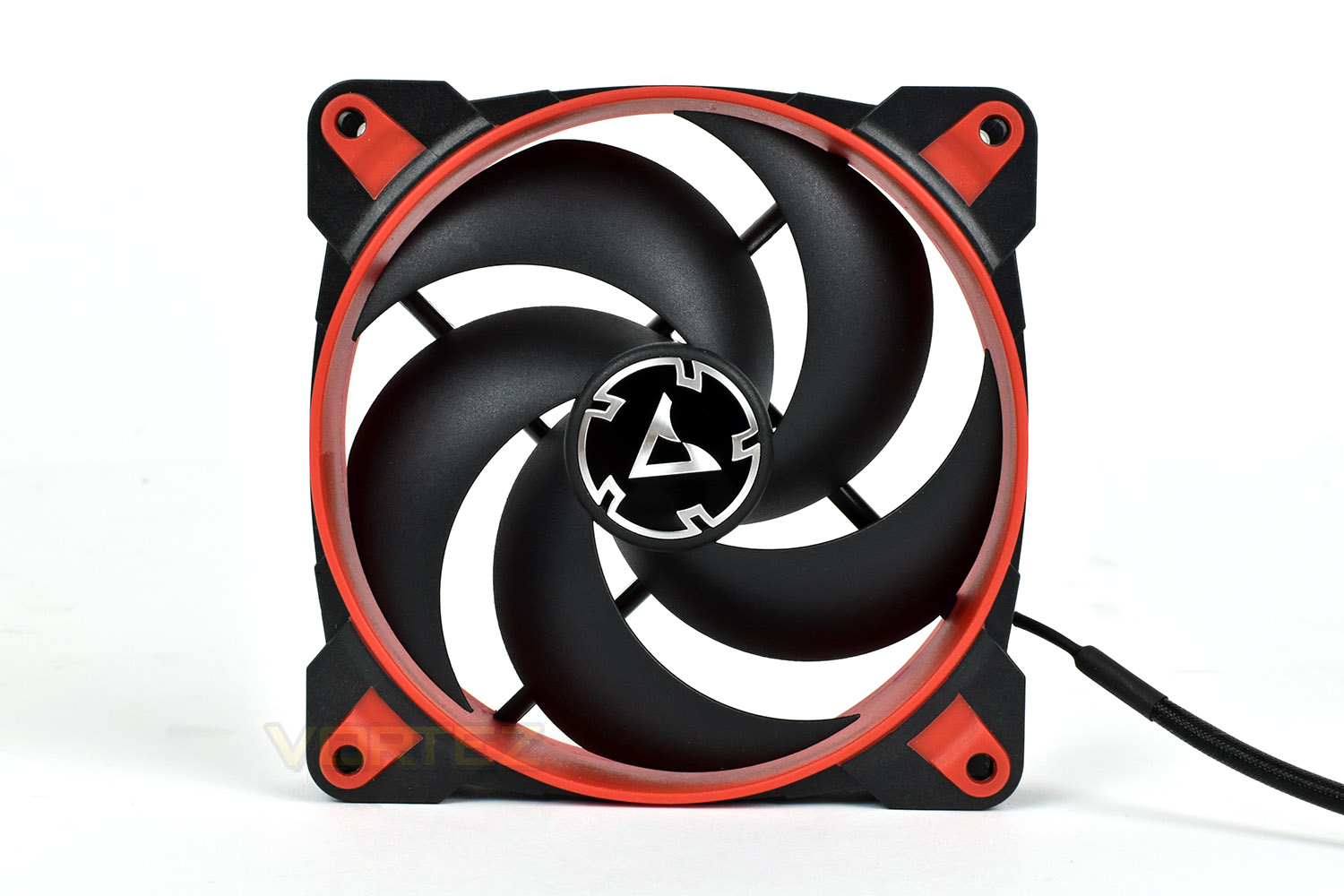
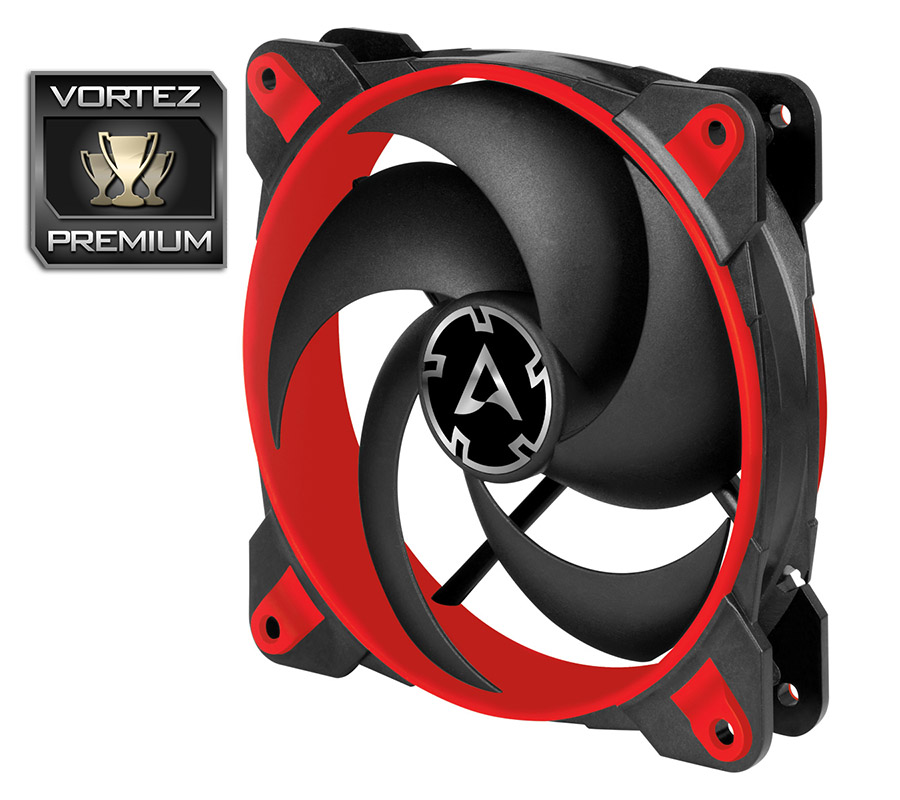
The BioniX P120 uses only 5 blades on its impeller, formed in a spiral shape for better static pressure; helping to push the air into a cone in front of the fan instead of dispersing the airflow.
The corners are rubber mounted, preventing vibration travelling from the fan to the chassis or heatsink onto which it is attached.
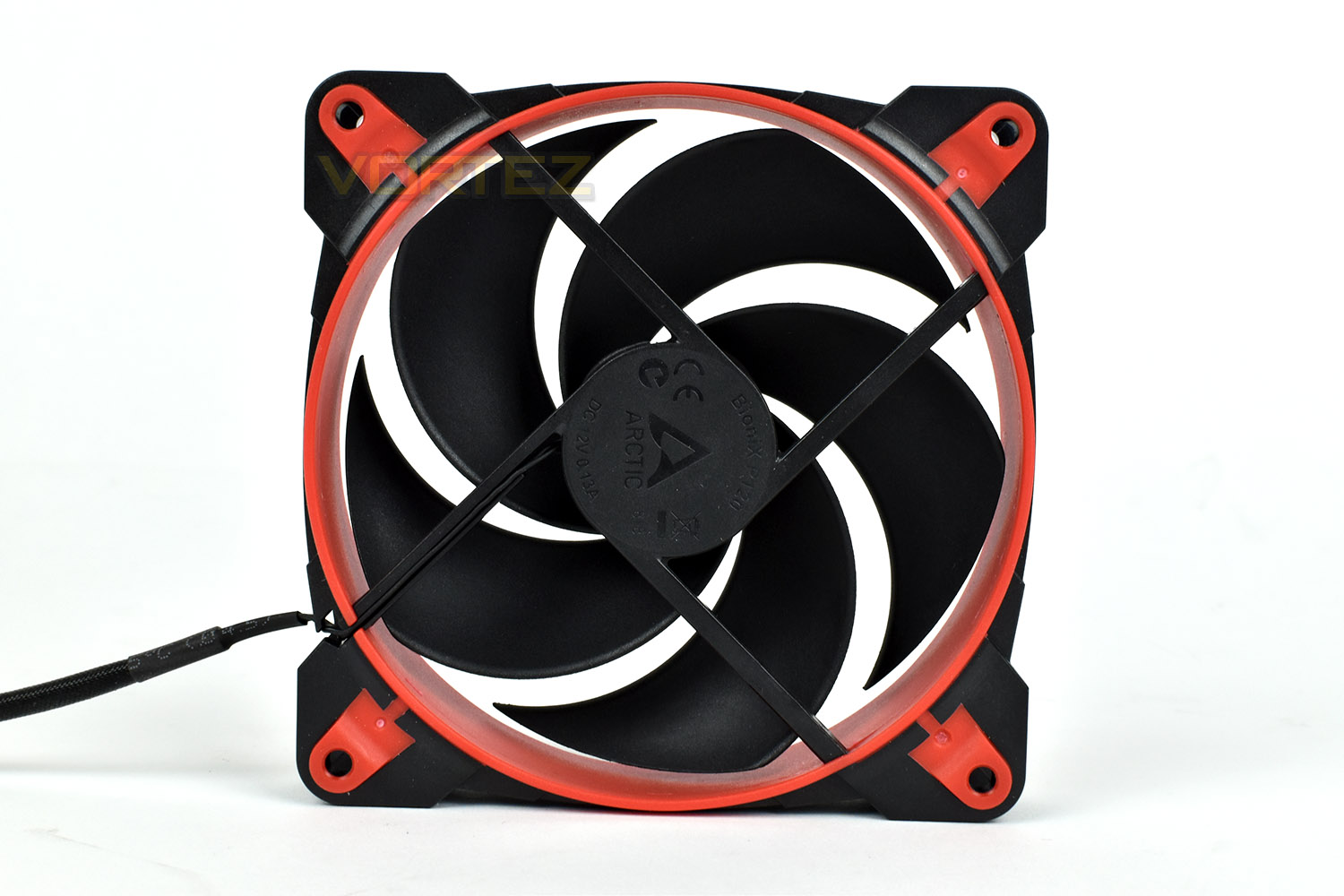
The rear of the fan uses very thin spokes to attach the motor in the centre, seemingly encouraging airflow.
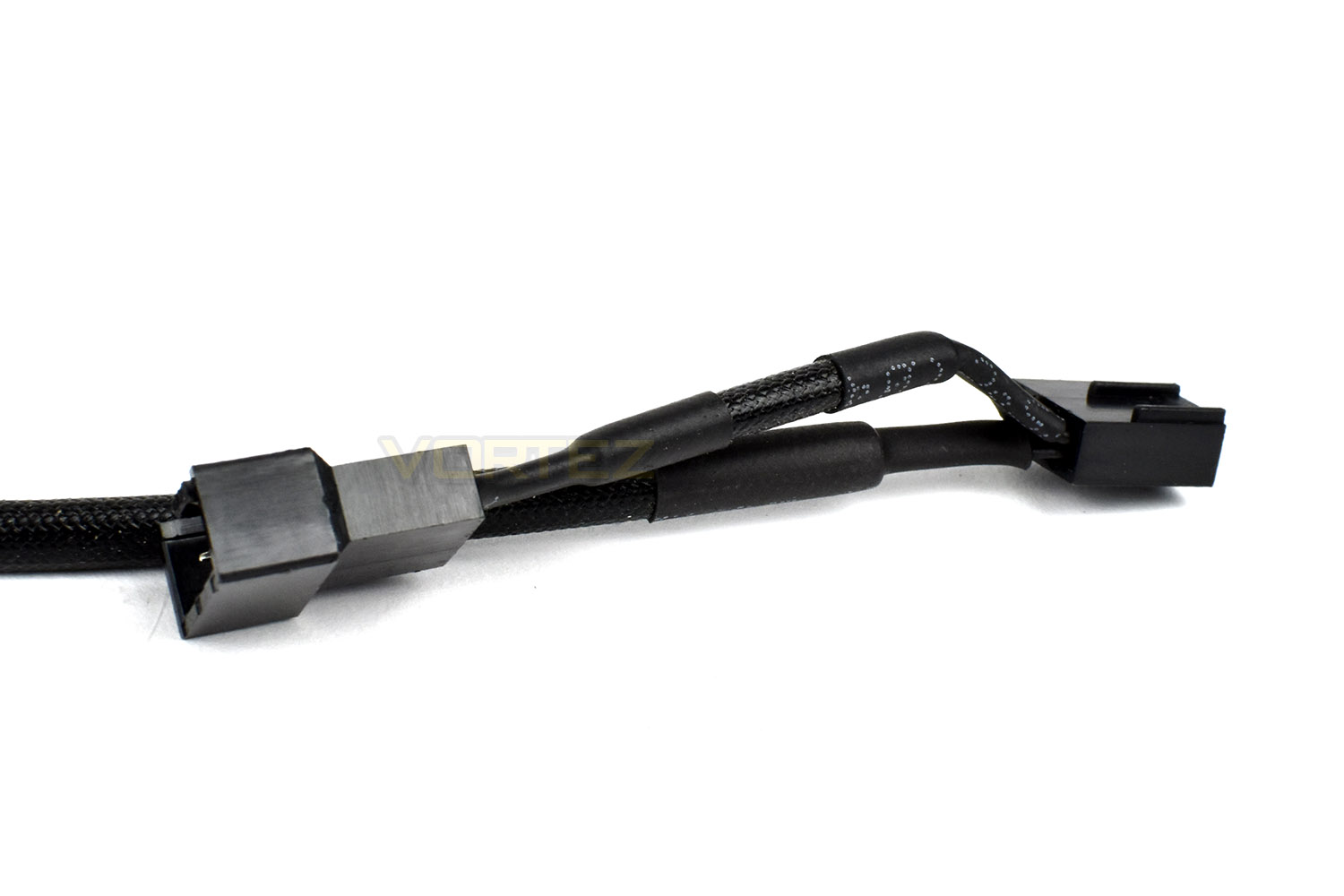
The braided cable measures 400mm in length and is split at the PWM connection, allowing several fans to run from a single connection. The split piece is 50mm in length.
Test Setup & Methodology
We have recently made changes to our cooling department and the associated testing methodology, so please note that the number of results shown will increase over time as we add additional products. We hope that these results will appear clearer to the majority of our readership and look forward to building upon the baselines that we currently have.Processor – Intel Core i7-3930K
CPU Cooler – Corsair H100i Pro RGB
Motherboard – Gigabyte X79-UP4
Memory – 16GB Corsair Vengeance LP 1600MHz CL9
Video Card – Sapphire Radeon HD 6850 1GB
Power Supply – NZXT Hale90 650W
Storage Drive – Kingston HyperX 240GB SATA III SSD
Case – Corsair Carbide 760T
CPU Cooler – Corsair H100i Pro RGB
Motherboard – Gigabyte X79-UP4
Memory – 16GB Corsair Vengeance LP 1600MHz CL9
Video Card – Sapphire Radeon HD 6850 1GB
Power Supply – NZXT Hale90 650W
Storage Drive – Kingston HyperX 240GB SATA III SSD
Case – Corsair Carbide 760T
We test our fans at both 1000 RPM and maximum RPM, or if the fan only has one setting, it’s only included in the maximum RPM graphs.
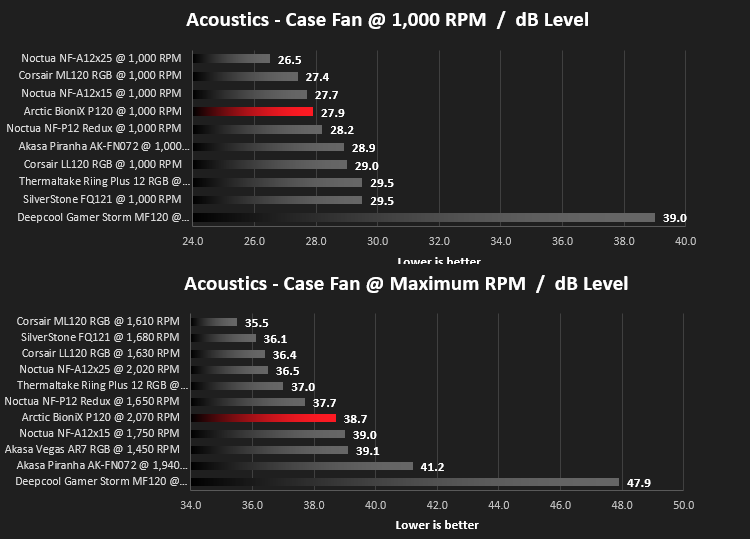
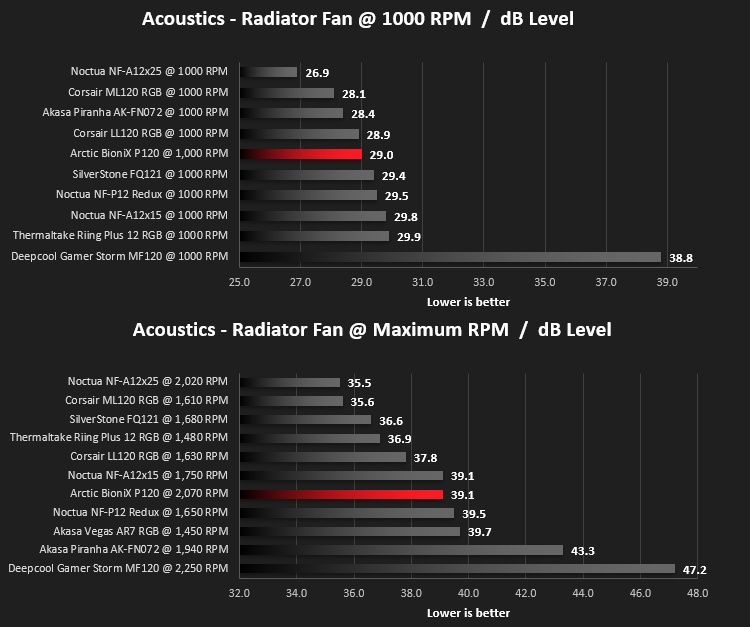
Firstly, we’ll test acoustics, both as a case fan, mounted on the rear of our Corsair Graphite 760T chassis, and as a radiator fan on the Corsair H100i Pro RGB. (with the pump turned down to 1,100 RPM and all other case fans disabled). We measure the average dB(A) noise levels over 60 seconds in a quiet room with an ambient noise level of around 24dB(A). Acoustics are measured from the same point within the case (20cm from the fan), with every effort taken to ensure test parameters are as close as possible during every test.
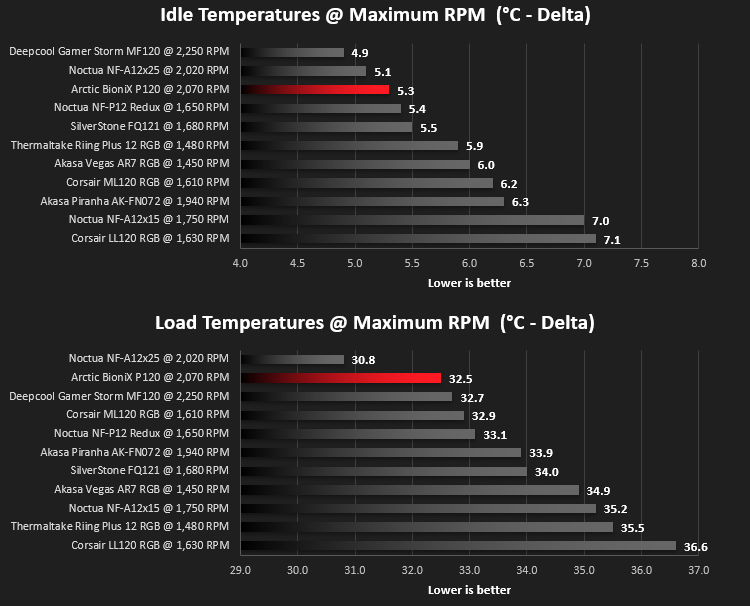
We then test the fan’s performance both at 1000 RPM and maximum RPM by running an AIDA64 20-minute stress test while running only a single 120mm fan on the 240mm radiator of the Corsair H100i Pro RGB. This allows us to test single fans as well as multi packs by only relying on a single 120mm fan. We mount the fan under the radiator, inside the case, blowing through the radiator. We measure the average core temperature over a 60-second period and minus the ambient room temperature from this. That leaves us with a Delta °C measurement which is applied to the graphs. Our average room temperature is kept as close to 21°C as possible, roughly the room temperature of most homes and offices. Obviously, if you live in a warmer climate with warmer room temperatures, you can expect higher temperatures.
To ensure the fans RPM are measured consistently, we use the Noctua NA-FC1 fan control unit, allowing the speed of our fans to be infinitely adjusted and monitored via a nearby header on the motherboard.
Benchmarks – Thermal Results
We test the thermal performance by relying on a single fan to cool the CPU via a Corsair H100i Pro RGB cooler.We test thermals at idle firstly, with the fan at 1000 RPM and then the fan at 100%, with the Arctic BioniX P120 topping out at around 2,070 RPM.
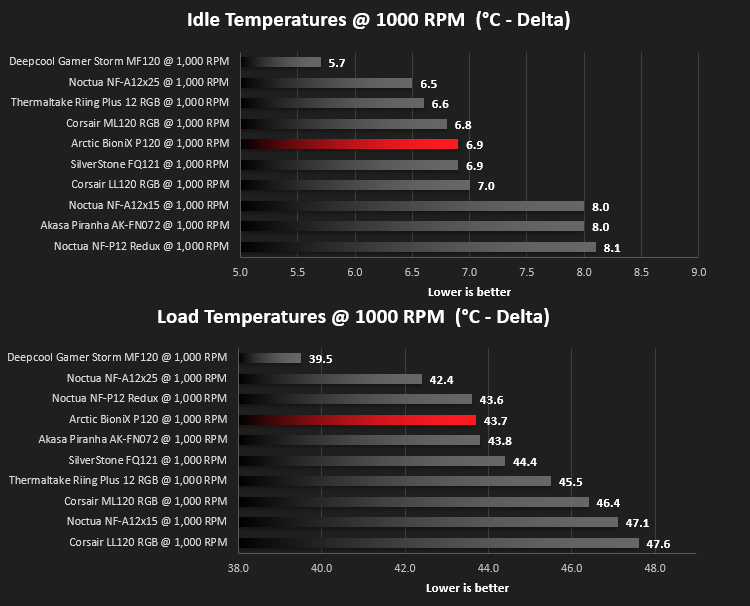
We then run a 20 minute AIDA64 Stability Test to generate as much heat within the H100i Pro RGB loop as possible.
Benchmarks – Acoustic Results
For testing, we only connected a single BioniX P120 and set the fan speed via the Noctua fan controller.Due to different characteristics, we feel it’s important to test fans as both case fans and radiator fans, giving you, the reader, a good idea of what to expect in both scenarios. We also test at 1000 RPM and Maximum RPM to see just how loud things can get.
We begin by testing the fans on the rear of our Corsair 760T chassis.
We then mount the fan to the Corsair H100i Pro RGB and re-run the tests. This can be important due to different blade angles and flow shapes.
Conclusion
Part of the appeal of owning your own computer is the control we have over which components we choose, lending several hours of research to seemingly insignificant components, such as cooling fans, but the truth is, they can be incredibly important in terms of noise and heat dissipation. Keeping components cool can lead to a longer product life as well as fewer issues due to thermal throttling and software crashes.The Acrtic BioniX P120 has presented itself as a very capable fan, pushing vast amounts of air and performing remarkably well in our temperature tests while also remaining relatively quiet.
The fan itself seems to be well-engineered, with a solid frame and impeller, along with the rubber corners to reduce vibration and in-turn, noise.
The BioniX arrives on the shelves at £13.99/$15.99, so it’s not exactly “cheap” but certainly worth considering for your build if quiet and cool operation is something you desire, especially with that 10-year warranty on offer.
Arctic have always been known for their budget products that pack a punch, with the BioniX P120 being no different, we’d be happy to recommend these to a friend.
Pros
+ Appealing colour schemes
+ Great performance
+ Decent noise levels
+ Good build quality
+ 10-year warranty
Neutral
+- Not the quietest, if that’s what you seek
Cons
– None
+ Appealing colour schemes
+ Great performance
+ Decent noise levels
+ Good build quality
+ 10-year warranty
Neutral
+- Not the quietest, if that’s what you seek
Cons
– None
Click here for an explanation of our awards at Vortez.net.
Stay connected with the Vortez Social Media pages: