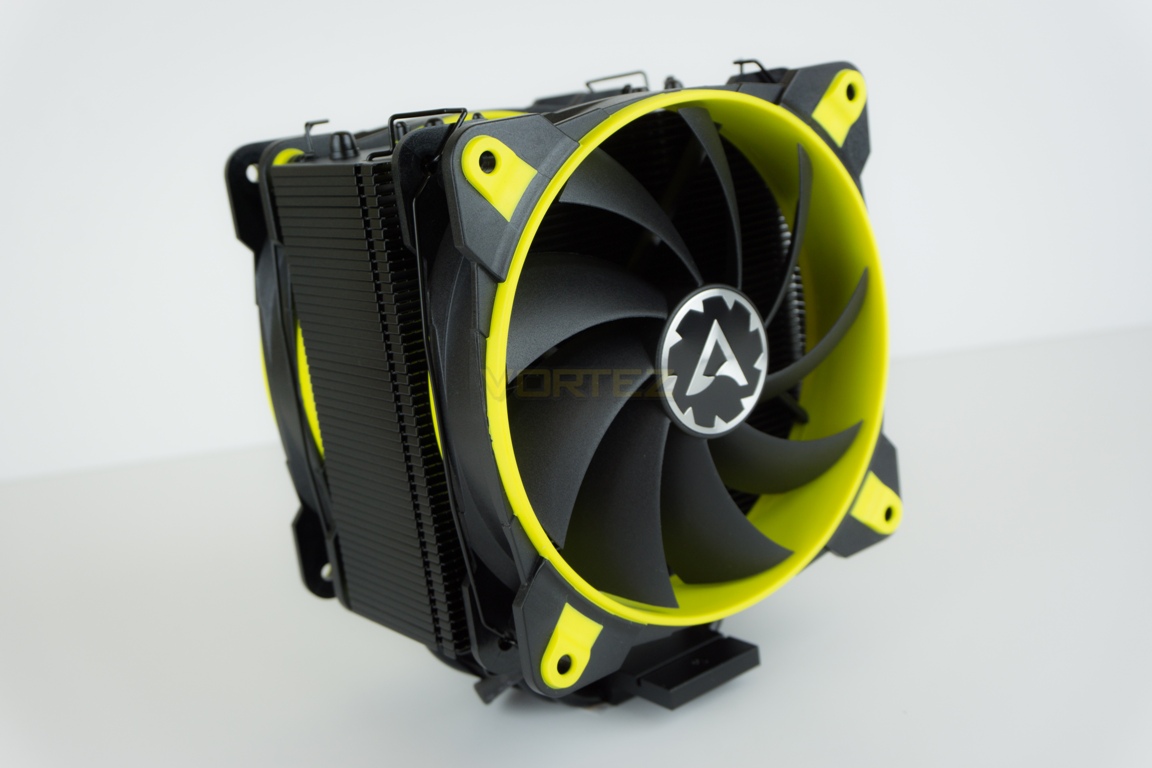
We take a look at Arctic’s latest 120mm ‘eSports’ branded cooler to see how it stands-up to the competition.

Product on Review: Arctic Freezer 33 eSports Edition
Manufacturer and Sponsor: Arctic
MSRP: £45.99
Arctic Cooling were founded in 2001 as a manufacturer of computer cooling components and were probably best known for their affordable cooling solutions and renowned MX range of thermal pastes. In 2010 the company rebranded as simply ‘Arctic’ along with a necessary logo change to coincide with a business expansion plan. Many people may be unaware, but Arctic also cater to additional consumer markets selling peripherals, audio products and HTPCs.
In early 2017 Arctic completed a fresh re-branding exercise including again, a revised logo. One of their latest products has been the Freezer 33 CPU cooler which comes in a variety of flavours (almost literally, given the colour palettes on offer) from semi-passive to Threadripper variants. Today, we are looking at the eSports Edition which Arctic have kindly provided for review.
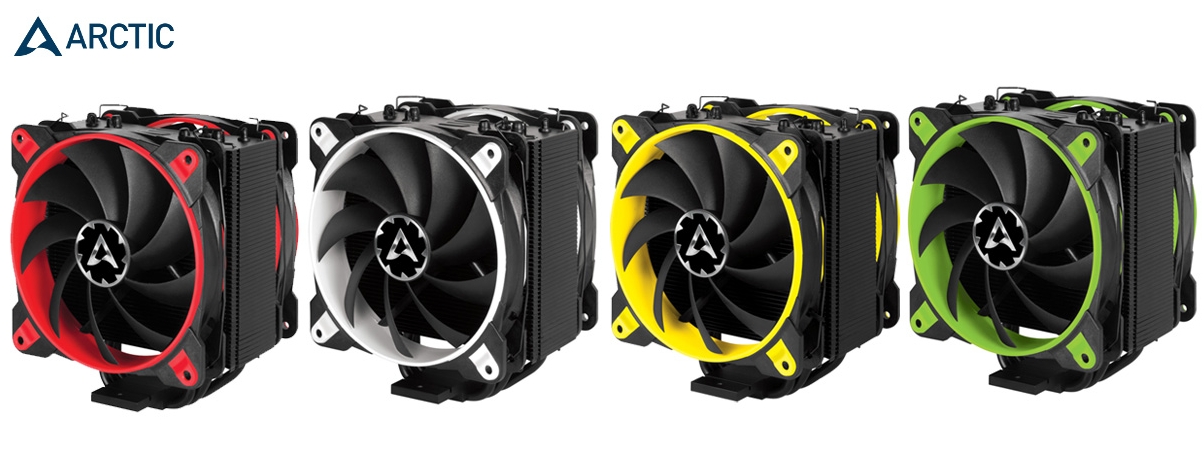
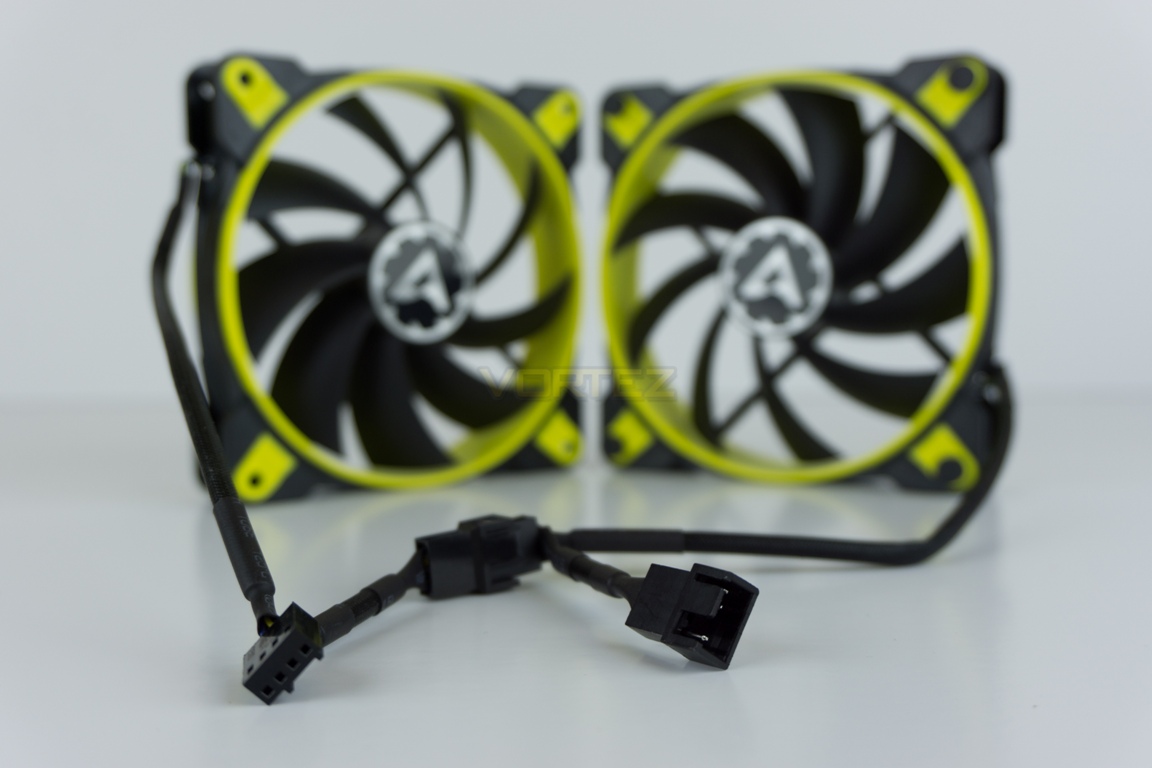
This 120mm cooler is bundled with not one, but two of the company’s latest BioniX fans. These are PWM blowers with rotation speeds between 200 and 1800 RPM. Colour choices for this specific model are black with either red, yellow, green or white accents. We got yellow but you can’t win ’em all – this element is subjective, of course. We feel the black heatsink itself however is a nice design choice. Arctic don’t appear to publicise the reasons behind the eSports moniker, but based on the mid-range pricing and available colour schemes it’s presumably aimed at these such users.
Arctic on their Freezer 33
“The Freezer 33 eSports Edition is a CPU cooler with PushPull Configuration. Two extremely silent fans with a 3-phase motor, mounted on opposite sides of the Heatsink, guarantee long gaming sessions without annoying noise. With a high range of RPM, the BioniX F120 fans are controllable with PWM to regulate the fan speeds as needed. The 3-phase motor with low coil temperature quadrupled the life span and we extend the warranty to 10 years”.
Technical Specifications
Arctic Freezer 33 eSports Edition
– Dimensions (WxDxH) – 123mm x 103mm x 150mm (including fans)
– Recommended TDP – 210W
– Noise – 0.5 Sone @ 1,800 RPM
– Intel Compatibility – 1151, 1150, 1155, 1156, 2066, 2011(-3)
– AMD Compatibility – AM4
– Dimensions (WxDxH) – 123mm x 103mm x 150mm (including fans)
– Recommended TDP – 210W
– Noise – 0.5 Sone @ 1,800 RPM
– Intel Compatibility – 1151, 1150, 1155, 1156, 2066, 2011(-3)
– AMD Compatibility – AM4
* Official manufacturer specifications
Packaging & Bundle
Arctic’s choice of outer packaging material appears good quality and the design is attractively coordinated to match the chosen colour scheme. Some clear diagrams on the rear of the box also show some high-level detail around the product’s fan design, mounting system and manufacturer’s claims regards cooling performance.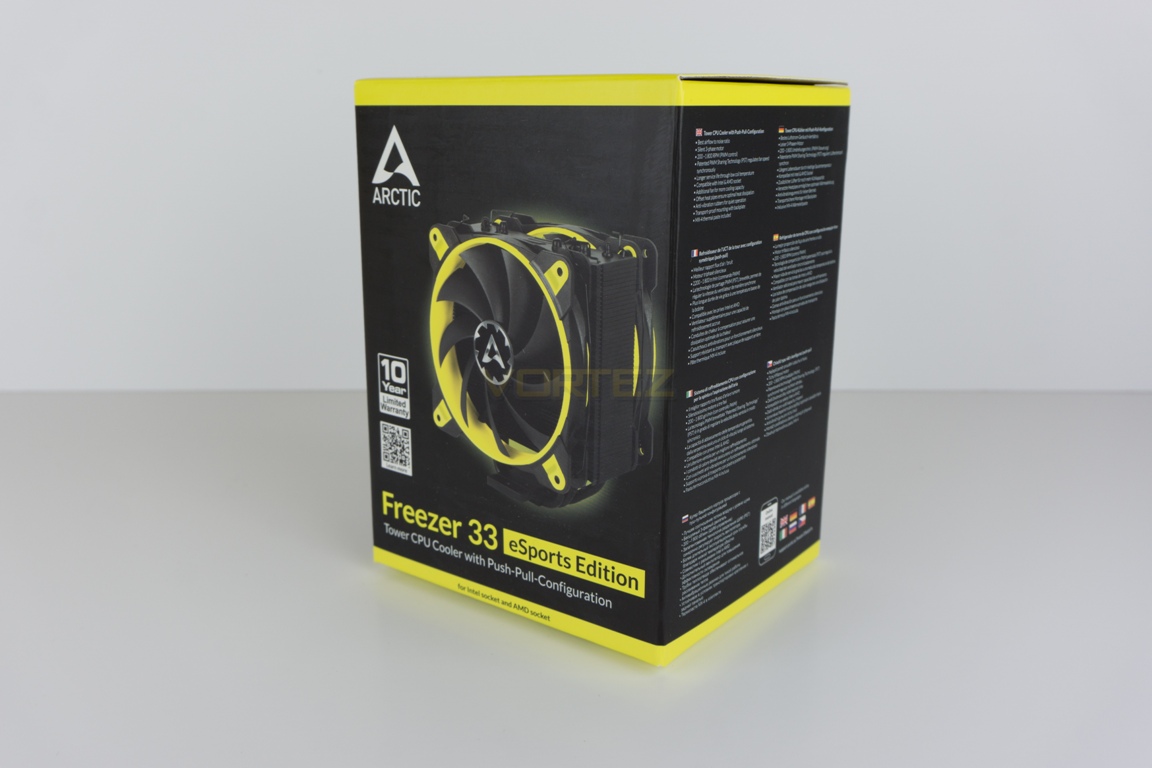
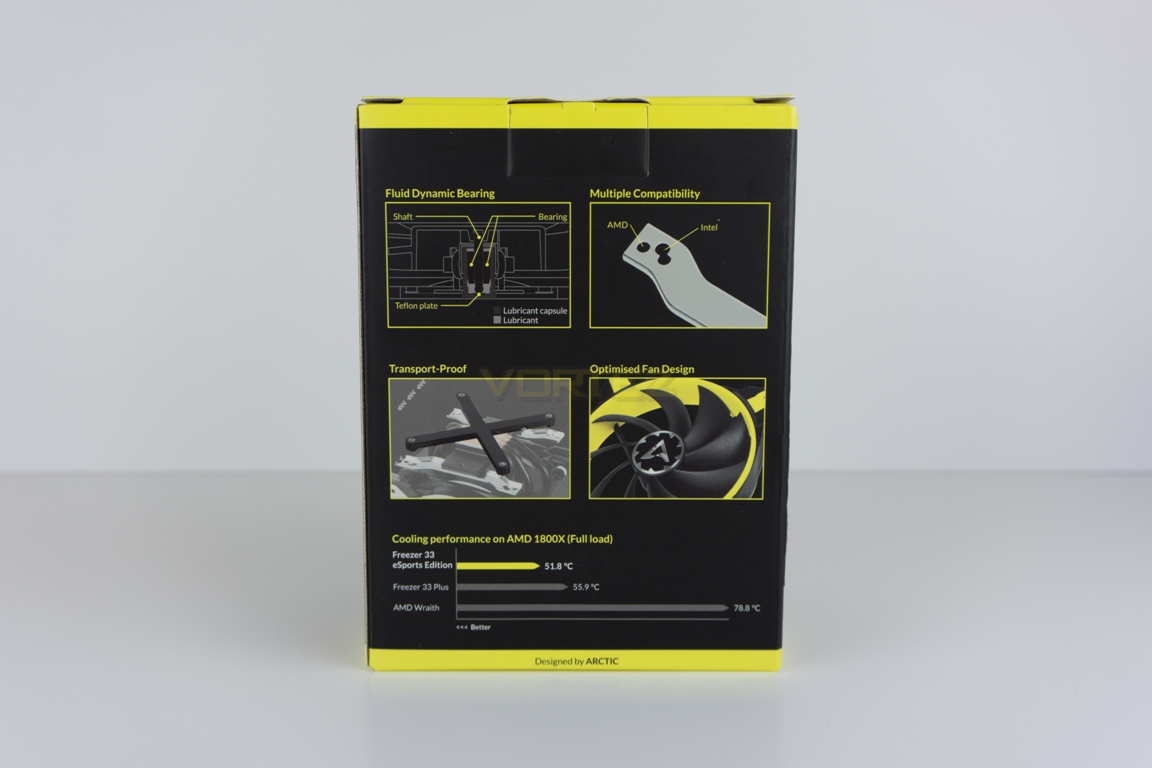
Upon opening the box we see that some corners have been cut with regards additional foam or similar packaging… in that there isn’t any. Let’s just hope that any courier handling your new purchase takes good care during transit. To be fair to Arctic, our example was in perfect condition once unboxed and this practice helps in keeping costs down for the end-user. The Freezer 33 eSports Edition does not come with a user manual or installation guide. All instructions can be found on Arctic’s website via the direct product or support pages however.
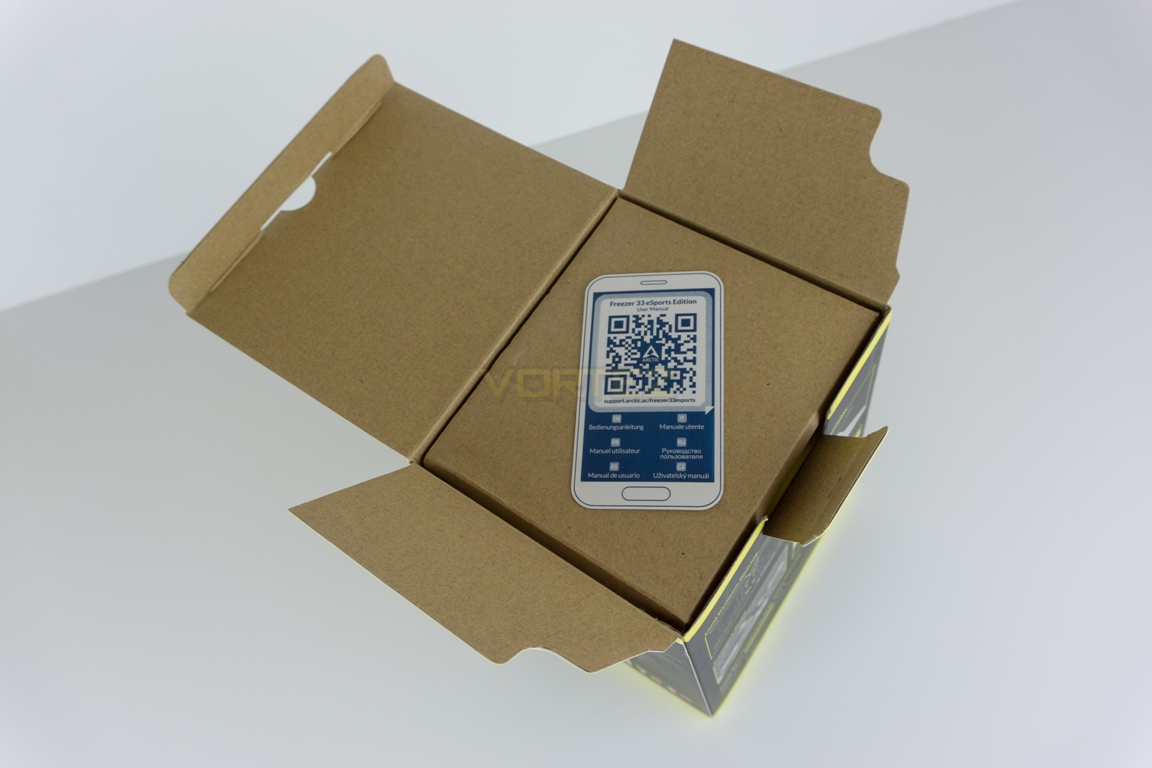
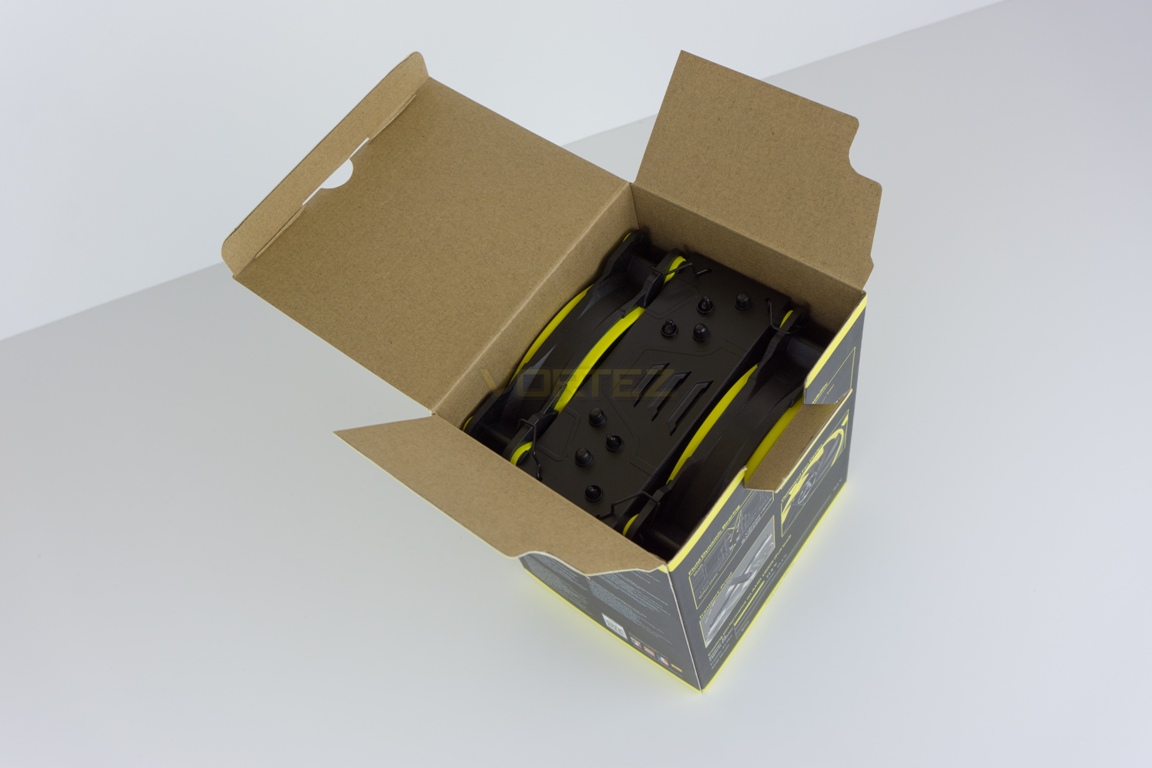
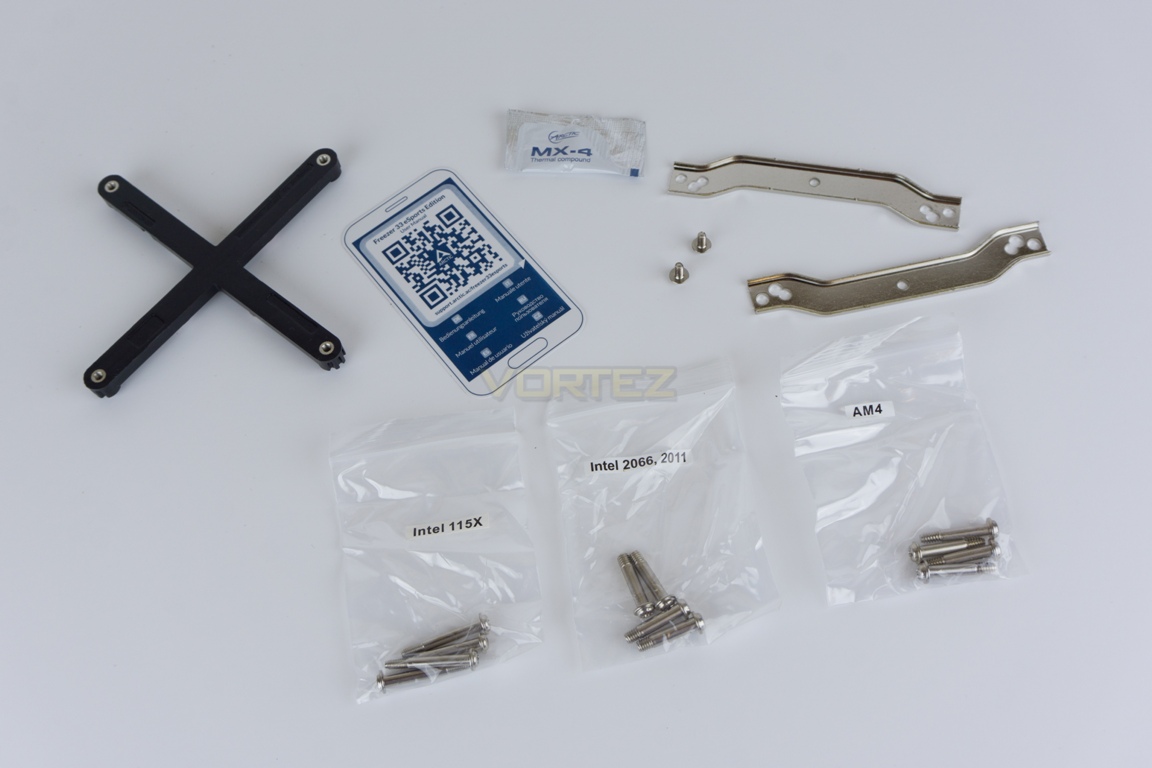
Included accessories are sparse but everything that you actually need, is included. Many manufacturers opt to bundle items that many users just don’t need or want and this simply adds to costs. As you will see below, Arctic supplies a backplate, mounting brackets, a small pouch of it’s own MX-4 thermal paste, plus screws for all of the supported Intel and AMD sockets. AMD users should note that whilst this cooler can be mounted to their AM4 motherboards, the eSports Edition does not support AM3 or TR sockets.
Closer Look
Once unboxed, we have to admit that we think this is a very good looking CPU cooler. If we briefly disregard the admittedly subjective coloured accents, the design is attractive and well-judged so should fit aesthetically within most systems – don’t forget there are options with the accents too. Heatsink build quality seems on-point for the price and the built-in fan clips are genuinely some of the simplest we’ve ever had the pleasure of attaching a fan to.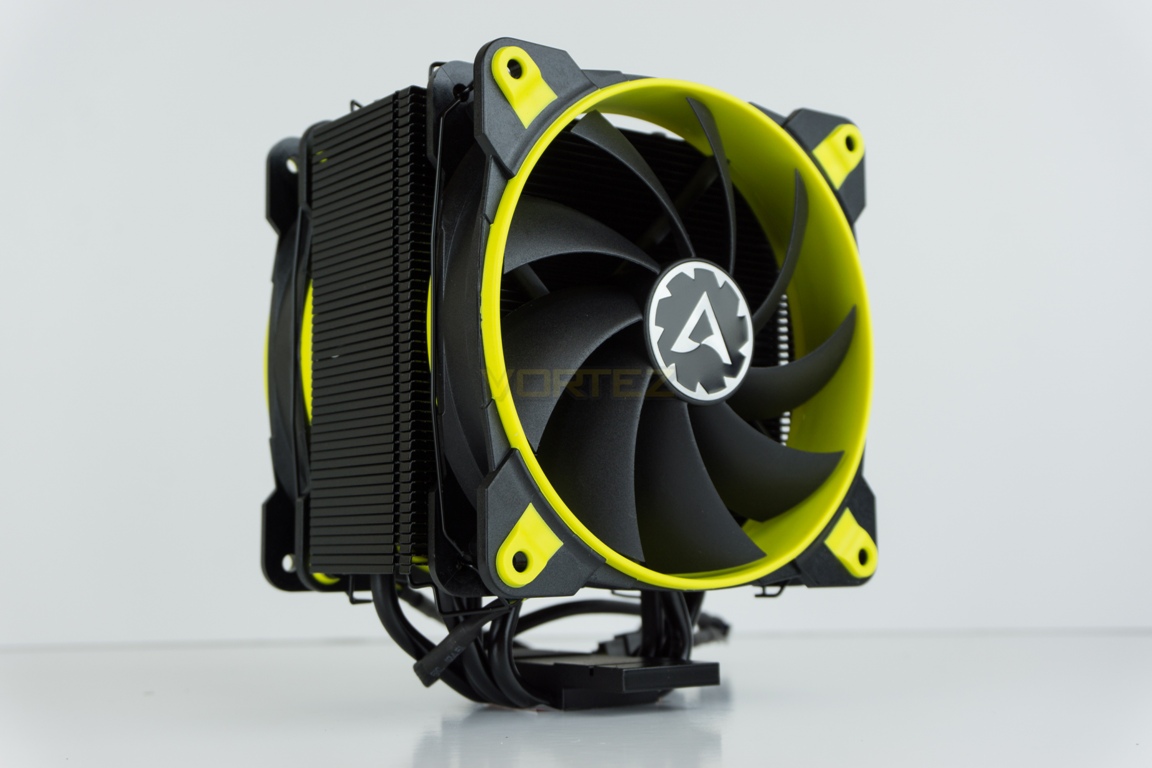
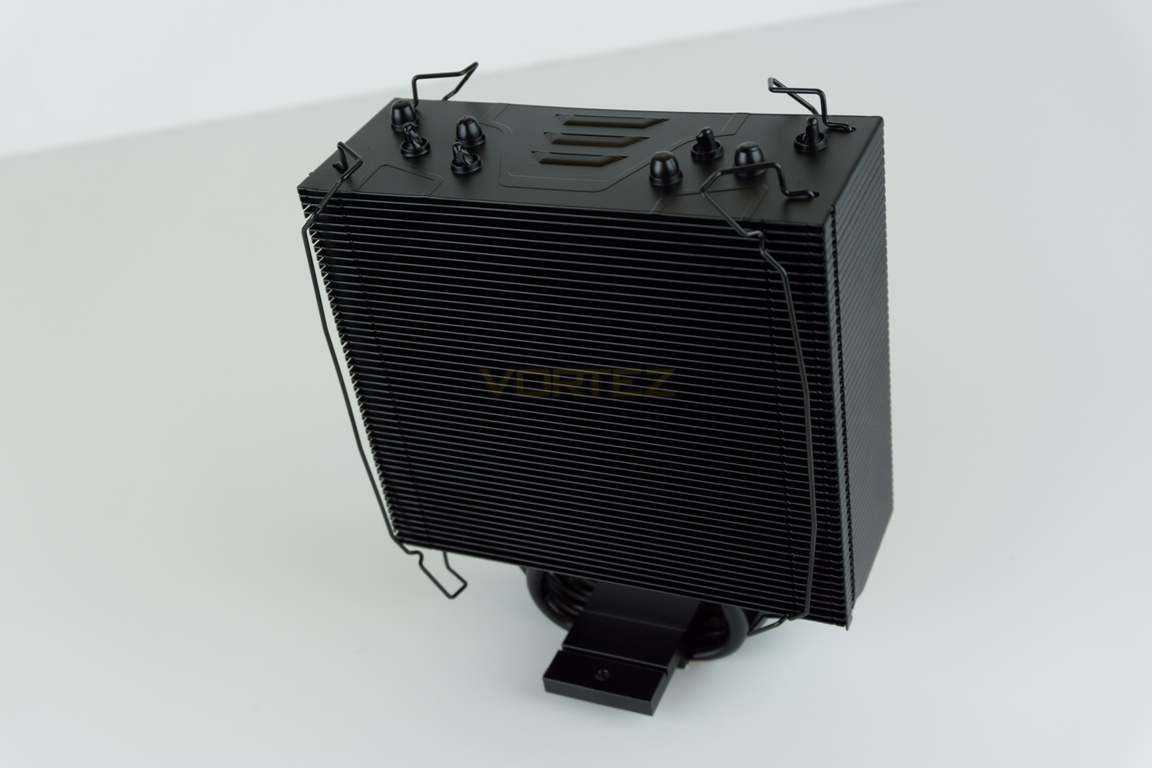
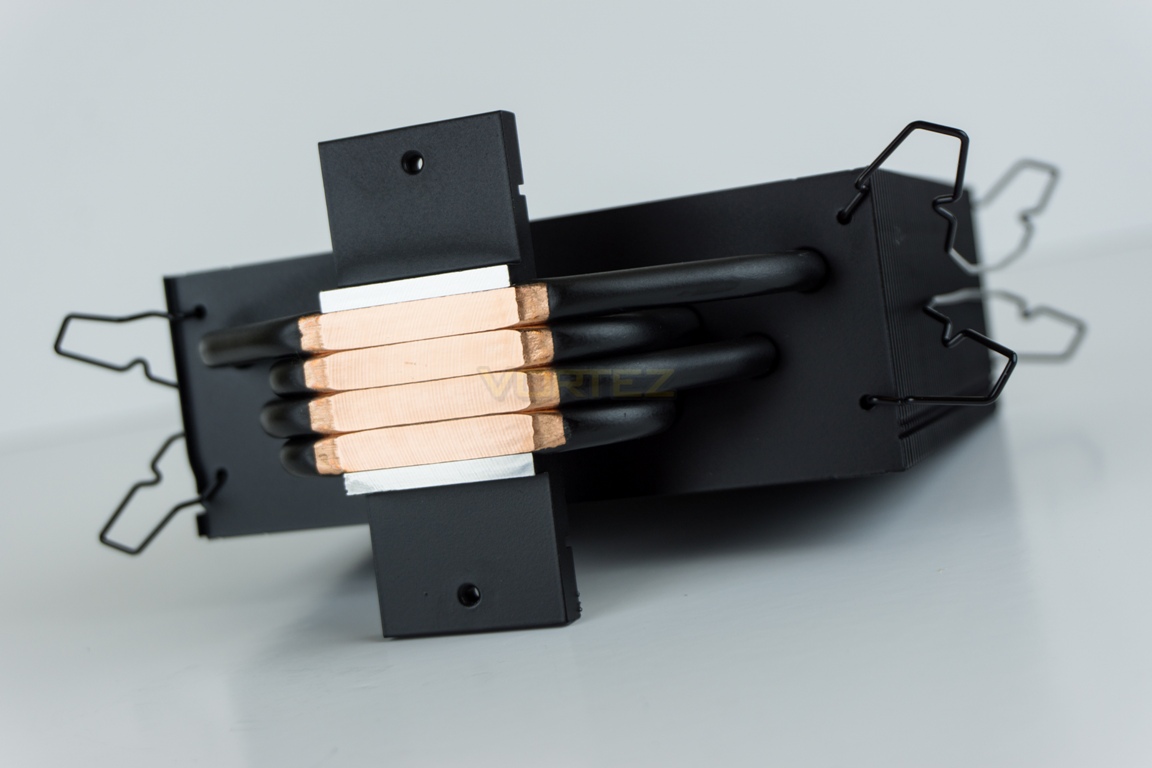
The Freezer 33 features a total of 4 x 6mm heat pipes which feed through the body of the heatsink from its direct touch base. It features 49 aluminium fins which are each 5mm in thickness.
Both supplied 120mm BioniX fans come with rubber mounts pre-installed for noise dampening. Once removed each fan only features the rubber mounts on one side each, rather than on both – this is not a problem but should be noted ahead of reattaching once the heatsink is installed to the motherboard.
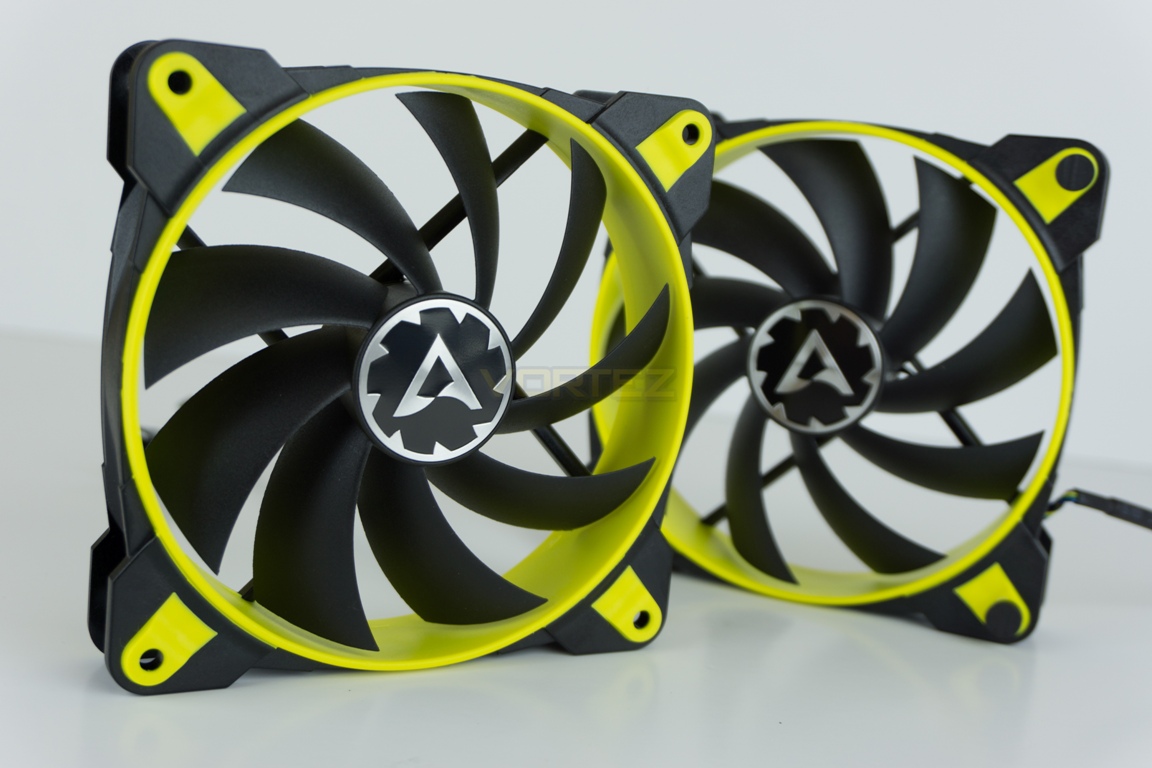
The fans feature black sleeved cabling and use 4-pin PWM connectors. Each cable also features a female 4-pin connector allowing them to be daisy-chained together before one is plugged directly into a motherboard CPU Fan header.
Installation
With each CPU cooler that we test, a small pea-sized blob of Noctua NT-H1 thermal paste is applied to our CPU ahead of heatsink installation. We choose to use this high-quality paste in all of our CPU cooler reviews, essentially eliminating an unnecessary variable from the subsequent results and comparison graphs.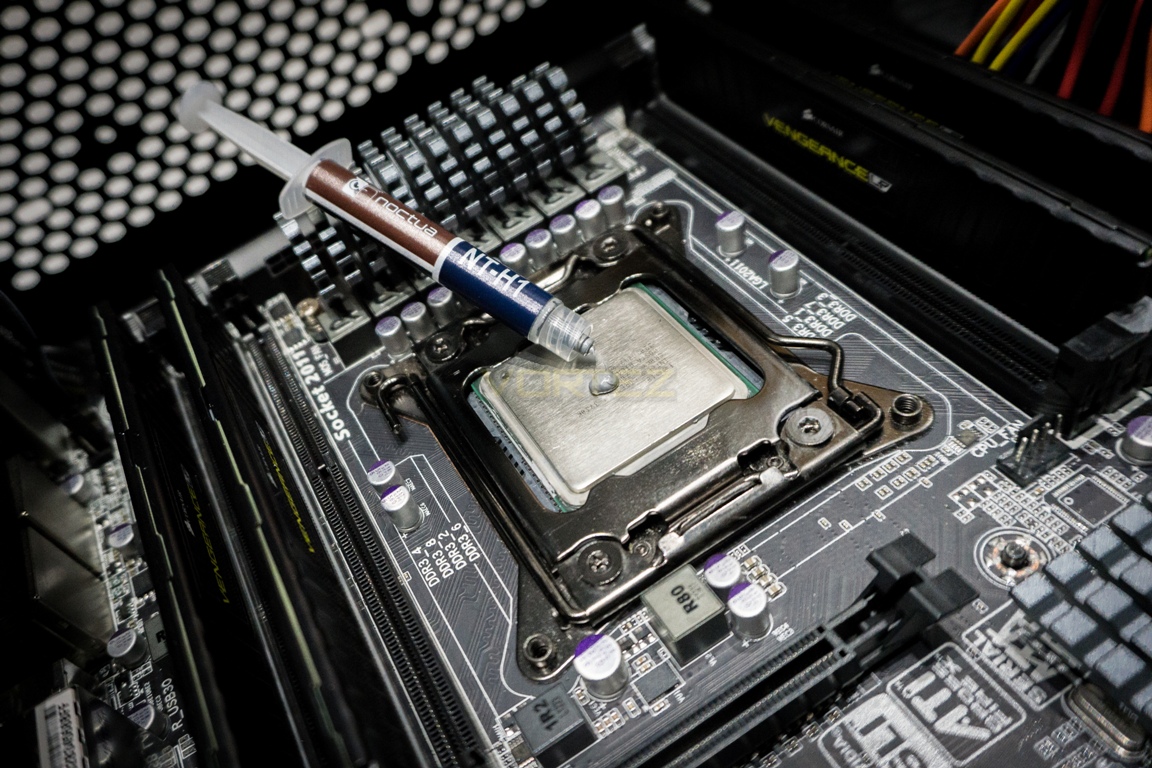
Installation of the heatsink to our motherboard was straightforward as we did not have to utilise the supplied backplate, as expected with Intel’s 2011 socket. However, please note that if using any Intel 115X socket the backplate is required and motherboard removal from your case may therefore be required. The next step, regardless of socket, is to attach the two supplied mounting clips either side of the coolers base with the provided screws. Each mounting clip has three screw holes at each end – when referencing the image below these are for AM4, 2011 and 115X respectively when looking left to right.
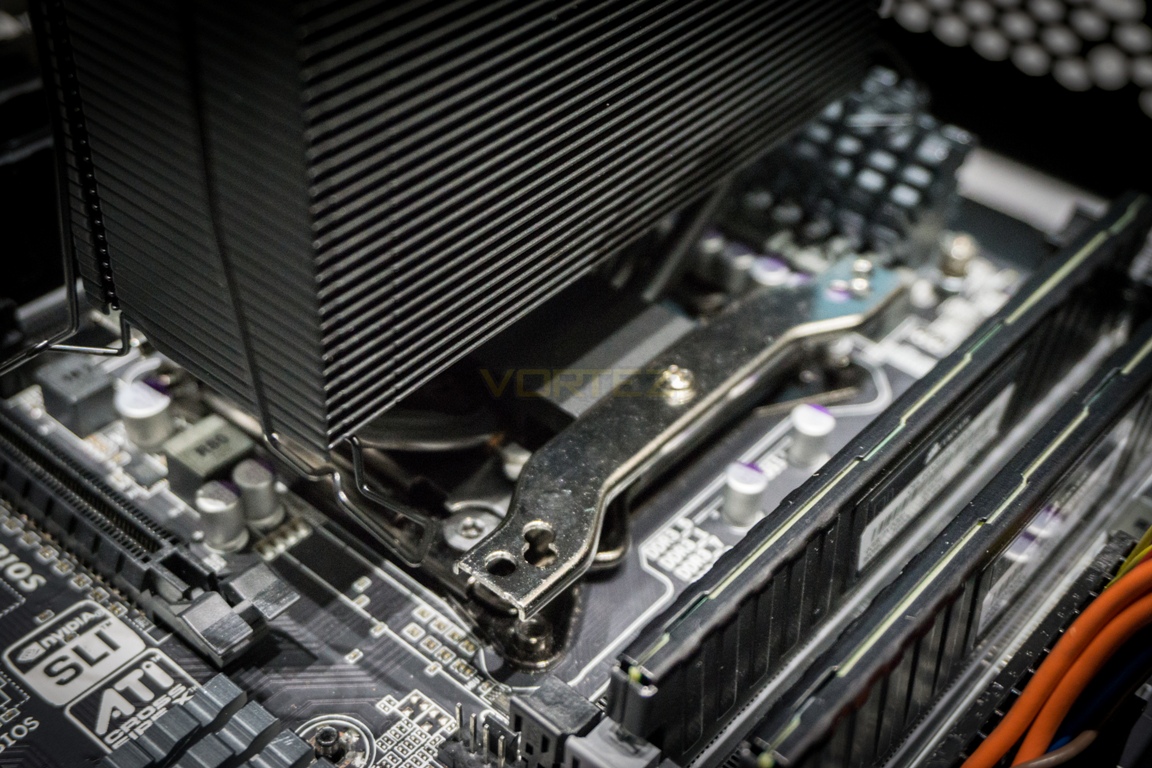
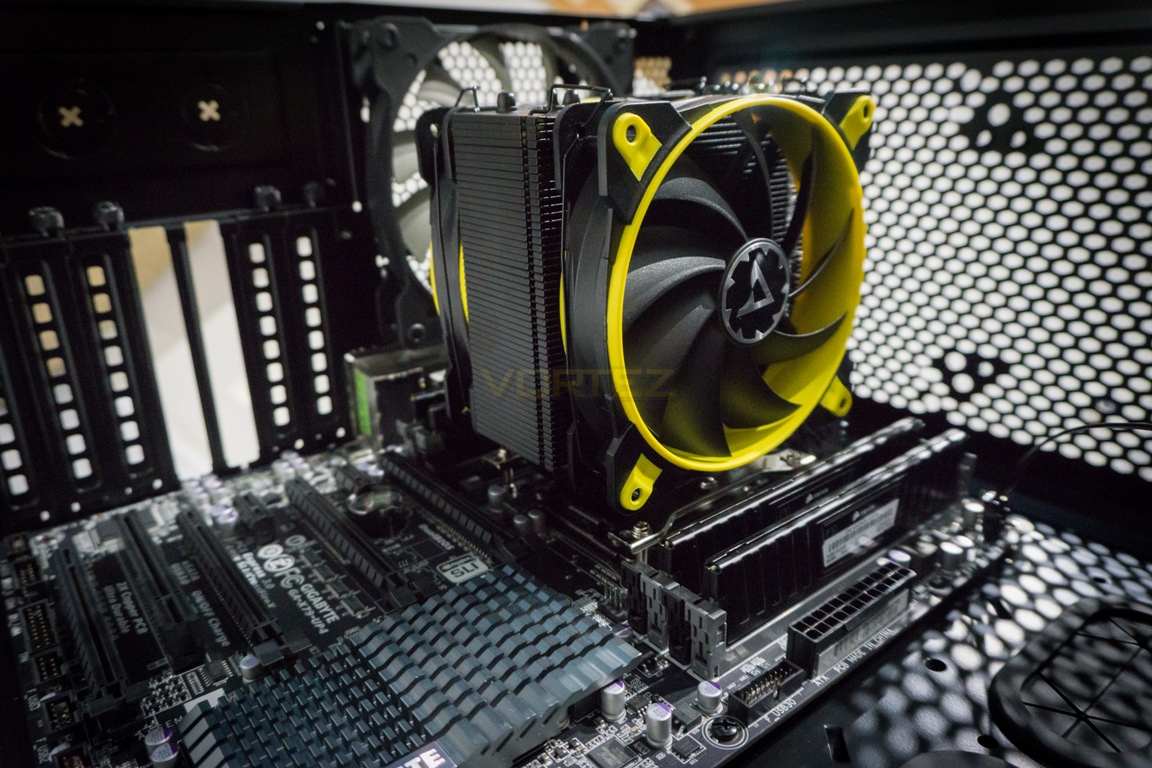
Screw the four supplied screws through the mounting brackets (checking the correct ones are used, socket-dependant) into the motherboard standoffs or backplate if utilised. The heatsink should fit nicely within most mid-tower or larger cases due to its sensible 150mm height.
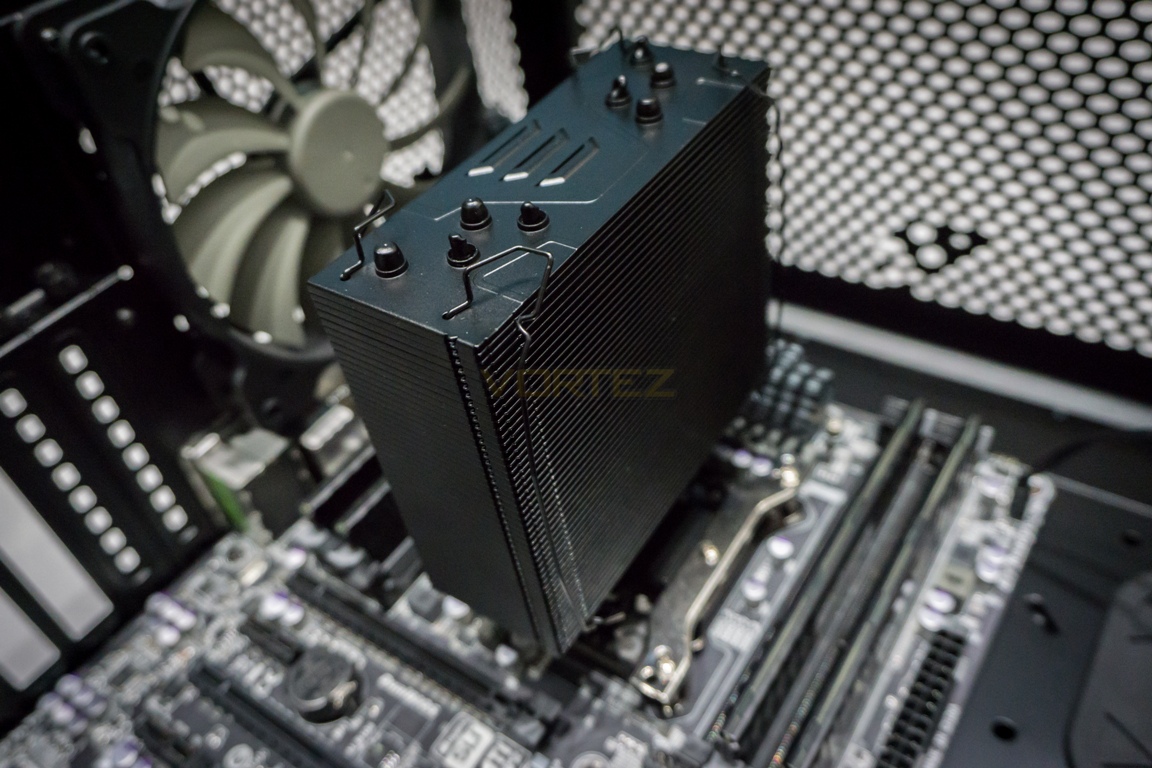
As referenced earlier in the article, the fan mounting mechanism is excellent due to the clips being built into the heatsink. Attaching fans can sometimes be tricky, especially when a system is already installed within a case, but Arctic’s design choice here makes the process that little bit easier. Once attached, one of the fan’s 4-pin plugs should be connected with the others 4-pin socket before connecting the spare 4-pin plug to the motherboards CPU fan header.
Test Setup & Methodology
We have recently made changes to our cooling department and the associated testing methodology, so please note that the number of results shown will increase over time as we add additional products. We hope that these results will appear clearer to the majority of our readership and look forward to building upon the baselines that we currently have.We perform two individual testing routines with each CPU cooler that we receive – temperatures and acoustics. The system used is as follows and all tests are performed at stock 3.8 GHz and overclocked 4.4 GHz frequencies.
Processor – Intel Core i7-3930K
Motherboard – Gigabyte X79-UP4
Memory – 8GB Corsair Vengeance LP 1600MHz CL9
Video Card – Sapphire Radeon HD 6850 1GB
Power Supply – NZXT Hale90 650W
Storage Drive – Kingston HyperX 240GB SATA III SSD
Case – Corsair Carbide 760T
Motherboard – Gigabyte X79-UP4
Memory – 8GB Corsair Vengeance LP 1600MHz CL9
Video Card – Sapphire Radeon HD 6850 1GB
Power Supply – NZXT Hale90 650W
Storage Drive – Kingston HyperX 240GB SATA III SSD
Case – Corsair Carbide 760T
To keep our tests consistent, we always review CPU coolers as they come out of the box – with their factory cooling fans, as the manufacturer intended and as the consumer expects. It should however be noted that we do not use supplied thermal paste but instead, Noctua NT-H1 paste to again ensure consistency.
In the first test, we record idle and load temperatures as shown by the most current version of the Real Temp monitoring utility. The test system is booted to the Windows desktop and left to idle for 20 minutes to ensure temperatures have stabilised. The average core temperatures are then recorded over a 1 minute period and averaged across the 6 cores. We then perform a continuous 20 minute AIDA 64 stress test. The maximum absolute core temperatures are recorded immediately after the test has completed and averaged across the 6 cores. All results are displayed as delta temperatures – these are calculated by subtracting the ambient room temperature from the average core temperatures recorded. For temperature testing, the Corsair 760T chassis door is closed and has all 3 systems fans powered on to simulate real world conditions.
Our second test follows similar methodology to the first, with the key difference being that the Corsair 760T chassis door is now left open and all 3 systems fans are disabled. This allows for the CPU cooler fans acoustic profiles to be captured in isolation. From cold, the system is again booted to the Windows desktop and left to idle for 20 minutes to ensure temperatures have stabilised. The acoustic level is then recorded at a distance of 20cm from the CPU cooler and where the individual result is an average level over a 1 minute period. We then perform our continuous 20 minute AIDA 64 stress test. Acoustic levels are again recorded at a distance of 20cm from the CPU cooler and where the individual result is an average level over a 1 minute period.
Benchmarks – Thermal Results
At idle, the Freezer 33 hovered around the 28° mark which equated to a delta temperature of just over 6°C at 1,180 RPM. This is a little higher than the X62 from NZXT, but is to be expected considering the surface area of the aforementioned coolers 280mm radiator.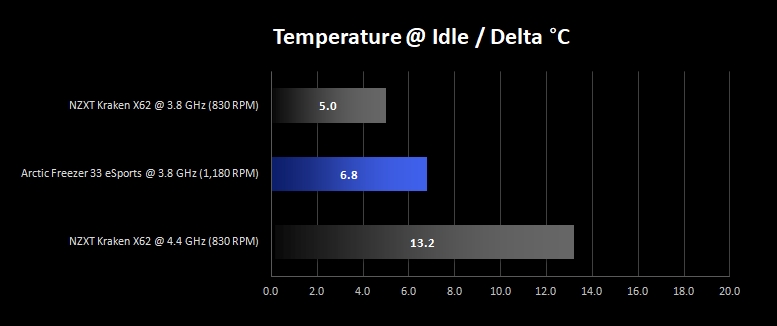
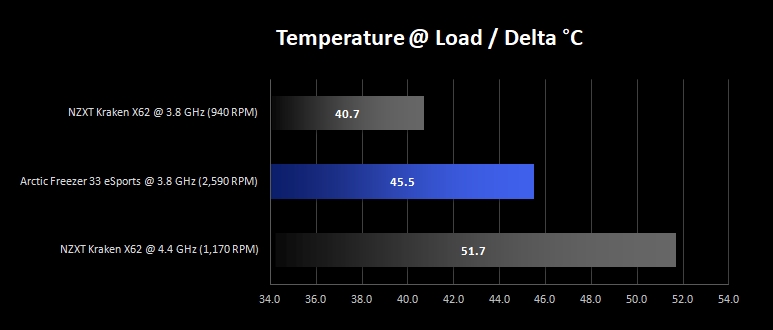
As we move to load temperature results we can no longer ignore the elephant in the room. As you may have already noticed, we are missing a reading for our 4.4 GHz overclock with the Freezer 33. Unfortunately, the Arctic cooler was simply unable to keep up with our 1.4v overclock in the AIDA 64 stress test. All of our temperature tests are run for over a 20 minute session, but in this particular instance the stress test would not run for any longer than 70 seconds before automatically calling time at a recorded temperature of around 90°C (despite being re-seated several times).
At stock frequencies however, temperatures were in order and back under control at around 70°C. It should be noted however that both fans did spin up to nearly 2,600 RPM. Let’s see how that translated to acoustics on the next page.
Benchmarks – Acoustic Results
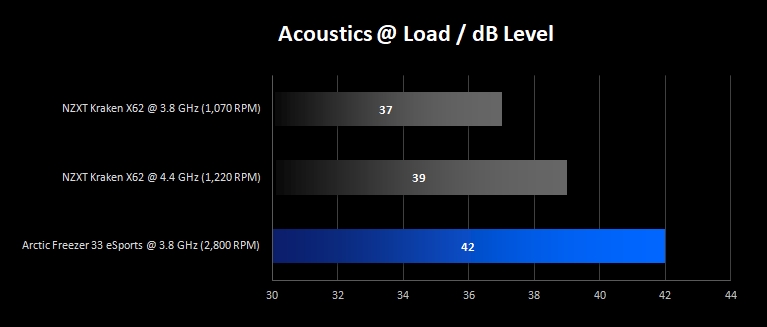
At idle at least, the following graph highlights a good acoustic result for the Freezer 33 air cooler compared to the much more expensive X62 liquid cooler. As is the case in many air versus all-in-one water cooler comparisons, despite the lower speeds of the X62’s fans, you can never discount pump noise (albeit in this scenario, the NZXT ‘Performance Mode’). To be clear, this pump noise is far from obtrusive but the Arctic Freezer 33 is quite simply that bit quieter when under low loads.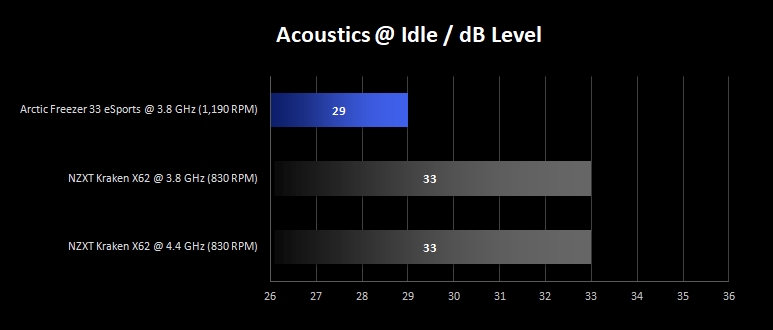
Moving on from the idle tests, we can see that under extended load, the acoustic tables have been turned. Quite simply, the Freezer’s PWM fans shoot up to speedy 2,800 RPM and a noticeably audible 42dB. Please note this slight RPM increase over our previous thermal testing, with the case now being open and system fans off ensuring the cooler’s acoustics are being isolated.
Conclusion
Let’s begin by stating that we really liked the design and build quality of the Freezer 33 eSports Edition, especially at this price point – the fact that Arctic provide two fans enabling a push/pull configuration is arguably a bonus. The available colour combinations that the cooler is offered in is also a nice touch and appears to fit the eSports badge appropriately; it’s only a shame that these were not interchangeable. This seems fair however, as along with the ‘does the job’ packaging and accessory bundle, it enables Arctic to keep costs down so that we, the end-consumer are not paying over the odds for this cooler.It was unfortunate that the Freezer 33 eSports Edition could not quite cope with our 4.4 GHz overclock, but we appreciate that this is sub-£50 cooler and our test system is running a toasty Sandy Bridge-E processor. When pared back to more reasonable stock clocks of 3.8 GHz, the cooler performed comfortable and was able to keep load temperatures to just under 68°C, equivalent to a 46°C delta. At full load, the two included fans could not be considered class-leading in terms of acoustics but were far from uncomfortably loud considering their eventual 2,800 RPM speed. It should be noted that because our tests are performed with default motherboard PWM profiles and no additional speed-limiting software utilites, you should be able to control noise levels yourself should you choose to do so by changing fan speed profiles.
Overall, Arctic have done an admirable job of producing yet another variant of their Freezer 33 cooler, offering decent aesthetics, build quality and overall user experience.
Pros
+ Decent build quality and design
+ 2 fans included for push/pull configuration
+ Excellent fan mounting mechanism
+ Choice of colour accent options
Cons
– Colour accent options not interchangable
– Not all CPU sockets supported (although alternate variants exist)
– Slightly disappointing overclocked performance
+ Decent build quality and design
+ 2 fans included for push/pull configuration
+ Excellent fan mounting mechanism
+ Choice of colour accent options
Cons
– Colour accent options not interchangable
– Not all CPU sockets supported (although alternate variants exist)
– Slightly disappointing overclocked performance
Click here for an explanation of our awards at Vortez.net.
Stay connected with Vortez social media pages: