ARCTIC’s headset provides good performance for music, movies and gaming, at a bargain price.
Product on Review: ARCTIC Sound P301
Manufacturer and Sponsor: Arctic
MSRP (excl. VAT): € 19.94 / US$ 26.46

Back in mid-2010, Arctic expanded their Sound line with a plethora of headsets designed for specific uses, such as office work, music and gaming. For music lovers, Arctic offers two headsets to choose from: the Arctic Sound P301 and the Sound P321.
The Sound P301 headset is one of the company’s budget-oriented products, costing a mere € 19.94 / US$ 26.46. As far as features go, the Sound P301 and Sound P321 are similar. The major differences are connectivity (the Sound P301 uses 3.5 mm audio connectors whereas the Sound P321 uses a USB connector) and bass boost control (only found on the Sound P321).
Although light on the wallet, the Sound P301 is said to boast impressive sound details, comfort and microphone quality. For the price of the Sound P301, it definitely sounds too good to be true. In the following review, Vortez will examine whether or not the Sound P301 lives up to the company’s claims.
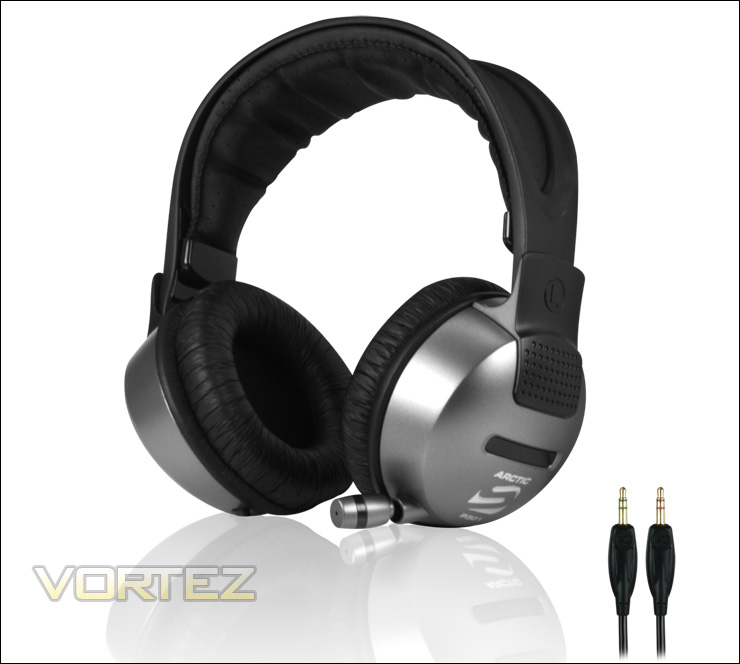
Arctic Sound P301
About Arctic: Link
Features and Specifications
The Arctic Sound P301 is one of the company’s budget-oriented headsets. It is a closed circumaural headset with a retractable microphone.
It features ample padding on the outside edge of the earcups and the headband for added comfort.
The Sound P301 has gold-plated 3.5mm connectors. Its 2.5m cable has an in-line volume and microphone mute controls. If you are looking for a headset with USB connectivity, the Arctic Sound P321 should be considered. As far as performance goes, the Arctic Sound P301 and Sound P321 are similar. However, thanks to its USB connectivity, the Sound P321 supports media controls on its in-line remote unlike the Sound P301. Furthermore, the Sound P321 offers bass boost control.
Features: Link
Uncompromised Sound Details and Dynamics
The 50mm driver accurately reproduces ultra-low frequency sounds and delivers superb audio quality. The gold-plated 3.5mm connector offers optimal signal transfer and highest versatility.
Maximum Comfort and Noise Isolation
The ARCTIC SOUND P301 features a comfortable and closed circumaural headset design to ensure optimum noise isolation. The leather-cushioned earcups and adjustable headband with additional padding not only give the headset a stylish appearance but also provide all-day comfort.
Ideal for Voice Applications
The retractable and adjustable microphone on the headset is convenient to start voice communication at ease. The in-line audio control panel is integrated with volume control and mute function, making it easy to adjust volume levels.
Although these are circumaural headphones, the Sound P301 are fairly lightweight: 0.52 kg. With the cushion covering the earcups and the headband, this should ensure comfort during the whole day. The Sound P301 comes with a long 2-year warranty.
Specifications: Link
Specification Sheet: Link
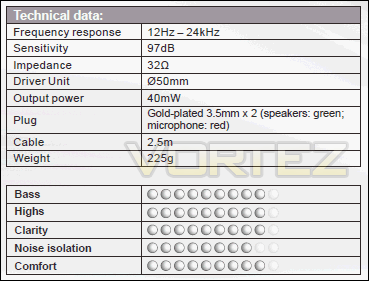
• Frequency Response (Hz-kHz): 12-24
• Sensitivity (dB/mW): 97
• Impedance (ohm): 32
• Driver Unit (Ømm): 50
• Output Power (mW): 40
• Plug: Gold-plated 3.5mm x2
• Cable (m): 2.5
• Limited Warranty: 2 years
• Item number: ORACO-ERM26-GBA01
• UPC: 0872767003538
• Weight: 0.52 kg
Packaging and Overall Look
The Arctic Sound P301 comes in Arctic’s usual grey, white and black packaging. There are a few plastic windows at the front of the packaging to show off the headset itself, its in-line remote and its two 3.5mm audio connectors. Unlike the Sound P321, the Sound P301 does not have USB connectivity. As far as I know, both of the previously mentioned headsets are similar in terms of specifications with the exception of connectivity and bass boost control (featured on the Sound P321).
Although it will be further discussed afterwards, the earcups of the Sound P301 are very close to the plastic window. The leather covering the earcups can actually be damaged because of friction against this plastic window.
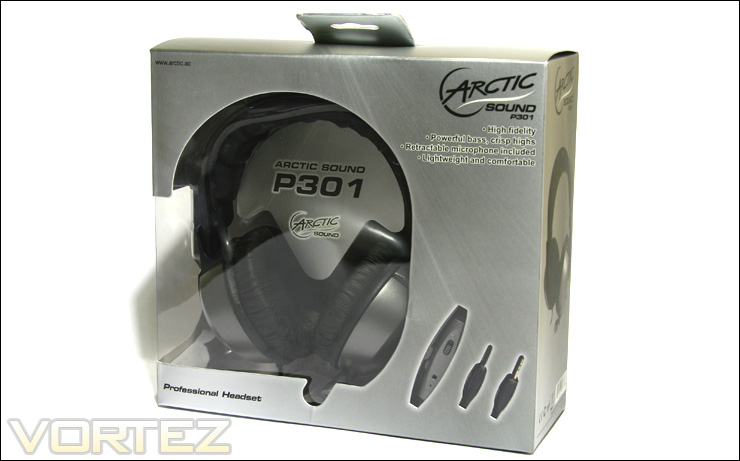
The front of the packaging
The back of the packaging lists several features of the Sound P301: high fidelity driver, closed circumaural design, etc. As always, this information is listed in different languages including English, German, French, etc.
There is also Arctic’s usual chart that grades the audio performance of the product on a scale of 1 to 10. According to Arctic, the Sound P301 scores 9/10 on bass, highs, clarity and comfort. It scores a bit less for noise isolation at 8/10. Regardless of its low-price, Arctic is confident that the Sound P301 offers exceptional sound performance that rivals the company’s more expensive products.
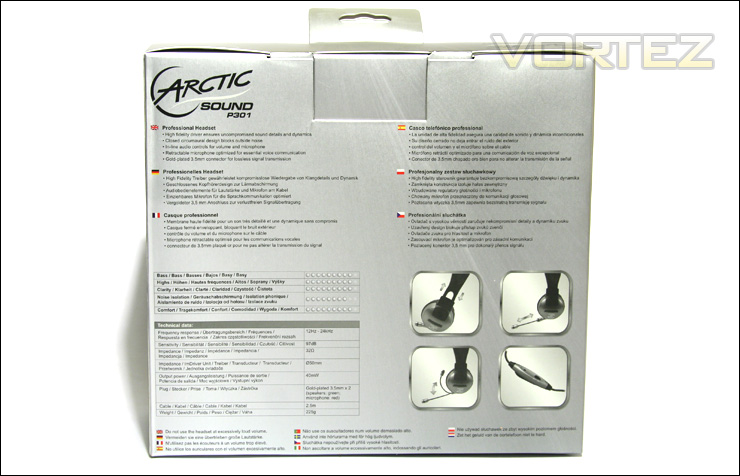
The back of the packaging
The Sound P301 comes with the bare minimum. In other words, only the headset itself is included in the packaging. No user manual is provided, but I suspect that it would be useless to include one because the usage and installation of the headset are straightforward and intuitive for the majority of users.
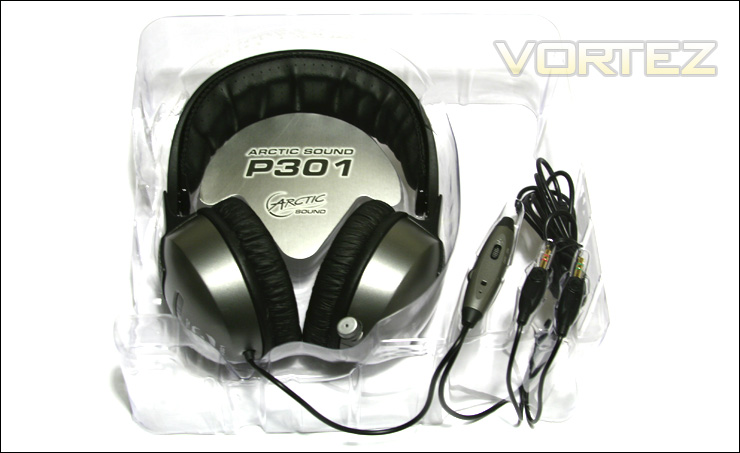
The Arctic Sound P301 comes with no accessories
Closer Look: Headset and Earcups
The Arctic Sound P301 is a closed circumaural headset. It uses the company’s usual colours including black, grey and white. The overall design is subdue, but it is attractive nonetheless.
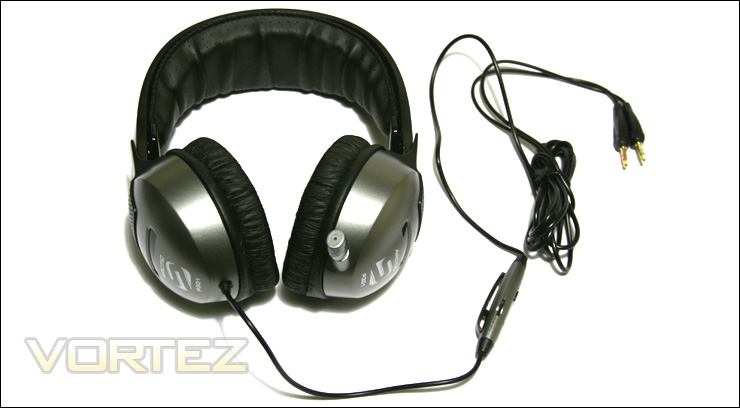
The Arctic Sound P301
The product’s name is printed on each side of the earcups: Arctic S (Sound) P301. There is a black horizontal plastic stripe near the center of each of the earcups to add a bit of style to the headset. Each earcup is identified as left or right on the headband.
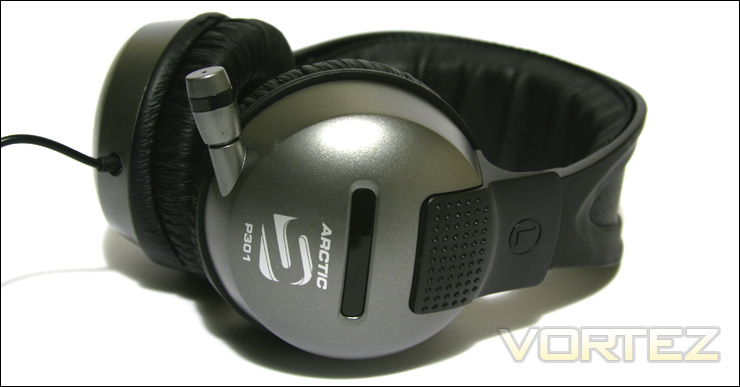
The product’s logo is printed on each of the earcups
The Arctic Sound P301 does not have a neck split. As such, the audio cable connects to only one of the two earcups. Headphones with leads to each earcups are usually more encumbering than those with a single lead, especially when removing the headphones from the head. I’m glad that this is not the case with this headset.
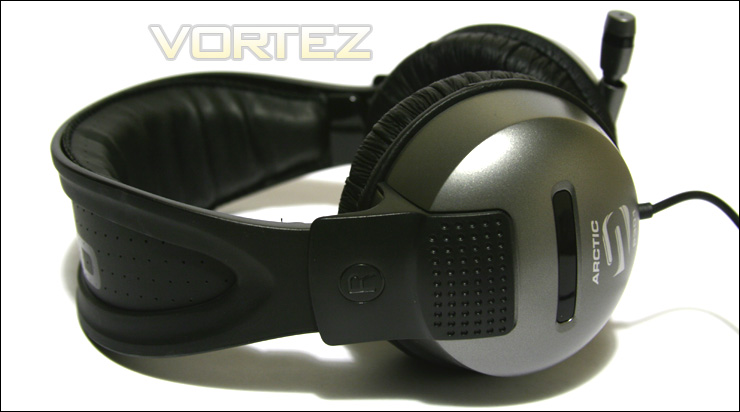
The audio cable connects only to the right earcup of the Arctic Sound P301
As it was mentioned earlier, the Arctic Sound P301 has a closed circumaural design. Its circular earcups are large enough to encompass the ears. Each earcups has a 1.5cm thick padding with leather covering. The padding itself is not very stiff and it should be comfortable even for long usage. I feel that the padding could have been a bit softer though.
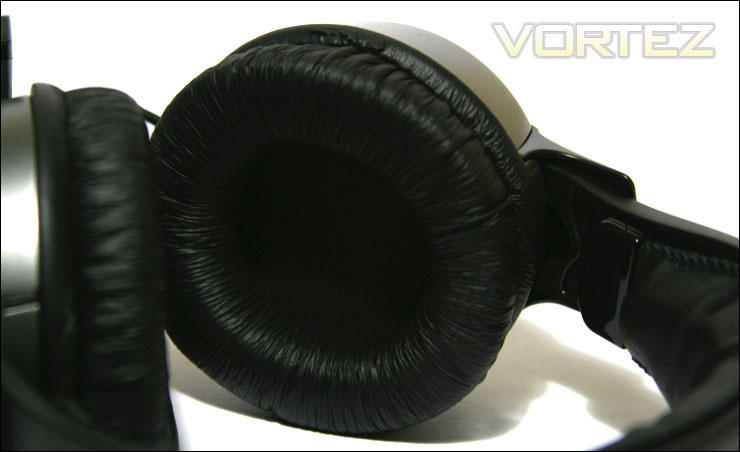
The Arctic Sound P301 features leather-cushioned earcups
Because the headphones were very close to the plastic window of the packaging, the earcups rubbed against the plastic and the leather shell was slightly damaged. Arctic should make changes to the packaging to avoid this.
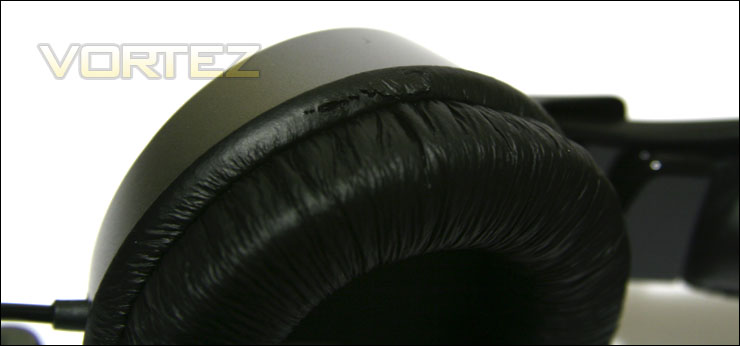
The leather of the right earcup suffered minor damages during shipment
In order to enhance overall comfort when wearing the Sound P301, Arctic raised the padding of the back of the earcups in order to mimic the shape of the human head. It is a nice detail to the product, but even this modification did not allow the earcups to sit perfectly flush on my head.
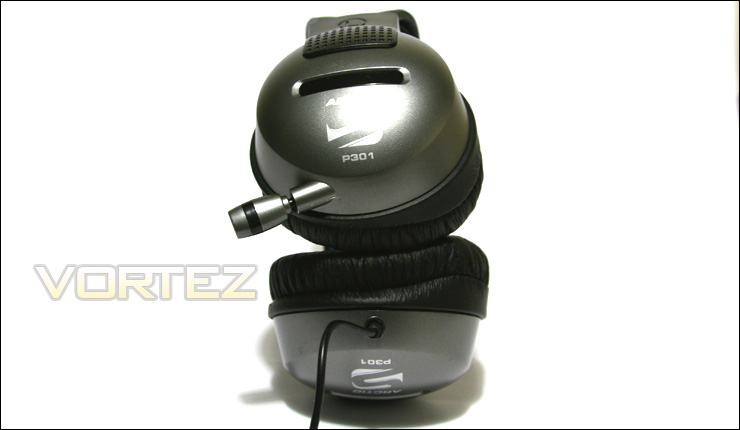
The earcups try to follow the shape of the human head with its raised padding at the back
Closer Look (Continued): Headband
The headband has thick 1.5 cm padding across the majority of its surface. The padding itself is a bit stiff, but it is still comfortable nonetheless. The padding has small perforations that connect to other perforations at the outside of the headband. Although their use might be for ventilation, the perforations are probably more for aesthetics.
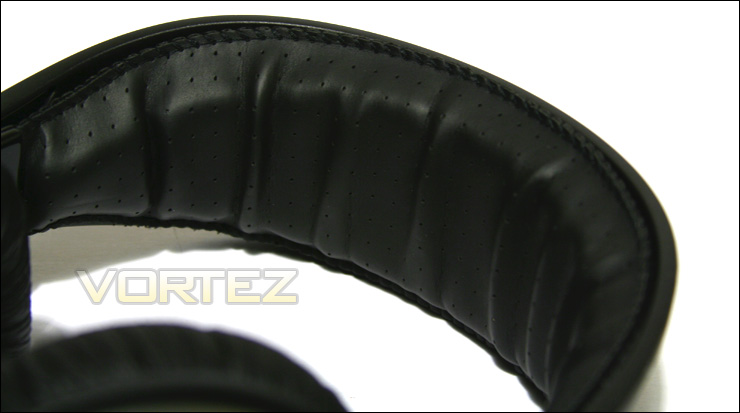
The headband is padded across the majority of its surface
The outside of the headband has the words “Arctic Sound” printed on it. It is a small detail, but it is a nice touch to the overall design.
The headband is quite flexible and it feels strong. It will not snap when put under reasonable pressure.
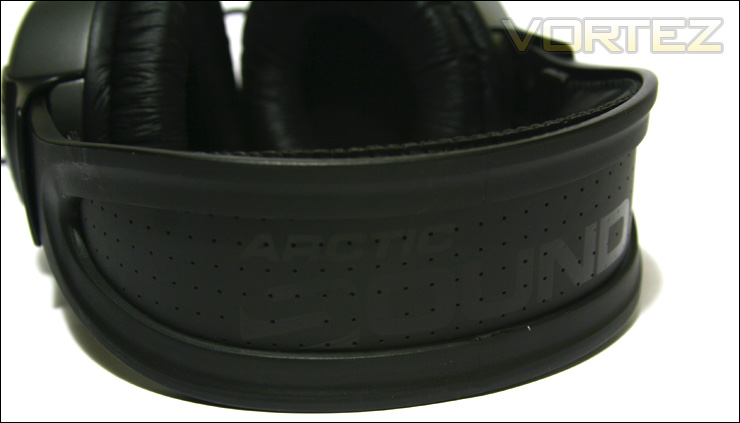
The headband is aesthetically pleasing to the eyes
The headband can be adjusted to add a height of about 3.5 cm thanks to plastic ridges on the side of each earcups. The retracting mechanism doesn’t feel very strong and I find that the plastic ridges will become dull with time. I tried adjusting the headband vigorously multiple times and the ridges seemed fine. Only time will tell if these are sturdy. It shouldn’t be problem as long as you do not adjust the headphones constantly.
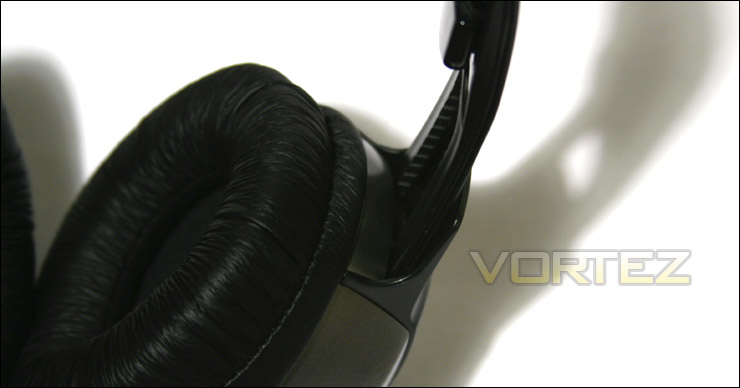
The headband uses a plastic mechanism for its adjustment
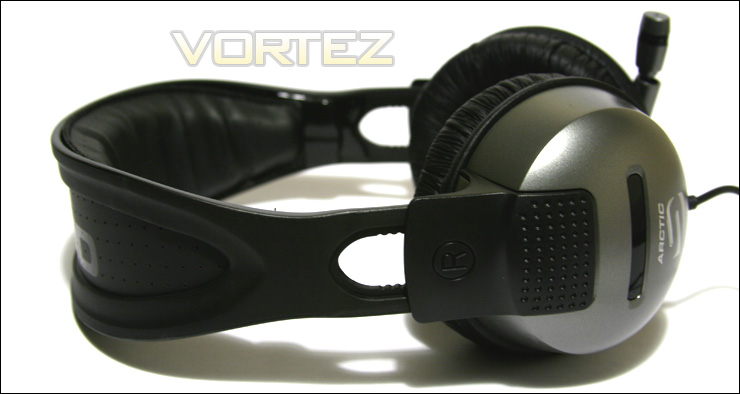
The headband can be adjusted to add 3.5cm in height
Closer Look (Continued): Microphone and Cables
The Arctic Sound P301 features a retractable microphone. This is a much more elegant solution than a foldable microphone as seen on other headsets. Once fully retracted, the total length of the microphone is about 9.5 cm. At 9.5 cm, the microphone is a bit too short to reach the front of my mouth. A longer microphone would be desired, but I doubt that this will affect performance.
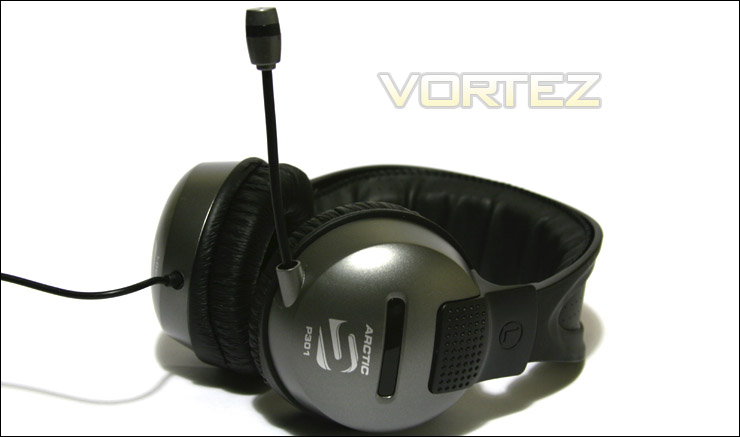
The Sound P301 features a 9.5 cm retractable microphone
The microphone itself is very flexible. It retracts smoothly and it can be pushed back into the earcup with ease.
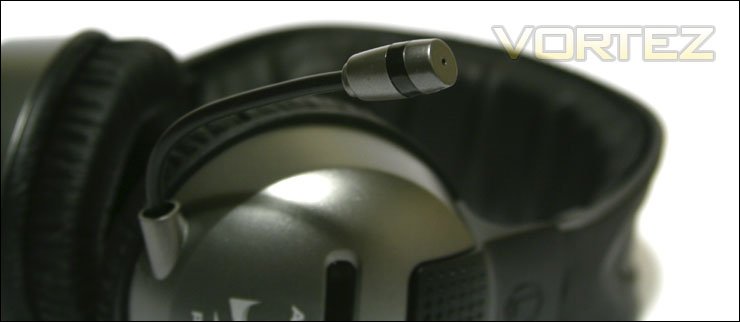
The microphone is very flexible
The Sound P301 has an in-line remote that is located at about 21 cm from the right ear-cup. This puts the controls at around the height of the chest, which I find is a bit high. I would have expected it to be much lower, such as at the level of the hips.
There is a microphone mute button and a headphone volume control on the remote. There are also two small holes on the remote, but I am unsure as to what they do.
I’m disappointed to see no cord guards at the tips of the remote for added durability, but I suppose the plastic tips will do.
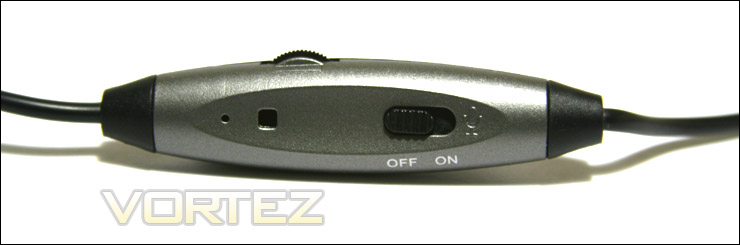
Volume and microphone mute can be controlled with the in-line remote
The in-line remote has a small clip so that it can be hooked onto your shirt. Seeing as the remote is located at about the height of the shoulder, the only place the remote can hooked onto is the neck of the shirt. Once hooked, it does not look very elegant because there will be excess cabling between the remote and the earcup.
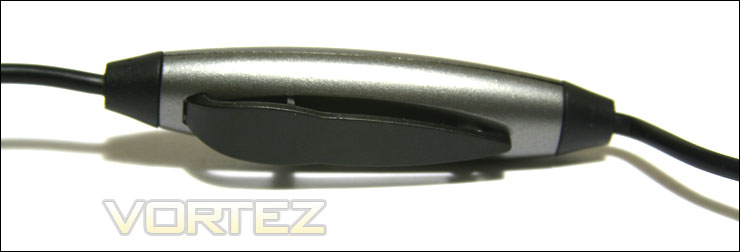
The in-line remote has a plastic clip for hooking onto your shirt
The Sound P301 has a long 2.5 m cable. The audio cables split at about 2.25 m from the right earcup. Both of the 3.5mm audio cables are gold-plated to ensure good connectivity. The cable itself is not too thick or too thin. It feels strong enough.
The connectors are colour-coded: red for microphone and green for audio. Instead of the usual headphone or microphone icon on the rubber tip of the connector, there is the Arctic logo.
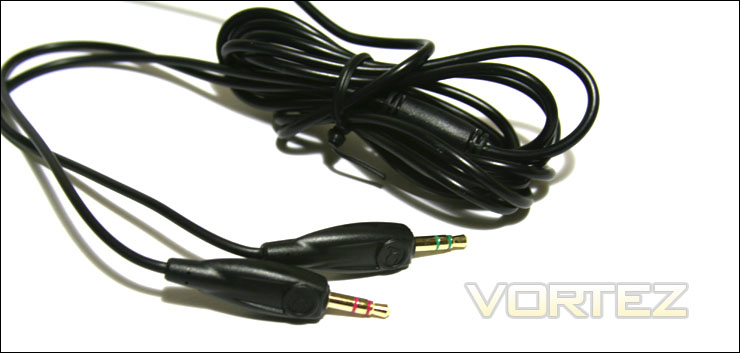
The Sound P301 has a 2.5m long audio cable with two 3.5mm gold-plated connectors
Test System and Testing Methodology
Testing Methodology
The Arctic Sound P301 will be tested for two weeks for several hours. It will be used for various tasks such as listening to music, watching movies, playing games and talking through a voice software.
The music software that will be used is MediaMonkey 3.2.4 and the voice software that will be used is Skype 5.2.
Test Setup: Desktop
– CPU: AMD Athlon X2 5000+ Black Edition @ 2.6 GHz 1.15V
– Motherboard: Gigabyte GA-MA78GM-S2H 780G
– RAM: Corsair XMS2 TWIN2X4096-6400C5 PC2-6400 2x2GB
– Case: Antec NSK3480 mATX
– Power supply: Antec EarthWatts 380W
– CPU cooler: Noctua NH-U12P with Noctua NF-P12 @ 5V
– Case fan: Noctua NF-P12 @ 5V
– Hard drive 1: Western Digital Caviar SE16 WD6400AAKS 640GB
– Hard drive 2: Hitachi DeskStar T7K500 HDT725025VLAT80 250GB
– DVD Drive: LG GH22NS30 DVD Writer
– OS: Windows 7 Ultimate (x64)
– Mouse pad: QPAD|UC Large
– Monitor: Dell E207WFP 20” TN
Test Results: Microphone, Music, Movies, Gaming and Comfort
Microphone
The microphone of the Sound P301 was tested by using Skype. The microphone quality was top notch and my voice was clearly heard on the other side. Also, there was almost no white noise. The microphone’s length of 9.5 cm is a bit too short to position itself right in front of the mouth. Still, the microphone did pick up sound very well and its flexible arm makes positioning easy.
The main problem with the microphone was that it did not cancel background noise very well. Mouse clicking and keyboard clicking was easily picked up by the microphone. This might be a problem if you are planning on having a conversation while using the keyboard or mouse.
Music
Arctic claims that the Sound P301 offers uncompromised sound details and dynamics. I tested the headset with two different songs.
Zack Hemsey – Empty Room (Trailer Version) (Link: Listen now): The music was well balanced between the lows, the mids and the highs. The deep sound of the percussion instruments did not drown out the mids or the highs, which might have happened on lower-end headphones. The mids were not as clear as the lows or the mids, but overall it sounded very good for such inexpensive headphones.
Nate Kreiswirth – Pinhole Sky (The Odyssey Song) (Link: Listen now): Again, the music was well balanced without any of the lows, the mids or the highs overpowering each other. The vocals can be easily heard throughout the whole song. Overall, sound quality was accurate and there was no distortion at higher volume. I would prefer if the bass on the Sound P301 was a bit more forward.
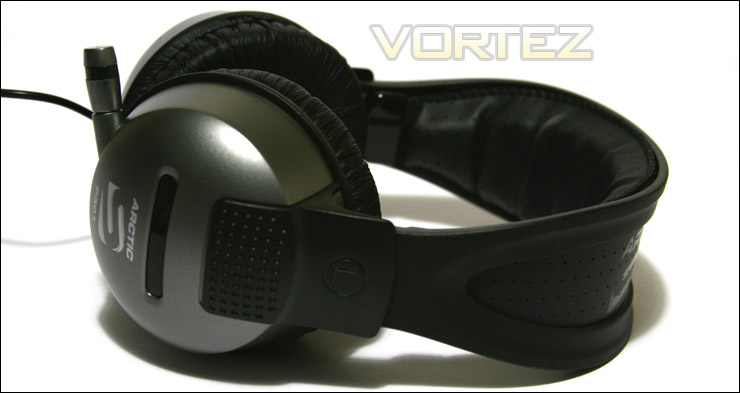
The Arctic Sound P301 performs much better than what its price might indicate
In terms of noise isolation, the Arctic Sound P301 is average. External noise, such as the clicking of the mouse or the typing of the keyboard, can be easily heard unless the sound coming from the Sound P301 is loud enough to drown them out.
Movies
To test the performance of the Sound P301 in videos, I watched Band of Brothers: Episode 05 – Crossroads (2001) and Scott Pilgrim vs the World (2010). Both were very enjoyable to watch. The speech of characters and the music were well reproduced by the Sound P301. Explosions in Band of Brothers could have been a bit deeper to be more convincing.
Gaming
The Sound P301 performed admirably in gaming as it did in music and movies. Again, because of its closed circumaural design, the sides of my head were humid after an hour of gaming. This is quickly relieved by removing the headset for a few seconds.
Call of Duty 4: Modern Warfare: Sounds effects were very well reproduced by the Sound P301. There was no distortion or static even during loud and intense firefights.
Counter-Strike 1.6: The Sound P301 made it very easy to hear incoming enemies by their footsteps, whether it was from the left or the right.
Comfort
The Sound P301 features 1.5 cm thick padding on its earcups and its headband. Although a bit stiffer than I would have preferred, they provided long-term comfort. Even after wearing the headphones for 2 hours, I did not have any pain on the sides of my head.
However, having a closed circumaural design, the Sound P301 provides little ventilation and it did make my ears a bit humid after an hour of usage.
This Arctic headset is also very lightweight at 0.52 kg. Even after two hours of usage, my neck was not sore.
Conclusion
The Arctic Sound P301 is Arctic’s headset for music and movie lovers. Its well balanced audio quality makes watching movies, listening to music and playing games very enjoyable. Even at high volumes, there is little distortion and white noise. Although the bass could be more aggressive, the headset still sounds good.
The in-line remote makes it easy to control the volume and the microphone mute function. The remote has the inconvenience of being positioned a bit too high at the shoulder.
Even after prolonged usage, the leather-cushionned earcups and headband provided good comfort. In my opinion, the padding could have been a bit softer. Although being a closed circumaural headset, it is lightweight and it will not make your neck sore.
Being a headset, the Sound P301 sports a retractable microphone. Its microphone quality is top-notch and it picks up sound without any trouble. Unfortunately, it does not cancel out background noise very well.
The Arctic Sound P301 exceeds expectations with its bargain price
The Arctic Sound P301 is one of the least expensive headsets offered by the company. It is sold by Arctic for as little as € 19.94 / US$ 26.46. The performance, the comfort and the feature set of the Sound P301 definitely exceeds expectations at this price. Overall, the Arctic Sound P301 provides exceptional value and it should please most computer users out there.
With all of this in mind, Vortez awards the Arctic Sound P301 the Vortez Silver Award and the Amazing Value Award.
+ In-line remote for volume and microphone mute control
+ Inexpensive
+ Lightweight for its size
+ Long 2.5m audio cable
+ Retractable microphone with exceptional quality
+ Sober but attractive design
+ Thick padding on earcups and headband for long-term comfort
+ Well balanced sound for music, movies and games
Cons
– Bass could be a bit more forward
– Damaged leather on the earcups because of packaging
– In-line remote is positioned too high
– Microphone picks up background noise too easily
– Padding could be softer
– Retracting system of the headband feels flimsy