ASRock has entered the CPU cooling market with a new AIO. We test out the Phantom Gaming 360 LCD.

Product On Review: PG 360 LCD
Manufacturer: ASRock
Street Price: USD 190 | GBP NA | AUD NA
The ASRock Phantom Gaming 360 LCD represents ASRock’s first serious push into the all-in-one liquid cooling arena, marrying high-performance thermal design with advanced visual customization. At its core lies a 360 mm aluminium radiator with a 32 mm thickness, engineered to maximize heat dissipation across a dense fin stack while supporting a trio of high-RPM 120 mm ARGB fans capable of pushing substantial airflow and static pressure for demanding CPUs. The cooler’s next-gen pump employs a 3-phase, 6-slot, 4-pole motor architecture designed to boost coolant flow and maintain stable temperatures across sustained loads, and its dual-side inlet pathway shortens coolant travel for improved efficiency.
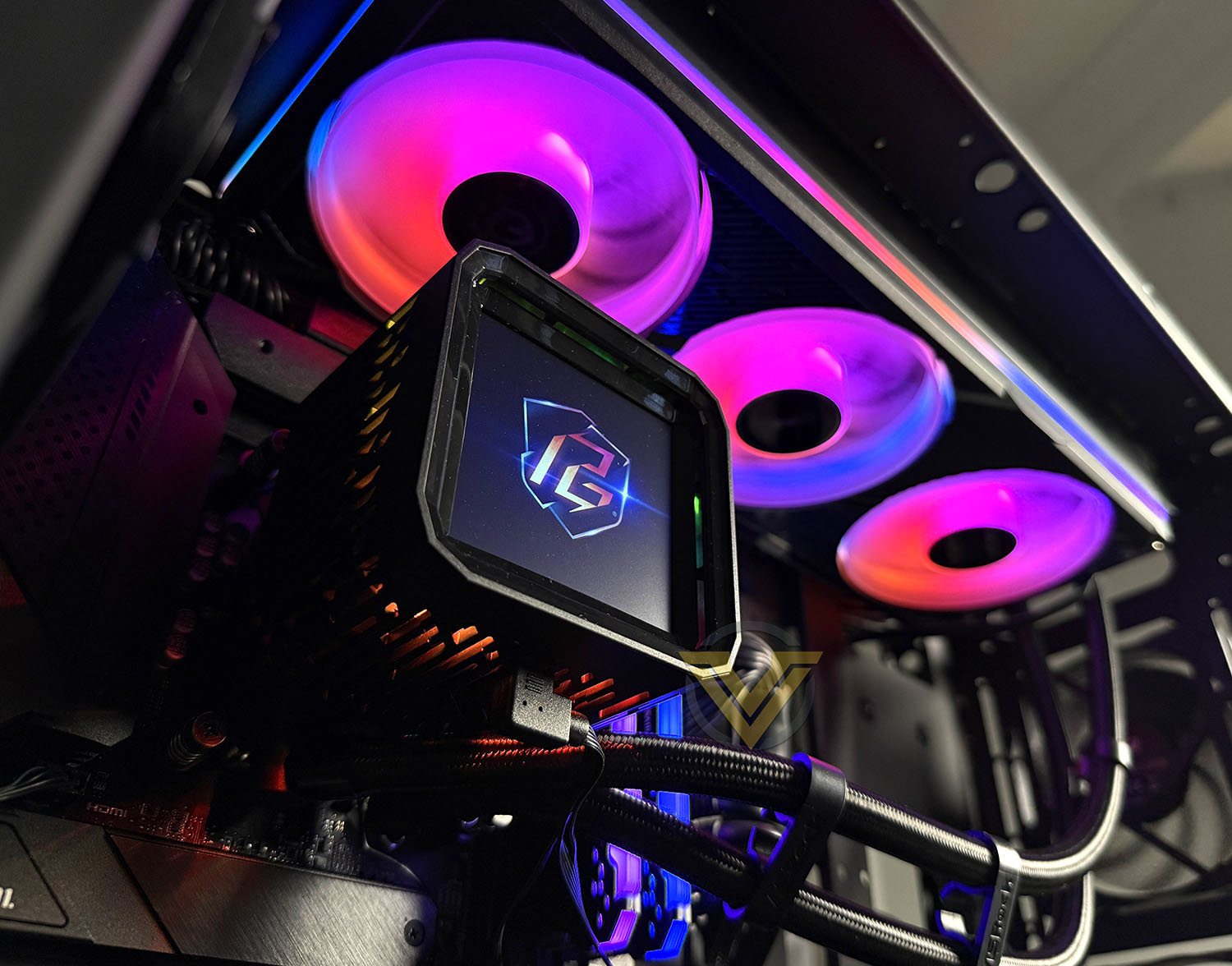
Beyond raw cooling capability, ASRock enhances the user experience with a 3.4-inch IPS LCD mounted atop the pump housing, allowing builders to display real-time system telemetry, custom graphics, or animated art directly on the cooler block. The Halo ARGB unified fan frame creates a cohesive lighting signature across the radiator stack, fully compatible with major RGB ecosystems via Polychrome Sync or third-party controllers. A dedicated 70 mm VRM fan integrated into the water block further aids motherboard power delivery cooling — a feature increasingly common on high-end AIOs yet not universally implemented.
In this review, we’ll methodically test the Phantom Gaming 360 LCD across thermal performance, acoustic behaviour, installation experience, pump and fan control responsiveness. Our testing will focus primarily on the Intel platform to evaluate how well ASRock’s design translates into tangible benefits under load.
Technical Specifications
Below are the technical specifications surrounding the Phantom Gaming 360 LCD:
Compatibility
AMD: AM5, AM4
Intel: LGA1851, 1700
Water Block
Dimension: L)100.4 x (W)86 x (H)107.6 mm
Material (Cold Plate):Copper
LEDs :ARGB
Radiator
Dimension:L)397 x (W)120 x (H)32 mm
Material:Aluminum
Pump
Speed:1200 – 3100 ± 10% RPM
Current/ Voltage:0.38A/ 12V
Connector:PWM (4-Pin)
VRM Fan
Dimension:L)70 x (W)70 x (H)25 mm
Speed:Max.) 3000 ± 10% RPM
Connector:PWM (4-Pin)
Current/ Voltage:0.12A/ 12V
Radiator Fan
Dimension:L)362 x (W)123 x (H)28 mm
Speed:0 – 2400 ± 10% RPM
Air Flow:Max.) 61.28 CFM
Air Pressure:Max.) 3.11 mmH20
Noise:Max.) 31.4 dB(A)
Connector:PWM (4-Pin)
Current/ Voltage:0.84A/ 12V
Bearing:Fluid Dynamic Bearing
LEDs :ARGB Gen1
Screen
Type:IPS LCD
Size:3.4″
Resolution:480 x 480
Display Colors:24-bit
Brightness:250 cd/m²
Refresh Rate:60 Hz
Frames Per Second (FPS):60 FPS
Connector:USB Type-C to Motherboard 9-Pin
Tubing
Material:IIR + EPDM
Length:450mm
Warranty
AIO Cooler Module:6 years
Display Module:2 years
AMD: AM5, AM4
Intel: LGA1851, 1700
Water Block
Dimension:
L)100.4 x (W)86 x (H)107.6 mmMaterial (Cold Plate):Copper
LEDs :ARGB
Radiator
Dimension:
L)397 x (W)120 x (H)32 mmMaterial:Aluminum
Pump
Speed:1200 – 3100 ± 10% RPM
Current/ Voltage:0.38A/ 12V
Connector:PWM (4-Pin)
VRM Fan
Dimension:
L)70 x (W)70 x (H)25 mmSpeed:
Max.) 3000 ± 10% RPMConnector:PWM (4-Pin)
Current/ Voltage:0.12A/ 12V
Radiator Fan
Dimension:
L)362 x (W)123 x (H)28 mmSpeed:0 – 2400 ± 10% RPM
Air Flow:
Max.) 61.28 CFMAir Pressure:
Max.) 3.11 mmH20Noise:
Max.) 31.4 dB(A)Connector:PWM (4-Pin)
Current/ Voltage:0.84A/ 12V
Bearing:Fluid Dynamic Bearing
LEDs :ARGB Gen1
Screen
Type:IPS LCD
Size:3.4″
Resolution:480 x 480
Display Colors:24-bit
Brightness:250 cd/m²
Refresh Rate:60 Hz
Frames Per Second (FPS):60 FPS
Connector:USB Type-C to Motherboard 9-Pin
Tubing
Material:IIR + EPDM
Length:450mm
Warranty
AIO Cooler Module:6 years
Display Module:2 years
Closer Look
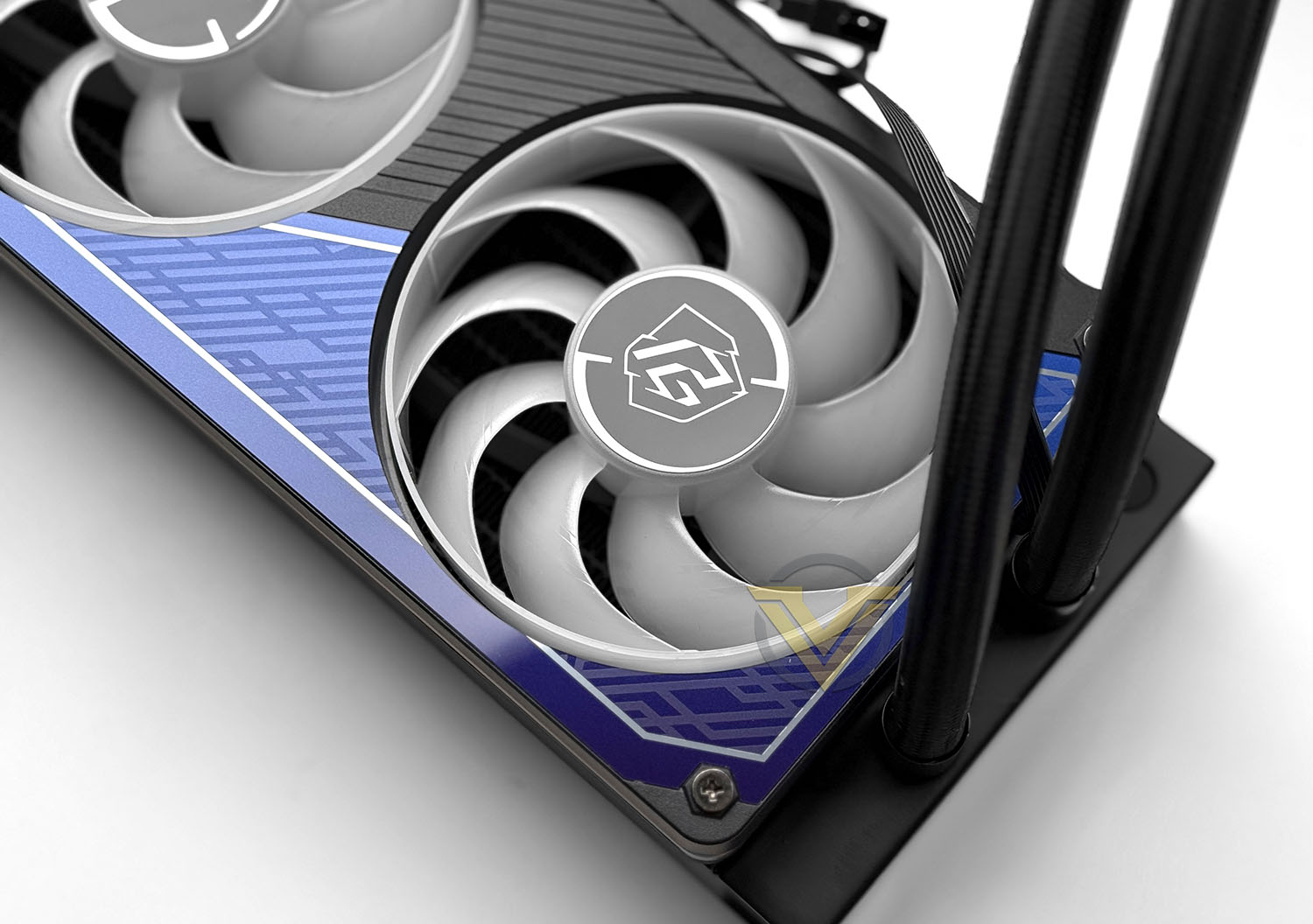
Included with this cooler are 3x120mm FDB fans. These fans are capable of 2400 RPM and max airflow of 61.28 CFM. All three fans are ARGB and can be fully customised with ASRock’s software. The fans sit inside the 360 Halo ARGB frame.
These fans feature 0dB technology, meaning they will stop spinning under low load and provide complete silence (and preserve the life of the fan too).
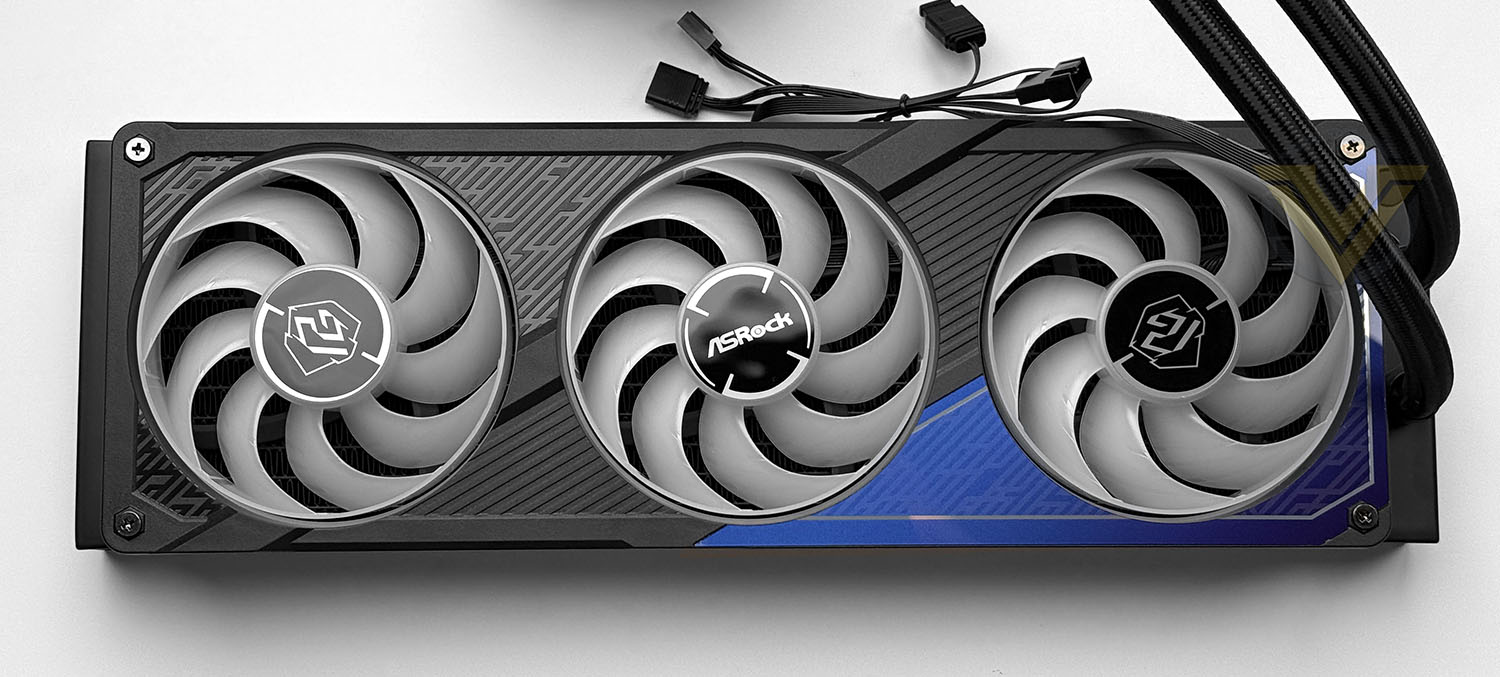
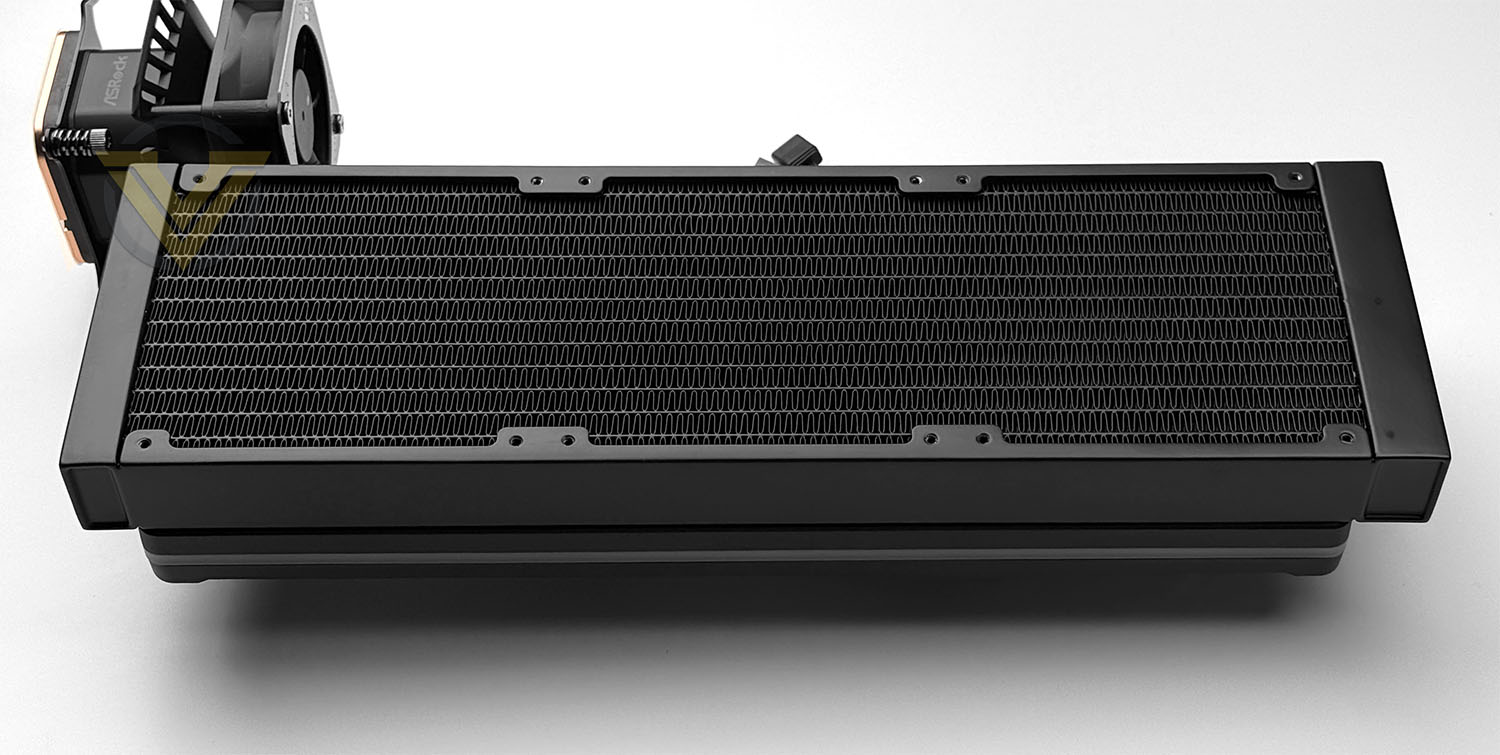
The aluminium radiator used on this cooler is 32mm thick and 360mm. On the fan side we have the 360 Halo ARGB frame, which has a two-tone style, adding in a splash of blue. Having the fans embedded inside this frame gives a nice, cohesive look.
The total thickness including the frame/fans is 58mm.
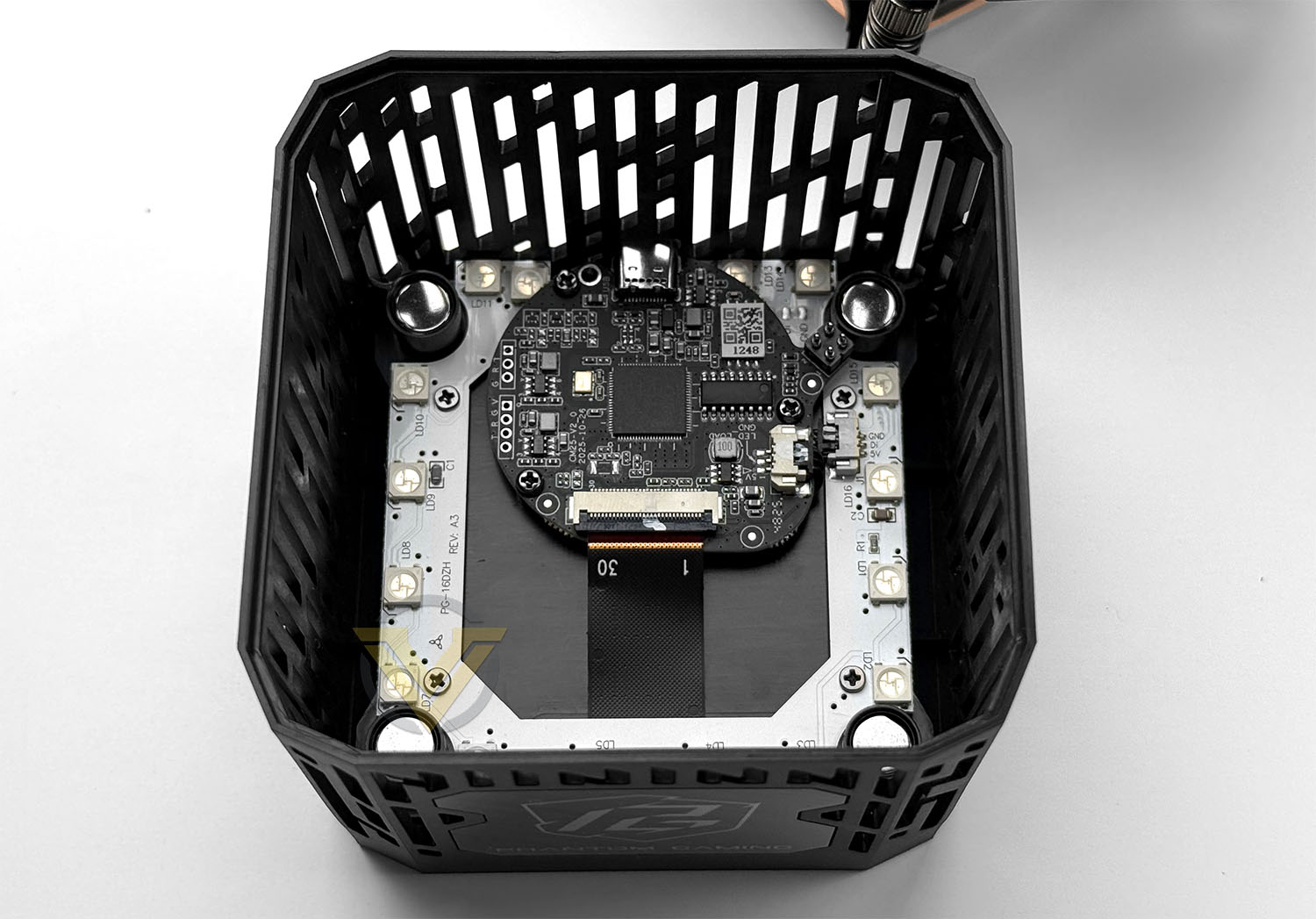
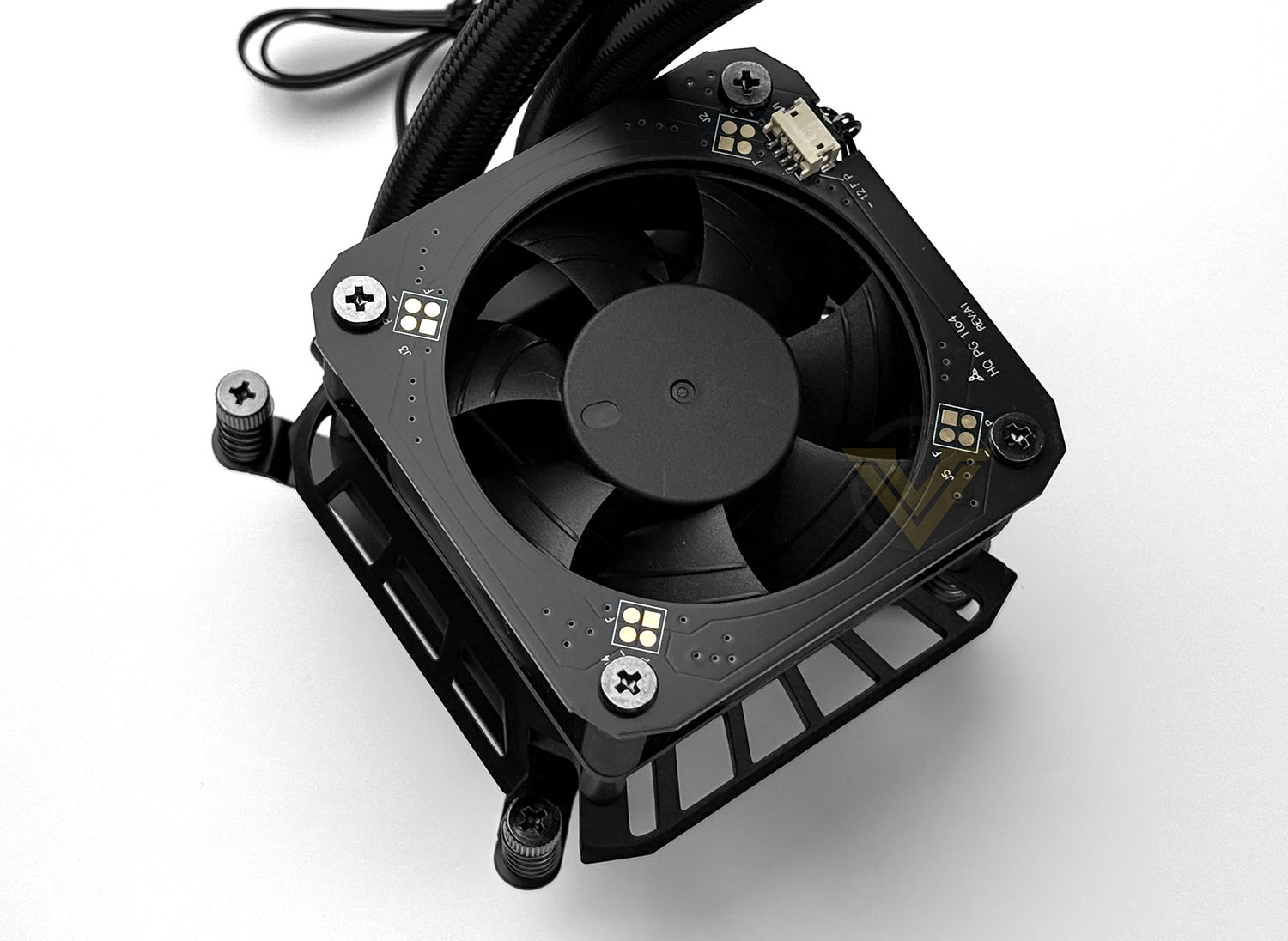
Accompanying the cooler, there is a detachable cover which features a 3.4” LCD. This LCD offers 480×480, 60p, 24-bit and can be fully customised to provide a heads-up display and real-time stats of your system. ASRock has designed the cover to have ventilation which should promote airflow for the VRM/CPU region. In each corner there are magnets which marry up with the top of the pump.
The pump itself is powered by a 3-phase, 6-slot, 4-pole motor. The pump is capable of 3100 RPM. Sat over the top of the pump there is an integrated cooling fan, which again assists with cooling the VRM region which tends to experience significant heat exchanges throughout CPU idle/load states. This fan is 70mm and is capable of 3000 RPM.
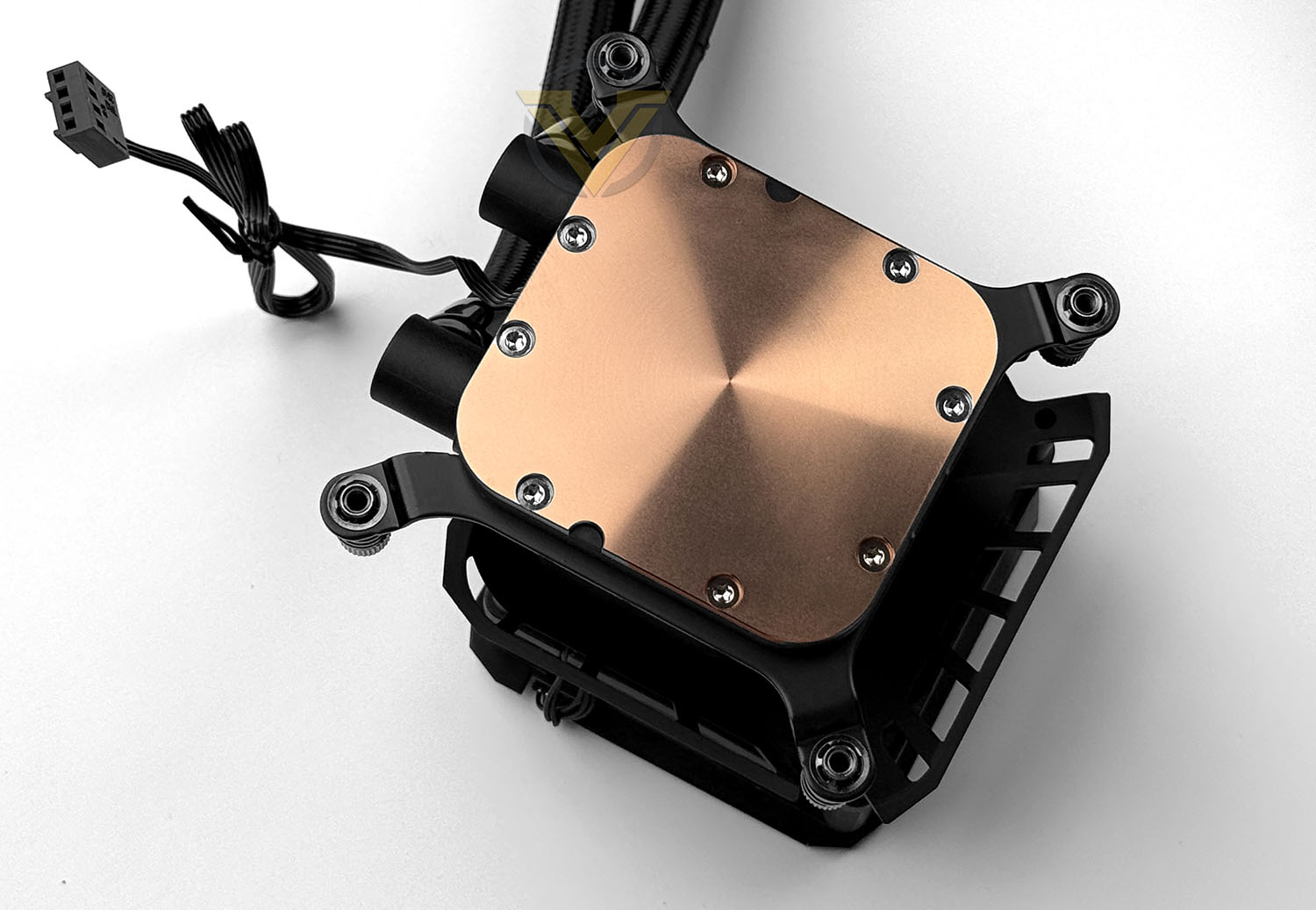
The coldplate is a flat copper square with a mirrored finish. ASRock has chosen not to pre-apply thermal paste to the base plate, but a small tube of Therm-X1 is included.
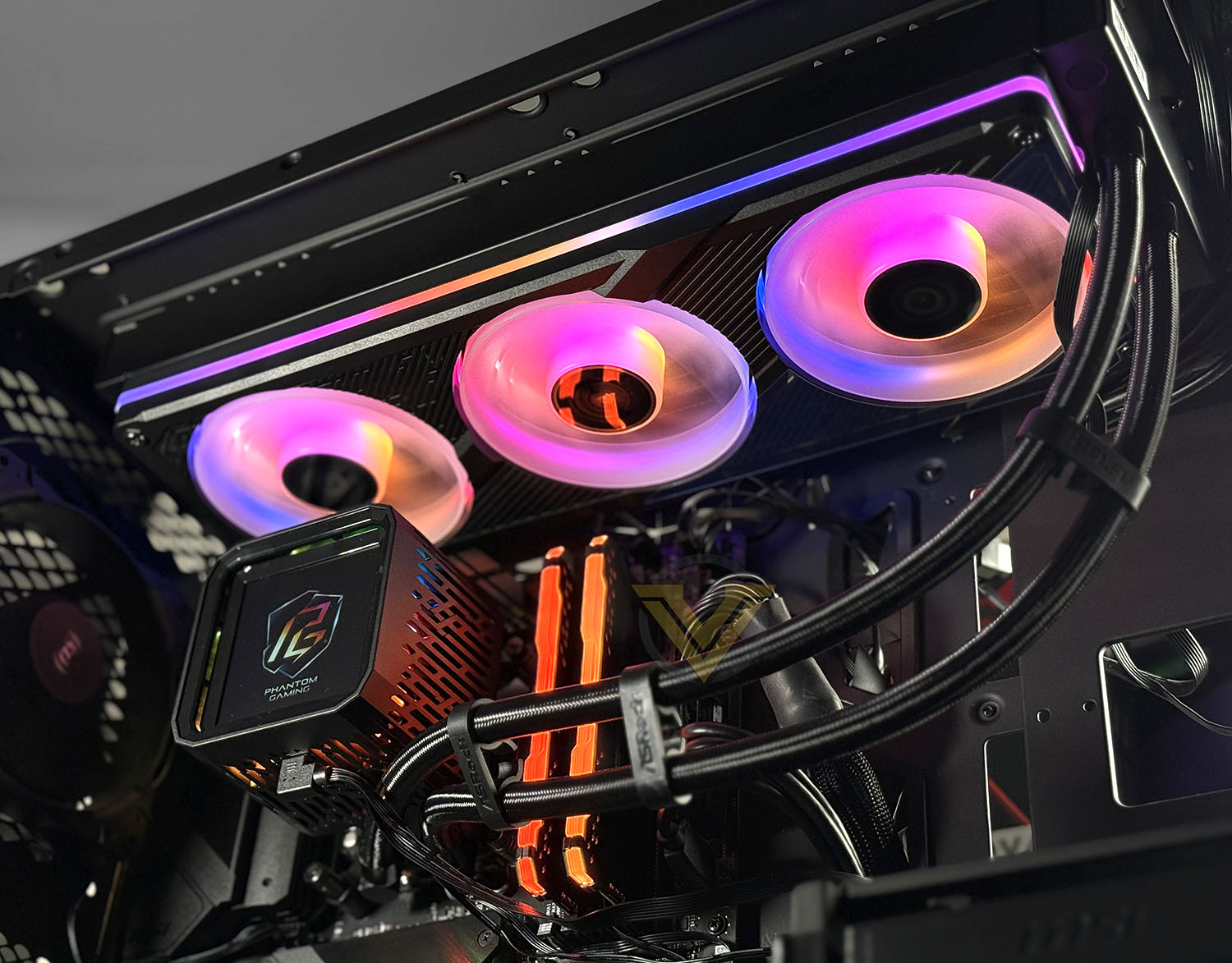
Above is the finished look – as you can see, this cooler looks impressive in its completed state, the RGB fans, ARGB frame and LCD screen really set this cooler off. We should note that all of the RGB as well as the LCD screen is customisable using ASRock’s software suite.
Video: Unboxing
Below we’ve filmed an unboxing of the Phantom Gaming 360 LCD, which highlights the included items within the bundle:
Video: Installation
Below, we’ve filmed the installation process on the Intel platform. This should help to guide you through the process and show how easy it is:
Test Setup & Methodology
HARDWARE
Rather than analyse CPU coolers on a test bench, we prefer to simulate a real-world configuration where all of the components are housed within a computer case. By doing this, our readers are able to see the CPU cooler in a real-world scenario.Special thanks go to Intel, MSI, Corsair, Noctua and AverMedia for providing the hardware configuration for our CPU cooler reviews:
CPU – Intel Core i9-12900K
Board – MSI MAG B660 Tomahawk WiFi DDR4
RAM – Corsair Vengeance RGB PRO SL (16GB)
Power Supply – Corsair RMx850
Hard Drive – Intel S3500 128GB
Case – MSI SEKIRA 500G
Board – MSI MAG B660 Tomahawk WiFi DDR4
RAM – Corsair Vengeance RGB PRO SL (16GB)
Power Supply – Corsair RMx850
Hard Drive – Intel S3500 128GB
Case – MSI SEKIRA 500G
BENCHMARKS
In order to perform our thermal and acoustics tests we use AIDA64 Stability test. The 12900K CPU is left in its default stock state with EIST, Turbo enabled.For the moment, the comparison results highlight only a small number of CPU coolers, this is because we’ve updated our hardware configuration. The number of tested coolers will increase.
To reflect the most accurate user experience we always test our coolers in their out-of-the-box state, with the cooling fans/components they are sold with. However, we do not use the supplied thermal paste as this would skew results – for our thermal paste we use Noctua NT-H2 which provides us with that level playing field and consistency.
To record the idle temperatures result, our system is booted into Windows and left to idle for 20 minutes. The average core temperatures are recorded (Using Core Temp), and then we following this we apply the AIDA64 Stability test to apply an intensive load on the CPU. After 20 minutes have elapsed, we then record the average core temperatures.
All temperature results are delta, this is calculated by subtracting the ambient from the average core temperature. Ambient temperature is recorded using a digital thermometer placed near the front intake of the case.
In regards to acoustics we use the exact methodology above except all case system fans are disabled. This isolates the CPU cooler fans and allows us to accurately report on the decibel readings. We record acoustics using the NDI KC-330D Sound Level Meter at a distance of approximately 30cm.
Thermal Results
Below are the results for our thermal test. We record both the idle and load temperatures – stress is applied to the CPU using AIDA64’s stability test.
Acoustic Results
In terms of the acoustics test, we disable all case fans and place our sound level meter approximately 30cm away from the cooling fans and the result is then obtained.
Conclusion
In conclusion, the ASRock Phantom Gaming 360 LCD positions itself as a polished, feature-rich AIO that clearly targets the high-end of the market. From a design standpoint, the unified ARGB fan frame delivers a clean, cohesive aesthetic that avoids the cluttered look of individual RGB fans, while the pump-mounted LCD adds a premium visual focal point. The display is bright, sharp, and highly customizable, supporting both system monitoring data and user-defined graphics, which will appeal to builders who value both form and function in equal measure.
On the technical side, the cooler delivers excellent thermal and acoustic performance, handling high power CPUs with ease during sustained workloads. The inclusion of a dedicated VRM fan provides tangible benefits for motherboard power delivery cooling, particularly under heavy all-core loads. However, this small fan does introduce an additional noise source, especially at higher speeds, and may be noticeable in otherwise low-noise builds. Still, the overall noise profile remains well-controlled when fan curves are properly tuned.
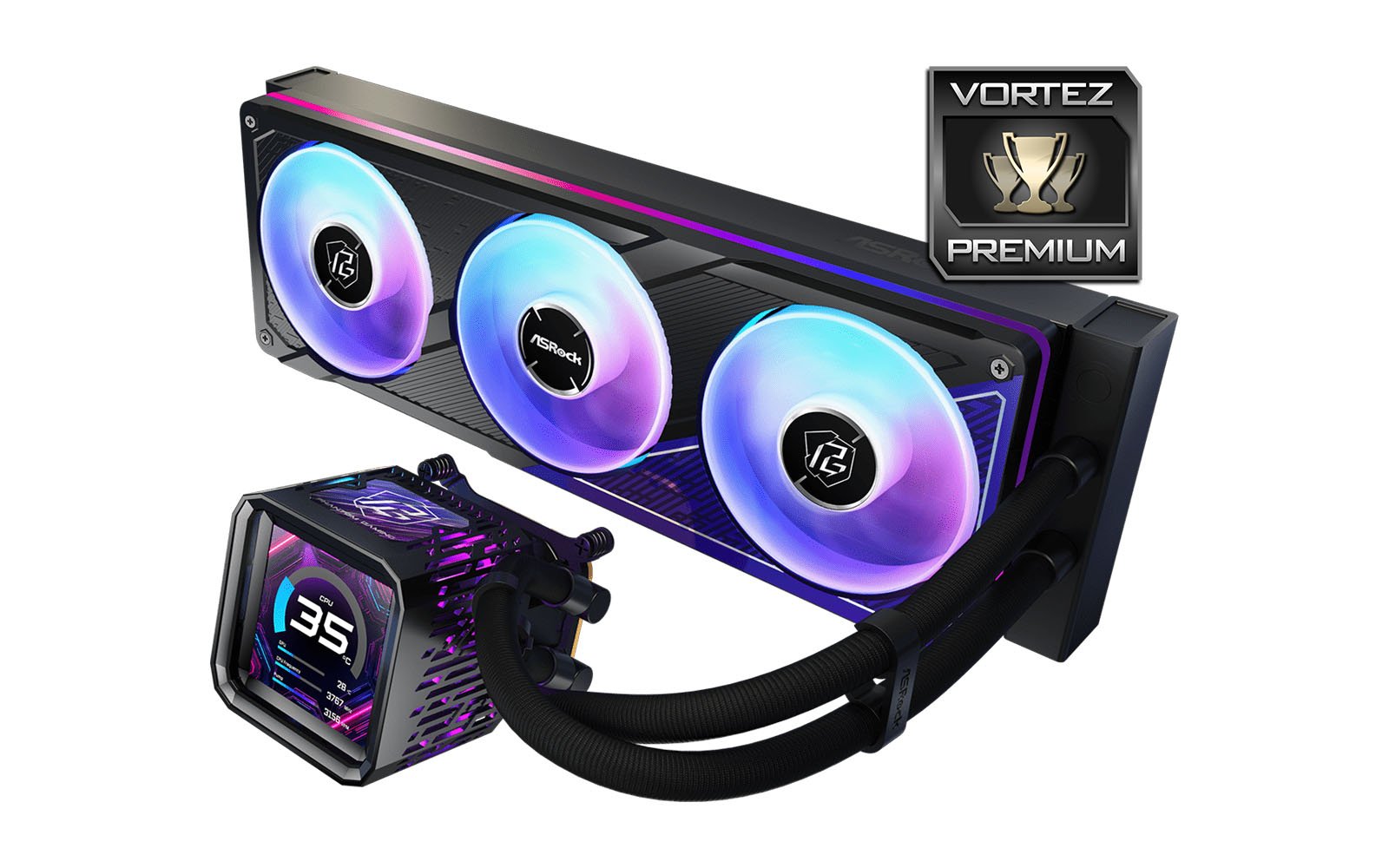
Installation is refreshingly straightforward for a 360mm AIO, aided by solid mounting hardware and clear instructions. Multi-platform compatibility ensures support for modern Intel and AMD sockets, making it a viable option for a wide range of systems. ASRock also includes thoughtful extras such as tubing clips to help maintain a tidy build and a tube of thermal paste, reinforcing the premium positioning. That said, cable management can be somewhat fiddly, with multiple fan, RGB, VRM fan, and LCD connections that require careful routing to maintain a clean interior.
At $189 USD, the Phantom Gaming 360 LCD firmly sits in the high-end segment, competing with established flagship AIOs from more cooling-focused brands. The six-year warranty helps justify the price, offering long-term peace of mind, but potential buyers should be aware that the cooler is currently only available in a 360mm configuration, limiting compatibility with smaller cases.
For builders with adequate space who want a visually striking AIO that also delivers strong thermal results, ASRock’s first serious entry into the LCD-equipped AIO space is an impressive and confident offering—albeit one that demands careful cable management and a premium budget.
Pros
+ Sleek design with ARGB frame
+ Multi-platform compatibility
+ VRM fan included
+ LCD screen is clear and customisable
+ Easy to install
+ Offers excellent thermal/acoustic performance
+ Extras – Tubing clips, thermal paste
+ 6-years warranty
Cons
– VRM fan does introduce noise
– A lot of cables to manage/plug in
– Currently only available in 360mm
+ Sleek design with ARGB frame
+ Multi-platform compatibility
+ VRM fan included
+ LCD screen is clear and customisable
+ Easy to install
+ Offers excellent thermal/acoustic performance
+ Extras – Tubing clips, thermal paste
+ 6-years warranty
Cons
– VRM fan does introduce noise
– A lot of cables to manage/plug in
– Currently only available in 360mm
Click here for an explanation of our awards at Vortez.net.
Stay connected with the Vortez Social Media pages:
Join in with the discussions on Discord