The ASUS Republic of Gamers team are back with another G20 prebuilt gaming system which uses the AMD FX-770K and AMD R9 370 graphics card.

Product on Review: ROG G20BM
Manufacturer & Sponsor: ASUS
Street Price: £699.99 GBP
After great success for many years in the graphics card and motherboard sectors, the ASUS ROG team has been using their expertise and wisdom to design and build desktop computers for gamers on the move. The G20 gaming PC was introduced in 2014 and the reception was very positive, up until this point all of the configurations which are available have involved Intel and NVIDIA-based components, but with today’s edition the focus is entirely on AMD.
The G20BM utilises the AMD FX-770K, 12GB of DDR3 and AMD’s R9 370. That isn’t a typo – rather than use the R7 370, ASUS are using a special edition R9 variant which boasts increased shaders to deliver even better performance. The real emphasis with G20BM is on portability – being able to transport this unit to and from places and have it merge into the surrounding environment.
We’ve seen how Intel-based systems can cope with the latest gaming titles and our benchmark suite, but can an AMD-based unit perform well too? Let’s find out!
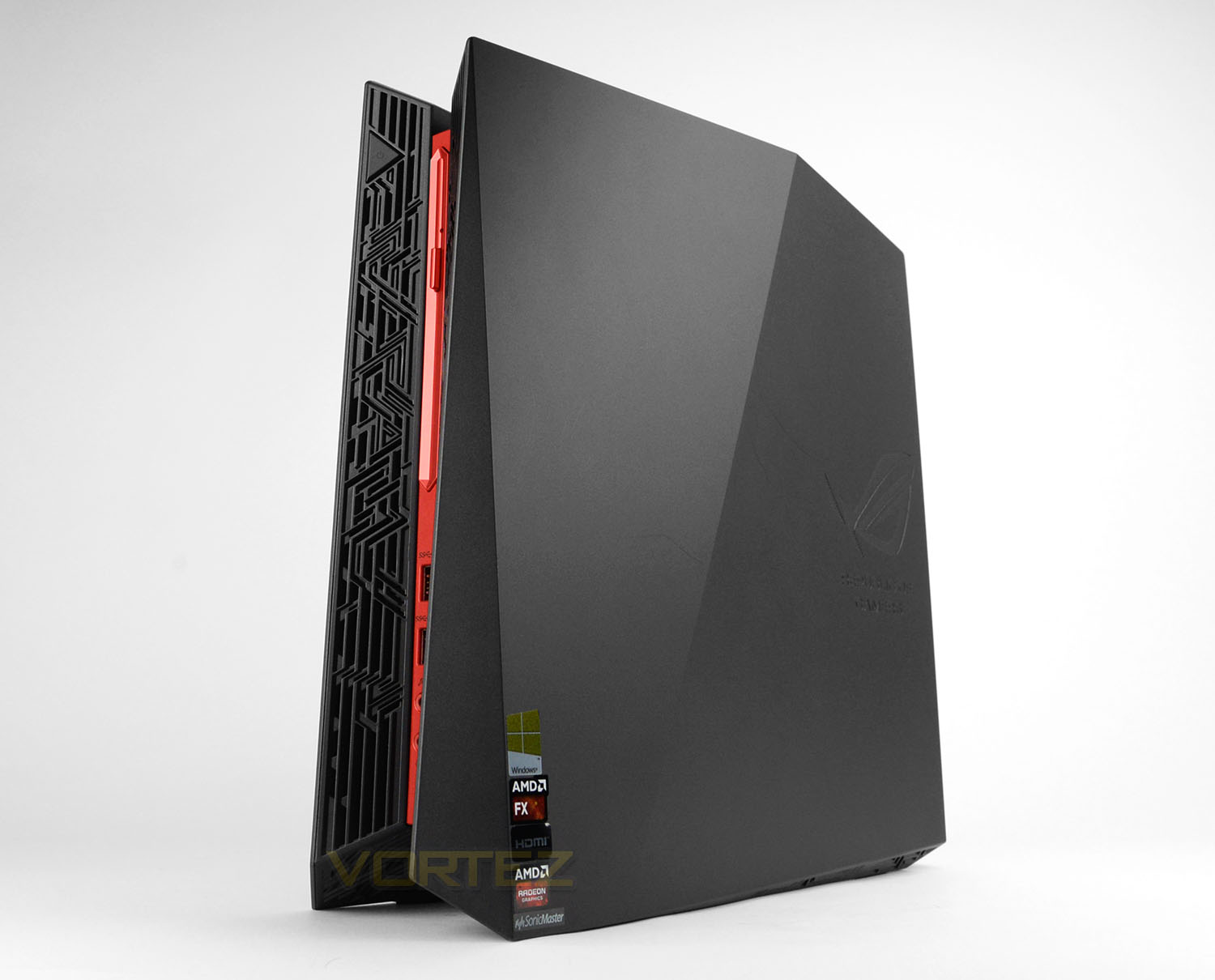
ASUS on their ROG G20BM
ROG G20 is designed to dominate the small form factor gaming desktop segment, and has already received critical acclaim, receiving the Best Choice of the Year and Golden Awards at Computex 2014. G20 features a compact 12.5-liter case that houses a AMD A10-Series processors and AMD Radeon™ R9 series Graphics to give you unstoppable performance for games and home entertainment in Full HD quality.
Technical Specifications
Below are the technical specifications supplied directly by ASUS:
OS
Windows 10
CPU
AMD FX-770K 3.5GHz (3.9 Turbo)
RAM
12GB 1600MHz DDR3
GPU
ASUS Radeon R9 370 2GB
HDD
Toshiba DT01ACA200 2TB 7200 RPM (6GB/s)
PSU
Two power bricks – 180W and 230W.
Dimensions
10.5 x 33 x 33 cm (WxDxH)
Weight
6KG
Windows 10
CPU
AMD FX-770K 3.5GHz (3.9 Turbo)
RAM
12GB 1600MHz DDR3
GPU
ASUS Radeon R9 370 2GB
HDD
Toshiba DT01ACA200 2TB 7200 RPM (6GB/s)
PSU
Two power bricks – 180W and 230W.
Dimensions
10.5 x 33 x 33 cm (WxDxH)
Weight
6KG
Unboxing & Closer Look Video
For this review we’ve produced a video which reveals the packaging, bundle and a close, detailed overview of G20BM. Please check out the video below for a comprehensive look at this new product:
Benchmarks: Temperatures
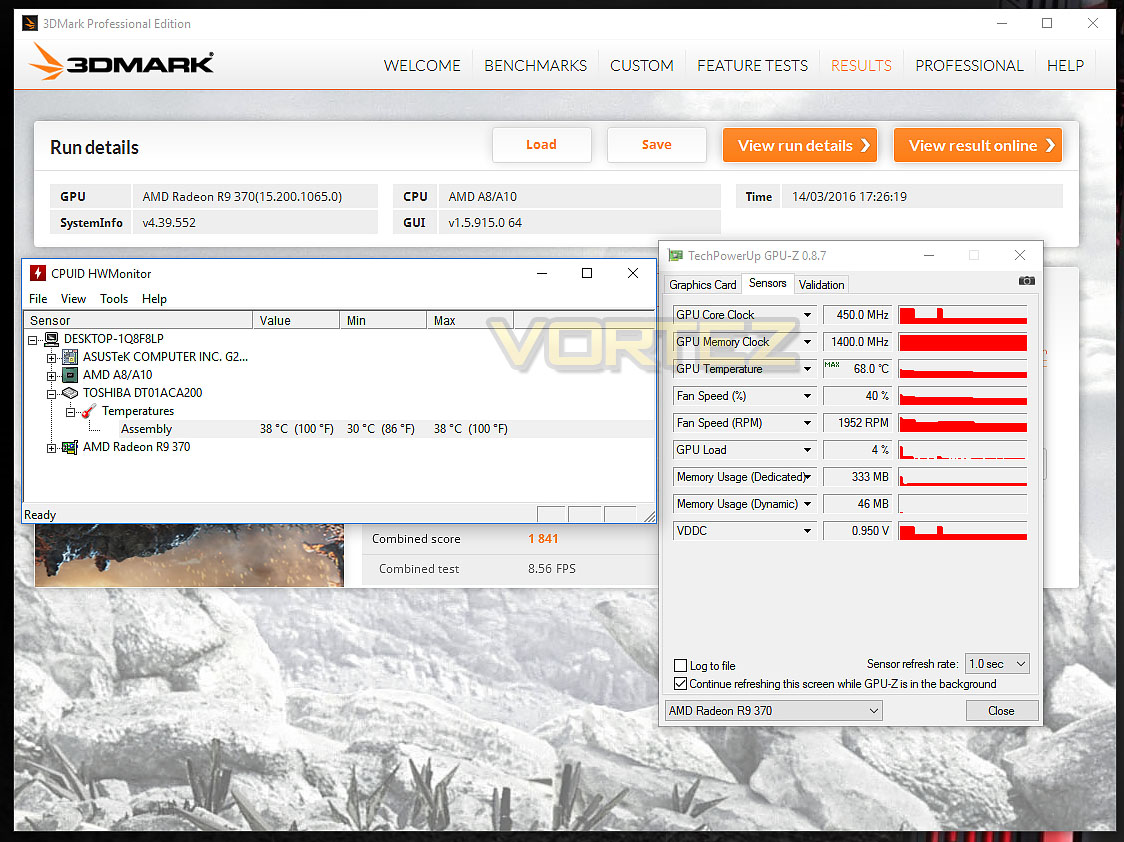
For our first benchmark test we observe the max. CPU/GPU temperatures of the system during 3DMark. To report back on the temperatures we use HWMonitor and GPU-Z which provide the peak figures.
Benchmarks: Boot Time & Power Consumption
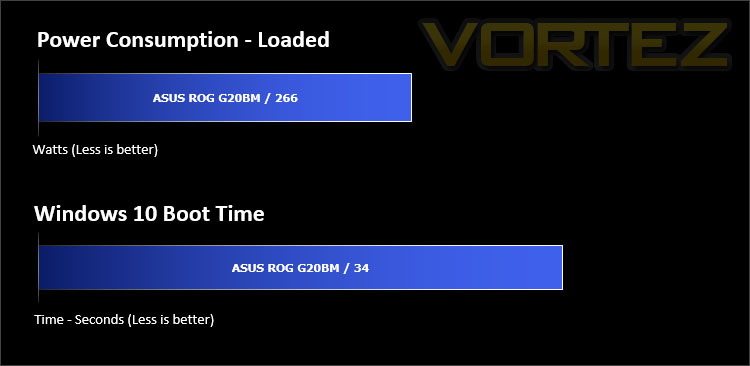
In this test we observe how fast the boot into Windows 10 is by using a digital stopwatch. Power consumption is another important observation, for this we observe the wattage from the wall while the system is running Heaven 4.0.
Benchmarks: Cinebench R15 & x264 HD
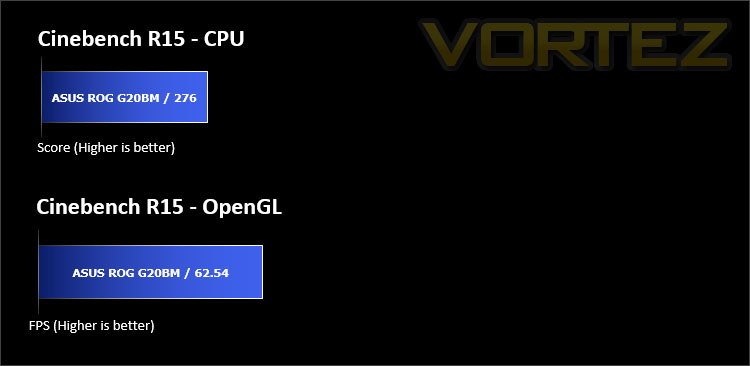
CINEBENCH can measure systems with up to 64 processor threads. This test scene contains approximately 2,000 objects which in turn contain more than 300,000 polygons in total, and uses sharp and blurred reflections, area lights, shadows, procedural shaders, antialiasing, and much more. The result is displayed in points (pts). The higher the number, the faster your processor is.
Benchmarks: PCMark 8
PCMark 8 combines performance benchmarking with battery life measurement and includes tests based on popular Adobe and Microsoft applications. Whether you are looking for long battery life, or maximum power, PCMark 8 will help you find the devices that offer the perfect combination of efficiency and performance for your needs. It’s the complete PC performance benchmark for home and business.

Benchmarks: 3DMark & Heaven 4.0
The new 3DMark includes everything you need to benchmark your hardware. With three all new tests you can bench everything from smartphones and tablets, to notebooks and home PCs, to the latest high-end, multi-GPU gaming desktops. And it’s not just for Windows. With 3DMark you can compare your scores with Android and iOS devices too. It’s the most powerful and flexible 3DMark we’ve ever created.

Benchmarks: DIRT Rally, The Witcher 3, SW Battlefront, BF4
The ROG G20BM uses the R9 370 for graphics delivery, in this section we test the latest gaming titles to see how effective the 3D capabilities are. We report on the average framerate using FRAPS.

Conclusion
Firstly, ASUS has done a great job with the aesthetics on the G20BM – this unit looks stylish without going over the top. As such, the chassis won’t look out of place in a number of different environments. The shape and size of G20BM also play a big role in how portable this system is, thanks to the weight and size users will be able to transport this device to a friend’s house or LAN parties without too much difficulty
The trend nowadays is to opt for Intel-based prebuilt systems but with the G20BM the ASUS ROG team has decided to equip the core components with AMD parts. The CPU arrives in the form of the AMD FX 770K and the GPU is a special edition R9 370 2GB card. Both pieces of hardware are regarded as lower-mid end and as our benchmarks revealed, G20BM does struggle in certain aspects of processing power – more notably, the 1080p performance with some gaming titles presents us with low framerates while other titles offer reasonable performance results. It will really depend on the games being played. One great thing about the CPU and GPU inside G20BM are the temperatures – although the chassis relies heavily on mainly the ventilation for heat dissipation we found the temperatures considerably low after sustained use, although the impressive temperatures do come with a compromise; noise.
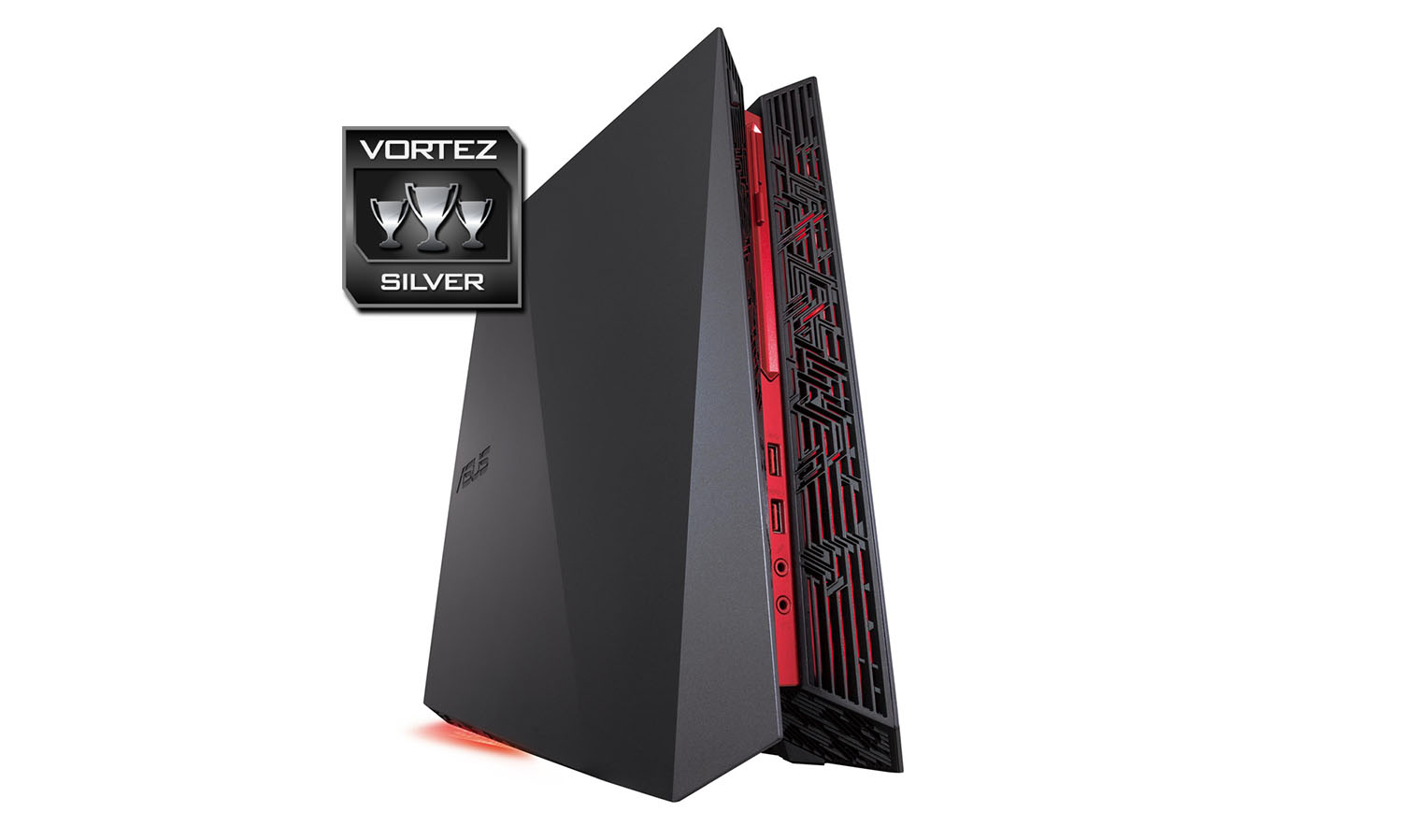
There are some areas which we feel could be improved. The lack of any primary SSD is disappointing, it’s actually been a long time since we last tested a full system which had such a storage drive omitted. Having even a small-sized SSD is regarded as standard nowadays and the small cost yields huge benefits. Ideally, we’d have liked to see a 128/256GB SSD and a 1TB mechanical for bulk storage instead of just a standalone 2TB option. Another factor which will be rather cumbersome is the requirement for two wall sockets just to power G20BM. Including a monitor, this would take three sockets at the wall and in some cases this could be problematic. Although replacing these power units would be easier, we’d prefer to see a small form factor PSU integrated, especially since we’re dealing with a low-end configuration.
At a cost of £699 GBP, the G20BM is a good value for money option for those without the confidence or expertise to build their own system.
The G20BM is a stylish computer system which will appeal to casual gamers who require a compact and portable system configuration.
VIDEO REVIEW – VORTEZ TV
Pros
+ Compact & portable
+ Lightweight
+ Low temperatures
+ Lighting can be customised
+ Plenty of USB 2.0 ports
+ Features an optical drive
+ Options for expanding in future
Cons
– Lacks USB 3.1 functionality
– Noisy under load
– Some gaming titles struggle @ 1080p
– No SSD
– System alone requires two wall sockets
+ Compact & portable
+ Lightweight
+ Low temperatures
+ Lighting can be customised
+ Plenty of USB 2.0 ports
+ Features an optical drive
+ Options for expanding in future
Cons
– Lacks USB 3.1 functionality
– Noisy under load
– Some gaming titles struggle @ 1080p
– No SSD
– System alone requires two wall sockets
Click here for an explanation of our awards at Vortez.net.