With console gaming being so incredibly popular, system manufacturers have to be clever with their chassis design. The Republic of Gamers have managed to shoehorn an Intel i7 7700 and a GTX 1080 into a chassis similar in size to an Xbox One, but is it any good? Read on to find out.

Product on Review: ASUS ROG G20CI
Manufacturer: ASUS Republic of Gamers
Street Price: £2099
Console gaming has been incredibly popular for some time now, with the comfort of your sofa often far exceeding that of your computer chair, as well as a TV already being a common item within almost any UK household, making it easy to add a gaming system underneath. However, many find their relative lack of power to be a little frustrating and instead opt for a Gaming PC to benefit from the additional graphics horsepower.
The ASUS ROG G20CI comes equipped with an NVIDIA GTX 1080 graphics card and an Intel Core i7 7700 processor to push those frames to your display. Alongside the grunt from the GPU and CPU, the G20 is bolstered with M.2 NVMe and a SATA HDD for storage to provide a balance between speed and capacity. Other included components include a 16GB of DDR4 memory, a slimline DVD player and built in 802.11AC WiFi.
Squeezing all of that power into a small chassis isn’t exactly difficult, but being able to dissipate the heat generated is where the real challenge lies, especially doing so quietly. We’ll pay close attention to noise levels generated and report back at the end of our review.
Priced at £2099, this machine certainly pushes the boundaries of many wallets, but those with deep pockets may be willing to spend that extra on the small form factor of such a system.
ASUS ROG on the G20CI
ROG G20 is a 9.5-liter gaming PC designed to dominate the small-form-factor gaming desktop segment. It’s powered by the latest 7th Generation Intel® Core™ i7 processor and the latest NVIDIA® GeForce® GTX 1080 graphics — giving it the punch required to run the latest AAA gaming titles at their highest graphics settings.
Technical Specifications
Operating System
Windows 10 Home
Processor
Intel® Core™ i7 7700/Processor
Chipset
Intel® H270
Graphic
NVIDIA® GeForce GTX1080 8GB
NVIDIA® GeForce GTX1070 8GB
Memory
16 GB
Storage
Up to 2TB SATA III Hard Drive
2.5″ Up to 512GB SATA III SSD
512GB M.2 PCIe x 4 SSD
Optical Drive
Slimtray Super Multi DVD burner
Wireless Data Network
802.11 ac, Bluetooth V4.1
Audio
ESS Hi-Fi Audio
High Definition 7.1 Channel Audio
Sonic Studio
Front I/O Ports
1 x Headphone
1 x Microphone
2x USB 3.1 Gen 1
Back I/O Ports
2 x USB 3.1
2 x USB 3.1 Gen 2
4 x USB 3.1 Gen 1
1 x RJ45 LAN
1 x 7.1 Channel Audio
1 x S/PDIF out(Audio jack)
2 x DC-in
Power Supply
230 W Power adaptor
180 W Power adaptor
180 W + 230 W Power adapter
Dimensions
104 x 340 x 358 mm (WxDxH)
190 x 400 x 592 ~ mm (WxDxH) (Without Bezel) with Carton
Weight
6.38 kg
Note
*Product specification and appearance may vary by location and retailer.
Windows 10 Home
Processor
Intel® Core™ i7 7700/Processor
Chipset
Intel® H270
Graphic
NVIDIA® GeForce GTX1080 8GB
NVIDIA® GeForce GTX1070 8GB
Memory
16 GB
Storage
Up to 2TB SATA III Hard Drive
2.5″ Up to 512GB SATA III SSD
512GB M.2 PCIe x 4 SSD
Optical Drive
Slimtray Super Multi DVD burner
Wireless Data Network
802.11 ac, Bluetooth V4.1
Audio
ESS Hi-Fi Audio
High Definition 7.1 Channel Audio
Sonic Studio
Front I/O Ports
1 x Headphone
1 x Microphone
2x USB 3.1 Gen 1
Back I/O Ports
2 x USB 3.1
2 x USB 3.1 Gen 2
4 x USB 3.1 Gen 1
1 x RJ45 LAN
1 x 7.1 Channel Audio
1 x S/PDIF out(Audio jack)
2 x DC-in
Power Supply
230 W Power adaptor
180 W Power adaptor
180 W + 230 W Power adapter
Dimensions
104 x 340 x 358 mm (WxDxH)
190 x 400 x 592 ~ mm (WxDxH) (Without Bezel) with Carton
Weight
6.38 kg
Note
*Product specification and appearance may vary by location and retailer.
Packaging & Bundle
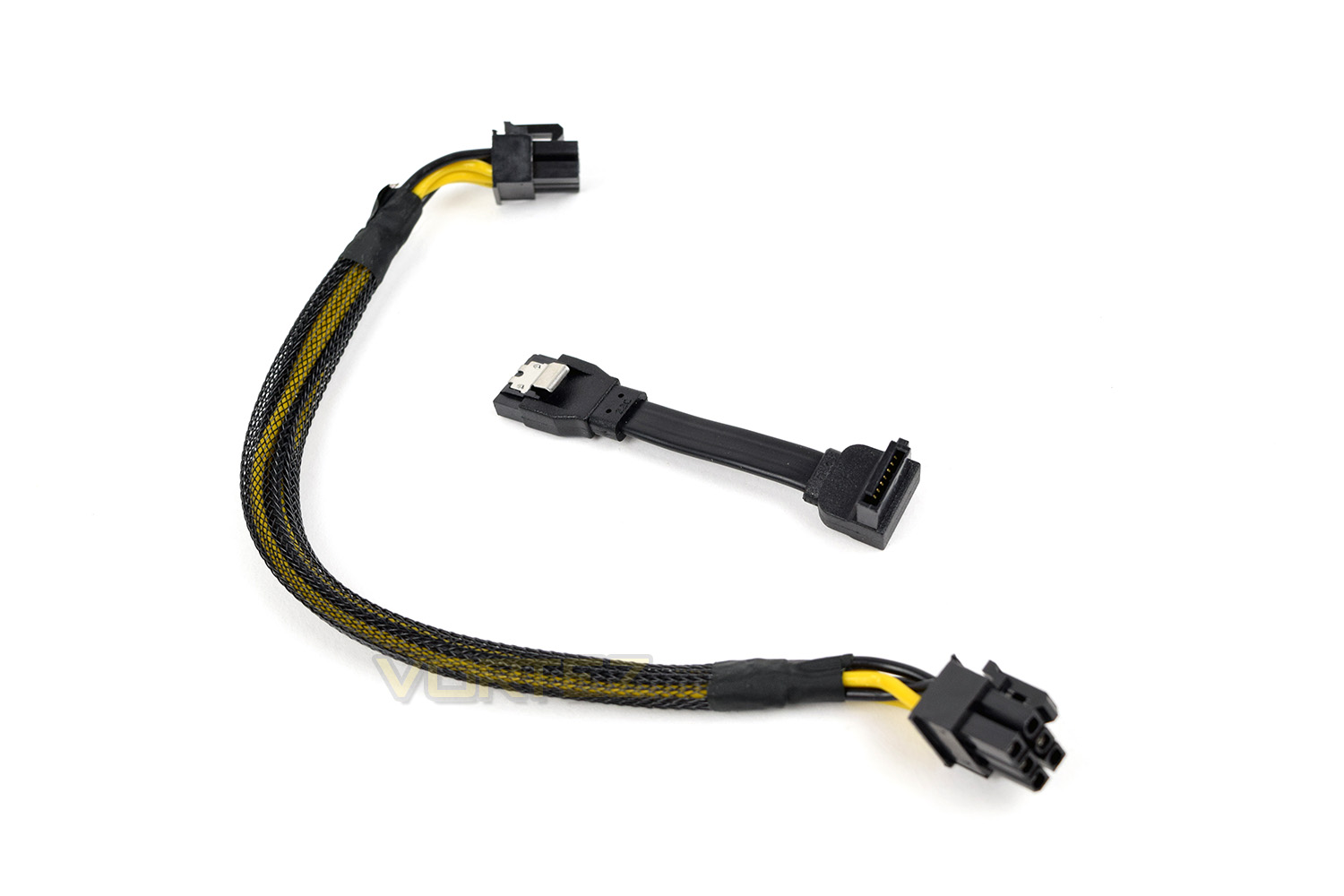
The external packaging of the ASUS ROG G20CI was used as the delivery box which seemed to be more than substantial enough to prevent any damage in transit. The G20 was encased in thick polystyrene to stop any moment inside the box.After removing the device from the box, there was very little else included with the system. There’s a short SATA cable, assuming some kind of drive upgrade in the future and a 6-pin PCI-E cable extension, also likely for future upgrades; we’ll check what these are for while we disassemble the system.
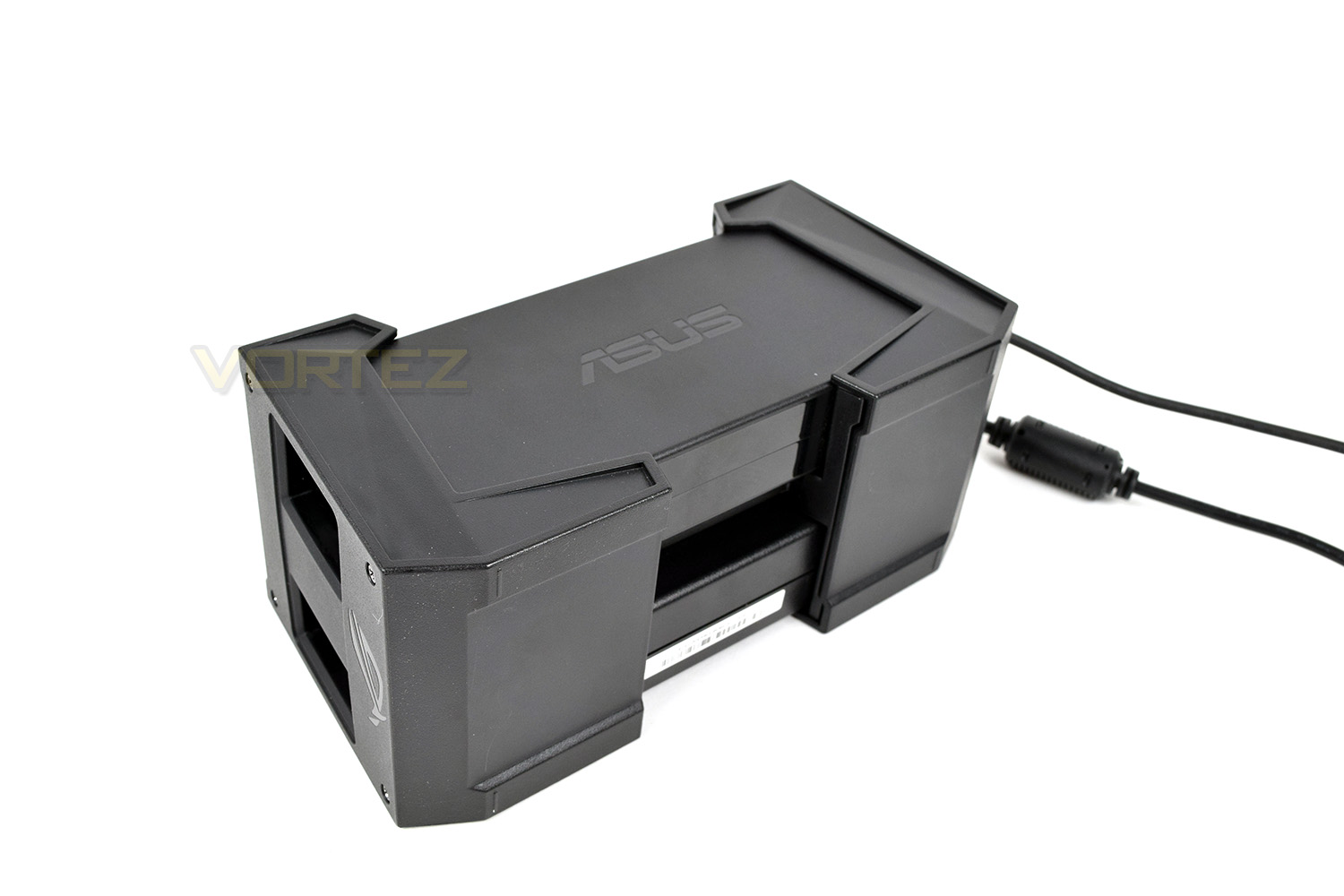
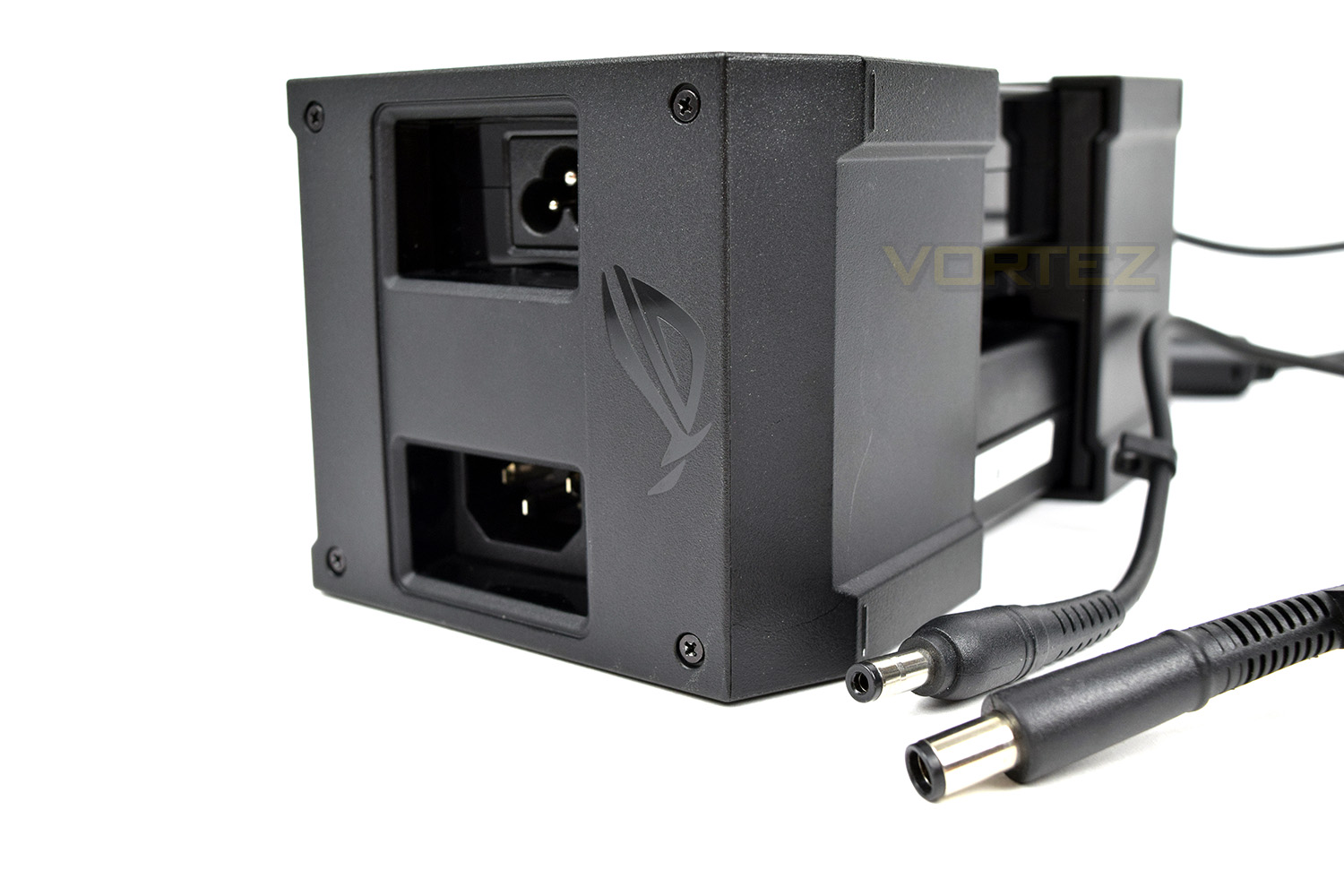
Also included in the box is the rather large external power supply. This power supply is a little odd, requiring more than a single power socket at the wall. A company as large as ASUS, with the full extent of the resources for such a flagship product, is generally expected to present a more elegant solution than this. The power supplies deliver 180W and 230W to the PC via two separate power adaptors. One redeeming feature of the power supply is the ability to tuck it away from the tower, keeping your desktop clean and also ensuring the PC remains as small as possible.
Closer Look
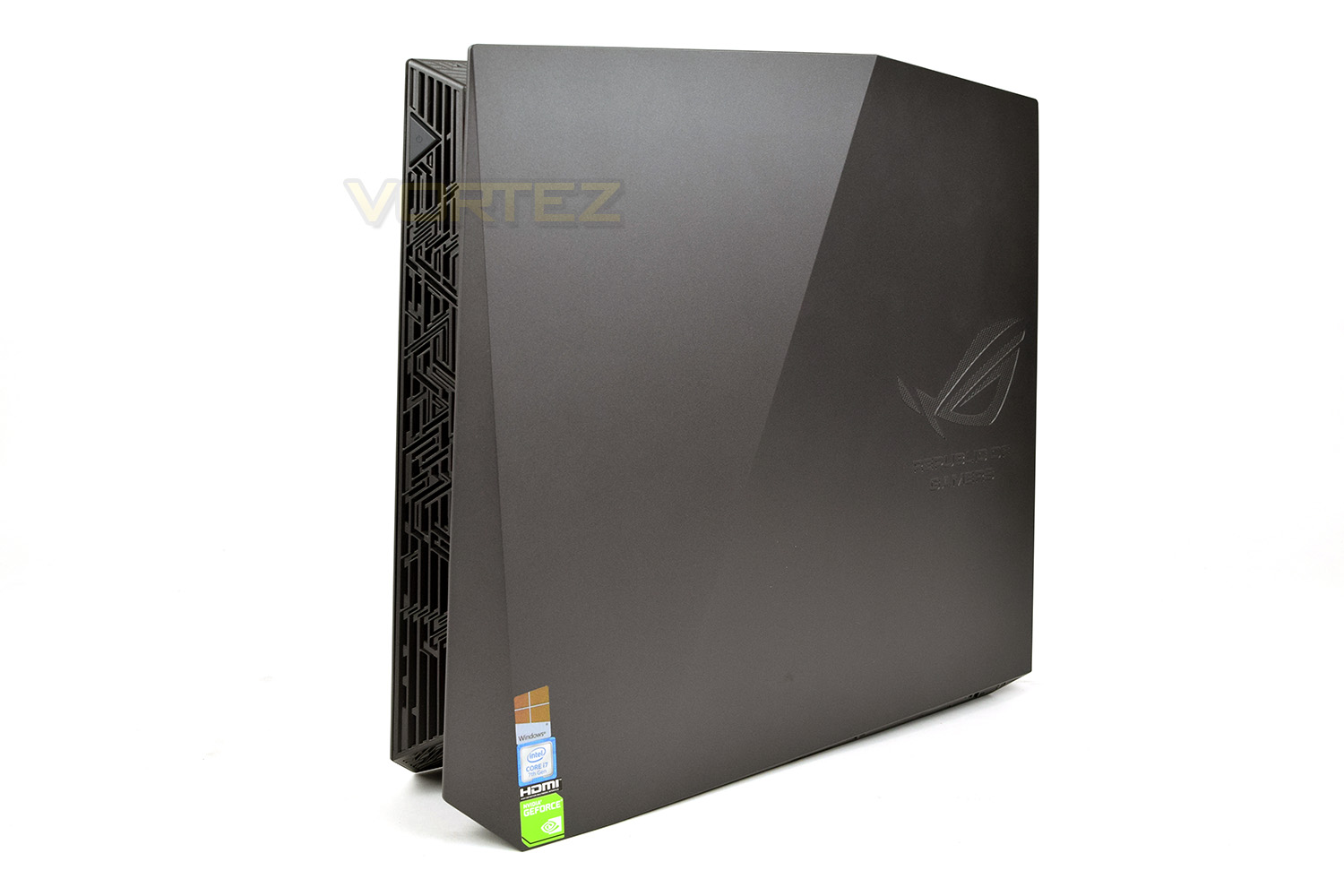
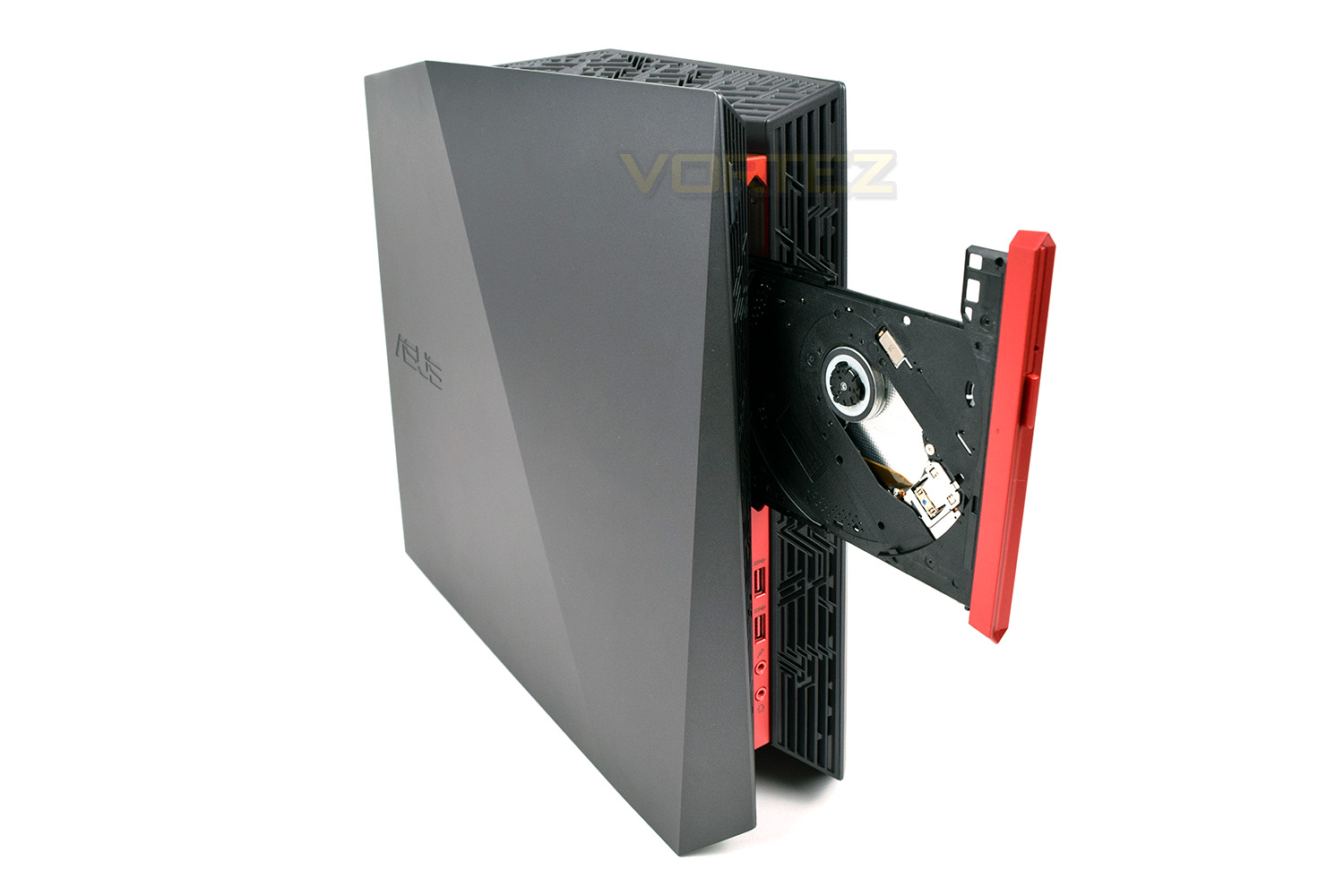
The ASUS ROG G20CI certainly looks the part, with small dimensions to match. The size is roughly 100mm x 340mm x 360mm making this not much larger than an Xbox One gaming console – impressive considering the components included within this chassis. On the left side we see a small indented ASUS logo.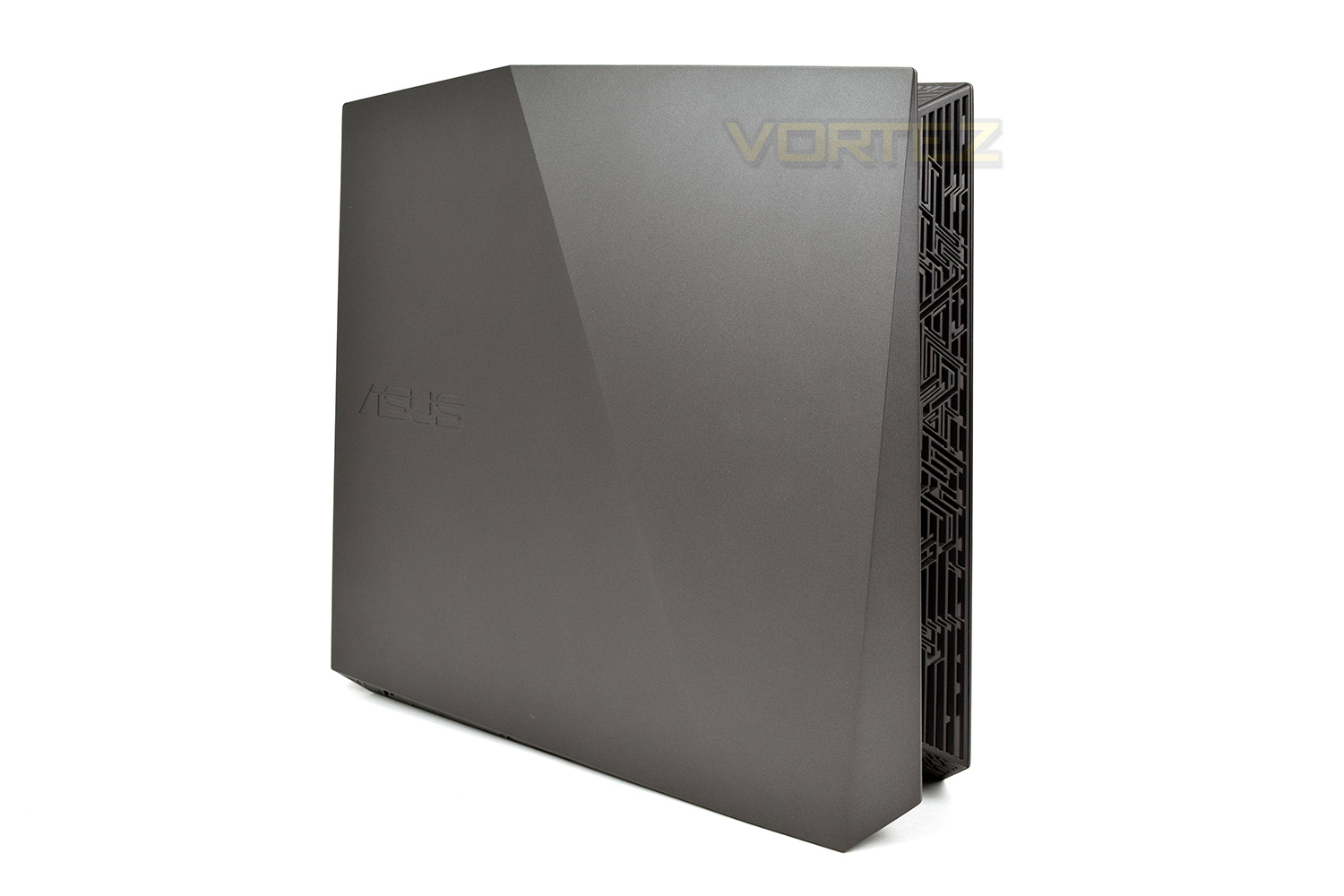
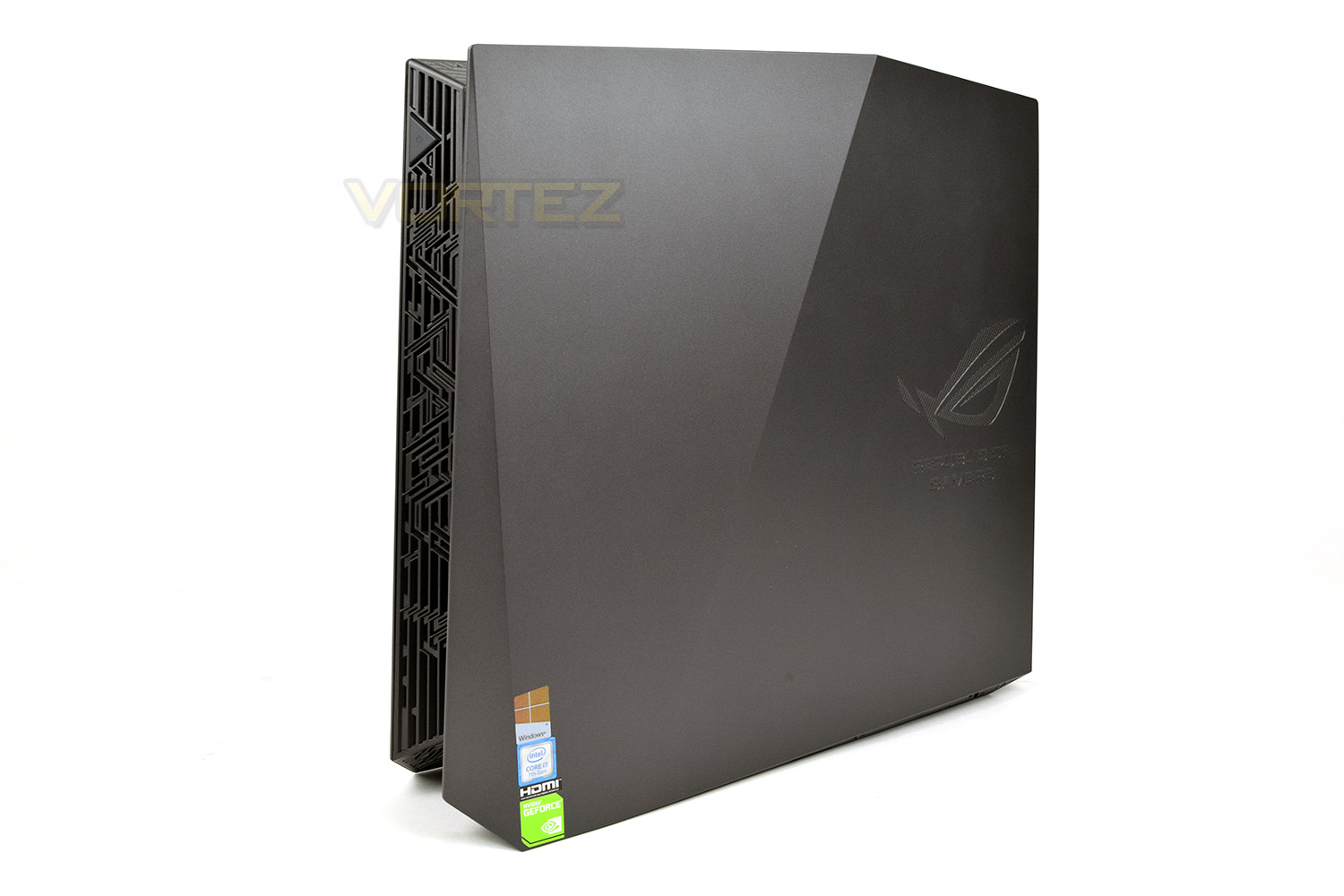
The right-hand-side almost mirroring the left with a Republic of Gamers logo. Alongside the logo we also see some case stickers in the form of NVIDIA GEFORCE, HDMI, Intel Core i7 and Windows.
You may notice that neither of the sides have any kind of “feet” to allow the machine to lie flat, meaning that the machine can only be orientated in an upright position, limiting its use as a gaming machine for underneath the living room TV or any kind of similar setup.
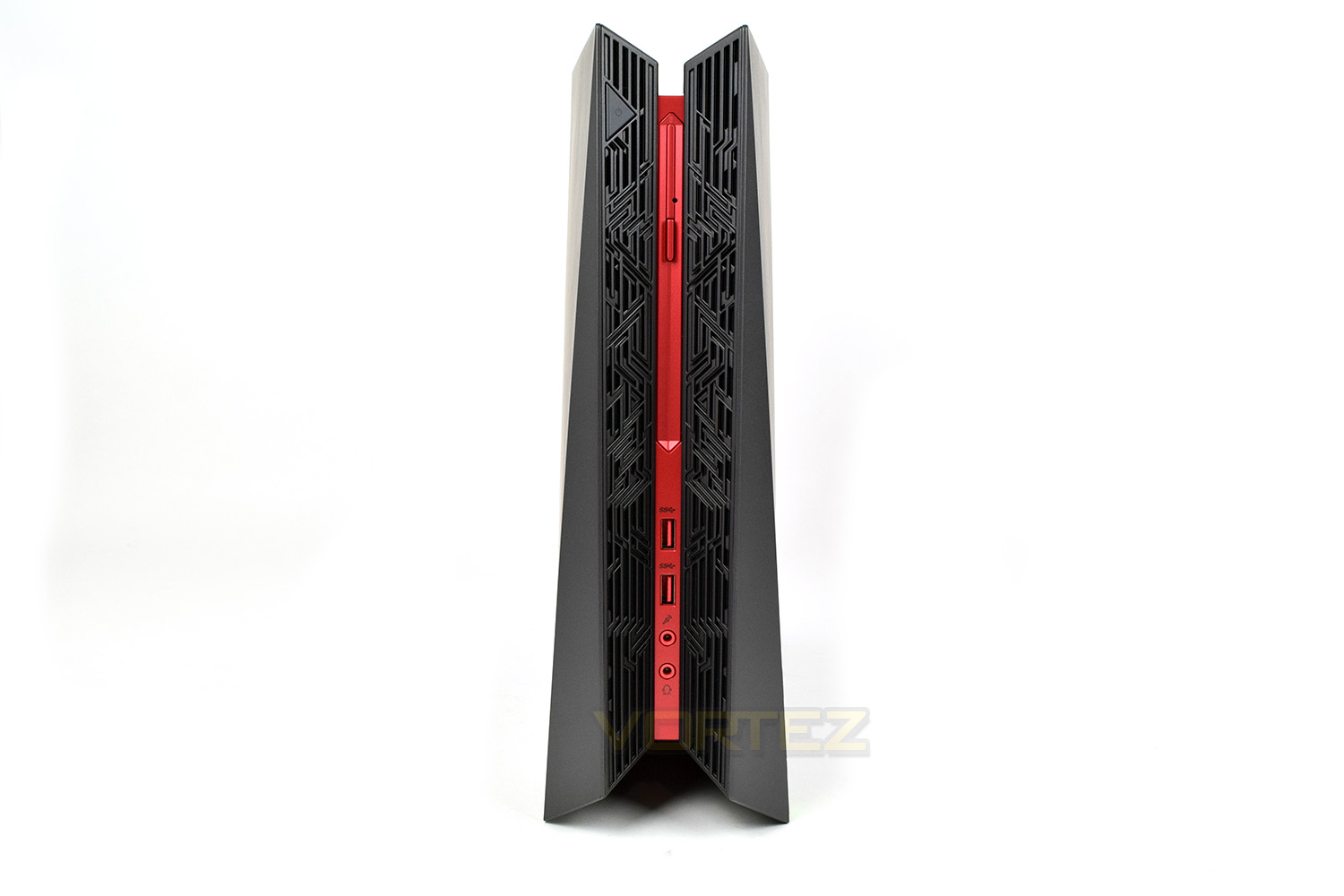
The front of the machine looks incredibly sleek, with the thin red slip playing home to a DVD drive, a couple of USB 3.1 Gen. 1 ports and microphone and headphone jacks, not a bad layout, at all, considering the size of the device.
The power button is camouflaged amongst the Aztec-styling that Republic of Gamers tend to use. It’s hiding up at the top, on the left-hand-side.
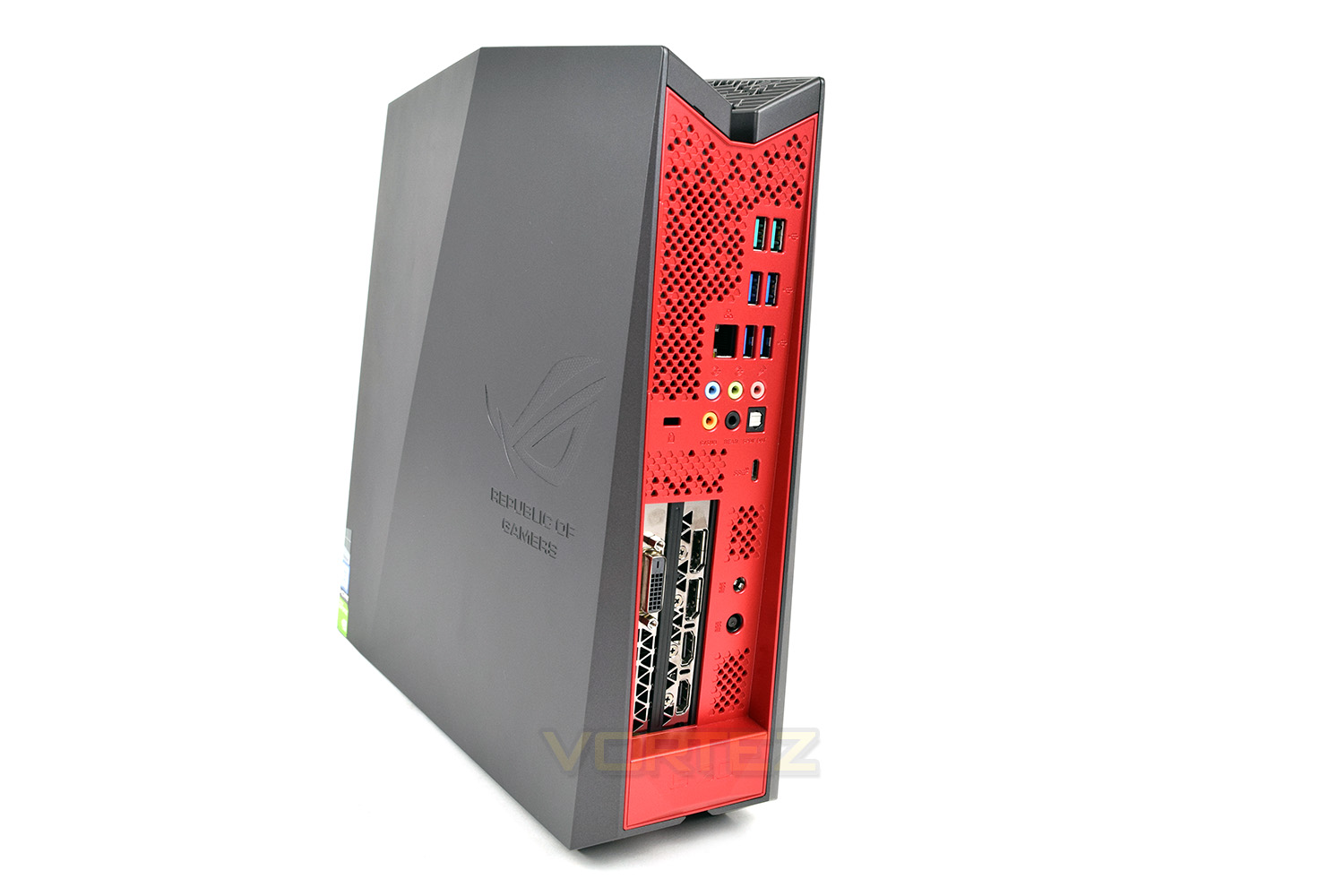
The rear of the machine is peppered with inputs and ports of all different kinds. Starting with the GTX 1080 (the silver portion) we’re presented with a pair of DisplayPorts, a pair of HDMI and a single DVI. Next to the graphics card are the two power connections which cannot be inserted incorrectly due to their different shapes.
Moving towards the motherboard’s IO we can see another 7 USB ports, 2 of which are USB 3.1 Gen. 2 while the other 4 are USB 3.1 Gen. 1. The more astute amongst you might’ve noticed that only adds up to 6, well the 7th port is a USB Type-C 3.1 Gen. 2, located below the sound outputs. Sound is handled using an onboard controller, with enough outputs to set up a 7.1 speaker configuration as well as optical sound, if required. Wired internet connections are sorted out via the gigabit Ethernet port. Lastly, there’s a Kensington Lock built into the rear to help prevent anyone from stealing your shiny £2100 gaming rig.
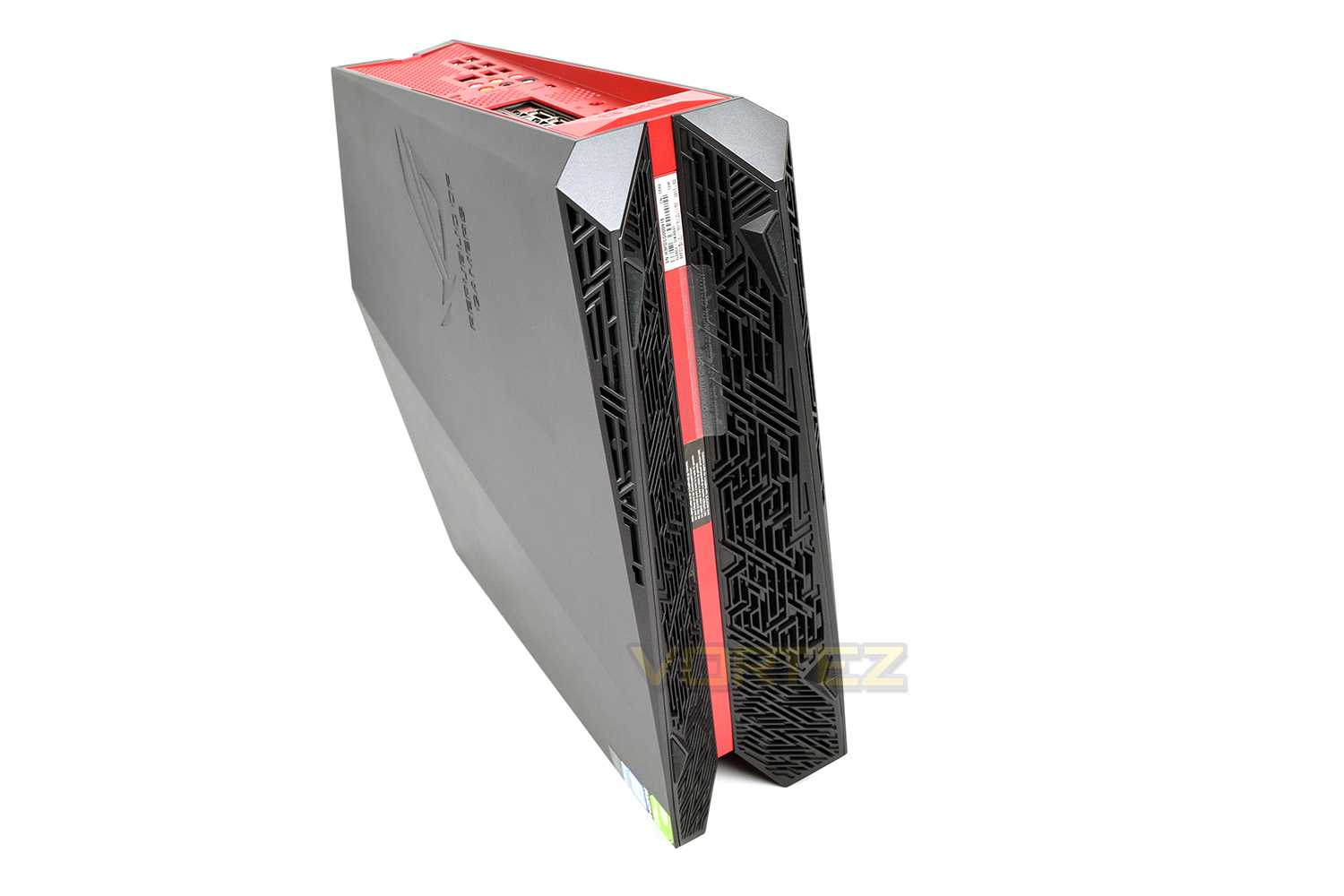
The bottom of the tower is used as the main air intake for the machine, making it unsuitable to be run on carpet for any length of time. We assume that ASUS propose you stand this on your desk and give it pride of place.
Closer Look (Internals)
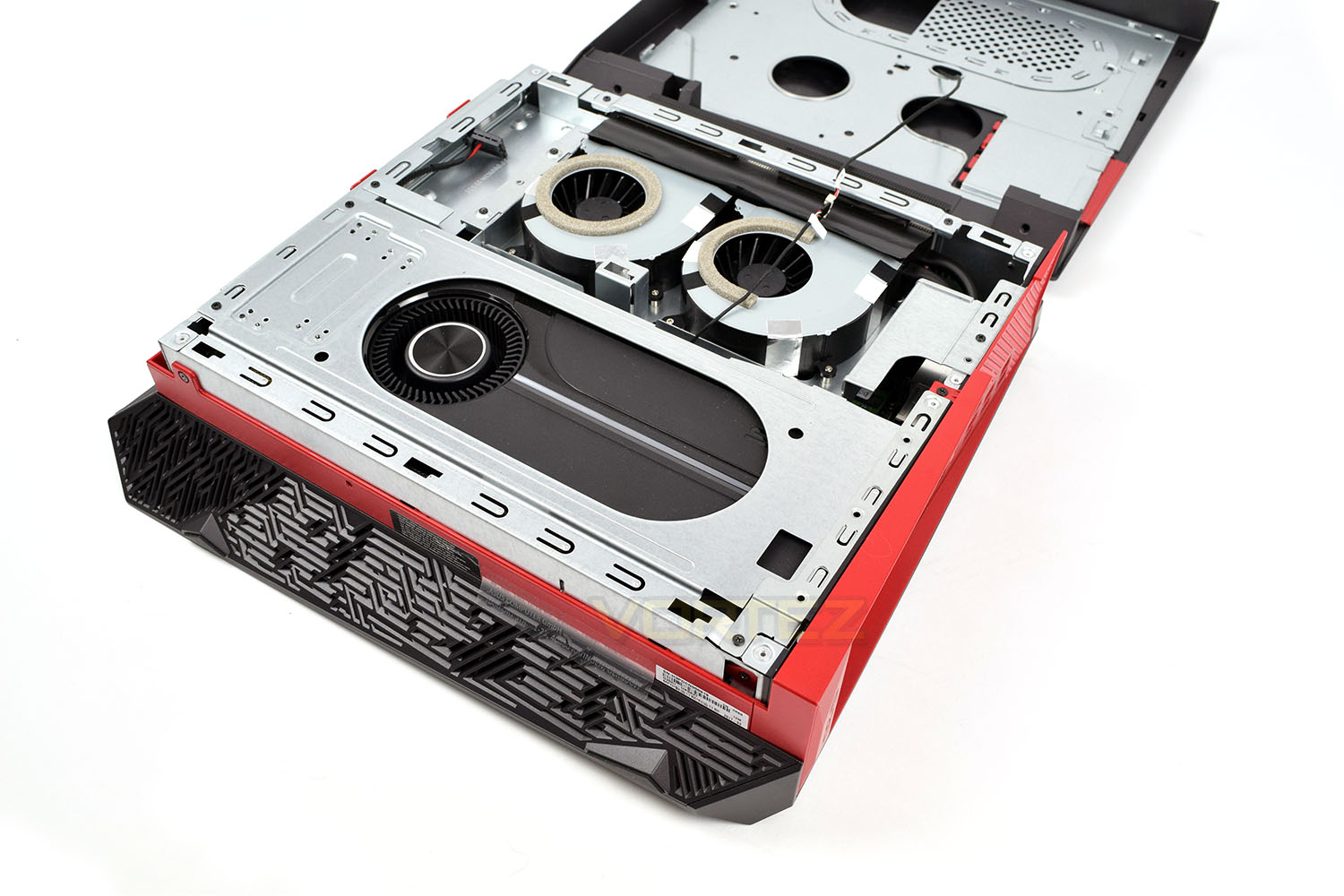
Let it be noted, before any more reading is done, that opening up the machine voids your warranty with ASUS. Luckily for us, this machine belongs to ASUS who are happy for us to delve inside.We got about opening up the machine to see just how clever the team at ROG have been in shoehorning these components into such a small package. Opening the lid was relatively simple, requiring the removal of a strip of plastic and a pair of small screws.
We can see that ASUS have used a pair of small fans for the CPU and used a reference cooler on the GTX 1080. The reference cooler helps to expel hot air from within the tiny frame by blowing it across an array of heatsinks under the plastic shroud and exhausting it out of the back of the case.
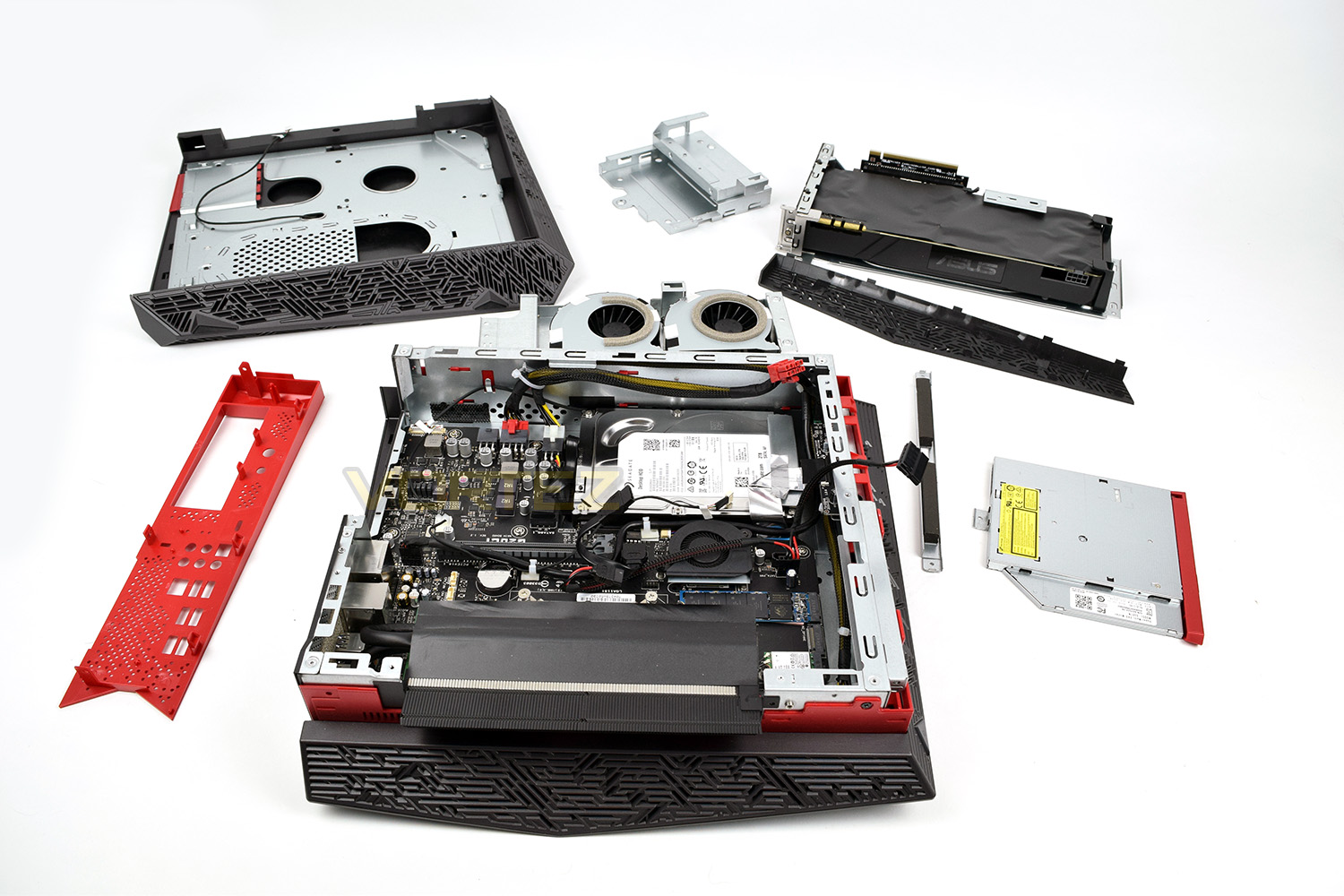
After some further dismantling, we eventually made it to the motherboard, after removing the CPU fans, a spare 2.5” drive bay, the DVD drive, the GTX 1080 graphics card a couple of bracing pieces and the rear IO shield. Some sacrifices to “serviceability” have become apparent during the dismantling process. At this point, we were able to see where the spare SATA cable and 6-pin PCI-E adaptors are to go, with our initial theories being correct.
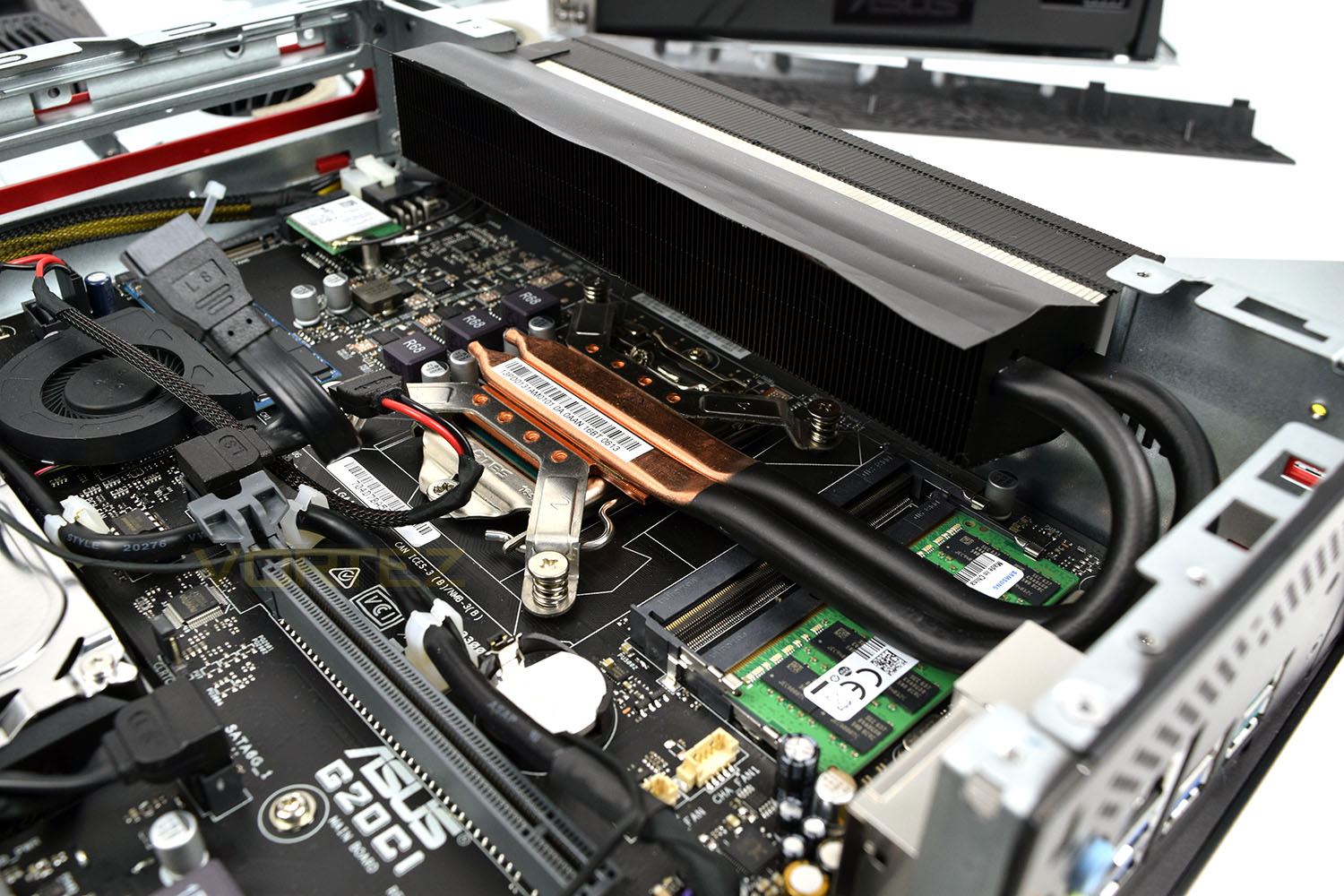
ASUS have decided to use a small fan on the motherboard to help keep the chipset cool, which considering the airflow in that area of the case, is probably a wise decision.
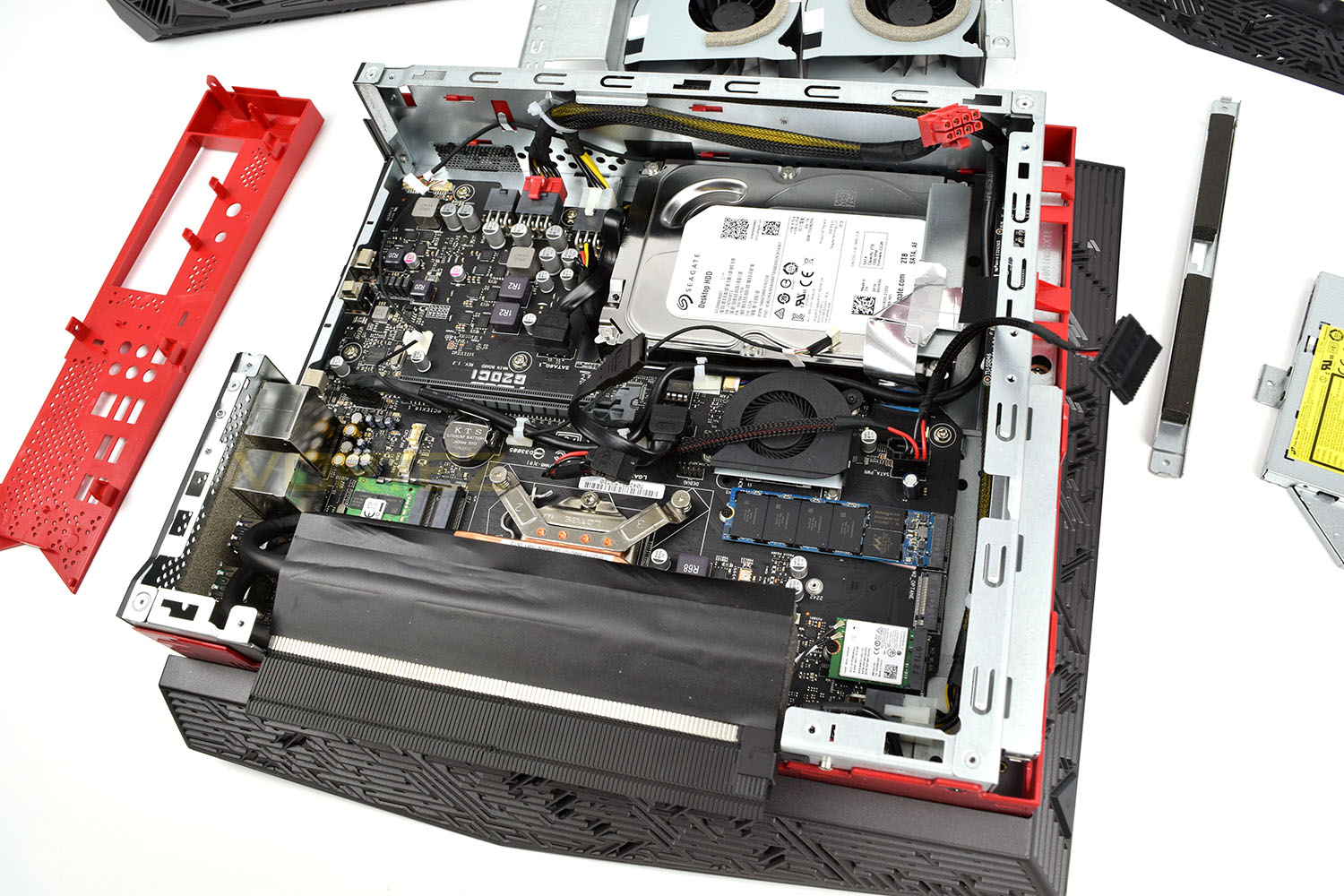
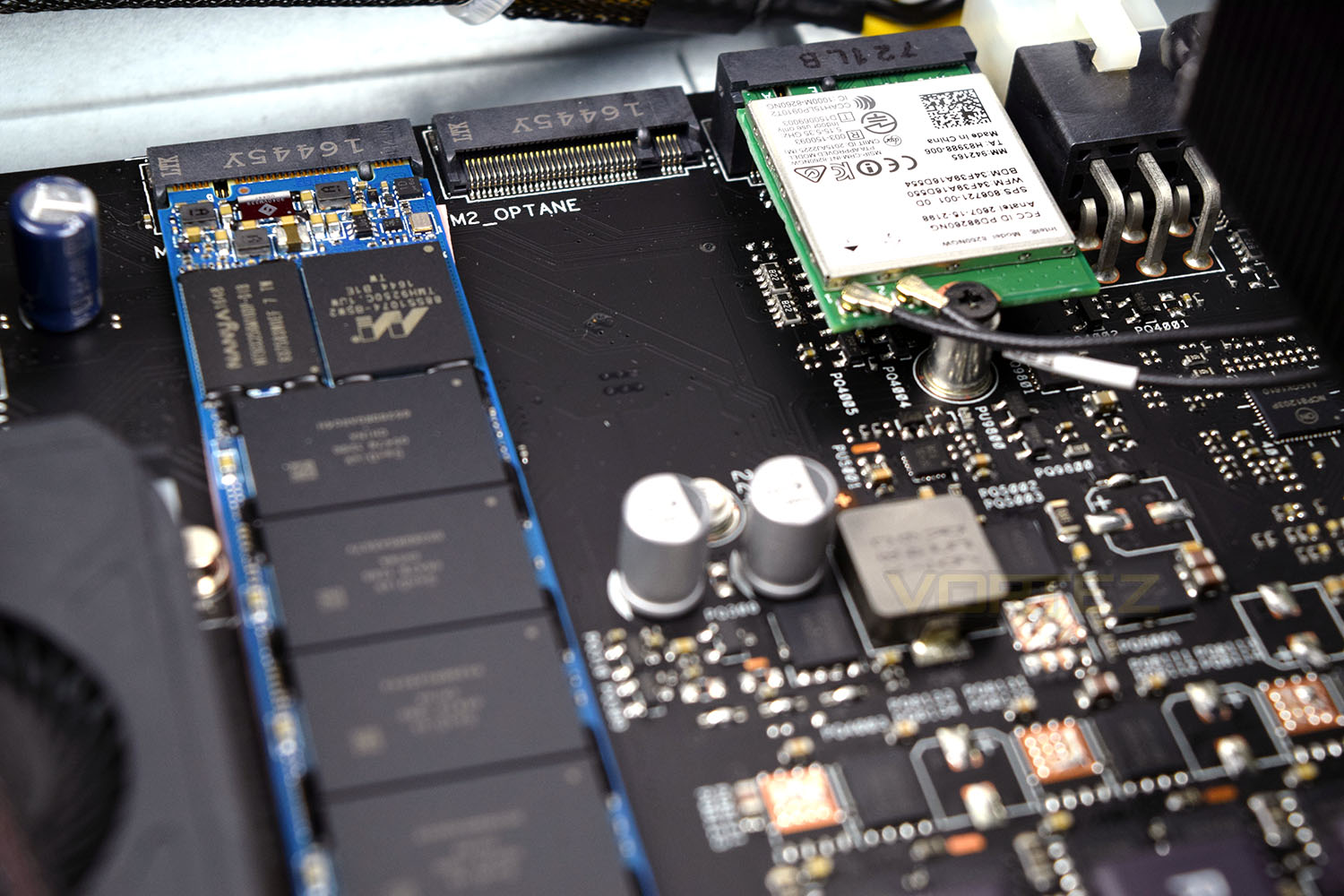
Along with the 3.5” 2TB HDD, ASUS has included a 512GB PCI-E NVMe drive, offering blisteringly fast speeds for the fastest game loading times possible, as well as a spare 2240 slot, which claims to be Intel Optane ready, if the markings on the motherboard are anything to go by. There’s also a 3rd slot which is occupied by the WiFi card.
The Intel Core i7-7700 CPU, with its 65W TDP, is cooled via a low-profile heatsink, attached through a pair of thick heatpipes to a block of fins through which the pair of CPU fans blow air out of the case.
In the same shot, you can see the single 16GB DDR4 SO-DIMM, this means that the 16GB of memory in the system can be upgraded if you ever felt like you needed 32GB, but it does also substantially reduce memory bandwidth due to the single channel operation of the single stick. The heatpipes sit above the RAM but we don’t see a simple way of removing the CPU cooler due to the heat exchange obstructing access to two of the screws. This may make upgrading the RAM a much bigger task than is traditionally so.
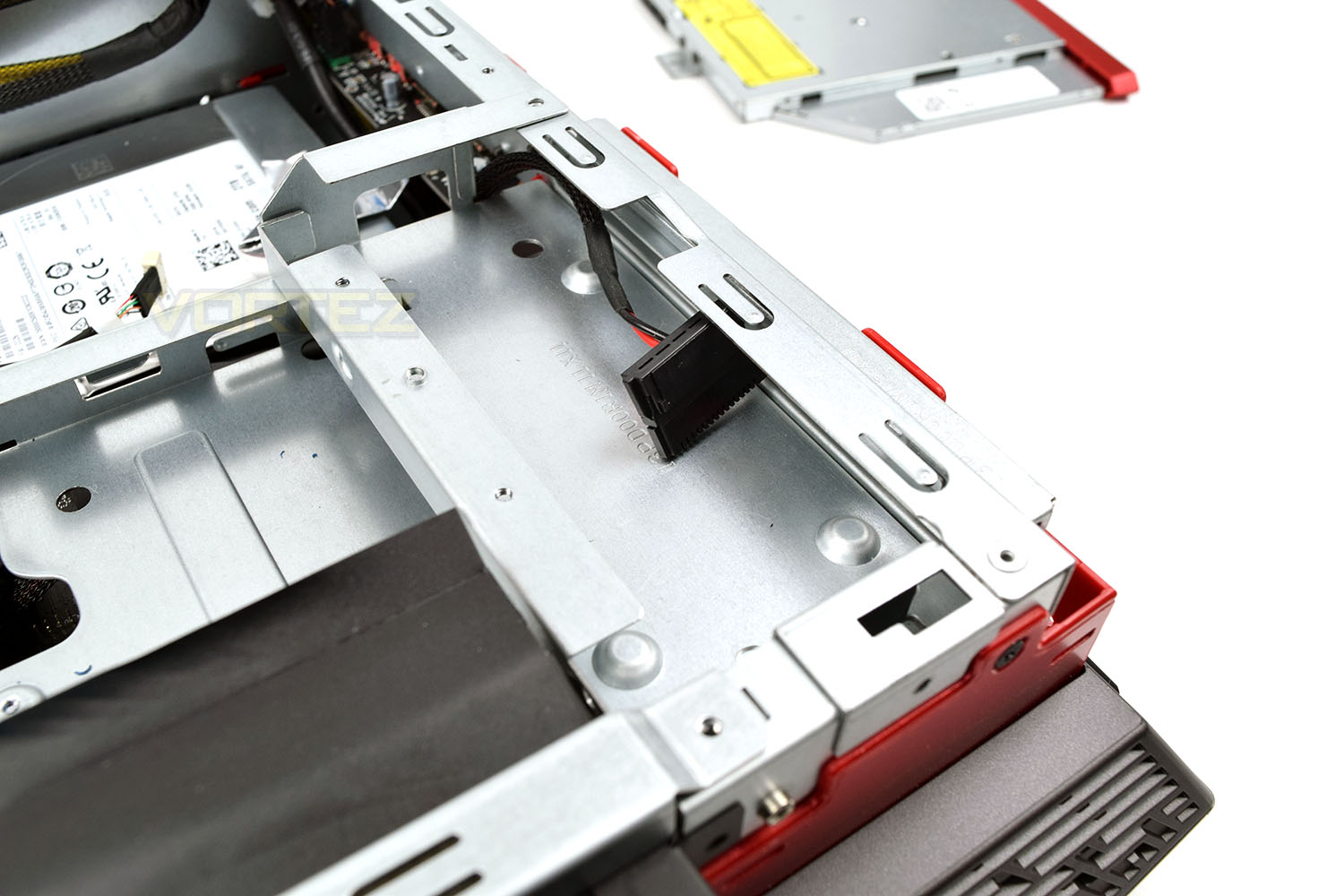
This small block allows an upgrade for storage, with the ability to add a 2.5” drive, in either solid state or spinning flavours, with the SATA power cable already being routed into the space. It’s odd that they decided to route the power cable to this zone but left the SATA in a separate package, resulting in a much bigger workload to install an HDD/SSD.
Benchmarks: Temperatures & Boot Time
For our first benchmark test we observe the max. CPU/GPU temperatures of the system while allowing Unigine Heaven 4.0 to run on a 30-minute loop. To report back on the temperatures we use RealTemp and GPU-Z which provide the peak figures.

In this test we observe how fast the boot into Windows 10 is by using a digital stopwatch.

Benchmarks: Cinebench R15 & Handbrake
CINEBENCH can measure systems with up to 64 processor threads. This test scene contains approximately 2,000 objects which in turn contain more than 300,000 polygons in total, and uses sharp and blurred reflections, area lights, shadows, procedural shaders, antialiasing, and much more. The result is displayed in points (pts). The higher the number, the faster your processor is.


Benchmarks: PC Mark 8 & 10
PCMark 10 combines performance benchmarking with battery life measurement and includes tests based on popular Adobe and Microsoft applications. Whether you are looking for long battery life, or maximum power, PCMark 10 will help you find the devices that offer the perfect combination of efficiency and performance for your needs. It’s the complete PC performance benchmark for home and business.

Benchmarks: 3DMark & Heaven 4.0
Time Spy is a DirectX 12 benchmark test for gaming PCs running Windows 10. With its pure DirectX 12 engine, built from the ground up to support new API features like asynchronous compute, explicit multi-adapter, and multi-threading, Time Spy is the ideal benchmark for testing the DirectX 12 performance of the latest graphics cards.

Benchmarks: Gaming (1080p)
The ROG G20CI uses the NVIDIA GTX 1080 for graphics delivery, in this section we test the latest gaming titles to see how effective the 3D capabilities are. We report on the average framerate using FRAPS.

Benchmarks: Gaming (1440p)
The ROG G20CI uses the NVIDIA GTX 1080 for graphics delivery, in this section we test the latest gaming titles to see how effective the 3D capabilities are. We report on the average framerate using FRAPS.

Benchmarks: Gaming (2160p)
The ROG G20CI uses the NVIDIA GTX 1080 for graphics delivery, in this section we test the latest gaming titles to see how effective the 3D capabilities are. We report on the average framerate using FRAPS.

Conclusion
First impressions of the ASUS ROG G20CI were incredibly positive; the chassis looks brilliant, especially at night with the RGB illumination around the case. Connectivity is excellent, offering ample USB and full 7.1 sound support from the rear IO panel.The GTX1080 ensures playable framerates, even at 4K resolutions, with the system only really showing signs of struggling with the Deus Ex benchmark; this test is notoriously difficult for a PC to render due to the sheer amount of “stuff” on-screen. Unfortunately, the Core i7 7700 configured within the machine did find itself thermally throttling during heavy tests such as Cinebench which hindered the score somewhat; our test room was only 20°C during the benchmarks which represents a fairly average living space.
Day to day tasks may not be effected by the single-channel RAM used within the machine but benchmarks, or other memory intensive tasks, will almost certainly suffer. We feel this trade-off has been made to allow 32GB of RAM to be used within the machine, which some users might feel as a necessary upgrade.
Republic of Gamers aren’t a new start-up company; they’ve got many years of experience under their belt with a massive understanding of PC components and cooling design, however, all of that seems to have been forgotten with the ASUS ROG G20CI. The fans in this machine were so loud they could be heard in another room, with an infuriating fan-curve being used which caused the fans to change speed constantly, creating an ever-changing pitch from the machine. A consistently loud machine would be much easier to deal with, rather than the constantly changing fan speeds. Even relatively short but intensive tasks, such as opening a web browser, would cause the CPU fans to spring into action.
Shoehorning both a 3.5″ SATA HDD and an M.2 NVMe drive within the same tiny chassis is also impressive, giving a great balance between outright speed from the NVMe and massive storage on the 3.5″ hard drive.
As that is all said and done, our recommendation would be to consider a larger chassis size with the same internals; this should improve future upgrade-ability and also reduce temperatures and noise at the same time. However, if your heart is set on this machine, it will certainly attract attention with its small size and brilliant looks!
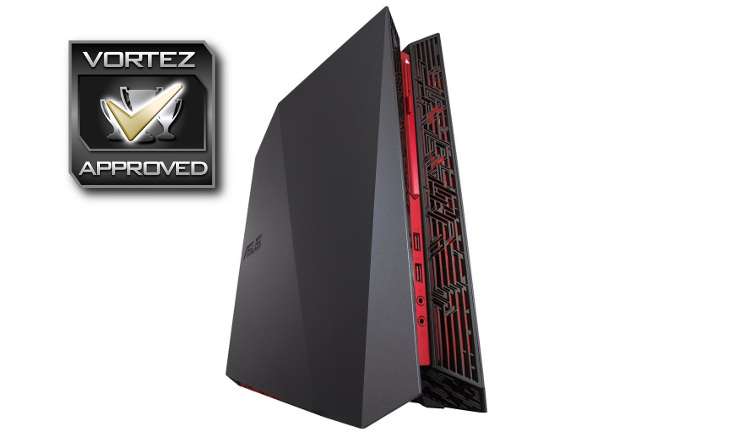
The ASUS ROG G20CI looks fantastic but ultimately the small chassis causes far too much noise to be used daily. Performance is excellent, however.
Pros
+ Looks incredible
+ RGB lighting
+ Excellent selection of IO ports
+ GTX1080 and Core i7 7700
+ Performed well, even at 4K
+ Tiny chassis
+ M.2 NVMe and SATA HDD storage
Cons
– Only one-year warranty
– Ludicrously loud
– Uses two power sockets
– Expensive
– Cannot be placed horizontally
– Difficult to upgrade
– Thermals are a worry
Click here for an explanation of our awards at Vortez.net.