The Republic of Gamers team are back with the ROG G752VT gaming notebook; Backed by Intel’s Skylake 6700HQ, GTX 970M and the ground-breaking G-SYNC technology.

Product on Review: ROG G752 Gaming Notebook
Manufacturer & Sponsor: ASUS
Street Price: £1400 GBP / $1700 USD
With the advent of powerful mobile processors, gaming on-the-go has become an ever increasing leisure activity. Desktop computers certainly have their value but are generally awkward and cumbersome to transport between locations. Delivering the latest technology and hardware specifications is crucial for the manufacturers of such mobile units as they battle it out in a fiercely competitive market.
In the spotlight today is a new gaming notebook from ASUS Republic of Gamers. The ROG G752 is a brawny Skylake-powered gaming unit which also includes NVIDIA’s GTX 970M. Not only do the visuals make G752 stand out from the crowd but ASUS have engineered this gaming notebook to utilise G-SYNC technology to synchronise refresh rates to the GPU – thus delivering a significant enhancement to the gaming experience.
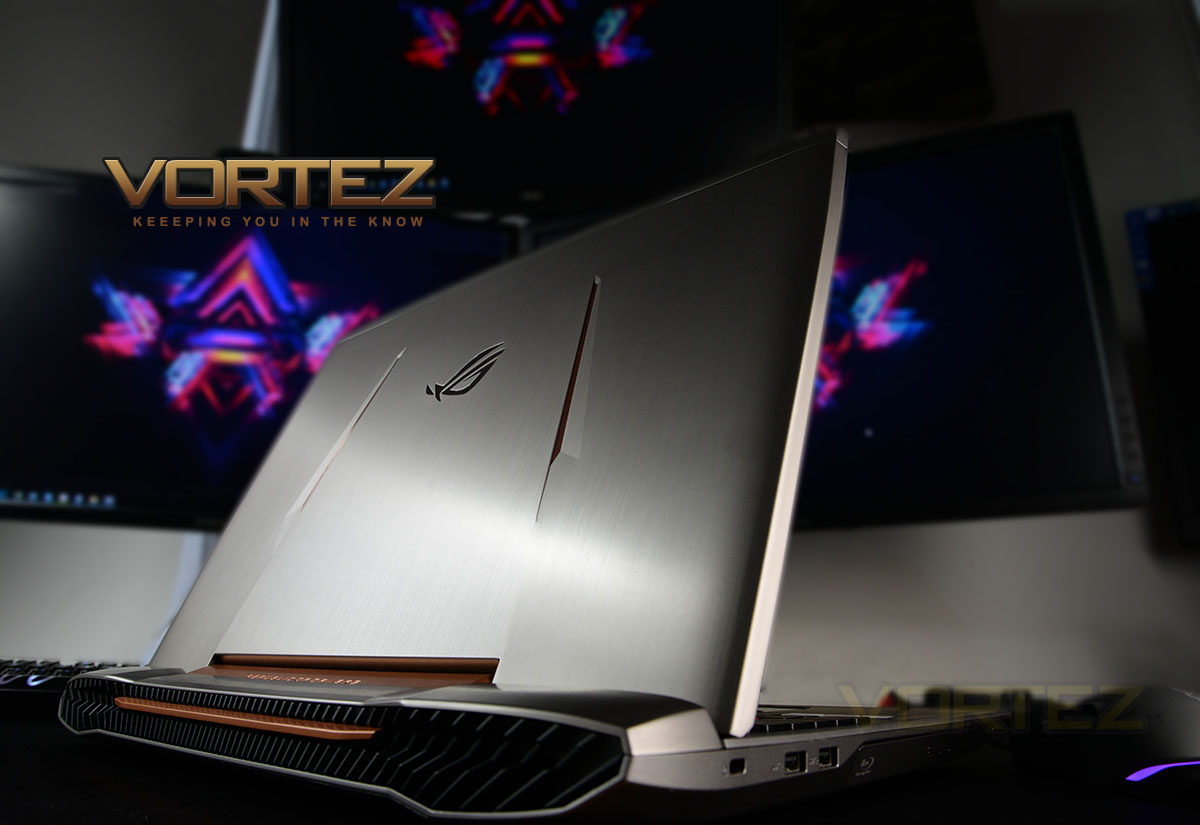
ASUS on their ROG G752
The latest ROG gaming laptop with Windows 10 – the G752 – showcases the evolution of the brand, with a revolutionary design finished in a new Armor Titanium and Plasma Copper color scheme. With a 6th-generation Intel® Skylake Core™ i7 processor, up to 64GB DDR4 RAM, and the latest NVIDIA® GeForce® GTX™ graphics, ROG G752 delivers exceptional gaming performance. It even features the ROG-exclusive dust-released thermal solution for increased system stability and longevity, and a backlit anti-ghosting gaming keyboard with 30-key rollover for precise command and control in battle.
Technical Specifications
Below are the technical specifications supplied directly by ASUS:
OS
Windows 10
Display
17.3″ IPS 1920×1080 (G-SYNC)
CPU
Intel Core i7-6700HQ
GPU
NVIDIA GTX970M 3GB
RAM
16GB (2x 8GB) 2133MHz DDR4
SSD
128GB NVMe M.2 (Samsung PM951)
HDD
1TB HGST 7200RPM
Audio
Dedicated Subwoofer
Wireless
802.11AC & BT 4.1
Connections
1x Thunderbolt 3, 1x USB 3.1 Type-C, 3x USB 3.0
Battery
6-Cell – 180W Charger
Dimensions
416 x 322 x 20 ~39 mm (WxDxH)
Weight
4KG[
Windows 10
Display
17.3″ IPS 1920×1080 (G-SYNC)
CPU
Intel Core i7-6700HQ
GPU
NVIDIA GTX970M 3GB
RAM
16GB (2x 8GB) 2133MHz DDR4
SSD
128GB NVMe M.2 (Samsung PM951)
HDD
1TB HGST 7200RPM
Audio
Dedicated Subwoofer
Wireless
802.11AC & BT 4.1
Connections
1x Thunderbolt 3, 1x USB 3.1 Type-C, 3x USB 3.0
Battery
6-Cell – 180W Charger
Dimensions
416 x 322 x 20 ~39 mm (WxDxH)
Weight
4KG[
Unboxing & Closer Look Video
For this review we’ve produced a video which reveals the packaging, bundle and a close, detailed overview of ROG G752. Please check out the video below for a comprehensive look at this new product:
Benchmarks: Temperatures
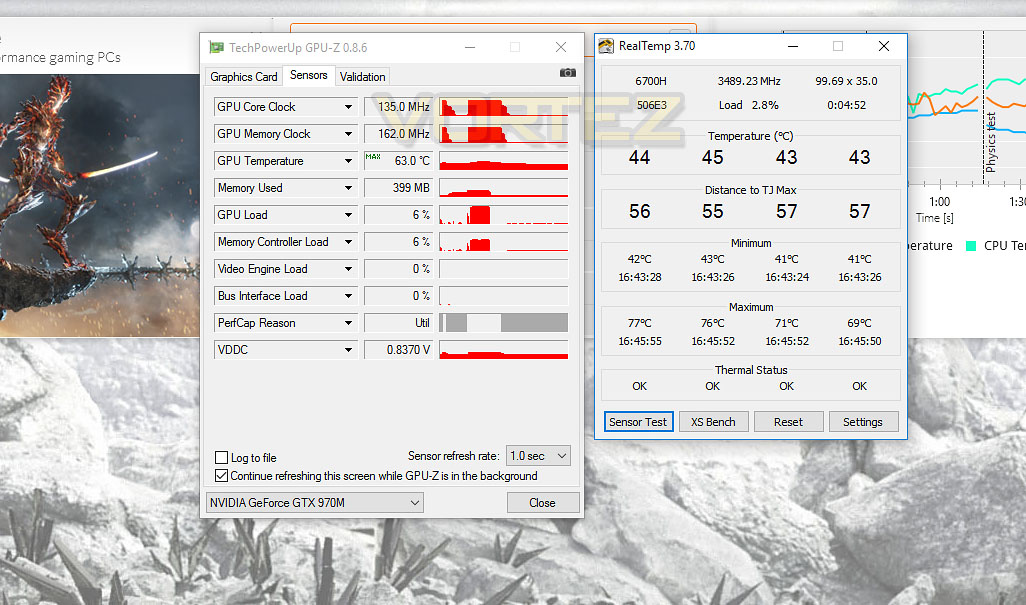
For our first benchmark test we observe the max. CPU/GPU temperatures of the system during 3DMark. To report back on the temperatures we use RealTemp and GPU-Z which provide the peak figures.
Benchmarks: Boot Time & Battery Uptime
In this test we observe how fast the boot into Windows 10 is by using a digital stopwatch. Battery uptime is another important observation, for this we charge the notebook up to 100% and then disconnect the charging unit and leave Heaven 4.0 running on a continuous loop until the notebook loses all power.
Benchmarks: Cinebench R15 & x264 HD
CINEBENCH can measure systems with up to 64 processor threads. This test scene contains approximately 2,000 objects which in turn contain more than 300,000 polygons in total, and uses sharp and blurred reflections, area lights, shadows, procedural shaders, antialiasing, and much more. The result is displayed in points (pts). The higher the number, the faster your processor is.
Benchmarks: PCMark 8
PCMark 8 combines performance benchmarking with battery life measurement and includes tests based on popular Adobe and Microsoft applications. Whether you are looking for long battery life, or maximum power, PCMark 8 will help you find the devices that offer the perfect combination of efficiency and performance for your needs. It’s the complete PC performance benchmark for home and business.
Benchmarks: 3DMark & Heaven 4.0
The new 3DMark includes everything you need to benchmark your hardware. With three all new tests you can bench everything from smartphones and tablets, to notebooks and home PCs, to the latest high-end, multi-GPU gaming desktops. And it’s not just for Windows. With 3DMark you can compare your scores with Android and iOS devices too. It’s the most powerful and flexible 3DMark we’ve ever created.
Benchmarks: DIRT Rally, The Witcher 3, SW Battlefront, BF4
The G752 uses the GTX 970M graphics delivery, in this section we test the latest gaming titles to see how effective the 3D capabilities are. We report on the average framerate using FRAPS.
Conclusion
Having looked at quite a few gaming notebooks which are assembled with Intel’s Skylake Core i7-6700HQ and the GTX 970M just lately we’ve seen how capable this hardware can be and today it’s been intriguing to see ASUS’ stance in this mobile gaming arena.
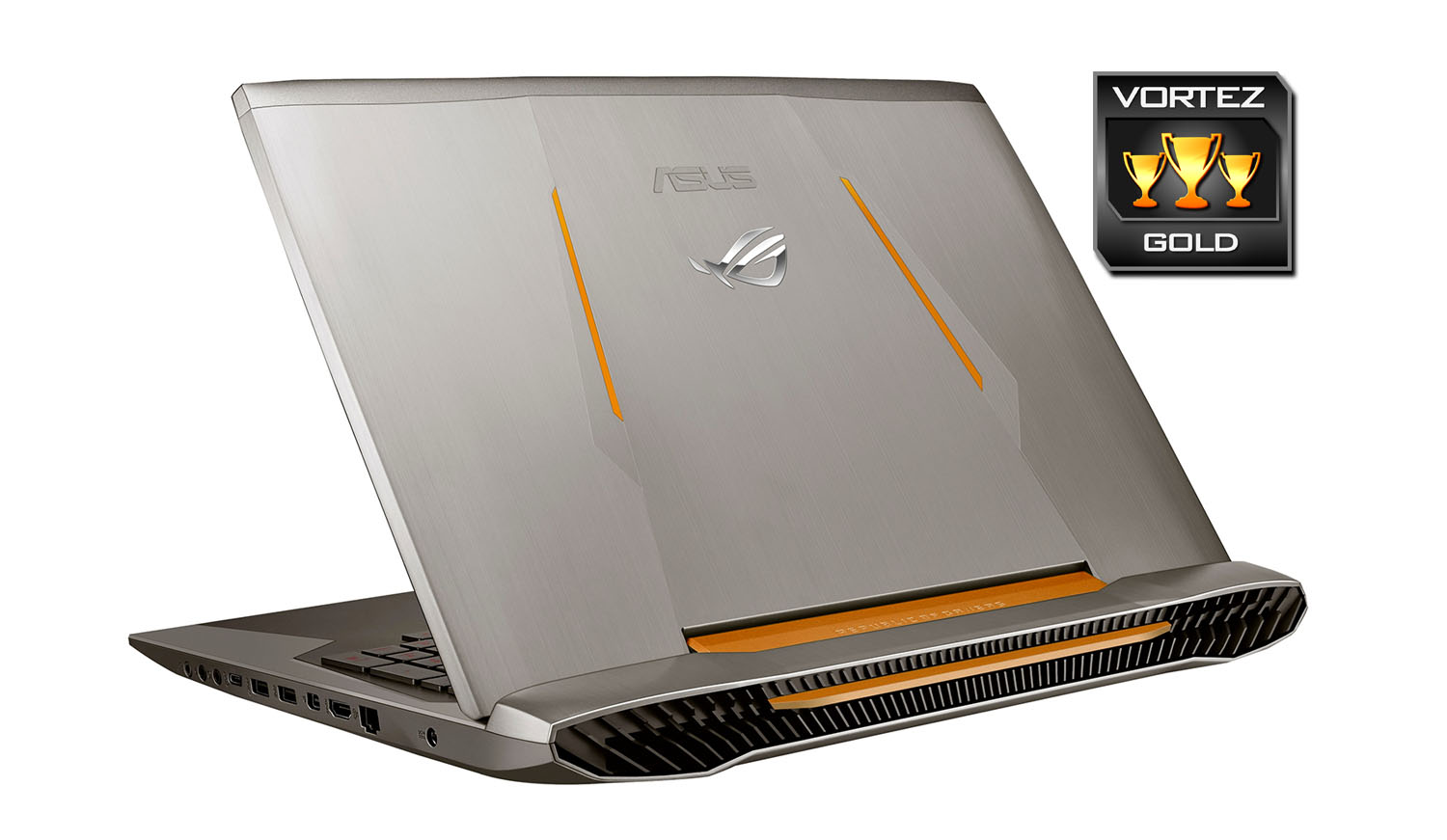
This is our first outing with an ASUS gaming notebook but looking at previous generations its clear to see a significant overhaul to the aesthetics and styling. The ROG G752 is far more distinguishable, with the ROG team revising the physical appearance significantly. From a build quality and construction point of view this notebook is brilliant – though it is rather bulky and weighs a burly 4KG.
Casting an eye down either side of ROG G752 we have a wealth of functionality which includes a good helping of USB 3.0, 3.1 Type-C and a super charger port. There are also video outputs which come in handy if you’re needing to project onto an independent screen, though we are somewhat disappointed that HDMI 2.0 hasn’t been used to optimise capabilities with UHD.
Adopting that Intel Core i7-6700HQ, the 16GB DDR4 and the GTX 970M yields great results for cross-platform usage. Whether you are using this notebook for casual browsing or operating under more demanding tasks such as photo editing or gaming – these components are reliable and will deliver the performance expected. Under closer inspection we discovered that ROG G752 makes use of the Samsung PM951 for its NVMe M.2 SSD. This drive isn’t as well-known as the more prominent SM951; the PM951 also lacks the horsepower of its counter-part and for very little extra cost we’d have liked to see ASUS equip ROG G752 with the faster option for primary storage.
Something which stands out as a particular highlight on ROG G752 is the keyboard. ASUS have not only provided an LED backlit option but have tied in anti-ghosting features and a plethora of hotkey functionality; allowing users to even assign macros to designated keys at the top of the keyboard.
Hitting shelves with a price-tag of £1400 GBP / $1600 USD, ROG G752 is marginally more expensive compared to other gaming notebooks with similar specifications we have tested just recently but there are some notable differences with what ASUS brings – G-SYNC technology built into the display, lifetime membership to X-Split and options to expand storage/memory. Though other solutions out there do have slightly faster primary storage and bigger warranty – ROG G752 offering just 1-year warranty.
Vying for your attention, the ROG G752 brings a striking design and packs in a strong-line of features including ground-breaking G-SYNC technology to really enhance the gaming experience.
VIDEO REVIEW – VORTEZ TV
Pros
+ Stylish design
+ G-SYNC ready
+ Skylake-powered
+ Great in-game performance
+ Comes with 16GB DDR4
+ USB 3.1 Type C
+ Card slot reader
+ LED backlit keyboard w/macro functionality
Cons
– Heavy
– Primary storage could be faster
– HDMI 1.4 used instead of 2.0
+ Stylish design
+ G-SYNC ready
+ Skylake-powered
+ Great in-game performance
+ Comes with 16GB DDR4
+ USB 3.1 Type C
+ Card slot reader
+ LED backlit keyboard w/macro functionality
Cons
– Heavy
– Primary storage could be faster
– HDMI 1.4 used instead of 2.0
Click here for an explanation of our awards at Vortez.net.