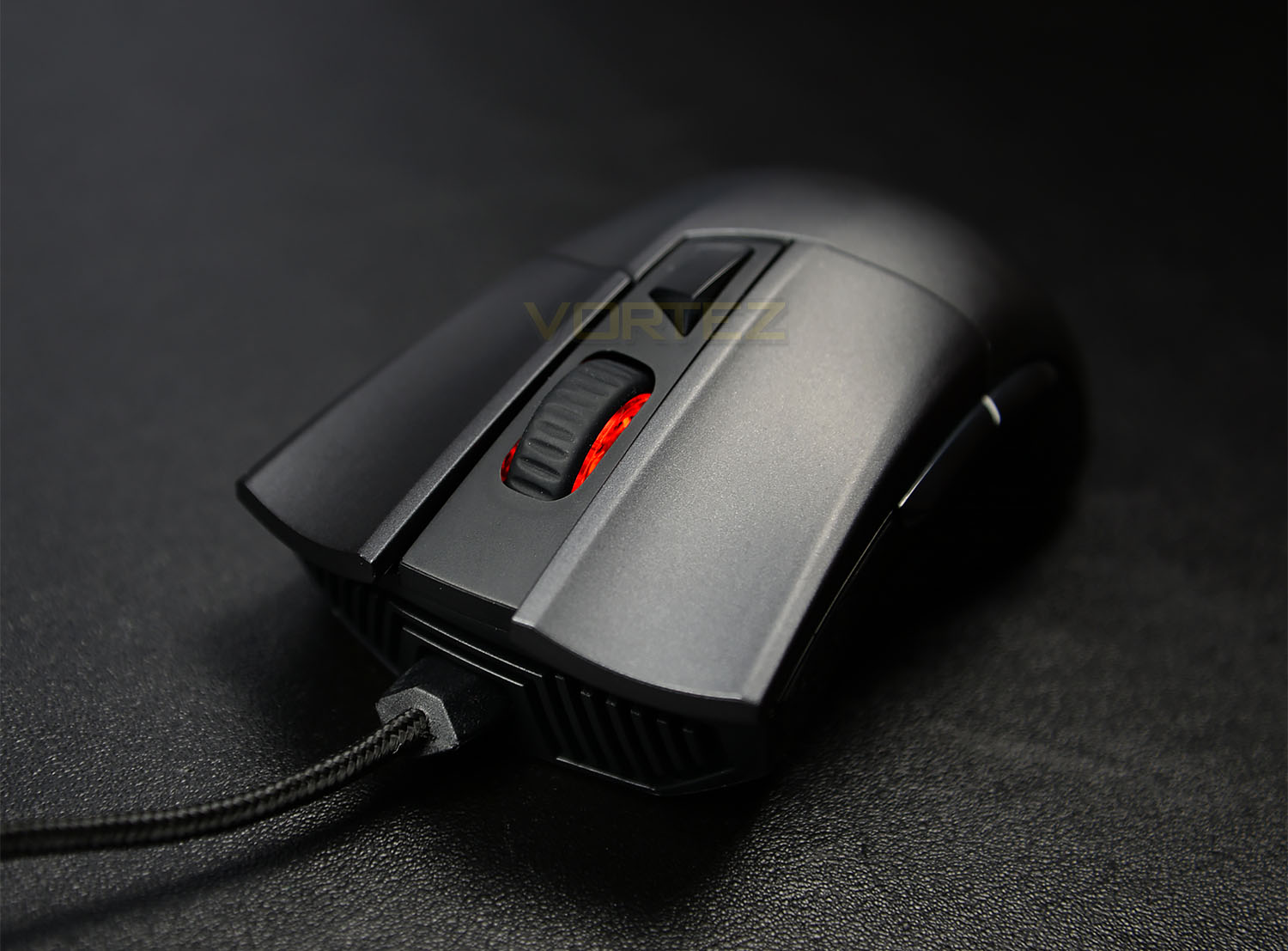
An ergonomic and customizable gaming mouse from the Republic of Gamers that promises to deliver on comfort and also performance.

Product on Review: ASUS ROG Gladius
Manufacturer: ASUS
Street Price: £54.99 GBP / $69.99 USD
Using customization as a key feature for their ROG Gladius, ASUS appear to have taken note from mechanical gaming keyboards and attempted to bring this feature of modularity to their mice. This isn’t something we haven’t seen before, the difference with ASUS however is that they’ve taken a more direct approach to what gamers need and want from a product, delivering access to levels of customization that may actually prove to be beneficial when actually being used for its intended purpose. Gaming.
Today we will be looking at the ASUS ROG Gladius, an ergonomic customizable gaming mouse ideal for FPS games.
Overview by ASUS
ROG Gladius is an optical wired gaming mouse engineered with perfect right-hand ergonomics for first-person shooter (FPS) mastery! Smooth-touch materials stay cool in your hand and high-quality Mayan-patterned rubber secures your grip. With exclusive switch socket design for customizable click resistance, two-level DPI switch, ‘slide-to-press’ side switches and a 6400dpi optical sensor that tracks up to 200 inches per second and 50g acceleration, the battlefield is at your mercy. Detach the cable for carrying around — lock and load!
Technical Specifications
Connectivity Technology
Wired
Tracking
Optical
OS Support
Windows® 8.1
Windows® 8
Windows® 7
Dimensions
L 126 x W 67 x H 45 mm
Weight
116 g
Color
Steel Grey
Resolution
6400dpi
Interface available
Mouse : USB
Contents
1 x 2-meter braided USB cable
1 x 1-meter regular rubber USB cable
2 x Japanese-made Omron switches
1 x ROG pouch
2 x ROG logo stickers
4 x mouse feet
Wired
Tracking
Optical
OS Support
Windows® 8.1
Windows® 8
Windows® 7
Dimensions
L 126 x W 67 x H 45 mm
Weight
116 g
Color
Steel Grey
Resolution
6400dpi
Interface available
Mouse : USB
Contents
1 x 2-meter braided USB cable
1 x 1-meter regular rubber USB cable
2 x Japanese-made Omron switches
1 x ROG pouch
2 x ROG logo stickers
4 x mouse feet
Packaging & First Look
Packaged neatly within the box we find a clear plastic opening revealing the mouse, giving users a hands-on feel to the size and form that the product contains. With the front-side of the box displaying the mouse itself with few noticeable features as the its key selling points.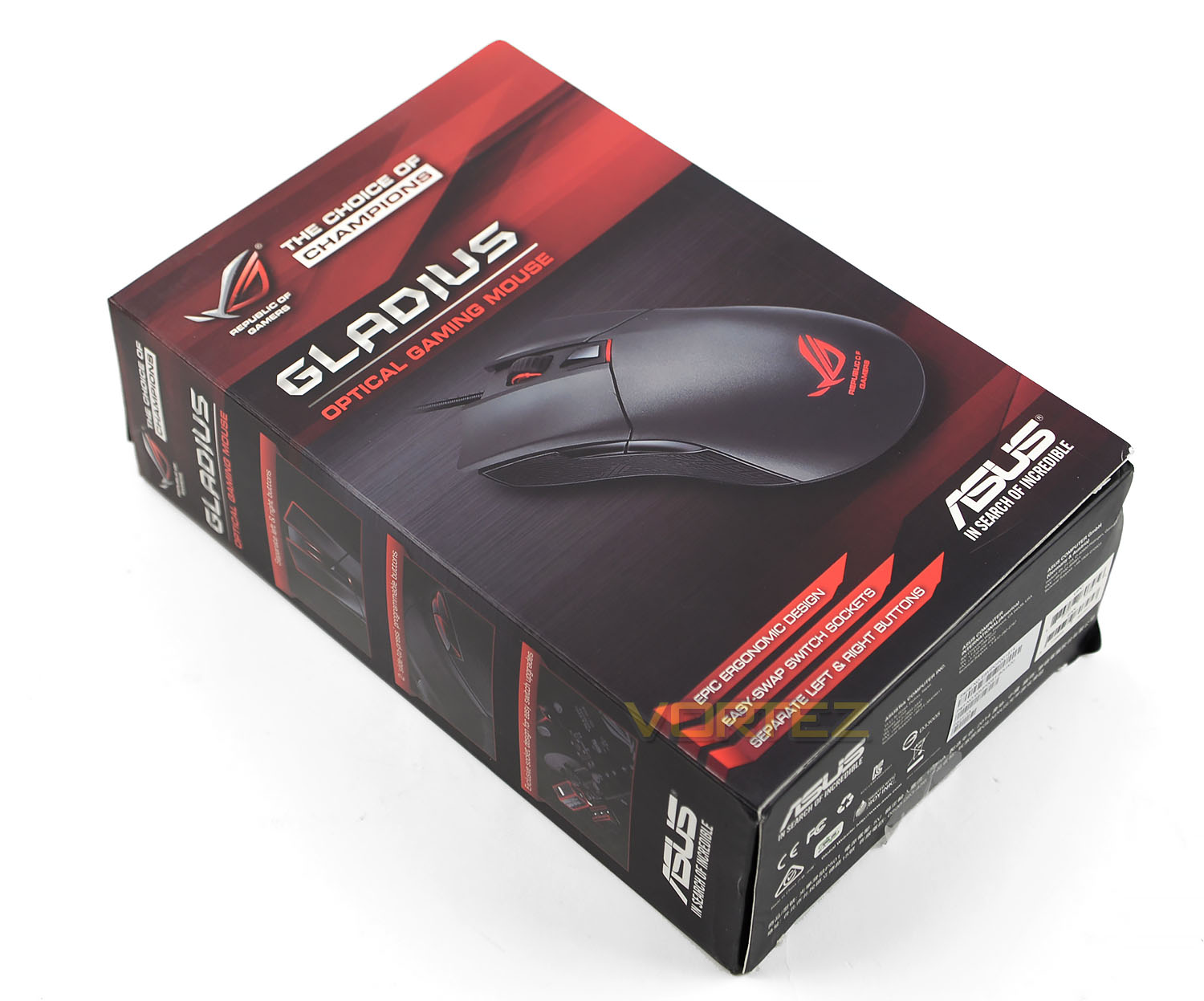
Turning to the sides of the box we see pictures relating to its build and customization features, aimed to make the product appear more distinct compared to rival competitors. To the rear of the box, ASUS displays an exploded diagram of the mouse, showing off its construction and additional features, along with specifications and included items.
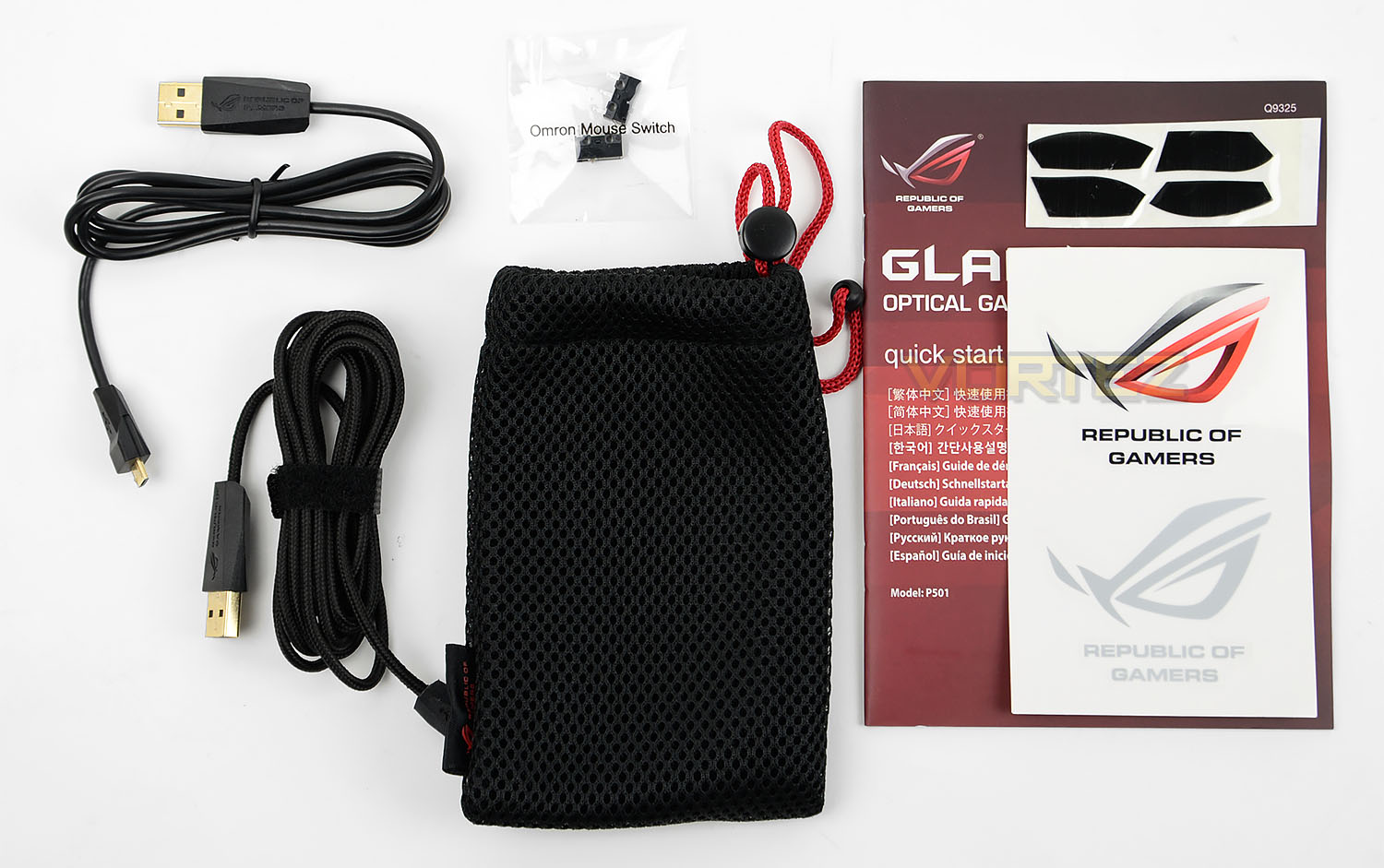
These items consist of an additional micro USB cable, a carry pouch, a sticker sheet, four mouse feet, and 2 Japanese Omron switches. ASUS supply these additional parts as they insist on the user swapping these out as they see fit.
Closer Look
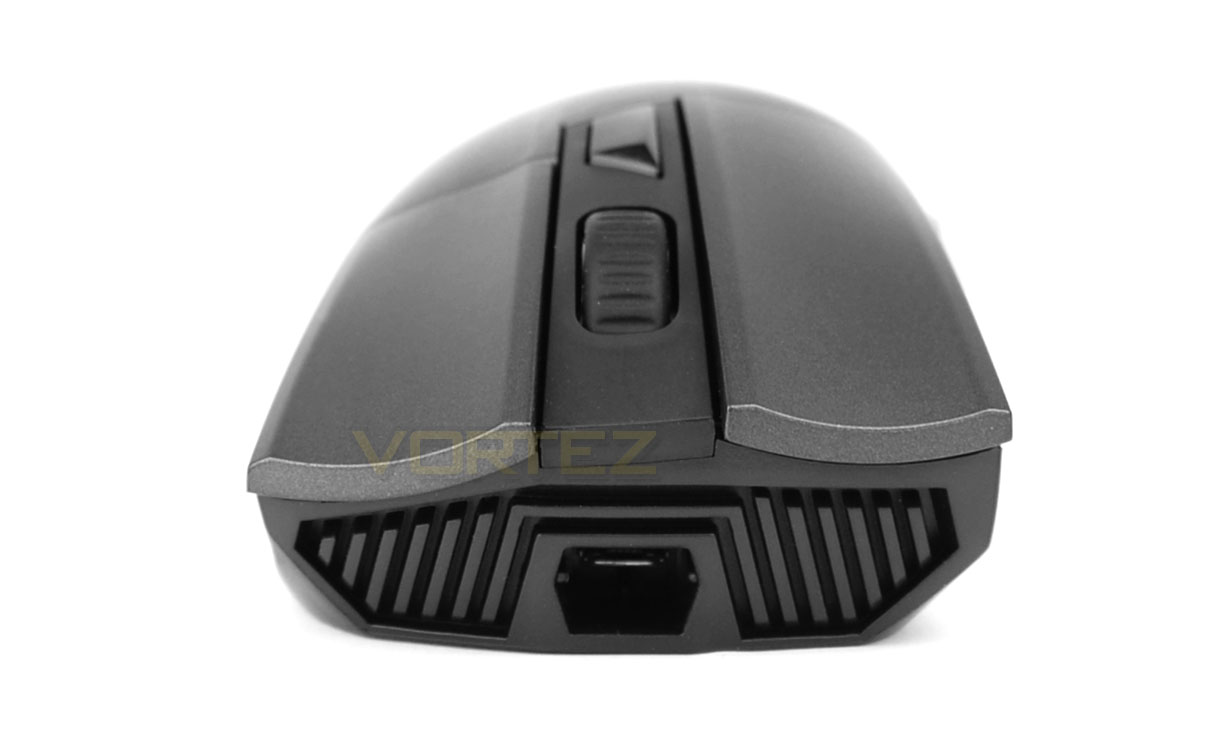
ASUS appear to be promoting this mouse as a product of intuitive customization that would appear to let users do as they please. And where it does meet this criteria in some aspects, some users may see things as nothing more than a gimmick, which is entirely understandable. The ROG Gladius allows users to attach and detach the micro-USB cable for the means of portability such as travelling to LAN parties. But given the fact that it’s just a cable, we can’t see many people giving much thought to this anyway. What we would like to see from this is different coloured cables or an alternative that’s available in a different material, or better yet a cable that acts a splitter allowing us to daisy chain a keyboard or headset. ASUS do happen to bring up the first two of these features up in a promotional video, but as to where they’re available to purchase remains unknown.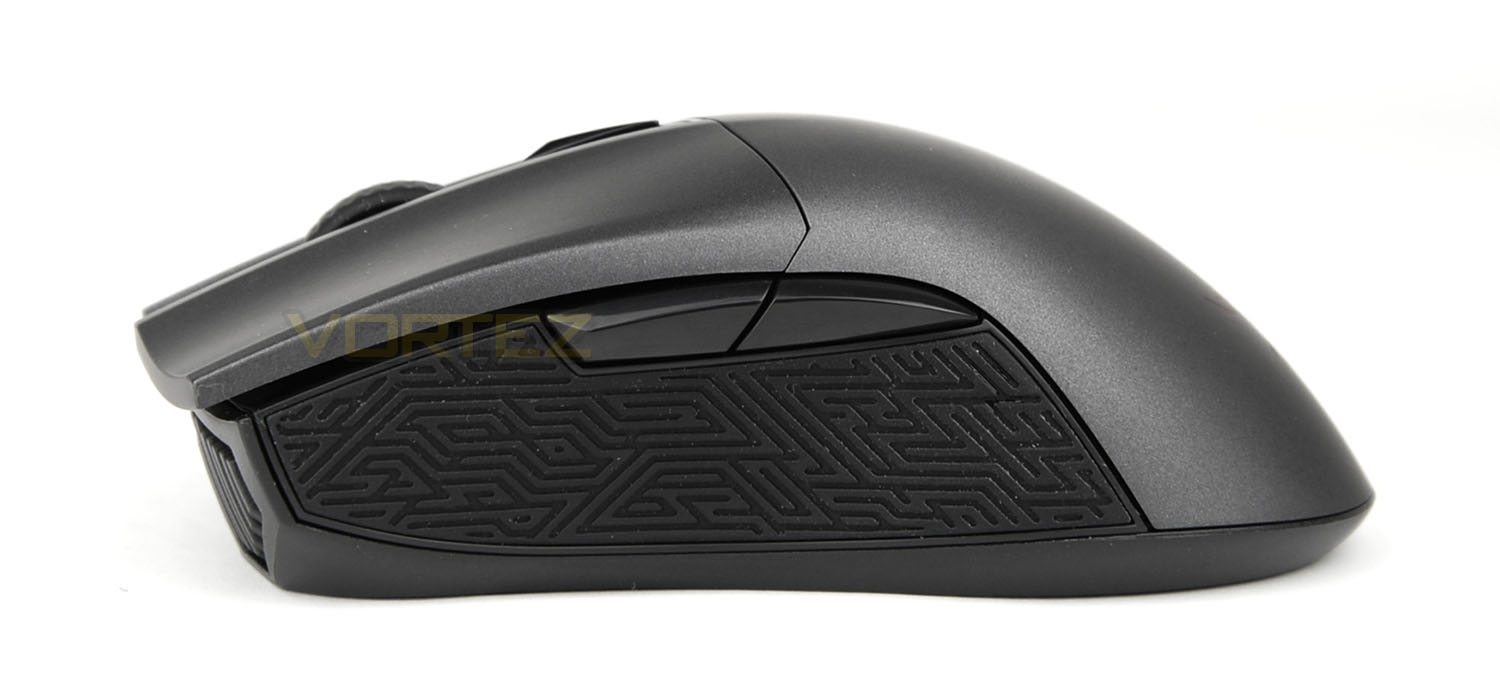
Whether the cabling is attached or detached from the mouse isn’t going to change how it’s packed when users need to travel. How it’s fastened and secured when placed in a backpack is what’s going to make a bigger difference here, to both the durability and portability of the product. Because of this, we feel it’s safe to say that it’s not something that gamers should be considering as a key feature to the mouse should they have any interest in it.
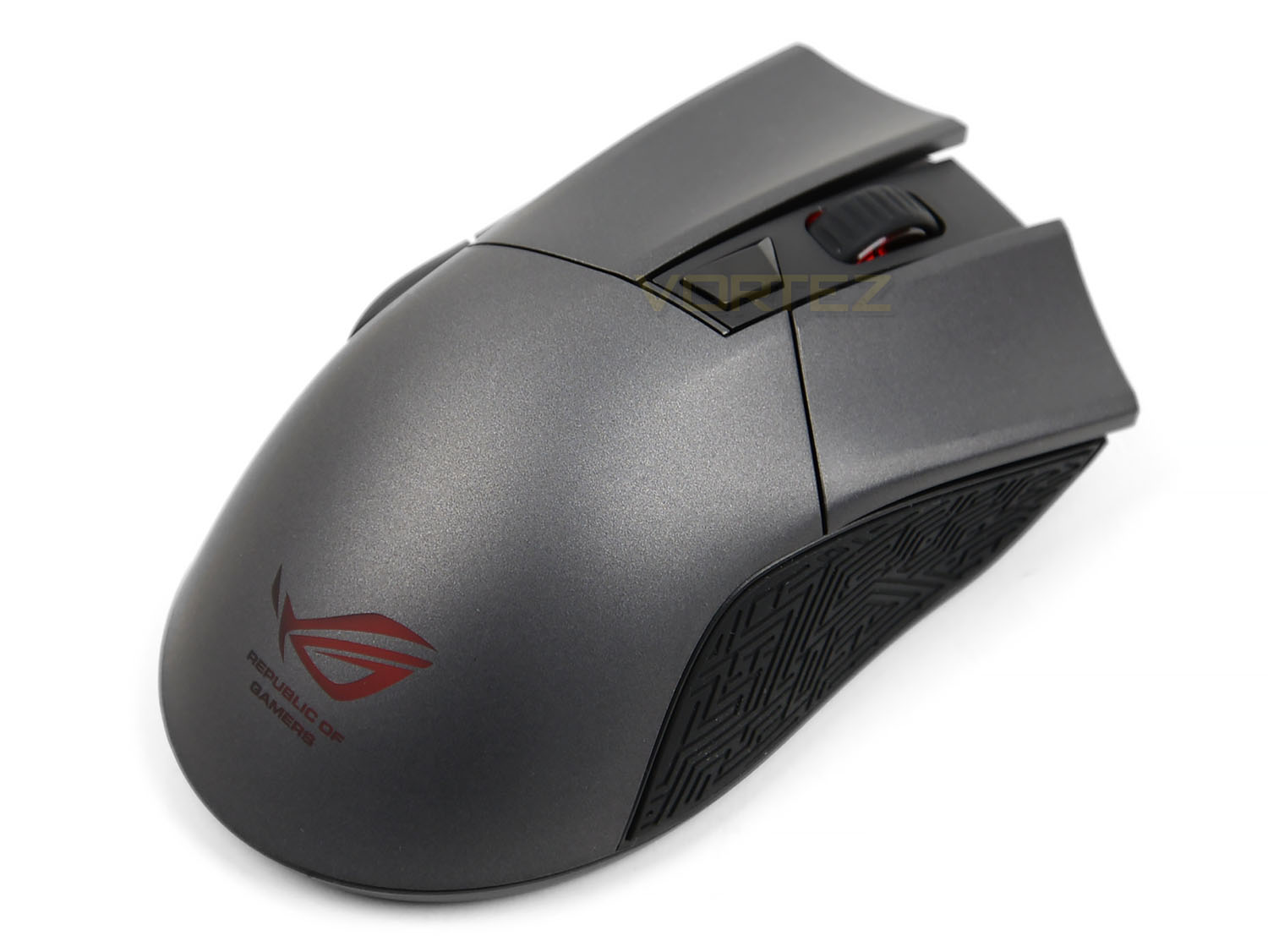
It would appear that the more time we spent using this mouse, the more potential we found for future iterations. And while that’s not to say the mouse is bad, it’s just ever so easy to see what it could and should have been right from the very beginning. The ROG Gladius gives users the option for interchangeable switches, and by default it’s shipped with high-quality Omron switches plus an additional pair in a Japanese-made variant. By standard these are geared to last for at least 20 million presses, with the Japanese switches offering more. These are swappable using a four-step guide which ASUS displays on the packaging, manual, and website.
Omron switches offer different levels of click resistance and recoil as well as varying in overall weight towards the mouse. While we found no overall improvement or change in play-style directly becoming apparent in play sessions, we do feel that other gamers will, As the alternative Omron switches will be something they consider and actually take seriously towards their overall skill and preference when using the mouse. Each to their own.
A Closer Look (Continued)
Customizable switches. Again we see the missed opportunity for something that goes hand-in-hand with the aspect customizability. The mouse has been designed with separate left and right buttons that are entirely detached from the body of the mouse. They’re solid, they’re responsive, and they’re comfortable. Why are they not interchangeable? The switches that sit directly beneath them are, so to is the micro-USB cable which for all intensive purposes will remain a mystery. Had ASUS created the entire mouse to be interchangeable with additional body kits available to purchase through an online supplier, then the aspects of customizability that the product thrives on would seem much more appealing.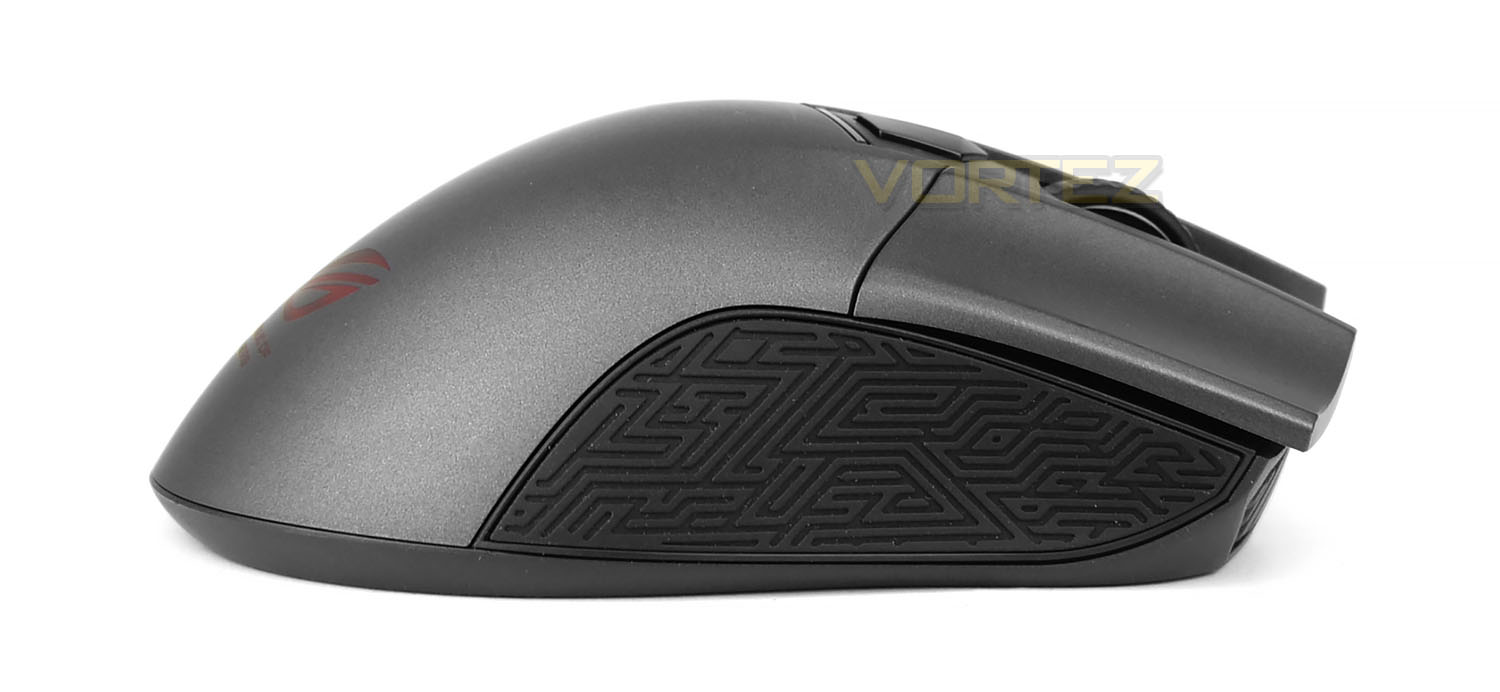
But since it’s limited to the Omron switches and a detachable cable that will never actually be detached, everything about the mouse remains questionable that walks a fine line of wasted potential. Putting all these topics to one side, in terms of actual looks, performance, and use-case, there’s actually nothing wrong with the mouse. The aesthetics of the mouse to appear to be quite simple, and in this regard it bares quite a resemblance to the Razer DeathAdder Chroma. Where this mouse differs however, aside from its features of customizability, resides in its levels of comfort and textured side-panels. Labeled as Mayan-patterned, in which the rubber grips do so closely resemble, the ROG Gladius is without out a doubt that most comfortable mouse we’ve ever had our hands on.
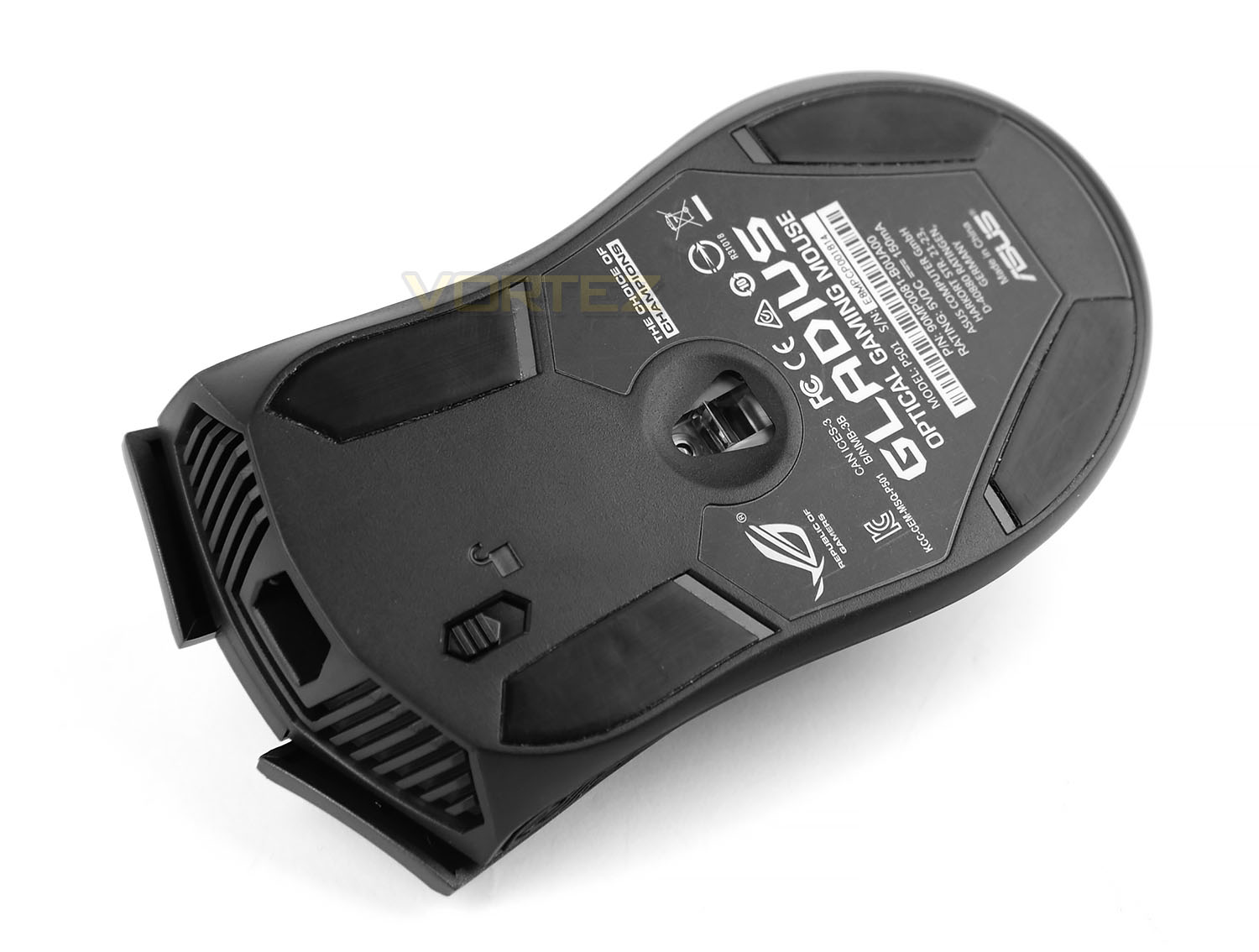
Many may question the topic of comfortability and may also presume that it can’t really differ so much from one mouse to the next. We say otherwise. And the Mayan patterned grips along with its steel-grey coating are the proof. Other noteworthy features about the mouse include three points of LED illumination, located in the logo, DPI switch, and scroll wheel, along with two-additional buttons to the left-side body of the mouse. Flipping the mouse over, users will find four-interchangeable rubber feet and the micro-USB cable lock. Safety first, boys and girls.
Software & Performance
Known as the Armoury, the ROG Gladius comes complete with software tailored to make use of its features. While these features are actually quite limiting this is simply down to the physical structure and attributes of the mouse itself. That being just two additional buttons, LED illumination, and the DPI adjustment. Set-up within four simple tabs consisting of Buttons, Performance, Lighting, and Calibration, each menu is fairly straightforward and is of no difficulty to browse and adjust. The Buttons menu relates to the user’s preference of function; left click, right click, scroll click, sensitivity settings, Windows functionality and the like.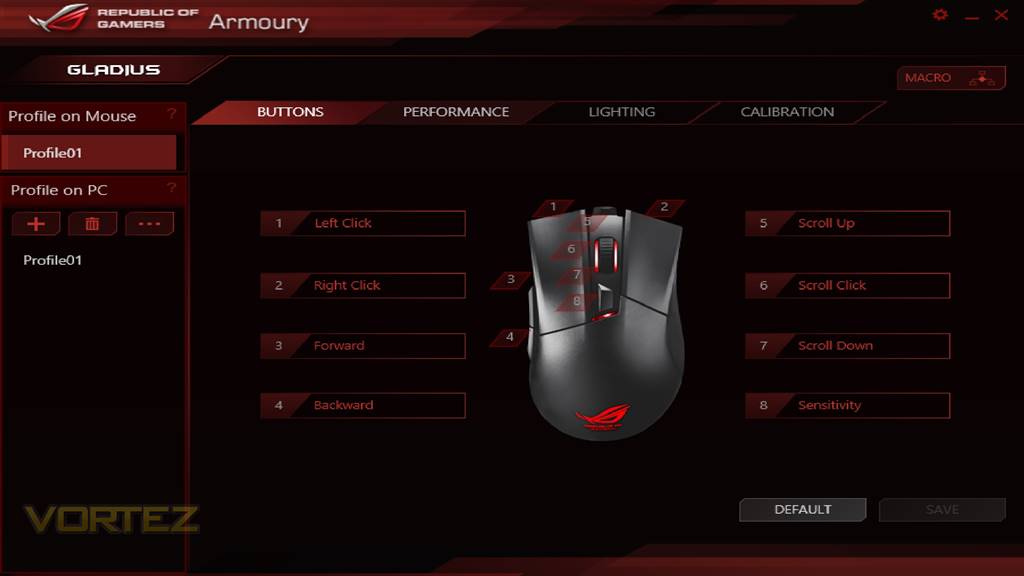
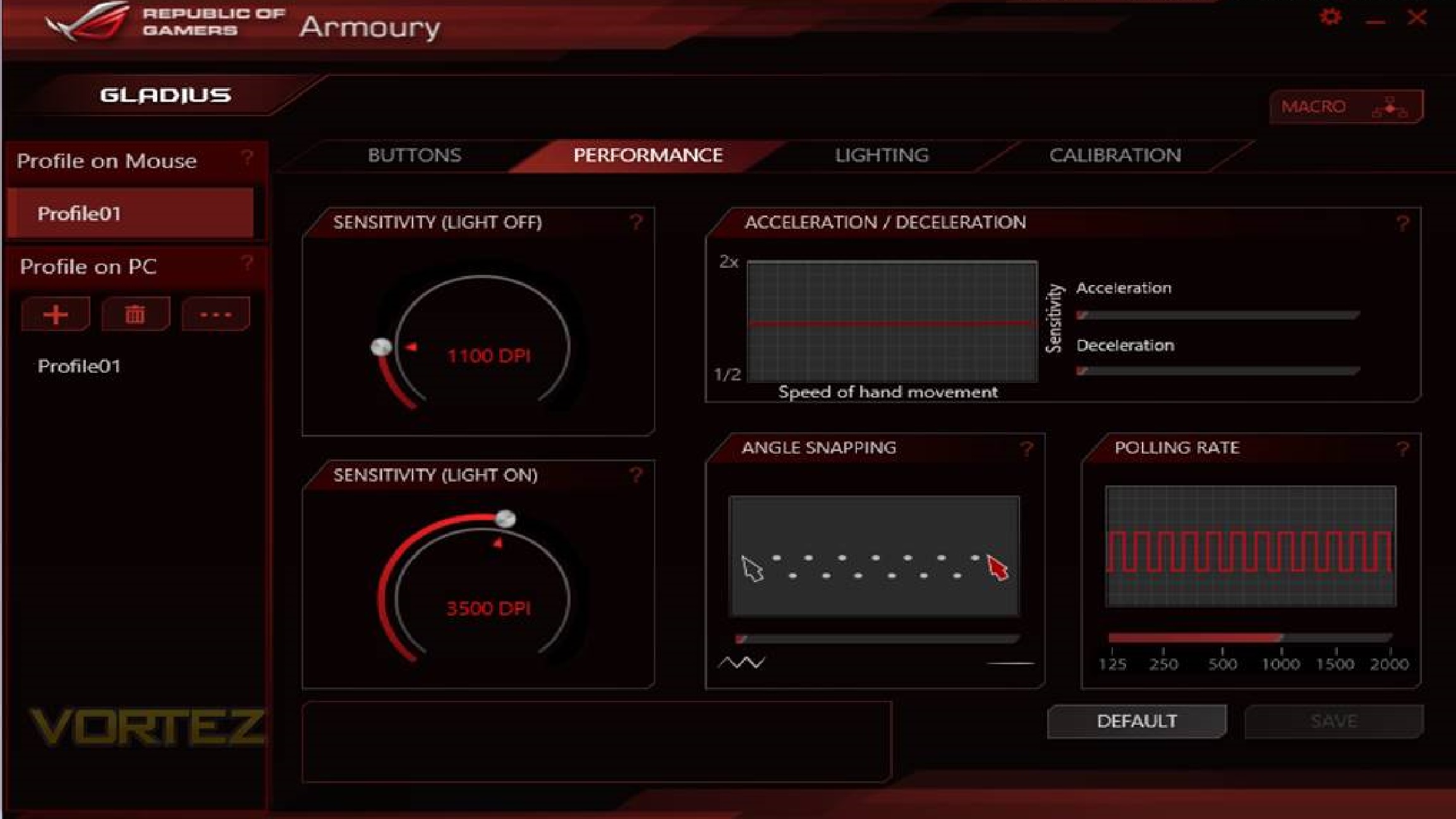
Performance provides options for mouse acceleration and deceleration, angle snapping, and polling rate which has a rating of 2000Hz. As the mouse has been designed with two-levels of sensitivity, made prevalent by the LED DPI switch being set from on to off. Users can adjust these levels on a scale from 50 to 6350 DPI.
Lighting gives the user two options of illumination for the mouse consisting of Breathing and Steady. Should users want to turn the illumination of entirely, they can do so, or turn each one off separately. Although this may seem fairly limiting in what ASUS provide within its software, this is down to the design of the mouse. There’s actually nothing more they could have provided within the software given.
It may appear quite starved when compared to other mice on the market but the simplistic nature of the software makes it pleasing to use, as it does away with the tacked-on features that its competitors so often provide. Last on the menu is surface Calibration. Using the optical sensor the ROG Gladius allows gamers to scan and analyze the surface of their mouse mat, meaning better accuracy and responsiveness which works in-tandem when adjusting DPI settings. Using the on-board flash memory, gamers can also save custom profiles directly to the mouse, including custom macros.
Conclusion
What ASUS has done here with the ROG Gladius is something that will hopefully become a possibility within future iterations of upcoming products. Every aspect of customizability that the mouse offers is indeed interesting but it also feels limiting in some respects, and it’s clear where this feature could have been adapted to other sections of the mouse. Body, side buttons, material choices and so on. A fully modular mouse. The ROG Gladius is a truly unique product and it certainly delivers on both form and function.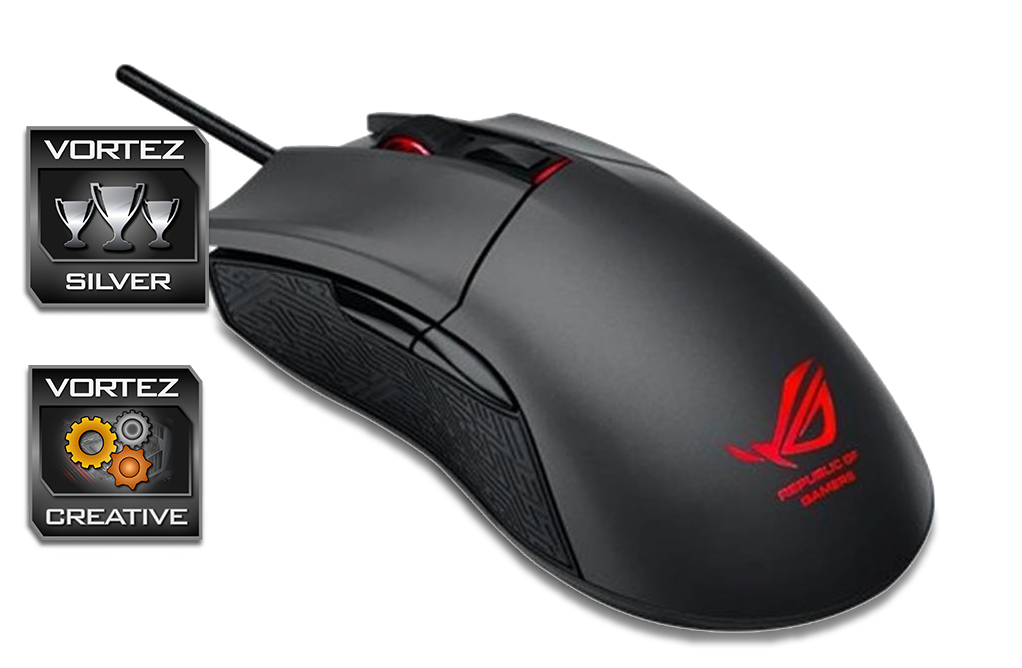
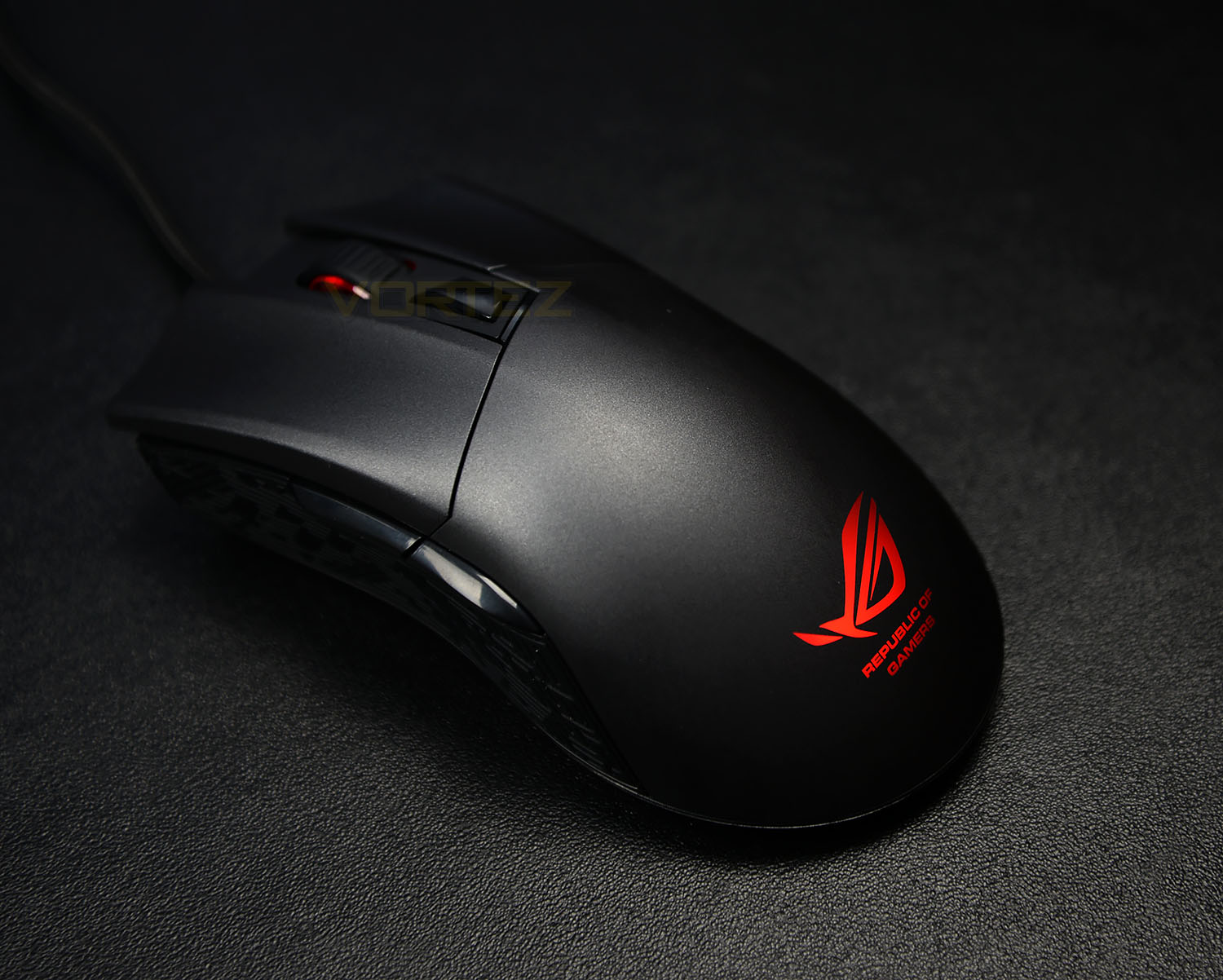
Fairly simple in its aesthetics, a steel-grey finish, Mayan-patterned grips, and a glowing ROG logo. The mouse does well in making itself standout against similar products from its competitors. While the detachable USB cable seems nothing more than a useless gimmick, it’s still an excellent performer regardless. Where ASUS has taken a “No jokes, straight to business” approach to it’s physical design, in-conjunction with its “Straight to the point” Armoury software, is where we feel it greatly succeeds in appealing to its audience.
Many manufacturers may listen to the feedback of their consumers and respond with a product that they feel will meet their needs. ASUS has extended upon this. Rather than just listening to what their consumers have to say and launching a product that should hopefully heed the call, they’ve also provided consumer choice in the matter.
Delivering on features that make sense that will without a doubt be taken advantage of by gamers. The ASUS ROG Gladius is available now for £54.99/$69.99.
Great in practice and comfortable to use, the ROG Gladius does away with tacked-on software features and delivers on performance.
Pros
– Bundles Switches
– Steel Grey Coating Gives Excellent Comfort
– Potential For Future Iterations
Cons
– Detachable USB Cable That Provides No Benefits
– Bundles Switches
– Steel Grey Coating Gives Excellent Comfort
– Potential For Future Iterations
Cons
– Detachable USB Cable That Provides No Benefits

Click here for an explanation of our awards at Vortez.net.