eSports and competitive gaming is serious business these days so having the right gear is important. The Republic of Gamers believe this new Strix Scope TKL Deluxe offers everything a hardcore FPS gamer will need to succeed, let’s see if it’s any good.

Product on Review: ASUS ROG Strix Scope TKL Deluxe
Manufacturer: ASUS Republic of Gamers
Street Price: GBP £149.99 / USD $149.99
ASUS ROG, Republic of Gamers, have been producing high-performance peripherals since 2006, specialising in equipment for gaming professionals and hardcore gamers. ROG also invest heavily into the eSports scene, helping to further and develop the industry so more people can be involved.
Around a year ago, ROG launched the ROG Strix Scope, a keyboard that received a warm reception but was pretty basic in comparison to the competition. Today we’re looking at the Strix Scope Deluxe, in particular the tenkeyless (TKL) design which we’re sure will prove popular amongst FPS gamers.
New to the Deluxe model, is a plush wrist rest. The rest, from what we can tell, remains the same. Having said that, the present formula was pretty well sorted out so why change the recipe if people like it?
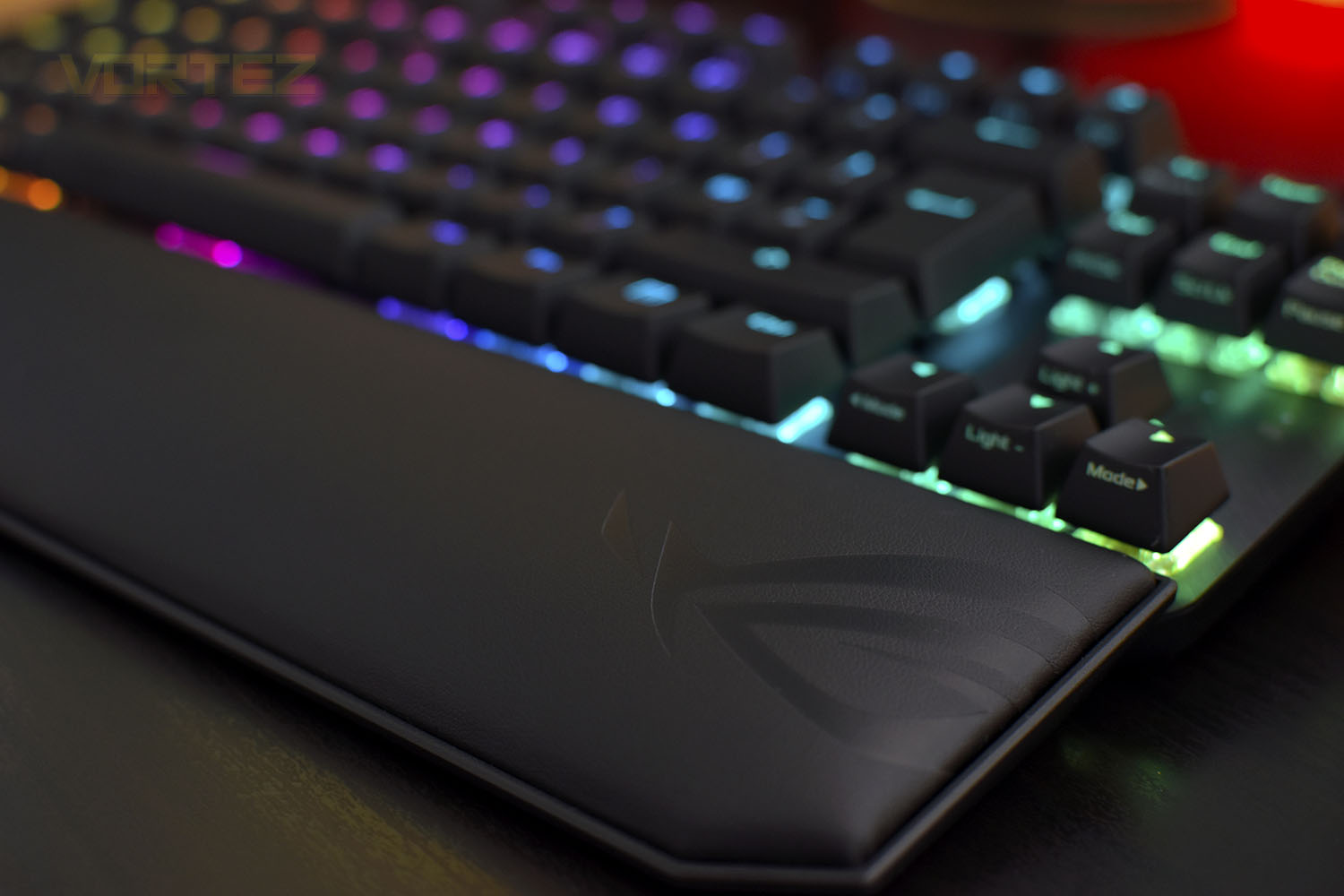
The main advantage of a TKL design is the improved space for sweeping mouse movements, typically associated with hardcore FPS gamers who like to use lower mouse sensitivity settings. You also get the added bonus of a reduced cost, compared to the full-size version. Adding to the gaming features are 100% anti-ghosting with full N-key rollover, onboard memory profiles, a Windows lock key, a larger-than-normal left-CTRL and a powerful Armoury II software suite.
ASUS ROG offer the keyboard with a variety of Cherry MX mechanical keyswitches, produced in Germany and renowned for their quality and reliability. Available options are Cherry MX Red, Brown, Blue, Speed Silver and Silent Red; truly an option for everyone.
At £20/$20 more than the non-Deluxe version, is the Strix Scope TKL Deluxe, packed with features, worth the £149.99/$149.99 price tag? Let’s take a look at our sample, equipped with MX Reds, and find out.
ROG on the Strix Scope TKL Deluxe:
ROG Strix Scope TKL Deluxe is a compact, tenkeyless mechanical keyboard with Xccurate Design – an extra-wide Ctrl key that’s easier to feel and find in the FPS frenzy. With a choice of Cherry MX switches for optimal feel and reliability, an all-aluminum top plate for strength and style, and more customizable Aura RGB lighting than we’ve ever engineered into a ROG keyboard, Strix Scope TKL Deluxe empowers you to play like a pro and rise above the battlefield crowd.
Technical Specifications
Connectivity Technology
Wired, USB 2.0
OS Support
Windows® 10
Windows® 10 64-bit
Dimensions
356 x 136 x 40 mm (keyboard)
356 x 75 x 21 mm (wrist rest)
Weight
860 g with cable
Keyboard: 811 g
Wrist rest: 170 g
Colour
Black, Grey
Interface available
Keyboard : USB
Contents
1 x ROG Strix Scope TKL Deluxe keyboard
1 x ROG Strix Scope TKL Deluxe wrist rest
1 x Detachable braided USB Type-A to Type-C cable
2 x ROG stickers
1 x Quick Start Guide
1 x Warranty booklet
Wired, USB 2.0
OS Support
Windows® 10
Windows® 10 64-bit
Dimensions
356 x 136 x 40 mm (keyboard)
356 x 75 x 21 mm (wrist rest)
Weight
860 g with cable
Keyboard: 811 g
Wrist rest: 170 g
Colour
Black, Grey
Interface available
Keyboard : USB
Contents
1 x ROG Strix Scope TKL Deluxe keyboard
1 x ROG Strix Scope TKL Deluxe wrist rest
1 x Detachable braided USB Type-A to Type-C cable
2 x ROG stickers
1 x Quick Start Guide
1 x Warranty booklet
Packaging & Bundle
ASUS ROG are great at producing eye-catching product packaging with bright colours and the key information clearly laid out on the front.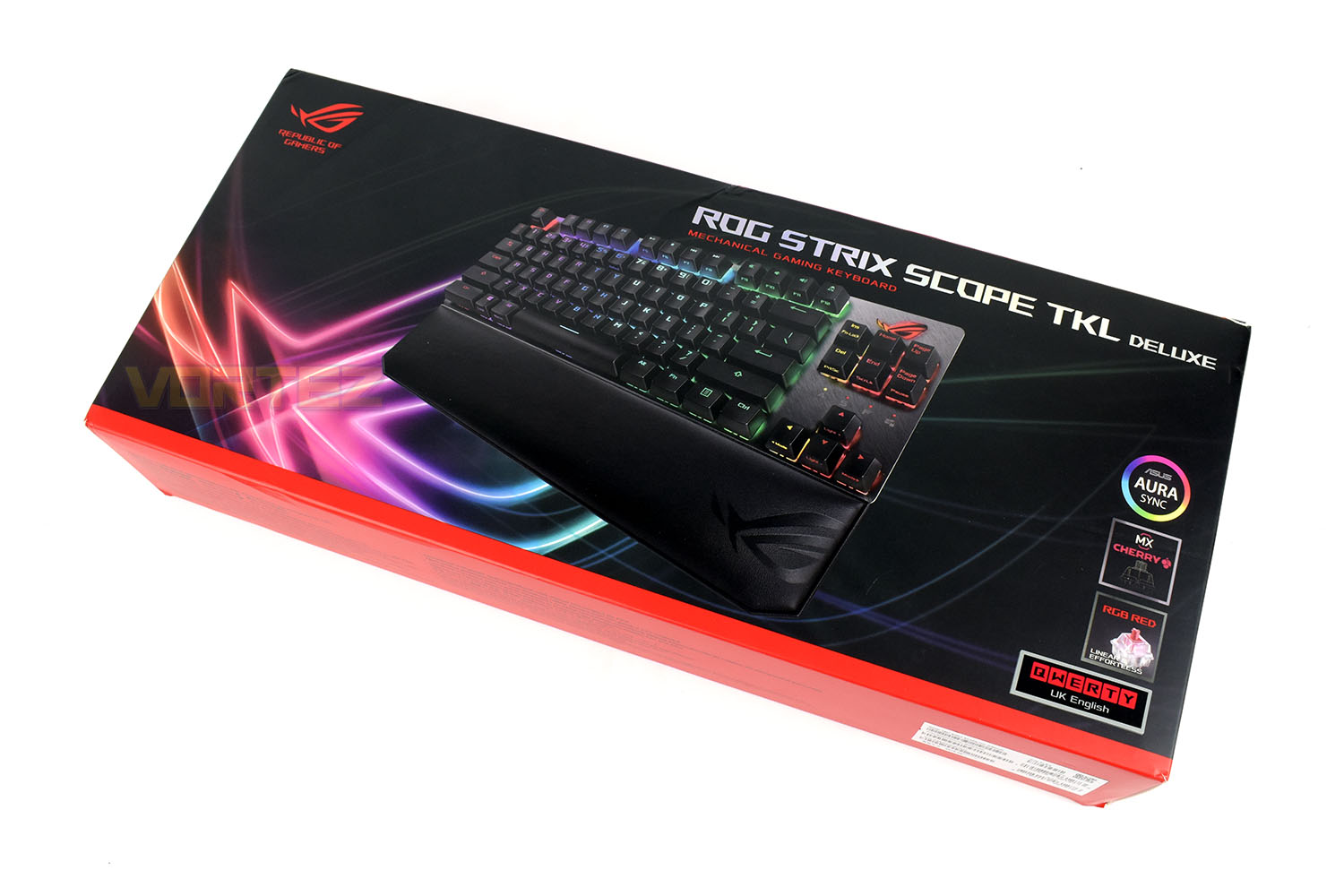
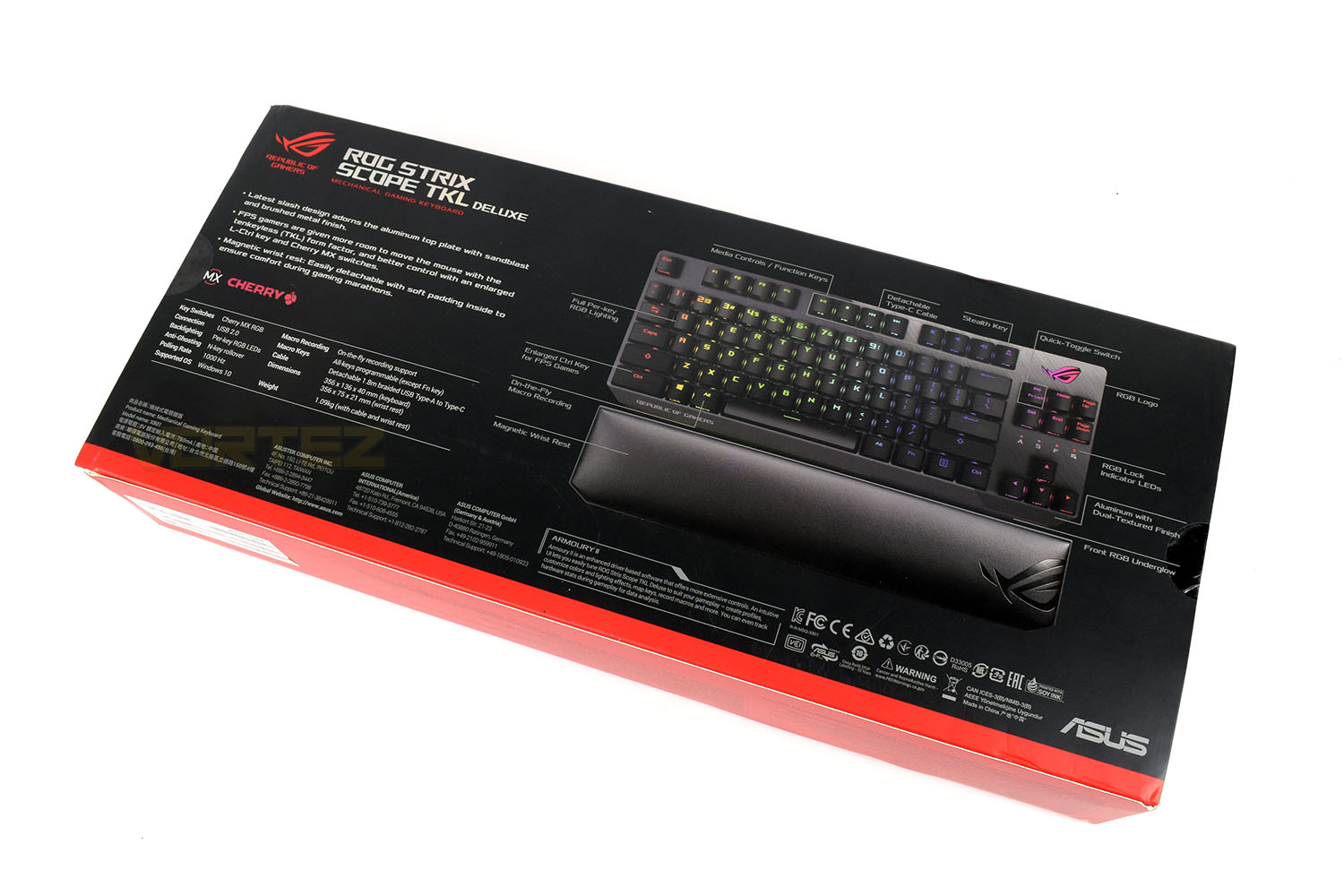
The rear of the box gives a good breakdown of the features and specifications.
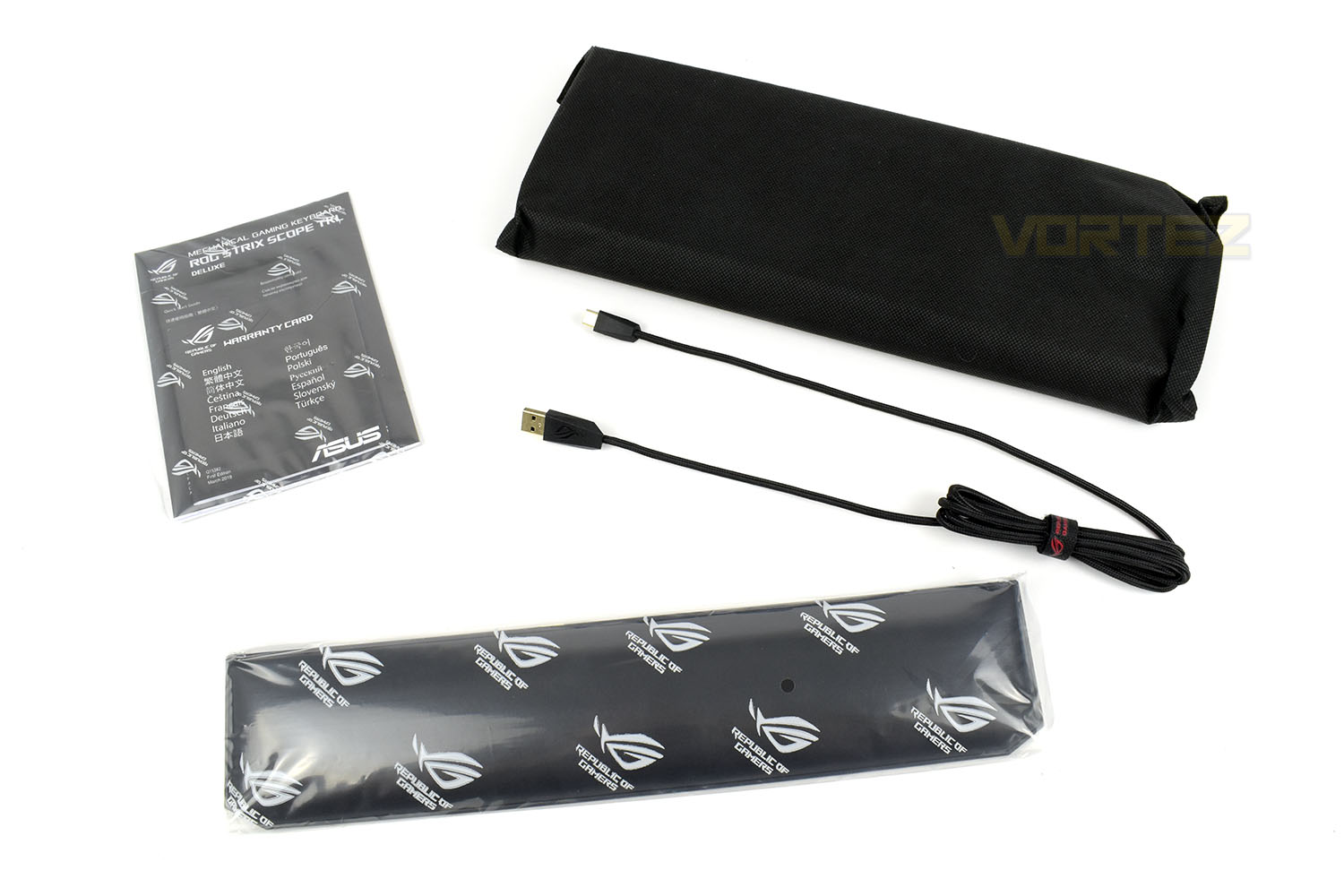
Keeping things simple, you get a thick fabric pouch for the keyboard, an instruction/warranty card, USB Type-A to USB Type-C braided cable and the leatherette plushy wristrest.
Closer Look
Without the wrist rest, the keyboard measures in at a tiny 355mm x 135mm, ideal for those with smaller workspaces or who prefer a clean setup. Not to mention the additional space for moving your mouse around. Behind the keys, hiding away slightly, is a two-tone backing plate. One side is a smooth glossy finish while the other is a brushed aluminium. Nice touch!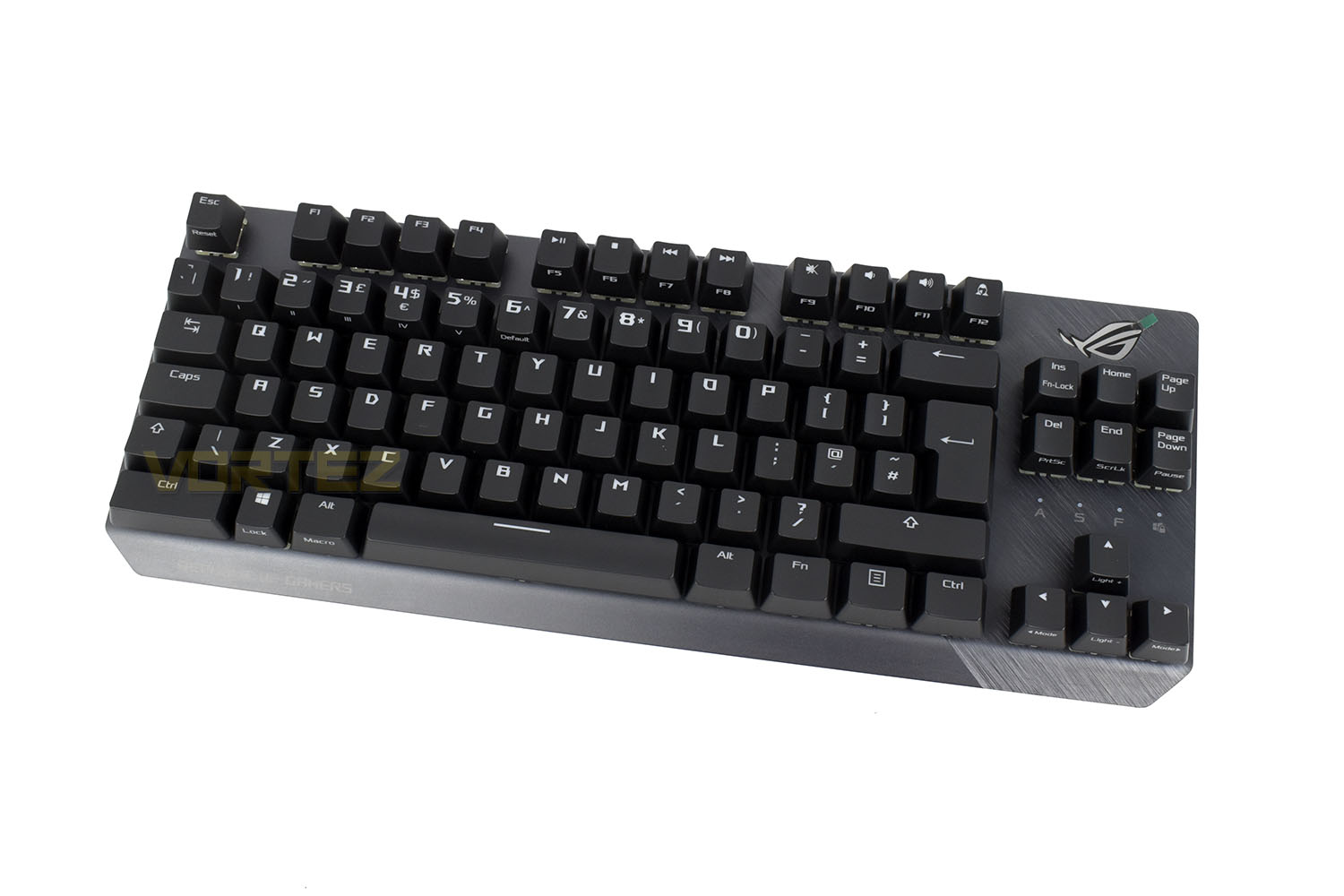
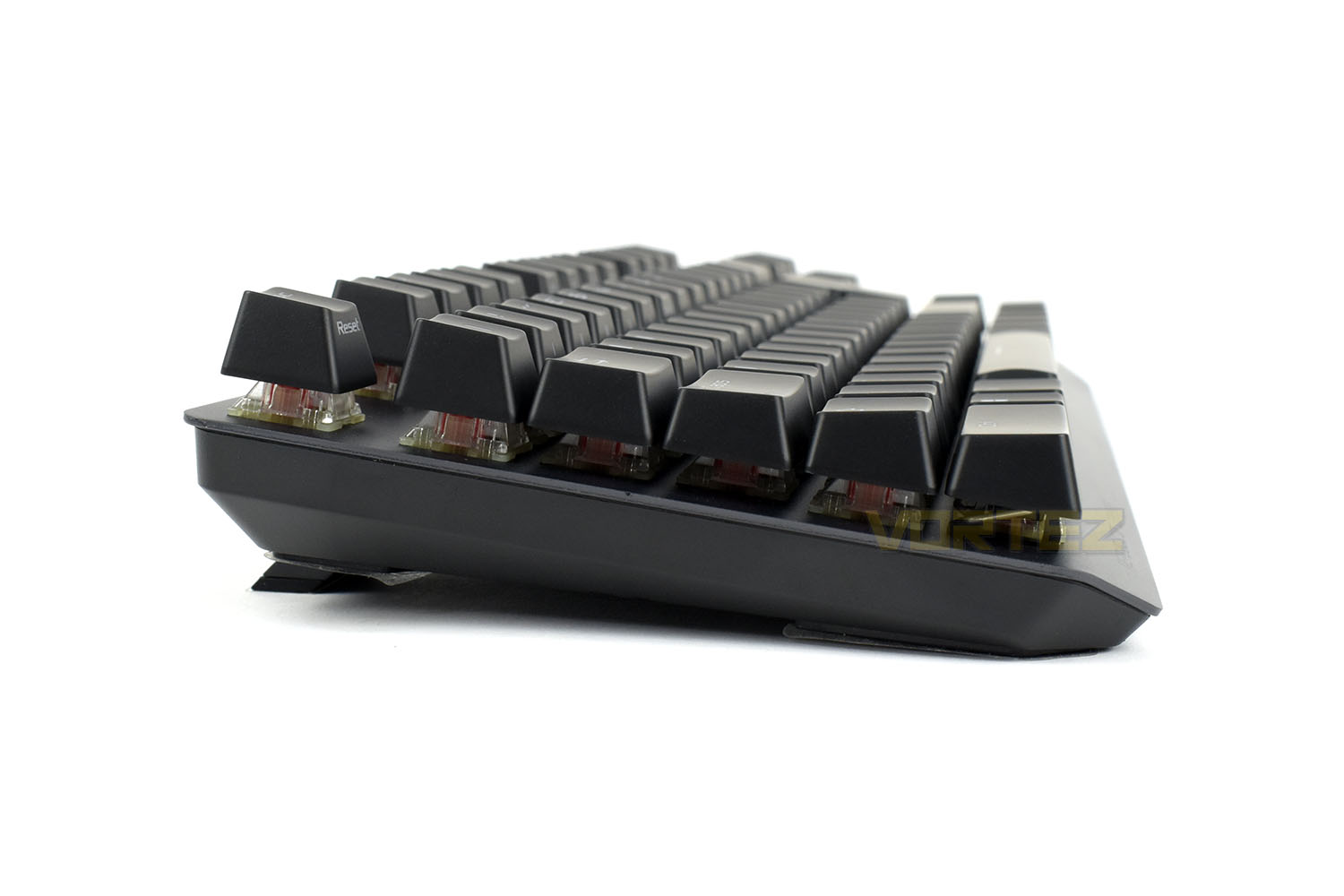
The side profile of the keyboard is obviously really small, only 135mm from edge to edge, but the keyboard is reasonably tall.
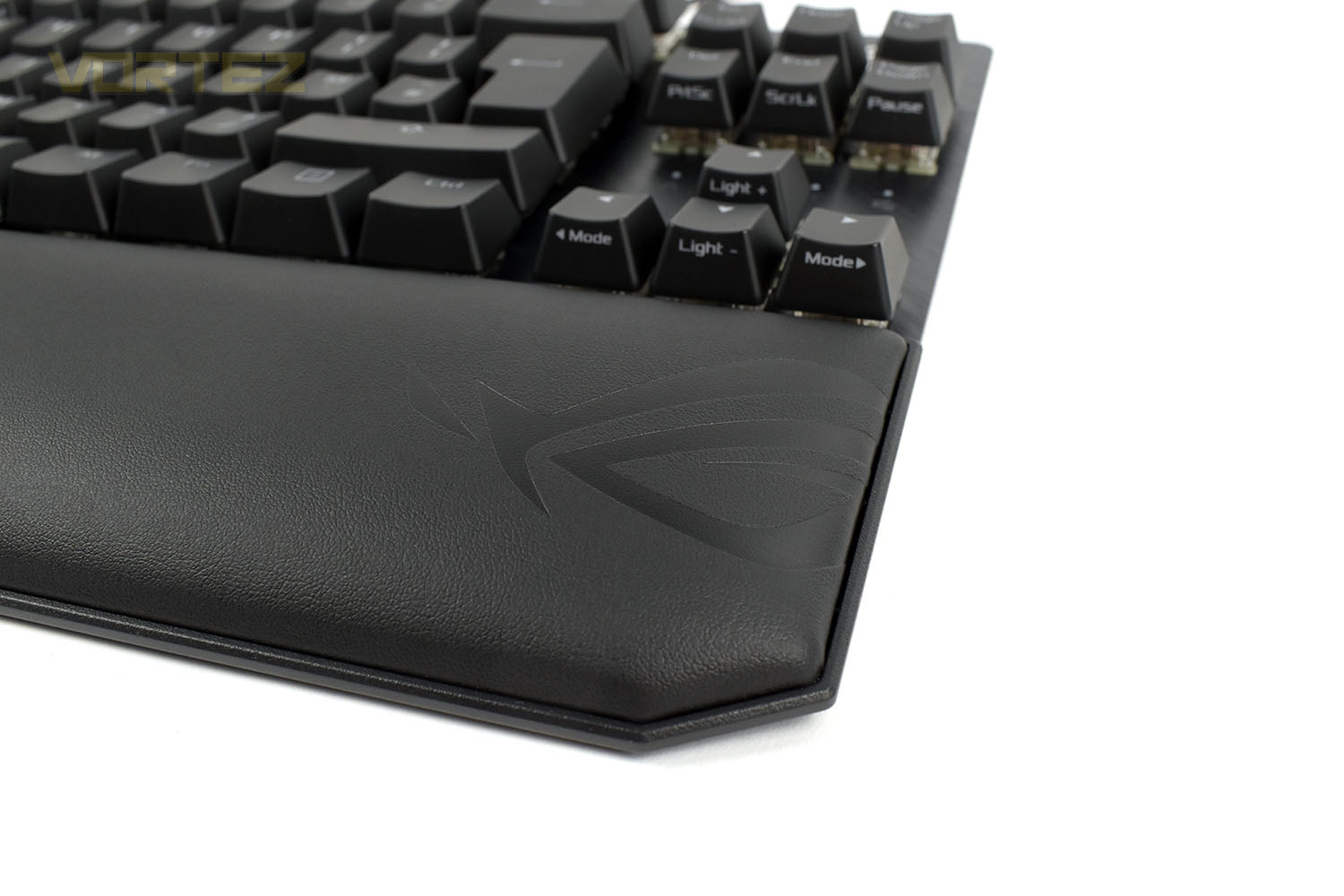
Placing the wrist rest in front of the keyboard changes the appearance hugely. It adds a touch of class with the smooth leatherette finish and comfortable foam.
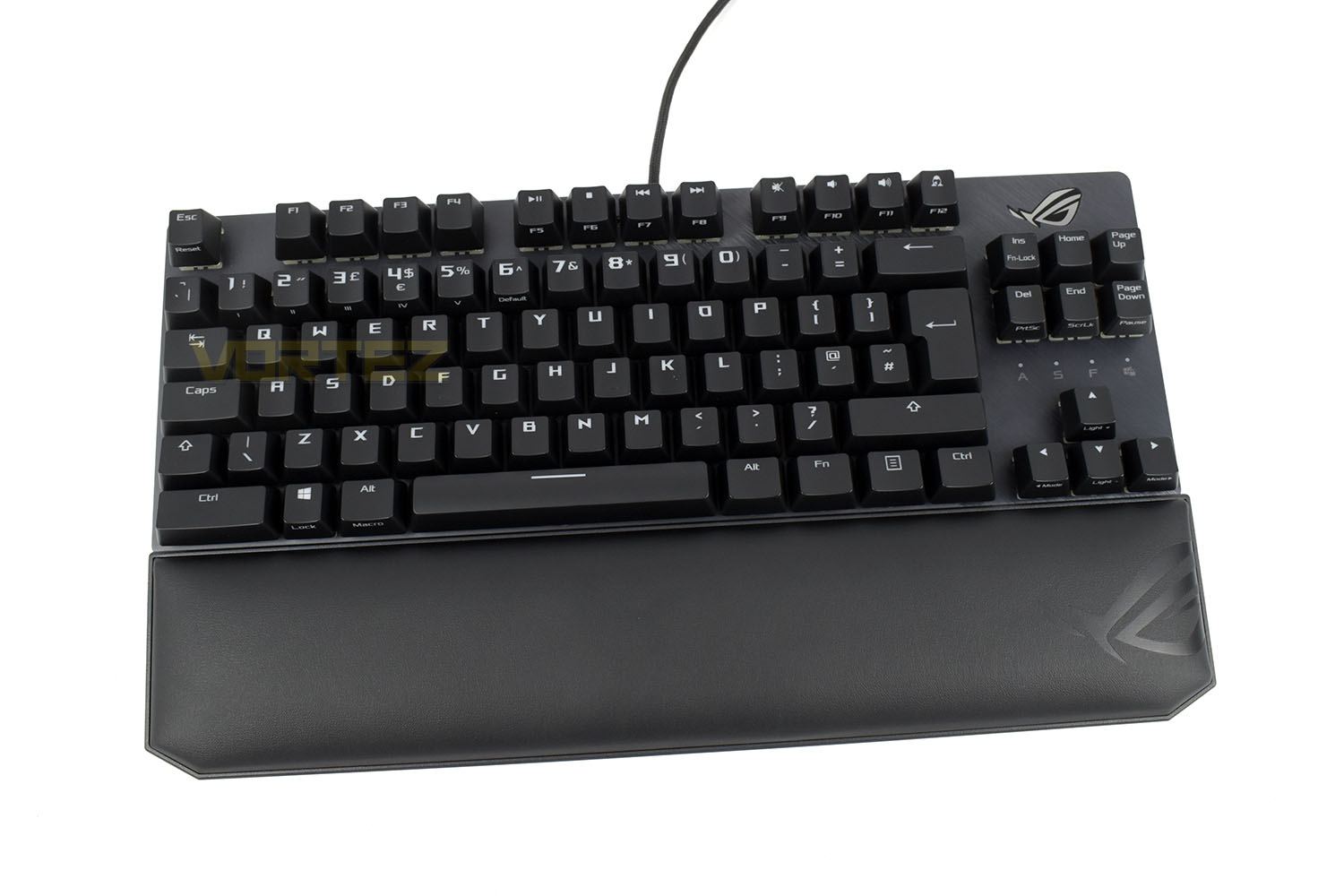
The ASUS ROG logo on the right edge is neatly placed, too.
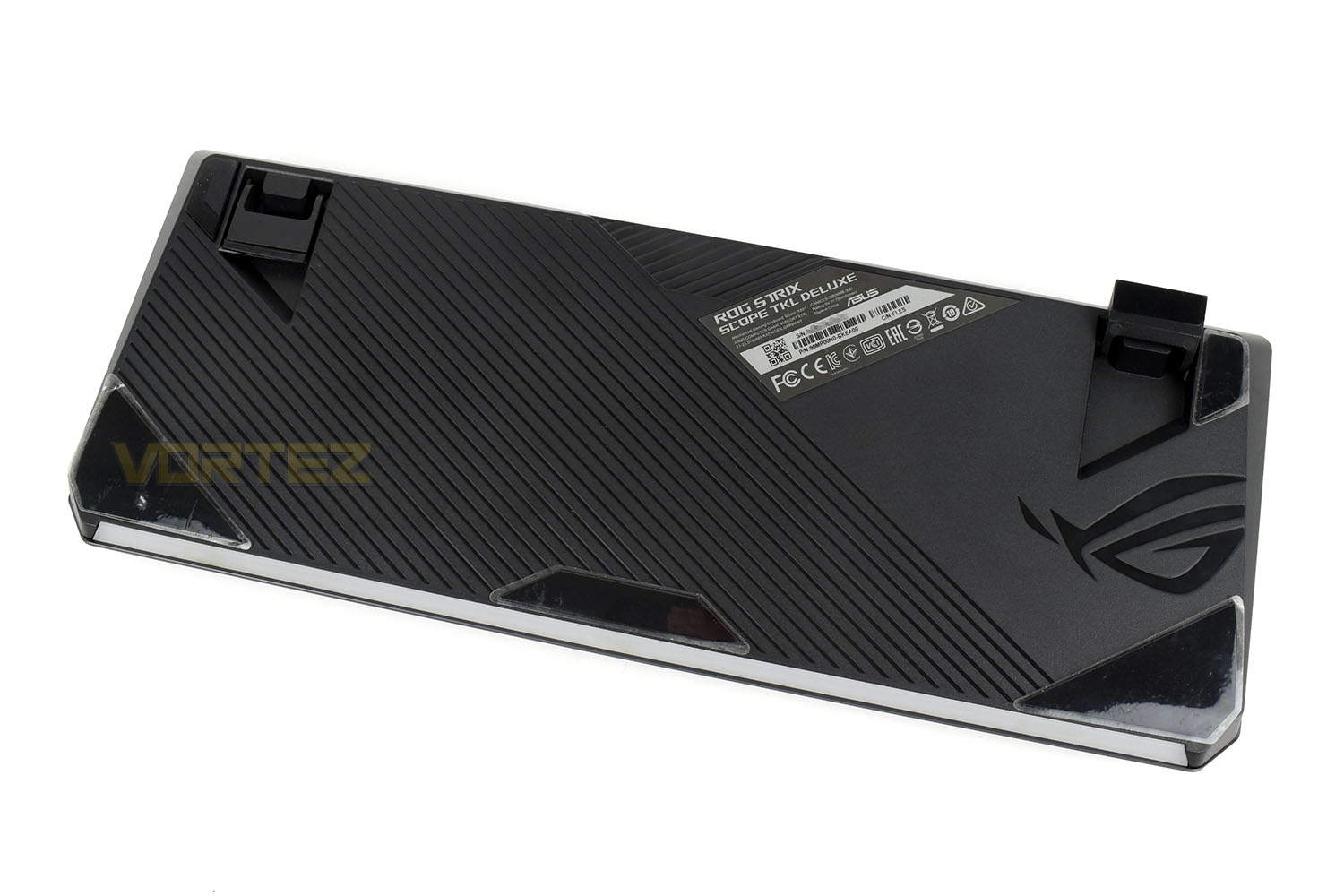
Looking at the underside, ROG have placed several large rubber pads to ensure the keyboard doesn’t move about while you tap away. They’ve even placed them strategically in the top corners so you have rubber whether it’s stood on the feet or flat on the desk.
Closer Look (Continued)
In the top-right of the keyboard, amongst the lovely brushed aluminium, is a large ASUS ROG logo, this is fully RGB backlit by several LEDs for smooth and bright effects.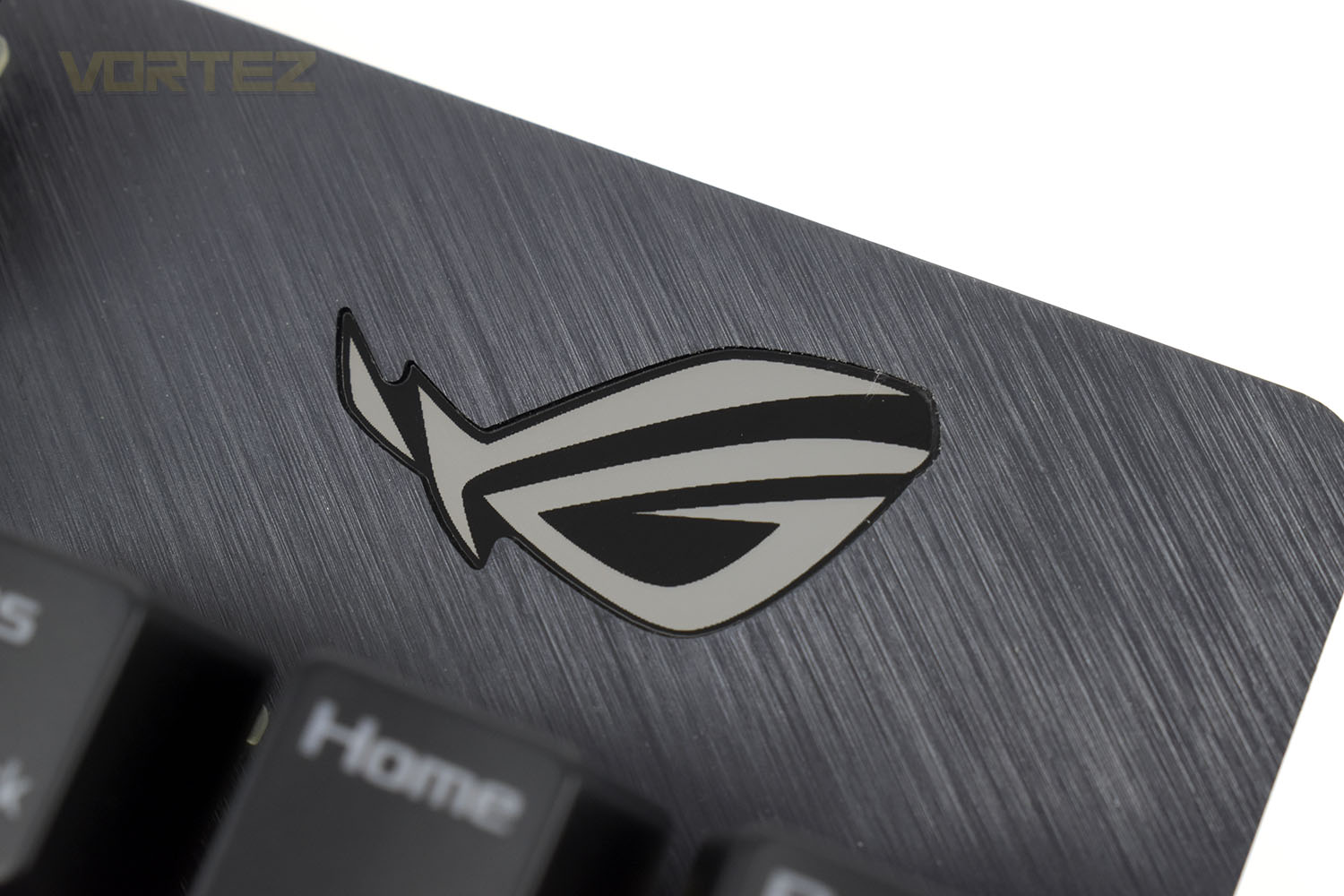
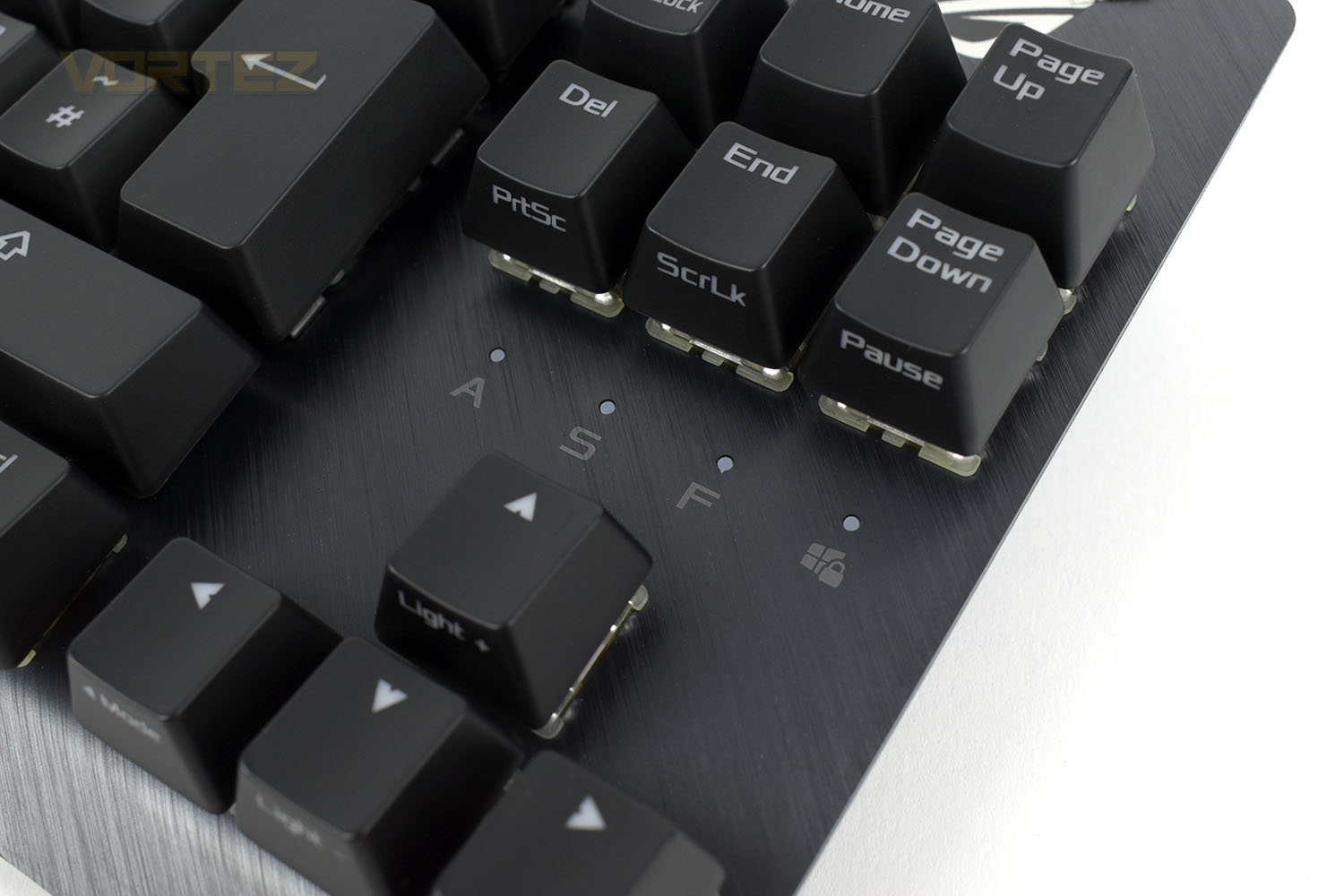
Featuring fully addressable RGB LEDs, the indicators for Caps Lock, Scroll Lock, Function Lock and Windows Key Lock are located just above the arrow keys.
The keyboard, due to it’s shrunken size, is jam-packed with multi-function keys that are activated with the Fn key on the bottom row. The main row of keys are found between F5 and F12. The first 7 are self-explanatory but the F12 key is quite different.
Pressing this enables “Stealth Mode”. A single press of this immediately mutes all audio and minimises everything to the desktop; including full-screen games and applications. Press the button again and everything returns to normal. We’re sure you can all think of your own scenario where that might be handy.
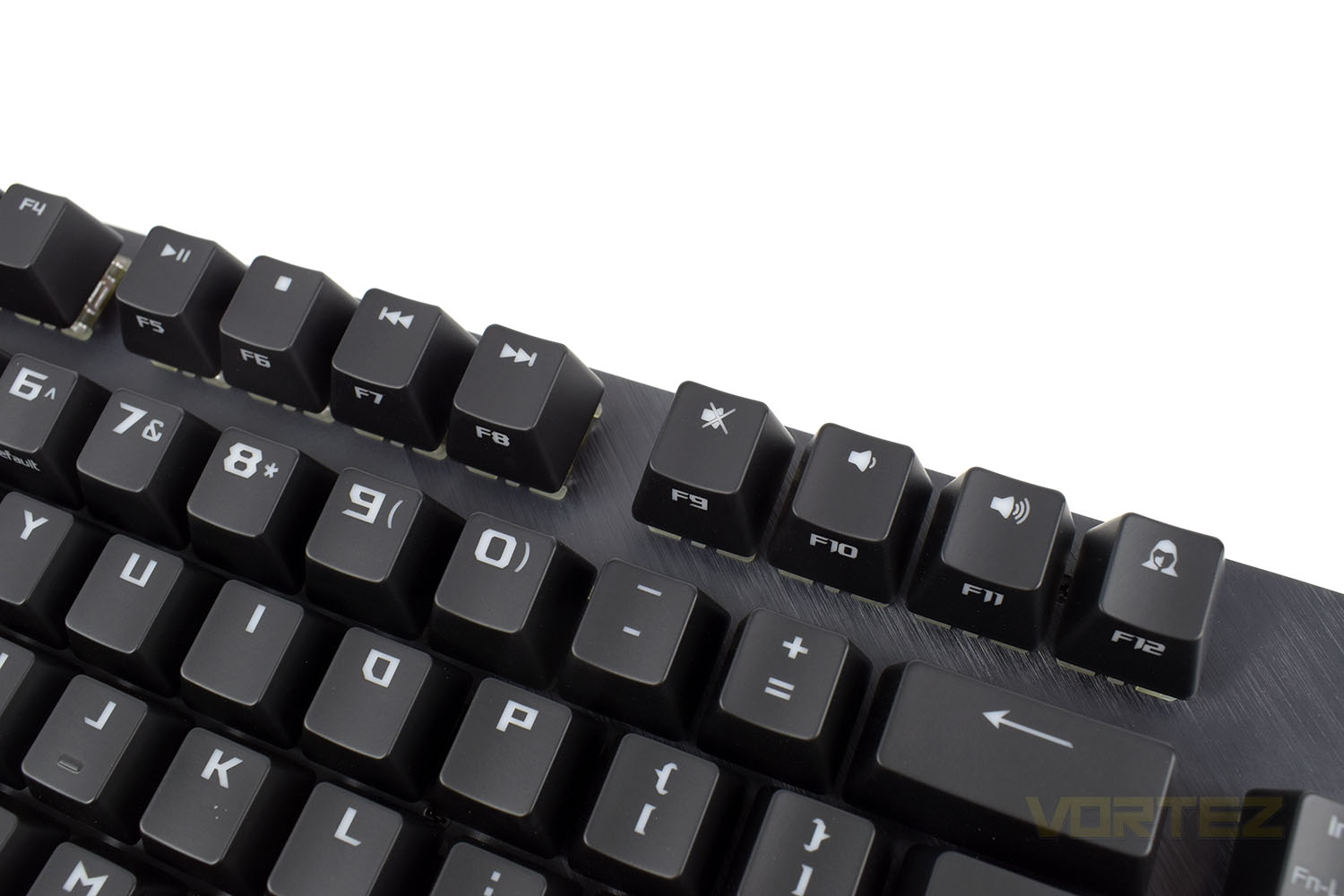
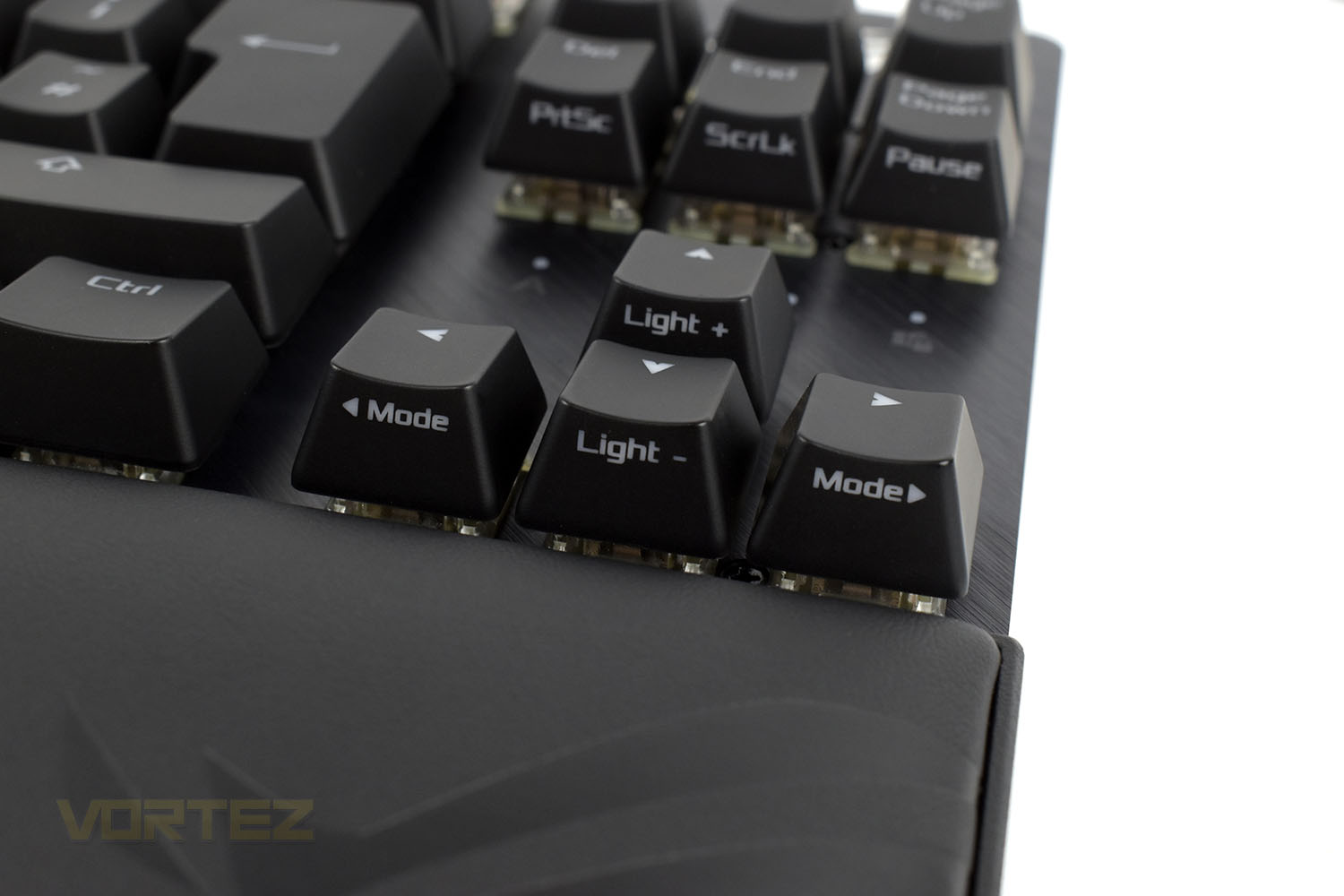
The direction keys, as well as the bottom three in the section above, each feature a secondary function. Mode left and right changes the RGB lighting effects, while Light + and – adjusts the brightness.
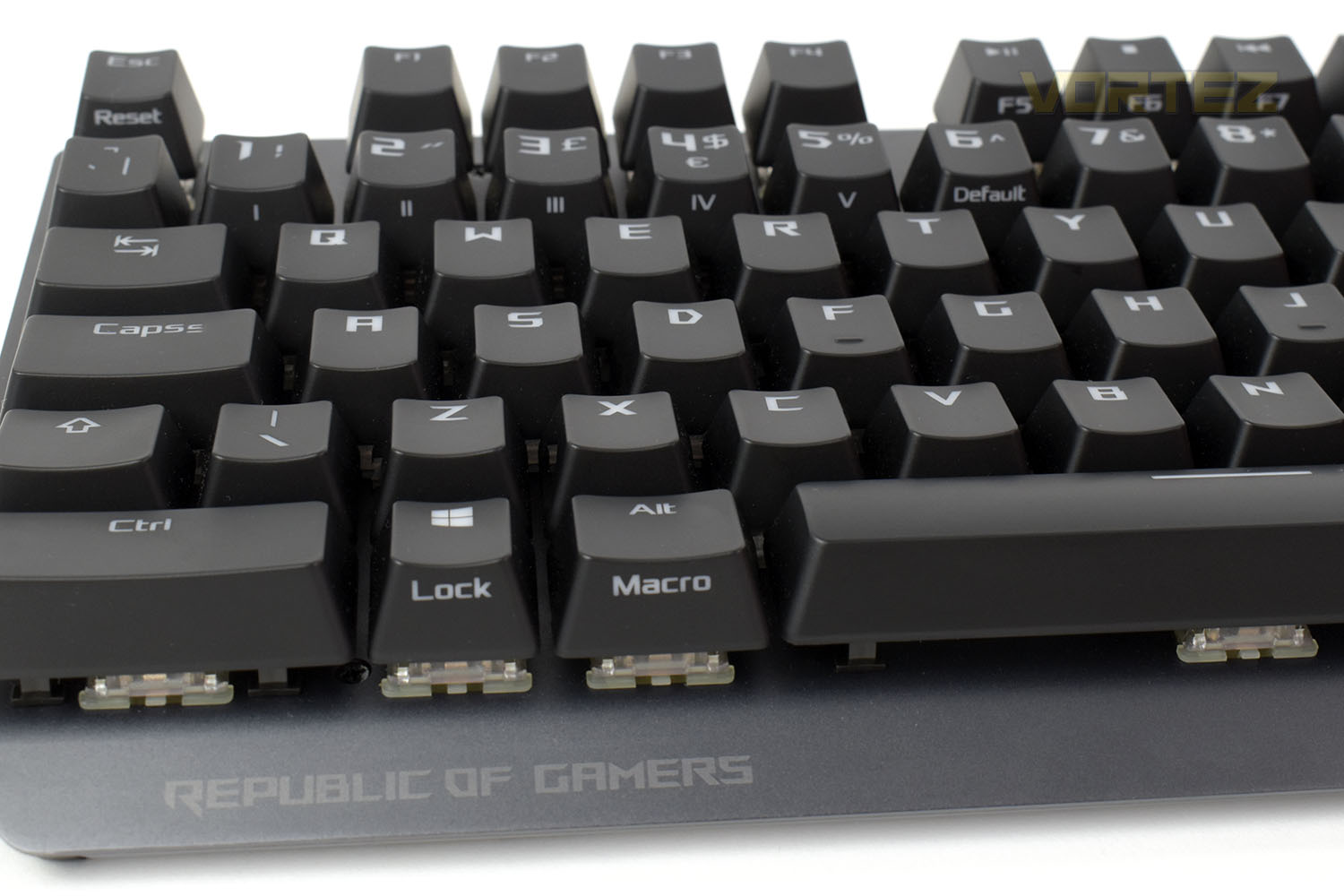
Rounding off the multi-function keys are the left Win and Alt keys as well as the numbers row. The numbers are used to switch between stored memory profiles or reset to default if you happen to mess something up while tweaking settings or macros.
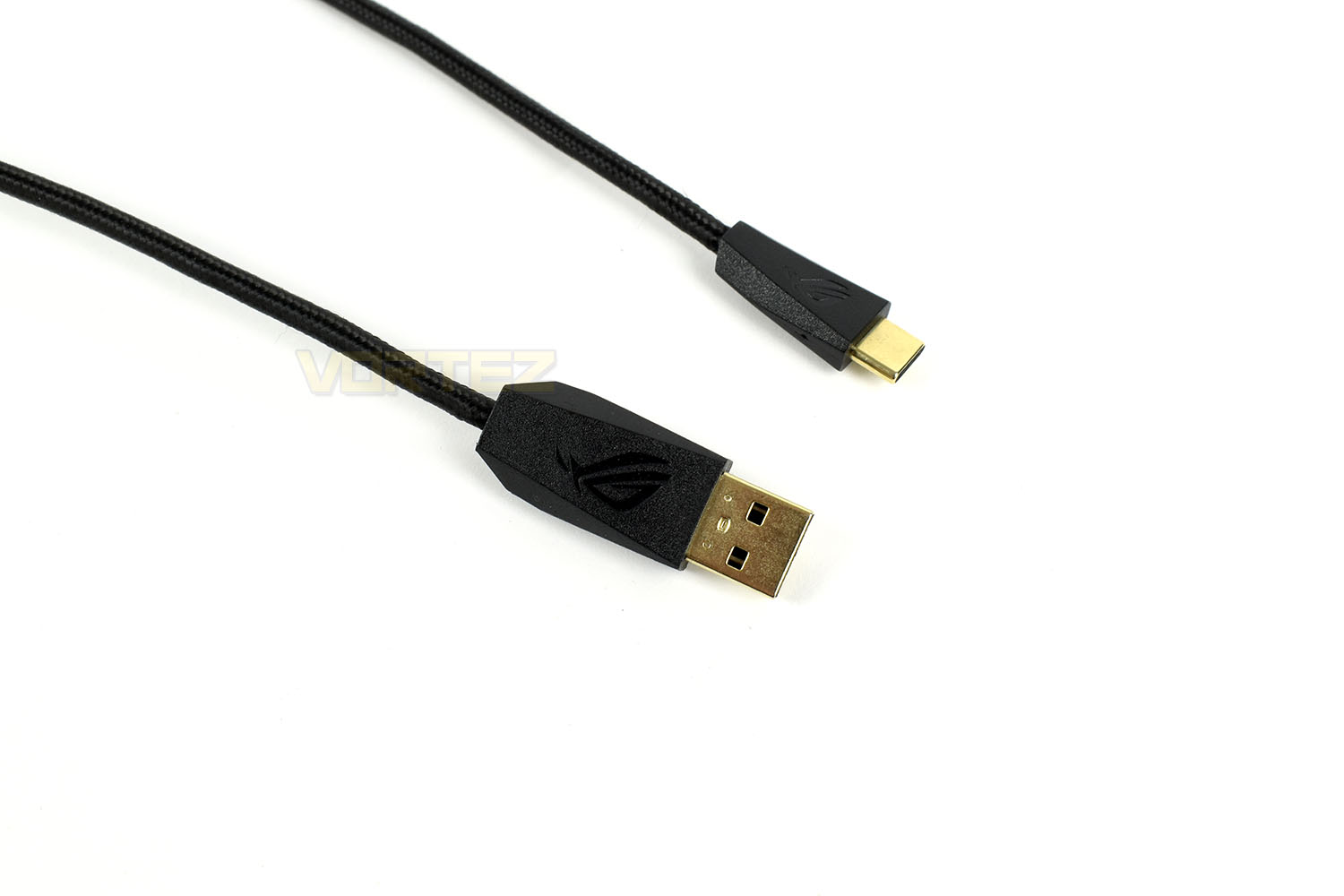
ASUS bundle the keyboard with a 1.8M braided cable, but thanks to it being removeable, you can swap this out for any length or design you fancy.
Software
Software, we’re sad to say, is something that ASUS are letting themselves down with. Compared to the likes of CORSAIR (despite the most recent encounter), SteelSeries and Logitech all have much slicker software suites, with more features and a faster interface. Anyway, check out the demo below to see how the ASUS ROG Armoury II works.As you can see, the software offers basic functionality, with a Macro editor and RGB lighting effects but one thing we feel is missing is the ability to add additional [Fn + key] options.
Performance Testing
Getting set up, thanks to the removeable USB Type-C cable and simple ROG Armoury II software, was a doddle. It’s a simple 2 minute process to ensure you’re on the latest firmware for the keyboard then you’re ready to set up your lighting profile and any macros you might want.First impressions, being one of the first TKL keyboards I’ve looked at, are largely good. The build quality is decent, the keyboard feels solid, the wrist rest is soft and comfortable, the braided USB cable is excellent quality, but there are flaws. When you’re paying £149.99/$149.99 for a keyboard, you expect it to arrive in perfect condition. We found a dent in the left edge of the keyboard, a few marks on the K key and the illuminated ROG logo in the top-right is damaged. These are all small, superficial marks that won’t affect the keyboard in any meaningful way, but I’d feel likely to ask for a replacement if I’d spent £150.
Using the keyboard for gaming has proven to be very enjoyable, the small size and super comfortable wrist rest genuinely allow you to spread your wings, though the keyboard does more for your mouse than anything else. The additional space, without sitting like a goalkeeper ready to save a penalty with your arms stretched out, gives you ample room to swing your mouse around on a ludicrously low sensitivity. ASUS ROG have given you a larger-than-usual LEFT-CTRL key to help prevent you accidentally pressing other keys, which paired with the Windows Key Lock should sort out that corner of the board entirely.
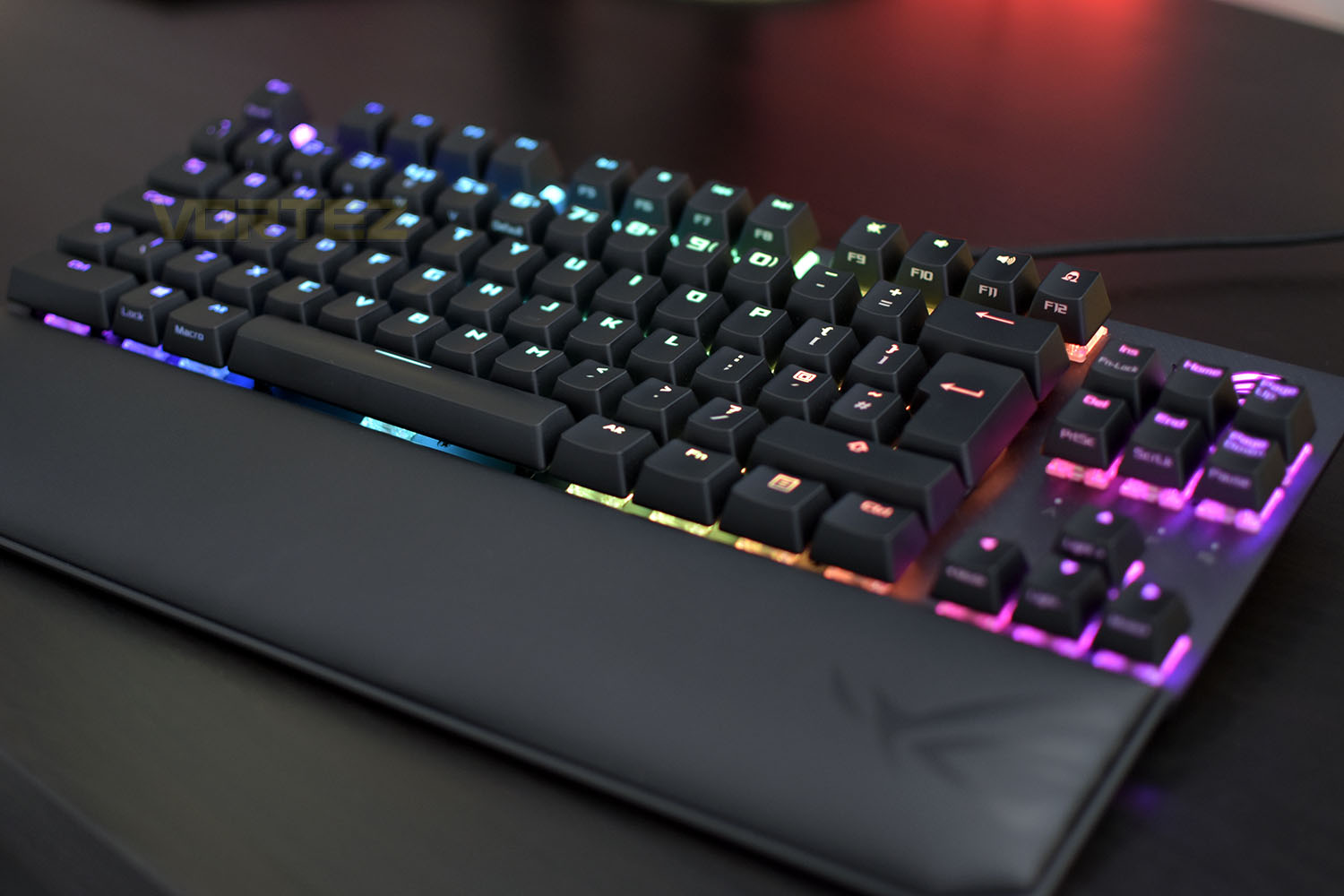
Comfort, thanks to the new plush, leatherette wrist rest, is greatly improved. Mechanical keyboards, by their very design, are taller than other styles. Resting your wrists flat on the desk and angling your hands upwards just isn’t good enough if you’re going to spend hours at the computer. Finding a position that is comfortable and, perhaps even more importantly, healthy, is an absolute must. The locating magnets take the guess-work out of lining it up too, which is nice.
The sample we’ve been provided is equipped with Cherry MX Red switches, these are often considered the vanilla of the mechanical world but are a good starting point if you’re new to mechanical keyboards. They require 45g of force to actuate with a linear feel and 2mm actuation point. More and more manufacturers have recently begun to develop their own keyswitches, sometimes in tandem with established companies, but Cherry remain the gold standard; ASUS are obviously privy to this and choose to equip their boards with a wide choice of switches to suit any style or desire. The keyboard can be equipped with Brown, Blue, Speed Silver and Silent Red, check out their website for full details on why you might want to choose each type.
The RGB Lighting, backed by a decent selection of presets within the ROG Armoury II, is beautifully smooth and bright enough for most purposes but the dark backing plate hinders the overall brightness somewhat. ROG have done a good job of producing their keycaps as well, in terms of illuminating all of the visible icons. Their font matches the style well, too. One last thing, and this is something that most keyboards lack, is an inclusion of RGB LEDs within the Caps Lock, Scroll Lock etcetera, it may not sound like much, but the small things add up to a much more premium finish.
The Tenkeyless Compromise – ALT & WIN Key Shortcuts.
Tenkeyless keyboard layouts are rooted in compromise, as evidenced by ROG’s dual-use of the Left ALT key as the Macro Record modifier (which we discussed earlier), F5-F11 as media keys, F12 Privacy Key and the first 6 number keys. A more subtle example however is the elimination of the Print Screen, Scroll Lock and Pause keys, rolling them into DEL, END and PGDN’s FN-modified functionality respectively. There are consequences to this implementation.
Any Windows Shortcut or Hotkey triggered with ALT in combination with another modified key, for example PRTSCR, will not work on this keyboard. Utilisting the Right ALT key instead makes no difference, that functionality is for all intents and purposes disabled. The same would be true of the WIN key shortcuts, but most have implementations triggered through conventional A-Z keys instead.
ASUS are open about this restriction in the FAQ, where they state that FN+ALT+DEL cannot act like ALT+PRTSCR to take a screenshot limited to the current active window. They suggest using the Windows Snipping tool (WIN+SHFT+S), but that is quite different functionality and the loss of ALT+PRTSCR will be immensely frustrating to those who have built up a muscle-memory for the task.
Users who intend to blend gaming with conventional office work may fall foul of this limitation, particularly if they make use of bespoke Windows and Alt hotkeys that combine with PRTSCR, SCRLK, PAUSE and F5-F12. It will underscore its gaming-focussed ethos, at the expense of a more balanced mix of use cases.
Conclusion
All things considered, the Republic of Gamers have used their expertise to put out a product worthy of consideration, but it’s not without some significant compromises that you should be aware of before jumping into the purchase.The fit and finish of the ROG Strix Scope TKL Deluxe is, on the most part, absolutely spot on. The magnets in the wrist rest, the Cherry MX keyswitches, brushed aluminium and plastic construction and ample grippy pads on the bottom are all very welcome, but as we showed on the previous page, factory quality control might not be up to scratch (pardon the pun).
Comfort, whether it’s for office or gaming use, is way up there with the best of keyboards. Plush wrist rests seem to be the “in thing” at the moment, with most manufacturers now offering them, but with this being the only difference we can find over the previous model, will ASUS offer this as a separate purchase option for current Strix Scope owners? We sure hope so.
RGB lighting, paying attention to the small details like the indicator LEDs, is just about right. It’s not in your face, blowing your retinas to pieces, like some others feel the need to do, it’s civilised with a focus on smooth effects. The font on top might not be to everyone’s tastes but we’re a fan. It’s something different.
If you can get by the compromises, which many obviously can, the ROG Strix Scope TKL Deluxe should tick many of your boxes, particularly with the wide choice of switch types and focus on its ability to cater for FPS players.
The ASUS ROG Strix Scope TKL Deluxe offers everything a serious FPS gamer will want, assuming they’re happy with the Tenkeyless compromises, but the quality control and software let it down a bit.
Pros
+ Solid structure
+ Comfortable for long periods
+ Lovely RGB lighting
+ Compact design
+ Great range of Cherry MX switches available
+ Removeable USB Type-C cable
Cons
– Scratches and marks from the factory
– Awkward Function keys for everyday tasks
– Not suitable for long-term office work
+ Solid structure
+ Comfortable for long periods
+ Lovely RGB lighting
+ Compact design
+ Great range of Cherry MX switches available
+ Removeable USB Type-C cable
Cons
– Scratches and marks from the factory
– Awkward Function keys for everyday tasks
– Not suitable for long-term office work
Click here for an explanation of our awards at Vortez.net.
Stay connected with the Vortez Social Media pages:
Join in with the discussions on Discord