The ASUS ROG team get their hands on a Strix gaming headset and cram in all the latest technology to create a powerful, low-latency wireless headset.

Product on Review: ASUS ROG Strix Wireless
Manufacturer: ASUS
Street Price: UK: £109.99, US: $119.99
Wireless technology is ever evolving, and for a while it seemed like it had become a forgotten feature for gaming headsets, though it seems like things are changing. Recently we had a look at the Razer ManO’War wireless headset and now we have an entry from ASUS. Merging the Strix branding with ROG to deliver powerful gaming audio wirelessly will be a sweet sound to the gaming community.
The ROG Strix Wireless headset uses the Strix headset design and packed it with low-latency 2.4GHz wireless technology, dual antenna for stable connection, a 900mAh battery that provides up to 10hours play time, and on board controls. To keep it entirely relevant for multi-platform gamers it can be used wirelessly on PC and PS4, but it can also be connected via a 3.5mm jack so it can be used on any platform or device.
Overview by ASUS
ROG Strix Wireless is a gaming headset with 2.4GHz wireless technology that provides a lower-latency connection than Bluetooth headsets for instant audio transmission. With ROG Strix Wireless, every in-game sound reaches your ears instantly — even from up to 15 meters away from your PC — ensuring you are never behind on the action. 2.4GHz technology even consumes less power, so you can enjoy more than 10 hours1 of use between charges.
ROG Strix Wireless features a dual-antenna design with an automatic interference avoidance mechanism to ensure a stable connection, even in complicated Wi-Fi environments.
ROG Strix Wireless features a dual-antenna design with an automatic interference avoidance mechanism to ensure a stable connection, even in complicated Wi-Fi environments.
Technical Specifications
Headphones
Driver diameter : 60 mm
Driver material : Neodymium magnet
Microphone: Uni-directional
Impedance: 32 Ohm
Frequency Response: 20 ~ 20000 Hz
Sensitivity: 98 dB
Microphone
Pick-up Pattern
Microphone boom:
Uni-directional
Frequency Response
Microphone boom:
50 ~ 16000 Hz
Sensitivity
Microphone boom:
Sensitivity : -40 dB
Connectivity
USB (wireless 2.4GHz)
3.5 mm(1/8”) connector Audio/mic combo
3.5 mm(1/8”) connector Audio/mic separate
Compatibility
PC
MAC
Mobile device
PlayStation® 4
Xbox One®
General Info
Cable: Braided fibre cable (headset cable 1.5M)
Cable Length: 1.5 meter
Weight:350 g
Accessories
Audio/mic splitter cable
Charging cable
Detachable microphone
Quick start guide
2.4GHz USB dongle
Detachable 3.5mm audio/mic combined connector
Driver diameter : 60 mm
Driver material : Neodymium magnet
Microphone: Uni-directional
Impedance: 32 Ohm
Frequency Response: 20 ~ 20000 Hz
Sensitivity: 98 dB
Microphone
Pick-up Pattern
Microphone boom:
Uni-directional
Frequency Response
Microphone boom:
50 ~ 16000 Hz
Sensitivity
Microphone boom:
Sensitivity : -40 dB
Connectivity
USB (wireless 2.4GHz)
3.5 mm(1/8”) connector Audio/mic combo
3.5 mm(1/8”) connector Audio/mic separate
Compatibility
PC
MAC
Mobile device
PlayStation® 4
Xbox One®
General Info
Cable: Braided fibre cable (headset cable 1.5M)
Cable Length: 1.5 meter
Weight:350 g
Accessories
Audio/mic splitter cable
Charging cable
Detachable microphone
Quick start guide
2.4GHz USB dongle
Detachable 3.5mm audio/mic combined connector
Packaging & Bundle
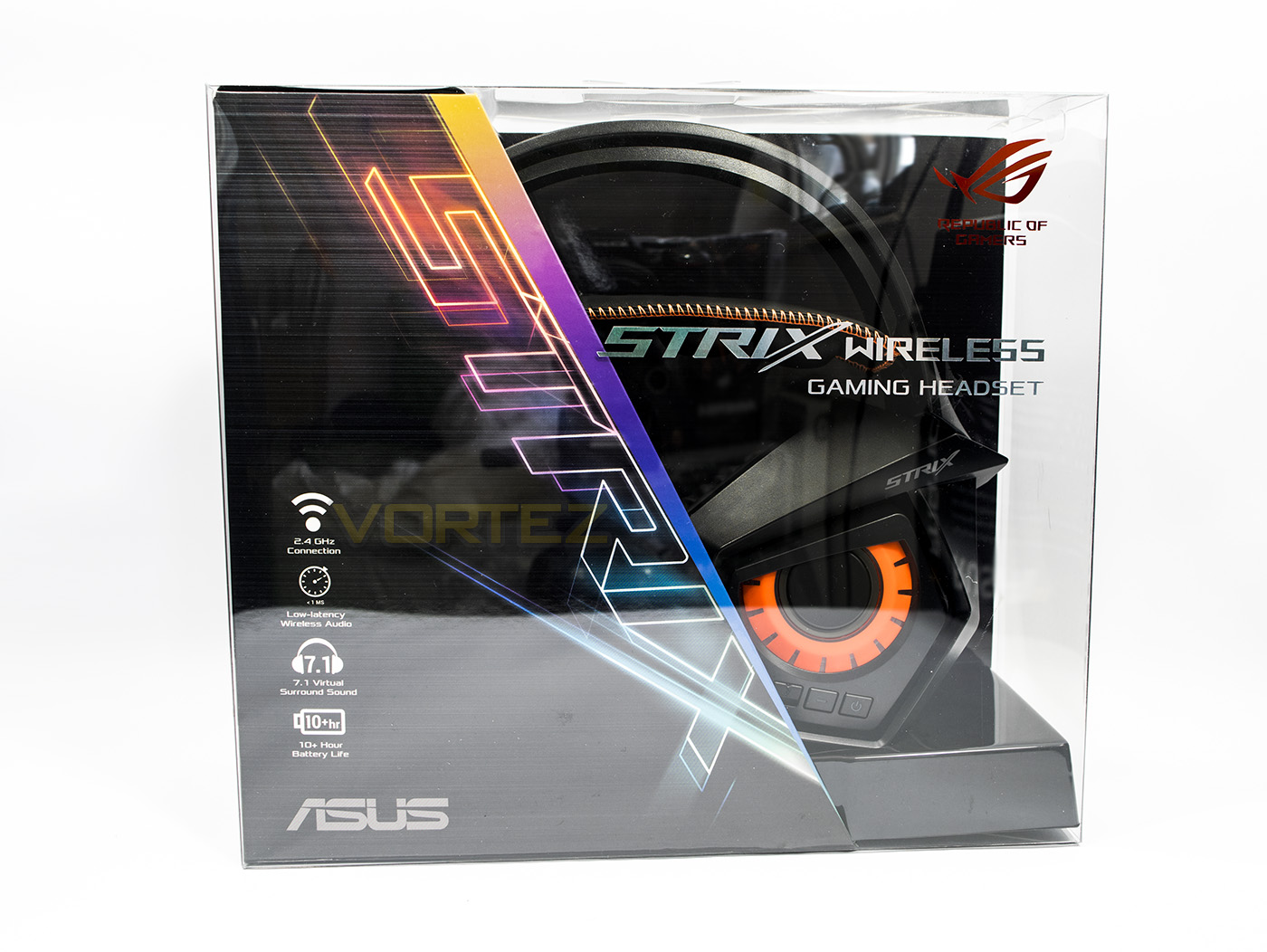
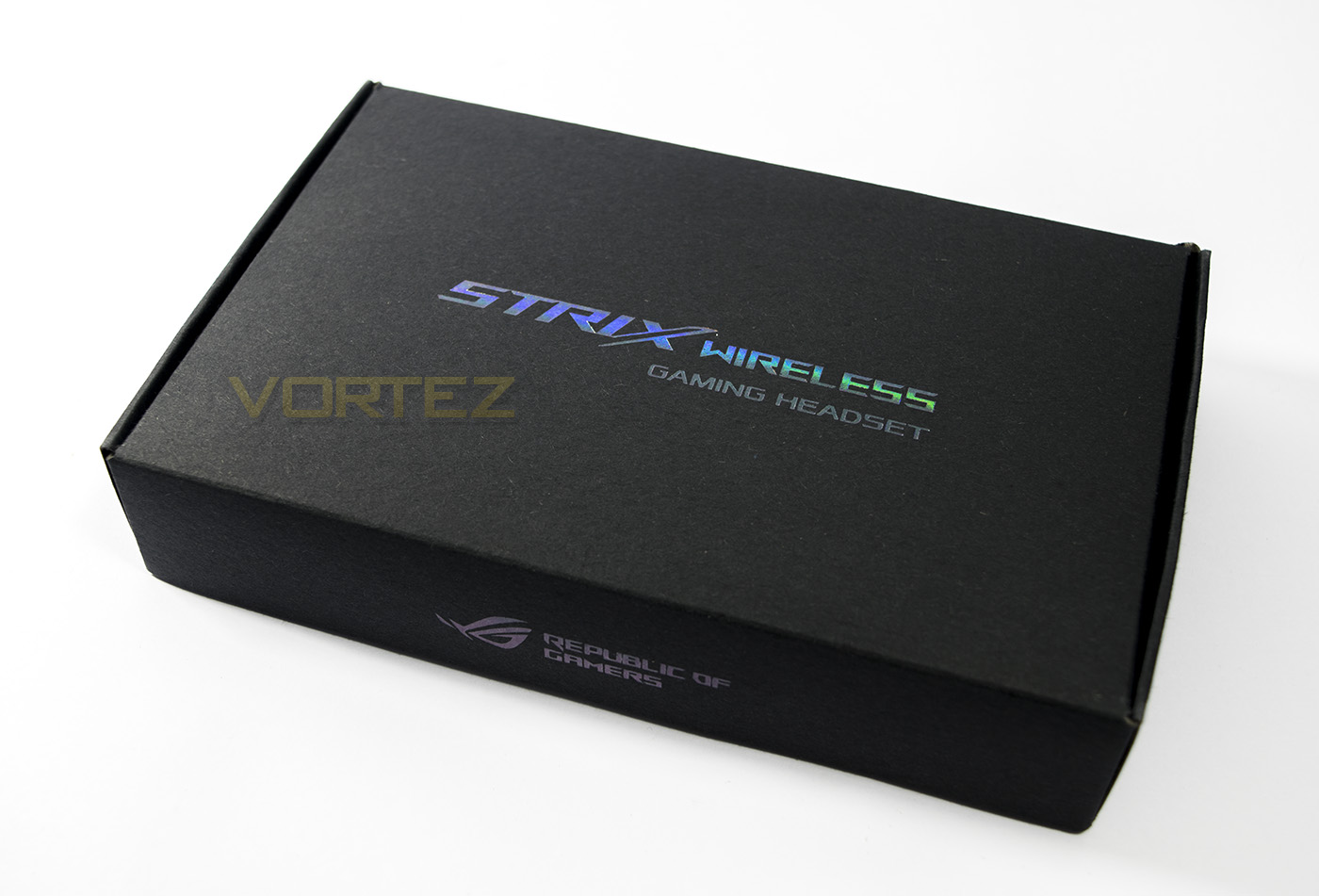
The packaging is in a clear acrylic box with an ASUS ROG Strix branding insert. This allows you to see the product itself unhindered, while displaying information about its features.
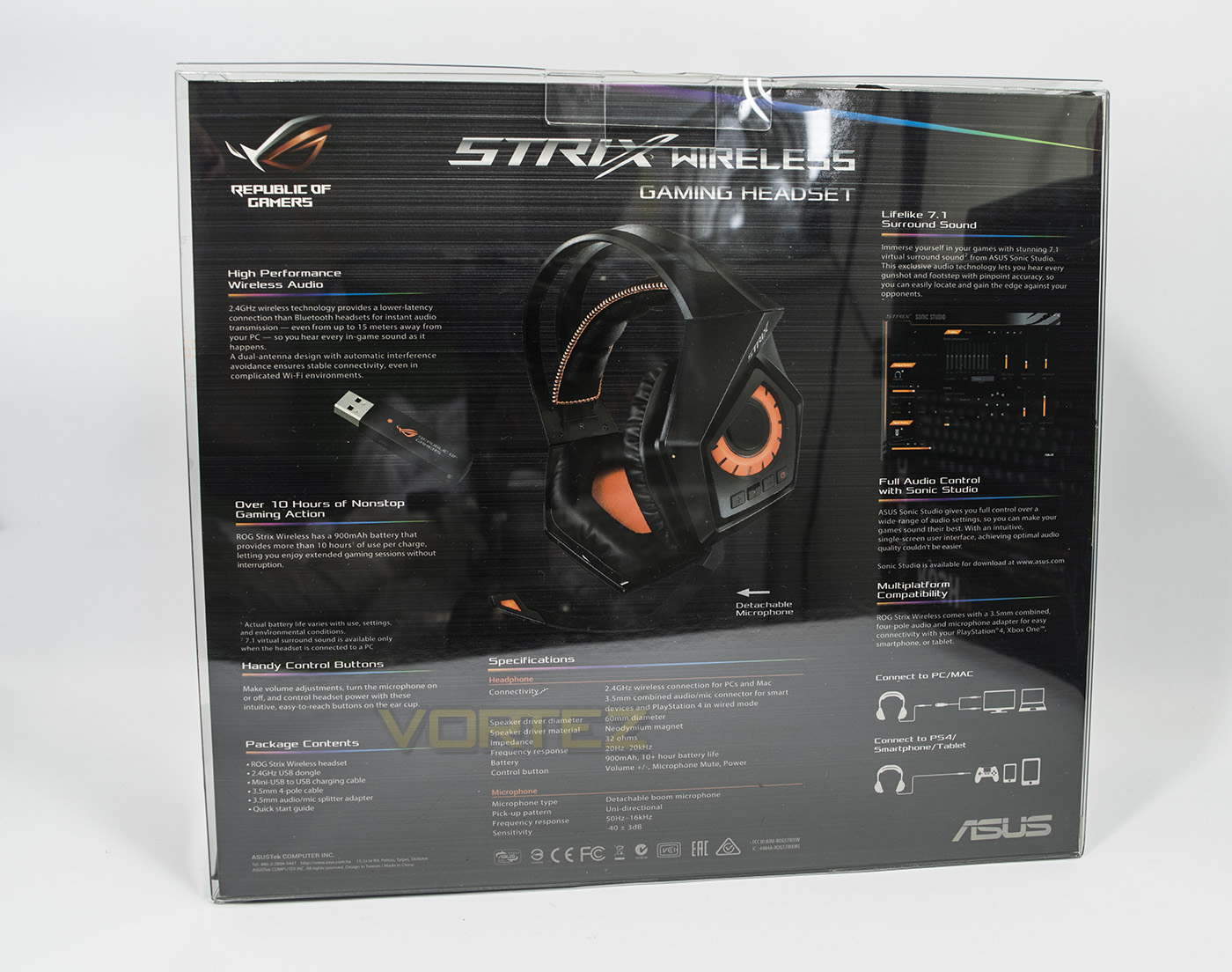
At the back there is a full breakdown of each of the individual features, specification and its compatibility across various platforms to enable buyers to decide if the product is for them.
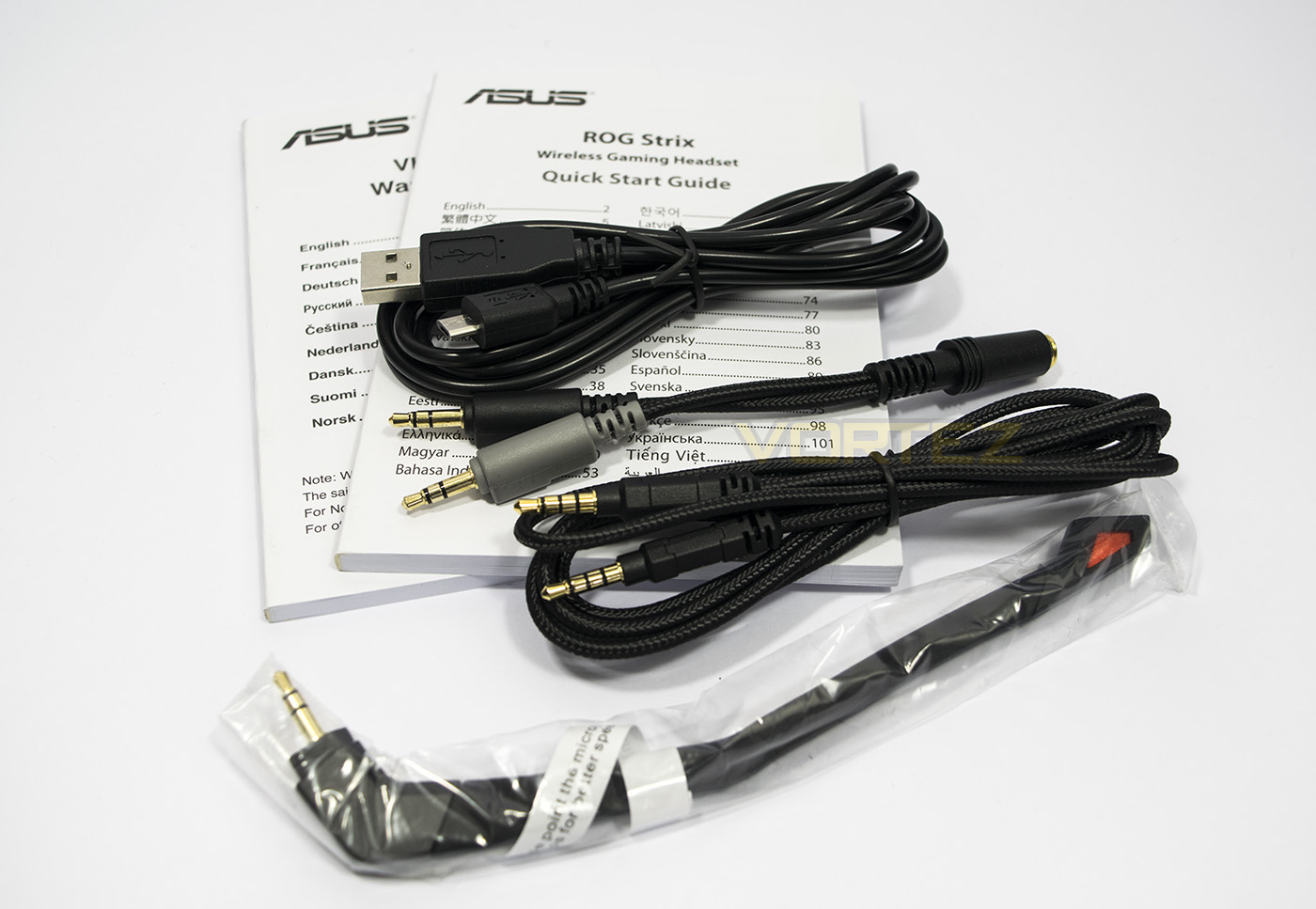
Inside the box we find a neat box hiding away the included accessories, including a braided 1.5m long 3.5mm 4pole-4pole jack, a braided 4pole splitter, a USB – micro USB charging cable, the detachable microphone as well as a quickstart guide and warranty information.
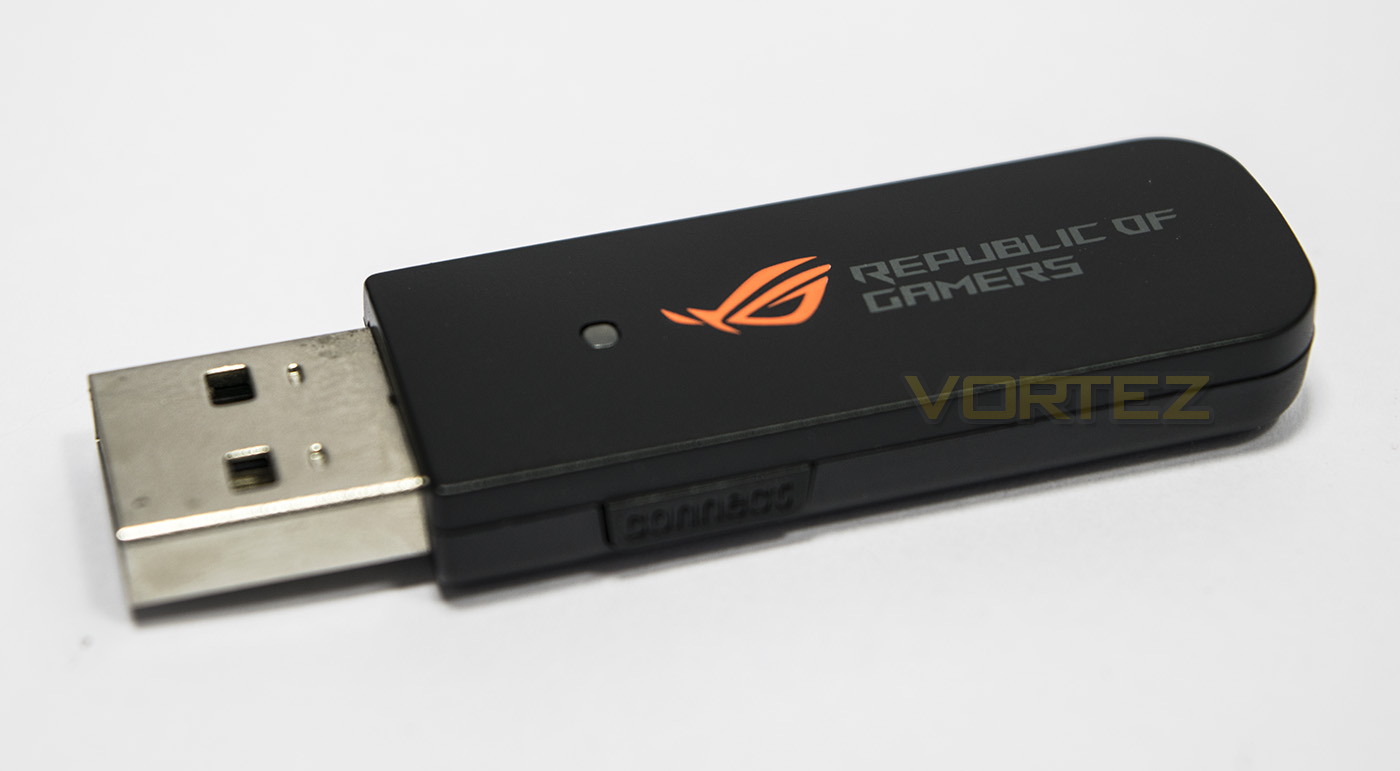
Interestingly, the wireless dongle is not inside the box so make sure you check the packaging blister so you don’t lose it.
Closer Look
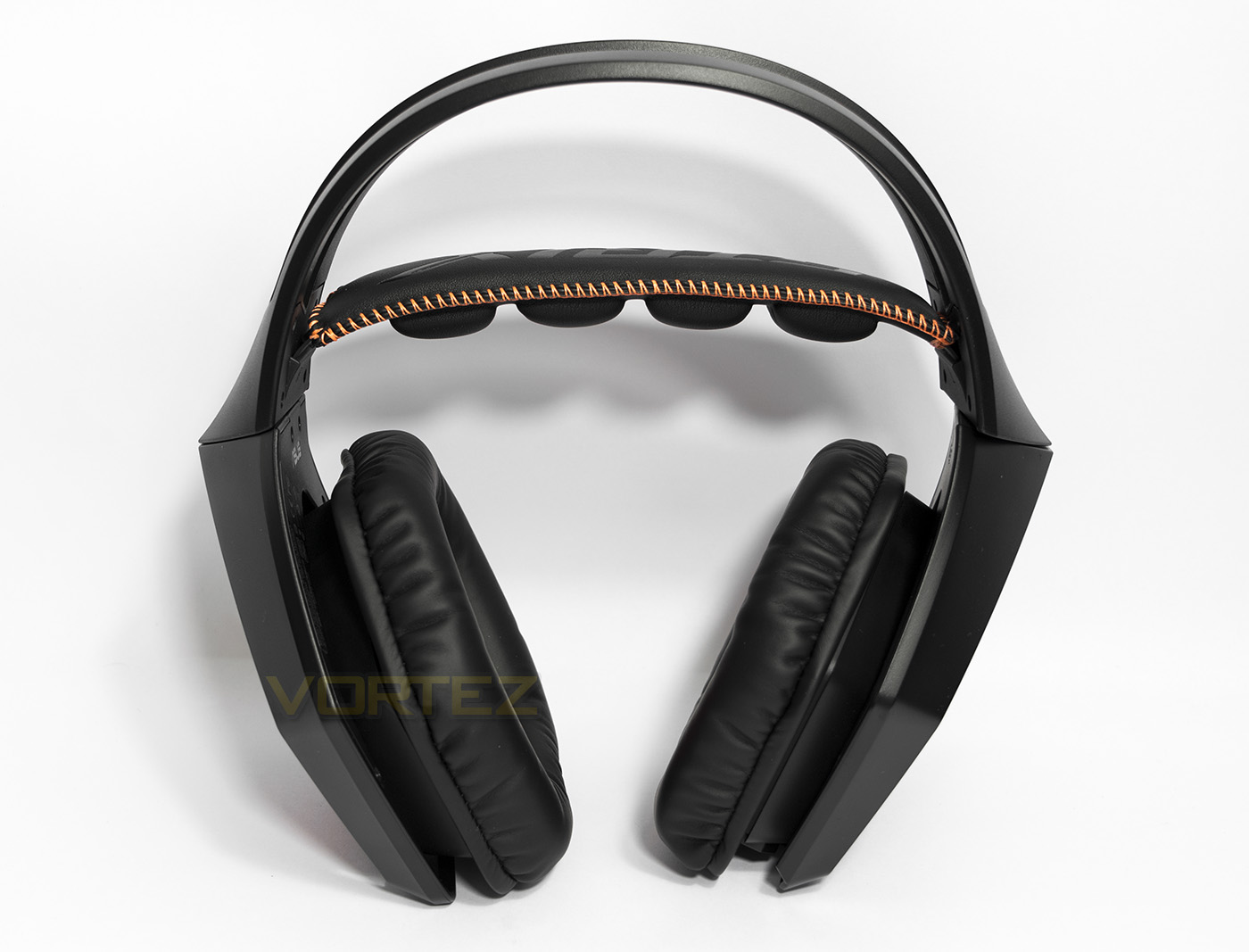
The headset itself is similar to the design of the previous Strix headsets we have looked at, though no cables protruding from anywhere. The frame is large black plastic and features a suspension style headband that automatically adjusts to your size.
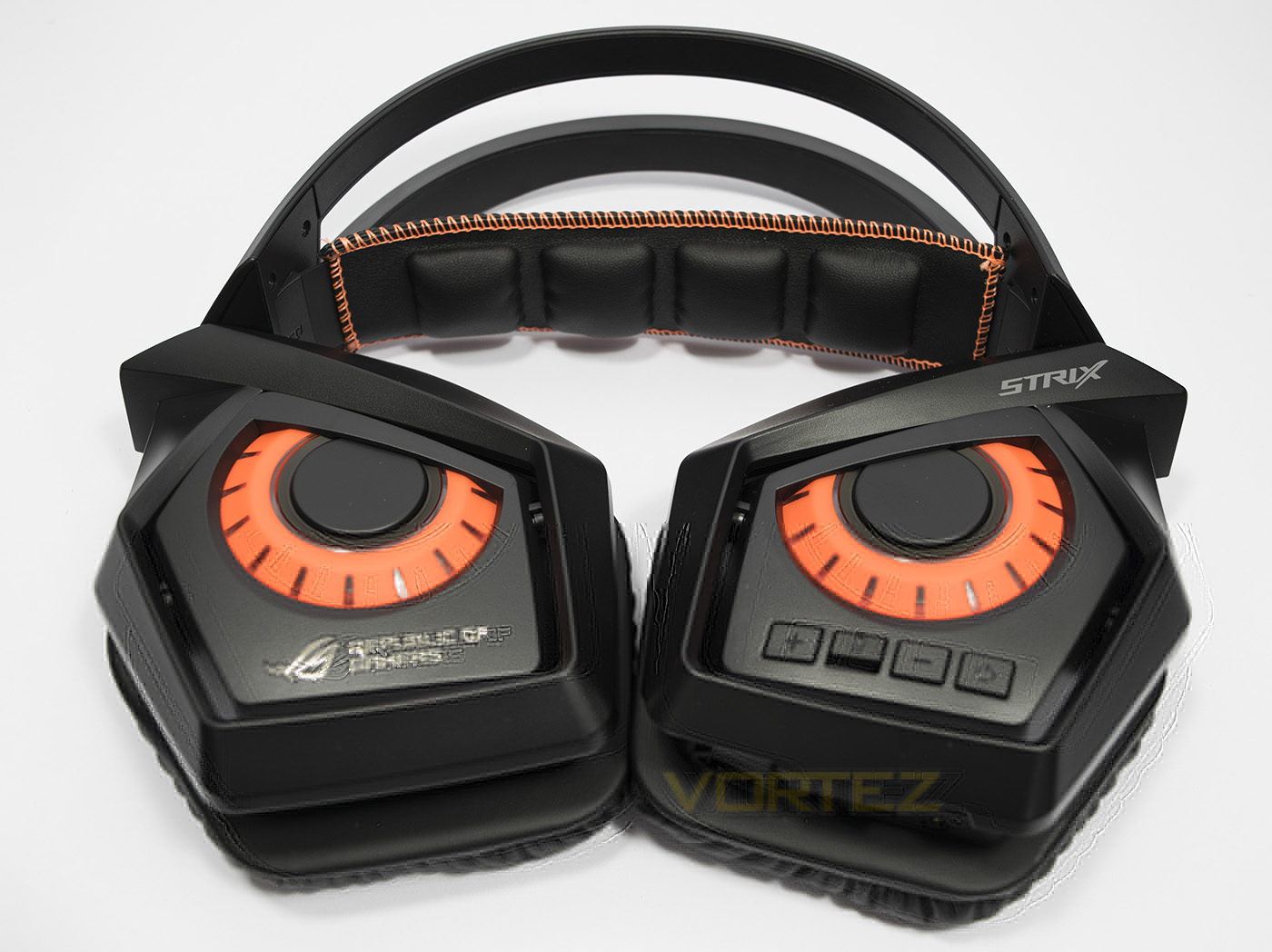
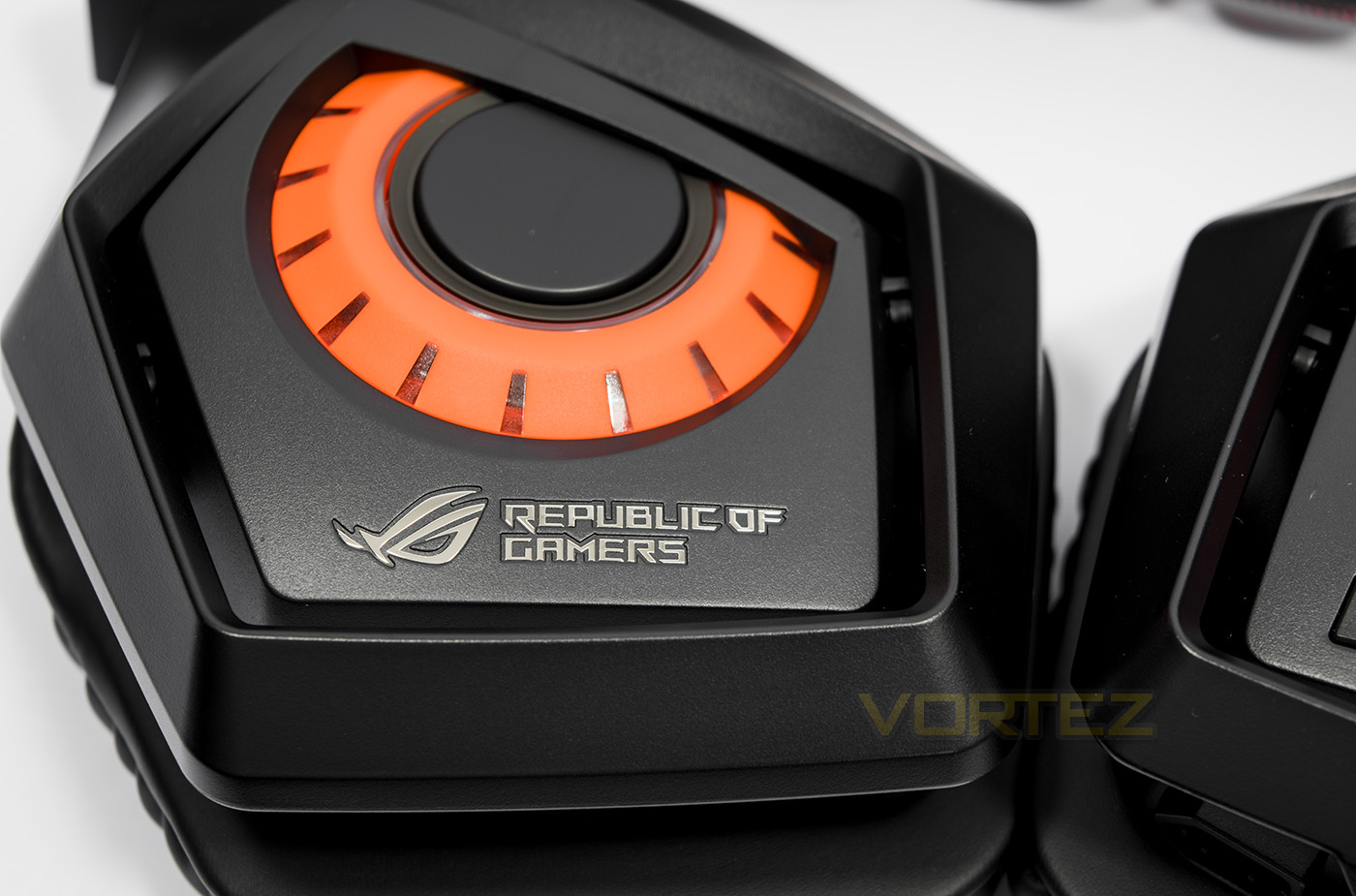
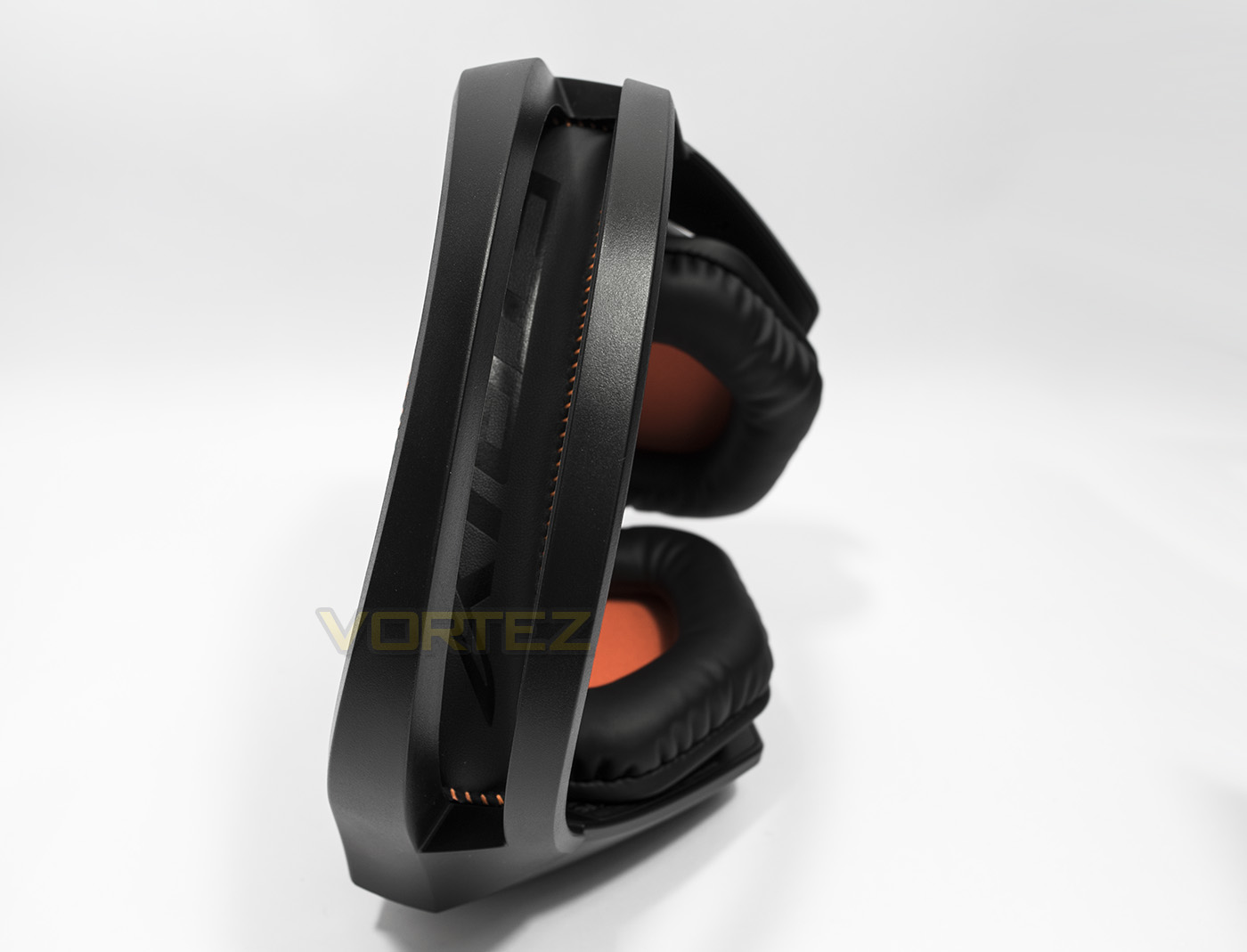
Folded flat, you see the inspiration for the Strix design (the robotic owl) staring back at you. The orange on black design is attractive, though for some the aesthetic may be a little too ‘gamer’, though subjectively, some will appreciate the aesthetics. There is also some subtle branding, displaying that this headset is the ROG Strix, an indication that it is the wireless version.
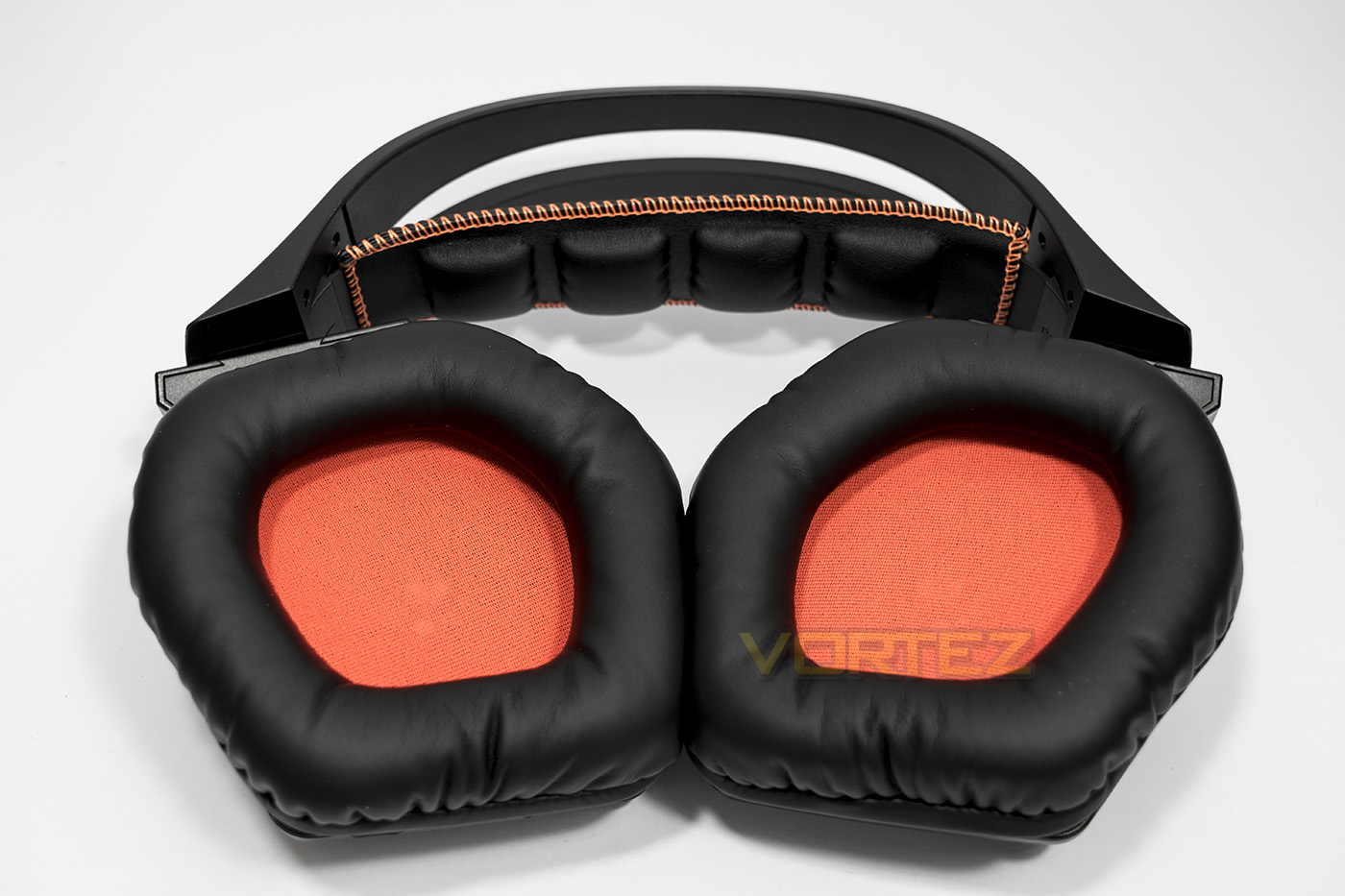
The earcups house some large 60mm drivers and in turn, the earcups themselves are huge. This isn’t anything different from the Strix headset family and will easily cover the ears of giants.
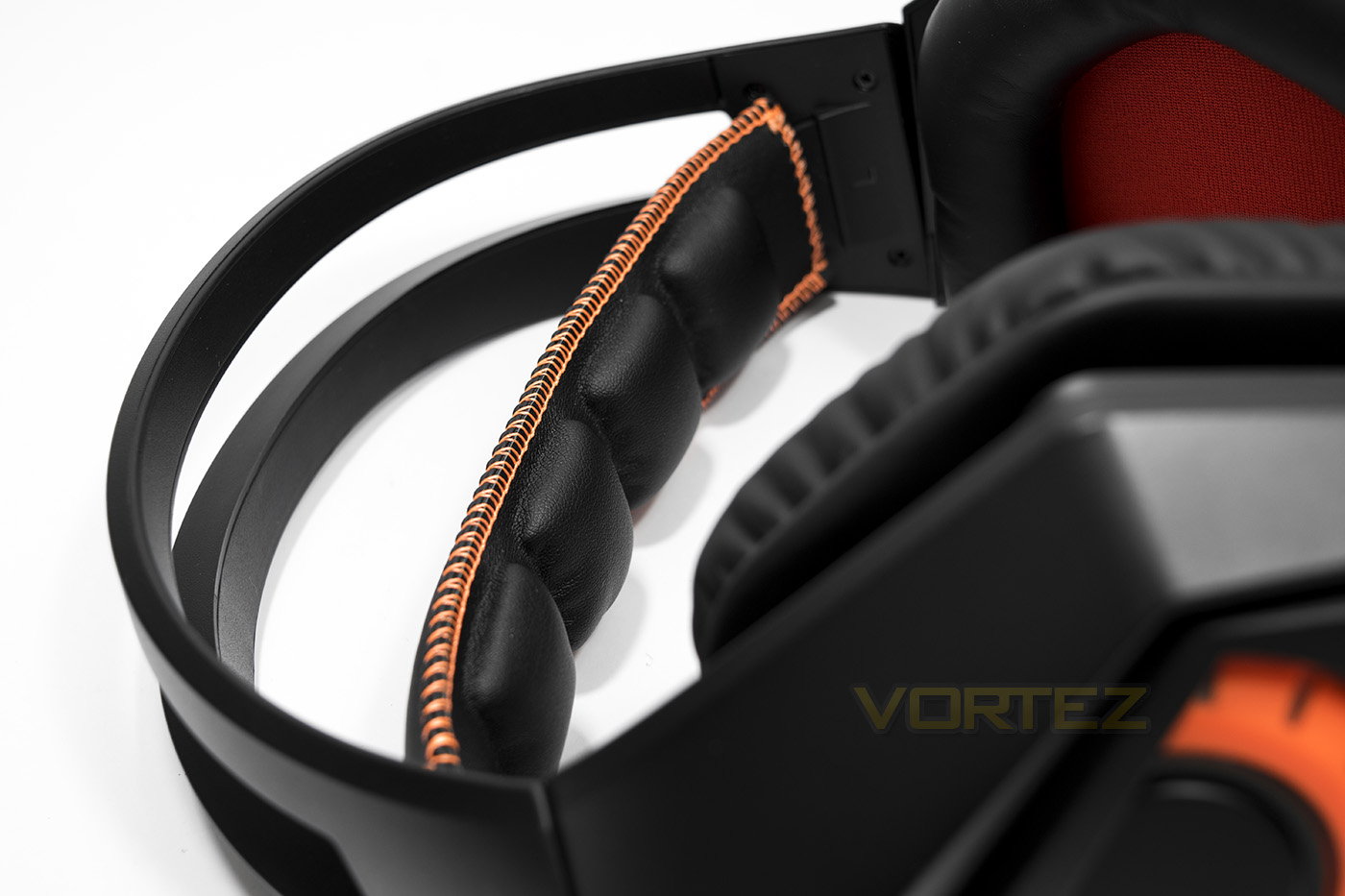
The adjustable headhand is made from soft leatherette and features soft foam cushions for comfort.
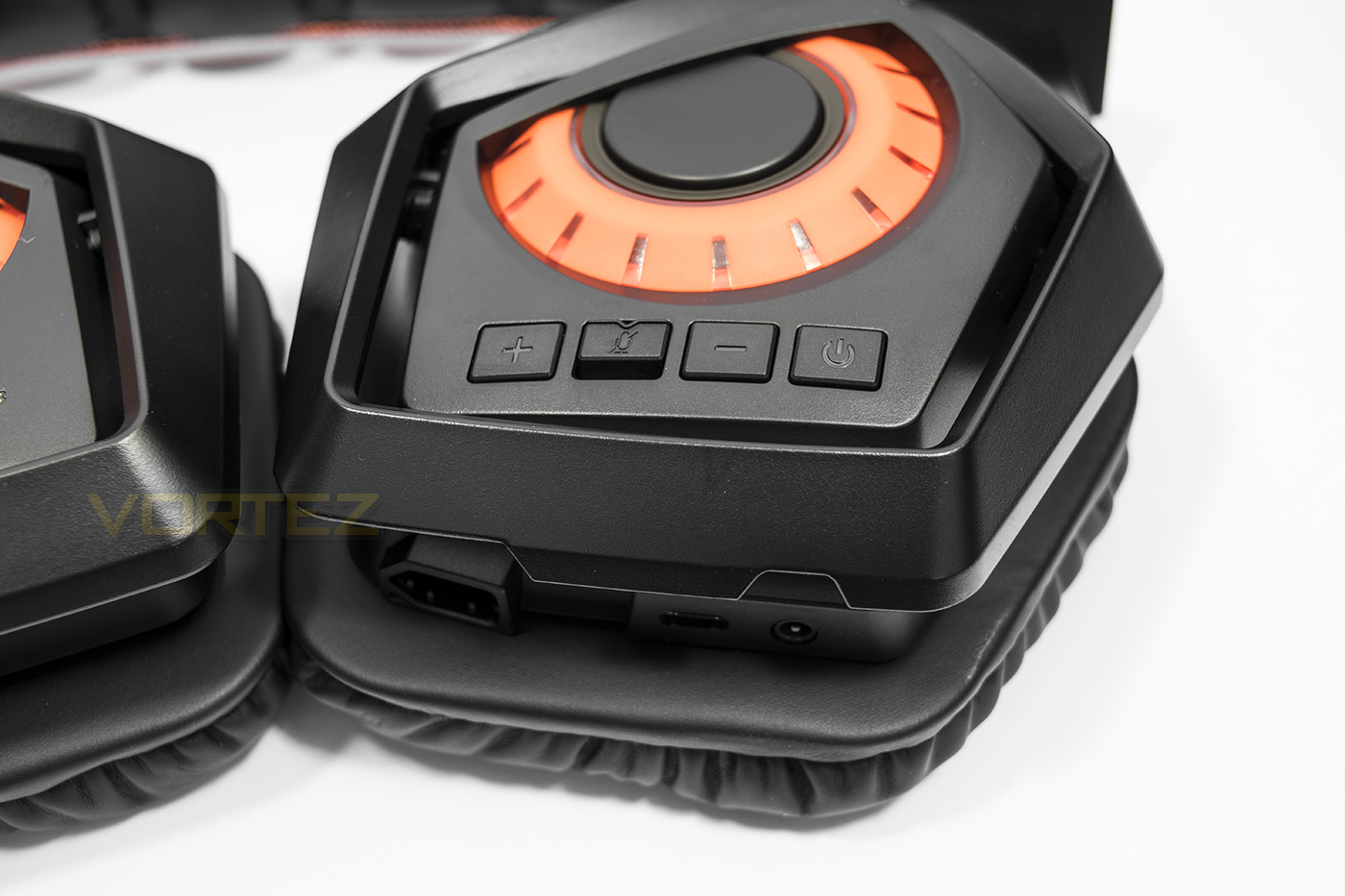
The left side earcup features various controls and IO, including the 3.5mm port, the microphone port, the micro USB port as well as the volume up/down, microphone mute, and the power/pairing buttons.
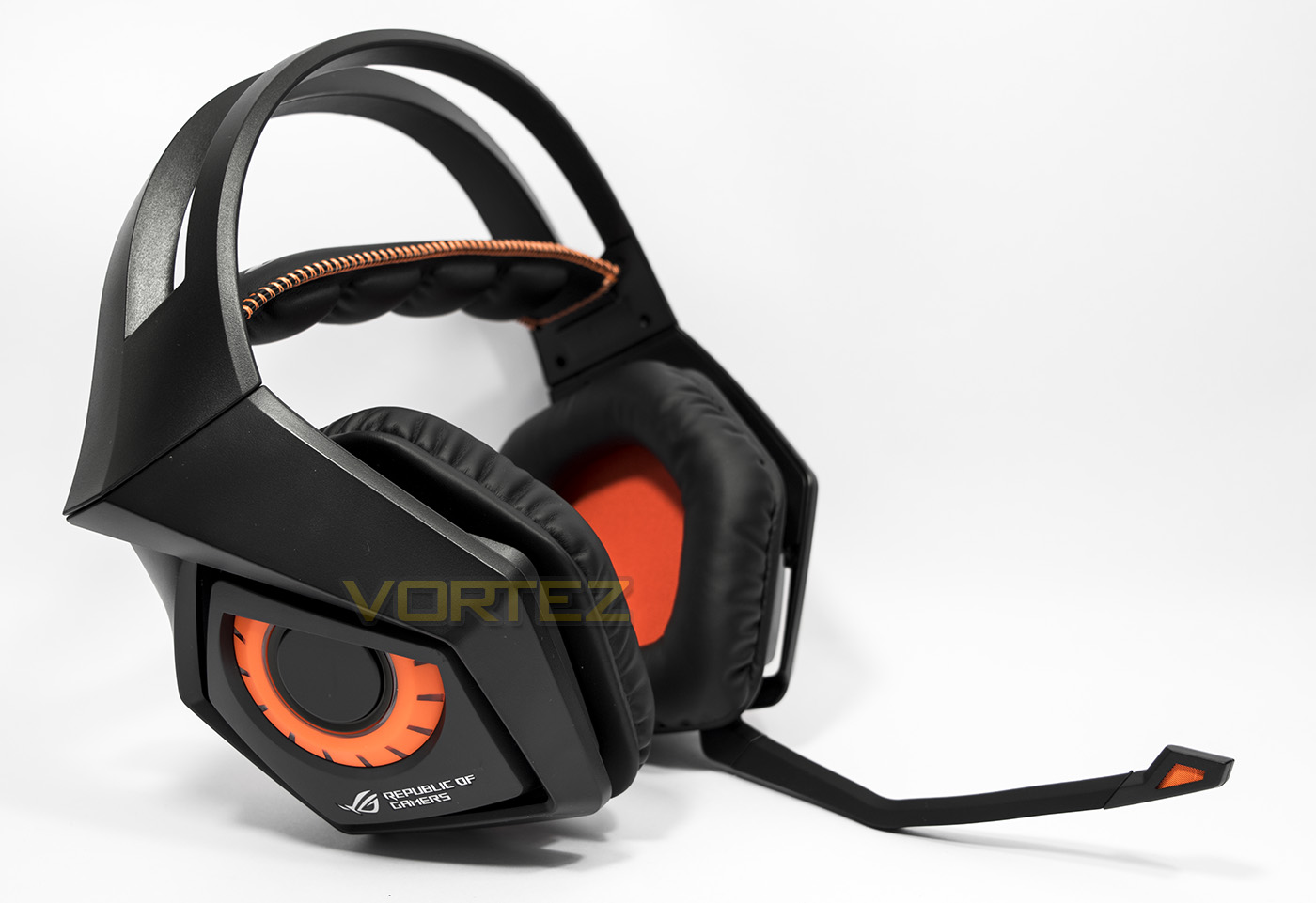
The complete package fits in neatly with the Strix styling.
Software
The software isn’t required for use, but will open up functionality and controls for use with your PC. It runs in the form of the Sonic Studio similar to what we used with the Strix RAID DLX sound card. By default it had various audio enhancement options enabled after installation, including bass boost and the various microphone noise cancelling technologies. The virtual surround and reverb options were also enabled by default. This resulted in various strange and overly bassy audio signatures, so it is worth noting to adjust them to preference. For our main testing we disable all audio enhancements, then for gaming we enabled the virtual surround. Here, it is worth noting that it gives direct access to adjusting the sampling frequency to which the default is set to 44.1KHz, but unless there are known bugs with your games in regards to the audio, I would always recommend setting it to the highest available to improve the output audio quality.
Performance Testing
Setup, Design & Observations
To get started you may need to pair the headset to the included dongle. I say ‘may’ because out the box they did automatically connect, but after downloading the Sonic Studio software there was a firmware update which required me to plug in the USB cable for stable connection while updating. After the firmware was updated I then had to manually reconnect. This is simple to do, hold the button on the dongle till it flashes, hold the power button on the headset it it rapidly flashes, once the LEDs remain ON, they are paired.
Comfort of the Strix headset is reasonable, it can certainly be worn for long periods and the good quality materials and memory foam work their magic, however, despite the claim of ‘optimal’ clamping force, I would say it is slightly on the stronger side. Though having big earcups and soft padding prevents any fatigue. A positive aspect of this design however is that it does a great job of blocking external noises and reduces sound leakage.
The ROG Strix Wireless has the same giant, creaky plastic frame as the other Strix headsets, and though it isn’t a major issue, it can be distracting sometimes because it creaks when you open your mouth, when you raise your eyebrows or pretty much any time you move. In game you will barely notice it, but it does give an uncanny semblance like you are sat below deck on an old wooden ship.
The included accessories provide you with everything you need, USB charging cable, 4pole-4pole cable and a 4pole splitter. The control buttons are solid, giving a reassuring click when each are pressed.
To test out the wireless connection, I wore the headset around the house a little and only experienced a single dropout for a fraction of a second while going down the stairs. From then on, I had a seamless connection, playing music in every corner of my house. I even went out into the garden to see how far I could go, and it seemed to have no problem at the farthest I could go (maybe around 7.5m). After weekend of intermittent use, I did have to recharge the headset. Considering the 60mm drivers and the wireless technology, it is understandable that it doesn’t have the longest lifespan at 10 hours, half of what you can expect from the Razer ManO’War. Though some may appreciate the more stable connection provided.
Overall, the frame is good quality and robust and while some may prefer a less aggressive aesthetic, once they are on your head they come alive.
Multimedia
For our subjective listening, we disabled all audio enhancements in the Sonic studio software, primarily because it sounds better once you do. The bass boost is unnecessary on such a bass heavy headset anyway. The bass tended to overshadow the mid-highs a fair bit, losing some detail in the audio track, making electronic music and metal sounding rather lifeless. I did alter the EQ to regain some detail and generally the ROG Strix Wireless was enjoyable but not quite to the level audiophiles will enjoy. For reference, I decided to try it out wired via my soundcard, and the sound quality was noticeably improved, back to the same good quality experienced in the other Strix headsets.
In game it sounded fantastic, running around in Deus Ex: Mankind Divided was like being transported to another world. The conversations, the background sounds and music all came to life. The virtual surround expands the soundstage a little, but does effect the overall sound quality a little, so I preferred to use it in stereo mode. The headset seemed perfectly balanced to reveal the details in footsteps, gunshots and explosions with decent spatial awareness, making games seem more lively and exciting. I would heed caution towards the high level of sound isolation as you may find yourself removed from reality so much so, you may end up with an entire room of people standing behind you while you are completely oblivious to it.
Microphone
The microphone is identical to the other Strix headsets we have had a look at in aesthetics at least, and is very flexible and easy to adjust. It picks up your voice very loud and clear, and is received by others in conversation as slightly warm and bassy. enabling various noise cancelling technologies available works a treat, though changing your voice a little, it almost completely knocked out a fan blasting at my face while clearly picking up my voice, which is cool. The fact the adjustments made are on sliders so you can adjust their strength to balance noise cancelling and a natural sounding voice again, is pretty cool too.
Conclusion
The ROG Strix Wireless came out hitting rather hard as it delivered on its promise of powerful, immersive gaming audio using a low-latency and reliable wireless connection. The dual antenna certainly impressed me, given that it gave an almost entirely uninterrupted playback experience while I took a walk into my garden while listening to music. The ROG Strix also has an advantage over the Razer ManO’War regarding cross platform compatibility, largely due to the inclusion of a 3.5mm jack and all the cables and accessories needed to function wired and wireless.
The Strix headset frame is made from good quality materials, we see the use of protein leather, edge stitching and memory foam. Though there is no escaping the creaking of the frame due to its bulky plastic design. The huge earcups do their job well in providing comfort and sound isolation, though I would prefer a slightly lower clamp force.
The audio quality is certainly more geared towards gaming considering its powerful booming bass, while the mid-highs slip into obscurity. Though this seems more to do with the audio processor ASUS have chosen to use, hinted at when we wired the ROG Strix Wireless to our soundcard. Some will enjoy the widened audio when you enable the virtual surround, though others that plan on using this headset with their Xbox One, or PS4 will be pleased to hear that it sounds better as a standard stereo headset anyway.
The battery life is, understandably (dual antenna, 60mm drivers etc.), shorter than other competitors. At first I thought this would be a minor point considering you can use the headset wired, but it turns out that the micro USB port is ONLY for charging and does not carry any data. Thus if you wish to charge and play at the same time, you will need to connect two cables. Inevitably defeating the object of a ‘wireless’ headset.
Now we come to consider the pricing and without beating it around the bush, it is significantly cheaper than the Razer ManO’War, (£50/$70) You also get the added cross platform benefits. That being said, it still isn’t cheap and doesn’t really give much by way of improved audio quality over headsets half its price. So with this one, you need to be sure that you understand what you are investing in, and that is a decent cross platform gaming headset that has premium wireless technology installed.
Featuring premium wireless technology, you can be sure that the powerful gaming sounds being blasted in your ears will remain uninterrupted; at least until the battery runs out.
Pros.
+ Aggressive gaming aesthetic
+ Large earcups
+ Good gaming audio
+ Flexible, detachable microphone
+ Can be used wired on any platform
+ Wireless PC/PS4
+ Dual antenna (stable wireless connection)
+ Good supporting software
Cons.
– Comparatively short battery life
– Creaky plastic frame
+ Aggressive gaming aesthetic
+ Large earcups
+ Good gaming audio
+ Flexible, detachable microphone
+ Can be used wired on any platform
+ Wireless PC/PS4
+ Dual antenna (stable wireless connection)
+ Good supporting software
Cons.
– Comparatively short battery life
– Creaky plastic frame
Click here for an explanation of our awards at Vortez.net.