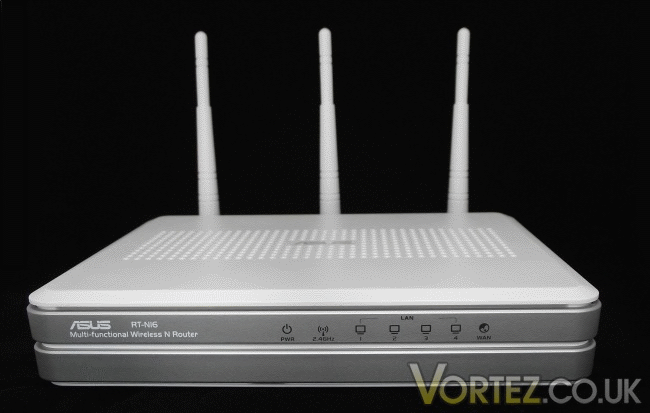
ASUS have sent us their flagship router, the RT-N16. Follow the link to see more…
Product on Review: ASUS RT-N16
Manufacturer and Sponsor: ASUS
MSRP: £116
Street Price: £115.78
Networking has become an integral part of our lives in the past few years. Whether it is social networking or networking for file sharing, it is something we see in everyday life and barely think about. Companies see this importance and are beginning to reflect it in their products. By making them feature rich, it saves the amount of devices required and of course the cost.

One of those companies is ASUS. While well known for the motherboards and graphics cards, especially those with voltage tweak, they manufacture they are less well known for the routers they also make. Today we have one of the flagship models from the N series of routers. Before we take a look, a little about the company behind the router:
ASUS comes from the last four letters of Pegasus, the winged horse in Greek mythology that represents the inspiration of art and learning. ASUS embodies the strength, creative spirit and purity symbolized by this regal and agile mythical creature, soaring to new heights of quality and innovation with each product it introduces to the market.
ASUS pursues technological and aesthetic perfection through continuous innovation. We place ourselves in our customers’ shoes to develop a deep understanding of, and genuine empathy for, their needs—enabling us to create user experiences that transcend the norm.
ASUS Design Philosophy
ASUS Design develops high-quality solutions our customers will enjoy.
Our design process is built on thorough research, early anticipation and well-planned execution.
We act with a global vision and a focus on local strengths, conditions and heritage.
ASUS pursues technological and aesthetic perfection through continuous innovation. We place ourselves in our customers’ shoes to develop a deep understanding of, and genuine empathy for, their needs—enabling us to create user experiences that transcend the norm.
ASUS Design Philosophy
ASUS Design develops high-quality solutions our customers will enjoy.
Our design process is built on thorough research, early anticipation and well-planned execution.
We act with a global vision and a focus on local strengths, conditions and heritage.
Now let’s take a look at the RT-N16’s specifications…
Specifications
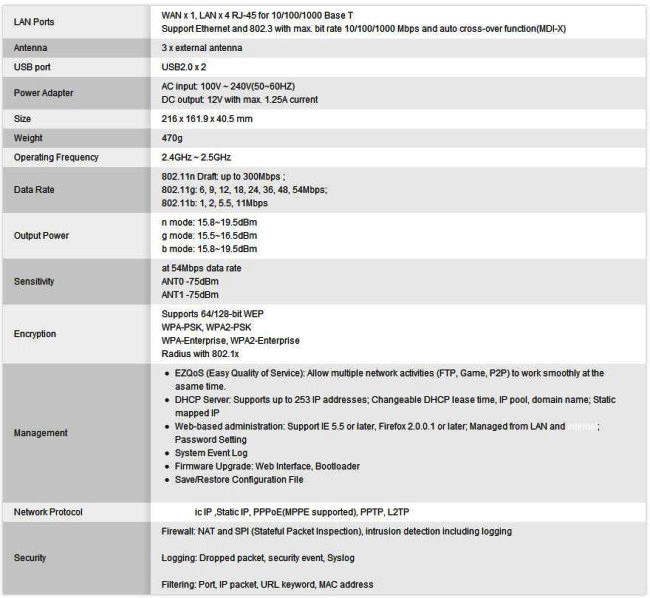
Taken from here
Packaging and Content
The router comes in a blue and white box. There is a picture of the router on the front as well as “icons” showing the main features and some text explaining the major advantages of the router, such as 802.11n having a much higher throughput when compared to 802.11g and the router’s ability to take advantage of USB storage.
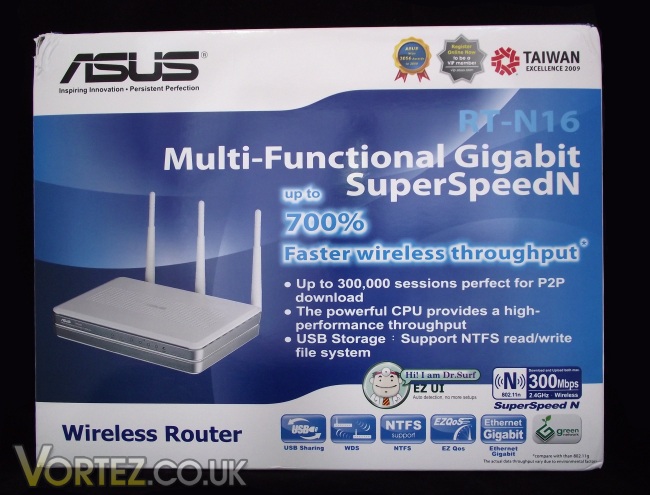
Front of the box
On the left flap of the box is a brief summary of a few of the RT-N16’s features (in a massive 23 languages!) while the right flap has a specification table similar to the one on the previous page.
Turning the box over to the rear we see ASUS concentrating on three main features: “AiDisk”, “EZ All-In-One Printer Sharing” and “EZQoS.” These three main features are explained with illustrations to break up the text and aid in the explanations – for more information regarding these features please see the features page for the RT-N16 router on the ASUS site.
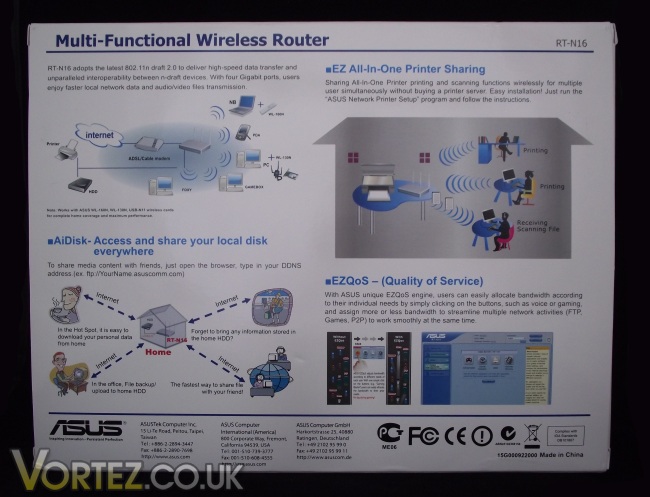
Back of the box
Opening the box we are greeted by a plain white box containing the router, a quick start guide, a utilities and user manual CD, a 2m Ethernet cable and an ASUS VIP Member Warranty Notice.
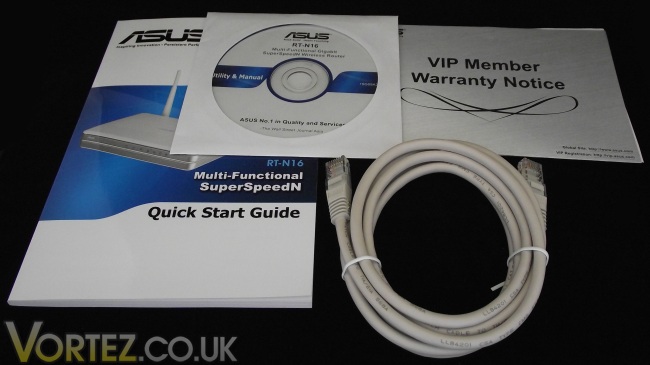
The bundle
Having emptied the box, let’s check out the router itself…
Closer Look
As can be seen the router is a slick silver and white. The front has blue status LEDs to show power, Wi-Fi, LAN connection and if a WAN connection is present. Other than these LEDs and the router’s model number the front is fairly basic and clutter free.
Front of the router
Moving round to the back we can see the amount of connections crammed onto the small router. From left to right we have the power socket, WPS button, 2 x USB 2.0 ports, the restore button, a WAN port and 4 x LAN ports. Punctuating these we have the aerials which can be positioned in multiple ways to suit the router being wall mounted or set-up in cramped spaces.
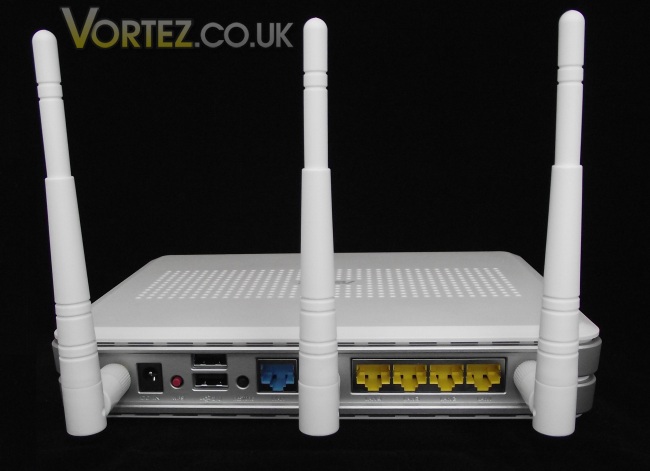
Back of the router
Lifting the router up we can see vents to help keep the router cool (similar vents can be found on the top of the router), four rubber feet and a pair of holes to allow the router to be mounted on a wall in either orientation. Also on the bottom is a sticker with the information we have come to expect being on routers somewhere. This sticker contains the default settings for logging into the router’s control panel, its MAC address as well as other information such as power usage.
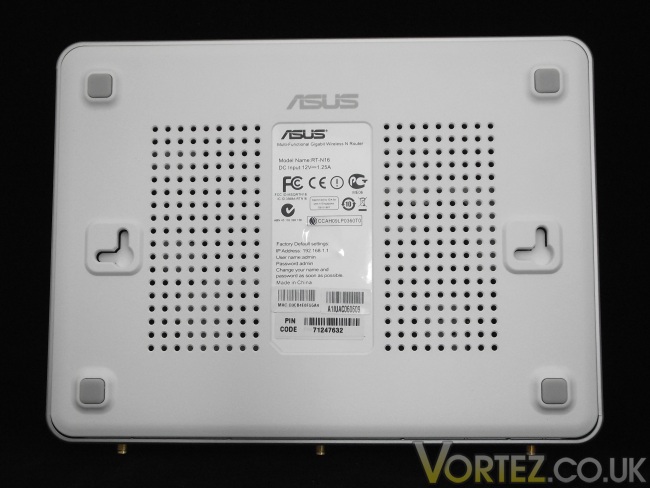
Base of the router
Configuring the RT-N16
Once I had connected the router’s three aerials, given the router power and connected it to the BT Home Hub, I was ready to begin setting it up. Inserting the included Utility and Manual CD I was presented with the following menu.
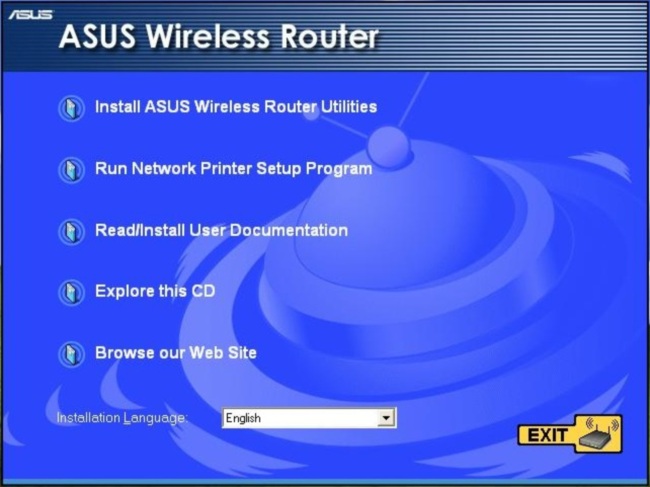
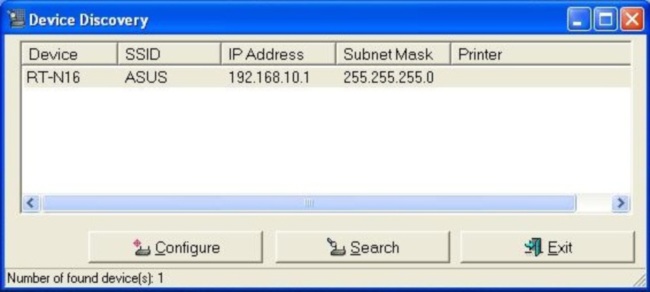
Having installed the utilities from the CD, I used the device discovery utility to find the RT-N16. Of course I could have typed the router’s IP address into a browser but should you have changed the IP address of the router (as can be seen I had to in order to stop a conflict with the Home Hub) this provides a definite way of knowing you can find the router and configure it.
Once logged into the control panel (with the standard admin/admin for username and password) I was presented with a network map. This network map shows a simple over view of how many computers or devices are connected (labelled clients), if a USB device is connected and the status of the connection to the internet. To the right of this is a quick settings bar where having clicked on “Clients” I could view all connected devices or having clicked on the router I can easily change the SSID of the router, the passphrase, what type of encryption to use for the wireless and a few more options.
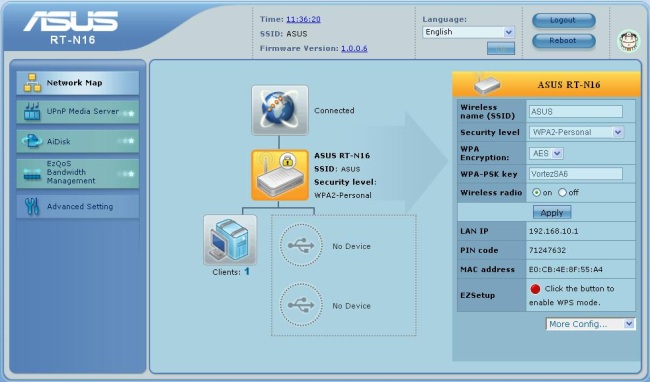
Moving onto the features the RT-N16, this is a feature rich router! As well as AiDisk which Dave went over in his review of the RT-N13U, the RT-N16 allows media on USB storage to be streamed to UPnP devices and bandwidth management to ensure time critical traffic is given top priority.
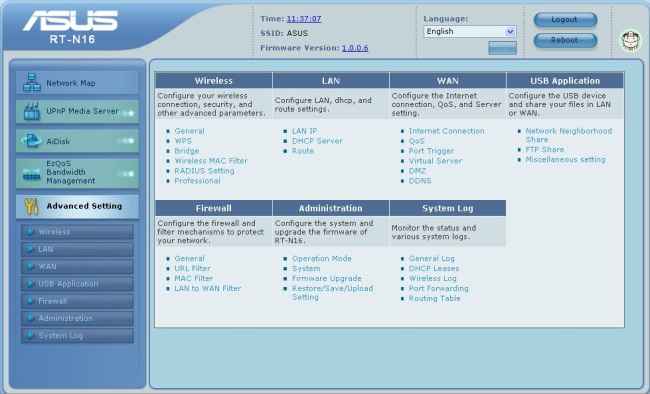
Clicking the “Advanced Setting” option opens a plethora of settings. These range from security, to managing features and IP addresses to logs and port forwarding. Using these options you can setup all things from MAC address filtering, URL filtering and configure the FTP access of a USB storage device.
Conclusion
As I’ve said through the review, the RT-N16 is a feature packed router and despite having a premium price it is a premium router. Whether you simply want a router that provides a simple stable internet connection or if you would rather dive into the “Advanced Settings” setting up the router is easy. Should you get stuck Dr. Surf can help you out and get you on your way again.
When the RT-N13U was reviewed by Vortez last year, the only downside Dave could find was the single USB port present. With the RT-N16 this is not the case as two USB ports are present. The only problem I had with the router (which I mentioned earlier) was through no fault of the router and through the simplicity but effectiveness of the UI (user interface) the problem was easily solved.
The only downside to the RT-N16 is the price and although you get a fairly feature packed router for the price.
Pros
[+] Number of connections – 2x USB and 4x Ethernet
[+] Feature rich e.g. AiDisk
[+] Easy to set-up – effective troubleshooting should things not go to plan
[+] Comprehensive but simple UI
Cons
[-] Quite pricey
I would like to thank ASUS for providing the sample. If you would like to discuss this review, please visit the forums.