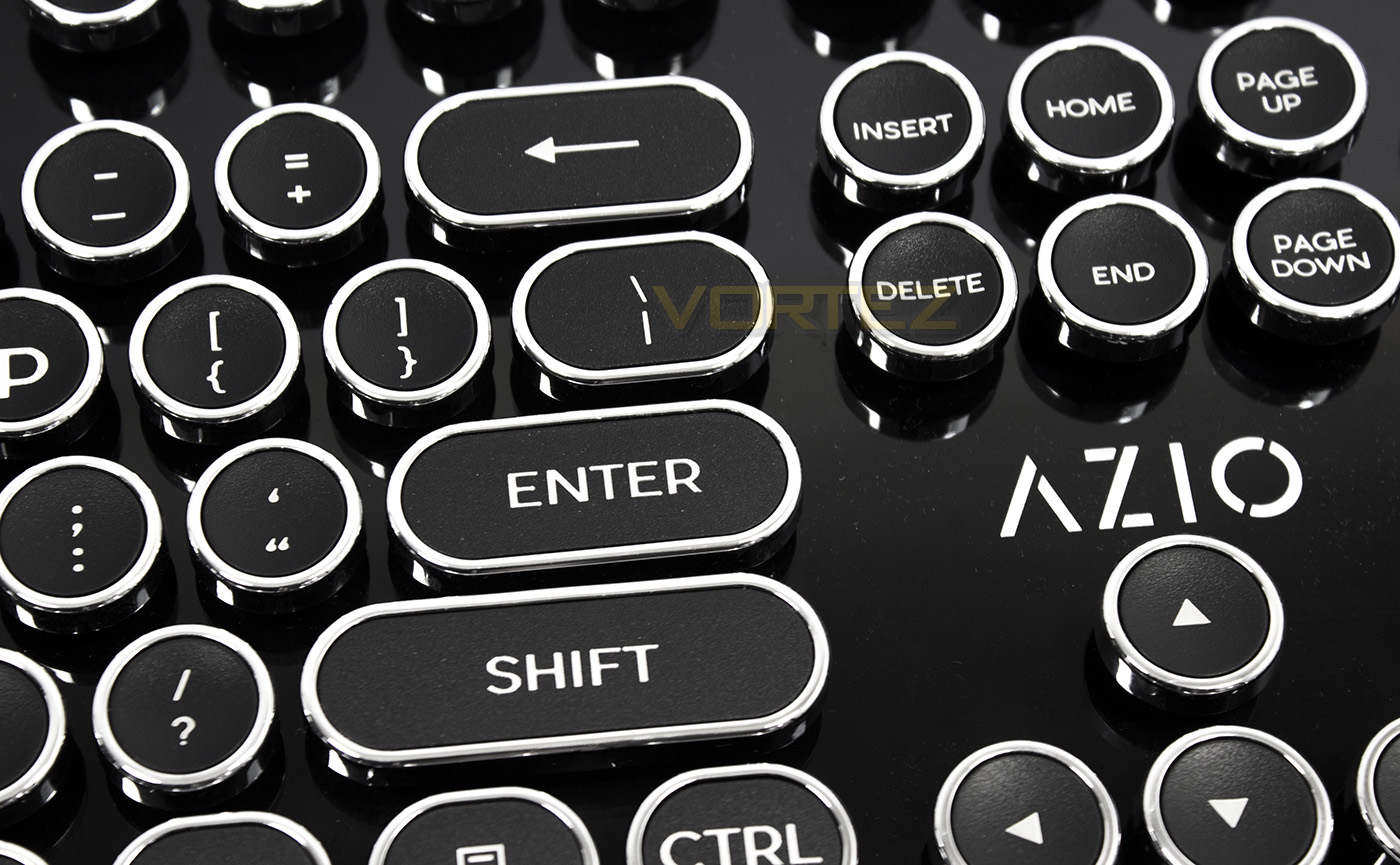
If you are looking for some nostalgia, AZIO may have the mechanical keyboard for you. The MK Retro has been inspired by the design of the typewriter, yet features many of the mod-cons of contemporary mechanical keyboards.

Product on Review: MK Retro
Manufacturer & Sponsor: AZIO Corp
Street Price: US: $99.99
Some may not be familiar with AZIO Corp, a young manufacturer keen on injecting innovation and fun into your peripherals through cutting edge design. One look at the MK Retro, you can understand that they are certainly looking to make alternative products available. The MK Retro is a typewriter inspired mechanical keyboard, featuring large, chrome rimmed key-caps, and clicky switches with the intention of taking typists back to the golden era of industry in the 21st Century.
The AZIO MK Retro can be had in two colours, black/chrome and white/gold and even has bulky LED indicators simulating the aesthetic of the large incandescent bulbs of days gone by. Aesthetics aside, this mechanical keyboard is designed to take a beating as its sturdy body has a unique key socket design, making it spill and dust proof. As it is is a contemporary mechanical keyboard, it also hosts an array of Fn based media functions and shortcuts. Additionally, for those that are interested in this particular aesthetic, it is worth mentioning that the MK Retro features full N-Key Rollover as well as a Windows Lock function, ensuring an interruption free experience.
About AZIO Corp
Azio Corp. is a manufacturer dedicated to providing innovative tech gear to make everyday life more engaging and fun. We believe that design has the power to alter not only perceptions, but also emotions. Through superior design, we are driven to provide a better experience for people of all ages from all walks of life, no matter what your hobby, profession, or need may be.
Technical Specifications
INTERFACE: USB
MECHANICAL SWITCH: Tactile & Clicky (Blue)
NKRO: Full Key Rollover
CORD LENGTH: 6ft / 1.8m / Braided
OS SUPPORT: Windows XP, Vista, 7, 8, 10
DIMENSIONS: 5.8 x 17.9 x 1.6 in / 147 x 455 x 40 mm
WEIGHT: 2.3lbs / 1043g
PACKAGE CONTENTS: Keyboard, User Guide, Thank You Card
WARRANTY: 2 Year Limited
MECHANICAL SWITCH: Tactile & Clicky (Blue)
NKRO: Full Key Rollover
CORD LENGTH: 6ft / 1.8m / Braided
OS SUPPORT: Windows XP, Vista, 7, 8, 10
DIMENSIONS: 5.8 x 17.9 x 1.6 in / 147 x 455 x 40 mm
WEIGHT: 2.3lbs / 1043g
PACKAGE CONTENTS: Keyboard, User Guide, Thank You Card
WARRANTY: 2 Year Limited
Packaging & First Look
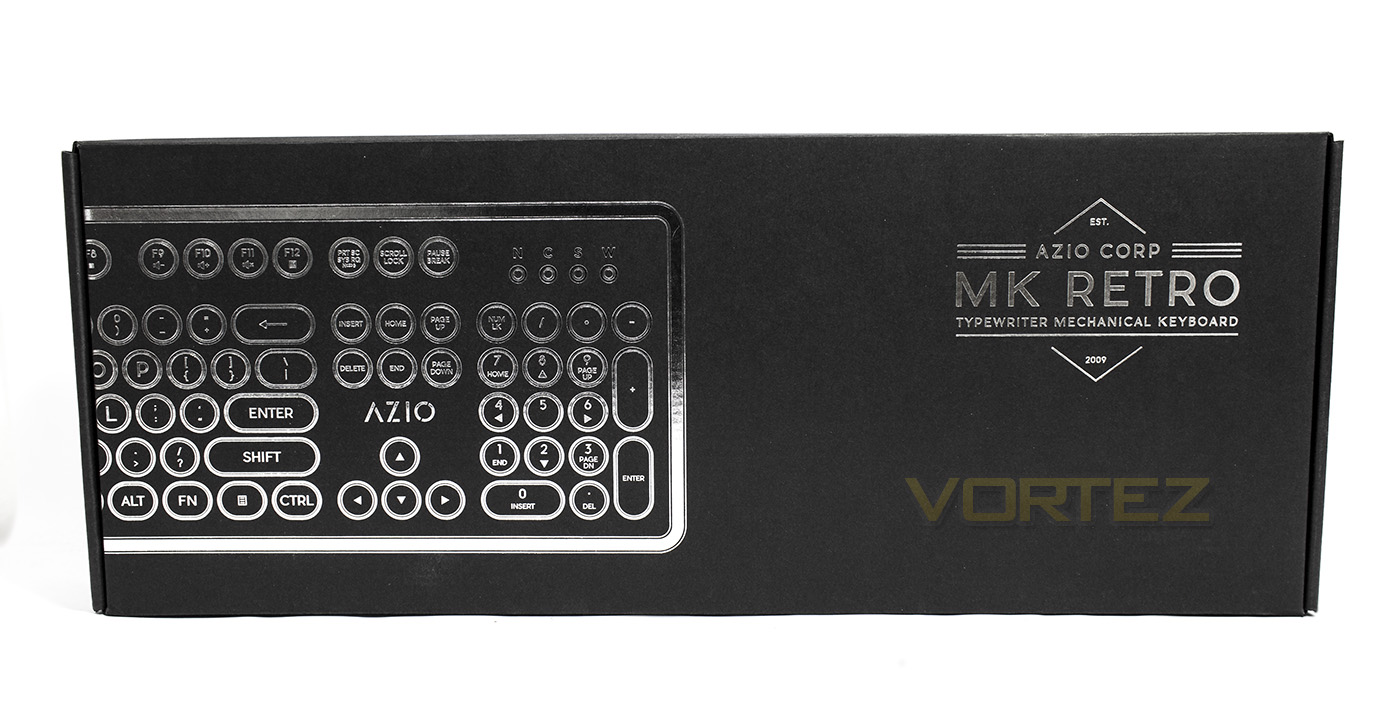
The packaging is very elegant with a metallic imprint of the product inside and some minimal branding along with the model name.
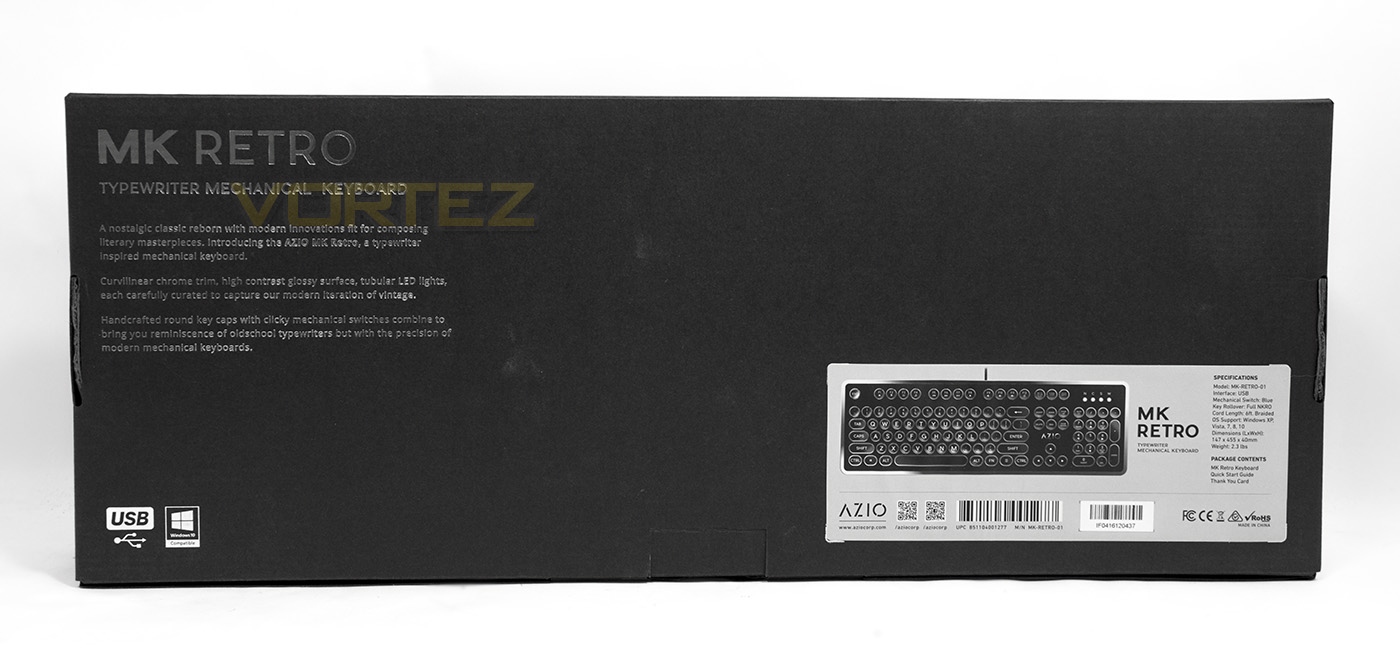
At the back there is a basic overview of the product and the design ethic behind the product. There is information about the use of clicky switches, however there is no mention of which brand switches are being used.
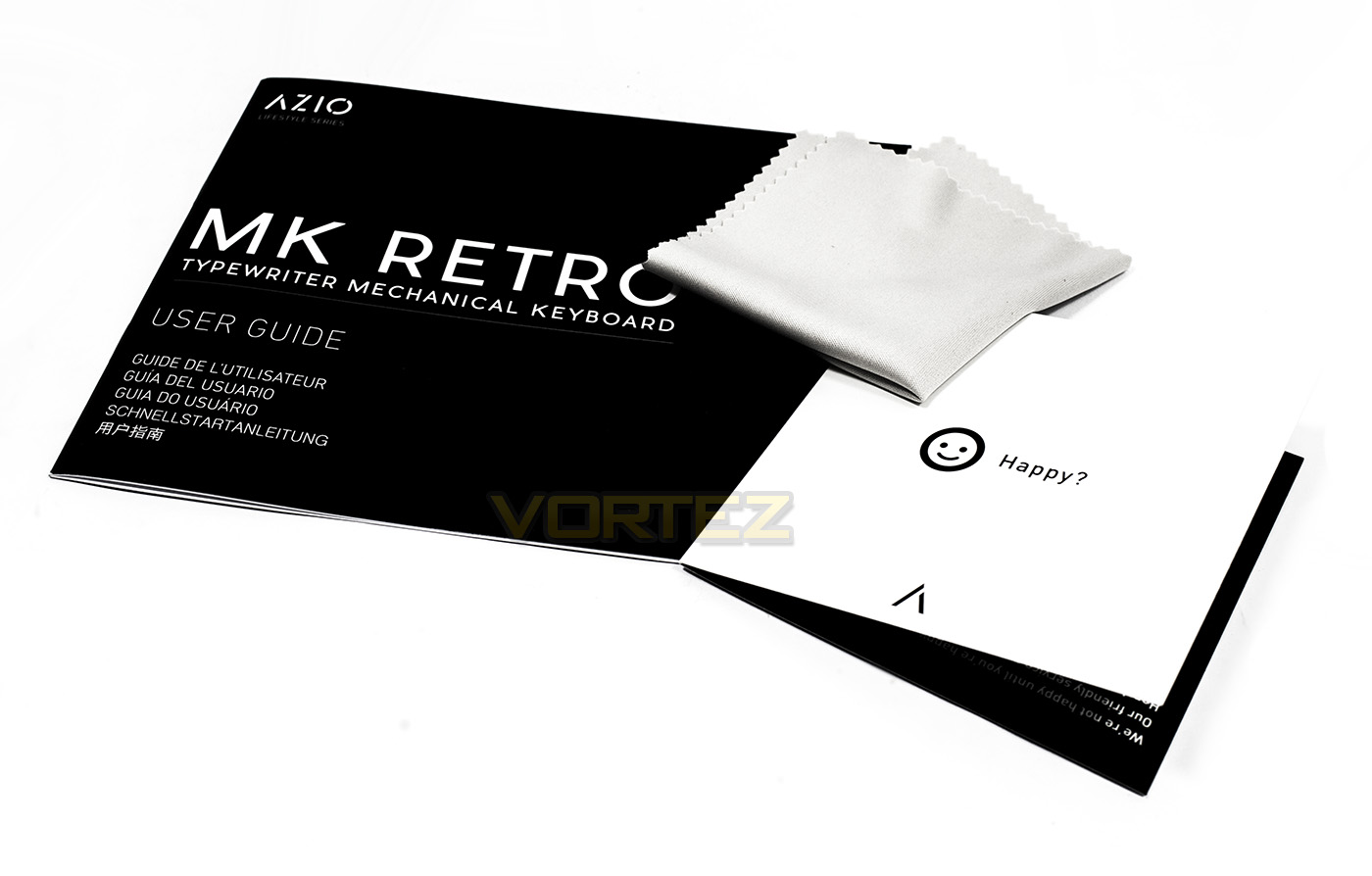
Inside there is a multi-lingual manual, a thank you card, as well as a micro-fibre cloth. Interestingly, the addition of this cloth suggests that we can expect it to be a dust/fingerprint magnet.
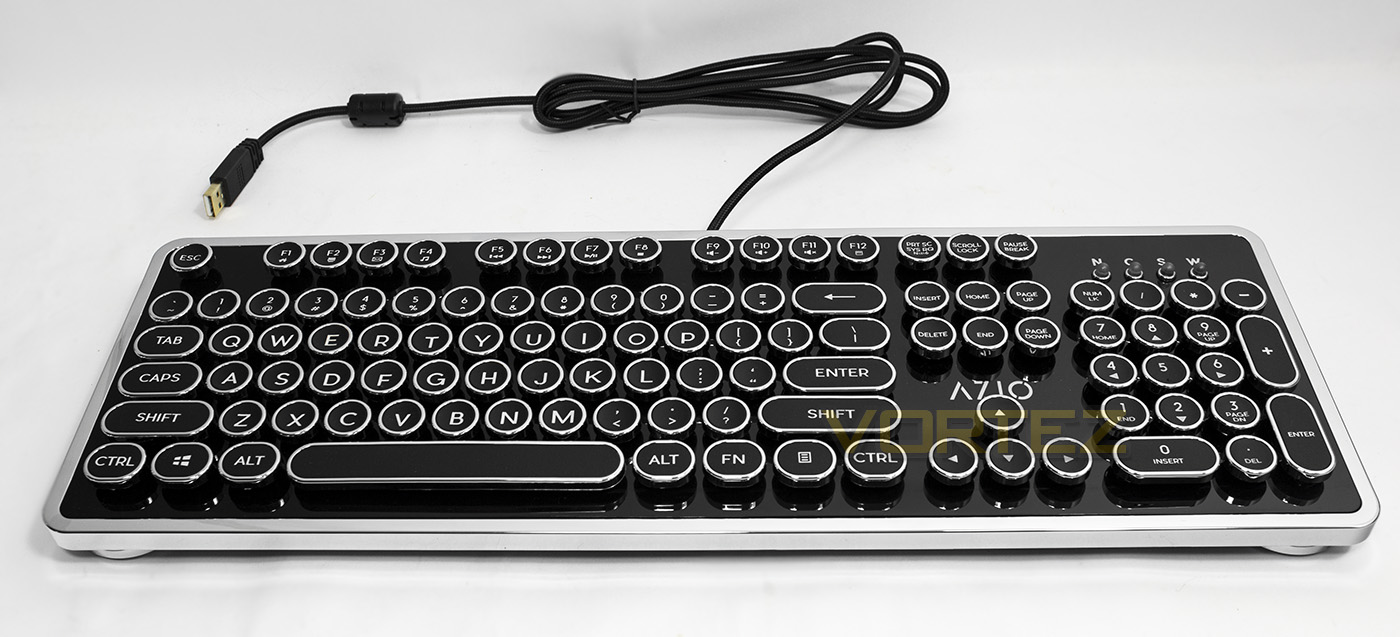
The MK Retro is a fairly minimalistic keyboard that is not just sleek, but is also visually striking due to its break from the norm of modern keyboards. Our, clearly, is the black/chrome version and aesthetically speaking, we can understand that many people will love/hate its appearance. Though, some will be very happy to note the gold plated USB connector and the braided 1.8m cable.
Closer Look
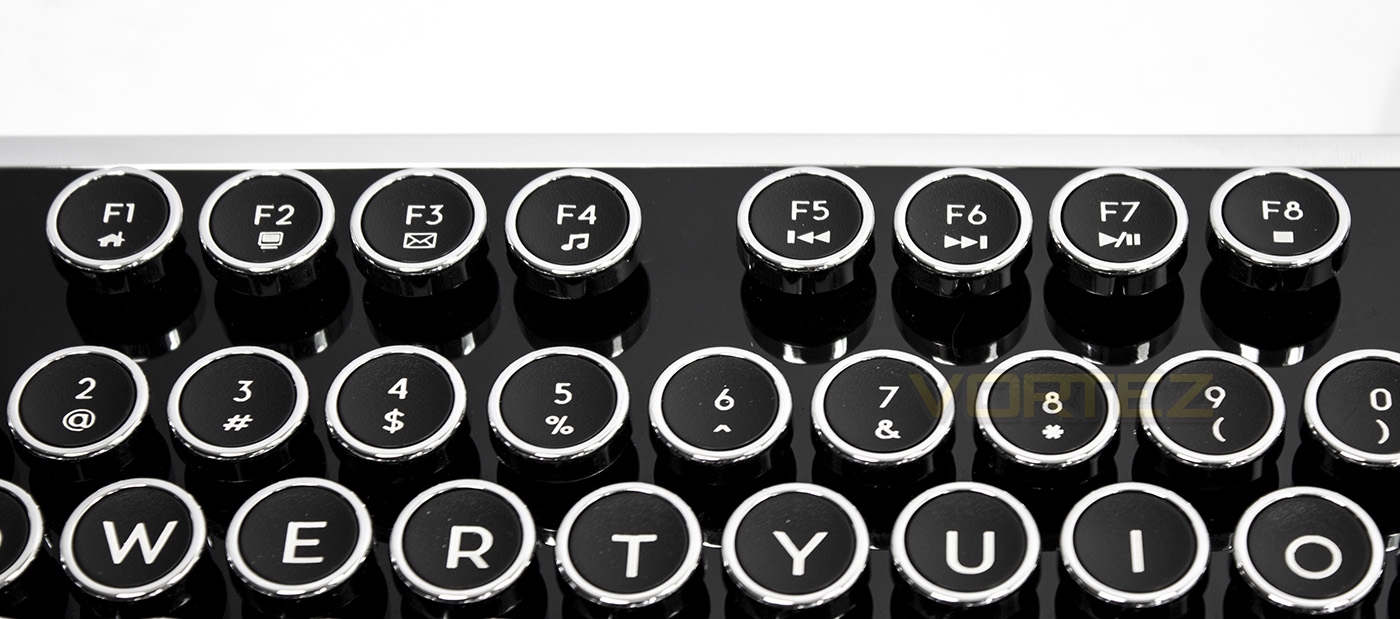
The F-keys double up as various shortcuts and media keys, including web browser home, my computer, open email browser and open media player. F5-F8 double up as media keys, (back, forward, play/pause, stop).
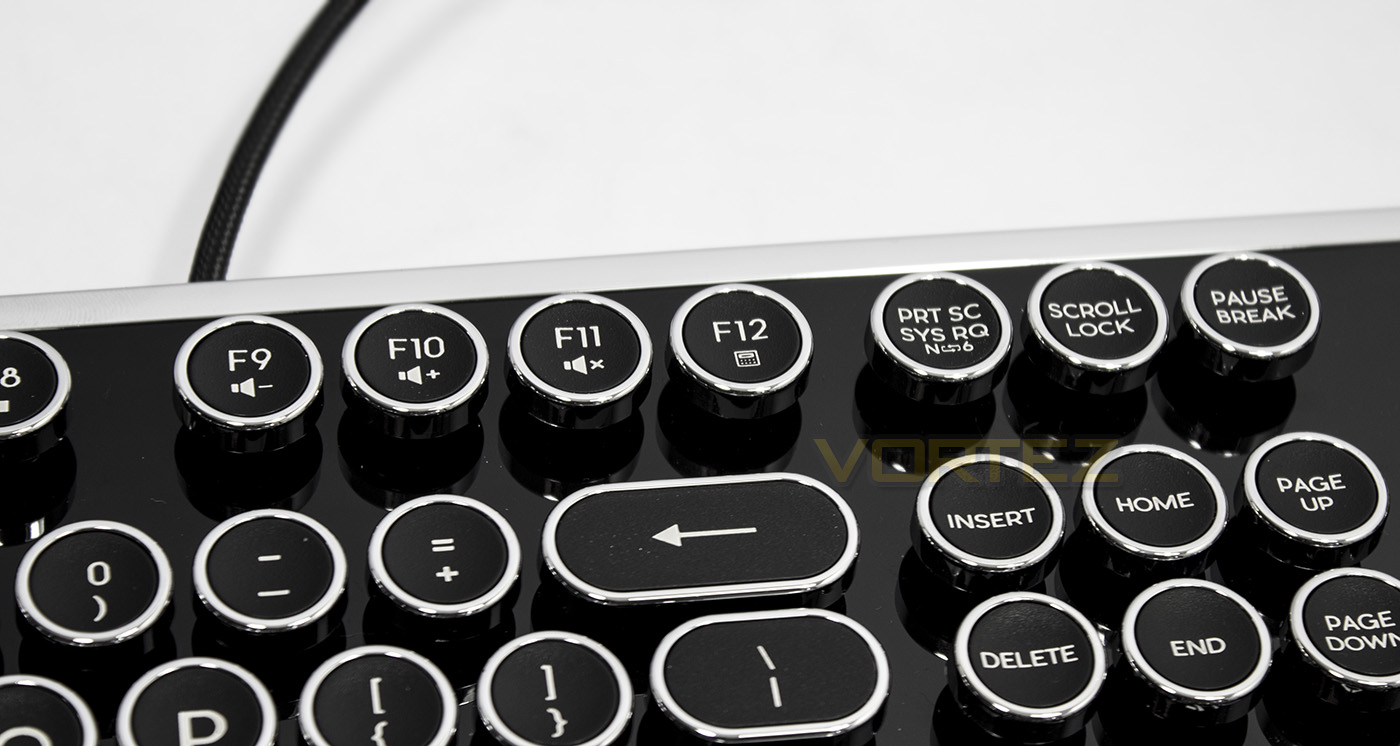
Farther along we find volume down/up and mute functions as well as an open calculator shortcut. The final apparent Fn key is Prt SC, doubling up as a toggle between 6KRO and NKRO.
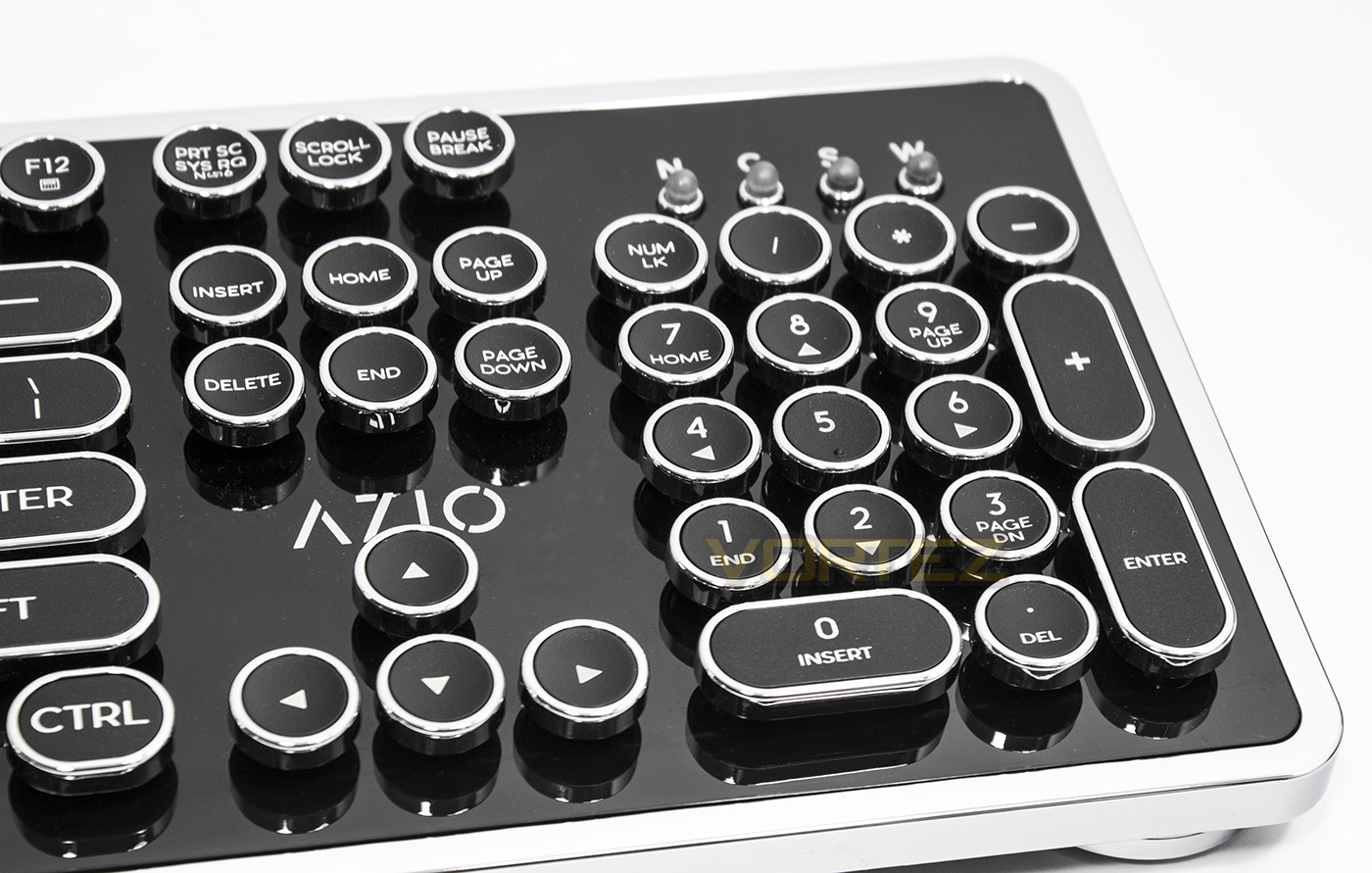
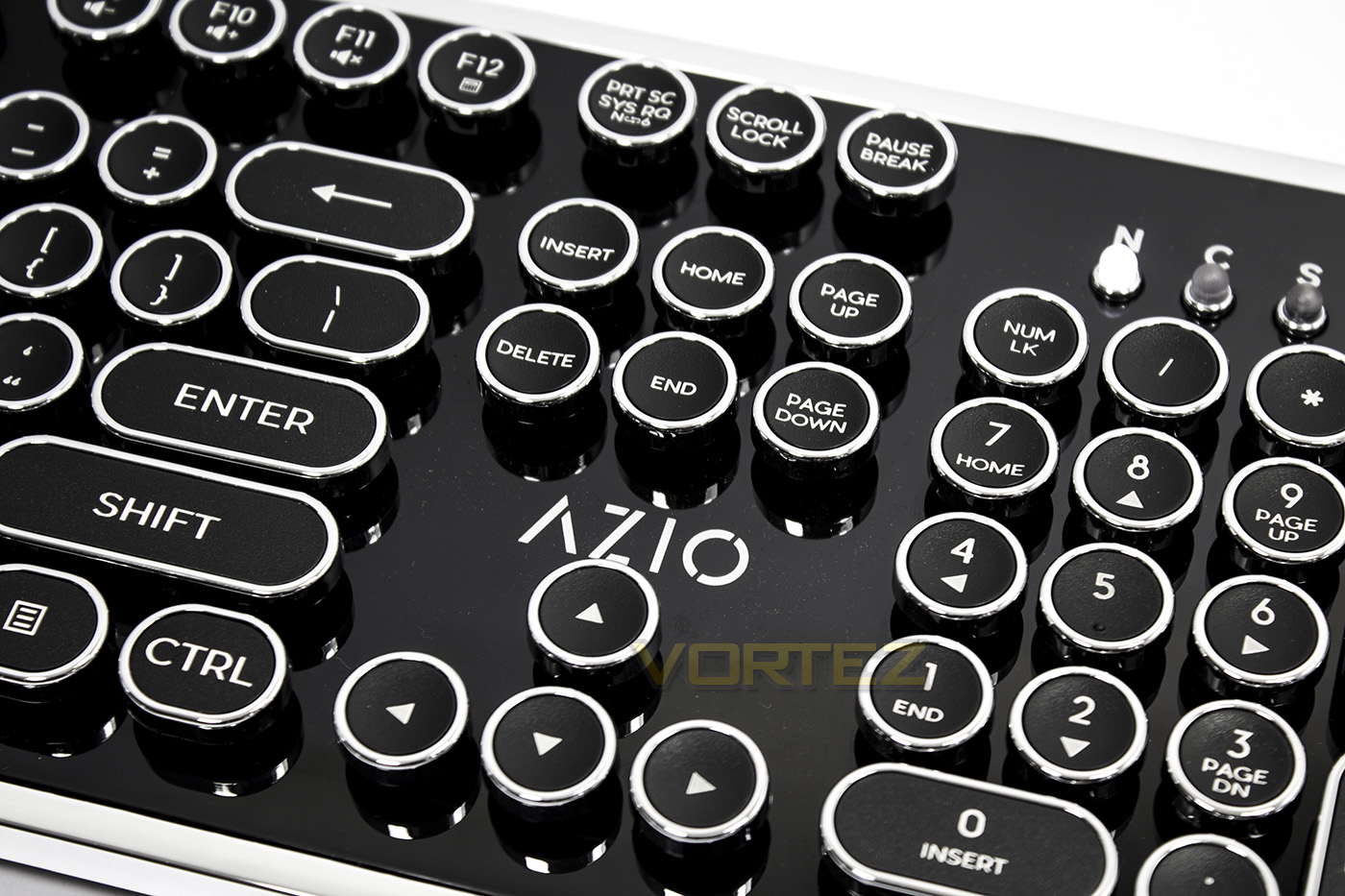
The numpad also keeps the aesthetic of the chrome rimmed key-caps while in the top right corner there is a row of large LED indicator bulbs for the various locks (num lock, caps lock, scroll lock and Windows Lock). To lock the Windows Key, press the Fn + Windows Key.
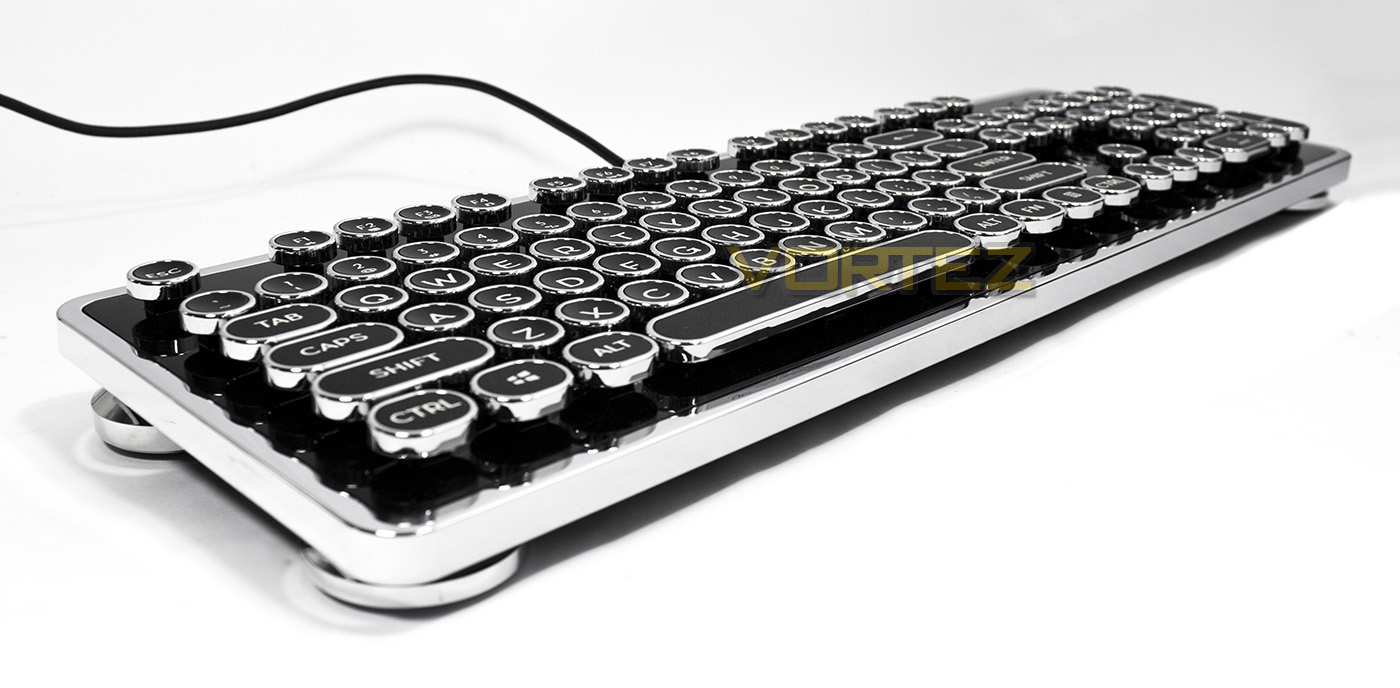
The Crome rim of the MK Retro is complimented by the large ‘pillar’ feet. Though not the most compact keyboard, it remains fairly small in its overall frame.
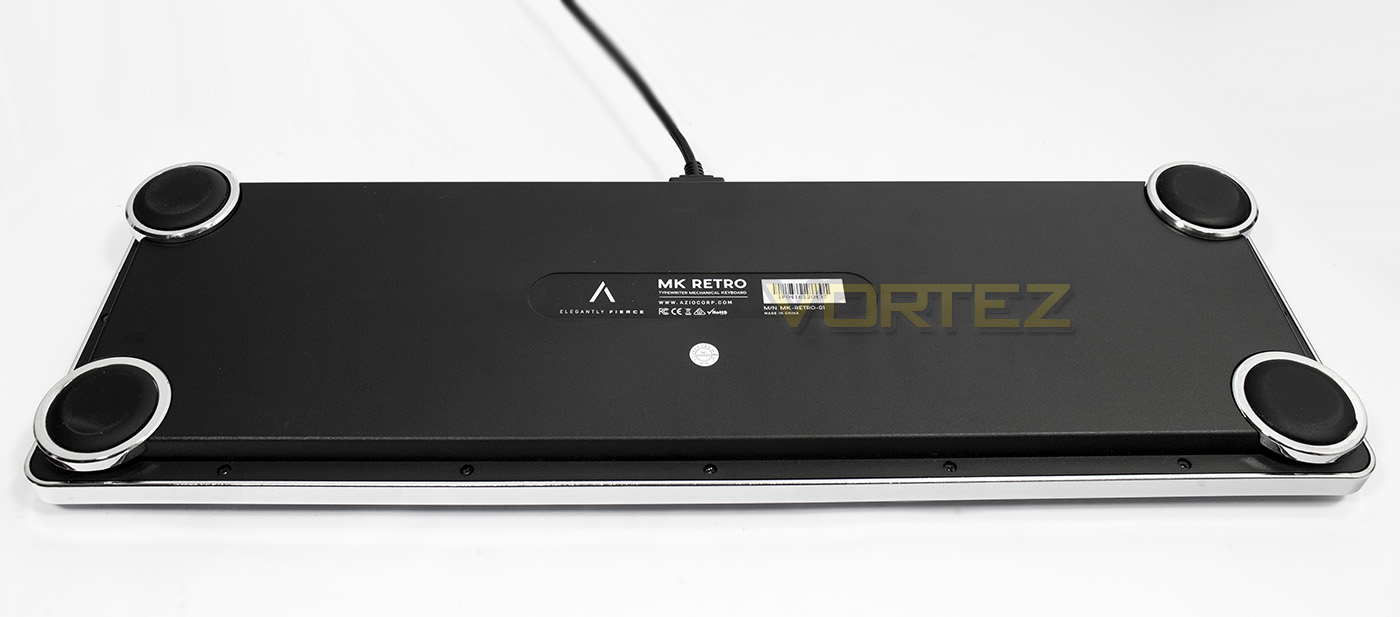
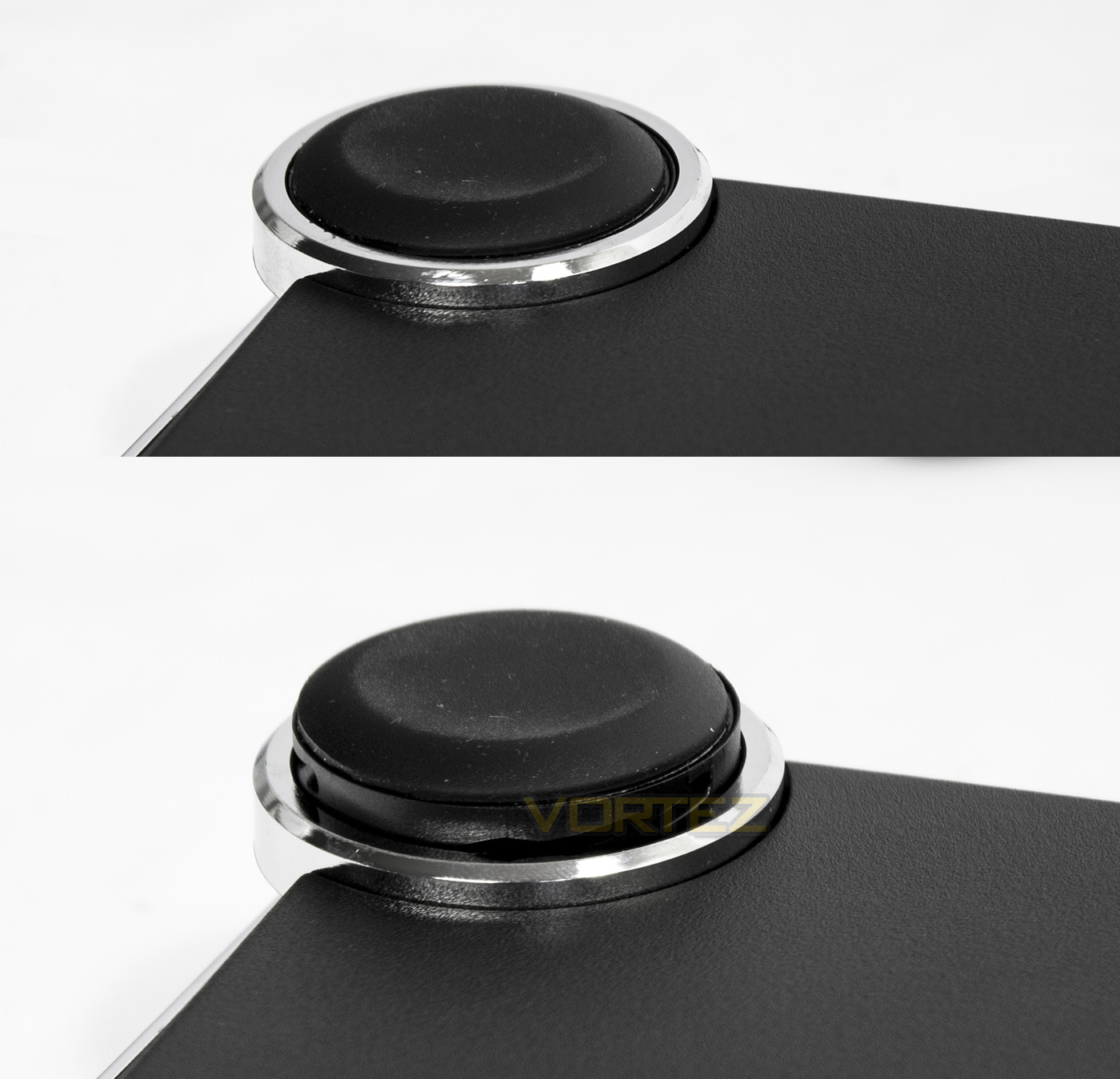
The underside throws up little to note, other than the pillar feet, of which, the rear two has a rotatable ring, allowing for angle adjustment.
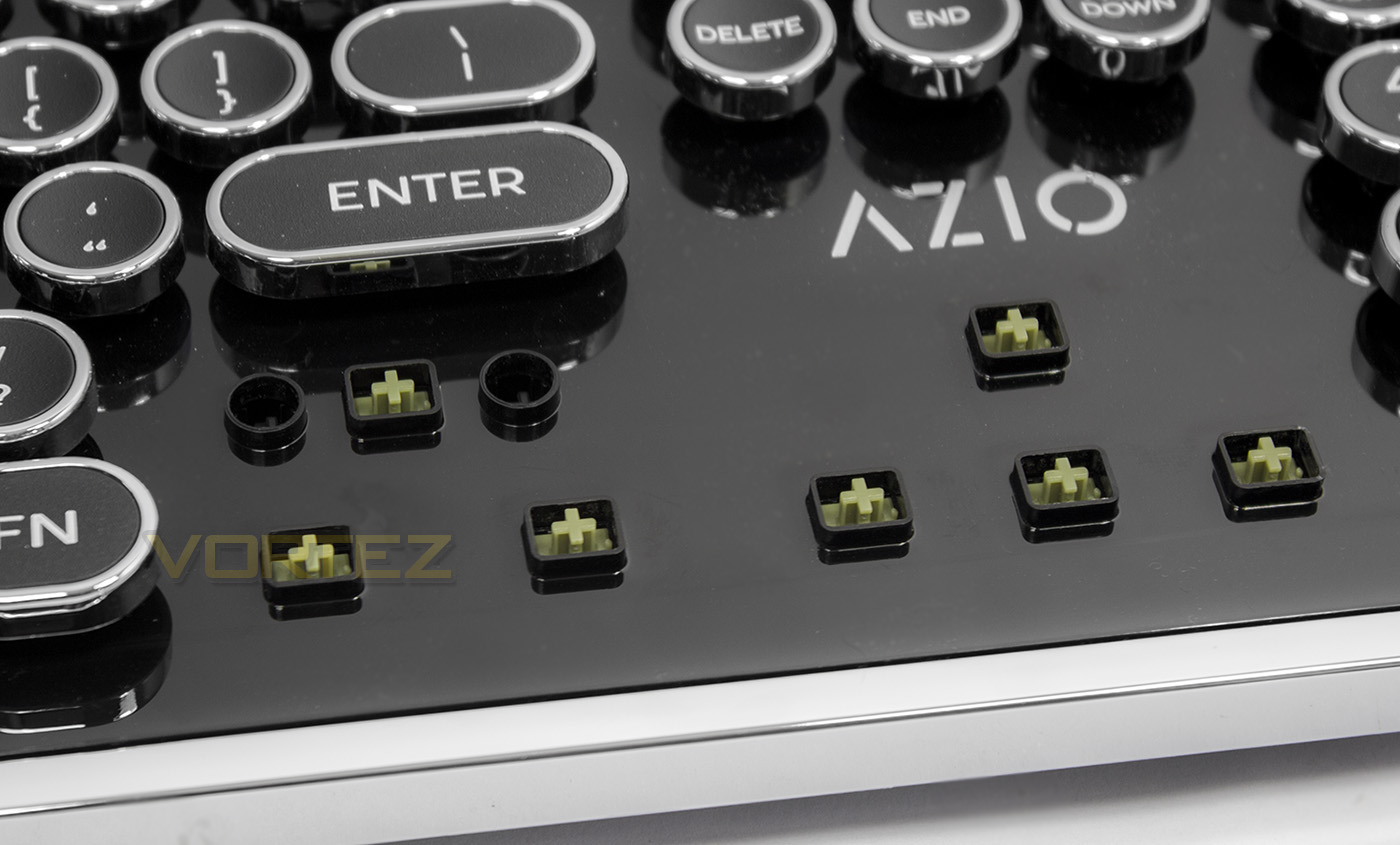
The spill/dust proof design is thanks to its protective shell, in which the key caps feature a protective socket. Thus making it difficult for dust/liquid to penetrate the mechanical switches. Though not completely water proof, this design certainly looks like it will protect the keyboard from the odd workplace spillage. However, due to this design, I wasn’t sure how to crack it open to have a look at the switch manufacturer. Despite stating that the MK Retro features ‘blue clicky’ switches, what we clearly find here are the less commonly used ‘green’ switches. As we do not know the manufacturer, we cannot be entirely sure of their specification, however, generally speaking, ‘green’ switches are very similar to ‘Blue’, in that they are tactile, clicky switches, but they have a higher actuation force. This could be down to the use of larger, heavier key-caps, or simply to provide a stiffer key press that is more typewriter-esque.
Performance Testing
Setup, Design & ObservationsOn opening the packaging of the MK Retro, we discover that the surface finish of the keyboard is piano black, and as feared, it was and despite the switches having dust protection, the surface itself is a dust/fingerprint magnet (as seen in the images).
At a little over 1Kg, it has a fair amount of weight to it, though the large feet on the underside will ensure minimal movement on your desktop surface. Though the overall aesthetic in our humble opinion looks fantastic, one has some questions about the longevity of its appearance due to the materials used. The key cap font is printed on the surface, and gives the impression that it will easily wear after a fair bit of use, while the chrome finishing is actually a coating on the plastic, which also could flake, scratch, crack, and peel away. Also, the actual body itself is glossy plastic and considering the actual price, one can’t help but think that it could have been much more convincing if there was more use of actual metals. Sure, considering the dust/spill proof design, it would weigh considerably more, but typewriters themselves are incredibly heavy. As the main selling aspect of the MK Retro IS its aesthetic, the use of more authentic materials could have taken it to the next level.
Performance
Despite not knowing the brand of the mechanical switches used, in use they felt great, with good tactile feedback and a satisfying clicky response. Though, I also noticed that each key-cap felt very close together as the round tops did not have a familiar taper that would otherwise clearly distinguish on key to the next. Thus this resulted in a lot of mistakes and typos. This could be a matter of getting used to it because it is different, so I put myself to the test. My average WPM (words-per-minute) speed is between 60-80 (60 is my more casual/lax speed, while 80 is my forced/ in the zone speed). In my first typing test with the MK Retro I scored an abysmal 43 WPM, followed by a more respectable 58 WPM. So there was a learning curve in getting used to the keys, though I noted that my reliability/accuracy may also have been reduced due to it being a US layout (as I am used to the UK layout). After a while, I did find myself getting more accustomed to the key-caps, so it shouldn’t really be much of an issue.
I also spend some time playing a few games, (CS:GO, Battlefield 1) and found that it feels great to game on, no different to what you would expect from any gaming keyboard, though I found that the larger key-caps actually helped with the in-game control.
Conclusion
As a mechanical keyboard, the MK Retro doesn’t specifically offer any real advancement in terms of performance. It feels like a modern mechanical keyboard and has the features you would expect from such, fulfilling the needs of those ultra fast typists, once they have gotten used to the key-caps. Some could argue that it is a little lacklustre in regards to outright features especially when compared to mainstream ‘gaming’ keyboards, though, that isn’t the point of the MK Retro.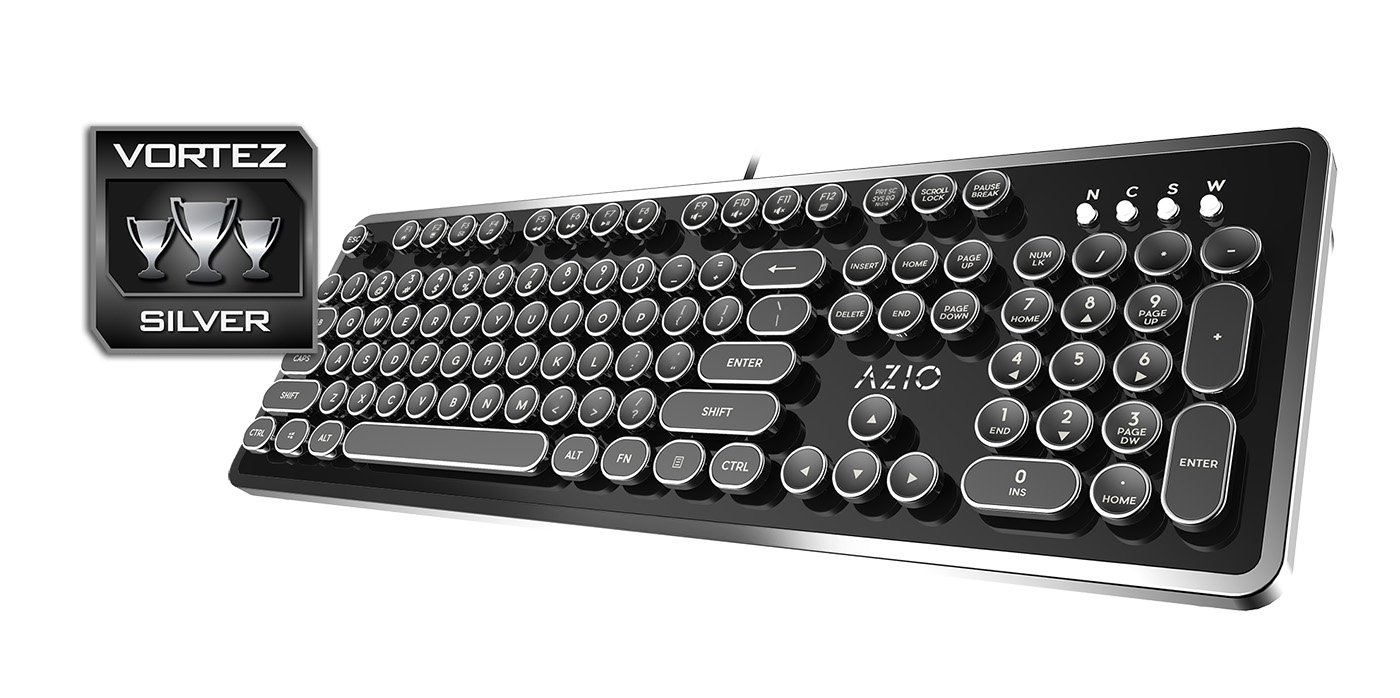
AZIO have clearly set out the MK Retro to be a robust, typing keyboard that features the contemporary performance of mechanical keyboards in a specific aesthetic, and it is this aesthetic that sets it apart from its competition. The typerwriter inspired design is rather beautiful, and after spending a while with this keyboard it is hard not to be taken in by its charm. Though, on closer inspection, this charm is rather superficial. The lettering on the key caps is surface printed, meaning it may wear away over time, and the liberal use of plastics rather than metals detracts from the authenticity of the design. Finally, considering the price, we are unsure if it represents good value as it is using an unknown brand of mechanical switches, especially when there are plenty of other non-backlit mechanical keyboards in this price range that are equipped with the renowned Cherry MX.
In summary, if you love the design of the MK Retro, that alone will be the primary deciding factor as to whether or not it is for you, and if you choose to purchase this, you won’t be let down by its solid performance.
AZIO certainly offer up a feast of nostalgia with the MK Retro, offering up a mechanical keyboard full of style and performance.
Pros.
+ Retro typewriter aesthetics with clicky switches
+ Dust/spill proof design
+ Driverless, easy to setup
+ Full NKRO
+ Various Fn shortcuts and media keys
Cons.
– Lots of plastic
– Switch reliability?
– Key-cap lettering may wear over time
– May take a little while to get used to (for typing)
– Glossy surface = dust/fingerprint magnet
+ Retro typewriter aesthetics with clicky switches
+ Dust/spill proof design
+ Driverless, easy to setup
+ Full NKRO
+ Various Fn shortcuts and media keys
Cons.
– Lots of plastic
– Switch reliability?
– Key-cap lettering may wear over time
– May take a little while to get used to (for typing)
– Glossy surface = dust/fingerprint magnet
Click here for an explanation of our awards at Vortez.net.