Six years since the release of the original PURE ROCK cooler from be quiet! we get the chance to see what’s changed, armed with a quieter 120mm fan, improved thermal conductivity and other tweaks for a better experience with your Intel or AMD CPU.

Product on Review: be quiet! PURE ROCK 2
Manufacturer: be quiet!
Street Price: GBP £33.99 / USD $39.99 / EUR $39.99
be quiet! are a German company specialising in power supplies, heatsinks, cases and cooling fans, catering to a wide range of needs and budgets with some of the best build-quality in the business.
Brought about in 2014, the Pure Rock cooler was seen as an excellent entry-point into the aftermarket CPU cooling market, offering massively lower thermals than the OEM cooler shipped with AMD or Intel CPUs. However, a lot changes in 6 years so be quiet! are keen on bringing the PURE ROCK air cooler up to scratch, with the launch of the PURE ROCK 2.
Available in brushed aluminium, or with a black surface for a small price premium, the PURE ROCK 2 offers up to 150W of heat dissipation through four 6mm direct-touch heatpipes and is compatible with all current AMD and Intel socket types.
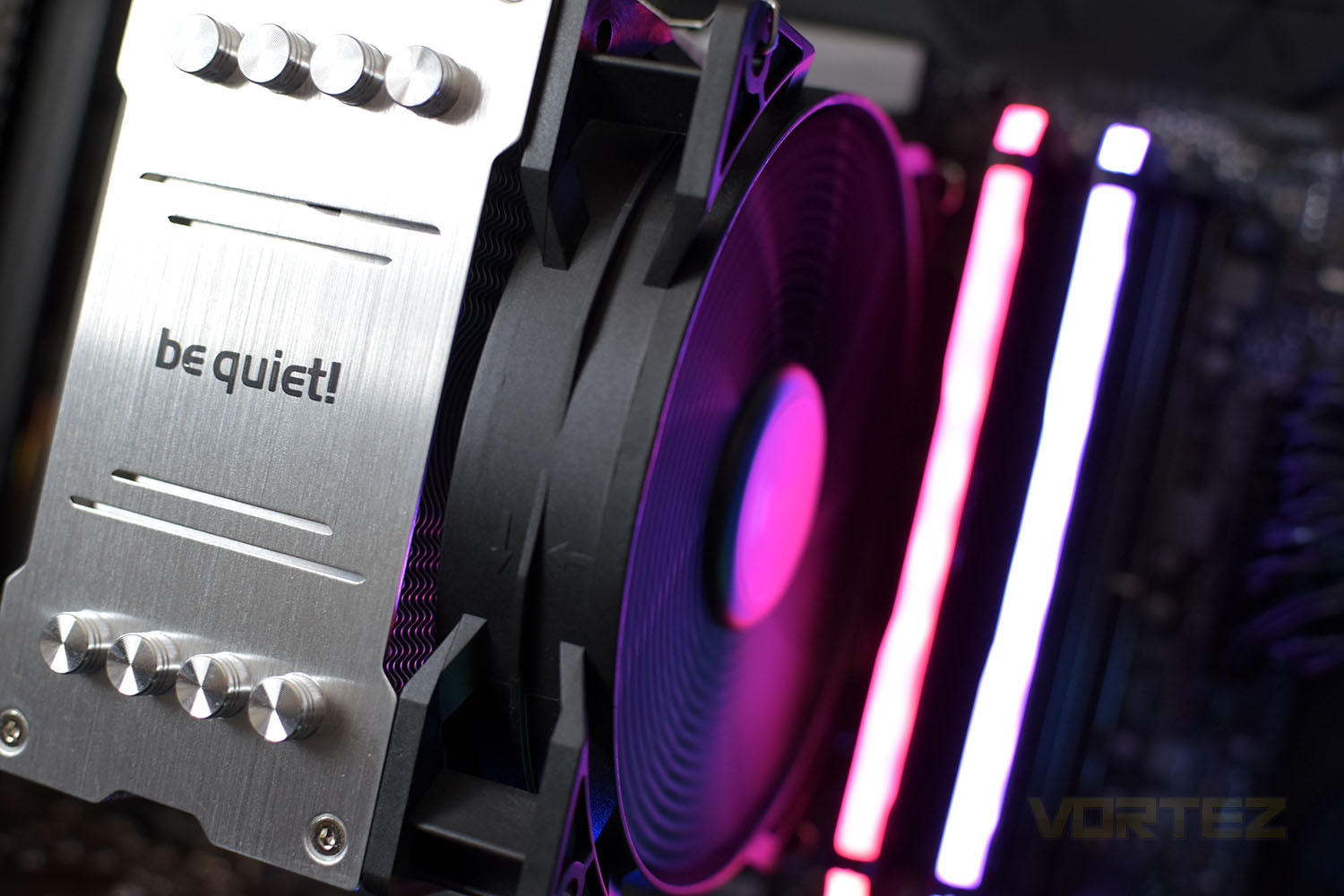
Bolted to the front, or rear, of the tower is a be quiet! Pure Wings 2 120mm PWM fan for quiet operation. be quiet! also bundle in a second set of fan mounts if you need to improve the cooling of the cooler for whatever reason. be quiet! reckon that their design also ensures excellent compatibility with even the tallest of DRAM modules for tight builds and small motherboards.
The Pure Wings 2 cooling fan is rated for at least 80,000 hours of use and be quiet! add in a 3-year warranty for peace of mind. As a budget-friendly option, pricing is key on this model, competing squarely with the well-regarded Cooler Master Hyper 212. Is it better? Let’s have a gander!
be quiet! on the PURE ROCK 2:
Pure Rock 2 is aimed at the essential category of PC systems. With 150W TDP it offers an excellent cooling capacity for multimedia and graphics systems, as well as entry level computers of all types.
Technical Specifications
Model: Pure Rock 2
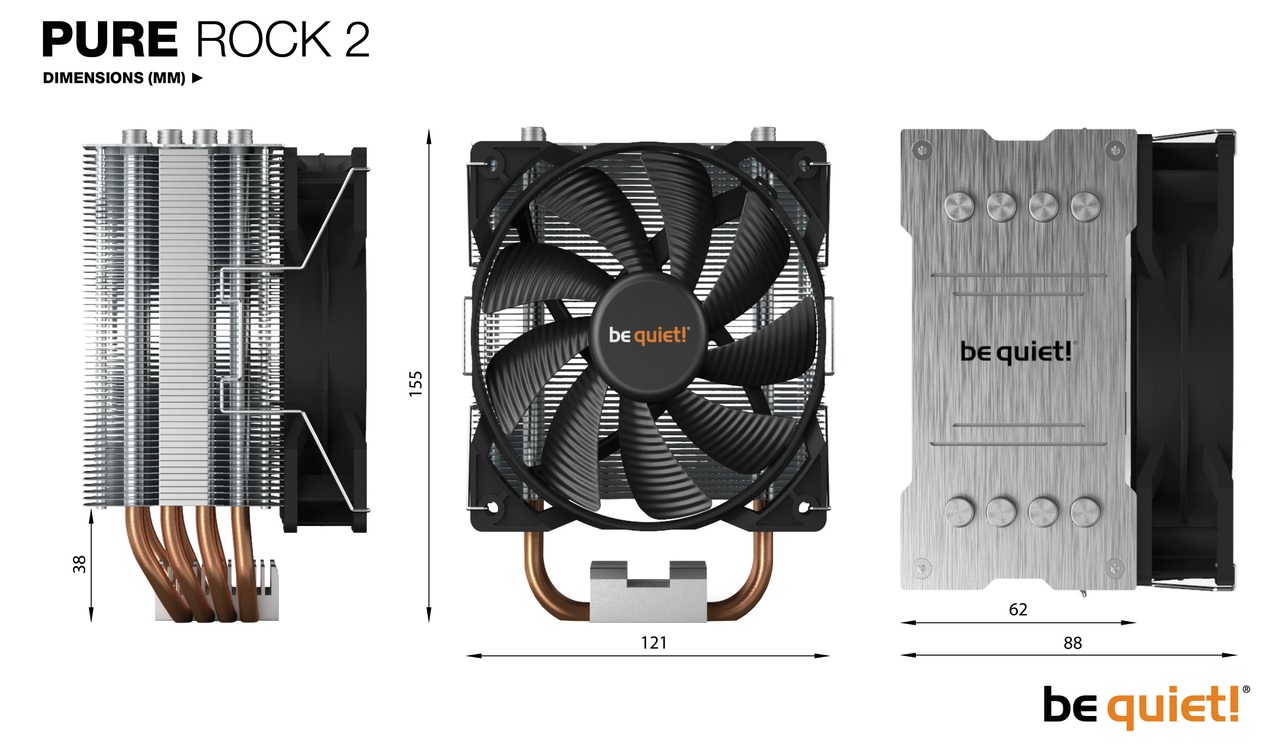
Overall dimensions without mounting material (L x W x H), (mm): 87 x 121 x 155
Total weight (kg): 0.575
TDP (W): 150
Socket compatibility:
Intel: 1200 / 2066 / 1150 / 1151 / 1155 / 2011(-3)
AMD: AM4 / AM3(+)
Fan model: 1x Pure Wings 2 PWM
Overall noise level (dB(A)) @ 50/75/100% (rpm): 19.1 / 22.1 / 26.8
Overall dimensions without mounting material (L x W x H), (mm): 87 x 121 x 155
Total weight (kg): 0.575
TDP (W): 150
Socket compatibility:
Intel: 1200 / 2066 / 1150 / 1151 / 1155 / 2011(-3)
AMD: AM4 / AM3(+)
Fan model: 1x Pure Wings 2 PWM
Overall noise level (dB(A)) @ 50/75/100% (rpm): 19.1 / 22.1 / 26.8
Packaging & Bundle
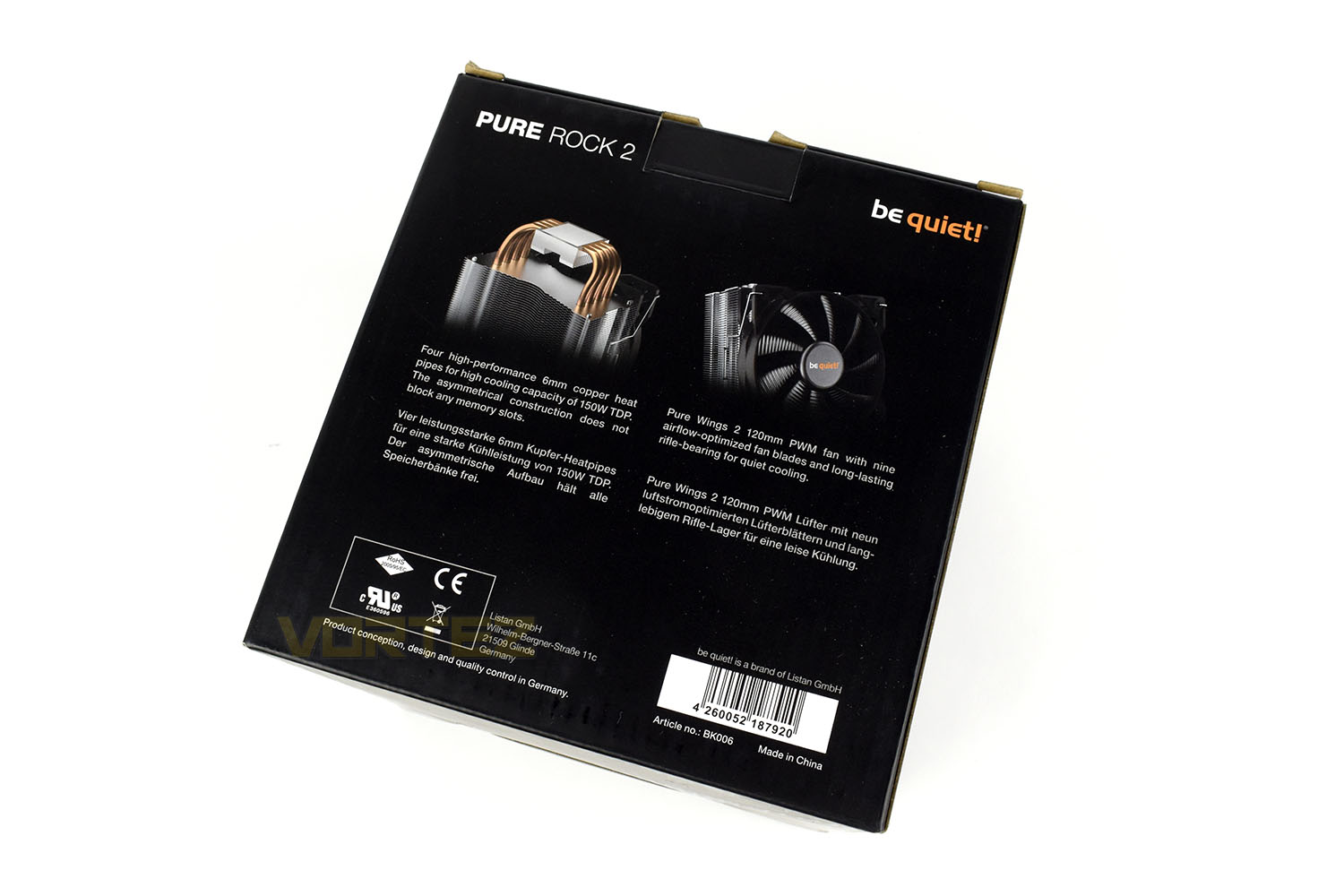
The PURE ROCK 2 arrives in an almost completely black box with a simple image of the product on the front. There’s not a great deal of info here.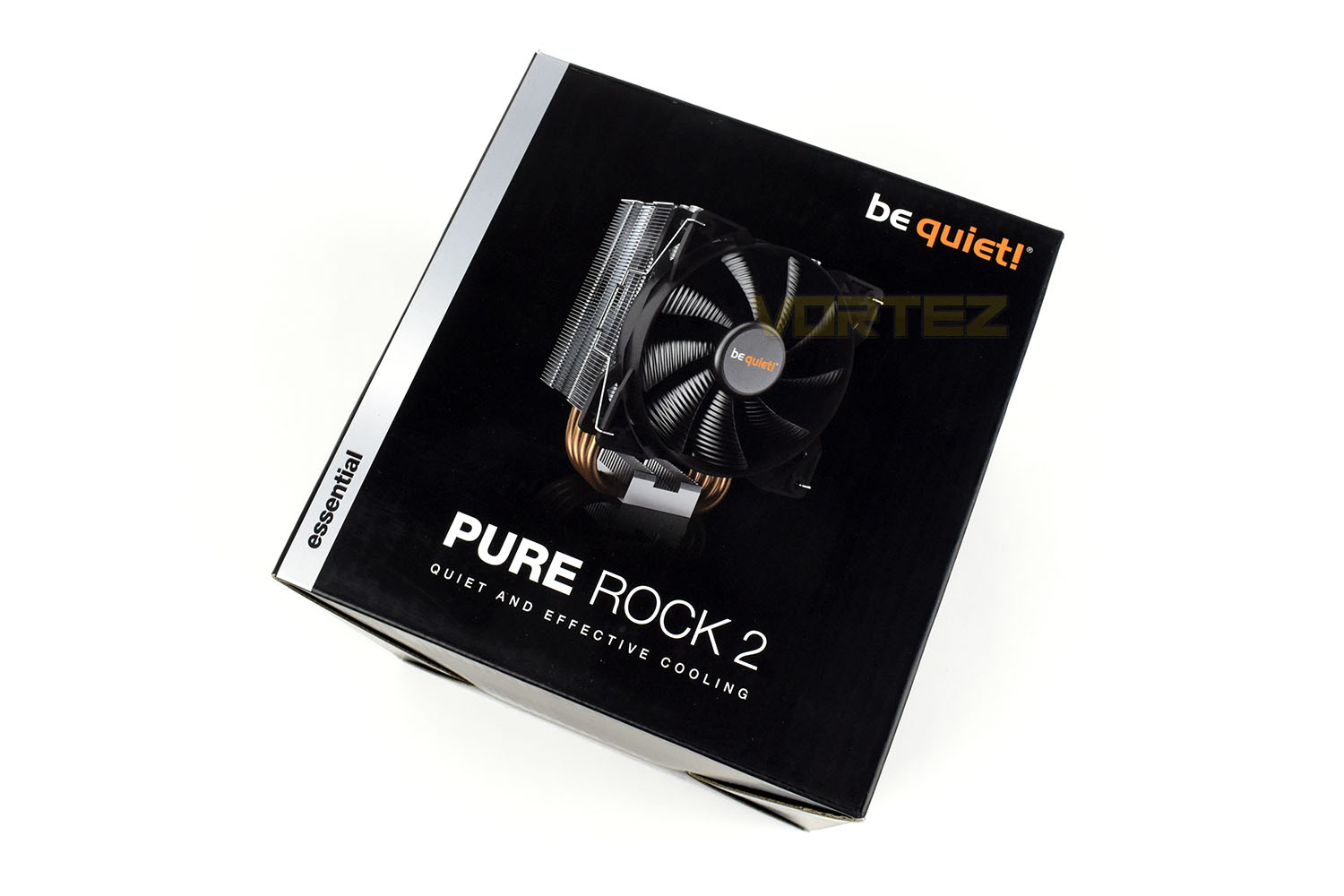
Being cube shaped, all 4 edges are used for different things, helping to keep things clean so you aren’t overwhelmed by a mess of information.
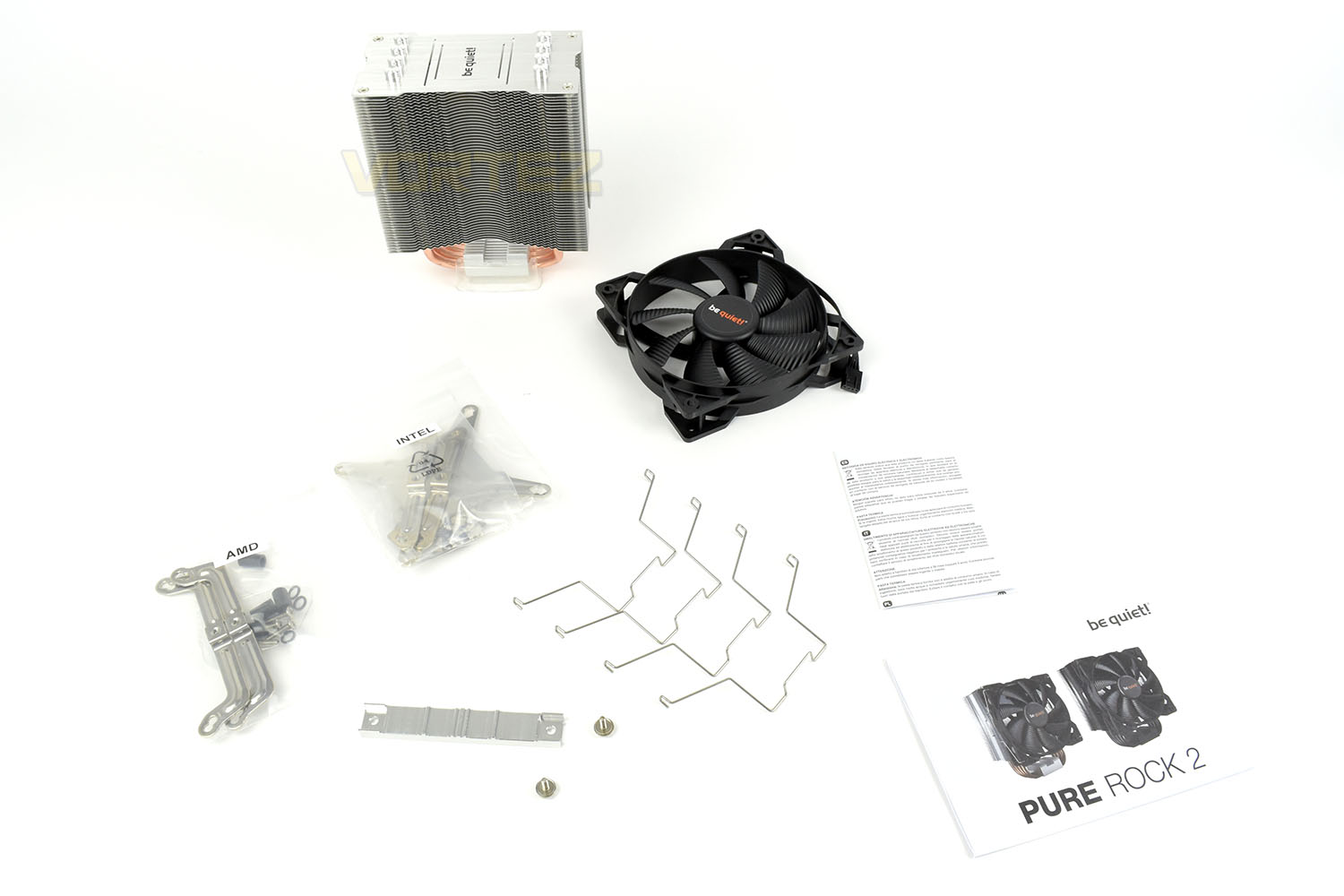
Bundled in with the cooler is a Pure Wings 2 120mm fan, Intel and AMD mounting hardware, two pairs of fan clips and instruction/warranty leaflets.
Closer Look
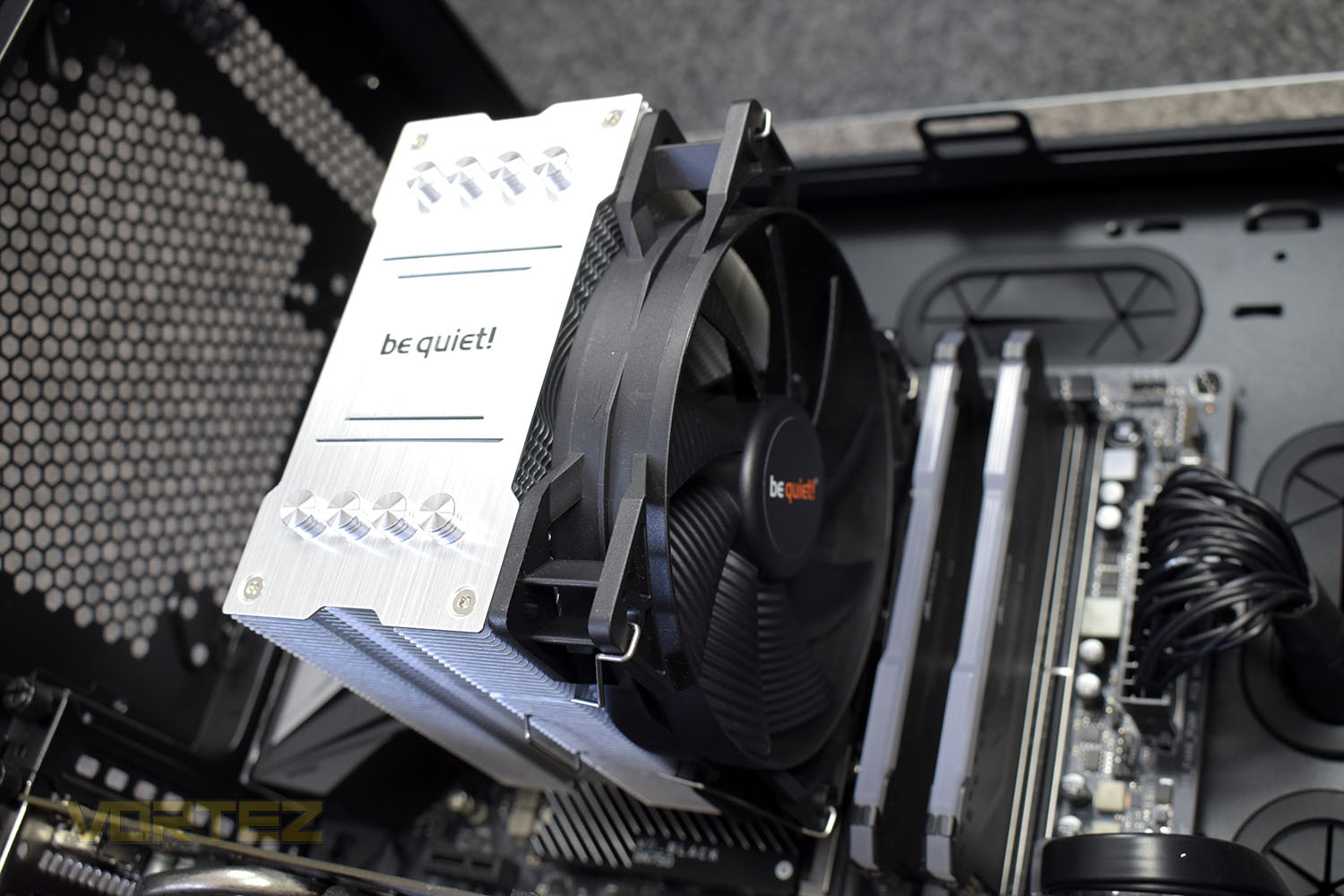
Standing at 155mm tall, the PURE ROCK 2 should be compatible with all but the smallest of cases. The 55 aluminium cooling fins should provide ample surface area for good heat dissipation.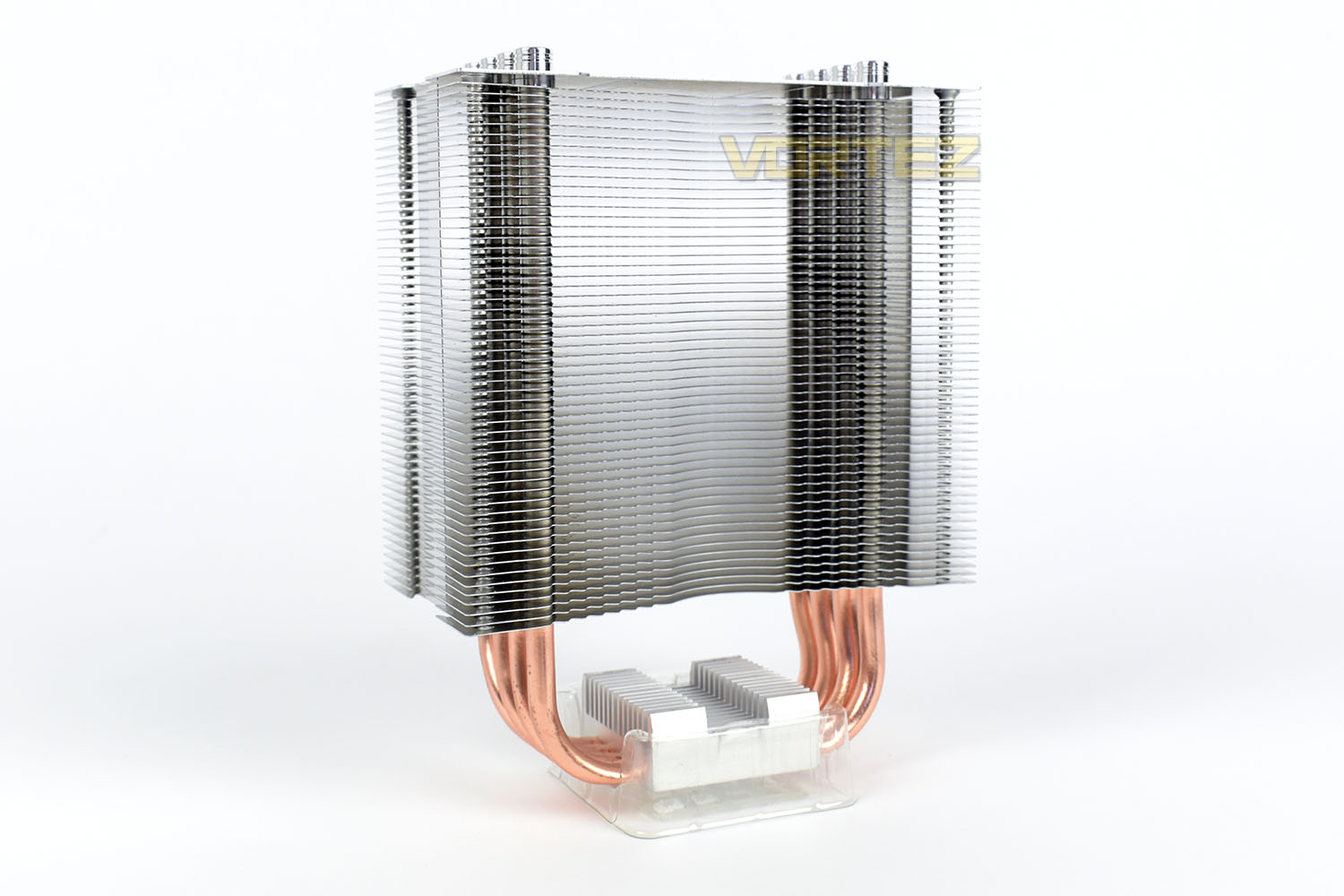
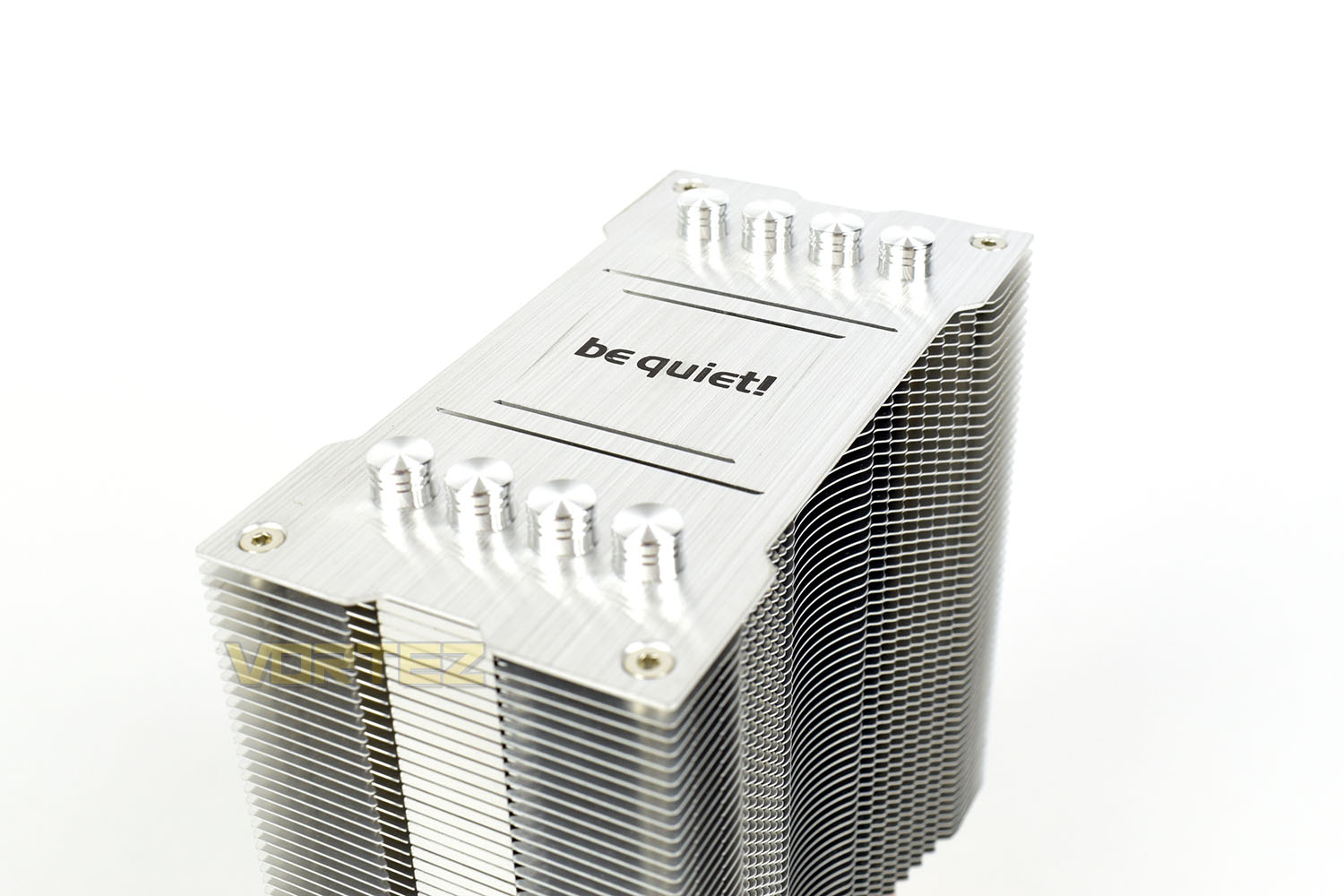
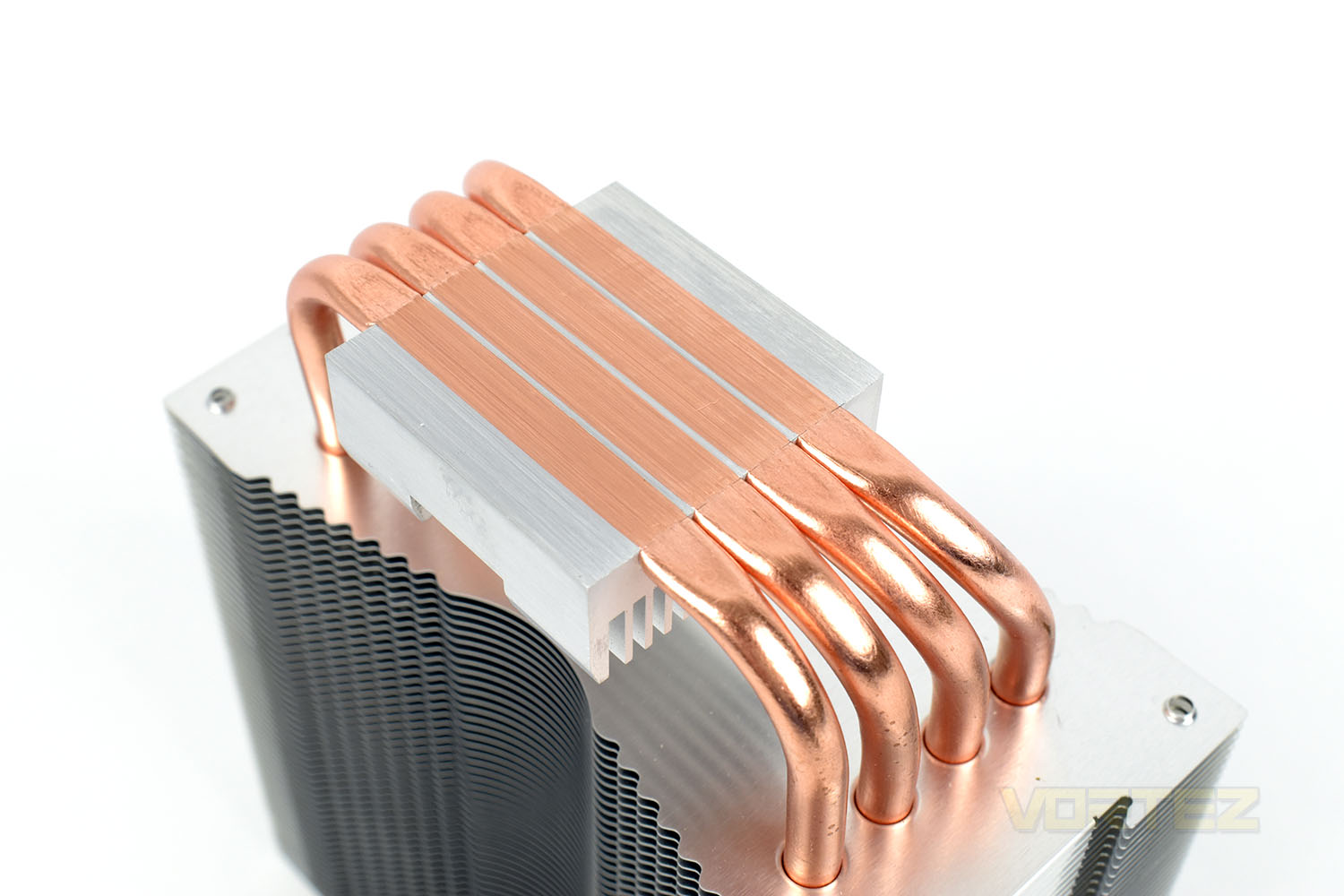
Each of the four heatpipes is capped off with a fancy aluminium lid that almost look like an engine piston. They look fantastic against the brushed aluminium finish on the top of the cooler.
The PURE ROCK 2 arrives with a perfectly measured, pre-applied layer of thermal paste. Removing this isn’t easy, with a consistency a lot like PVA glue, but we got rid of it to use the Noctua NT-H1 for fairer testing.
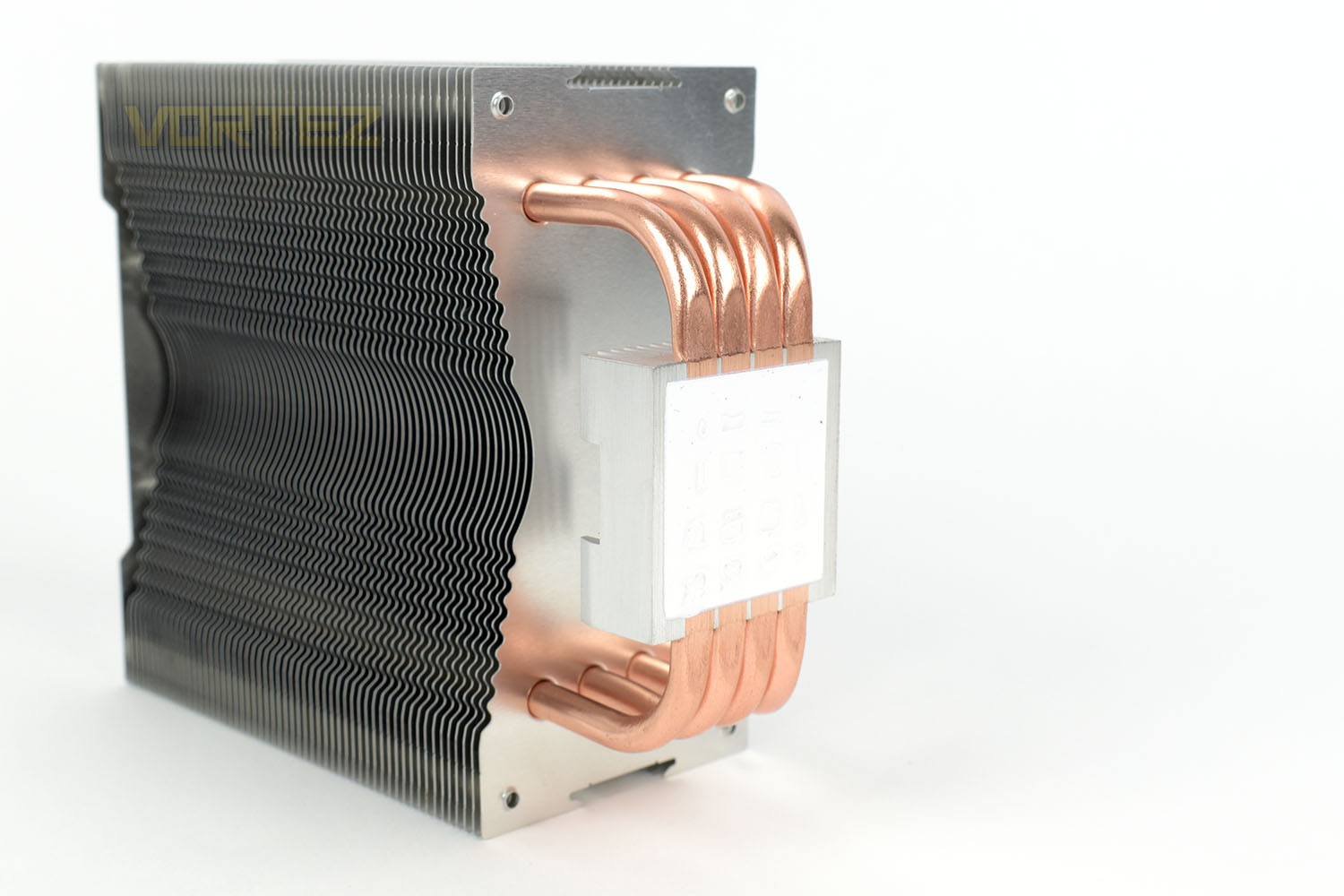
The four 6mm copper heatpipes are slightly offset within the aluminium cooling fins, helping to remedy any issues you might face with DRAM clearance. You can also see here that they directly touch the CPU for the best possible thermal conductance, something which the previous model didn’t do.
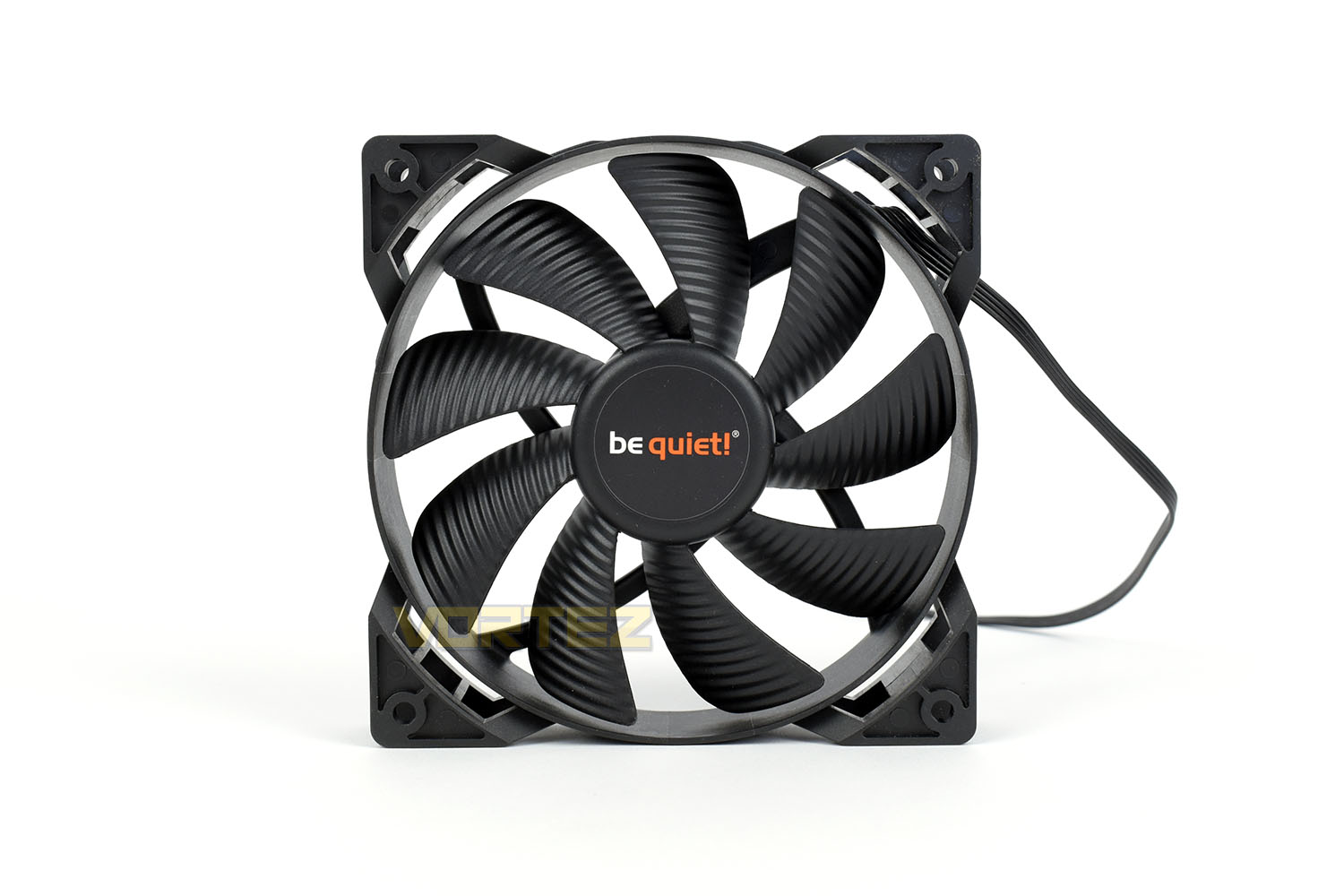
The 120mm PWM Pure Wings 2 fan utilises rifle bearing technology for silent operation with ribbed fan blades to decrease turbulence and therefore noise levels.
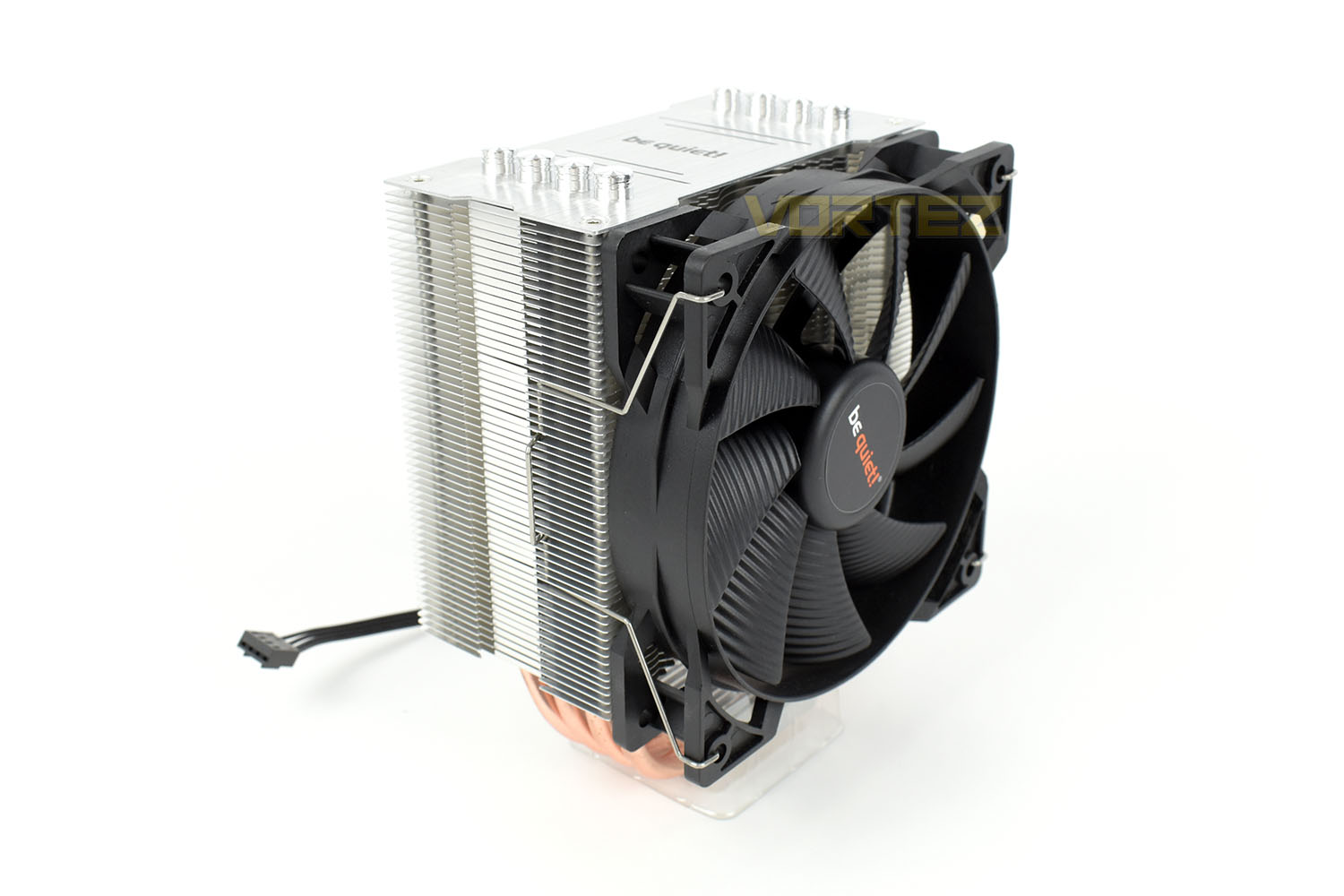
Clipping the fan into place is a simple affair, with the cooler outside of the chassis, but it has to be said that some rubber damping wouldn’t go amiss between the fan and the heatsink.
Installation
To begin the installation process, you pick out the bag labelled with the CPU type that you use. We’re installing the cooler onto an LGA 1151 (Intel) motherboard so we obviously go down the Intel route.First things first, we need to install the backing plate and mounting screws to the front. be quiet! have handily included some o-rings for this process, which hold the pins in place while you insert them from the back. They also help to isolate the backing plate from the motherboard.
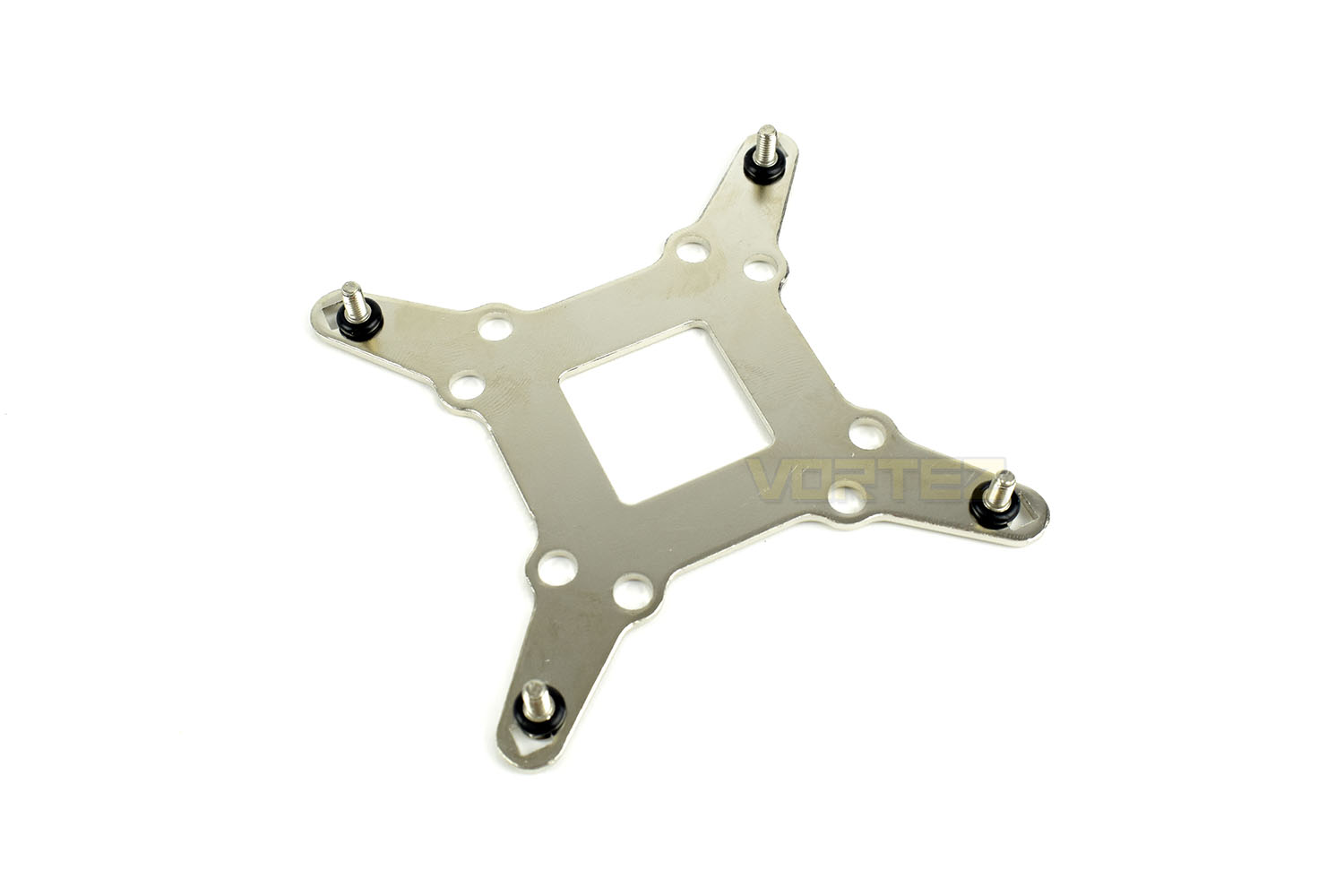
With the backing plate pushed through from behind, you tighten up the 4 standoffs around the front. These can be tightened by hand but are also recessed and cut out to accommodate a screwdriver. Just don’t overdo it!
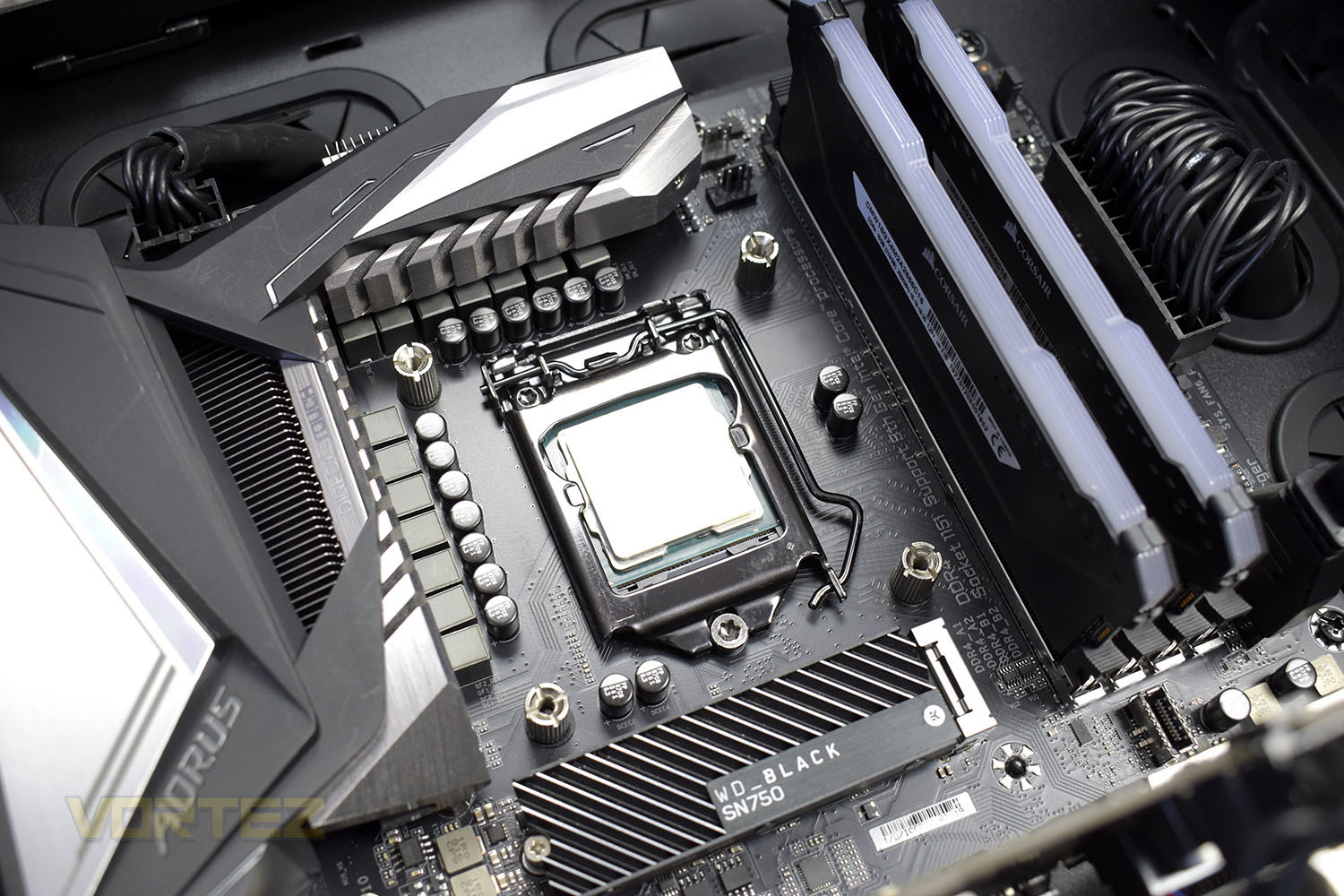
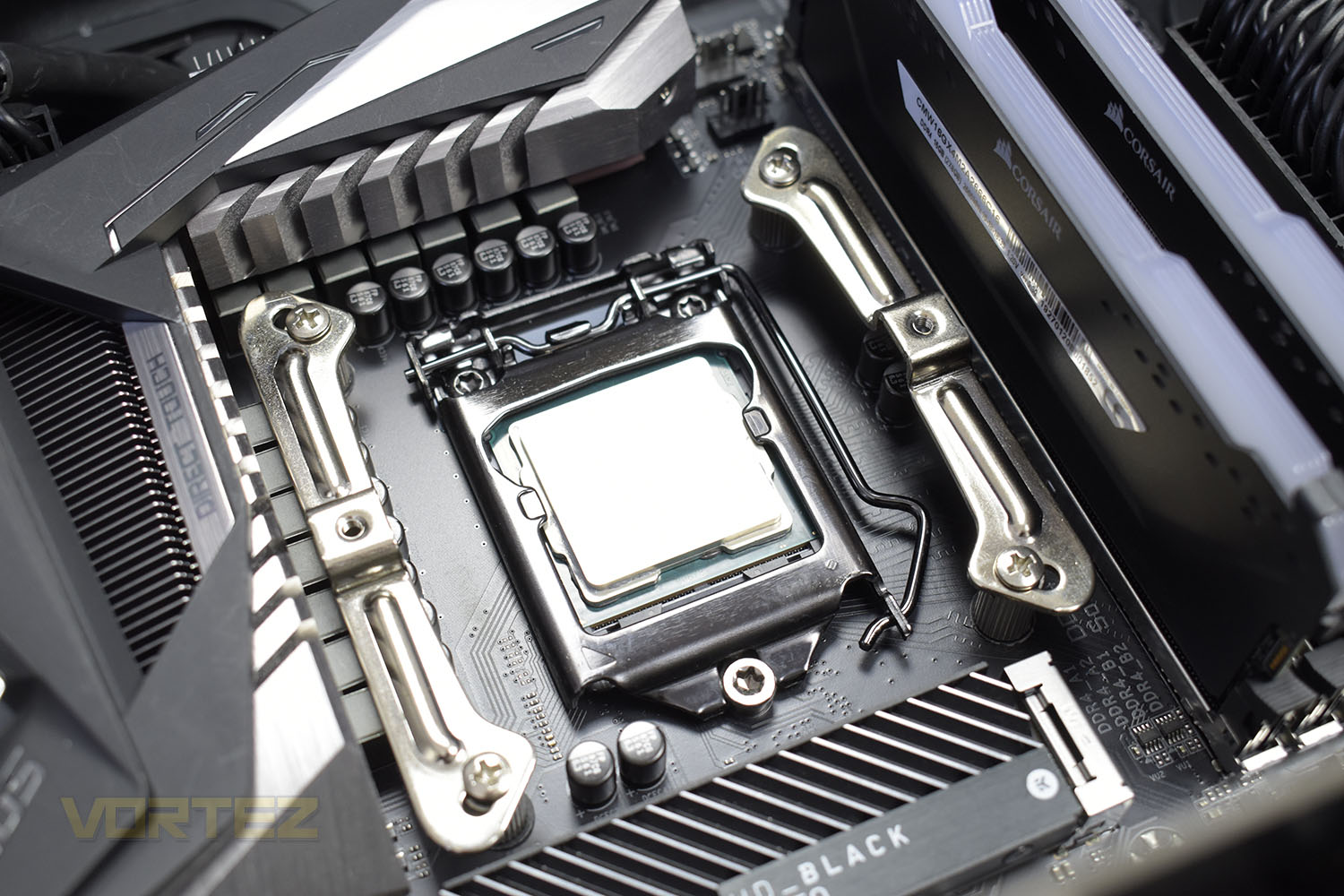
The next step is to install the crossbars that the heatsink will screw into. You mount these in the same orientation that you wish the cooler to be in, vertical for vertical, for example.
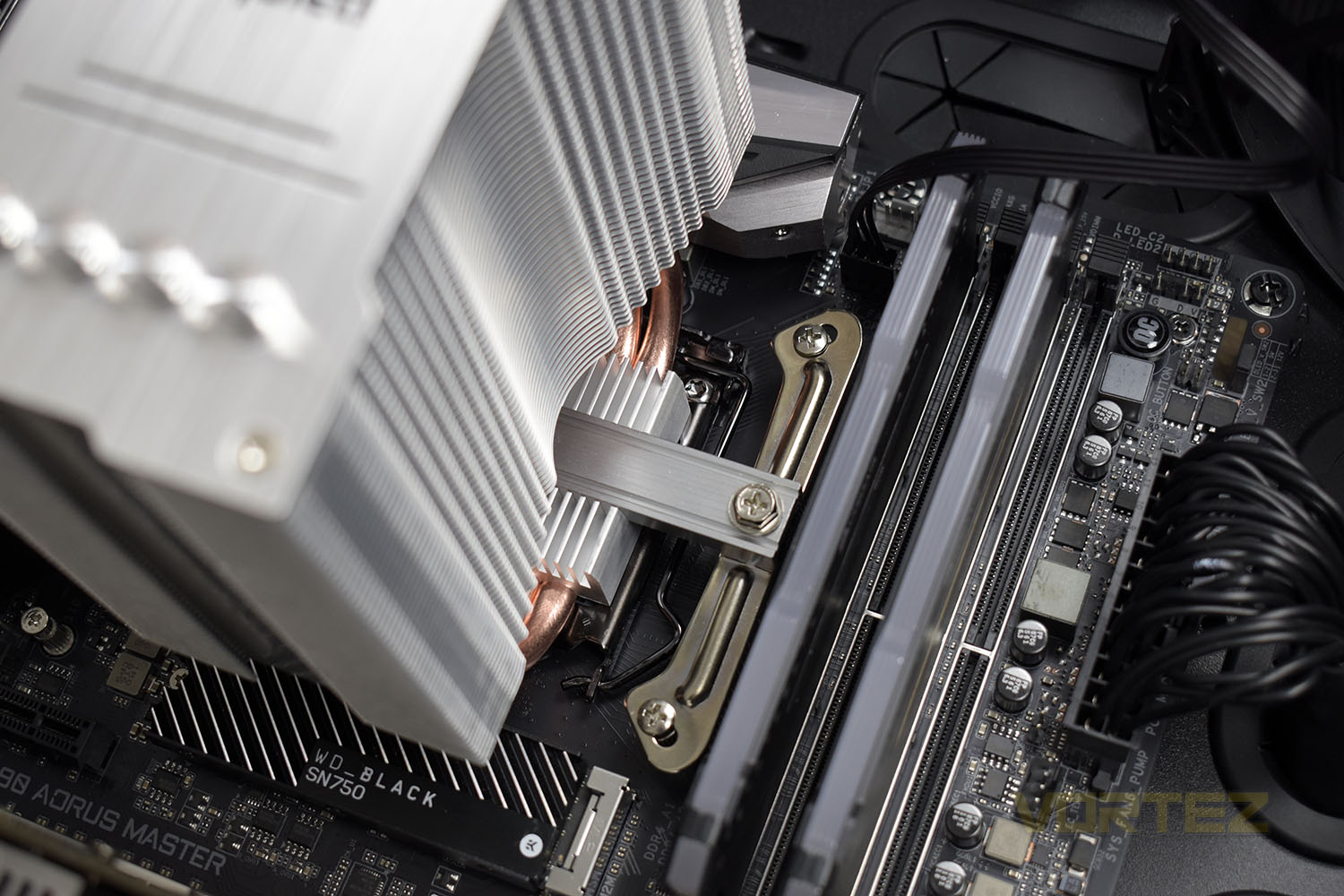
Following on from that, providing you’re using the pre-applied thermal paste, place the crossbar through the bottom of the cooler and begin to screw it down on either side. Do these screws up a couple of turns at a time to ensure you evenly apply pressure to the thermal paste, this will give the best possible contact between the CPU IHS and the heatpipes on the cooler.
The final step is to connect up the 4-pin PWM cable and clip the fan into place. This was a simple procedure outside of the case but wrestling with the clips inside the case was a very different, much-more-frustrating affair. We got there eventually though. Now for some testing!
Test Setup & Methodology
Due to popular demand, we have retired the long-standing cooling rig that we once used and replaced it with a shiny new system with an Intel Core i7 9700K at its heart. This should benefit you, the reader, in a couple of ways. The first being it can provide you with results on a CPU that is currently available to buy and secondly, the mounting instructions on our installation page will be far more relevant than the outgoing LGA 2066 was, with its pre-installed backplate.We perform two individual testing routines with each CPU cooler that we receive – temperatures and acoustics. The system used is as follows and all tests are performed at stock frequencies.
Processor – Intel Core i7 9700K
Motherboard – GIGABYTE Z390 AORUS MASTER
Memory – Corsair Vengeance RGB PRO 16GB – 2666MHz – C16
Video Card – XFX AMD Radeon RX560
Power Supply – Corsair RM650x
Storage Drive – Western Digital Black SN750 1TB NVMe SSD
Case – Corsair Crystal Series 280X RGB
Monitor ASUS ROG SWIFT PG278Q
Motherboard – GIGABYTE Z390 AORUS MASTER
Memory – Corsair Vengeance RGB PRO 16GB – 2666MHz – C16
Video Card – XFX AMD Radeon RX560
Power Supply – Corsair RM650x
Storage Drive – Western Digital Black SN750 1TB NVMe SSD
Case – Corsair Crystal Series 280X RGB
Monitor ASUS ROG SWIFT PG278Q
To keep our tests consistent, we always review CPU coolers as they come out of the box – with their factory cooling fans, as the manufacturer intended and as the consumer expects. It should, however, be noted that we do not use supplied thermal paste but instead, Noctua NT-H1 paste to, again, ensure consistency. The paste is applied and the CPU allowed to run for a couple of hours, at idle, to ensure any and all updates or processes are completed to give a true idle reading.
In the first test we record the idle and load temperatures across a 60 second period, with the results logged to file. This way we can provide you with an accurate average temperature over a longer period, instead of, for example, a maximum or minimum temperature. We believe this is the fairest possible method and most representative of what is going on as temperatures will fluctuate even with a consistent load on the CPU. We have three case fans on the front of the PC running with the door closed for this test.
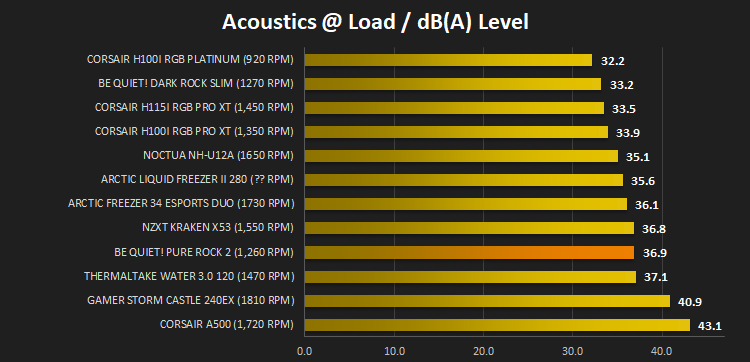
We aim to measure acoustics with our second test, this time with the three case fans on the front disabled and all other ambient noise reduced to an absolute minimum. Our testing room measures around 25dB(A) without the system running. We measure the system acoustics for 60 seconds with the microphone in a set and unchanging position with the chassis door removed completely. An average is then taken across the 60 seconds.
Benchmarks – Thermal Results
For thermal results we have all case fans running and only a single 120mm fan on our Corsair H100i Pro RGB radiator. We then measure the thermal results at idle, both at 1000 RPM and maximum RPM: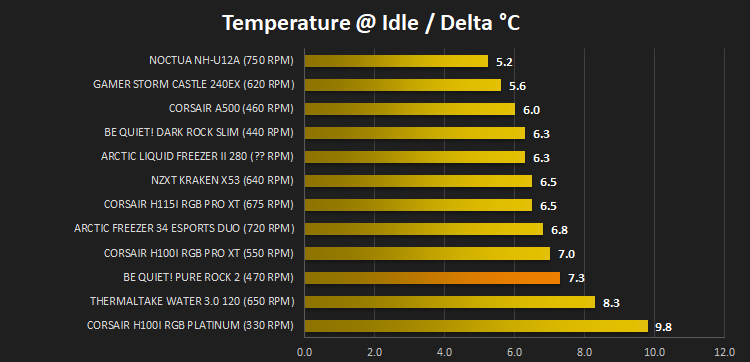
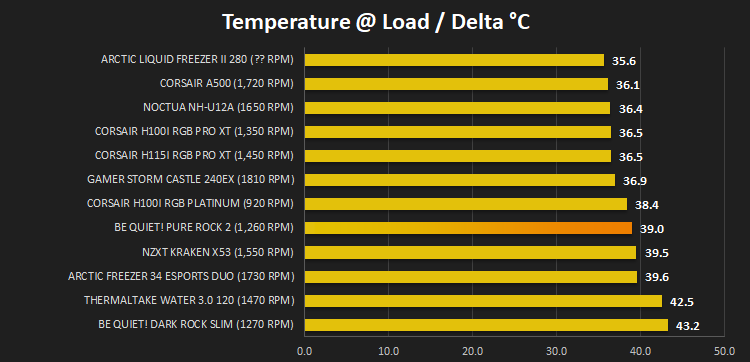
And then again after a 20 minute Stability Test within AIDA64:
Benchmarks – Acoustic Results
For our acoustic results, all other fans in the case are disabled and the Corsair’s H100i Pro RGB’s pump is turned down to quiet (roughly 1100 RPM) and measure the fan noise at 1000 RPM, both as a case fan and as a radiator fan: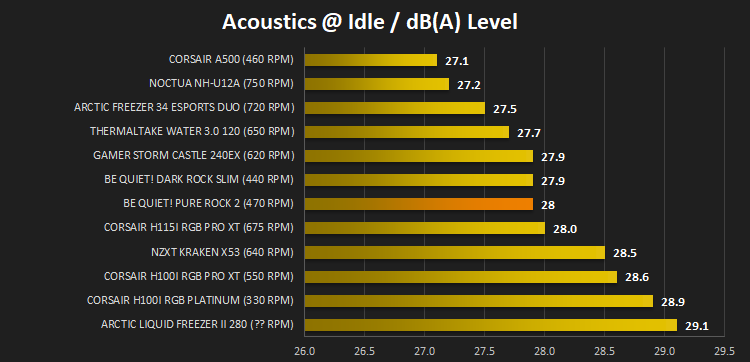
And then again at maximum RPM:
Conclusion
be quiet!’s name holds a lot of worth within the PC industry, well-known for their typical German engineering and attention to detail, and with the PURE ROCK 2, that reputation is well deserved, but it’s not perfect.The build quality of the heatsink and fan is something we can find no flaw with, particularly considering the £35/$40/€40 price tag. be quiet! have evidently put thought and effort into the installation process as well, with o-rings that help with setting up the backplate and easy-to-follow instructions all being very welcome. It’s just a shame that the fan was so fiddly to attach to the front when inserted into the case. We’d also have liked to see some rubber mounts on the fan/heatsink to absorb some vibrations which would almost undoubtedly have dropped the audibles a little.
Onto the performance, the important bit. At idle, on our 9700K, the cooler is quiet and keeps the CPU within around 7°C of ambient, absolutely fine for anyone’s needs but when you put a load through the CPU, the fan is quickly required to ramp up to 80% of its maximum RPM to keep the CPU within 40°C of ambient. Something we feel would help a lot here is an optional in-line resister that could limit the fan’s speed. If you’re buying a £35/$40/€40 heatsink, chances are you’re not going to be expecting to break any overclocking records, but are doing so to keep your thermals in check while minimising system noise as much as possible. Ramping the fan right up to keep the CPU around 60°C – 65°C isn’t massively necessary and having the choice to control the speed slightly would be nice.
Aesthetics are great, we really like the brushed aluminium cap and the black fan, contrasting against each other, but for a small price premium be quiet! will sell you an all-black version if that suits your style better.
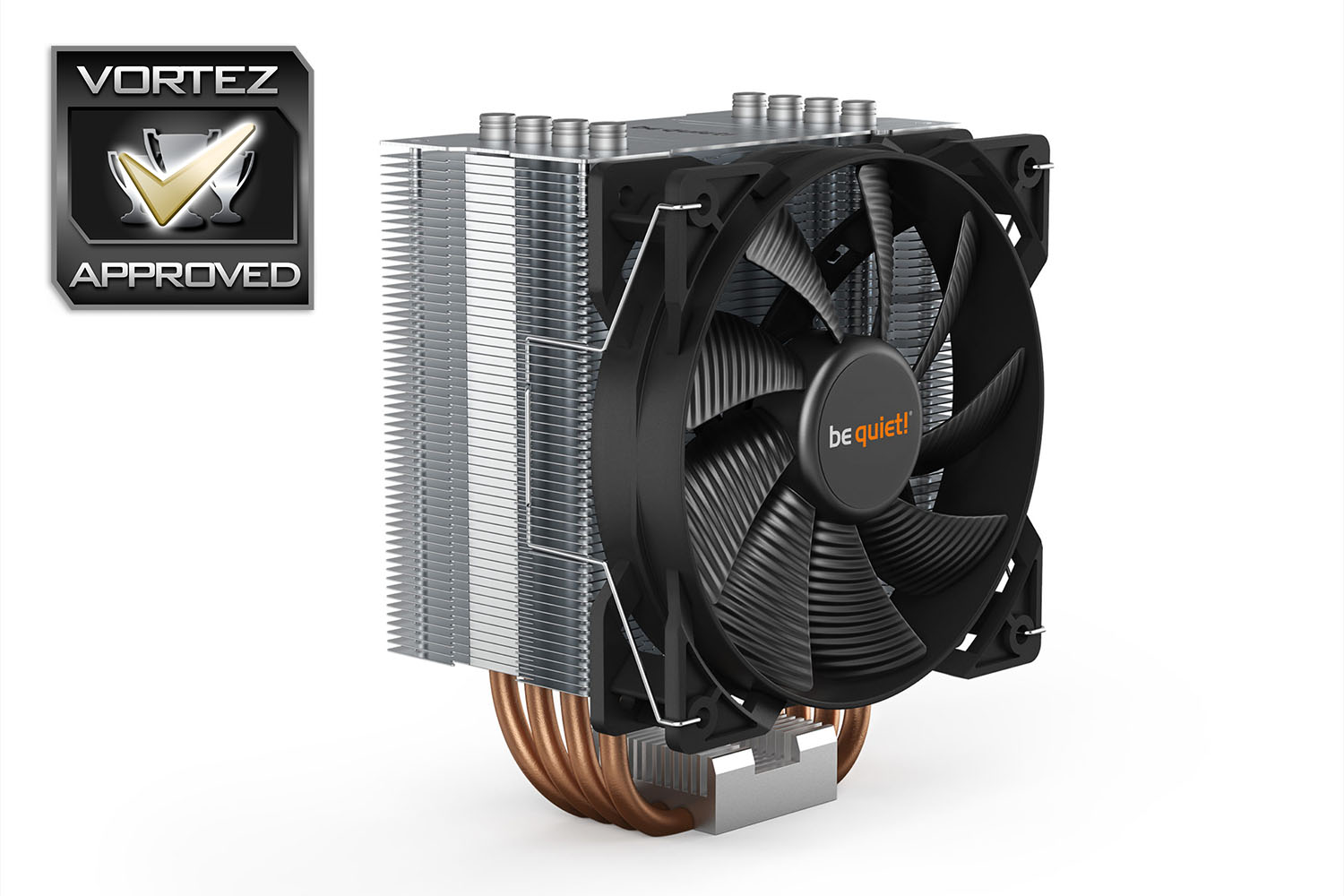
All things considered, the be quiet! PURE ROCK 2 is a very decent CPU cooler but a cheap resister and some rubber padding could make it better.
Pros
+ Looks great
+ Easy to install, on the most part
+ Decent performance
+ 3-year warranty
+ Typical German build quality
+ Good DRAM clearance
+ Available in black
Neutral
+- Fiddly fan installation
Cons
– Rubber mounts can’t increase the cost too much, right?
– Not the best performance or audibles
+ Looks great
+ Easy to install, on the most part
+ Decent performance
+ 3-year warranty
+ Typical German build quality
+ Good DRAM clearance
+ Available in black
Neutral
+- Fiddly fan installation
Cons
– Rubber mounts can’t increase the cost too much, right?
– Not the best performance or audibles
Click here for an explanation of our awards at Vortez.net.
Stay connected with the Vortez Social Media pages: