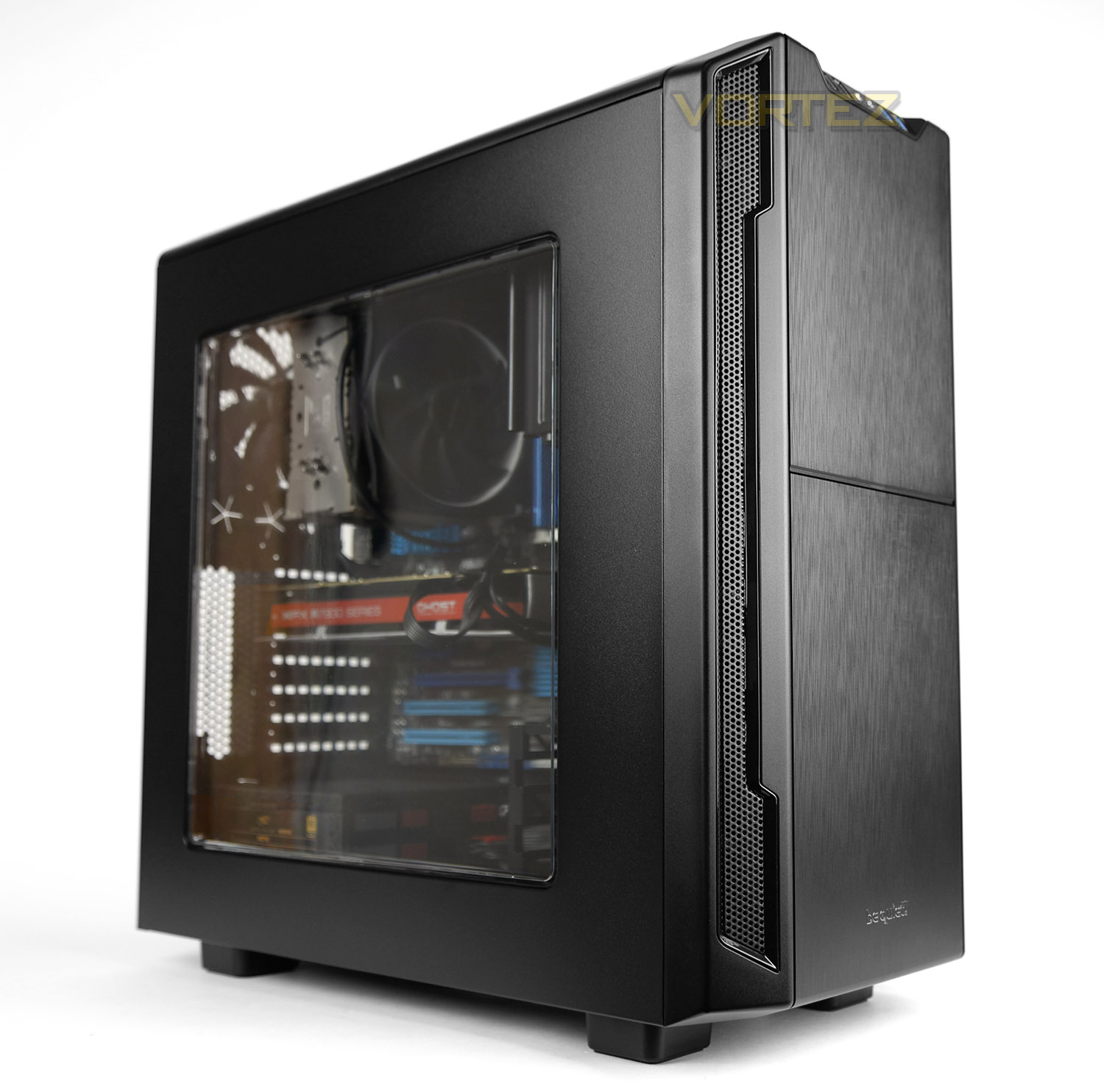
be quiet! adds their second computer chassis to the Silent Base Series with the Silent Base 600; packed with features and with low-noise as its forte.

Product on Review: Silent Base 600 Window
Manufacturer & Sponsor: be quiet!
Street Price: £94 GBP / $119.90 USD
Last year be quiet! entered the computer chassis market with the Silent Base 800. This was regarded as quite a bold move by the German-based brand, SB 800 is a rather large case, packed with lots of features but furthermore to this, the chassis market is fiercely competitive with an onslaught of brands which have already gained notoriety, recognition and prominence.
Well, today be quiet! are back with yet another addition to the Silent Base series. The Silent Base 600 Window is a condensed version of its bigger brother the SB 800. Although smaller in size, SB 600 still packs in a number of interesting and useful features including a fan controller, dual fan configuration, double-glazed side window and noise reduction material on all major panels for low-noise operation.
be quiet! on their Silent Base 600 Window
be quiet! Silent Base 600 Window offers the perfect symbiosis of noise prevention and cooling performance, a good usability and an extensive capacity for high-end hardware.
The design team’s mission was based on the principle “form follows function”, and so every last detail in the Silent Base 600’s design has a functional purpose. It is truly a superior case ideal for high-end gaming gear and quiet systems.
The design team’s mission was based on the principle “form follows function”, and so every last detail in the Silent Base 600’s design has a functional purpose. It is truly a superior case ideal for high-end gaming gear and quiet systems.
Technical Specifications
Form factor / Motherboard compatibility
ATX / ATX, Micro-ATX, Mini-ITX
Case size (L x W x H in mm)
495 x 230 x 493
Color options
Black, Orange, Silver
Material
0.7mm steel, ABS plastic, Nylon
Weight incl. package / without package (kg)
9.7 / 8
I/O Panel
2x USB 3.0, 2x USB 2.0, HD Audio (mic
+ headphone jacks)
Expansion slots (pcs.)
7
Drive Bay Capacity
5.25 – x3
3.5 – x3
2.5 – x3
Cooling System
Pre-installed fans (mm / rpm)
1x 140 / 900 @ front
1x 120 / 1,200 @ rear
Optional fans (mm)
2x 140/120 @ top
1x 140/120 @ bottom
1x 140 @ front
Optional liquid cooling system (radiator)
1x 120/140 @ front
1x 120 @ rear
1x 240/280 slim type (top)
Cooling solutions
Air channels (top and front)
3-step fan controller
Clearance
CPU cooler (mm)
167
PSU (without bottom fan)
290
Graphics card (standard)
290
Graphics card (w/o middle HDD cage)
400
ATX / ATX, Micro-ATX, Mini-ITX
Case size (L x W x H in mm)
495 x 230 x 493
Color options
Black, Orange, Silver
Material
0.7mm steel, ABS plastic, Nylon
Weight incl. package / without package (kg)
9.7 / 8
I/O Panel
2x USB 3.0, 2x USB 2.0, HD Audio (mic
+ headphone jacks)
Expansion slots (pcs.)
7
Drive Bay Capacity
5.25 – x3
3.5 – x3
2.5 – x3
Cooling System
Pre-installed fans (mm / rpm)
1x 140 / 900 @ front
1x 120 / 1,200 @ rear
Optional fans (mm)
2x 140/120 @ top
1x 140/120 @ bottom
1x 140 @ front
Optional liquid cooling system (radiator)
1x 120/140 @ front
1x 120 @ rear
1x 240/280 slim type (top)
Cooling solutions
Air channels (top and front)
3-step fan controller
Clearance
CPU cooler (mm)
167
PSU (without bottom fan)
290
Graphics card (standard)
290
Graphics card (w/o middle HDD cage)
400
Packaging & First Look
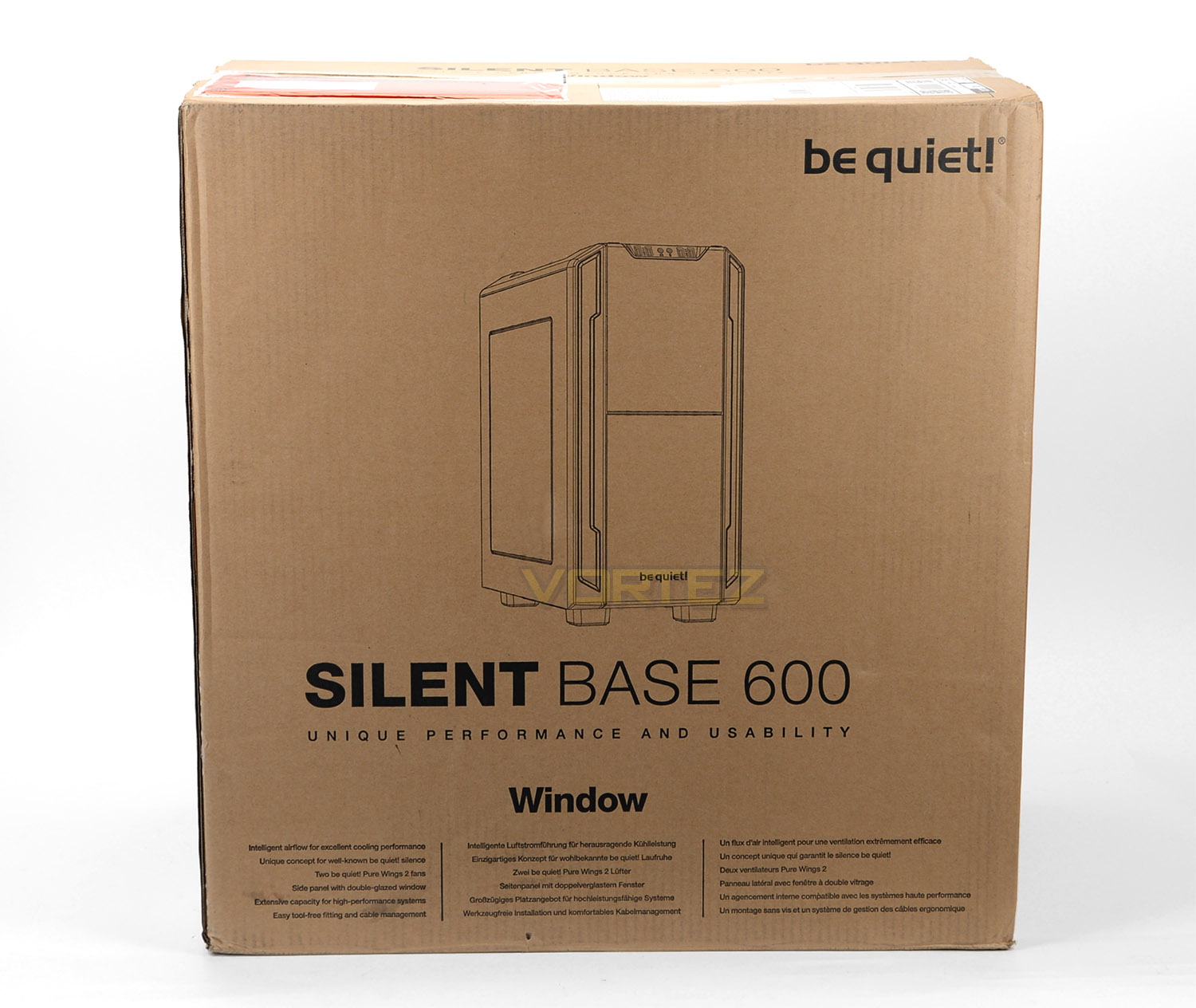
Silent Base 600 arrives in a large eco-friendly box. This double-reinforced cardboard box is recyclable and has an illustration of the case on the front and significant features listed below. Around the back there is a schematic diagram of the case and a break-down of the main features.
Inside, the case is covered in a clear plastic sheet and protected with polystyrene pillars for a safe arrival.
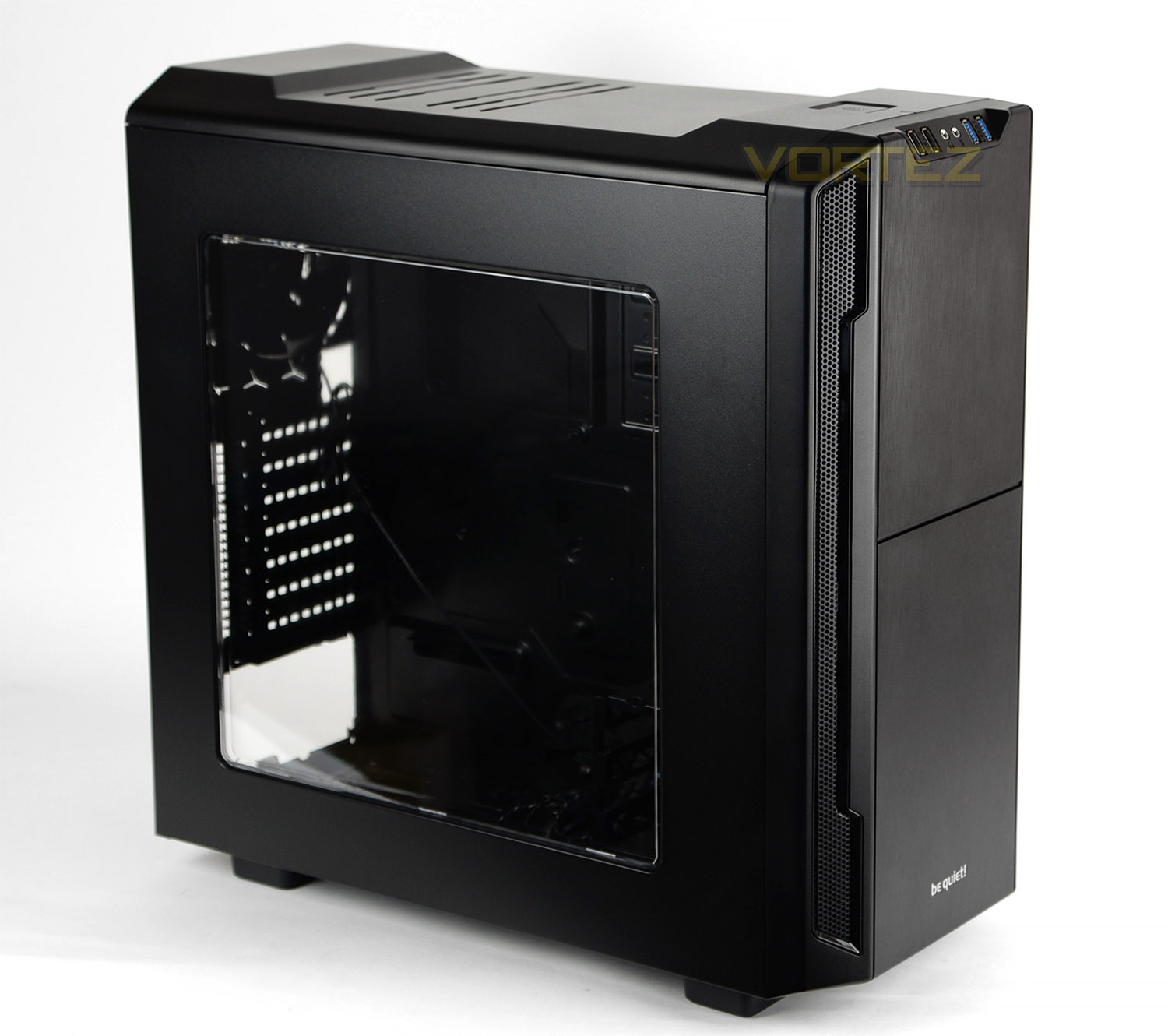
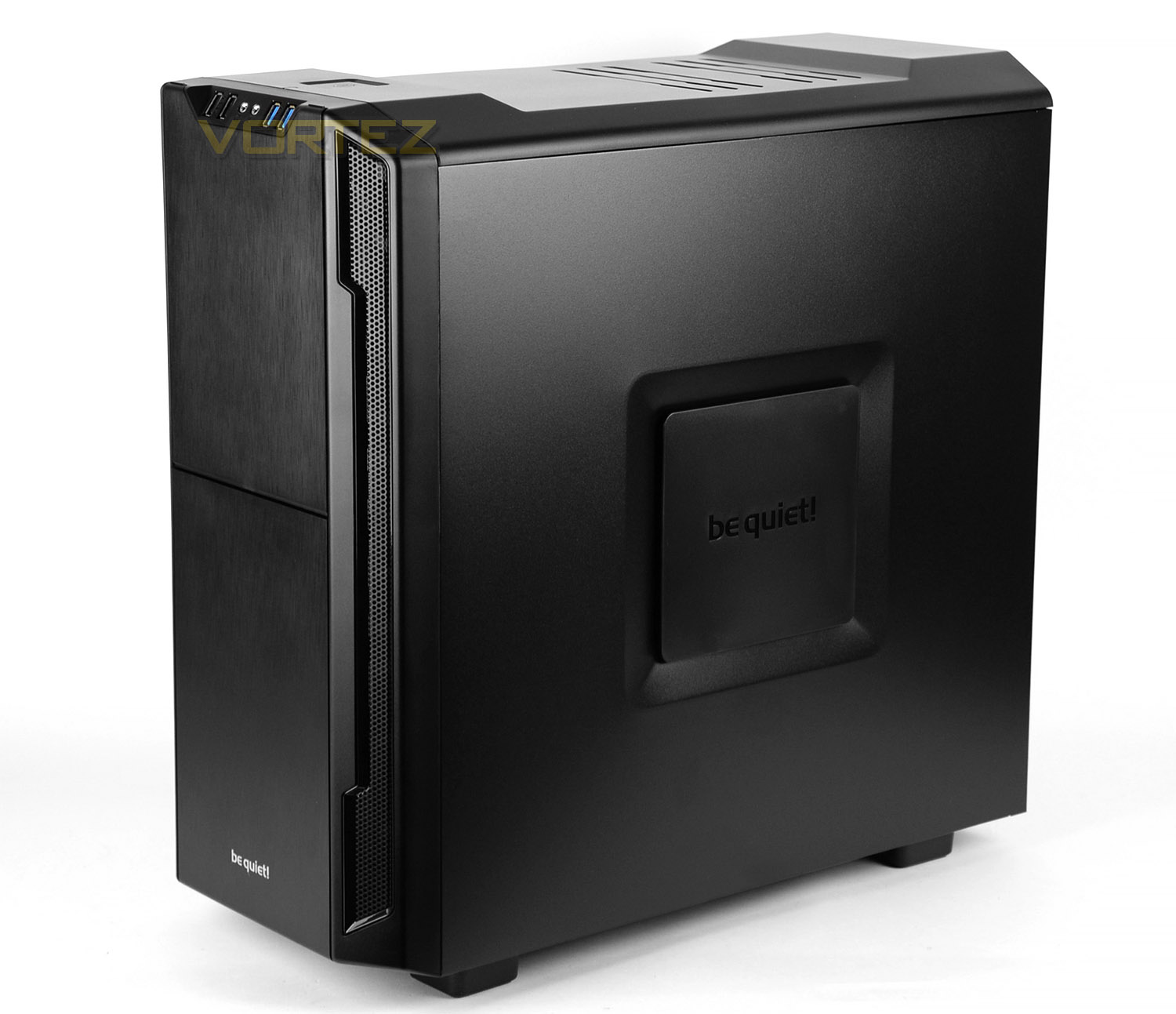
Unveiling Silent Base 600 from its packaging, we see a computer chassis which shares characteristics to the recently released Silent Base 800. This case is obviously smaller but the styling and aesthetics are comparable – Since we’re looking at the Window edition of Silent Base 600, on the prominent side there is a large double-glazed window which covers a large portion of the panel for a view of the system inside.
Over on the alternate side, there is a concave square with a plastic riser. This feature allows the components on the underside to receive some ventilation. The inside of this panel also has noise reduction material to keep noise to a minimum.
On the next page we’ll explore the rest of the external design.
Exterior
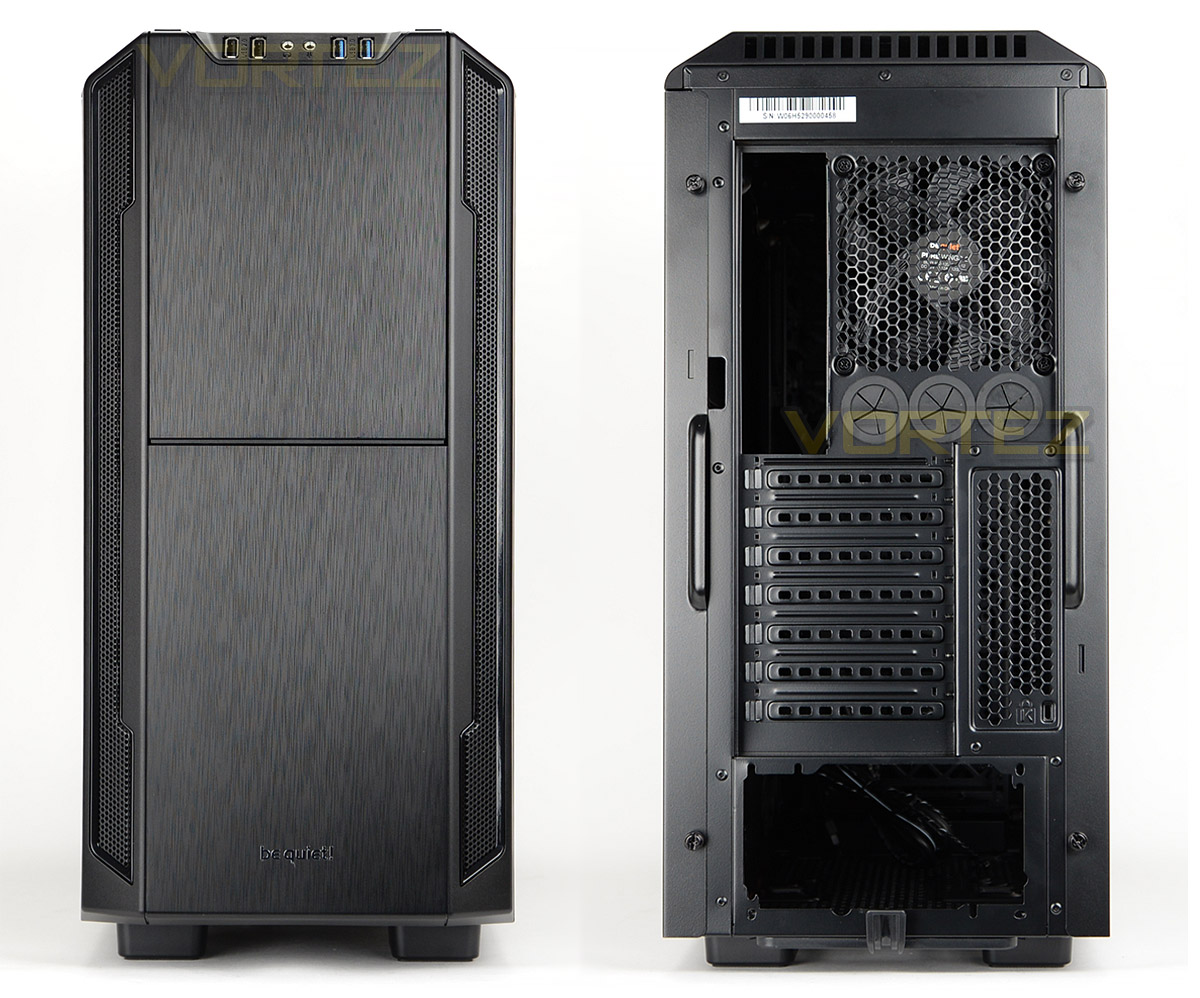
At the front of SB 600 there is a brushed aluminium effect fascia which splits into two sections and also features perforated mesh on either side, spanning from the top to the bottom of the case. While this does appear to be metallic, the fascia is plastic – but it can be detached for access to the front cooling fan placement and the pre-installed 140mm fan.
Around the back there is an opening at the bottom for mounting the PSU and above this there are a series of seven PCI expansion slot covers with some additional ventilation to the immediate right. Above this be quiet! has included a 120mm rear exhaust cooling fan and three circular rubber grommets.
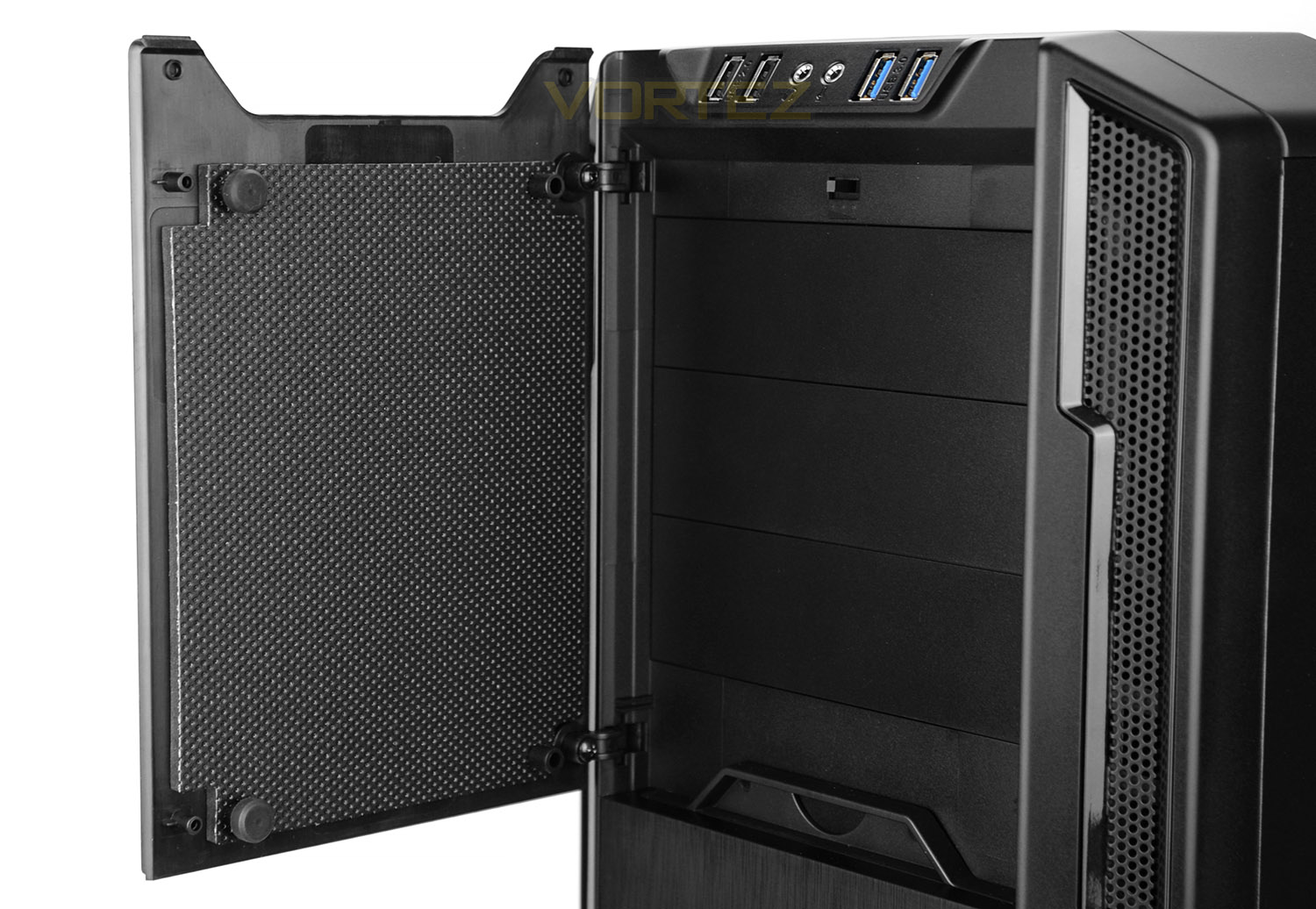
The upper section of the front panel features a door which is hinged on the left-side. On the inside of this door there are rubber pads for a soft close and insulation material to block out unwanted noise.
After opening the door we also gain access to 4x 5.25” drive bay covers – at the top of these, there is a fan controller switch which has three modes to modify the RPM of the cooling fans.
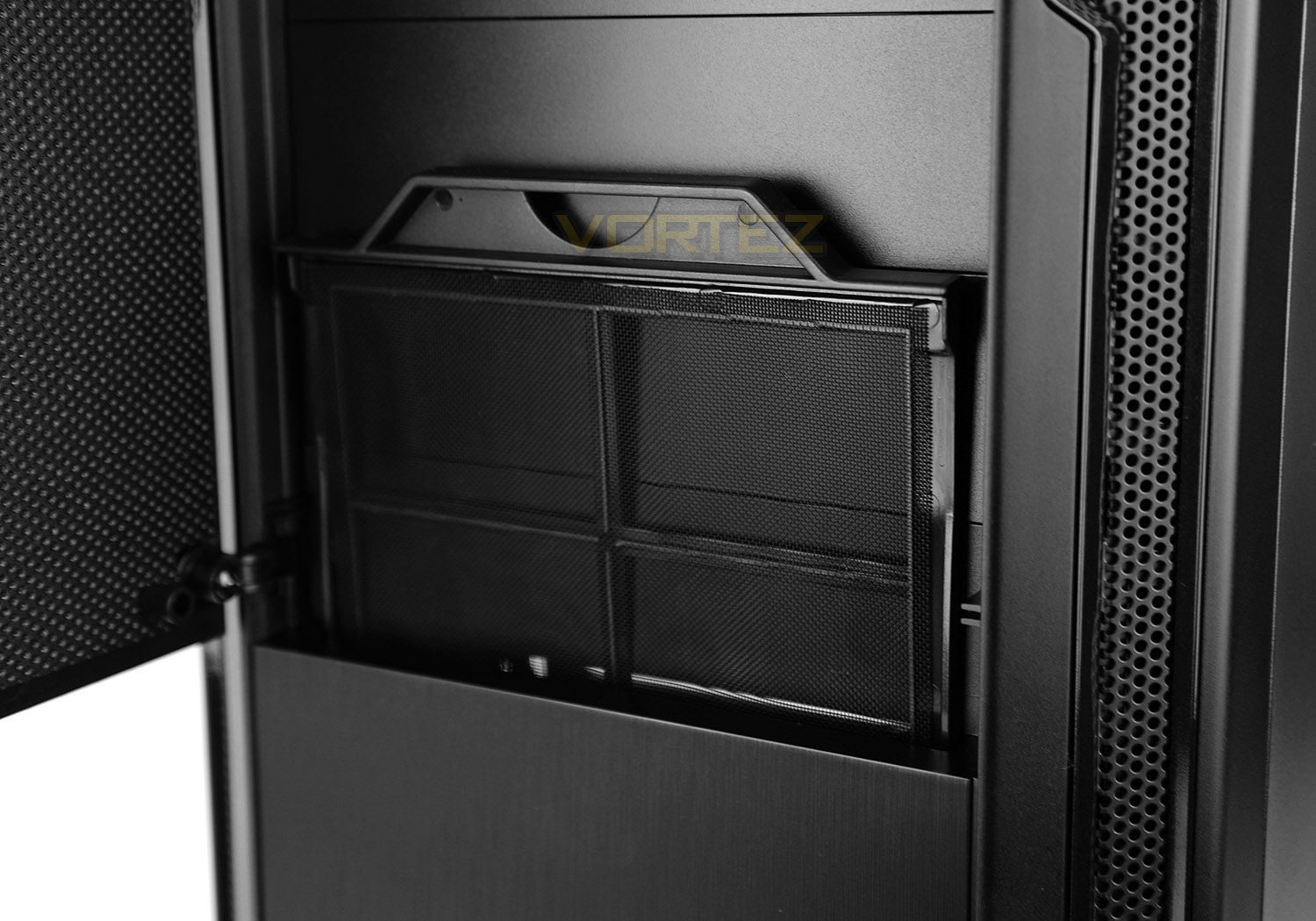
Since there is a 120mm cooling fan located at the front, in the lower section, be quiet! has included a detachable dust filter – this filter can be removed by simply pulling in an upwards motion.
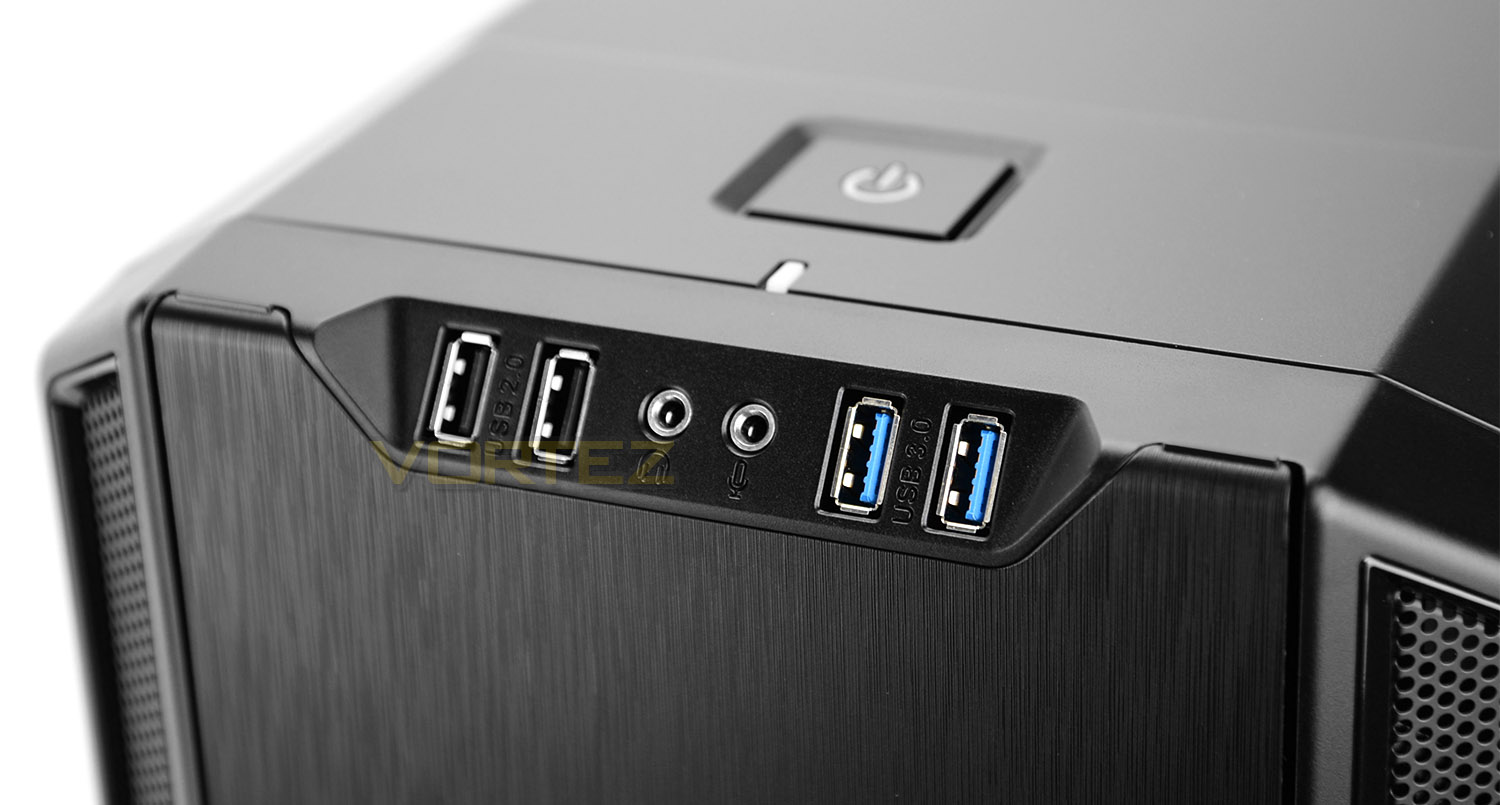
Located at the very top of SB 600 there are just a small selection of front panel controls. These include:
• 2x USB 2.0 ports
• Headphone and microphone jack
• 2x USB 3.0 ports
A large power button sits on the top-side of the case and has a corresponding LED.
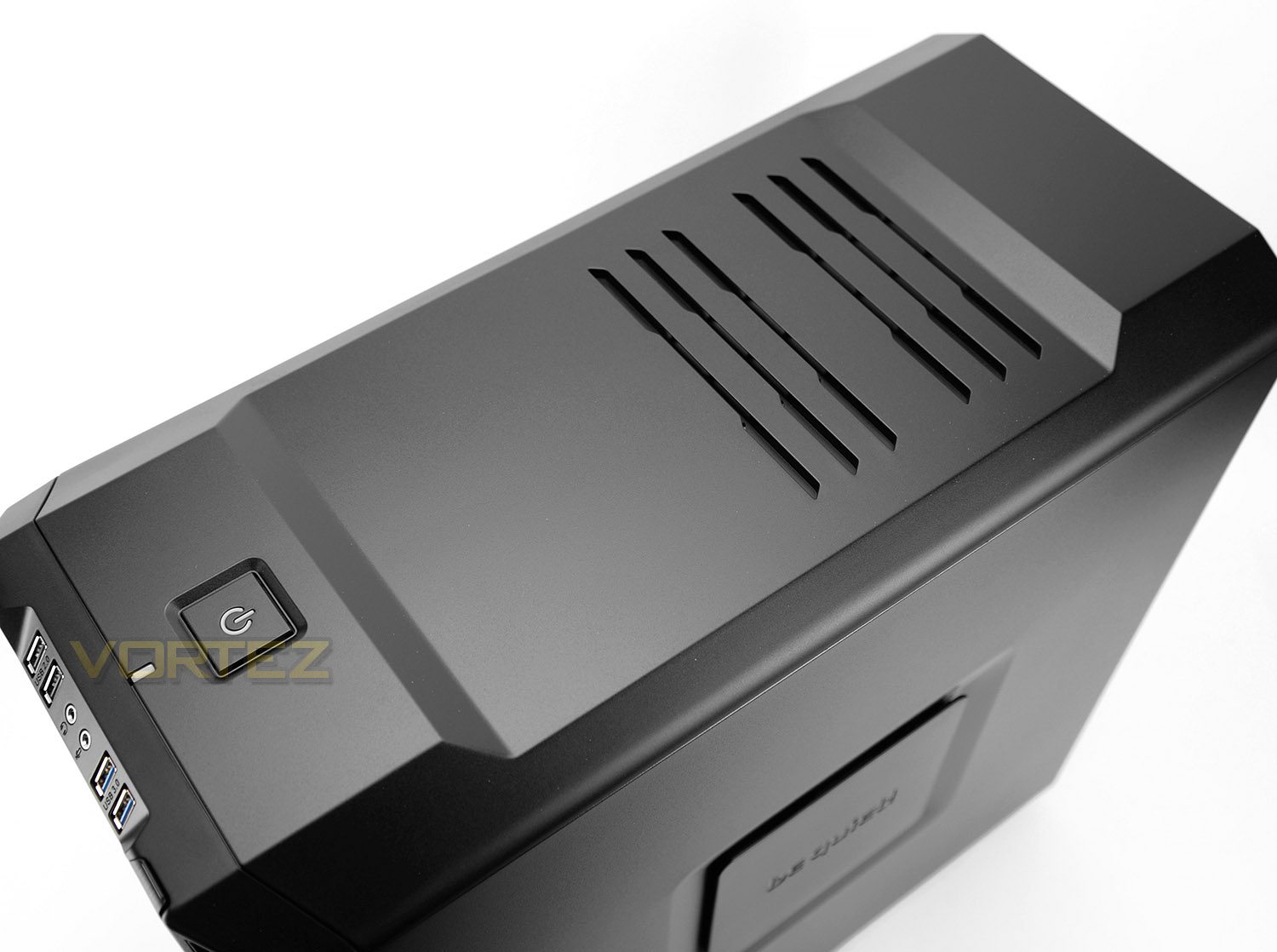
At the top of SB 600 there is a large plastic fascia and unlike other computer cases, lacks the perforated mesh. Instead, we have a smooth finish and some ventilation cut-outs for the airflow. The centre of this panel dips down – rising up at the front and rear. This panel can be detached (with difficulty!) to gain access to the mounting configuration underneath.
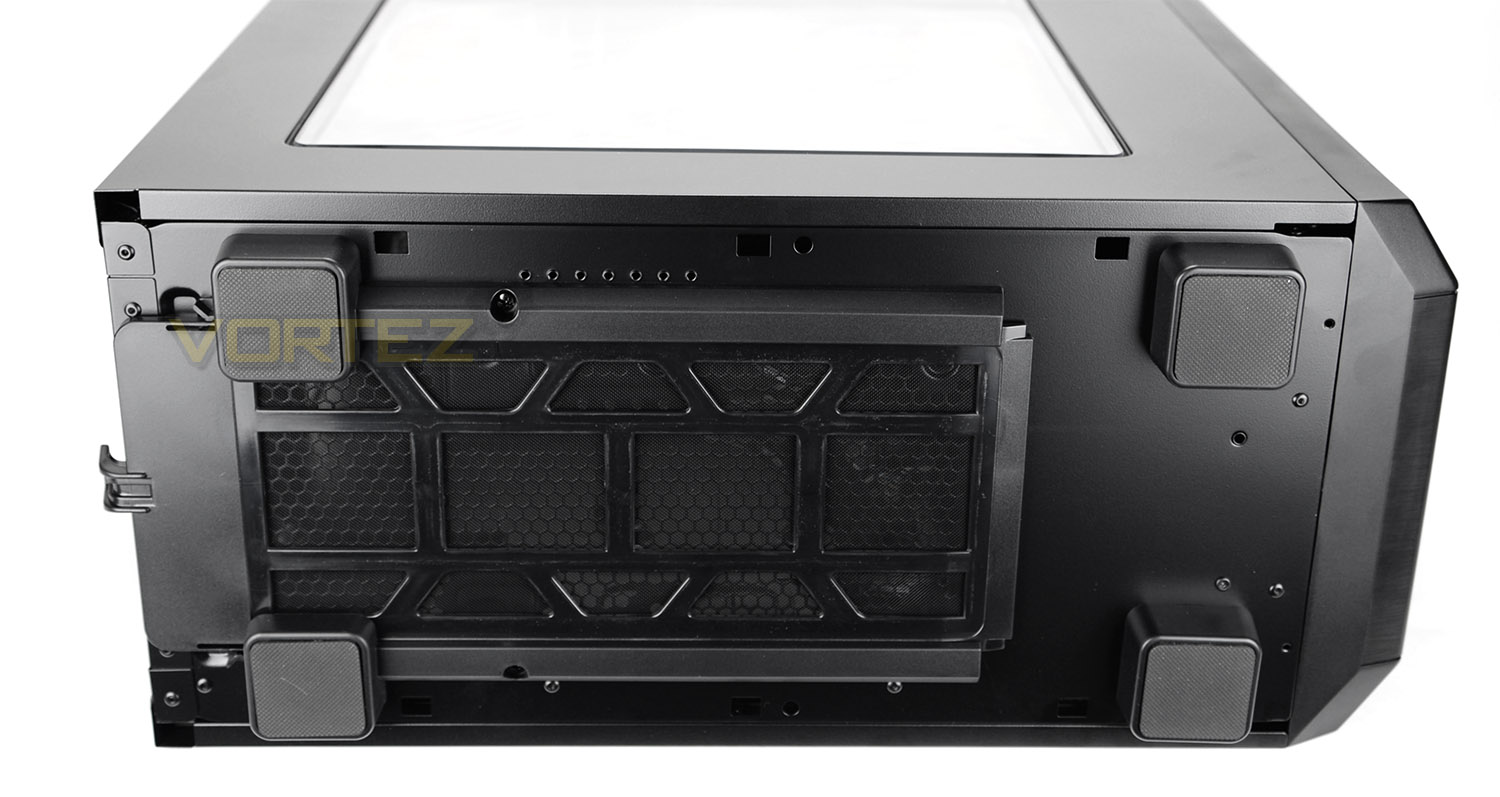
Flipping the case onto its side reveals four square-shaped rubber feet to prevent the case from slipping around on smooth surfaces and a large dust filter which is retractable from the rear of the case (without having to move it onto its side as pictured).
Having looked at the external aspects of SB 600, on the next page we’ll take a look inside the case.
Interior
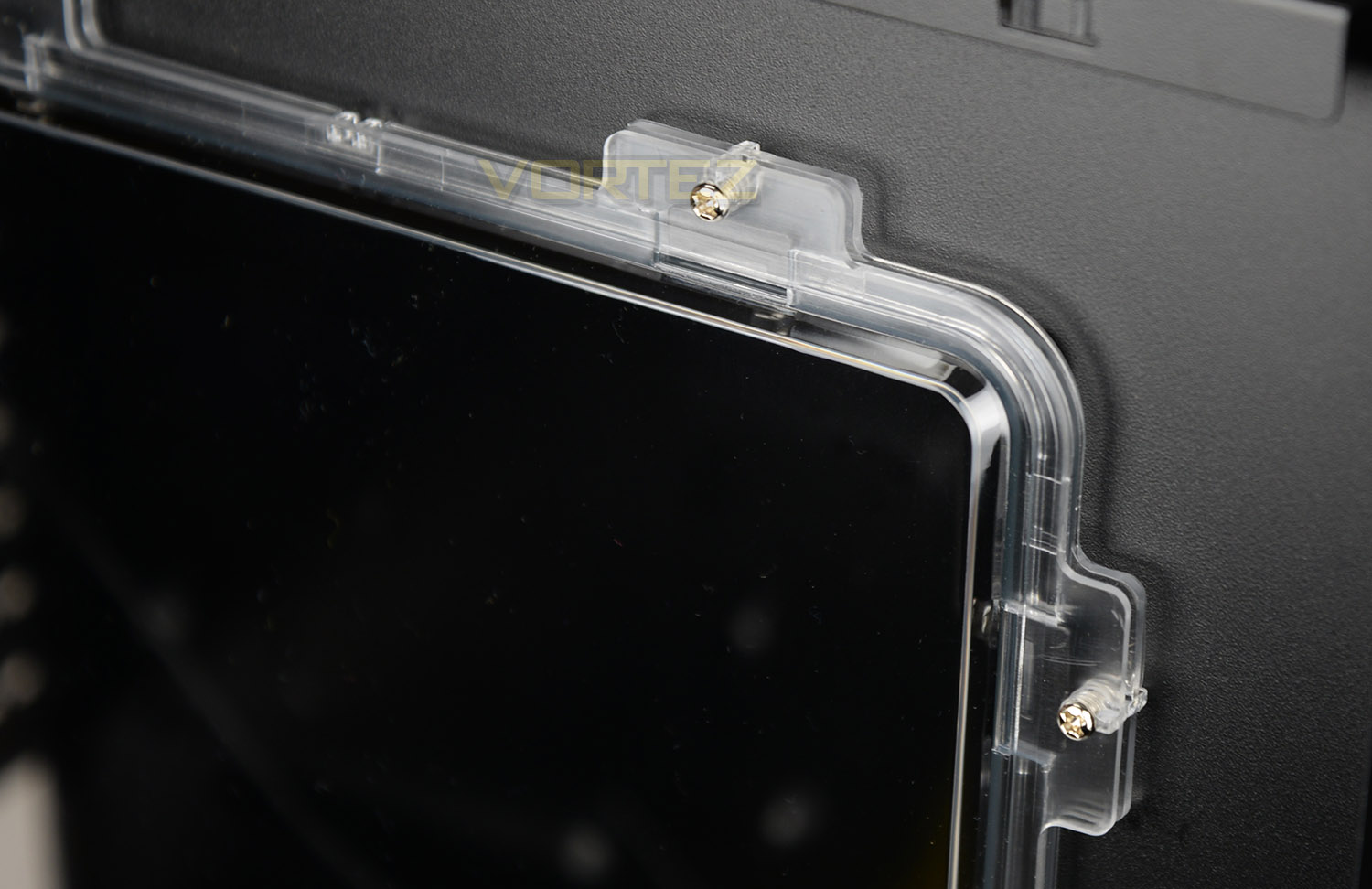
Detaching the prominent side panel from the chassis, we can get a closer look at the double-glazed design to which be quiet! has implemented. This panel uses two pieces of material to enhance the sound insulation. Not only this, but the design lends itself to being scratch and impact resistant.
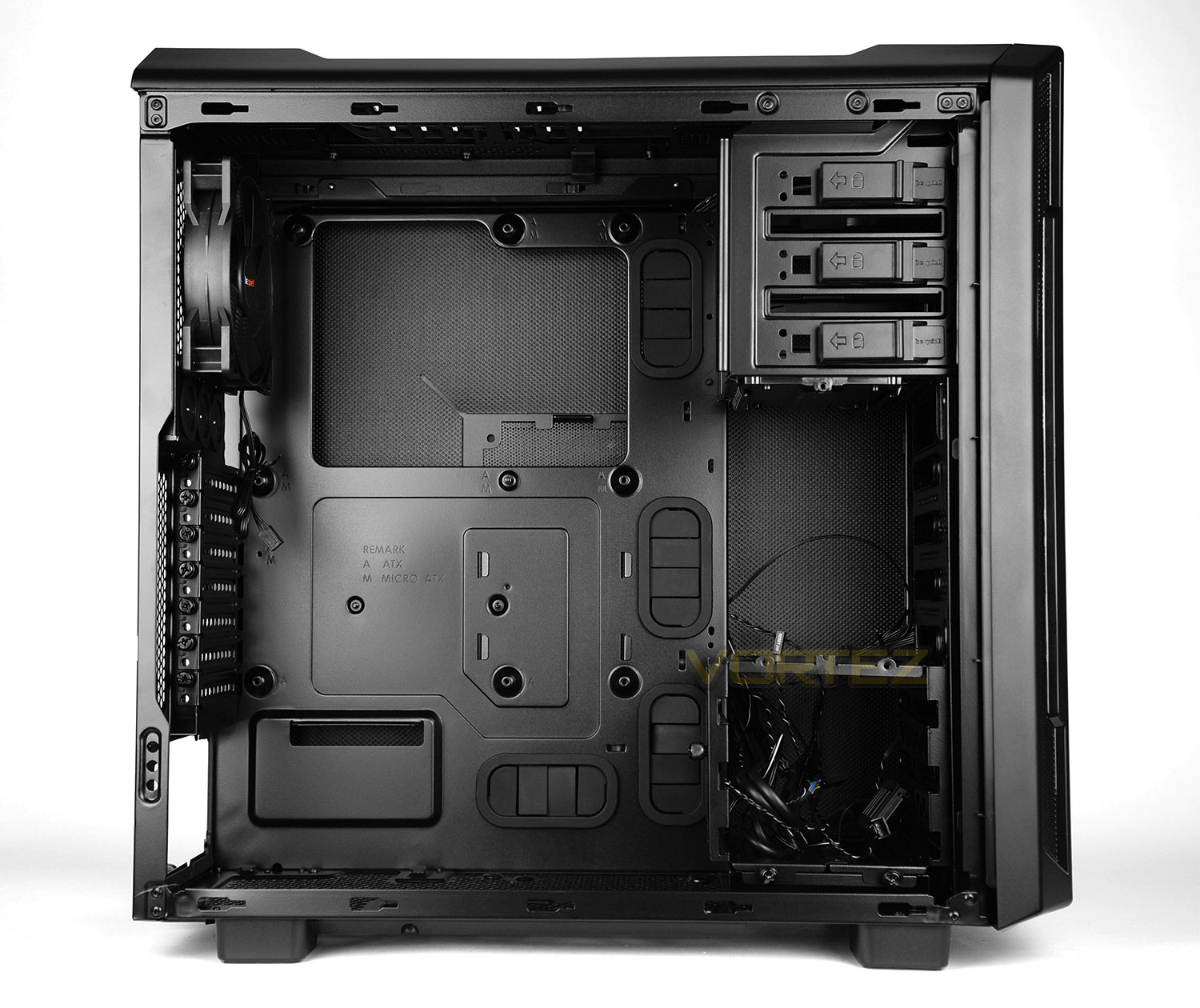
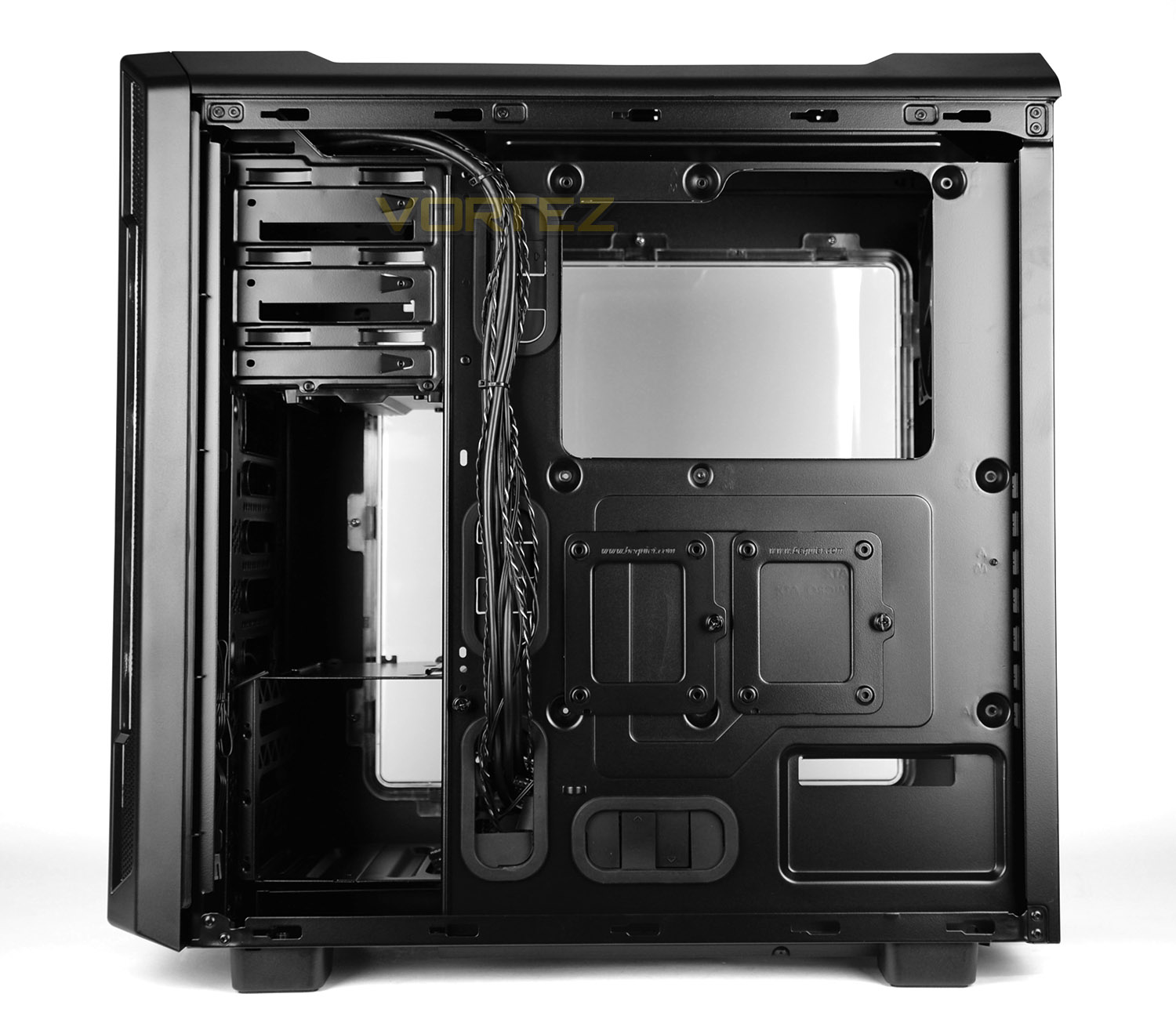
Having detached the side panels from SB 600 we have a rather roomy internal design which is powder coated black. The motherboard tray supports ATX, M-ATX and Mini-ITX form factors and has cut-outs for arranging cables. There are also tool-free mechanisms for attaching different devices such as SSDs behind the motherboard tray, 3.5” drives in the cage and a range of other hardware. The quality, layout and feature-set is great and we’re impressed thus far.
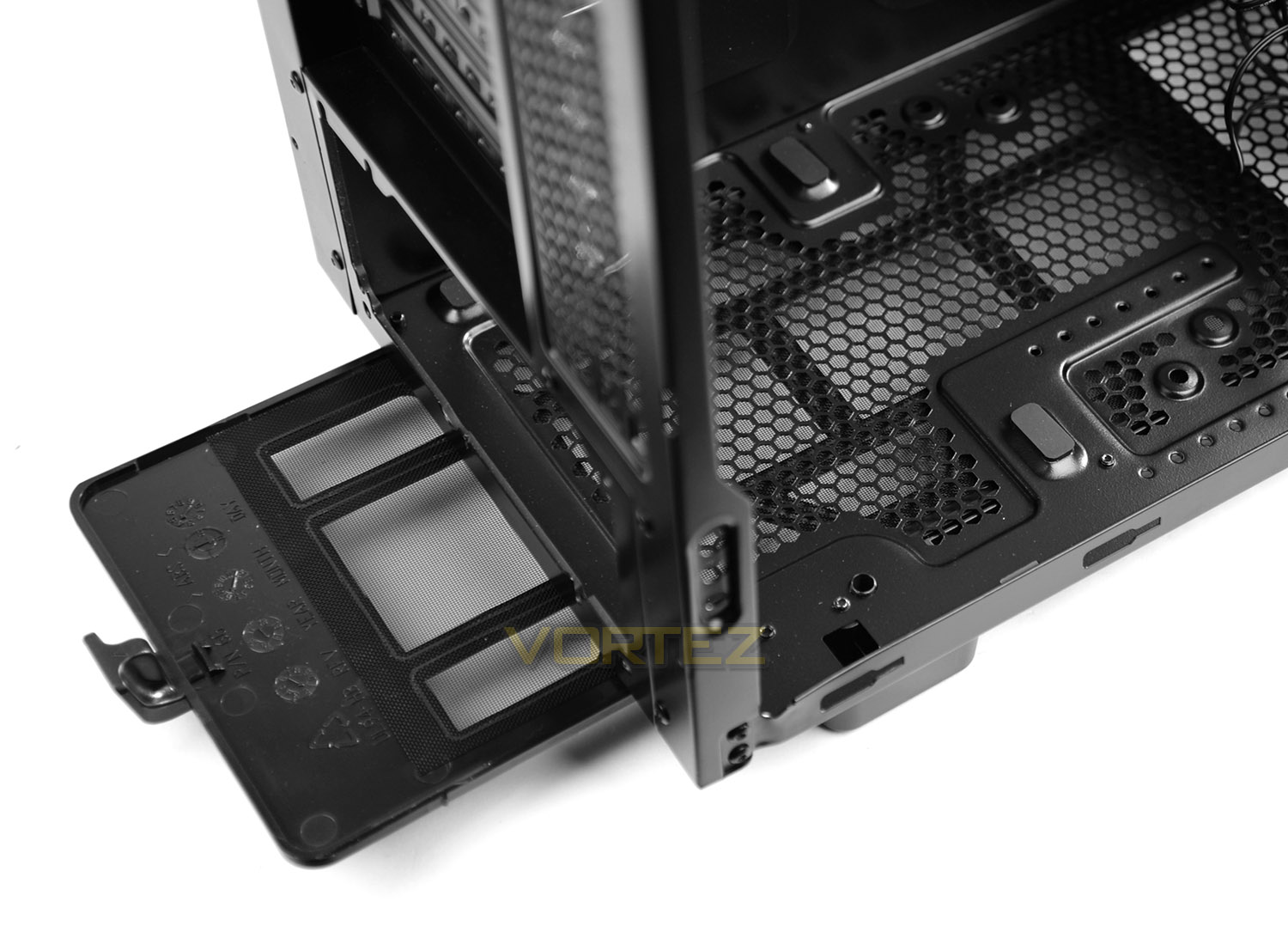
At the bottom of the case there is allocation for mounting the PSU – we’re pleased to see some rubber mounts for cushioning and anti-vibration. Underneath the bottom section of SB 600 there is a removable dust filter which has a useful handle – the filter can be completely detached and cleaned when necessary.
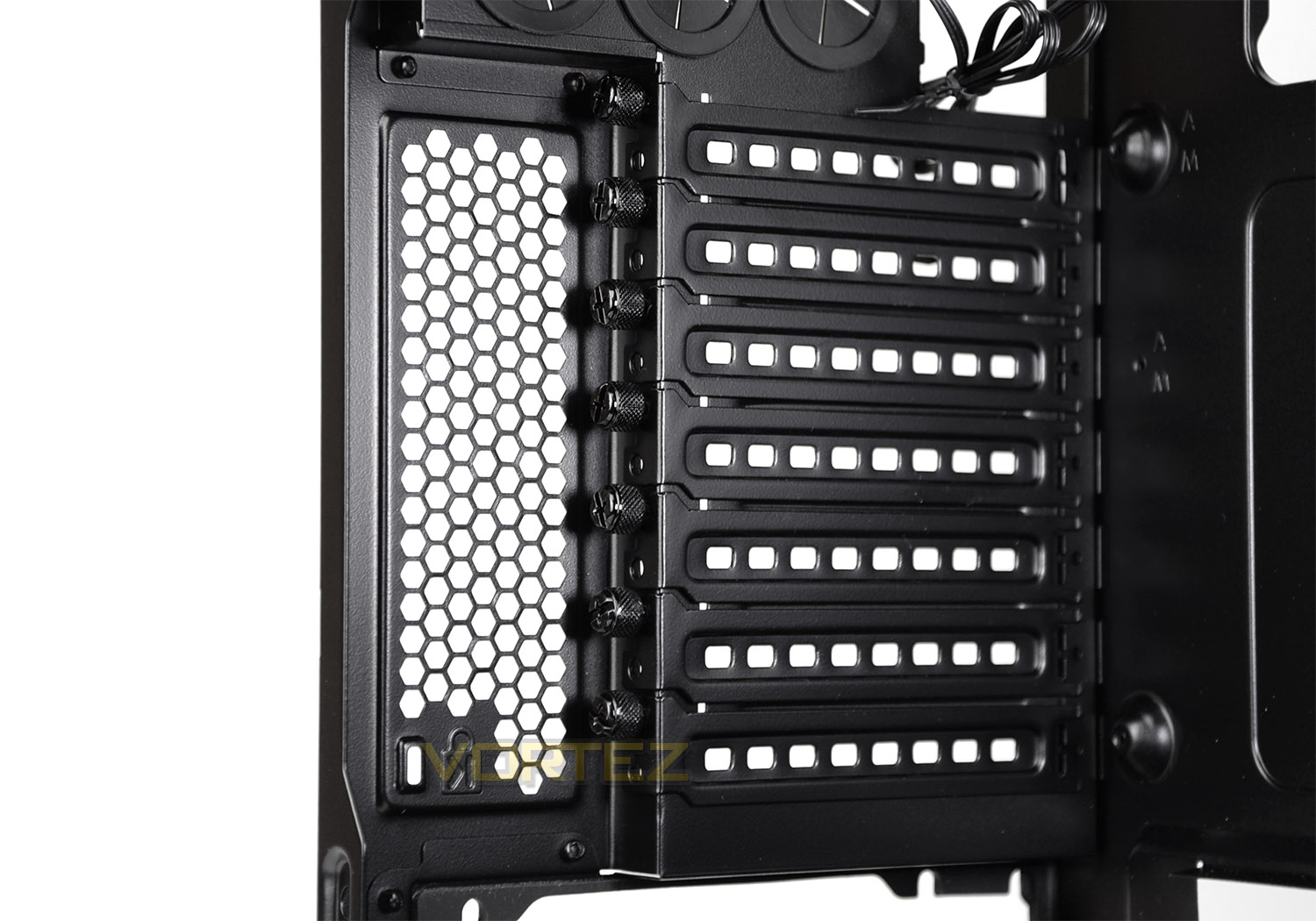
Further up we have a total of seven PCI expansion slot covers. Each have ventilation cut-outs and respective thumbscrews for easy removal.
On the next page we’ll continue our look at the internal features.
Interior (Continued)
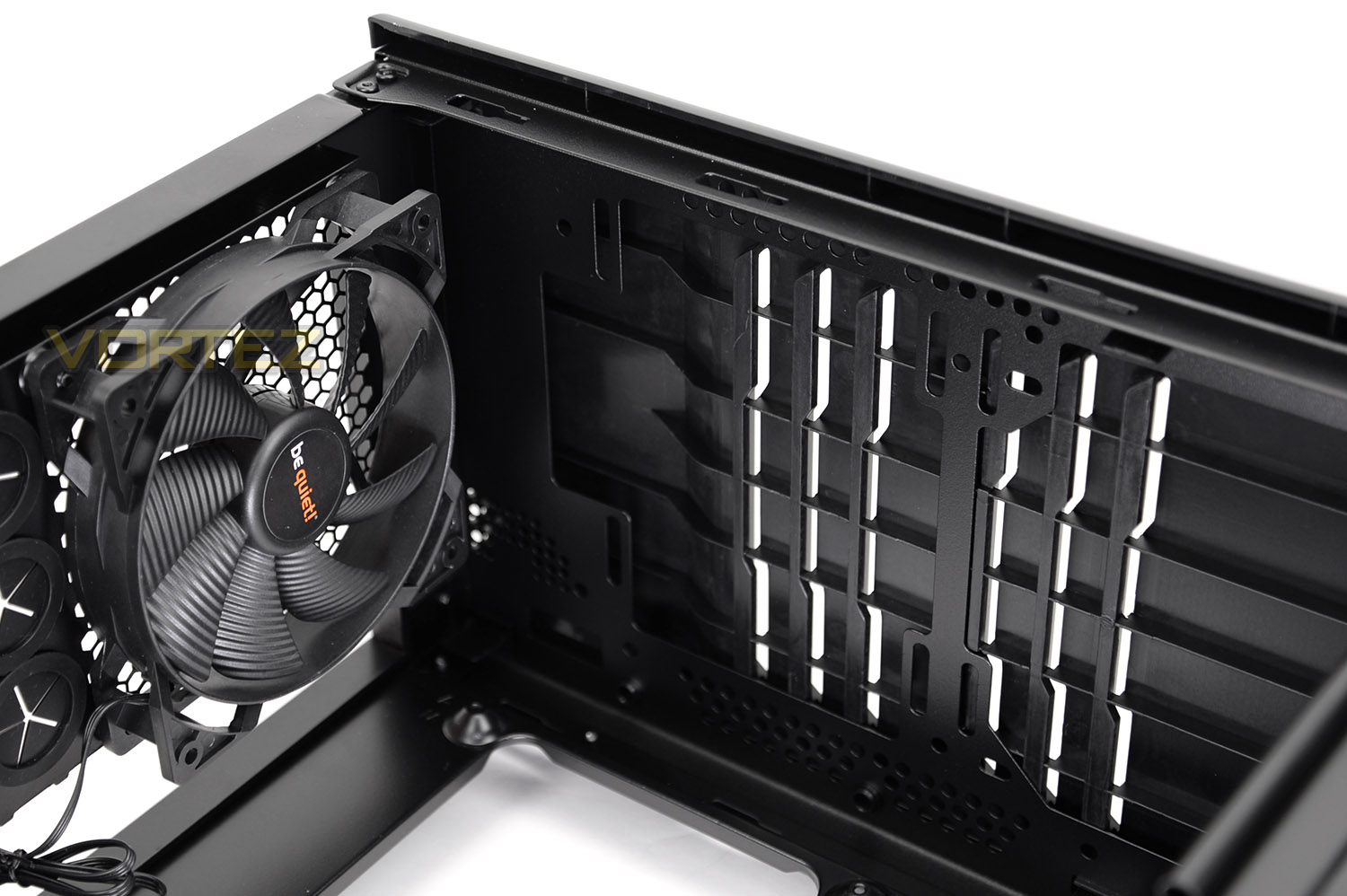
Located at the back of SB 600 there is a Silent Wings 2 120mm cooling fan. This fan acts as an exhaust and can be connected to the supplied three-channel fan controller.
At the top of the case there are mounting holes to support 2x 120/140mm cooling fans. It’s also possible to install a radiator at the top, more on this later – to properly access these mounting holes the top fascia needs detaching (As shown in the Clearance section of this review).
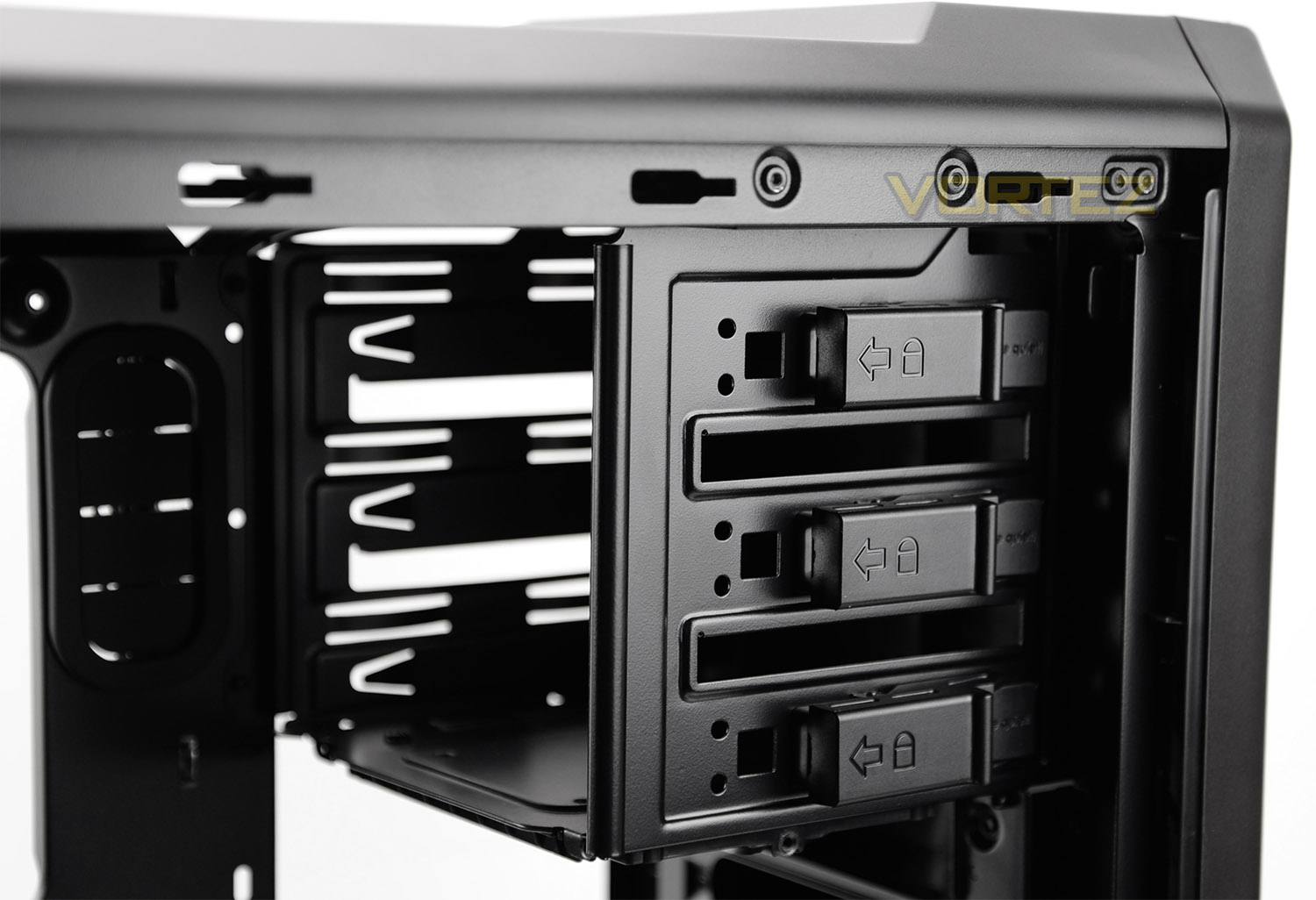
On the other side of SB 600 there are 3x 5.25” drive bays – each have a tool-less design to attach/detach devices by using a simple latch system as per picture above.
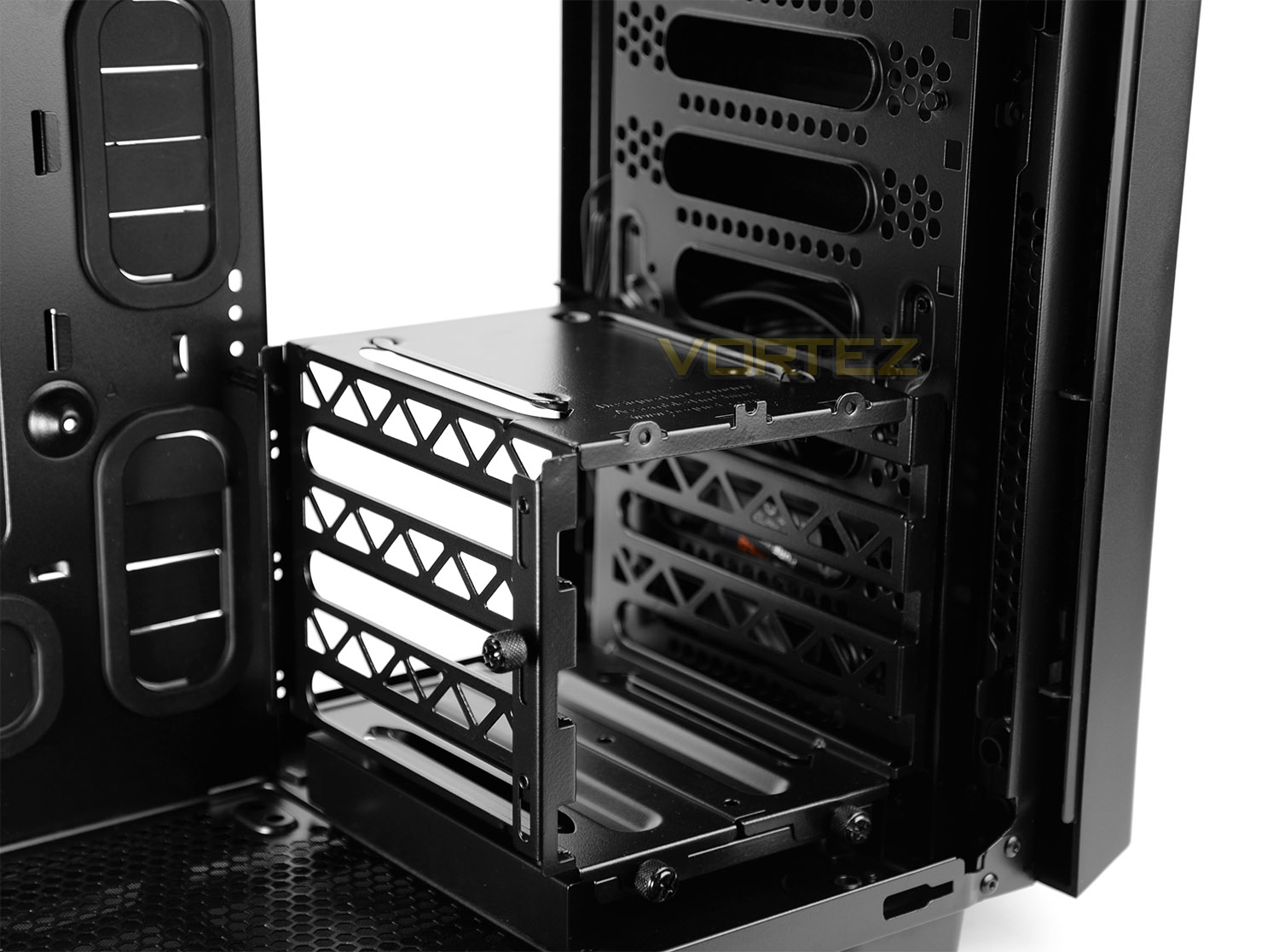
SB 600 features just a single HDD cage which can house up to 3x 3.5” drives. Each drive requires rubber attachments which are shown in the next section of this review.
This cage can be completely detached from the chassis if required, but the metal stand underneath is riveted and is therefore deemed a permanent fixture.
On the next page we’ll install kit inside the case and identify how much space SB 600 has for hardware.
Installation
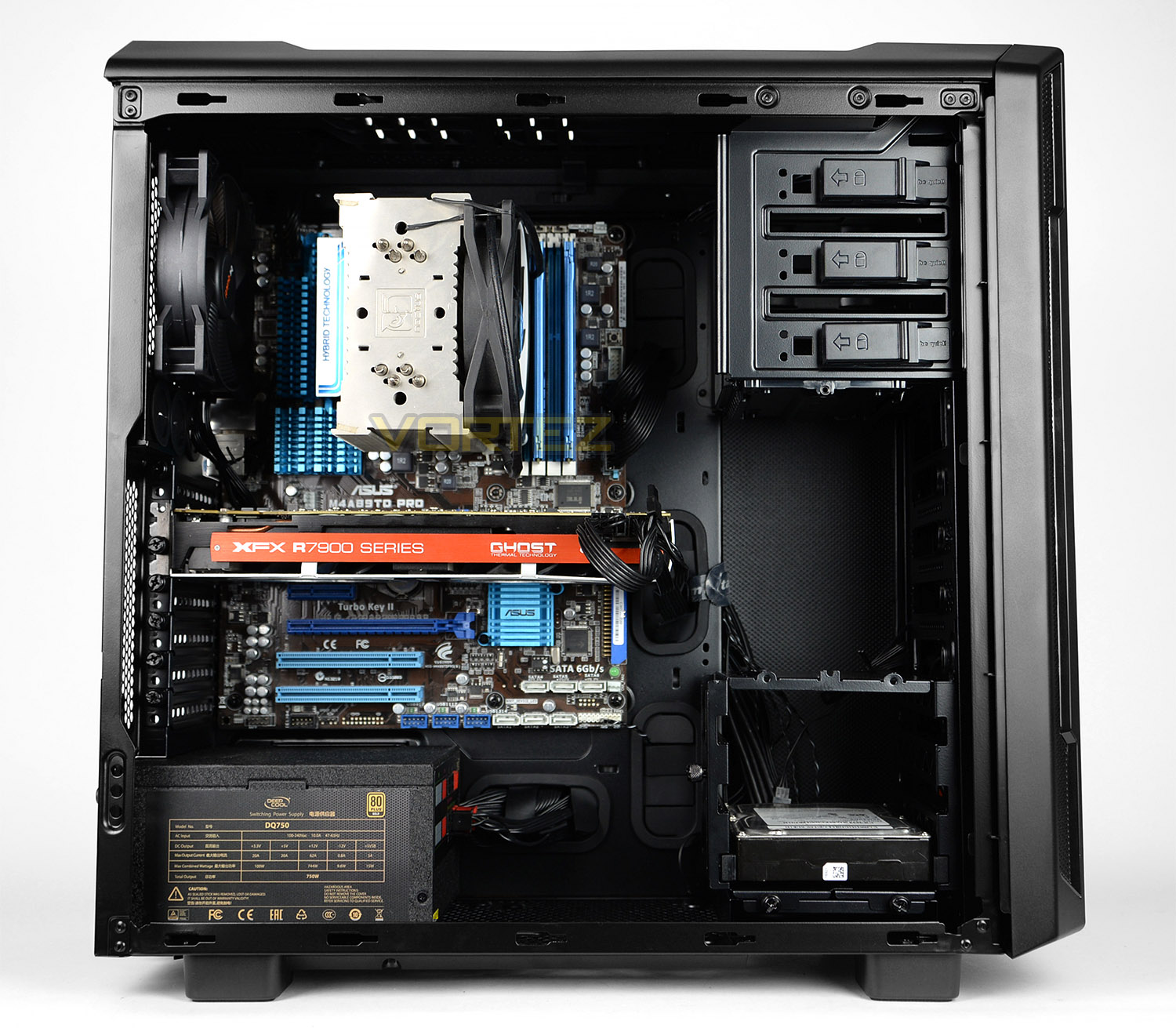
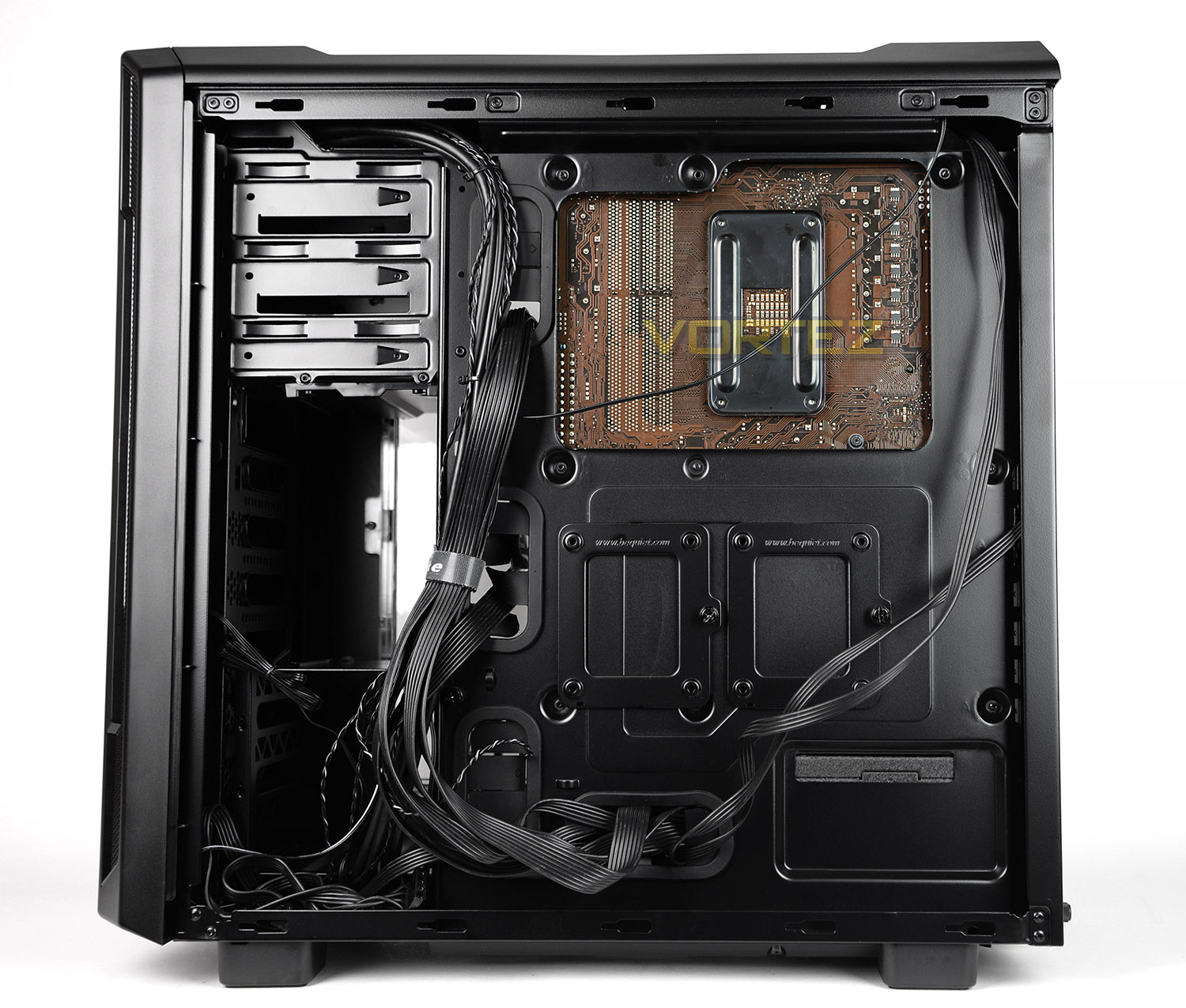
Installing a full system inside SB 600 is relatively easy thanks to the layout and features which are included. The one aspect which did take some time and persuasion was the cable management. There is very little space to store any redundant cables around the HDD cage area – keeping things tidy can be tricky.
Inside, the chassis caters for a wide selection of hardware and is flexible in many different ways. The HDD cage can be completely detached if desired since there are SSD mounts on the rear of the motherboard tray.
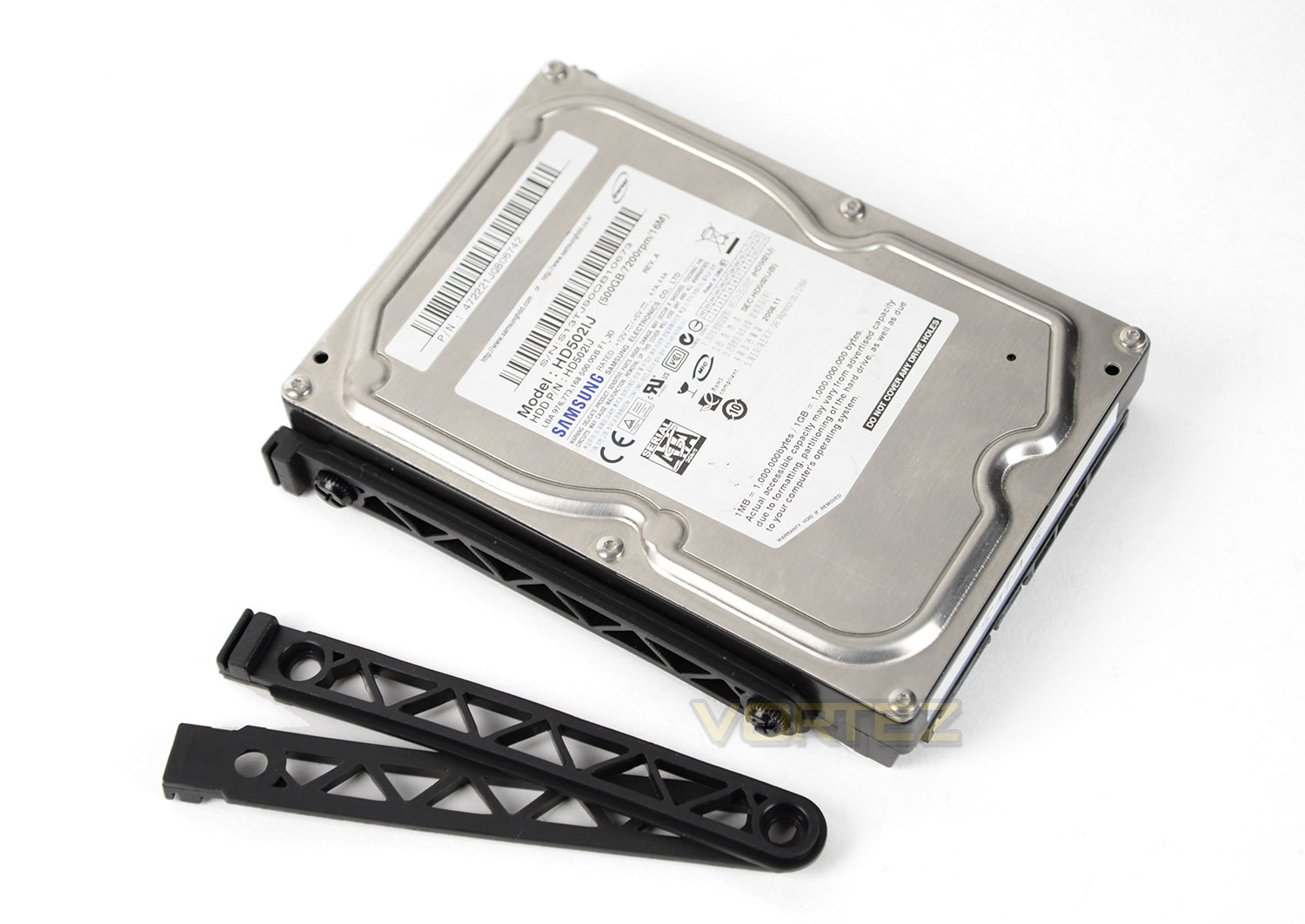
To install a 3.5” drive, two rubber brackets need to be installed to either side of the drive and once attached the unit is then slid into one of the available slots on the HDD cage. This provides anti-vibration and is a scratch-free method of getting storage into the chassis.
Overall we’re impressed by SB 600 – over on the next page we’ll explore the clearance options found inside.
Clearance Options – CPU Cooler, GPU, Cable Management
Realising the space and clearance options inside a computer chassis highlights whether specific hardware fits correctly. In this section of the review we’ll be looking at key areas and identifying how much space is available.
CPU Cooler
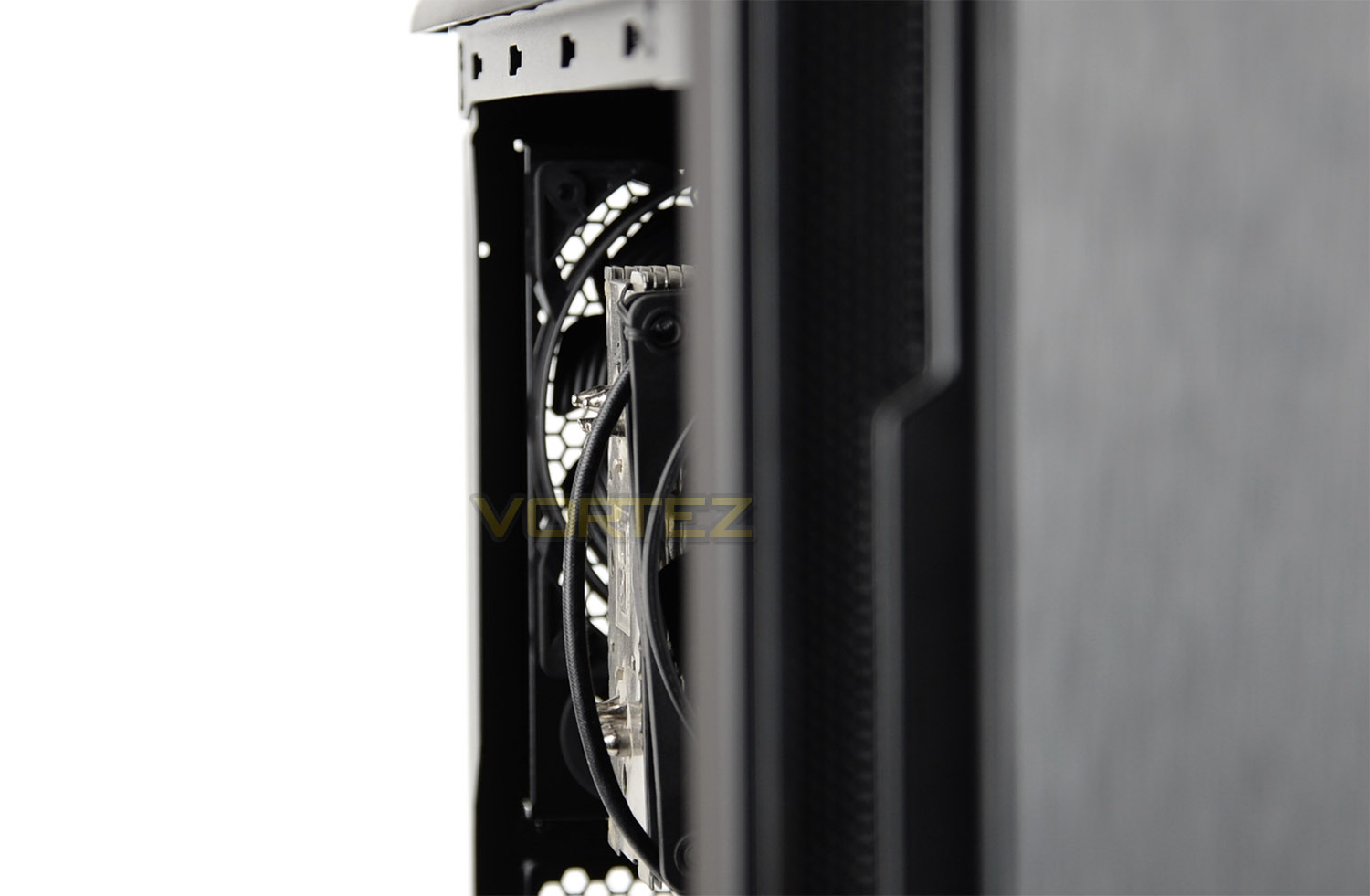
We’ve installed the Noctua NH-U12P CPU cooler inside SB 600 and you can see there isn’t much space left between the top of the heatsink and side panel. There is approximately 167mm for the total height.
Graphics Card
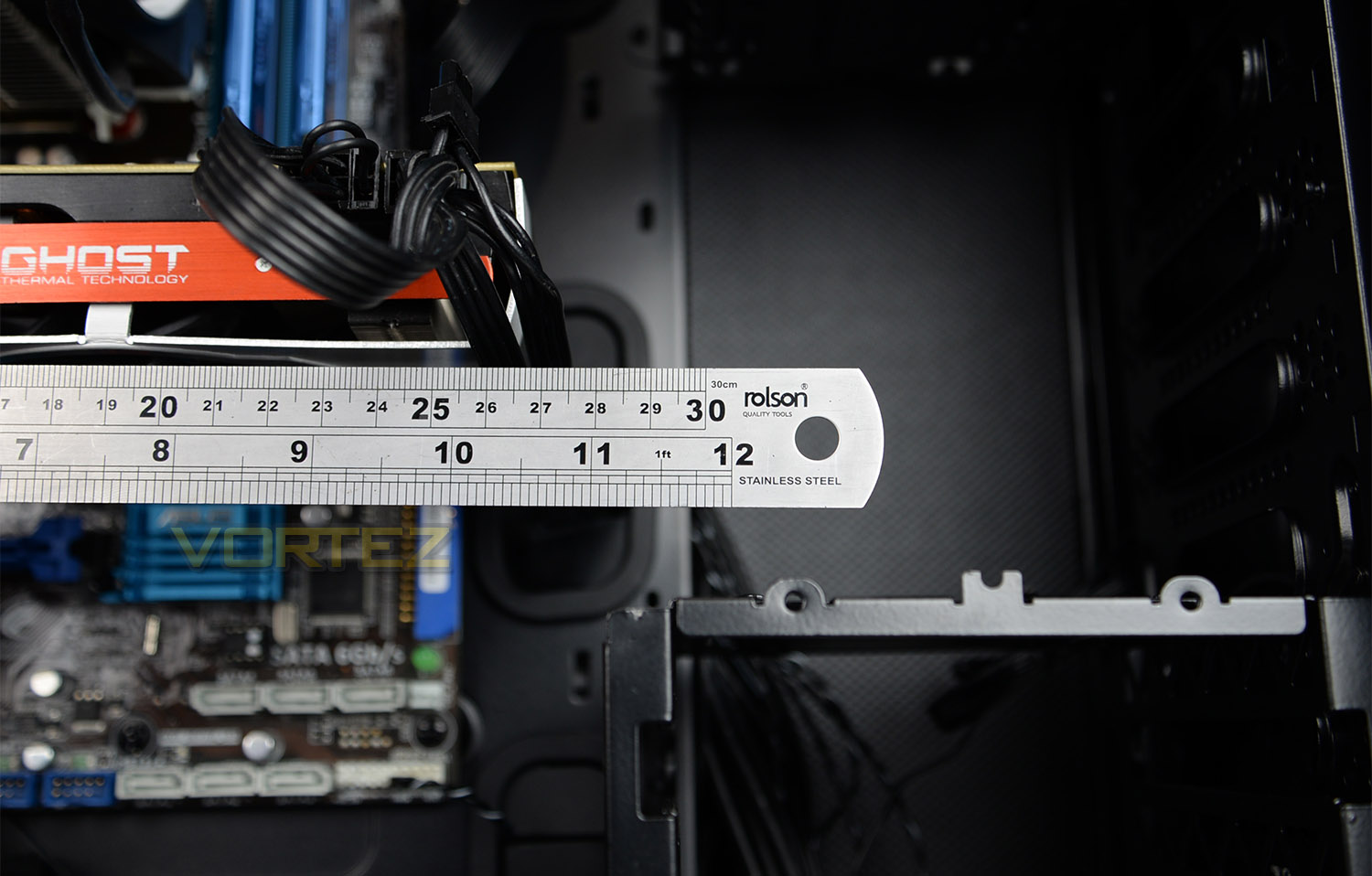
Those who are planning to use just the upper PCI Express slot will have no problems whatsoever with any sized graphics card since there are no obstructions but if the graphics card sits lower the HDD cage may cause a problem. There is approximately 290mm of space from the beginning of the card to the HDD cage.
Cable Management
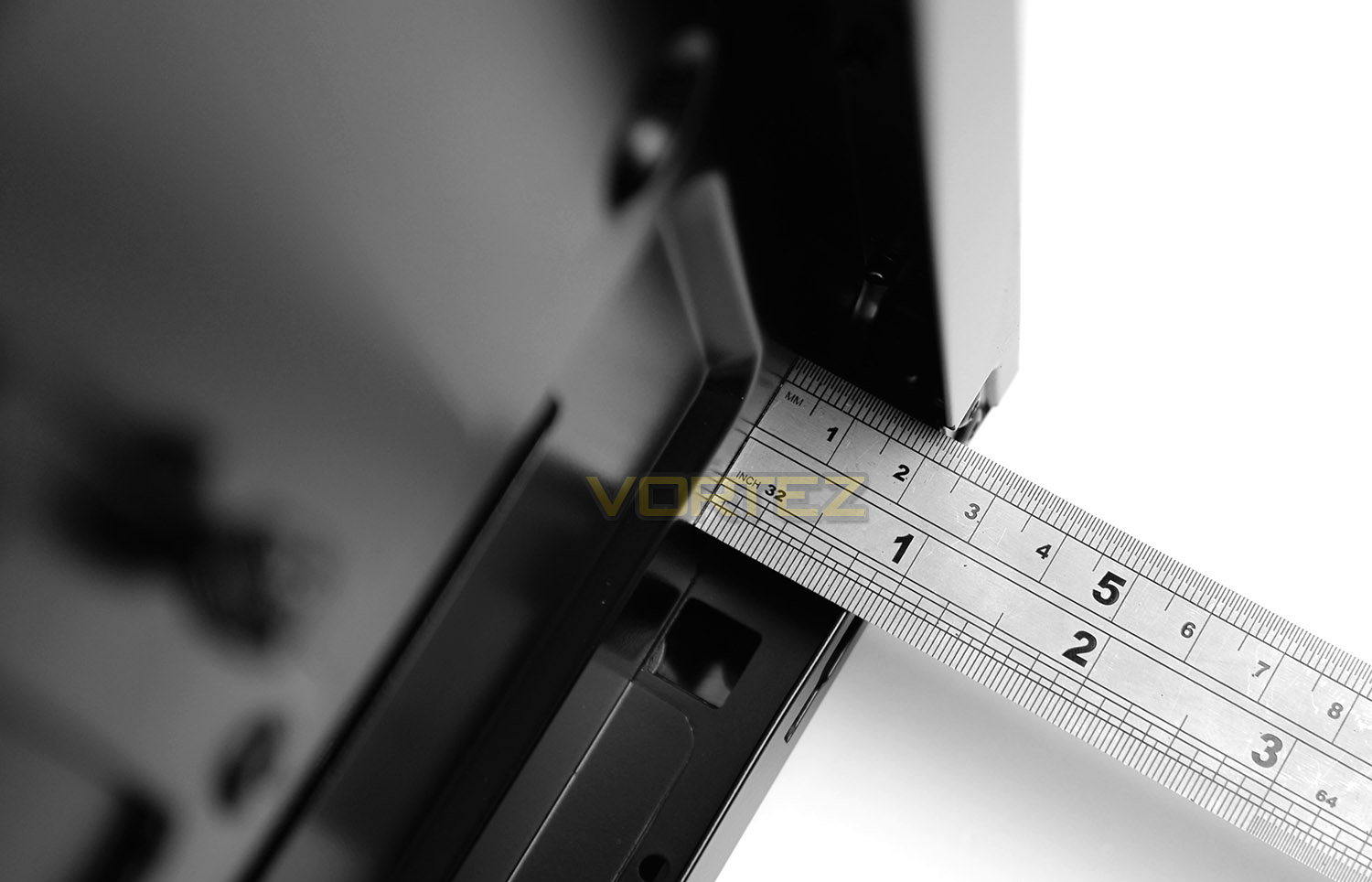
Behind the motherboard tray is the area were most of the redundant cables will reside. The distance between the back of the motherboard tray and the side panel is approximately 20mm.
Clearance Options – Water Cooling
SB 600 has a few options for those who are going down the water cooling route. But there are some limitations as mentioned below.
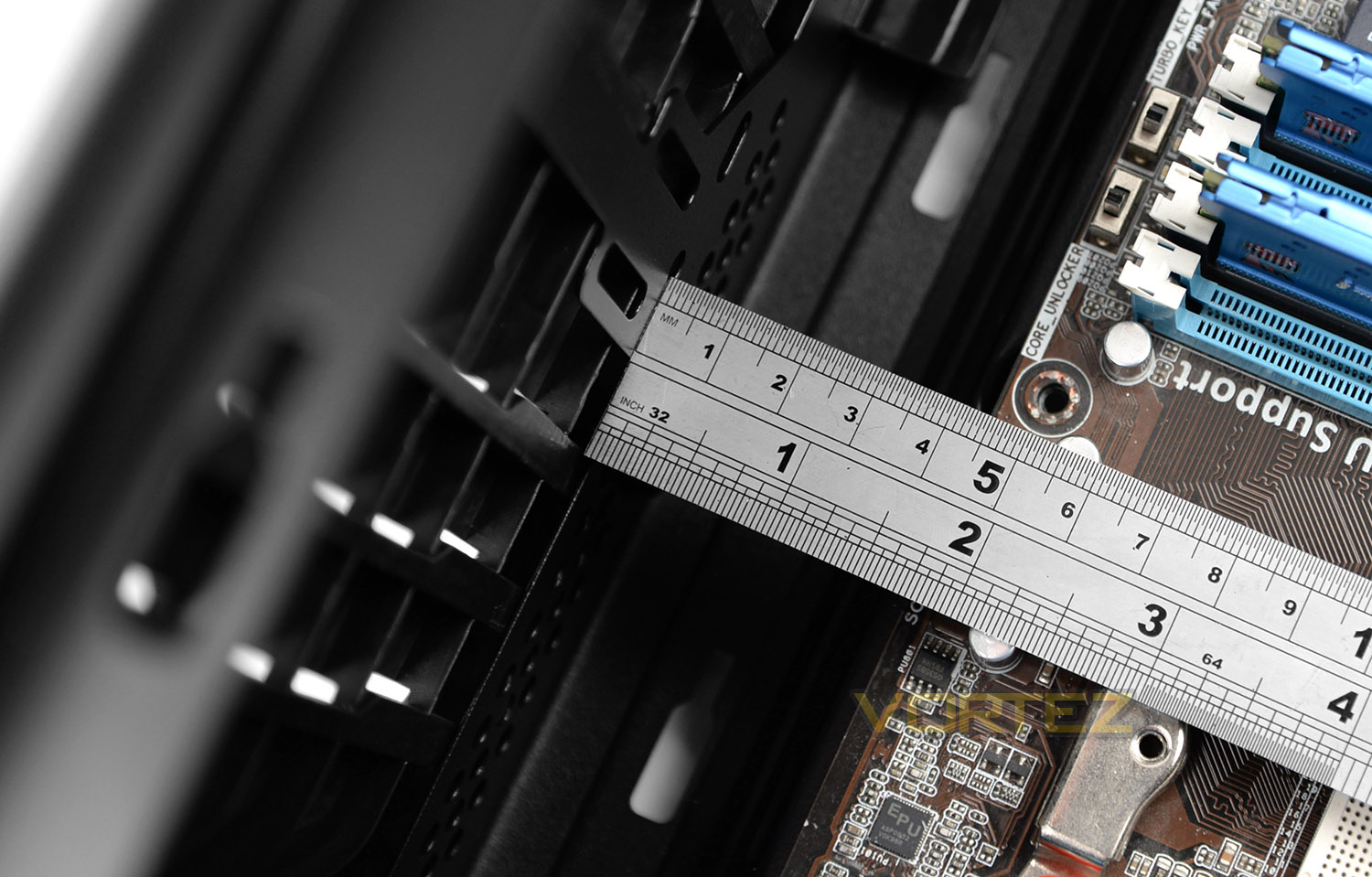
The top fascia has no cavity to house a radiator or cooling fans but there is a gap of 4.5cm between the top of the motherboard and the case – meaning we can install both the radiator and cooling fan if the radiator remains one of the thinner types (such as those found as part of a closed loop/AIO).
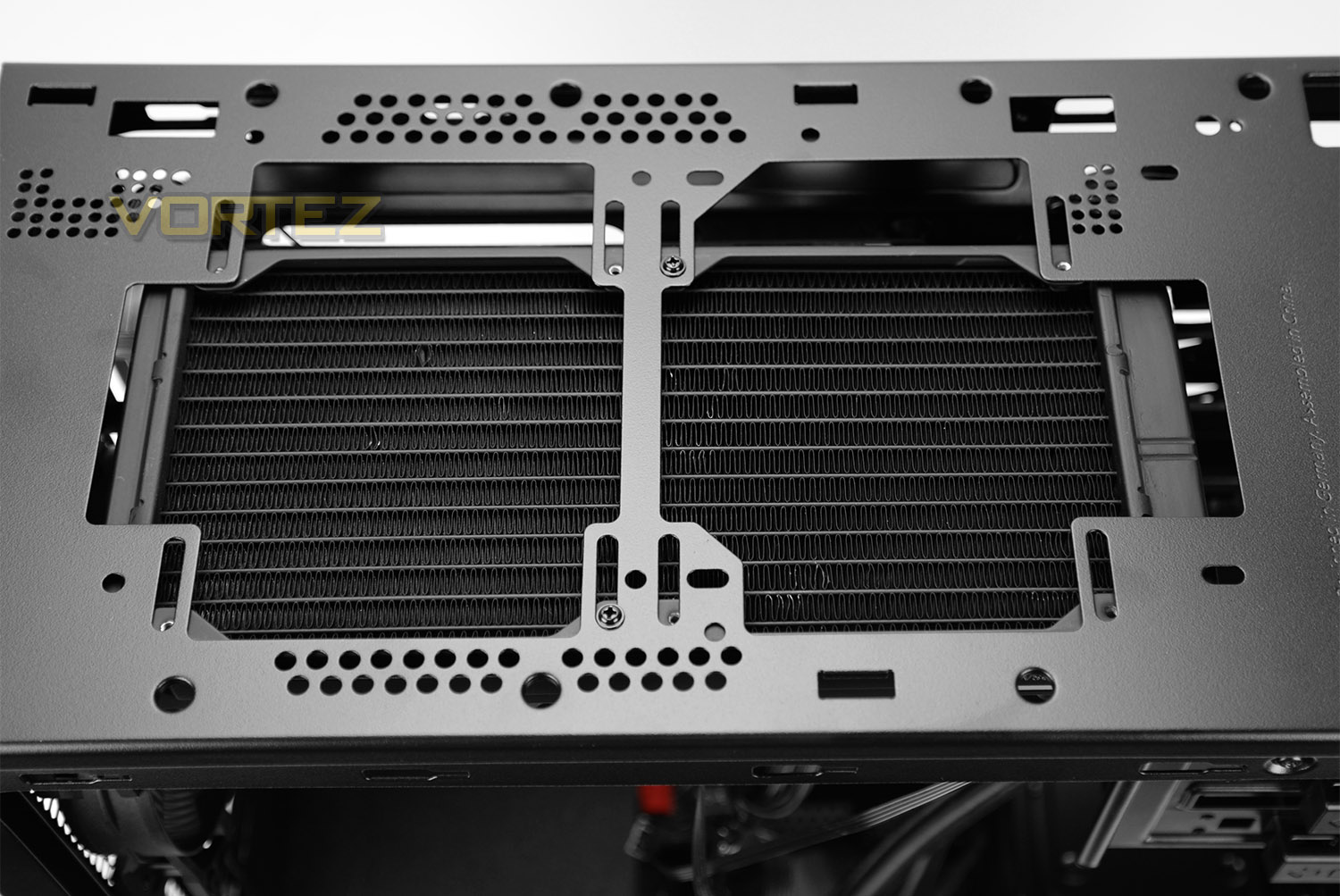
After detaching the top fascia (which is quite a tricky task due to the plethora of plastic notches), we have access to mounting holes which are in the arrangement of 2x 120/140mm fans.
Pictured above we have installed the Corsair Hydro Series H100i GTX. This radiator fits but need to be positioned towards the outer edge to avoid the cooling fans touching heatsinks on the motherboard.
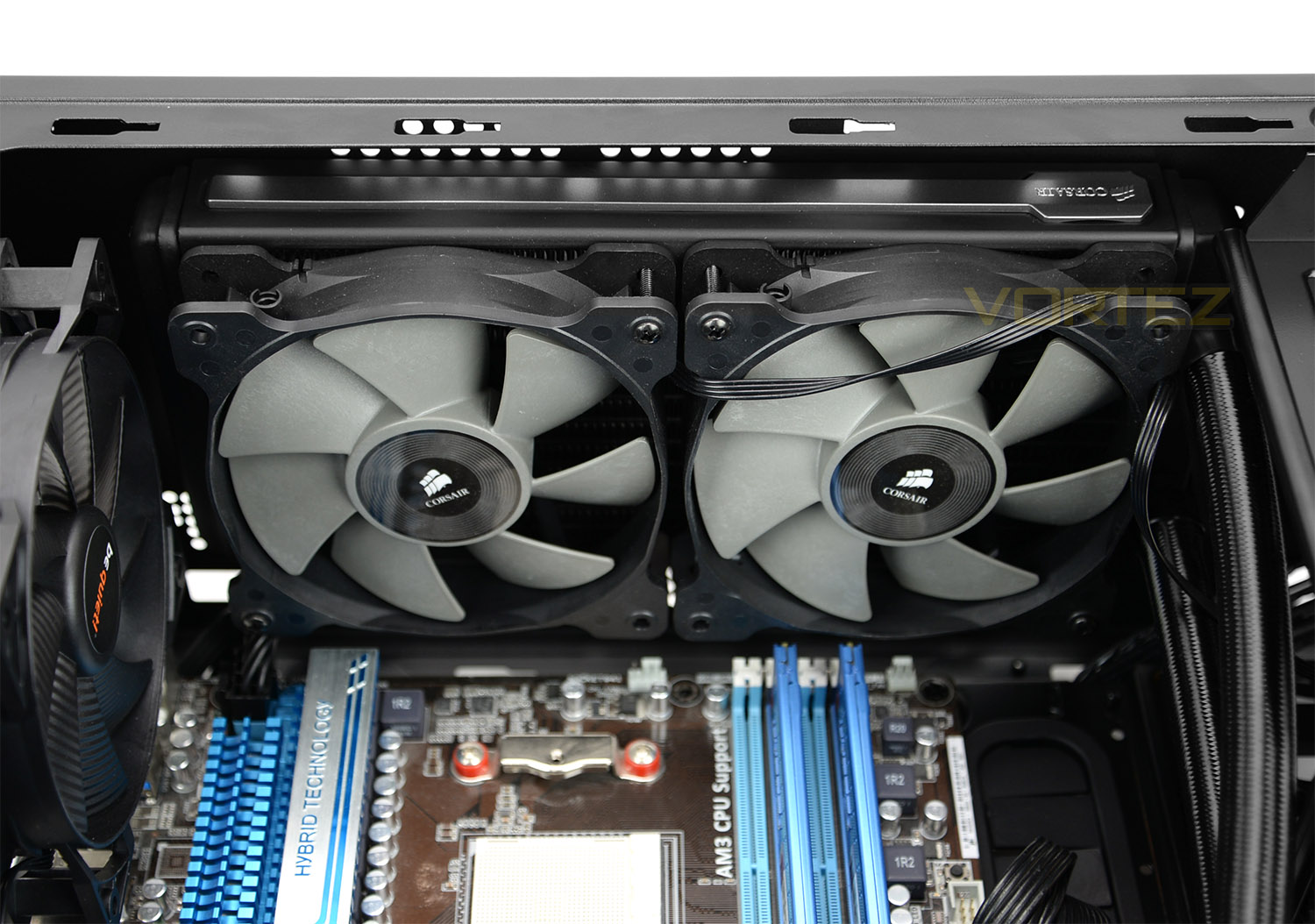
The Corsair Hydro Series solution fits inside SB 600 but things are very tight – the edge of the fans rest on the CPU power cable.
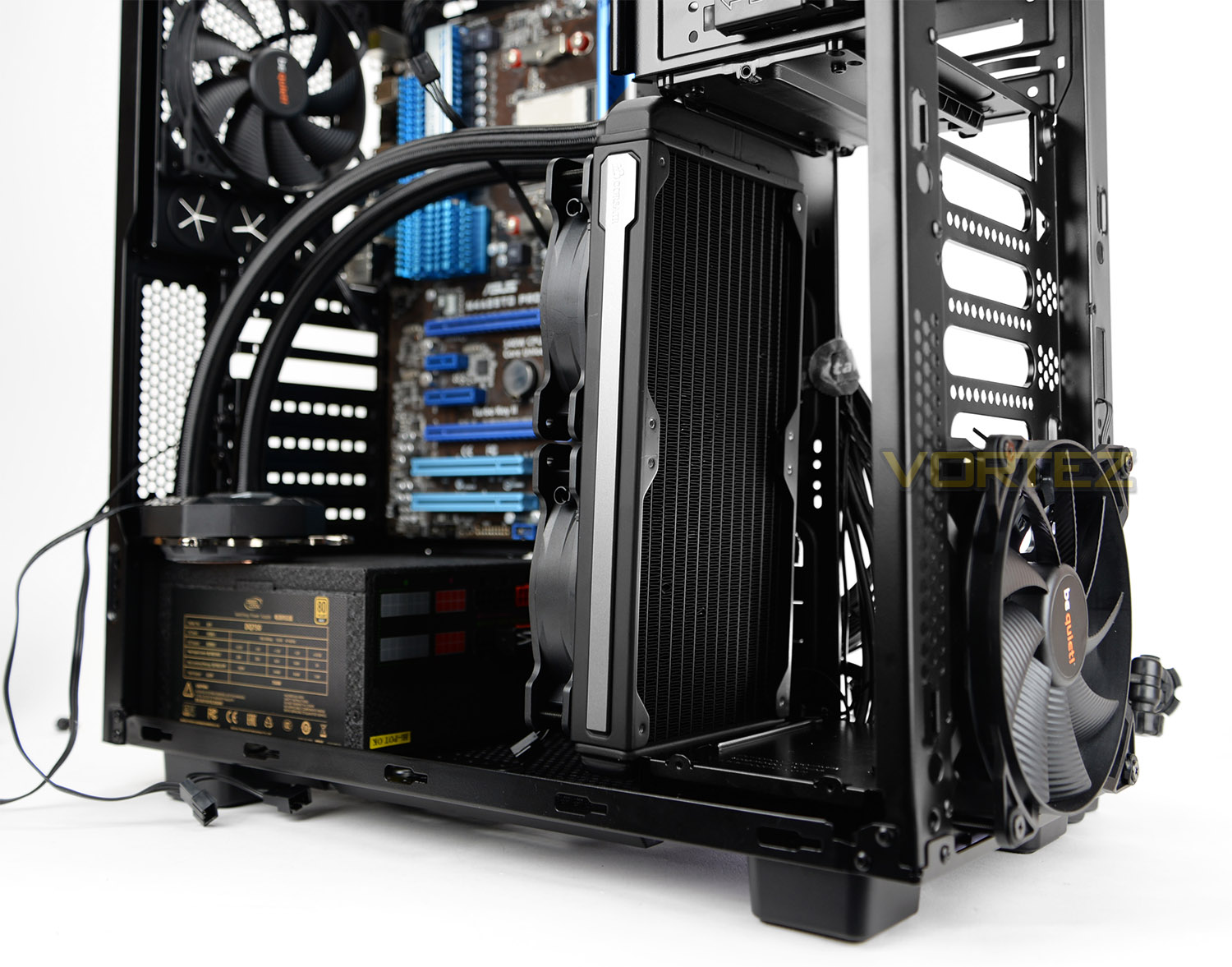
Front
Although there is space to install 2x 140mm cooling fans at the front of SB 600, a 240/280mm radiator does not fit into the gap (after detaching the HDD cage). The reason for this is due to the metal stand to which the HDD cage sits – this platform is riveted and therefore permanently attached to the chassis. As you can see above, the radiator will simply not squeeze into the space unfortunately.
But there is support for smaller radiators such as a 120/140mm.
Thermal Performance Testing
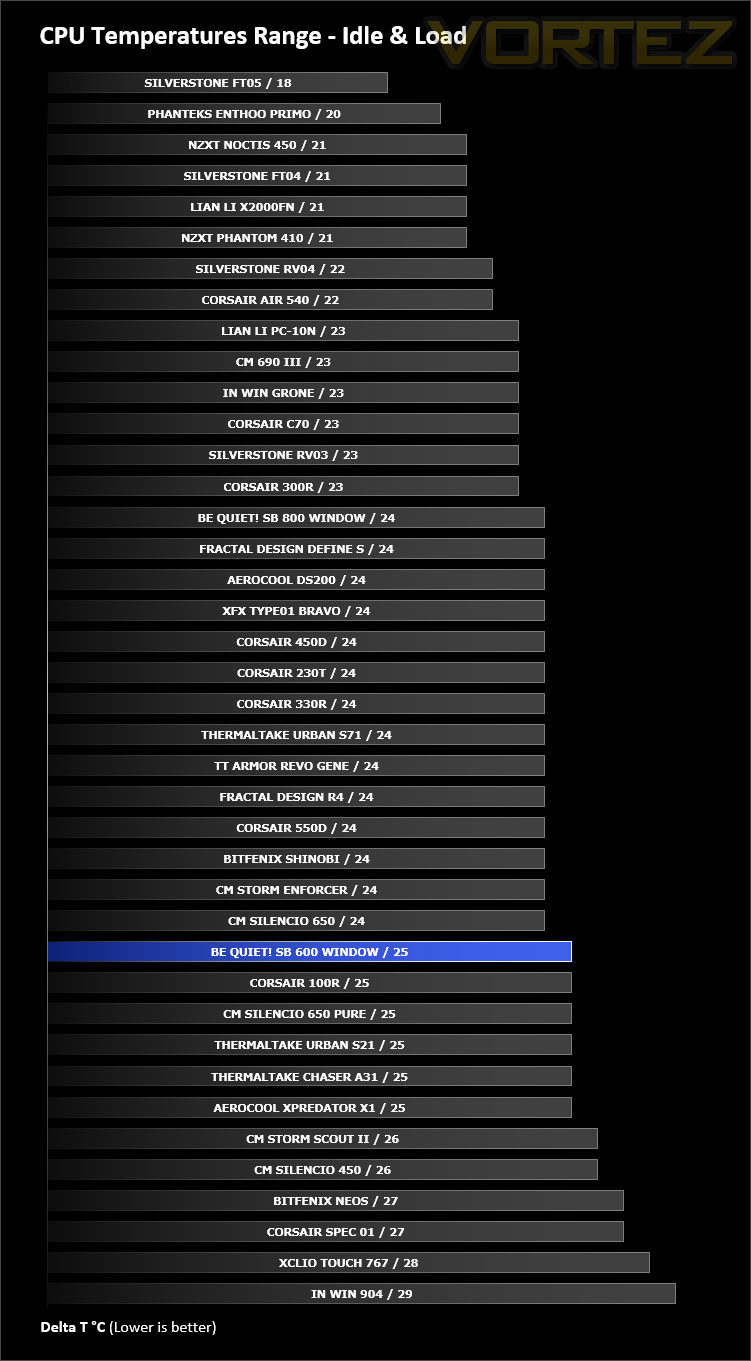
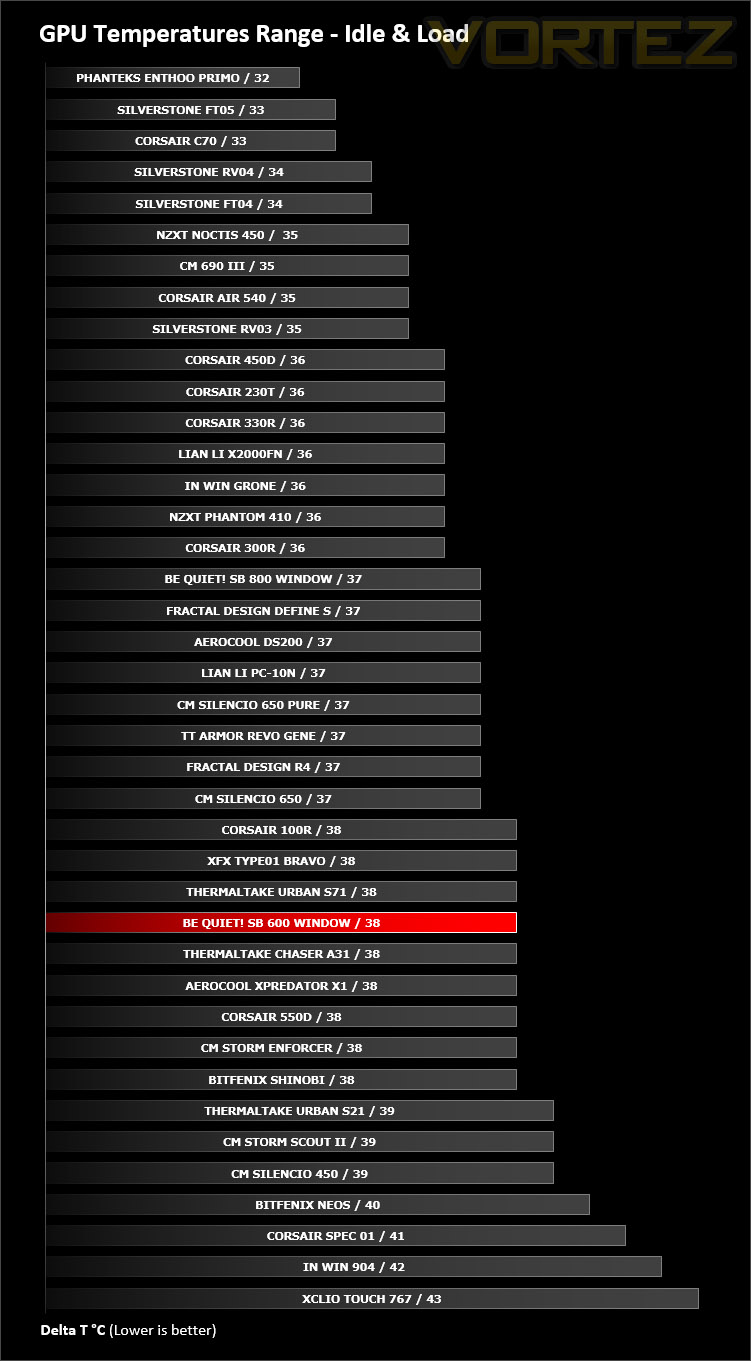
Inside Silent Base 600 Window we have two cooling fans – one 120mm fan at the rear and one 140mm cooling fans at the front. This push/pull configuration usually presents good results, so we expected good results.
To discover the thermal performance of SB 600 Window we will record idle temperatures after 20 minutes from a cold boot. We will then stress the system and temperatures will again be monitored after 30 minutes have elapsed.
For the purpose of accurate analysis the idle and load temperatures for CPU and GPU will be recorded and the range between idle and load will be calculated to determine how efficient cooling is.
Fan controller is set to maximum.
NOTE: Ambient temperature is 20C
System Components
CPU AMD Phenom II X6 1055T 2.8GHz
Motherboard ASUS M4A89TD PRO
Graphics NVIDIA GTX 480 (Different from card pictured)
Memory 4GB Kingston HyperX DDR3
HDD Samsung Spinpoint 500GB SATA-II
PSU DeepCool DQ750
Motherboard ASUS M4A89TD PRO
Graphics NVIDIA GTX 480 (Different from card pictured)
Memory 4GB Kingston HyperX DDR3
HDD Samsung Spinpoint 500GB SATA-II
PSU DeepCool DQ750
Noise
True to be quiet!’s ethos and the nature of this case, the cooling fans emit very little noise at all. The double-glazed panel and noise reduction material all help to keep noise to a minimum. With the fans on the maximum setting via the fan controller, the noise is barely noticeable thanks to the thick panels and materials used.
Conclusion
The Silent Base 600 Window takes the key elements of its larger brother the Silent Base 800 and squeezes them into a smaller chassis. So low-noise is the order of the day, with thick panels, noise reduction material and on our windowed edition; double glazing a significant reduction in noise.
SB 600’s external design is largely plastic. The top and front panels, although they appear to be metal are ABS plastic. Delving inside the chassis we are met by a feature laden configuration with plenty of cut-outs for cable management and tool-less mechanisms to get kit in and out of the case as quick as possible. The space and layout lends itself to housing a wide selection of hardware including the larger CPU coolers and high-end graphics cards. Water cooling radiators are also supported but there are a few limitations on the size and specifications.
The asking price for SB 600 Window is £94 GBP / $119.90 USD – a figure which isn’t far away from its bigger brother the SB 800 Window. In this price bracket there are some well-established favourites and be quiet! could have a battle on their hands to move into the spotlight. SB 600 does come with a handy fan controller but also lacks a few features the SB 800 brings, such as an extra fan and more flexibility. We feel be quiet! should drop the price of SB 600 to reflect this.
The 600 Window is a nice addition to the Silent Base series. This case is aesthetically pleasing to the eye and offers a decent feature-set with low-noise as the primary objective.
Pros
+ Appealing to the eye
+ Well-built
+ Can house high-end kit
+ Includes a fan controller
+ Low-noise operation
Cons
– Price
– Lots of external plastic
– Lacks support for larger radiator at front
+ Appealing to the eye
+ Well-built
+ Can house high-end kit
+ Includes a fan controller
+ Low-noise operation
Cons
– Price
– Lots of external plastic
– Lacks support for larger radiator at front
Click here for an explanation of our awards at Vortez.net.