Boasting a 1800R curve, this UltraWide monitor is designed for content creators, gaming advocates and entertainment seekers who desire contrast, colour, 100Hz refresh and HDR.

Product on Review: EX3501R Curved Monitor
Manufacturer & Sponsor: BenQ
Street Price:
US $800: https://goo.gl/LqXUTg
UK: £638 https://goo.gl/QQS4r2
AU: $1000 https://amzn.to/2PHzZYc
When performing a full system upgrade on a specific budget there are inevitably compromises and priorities placed in certain areas. It isn’t uncommon to apply more of the budget to core components such as the CPU, memory or graphics card – while cutting back on the computer chassis or dare we say it, even the monitor.
Choosing the correct display is crucial, regardless of whether the objective is improved visual quality or improved visual performance. Monitors arrive with a huge array of attributes which all need to be carefully examined to achieve the desired result.
Today we’ll be feasting our eyes on what can only be described as a visual delight – the BenQ EX3501R. This 35-inch curved monitor is armed with a VA panel, HDR and 100Hz. EX3501R also boasts an 1800R curvature and native resolution of 3440×1440.
Does this display offer a good balance for work, entertainment and gaming? Let’s find out!
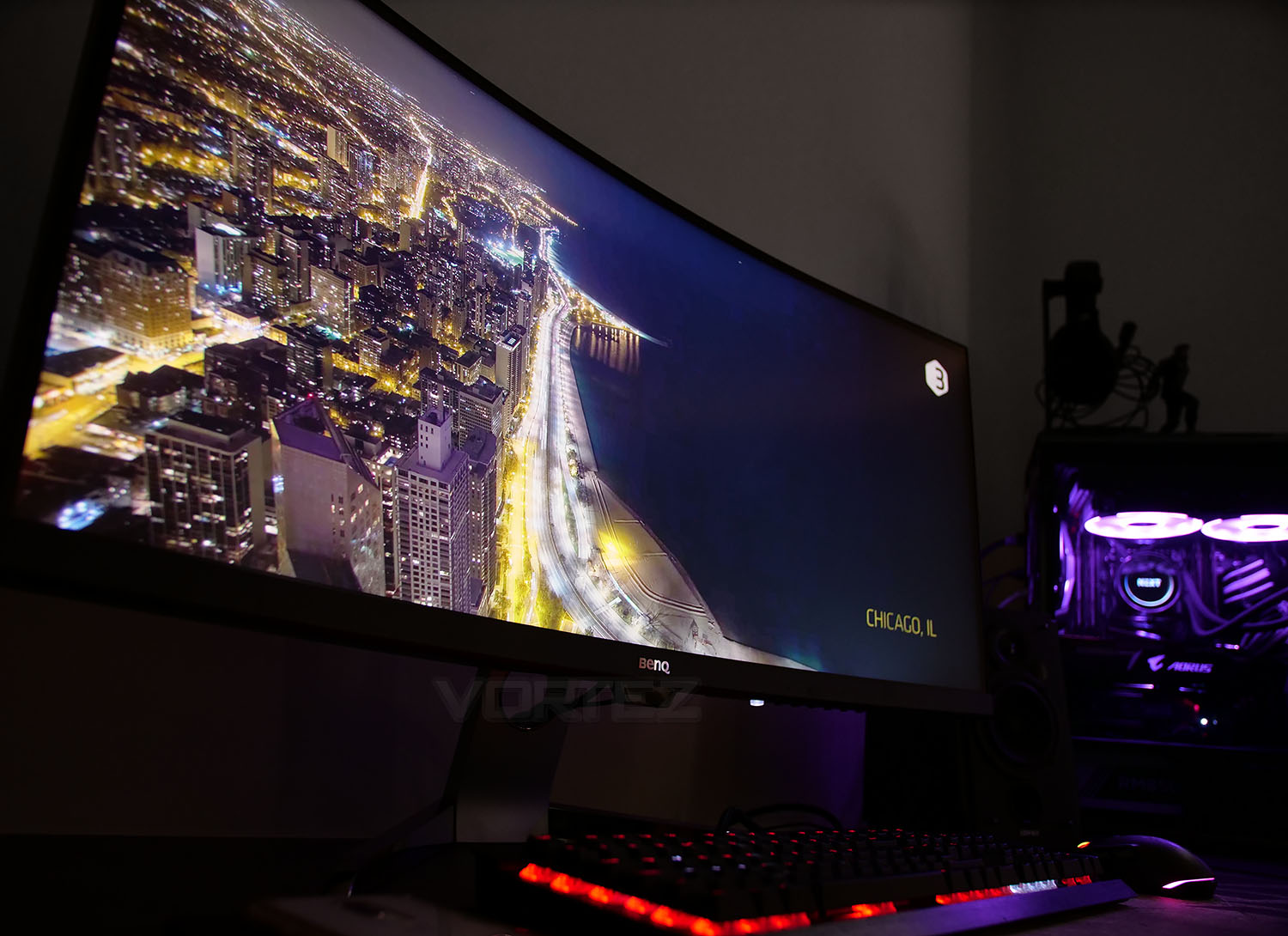
BenQ on their EX3501R
EX3501R delivers wondrous personal gaming entertainment with flawless image performance. Featuring HDR technology supported by FreeSync and 100Hz, one-cable USB-C connectivity, and the environment-adaptive Brightness Intelligence Plus Technology. EX3501R ensures an immersive and comfortable gaming experience for you to fully enjoy long sessions of gaming.
Technical Specifications
Below are the technical specifications surrounding the EX3501R supplied directly from BenQ.
Screen Size
35-inch
Resolution (max.)
3440×1440
Panel Type
VA
Backlight Technology
LED backlight
Brightness
300
Native Contrast(typ.)
2500:1
Viewing Angle (L/R;U/D) (CR>=10)
178/178
Response Time
4ms (GtG)
Refresh Rate
100Hz
Aspect Ratio
21:9
Display Colors
16.7 million colors
Color Gamut
100% sRGB
Display Area(mm)
819.41X345.89
Curvature
1800R
PPI
103
DCR (Dynamic Contrast Ratio) (typ.)
20,000,000 : 1
Color Bit
8 bit
Headphone Jack
Yes
HDCP
2.2
VESA Wall Mount
Yes
AMA
Yes
Flicker-free Technology
Yes
Low Blue Light
Yes
Brightness Intelligence Plus (B.I.+)
Yes
FreeSync
Yes
Connectivity
HDMI (v2.0) x2
DisplayPort 1.4 x1
USB 3.0 Downstream x 2
USB 3.0 Upstream x 1
USB Type-C Gen1 x 1
Power
Voltage: 100 – 240V
Adapter: 65.7W
Dimensions (HxWxD mm)
H : 504.02*833.95*224.08
L : 444.02*833.95*224.08
Net Weight (kg)
10.4kg
Gross Weight (kg)
16.5kg
Tilt (down/up)
-5˚ – 20˚
Height Adjustment (mm)
60mm
Certification
Windows® Compatible
35-inch
Resolution (max.)
3440×1440
Panel Type
VA
Backlight Technology
LED backlight
Brightness
300
Native Contrast(typ.)
2500:1
Viewing Angle (L/R;U/D) (CR>=10)
178/178
Response Time
4ms (GtG)
Refresh Rate
100Hz
Aspect Ratio
21:9
Display Colors
16.7 million colors
Color Gamut
100% sRGB
Display Area(mm)
819.41X345.89
Curvature
1800R
PPI
103
DCR (Dynamic Contrast Ratio) (typ.)
20,000,000 : 1
Color Bit
8 bit
Headphone Jack
Yes
HDCP
2.2
VESA Wall Mount
Yes
AMA
Yes
Flicker-free Technology
Yes
Low Blue Light
Yes
Brightness Intelligence Plus (B.I.+)
Yes
FreeSync
Yes
Connectivity
HDMI (v2.0) x2
DisplayPort 1.4 x1
USB 3.0 Downstream x 2
USB 3.0 Upstream x 1
USB Type-C Gen1 x 1
Power
Voltage: 100 – 240V
Adapter: 65.7W
Dimensions (HxWxD mm)
H : 504.02*833.95*224.08
L : 444.02*833.95*224.08
Net Weight (kg)
10.4kg
Gross Weight (kg)
16.5kg
Tilt (down/up)
-5˚ – 20˚
Height Adjustment (mm)
60mm
Certification
Windows® Compatible
Packaging & Bundle
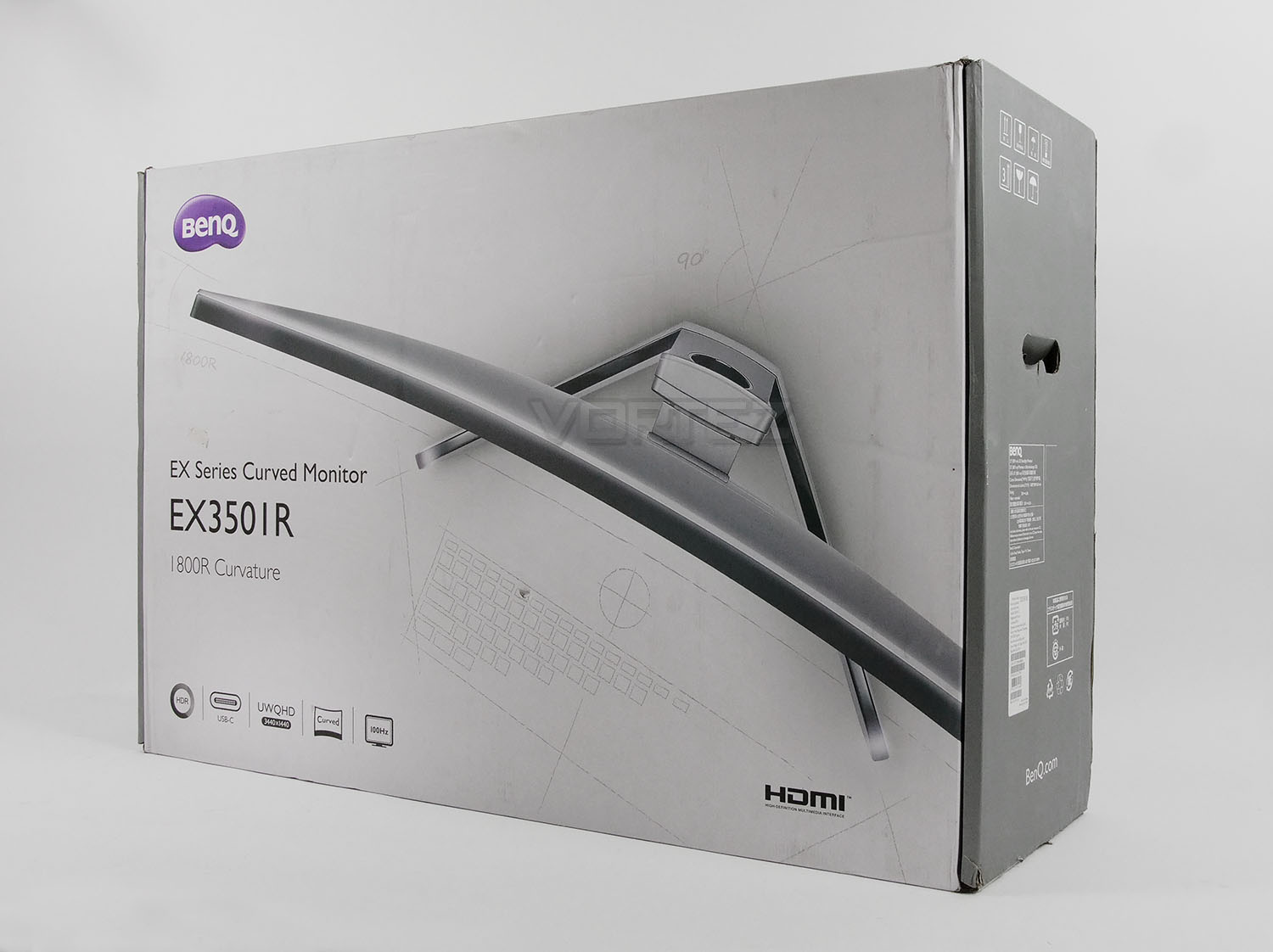
The true magnitude of EX3501R can be felt after a brief glance of the packaging – the box this monitor arrives in is gigantic. To transport/move around is a two-man job.
On the outside, apart from the professional shots of the display and a listing of the included technologies and standards there isn’t much else to comment on.
Inside, as can be expected, the screen is extremely well protected with large polystyrene blocks and fabric sheets. Although the size of the box may appear excessive, the dimensions are such to accommodate the abundance of packing material and this ensures the monitor arrives without damage.
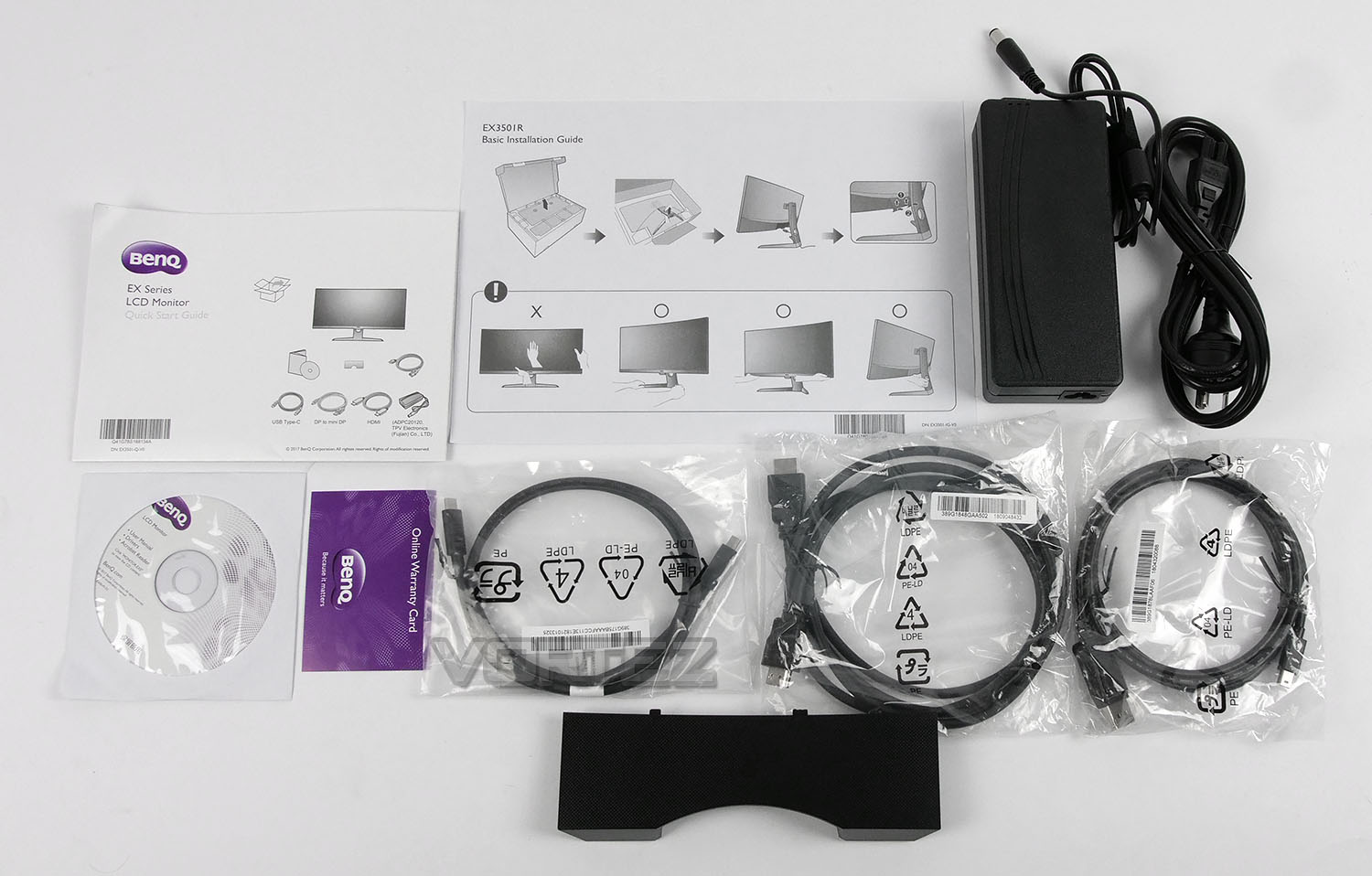 ]
]The bundled accessories involves only a few items but the included parts are more than sufficient to get up and running. Included we have:
• Documentation – Quick Start Guide, Basic Install Guide, Warranty Card
• DVD – Manual, Drivers, Adobe Acrobat
• Cables – 1x HDMI, 1x DP to mini DP, 1x USB Type-A to Type-C
• I/O Panel Cover
• 65W Power Pack w/ regional cable
Closer Look
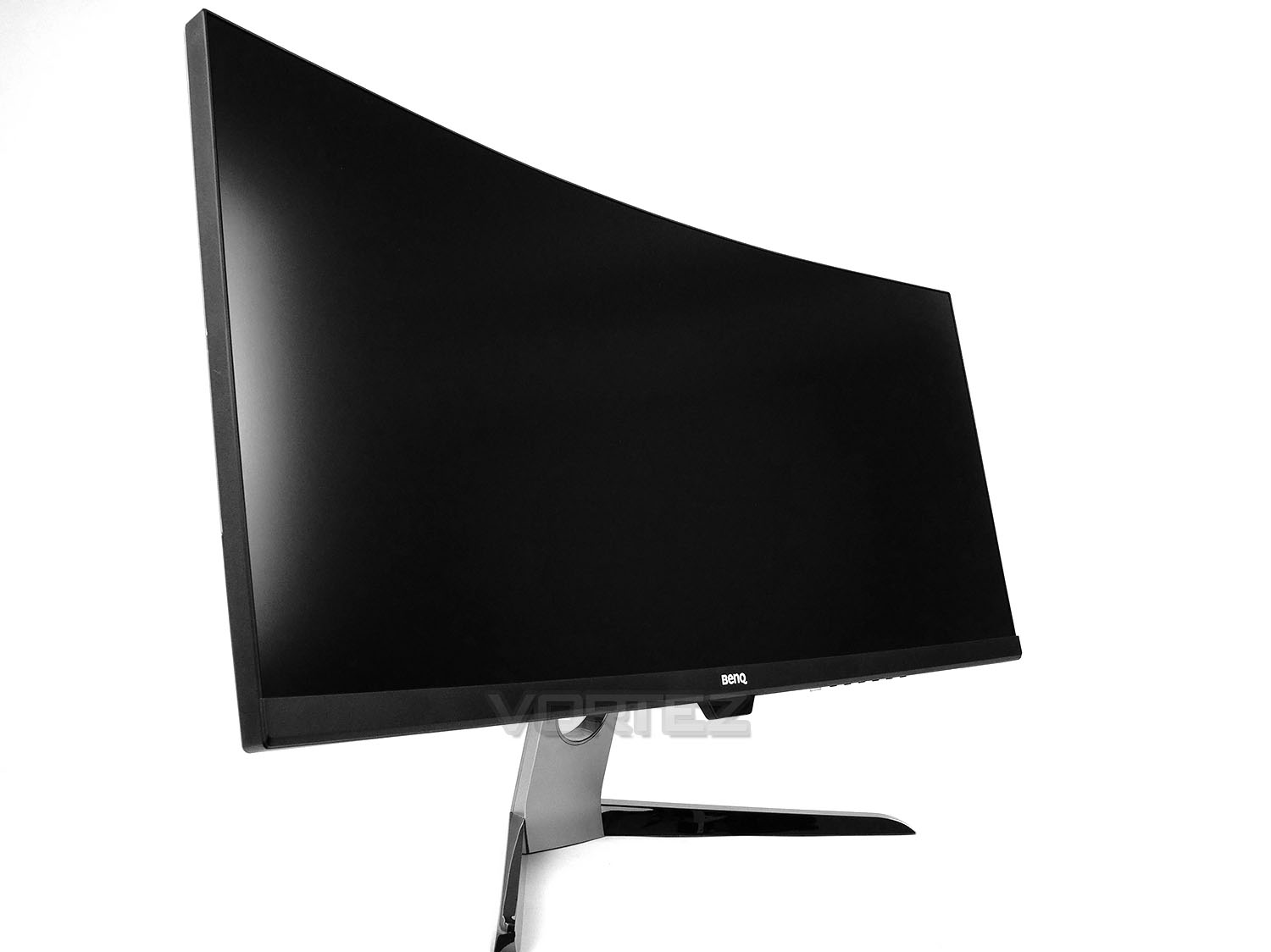
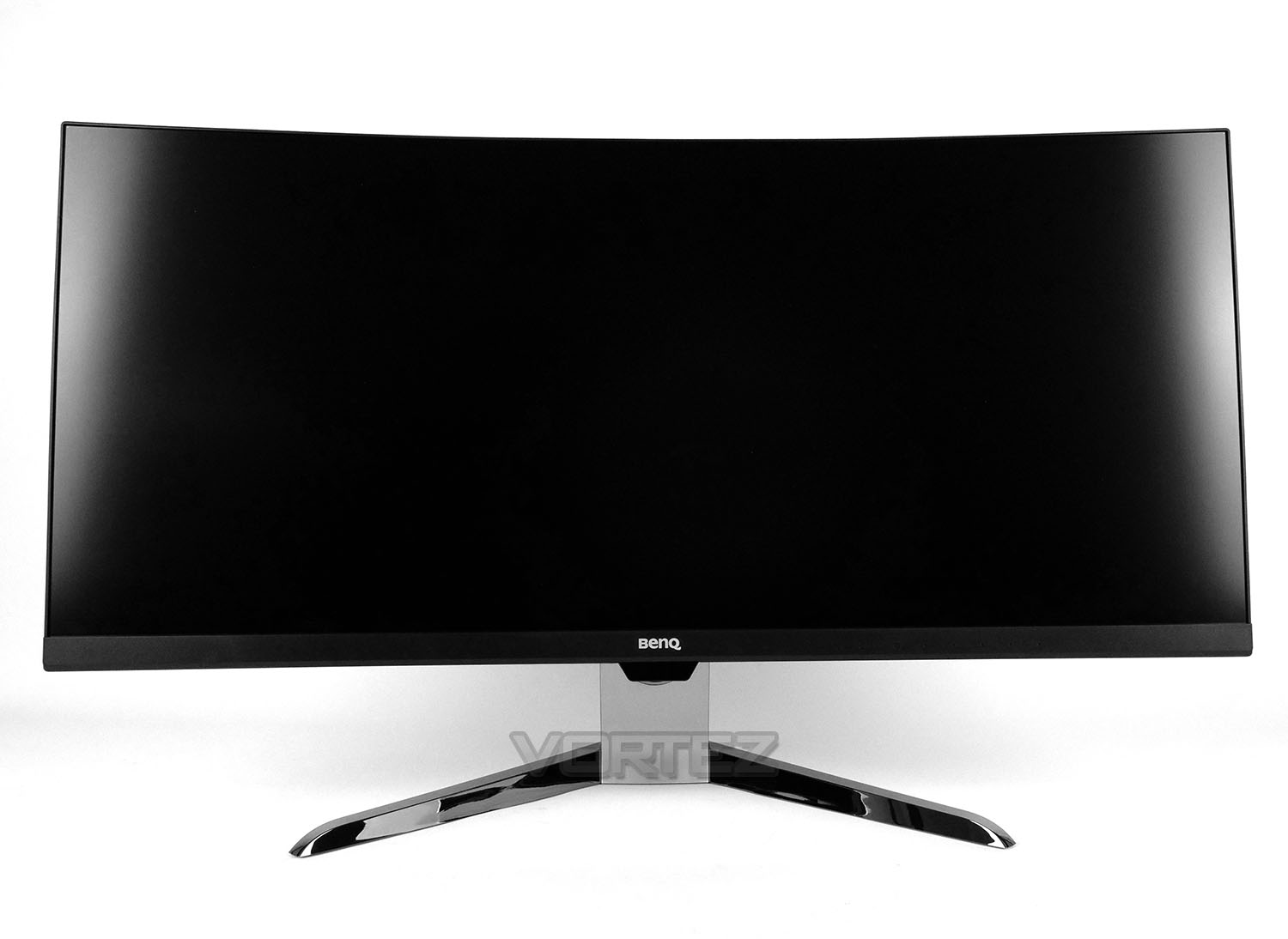
If like myself you are use to a 16:9 display, the EX3501R, with its 21:9 aspect ratio will feel colossal when taken out of the packaging. On first inspection this screen is impressive and certainly makes an impact.
While the super-thin bezel borders the very edge of the display – when inside Windows, there is a 5mm black digital border between the edge and the usable area. The viewable area does not fit precisely to the edge.
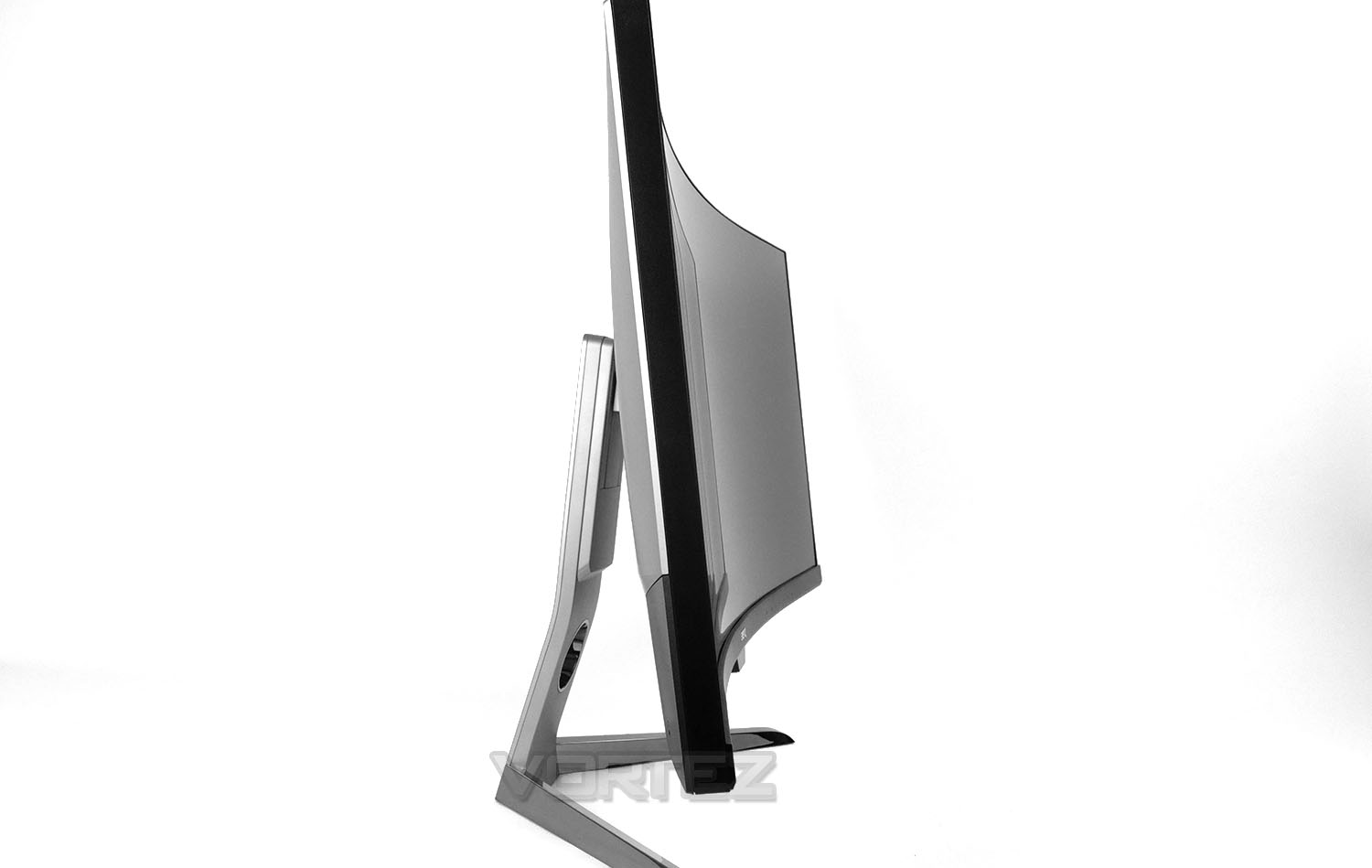
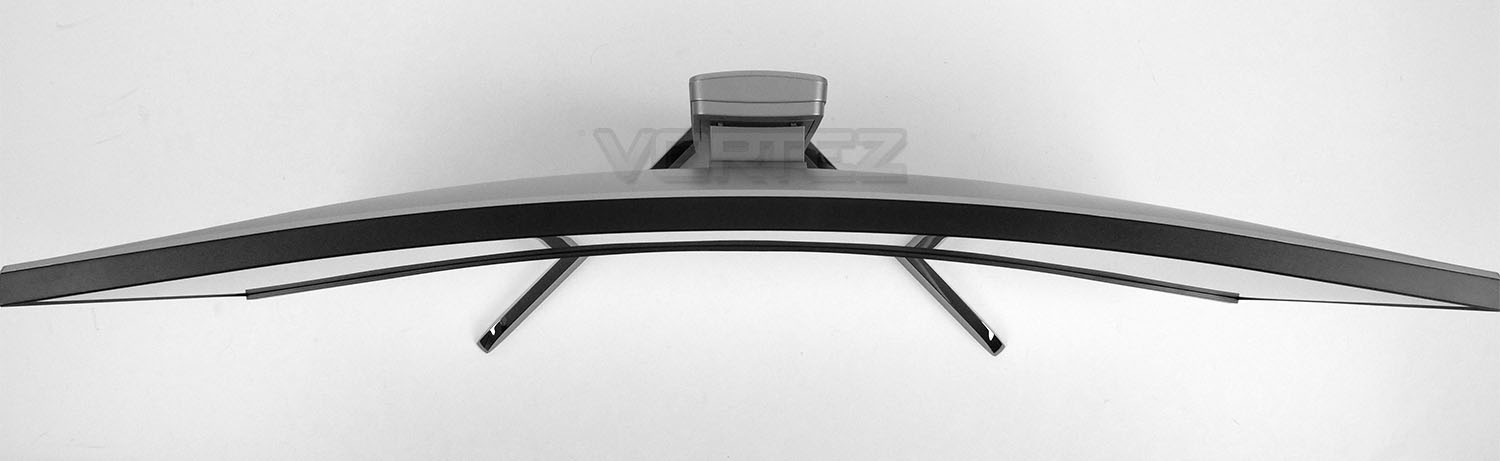
EX3501R employs a 1800R curve which is perfect for the 35-inches we’re dealing with. Some 35-inch monitors on the market utilise 2000R or even 3000R (less of a curvature) and this can impede productivity when handling a resolution of 3440×1440.
You may be able to notice the surface texture is somewhat reflective/shiny – from a side angle, this is more evident on the ‘Viewing Angles’ page of this review. This does not hinder the viewing experience but is a worthwhile note.
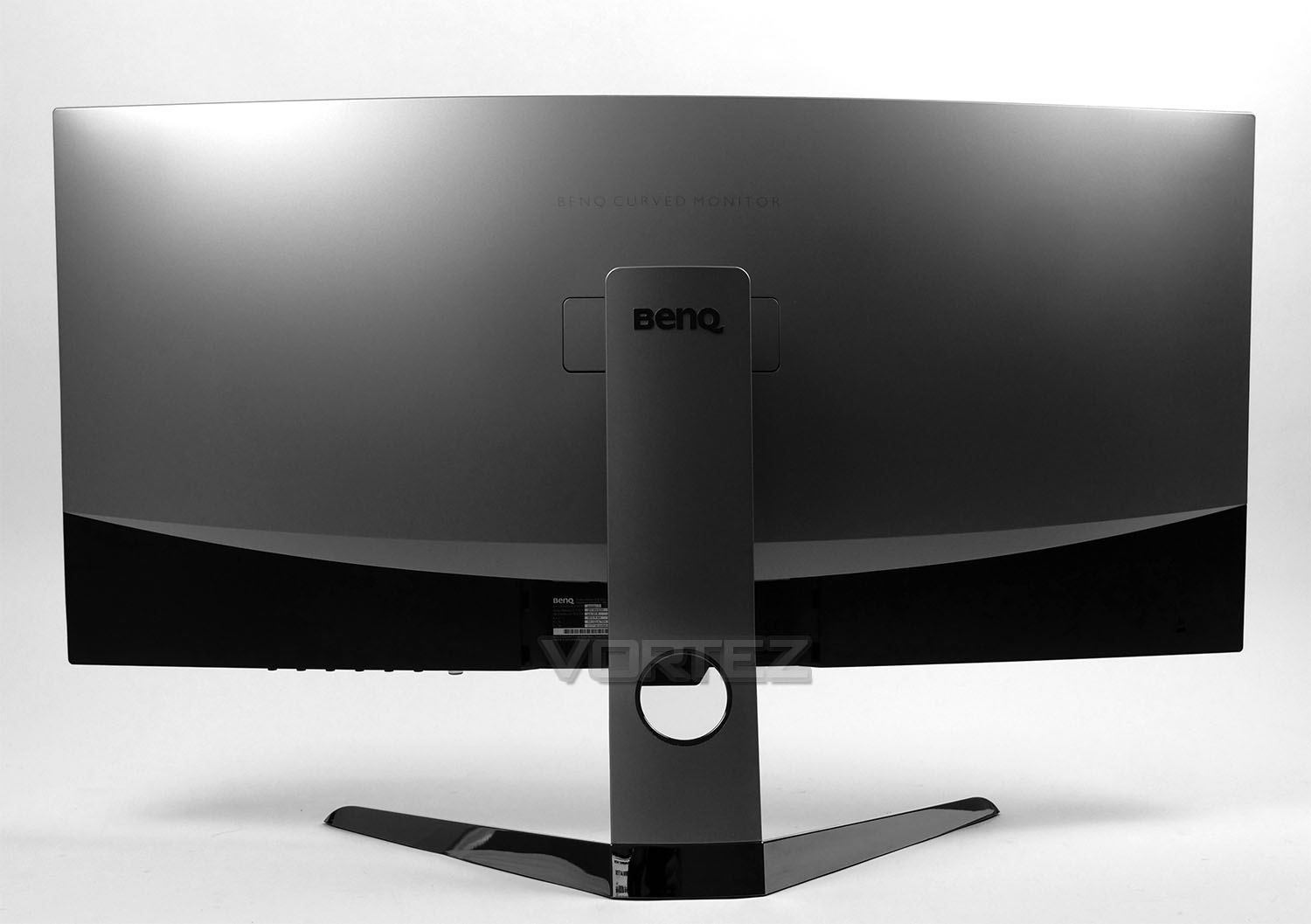
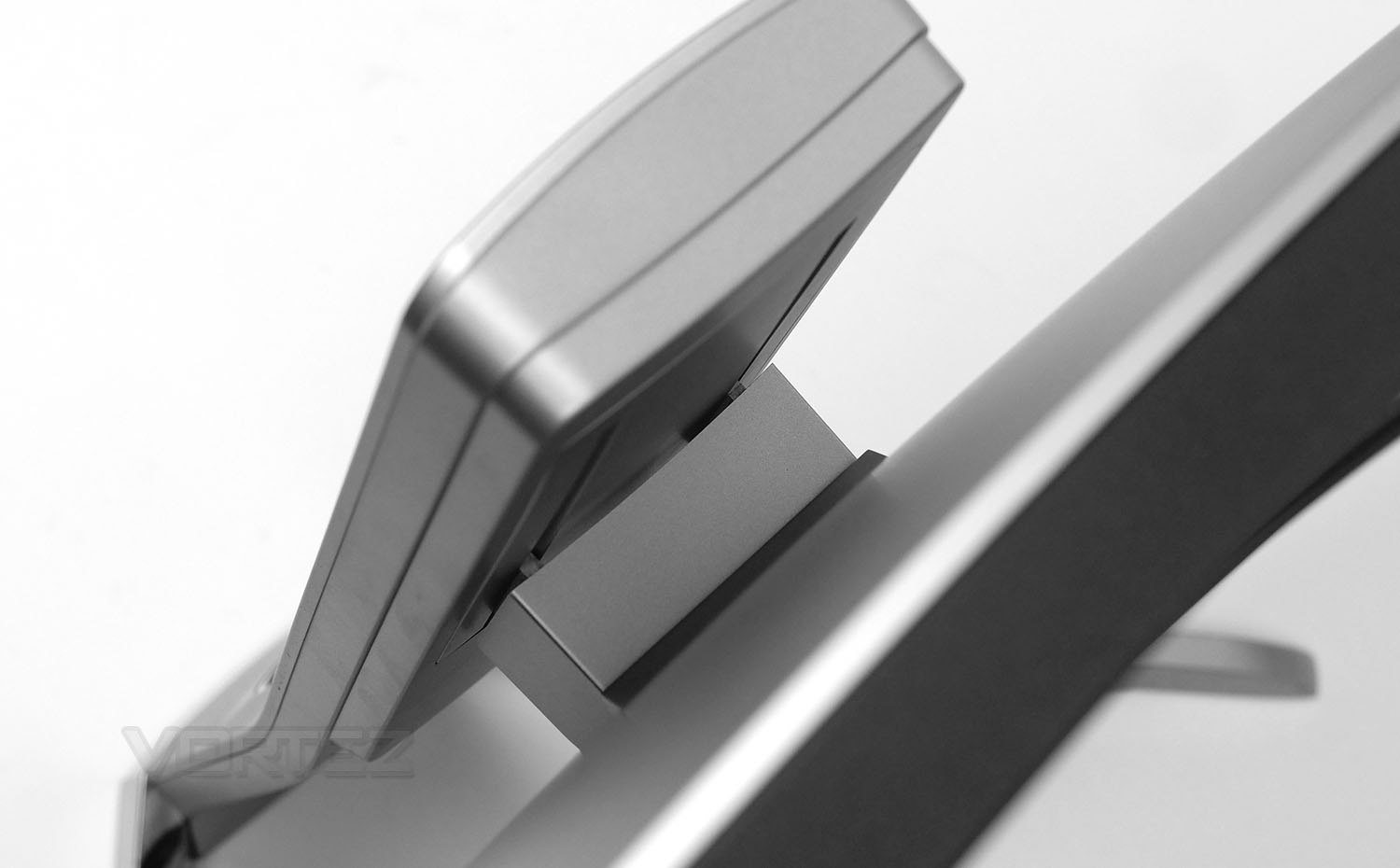
Around the back things are kept minimalistic and sleek with a soft, matt grey finish. The legs and stand are fixed onto the back of the monitor with no visible screws in sight.
The stand features a sliding mechanism which allows for 60mm of height adjustment – while the display does not offer the ability to turn, there is -5°~15° of tilt movement available.
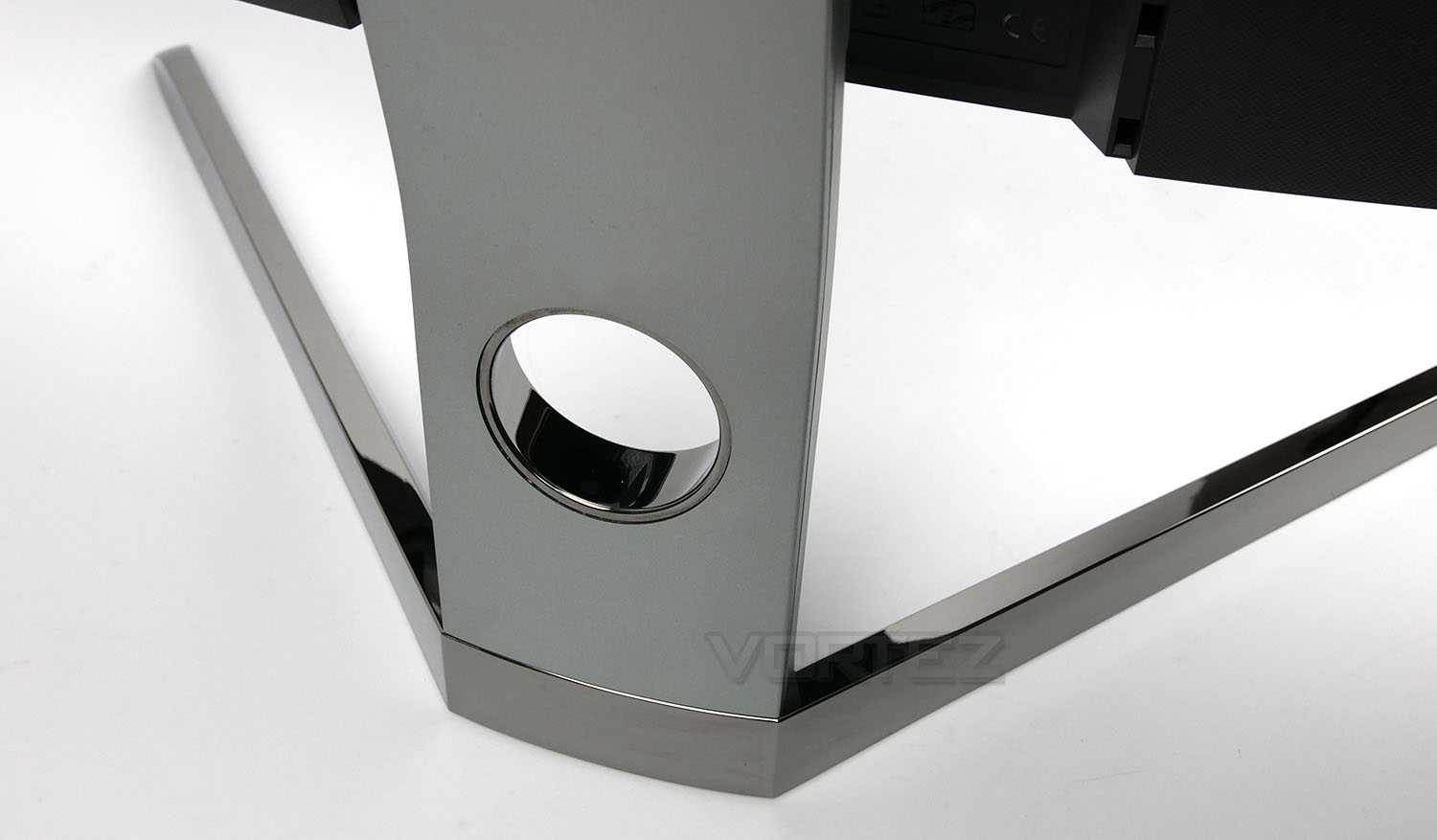
The feet can be removed from the stand but out of the box, they arrive fixed in place. These two feet take up little space on the desk but we would rather they featured a matt finish instead of the reflective/shiny surface which has been implemented – in its current state fingerprints and marks are picked up easily. Plus, all other elements feature a matt finish and the design here doesn’t appear to be coherent.
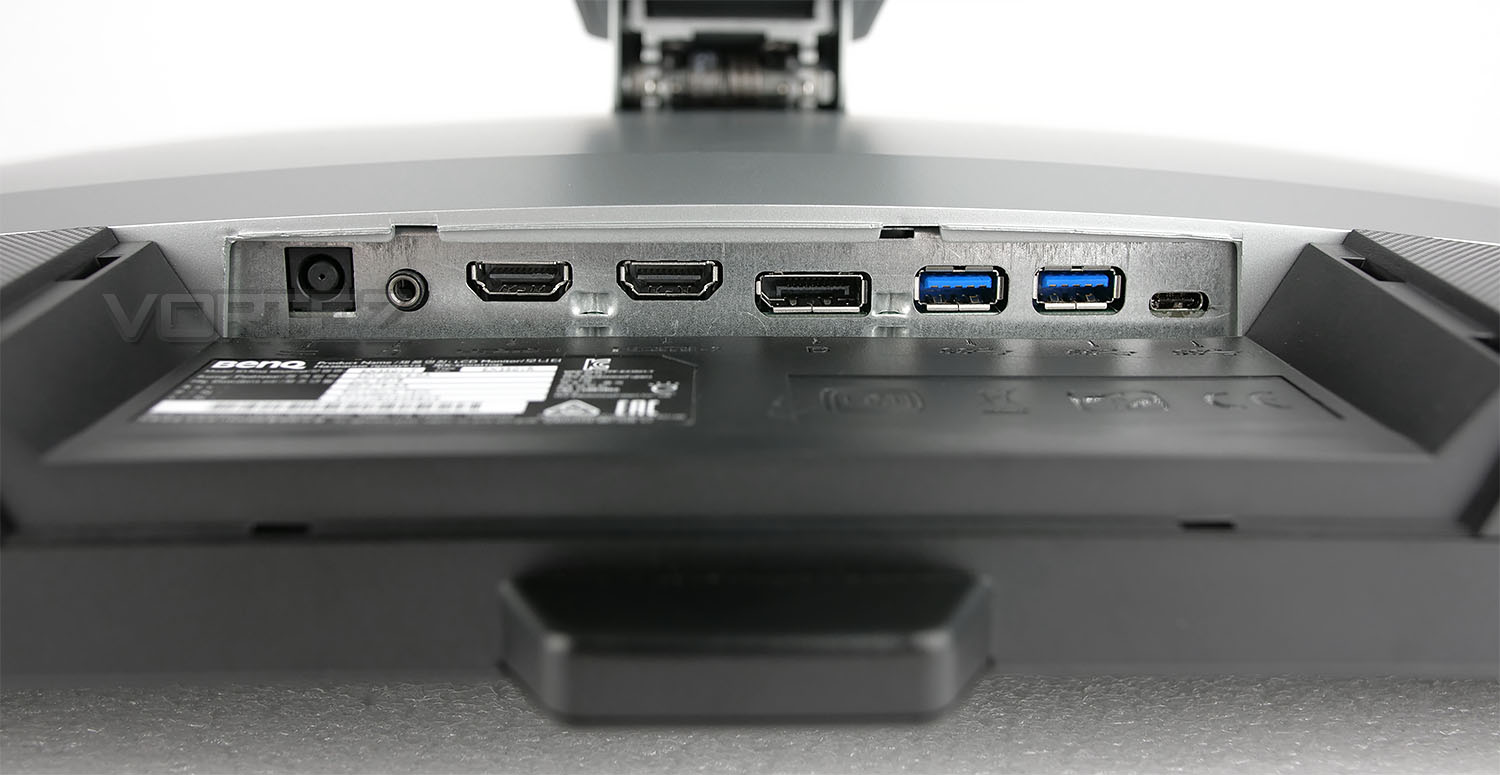
Tucked away underneath the backpanel there are an interesting assortment of ports which are all up-to-date with current technology and standards. Available here we have:
• 1x Power port
• 1x Headphone jack
• 2x HDMI 2.0 ports
• 1x DisplayPort 1.4
• 2x USB 3.1 Gen1 Type A
• 1x USB 3.1 Gen1 Type C
This provides us with a good variety of video outs and also supplies fast USB connectivity, should this be required.
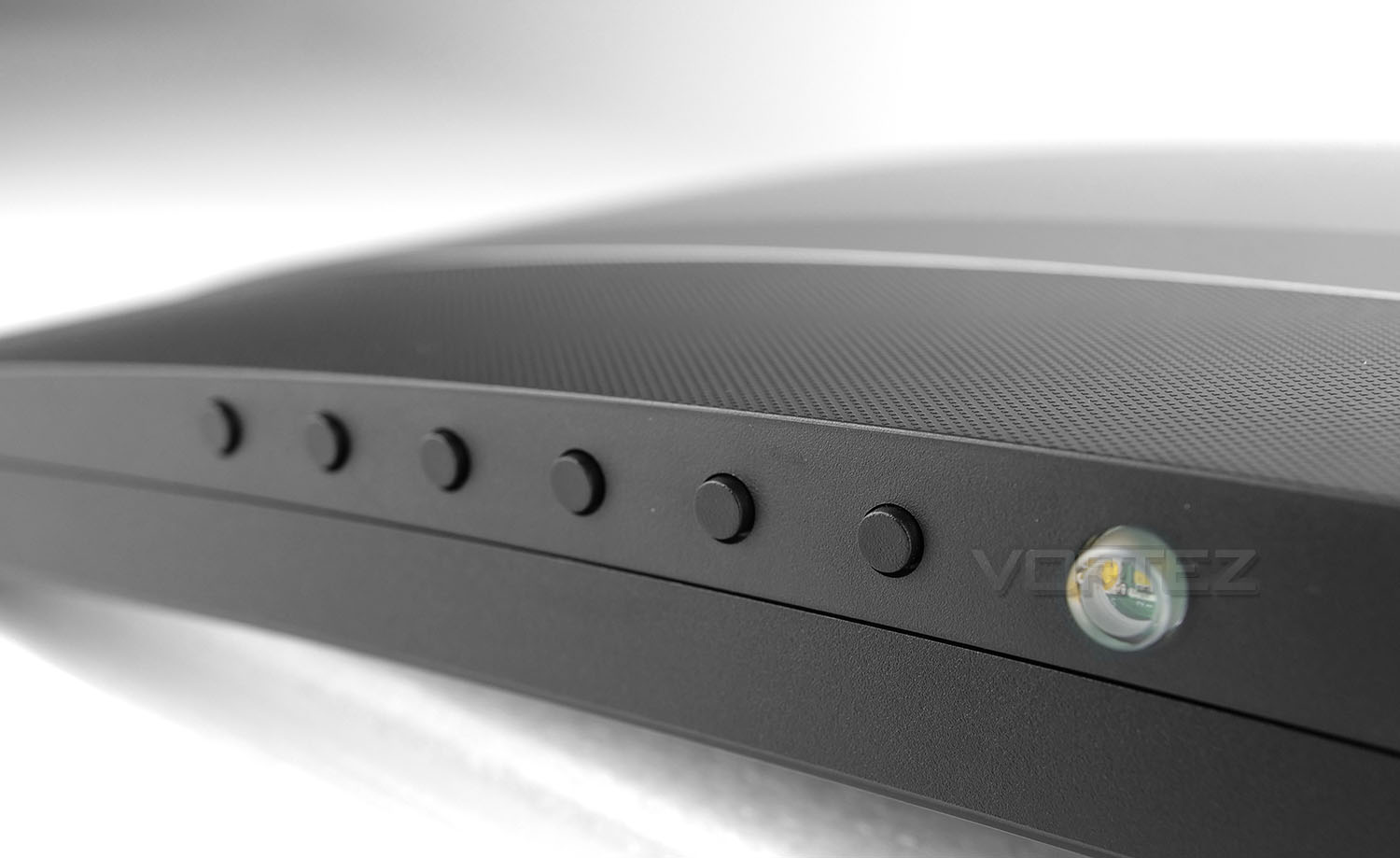
To access the OSD settings there are a series of six black buttons – the larger, clear button emits a white glow and acts as the power on/off.
Test Results: Gamut, Colour Accuracy, Uniformity & More
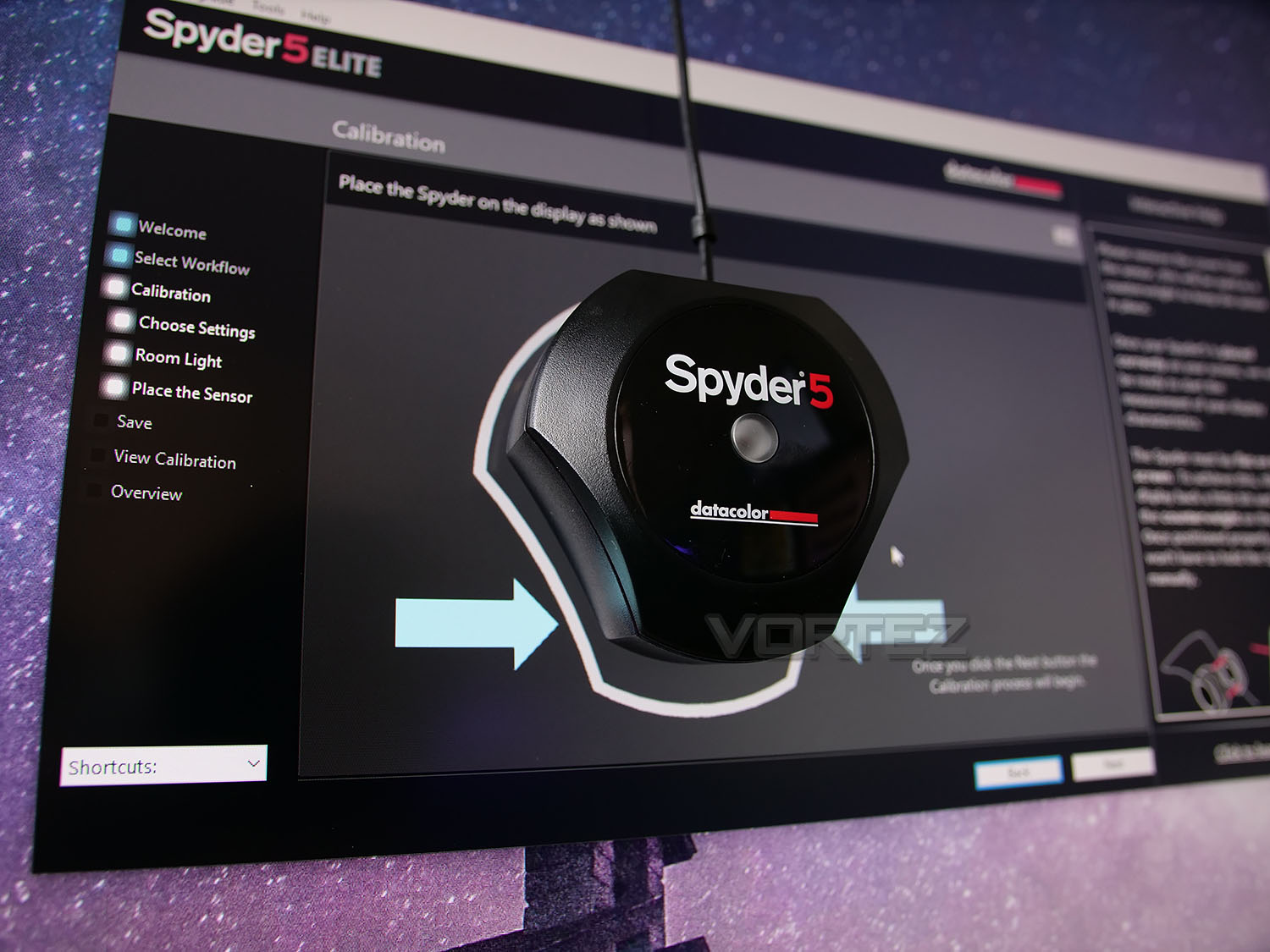
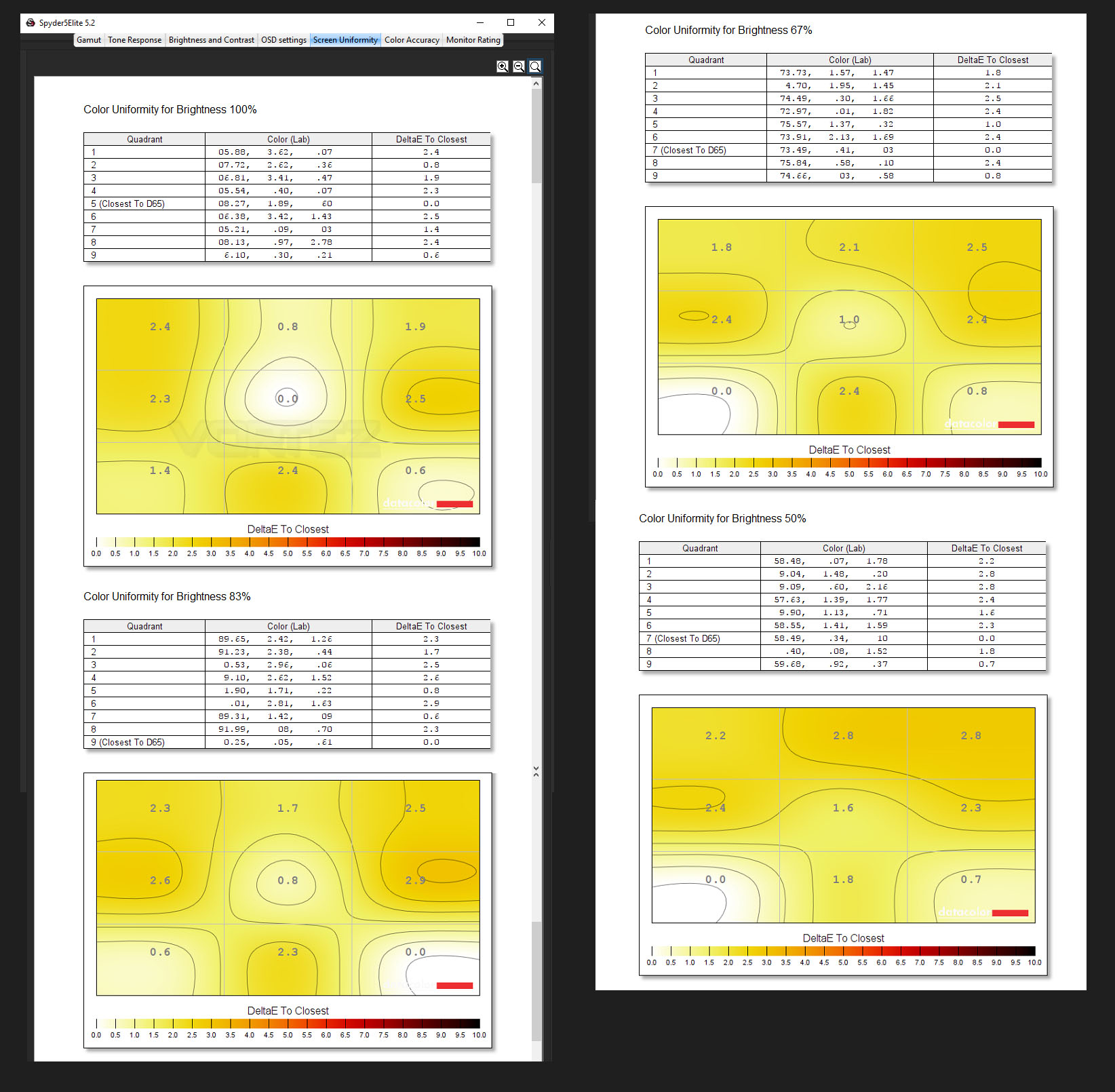
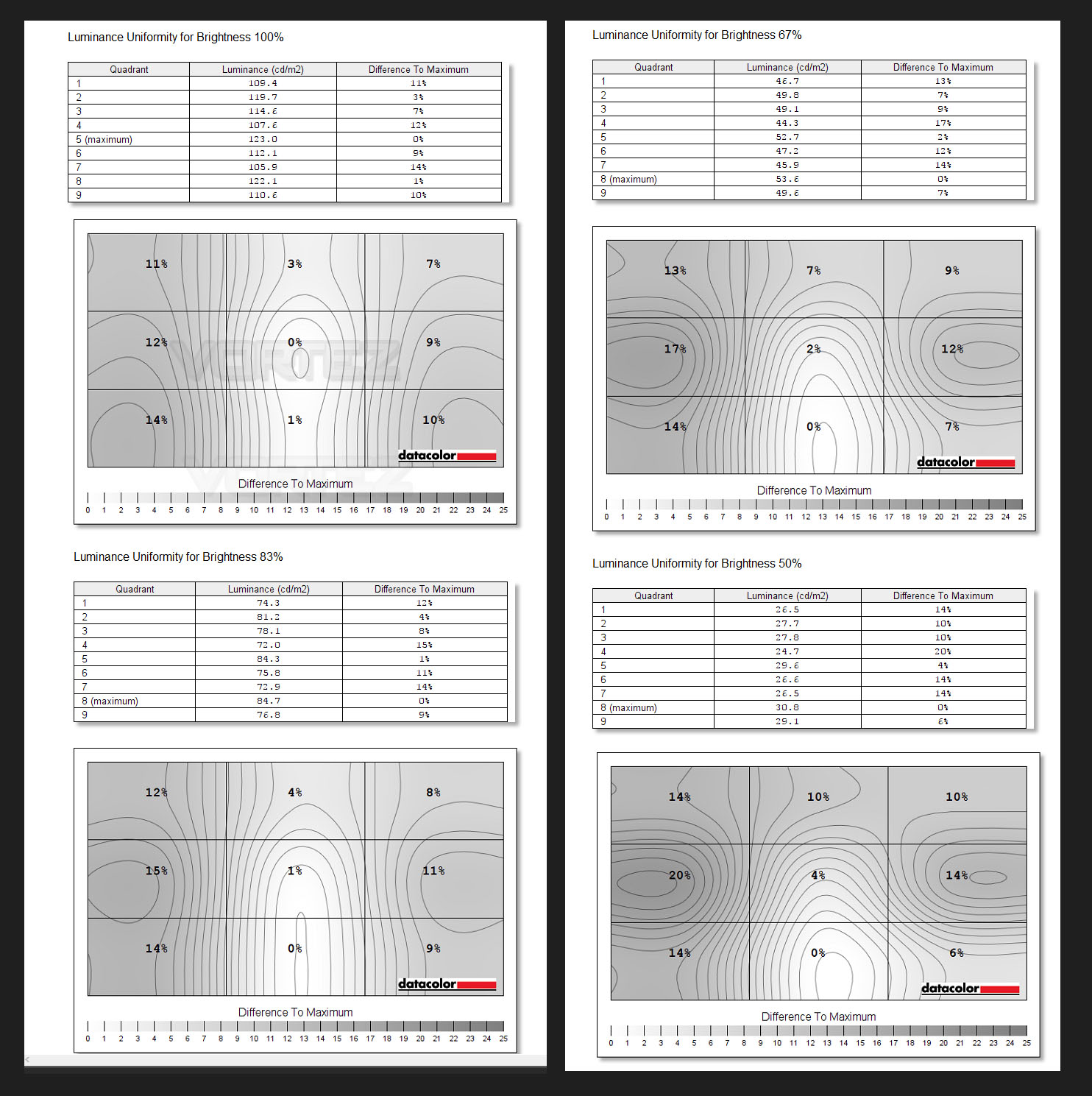
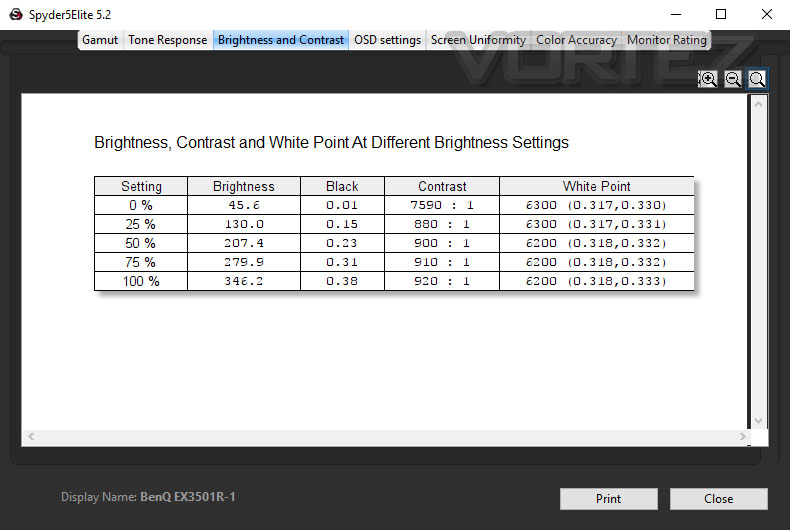
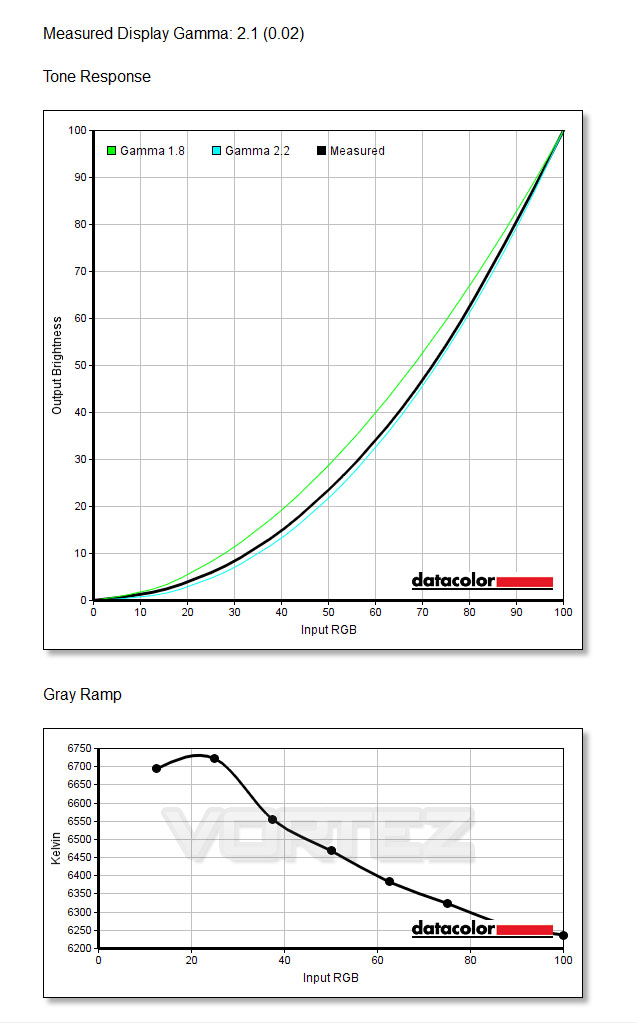
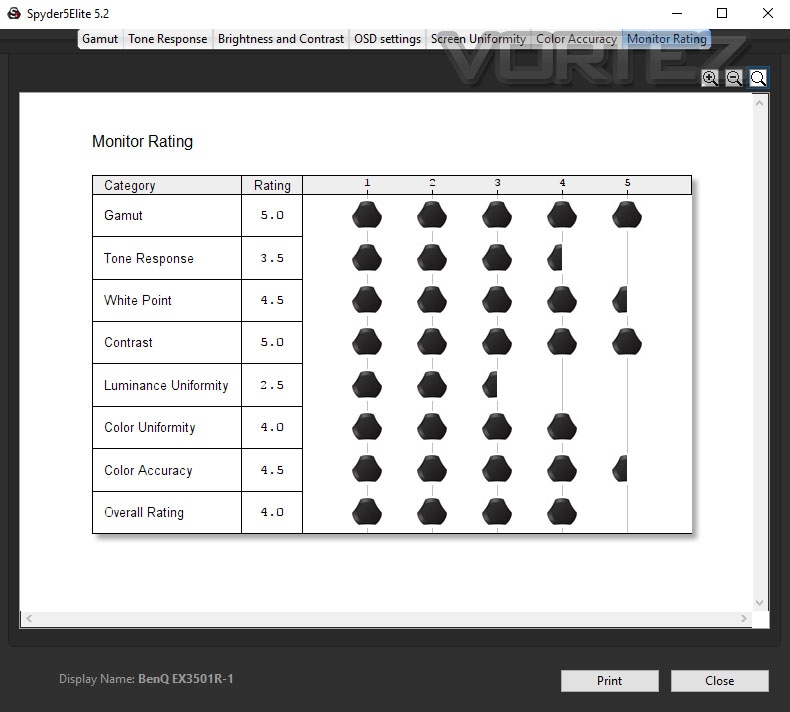
In order to calibrate, fine-tune and measure various attributes of the EX3501R we have used the Datacolor Spyder5 Elite. Running the calibration process with such a device/software ensures we get optimum visual display from the monitor. Prior to this we also installed the latest driver for EX3501R from the BenQ website.
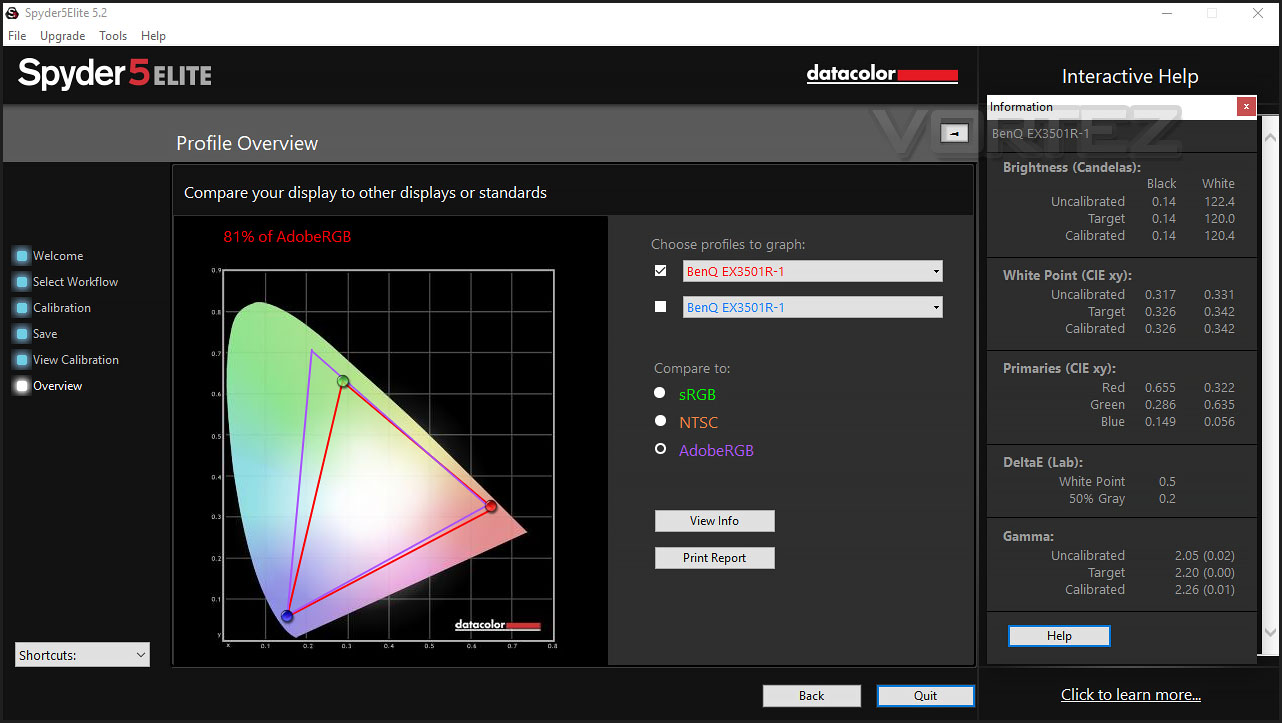
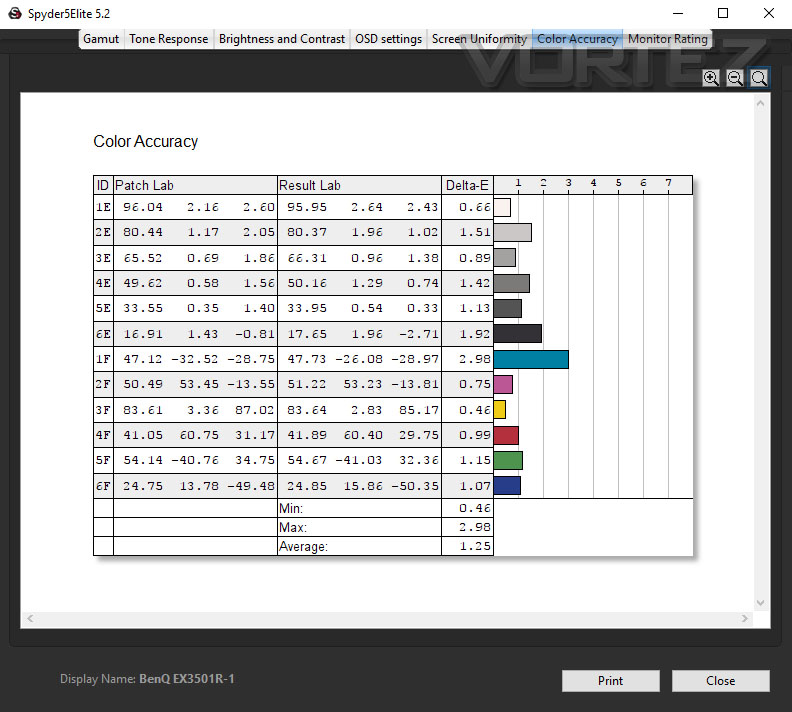
After calibration is complete we then used Datacolor’s software to report back on a selection of tests – below are the results. Note: BenQ claim 100% sRGB gamut and as confirmed below, this claim is true.
Viewing Angles, HDR, Gaming
VIEWING ANGLES
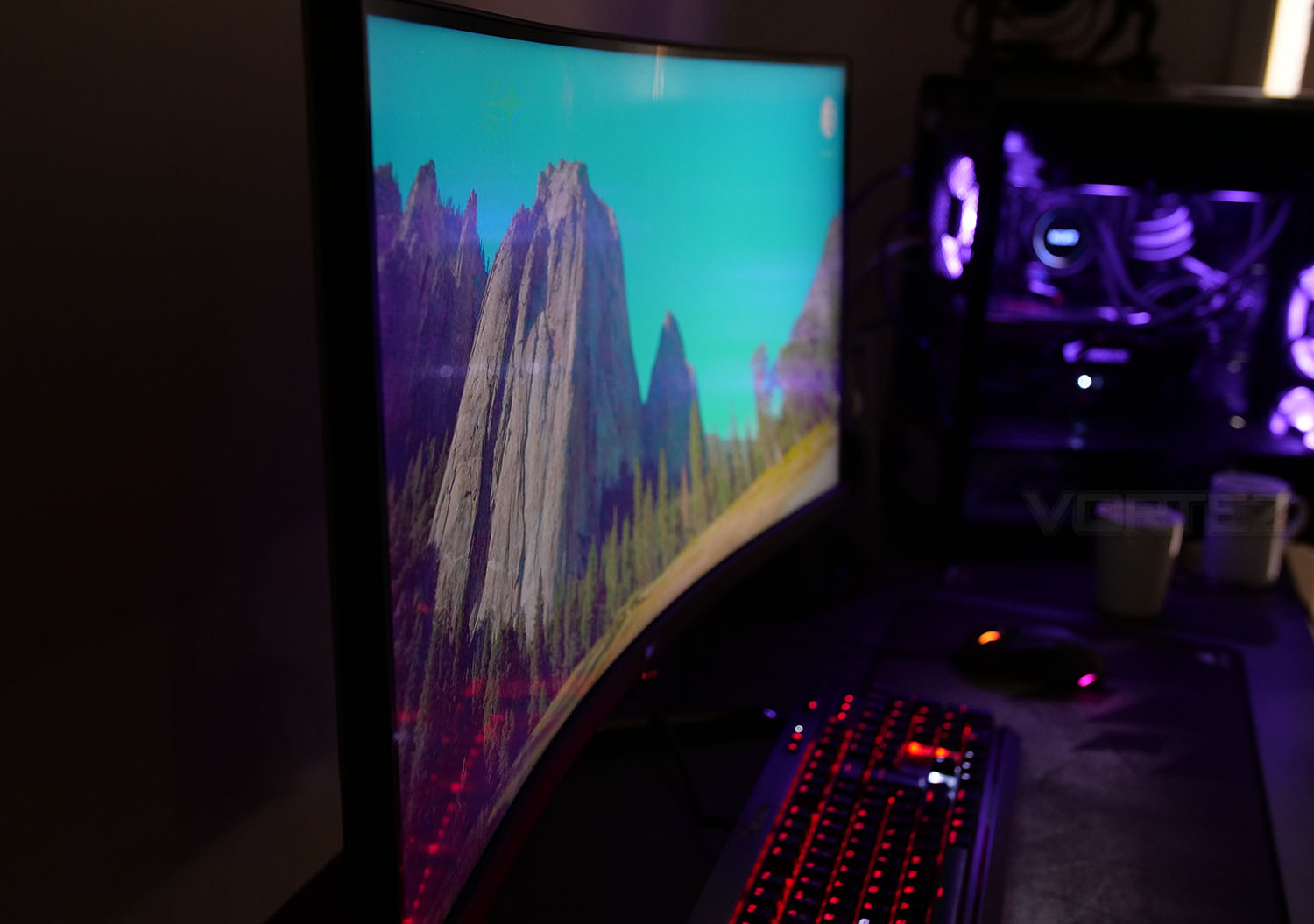
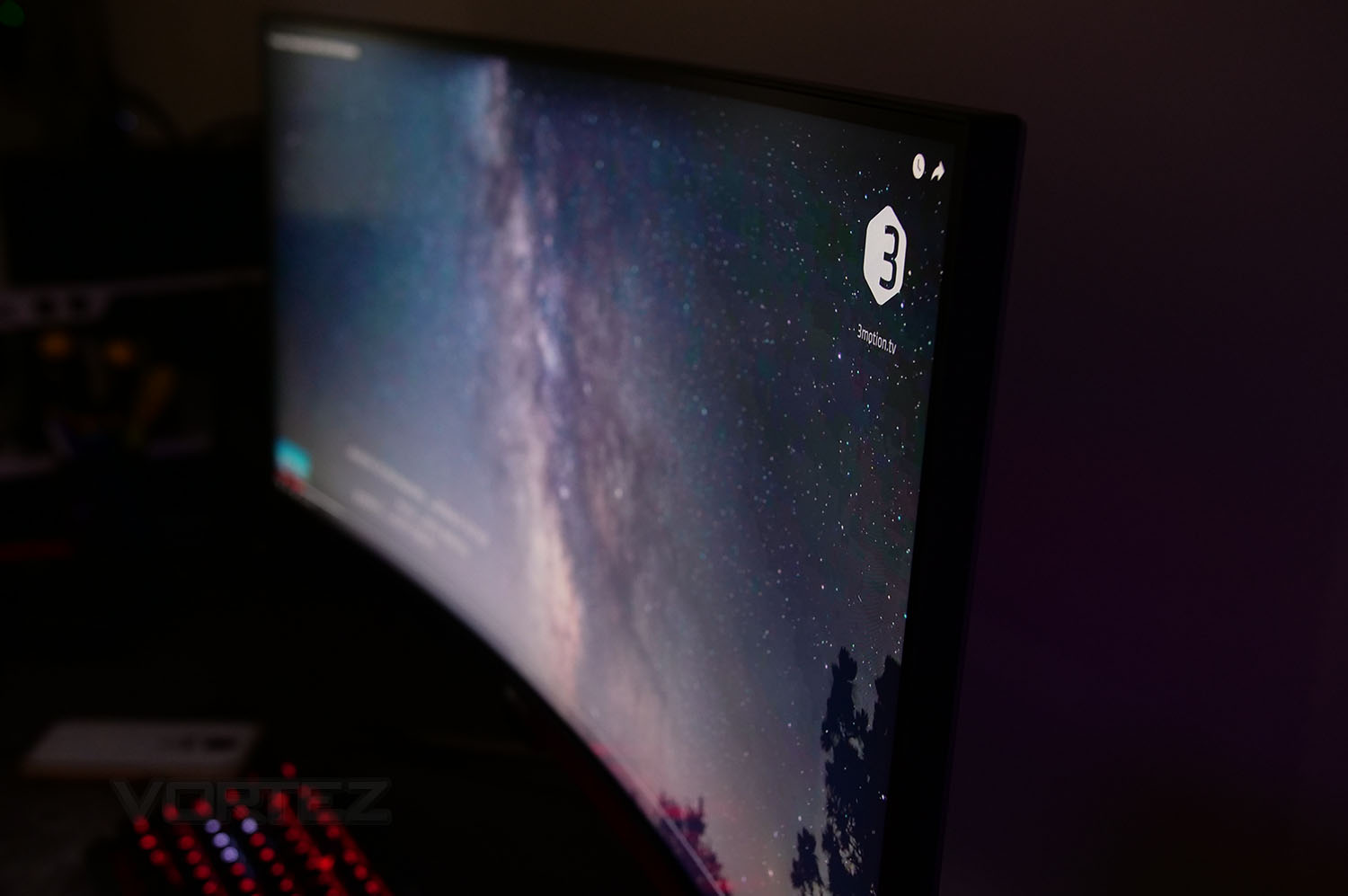
Viewing angles with EX3501R are very good as you can see from above. While IPS panels offer the best viewing angles and TN typically the worst, VA slots right in between the two technologies and our monitor (which uses a VA panel) provides decent viewing angles from the sides and top.NOTE: The shiny/reflection is only visible from 45° angle.
HDR
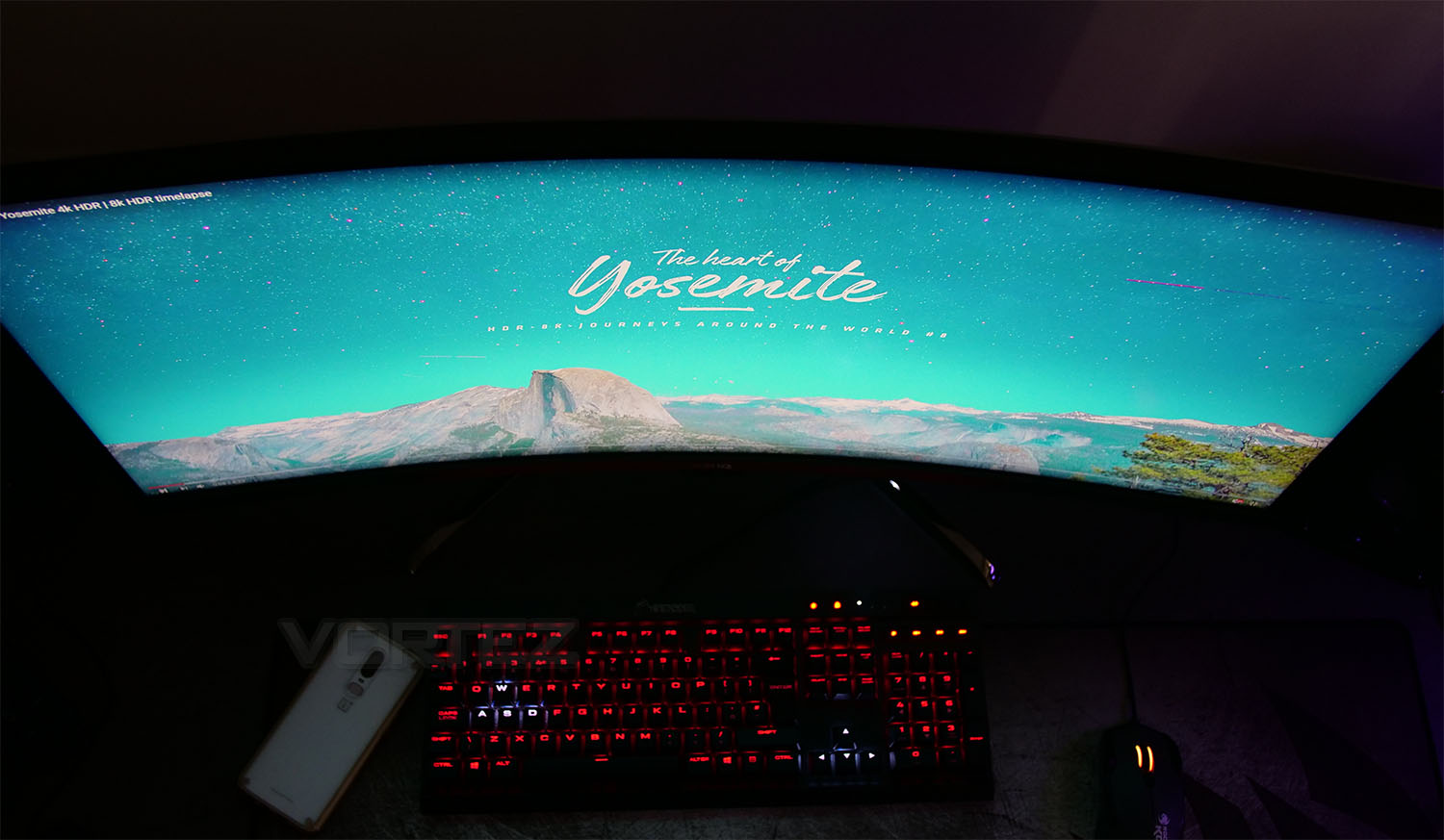
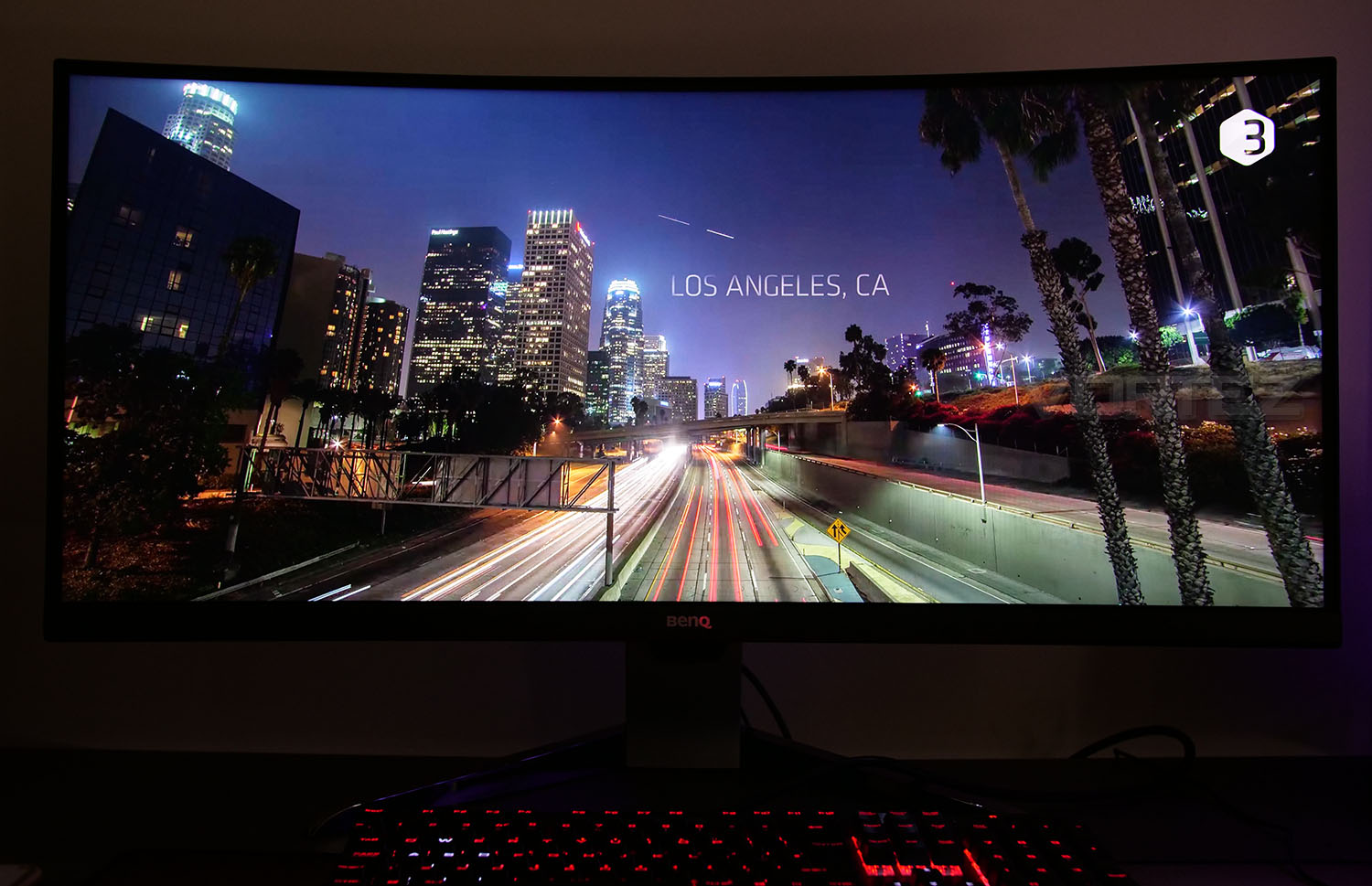
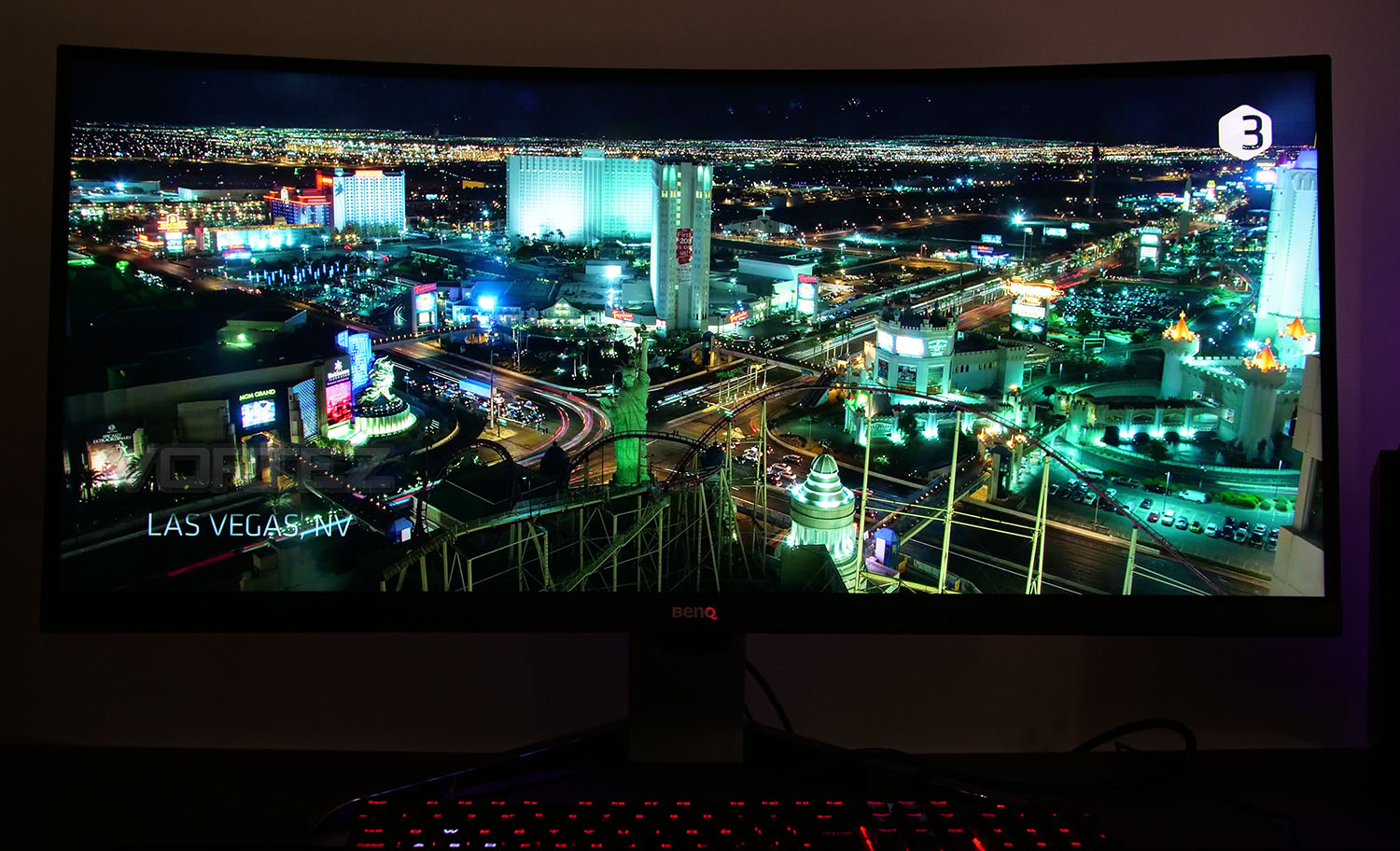
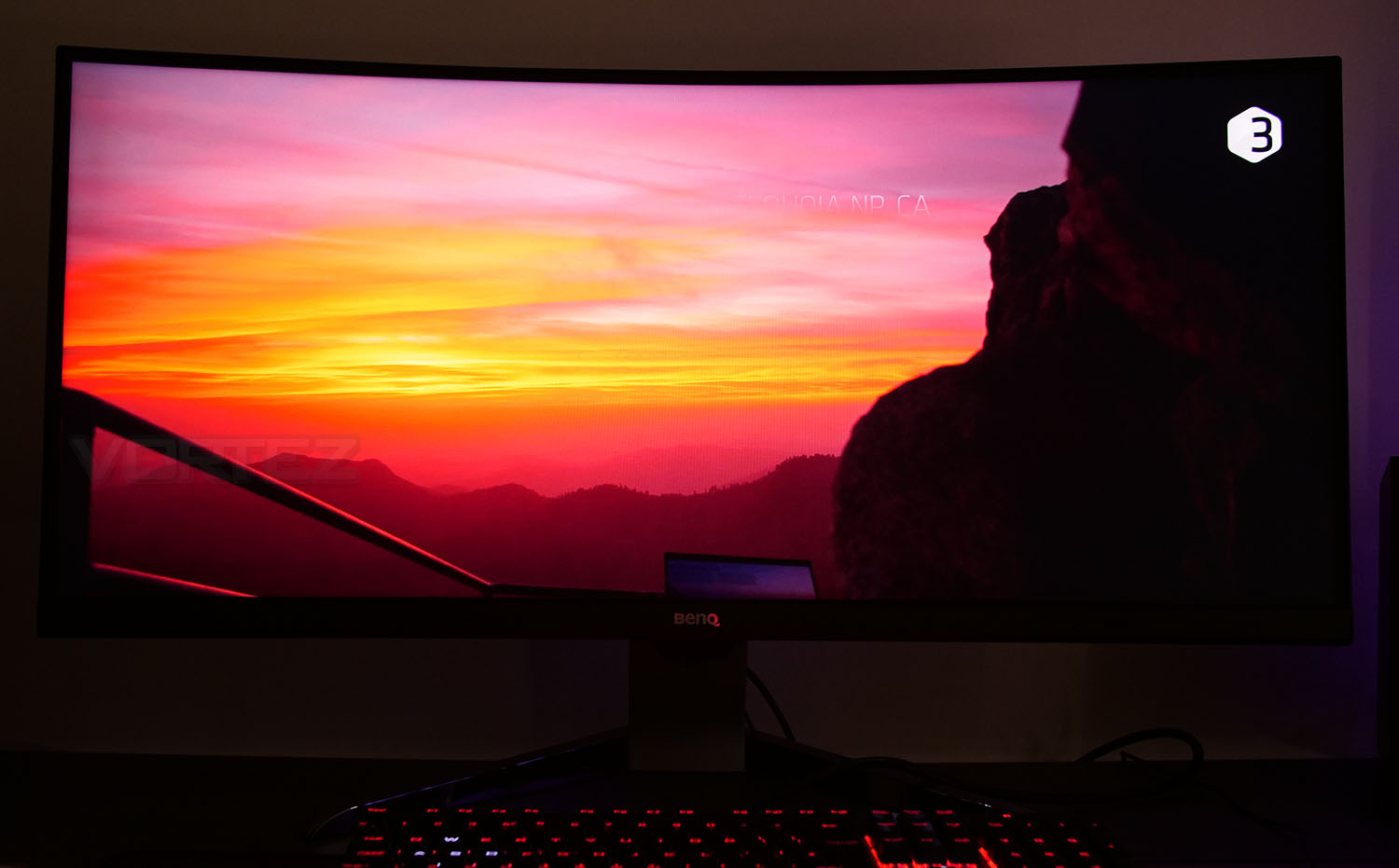
Brightness, contrast and vibrancy are key components when we’re talking about HDR and this monitor is strong in each of these areas. EX3501R has a wide color gamut – 100% sRGB which is achieves and high contrast ratio, both of which go hand-in-hand.Speaking of which, the contrast ratio on EX3501R is 2500:1 which is far from the highest we’ve encountered but is still notably good. VA panels are known for their superiority in this department compared to IPS panels which often arrive with just 1000:1. We can definitely vouch for the strong, rich contrast being output from this display and that should be evident from the above pictures.
GAMING PERFORMANCE
We tested EX3501R with a number of games which included HDR titles such as Battlefield V. This monitor is definitely proficient when it comes to image editing and everyday use like entertainment and browsing but it also excels in the gaming arena too.TN panels have an advantage in the gaming field by offering faster response times and while the EX3501R may only be able to achieve 4ms this is slightly faster than IPS panels in most cases.
We did encounter an odd issue with the 100Hz mode which appears to be reported elsewhere too. When 100Hz is selected within Windows 10, there is no refresh rate improvement from 60Hz whatsoever. We tried various Windows/NVIDIA driver updates, to no avail. Just like the above link, creating a custom resolution profile with 99Hz @ 3440×1440 fixes this and performs exactly as 100Hz should – nice and smooth.
Tapping into the higher refresh rate is greatly appreciated and enhances overall usage – especially in-game. For gaming, I’ve been using a 144Hz monitor for the past 12 months and dropping to 100Hz is hardly noticeable at all.
Conclusion
BenQ can be regarded as a heavy hitter in the monitor division. They have long been a popular choice for home users, enthusiasts and even gamers.
The EX3501R is a stunning UltraWide 35-inch monitor which delivers up a triple attack on competing solutions – 1800R Curve, 100Hz and HDR. All three of these elements should be way up there on most user’s priority list.
Viewing angles are very good on this VA panel – considerably better than you’d typically get on a TN solution. VA of course has the benefit of providing decent viewing angles and strong colours/contrast both of which is offered in this BenQ monitor. Furthermore, both attributes are akin to HDR – EX3501R does this very well too. In our tests we checked out the Color Gamut which realised 100% for sRGB and 81% for Adobe RGB, something which makes this display suitable for content creators.
HDR is gradually gaining momentum in the market and with a growing list of games being enabled for this technology it’s definitely something that avid gamers will benefit from.
In general the EX3501R handles games very well – the combination of fast response times, refresh rate and great colour reproduction all contribute to a great experience. We did however encounter a bug with the 100Hz refresh rate – when 100Hz is selected in Windows 10, there is no notable difference between 60Hz and 100Hz, it isn’t until you create a custom profile with 99Hz being an option that a higher refresh rate is felt. We have reached out to BenQ to see what their take is, because this isn’t an isolated incident – others report it too. Thankfully we were able to create a workaround and once enabled the motion and fluidity is superb.
AMD Freesync is available but unlikely to be something which many will require since a majority of gamers using this display will opt for a high-performance graphics card, to which NVIDIA currently dominate the market. Having the option is always a bonus though!
One other anomaly is the VESA compatibility, which is clearly listed on the website for EX3501R but there is no mount or adapter fixed to the monitor or within the packaging. UPDATE: According to this source, the company producing the VESA mount has gone out of business. User ‘Hypnopompia’ has designed a 3D print for those wishing to use a VESA configuration, according to the comments this appears to work well. There is also an alternative by using some of the components from the original monitor stand – credit to Kixxo.
The BenQ EX3501R is priced at US $800: https://goo.gl/LqXUTg, UK: £638 https://goo.gl/QQS4r2 AU: $1000 https://amzn.to/2PHzZYc. Making it an affordable option for those wanting a slice of UltraWide action with some HDR added in.
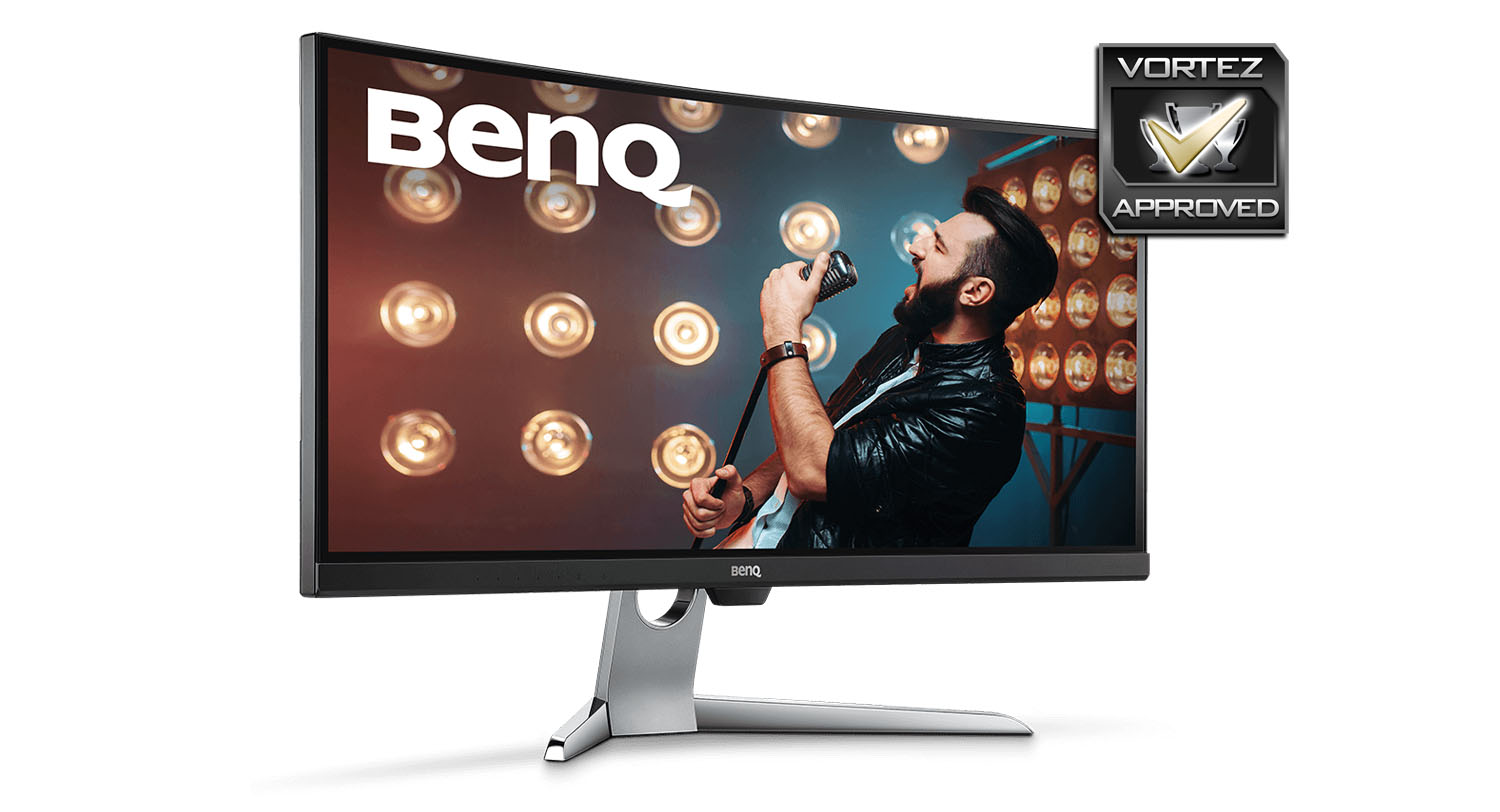
Living up to their reputation, BenQ has produced an excellent display in the EX3501R. It carries a strong feature-set which is sure to satisfy content creators, gamers, and entertainment seekers.
Pros
+ Untainted by RGB lighting
+ Wide color gamut
+ Good viewing angles
+ Rich contrast
+ Arrives with USB 3.1 ports
+ Colour reproduction is excellent for work, entertainment, gaming
Neutral
– Not all games or content support 21:9
– Screen only tilts
– Shiny feet mark easily
– Physical screen space 5mm from borderless bezel design
Cons
– 100Hz does not work out of the box
– VESA compatibility listed – no mount/adapter supplied
+ Untainted by RGB lighting
+ Wide color gamut
+ Good viewing angles
+ Rich contrast
+ Arrives with USB 3.1 ports
+ Colour reproduction is excellent for work, entertainment, gaming
Neutral
– Not all games or content support 21:9
– Screen only tilts
– Shiny feet mark easily
– Physical screen space 5mm from borderless bezel design
Cons
– 100Hz does not work out of the box
– VESA compatibility listed – no mount/adapter supplied
Click here for an explanation of our awards at Vortez.net.
Stay connected with Vortez social media pages: