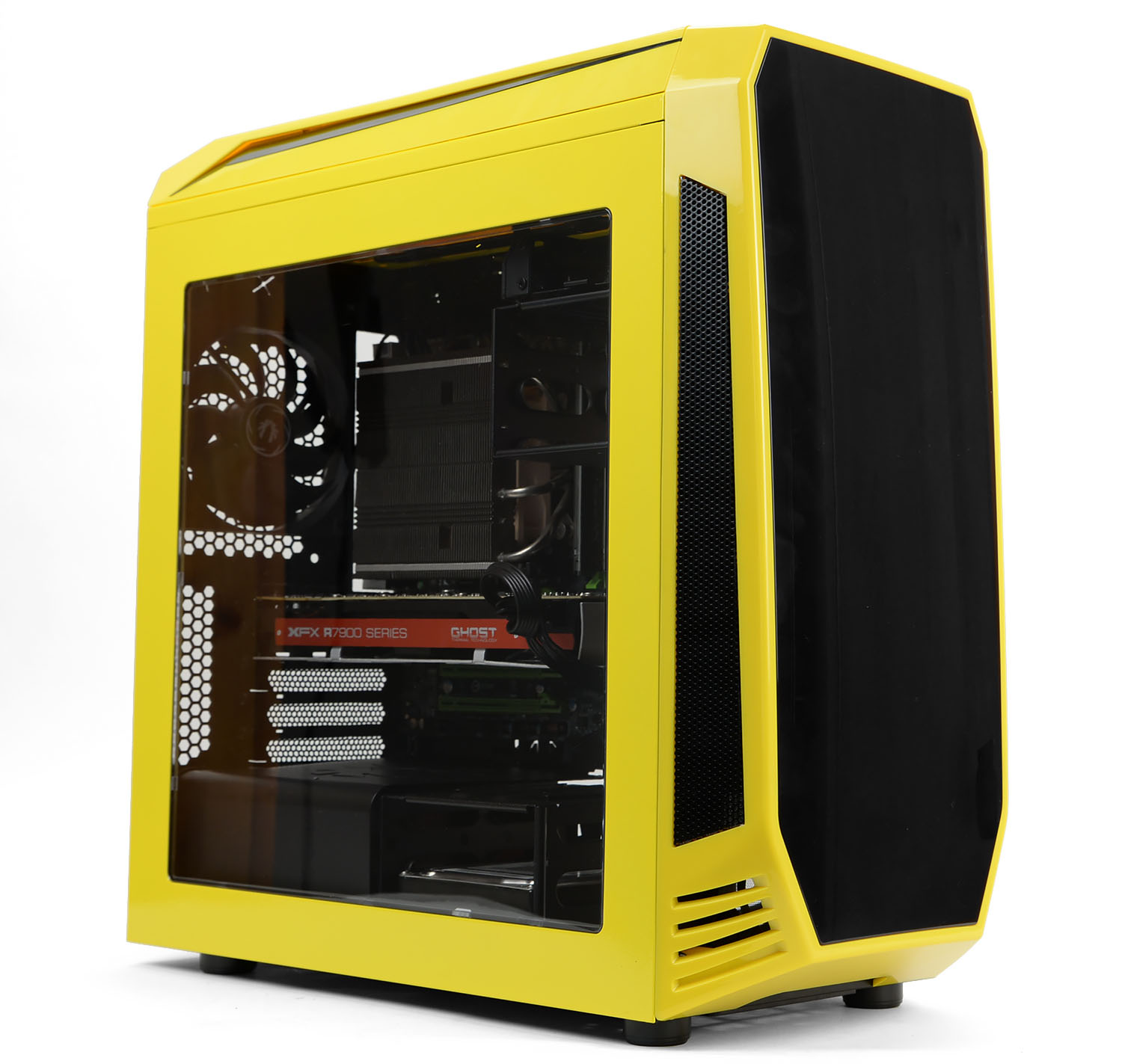
A mid-tower computer chassis designed for the Micro ATX form factor. AEGIS also features a unique ICON LCD display to customise the logo.

Product on Review: Neos
Manufacturer and Sponsor: BitFenix
Street Price: £79 GBP / $100 USD
BitFenix has built a solid reputation with their current portfolio of computer cases and today, hope to add to their success. AEGIS was released back in February and seeks to provide system builders with an exciting and innovative chassis.
AEGIS is a M-ATX computer case which arrives in a selection of exciting colours. This case promises to offer flexibility by accommodating large CPU coolers, big graphics cards and numerous fans/radiators for those wanting to enhance the cooling potential.
BitFenix on their Aegis
Aegis features a beautiful rounded shield-inspired front with the same fully customizable ICON display used on Pandora, and a sporty fresh design all around. AEGIS is our first case in a while with more focus on cooling performance and supports an impressive amount of fans and radiators: up to 8 120mm fans or 5 140mm fans, dual 280 radiators or a 360 and 240 combo.
Technical Specifications
Colors Black – White – Red – Blue – Yellow
ICON™ Display 2.8″ TFT, 240 x 320
Fan Controller 4pin header x 4 – 12v/7v/5v
Motherboard Micro ATX, Mini-ITX (5 expansion slots)
CPU Cooler up to 170mm tall
VGA up to 380mm long and up to 140mm tall
Power Supply up to 220mm long
3.5” HDD Slots 4 (two removable cages with 2 tool free slots each)
2.5” SSD Slots 4 (one removable cage with 2 tool free slots each, one slot next to the Mainboard, one slot behind the PSU)
Dust Filter Top Click-on
Dust Filter Front 360mm magnetic
Dust Filter Bottom 360mm magnetic
Cooling Top 120mm x 3 or 140mm x 2
Cooling Front 120mm x 3 or 140mm x 2
Cooling Bottom 120mm x 1 or 140mm x 1
Cooling Rear 120mm x 1 (included)
Radiator Top 360mm, 280mm, 240mm, 140mm, 120mm
Radiator Front 360mm, 280mm, 240mm, 140mm, 120mm
Radiator Bottom 140mm, 120mm
Radiator Rear 120mm
I/O USB 3.0 x 2, HD Audio
Dimensions (WxHxD mm – in) 205 x 470 x 480 – 8.07 x 18.50 x 18.89
Materials Steel, Plastic
Weight 6.7Kg – 14.8lbs
Extras BitFenix ICON™ Display (Core version comes without Display), Pump bracket, Reservoir bracket, PSU cover, Fan Controller, Magnetic Dustfilters, 3 Modular and tool free HDD/SSD cages
ICON™ Display 2.8″ TFT, 240 x 320
Fan Controller 4pin header x 4 – 12v/7v/5v
Motherboard Micro ATX, Mini-ITX (5 expansion slots)
CPU Cooler up to 170mm tall
VGA up to 380mm long and up to 140mm tall
Power Supply up to 220mm long
3.5” HDD Slots 4 (two removable cages with 2 tool free slots each)
2.5” SSD Slots 4 (one removable cage with 2 tool free slots each, one slot next to the Mainboard, one slot behind the PSU)
Dust Filter Top Click-on
Dust Filter Front 360mm magnetic
Dust Filter Bottom 360mm magnetic
Cooling Top 120mm x 3 or 140mm x 2
Cooling Front 120mm x 3 or 140mm x 2
Cooling Bottom 120mm x 1 or 140mm x 1
Cooling Rear 120mm x 1 (included)
Radiator Top 360mm, 280mm, 240mm, 140mm, 120mm
Radiator Front 360mm, 280mm, 240mm, 140mm, 120mm
Radiator Bottom 140mm, 120mm
Radiator Rear 120mm
I/O USB 3.0 x 2, HD Audio
Dimensions (WxHxD mm – in) 205 x 470 x 480 – 8.07 x 18.50 x 18.89
Materials Steel, Plastic
Weight 6.7Kg – 14.8lbs
Extras BitFenix ICON™ Display (Core version comes without Display), Pump bracket, Reservoir bracket, PSU cover, Fan Controller, Magnetic Dustfilters, 3 Modular and tool free HDD/SSD cages
Packaging & First Look
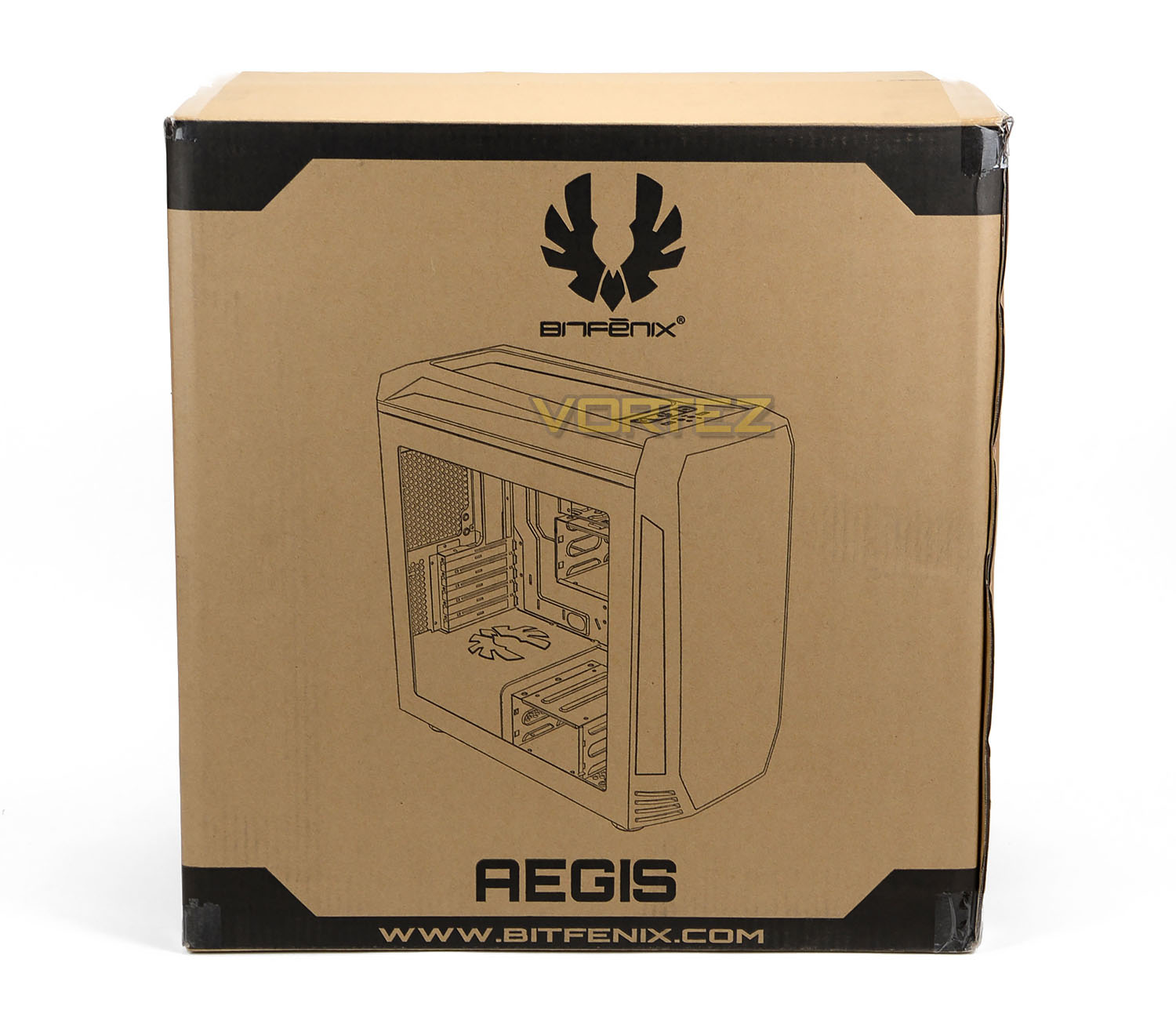
AEGIS arrives in a non-descript eco-friendly box which has an illustration of the case on the front and around the back details some of the integral features.
Inside, the case is found within a clear plastic sheet and securely held in place with two polystyrene pillars.
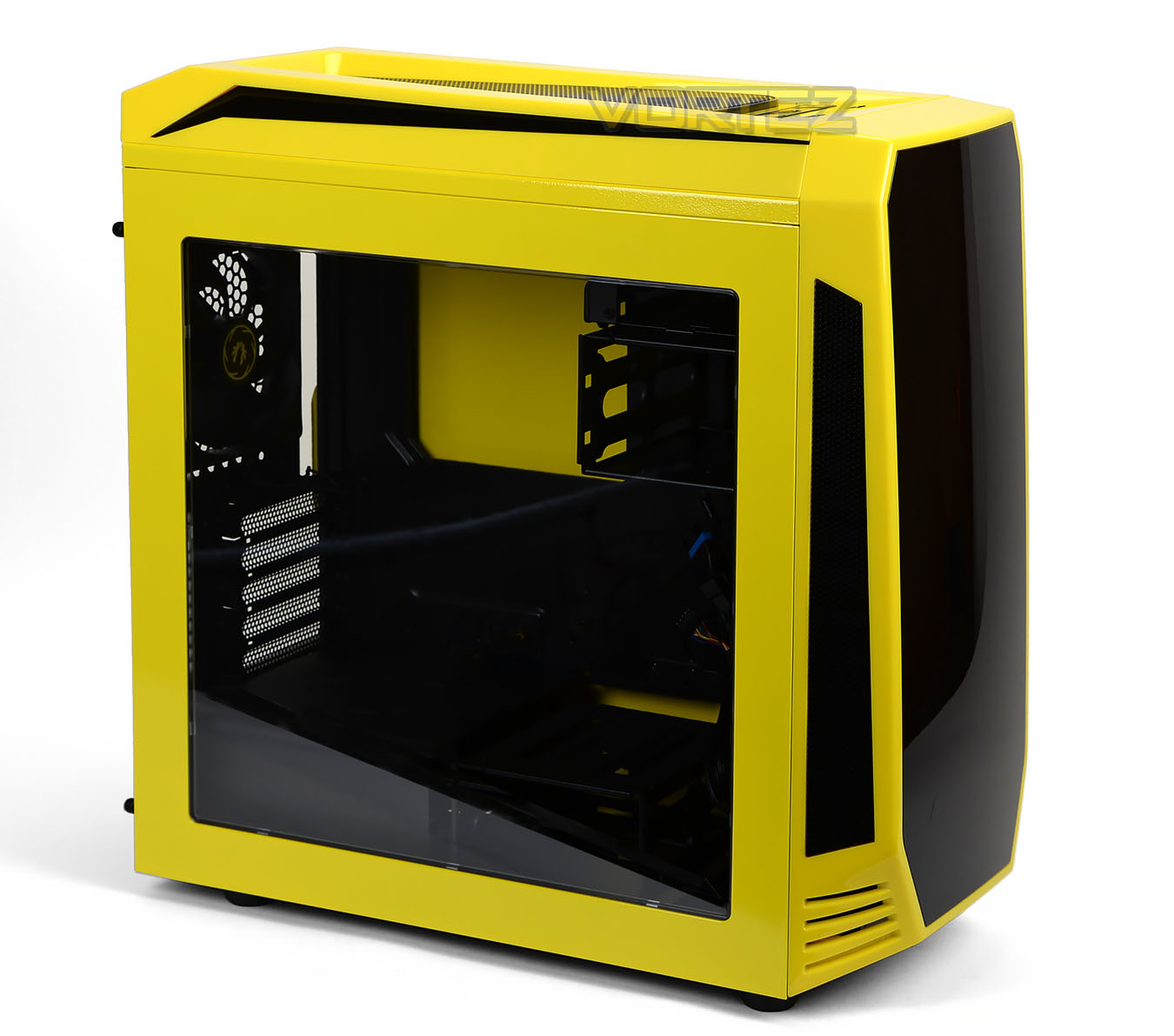
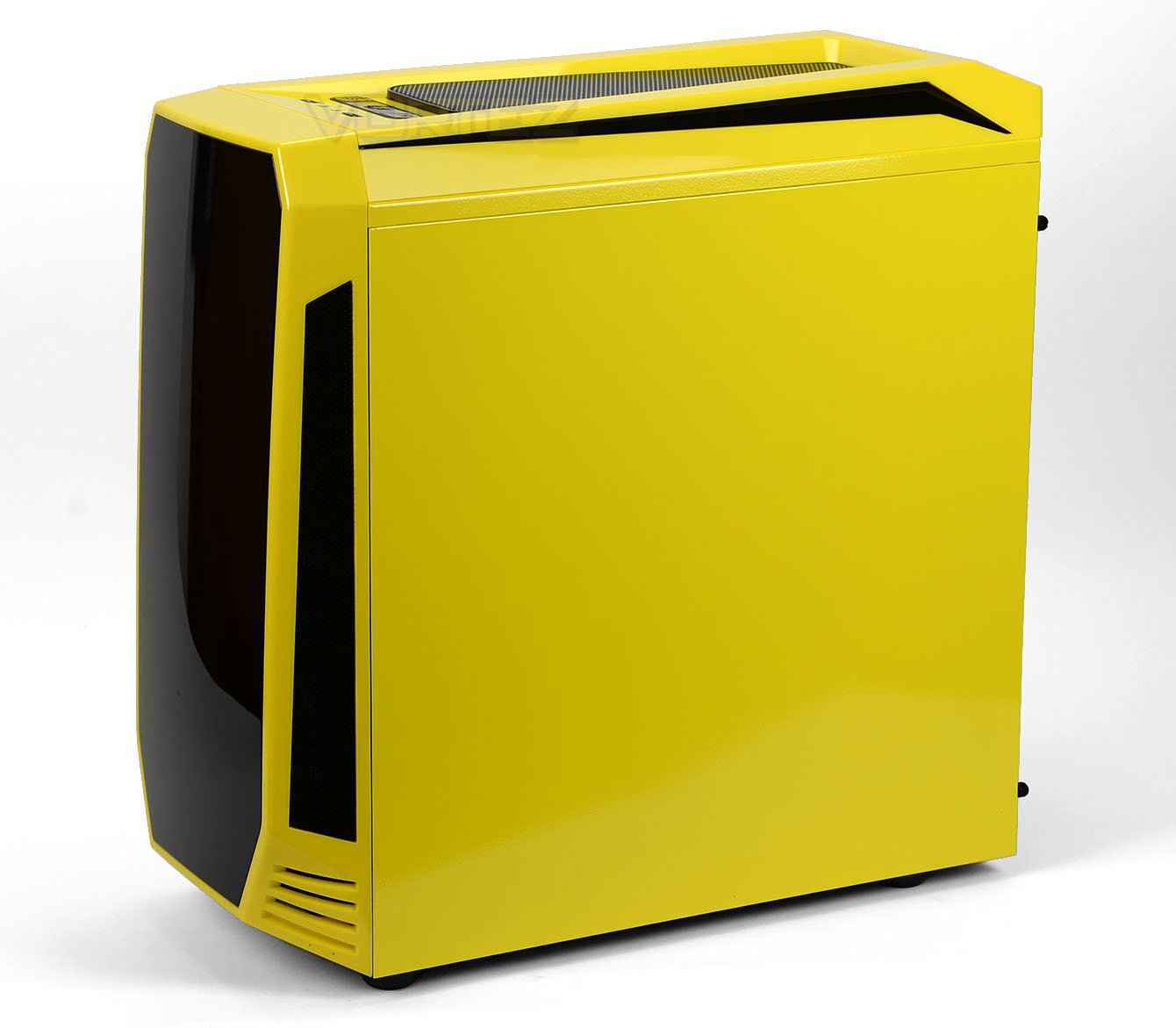
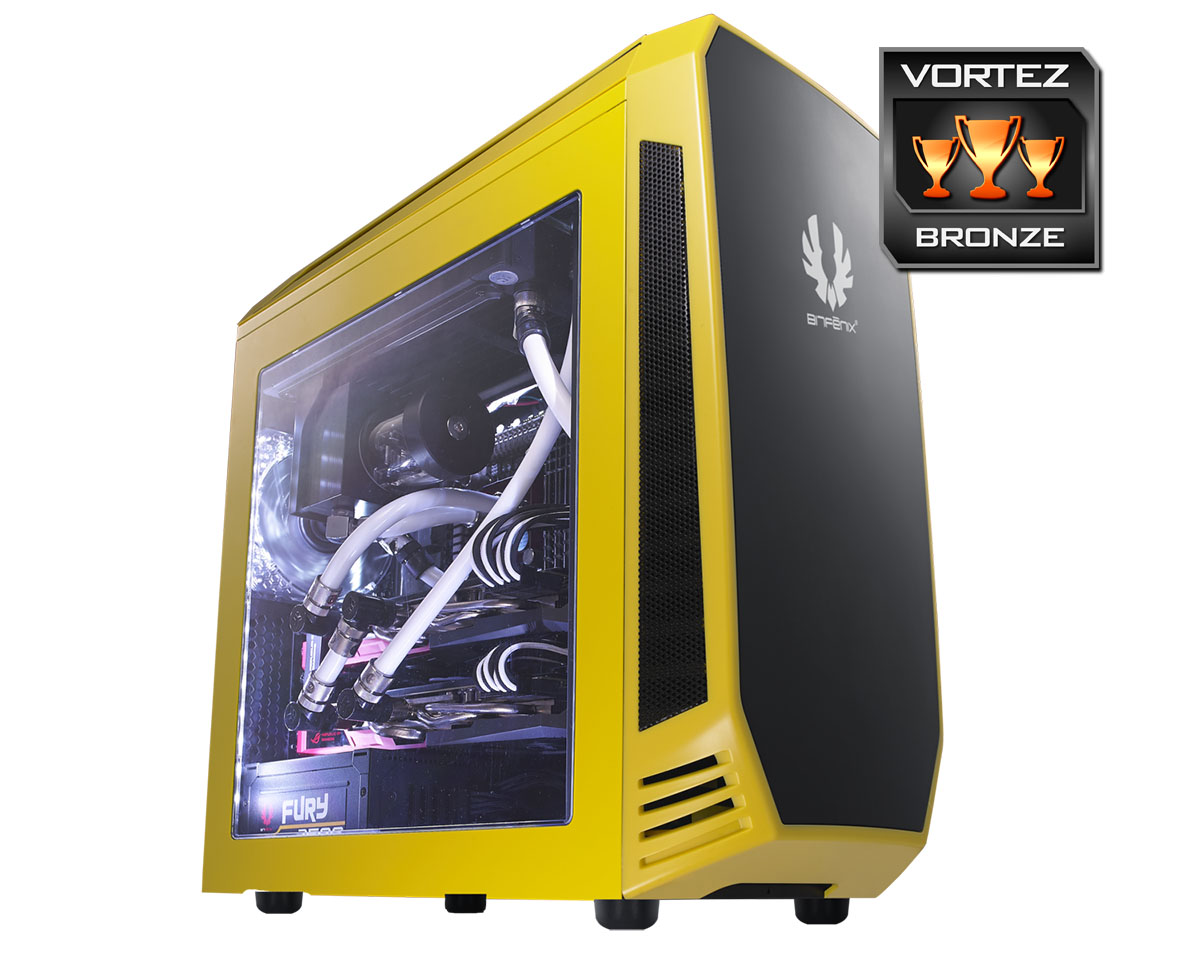
AEGIS is available in a wide selection of different colours but our sample is the yellow variant which we’re sure you’ll agree, looks rather vibrant.
On the prominent side there is a large Perspex window so that users have a preview of the system configuration inside. Over on the reverse side, the panel is solid and without any significant features.
You’ll notice that BitFenix has matched the paintwork on the metal panels with the plastic fascias on the top and front, very well.
Exterior
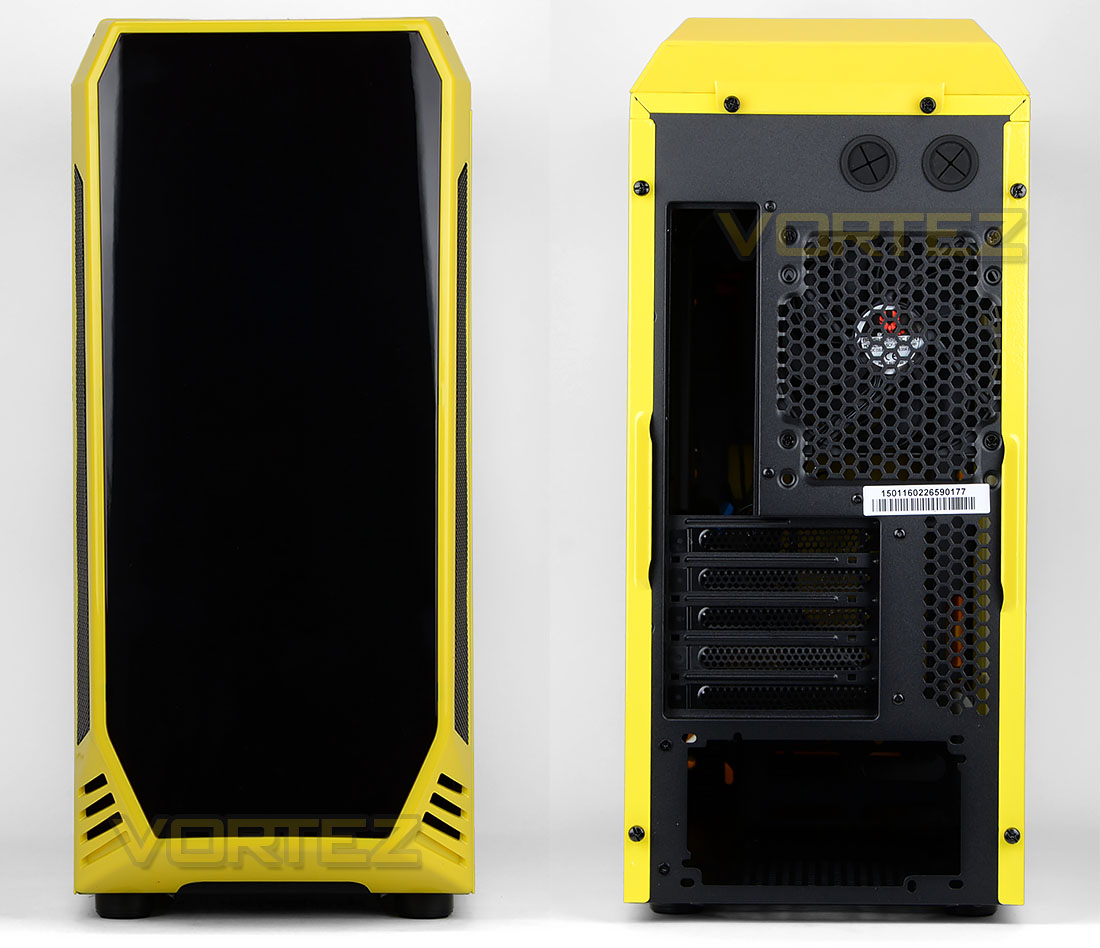
At the front of AEGIS the panel is completely closed off – there are no 5.25” drive bays. This fascia is entirely plastic with a glossy finish, ICON version of this case comes with an LCD which allows the user to display a logo of their choice (more on this later). Running along the edge there are areas of ventilation for the front cooling fans (not included) to pull in cool air.
Around the back, there is an area at the bottom for mounting the PSU, five PCI expansion slot covers and a 120mm rear exhaust fan. At the very top there are two circular rubber grommets for tubing.
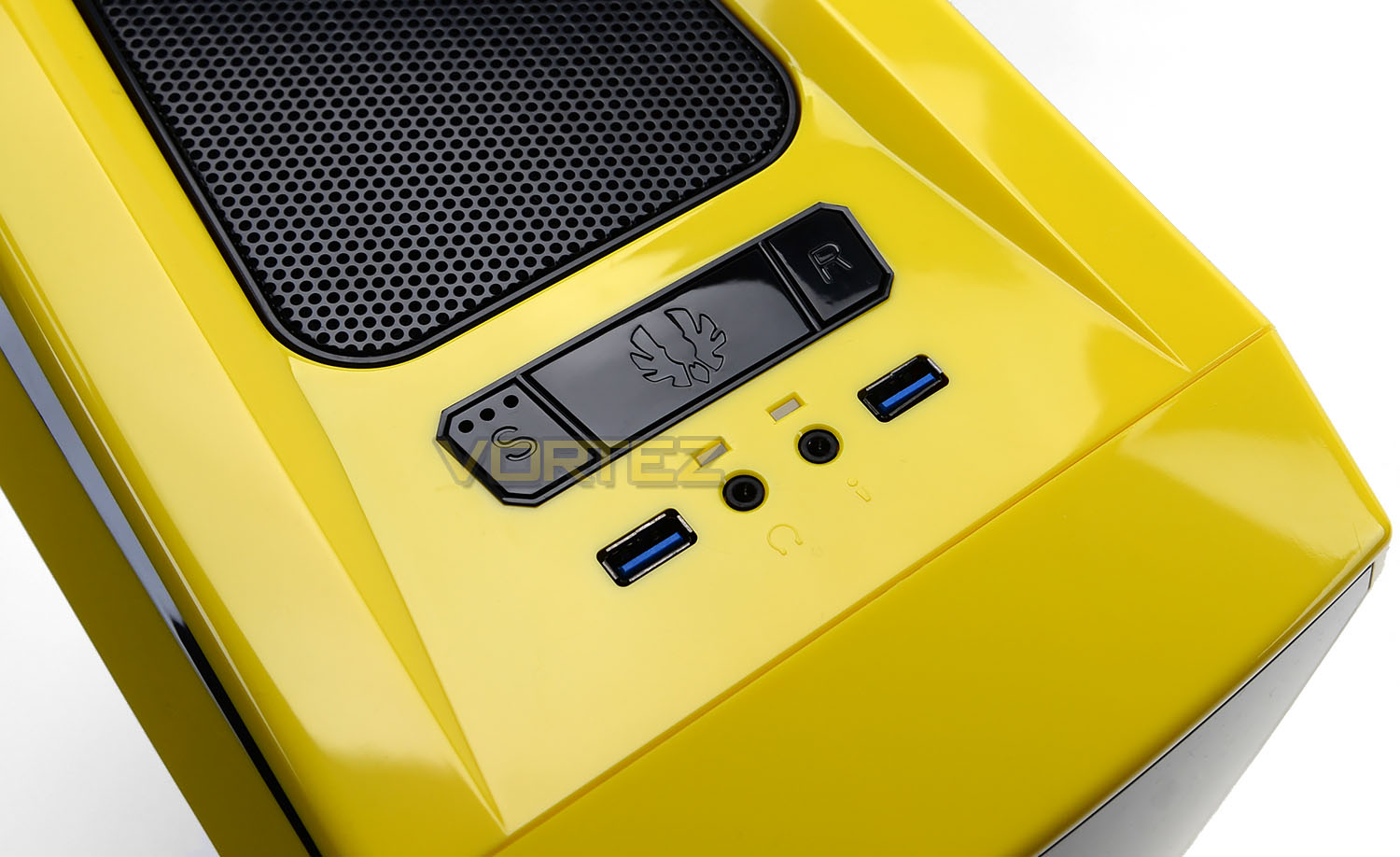
Up at the top there are a number of buttons and ports which include the following:
• Three-speed fan controller
• Large power button w/ BitFenix logo
• Reset button
• Two USB 3.0 ports
• Headphone and microphone jacks
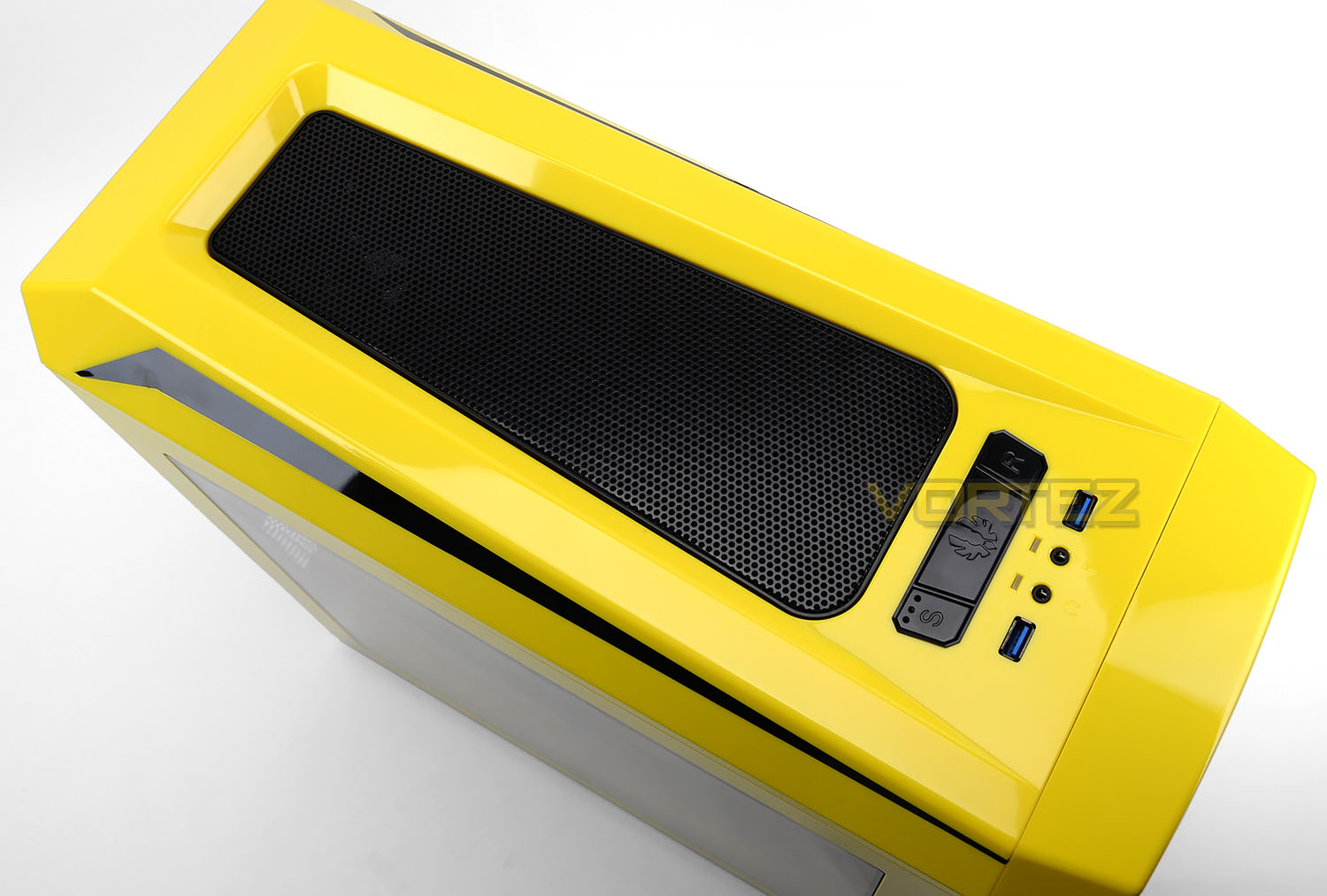
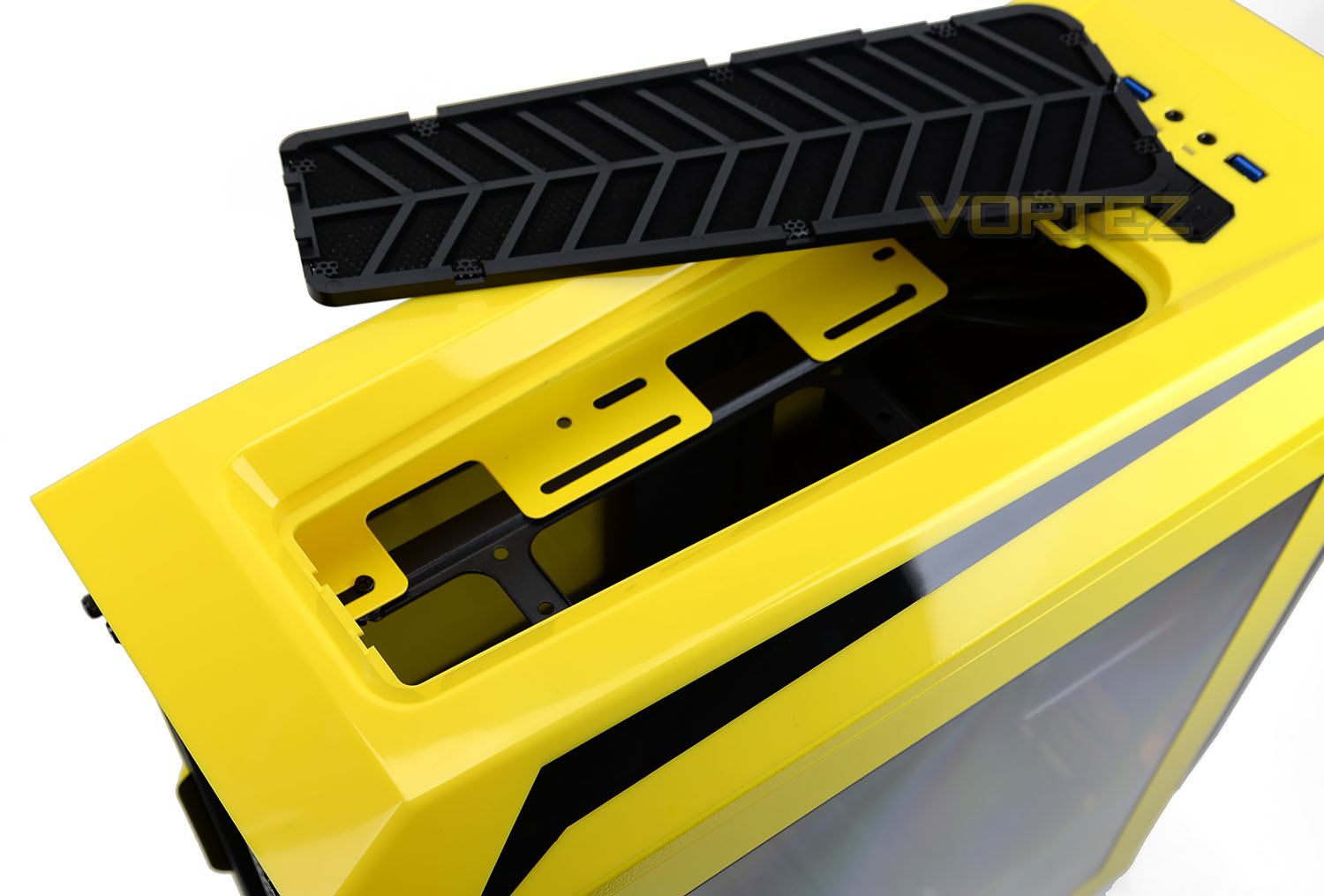
The top panel is entirely plastic. Towards the middle of this fascia there is an indentation which contains a perforated mesh panel – this panel can be detached from the top to gain access to the mounting locations but the entire fascia can also be removed too. At the top, we can install 3x 120mm or 2x140mm cooling fans – none are included.
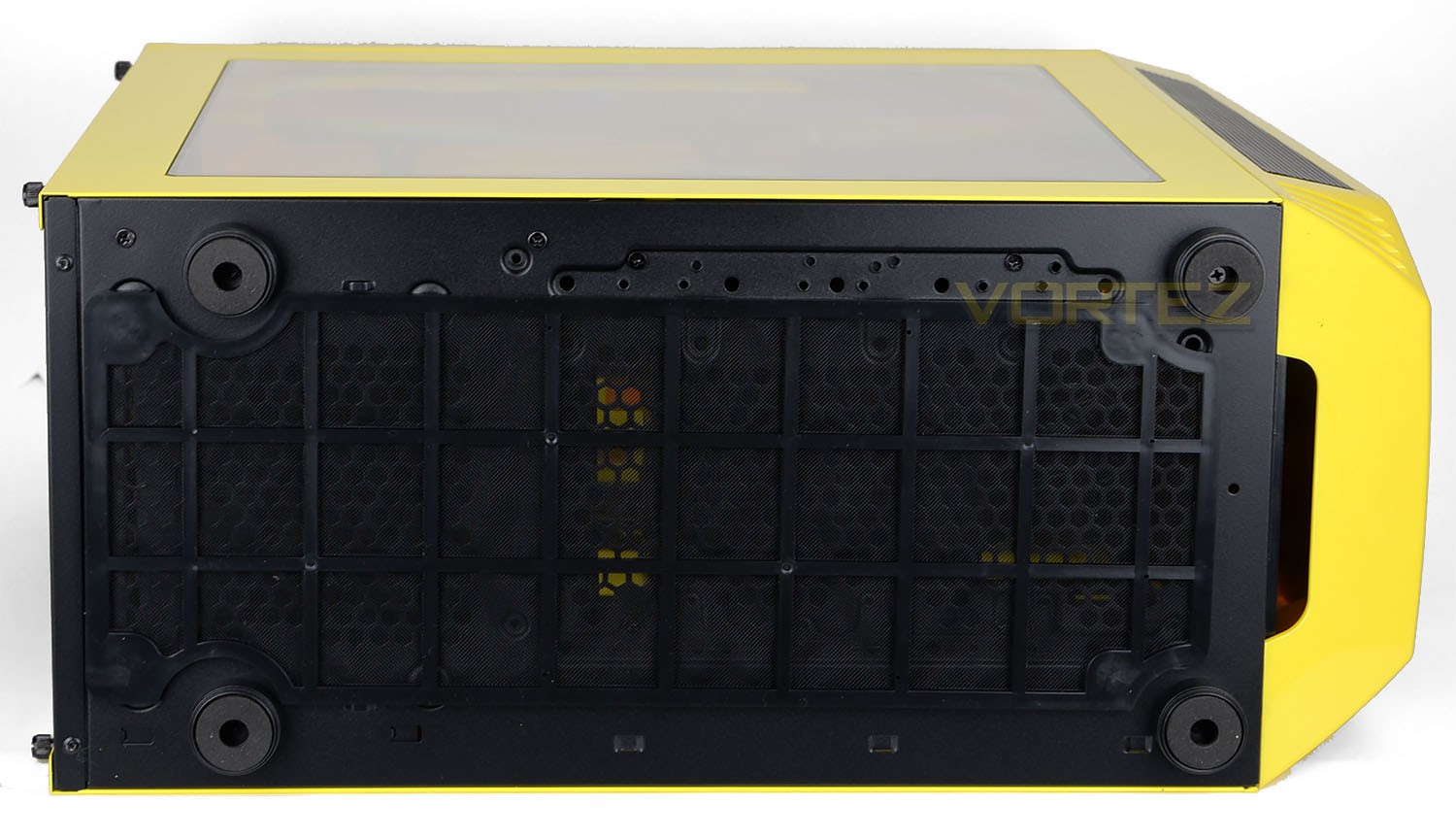
Flipping the case onto its side, we can see that the underneath section has four rubber feet to prevent the case from slipping around on smooth surfaces and there is a large detachable dust filter – this filter has magnetic points so that it can be easily attached/detached.
Interior
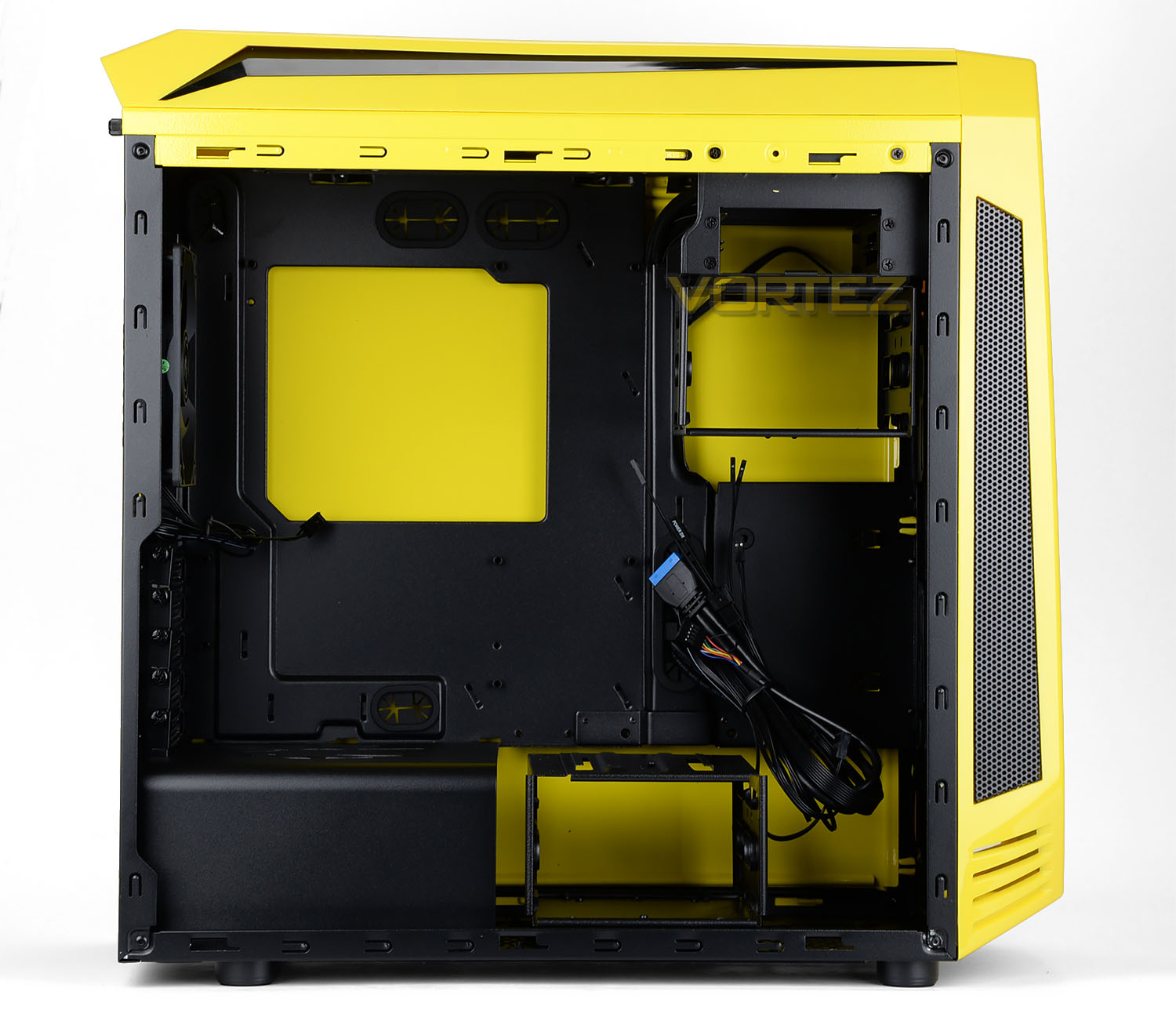
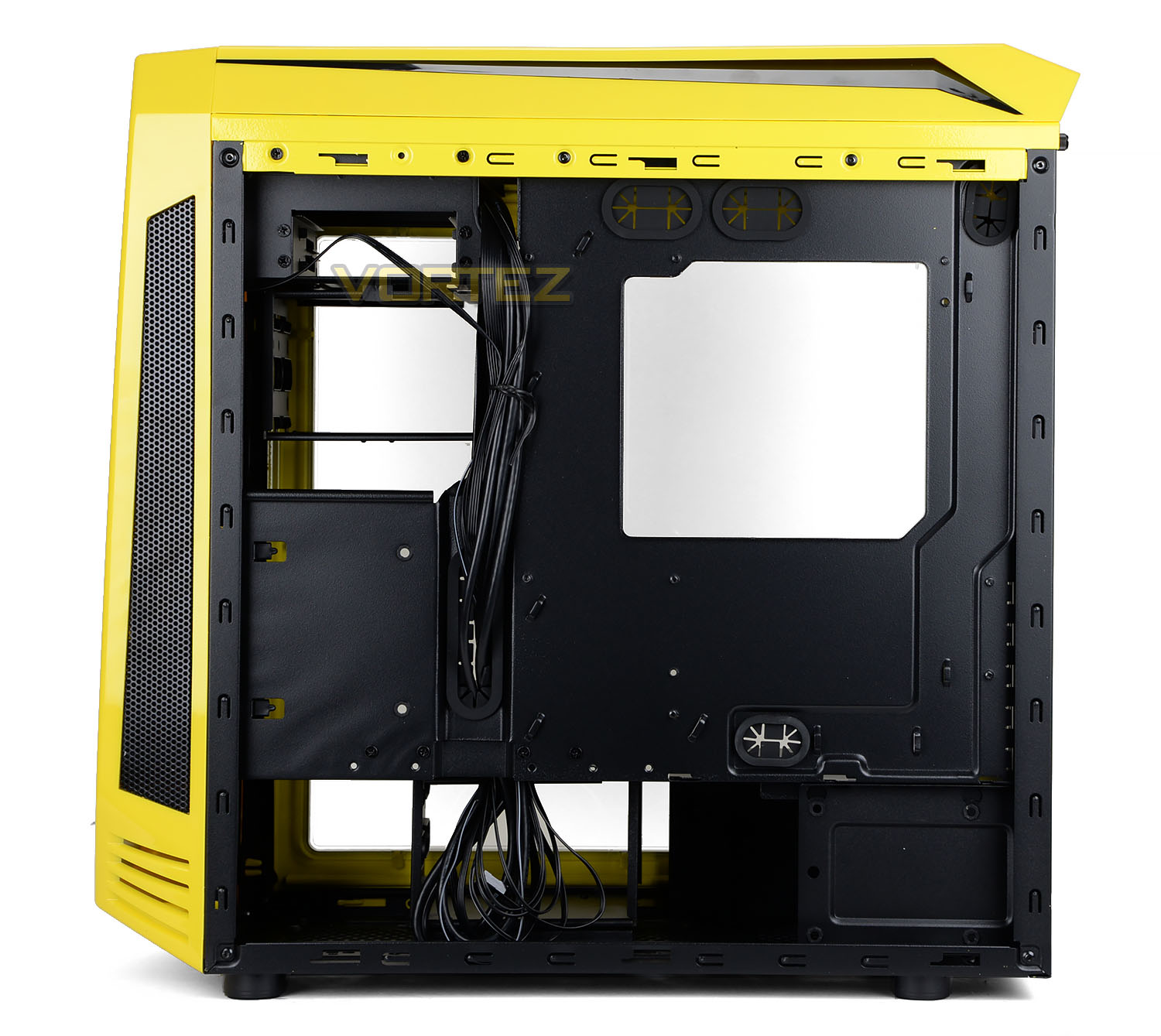
Both side panels on AEGIS are solid steel and securely fit onto the chassis with two thumbscrews.
AEGIS can accommodate a maximum form factor of M-ATX and has a black powder coated internal design. After detaching the side panels we can clearly see a number of tool-free storage options and a step away from conventional computer case design with the omission of a 5.25” drive cage and the inclusion of a PSU cover.
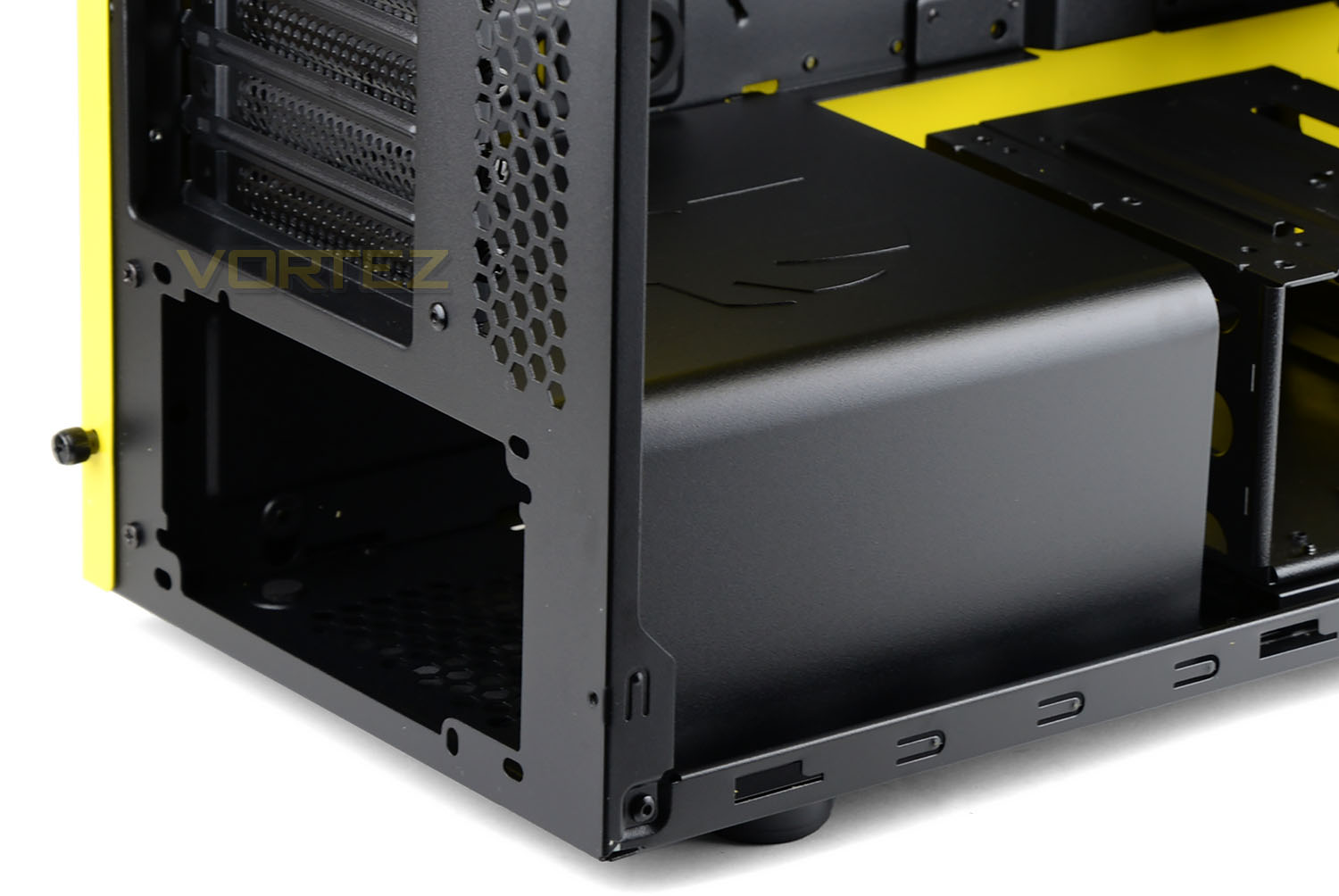
Moving in for a closer look at the features, we firstly arrive at the PSU area. BitFenix has included a plastic cover to neaten the inside of the chassis and conceal cabling.
In order to get the PSU inside the case its necessary to detach this cover by removing just two screws.
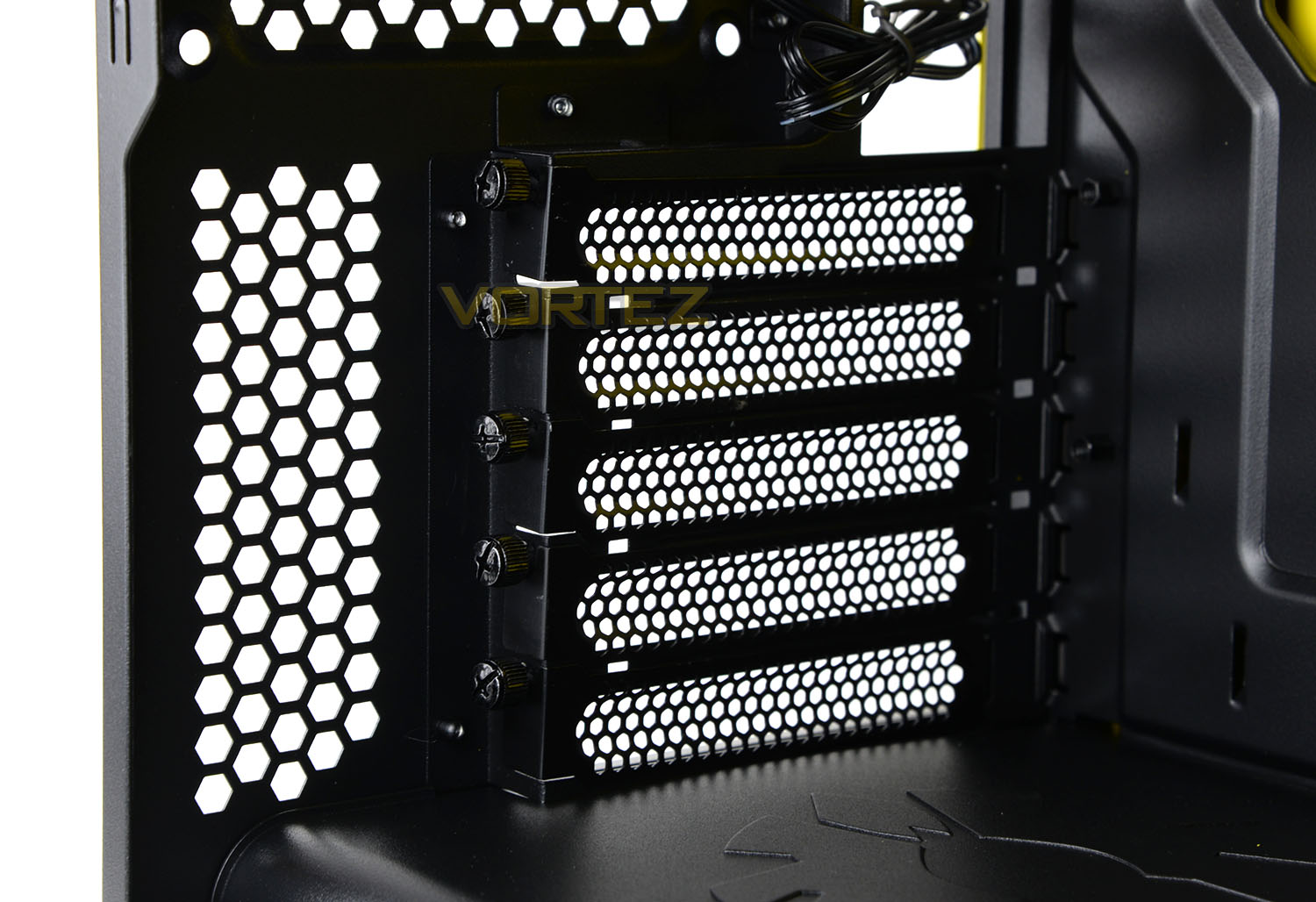
Above the PSU section are five PCI expansion slot covers – each cover uses perforated mesh and has easy to remove thumbscrews.
On the next page we’ll be continuing our look at the internal features.
Interior (Continued)
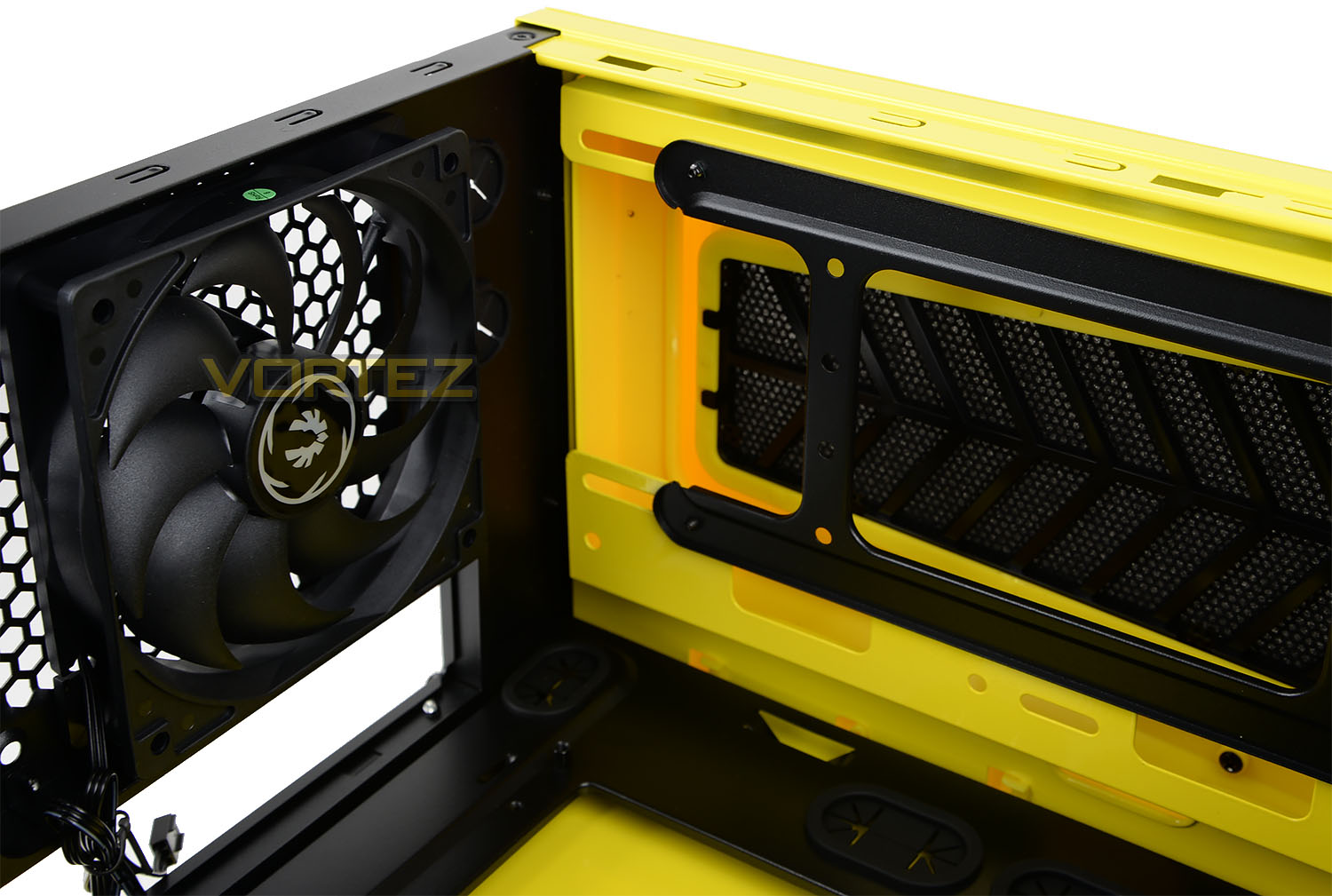
Further up inside the case, there is a 120mm rear exhaust fan included (which can also be connected to the fan controller also too) and there is allocation at the top of the case to install 3x120mm fans or 2x140mm fans. We can also install radiators at the top – the following sizes are supported: 280mm, 240mm, 140mm, 120mm.
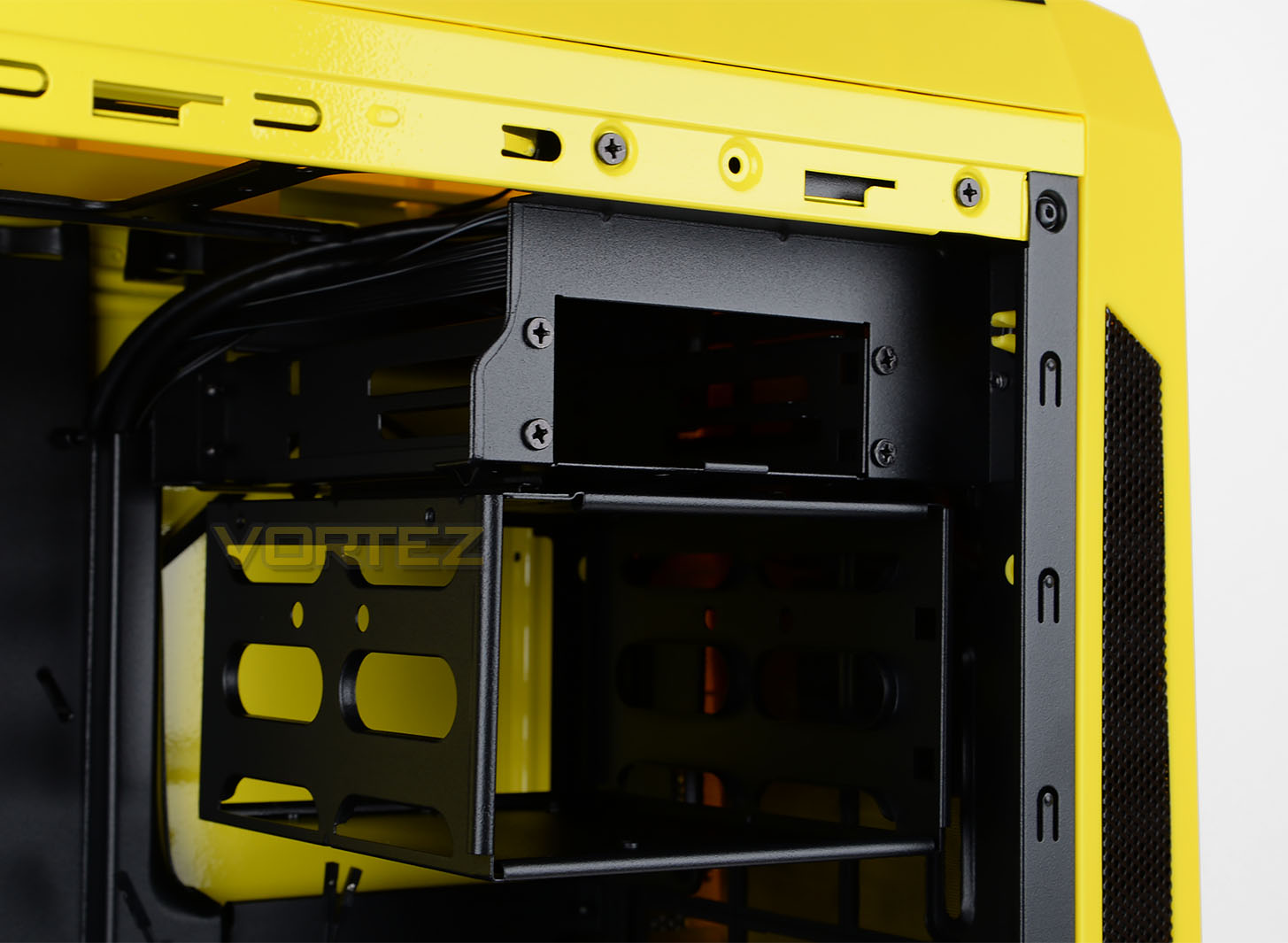
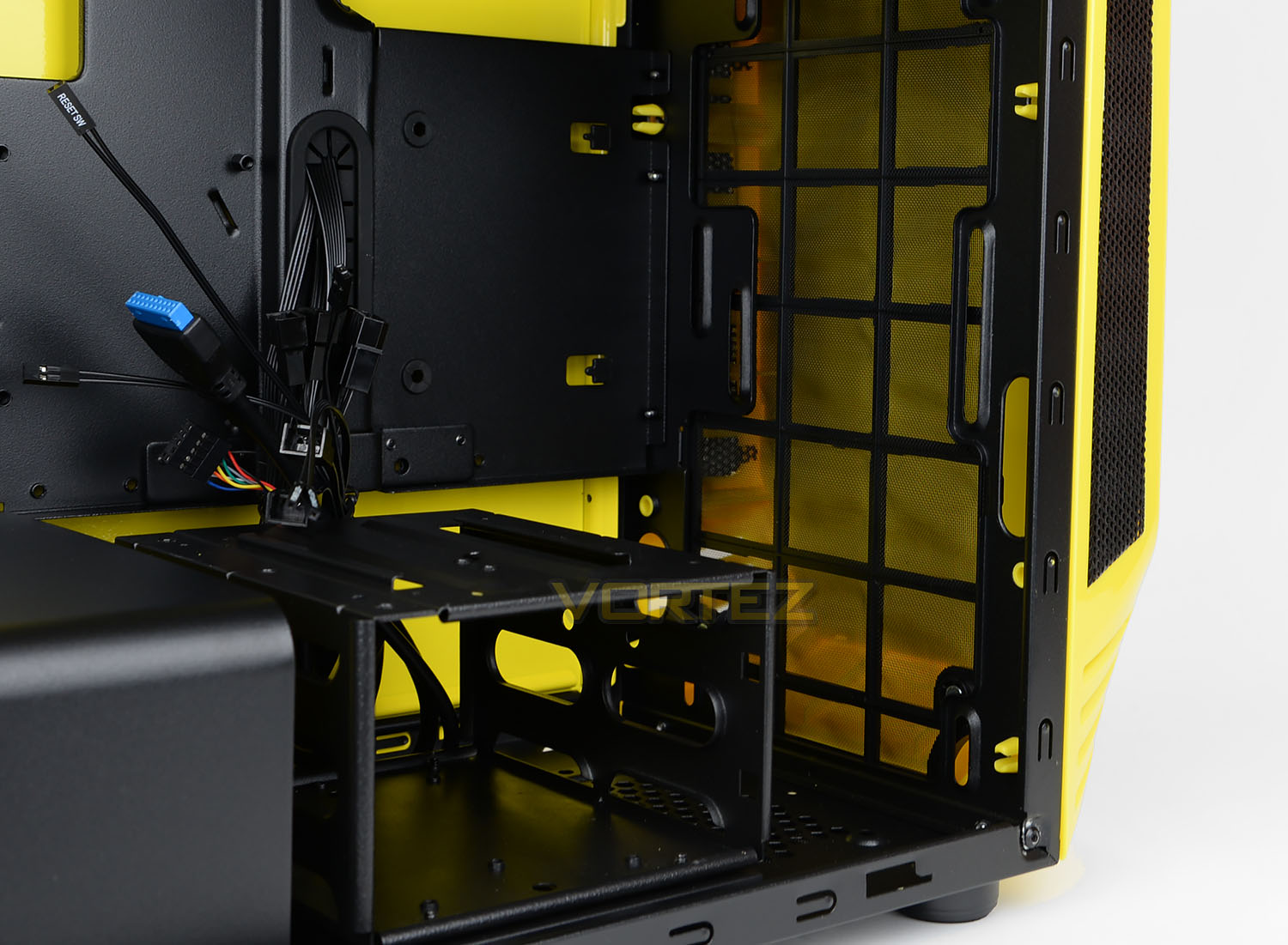
There is plenty of allocation for storage drives inside AEGIS. BitFenix provide:
4x 3.5” HDD Slots (two removable cages with 2 tool free slots each)
4x 2.5” SSD Slots (one removable cage with 2 tool free slots each, one slot next to the Mainboard, one slot behind the PSU).
Aside from this there is also a reservoir and pump bracket for water cooling configurations.
Installation
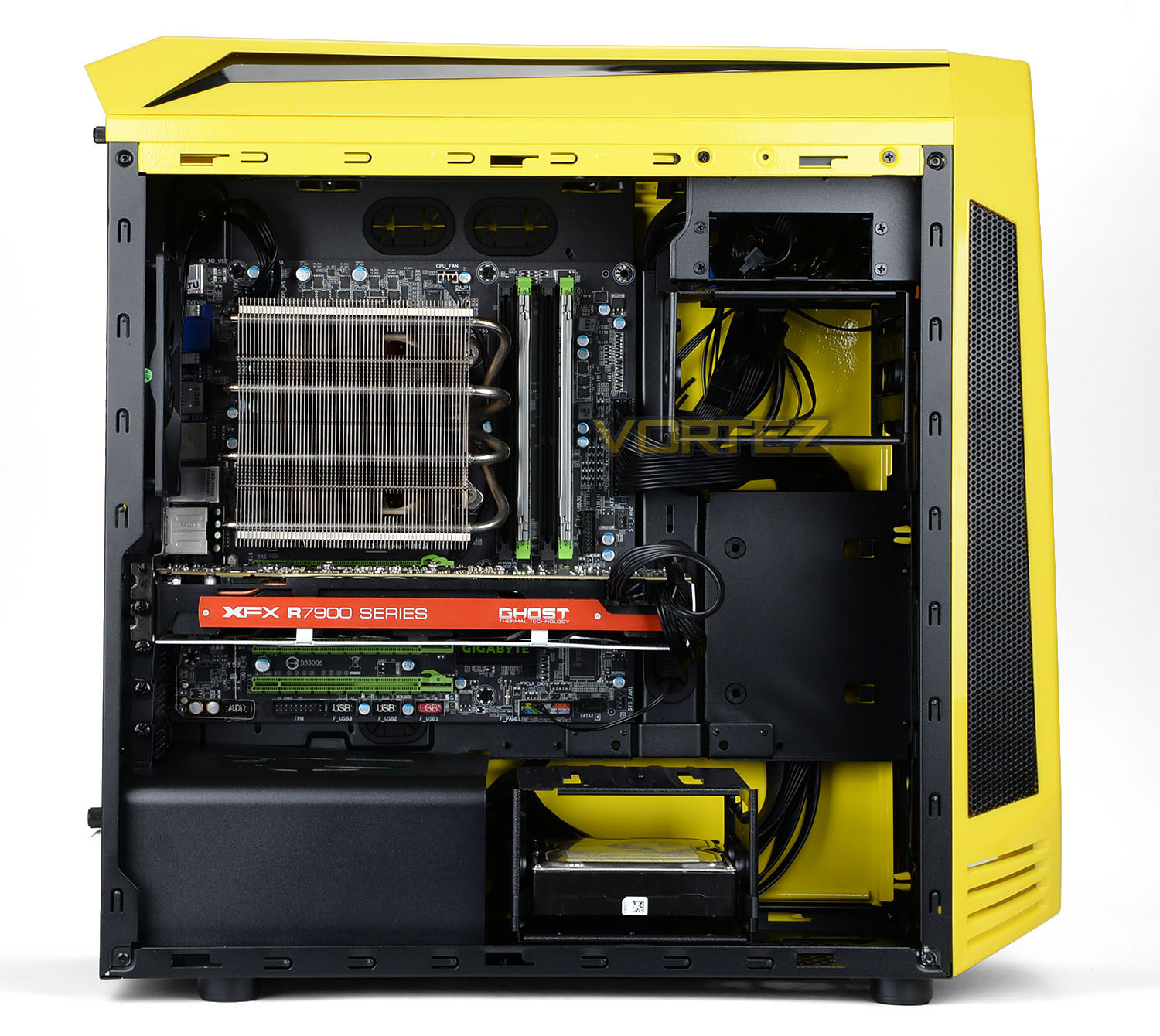
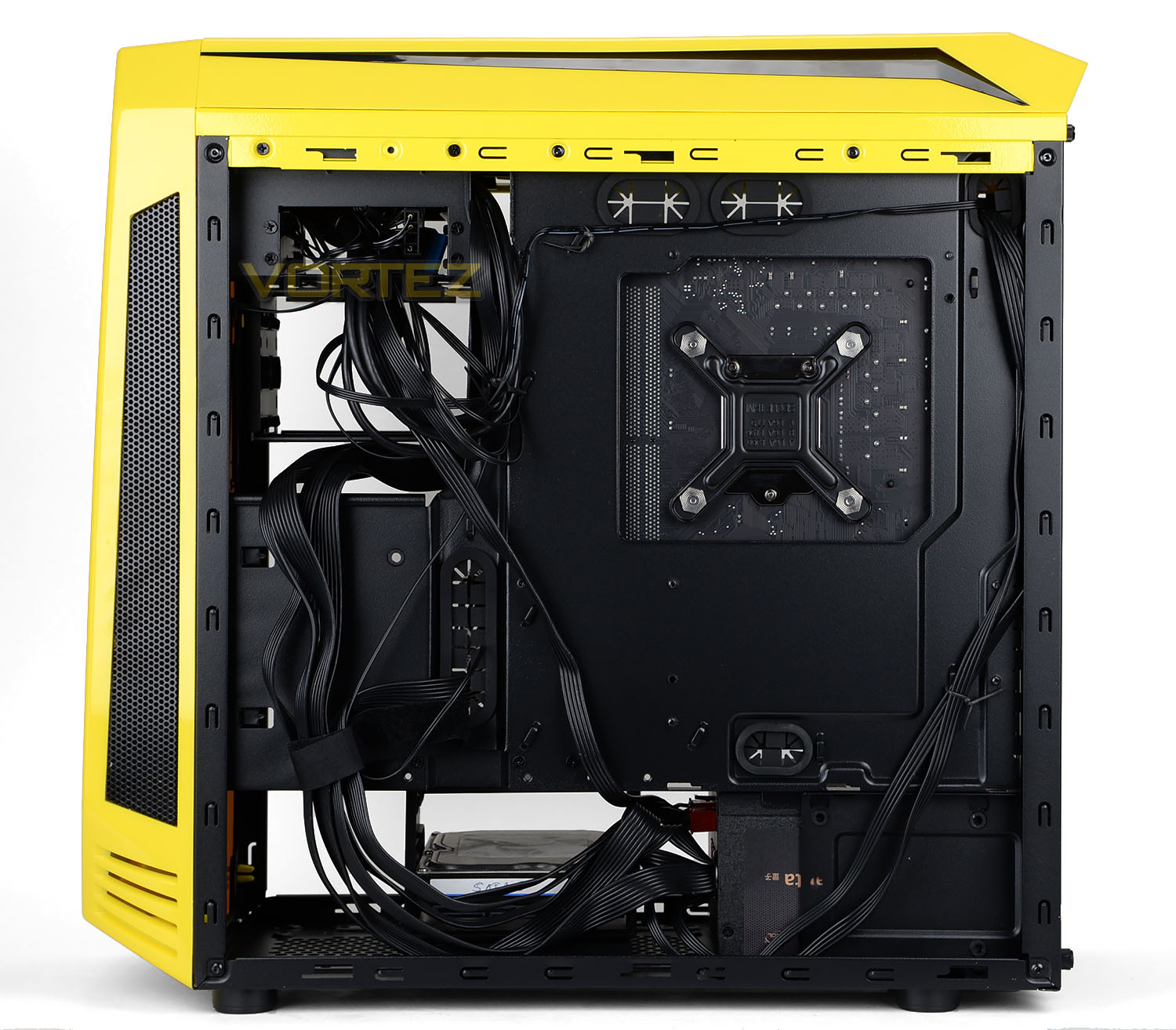
AEGIS has a maximum form factor of M-ATX so we’ve installed this size configuration inside the case. The entire installation process was without any problems and there is a surprising amount of space at the top of the motherboard which comes in very handy for cable management and potential fan/radiator installation.
We did however find it tricky to arrange the cables in a location so that the side panel fits onto the chassis and while still maintaining a nice and tidy configuration.
ICON Display
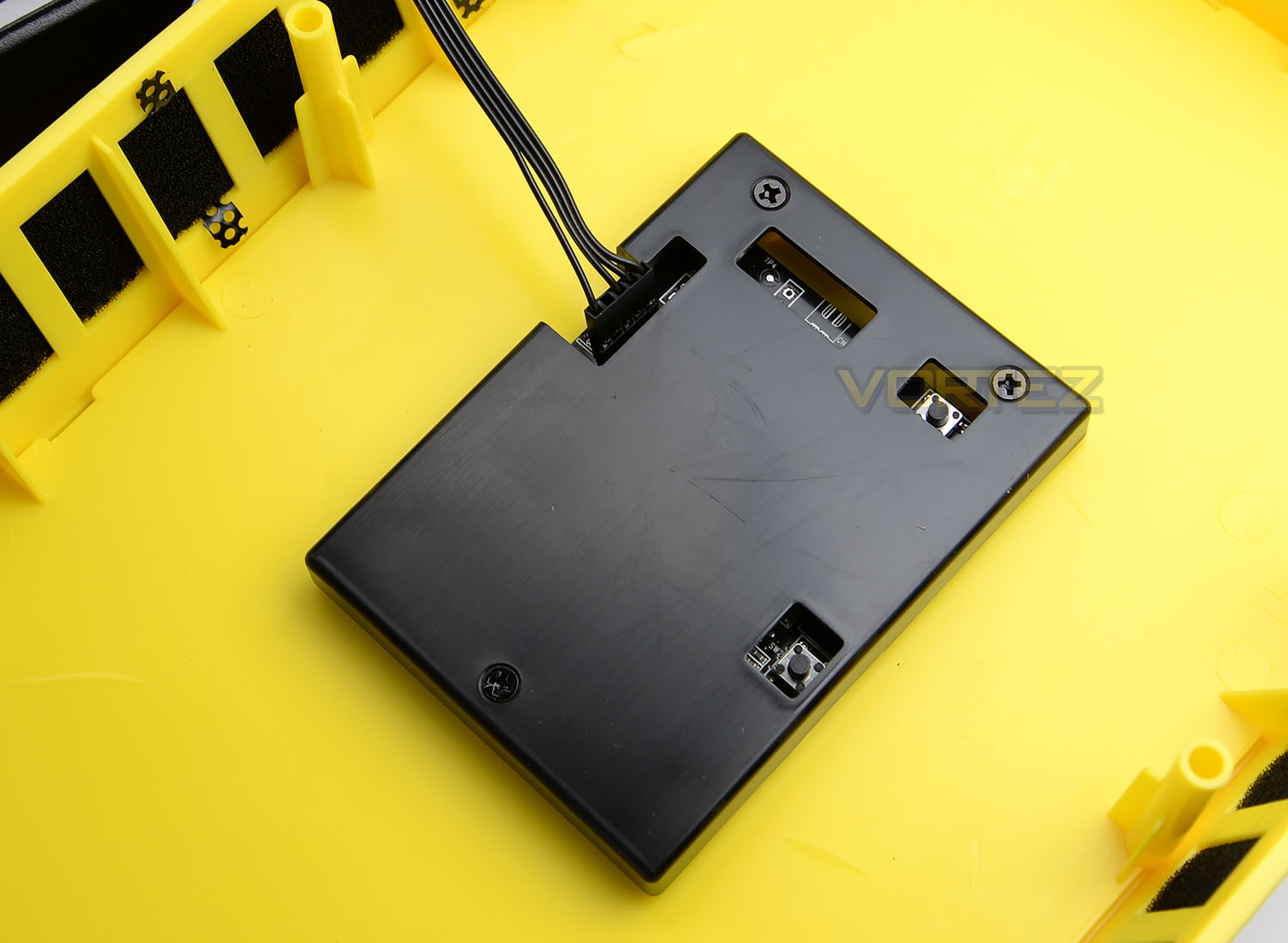
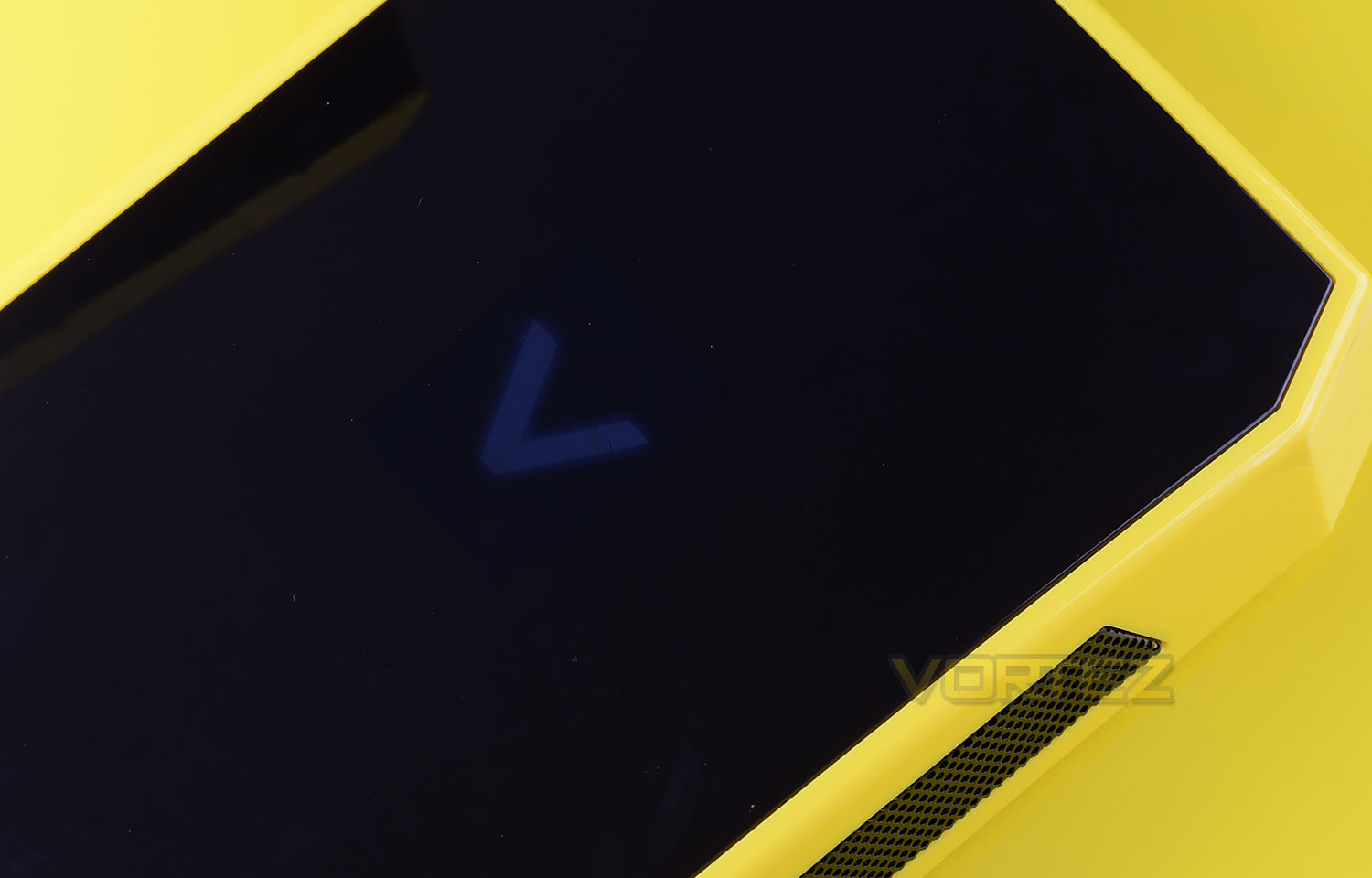
On the ICON edition of AEGIS there is an LED display situated on the front panel which allows the user to customise to their own desired logo.
To make use of this feature the USB header needs connecting to the motherboard and a small application needs to be unzipped onto the computer. Once this has been done, a 240×320 JPG just needs dropping over the exe file and the LCD will update with the desired logo.
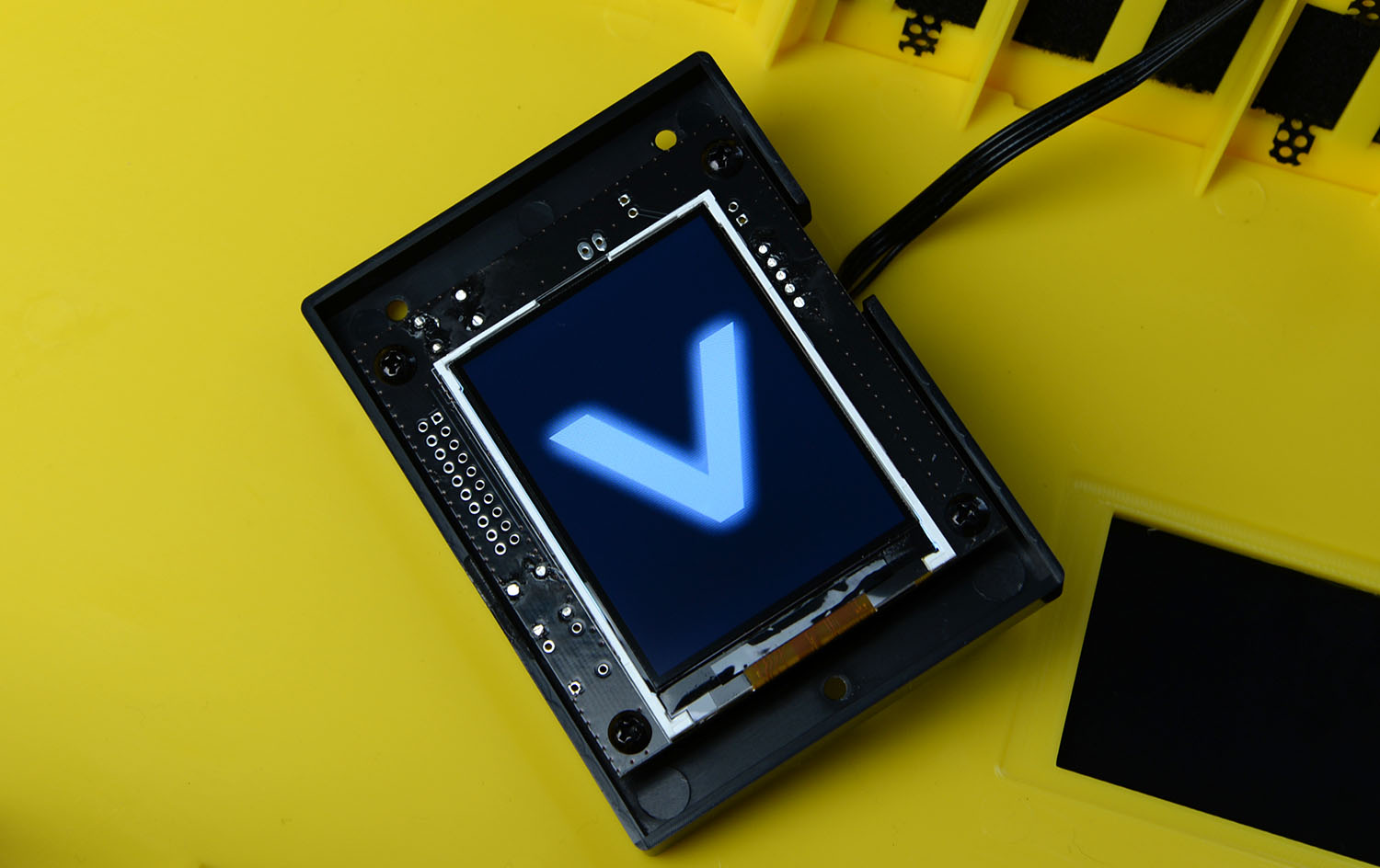
Our particular sample came with a protective film over the LCD screen so we had to detach the screen from the fascia and remove this cover. We’re informed that not all samples will required this.
Since the front fascia has a smoked panel the logo is somewhat dull in appearance as per above.
Clearance – CPU Cooler, GPU, WC & Cable Management
The clearance limitations inside a chassis are important as this identifies which hardware will comfortably fit or not.
CPU Cooler
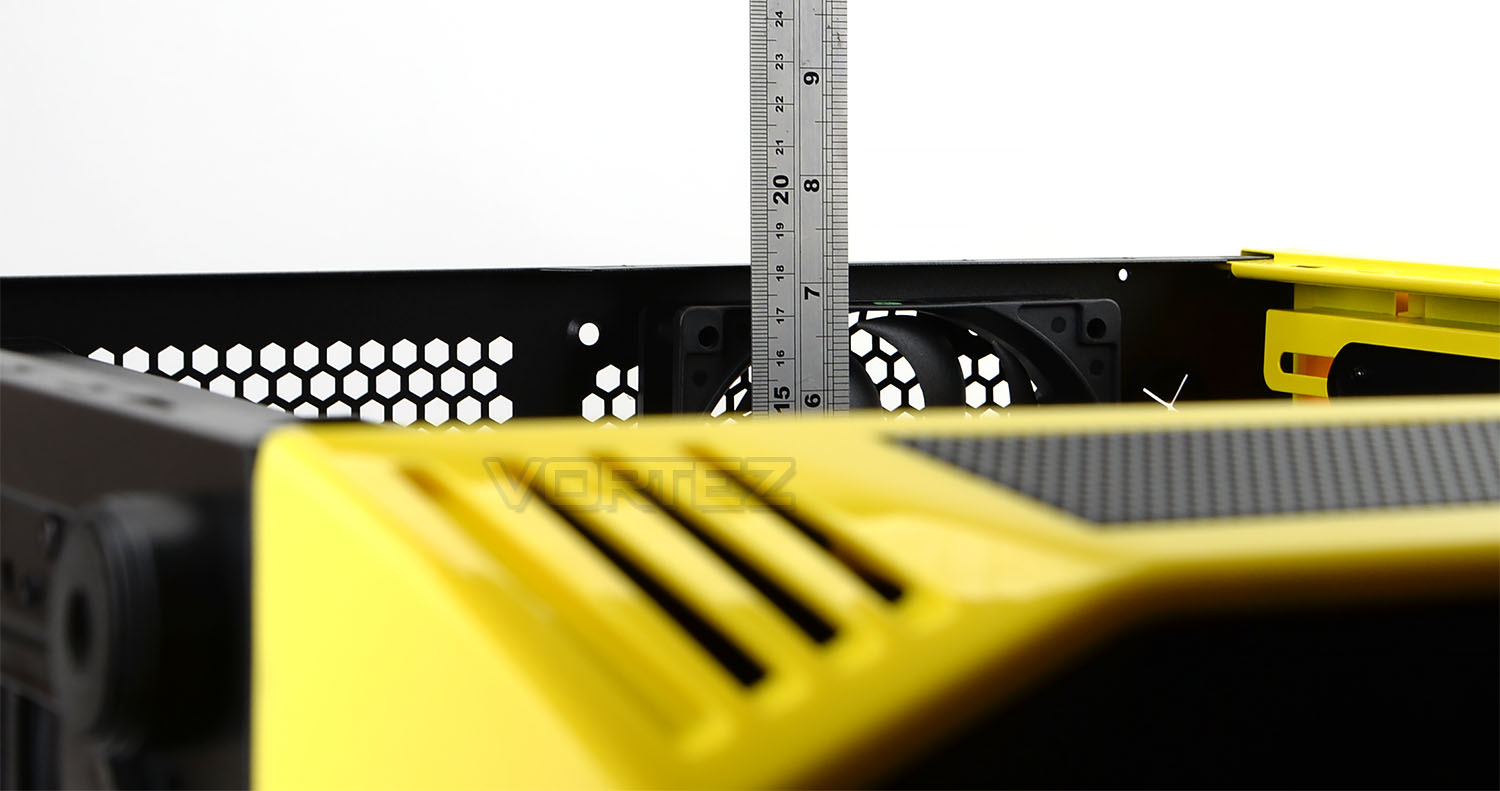
For the CPU cooler there is approximately 175mm of clearance, which is an adequate amount of space for such a component – this will allow most flagship coolers to reside inside AEGIS.
Graphics Card
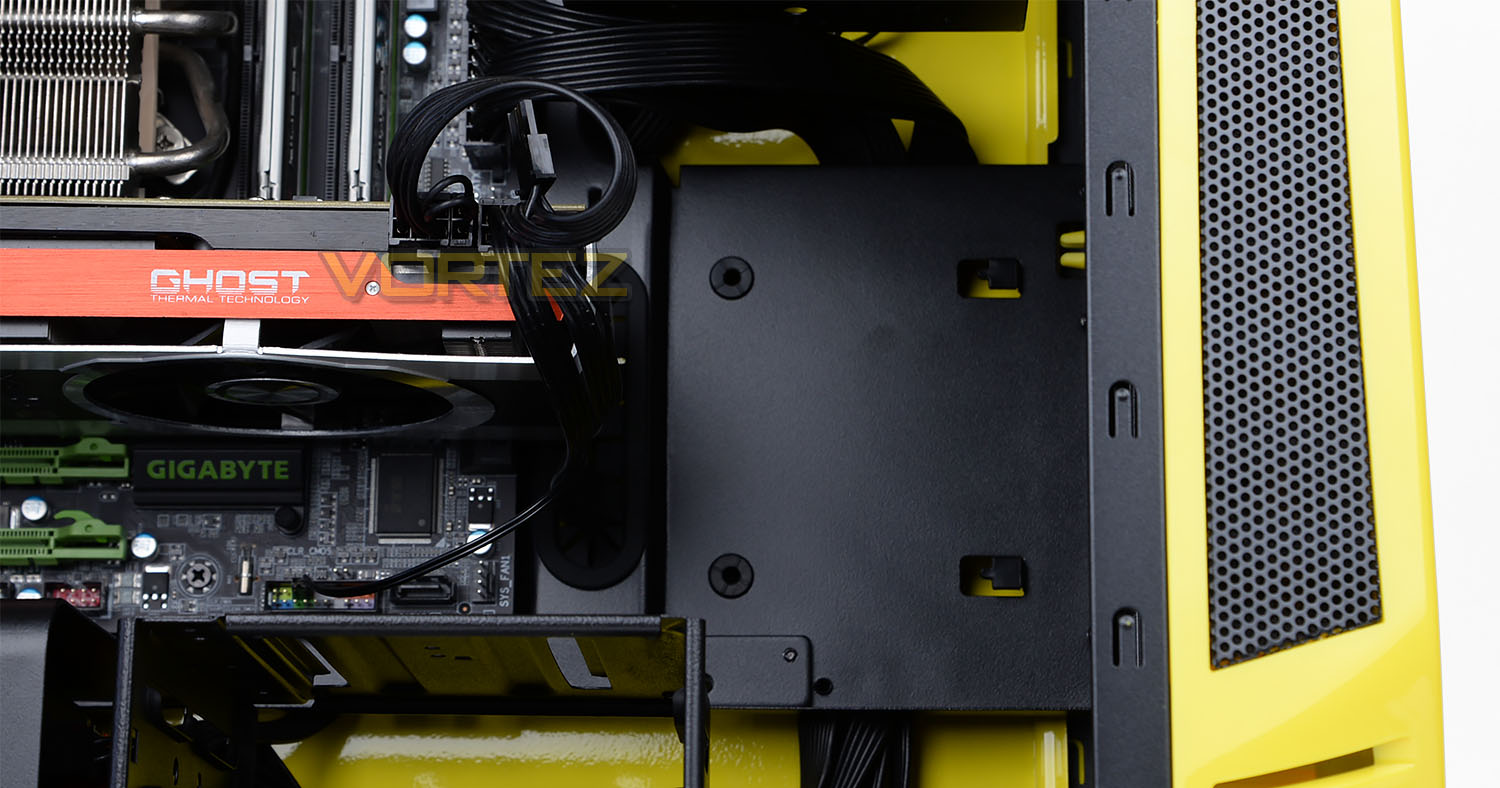
Since there are no towering HDD cages at the front of AEGIS there is plenty of space for the graphics card. Available in this space there is up to 380mm which will cover anything currently on the market.
Water Cooling
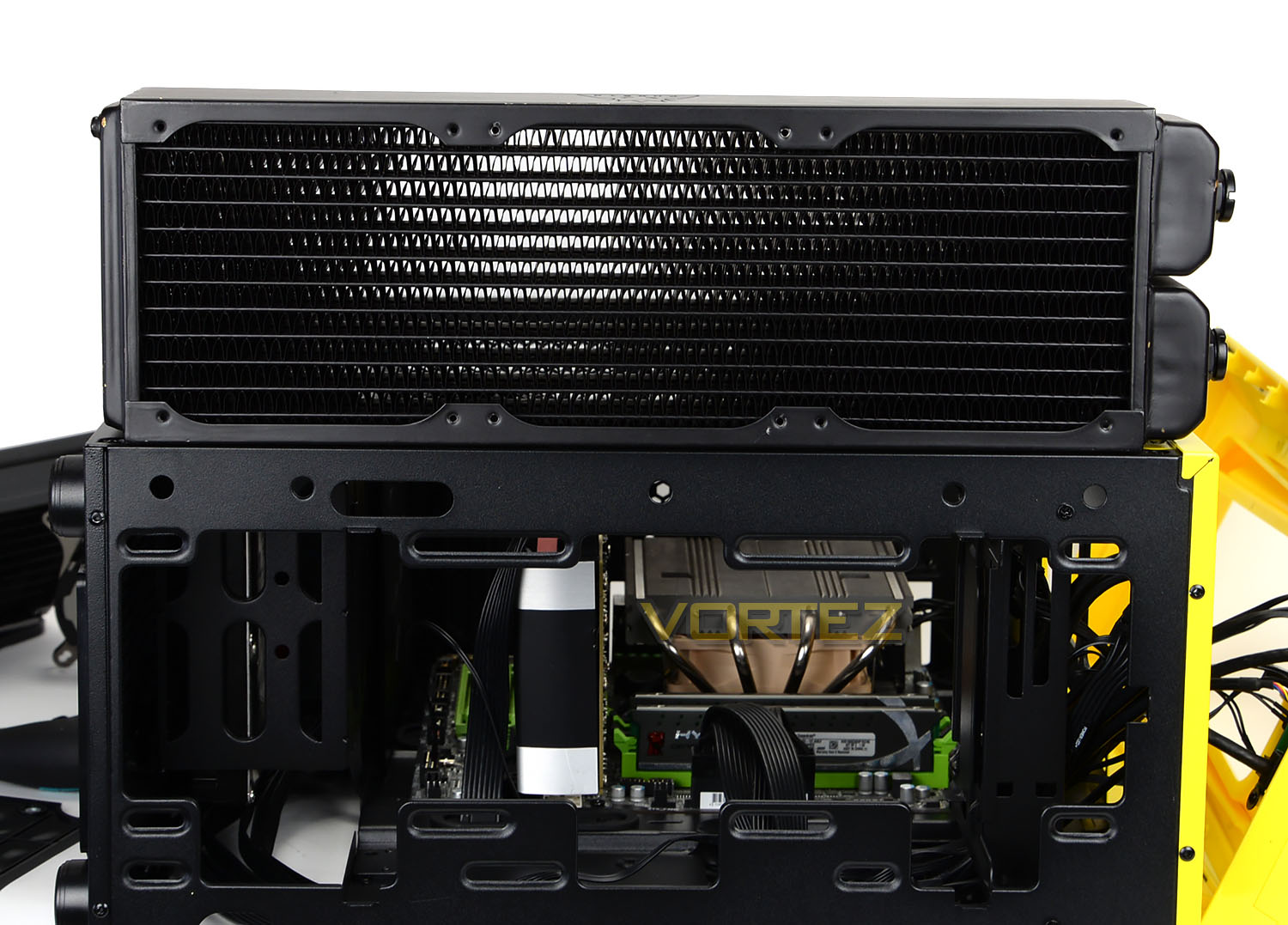
Water cooling is an avenue that many enthusiasts are taking nowadays whether this is a fully fledged custom configuration or a closed loop product. At the front, although BitFenix claim 360mm radiators are supported you can see that our Phobya G-Charger 360mm was simply too big when lining this up on the outside – let alone attempting to move it inside the chassis. Smaller, 280/240mm radiators will fit without any hassles though.
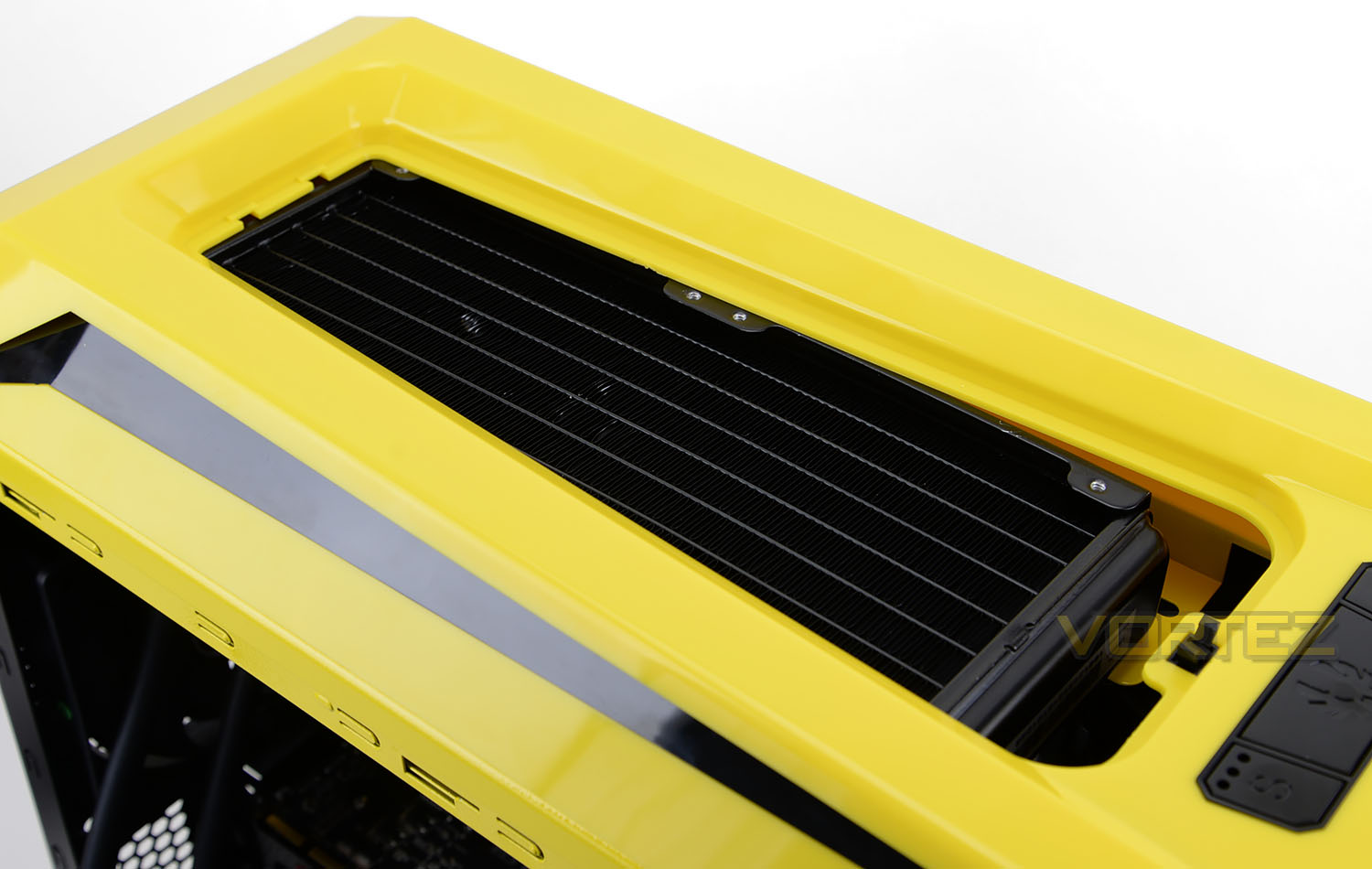
At the top of AEGIS, BitFenix claim support up to 360mm but again this only applies to certain models. We managed to install the popular Corsair Hydro H105 inside the case without any problems – it fit within the roof cavity (without the fans).
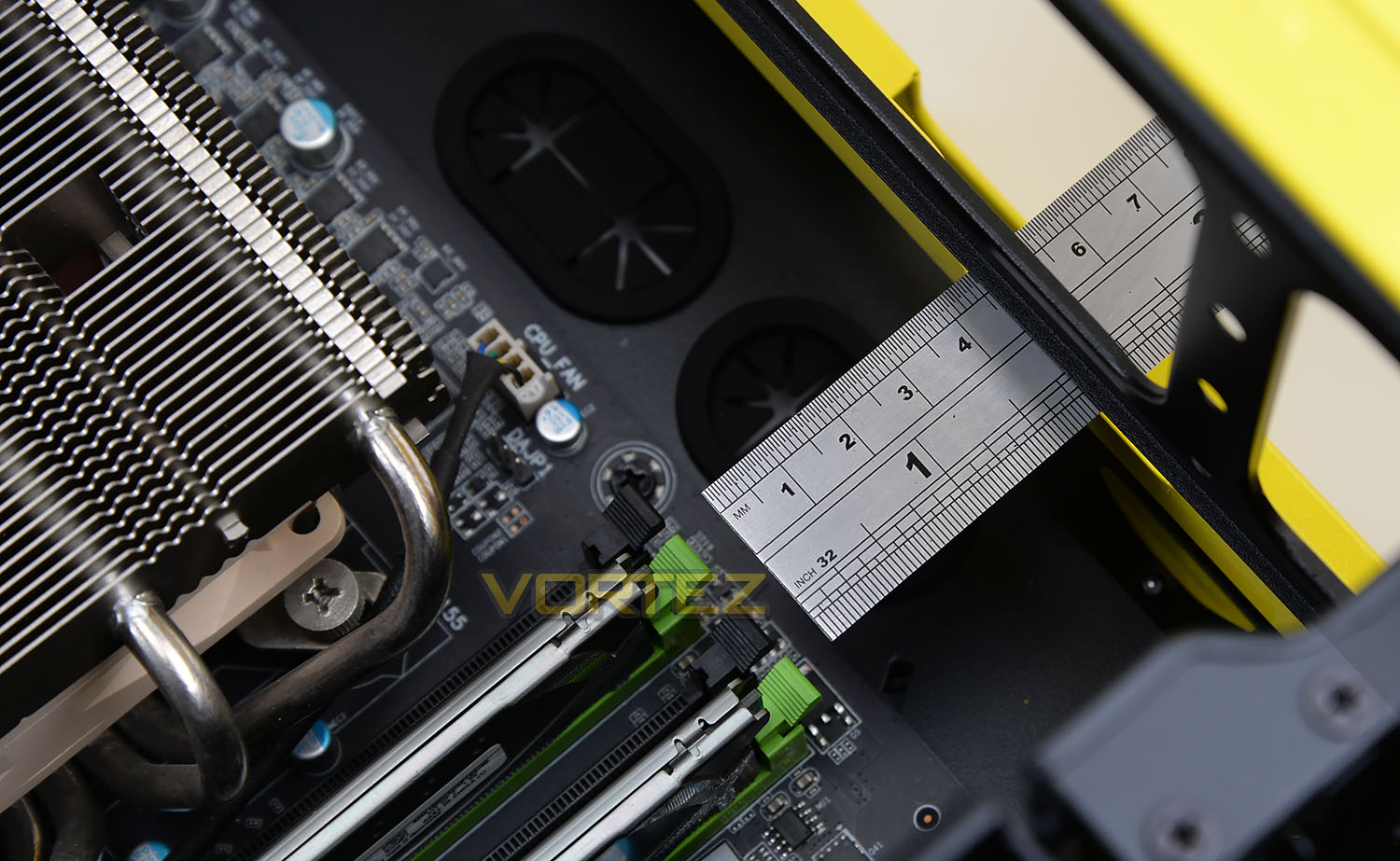
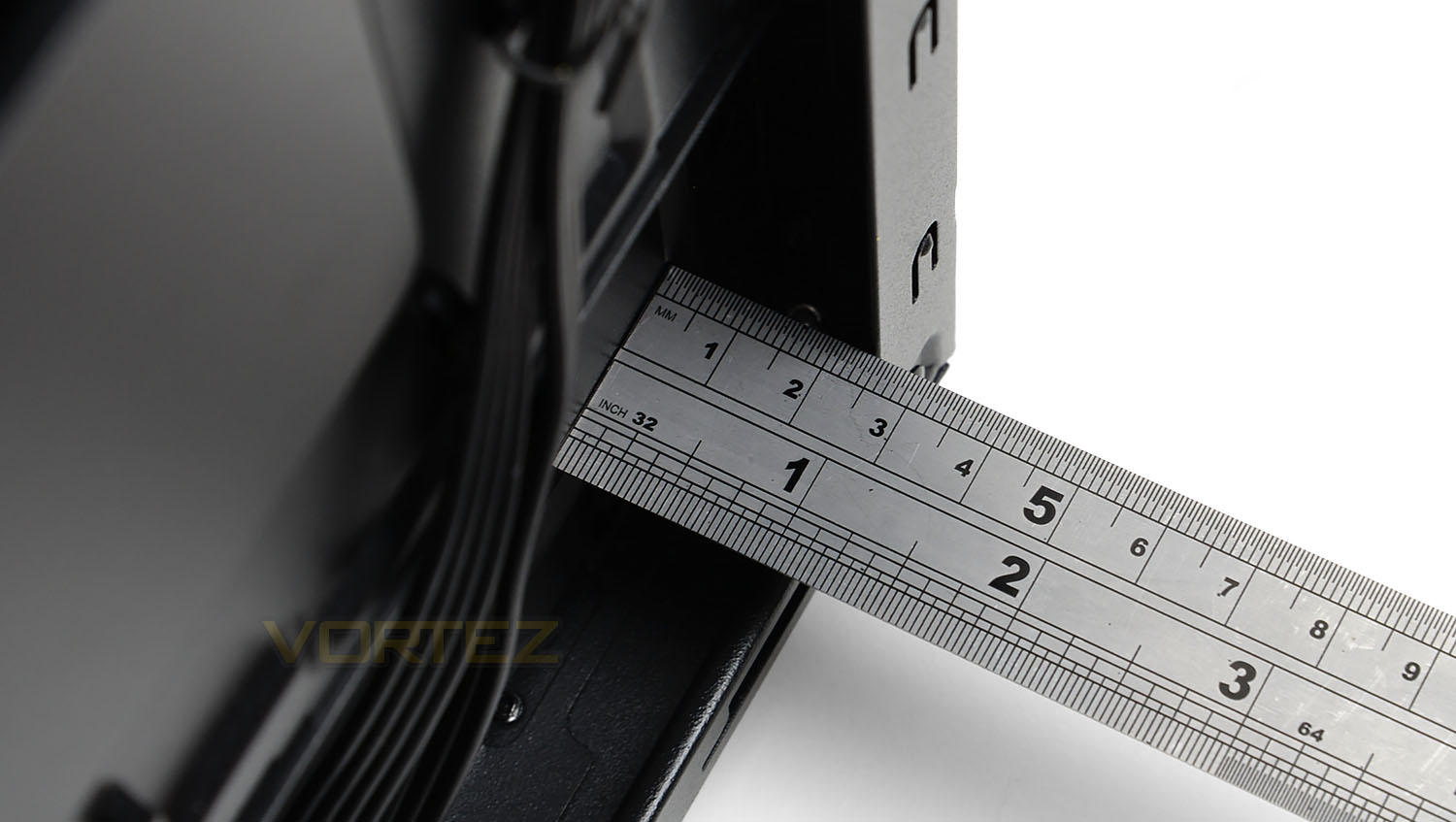
There is approximately 4cm of clearance from the top of the motherboard tray to the top of the chassis.
Cable Management
Behind the motherboard tray there are varying measurements we can take but the area directly behind the PSU offers just over 2cm of clearance between the tray and the side panel.
In the areas towards the front of the chassis it can be tough to fit cables and fit the side panel back onto the chassis.
Thermal Performance Testing
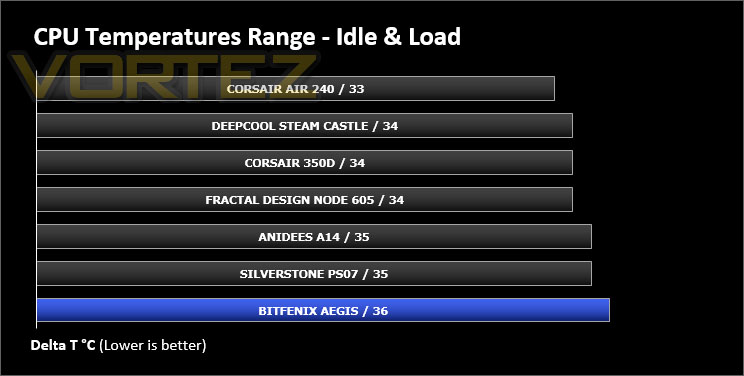
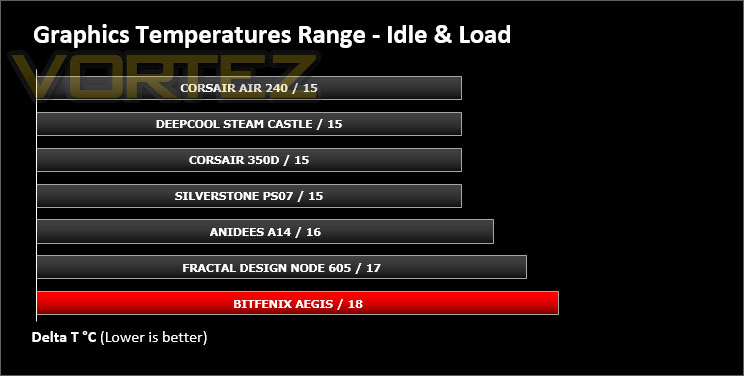
Inside AEGIS there is just a single 120mm fan – placed at the rear, as an exhaust. Without having air blowing across the system from the front there will be an obvious disadvantage here.
To discover the thermal performance of the AEGIS we will record idle temperatures after 20 minutes from a cold boot. We will then stress the system and temperatures will again be monitored after 30 minutes have elapsed.
For the purpose of accurate analysis the idle and load temperatures for CPU and motherboard will be recorded and the range between idle and load will be calculated to determine how efficient cooling is.
NOTE: Ambient temperature is 20C
System Components
CPU Intel Core i5 3570K
CPU Cooler Noctua NH-L12
Motherboard GIGABYTE G1 Sniper M3
Graphics XFX HD7970 Black Edition
Memory 4GB Kingston HyperX 1600MHz
HDD Kingston HyperX 240GB
PSU FSP Aurum 650M
CPU Cooler Noctua NH-L12
Motherboard GIGABYTE G1 Sniper M3
Graphics XFX HD7970 Black Edition
Memory 4GB Kingston HyperX 1600MHz
HDD Kingston HyperX 240GB
PSU FSP Aurum 650M
Noise
Having the option to modify the speed of the fan inside AEGIS comes in handy for reducing noise levels, but even with the fan on the high setting it doesn’t emit a huge amount of noise.
Conclusion
BitFenix has built itself a reputation for being bright and lively and the AEGIS computer chassis reinforces this trend. Just like other cases before it, AEGIS is available in a wide selection of colours to appeal to the system builder’s personal taste.
Inside the chassis we found AEGIS was able to host a plethora of hardware; including large, flagship CPU coolers and high-end graphics cards. There is also allocation for different sized radiators and storage drives which will come in extremely handy.
Unfortunately it isn’t all favourable though, since this case comes with just a single cooling fan and closed off front and side panels, the cooling performance is hindered. There are plenty of areas to include more fans but out of the box the thermals aren’t great.
We also found the LCD on this ICON edition to be rather dull. Even after increasing the brightness on our logo the visibility was still an issue.
AEGIS is priced at £79 GBP / $100 USD which places it into an arena with some fierce competition. In this price-range there are a number of prolific cases which use steel/aluminium for their construction. We are reminded that AEGIS does come with some useful features such as the fan controller though!
AEGIS is bright, vibrant and lively. This M-ATX case arrives with some handy features and a spacious chassis to entertain a selection of hardware.
Pros
+ Available in a selection of colours
+ Three-speed fan controller included
+ Reservoir/Pump brackets supplied
+ Good clearance for hardware
+ Plenty of storage options
Cons
– Poor stock thermal performance
– Lots of plastic
– LCD is dull
– Cable management can be tricky
+ Available in a selection of colours
+ Three-speed fan controller included
+ Reservoir/Pump brackets supplied
+ Good clearance for hardware
+ Plenty of storage options
Cons
– Poor stock thermal performance
– Lots of plastic
– LCD is dull
– Cable management can be tricky

Click here for an explanation of our awards at Vortez.net.