







Stuck on a tight budget? Neos is a mid-tower computer chassis available in different styles and colors; all at an incredibly low-cost for entry level.

Product on Review: Neos
Manufacturer and Sponsor: BitFenix
Street Price: £30 GBP / $50 USD
It’s been almost two years since we last reviewed a case from BitFenix and it’s fair to say that we have always found their products praiseworthy. We aren’t alone in our admiration for the brand either, other evaluations are testament to such a claim and this has been the driving force behind their passion over the four years BitFenix have been around.
Today we are to look at Neos – BitFenix’ most aggressively priced computer chassis to date. Neos is a mid-tower which comes in a wide array of different colours and promises to deliver on quality and features by still providing dust filters, tool-free mechanisms and a single 120mm cooling fan – all for the mere sum of just £30 / $50.
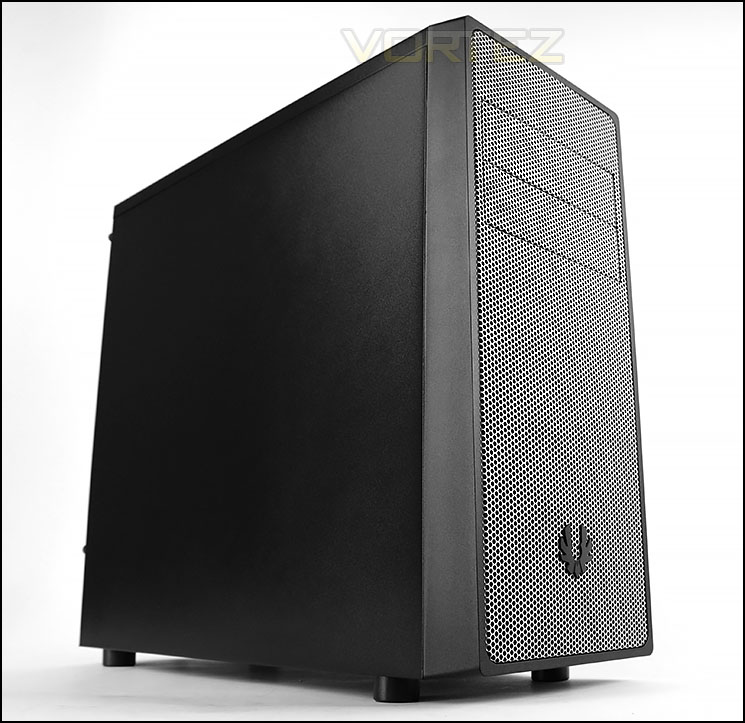
BitFenix on their Neos
Simple yet stylish, feature-rich yet affordable, Neos is the ideal PC chassis for value seekers and first-time builders. The elegantly crafted mesh front panel brings a clean and uncluttered look to the chassis while bringing a splash of color to brighten up any computing space. Users can look forward to dedicated 3.5″ and 2.5″ drive racks, and compatibility with graphics cards up to 30cm long. Neos makes installation easy with tool-free mechanisms and dual dust filters mean quick cleanup. To enable quick file transfers, Neos even comes equipped with a high-speed USB port. Brimming with niceties like an aluminum BitFenix logo badge and a powder-coated interior, Neos brings a colorful and smart design at an eminently affordable price point.
Technical Specifications
Materials
Steel, Plastic
Color (Int/Ext)
Black/Black, White/White
Dimensions (WxHxD)
185 x 429 x 470
Motherboard Sizes
Mini-ITX, mATX, ATX
5.25″ Drive Bays
2
3.5″ Drive Bays
3
2.5″ Drive Bays
3
Cooling Front
2 x 120mm (optional)
Cooling Rear
1 x 120mm (included)
PCI Slots
7
I/O
1 x USB3.0, 1 x USB2.0, HD Audio
Power Supply
PS2 ATX (bottom, multi direction)
Extras / Features
Front Dust Filter, PSU Dust Filter, Tool-Free Drive Locking
Steel, Plastic
Color (Int/Ext)
Black/Black, White/White
Dimensions (WxHxD)
185 x 429 x 470
Motherboard Sizes
Mini-ITX, mATX, ATX
5.25″ Drive Bays
2
3.5″ Drive Bays
3
2.5″ Drive Bays
3
Cooling Front
2 x 120mm (optional)
Cooling Rear
1 x 120mm (included)
PCI Slots
7
I/O
1 x USB3.0, 1 x USB2.0, HD Audio
Power Supply
PS2 ATX (bottom, multi direction)
Extras / Features
Front Dust Filter, PSU Dust Filter, Tool-Free Drive Locking
Packaging & First Look
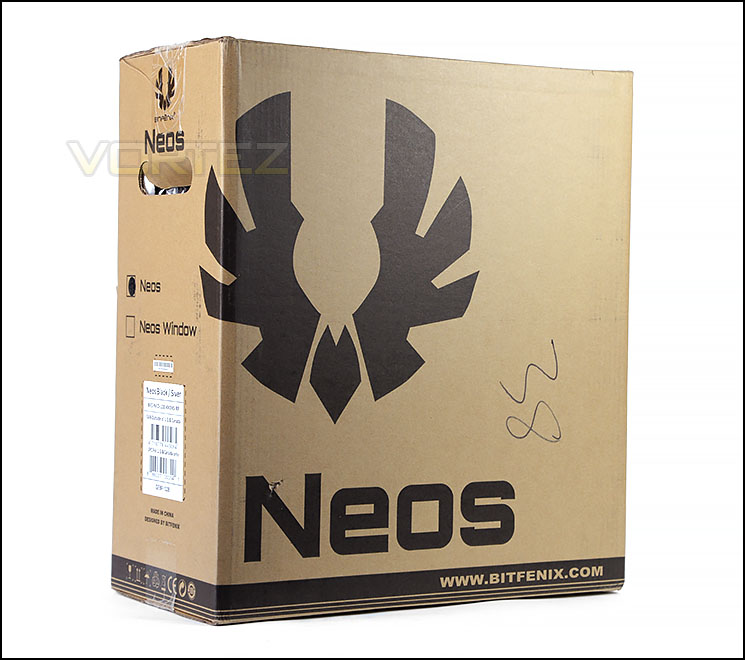
Packaging for Neos
Neos arrives in a large eco-friendly box which can be recycled if desired. The front has the BitFenix logo and model name printed whilst the rear has schematic diagrams of the case.
Inside, Neos is concealed within a clear plastic sheet and supported with two polystyrene pillars to ensure safe arrival during transit.
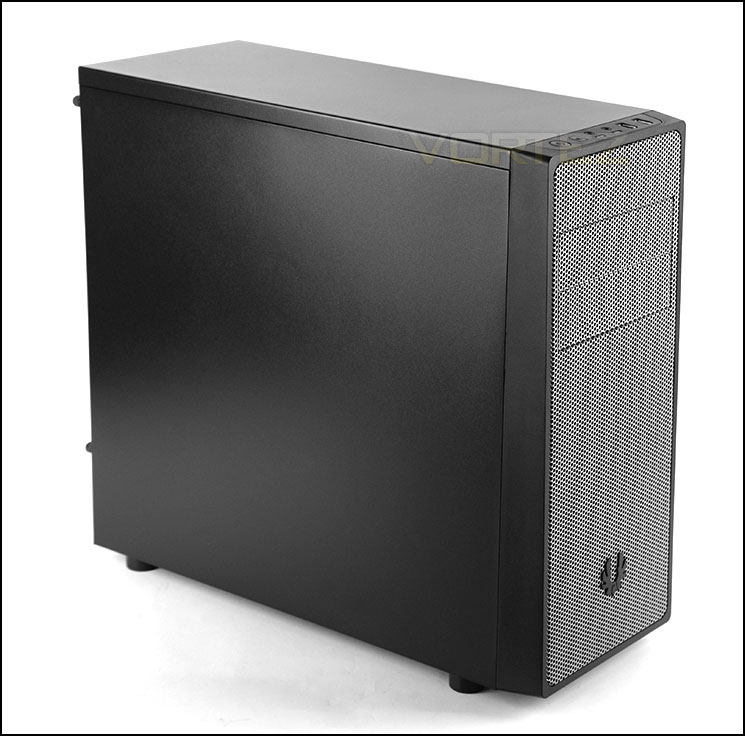
Professional and elegant
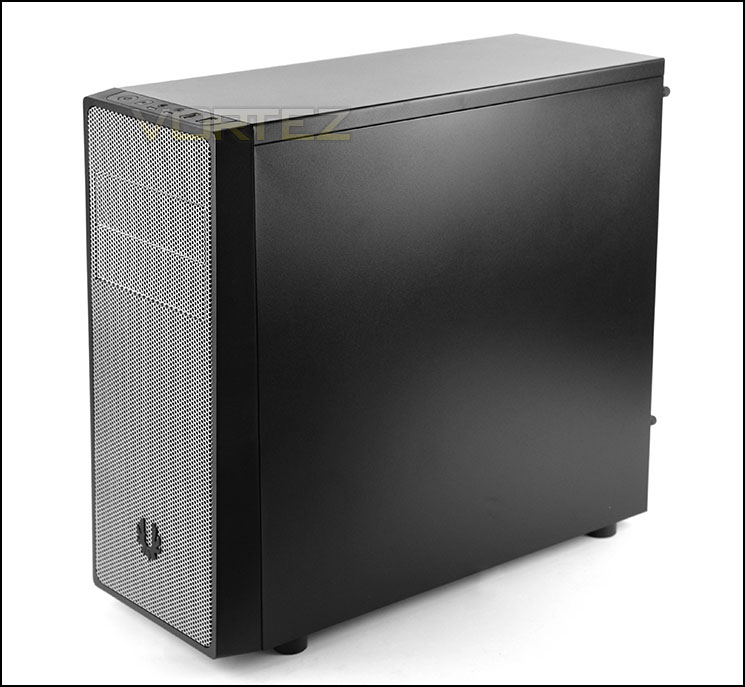
Solid side panels
Unveiling Neos we are met by a sleek mid-tower computer chassis. Neos is available in a wide spectrum of options which include the following (ours sample is black/grey):
Black + Black/Gold/Red/Silver/Blue
White + Purple/Red/Silver/White/Blue
There is also the choice of a windowed version too.
Both the side panels and top panel are completely solid steel and without any significant features for attaching cooling fans etc.
On the subsequent pages we’ll move in for a closer look at all the features.
Exterior
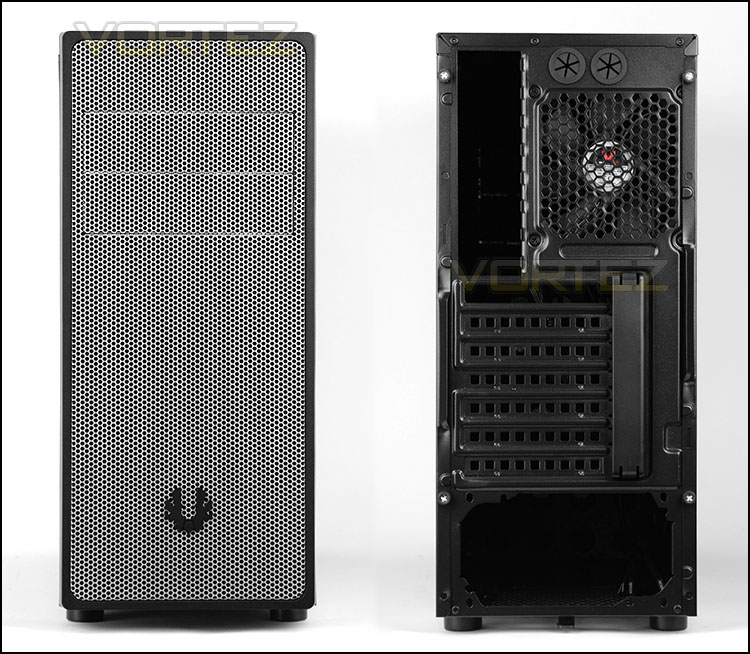
The front and back of Neos
Casting our eyes on the front of Neos we can quickly see the entire panel is perforated mesh. BitFenix has intentionally designed the front to have larger mesh holes than usual to aid airflow – if you are going to install fans at the front (none are included). BitFenix include two 5.25” drive bay covers which are also adorned in the same perforated mesh.
Around the back, at the bottom there is an opening for mounting a PSU. Above this there are a total of seven PCI expansion slot covers – all of these covers are disposable and once removed cannot be re-attached. By default the top slot comes without a PCI cover – the reason behind this being that most system builders use the top PCI express slot for graphics card installation anyway. Further up there is a 120mm rear exhaust fan and two circular rubber grommets for cables/tubing.

Detachable dust filter at the front
The fascia at the front of Neos can be unclipped from the chassis and reveals a handy, removable dust filter which covers the front cooling fan spots. BitFenix also include foam cut-outs on the reverse of the fascia to further collect dirt/dust.
2x 120mm cooling fans can be mounted to the front of Neos but are not included.
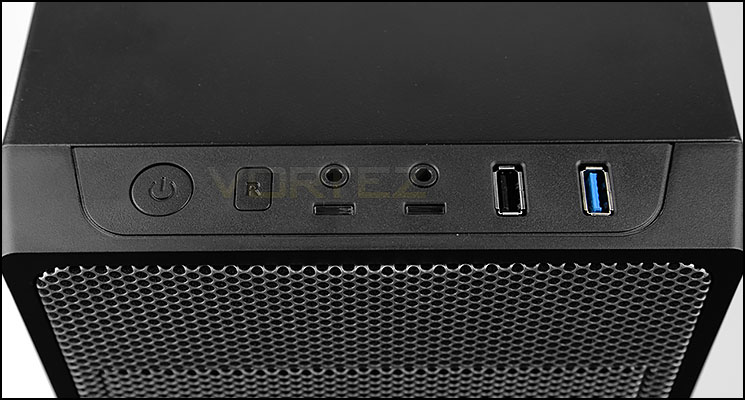
Front panel connectivity including a single USB 2.0 and USB 3.0
Since the top of Neos is solid and without any distinct attributes, the only noteworthy feature at the top is the front panel connectivity. This includes the following:
• Power button
• Reset button
• Headphone/Microphone jacks
• Power/Activity LEDs
• 1x USB 2.0 port
• 1x USB 3.0 port
On a case which is regarded entry level and low-cost it’s good to see the inclusion of USB 3.0. This port uses an internal motherboard header to operate.
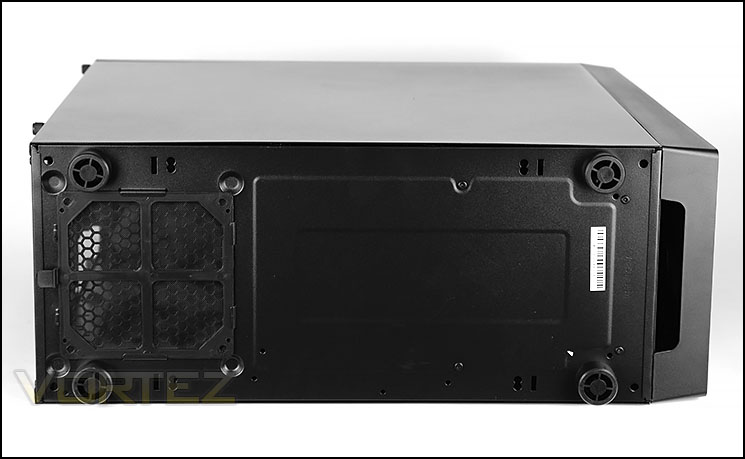
The underside with dust filter
Underneath the case, there are four plastic feet which provide a small amount of clearance from the floor (1.5cm).
Towards the back of Neos there is a detachable dust filter which covers the PSU area. Since the filter has a lever, it can be removed without having to flip the case on its side.
Interior
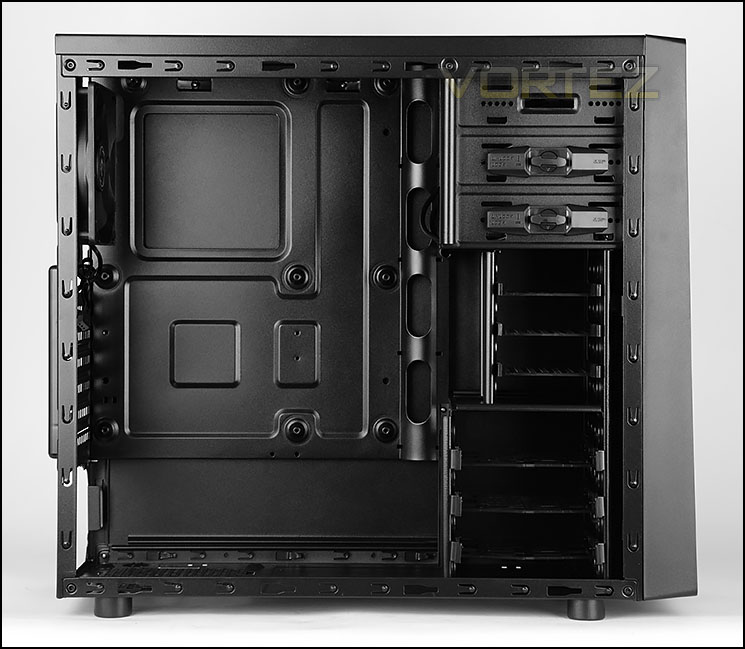
A view of the internal layout
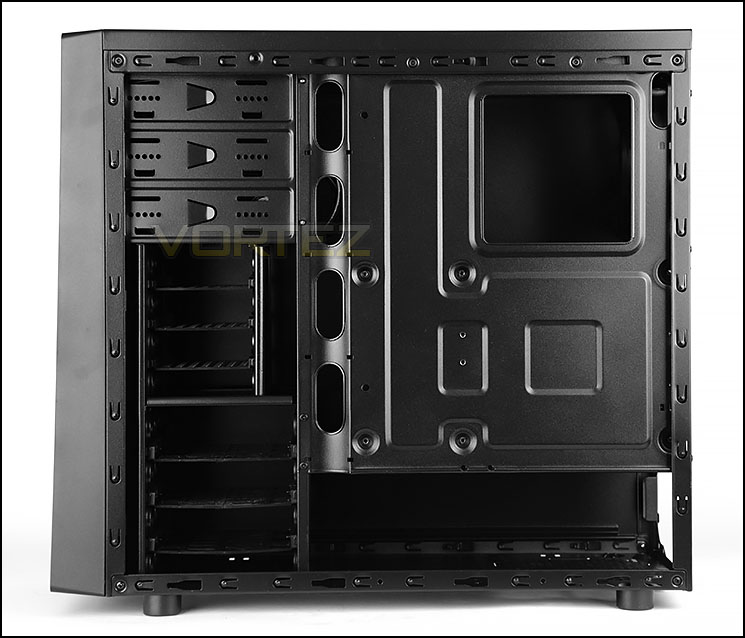
Behind the motherboard tray
Both side panels on Neos are secured in place with two thumbscrews. Upon removing these and sliding the panels off the case we can finally see the internal layout of this mid-tower.
Neos can accommodate up to ATX form factor motherboards and all internal components have been powder coated in black. The overall design and quality of the interior is great when we think back to the £30 / $50 price-tag.
We’ll now move in for a closer look at the different internal elements of Neos.
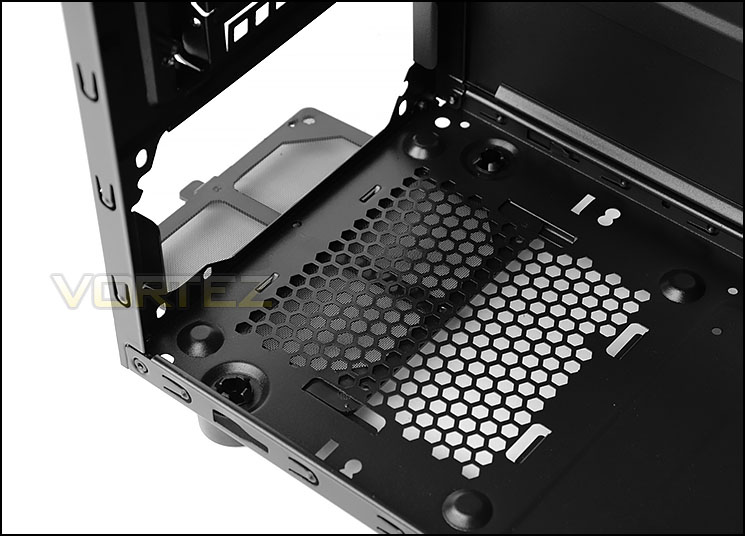
PSU seating area with dust filter
At the bottom of the case there are four mounts for installing the PSU. Unfortunately these mounts do not have any anti-vibration padding to cushion the unit once it’s in place, but there is a detachable dust filter on the reverse side.
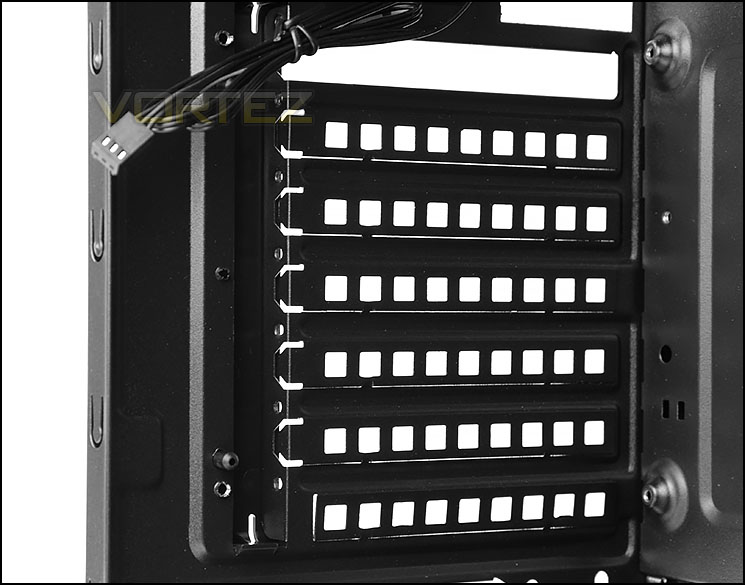
Seven PCI expansion slots
As mentioned previously, BitFenix has left the top cover absent from Neos since most users will be using it for graphic card installation but there are a total of seven slots. Sadly, all six of the included covers are disposable – meaning, once removed they cannot be reattached.
Interior (Continued)
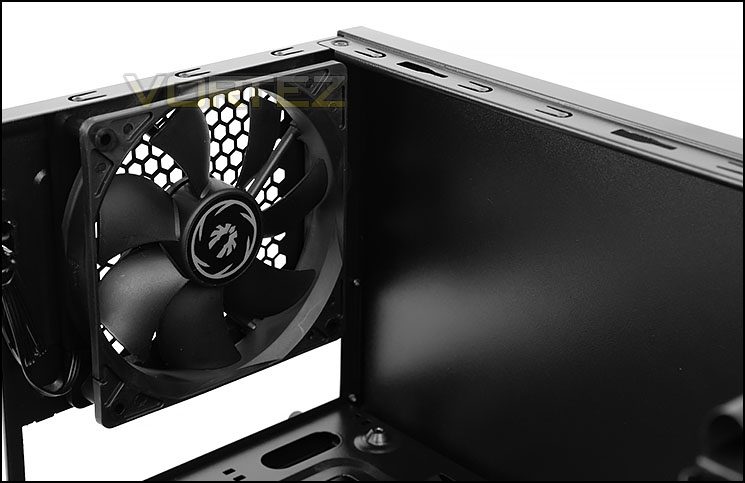
Pre-installed 120mm rear exhaust
Although there are no placements at the top of Neos for cooling fans, there is a 120mm rear exhaust included which is actually the only cooling fan found within the case.
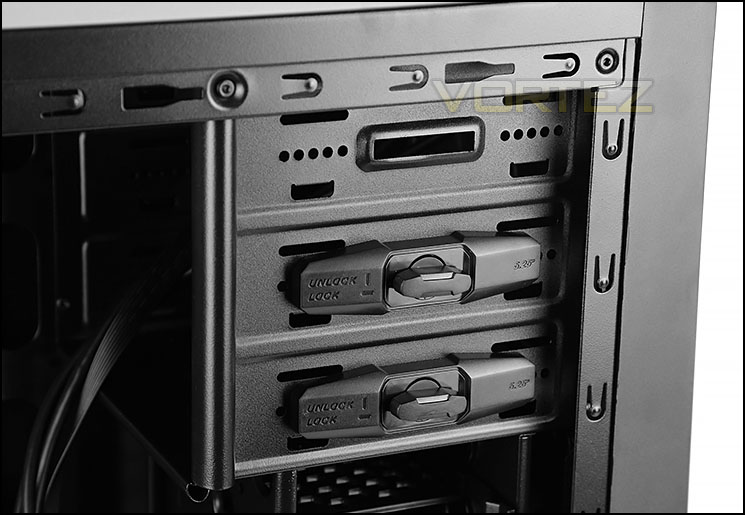
Three 5.25” drive bay slots
Moving over to the other side there are three 5.25” drive bays – two of which use a tool-free mechanism for getting devices installed whilst the upper bay requires screws to successfully secure.
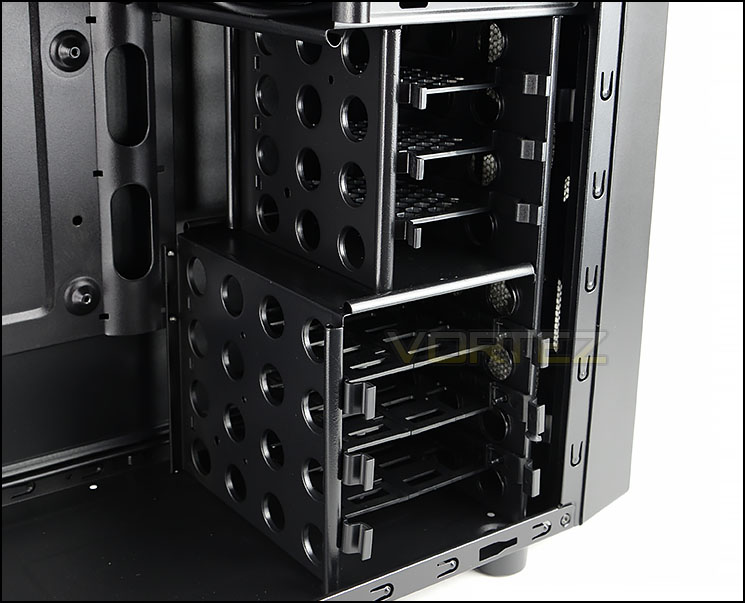
Up to six places for storage
For storage, BitFenix include two cages; the upper cage supports up to 3x 2.5” drives whilst the lower supports up to 3x 3.5” drives. Both sets of cages feature tool-free trays which attach to the drive and therefore do not require a screwdriver for installing. Behind these cages there are placements for attaching 2x 120mm cooling fans but there are none included.
Installation
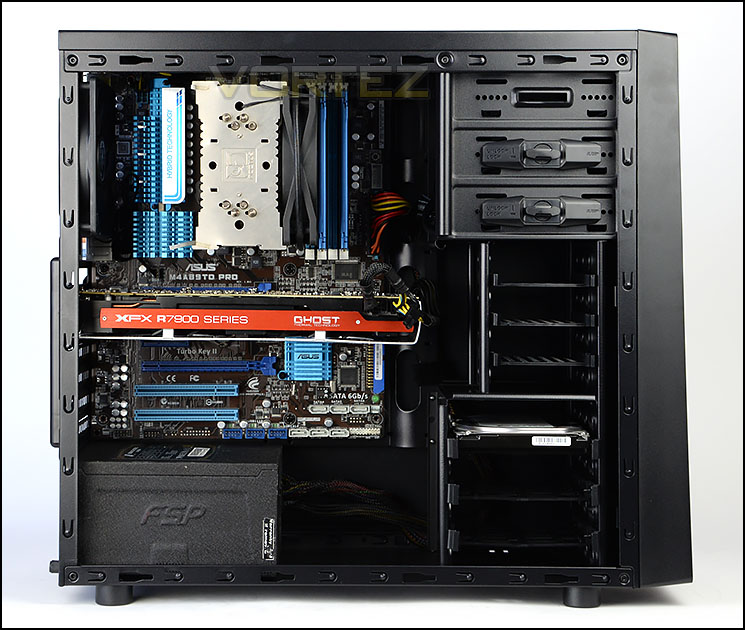
Installation is a breeze
Since Neos can entertain ATX as the biggest form factor we have installed our ATX test system inside the case. We encountered no issues during the installation process with this case and we can confidently approve the layout and design features.
Although there is very little space behind the motherboard tray, it’s still easy to arrange cables in an orderly fashion.
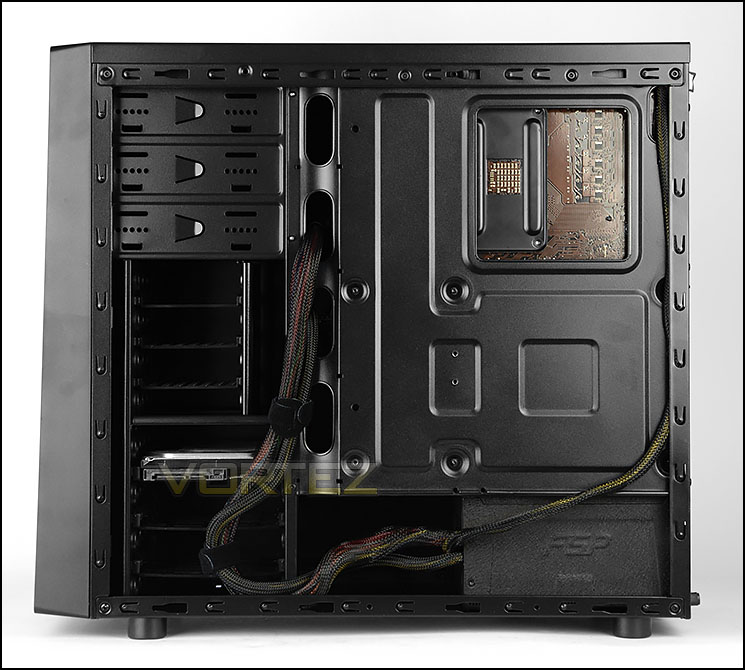
Easy to arrange cables
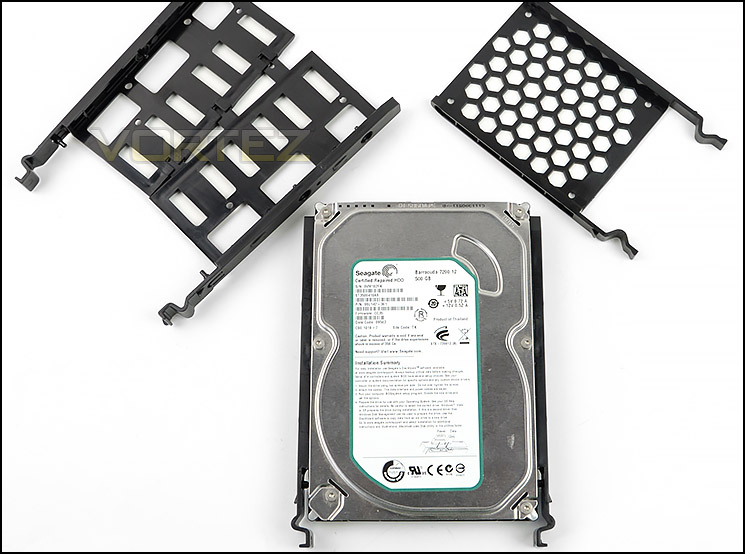
Tool-free trays for installing storage
Installing both 2.5” and 3.5” drives is simple – both types of storage are placed within a tray. The 3.5” tray is adjustable, which makes it easier to slot the drive into place.
Clearance – CPU Cooler, Graphics Card, Cable Management
Recognising the clearance limitations within a computer case is essential for system builders as it identifies which hardware fits and which doesn’t.
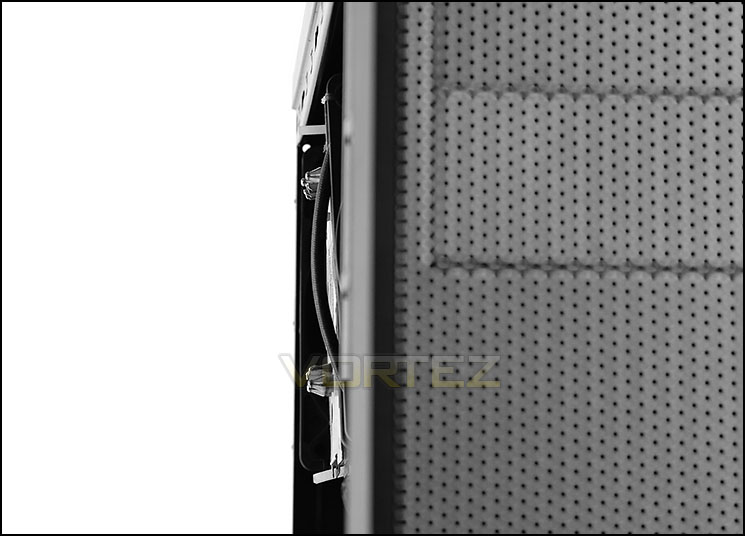
Just enough space for our CPU cooler
CPU Cooler
For CPU cooler clearance there is up to 158mm for the total height. Our system uses the Noctua NH-U12P which is exactly 158mm. As you can see from the picture, there is just enough space to get the side panel fitted without obstruction. Bigger flagships like Noctua NH-D14/D15 which are 160mm will not fit inside this case.
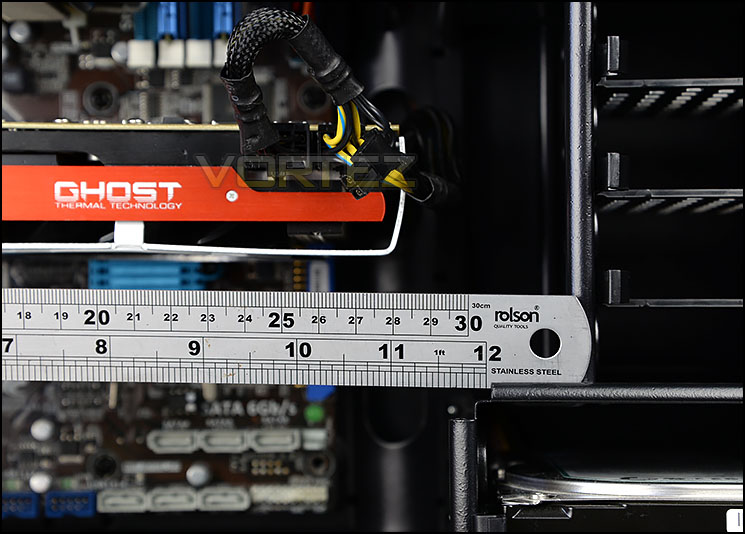
Good clearance for graphics cards
Graphics Card
Since the upper storage cage is indented the top slot will provide best clearance. Many users will use a single card configuration so up to 13” of space is sufficient for most enthusiasts.
If however a dual graphics card configuration is installed the maximum length of the card that can be installed is 11.5”.
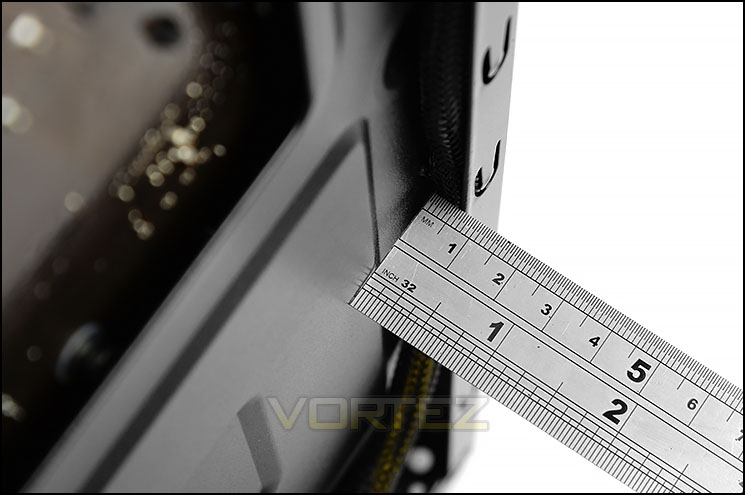
Very little space behind the motherboard tray
Cable Management
Although there is space around the storage cages serious system builders will want to know how much space there is directly behind the motherboard tray. Unfortunately there is very little clearance here – just 0.5cm.
Due to there being very little space, care has to be taken with how the cables are arranged. On the previous page, our organising of the cables allows the side panel to fit onto the chassis without a hitch.
Thermal Performance Testing
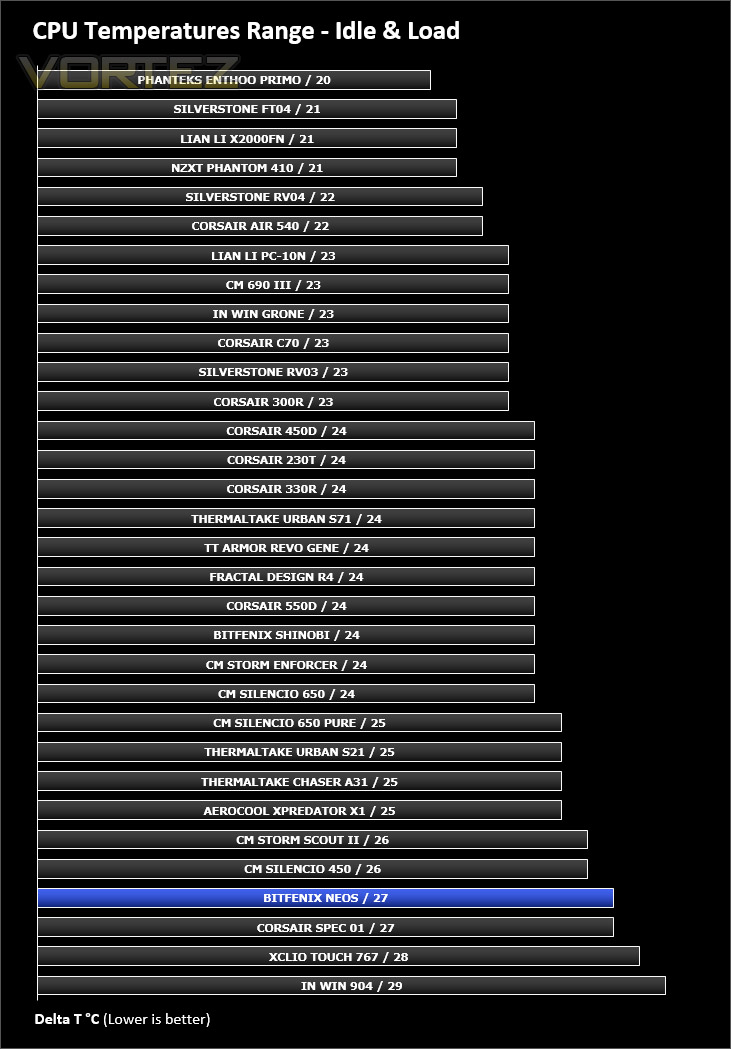
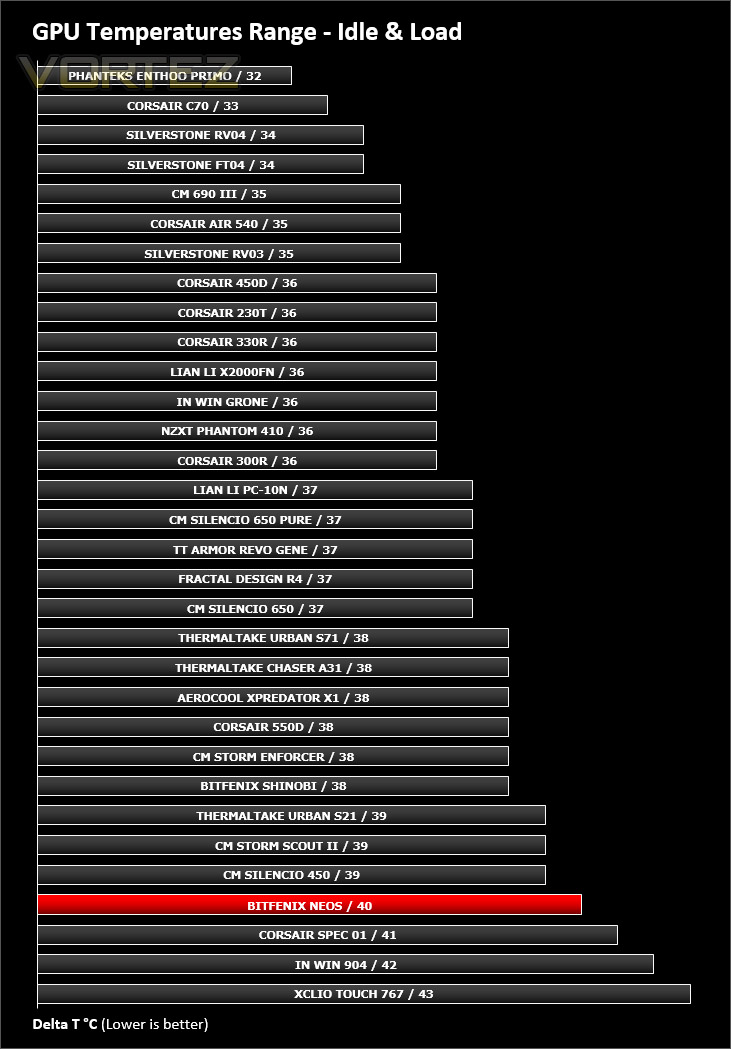
Neos features just a single 120mm cooling fan which is positioned at the rear of the case and is configured to be an exhaust – the lack of push/pull arrangement inside the case could have a negative impact on temperatures when we compare against other cases.
To discover the thermal performance of Neos we will record idle temperatures after 20 minutes from a cold boot. We will then stress the system and temperatures will again be monitored after 30 minutes have elapsed.
For the purpose of accurate analysis the idle and load temperatures for CPU and GPU will be recorded and the range between idle and load will be calculated to determine how efficient cooling is.
NOTE: Ambient temperature is 20C
System Components
CPU AMD Phenom II X6 1055T 2.8GHz
Motherboard ASUS M4A89TD PRO
Graphics NVIDIA GTX 480 (Different from card pictured)
Memory 4GB Kingston HyperX DDR3
HDD Samsung Spinpoint 500GB SATA-II
PSU FSP AURUM GOLD 650M
Motherboard ASUS M4A89TD PRO
Graphics NVIDIA GTX 480 (Different from card pictured)
Memory 4GB Kingston HyperX DDR3
HDD Samsung Spinpoint 500GB SATA-II
PSU FSP AURUM GOLD 650M
Noise
Neos has just one cooling fan in its default, stock configuration. Having just a single 120mm cooling fan results in very little noise at all.
Conclusion
In their pursuit to dominate the market, BitFenix now has numerous computer chassis models which target different price bands. Their most recent release; Neos, is their most aggressively priced case yet.
Neos should suit users which prefer subtle and clean styling which maintains a sense of elegance. Not only is the styling spot on, but BitFenix also supply this case in a myriad of different flavours to satisfy personal preference and particular system configurations.
Inside the chassis, the layout is generous to high-end system specifications and the build quality is surprisingly good for such a low price-tag. Although there are some constraints for the maximum height of the CPU cooler, the graphics card clearance is pleasing – allowing up to 13” for a single card configuration.
Most, if not all cases engineered at this price-point will have certain cut-backs and Neos does have a few. At the top of the case there are no mounting holes for installing cooling fans or adding in a radiator as part of an ALC and we were slightly disappointed to see all PCI covers are disposable once removed.
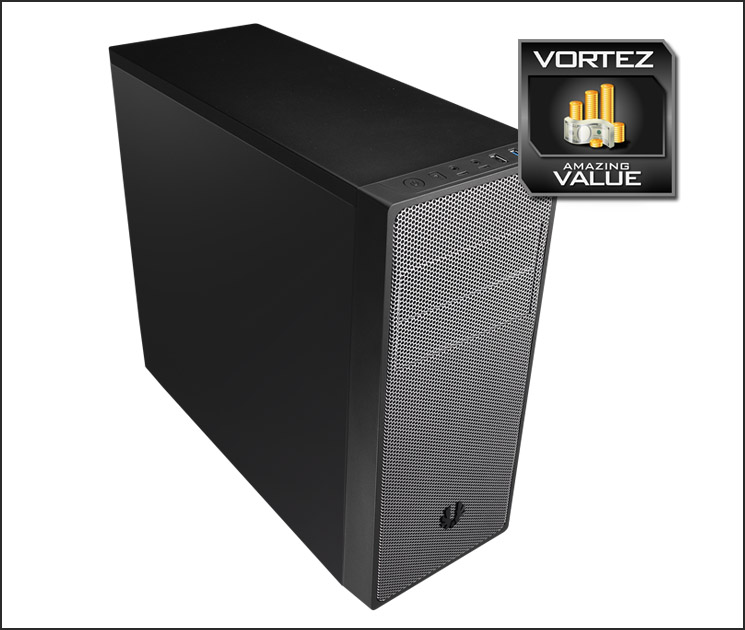
The cost of this case is by far one of the biggest highlights. Neos can be purchased for £30 / $50 which is amongst the lowest priced options on the market and you’d be hard pushed to find something which includes such a solid design and useful feature-set.
BitFenix has done an excellent job in bringing to market such an aggressively priced computer chassis. Neos represents fantastic value for money and will be ideal for any system builder where adhering to a tight budget is paramount.
VIDEO REVIEW – VORTEZ TV
Pros
+ Professional & clean aesthetics
+ Big selection of colours available
+ Amazing value for money
+ Good build quality
+ Dust filters supplied
Cons
– Disposable PCI covers
– Limitation for CPU cooler
– No option for dual radiator ALC at top
+ Professional & clean aesthetics
+ Big selection of colours available
+ Amazing value for money
+ Good build quality
+ Dust filters supplied
Cons
– Disposable PCI covers
– Limitation for CPU cooler
– No option for dual radiator ALC at top

Click here for an explanation of our awards at Vortez.net.


