Looking for an inexpensive computer chassis for your new build? BitFenix Nova seeks to deliver style and features with an entry level price-tag.

Product on Review: Nova
Manufacturer & Sponsor: BitFenix
Street Price: £26.99 GBP / $50 USD
Planning a system build demands careful preparation and often the element which overrules the purchase of components is the cost. The humble computer case is responsible for housing a new a new build and is often the area to which enthusiasts want to save money. The problem with this however is that the entry level computer chassis market lacks reputable cases; with many offering questionable quality, features and sometimes styling.
Earlier this month BitFenix announced Nova – a budget orientated computer case which seeks to bring style and finesse for those needing a cost-effective enclosure. Inside there is a selection of useful features and the space to accommodate various hardware. In this review we’ll be exploring this new case to determine whether this is the best, inexpensive case that money can buy!
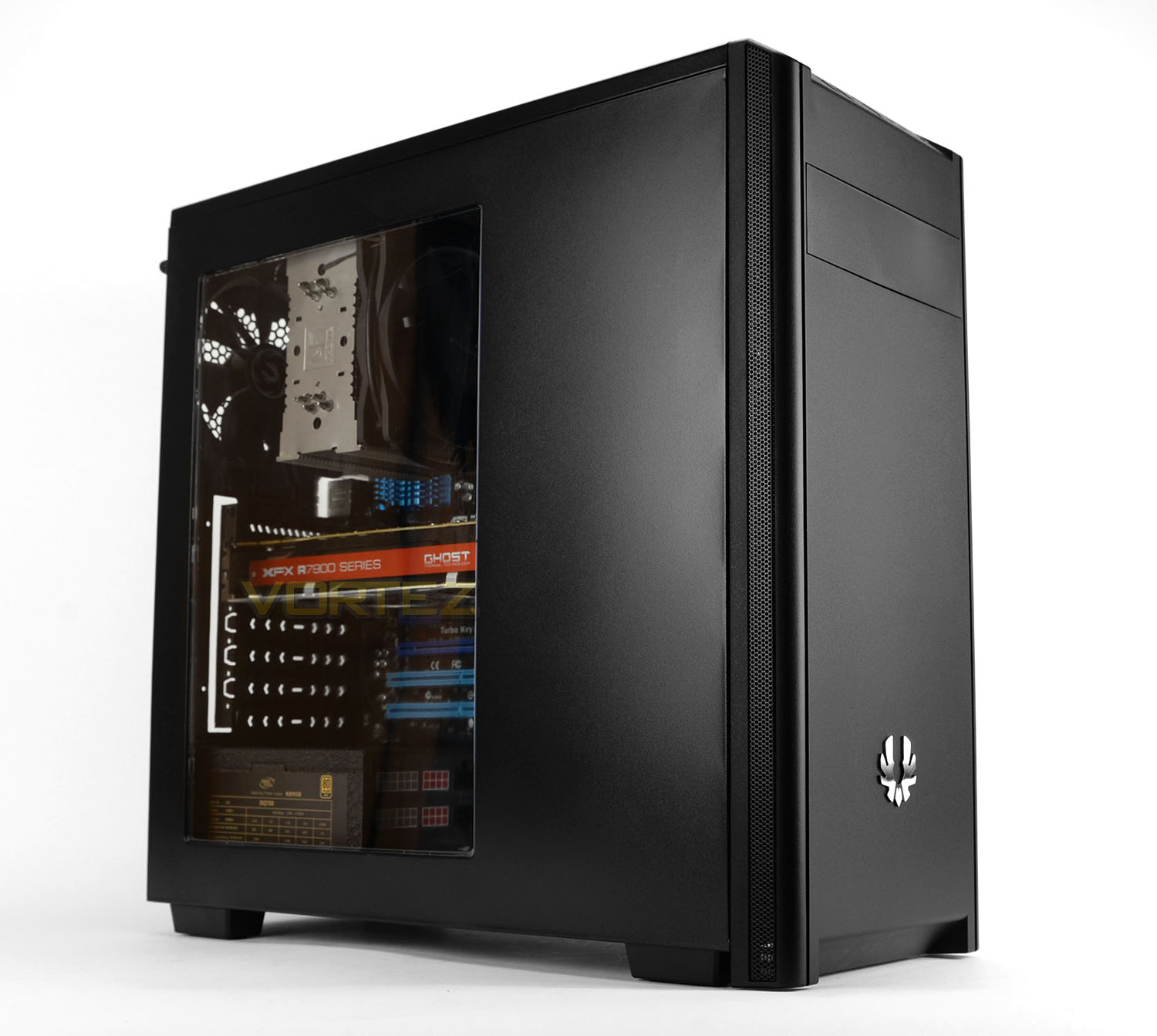
BitFenix on their Nova
BitFenix Nova delivers style, performance and silence at an incredibly competitive price. Whether you plan to build a basic office, home or gaming system, Novas simplistic design, aluminum badge, color options and optional window side panel mean it will blend in perfectly. Long air vents running along the sides of its front, hidden behind sleek mesh strips, provide plenty of airflow to cool the system. And as a result allowed us to keep Novas Top and Front panel completely closed to block fan-noise from escaping the enclosure, and dust from building up inside.
Technical Specifications
Colors
Black – White
Motherboard
ATX, Micro ATX, Mini-ITX (7 expansion slots)
CPU Cooler
up to 160mm tall
VGA
up to 320mm long and up to 140mm tall
Power Supply
up to 220mm long
5.25” ODD Slots
1
3.5” HDD Slots
4
2.5” SSD Slots
2
Dust Filter Bottom
slide-out PSU Dust Filter
Cooling Front
120mm x 2
Cooling Rear
120mm x 1 (included)
Radiator Rear
120mm
I/O
USB 3.0 x 1, USB 2.0 x 1, HD Audio MIC & Headphone, Power LED (white), HDD LED (red)
Dimensions (WxHxD)
183 x 437 x 465 mm – 7.20 x 17.20 x 18.30 inch
Materials
Steel, Plastic
Weight
4.8Kg – 10.6lbs
Special Features
Closed Frontpanel to block noise, Frontpanel sidevents for good airflow, Large window sidepanel, pre-installed mainboard stand-offs, ruberized anti-slip casefeet, PSU dust filter
Black – White
Motherboard
ATX, Micro ATX, Mini-ITX (7 expansion slots)
CPU Cooler
up to 160mm tall
VGA
up to 320mm long and up to 140mm tall
Power Supply
up to 220mm long
5.25” ODD Slots
1
3.5” HDD Slots
4
2.5” SSD Slots
2
Dust Filter Bottom
slide-out PSU Dust Filter
Cooling Front
120mm x 2
Cooling Rear
120mm x 1 (included)
Radiator Rear
120mm
I/O
USB 3.0 x 1, USB 2.0 x 1, HD Audio MIC & Headphone, Power LED (white), HDD LED (red)
Dimensions (WxHxD)
183 x 437 x 465 mm – 7.20 x 17.20 x 18.30 inch
Materials
Steel, Plastic
Weight
4.8Kg – 10.6lbs
Special Features
Closed Frontpanel to block noise, Frontpanel sidevents for good airflow, Large window sidepanel, pre-installed mainboard stand-offs, ruberized anti-slip casefeet, PSU dust filter
Packaging & First Look
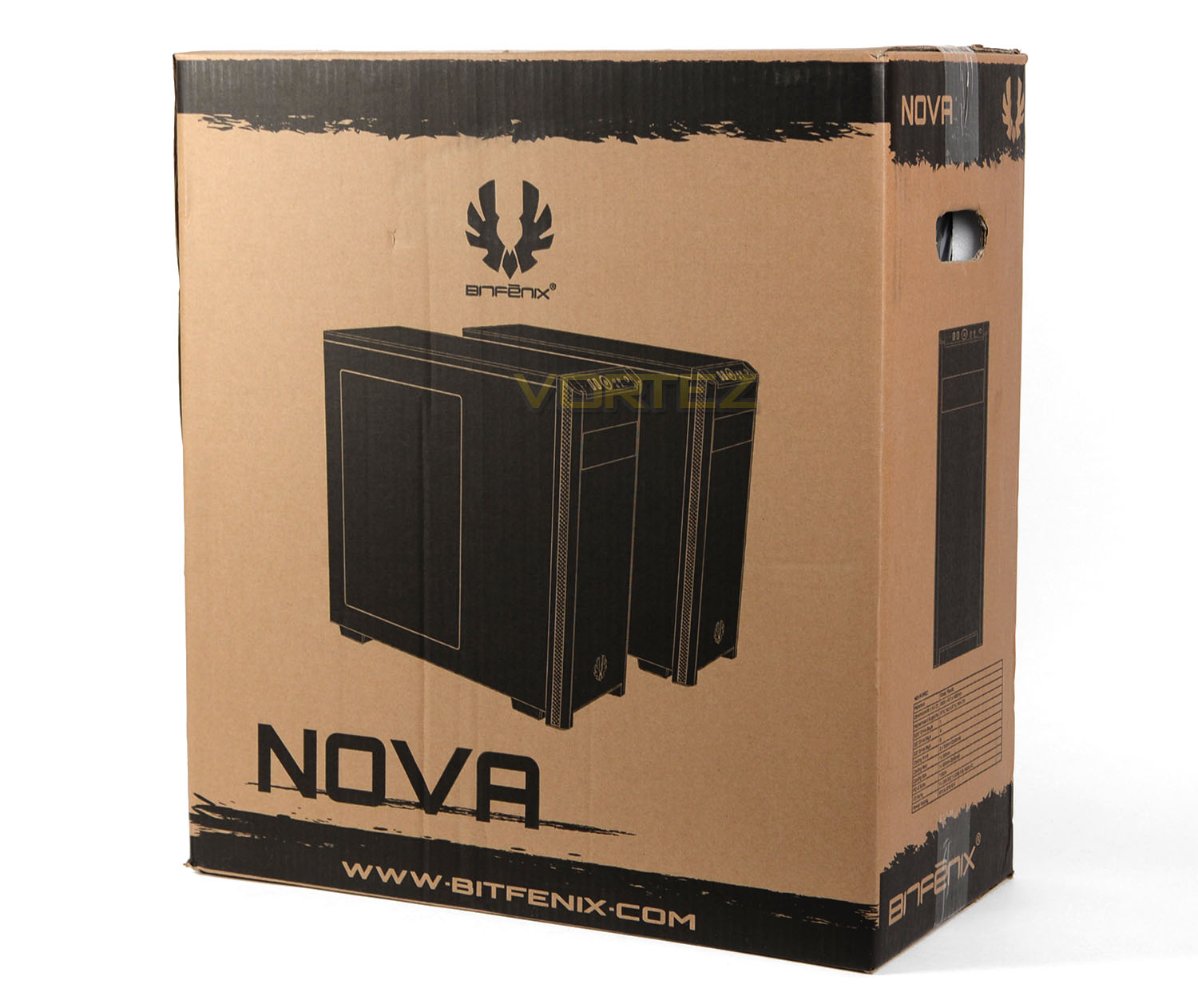
Nova arrives in an eco-friendly box which can be recycled after the case is unpacked. On the front there is an illustration of Nova while the sides contain detailed information on the technical specifications. The rear of the box highlights some of the key features this case delivers.
Inside, Nova is covered in a thin plastic sheet and two polystyrene blocks help to securely fix the case into place while the parcel is in transit.
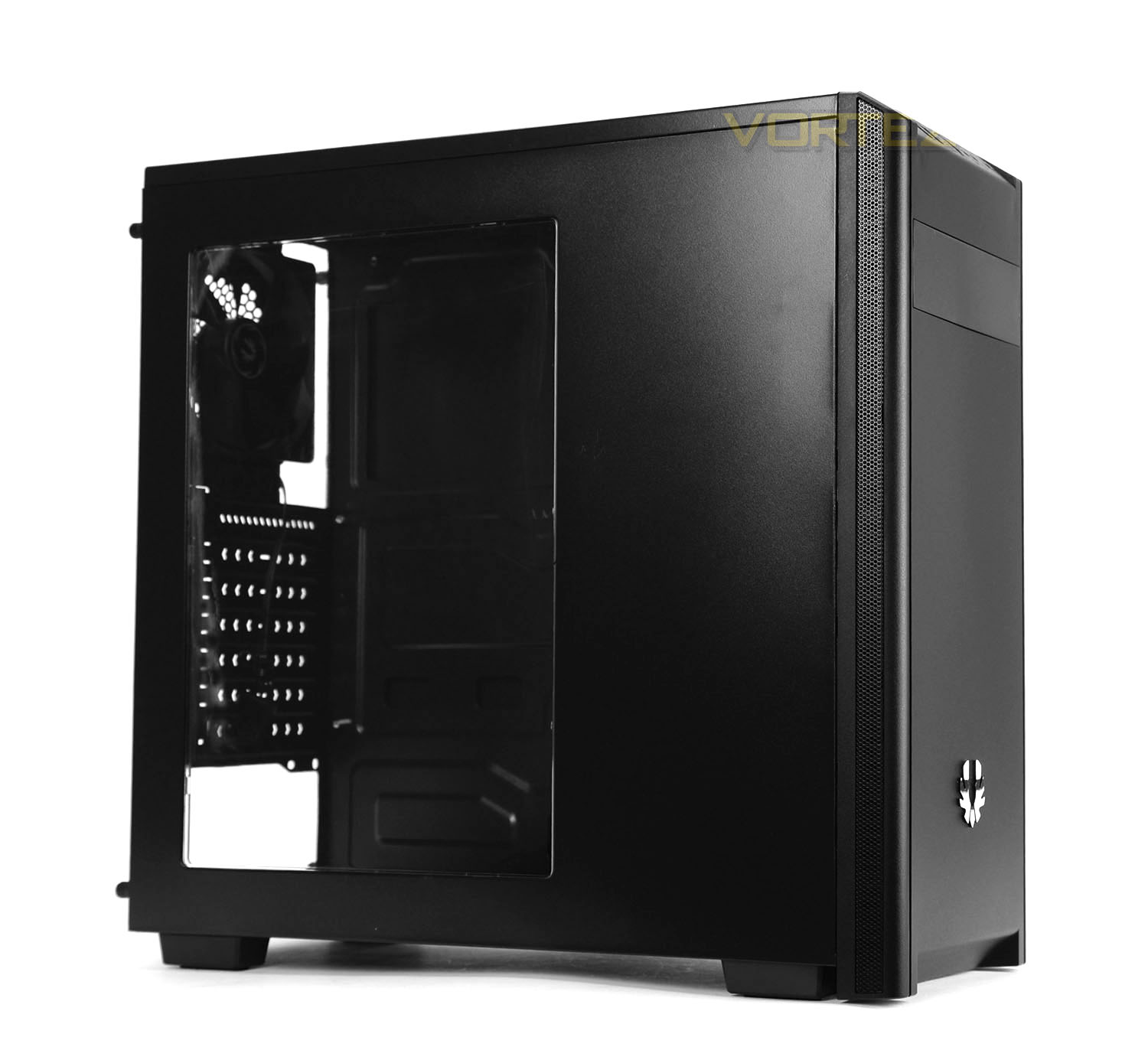
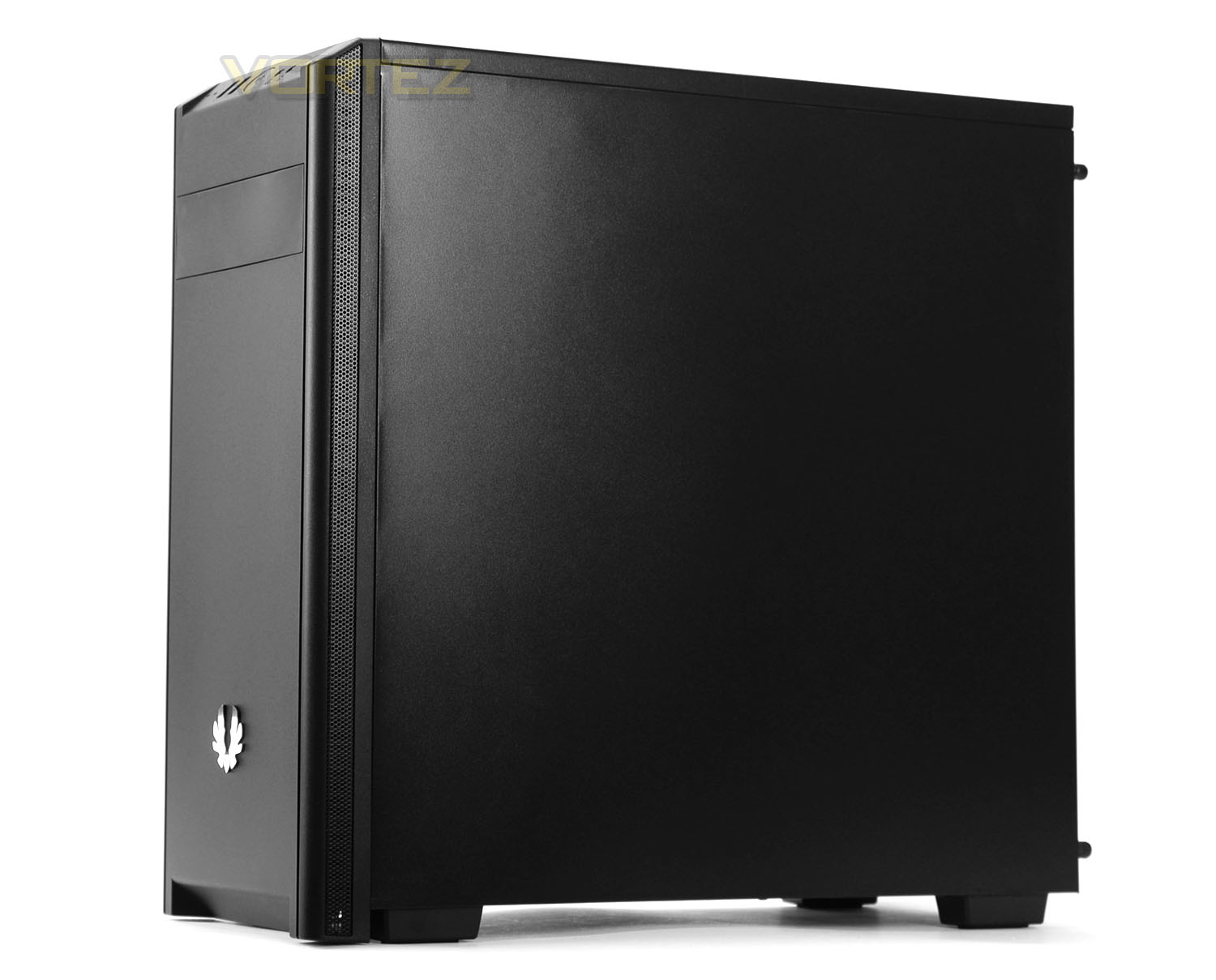
Unveiling Nova from its packaging we see a computer chassis which is rather reminiscent of other cases within BitFenix’ portfolio. The basis for the styling adopts a professional and clean aesthetic and is quite subtle.
On the prominent side there is a large window which allows the user to view the internal components while over on the reverse we have just a solid side panel. Overall, Nova is a clean looking computer case.
On the next page we’ll take a look at the external aspects of Nova.
Exterior
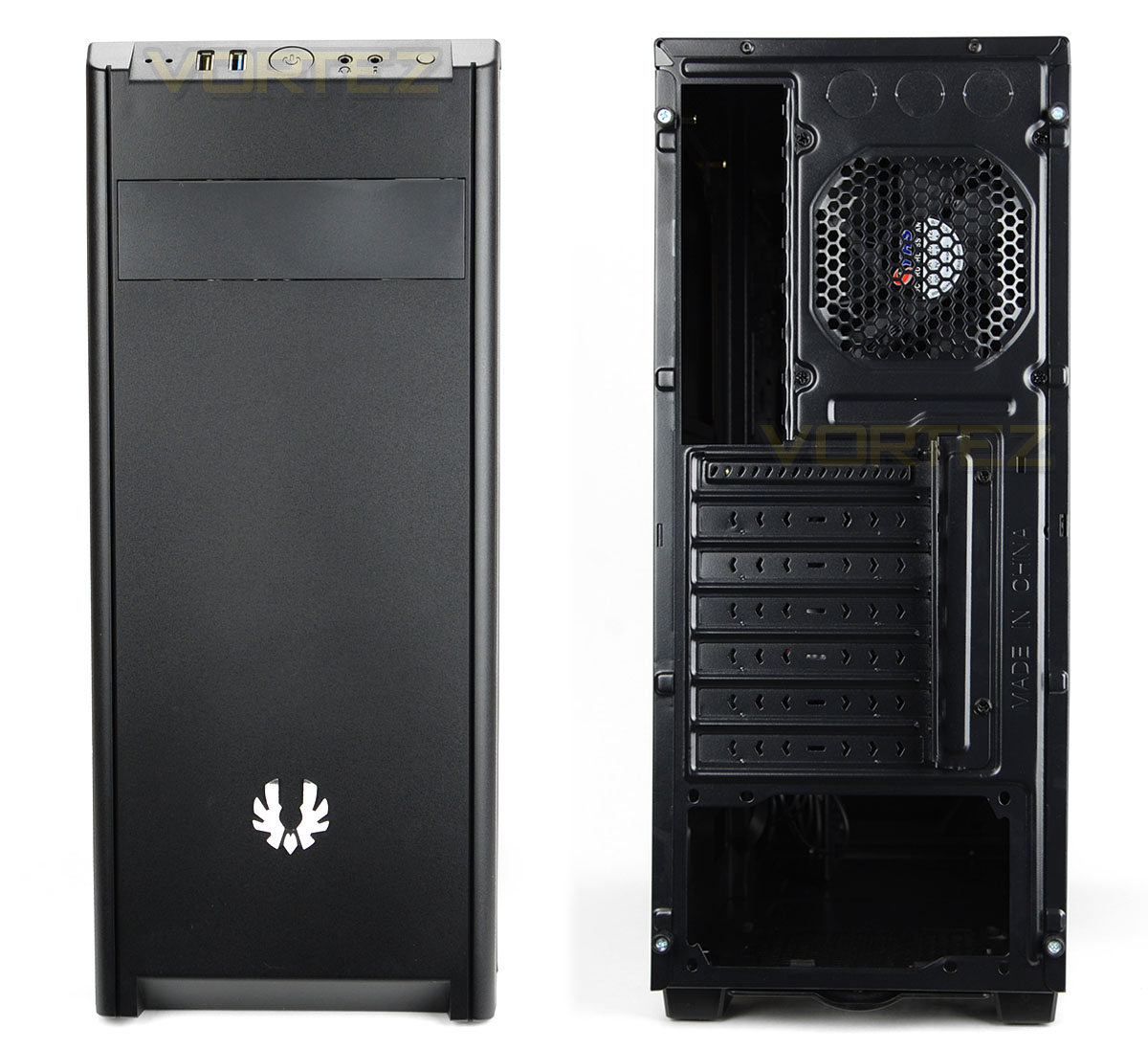
Casting an eye over the front of Nova we have a solid plastic fascia which hosts a BitFenix metallic badge in the lower region. At the top, BitFenix has integrated just a single 5.25” drive bay cover for installing an optical drive. Along the edges of this entire fascia there are strips of perforated mesh to allow cool air into the chassis since the front can accommodate 2x 120mm cooling fans underneath this plastic cover.
Around the back, there is an opening at the bottom for mounting the PSU and above this there are a series of seven PCI expansion slot covers – one of these is reusable while the rest are disposable. Further up there is a 120mm rear exhaust cooling fan and to the left the opening for the rear IO ports of the motherboard.
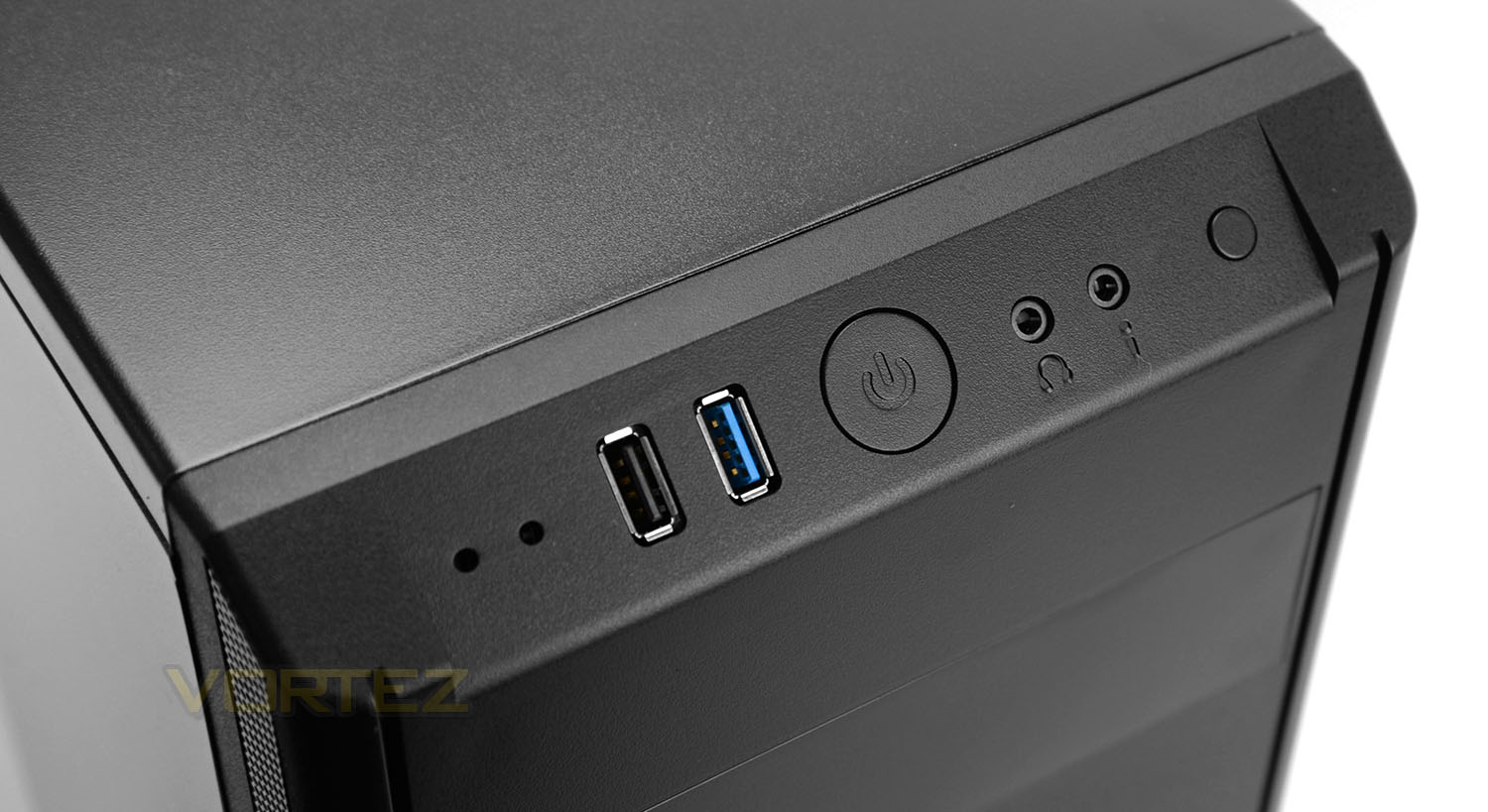
At the very top of the top panel there are some ports and buttons for connectivity. These options include:
• Twin activity LEDs
• 1x USB 2.0 port
• 1x USB 3.0 port
• Power button
• Headphone and microphone jacks
• Reset button
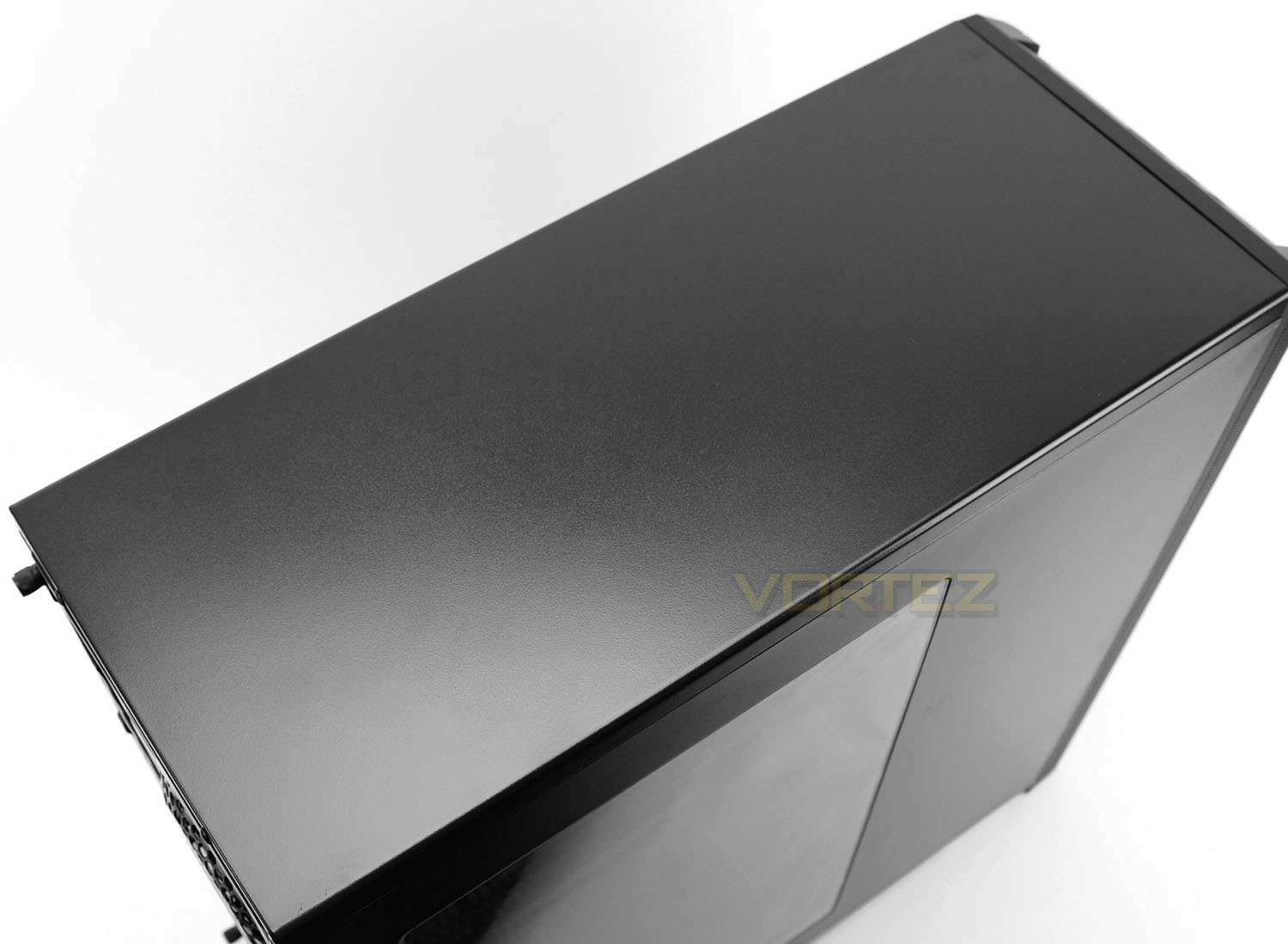
Further back from these ports the top panel can be seen. This top panel lacks perforated mesh and is a solid steel panel – no cooling fans can be installed at the top of Nova. For a case of this calibre we expect cutbacks of this type and although there are no top mounted fans or the allocation to install them, we’re pleased to report a push/pull configuration can still be utilised inside between the front and back of the chassis.
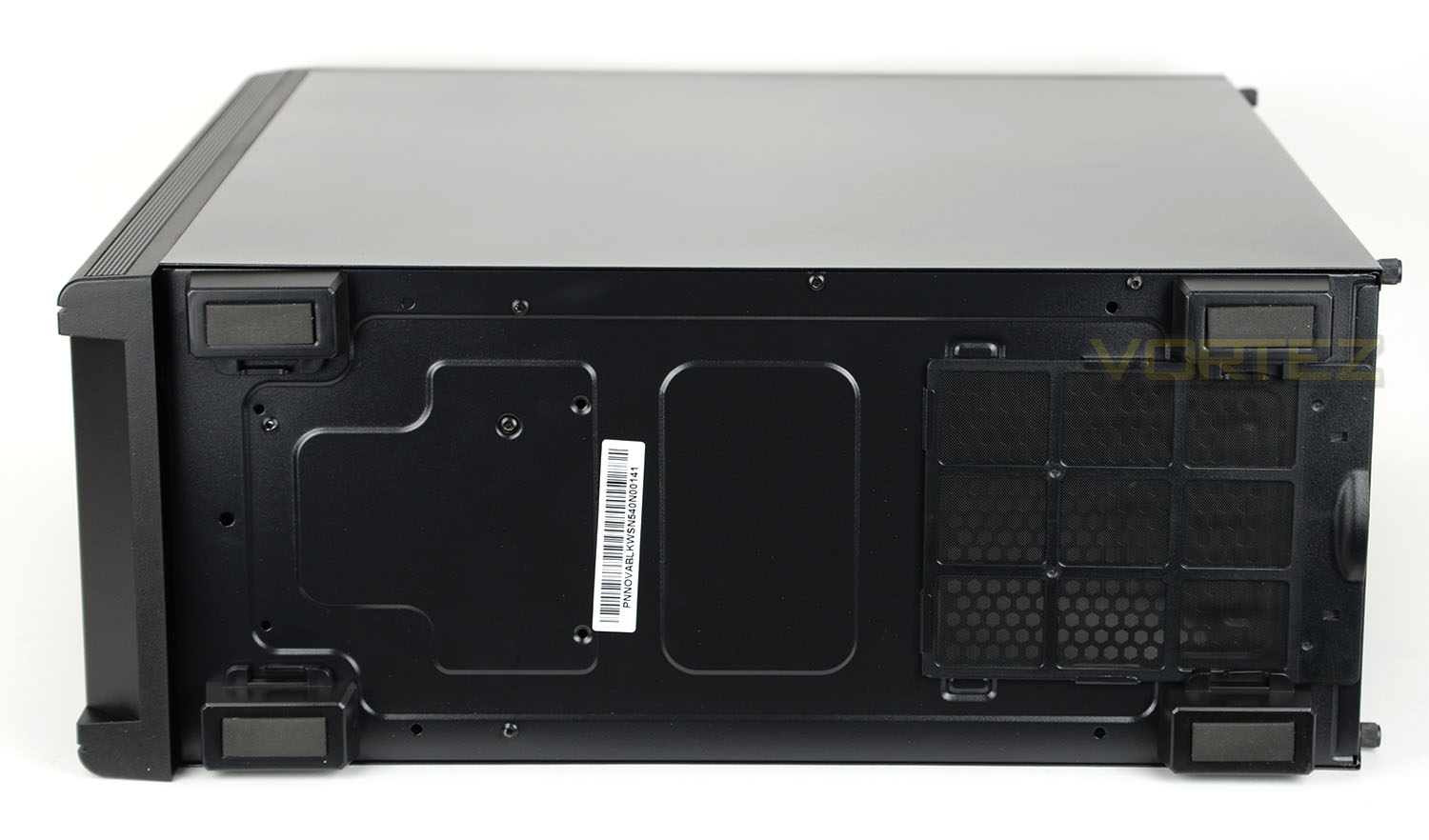
Placing Nova on its side we can view the underside of the chassis which includes four rubber feet to prevent the case from slipping on smooth surfaces. BitFenix has also included a detachable dust filter to use in coordination with the PSU.
On the next page we’ll move inside the case for a look at the internal layout and features.
Interior
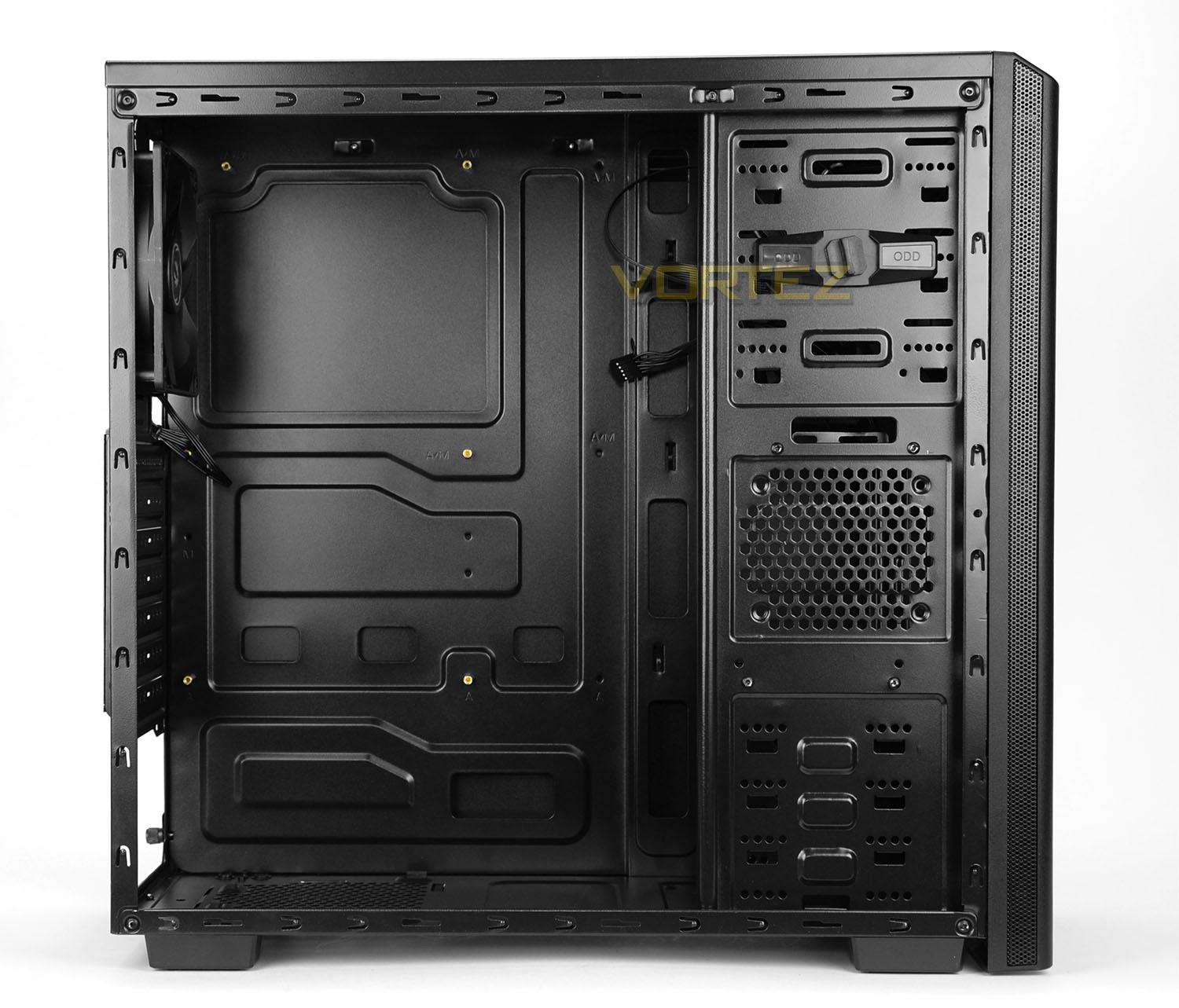
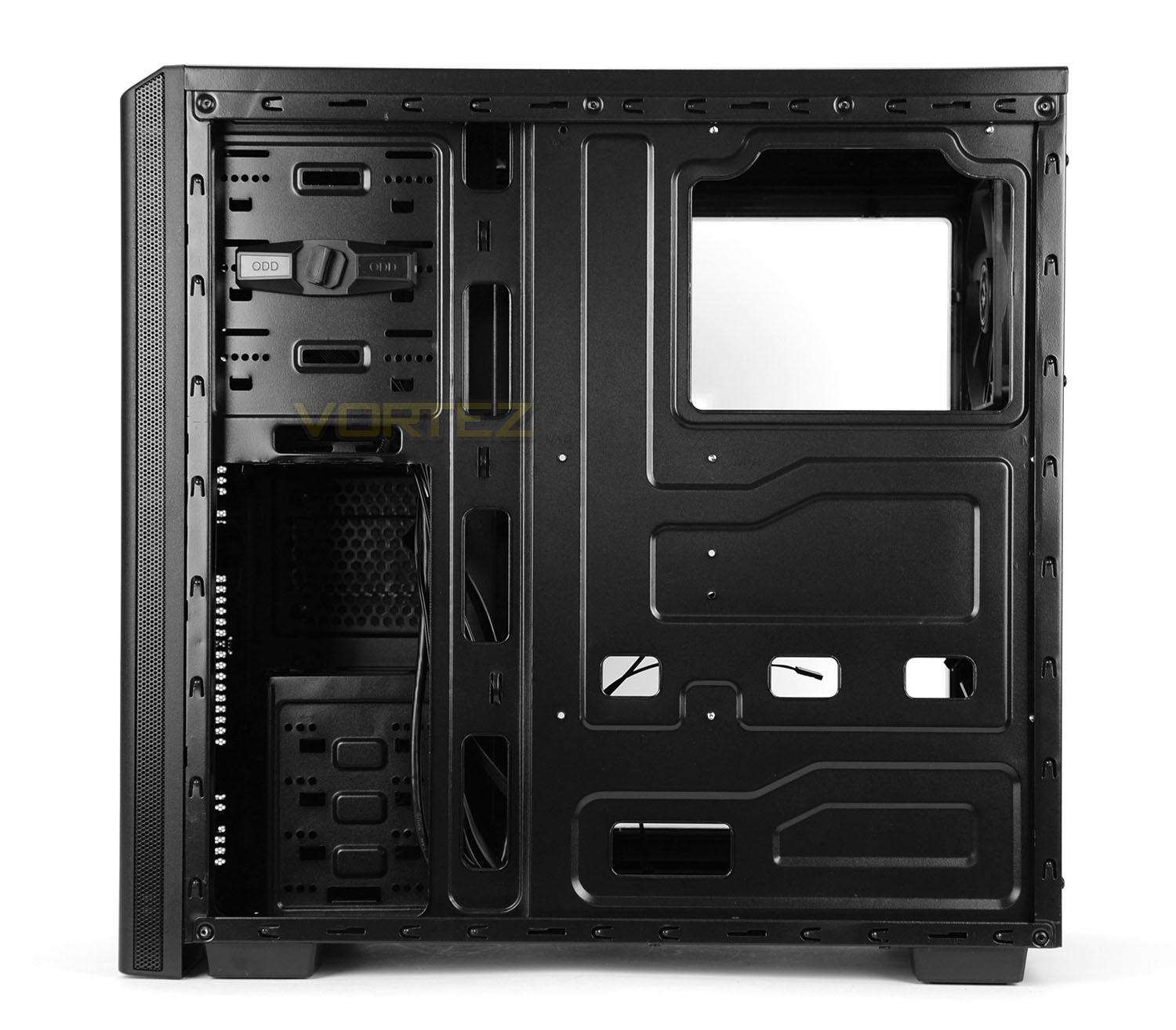
The side panels on Nova are quite thin but are secured into place with two thumbscrews on either side. After removing these panels we gain access to the chassis and can finally see the internal layout and feature-set.
The internals are powder coated black and the motherboard tray can accommodate motherboards up to ATX form factor. There are various cut-outs for cable management but these slots lack any rubber grommets that we usually see on higher-end cases. There are some tool-free mechanisms but there are also areas which lack this type of installation technique and revert back to the standard screw – we’ll be taking a closer look at these areas next.
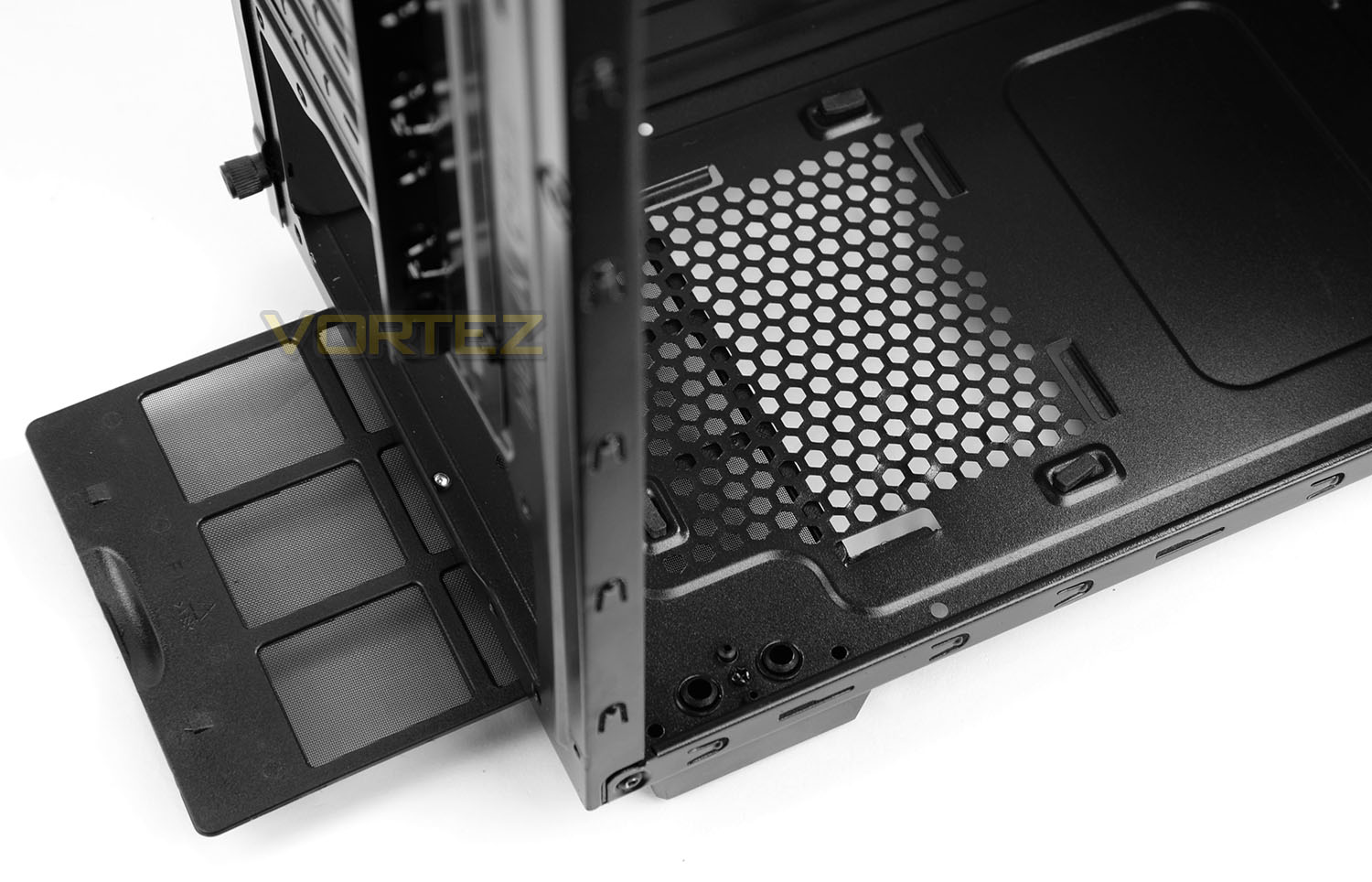
At the bottom of the case there is an area marked out for the installation of the PSU. This area has rubber mounts to provide a soft cushion for the unit and there is a detachable dust filter underneath which can be pulled out while the case is stood up. Removing this filter is quite tricky due to the little clearance underneath the case and the tightness of the fitment.
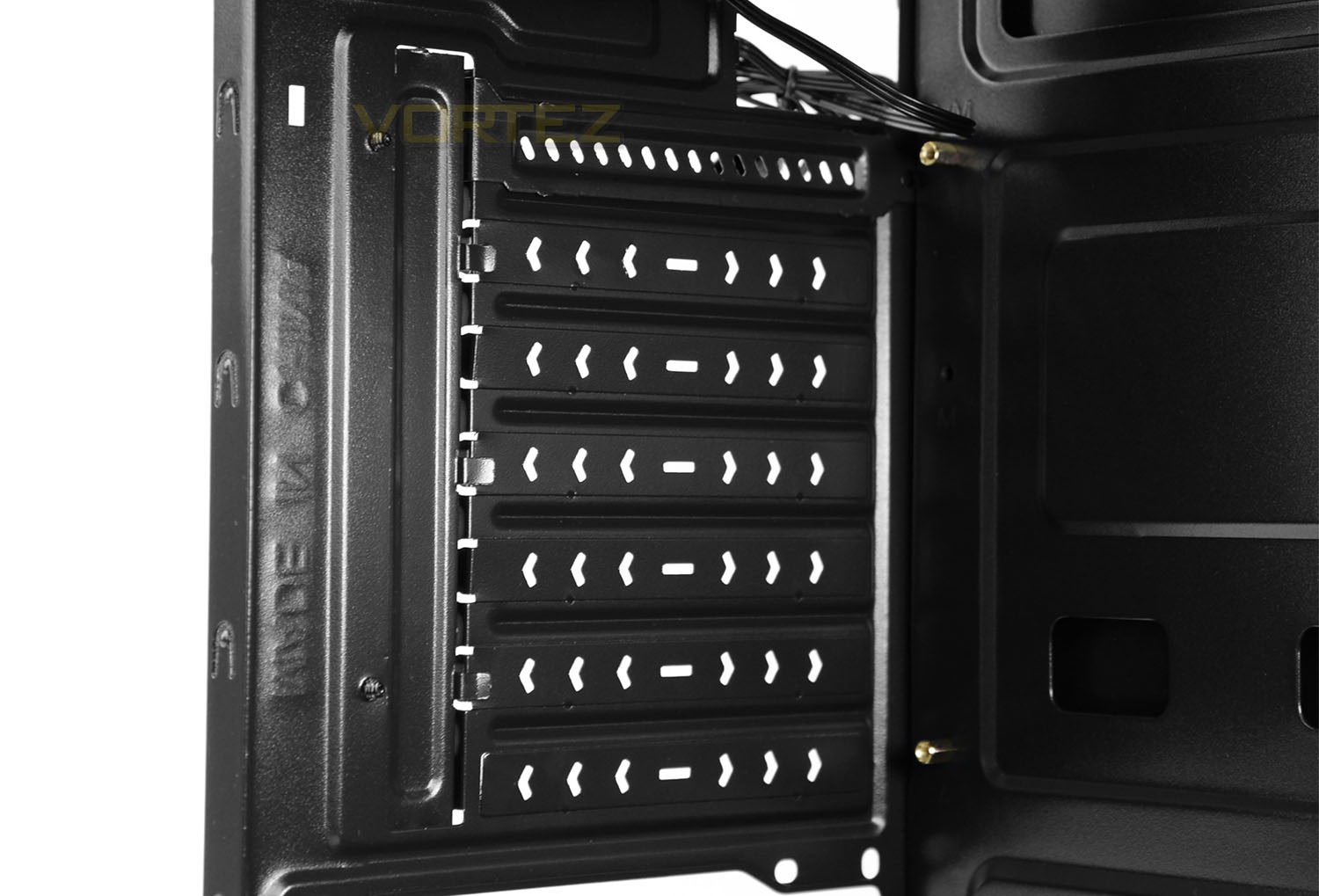
Moving up there are seven PCI expansion slot covers – one of which is reusable but the others are disposable. A standard screw is required to fix a device into place in this region.
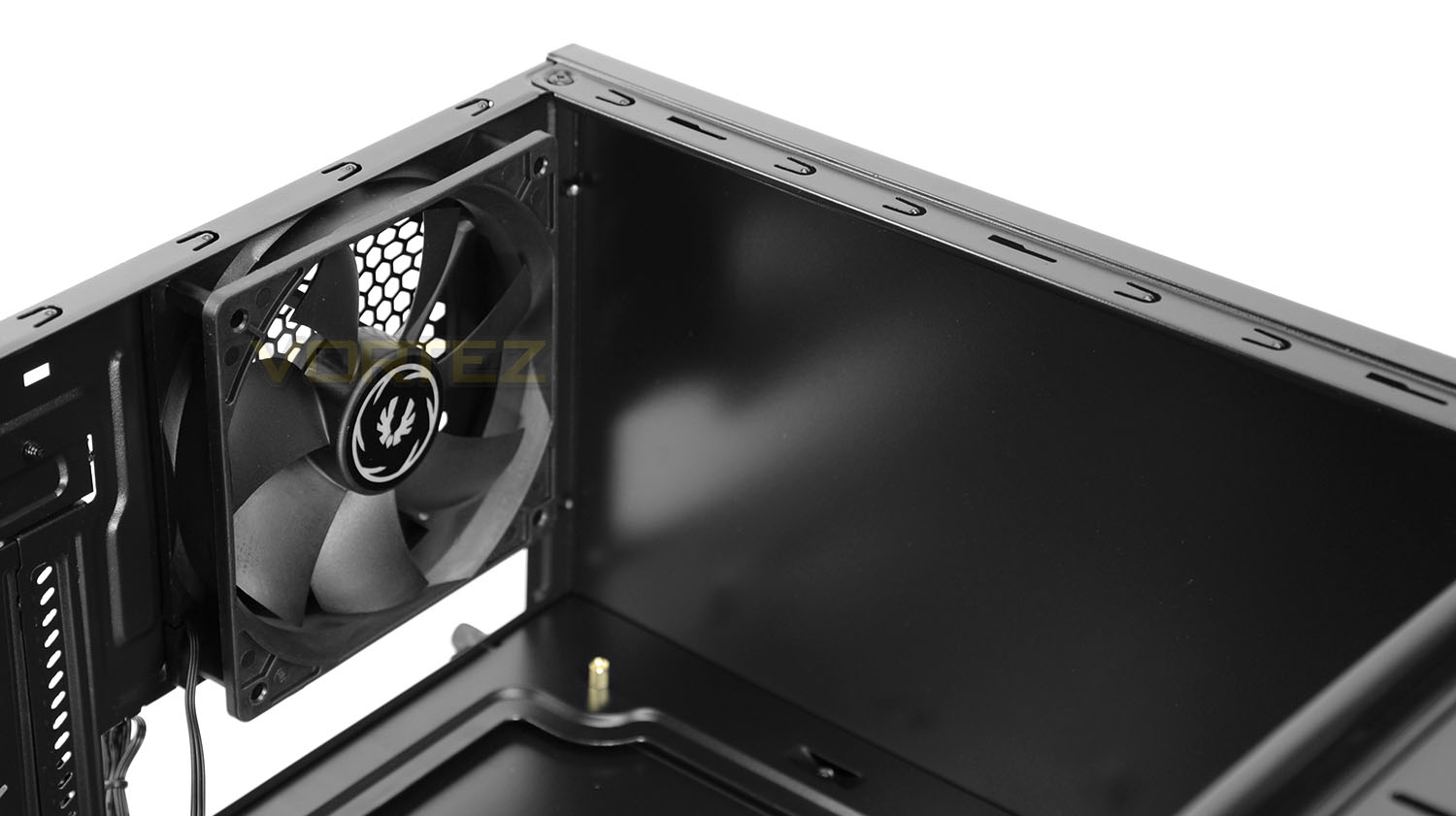
Located at the back of Nova there is a 120mm rear exhaust cooling fan. The attachment from this fan allows power delivery from the motherboard or the PSU (Molex). As you can clearly see, the roof area lacks any mounting holes whatsoever which means no cooling fans or radiators can be mounted at the top of the case.
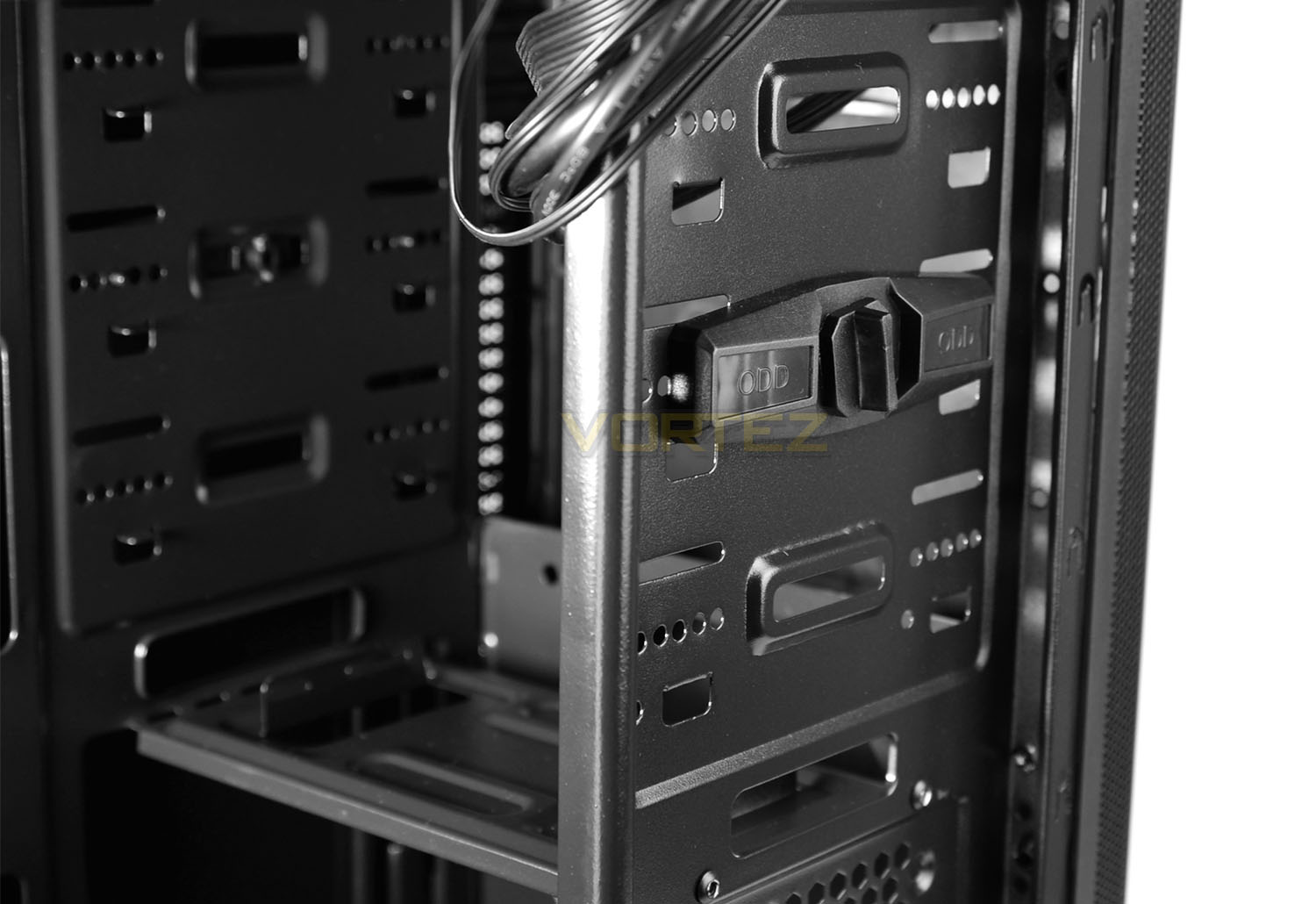
At the front of the case there are three designated bays for mounting devices – though there is only a single 5.25” cover at the front of the case.
BitFenix has included a tool-less mechanism on this single bay, the knob simply needs to be turned to lock the drive into place.
In the lower area of this section 2.5” or 3.5” drive can be installed.
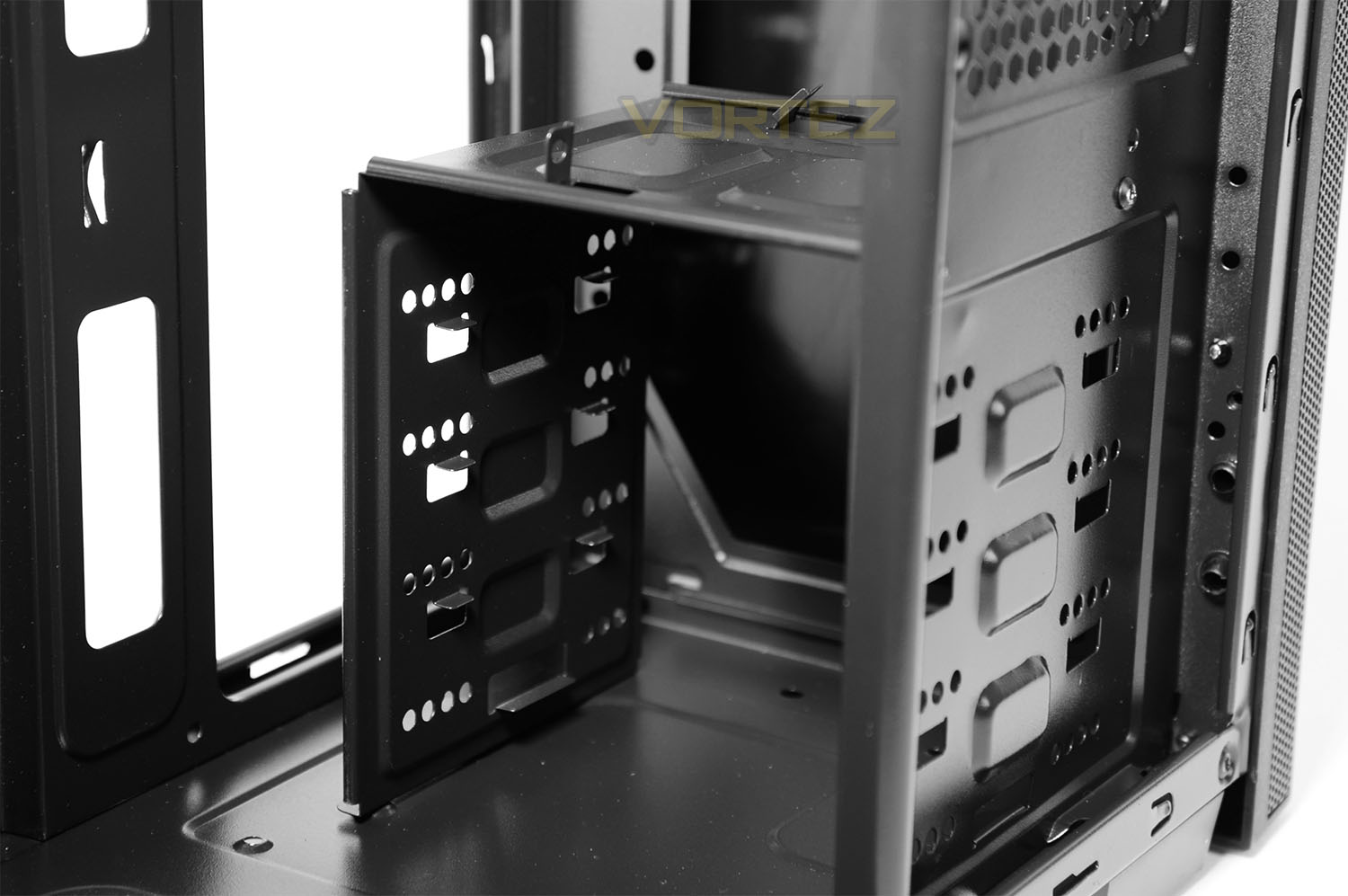
Beneath we have a single HDD cage which can house up to four 3.5” drives and a single 2.5” drive on the roof. All of these drives require screws to install and do not make use of any tool-less mechanisms.
Located behind this cage there is allocation for mounting 2x 120mm cooling fans – none are included.
Over the page we’ll install our test system inside Nova and report back on the experience.
Installation
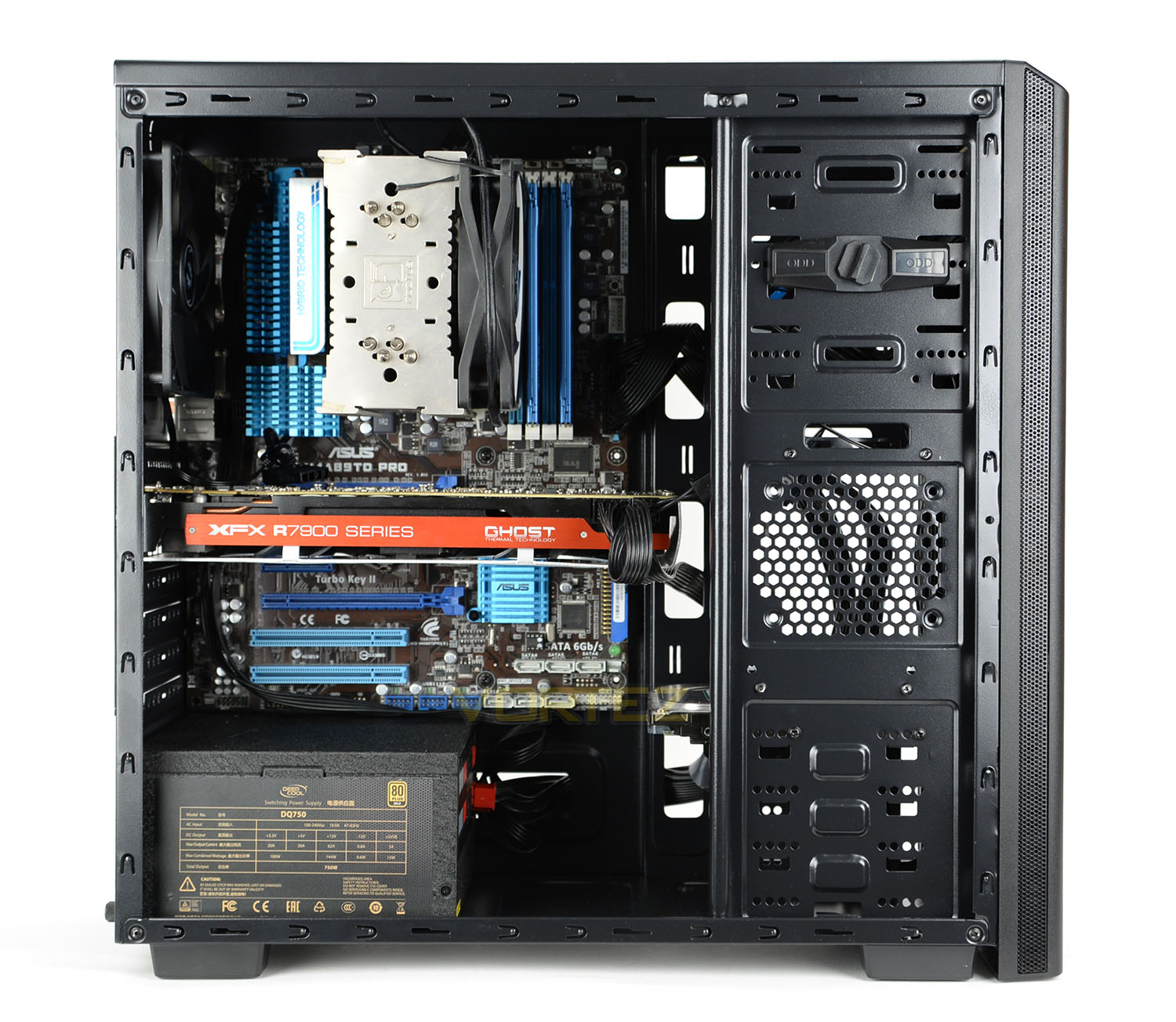
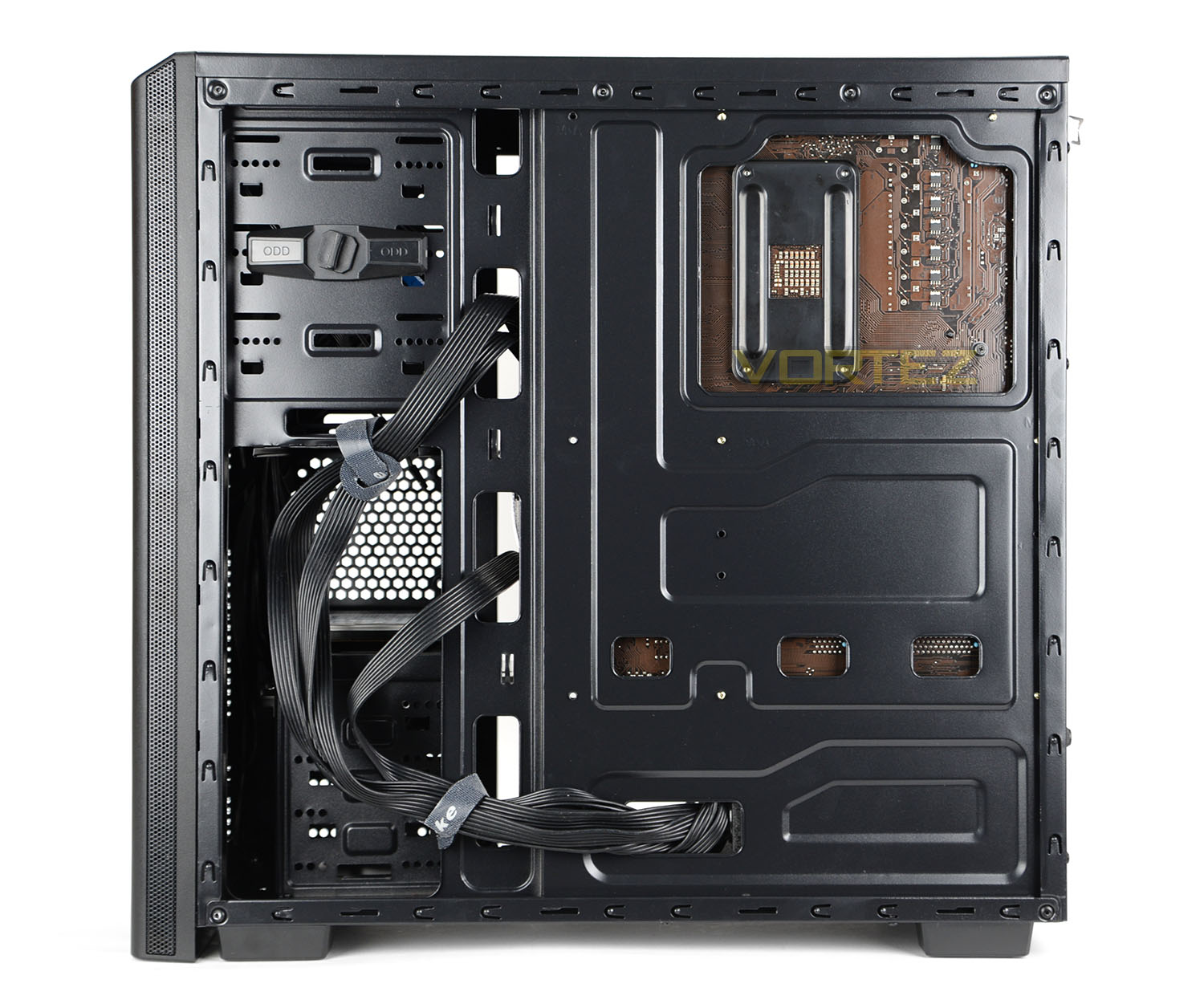
Installing hardware inside Nova is relatively easy even though there are notably less tool-less mechanisms inside. There are a few areas which require more attention such as the cable management but we encountered no major problems throughout the process of getting our test system inside the case.
Since there is no cut-out at the top of the motherboard tray for the CPU power, this has to be routed across the front-side of the motherboard which is quite unsightly. Care needs to be taken with the bulk of cables behind the motherboard tray as there is very little clearance space between the back of the tray and the side panel but by using cable ties the side panel will successfully re-attach.
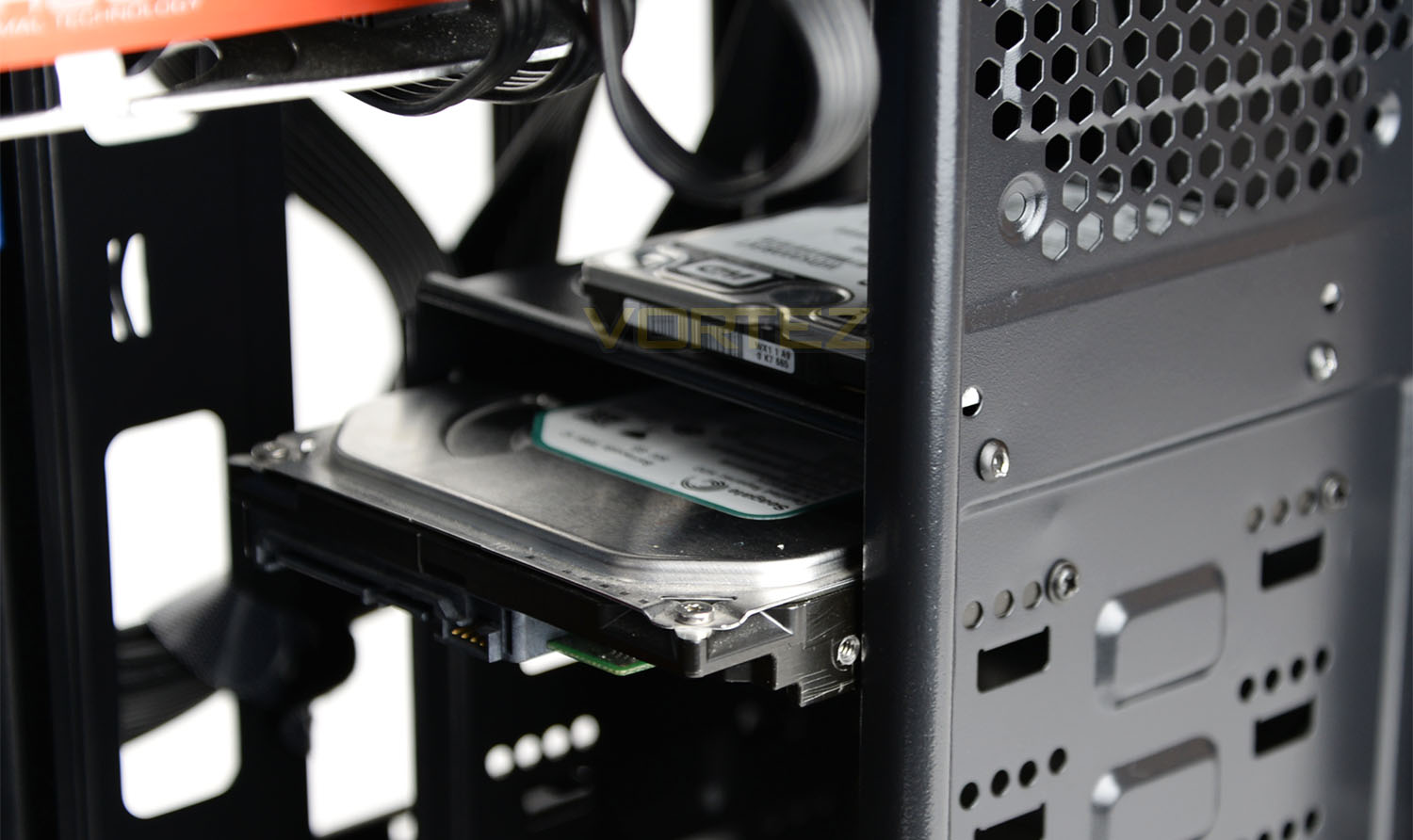
In order to get 3.5” drives into the case it’s necessary to slide the drive into one of the available bays within the HDD cage and attach screws to the sides as pictured above.
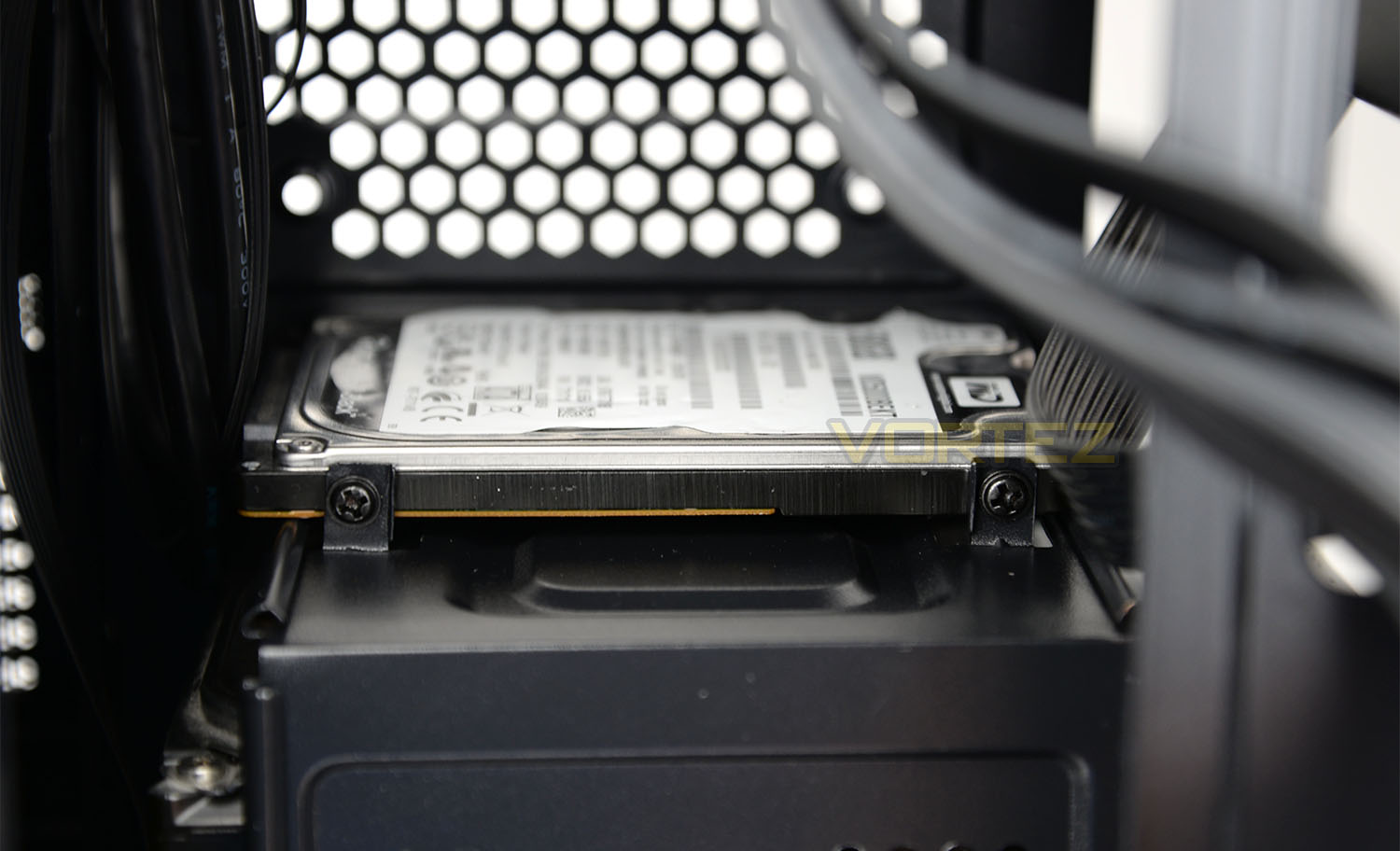
2.5” drives are also catered for inside Nova with the top of the HDD cage allowing a single SSD-type drive to be installed – screws simply need attaching to the sides too.
Over the page we’ll be considering the clearance options available inside Nova.
Clearance – CPU Cooler, Graphics Card, Cable Management
Space for critical components is essential for system builders. Knowing the clearance options is important in establishing whether specific hardware will fit or not. In this section we’ll be considering key areas and reporting back on the space available.
CPU Cooler
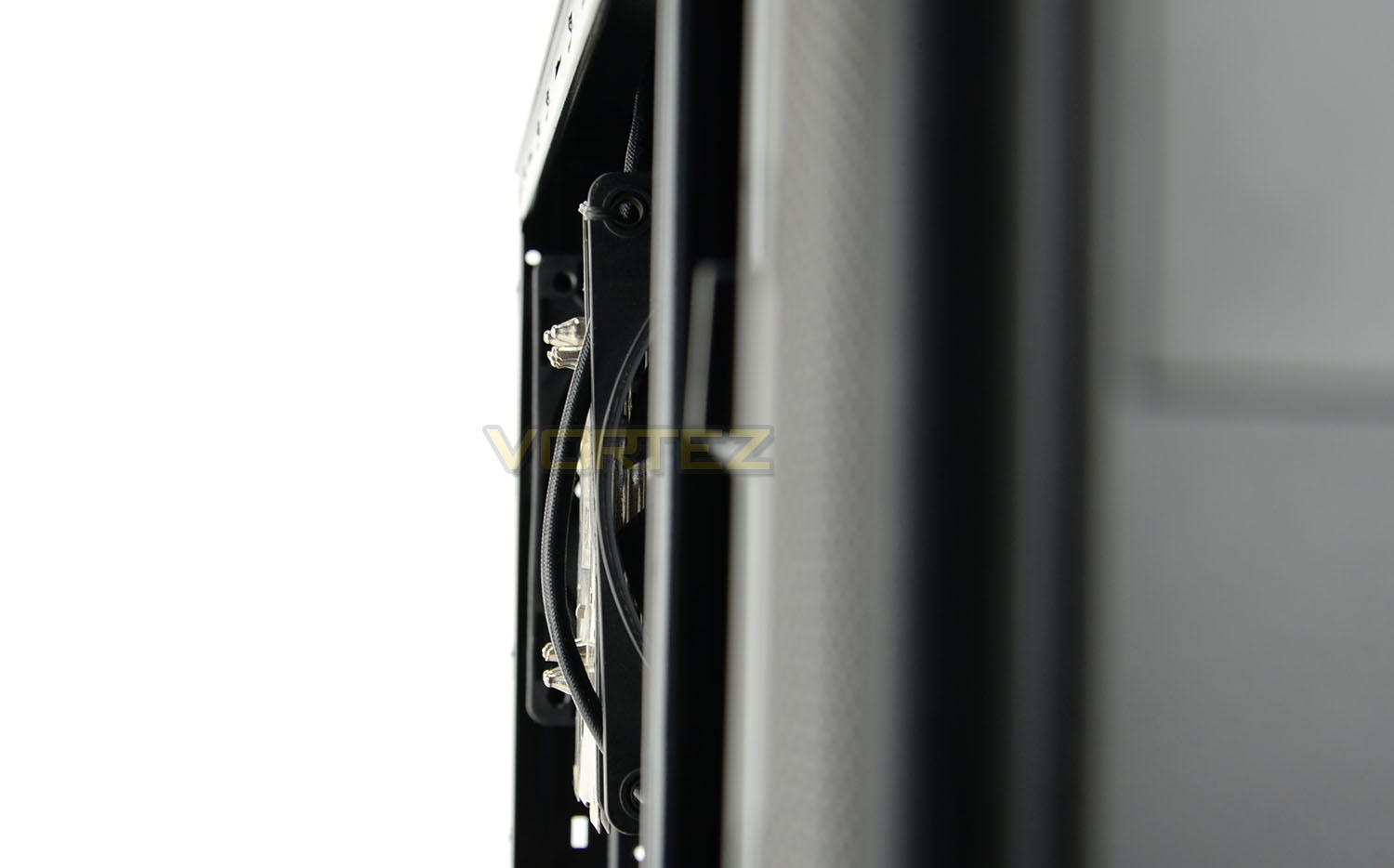
BitFenix specify up to 160mm for the CPU cooler clearance and they are indeed correct. Our Noctua NH-U12P is 158mm in height and there are just a few millimetres of space before the top of the cooler touches the side panel.
Graphics Card
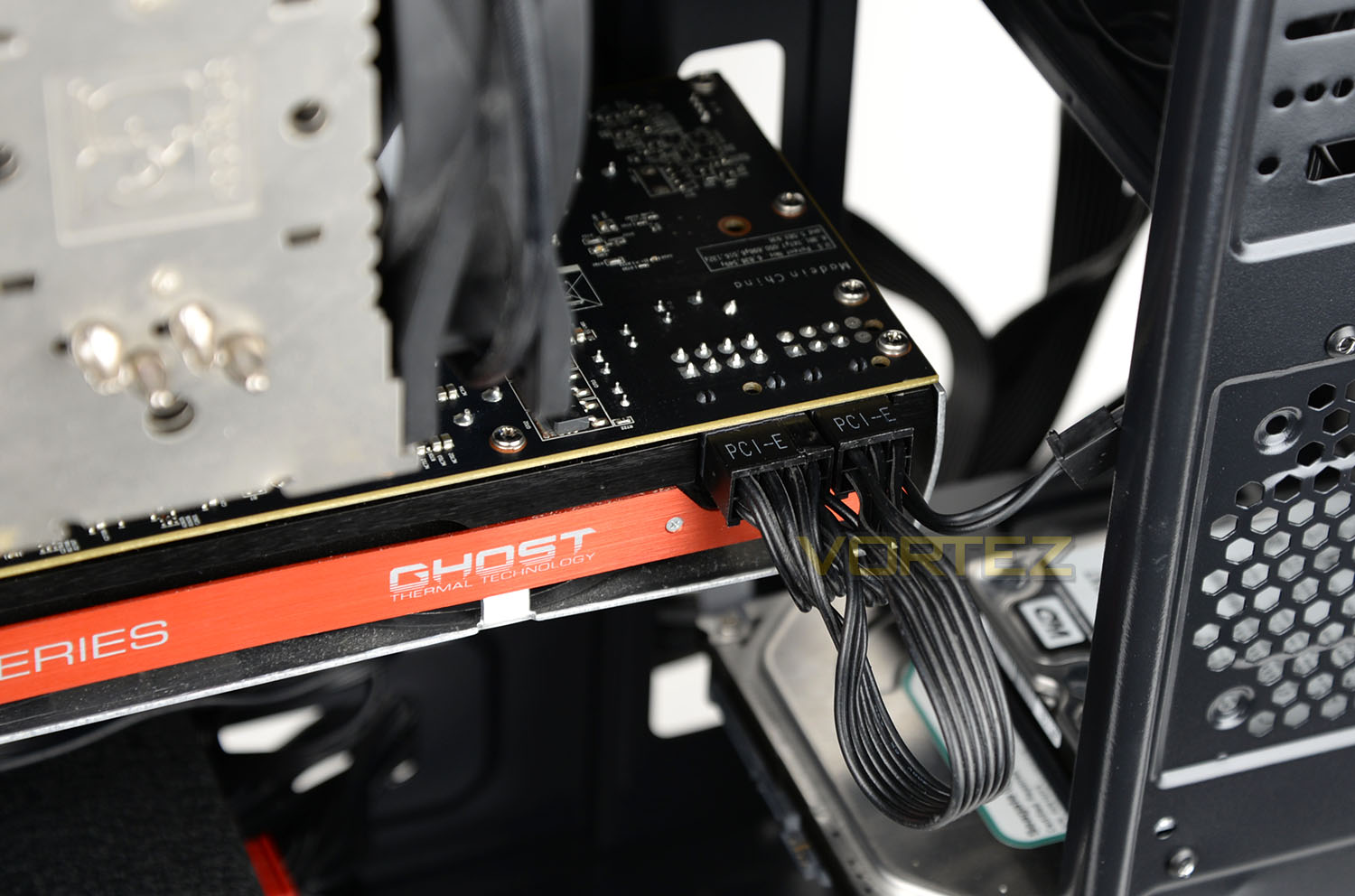
The graphics card actually fits inside the chassis housing which is great news for those who have a card which is especially large. Multi-GPUs are also supported with a second card fitting inside, without touching the HDD below. Our graphics card is the XFX HD 7970 DD edition.
Cable Management
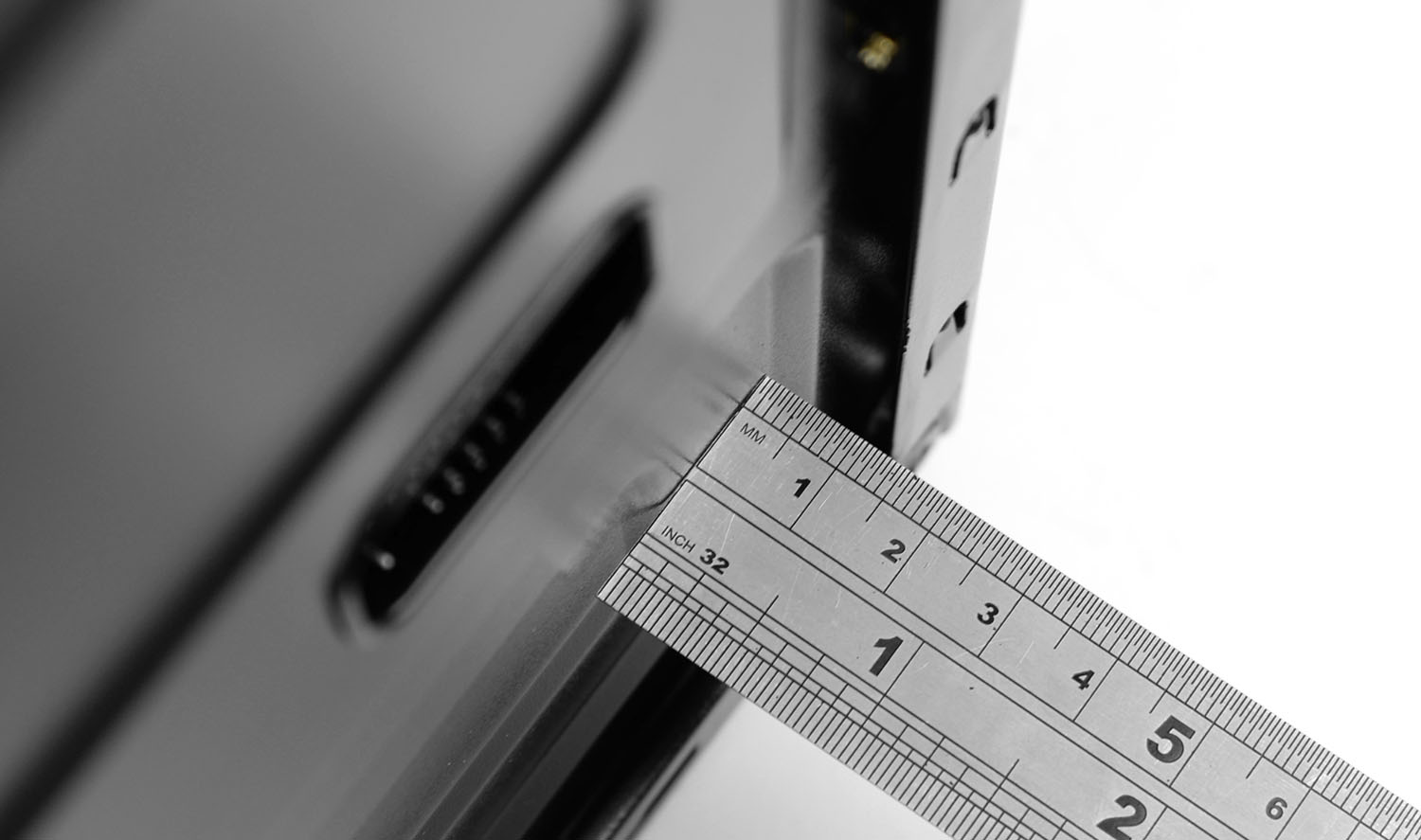
Unfortunately there is very little space behind the motherboard tray for storing redundant cables. We measure under 1cm of space between the tray and side panel – meaning that most cables will need to be taken care of towards the front of the case near to the HDD storage.
Thermal Performance
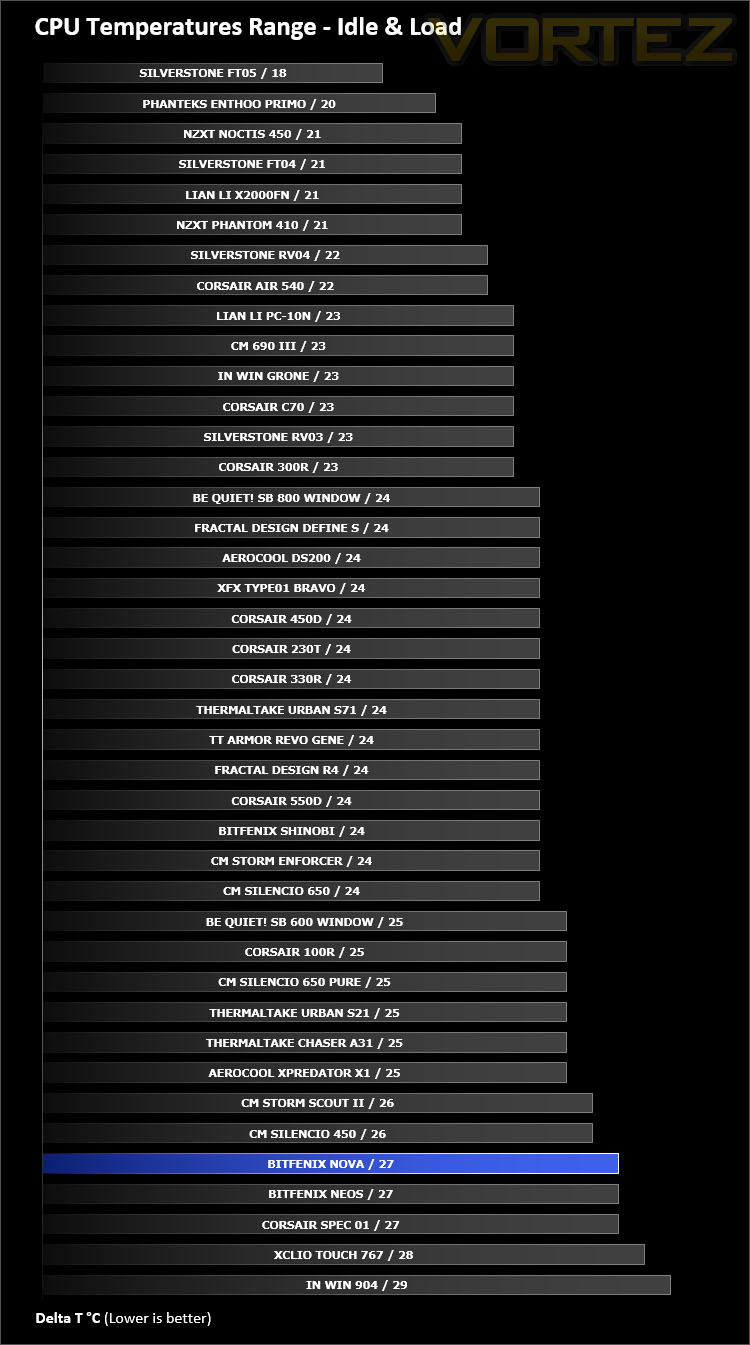
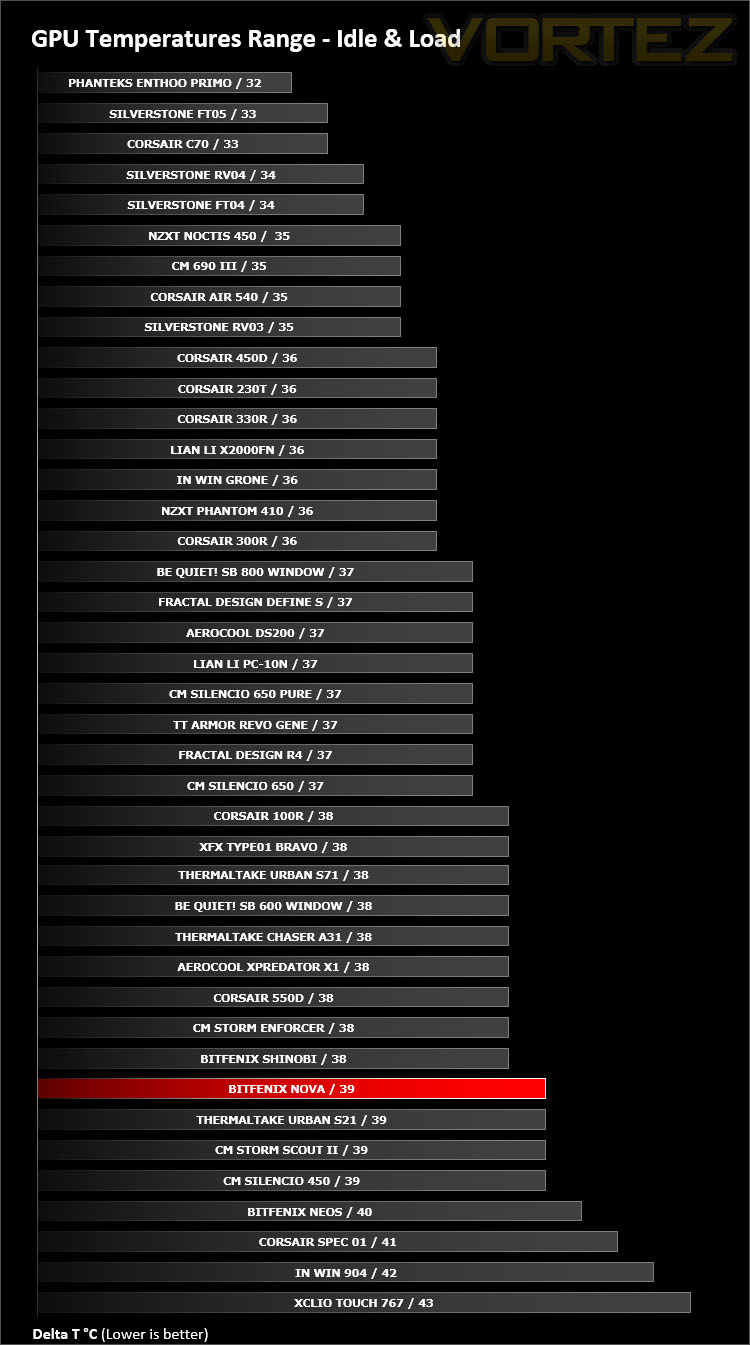
Inside Nova there is just a single cooling fan – a 120mm rear exhaust. This breaks away from traditional push/pull configurations and by having no intake fan we expect the thermal performance to be somewhat affected.
To discover the thermal performance of Nova we will record idle temperatures after 20 minutes from a cold boot. We will then stress the system and temperatures will again be monitored after 30 minutes have elapsed.
For the purpose of accurate analysis the idle and load temperatures for CPU and GPU will be recorded and the range between idle and load will be calculated to determine how efficient cooling is.
NOTE: Ambient temperature is 20C
System Components
CPU AMD Phenom II X6 1055T 2.8GHz
Motherboard ASUS M4A89TD PRO
Graphics NVIDIA GTX 480 (Different from card pictured)
Memory 4GB Kingston HyperX DDR3
HDD Samsung Spinpoint 500GB SATA-II
PSU DeepCool DQ750
Motherboard ASUS M4A89TD PRO
Graphics NVIDIA GTX 480 (Different from card pictured)
Memory 4GB Kingston HyperX DDR3
HDD Samsung Spinpoint 500GB SATA-II
PSU DeepCool DQ750
Noise
To BitFenix commendation, with just a single cooling fan Nova operates in a quiet manner. There is very little noise to be heard from this case.
Conclusion
Following in the footsteps of previous cases, Nova adopts the BitFenix trademark design by assuming a subtle, minimalist approach to computer case engineering. The introduction of this chassis tackles the entry level sector very well indeed.
Inside Nova there is a spacious internal layout which lends itself to supporting the ATX form factor and a wide-selection of high end hardware. Large CPU coolers and long graphics cards are compatible although the omission of mounting holes at the top of the case diminishes the option to install a 240mm radiator/ALC.
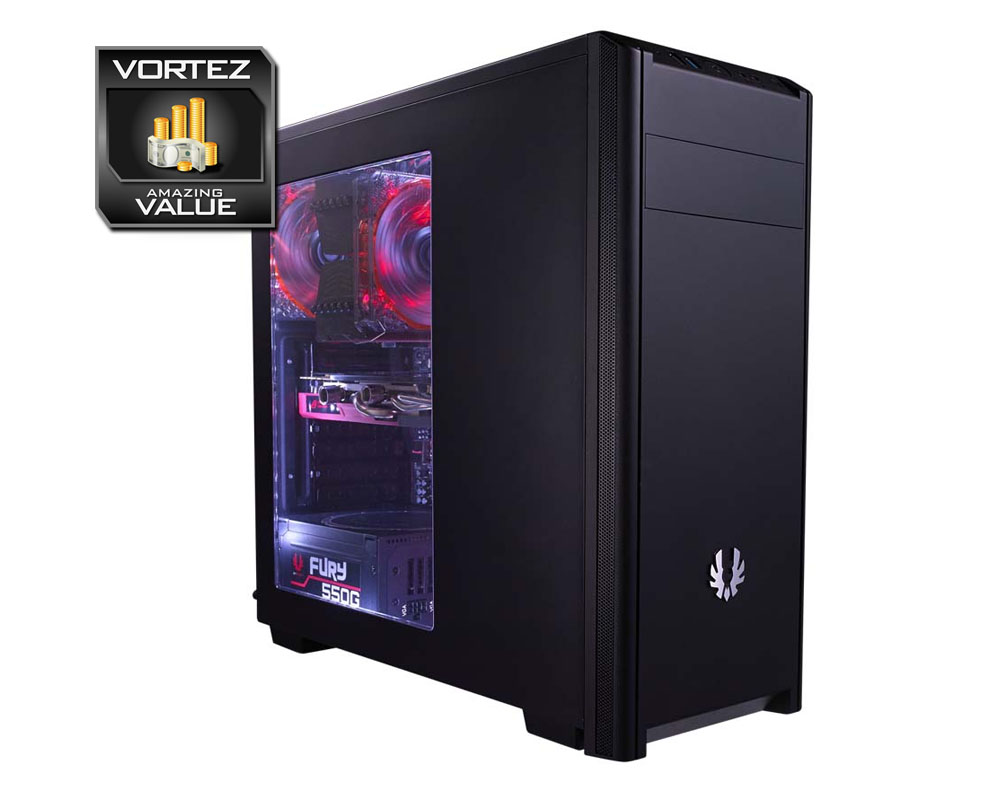
Installing hardware inside Nova is an easy task thanks to the carefully though-out design. Although there are limited tool-free mechanisms inside the case, those that are present assist with mounting basic kit within the chassis. We did find certain aspects of the cable management a challenge due to the tight space behind the motherboard tray but spending a little more time ensures a tidy, clean configuration. A cut-out at the top of the motherboard would have been useful for the CPU power but instead this cable requires a route across the front of the motherboard, which to some might be unsightly but it doesn’t affect/interrupt airflow.
Nova arrives on the shelves with an especially attractive price-tag of £26.99 GBP / $50 USD for this windowed version and then £3 GBP / $5 USD less for the non-windowed version; if a side window isn’t a particular requirement. Such a low-price-tag will be music to the ears of those on a tight budget.
BitFenix Nova is an excellent entry level computer chassis which, while offering basic functionality still accommodates a broad spectrum of computer hardware. Best of all, this computer chassis is one of the most cost-effective we’ve yet seen and is also a great starting point for a first-time build.
VIDEO REVIEW – VORTEZ TV
Pros
+ Attractive styling
+ Sleek design throughout internals
+ Can house high-end kit
+ Amazing value
Cons
– Limited tool-less options
– Cable management can be tricky
+ Attractive styling
+ Sleek design throughout internals
+ Can house high-end kit
+ Amazing value
Cons
– Limited tool-less options
– Cable management can be tricky
Click here for an explanation of our awards at Vortez.net.