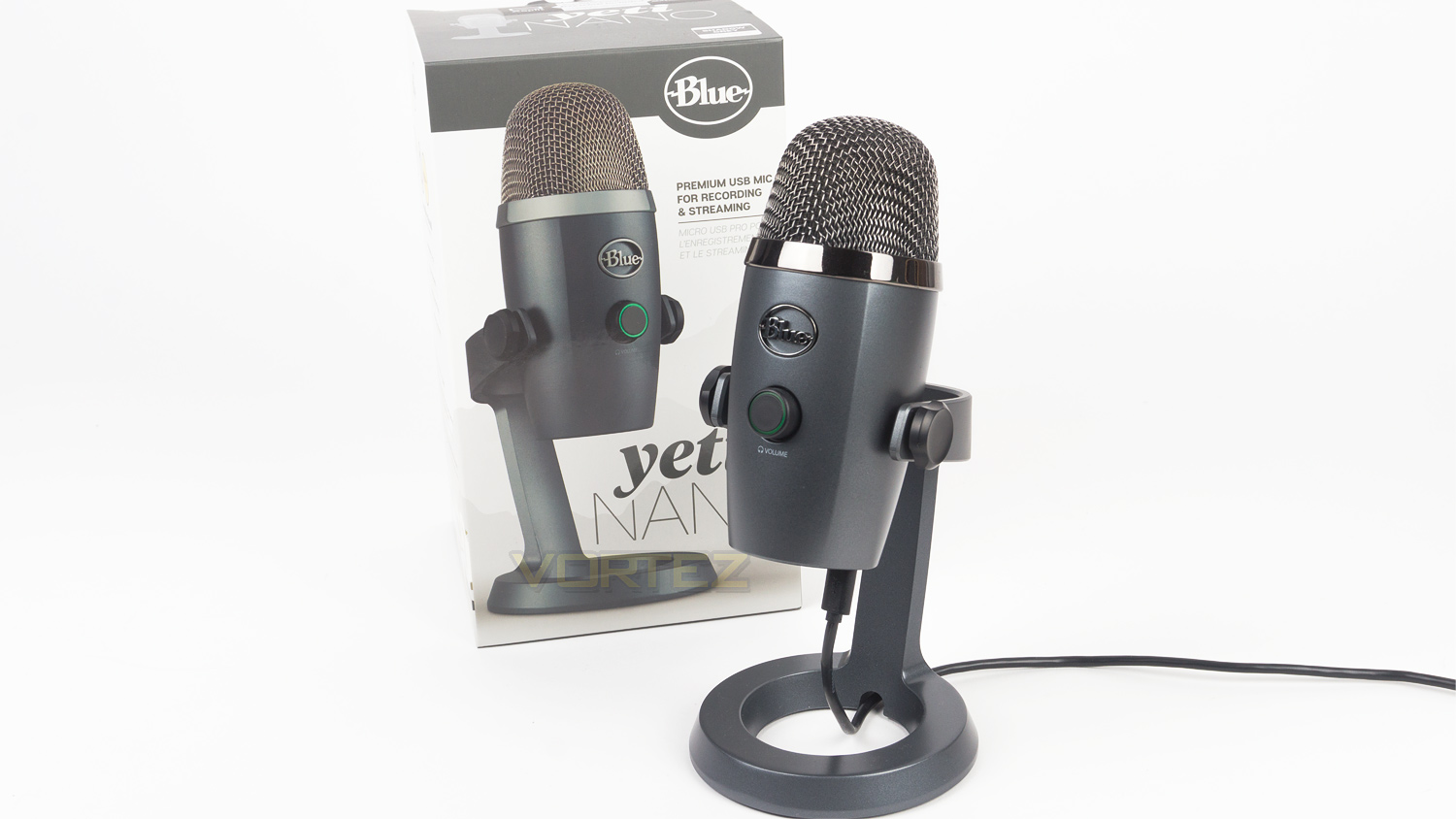
We already have the Blue Microphones Yeti, but what about if want something a touch smaller? Well, Blue has gone ahead and shrunk the Yeti, their result, the Yeti Nano.

Product on Review: Blue Yeti Nano
Manufacturer: Blue Microphones
Street Price: £89.99 GBP/ $99.99 US / $148.00 AUS
As most of us are aware, Blue Microphones are one of the stand out companies when it comes to selecting a microphone for either streaming, YouTube or recording vocals. The usual hot picks are either the Blue Yeti or Blue Snowball. The Yeti is the more pricey of the two and boasts the better specifications and sound whereas the Snowball is cheaper and favoured by those who are looking for an affordable solution that is still highly impressive. But, what about if you want to step up your audio game and can’t quite stretch to the Yeti? Well, Blue might just have what you’re looking for with their new Yeti Nano, and today we’ll be putting it through its paces.
The Blue Yeti Nano is Blue Microphone’s latest creation, and it looks to bridge the gap between the Yeti and Snowball. The Yeti costs £115 ($129 US / $187 AUS), and the Snowball is priced at £60 ($65 US / $99 AUS), so the Nano fits right in the middle – in terms of price at least. But, what about specifications? Again it sits right in the centre offering some features the Snowball doesn’t and omits some from the Yeti. Where the Nano does see the biggest improvement over both the Yeti and Snowball is with the recording sample rates, as is, both the Snowball and Yeti offer 16bit / 48kHz. The Yeti Nano though beats them both with a 24bit / 48kHz sample recording rate which matches that of the Yeti Pro.
Looking solely at the Yeti Nano now and it has some impressive attributes of its own, one such feature is the inclusion of a zero-latency 3.5mm port for monitoring your audio in real time. It also boasts an impressively wide frequency range pickup of between 20Hz to 20kHz as well as dual condenser capsules, a multifunctional volume control dial and an impressive SPL of 120dB.
Blue Microphones on the Yeti Nano:
Yeti Nano is a premium USB microphone designed for broadcast-quality podcasting, YouTube productions, game streaming, Skype/VoIP and voiceover work. Inspired by the #1-selling Blue Yeti microphone, Yeti Nano features 24-bit sound quality, a compact design, and plug ’n play operation for instant streaming with your PC or Mac. The premium finish looks great on camera and on any desktop. With a no-latency headphone output and controls for headphone volume, mic mute and pickup pattern, Yeti Nano is the essential mic for today’s broadcasters.
Technical Specifications
Specifications
Power required – 5V 150mA
Sample rate – 48kHz
Bit rate – 24bit
Capsule – 2 Blue-proprietary 14mm condenser capsules
Polar pattern – Cardioid, omnidirectional
Frequency response – 20Hz – 20kHz
Sensitivity – 4.5mV/Pa (1kHz)
Max SPL – 120dB (THD: 0.5% 1kHz)
Headphone Amplifier
Impedance – >16 ohms
Power output – 130mW
THD – 0.009%
Frequency response – 15Hz – 22kHz
Signal to noise – 100dB
Dimensions & Weight – W/Stand
Dimensions – (L) 109mm x (W) 96mm x (H) 210mm / 4.29” x 3.78” x 8.31”
Weight – 0.63kg / 1.39lbs
System Requirements
PC – Windows 10, 8.1, 7
Mac – OS 10.10 or higher
USB compatibility – 1.1, 2.0, 3.0
Power required – 5V 150mA
Sample rate – 48kHz
Bit rate – 24bit
Capsule – 2 Blue-proprietary 14mm condenser capsules
Polar pattern – Cardioid, omnidirectional
Frequency response – 20Hz – 20kHz
Sensitivity – 4.5mV/Pa (1kHz)
Max SPL – 120dB (THD: 0.5% 1kHz)
Headphone Amplifier
Impedance – >16 ohms
Power output – 130mW
THD – 0.009%
Frequency response – 15Hz – 22kHz
Signal to noise – 100dB
Dimensions & Weight – W/Stand
Dimensions – (L) 109mm x (W) 96mm x (H) 210mm / 4.29” x 3.78” x 8.31”
Weight – 0.63kg / 1.39lbs
System Requirements
PC – Windows 10, 8.1, 7
Mac – OS 10.10 or higher
USB compatibility – 1.1, 2.0, 3.0
Packaging & First Look
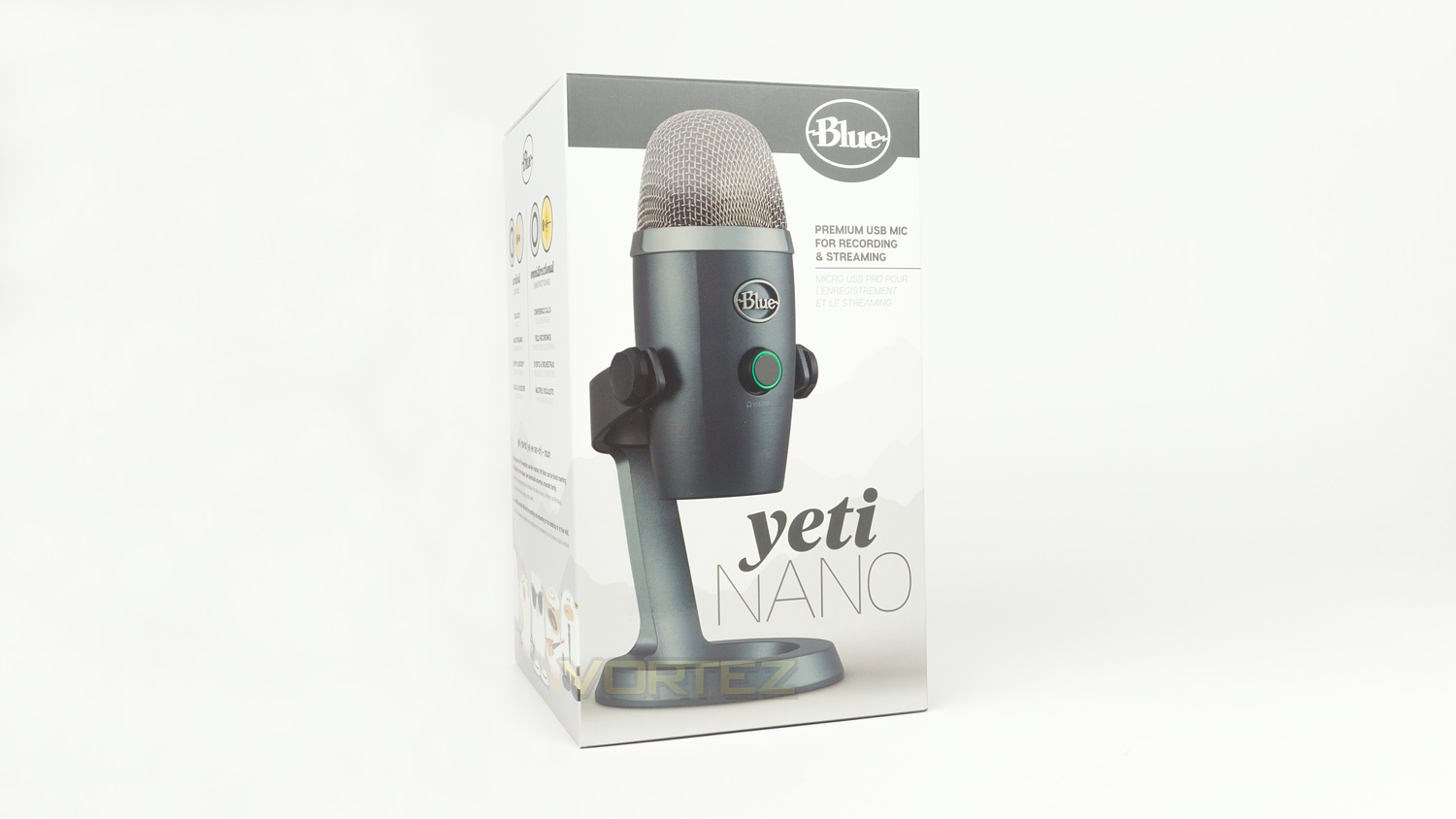
The Yeti Nano arrives in a stylish box which has some subtle mountain shaped graphics in the background and the Yeti Nano in the foreground. In the top corner is the Blue logo and just below that is a brief statement about what the Nano is intended for.

The rear depicts an image of the Nano in-use and there is also a solid paragraph of information about the Nano.
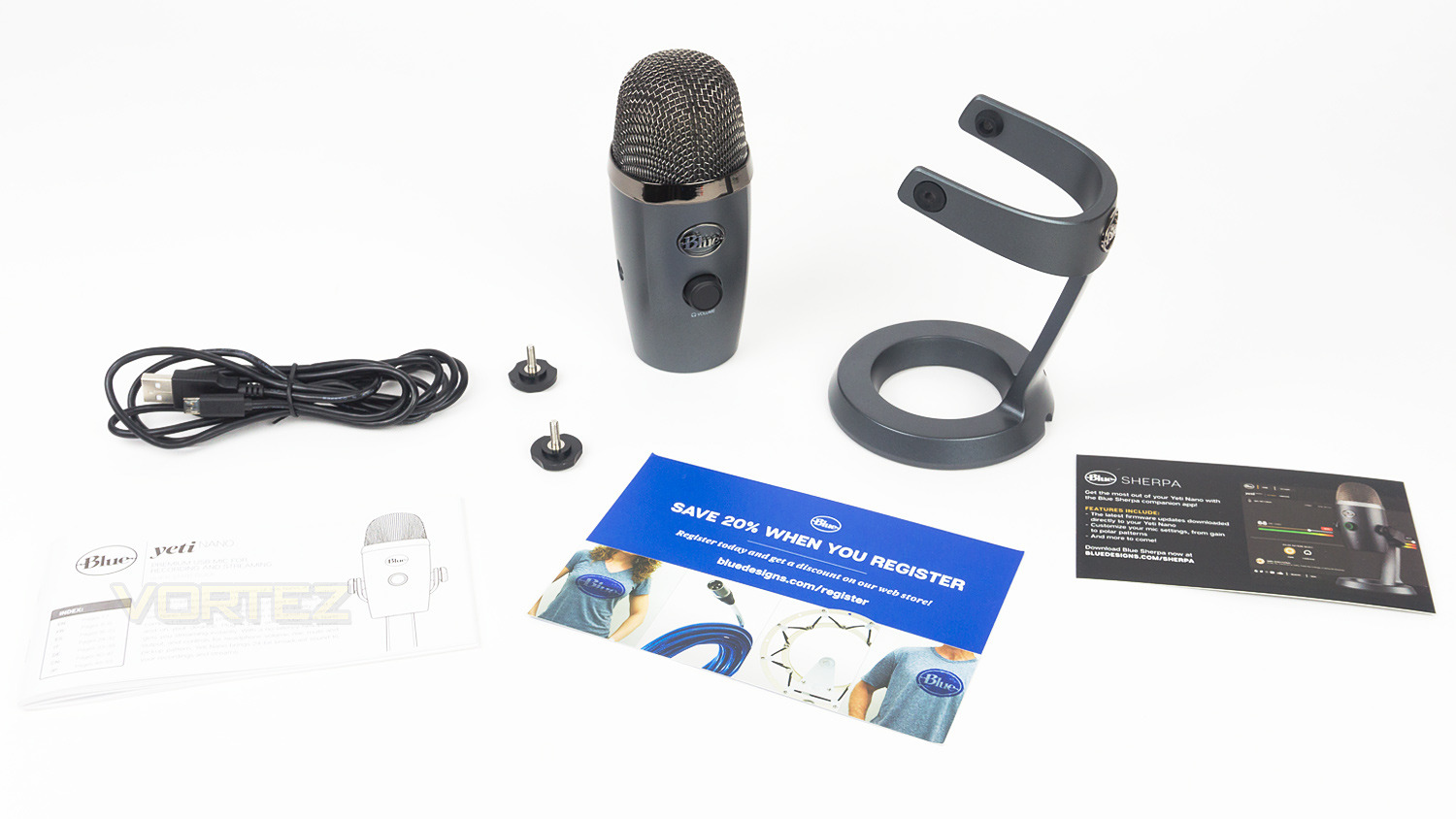
When opening the box, you’ll be greeted by another one in which the Nano is nestled in a soft foam block. Included in the box, there is the microphone, the stand – which is already attached, a USB cable, the documentation and a 3/8” to 5/8” adapter.
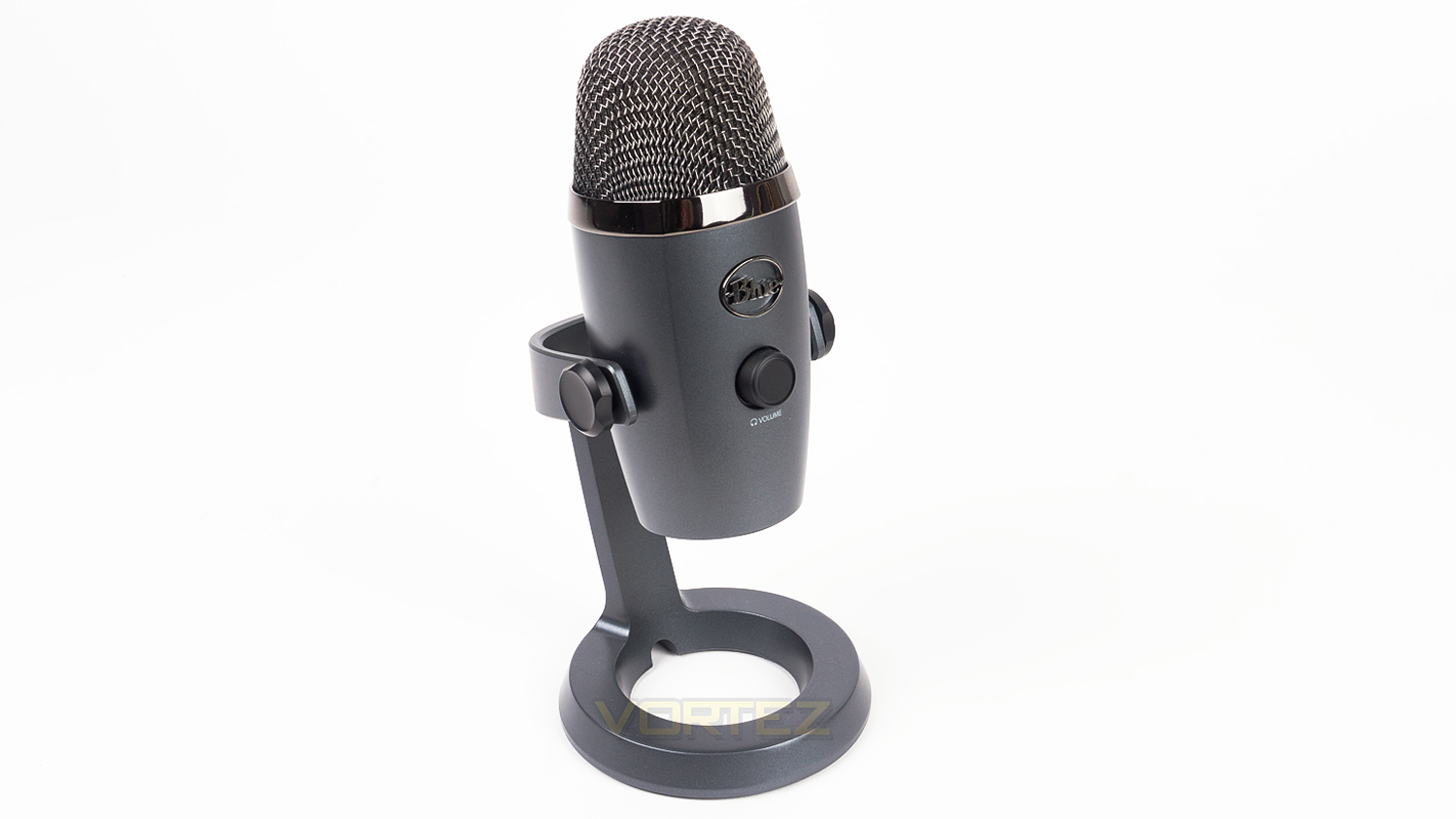
Looking at the Yeti Nano you may be thinking “Honey, I shrunk the Yeti” yet when looking at the Nano a little closer there are some noticeable differences. The size difference is the first apparent one, but on a second glance, you’ll note that Blue has tweaked the design and modernised it. In our opinion, this works very well and helps give the Nano its own identity.
Closer Look
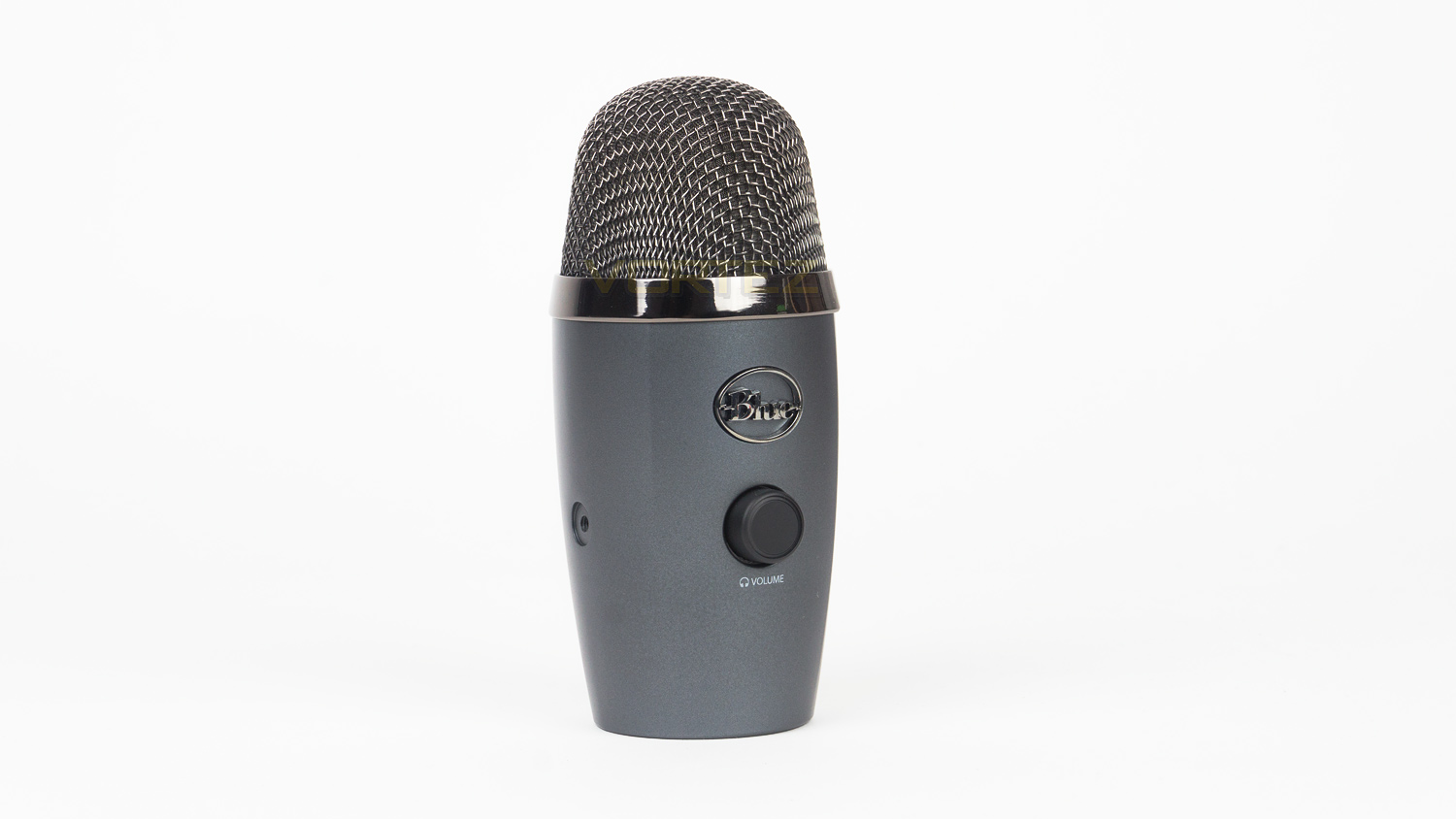
The Blue Yeti Nano is designed in a way that is in keeping with Blue’s design ethos yet it has been modernised and could potentially pave the way for future styling. The front is similar to the Yeti but features two creases down each side of the front rather than it being smooth and circular. Also on the front is a Blue logo badge and a volume control wheel which doubles as a mute button.
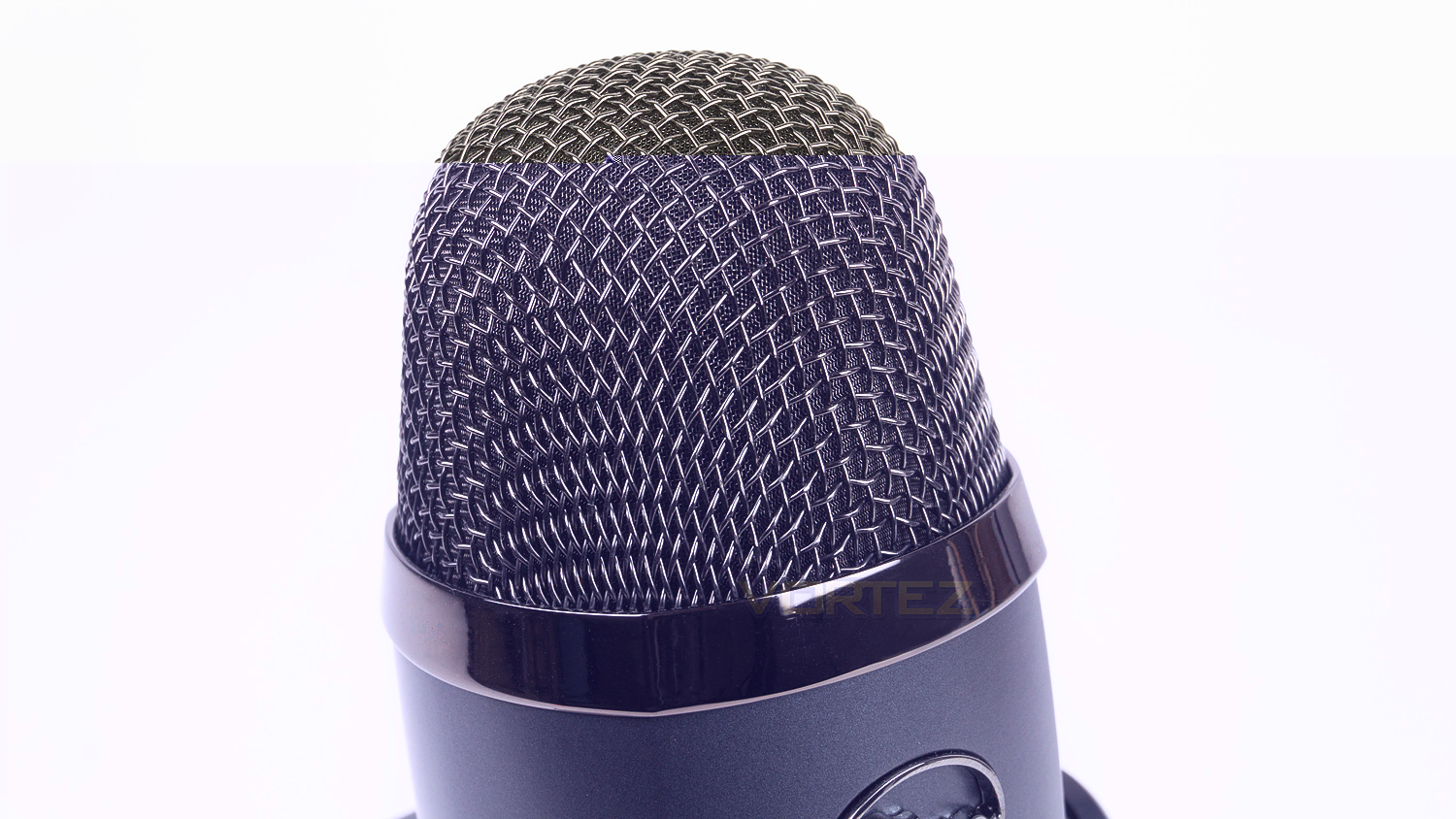
Looking at the top, the Yeti Nano utilises a metal mesh which has an inner micro mesh lining that helps protect the dual capsules inside. Design wise Blue has kept it traditional which we appreciate as it still has the Blue Microphones appearance.
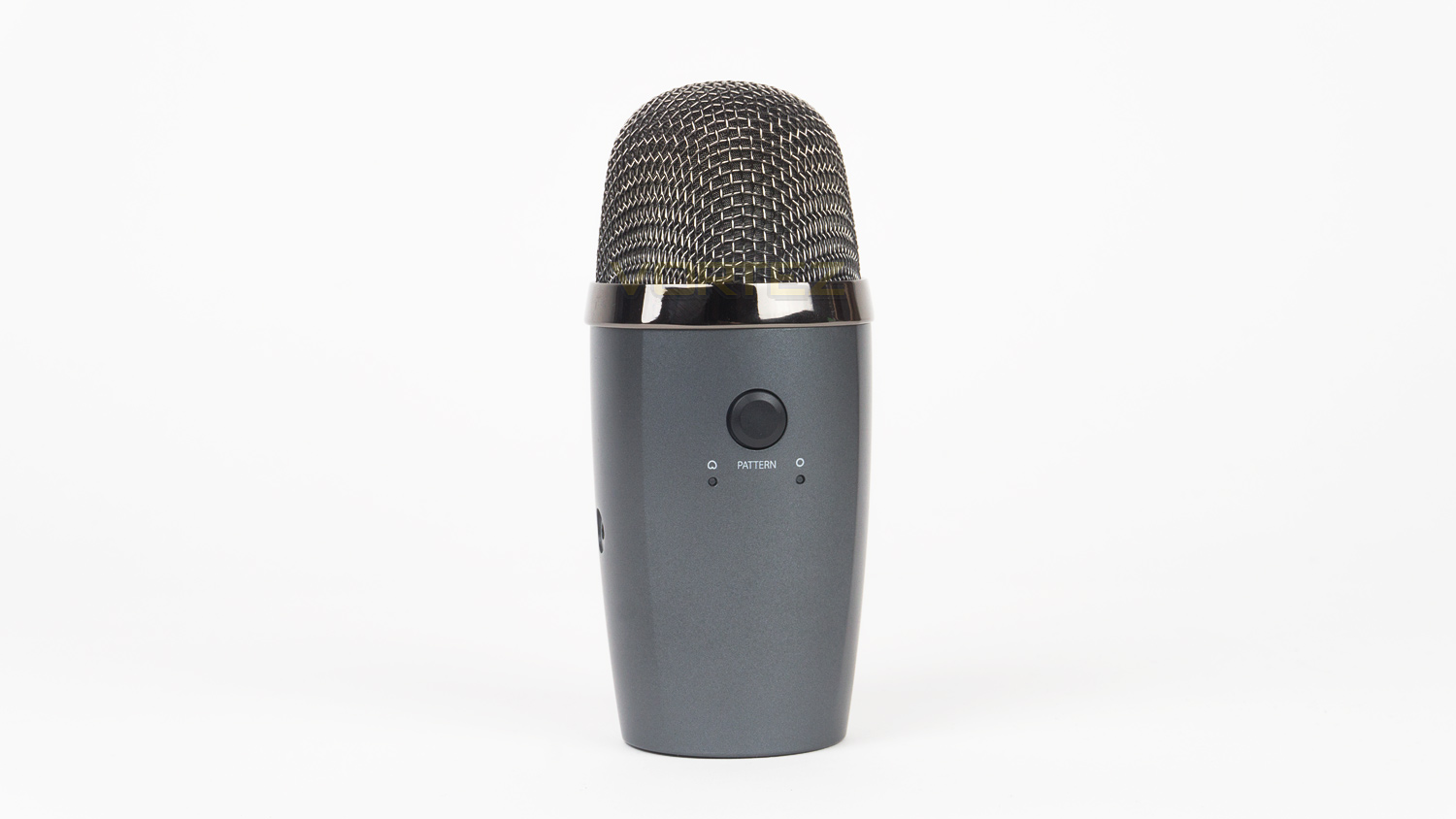
The rear of the Yeti Nano features a single button and two LEDs. The button allows you to change between the two polar patterns available and the LEDs indicate which of the patterns are currently selected.
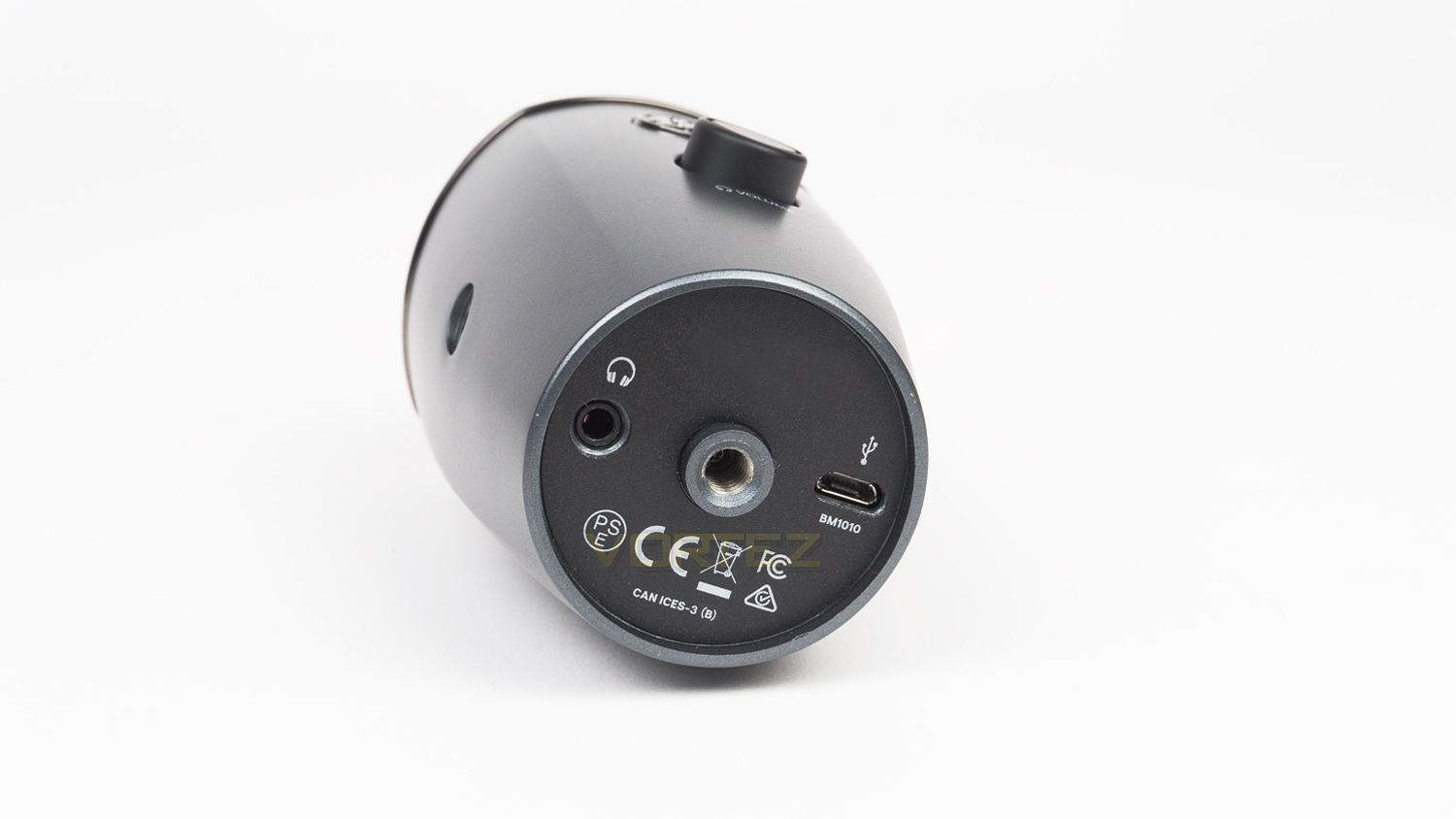
Underneath there is a 3.5mm port for audio monitoring alongside a thread mount which enables this to be mounted to a boom arm. The final addition here is the USB which enables the microphone to be connected to your PC, Mac or laptop.
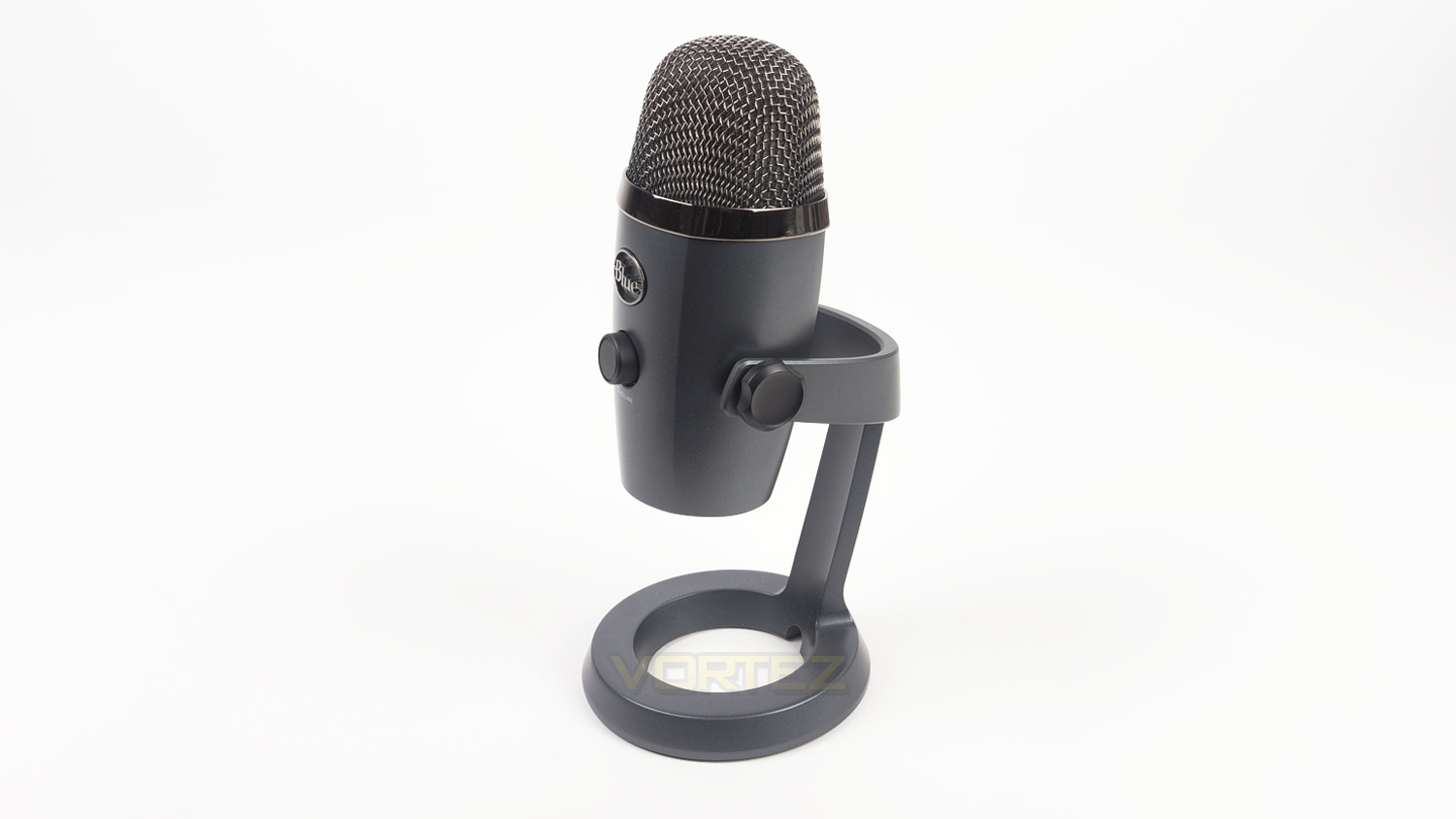
When installed on the stand the Yeti Nano measures in at (L) 109mm x (W) 96mm x (H) 210mm / 4.29” x 3.78” x 8.31”.
Closer Look (Continued)
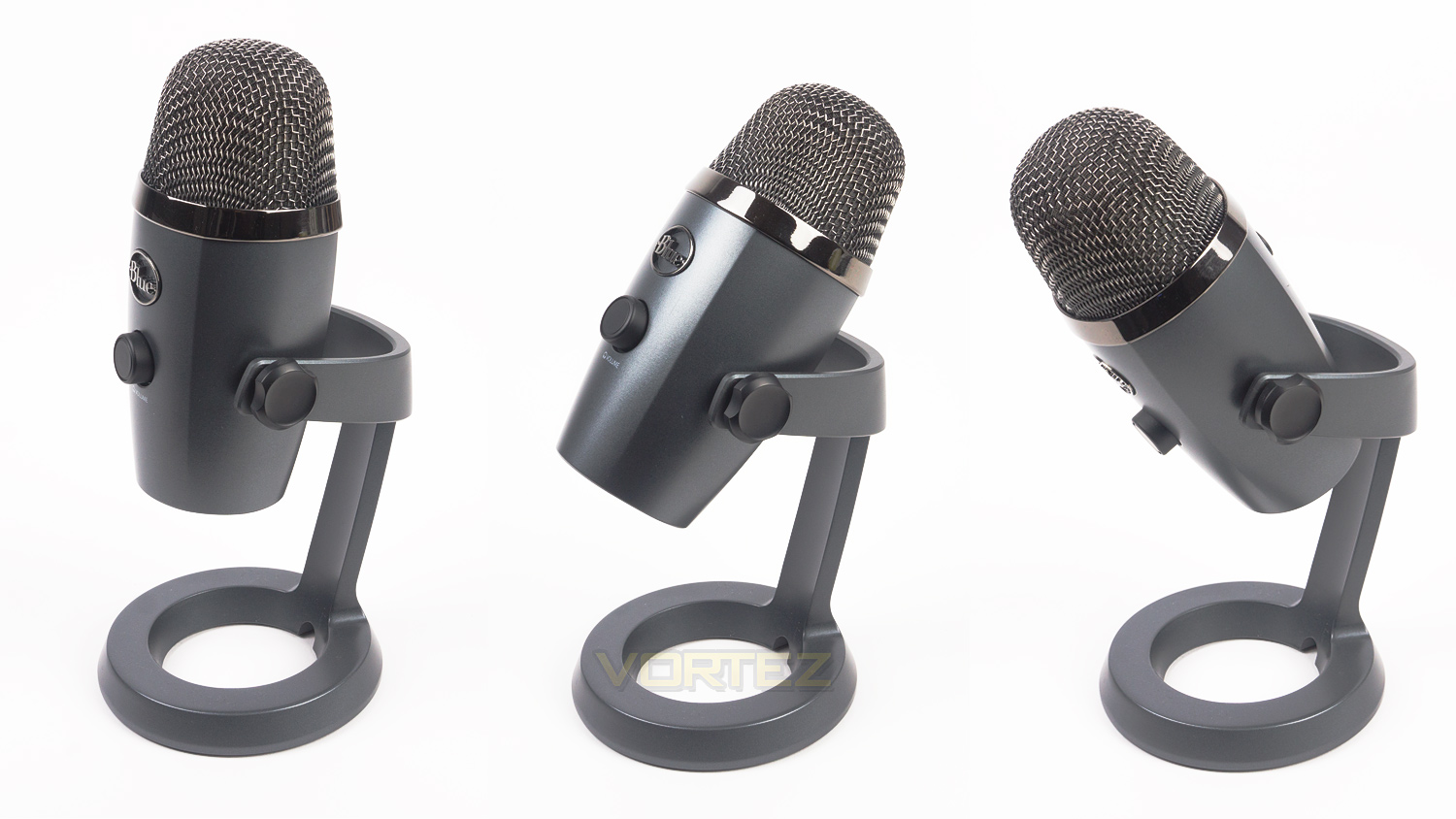
If you plan on using the included stand, Blue advise that the microphone is positioned upright for optimal sound pickup, however, if needed the mic can be re-positioned using the adjustments at the side.
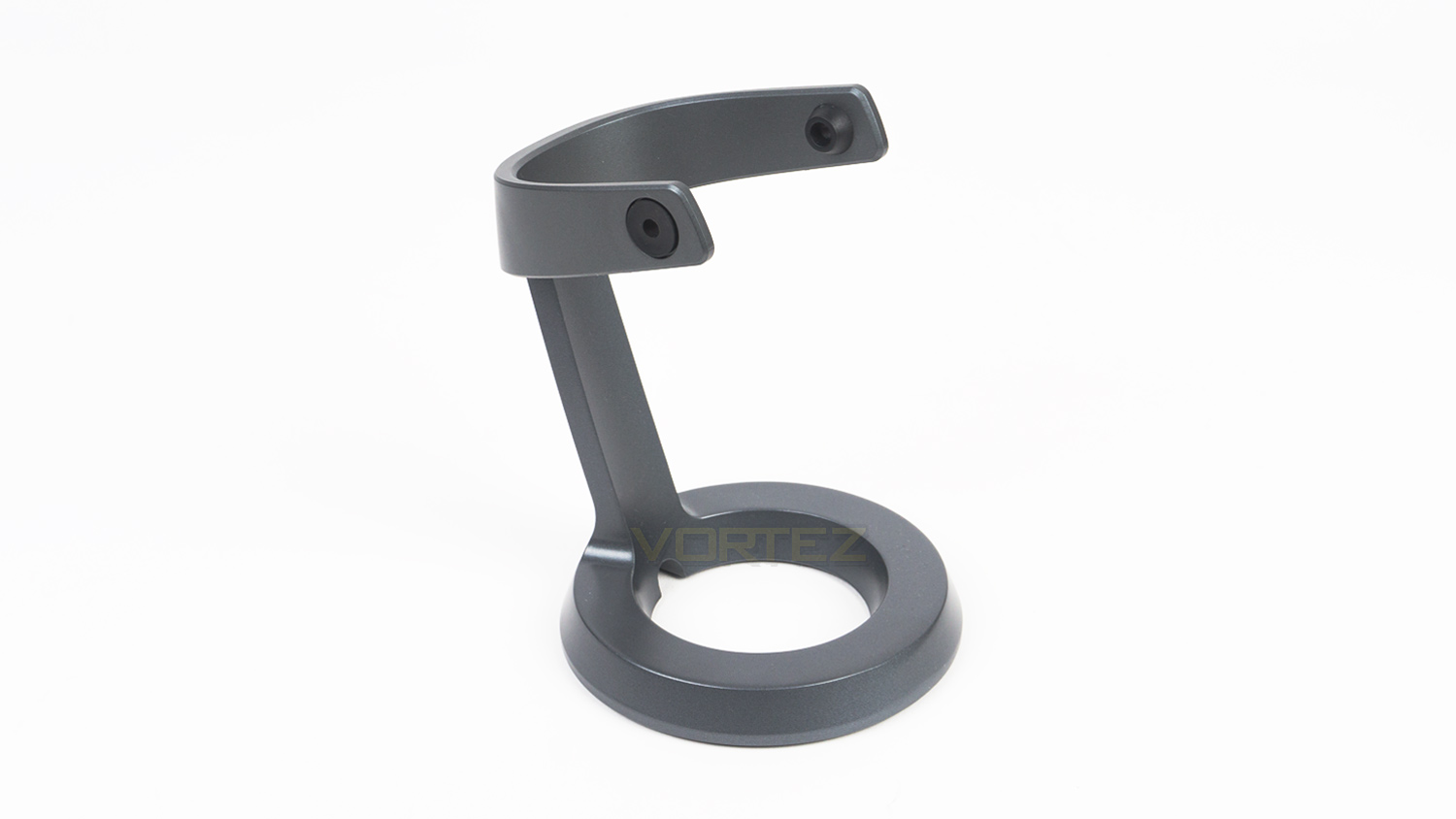
Taking the mic off the stand grants a closer look at it. The first thing you’ll note is that the design has been overhauled and fits the overall style very nice.
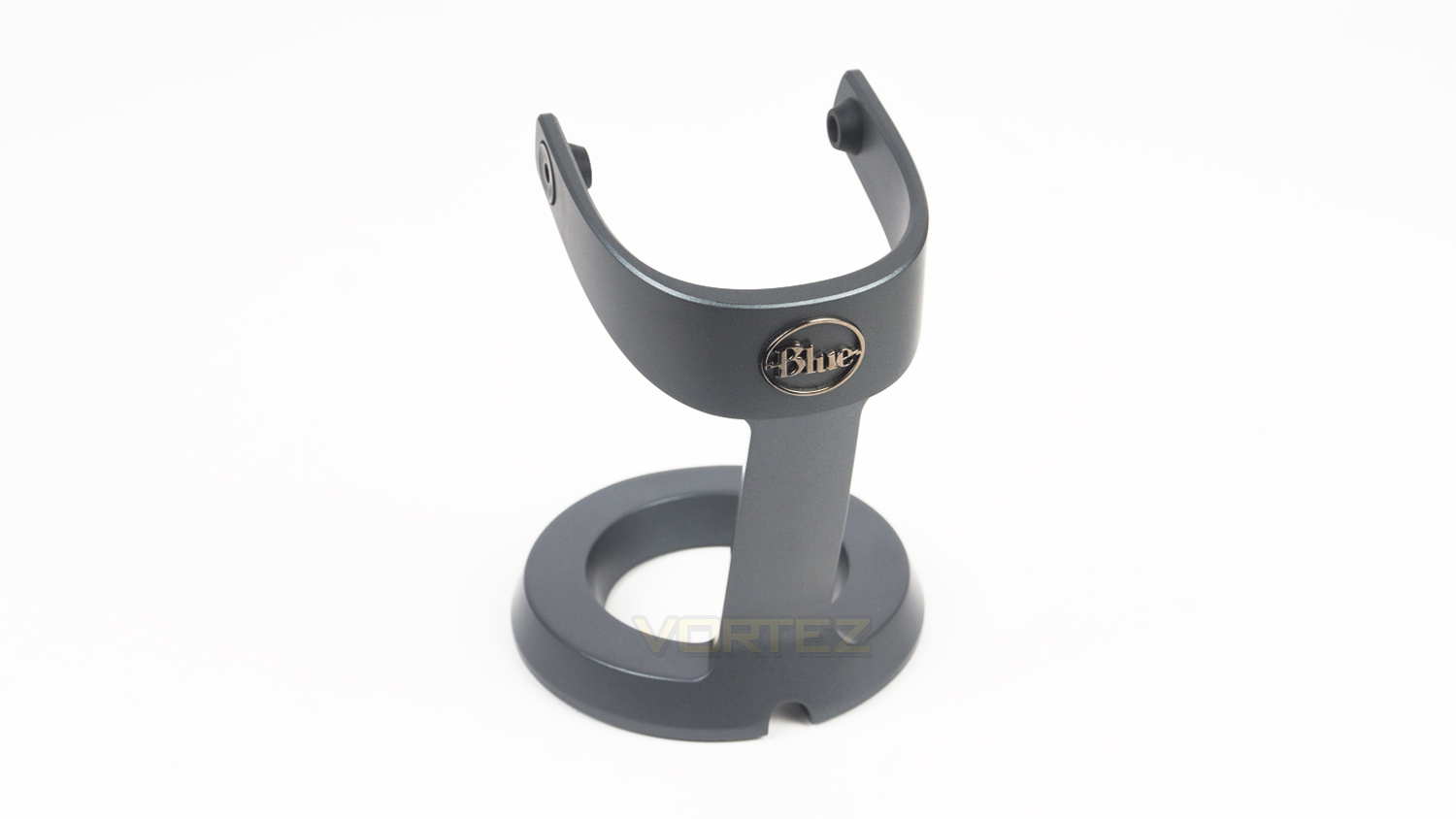
At the rear, there is a Blue logo badge. You can also see that Blue have cut out a small section at the bottom which is there for cable management purposes.
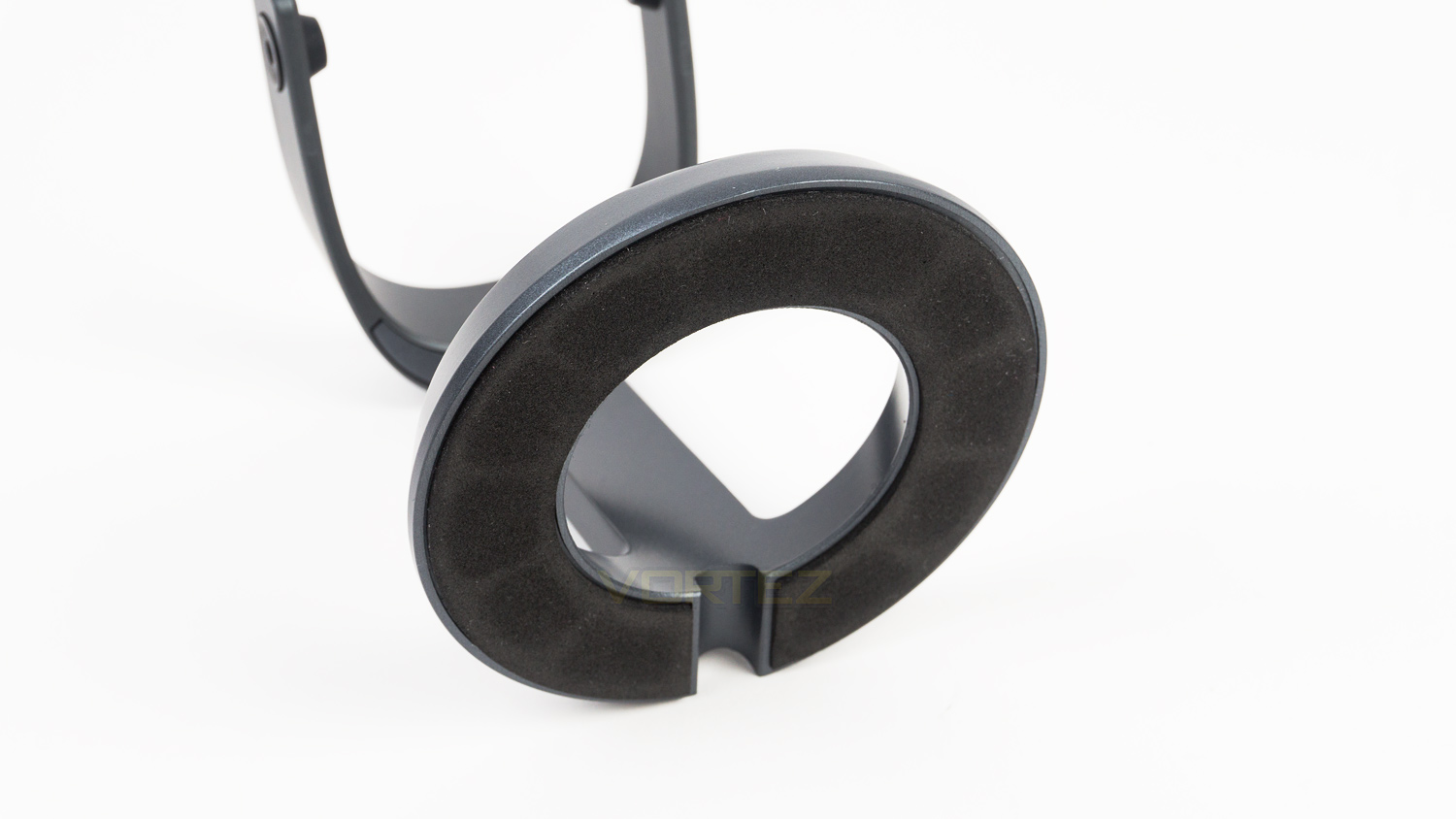
Underneath the stand, there is a ring of foam that acts to help reduce vibration noise pickup.
Software
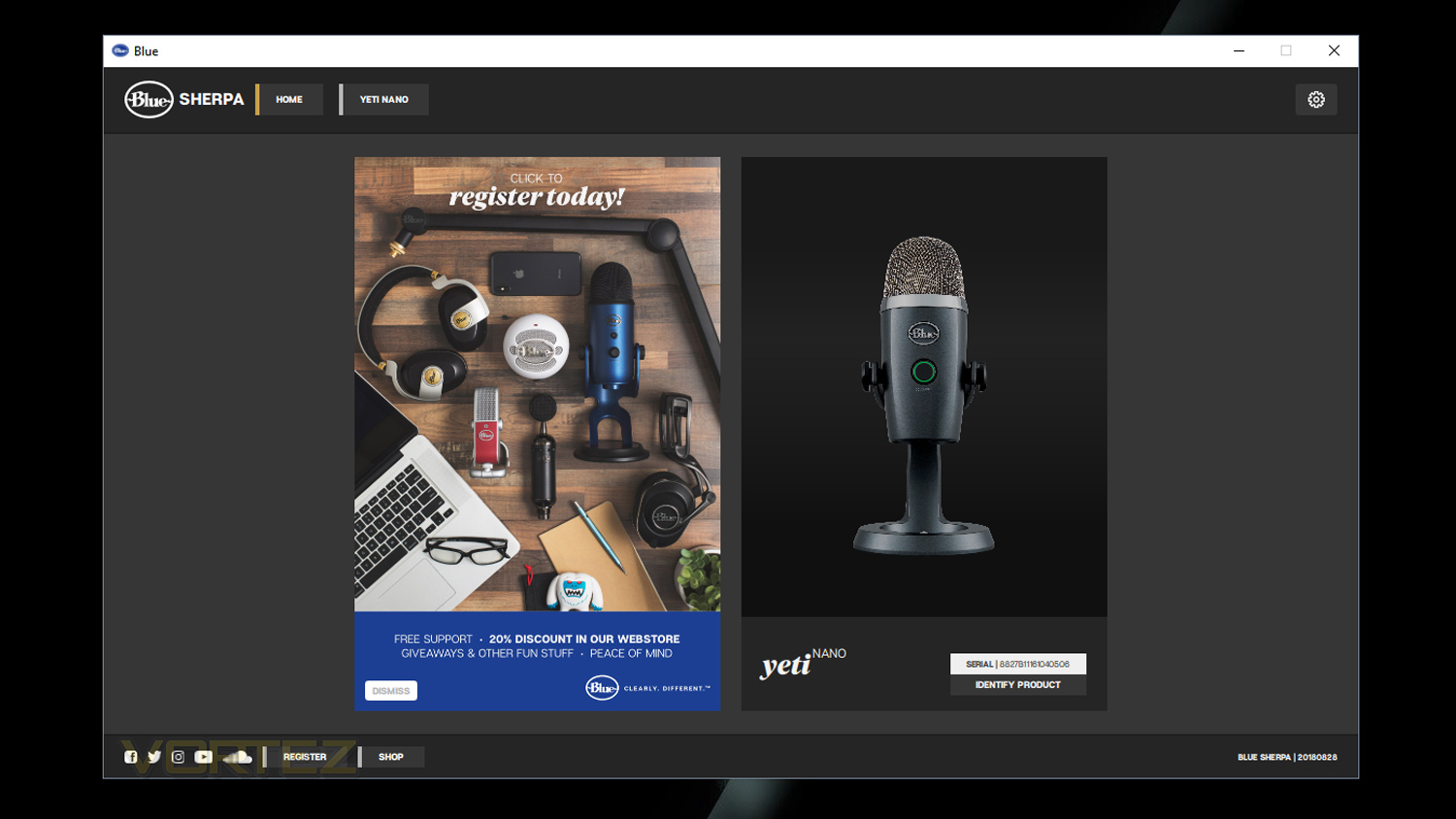
Blue’s Sherpa software is designed to work with Blue’s mics. The software has a very clean UI that is very simple. Clicking on the Yeti Nano gives you access to alter the gain of the microphone as well as adjust the monitoring level and to change the polar pickup pattern. The software also enables users to update the firmware without the need for downloading it separately. Our quick demo below provides a better look at the software in action.
Performance Testing
Setup & Observations
Setting up the Blue Yeti Nano will require a single USB port and once plugged in Windows takes over and sets up the mic. As is, the mic will function just fine and can be adjusted via the microphone settings in the audio section of the main settings menu. However, if you wish to keep the Yeti Nano up-to-date or alter the gain, then you’ll need to download the software. The software also enables you to change the direct monitoring level as well as change the polar pattern.
Using the Yeti Nano daily has been an enjoyable and stress-free experience. The front volume control works very well and allows you to adjust the volume of your headphones without the need to utilise any settings on your PC. Having zero-latency audio monitoring is another great feature too, this enables you to hear exactly what the mic is picking up without any delay, and is brilliant if you need to monitor or adjust your levels while recording. In practice, we noted that this feature worked very well and meant we could keep tabs on how the audio sounded and if it was too loud or too quiet. The mute function works great too as you can quickly mute your audio if you need to take a call, cough or even sneeze during a live stream. That way you can keep anything private that needs to stay that way. Whats handy as well is that the dial illuminates very brightly to let you know when it’s muted and when the audio is being captured. When muted, it glows red and when active it’ll glow green, that way you’ll always know which state the microphone is in. We also like that the polar pattern switching button is slightly raised so that its easy to find if you need to change the pickup pattern when in use.
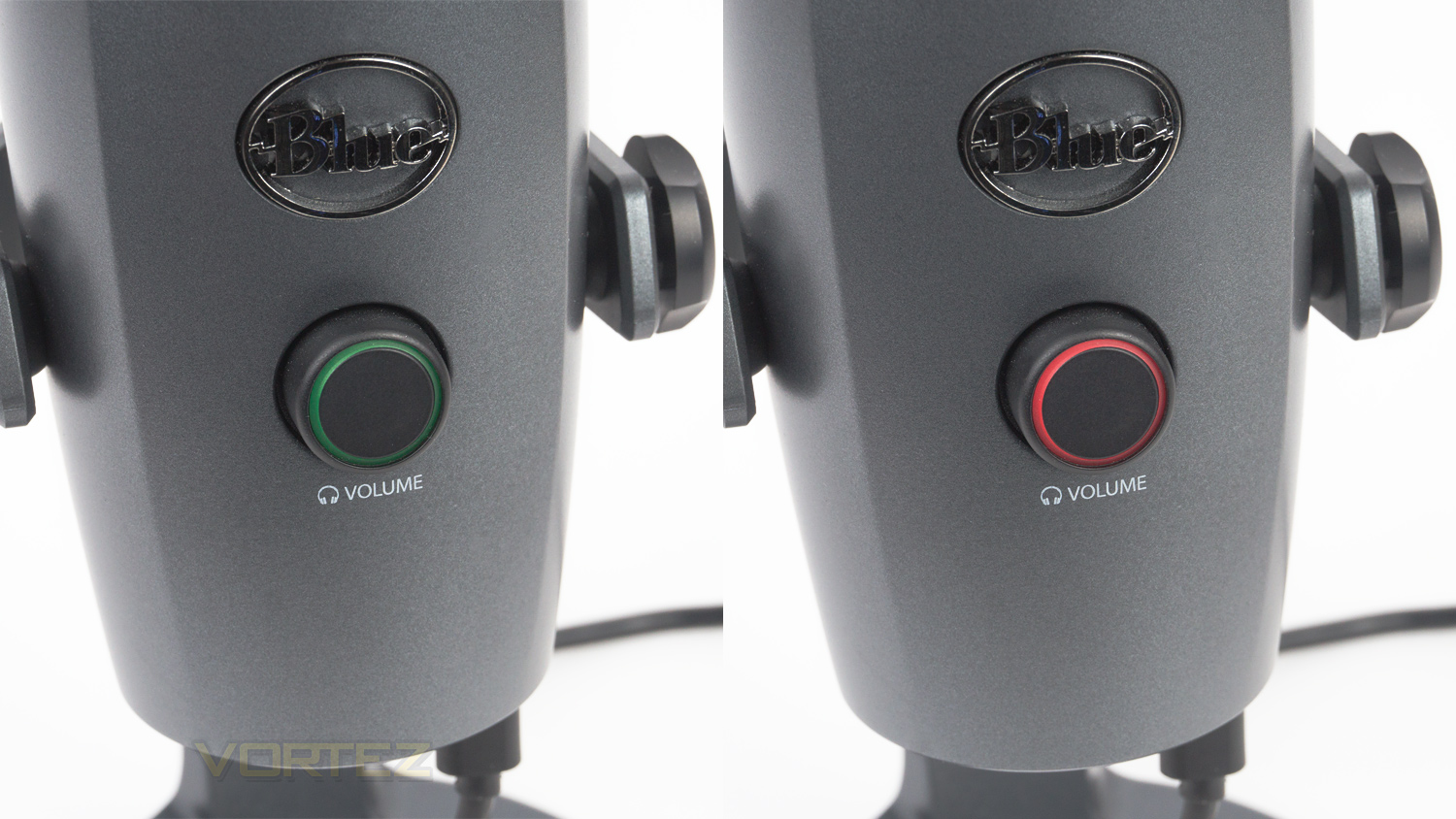
The majority of the Yeti Nano is metal with the exception of a few areas that are plastic. These include the rear button, the underside, the positioning adjustment and the volume control. To be honest given the price we were expecting even more plastic, but we are glad to see that this isn’t the case. The main microphone body feels extremely solid as does the metal stand. The plastic areas, of course, don’t have the same premium feeling yet they don’t too heavily detract from the overall build quality. The front volume control does has some wobble and play to it, but as it acts as a button, they couldn’t make it one dimensional as then it possibly wouldn’t function as a button at all. The adjustments do feel a bit on the cheaper side, honestly though this isn’t a big issue as once you’ve got it into the optimal position you don’t really need to alter them again. The rear button is nicely tactile and has some good resistance which is reassuring, it also has very little play to it so it feels well planted within the mic.
Performance Testing (Audio)
For testing, we opted to leave the Yeti Nano on its stand as that is how it arrives. The test parameters though are as follows. These will stay the same throughout the testing phase unless stated otherwise.
Test 1 – Distance
Format = 24bit, 48kHz
Gain = 90
Distance from audio source = 2ft / 0.6m
Testing both cardioid and omnidirectional back to back – one video
Prewritten script
Test 2 – Close up
Format = 24bit, 48kHz
Gain = 60
Distance from audio source (Approx) = 0.32ft / 0.1m
Testing cardioid only
Same script as test 1
Test 3 – Typing test
Typing test to capture keyboard noise pickup – Cherry MX Silver Speed switches used
Format = 24bit, 48kHz
Gain = 90
Distance from keyboard = 0.49ft / 0.15m
Placed on an extended mouse mat
Testing cardioid only
Typing out the voice script used in both test 1 and 2
Gaming use – Overwatch and Fortnite
Side note – Your experience will likely be different depending on how you have the mic setup, and the settings you use, these tests are just to provide you with a basis to how the Yeti Nano performs in different use case scenarios.
Findings
Test 1 (Cardioid & Omnidirectional) – In this test, we placed the mic around 2ft away from the audio source, we opted to use a gain of 90 due to the distance away. After listening back to the audio though, we could have easily lowered the gain as the volume output is quite high with the settings we used. In reality, you’d spend a lot more time setting up the mic to perfect it, and therefore this would be a non-issue.
In terms of quality, the audio captured when using the cardioid pickup pattern is very clean, extremely clear and contains a lot of detail. Bass pickup is strong which adds depth and body to the audio so that it doesn’t sound thin. Vocals sound natural with a nice tonal quality, and there are no artefacts in it at all. We did note that the Yeti Nano did pick up some fan noise from the test system which is located under a desk. This, however, is due to the high gain being set and of course, will be reduced by lowering the gain. We also noted that even with the high gain setting, there were no plosives or excessive sibilance present in the audio.
Switching to the omnidirectional pickup pattern, we noted that there was a slight dip in quality. The first change we noticed was that the vocal wasn’t as clean as it was with cardioid pattern, it also had a slight artificial tone to it as well. Background noise was also heightened due to the nature of this pickup pattern. Again lowering the gain would help this, but it wouldn’t fix the other issues. Bass pickup though remains strong and the audio is still clear, but if you’re recording solo then cardioid is the best choice. It’s also worth noting that with a bit of time and effort some of the issues mentioned could be fixed, but as is, direct from the mic, there are some issues with this pickup pattern.
Test 2 (Cardioid close up) – For this test, we used the parameters set out in the list above. This test revealed that the audio quality is equally as good up close as it is at a distance. The audio capture is again detailed with great levels clarity. However, due to the close proximity of the microphone to the audio source we noted that in the audio there were a few plosives as well as pops from breathing, this would be reduced if a pop filter was used to separate the mic from the audio source. So if you are planning on using this mic at close quarters, then it will be worth investing in a good pop shield.
Test 3 (Typing and Gaming test) – Here we kept the Yeti Nano placed around 15cm away from the test keyboard. The Yeti Nano was also placed on a full-sized extended mouse mat which does somewhat help to reduce any vibration from typing, so if you don’t use a large mouse mat, then your experience will be different. To see how much the Nano picked up keystrokes we typed a small paragraph at the set distance as well as played a game of Overwatch and Fortnite to try a simulate what it would sound like if you were using the mic while streaming or capturing gameplay with a commentary.
Here is what we experienced. We observed that even with the dampening effect of the mouse mat that the Yeti Nano did still pick up some vibration from typing. The keystrokes were also quite prominent due to the style of the mechanical switch and force used for typing – which was just normal typing levels. Again there are a lot of factors that could reduce this, one of them would be to drop the gain which in turn would lower the amount of audible noise picked up. The next and better solution would be to mount the microphone onto a boom arm, this would increase the distance the mic is away from the keyboard as well as bringing it closer to you, then you could again alter the gain and further lower the levels at which the keyboard can be heard.
In summary, setting up a microphone is a long process as each of our setups is different, we also speak at different volume levels as well as having different sources of noise to contend with. What why have tried to do is to simulate a few use case scenarios that the mic could be used in and from what we have, the Yeti Nano has continuously impressed.
Testing Extension – Repeating Test 1 & 3
As we set the gain too high in both test 1 and 3 we decided it would be best to lower the gain to 65 and repeat the test under the same conditions. The video below is what we captured using the same parameters as test 1 and 3 but with a reduced gain.
*Note – Retested the Cardioid, Omnidirectional and typing.
This final test yielded results similar to test 1 in terms of clarity and detail, but at a reduced volume. Also, there was hardly any background noise at all, some of it was still audible but not at a level like in test 1. Again the Omnidirectional pickup pattern was slightly worse in terms of quality, but it was superior to what we experienced with the initial test. Typing noise was also more bearable in this retest as it wasn’t as loud as it was with a higher gain. It’s also worth noting that the audio in all of the above samples has been compressed by YouTube and is, in fact, better than what you can hear above.
Conclusion
Blue has gone and done it again as they’ve made yet another stellar microphone that manages to perfectly bridge the gap between their Snowball and Yeti. Though the Yeti Nano is an impressive microphone, it does have some very minor issues, one of them being the lack of any gain control on the microphone’s body. As is, there is a volume dial for the headphones – which doubles as a mute switch as well as a separate button to change the polar pickup pattern. But, there is no dial or switch to adjust the gain, if you want to do that then you’ll have to download the Sherpa software.
Minor issue aside there is a lot to like about the Yeti Nano with the first being the updated design. Blue have tweaked the styling so it still looks like a Blue product yet it’s more modern than both the Yeti and Snowball, this great as it helps the Nano have its own identity. The build quality is also superb; the construction is mostly metal with small areas of plastic dotted around. To be honest, we were expecting more plastic to be used, so we were surprised to see how little there actually was. We also like how small the Yeti Nano is too, its a larger in terms of height than the Snowball, but smaller than the Yeti, this makes it ideal for any setup as it doesn’t take up that much space at all. Of course, if you are really struggling for space then the Nano can be mounted to a boom arm which further increases its appeal.
Now to where the Yeti Nano really comes into its own, and that is the audio department. It utilises two pickup patterns which is one more than the Snowball and one less than the Yeti. It also features two condenser capsules as well as a highly impressive 24bit 48kHz sampling rate which translate to impressive audio quality. The sound produced is very clean, clear, detailed and full-bodied. It does have a few caveats though. One of those being the pops and plosives captured when using the microphone within close proximity to your mouth. This means that if you’re using it in this style, then a pop shield would be needed. Also if you’re using the included stand it does tend to pick up vibrations from typing; even in our use where it was placed on a full-sized mouse mat. So in this case, for the best experience, we’d advise mounting the Yeti Nano to a boom arm to help eliminate this. But, even with these minor issues, the Yeti Nano would still be great for voice-over work as well as for streaming and podcasts.
Taking everything into account, is the Yeti Nano worth its asking price of £89.99 GBP ($99.99 US / $148.00 AUS)? Yes, it is. Even with the few oversights and minor audio issues, the Yeti Nano is a superb microphone and should be a serious contender if you’re looking to upgrade from a headset or lower cost mic without breaking the bank.
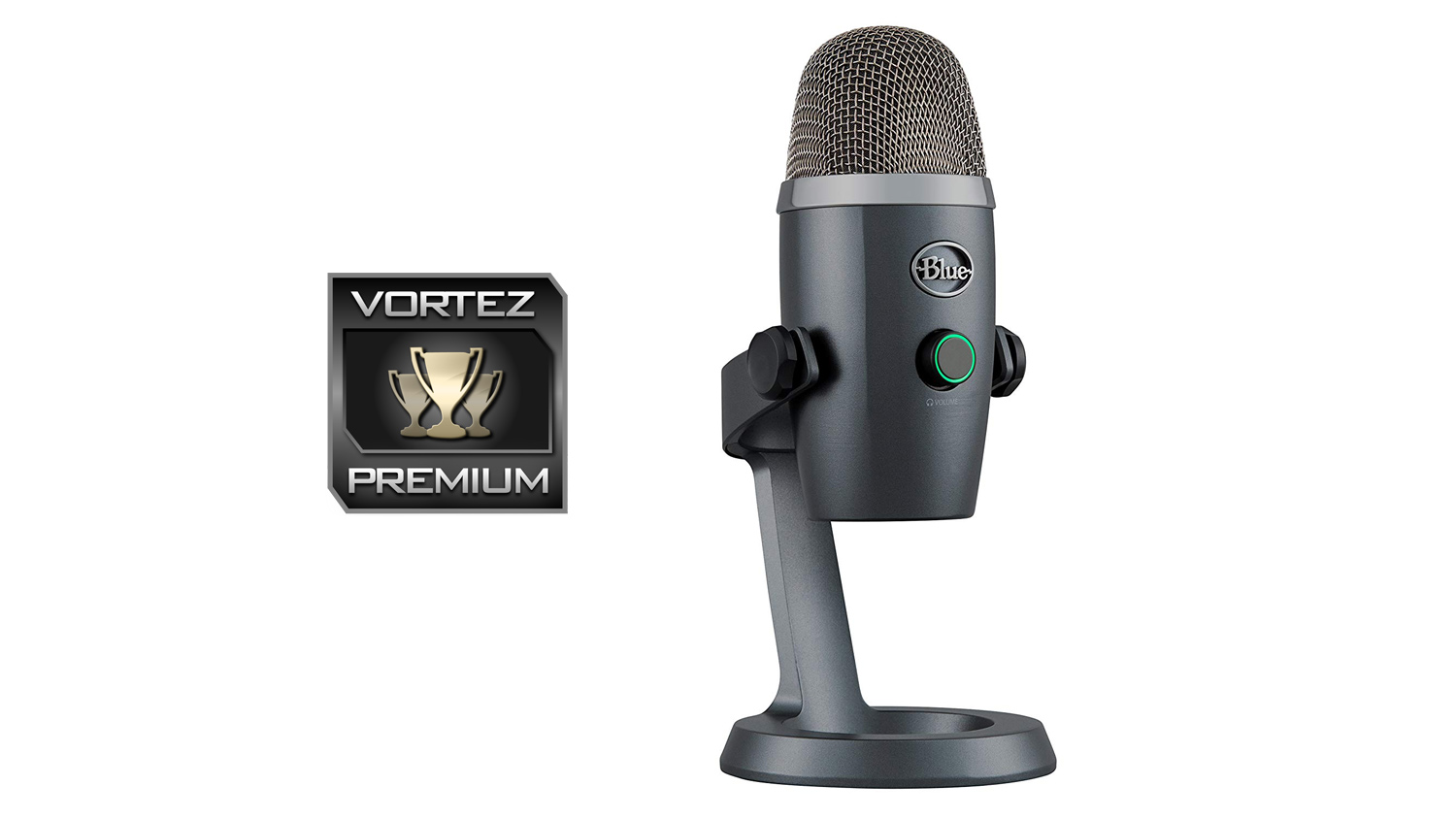
The Blue Yeti Nano manages to fill the void between two very popular mics and would be an excellent choice for those looking to upgrade their audio without putting too big a dent in the old wallet.
Pros
+ Updated and attractive design
+ Solid build quality
+ Compact stature
+ Two polar pickup patterns
+ Impressive audio quality
+ 24 bit, 48kHz sampling rate
+ Pricing
Cons
– Requires Sherpa software to control gain
+ Updated and attractive design
+ Solid build quality
+ Compact stature
+ Two polar pickup patterns
+ Impressive audio quality
+ 24 bit, 48kHz sampling rate
+ Pricing
Cons
– Requires Sherpa software to control gain
Click here for an explanation of our awards at Vortez.net.
Stay connected with the Vortez Social Media pages:
Join in with the discussions on Discord