







Cooler Master emerge with a new brand called CM Storm. Kicking off this brand is a gaming case endorsed by professional gamers world-wide. We take a look at this case and see why they speak so highly of it.
Product on Review: CM Storm Sniper Black MeshManufacturer: CM Storm
MSRP: £124

Cooler Master is a brand certain to be recognized amongst computer hardware enthusiasts. Renowned for their excellent cases, coolers and PSU’s in recent times they have a created a new sub division called CM Storm that is dedicated in arming the gaming community with gaming specific equipment. Going on previous CM products, there are high expectations from the CM Storm brand.
Taken from the CM Storm website. This is what they have to say about themselves:
Owning the PC trenches for almost two decades, Cooler Master’s veterans present their scars from battles past as claims of triumph over the competition. United with a new generation of eSports athletes and engineers, now marching under the flag of CM Storm, the time has come to reveal truly ground-breaking, military grade hardware for the gaming revolution.
Through long-standing research programs, CM Storm is co-developed with the world’s most prolific enthusiasts and eSports prodigies. Thanks to intensive testing and continuous feedback, the CM Storm division has been able to encompass and improve upon gamers’ needs and their tough to handle scenarios.
By working directly with the gaming community we have injected our Storm Tactics into each and every product we make. Storm Tactics, with a heavily dedicated focus on Strength, Security and Control, will keep your most vital gear fortified and well tuned at all times.
2008 marks a new era for Cooler Master, as its fierce Storm Gear stands ready at bay to mobilize and back up your gaming skills.
CM Storm – Arming the Gaming Revolution
CM Storm have the following to say about the CM Storm Sniper Black:
The world’s first true gaming chassis just got better. Developed in cooperation with the very best eSports professionals, the CM Storm Sniper offers an unprecedented focus on the unique needs of gamers, and comes packed with innovative solutions for the gamer lifestyle. Now, the Sniper returns fully loaded with Storm Tactics™ to provide more strength, security and control than ever before.
Launched in late 2008, the original CM Storm Sniper chassis quickly received worldwide acclaim from the global technology and gaming press. While the Sniper has been enjoying rave reviews and bringing in over 60 awards from the media, the CM Storm Labs have been working full steam on improving the Sniper even further.
The new and improved Sniper Black Edition includes all the features and functionality of the original Sniper, and raises the bar by including an all-black interior coating, full 2.5” SSD support and three huge 200mm fans! Coupled with the features that gamers have learned to love, such as reinforced carrying handles, fan and light controls, and the patented StormGuard™ security solution, the Sniper Black Edition is better than ever.
Here at Vortez Hardware we haven’t reviewed the original CM Storm Sniper so this review will be purely on first impressions and going on the above, there are certainly a pleasant collection of features within and without. So without any further delay we will begin out inspection of this much anticipated gaming case.
Specifications and Features

Upgraded Features
• All black high quality interior coating!
• Three huge 200mm blue LED fans included!
• Solid Bridge included for full 2.5″ SSD/HDD support!
Features
• StormGuard™ – groundbreaking security system for safeguarding your gaming peripherals.
• Next generation control panel for tuning your lights and fans.
• Convenient handle and foot stand for fast and efficient mobilization and relocation.
• 2 years limited warranty
Exterior
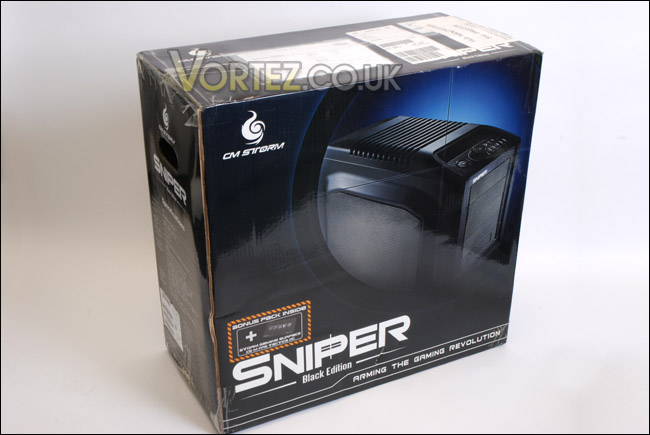
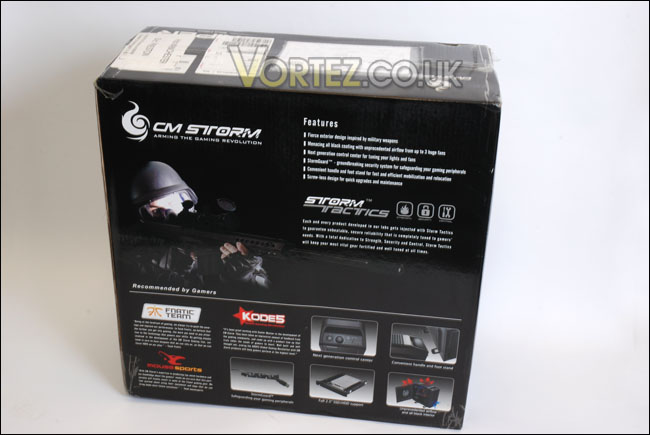
The CM Storm Sniper Black arrives in a typically sized chassis box, printed on the outside are CM Storm graphics. There are also images present, showcasing the CM Storm Sniper. On the front of the box is a small sticker informing me that inside there is a CS-M Storm gaming surface mouse pad. Over on the back side of the box there is a features list along with sneak preview images of certain of these features. There are also testimonials from gaming prodigies fnatic and mousesports as well as gaming federation KODE5. It looks as though this case is fully endorsed by the gaming scene as being a recommended product.
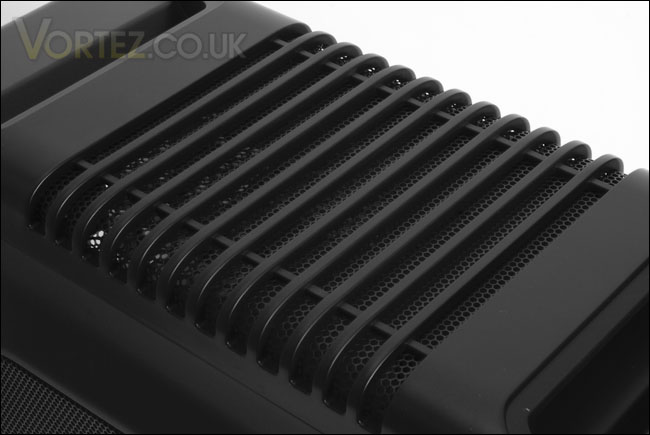
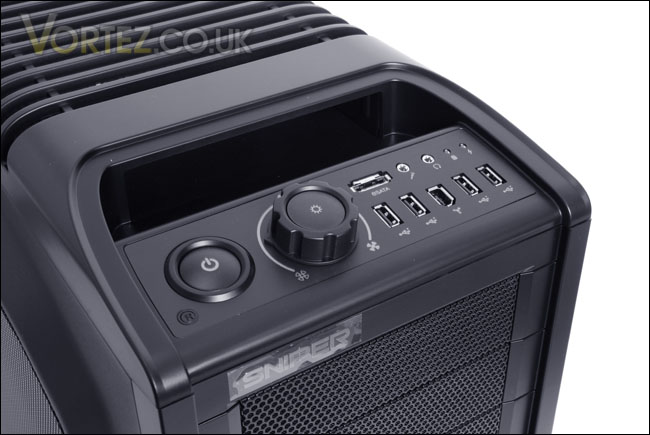
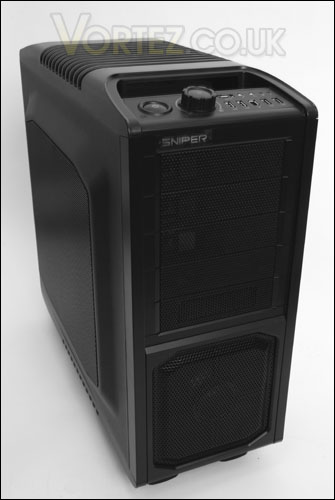
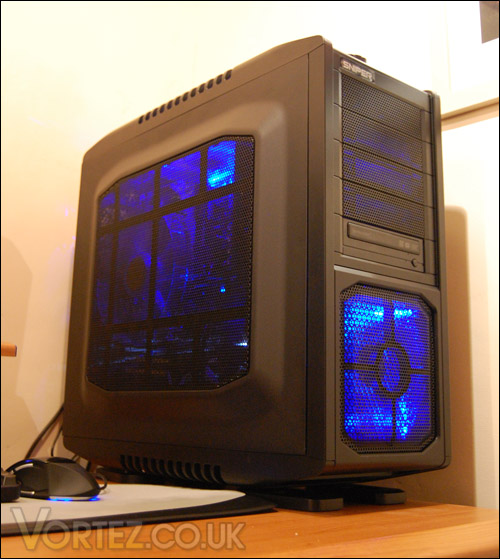
Sliding the box out of the case, immediately I noticed it was very sturdy. It stands there in authority as looking like a powerful case. The feel of the panels which are made from Steel and ABS plastics have been nicely crafted. On the top side of the case there is some ribbed mesh panelling to allow air to ascend out of the chassis. Behind the buttons and on the adjacent side there are hollows to allow you to pick the case up easily. This makes moving the case around very easy, perfect if you are at LAN events from one week to the next. In the same way the CM Storm Sniper has some rubber feet, so that surfaces this case is placed on are not scratched as well as allowing it to be stood a few inches off the floor to avoid dirt etc. Focusing on the front panel there is an assortment of buttons and ports. Going from left to ride we have the small reset button, larger power button, next to the power button is a large wheel type knob this is in fact the fan control management for the whopping 3 x 200 mm case fans inside – turning his knob to the left will turn off all the fans whilst turning all the way to the right will turn the fans onto full power. There is also an option to control whether the blue LED’s illuminate the case or not by pressing the center of this knob. The batch of ports we have on the front of the CM Storm Sniper are 4x USB, 1x eSATA, 1x Mic, 1x HD jack, 1x IEEE1394.
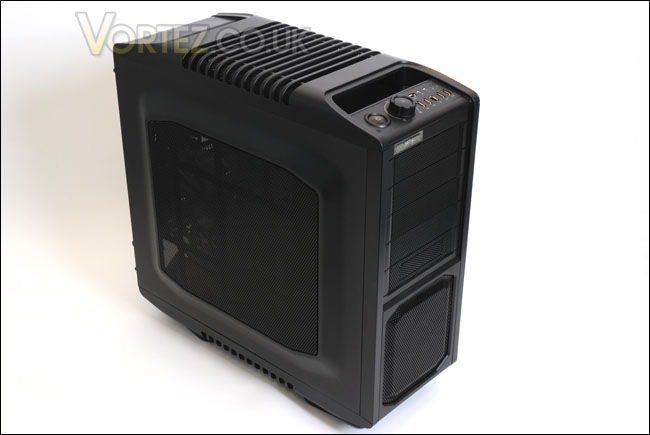
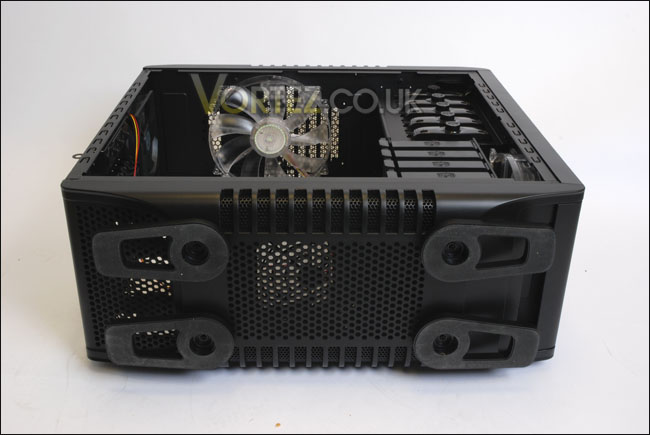
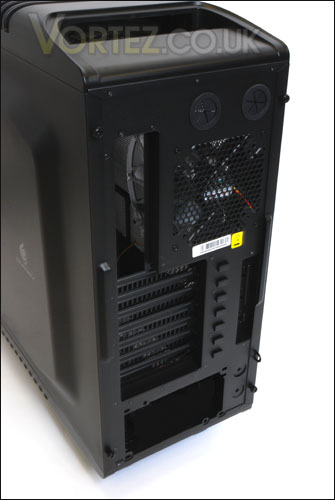
Moving further down to the drive bays we have 5 visible bays and a large area for the internal 200 mm fan to draw in cool air. If we move around to the back side of the case, there are outlets for watercooling should you wish to install a unit inside. Along with the 3 mammoth fans, there is a 120mm CM fan just in case those other fans aren’t able to shift unwanted heat. With all this cooling potential I’m anticipating some significantly lower temperatures later on in the testing stage. Lower down the back side of the case there are the expansion slot plates, I notice that there may well be some quick release tool-less design work that has gone into this area with the buttons immerging out of the right side. Lastly the opening at the very bottom for an ATX PSU.
So we’ve seen that the CM Storm Sniper Black so far has really nice build quality, looks and features on the outside. But since the case will be hosting all our expensive kit, over the page we will be examining how well the Sniper accommodates our hardware.
Interior
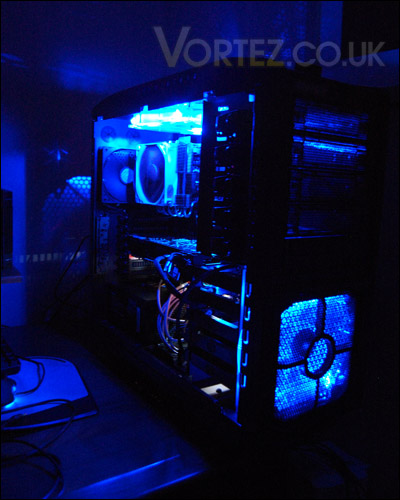
One of the most striking things about the CM Storm Sniper Black is that it features so many large cooling fans. Sure enough there are cases out there with 5+ case fans installed. But I can’t recount a case ever having 3x 200mm fans, I just hope that when switching on this thing doesn’t take off! The first noticeable fan is on the inside of the side panel. As the side panel is completely covered in mesh, this is the perfect environment for such a fan. The interconnecting honeycomb design of this mesh should allow us to have a brief view of our components inside and this would be especially useful if there is an LED cod indicator on the motherboard inside. The panels have a lovely matte black finish and have plenty of depth, which will be needed with so many fans present.
From the outset this case looks rather roomy inside. For guidance CM Storm have fixed a white motherboard sheet to assist with the installation of motherboard mounting screws. Very helpful.
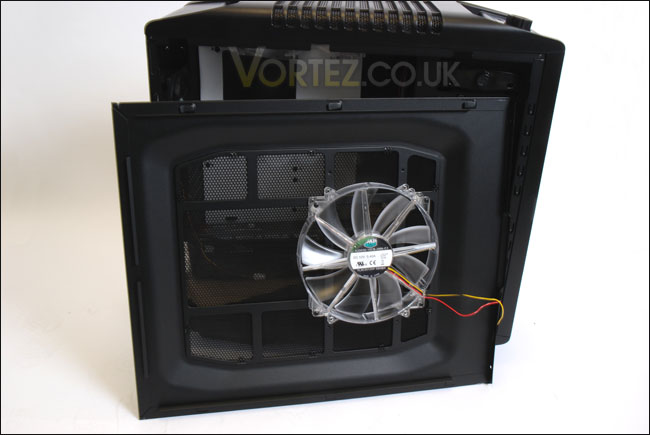
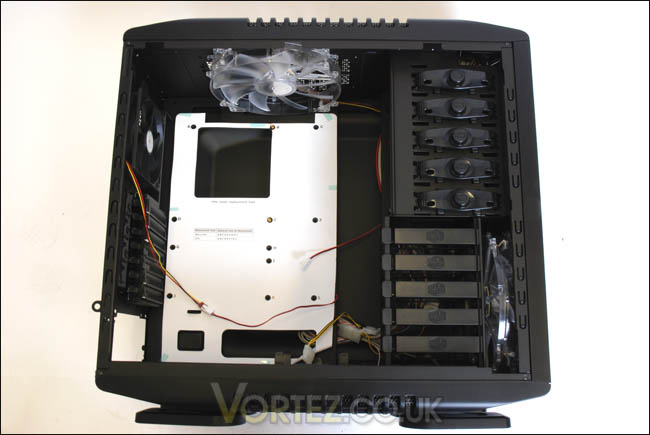
Moving inside the case, we are faced with another 200mm CM fan. This is placed at the top of the case, underneath the outer mesh panelling on the top side of the case. This is a good design decision as we all know, heat rises and it may well escape through the ventilation of the mesh system but by fixing a fan here also there is more of a force on the extraction of unwanted heat and because this is right next to the CPU cooler it will provide us with even lower temperatures. In fact, we not only have a dedicated fan on the heatsink cooler itself, we also have a rear 120mm fan at the rear of the case and a top 200mm fan. So from all angles there is an emphasis on removing this unnecessary heat, and I’m almost certain our hardware will be satisfied with the result of lower temperatures. All of these 200mm fans are available for purchase direct from CM Storm should anyone require a replacement.
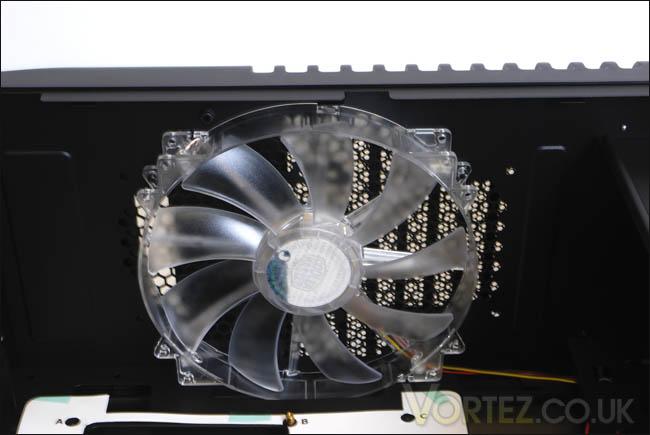
At the very bottom of the case next to where the PSU would be installed is a compartment that allows for another 120mm fan to be installed. This fan if installed would be in rather a strange position. It might well interfere with the airflow received from the front 200mm fan underneath the drive bays. Perhaps it would be a better idea to have one or the other rather than both.
The other features within the case will be discussed in the next section, when we install all the hardware inside the CM Storm Sniper Black.
Installation
Installation components
CPU: Intel Core i7 920
Motherboard: ASUS P6T Deluxe
RAM: Mushkin EM3 DDR3 1600
GPU: ASUS GTX275 / Sapphire HD 5870
PSU: Antec Signature Series 850W
Optical drive: Samsung Writemaster DVD-RW
Hard disk drives: Samsung Spinpoint 500GB SATA-II / WD 160GB SATA-II
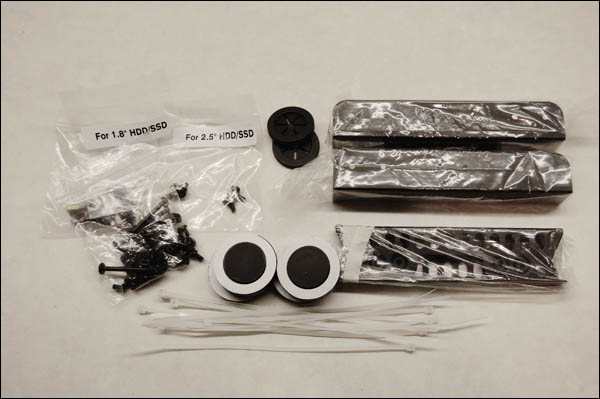
When the CM Storm Sniper side panel is taken off you will find an instructions manual as well as some extra parts to such as screws, grip ties and hdd brackets. The manual is very helpful with guidance on installing hardware into the CM Storm Sniper Black. It’s very doubtful that you will come across any problems. I did however find a small discrepancy within the manual. It had obviously not been proof read or, someone had not been paying enough attention when they were proofing the manual. Quite comically the below word should of course read “disk drive”!!


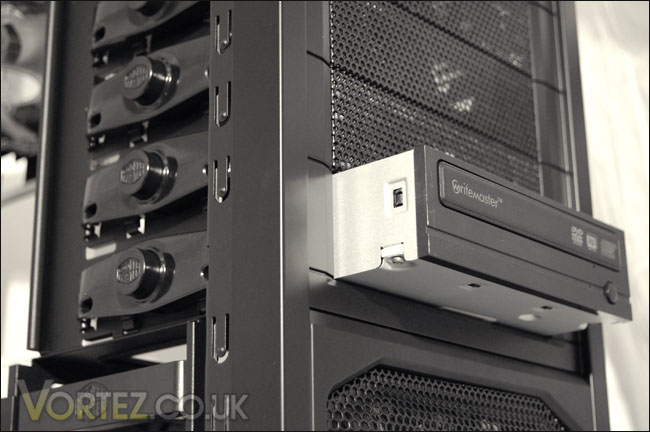
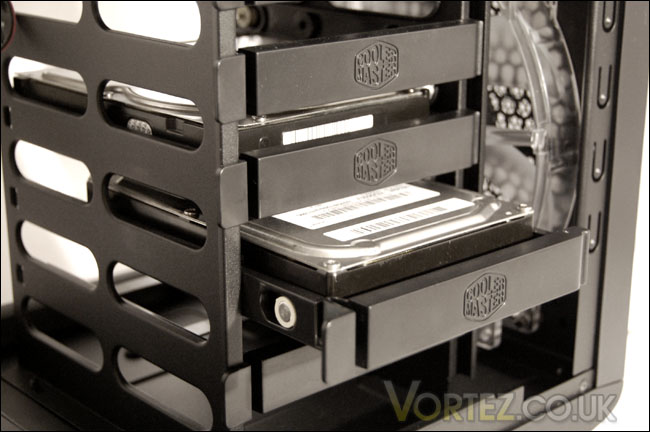
What I love the most about the CM Storm Sniper is that each item is so easy to install. Take for example the DVD-RW optical drive. Pop the front bay cover off the front, slide the drive in from the front. Position it up so that it sits in line with the front of the case, and press the circular button that the drive is positioned in to lock the drive in place. It’s literally as easy as that. No screw driver is needed, no messing about. Similarly the HDD installation is a pushover too. Unclip the cover of the tray, remove the tray, place the hard disk inside the tray – making sure that each screw fits into the slot, slide the tray back into the rack, clip the cover in and job done. Again, no hassle. In exactly the same fashion any of your expansion cards, be they sound card or graphics card – they will all fit using the tool-less system. This makes life so much easier, there are no problems dropping screws onto the motherboard or down the sides of compartments and then having to tip the case to get the screws out, because lets face it when you drop a screw, they always go into the most awkward of places!
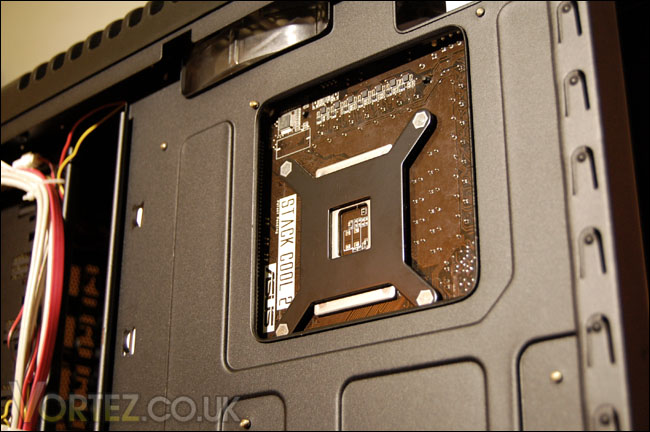
Moving round the other side of the CM Storm Sniper there is an opening on the motherboard tray for replacing the back plate on the CPU cooler, which many a case manufacturer seems to shy away from time and time again. I’ve no idea why they do this. It replaces time spent having to remove the motherboard every time you want to replace the CPU cooler. It’s a ‘no brainer’ having this as a feature on a computer case directed towards gaming/hardware enthusiasts. However innovative this feature might be, for some strange reason the backplate on my Noctua NH-C12P did not line up corrected and was slightly concealed behind the motherboard tray. It’s unlikely that other coolers will be affected by this.
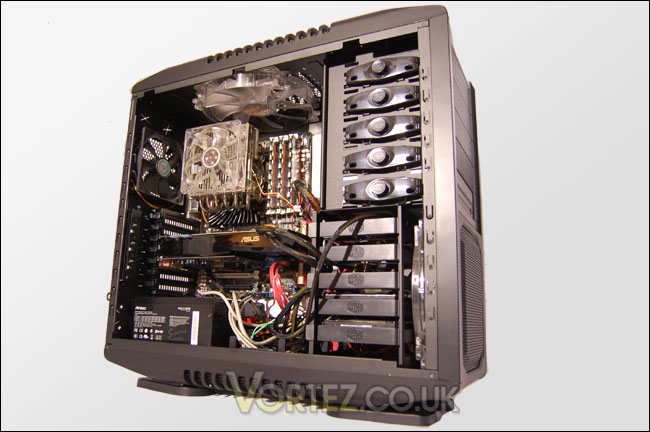
With all the components installed inside the CM Storm Sniper Black, there is plenty of space in there for the tallest of CPU coolers and the longest of graphics such as the current HD 5870. The Sapphire HD 5870 that I installed inside the CM Storm Sniper had many inches more before it came into contact with anything. One thing that comes with having such room is that cabling isn’t as easy to manage. You will need more cable ties to sort out those cluttered wires. Overall, one of the fastest and easiest installs I have ever performed.
Testing
Test Setup
CPU: Intel Core i7 920 2.6GHz
Motherboard: ASUS P6T Deluxe
RAM: Mushkin EM3 DDR3 1600
GPU: ASUS GTX275 / Sapphire HD 5870
PSU: Antec Signature Series 850W
Optical drive: Samsung Writemaster DVD-RW
Hard disk drives: Samsung Spinpoint 500GB SATA-II / WD 160GB SATA-II
Testing methodology
To test the CM Storm Sniper Black. I will observe the temperatures of the CPU and motherboard at idle from a cold boot and during a 20 minute game of Call of Duty: World at War to ascertain the cooling ability of this case. Usually we would load the system with a benchmarking tool but as this is gaming case, I thought we might do things a little different. I will only take the readings that are presented with all three 200mm fans on full speed to make things simple. During this operation I will also carefully examine the noise levels that are given.
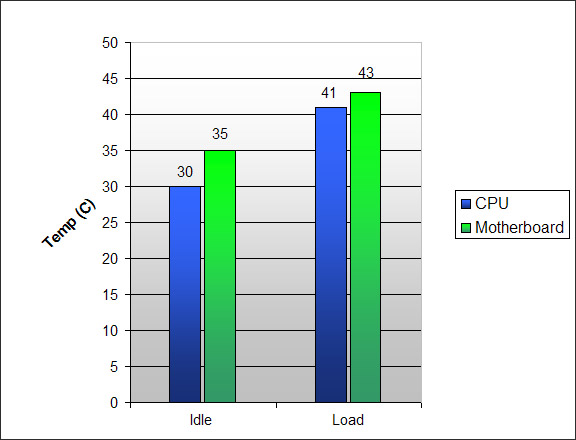
The results pretty much speak for themselves there is some great cooling to be had from the CM Storm Sniper Black. The temperatures hardly nudge at all when in game and loaded which is great.
Whilst these results are impressive, the noise from the fans on full is quite disruptive if you have the case sat on the desk. But of course you are able to control all the fans in question in order to manage this noise, and I must say there is hardly any noticeable difference in temperature. If you do feel you want to quieten things even more then there is also the choice of unplugging the molex connector from the chosen fan.
Conclusion
I’ll be straight to the point. The CM Storm Sniper Black is an epic case. It pushes all the boundaries, enabling it to qualify as one of the best gaming cases out on the market at the moment. The structure is solid, well designed and comes almost fully tool-less making installing any components an absolute breeze. What will appeal to most enthusiasts is that the CM Storm Sniper Black facilitates tall CPU coolers and long graphics cards making it a very expandable enclosure.
For £124 you get a fully expandable, tool-less, gaming case that will really look the part sat on any desk. If you have read the review you will have read of the multitude of features included with the CM Storm Sniper Black and based on this I can find no fault with this brilliant case. As such I believe the CM Storm Sniper thoroughly deserves the Gold Award for its excellence.
Pros
+ Solid build quality
+ Expandable
+ Easy to install – thanks to tool-less design
+ Looks great
+ Extremely roomy
+ Reasonably priced
Cons
– There are none!
We would like to thank CM For providing us with this sample. Discuss this review on our forums.
