







Cooler Master continue to enhance their gaming peripheral range with the release of the Trigger, a mechanical backlit gaming keyboard that’s sure to impress…

Product on Review: CM Storm Trigger
Manufacturer and Sponsor: CM Storm (Cooler Master)
Street Price: Approx. £94.98 inc. VAT
The Cooler Master Storm series of gaming peripherals have quietly embraced the gaming community by releasing on to the market some very impressive pieces of kit. Indeed, the CM Storm Sirus gaming headset we reviewed previously is one of the best 5.1 headsets we have ever tested here at Vortez. Cooler Master hope to replicate this success with today’s review sample, the ‘Trigger’.
The mechanical gaming market is very highly contested at present with excellent products available from established peripheral specific companies such as QPAD and SteelSeries so for CM Storm to battle with the big boys with their own interpretation of a mechanical gaming keyboard, they will have to pull out all of the stops.
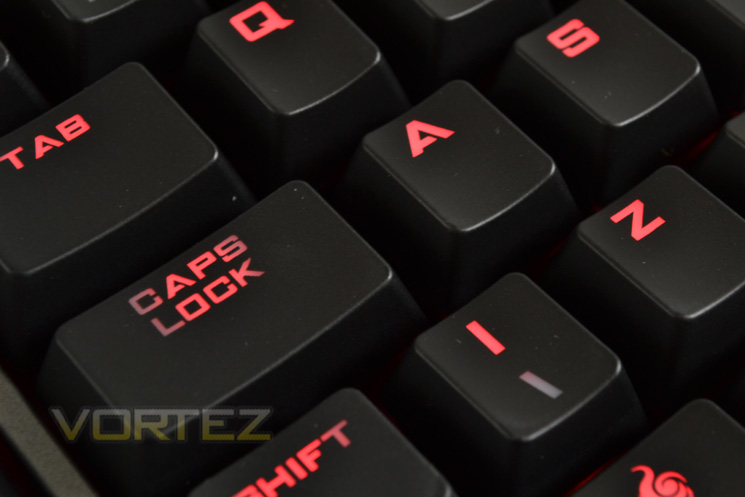
Mechanical keyboards have evolved from subtle plain black affairs with few features other than mechanical switches to full blown, back lit LED swathed, multimedia and macro enabled gaming devices. On paper at least, the CM Trigger fits the latter description and should do well with it’s pro gamer preferred Cherry MX black switches along with a host of extra features and the robust build quality we have come to know and love from Cooler Master.
Here’s what they had to say about the Storm Trigger:
Whether the weapon is chosen or that the weapon chooses you, the Trigger mechanical gaming keyboard is prepared with a full featured arsenal that incorporates a selection of extremely high durability CHERRY MX Black switches.
Specification & Features
Model SGK-6000-GKCC1(Black)
SGK-6000-GKCL1(Blue)
SGK-6000-GKCM1(Brown)
SGK-6000-GKCR1(Red)
Key Switch CHERRY Black / Blue/ Brown/ Red
N-Key Rollover 6
Macro Key 5
Polling Rate 1000Hz / 1ms
Backlighting All keys
Output 2 x USB hub
Windows Key Disable Yes
Onboard Memory 64KB
Media Keys Yes
Wrist Rest Detachable
Dimensions 475(L) x 162(W) x 25(H) mm
18.7(L) x 6.5 (W) x 0.98(H) inch
Weight 1260 g / 2.78 lb
EAN Code 4719512033388
SGK-6000-GKCL1(Blue)
SGK-6000-GKCM1(Brown)
SGK-6000-GKCR1(Red)
Key Switch CHERRY Black / Blue/ Brown/ Red
N-Key Rollover 6
Macro Key 5
Polling Rate 1000Hz / 1ms
Backlighting All keys
Output 2 x USB hub
Windows Key Disable Yes
Onboard Memory 64KB
Media Keys Yes
Wrist Rest Detachable
Dimensions 475(L) x 162(W) x 25(H) mm
18.7(L) x 6.5 (W) x 0.98(H) inch
Weight 1260 g / 2.78 lb
EAN Code 4719512033388
Features
– High durability gold-plated Cherry switches rated for over 50 million key strokes
– Multi-media control keys for convenient sound control
– 5 macro keys with profile management
– 14K gold plated ultra low latency USB plugs
– Anti-ghosting 6 key rollover
– 64KB on-board memory for profile storage
– Storm tactics key for deactivation of Windows key
– 1000Hz driverless polling / 1ms response time
– Two port enhanced USB 2.0 hub
– Detachable wrist rest
– Braided cable for durability
– Non-slip rubber coating
First Look
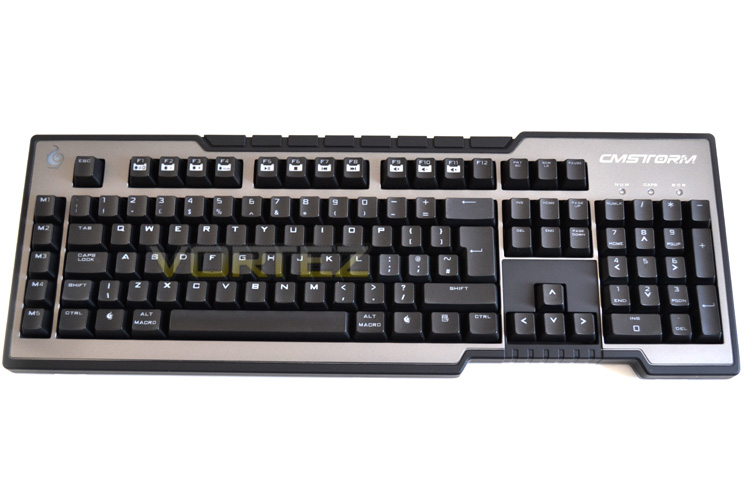
Keyboard Top
The CM Storm Trigger is a standard QWERTY layout with the numpad to the right. The Function keys double as media/feature control keys and to the far left are 5x Macro keys. The whole keyboard frame has a rubber coated plastic effect which is luxurious to the touch while purveying a robust feel.
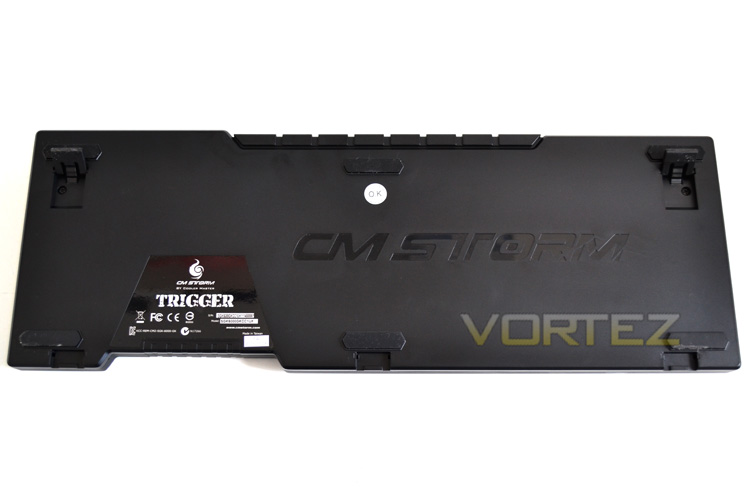
Keyboard Bottom
Flipping the keyboard over we find 6 rubber pads that will hold the keyboard in place. There are two legs that spring out and appear fairly sturdy to adjust the profile of the device, themselves coated in rubber to hold the keyboard steadfast during frantic gaming.
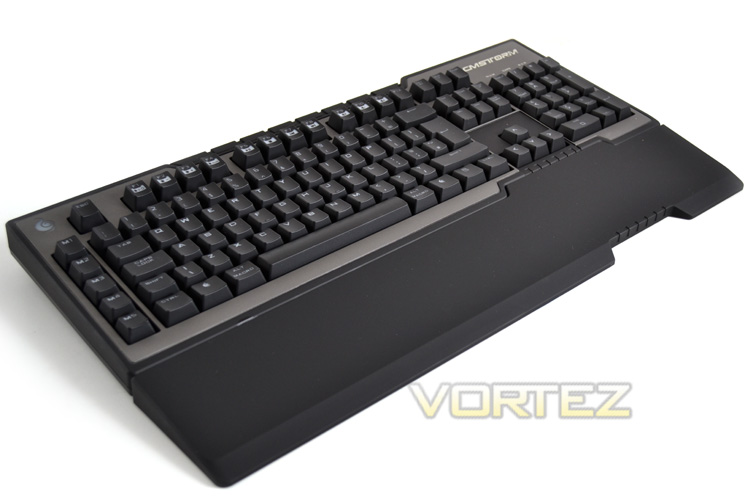
Wrist Rest
Included in a package is a full length and rather wide (850mm) wrist rest, again coated in the same rubberised texture of the keyboard. This snaps into place fairly easily but as with most wrist rests, caution should be used as the attachment prongs are not very strong and look like the could easily snap with repeated, ham-fisted use.
Profile Legs
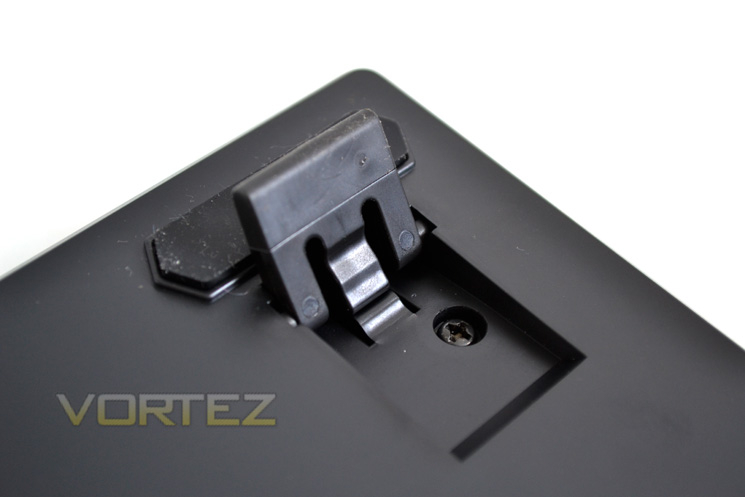
As described above, the CM Storm Trigger has rubberised feet that flip out should you like the keyboard to be angled when in use. Out of all the keyboards we have tested to date, these do appear to be the strongest yet and it is also great to see Cooler Master have added a thick rubber, anti-slip texture to these so even when the keyboard is in the raised position it should stay exactly where it is rather than sliding around on your desk.
Profiles
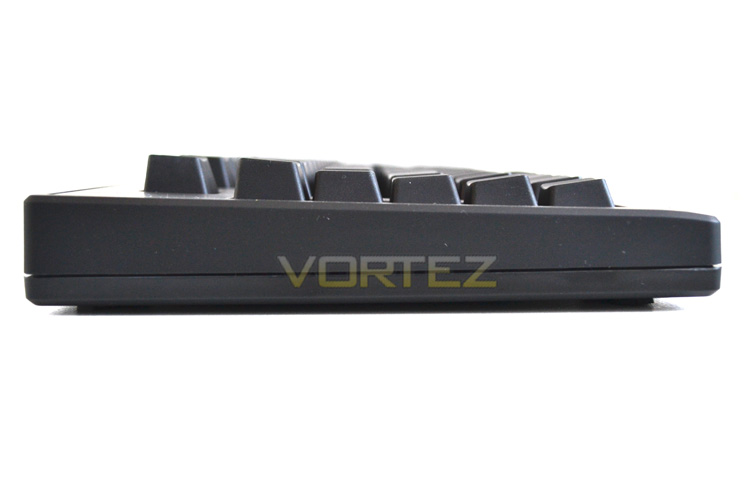
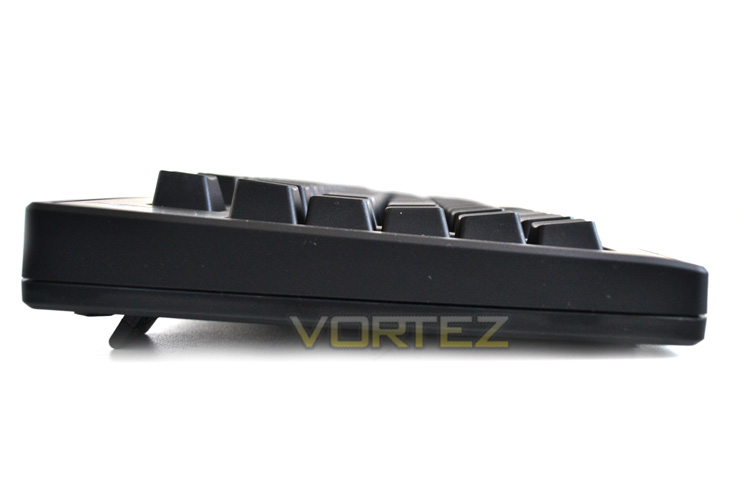
Above you can see the two angled profiles that the legs allow.
USB Hub
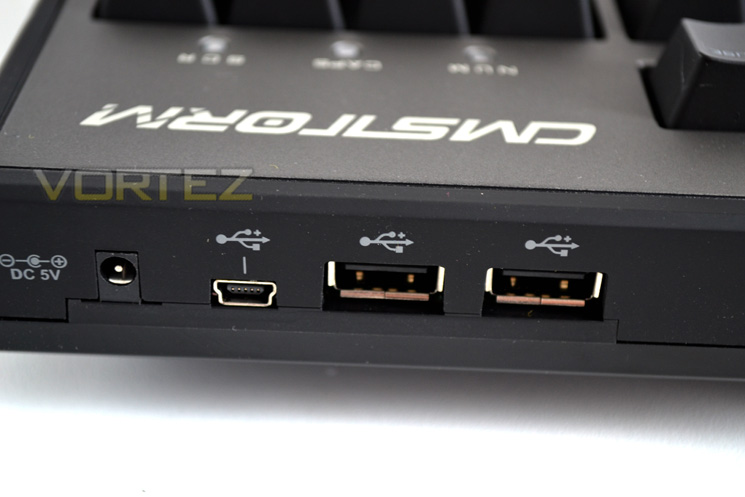
To the rear of the keyboard, like most high end keyboards today, we find 2x USB sockets and a mini power port. You will also notice a power port which will give added power to the USB ports some USB devices will require, however our sample did not come supplied with the PSU. Regardless, for normal use the USB ports will certainly come in handy and I’m happy to see that CM have omitted to include useless audio ports which add to the cost of production but add little in functionality due to the poor quality they produce.
USB Cable
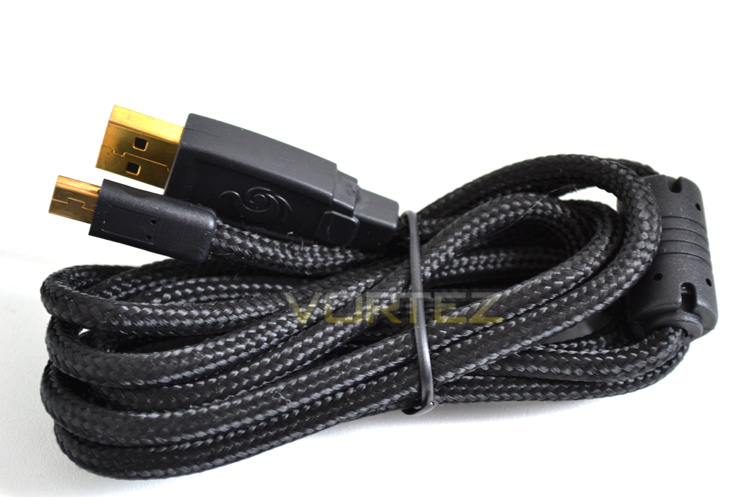
The USB cable which connects the keyboard to the PC is fully detachable and will make transportation to LANs that little bit easier, ensuring the connection doesn’t become frayed or damaged. The cable ends are both Gold plated for superior latency and durability with the cable itself protected by dense weave braiding.
Let’s take a closer look…
Closer Look
Lock Lights
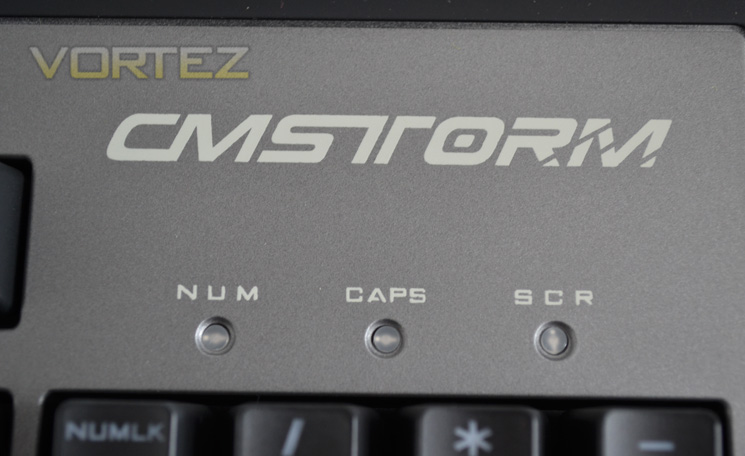
The Caps, Num and Scroll lock lights are not as bright as we have seen on some examples when illuminated. They are certainly not in the retina burning variety, instead they resemble the dull glow reminiscent of the HAL9000 super computer of 2001: A Space Odyssey fame.
Media Controls
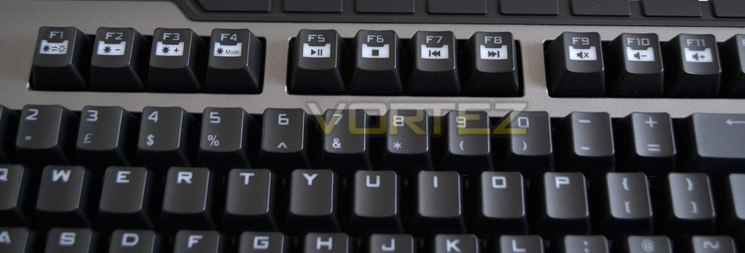
Basic multi media controls are afforded along with lighting controls. These controls are all secondary to the function keys which can prove troublesome because if you do not press the CM Storm emblem along with the correct function key you could inadvertently close a document instead of adjusting the light of the keyboard – less than ideal if you are halfway through writing a large essay! While it is great the CM have included additional function to the keyboard, I would much prefer the keyboard controls to be separate from the function keys.
Macro Keys
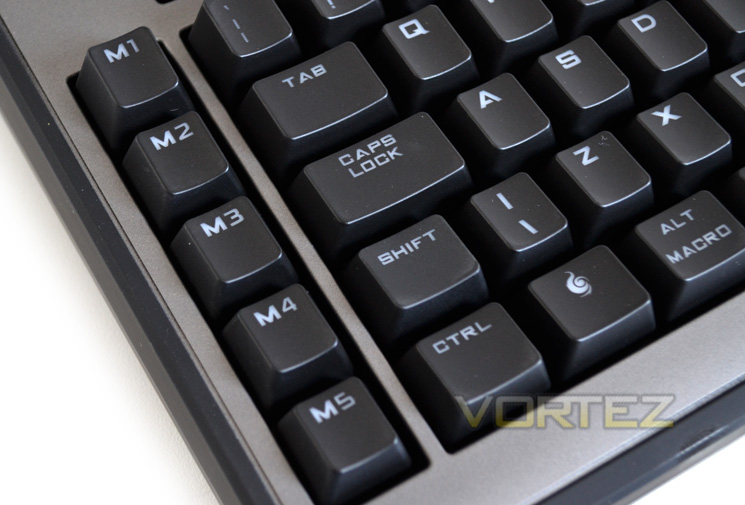
We will take a look at the software used which covers the macro capability of the keyboard in greater detail later in the review but for all intents and purposes there are 5 dedicated macro keys available to the left of the keyboard.

Key Profile
The key profiling used on the CM Storm Trigger is cylindrical which makes for a very precise yet comfortable experience.
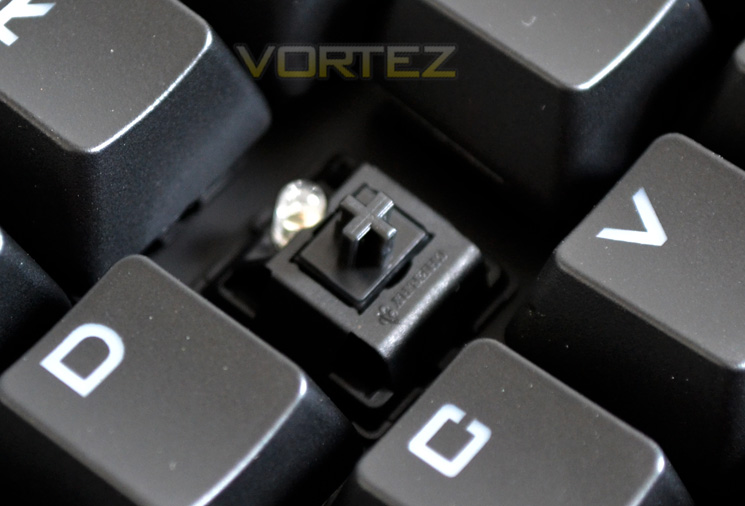
Cherry MX Black
The CM Storm Trigger is available in Cherry Red, Blue, Brown or Black depending on your preference. Our sample, as you can see from the picture above came with the pro gamers favourite, Cherry MX Black key switches. Each switch is also accompanied by a red led meaning each key is individually lit rather than an uneven backlighting process found in some ‘gaming’ keyboard examples.
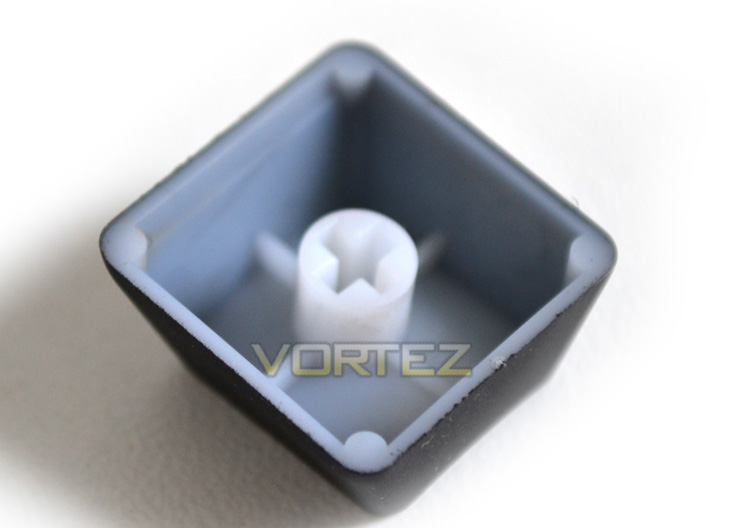
Laser Etched
Each key is coated in durable black paint and laser etched to ensure extreme durability.
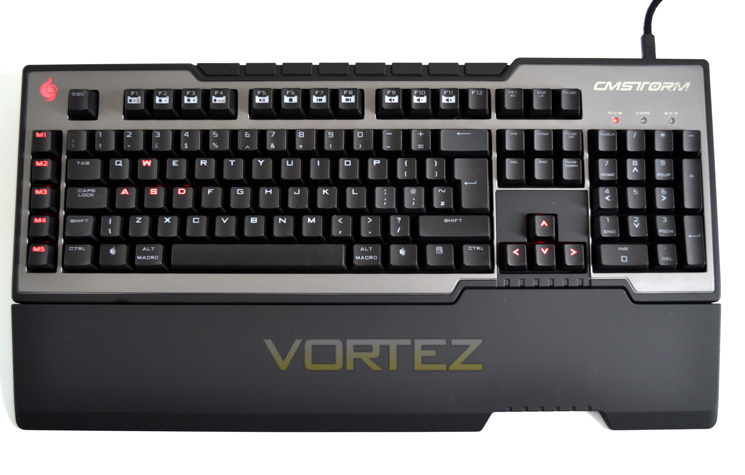

Gaming Lighting
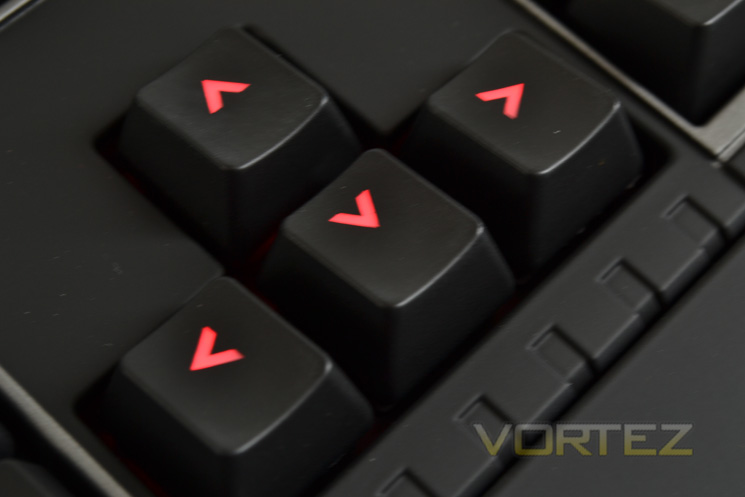
The lighting of the CM Storm is a key feature. You basically have 3 options, on, off or partial illumination. In partial illumination mode only the Macro, WASD and Arrow keys are illuminated. If full light mode, their are three levels of brightness, Dim, bright or ‘breathing’ which alternates between bright and dim.
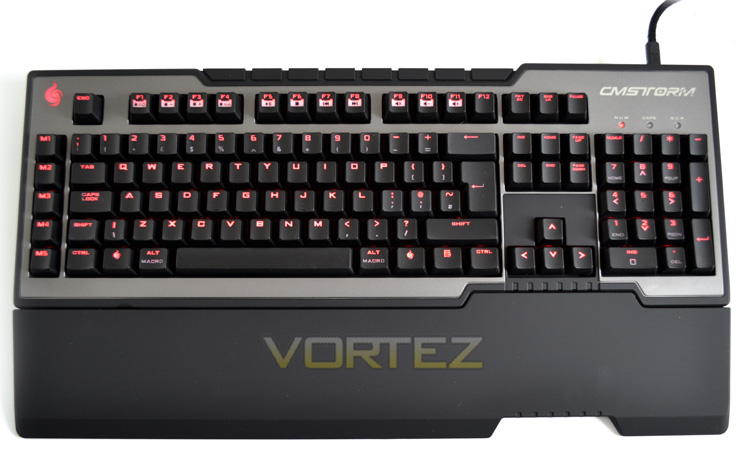
Daylight illumination
Even during daylight, the keyboard illumination was very well portrayed and during darkness, the keyboard just simply looked awesome. I should mention that the font used on the keys may a little different from what you may be used to but looks very good regardless.
Let’stake a look at the software of the CM Storm Trigger…
Software
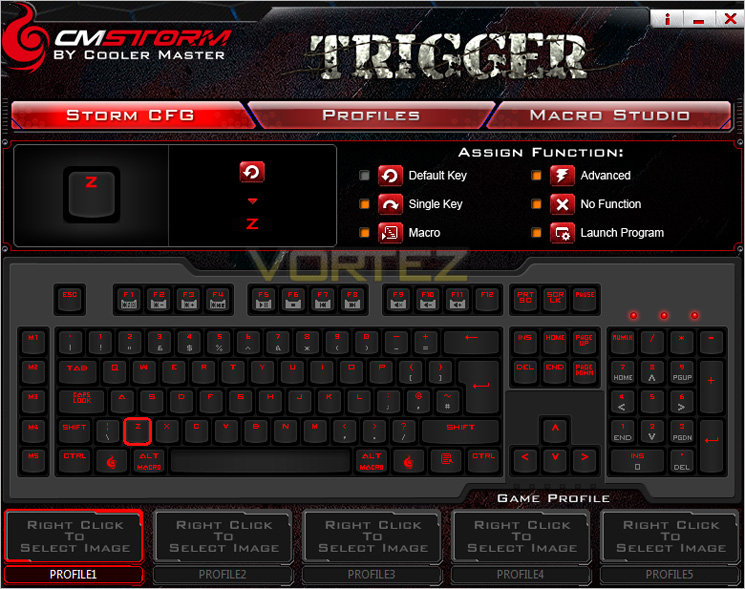
The Trigger AP allows the user to configure the keyboard to their exact needs. The first screen we are greeted with is the Storm CFG. Here we can select which profile (from 5) we wish to amend. With the profile selected we can then begin adjusting tailoring each key to whatever preference we like be it it’s default function, initiate a macro, launch a program, perform a range of unctions or indeed disable that key altogether! Every single button can be utilised to perform a task with the only limitation being your memory as memorising what each key does after assigning a function to it is a task in itself!
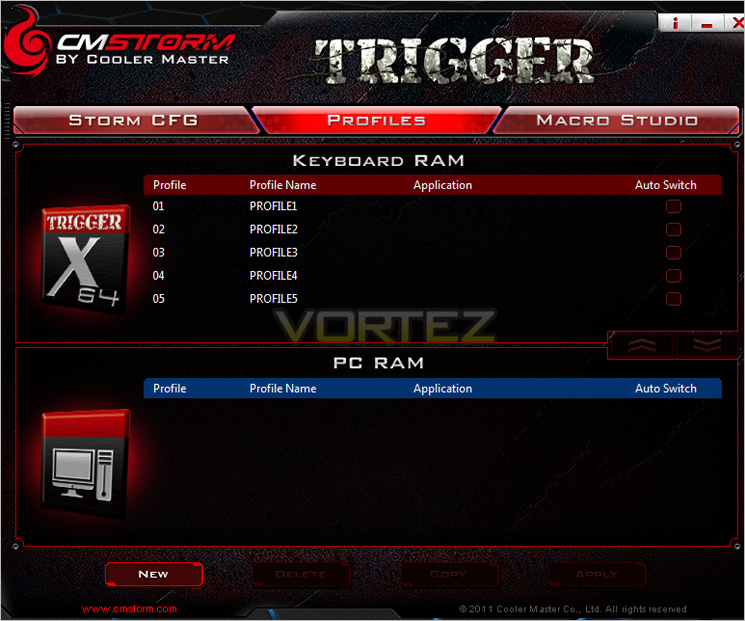
Next up we see the profiles tab. Profiles can be saved to both the on-board ram or to the ‘PC Ram’. Here is where you can copy, save or amend your chosen profiles. I nice little touch is the ability to back-up a profile allowing you to mess around with it but having the safety to restore it back to your favoured settings should you change something you do not like.
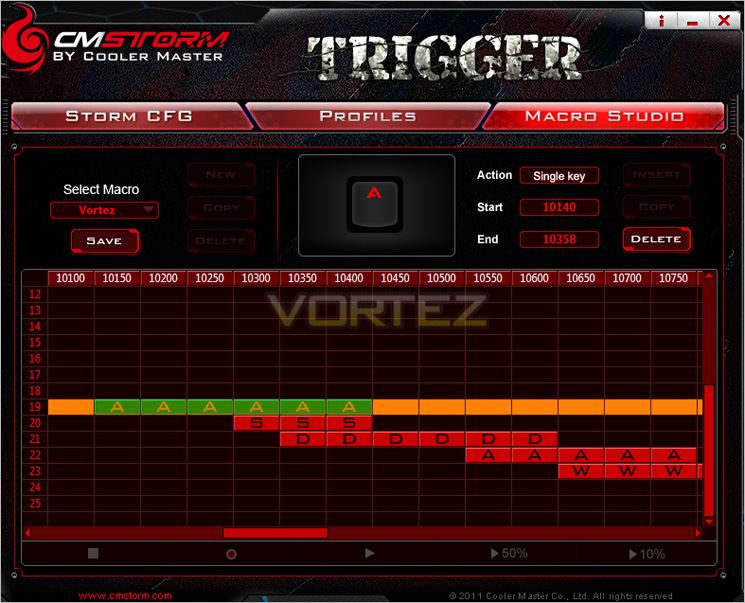
Lastly, we get to the Macro setup feature of the software. the macro creation page is very intuitive to use and can be as complex or easy to use as you prefer thanks to the stop, record, play back, 50% and 10% buttons. Delays between keystrokes can be configured and tweaked to perfection with the milliseconds between keystrokes clearly displayed in the monitor along with the action start and end time. Once a macro is created it can then be saved copied or deleted. All in all a very simple, yet easy to use macro creation tool that also take into account mouse button presses.
Let’s move on to the performance testing section of the review…
Performance Testing
General UsageLike all mechanical keyboards, they take some getting used to the first few times you use them. The CM Strom Trigger is no different and is perhaps a little more difficult than other mechanical keyboards thanks to the Cherry MX Black switches. This type of key switch is the stiffest of all MX switches so may feel a little strange if you are coming from a keyboard with a soft, traditional rubber domed affair. Regardless, after a few hours use you will begin to wonder why you never made the switch (excuse the pun) to a mechanical keyboard before. They just feel ‘right’; robust yet satisfying to use.
The MX blacks on the CM Storm Trigger, like all MX blacks are designed for gaming use and thus this keyboard may not be the best choice for typing long amounts of text. The switches are designed to be responsive, accurate and durable thanks to the linear nature and while they do not have the tactile clicky feel of MX blue switches it is still a very useable piece of equipment for everyday tasks. The backlighting can be turned off and the media keys certainly come in handy.
Gaming
Cherry MX Black key switches coupled with backlighting and macro keys means the CM Storm Trigger was an absolute pleasure to use while gaming. I must confess I do not usually make use of Macro keys but I can certainly see where they would appeal to some gamers. The Cherry MX Blacks, while being slightly stiffer than may personal favourite Red switches were still delightful to use and felt as though they would out last many of my other peripherals, such is the robust feel of the keyboard. Indeed, Cherry MX warrant their key switches for some 50 million key presses so you can be assured this keyboard will take quite a beating but still come back for more. I was initially worried about the material used on the keyboard as the matt rubber texture may start to shine after a while but after a months use I am happy to report that at present, the keyboard looks as good now as it did when I removed it from it packaging.
Battlefield 3
The FPS of 2011 was a pleasure to play with the CM Storm Trigger. Thanks to the linear motion of the Cherry MX black switches, straffing and crouching etc was very precise and responsive and because of the low actuation point of the keys, each motion was performed milliseconds quicker. While this did not have an affect on my stats, it did feel slightly more fluid. I must point out though that using mechanical switches is generally noisier than using rubber domed keys. The MX Blacks are not tactile so you do not get the ‘clicky’ sounds but you still get the ‘clunk’ sounds when the keys bottom out. Whether this interferes with your audio experience or not will depend on whether you use a quality headset.
Company of Heroes/RIFT/SKYRIM
I made use of a couple of Macro’s in these games which while not wholly necessary, did make the game more enjoyable and made some actions quicker and simpler to use. I can see people who favour MMO games make good use of the macro capabilities of this keyboard and while 5 macro keys may not be sufficient for every spell or action available, it will suffice for the more common activities.
Overall then, the Cooler Master Storm Trigger is a fantastic keyboard to use, especially when gaming for which it is clearly designed.
Conclusion
The Trigger carries on from the solid, robust foundations and build quality the CM Storm range have shown in previous examples. From the outset, the overall feel of the rubberised, textured plastic emphasised the great craftsmanship of this peripheral which is sure to take pride of place on anyone’s desk. It looks divine whether it is illuminated or not. Personally, I like the breath feature of the LED’s which makes the keyboard look like it’s alive and is really eye catching in a darkened room. As you may have noticed from some of our other Cooler Master reviews, we are, for the most part, big fans of the CM Storm aesthetics and I am pleased to report that the CM Storm Trigger is no different.
In use, the CM Storm Trigger is perfectly usable if somewhat overkill for an everyday keyboard. The Cherry blacks can become a little tiresome for writing long prose and someone who is not used to the mechanical feedback of these types of switches will mean it will take a little getting used to. If however you persevere, you will certainly become accustomed to it and before long will wonder how you ever worked without one. There are however better switches for general use such as the MX Browns or red’s which are less stiff and perhaps better key switches for typing with. Thankfully, CM offer the Trigger in all four popular key switches so the keyboard can be customised to your preference.
The sample we reviewed today had the very popular Cherry MX Black switches which, for all intents and purposes have one use in mind: Gaming and gaming is what the keyboard excels at. From the MX Blacks to the near perfect back-lighting and macro capability, the Trigger has to be one of the best pro gaming mechanical keyboards we have tested to date.
There is little to fault with the keyboard. If I were picky then I would have preferred there not to be a cut-out on the wrist rest. I can see why it’s there but this puts aesthetics over function which is a shame. There is also the dual functionality of the F keys which means should you not press the Storm key (which replaces the windows key) to operate one of the media controls or back-lighting then you could close a program or wipe text from a document. Granted the F keys can be disabled but this defeats the object, especially when a few extra keys or a scroll wheel would be infinitely more user friendly. This same criticism could be aimed at any number of mechanical keyboards though so CM Storm are not on their own with this issue.
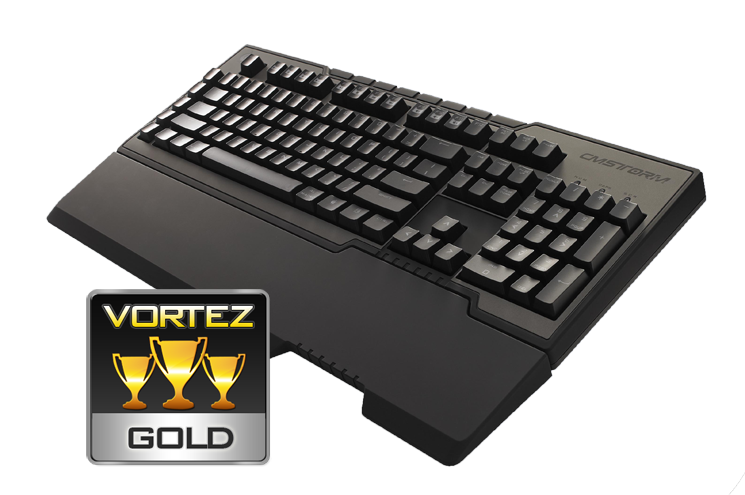
The keyboard retails around the £95 mark which is very competitive, especially when you consider this keyboard is backlit, uses the popular cherry MX black and has the CM Storm styling. Our current champ is the QPAD MK-85 and in all honesty, the CM Storm almost offers just as much at a lower price point so it would be hard to recommend the QPAD over this example. The one advantage the QPAD does have over the Trigger is that it is more usable as an everyday keyboard but it is also £50 more expensive which will deter many. Add to this the fact that the Trigger is also available with the switchgear of your choice and the decision becomes even easier. So if gaming is your bag (and lets face it why else would you be considering this keyboard?), then I can thoroughly recommend the CM Storm Trigger as it is a fantastic piece of kit and worthy of anyone’s desk space, novice or pro gamer alike.
Pros
+ Great Looking
+ Top gaming performance
+ LED Back-lighting
+ Macro Capability
Cons
– Media/Function key cross functionality
– Price may be an issue for some
+ Great Looking
+ Top gaming performance
+ LED Back-lighting
+ Macro Capability
Cons
– Media/Function key cross functionality
– Price may be an issue for some

Click here for an explanation of our awards at Vortez.net. Thanks to CM Storm for providing today’s review sample.


