







Cooler Master have taken the ever popular CM 690 and revamped it. VGA retention, SSD support and a plethora of features await.
Product on Review: CM 690 II Advanced (RC-692-KKN2)
Manufacturer and Sponsor: Cooler Master
Street Price: £75
The CM 690 was without doubt one of Cooler Master’s top picks amongst gamers and enthusiasts the world over. In light of this Cooler Master have given this prodigy a face-lift named the CM 690 II. The CM 690 II is available in 3 different flavours – Standard, Advanced (Europe) and Plus (Asia).
Lately at Vortez I have been getting through a series of case reviews, many of them being either immediate releases or exclusives. The CM 690 II Advanced that I will be taking a look at today has been available since the beginning of the year. It’s a case that I have been wanting to take a look at for some time now and I’m glad the opportunity has now arisen.
The CM 690 II Advanced sports a large interior even though its classified as a mid-tower case. It can house up to 3 graphics cards and has the space to accommodate up to 2 radiator water-cooling units and the ability to house big CPU heatsinks. The Advanced also comes with graphics card retention bracket to ensure the graphics card is given added stability and an external docking station is positioned at the top of the case for SSDs. There are many other aspects to the CM 690 II Advanced so lets crack on and begin looking at this case.

Cooler Mater’s Take:
Cooler Master’s CM 690 quickly became a top-selling mid tower chassis due to its sleek design, full tower like features and exceptional value. Today, we have raised the bar again, with the new CM 690 II, which comes in regular and advanced editions. The new version enhances the original CM 690 killer features with a seductive all-black interior, added capacity, superior cooling system and user-friendly design.
Available Color
– Black
Material
– Steel body/ Plastic + mesh bezel
Dimension
– 214.5*511.8*528.8mm
Weight
– Net weight: 9.56 KG
– Gross weight: 11.56 KG
Motherboards
– Micro ATX / ATX / Mini ITX
5.25″ Drive Bay
– 4
3.5″ Drive Bay
– 6 hidden
– 1 exposed
I/O Panel
– USB 2.0*2 / eSATA*1 / MIC*1 / Audio*1
Expansion Slots
– 7+1
Power Supply
– Standard ATX PS2 / EPS 12V
Exterior
The CM 690 II Advanced comes in a sleek box designed quite artfully. The front has a large impression of the case with nice typography. Typically, the sides contain technical specifications whilst the back goes into the features of the CM 690 II Advanced a little more closely. Inside the case is kept secure with polystyrene pillars and enclosed within a large clear plastic bag.
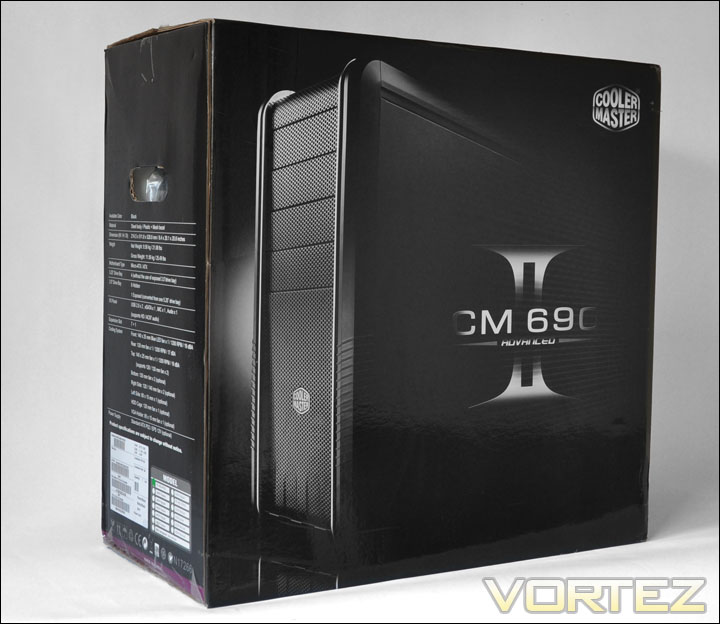
The CM 690 II Advanced box
Removing the case from its packaging its clear to see why the original 690 took precedence in the chassis market. The 690 II Advanced looks very clean, both side panels feature perforated mesh, the left side has 2 openings for 120mm fans to be mounted (or smaller if you desire – the mounting holes are all there). For a mid-tower case the 690 II Advanced is fairly tall at 51cm.
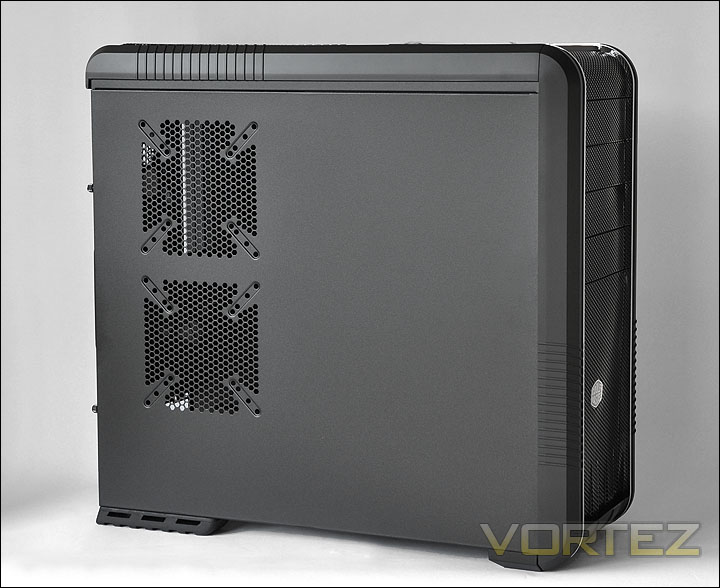
Left side features mounting placement for fans
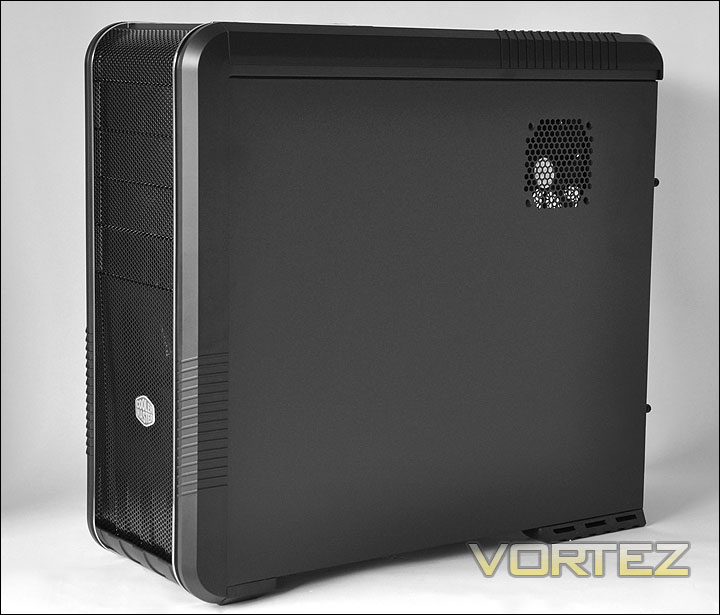
Very clean looks
Exterior (Continued)
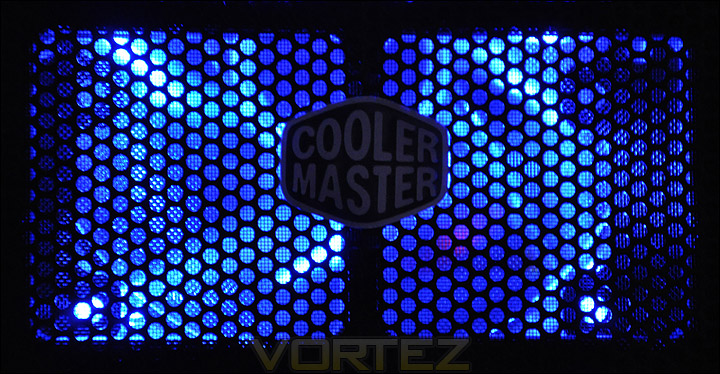
The front of the CM 690 II Advanced as I have already said is very clean looking. I really like the front bezel CM have done a great job with the visual looks on CM 690 II Advanced but also the feel too. Whilst the front does feature perforated mesh down the middle it maintains a minimalist appearance. There are 2 gleaming accents of silver that run from the bottom right along the top to the back of the case.. There are 4 x 5.25″ drive bays, to get at these bays the front unclips with a light pull. The Cooler Master insignia is attached in the middle of the mesh region which covers up the 140mm LED fan that is mounted underneath
Moving around the back of the CM 690 II Advanced, from the bottom we can see that PSUs will be mounted at the bottom of the case. Above this there are 7 expansion covers with an additional bracket to the side which can be removed and used for the graphics card retention bracket or even a fan controller. None of these expansion covers have any perforated mesh. Further up there is a space for the I/O panel on the motherboard and then to the side of this an area for the rear exhaust fan which is 120mm in size. This fan has a honeycomb styled mesh to allow heat to dispel. Above the exhaust fan opening there are 2 x rubber grommets that act as water cooling outlets.
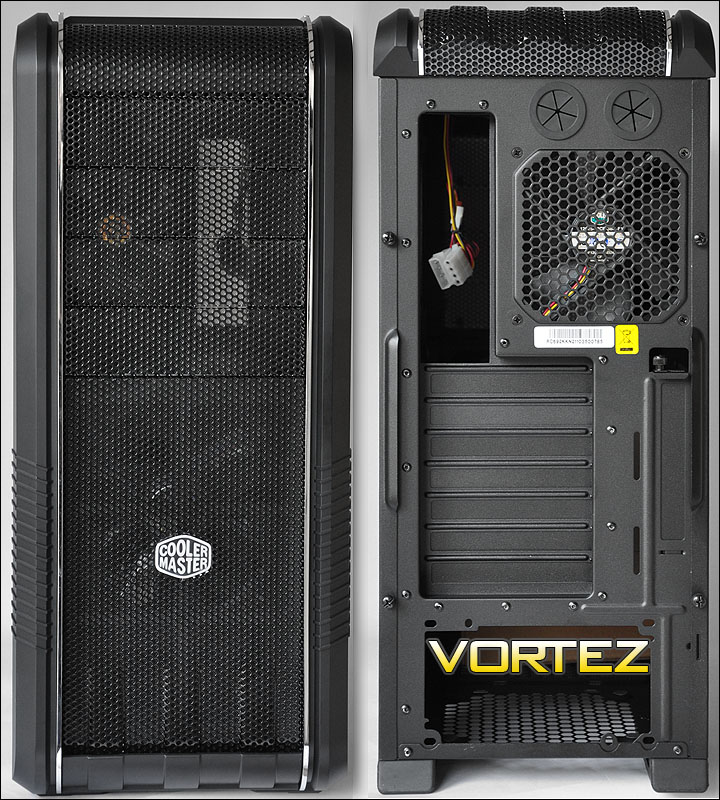
The CM 690 II Advanced box
Observing the CM 690 II Advanced from the top we get a closer glimpse of that nicely designed mesh exterior. The front panel consists of the following: (left to right) light on/off switch, eSATA port, USB2.0 port, headphone and microphone ports, another USB2.0 port, reset and power buttons and activity LEDs.
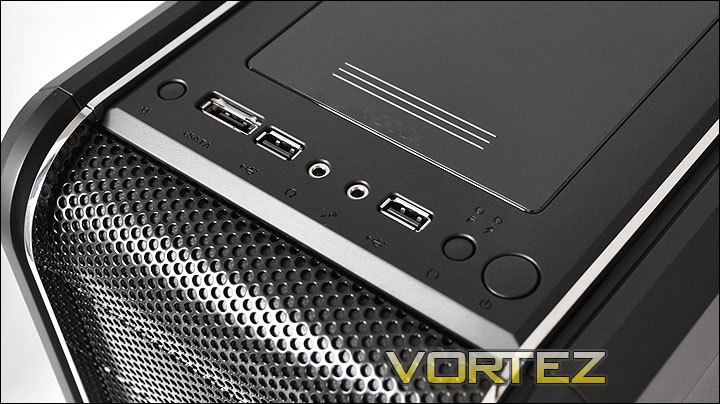
The front panel
Behind the front panel there is a docking station. Getting access to this feature is quite simple. The cover just slides back to reveal SATA ports beneath. This allows you to hot-swap devices like SSDs. As we close in 2011 we have seen many cases this year – particularly those just released not featuring anything like this yet Cooler Master have made it their intention to integrate such functionality at the very beginning of the year which is commendable.
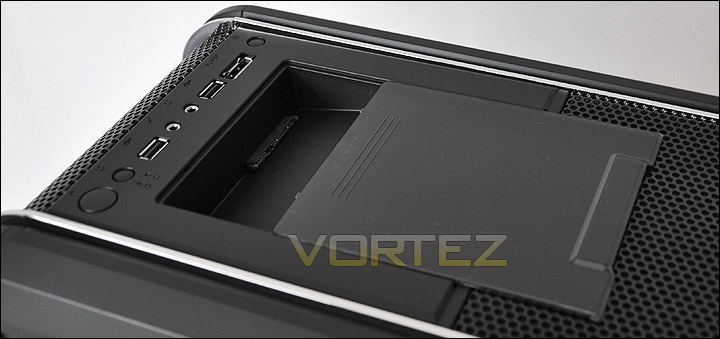
The cover shielding the SSD docking station
Further along the top of the CM 690 II Advanced there is again the continued design we saw on the front of the case – smooth, clean mesh. Underneath this mesh is the top mounted 140mm fan that Cooler Master have included. The exterior has been an impressive insight into what looks to be a great case. Great looks, nice feel and what appears to be good build quality.
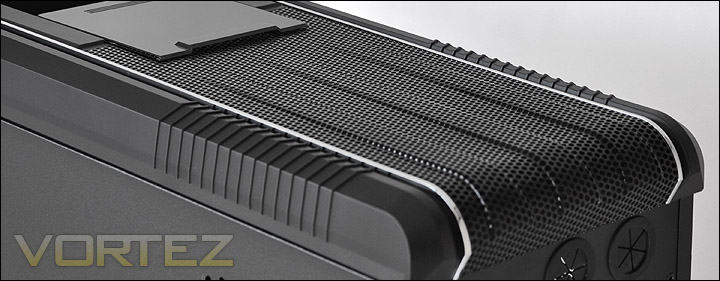
The top of the CM 690 II Advanced
Interior
Removing the side panels via the thumbscrews reveals quite a roomy interior. Tool-less mechanisms throughout for the installation of devices and the continuance of excellent build quality. The only aspect that is slightly disappointing is the CPU backplate cu-out. It does seem to be quite small.
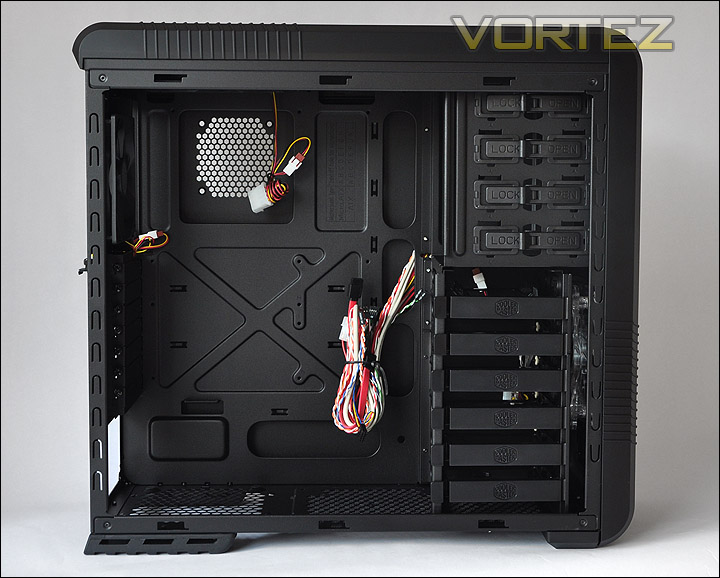
Side panel removed to show a pleasant looking interior
Behind the motherboard tray (which isn’t removable by the way) with the side panel removed there is plenty of slots provided for managing the cables. A little later on in the installation we will take a closer look at this aspect of the CM 690 II Advanced.
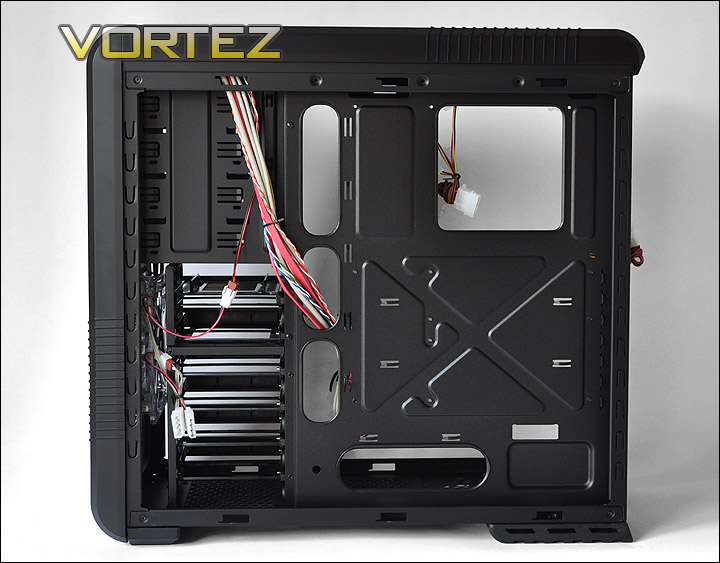
Behind the motherboard tray
Moving into the case, at the bottom there are bottom 4 soft rubber mounts for giving the PSU a supple resting spot and to also prevent vibration. Beneath this is a honeycomb section which surprisingly doesn’t have any removable filter.
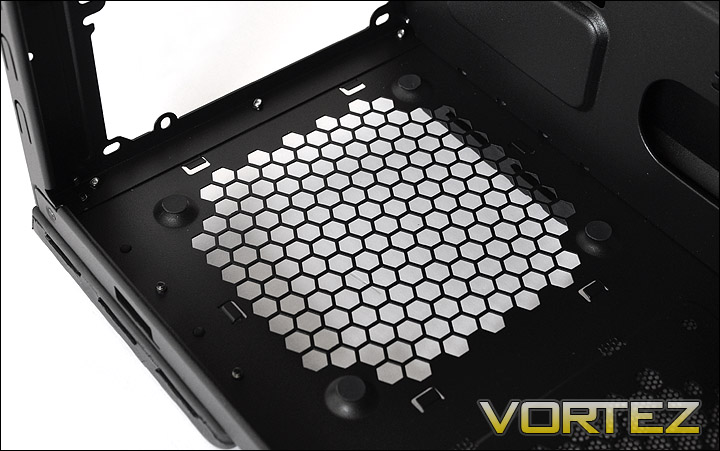
Side panel removed to show a pleasant looking interior
The expansion brackets are secured via thumbscrews. This makes it easier to add/remove any devices. A great idea.
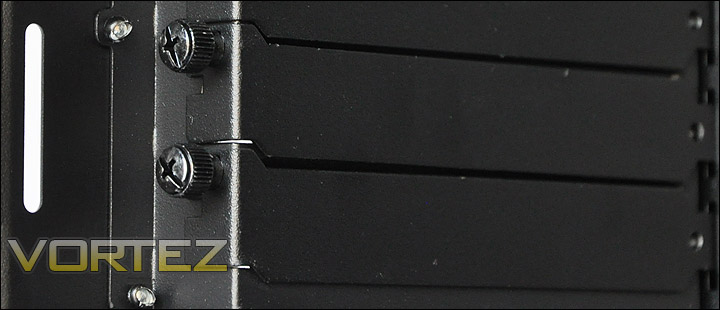
Expansion brackets with easy to remove thumbscrews
Interior (Continued)
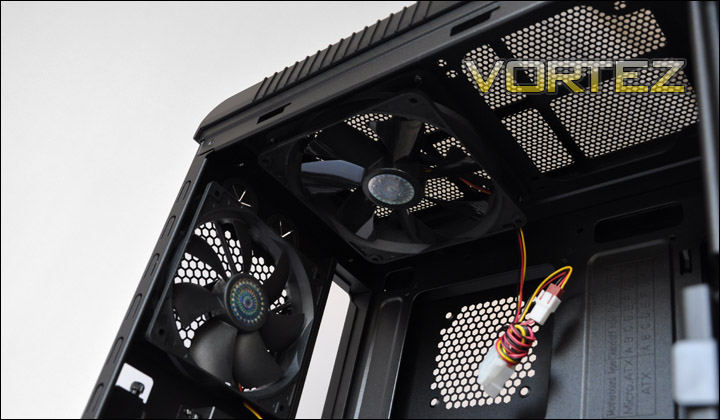
With regards to the cooling inside the CM 690 II Advanced, Cooler Master have equipped this case with a 120mm rear exhaust fan and a top mounted 140mm fan. Both fans operate at 1200 RPM / 19 dBA and both come with 4-pin connectors but also have molex-to-4-pin so in case you want to power the fan via the PSU. There is also space at the top for another 140mm fan to reside.
The CM 690 II Advanced will also host a water-cooling radiator at the top of the case.
Expansion brackets with easy to remove thumbscrews
Across, there are 6 trays to house 3.5″ or 2.5″ drives. If you have had experience with the CM Storm Sniper or HAF series you will be recognise the frames used for the HDD installation. The frame simply clips into the holes on the HDD. Each of the frames clicks into the cage very tightly. Nothing is left to be desired.
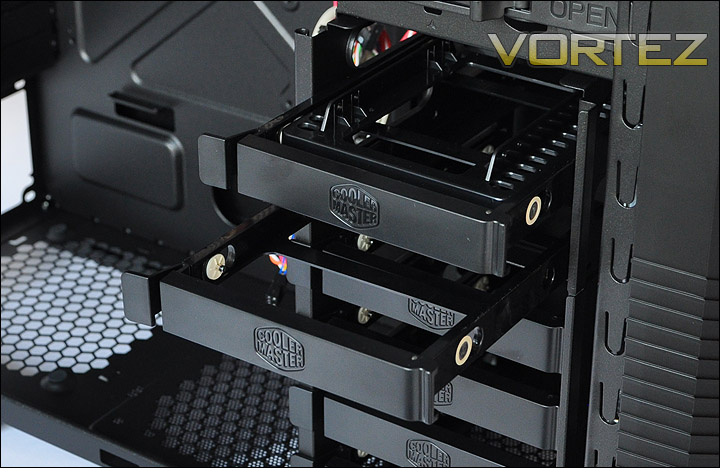
HDD mounting area
Behind the HDD cage there is a 140mm fan mounted. This is LED ready and can be accessed by removing the front bezel which simply pulls off with light force. The ratings for this fan are: 1200 RPM / 19 dBA.
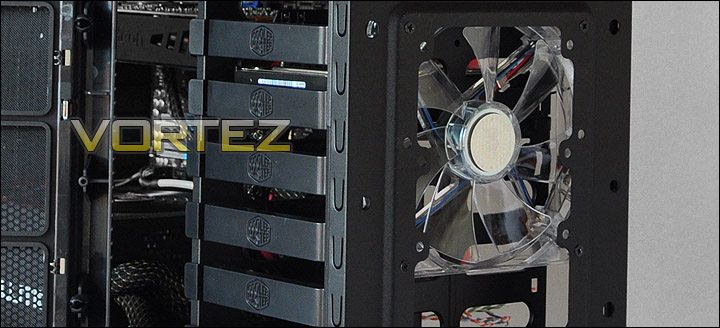
Front mounted 140mm LED fan
As we saw on the recently reviewed 912 PLUS. The CM 690 II Advanced features the same mechanism for securing 5.25″ drives. Simply flick to open state, slide the drive in and move to the lock state.
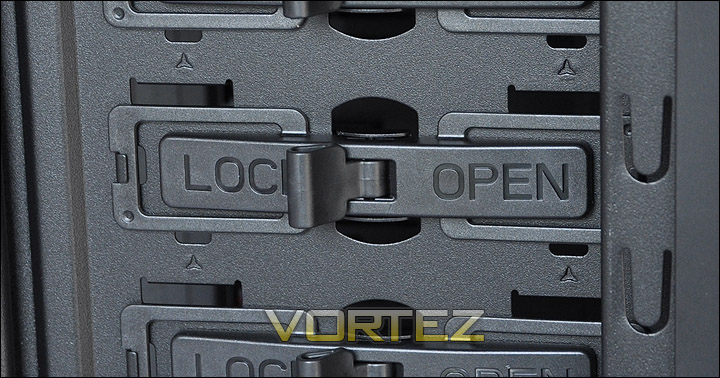
Optical drive mounting is simple and easy
Installation
The CM 690 II Advanced has some great features to help you along the way when installing components. The entire process from start to finish was easy and without problems. Whilst the below photograph doesn’t show the tidiest interior, spending a little longer and I could have the inside of the CM 690 II Advanced really neat. There are plenty of places to hide cables to enhance the airflow inside.
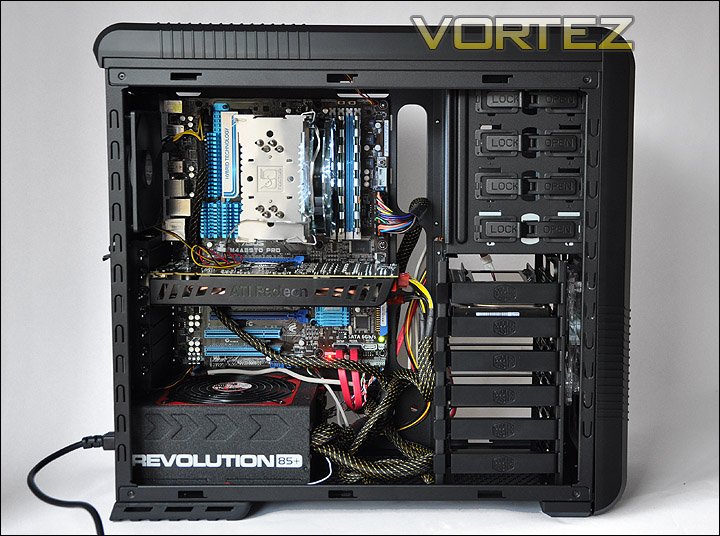
Installation complete
Included within a small box bundled with the CM 690 II Advanced is a nice assortment of accessories from screws, grip ties and clips to a VGA retention bracket and 3.5″ to 2.5″ brackets. The instructions manual is also very intuitive and helpful – available in a series of languages.
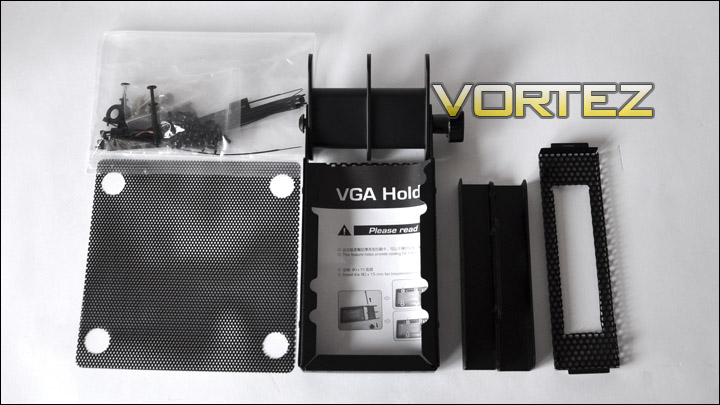
Bundled accessories including the VGA retention bracket
The HDD area isn’t removable so installing long graphics cards can be quite a tight affair. Installed here is an XFX HD5870 which has approx. 2″ left. A HD5970 will be inside the CM 690 II Advanced but as long as the PCI-e connectors are mounted on the side of the card and not at the end as pictured below.
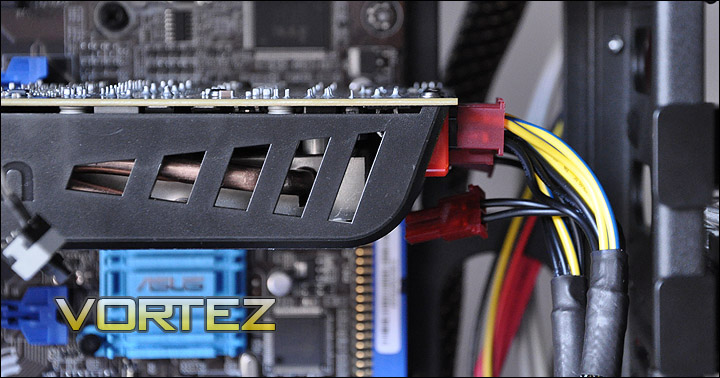
Gap of 2″ at the end of a HD5870
Included with the Advanced version of the CM 690 II is what Cooler Master call a VGA retention bracket. This helps take tension off the graphics card by taking weight off the PCI-e port. It holds the card up. Further to this mechanism being helpful for stability it can also take a 92mm fan for additional cooling. Adding this into the case is really quite simple. Just remove the bracket from the additional vertical facing expansion slot, move the bracket into place, add in screws when you have it in the correct position and make sure the tightening handle is wound up so that it doesn’t move. With this mechanism you aren’t bound by a single linear position. This unit will support many different sized graphics cards. A fantastic idea, and something I have mentioned previously in reviews. Case manufacturers need to integrate this into more cases.
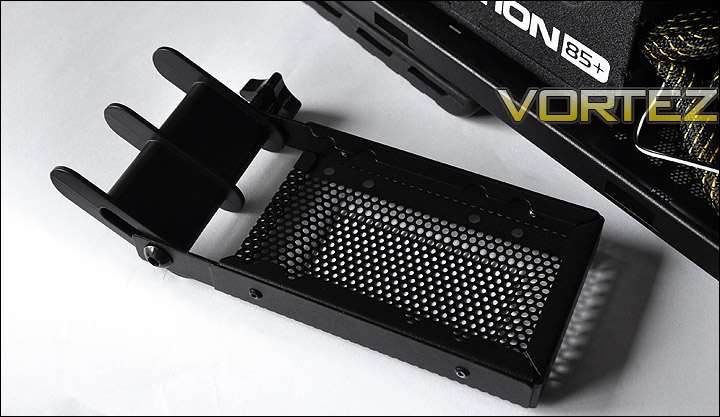
VGA retention bracket
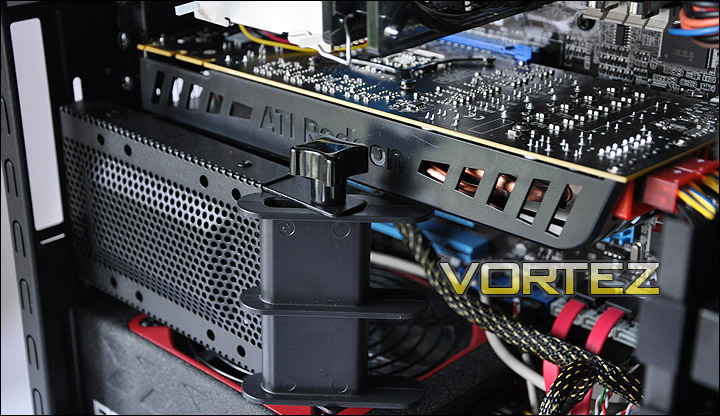
VGA retention bracket installed – taking the weight off the card
Installation (Continued)
Installed within the CM 690 II Advanced is the Noctua NH-U12P. This is 158mm in height. We have a limit of 160mm in height on the CPU heatsink. Certainly if you are wanting to add the fans onto the side panels you are going to need a shorter heatsink here.
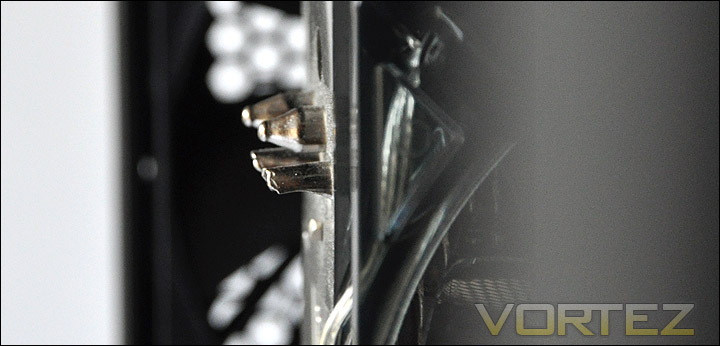
1cm clearance to the side panel from the top of the CPU cooler
Behind the motherboard tray there is approx. 1.5cm in clearance between the side panel and the tray. There are dips and concaves on the back of the motherboard tray so you will have some slight increase in that clearance. This isn’t a huge lot of clearance compared to other cases, but if you arrange things well there shouldn’t be any problems getting the side panel on.
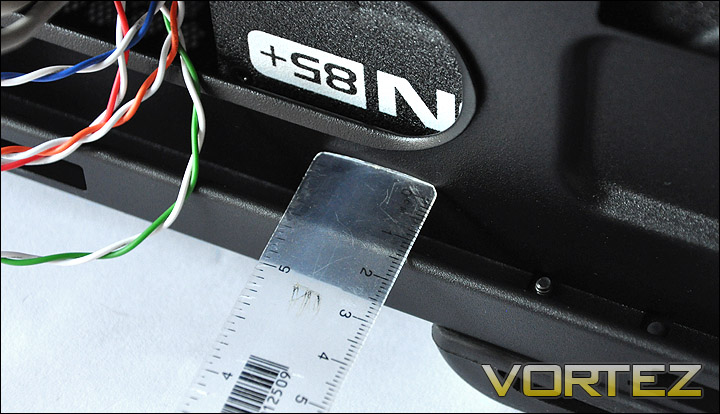
Approx. 1.5cm between side panel and motherboard tray
The clearance on the CPU cooler backplate is rendered useless for the AM3 socket I have installed. The bottom screw holes are covered entirely. This cut-out could have done with being a little bit bigger to accommodate all platforms.
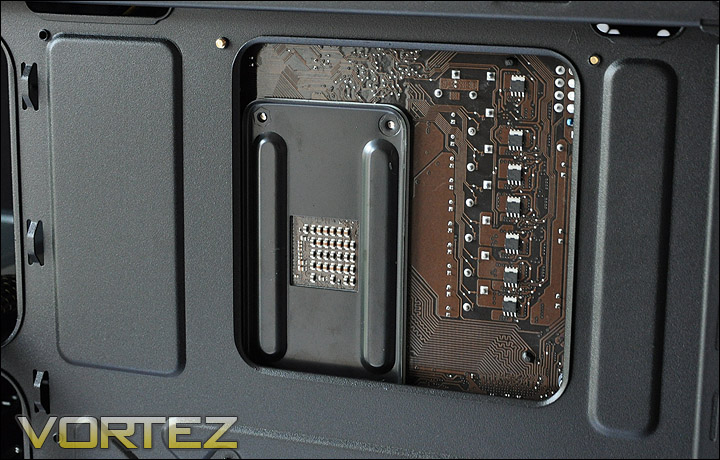
Poor coverage on the CPU cooler backplate
Thermal Performance
The CM 690 II Advanced has 3 pre-installed fans located in key airflow spots. Against their ratings, they hope to be able to shift heat and pressure.
To discover the thermal performance of the CM 690 II Advanced I will record idle temperatures after 20 minutes from a cold boot. I will then stress the system and temperatures will again be monitored after a 30 minute have elapsed.
System Components
CPU AMD Phenom II X6 1055T 2.8GHz
Motherboard ASUS M4A89TD PRO
Graphics XFX HD5870
Memory 4GB Mushkin EM3-10666 DDR3
HDD Samsung Spinpoint 500GB SATA-II
PSU Enermax Revolution 85+ 850W
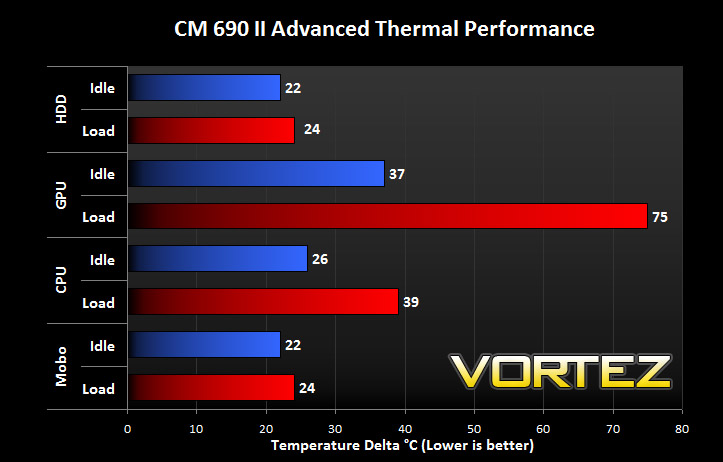
The CM 690 II Advanced has some excellent cooling capabilities. We see in the above results a great set of results against recent case reviews. It beats the recently reviewed BitFenix Survivor.
Noise: Hosting 3 fans the CM 690 II Advanced has the potential to be quite noisy. But upon using this case for a series of hours its evident that the noise emitted isn’t disturbing. The construction of the side panels does help with this as they are fairly rigid and offer some sound insulation. This isn’t amongst the most silent of cases I have reviewed but it isn’t the noisiest either, a fan controller would have been a nice addition to be able to reduce from fans from 1200RPM.
Conclusion
There is an inclination to move to a Full Tower case due to the lack of features on some mid-tower case offerings. But what if you don’t want the weight and sheer size of such a giant? The CM 690 II Advanced conquers this and in a nutshell is one of the most comprehensive mid-towers you will find on the market.
Boasting support for up to 10 fans, 3 graphics cards, SSD compatibility, tool-less mechanisms throughout and a visual appearance that is both sleek and constructed very well – the CM 690 II Advanced is a fantastic offering from Cooler Master.
Bringing innovation to case manufacturing is a hard task, but Cooler Master have attended to something that has needed to be addressed for some time now and I’m glad they have done this. The VGA retention bracket is a novel idea, not only does it actually support the graphics card taking the weight off the PCI-e port but it also has the ability to host a cooling fan that will assist with shaving off those big temperatures from the GPU when under load. Cooler Master have also been amongst the first to integrate external SSD support – excellent work.
Its also the little things that you come to appreciate like the separation of the USB ports to avoid any clearance issues. I use the Lian Li PC-A77F as my primary case and I experience this problem quite often.
Its actually quite difficult to identify any serious problems with the CM 690 II Advanced. It ticks all the boxes. The only slight niggle I discovered was the poor coverage on the CPU cooler backplate.
At £76 the CM 690 II Advanced is an absolute bargain. Consider the included features, appearance, and quality. The decision is easy to make. You must be able to tell that I am thoroughly impressed with what Cooler Master have produced here. Well done guys!
Pros
+ Sleek looking appearance
+ Install up to 10 fans
+ Tool-less throughout
+ Excellent build quality
+ Support for water-cooling inside case
+ External SSD support
Cons
– CPU cooler backplate cutout could be bigger
+ Sleek looking appearance
+ Install up to 10 fans
+ Tool-less throughout
+ Excellent build quality
+ Support for water-cooling inside case
+ External SSD support
Cons
– CPU cooler backplate cutout could be bigger
A golden product surely warrants nothing less than a golden award. The CM 690 II Advanced achieves the Vortez Gold Award.

