







With ever increasing popularity, we take a look at another Mini-ITX computer chassis that hopes to bring quality, size and features at an attractive price-point.

Manufacturer and Sponsor: Cooler Master
Street Price: £35 / $50 (At time of review)
In recent months with the Mini-ITX form factor coming to Intel Z77 there has been a big demand for the mini-ITX computer chassis. Case manufactures have been responding to this new onslaught and furnishing their product lines with new options. The task at hand isn’t an easy one, designing and building a case with such a condensed area is a difficult commission, especially since many will be wanting the inside to be as tight as possible if the system is to sit next to a family home entertainment setup.
In the wake of this new trend, Cooler Master have brought to the market the Elite 120 Advanced. A compact solution with great build quality and features at rock bottom pricing. Join us as we explore this new mini-ITX computer chassis, revealing its features, cooling ability and clearance options.
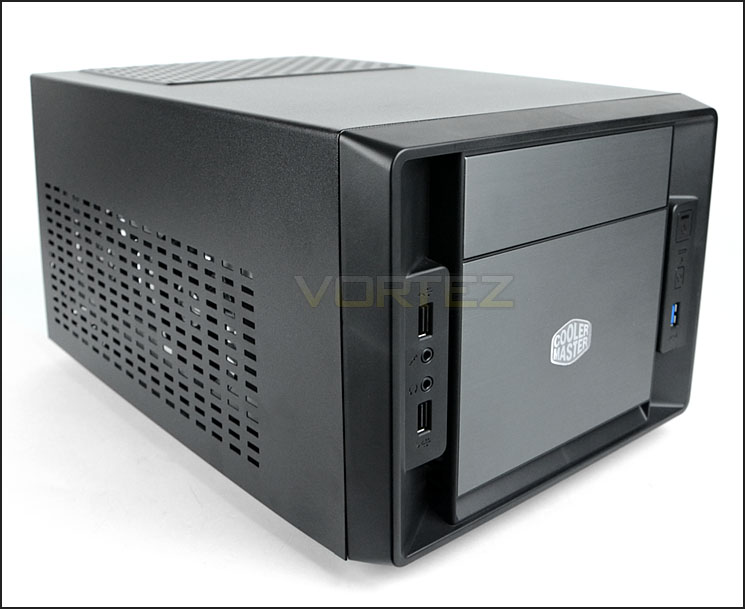
Cooler Master’s take on Elite 120 Advanced
The Cooler Master Elite 120 Advanced is and ultra compact case with support for Full Size High-End Desktop components. Other than conventional Mini ITX cases, The Elite 120 Advanced supports more affordable, quiet, efficient and easily available Full Size ATX PSU’s. It can accommodate even the largest Ultra High-End VGAs, a 5.25″ optical drive and up to 5 HDDs or SSDs. Thanks to a smart airflow system featuring 3 fans it manages to still keep the system cool and quiet. Topped off with a stylish brushed aluminum front, this is a compact case you don’t want to hide…
Technical Specifications
Material
Appearance: Aluminum & Polymer front
Case body: Steel Alloy
Dimension (W / H / D)
240 x 207.4 x 401.4mm
9.4 x 8.2 x 15.8 inch
Weight
3.3 kg / 7.3 lb
M/B Type
Mini-ITX
5.25″ Drive Bay
1
3.5″ Drive Bay
3 (internal)
2.5″ SATA HDD Drive Bay
4 (internal, converted from two 3.5″ bays)
I/O Panel
USB 3.0 x 1 (internal), USB 2.0 x 2, Mic x 1, Audio x 1 (supports AC97 / HD Audio)
Expansion Slots
2
Cooling System
Front: 120mm fan x 1, 1200 RPM, 19dBA
Side: 80x15mm fan x 1, 2000 RPM, 20dBA
HDD: 120x25mm fan x 1 (optional)
Power Supply
Standard ATX PS2
Maximum Compatibility
VGA card length: 343.0 mm / 13.5 inch
CPU cooler height: 65.0 mm / 2.5 inch
Appearance: Aluminum & Polymer front
Case body: Steel Alloy
Dimension (W / H / D)
240 x 207.4 x 401.4mm
9.4 x 8.2 x 15.8 inch
Weight
3.3 kg / 7.3 lb
M/B Type
Mini-ITX
5.25″ Drive Bay
1
3.5″ Drive Bay
3 (internal)
2.5″ SATA HDD Drive Bay
4 (internal, converted from two 3.5″ bays)
I/O Panel
USB 3.0 x 1 (internal), USB 2.0 x 2, Mic x 1, Audio x 1 (supports AC97 / HD Audio)
Expansion Slots
2
Cooling System
Front: 120mm fan x 1, 1200 RPM, 19dBA
Side: 80x15mm fan x 1, 2000 RPM, 20dBA
HDD: 120x25mm fan x 1 (optional)
Power Supply
Standard ATX PS2
Maximum Compatibility
VGA card length: 343.0 mm / 13.5 inch
CPU cooler height: 65.0 mm / 2.5 inch
Packaging & First Look
Elite 120 Advanced arrives in a plain, eco-friendly box. The front has an illustration of the case along with it’s essential features. The sides and back of the box details the technical specifications. Inside, Elite 120 Advanced is covered in a clear plastic sheet and held in place with polystyrene pillars.
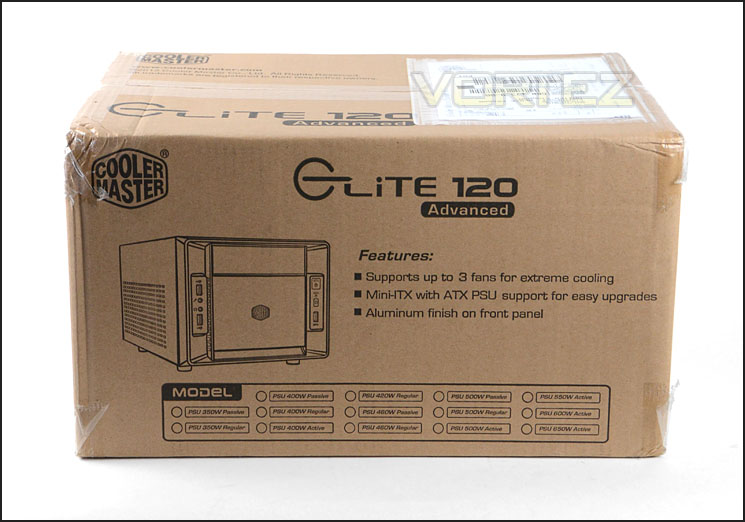
Eco-friendly packaging
Elite 120 Advanced is middle of the line with its styling. It has both elegant and rugged characteristics. Rather than have removable side panels as is traditional with computer chassis, this case has a one piece steel cover – this conceals the sides and top of the case. Both sides have identical areas marked out for ventilation. As Mini-ITX computer chassis go, Elite 120 Advanced is very compact compared to some of its rivals, measuring in at 240 x 207.4 x 401.4mm and weighing a mere 3.3KG!
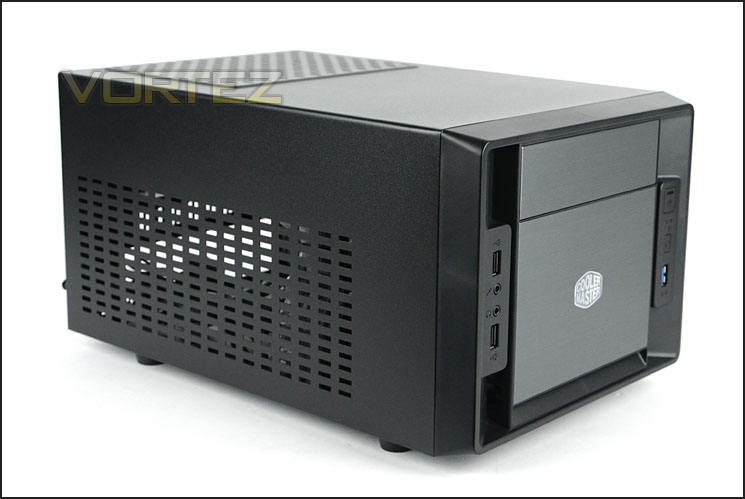
A clean look with elegant and rugged characteristics
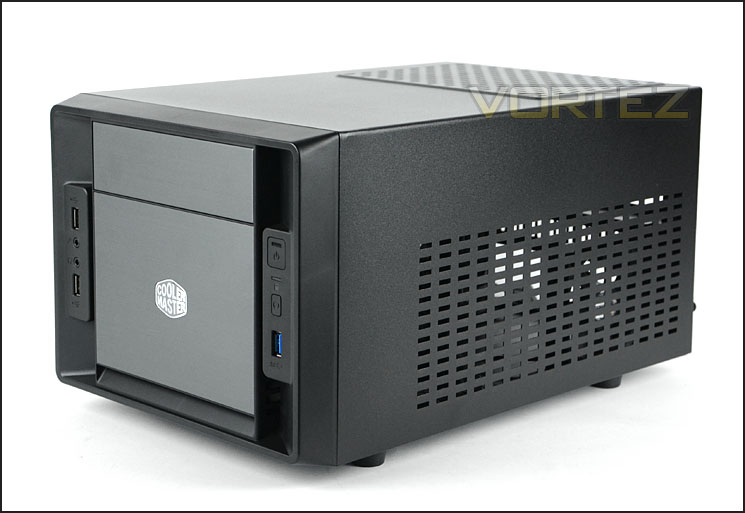
Ventilation on either side
Closer Look (External)
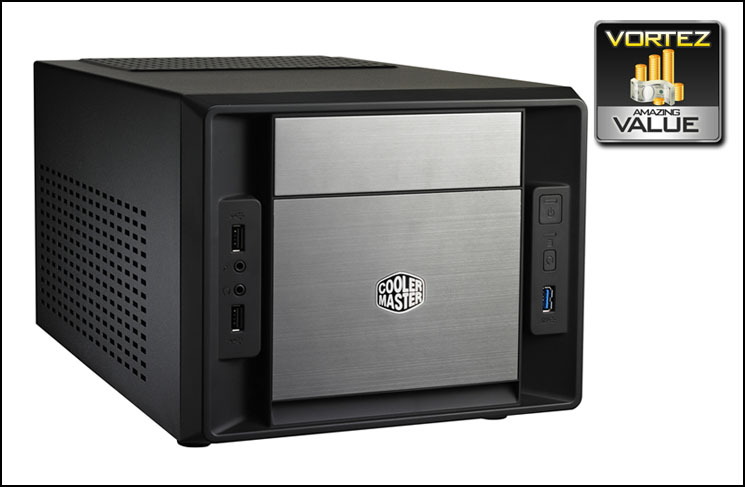
Taking a closer look at the outside of Elite 120 Advanced the front of the case has a sheet brushed aluminium. The Cooler Master emblem can be clearly seen in the very centre. At the top there is a single 5.25” drive bay cover – on either side there are two sections of front panel connectivity.
Around the back at the very bottom is a large opening for the rear I/O of the motherboard to appear and immediately to the right there are two PCI expansion slot covers with thumbscrews for easy removal. Above this there is a single circular rubber grommet and finally to the left is an opening with adapter for mounting the PSU, this adapter has mounting holes to enable the PSU to sit partly outside of the chassis since inside there isn’t all that much space to play with. The idea is – the PSU will sit directly above the motherboard – as a result of this there will be a limitation on the height of the CPU cooler (more on this later).
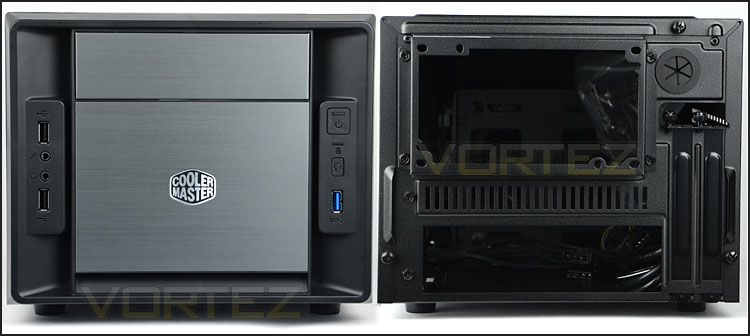
The front and back of Elite 120 Advanced
The front panel connectivity is split into two sections on the front of the case. On the left side there are dual USB 2.0 ports with headphone and microphone jacks, whilst on the right there is a single USB 3.0 port (via internal motherboard header) and power/reset buttons with LED indicator.
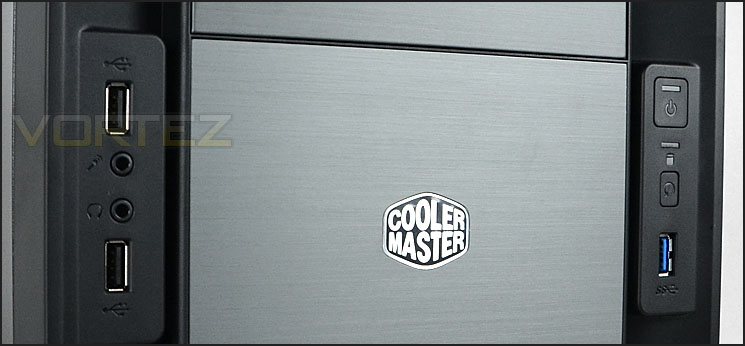
Front panel controls include USB 3.0
Along the top of Elite 120 Advanced there are no significant features except for a ventilated section with air filter to work in correspondence with the PSU fan.
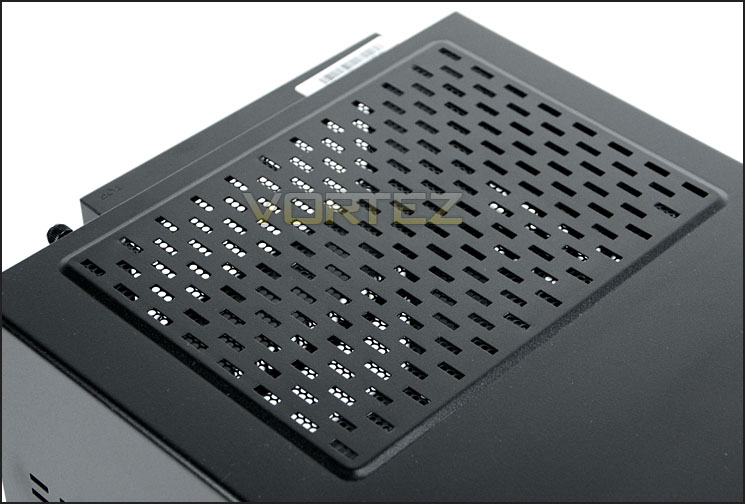
The top with ventilation for PSU
On the underside of the case there are four plastic feet to elevate the case – the compound used doesn’t necessarily prevent the case from slipping on smooth surfaces.
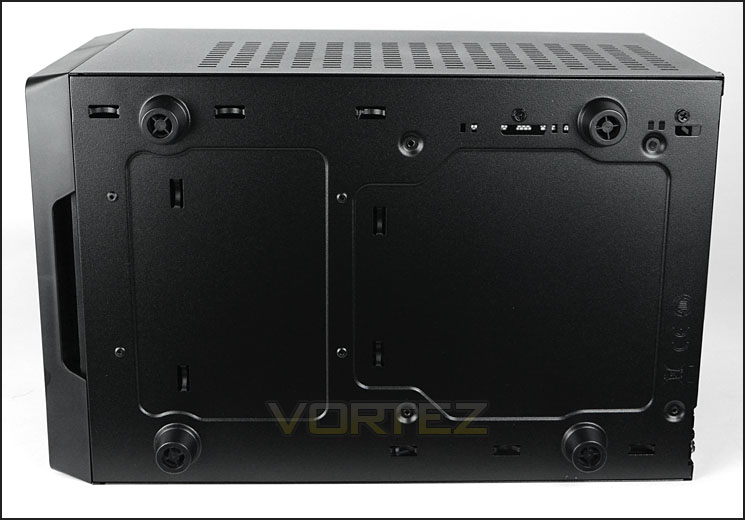
The underside of the chassis
Closer Look (Internal)
As previously mentioned, to gain access to the inside of Elite 120 Advanced a single panel covers the sides and top. This panel slides out of place after three thumbscrews have been removed. With this panel removed we can get an overview of the overall layout and design of this case.
Compact is certainly a word to describe Elite 120 Advanced. The motherboard sits on the floor of the chassis and the PSU above this. There aren’t really any regions for cable management as you would typically find in a computer chassis, so this could be a particular area of concern – more on this later when we install the system within the chassis.
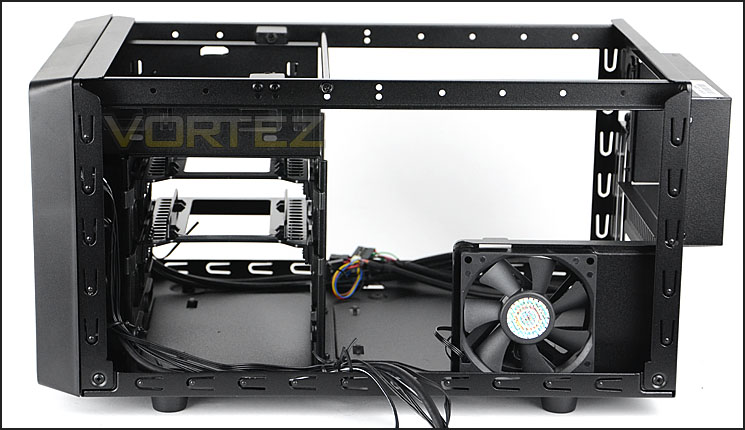
A view inside Elite 120 Advanced
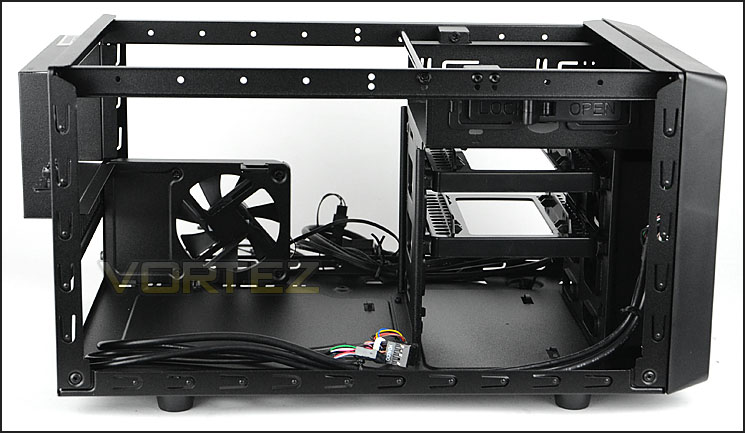
A very compact internal layout
Inside, Cooler Master have given Elite 120 Advanced dual PCI expansion slots. The covers are solid metal and have thumbscrews for easy removal. Additional to these covers there is also a single circular rubber grommet above.
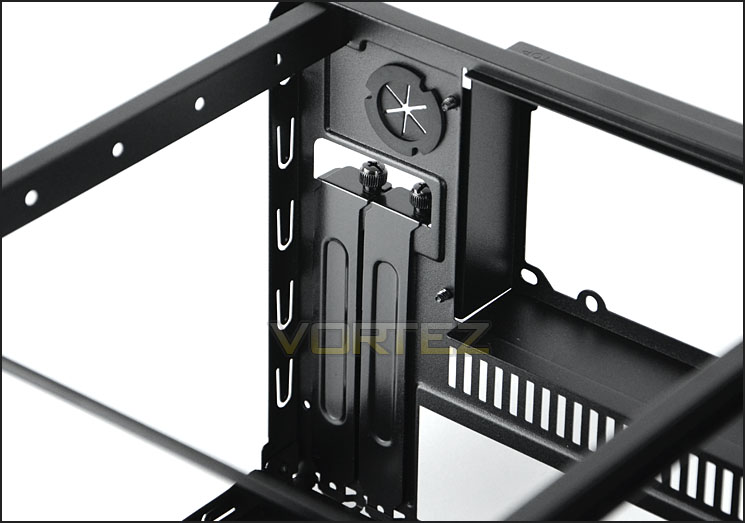
Dual PCI expansion slot covers
In terms of cooling, Elite 120 Advanced has two fans. The first is a 80mm fan capable of up to 2000 RPM and just 20dBA. This fan is positioned so sit at the top of the system, nearest to the CPU/cooler and will extract heat.
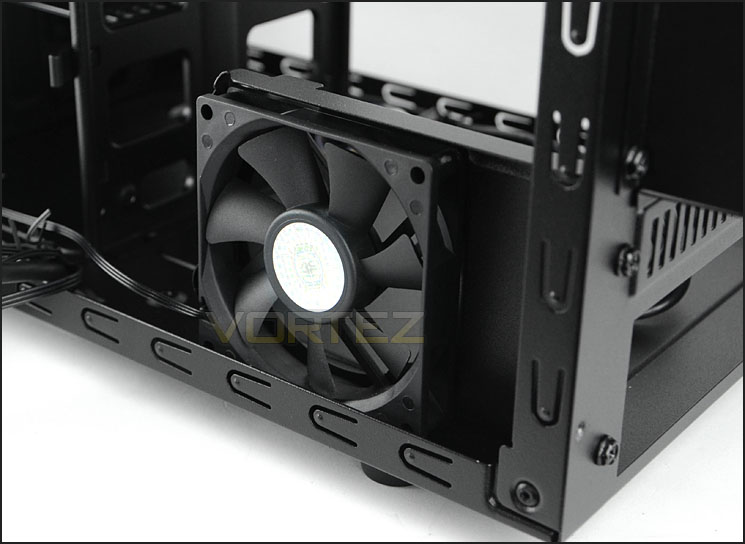
80mm cooling fan
The second cooling fan is behind the HDD storage cage and is a 120mm intake fan capable of up to 1200 RPM and 19dBA. The HDD storage cage offers accommodation for up to four 2.5” and three 3.5” drives. HDDs simply need to be attached to the provided trays.
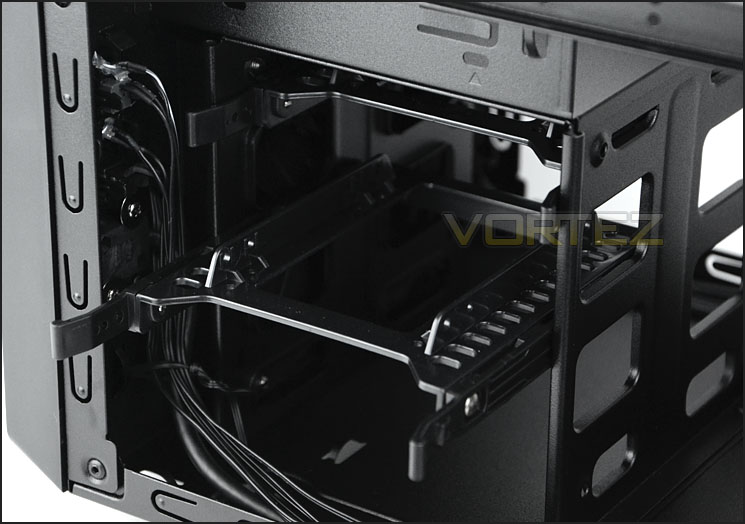
HDD cage with 120mm intake cooling fan
Finally, above the HDD cage there is a single 5.25” optical drive bay with a tool-less design switch to lock the device into place.
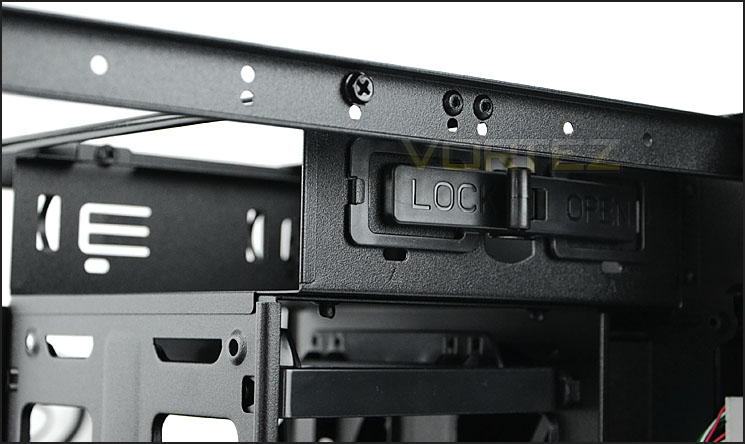
Single 5.25” optical drive bay cage with tool-less mechanism
Installation
Inspecting an empty case gives an overall impression but without any hardware installed its difficult to understand how the case handles a full system and if there are any potential clearance or incompatibility issues. So we install our mini-ITX system within Elite 120 Advanced.
The installation process was easy and without any real hiccups – though there are clearly some limitations with the CPU cooler height due to the PSU being directly above and there is only one place to store redundant cables – the optical drive bay (that is if you aren’t using it!).
If the enthusiast is looking for a compact mini-ITX computer chassis then Elite 120 Advanced certainly ticks this box.
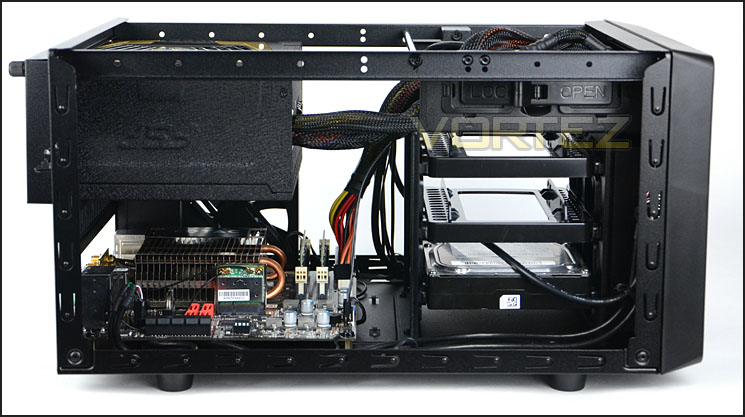
Installation complete
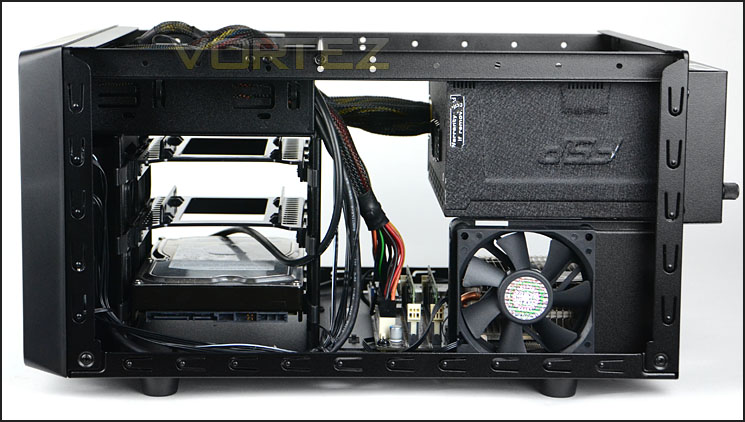
A tight system
Clearance – CPU, GPU, Cable Management
Clearance options within a chassis are important as it reveals what hardware can and cannot fit inside.
The first aspect to consider is the CPU Cooler clearance. There is approximately 78mm of clearance for the height of the CPU cooler before it touches the PSU above. Unfortunately this limits the selection of coolers available.
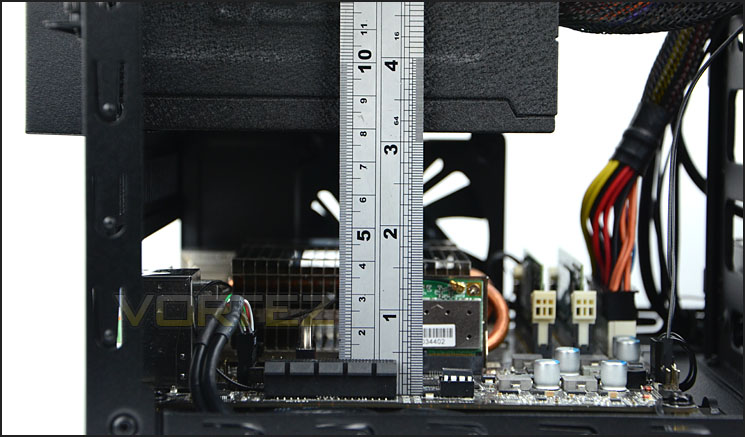
CPU cooler clearance height is approximately 78mm
Next up is the graphics card clearance. Pictured is XFX HD7970 which is 267mm/10.5” in length. Available there is easily enough clearance for the biggest of graphics cards that are 12” in length.
Cooler Master have designed Elite 120 Advanced in such a way that the graphics card will avoid touching any HDDs and has sufficient ventilation from the side panel too.
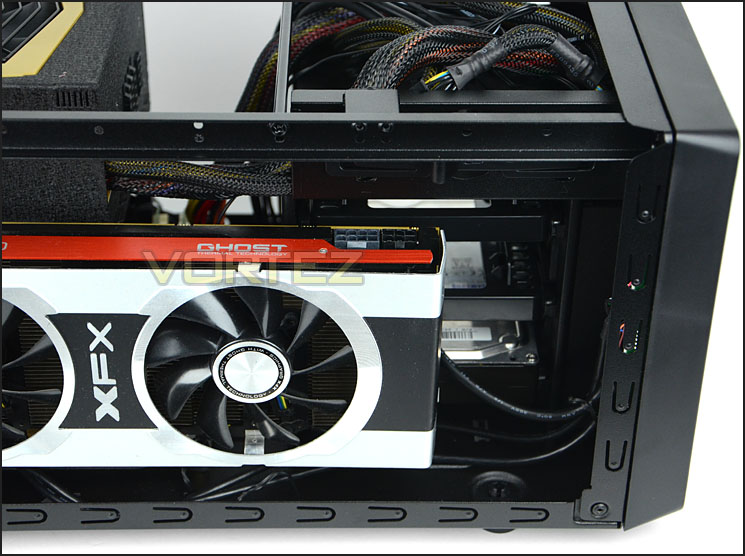
Generous graphics card clearance
Cable management is an area were Elite 120 Advanced struggles. There aren’t any areas to conceal the cables besides the 5.25” optical drive bay – this obviously requires this bay to be empty. If you do have it empty then there is sufficient space to route the cables into this region, and they are actually relatively close to where the cables are hardwired into the PSU too.
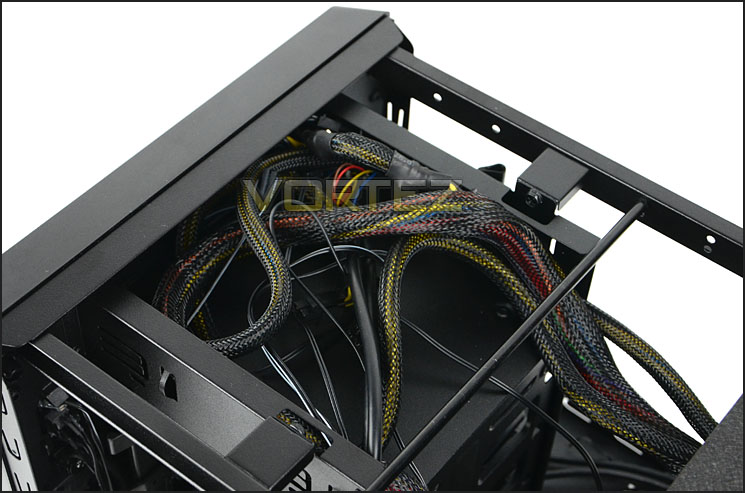
The cable management options are fairly limited
Thermal Performance Testing
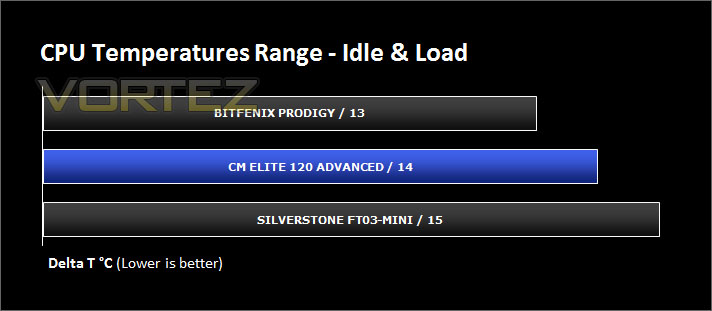
Inside Elite 120 Advanced there are two cooling fans. A 120mm intake fan and an 80mm exhaust fan. Though our case is quite unique in its design it still follows in traditional airflow methods. Airflow travels in from the front and out through the back and sides.
To discover the thermal performance of Elite 120 Advanced I will record idle temperatures after 20 minutes from a cold boot. I will then stress the system and temperatures will again be monitored after 30 minutes have elapsed.
For the purpose of accurate analysis the idle and load temperatures for CPU and motherboard will be recorded and the range between idle and load will be calculated to determine how efficient cooling is.
NOTE: Ambient temperature is 20C
System Components
CPU AMD E-350 APU
Motherboard ZOTAC ZOTAC E350-ITX WiFi
Graphics Integrated (AMD Radeon™ HD 6310)
Memory 4GB 1066MHz SODIMM DDR3[/url]
HDD Kingston HyperX 240GB
PSU FSP AURUM 620M
Motherboard ZOTAC ZOTAC E350-ITX WiFi
Graphics Integrated (AMD Radeon™ HD 6310)
Memory 4GB 1066MHz SODIMM DDR3[/url]
HDD Kingston HyperX 240GB
PSU FSP AURUM 620M
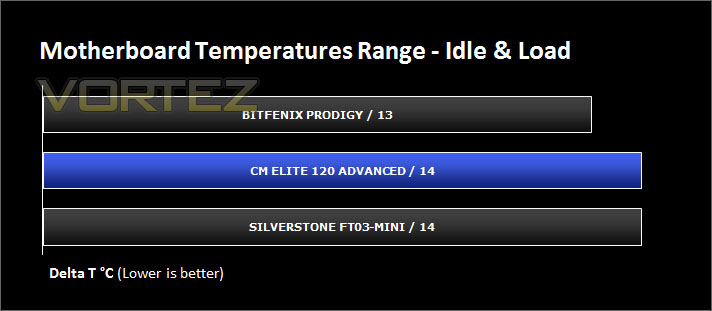
Noise
Having only two cooling fans which are rated at low decibel levels. During operation the fans are quiet and present no disturbance. Combine Elite 120 Advanced with an SSD, passively cooled system like ours and you have the makings for a quiet system indeed.
Conclusion
Building with the mini-ITX form factor appears to be a popular avenue many enthusiasts are taking and as a result computer case manufacturers have their work cut out to combine quality, appearance whilst maintaining a condensed design. So how does Cooler Master’s attempt fare?
Well Elite 120 Advanced is very compact indeed. It’s much more condensed than the popular BitFenix Prodigy and almost as much as SilverStone FT03-Mini. Visual appearance is a mixed bag; Although Elite 120 Advanced does have a clean design on the outside, it also looks like a household microwave, but perhaps this doubles up as a bonus – causing would-be thieves to avoid taking the unit!
Whether you are looking at the inside of this chassis or the outside, build quality is very good and the cooling within this enclosure is also good and reasonably quiet – something which is essential for HTPC. It’s also nice to see that Elite 120 Advanced can house big graphics cards as this is undoubtedly going to be an area which some cases are constrained by.
There are a few niggles though, due to the PSU sittings immediately above the motherboard this causes a restriction on the possibilities for the CPU cooler. Likewise, the cable management also has its limitations, but then there is a compromise between space and features. You can’t have an extremely compact enclosure with every feature under the sun.
Pricing is very attractive. At just £35 / $50, Elite 120 Advanced offers great bang for buck and offers a good value for money solutions for those looking to get started with a mini-ITX build.
Elite 120 Advanced is one of the most compact Mini-ITX chassis we have seen. It has great build quality, decent cooling and should be on the enthusiast’s shortlist, especially since the pricing is so attractive.
Pros
+ Great build quality
+ Compact
+ Good, quiet cooling
+ Support for high-end graphics
+ Very affordable
Cons
– Limited CPU cooler options
– Limited cable management options
+ Great build quality
+ Compact
+ Good, quiet cooling
+ Support for high-end graphics
+ Very affordable
Cons
– Limited CPU cooler options
– Limited cable management options

Click here for an explanation of our awards at Vortez.net.

