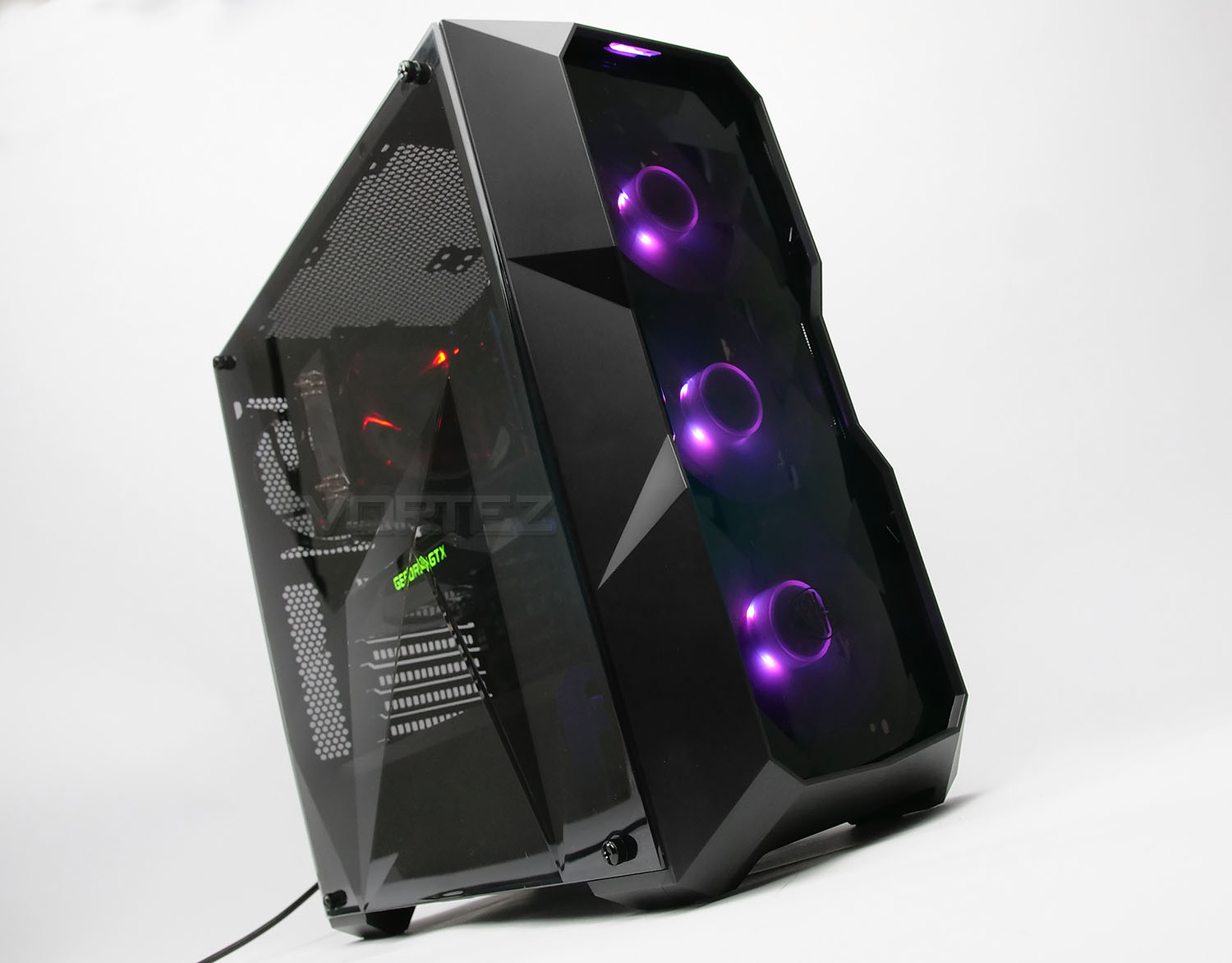
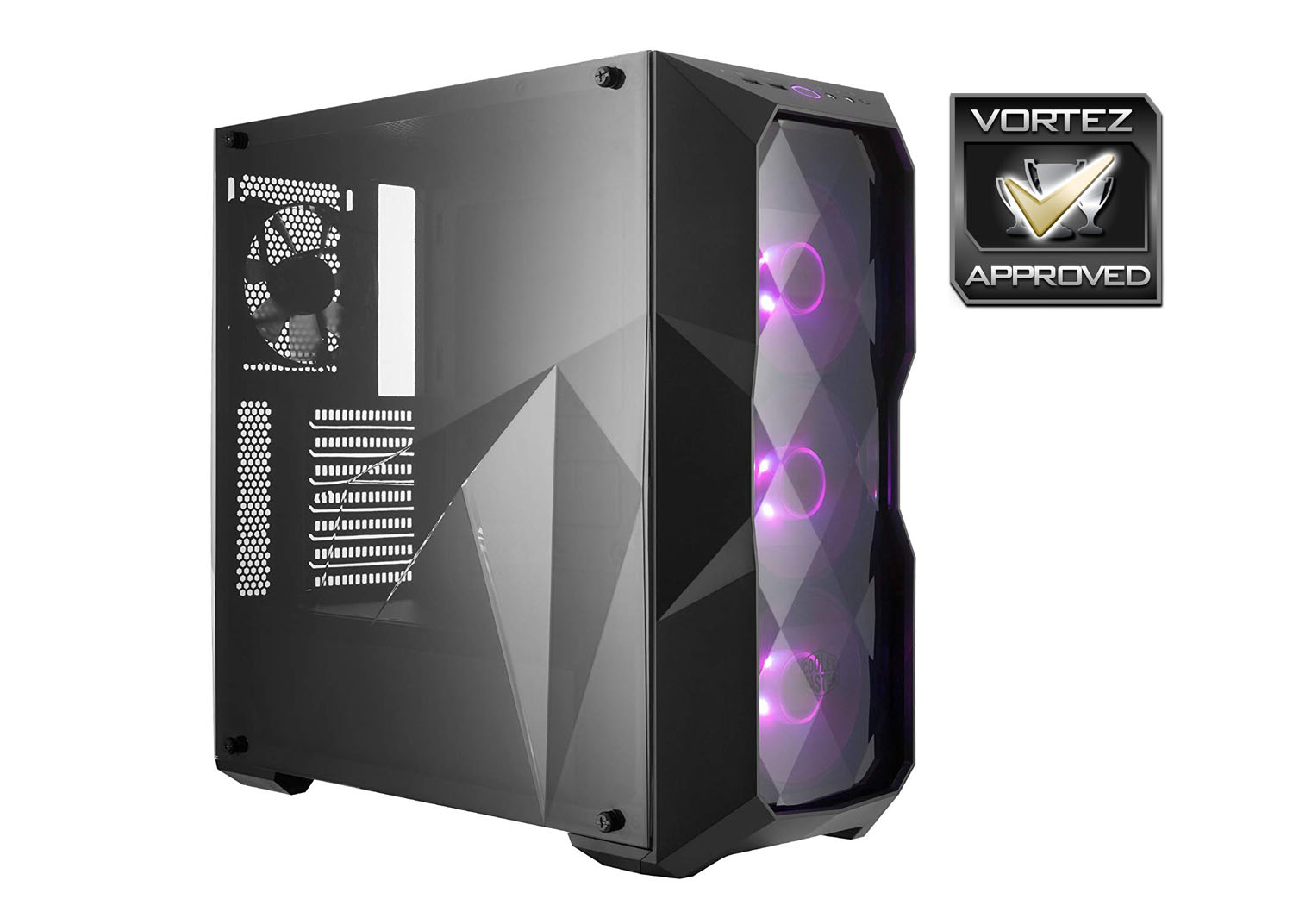
Sporting a stylish diamond cut side and front panel and with three RGB LED cooling fans, the TD500 mid tower delivers on looks but what about features/quality?

Product on Review: MasterBox TD500
Manufacturer & Sponsor: Cooler Master
Street Price: $75 USD / $119 AUD
Cooler Master need no introduction in the computer chassis division. They can be regarded as one of the longest standing case manufacturers in the industry and have supplied some of the most popular designs.
It was at Computex 2018 that we saw the first images of the distinctive MasterBox TD500 and gaining some attention it certainly did. In a market which is shy of unique models, the three-dimensional diamond cut-design found on the TD500 definitely turns heads. This mid-tower not only offers good hardware support, an edge to edge side panel and radiator support, but it also arrives with four cooling fans – three of which are RGB LED ready!
Join us as we take an indepth look at this exciting new case.
About Cooler Master
Cooler Master has done its utmost to build not only tangible incentives for innovation, but also a corporate culture that embraces change and creativity. The company rewards successful risk-taking by employees, regardless of whether it is rationalization of an administrative task that speeds up workflow, or a design improvement that enhances the functionality of device product. Innovation is also encouraged in the process of finding new applications for technological breakthroughs in products and services for Cooler Master customers. In fact, the ultimate aim of innovation at Cooler Master is always aims to enable technology to actually benefit customers. To provide this level of innovation, Cooler Master has built up elite R&  teams composed of outstanding engineers, many with advanced degrees, and including thermal, mechanical and materials engineers to provide specialized expertise in each of these fields. These superb teams take advantage of a sophisticated design process workflow that ensures efficiency and provides scope for innovations that are reflected in real-world enhancements. Strict process controls ensure maximum efficiency and quality at each step, beginning with thermal simulations, and proceeding to mechanical design, evaluation of mock-up samples, and on to experimental production runs, process testing, thermal and reliability testing, and finally pilot runs and mass production.
teams composed of outstanding engineers, many with advanced degrees, and including thermal, mechanical and materials engineers to provide specialized expertise in each of these fields. These superb teams take advantage of a sophisticated design process workflow that ensures efficiency and provides scope for innovations that are reflected in real-world enhancements. Strict process controls ensure maximum efficiency and quality at each step, beginning with thermal simulations, and proceeding to mechanical design, evaluation of mock-up samples, and on to experimental production runs, process testing, thermal and reliability testing, and finally pilot runs and mass production.Technical Specifications
Below are the technical specifications surrounding MasterBox TD500.
Closer Look (Externals)
TD500 is presented in the usual eco-friendly packaging which feature diagrams of the case with features/tech specifications. Inside, the case is covered in a clear sheet and held in place with polystyrene pillars.
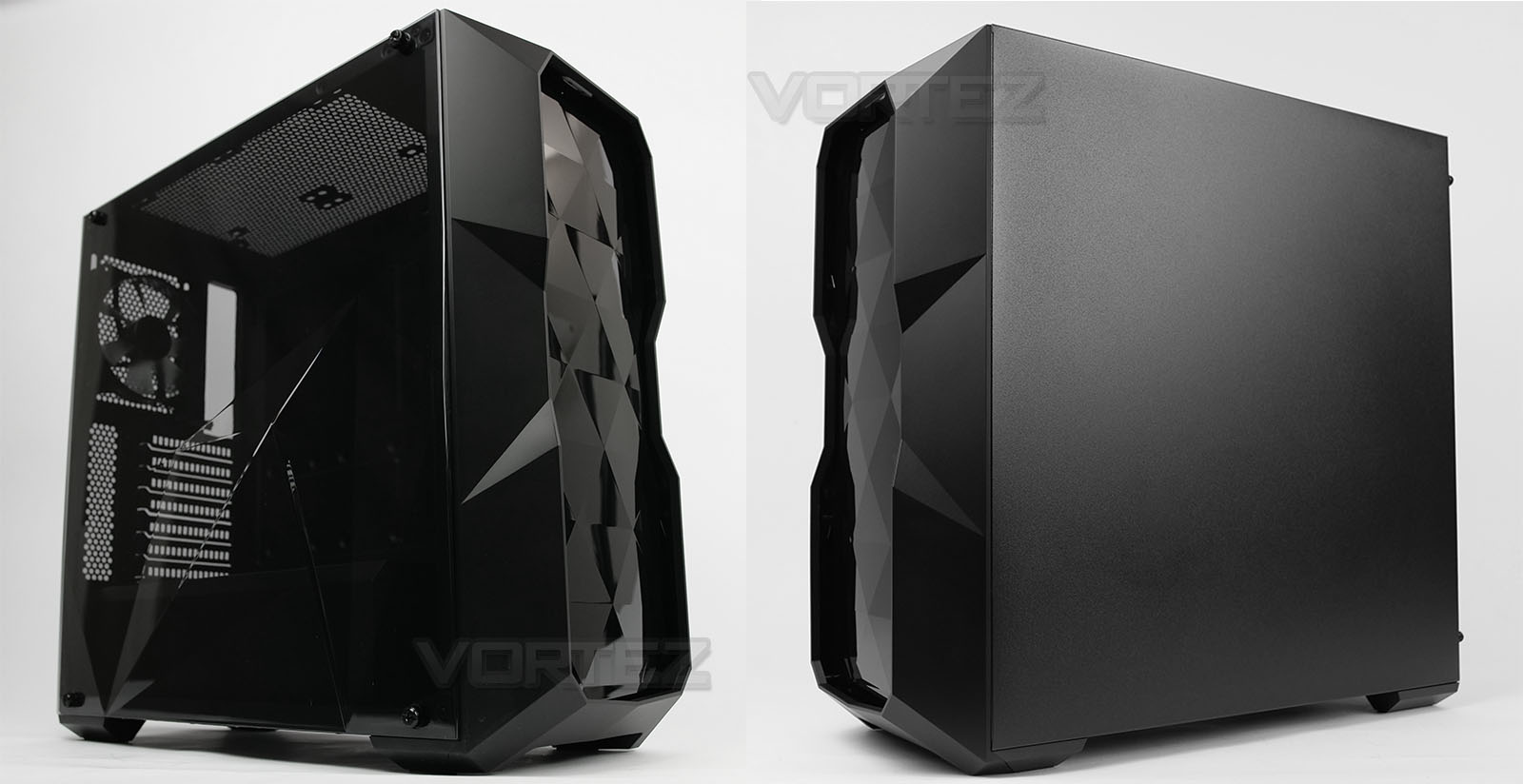
If we firstly look at the sides of TD500, on the prominent side panel we have an edge-to-edge transparent plastic side panel. Since this is plastic, it is much lighter than the commonly featured tempered glass options we see frequently nowadays. In the lower region Cooler Master has engineered the panel to utilise a diamond cut/polygon design, it’s rare to see such a finishing touch but we really like it! One thing to note about this panel is that it features four thumbscrews to affix to the chassis – the lip to which this panel should sit on is very inadequate, making reattaching the panel quite difficult. This could easily be resolved by CM increasing the lip/ledge. Over on the reverse we simply have a flat, steel panel with no significant features, this is held in place with thumbscrews.
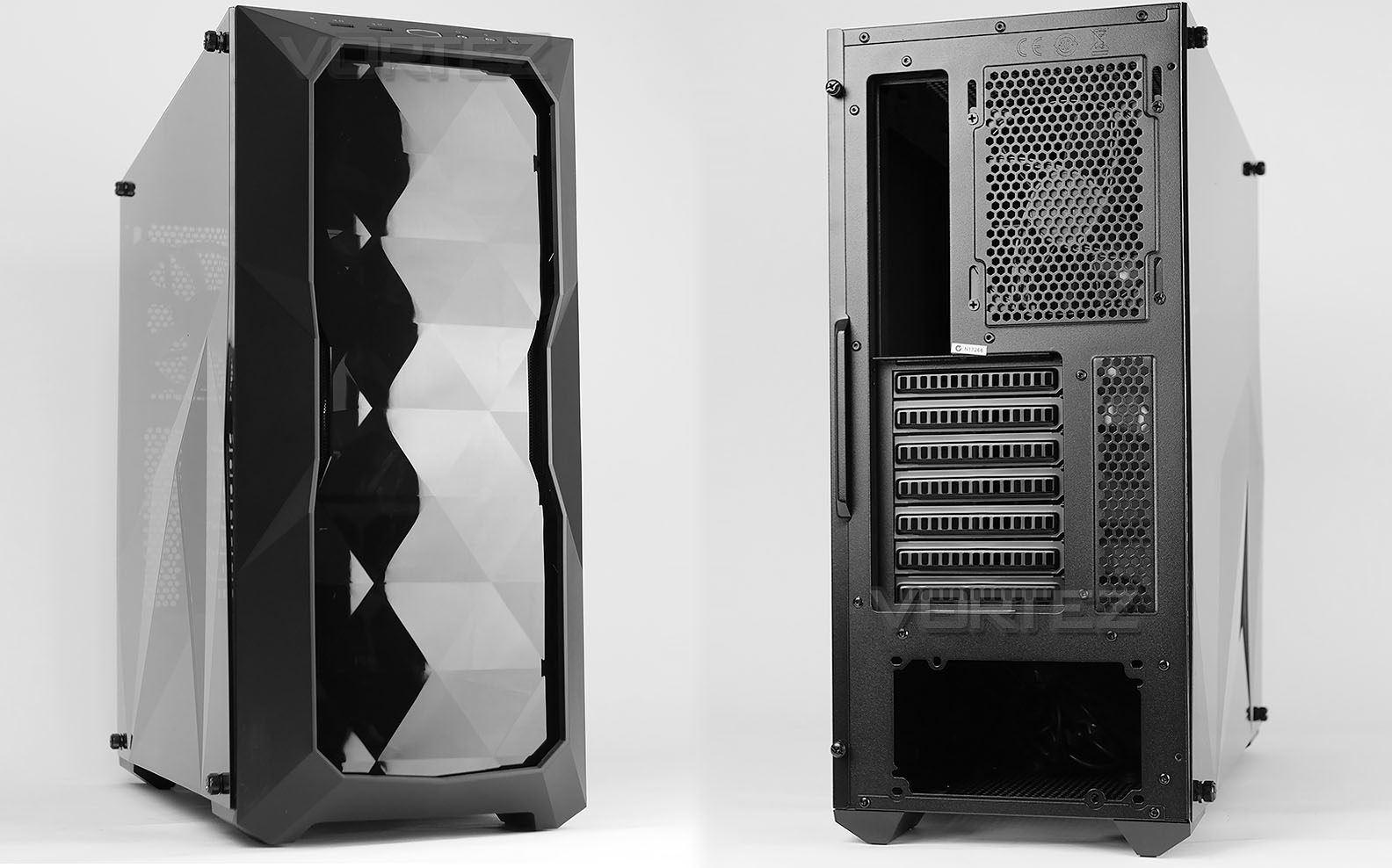
At the front we have a continuation of the diamond cut theme – this is one of TD500’s standout features and while it does attract dust and marks due to the glossy surface, the design is distinct, unique and very appealing. Incidentally, CM provide a microfiber cloth to remove any dirt. This panel is detachable, a firm pull is required. Underneath there are three 120mm LED cooling fans all of which are configured to be intakes. There is no dust filter supplied for these fans.
Around the back, at the bottom there is an opening for the PSU with seven PCI expansion slot covers above. Lastly, at the top we have the outlet for the 120mm rear exhaust fan and an opening for the rear IO of the motherboard.
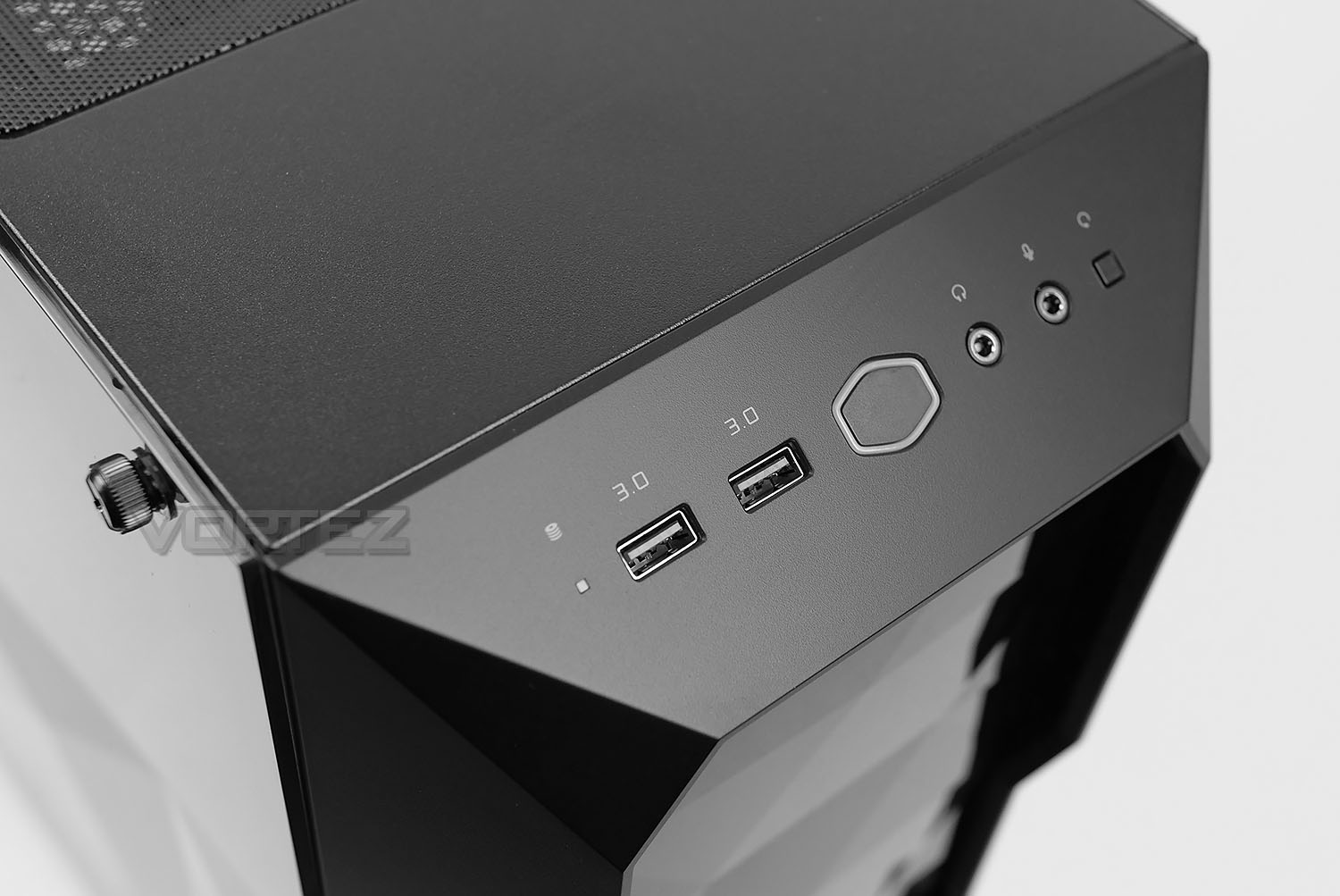
Covering all bases, the front panel connectivity is found at the top of the plastic fascia with activity LED, twin USB 3.0 ports, power button, headphone/microphone jacks and a reset button. It’s unfortunate we don’t have any USB 3.1 options here.
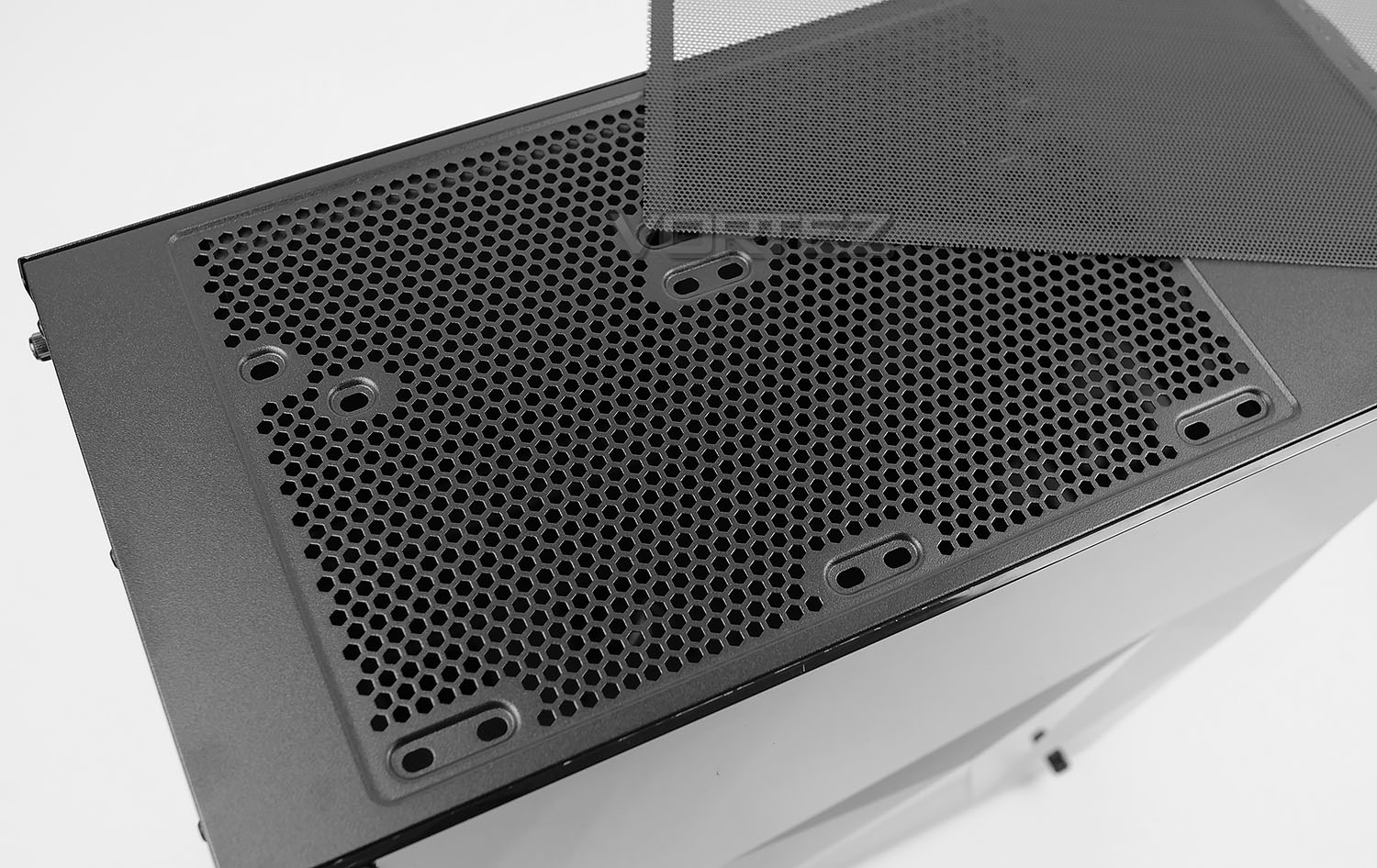
Further back from these ports there is a mesh panel which can accommodate the installation of two 120mm or 140mm fans. Naturally, this also means you can install radiators at the top – this is something we’ll explore at the end of this review.
Covering the top there is a magnetic dust filter which can be easily peeled away.
Closer Look (Internals)
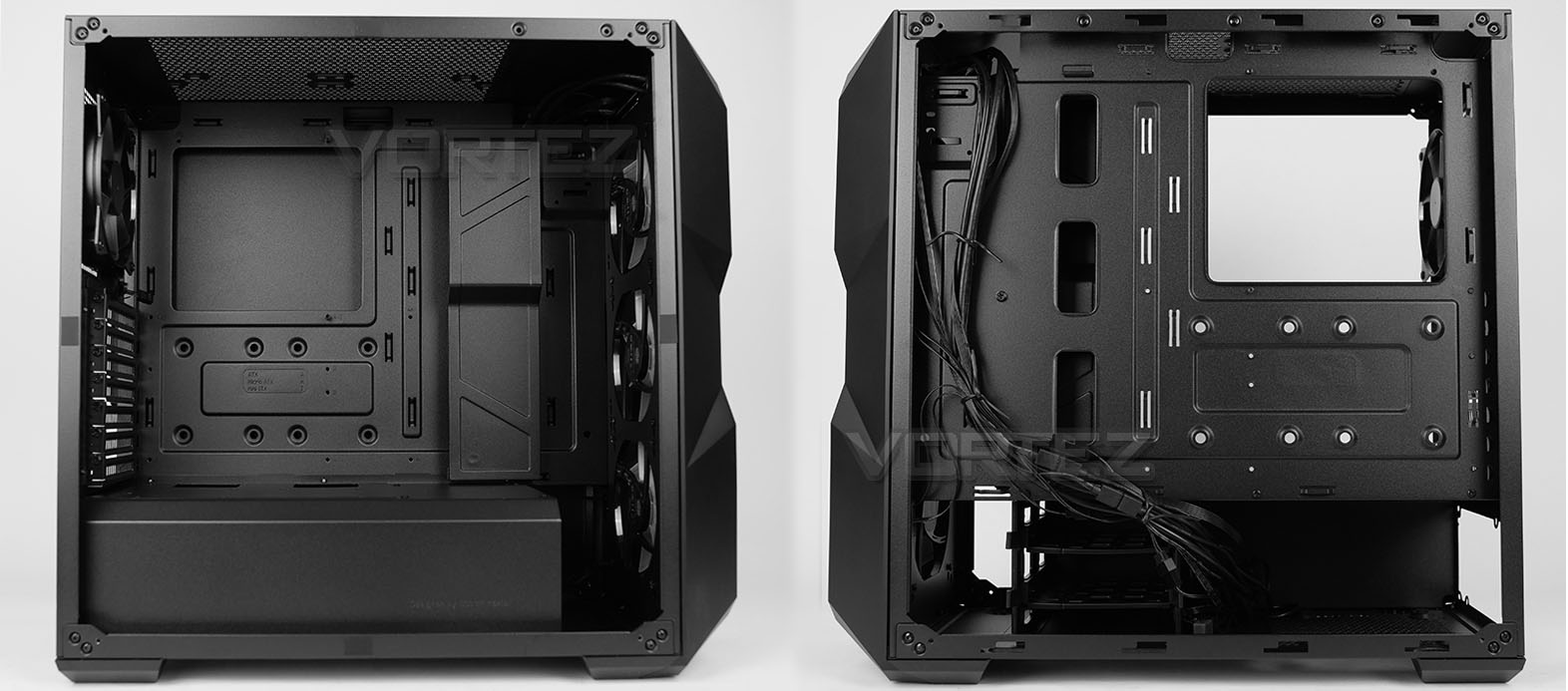
Removing both side panels, we get a great overview of the internal layout and features within TD500. The motherboard tray and design follows the standard layout and supports up to ATX form factor. Cut-outs are clearly visible for routing cables, though we don’t get any rubber grommets.
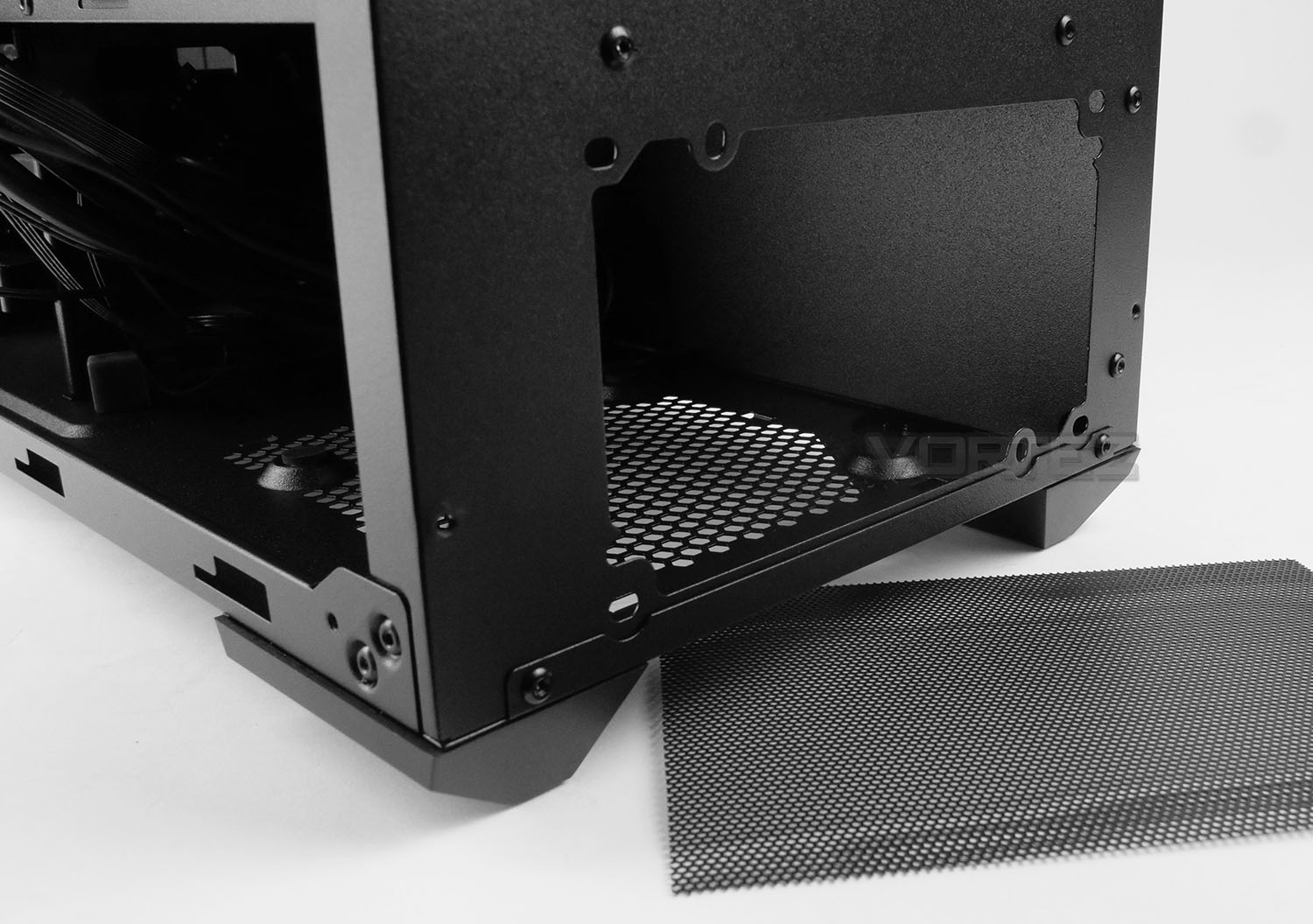
Concealing the PSU area there is a large, plastic shroud. This cover has some mounting placements on the roof for installing SSDs. Due to the design, it’s necessary to install the PSU from the alternate side (as shown above). There are rubber feet underneath the PSU and mesh for the PSU fan. While CM do include a dust filter, we are disappointed to see just a thin, flimsy sheet being used rather than a sliding tray. To remove/clean this filter, it is mandatory to place the chassis on its side – making it difficult to simply perform a quick clean.
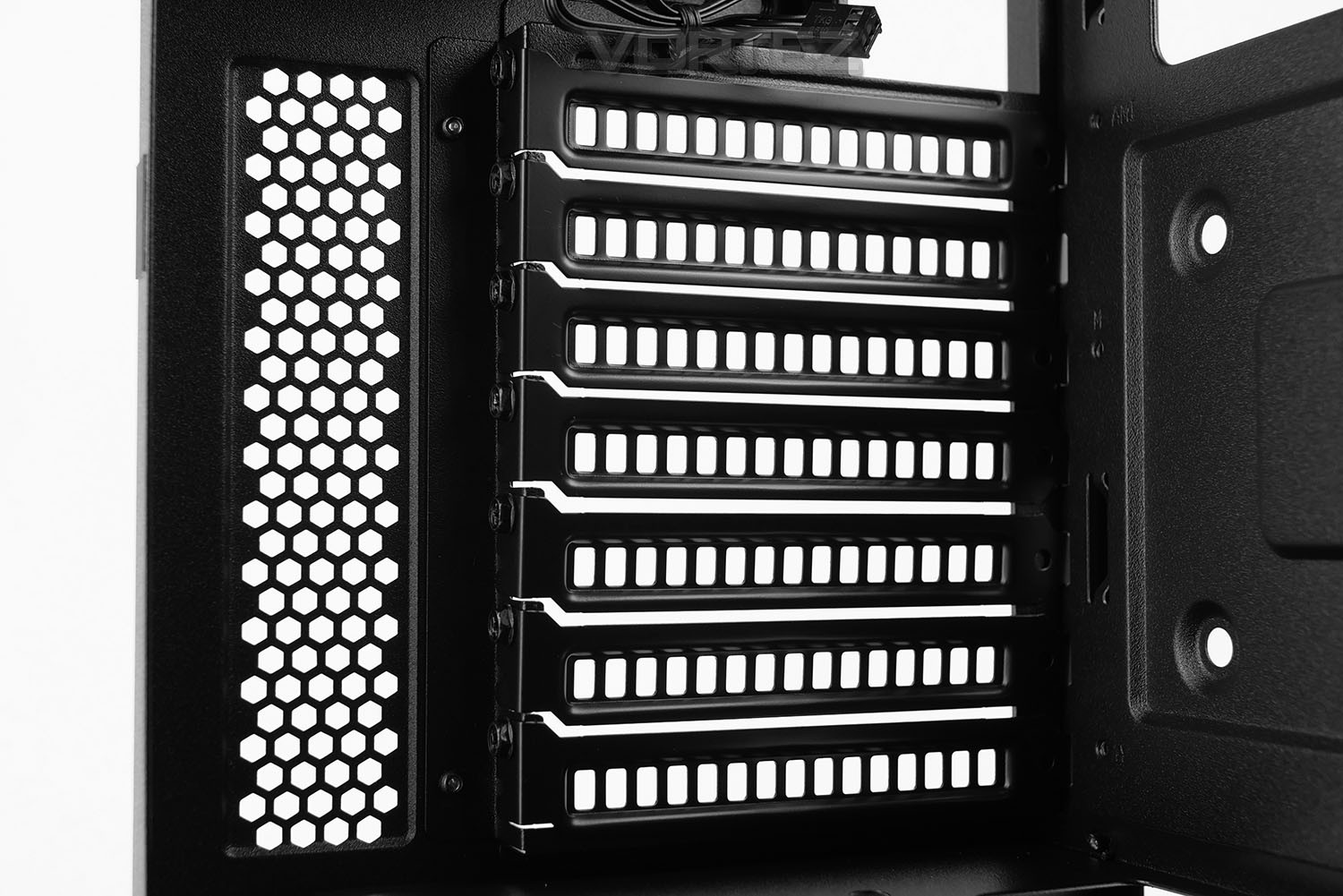
Above the PSU shroud there are seven PCI expansion slot covers – each have ventilation to encourage better airflow and there are standard screws used to fix these covers into place.
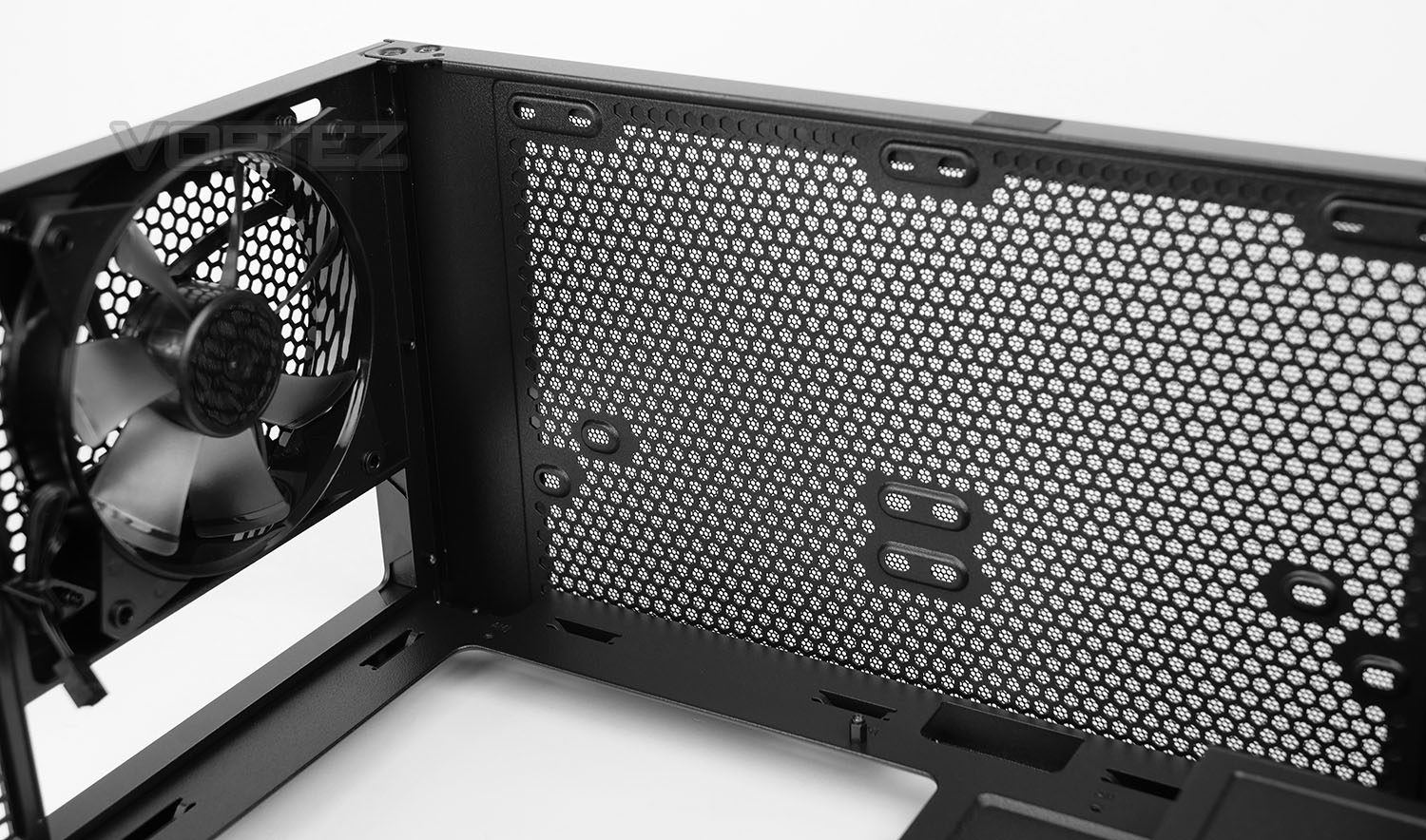
Located at the back of TD500 there is a 120mm rear exhaust cooling fan – this is responsible for pushing heat out of the chassis. In the roof of the case, as we’ve already mentioned, there is allocation for adding in option twin 120/140mm fans.
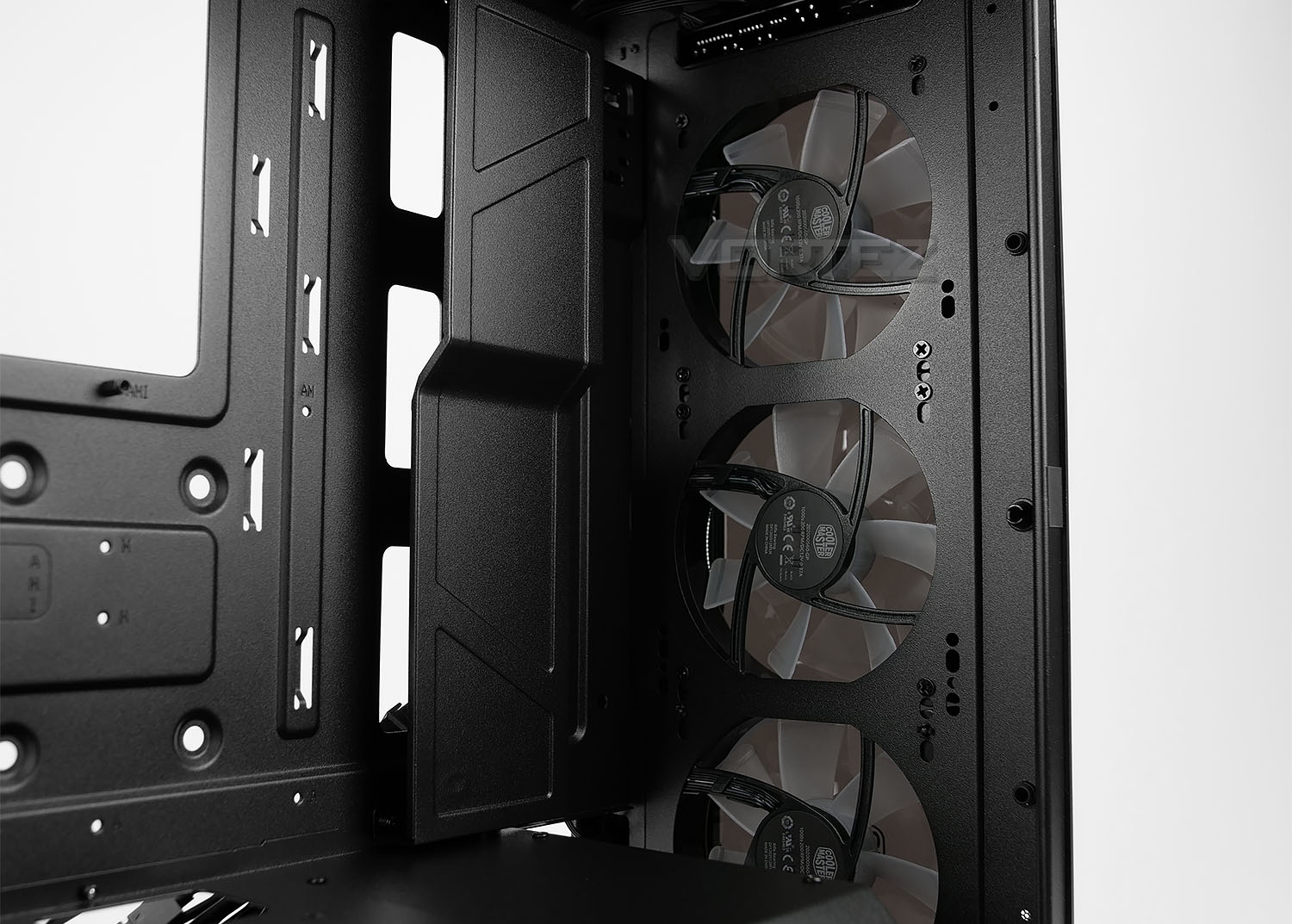
Placed in the cavity between the front fascia and chassis, CM has included a trio of 120mm RGB LED fans. As well as there being 120mm mounting spots, there is an option to utilise two 140mm too.
As you can see from the above picture, immediately over the cable cut-outs on the motherboard, there is a large plate which, in a similar fashion to the PSU shroud, conceals the messy appearance that cables can bring. This plate can be removed if desired.
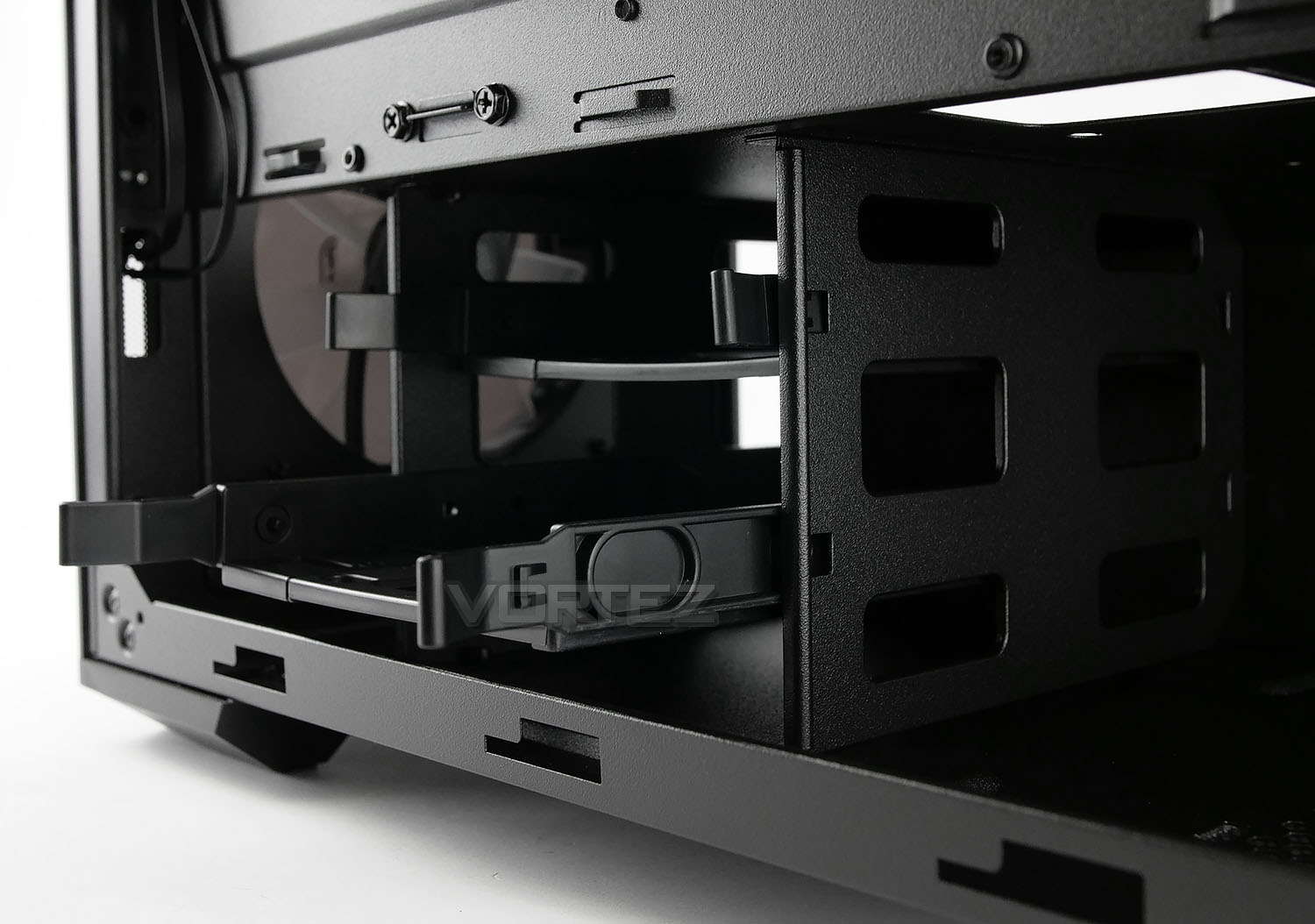
For storage there are mounting placements for SSDs on the PSU shroud and back of the motherboard tray – but there is also a two-tray HDD cage. As mechanical drives are steadily disappearing from computer systems, having the option to install a couple is still handy for those still using such storage and yet it doesn’t consume important space required for other components.
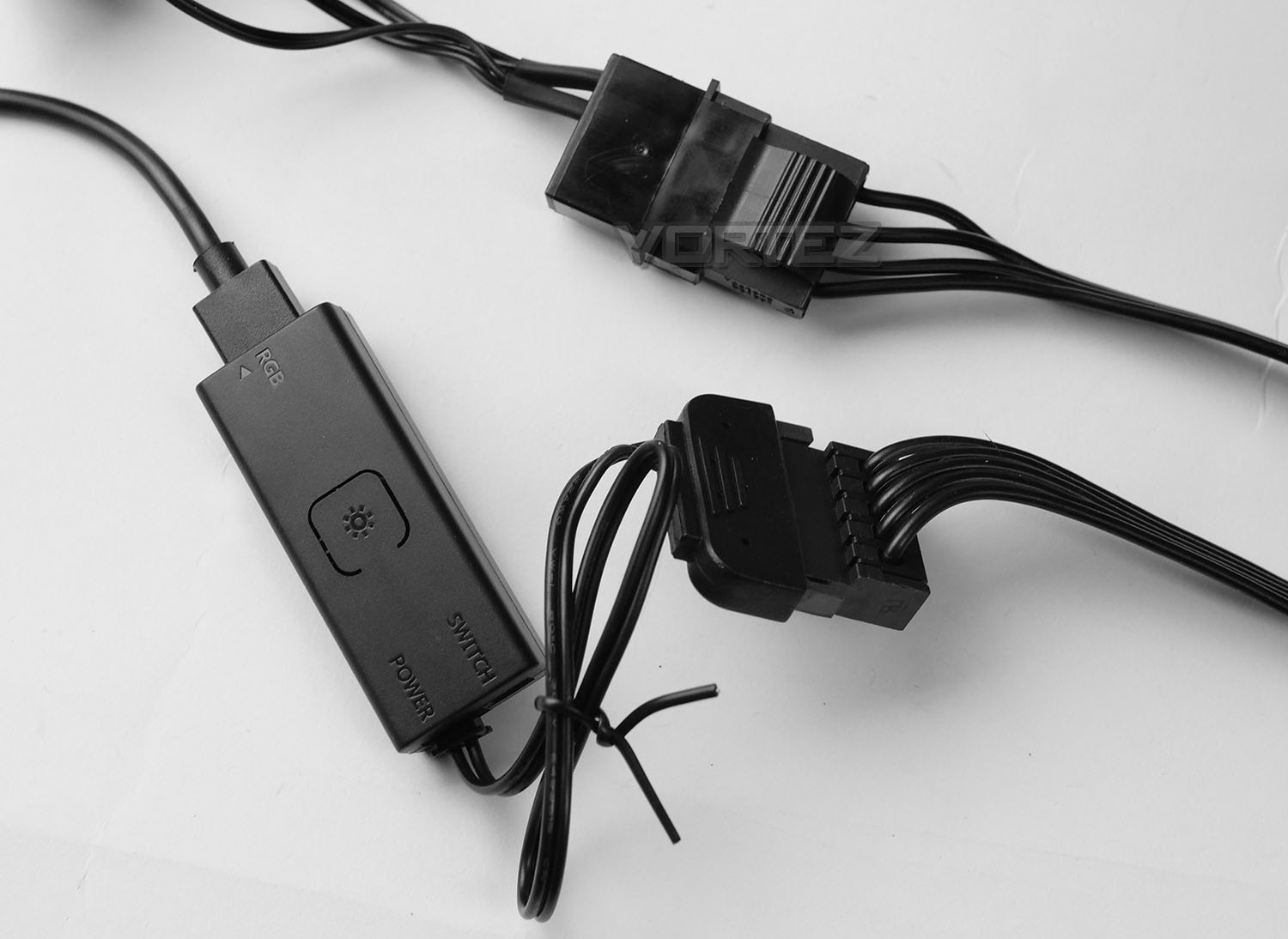
Since there are RGB LED cooling fans included with TD500, CM include a controller for adjusting between modes and colours. This switch requires SATA power from the PSU. Additionally, Molex power is needed for the fan controller – this isn’t our favourite method of powering such a device as the pins are very easy to bend/pop out.
Installation
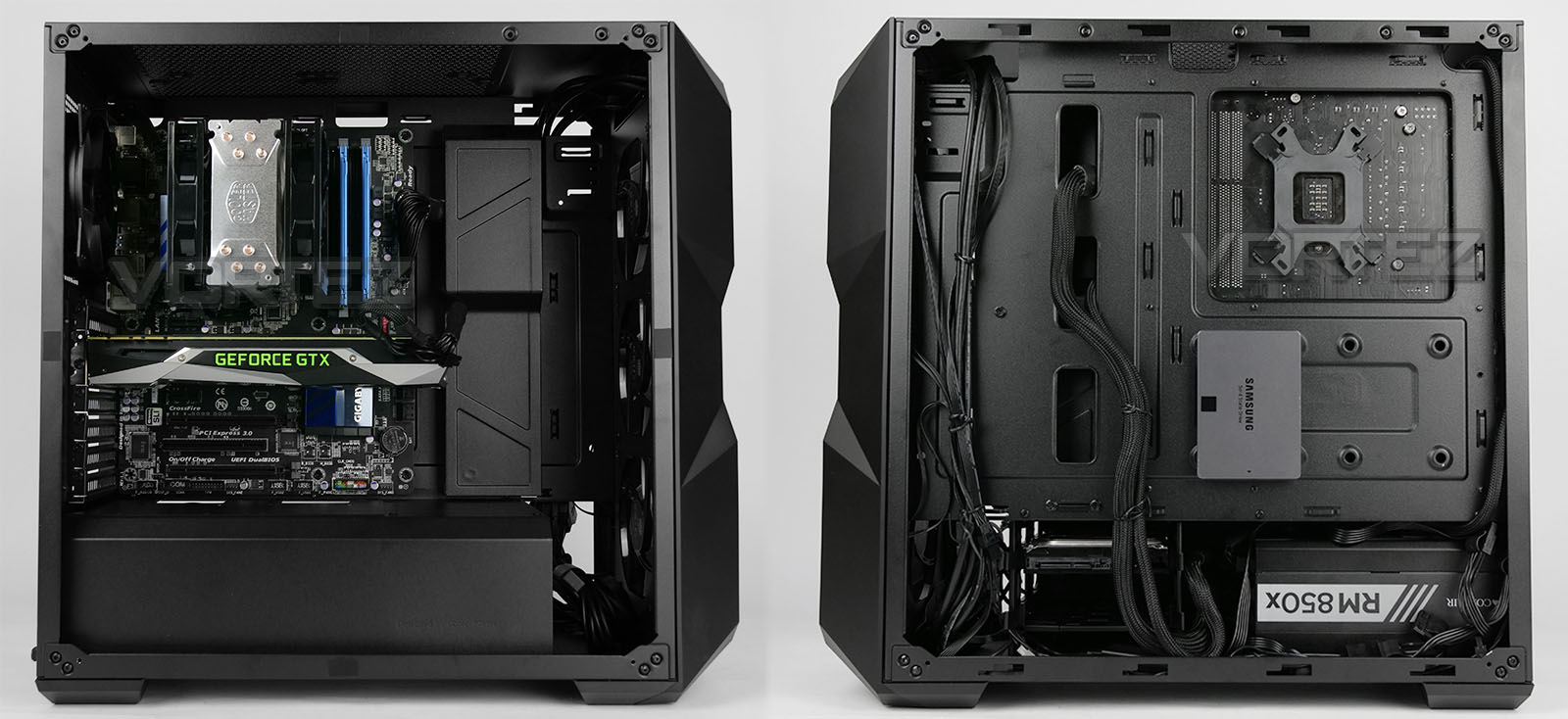
The task of installing a new system inside TD500 is largely without any hitches. The only cumbersome aspects to the process is the installation of the PSU (which can be rather tight), the cable management (which can be tedious due to limited cavities) and the small ledge for the prominent panel to sit on.
Overall, with our test system installed, the configuration looks brilliant and we’re pleased with the look and feature-set this model offers.
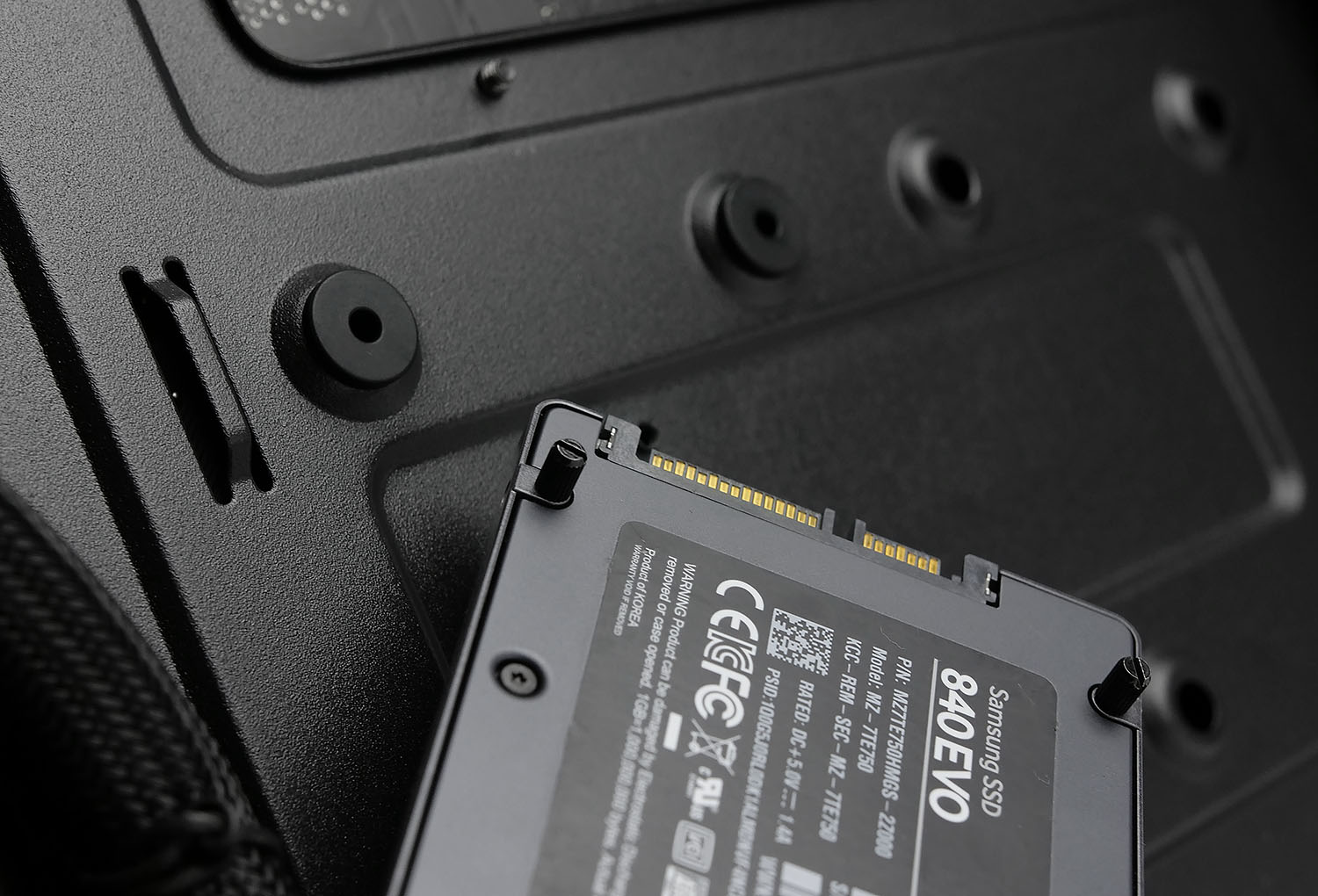
Installing SSDs inside TD500 is somewhat different to other cases. Four thin screws must be attached to the drive and rubber washers pop into the holes on the back of the motherboard tray. Once both aspects are complete, the drive simply fastens into place with a push.
Clearance Options – CPU Cooler, GPU, Cable Management
Observing the space limitations inside a computer chassis is vital as it helps to ascertain what omponents will/won’t fit.
CPU COOLER
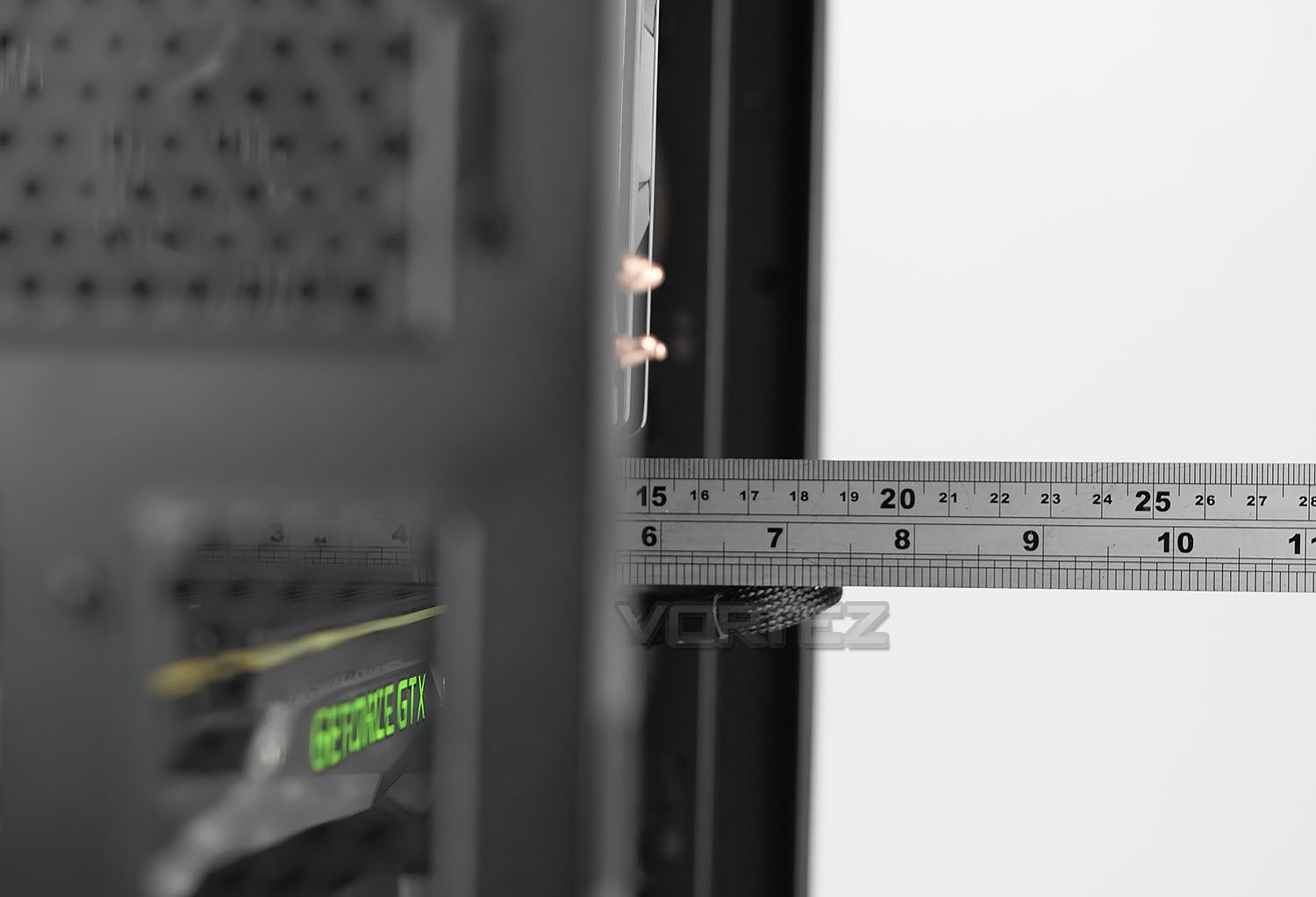
On paper CM claims there is up to 165mm of space for the height of the CPU cooler. We can clearly see from the above picture that this is indeed true and there is some surplus space too. We’ve installed the Hyper 212 LED which is 154mm.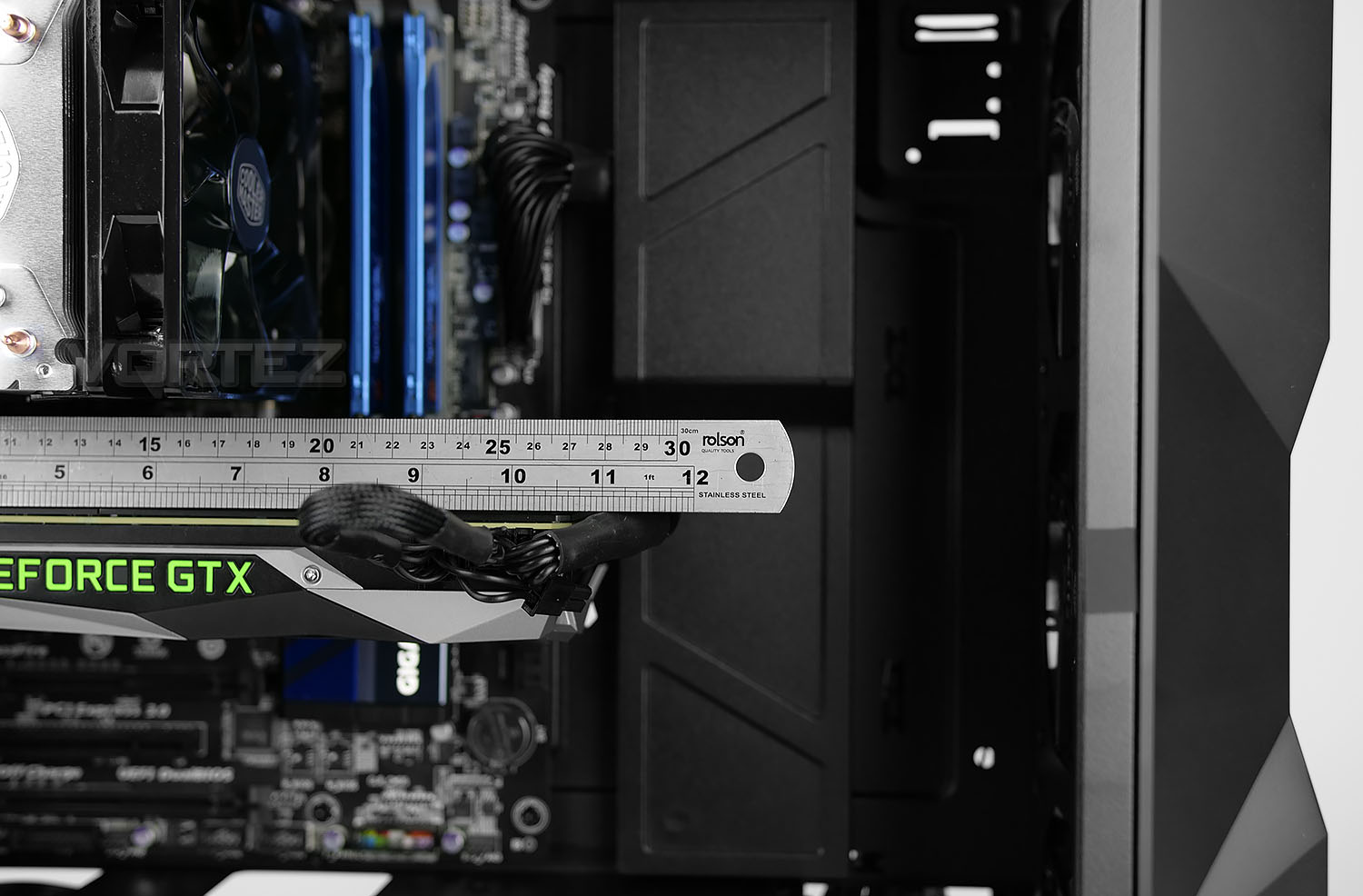
GRAPHICS CARD
There is up to 410mm of space inside TD500 for the graphics card. This will easily cover most (if not all) models currently on the market. If the front is used for mounting a radiator (with rad and fan combo inside) there is up to 330mm for the total length.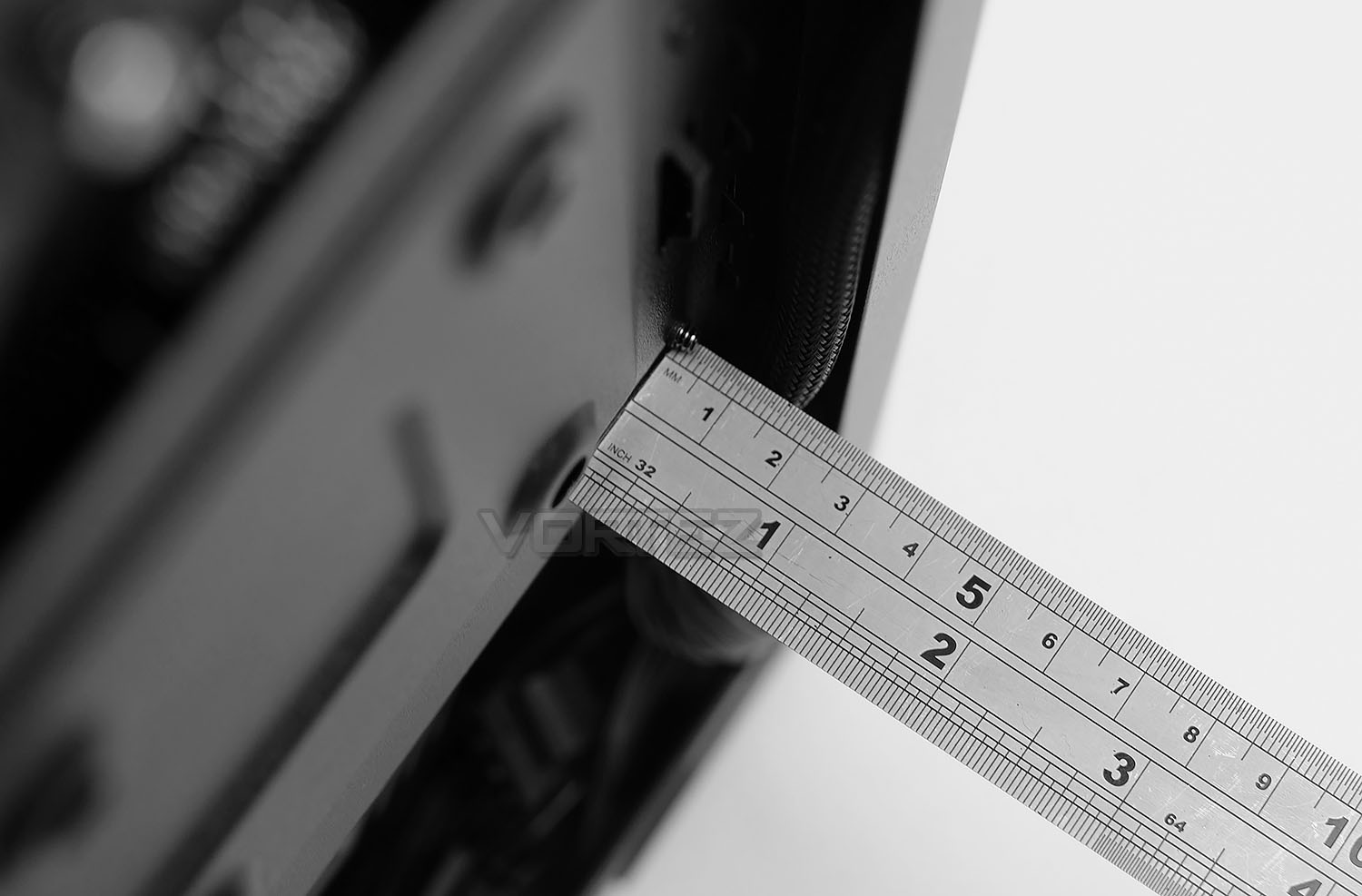
CABLE MANAGEMENT
The area which sits between the back of the motherboard and side panel is important for good cable management practises. In this area we have roughly 15mm. This isn’t very much allocation at all and with there being very few places to tuck away unwanted cables, the cable management isn’t altogether that easy to tame.Clearance Options – Water Cooling
RADIATOR – FRONT
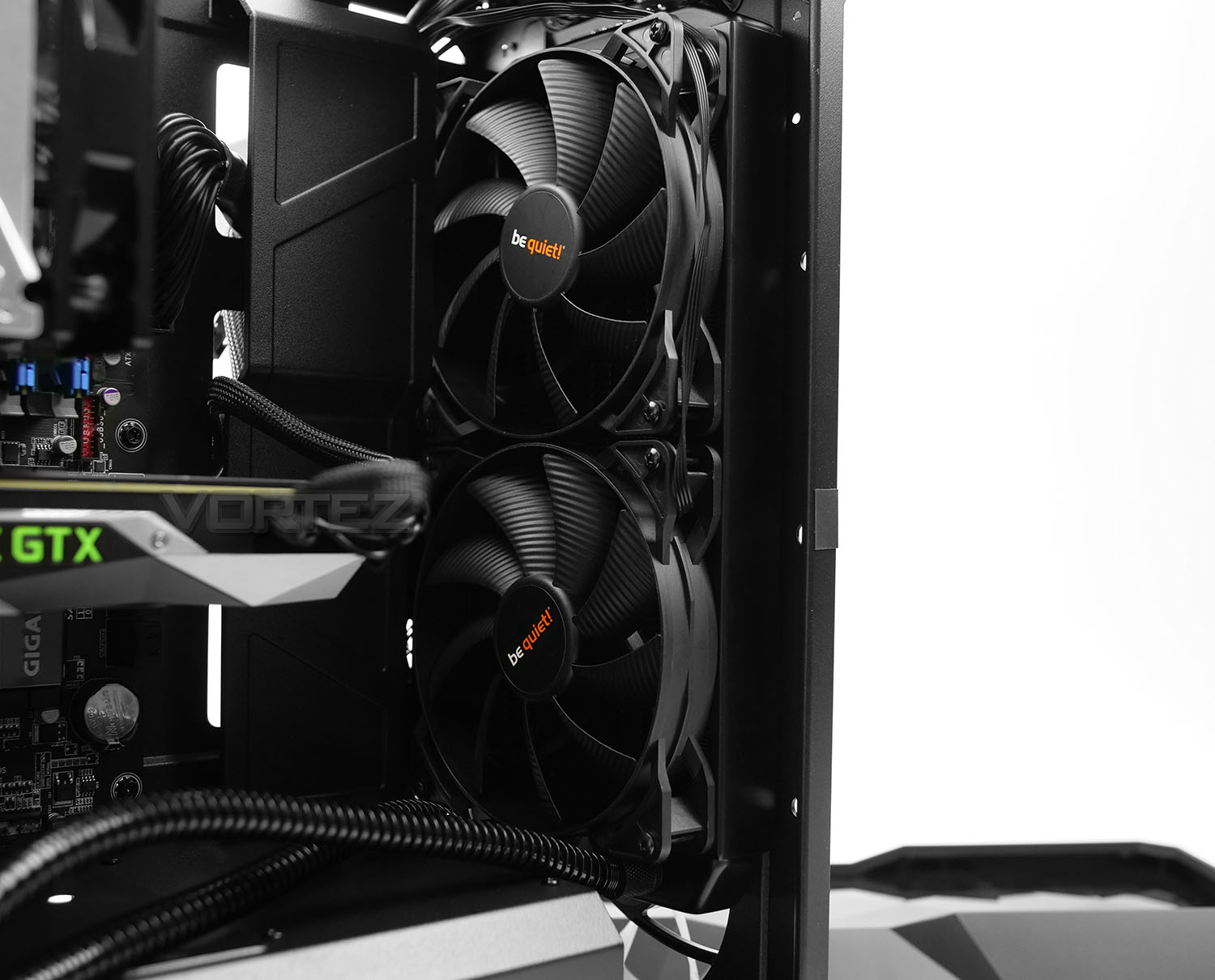
At the front of TD500 there is space to install up to 360mm radiators. Although we can quite easily attach either the fan or radiator on the front of the chassis (between the chassis and fascia) in this review we included both fan plus radiator of a 280mm cooler inside the chassis to highlight that there is plenty of space to include both too. So, should you want to include a push/pull configuration for the radiator, this is possible.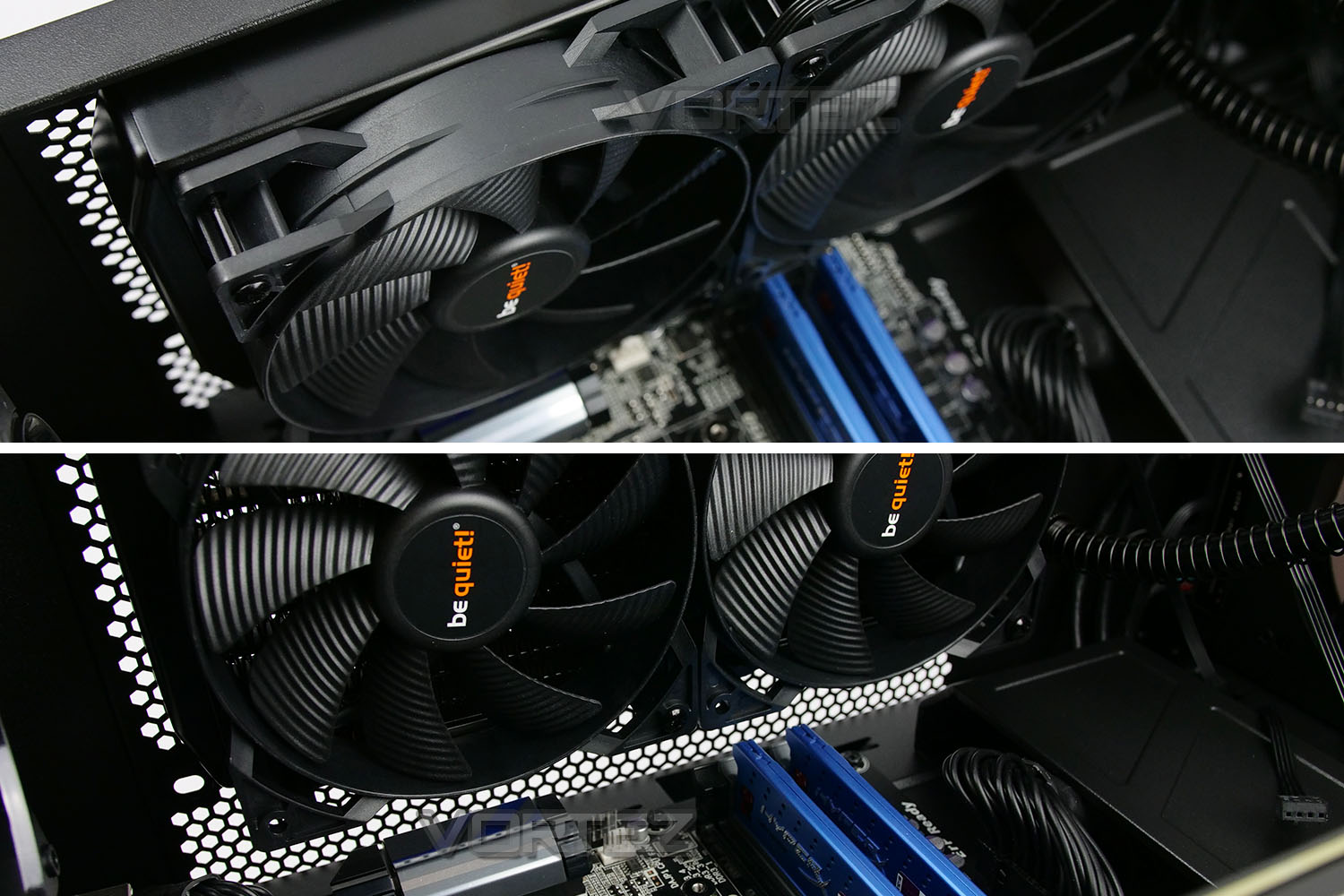
RADIATOR – TOP
At the top, although there are mounting holes for installing a 280mm radiator, due to the space limitations. But, with a 240mm radiator and fan combo (as shown above) we can easily fit this type of configuration within the chassis without any motherboard obstruction occurring.It’s important to note that low-profile memory is more suitable when using this type of cooler in this configuration. Above standard memory there is just 7mm of space – tall memory will cause problems.
Thermal Performance Testing
Inside the MasterBox TD500 we have a push-pull configuration using a total of four 120mm fans – three are located at the front as intakes and one is located at the rear as an exhaust. This type of arrangement usually yields great results.
To discover the thermal performance of TD500 we will record idle temperatures after 20 minutes from a cold boot. We will then stress the system and temperatures will again be monitored after 30 minutes have elapsed.
NOTE: Ambient temperature is 20C
SYSTEM COMPONENTS
CPU Intel Pentium K G3258 @ 4GHz
Motherboard GIGABYTE Z87X-D3H
CPU Cooler Cooler Master Hyper 212 Turbo LED
Graphics NVIDIA GTX 1080 Ti
Memory 4GB Kingston HyperX DDR3
HDD Samsung Spinpoint 500GB SATA-II
PSU Corsair RM850
Motherboard GIGABYTE Z87X-D3H
CPU Cooler Cooler Master Hyper 212 Turbo LED
Graphics NVIDIA GTX 1080 Ti
Memory 4GB Kingston HyperX DDR3
HDD Samsung Spinpoint 500GB SATA-II
PSU Corsair RM850
NOISE
Since we have four cooling fans included with TD500 and the mere fact that the panels are thin with exposed mesh at the top, noise does leak rather easily. This case definitely isn’t designed to be quiet/silent.RGB Lighting Demo
For this review, we’ve produced a video which showcases the RGB lighting on TD500, revealing the different colours and modes available. You can either click the TD500 RGB lighting demonstration link or watch the video below. Enjoy!
Conclusion
In a highly saturated market it isn’t surprising to see case manufacturers producing similar results – whether we’re looking at hardware support, cooling configuration, construction material or even internal layout. Capturing attention is no mean feat, but we feel that Cooler Master has developed something quite unique with the TD500.
While the internal layout and features aren’t exactly ground-breaking, the external styling is definitely a head turner. The diamond cut design on the side panel and front of TD500 add extra flair and this helps to diversify with innumerable options out there. The front and side are likely to attract dust/marks quite easily but thankfully Cooler Master has included a micro fibre cloth which can used to keep such dirt to a minimum.
The inclusion of four cooling fans is very generous for the asking price, especially when three of them are of the RGB LED variety. As can be expected, having the presence of so many cooling fans and in key areas to create a push-pull configuration, translates to superb cooling potential. Albeit, with a slight trade-off – noise.
Inside, we found TD500 offers flexible hardware support regardless of the component in question. This chassis isn’t exactly massive, but it still accommodates a selection of different sized radiators for those wanting to go down the liquid cooling route.
Cable management within this case can be tricky, which is down to a combination of limitation clearance behind the motherboard tray and lack of cavities to store cables. Extra care will need to be taken to create a clean, tidy arrangement on the front and backside.
There are a few areas which we feel could be improved and while not detrimental to the purchasing of TD500, are worth mentioning. There is no dust filter at the front which is short sighted, especially given we have three cooling fans; dust build up is likely to occur quite soon. The PSU does arrive with a filter, but not in the form of a removable tray. Instead, we have just a thin, flimsy cut-out of mesh – which, to remove will need the case placing on its side.
The MasterBox TD500 arrives at a cost of just $75 USD / $119 AUD. Weighing up the included features with four cooling fans – three of which are RGB, this translates to good value for money. Unfortunately, TD500 isn’t planned for the UK; only US/AU.
The MasterBox TD500 stands out from the crowd by bringing something quite unique to the table. A dazzling diamond cut design with RGB is the ideal recipe for style and finesse.
Pros
+ Unique diamond cut appearance
+ Includes four cooling fans
+ Includes RGB fans & controller
+ Offers great cooling performance
+ Good compatibility for hardware
+ Microfiber cloth included
Neutral
+- Limited space to store unwanted cables
+- Tall memory cannot be used with top radiator installed
Cons
– No front dust filter
– Prominent side panel hard to re-attach
– Flimsy PSU filter
+ Unique diamond cut appearance
+ Includes four cooling fans
+ Includes RGB fans & controller
+ Offers great cooling performance
+ Good compatibility for hardware
+ Microfiber cloth included
Neutral
+- Limited space to store unwanted cables
+- Tall memory cannot be used with top radiator installed
Cons
– No front dust filter
– Prominent side panel hard to re-attach
– Flimsy PSU filter
Click here for an explanation of our awards at Vortez.net.
Stay connected with the Vortez Social Media pages:
Join in with the discussions on Discord