After 10 years out of the air-cooling game, CORSAIR are back with the A500. Boasting a pair of their magnetic levitation fans, large tower design and simple installation, how does it compare in a crowded market?

Product on Review: CORSAIR A500
Manufacturer: CORSAIR
Street Price: GBP £84.99 / USD $99.99
It’s been a long time since CORSAIR produced an air cooler, almost a decade in fact. Since then, they’ve had a keen focus on the all-in-one watercooling market, but recently they’ve expanded that to include custom watercooling loops, and gone back to the air cooling market with the launch of the A500. Covering the three bases gives your customers the choice they want.
Their last effort, the CORSAIR A50, didn’t hold a candle to the plethora of great (and aggressively priced) air coolers of the time. CORSAIR aim to change that with the A500, featuring a pair of ML120 fans and four direct-contact heat pipes for high performance air cooling.
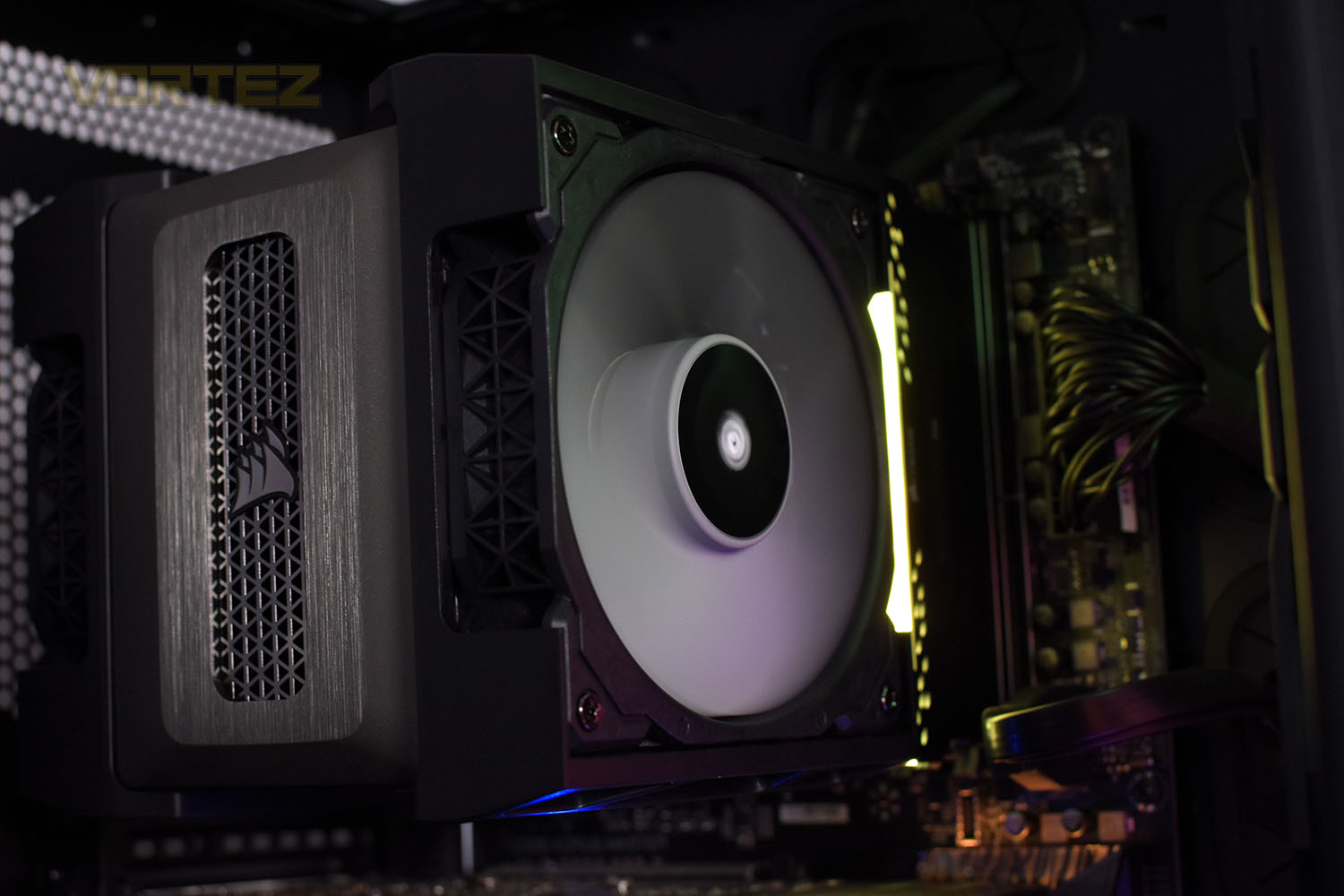
According to CORSAIR’s claims, the A500 has been designed from the ground up for the best possible DRAM compatibility while retaining its large, necessary size. There’s also the new ‘holdfast retention system’ that promises easy installation on almost all AMD and Intel CPU socket types.
Backed by a 5-year warranty, there’s a lot of trust placed within the craftmanship, which is passed on as peace-of-mind for the customer, but it comes at a price; £84.99/$99.99 to be exact. That puts this directly in the firing line of the Noctua NH-U12A so it goes without saying: expectations are sky high.
Can it compete with the competition or are CORSAIR biting off more than they can chew here?
CORSAIR on the A500:
Bring your CPU temperatures down with the CORSAIR A500 High Performance Dual Fan CPU Cooler, equipped with four direct-contact copper heat pipes and two CORSAIR ML120 fans.
Technical Specifications
Cooling Warranty: Five years
PWM: Yes
Heatsink Dimensions: 137mm x 169mm x 103mm
CORSAIR iCUE Compatibility: No
Heatsink Dimensions w/ Fan: 144mm x 169mm x 171mm
Cold Plate Type: Direct-Contact Heatpipe
Fan Dimensions: 120mm x 120mm x 25mm
Fan Speed: 2400 RPM
Weight: 1460g
Number of Fans: 2
Cooling Socket Support:
Intel 1150/1151/1155/1156/2011/2011-3/2066
AMD AM4/AM3/AM2
Lighting: None
Fan Model: ML Series
Heatpipe Material: Copper
Heatsink Material: Aluminum
Maximum RAM Height (Stock Fan Position): 45mm
Maximum RAM Height (mITX Motherboard): 45mm
Fan Airflow: 75 CFM
Noise Level: 36 dBA
Fan Static Pressure: 4.2 mm-H2O
PWM: Yes
Heatsink Dimensions: 137mm x 169mm x 103mm
CORSAIR iCUE Compatibility: No
Heatsink Dimensions w/ Fan: 144mm x 169mm x 171mm
Cold Plate Type: Direct-Contact Heatpipe
Fan Dimensions: 120mm x 120mm x 25mm
Fan Speed: 2400 RPM
Weight: 1460g
Number of Fans: 2
Cooling Socket Support:
Intel 1150/1151/1155/1156/2011/2011-3/2066
AMD AM4/AM3/AM2
Lighting: None
Fan Model: ML Series
Heatpipe Material: Copper
Heatsink Material: Aluminum
Maximum RAM Height (Stock Fan Position): 45mm
Maximum RAM Height (mITX Motherboard): 45mm
Fan Airflow: 75 CFM
Noise Level: 36 dBA
Fan Static Pressure: 4.2 mm-H2O
Packaging & Bundle
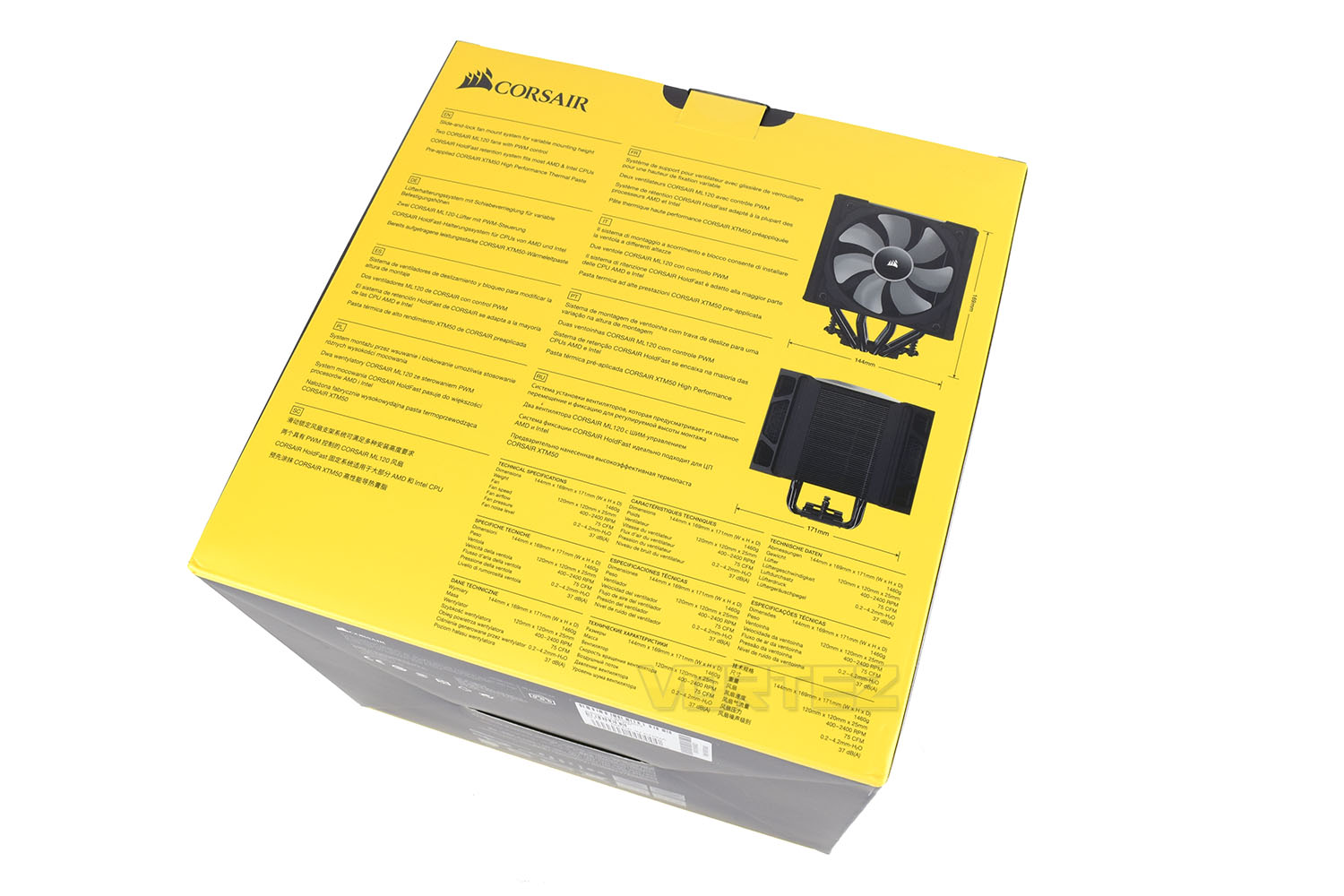
The packaging was, frankly, quite a bit larger than we’d expected from images of the cooler that we saw at CES, but it’s instantly recognisable from the bright yellow front.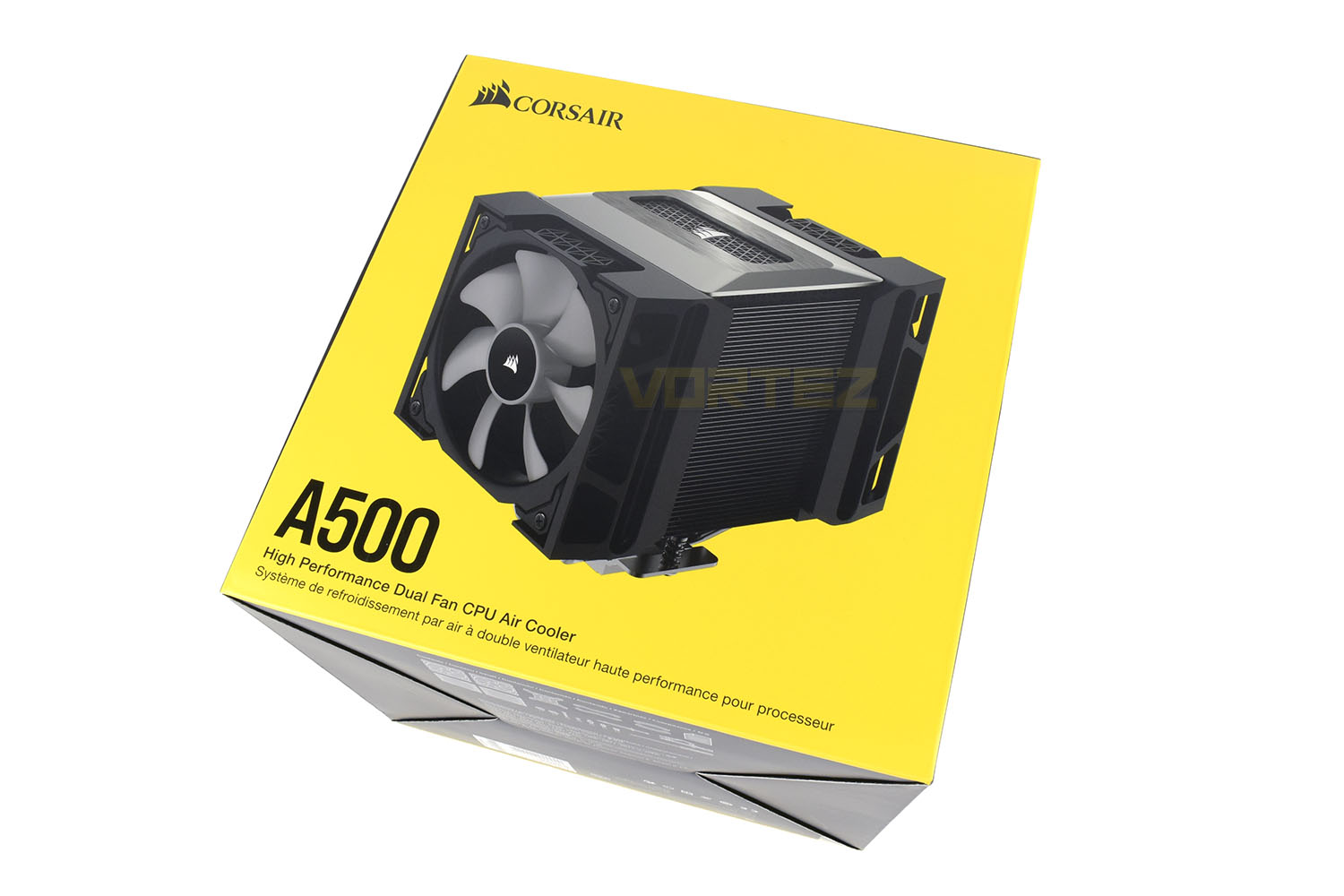
Turning the box around, the details provided here are extensive, but not really up to CORSAIR’s usual standard. Their AIOs have excellent schematic diagrams on the back but the one present here is much more basic, with some potentially important information missing.
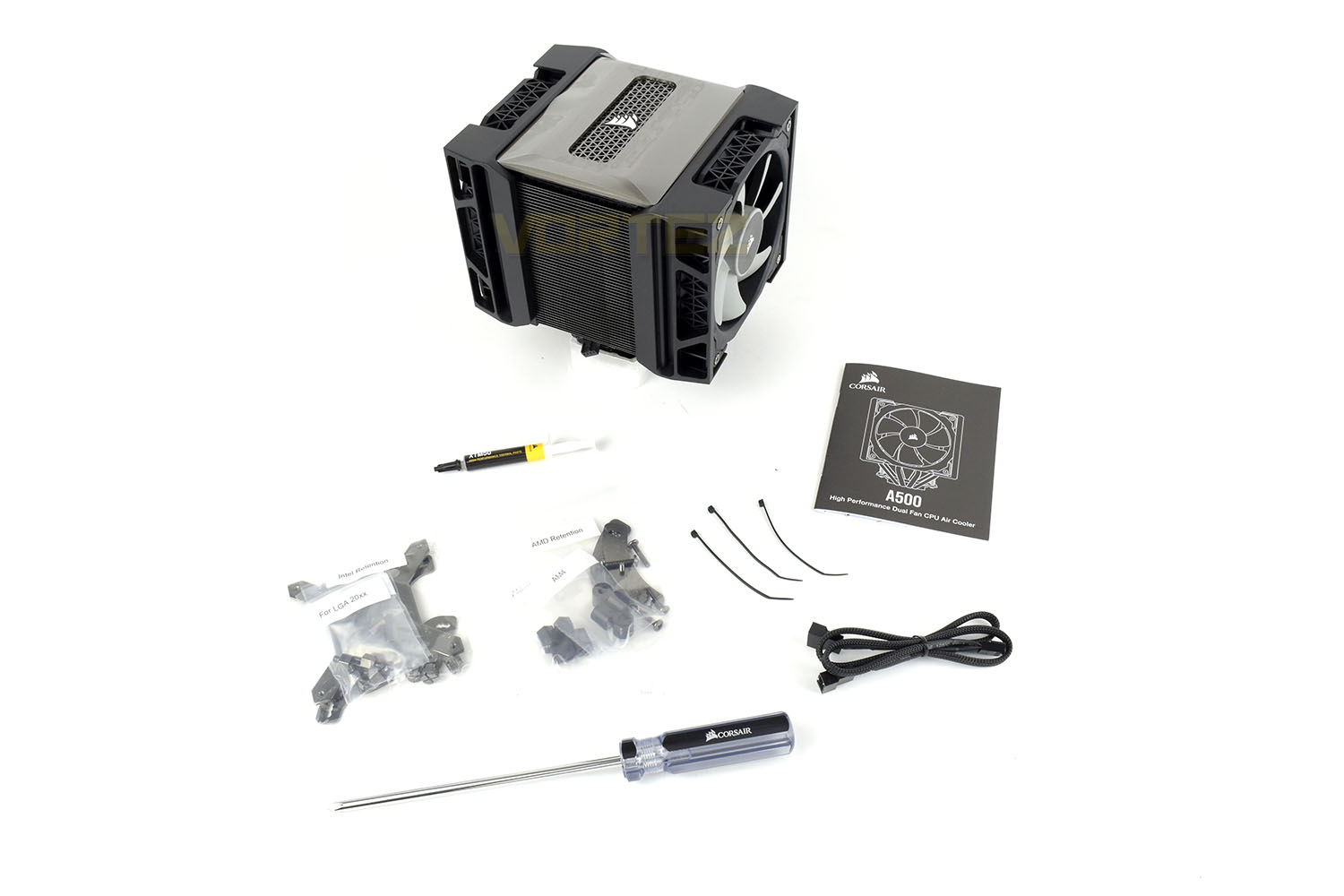
Chucked in with the A500 cooler is all the mounting hardware you need for both Intel and AMD sockets (though there’s no support for AMD TR4), a braided fan extension cable, three cable ties, some XTM50 thermal paste, an instruction booklet and finally a suspiciously familiar screwdriver for installing the cooler.
Closer Look
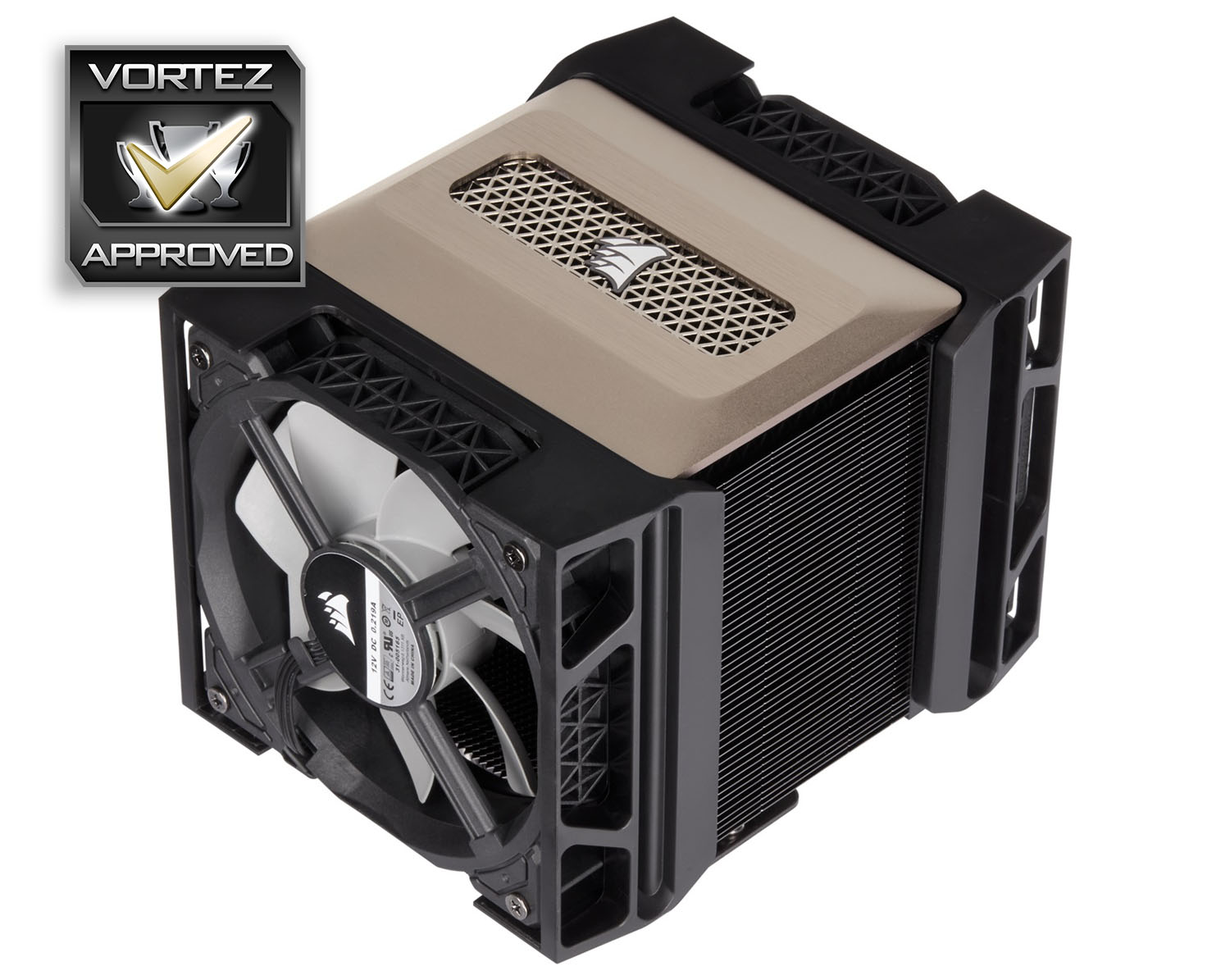
As the packaging suggested, the A500 isn’t a small cooler by any stretch. With both fans installed, the outer dimensions are 180mm x 176mm x 143mm. Cooling performance, then, should be good.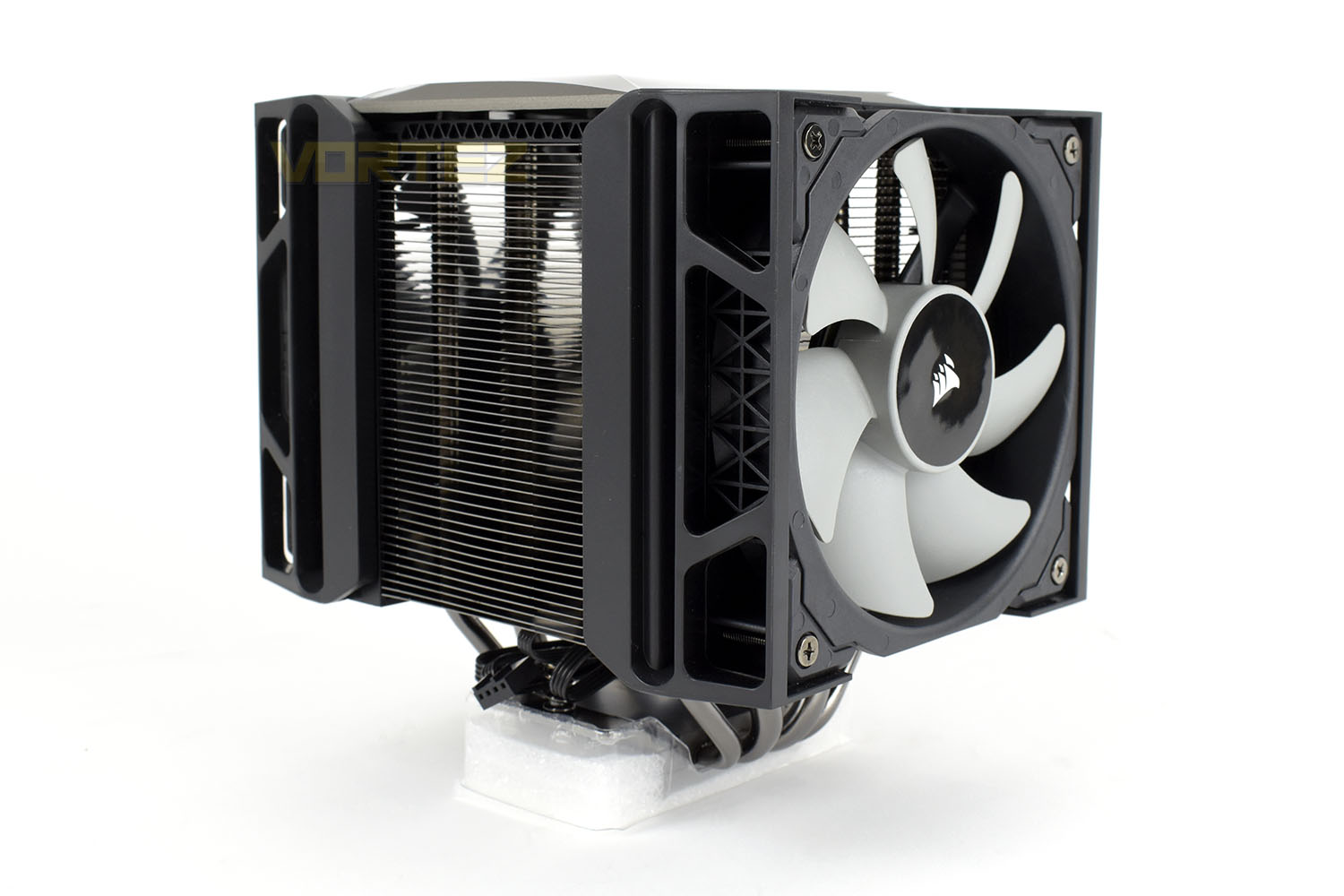
The two ML120 cooling fans are arranged in a push-pull configuration, helping to draw in and extract as much air as possible. These cans can be moved upwards to accommodate taller memory modules.
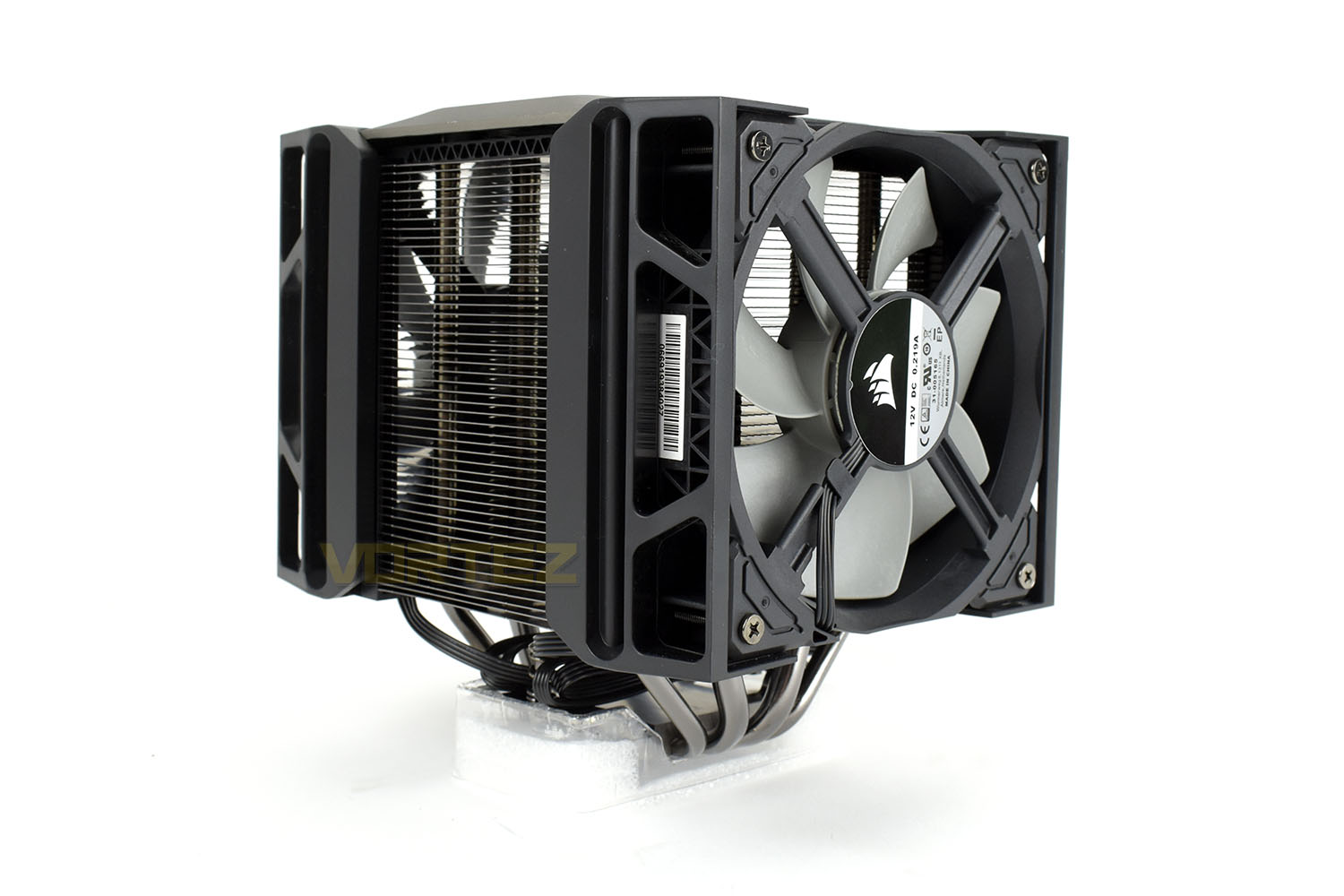
Atop the cooling tower is a fancy, brushed metal lid with a prominent CORSAIR logo in the centre.
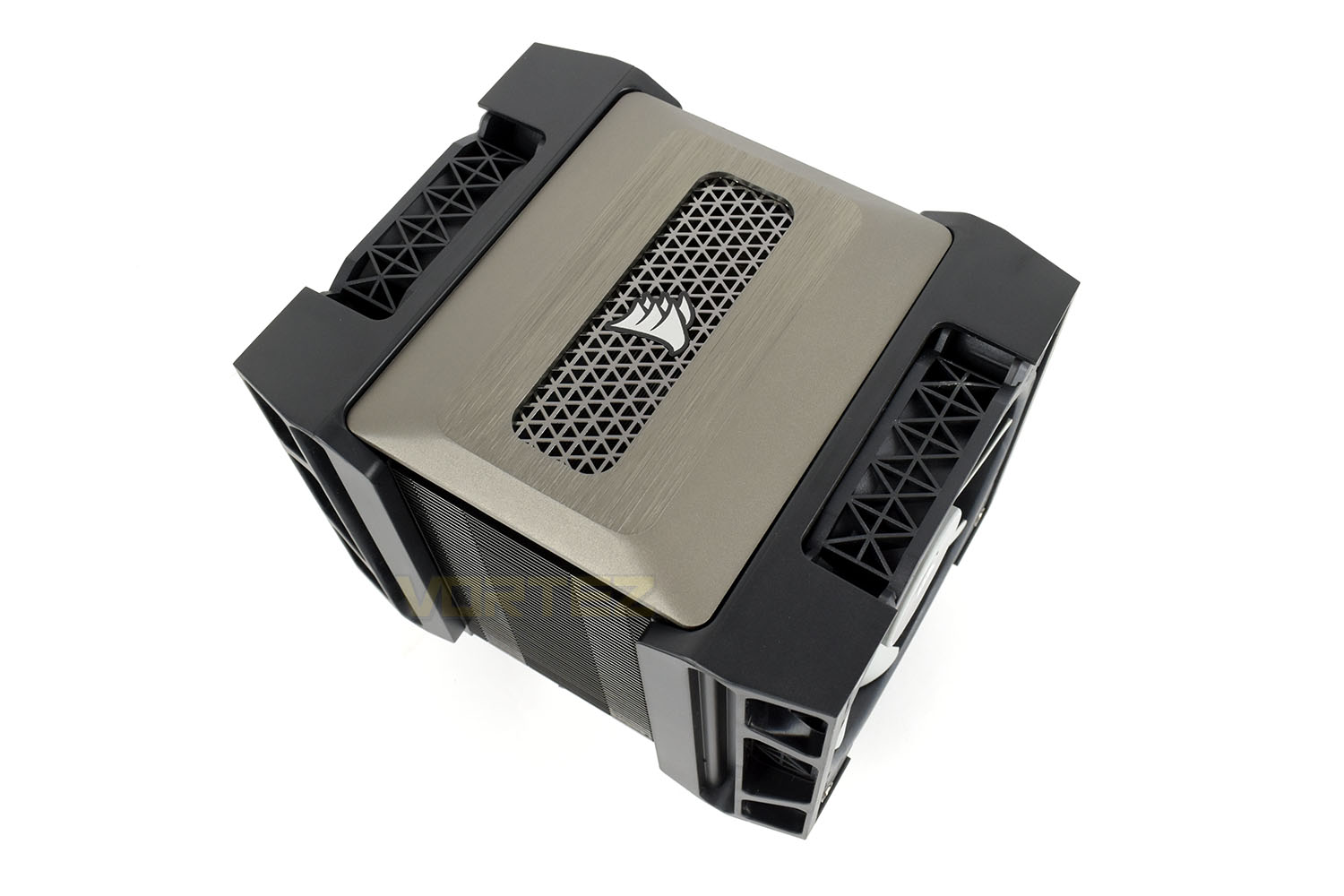
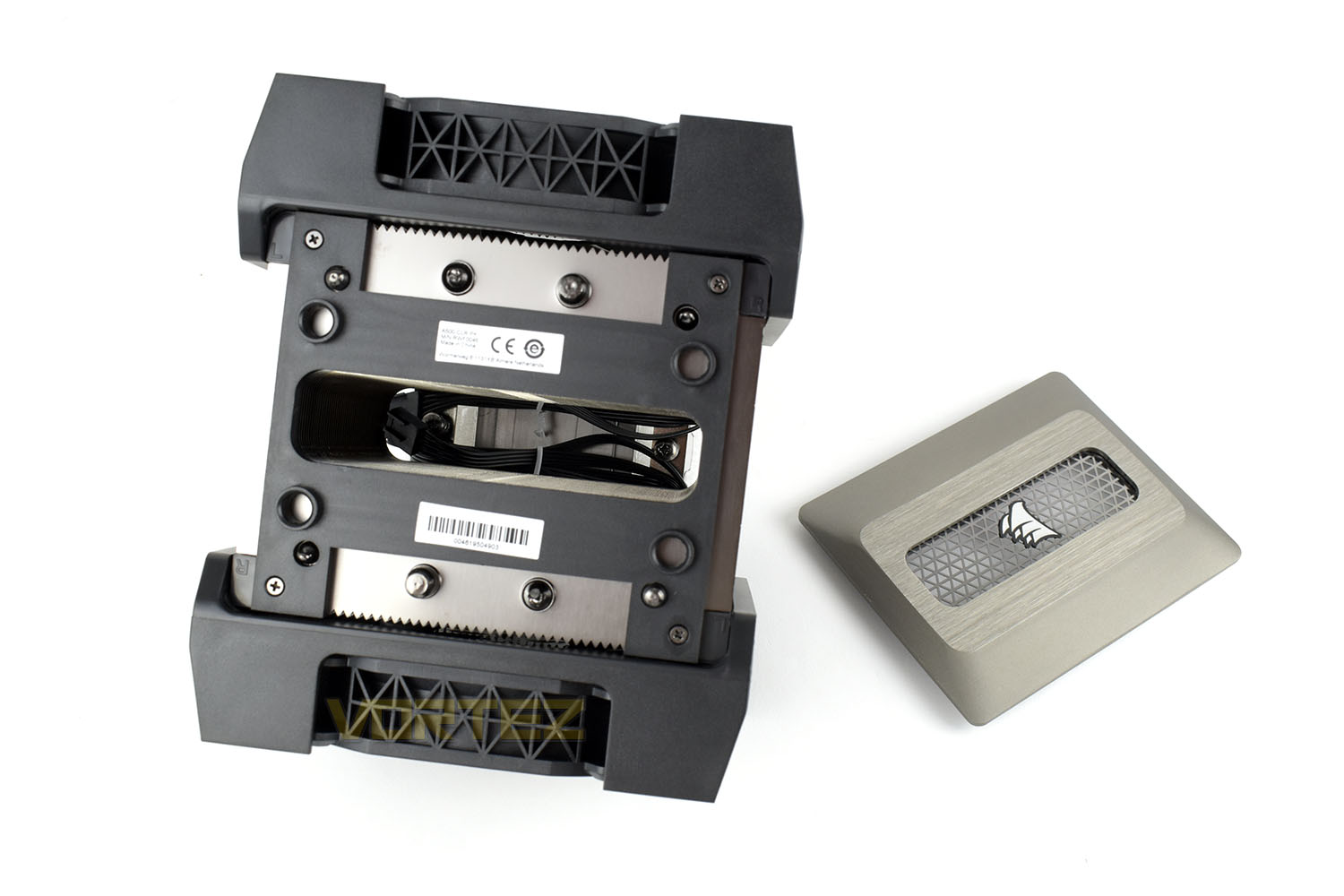
Removing that lid, you can see down into the middle of the cooler where there’s two installation screws that are used for the Holdfast Retention System.
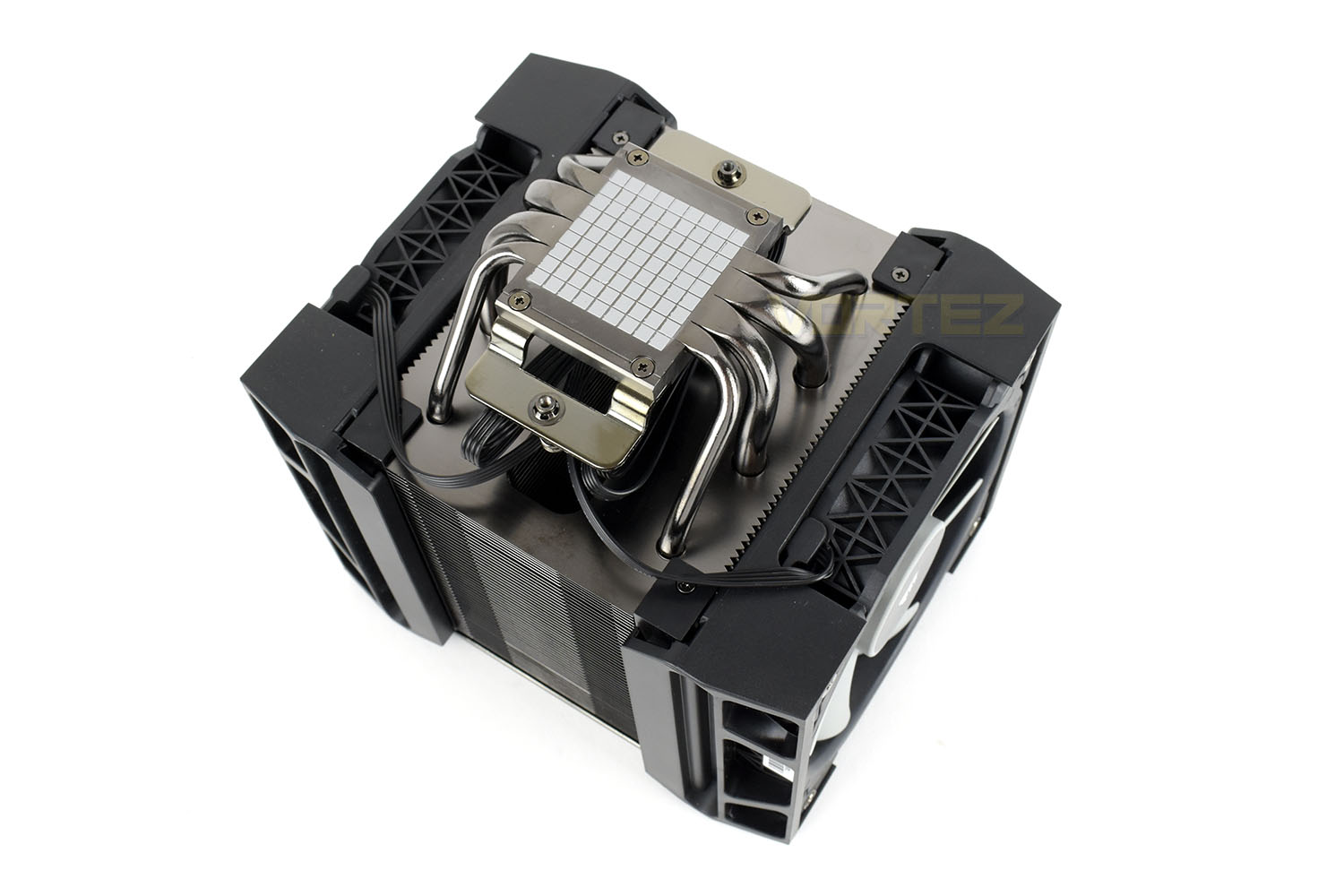
Perfectly applied to the base is a chess board, only made from CORSAIR’s XTM50 thermal paste. The cooler’s coldplate is made from 4 direct-touch heatpipes, two 6mm and two 8mm.
Closer Look (Continued)
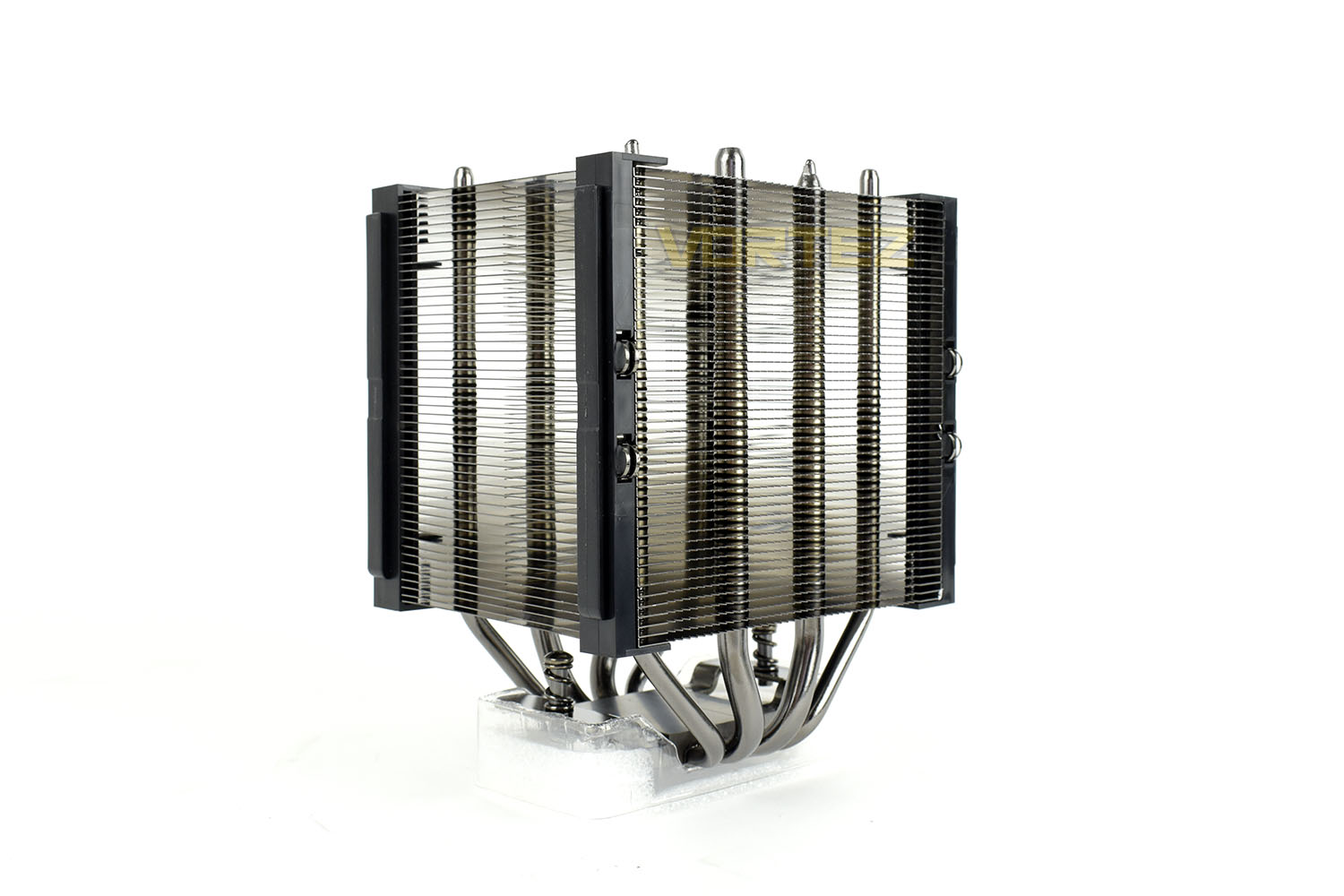
Fully dismantled, it’s obvious to see why the A500 is so large; there’s a tonne of plastic. This is largely due to CORSAIR using a ratchet style system for adjusting the height of the ML120 fans, but even at that, there’s a lot of pieces here.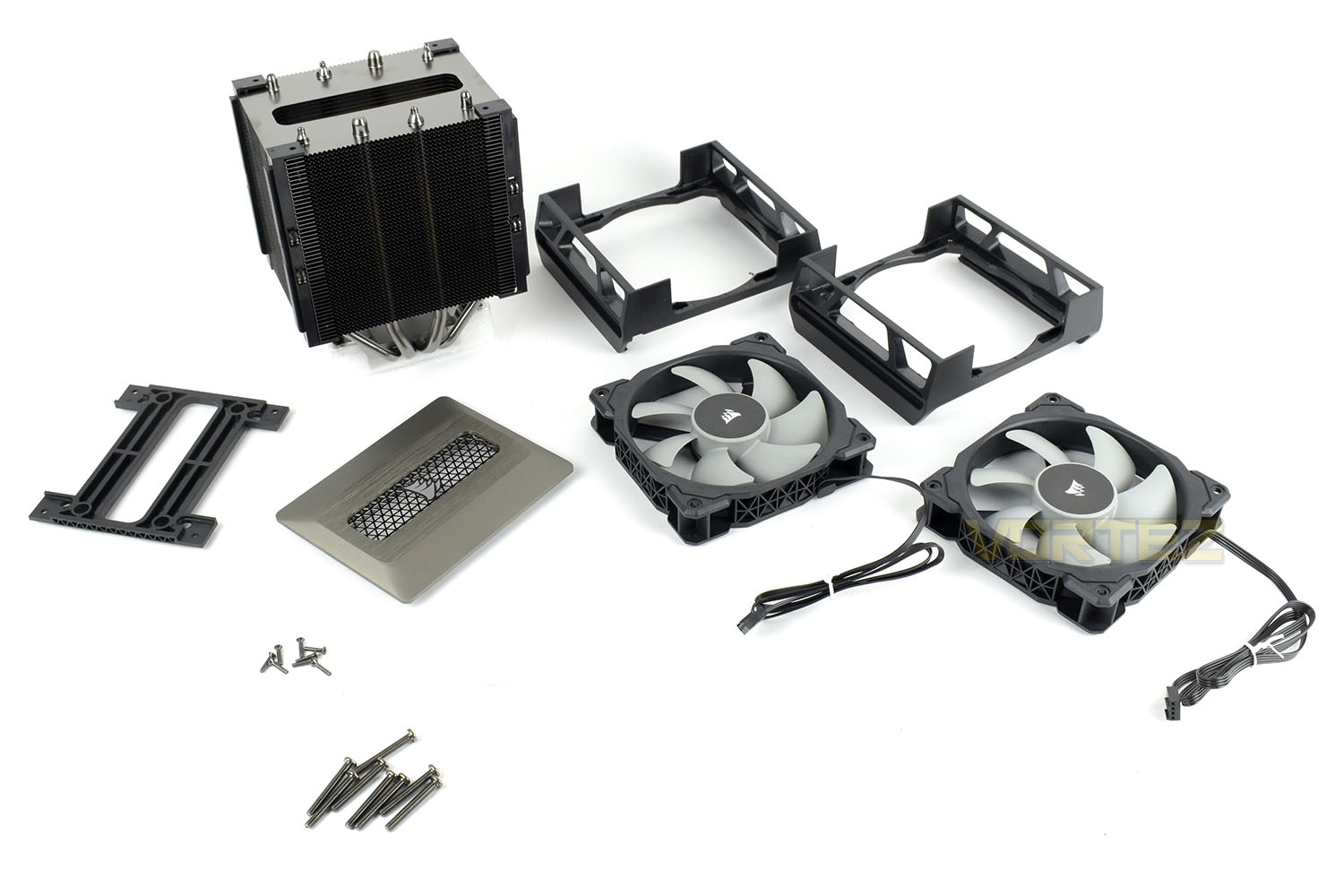
Laid bare, the cooler looks unrecognisable, it’s curvy, interesting appearance is long-gone by this point.
Installation
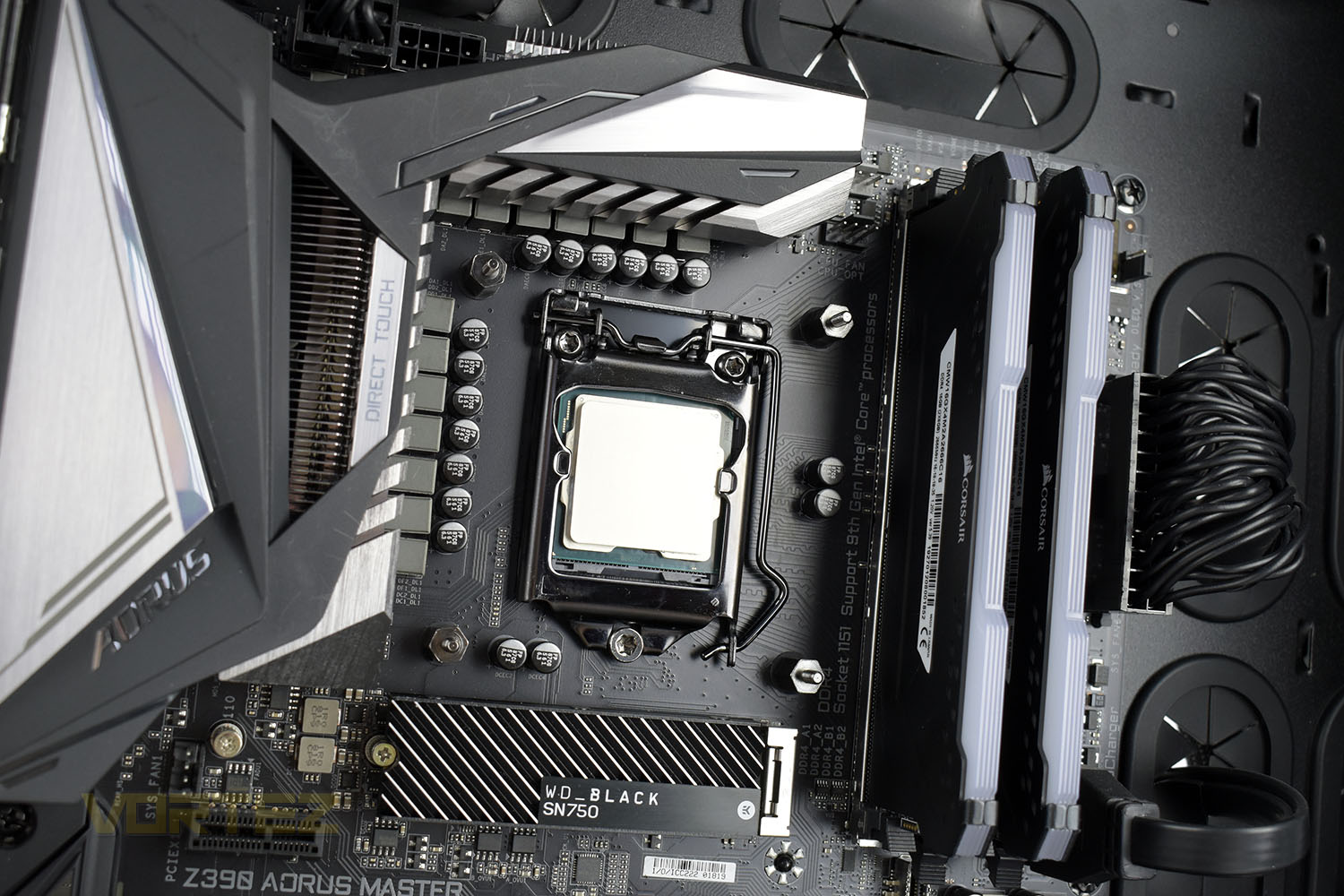
CORSAIR have developed something called their “Holdfast Retention System”, which aims to make installing the cooler as simple as possible.To begin the process, you push the backplate through the mounting slots on the motherboard and tighten up the standoffs. CORSAIR have typically used 6mm bolts that could be tightened with a screwdriver with replaceable bits. This time they seem to have used 8mm, scuppering that plan entirely. That doesn’t make this step particularly difficult, we just liked being able to use the socket on the screwdriver for ease of installation.
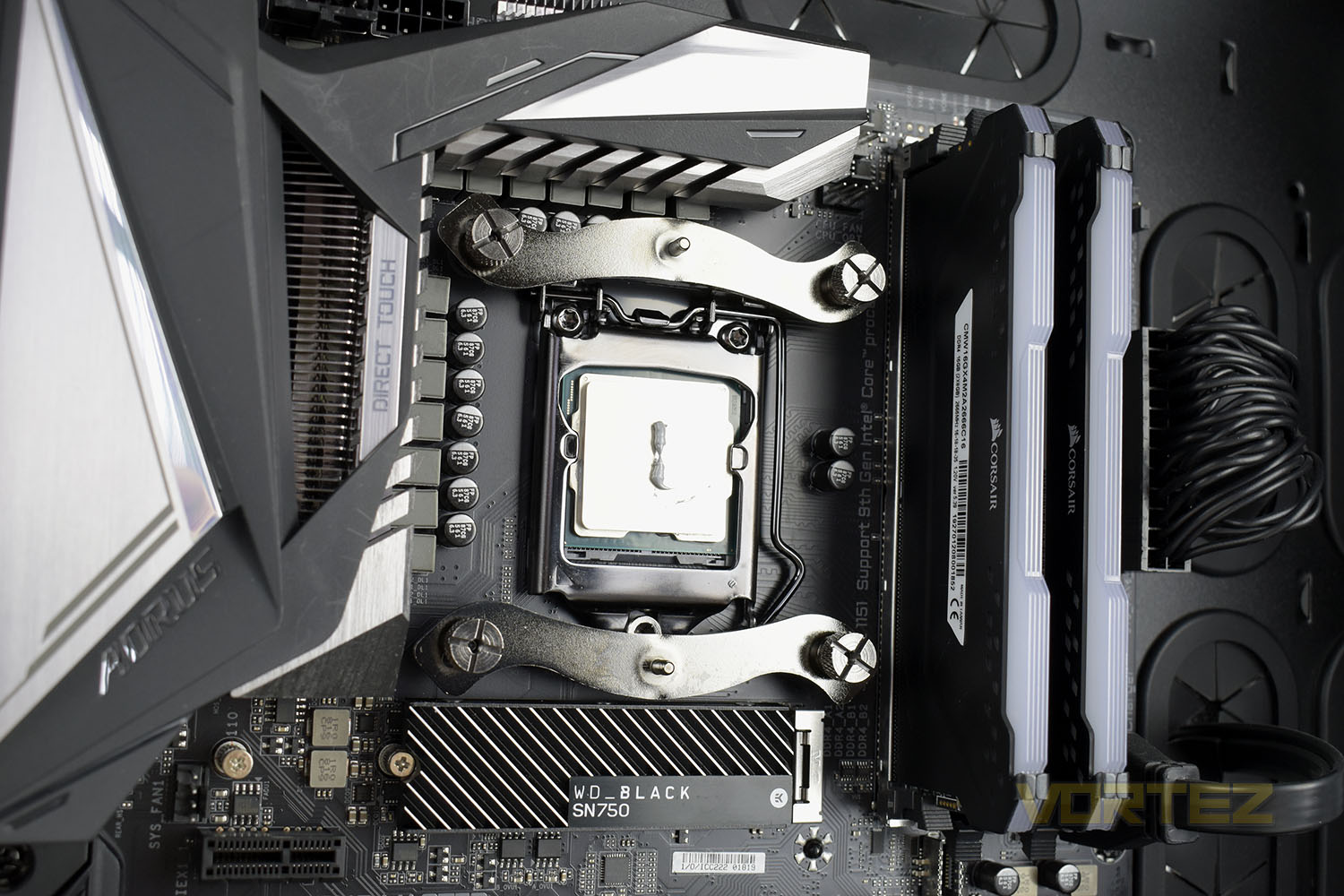
The next step is to install a couple of crossbars, similar to Noctua’s Secu-Firm system.
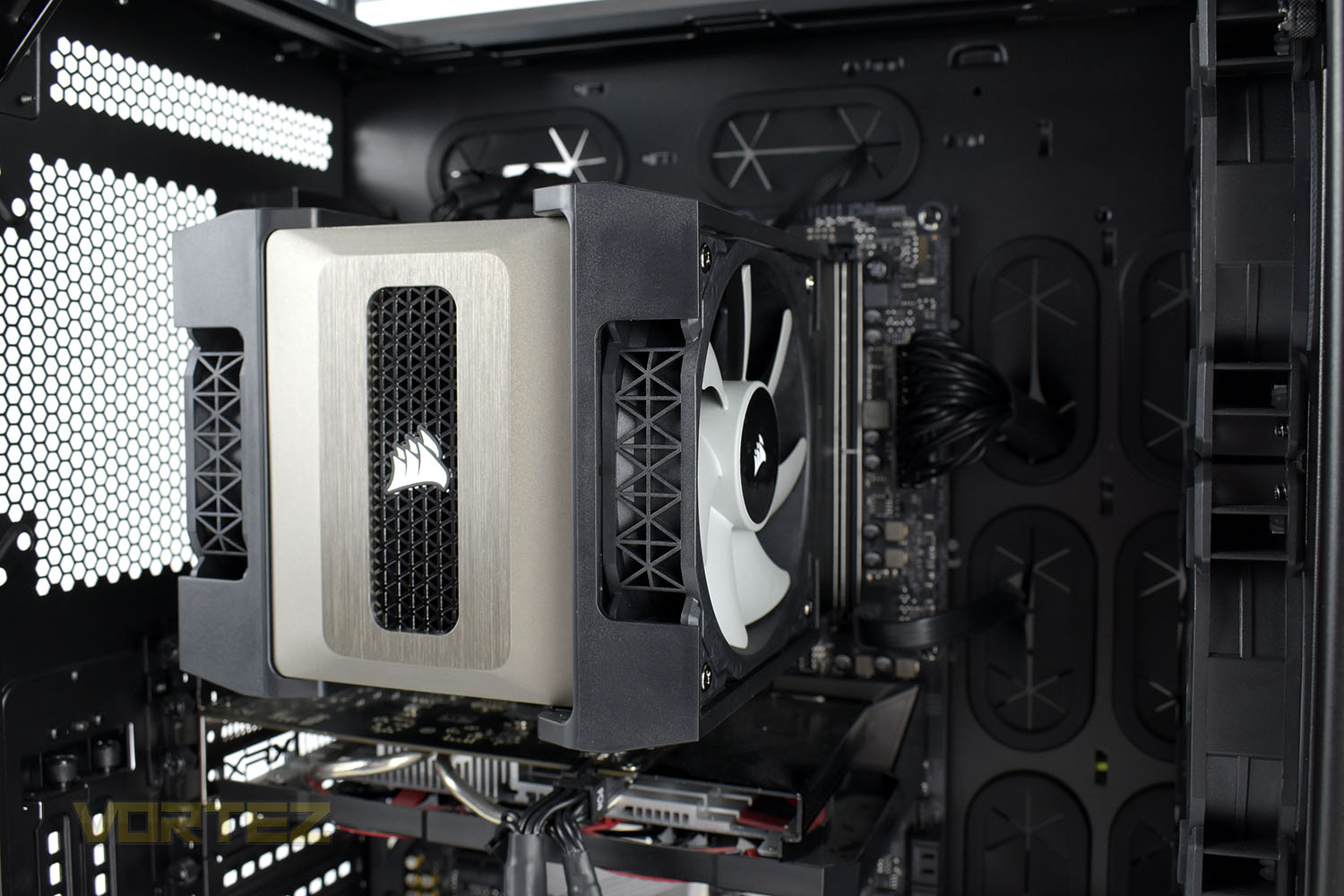
It’s then a case of tightening up two screws through the centre of the cooler, which doesn’t require the removal of any fans, only the upper lid.
Once fitted into place, there’s no getting around the fact that, considering it uses 120mm fans, the cooler is enormous. Cooling potential, then, should be good.
Test Setup & Methodology
Due to popular demand, we have retired the long-standing cooling rig that we once used and replaced it with a shiny new system with an Intel Core i7 9700K at its heart. This should benefit you, the reader, in a couple of ways. The first being it can provide you with results on a CPU that is currently available to buy and secondly, the mounting instructions on our installation page will be far more relevant than the outgoing LGA 2066 was, with its pre-installed backplate.We perform two individual testing routines with each CPU cooler that we receive – temperatures and acoustics. The system used is as follows and all tests are performed at stock frequencies.
Processor – Intel Core i7 9700K
Motherboard – GIGABYTE Z390 AORUS MASTER
Memory – Corsair Vengeance RGB PRO 16GB – 2666MHz – C16
Video Card – XFX AMD Radeon RX560
Power Supply – Corsair RM650x
Storage Drive – Western Digital Black SN750 1TB NVMe SSD
Case – Corsair Crystal Series 280X RGB
Monitor ASUS ROG SWIFT PG278Q
Motherboard – GIGABYTE Z390 AORUS MASTER
Memory – Corsair Vengeance RGB PRO 16GB – 2666MHz – C16
Video Card – XFX AMD Radeon RX560
Power Supply – Corsair RM650x
Storage Drive – Western Digital Black SN750 1TB NVMe SSD
Case – Corsair Crystal Series 280X RGB
Monitor ASUS ROG SWIFT PG278Q
To keep our tests consistent, we always review CPU coolers as they come out of the box – with their factory cooling fans, as the manufacturer intended and as the consumer expects. It should, however, be noted that we do not use supplied thermal paste but instead, Noctua NT-H1 paste to, again, ensure consistency. The paste is applied and the CPU allowed to run for a couple of hours, at idle, to ensure any and all updates or processes are completed to give a true idle reading.
In the first test we record the idle and load temperatures across a 60 second period, with the results logged to file. This way we can provide you with an accurate average temperature over a longer period, instead of, for example, a maximum or minimum temperature. We believe this is the fairest possible method and most representative of what is going on as temperatures will fluctuate even with a consistent load on the CPU. We have three case fans on the front of the PC running with the door closed for this test.
We aim to measure acoustics with our second test, this time with the three case fans on the front disabled and all other ambient noise reduced to an absolute minimum. Our testing room measures around 25dB(A) without the system running. We measure the system acoustics for 60 seconds with the microphone in a set and unchanging position with the chassis door removed completely. An average is then taken across the 60 seconds.
Benchmarks – Thermal Results
For thermal results we have all case fans running and only a single 120mm fan on our Corsair H100i Pro RGB radiator. We then measure the thermal results at idle, both at 1000 RPM and maximum RPM: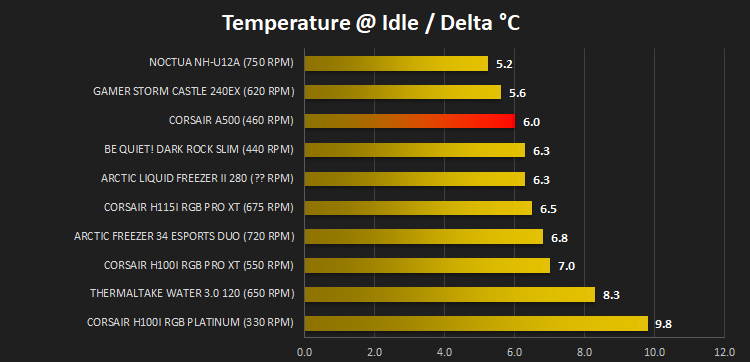
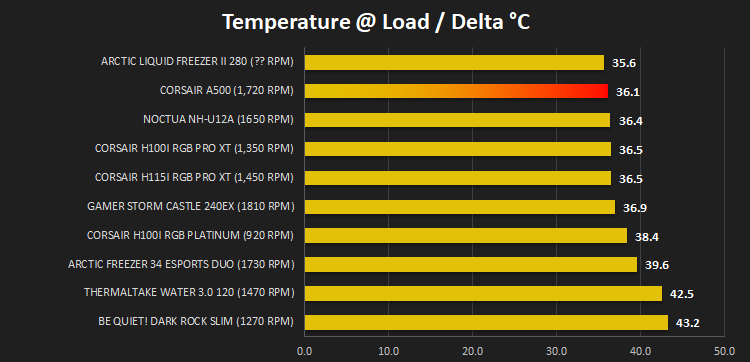
And then again after a 20 minute Stability Test within AIDA64:
Benchmarks – Acoustic Results
For our acoustic results, all other fans in the case are disabled and the Corsair’s H100i Pro RGB’s pump is turned down to quiet (roughly 1100 RPM) and measure the fan noise at 1000 RPM, both as a case fan and as a radiator fan: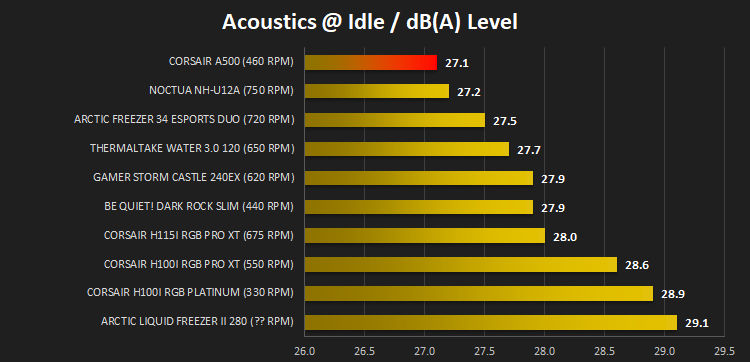
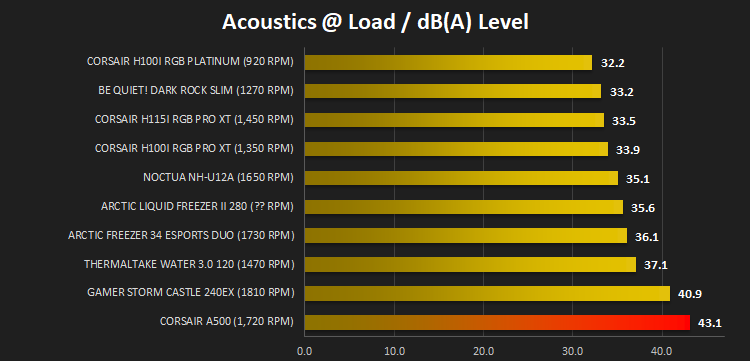
And then again at maximum RPM:
Conclusion
CORSAIR moving back to air cooling might be seen as an odd move, especially given their enormous success in the AIO market, but for a number of reasons, it makes a lot of sense. CORSAIR’s first go at re-entering, however, isn’t all good news.The cooler itself is, quite frankly, absolutely enormous considering it’s use of 120mm fans. It stands toe to toe with most coolers in the 140mm category, but there is a couple of reasons for that. Memory compatibility is often an issue with huge air coolers. CORSAIR, however, have fitted a very fancy ratcheted system that allows the fans to be independently raised, in steps of about 8mm, to accommodate taller RAM modules. Cool feature, nicely done!
Despite its large stature, it looks fantastic. The pattern on the lid with an incredibly shiny CORSAIR logo in the centre is a great touch, and matches into the cross pattern on the ML120 cooling fans. CORSAIR have done well here, but it’ll almost definitely block any RGB LEDs you might have on your memory modules.
Moving onto the bread and butter, performance. This is broken up into two clear segments, temperatures and acoustics. The A500 does an excellent job of keeping our 9700K cool, keeping up with the best coolers on the market, including the Noctua NH-U12A and even beating all of the currently tested CORSAIR AIOs. From there, however, things go downhill rapidly. Idle acoustics are fine, there’s barely a peep to be heard from the A500, it truly is silent, but when the going gets tough and the fans ramp up, it’s ridiculous. Almost any cooler on the market could out-perform the A500 when both metrics are combined.
Installing the cooler is an absolute breeze. Their Holdfast Retention System works brilliantly, as we expected due to its similarity to Noctua’s Secu-Firm mounting system.
Finally, onto the price. At £84/$99, the cooler competes with the lower end of the AIO market but, more importantly, the highest tier of air coolers. At it’s current price, we find it difficult to recommend, but CORSAIR have developed an excellent starting point for an A700 or similar.
All things considered, CORSAIR have done a good job in a lot of areas but under load the fans are far too loud.
Pros
+ Easy to install
+ Looks stunning in the case
+ No RGB
+ Great thermal performance
+ Very accommodating of tall RAM modules
Cons
– Far too loud
– Expensive
+ Easy to install
+ Looks stunning in the case
+ No RGB
+ Great thermal performance
+ Very accommodating of tall RAM modules
Cons
– Far too loud
– Expensive
Click here for an explanation of our awards at Vortez.net.
Stay connected with the Vortez Social Media pages: