A mid-tower chassis which seeks to deliver a stealthy feature-set while maintaining low-noise. 400Q features noise reduction material, AF140L fans and closed off panels.

Product On Review: Carbide Series 400Q
Manufacturer & Sponsor: Corsair
Street Price: £79.99 GBP / $99 USD
With CES 2016 starting this week it was only a matter of time before announcements from the Corsair camp flew in. Corsair are no stranger to product development, over the last 18 months they’ve unveiled a multitude of computer cases which dip into different markets, appearing with varying price-tags and appealing to a variety of different users. Earlier today, Corsair announced their new Carbide Series 400Q.
400Q is Corsair’s new mid-tower chassis which is tailored to low-noise. Those who prefer an elegant enclosure which supresses noise will be attracted to this new case since Corsair has closed off all the panels and furnished them with noise-reduction material. Inside, 400Q is jam-packed with interesting and innovative features which we’ll be exploring today in plenty of detail.
Corsair on their 400Q
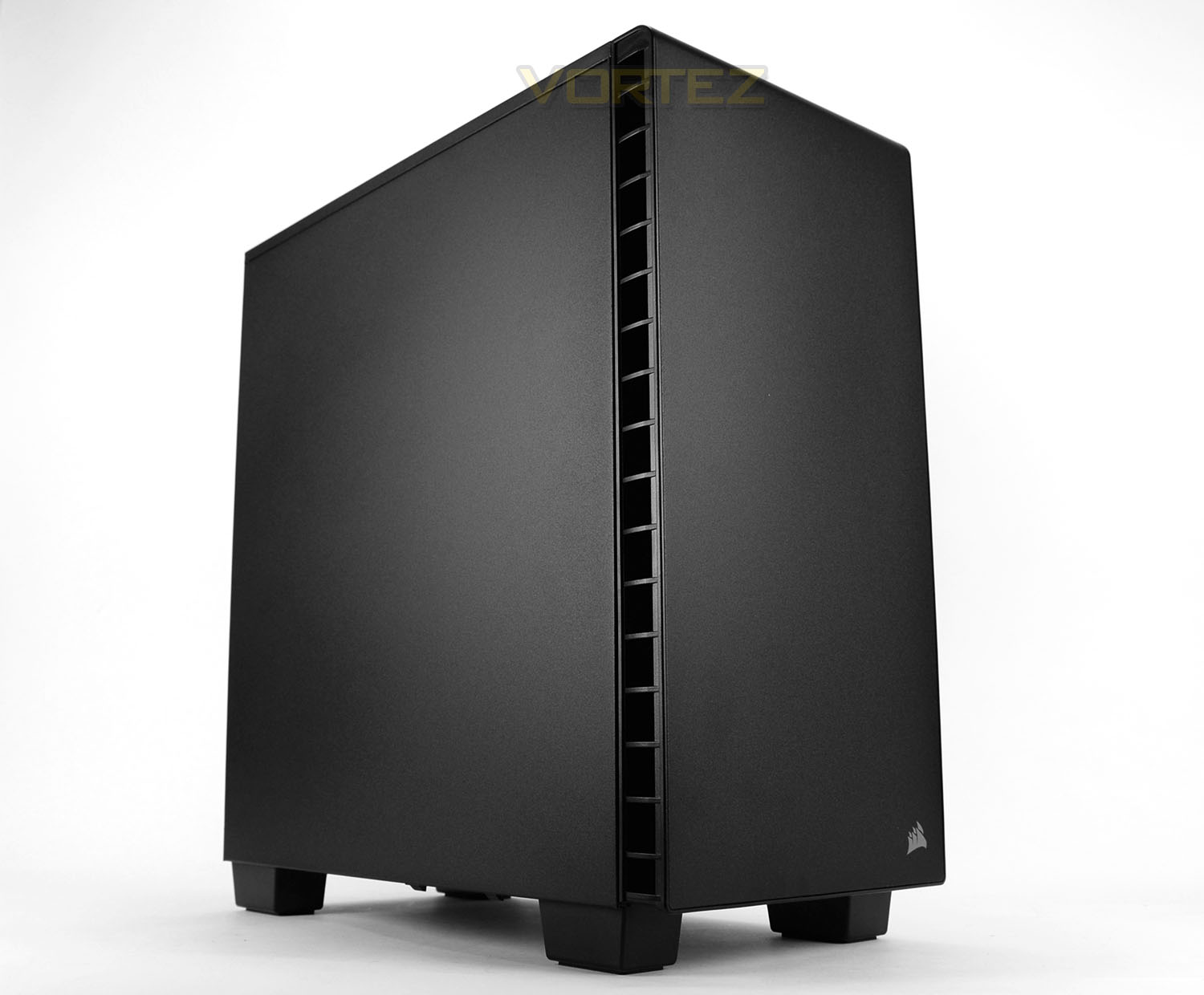
We’ve engineered the Carbide Clear 400Q to pack all the power and expandability you need into a gorgeous, compact steel case design. Keep even the noisiest system internals running stealth-quiet with silenced sound-damping panels throughout – and cool the most powerful components with Direct Airflow technology.
Technical Specifications
Dimensions (H x W x D)
463mm x 215mm x 425mm
Drive Bays
Internal 2 x 3.5” tool free, 3 x 2.5” tool free
Cooling
Front: 1x 140mm AF140L fan
Rear: 1x 120mm AF120L fan
Bottom: Supports up to 3x 120mm fans or 2x 140mm fans
Radiator Support
Front: Up to 280/360mm
Rear: Up to 120mm
Top: Up to 240mm
Expansion Slots
7 I/O Port 2x USB 3.0 Headphone and mic
Power Supply Standard
ATX (not included)
Clearances
Heatsink: 165mm
PSU: 225mm
Graphics: 370mm
463mm x 215mm x 425mm
Drive Bays
Internal 2 x 3.5” tool free, 3 x 2.5” tool free
Cooling
Front: 1x 140mm AF140L fan
Rear: 1x 120mm AF120L fan
Bottom: Supports up to 3x 120mm fans or 2x 140mm fans
Radiator Support
Front: Up to 280/360mm
Rear: Up to 120mm
Top: Up to 240mm
Expansion Slots
7 I/O Port 2x USB 3.0 Headphone and mic
Power Supply Standard
ATX (not included)
Clearances
Heatsink: 165mm
PSU: 225mm
Graphics: 370mm
Packaging & First Look
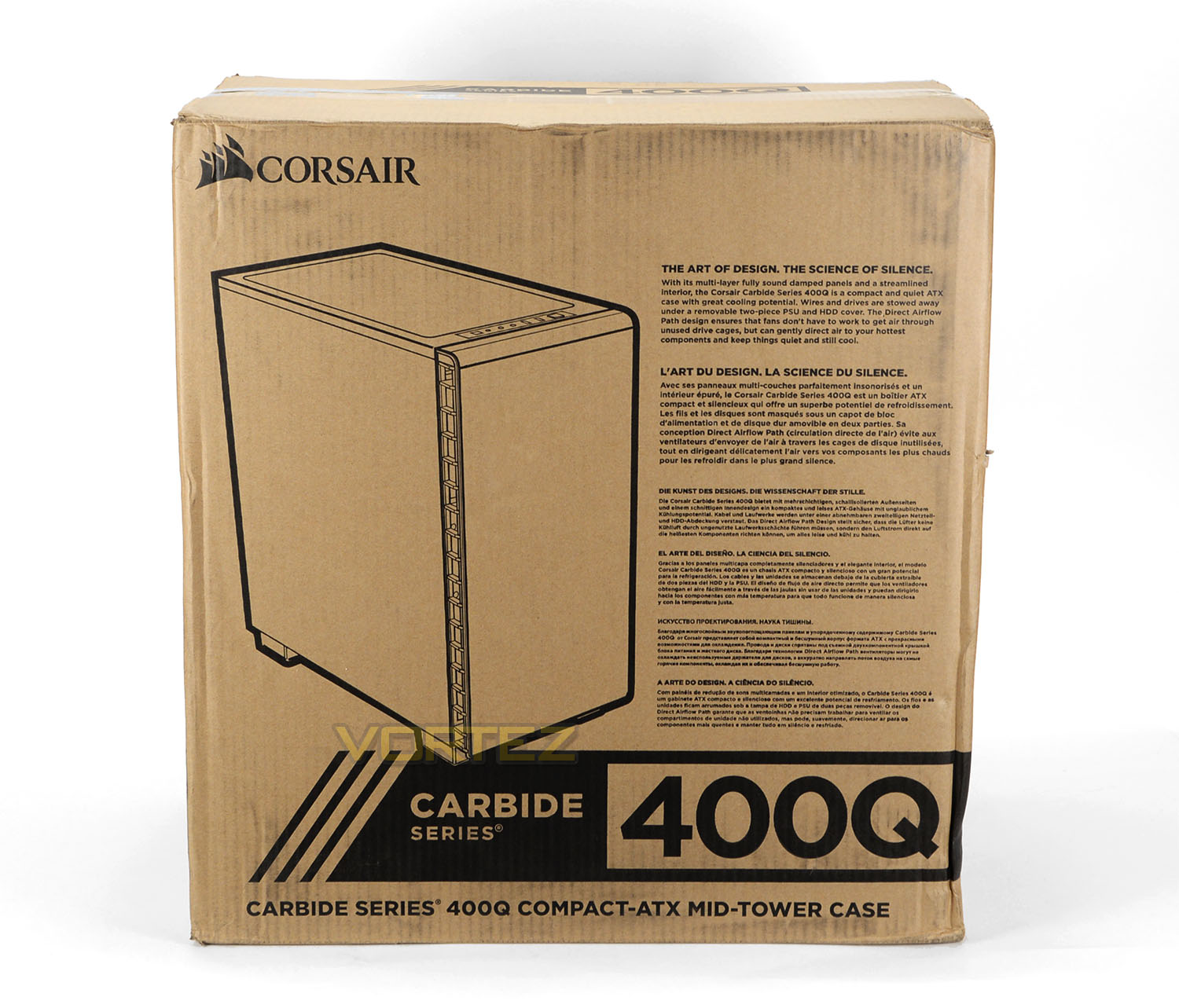
As we’ve found with other cases within the Carbide Series, the 400Q adopts an eco-friendly approach to packaging with a recyclable box. This box is double-reinforced and shows an illustration of the chassis on the front, detailing some of the key characteristics. Around the back, there is a schematic diagram highlighting significant features.
Inside the box 400Q is covered in a clear plastic sheet and two polystyrene pillars are used to protect the case during transit.
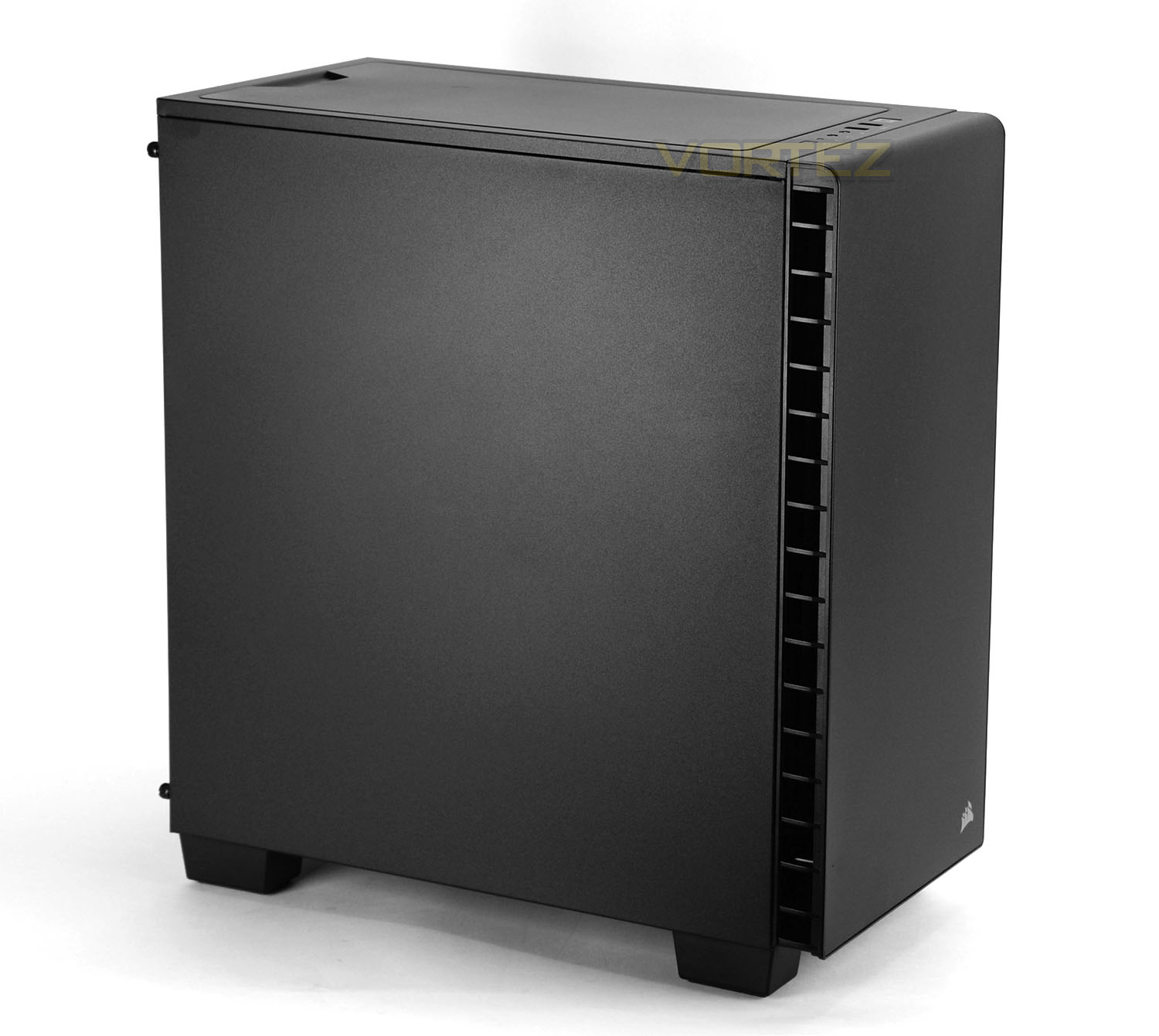
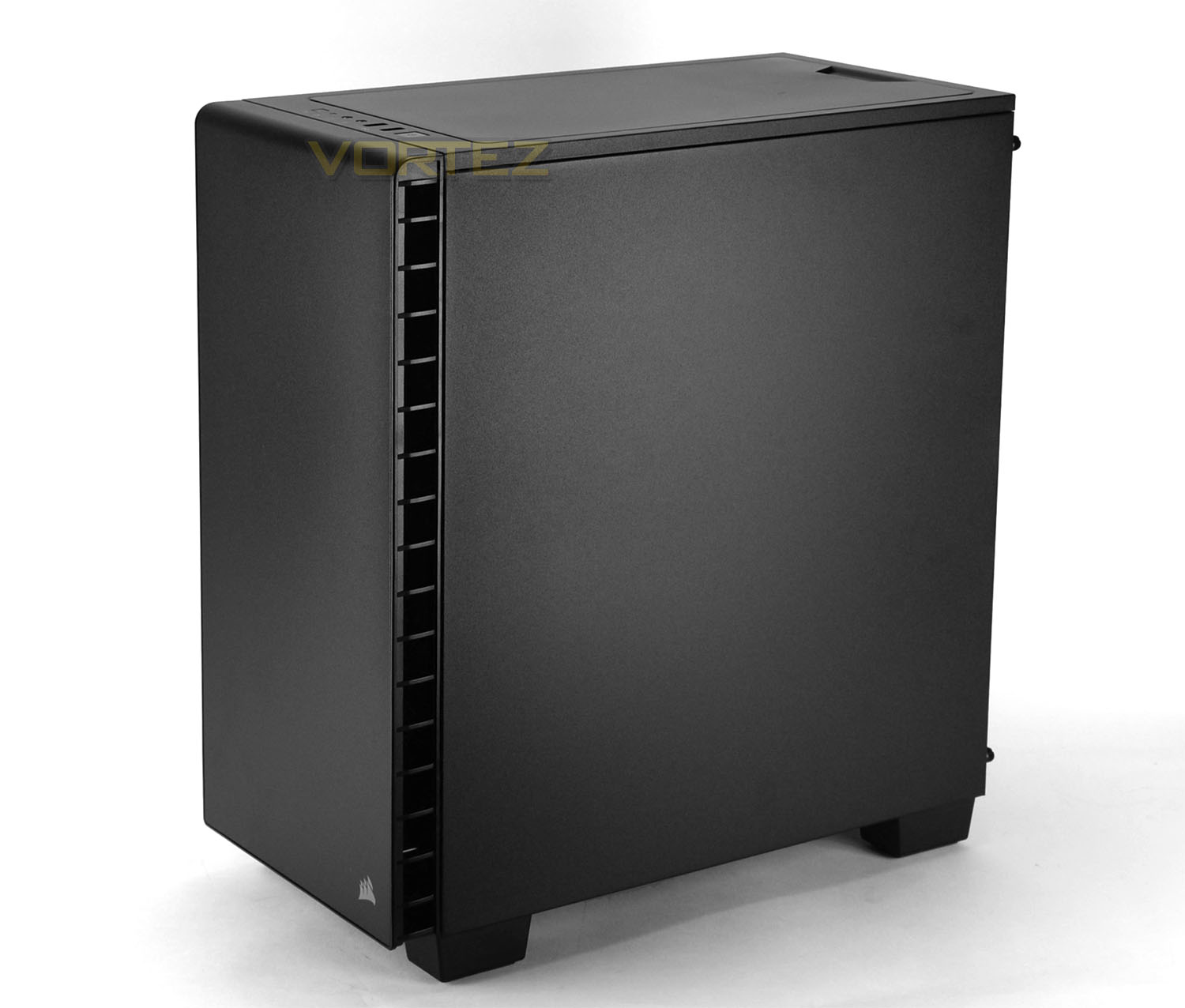
Unveiling 400Q, the philisopshy behind this case is immediately apparent. This case is all about silence – both side panels are completely closed off, as is the front and top of the chassis. In keeping with this particular market the styling is elegant and professional, those who favour something which is discreet will appreciate the aesthetics that this case brings.
Over the page we’ll explore the external elements of 400Q in more detail.
Exterior
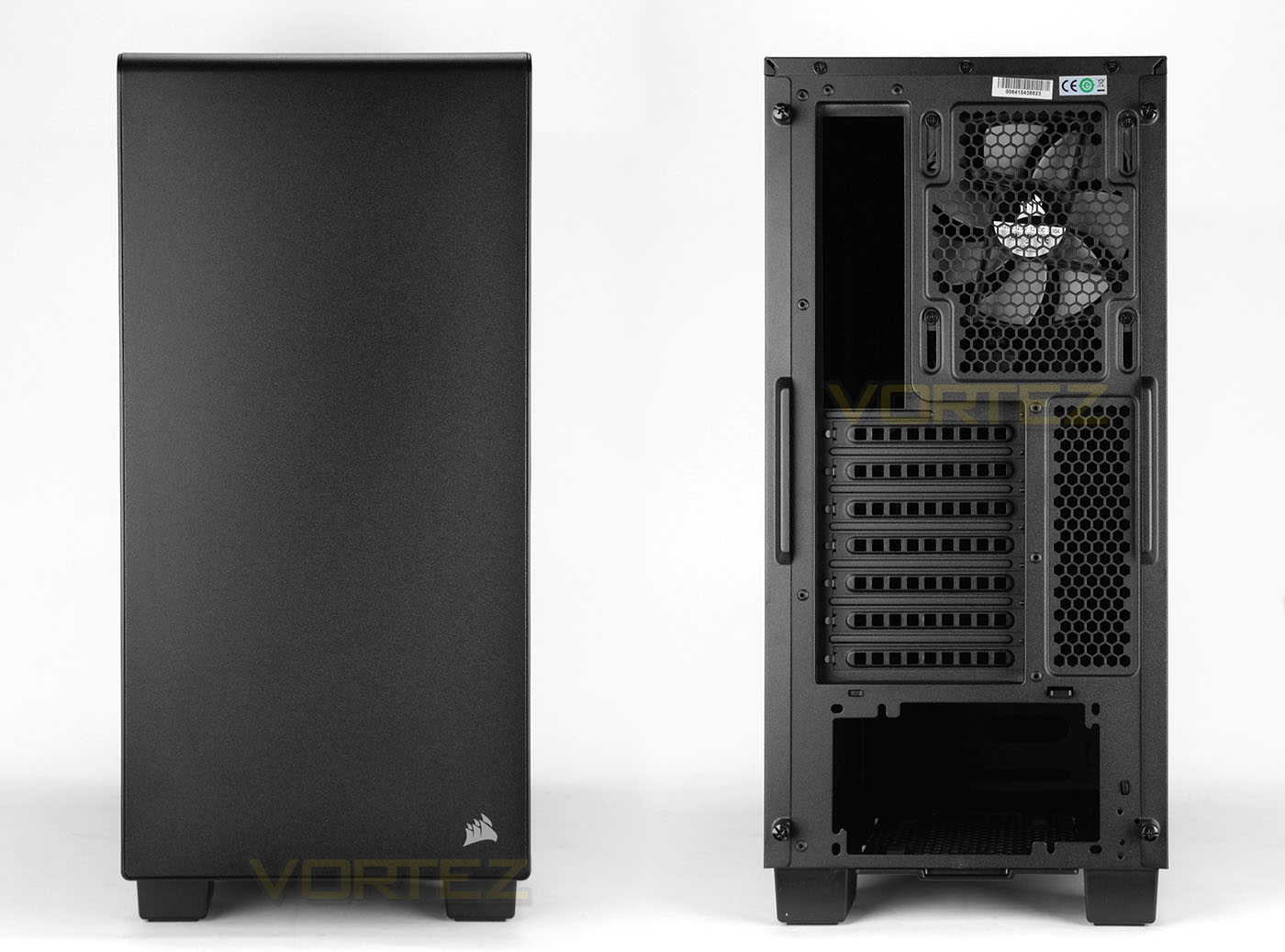
Looking at the front panel, there is very little to say really – the styling is nondescript with only the Corsair emblem being the standout feature. Since the front uses a plastic fascia and lacks a door, this alludes to the omission of any 5.25” drive bays inside 400Q. Corsair has instead utilised the space – we’ll investigate further on the next page.
Around the back, at the bottom there is an opening for the PSU and a series of seven PCI expansion slot covers sit directly above. All of these covers are ventilated and there is a section of honeycomb mesh neighbouring these covers to alleviate any heat. In the uppermost region Corsair has included a 140mm rear exhaust cooling fan (AF140L).
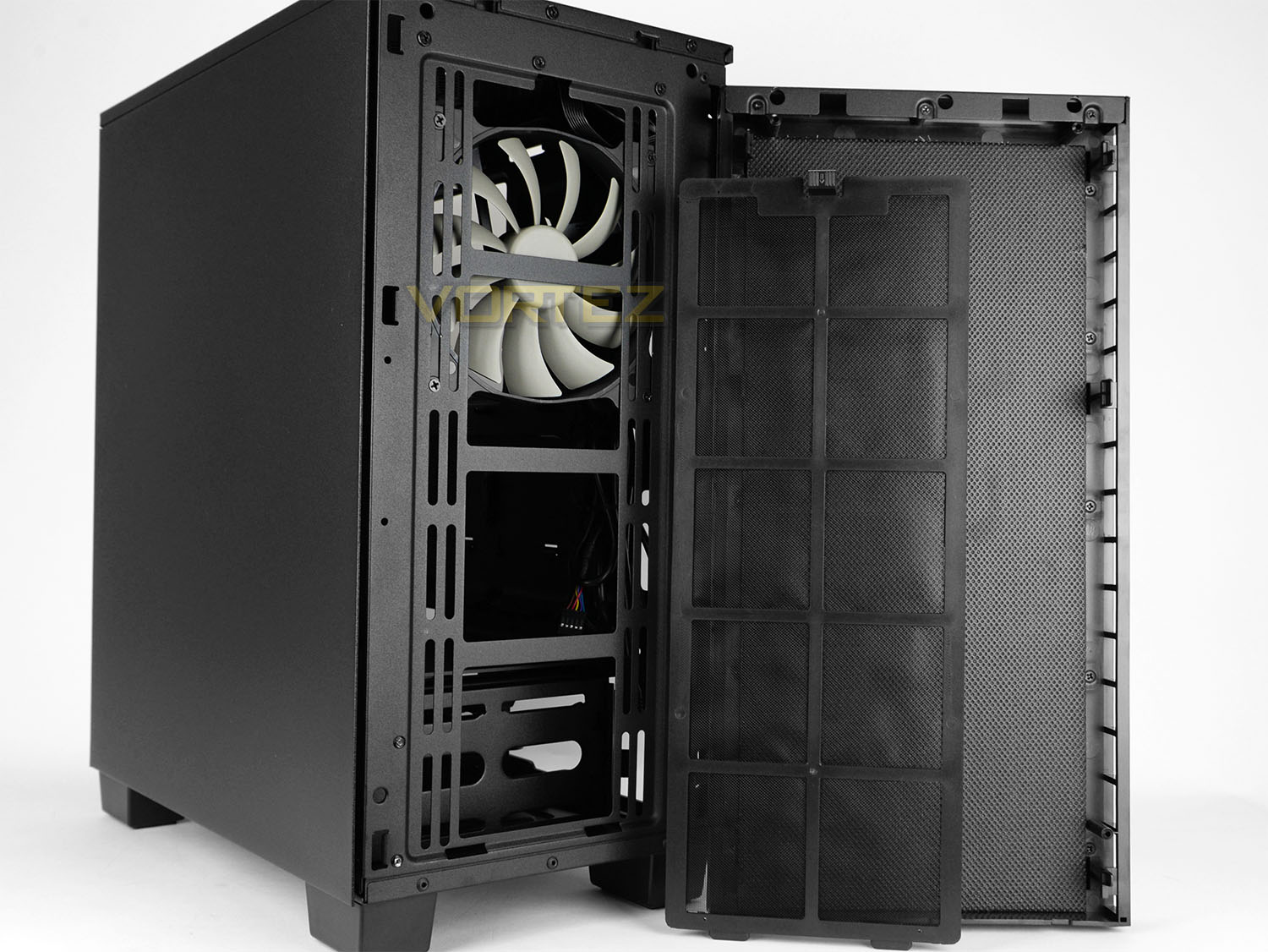
The fascia at the front detaches from the chassis and on the underside of this panel there is noise reduction material to dampen sound coming from within 400Q. Corsair has equipped this case to have a large, detachable dust filter which covers the fan mount spots – there is allocation for 3x 120 or 2x 140mm fans. Corsair includes a 140mm which is another AF140L.
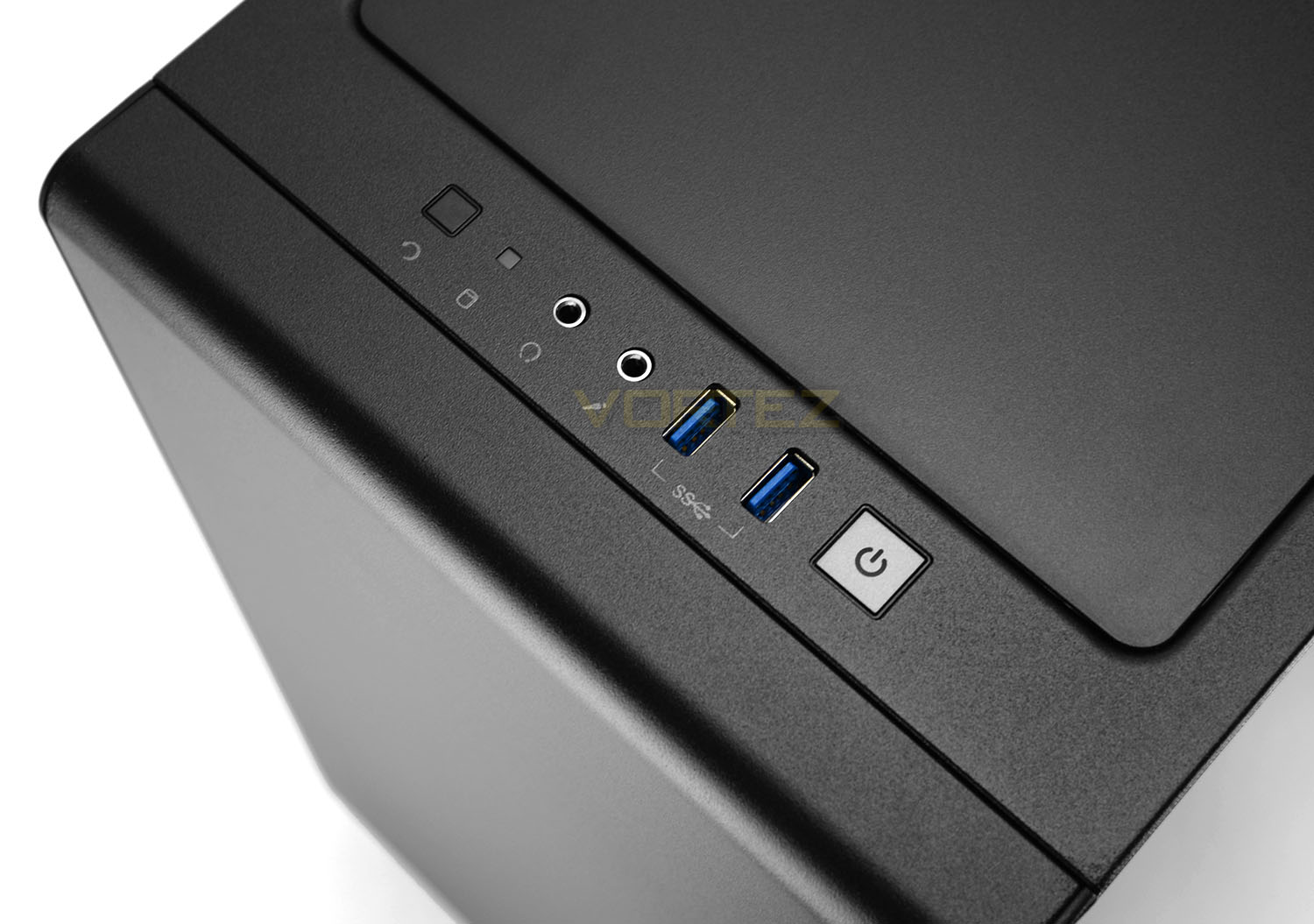
Located at the very top of 400Q we have the front panel connectivity which consists of a small number of options including:
• Reset button
• HDD activity LED
• Headphone and microphone jacks
• 2x USB 3.0 ports
• Power button
Although we do only have two USB ports at the front, we’re pleased to see Corsair using USB 3.0 here.
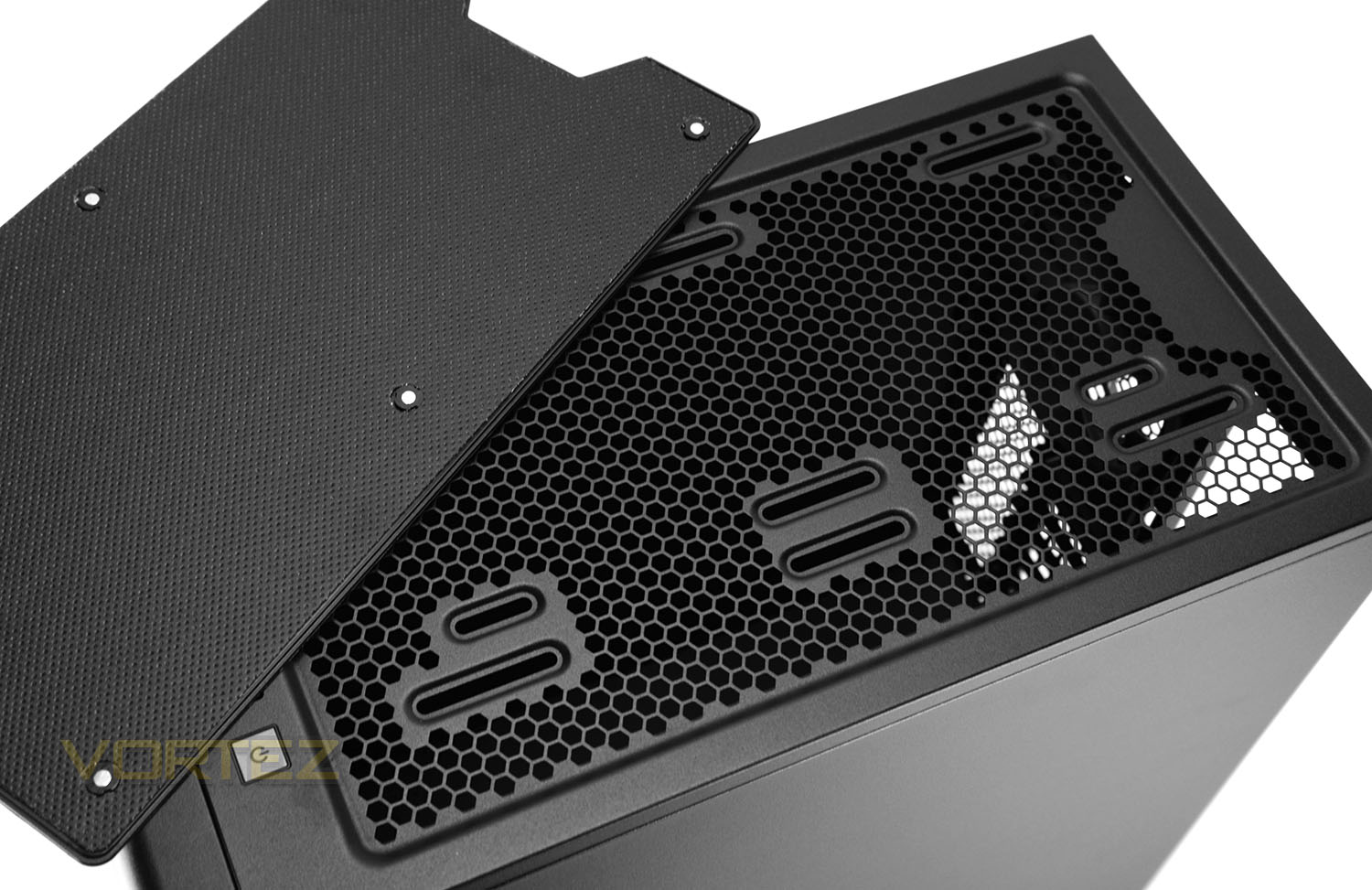
Further back from these ports a large panel takes up most of the space – this panel is removable, being temporarily fixed into place via six magnets. The underside of this panel has noise reduction material to keep sound to a minimum.
Detaching this cover reveals some mounting holes for installing 2x 120mm cooling fans (none are included).
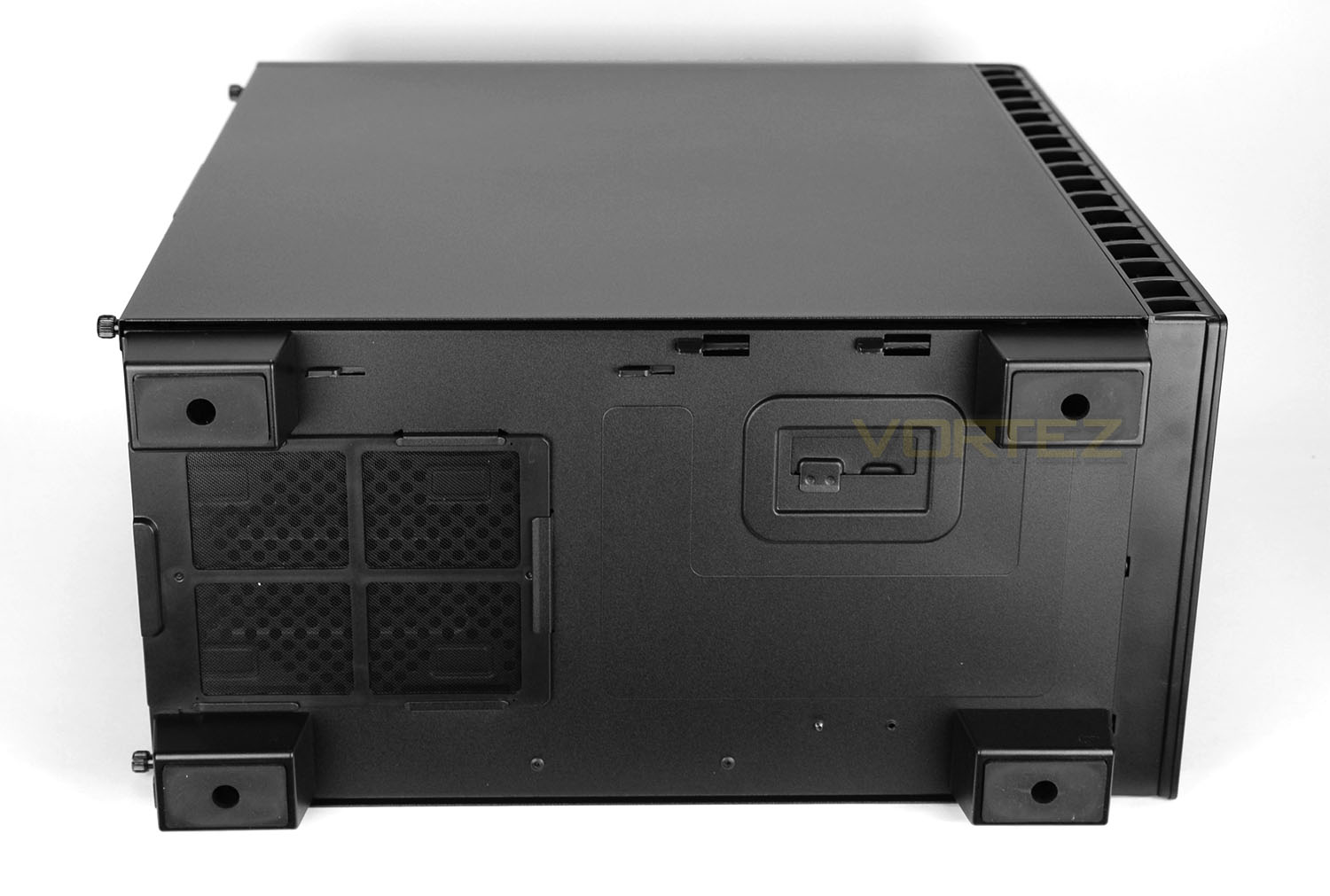
Turning the case onto its side we have four rubber feet which sits on four plastic pillars. These feet provide some clearance from the floor and with the rubber, we’re rest assured the case won’t slip around on smooth surfaces. Directly underneath where the power supply fan will sit, Corsair has placed a detachable dust filter – this filter can be removed while the case is stood up.
Interior
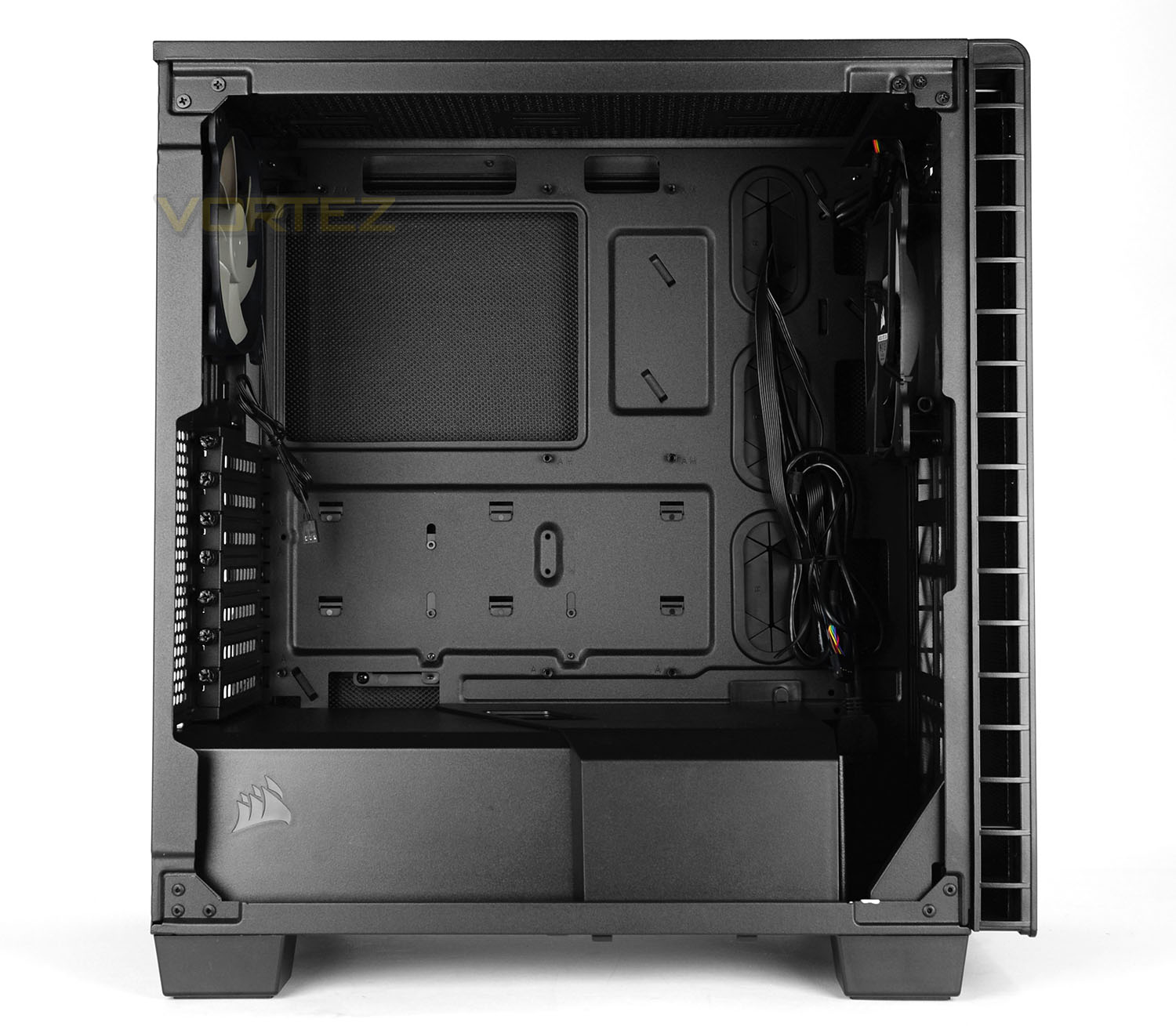
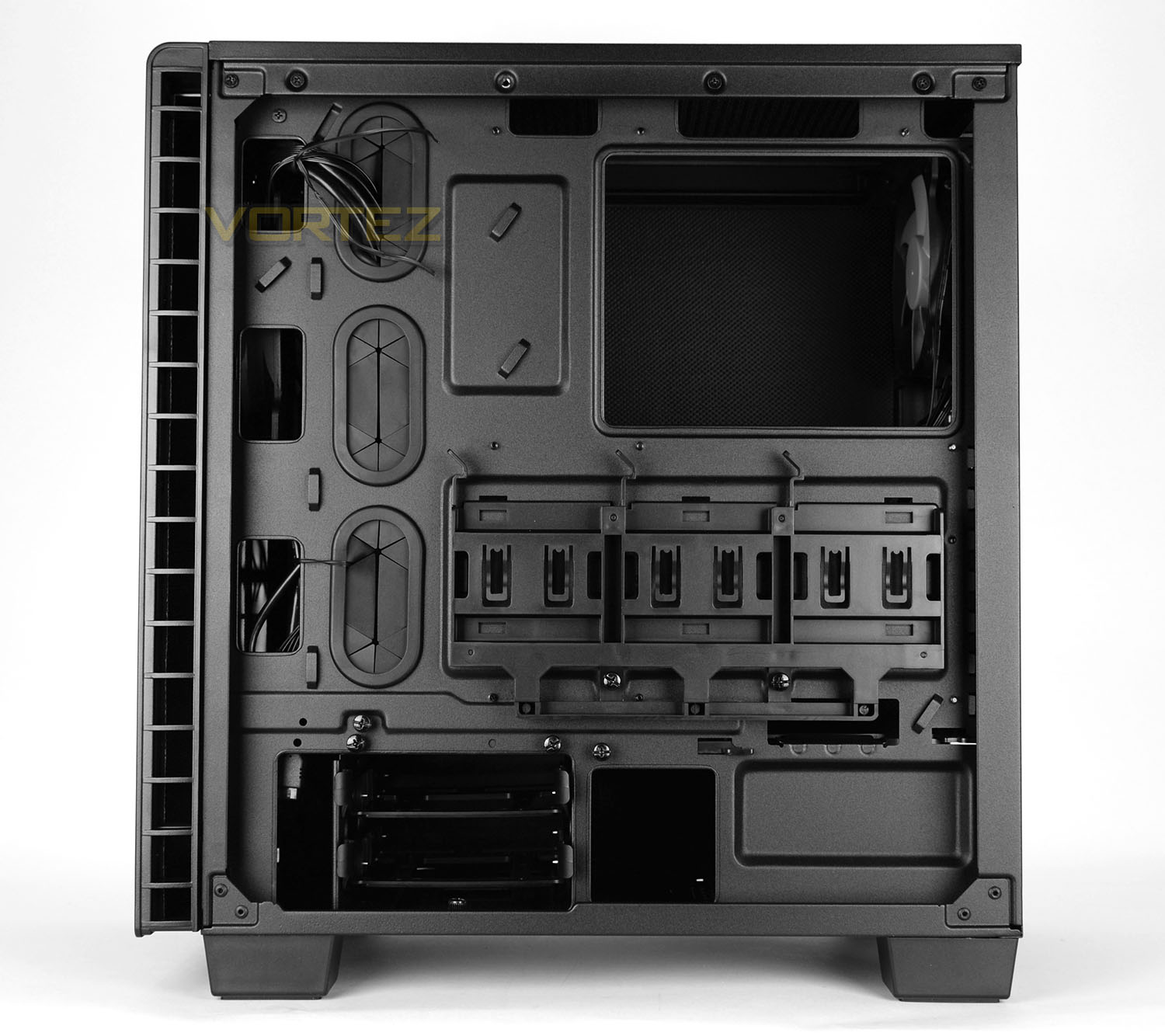
Both side panels on 400Q feature more noise reduction material on the inside and use two thumbscrews for secure fitment.
Taking both panels off we are met by a rather interesting computer chassis. Although the design keeps its roots traditional, there is no 5.25” drive bay and the storage options have been implemented in quite an innovative way. All of the insides are coated black and the motherboard tray can house up to ATX form factor motherboards. Tool-free mechanisms have been used throughout to improve the overall efficiency of installing hardware.
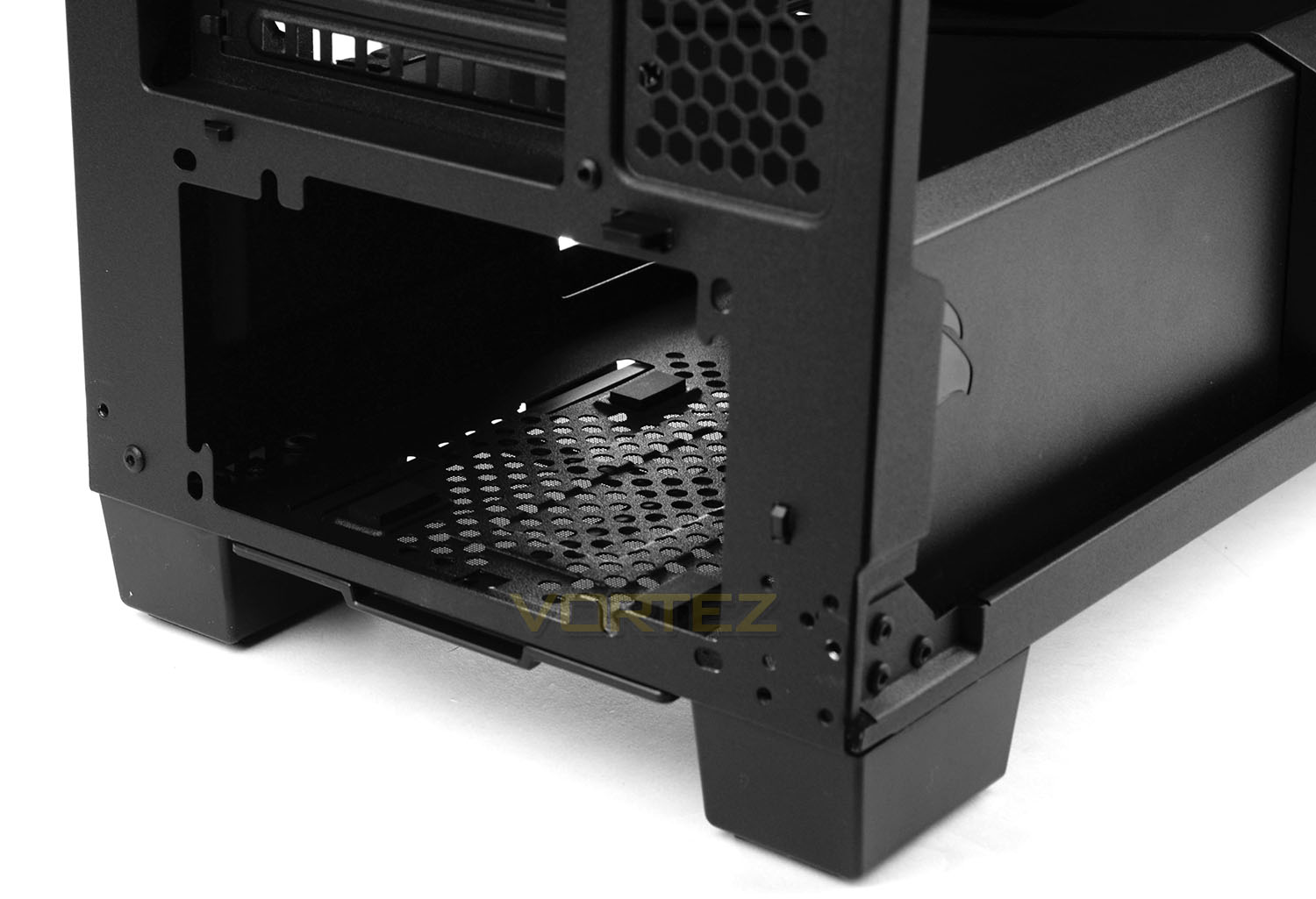
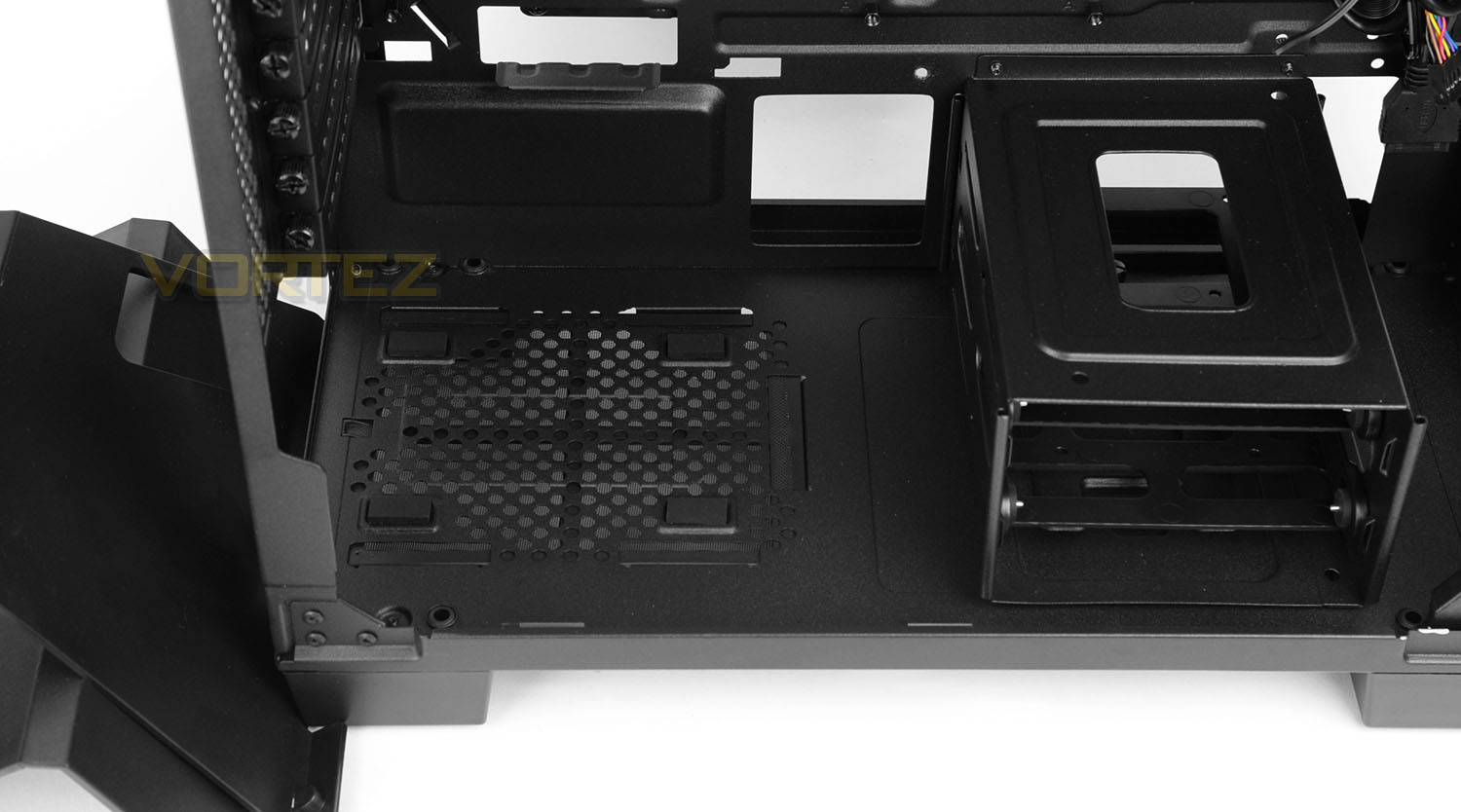
At the bottom of 400Q the PSU is installed and Corsair has given this area two detachable covers to completely conceal the PSU and storage cage. Users can use the case with both covers attached, with one cover attached or without any covers attached.
As already mentioned the PSU area utilises a dust filter which can be taken away and cleaned. There are also rubber pads which sit underneath the PSU to provide a soft cushion. Both of the plastic covers/shrouds will need to be detached in order to install the PSU.
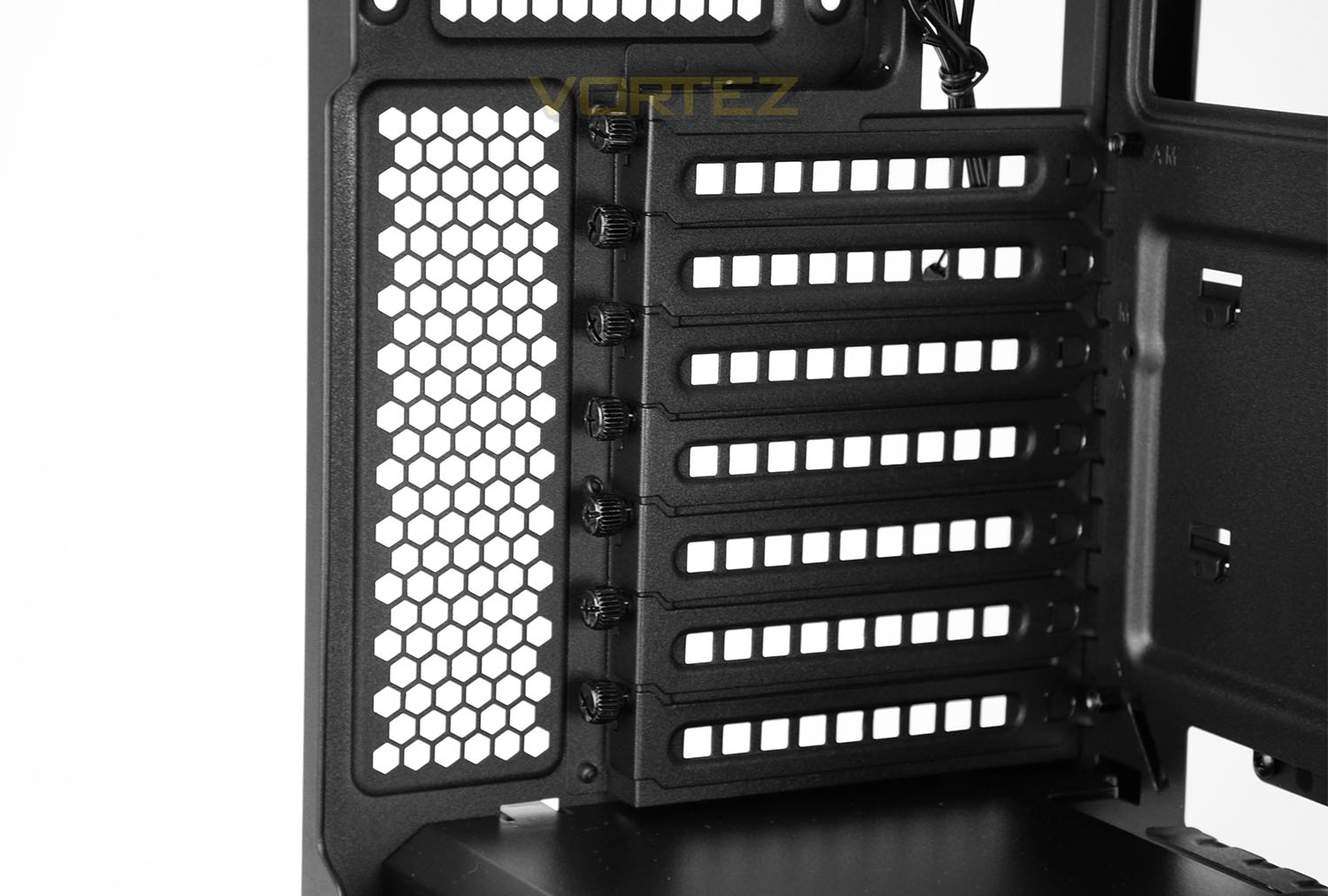
400Q features seven PCI expansion slot covers – each have ventilation cut-outs to encourage better airflow inside the case and also use thumbscrews for easy removal.
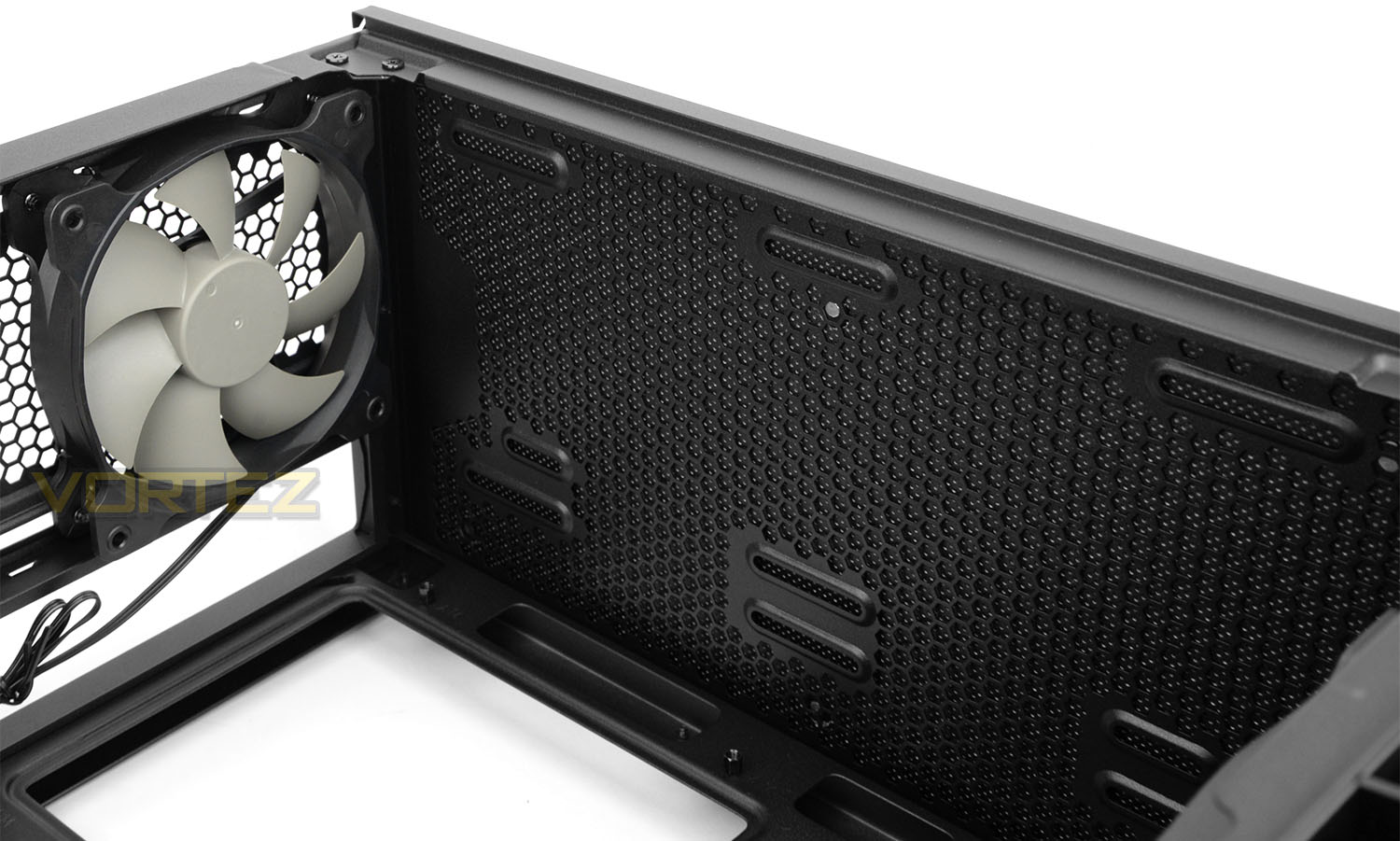
Located the back of the case there is a 140mm rear exhaust cooling fan (AF140L) and there are mounting holes at the top providing the option to install 2x 120mm fans. With the interchangeable cover placed over the top (as shown above) the noise reduction material sits over this top section.
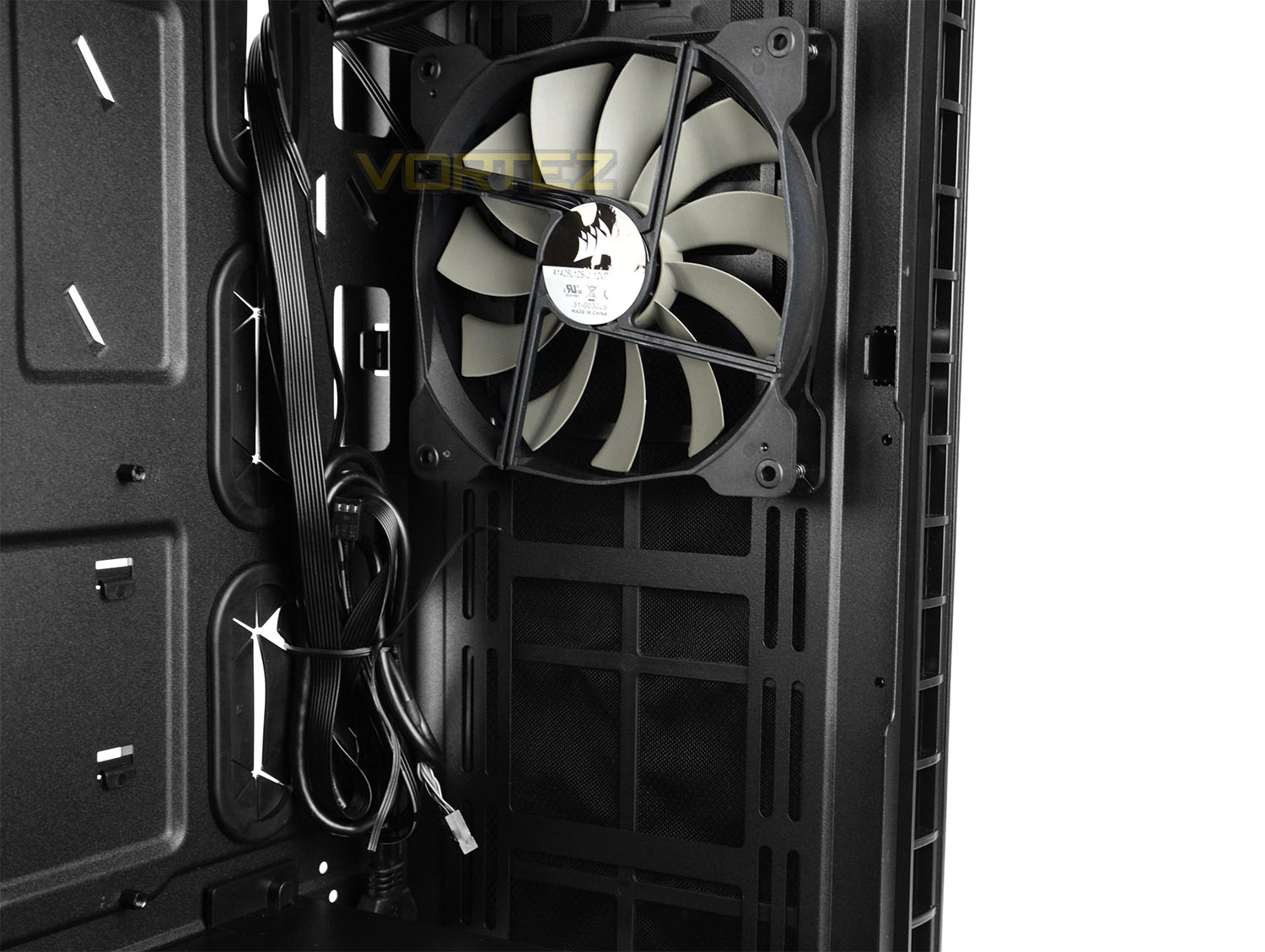
Instead of using a 5.25” drive cage at the front of 400Q, Corsair has shifted the motherboard over and placed the pre-installed 140mm fan (AF140L) directly opposite the rear exhaust cooling fan – providing directional airflow. This pathway will also be in-line with the heatsink, should a user opt to air-cool their CPU.
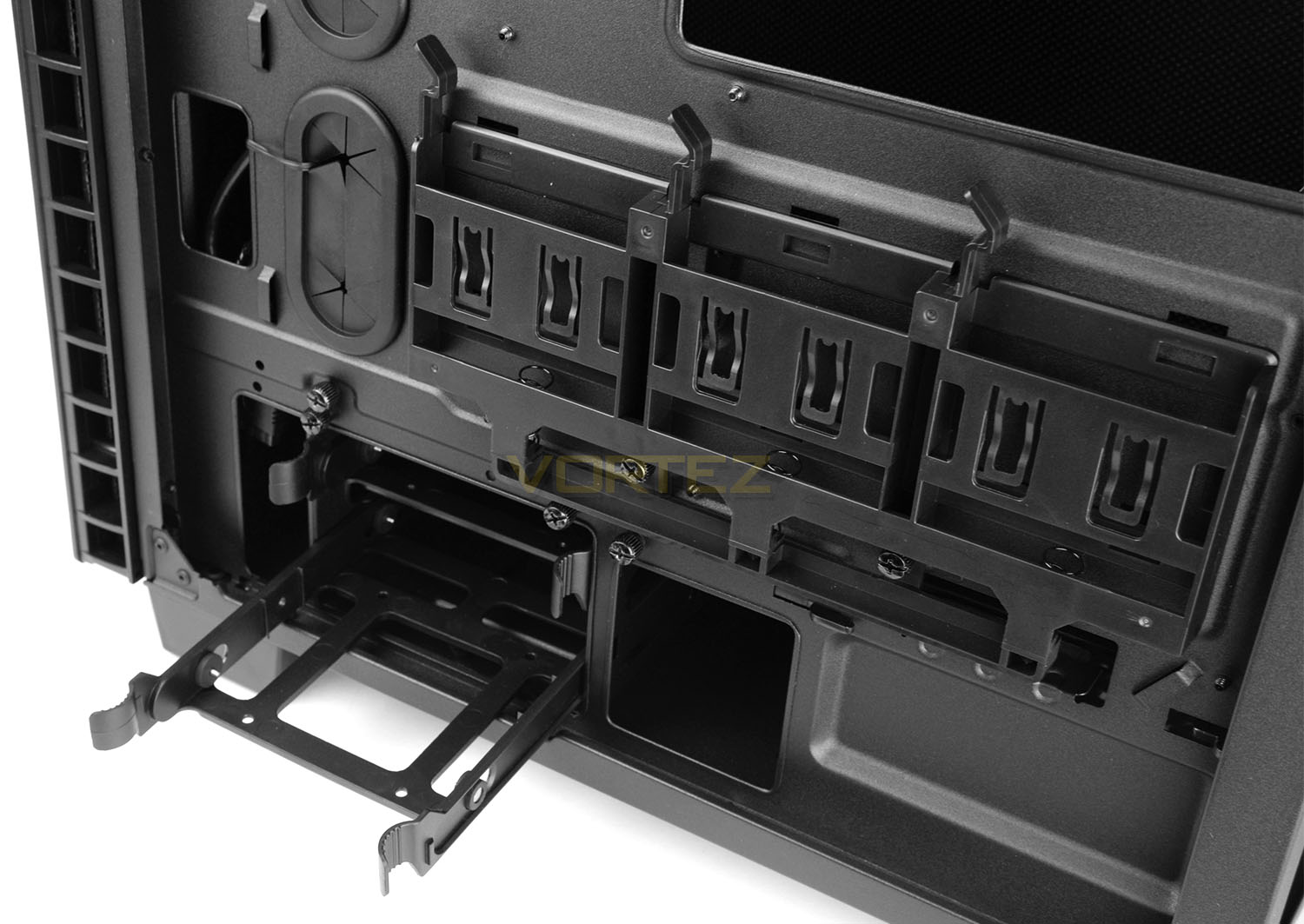
Behind the motherboard tray there are two forms of storage allocation. The first is a trio of 2.5” (SSD) mounts which are completely tool-free and are similar to the “sleds” which Corsair has used on previous cases – these mounts use springs to add more tension.
Below this there is a single HDD cage which can house two 2.5” or 3.5” drives in the traditional HDD tray we’ve seen countless times.
With many now using SSDs for their primary and indeed secondary storage, Corsair’s decision to deliver more 2.5” drive support is certainly valid.
Installation
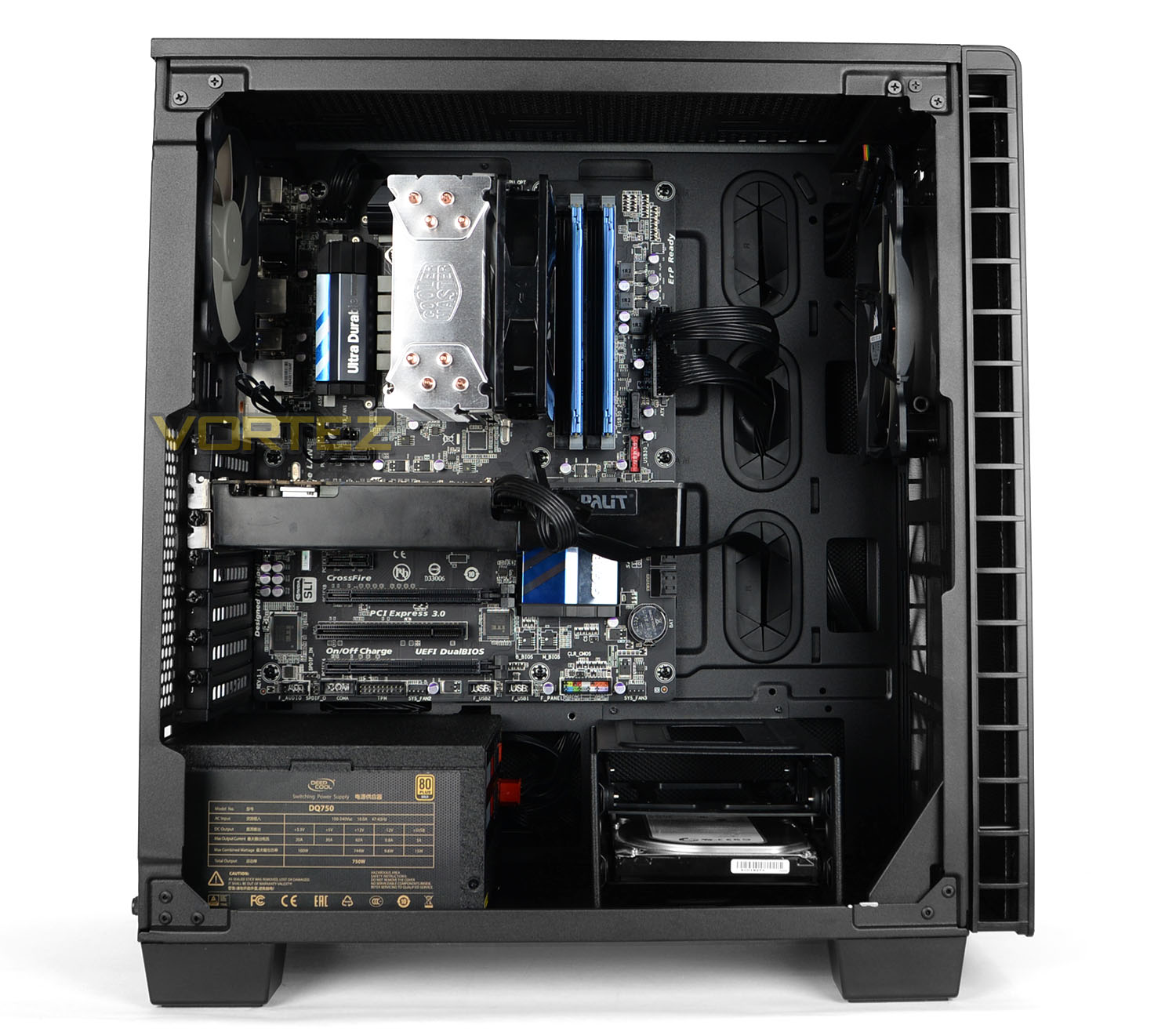
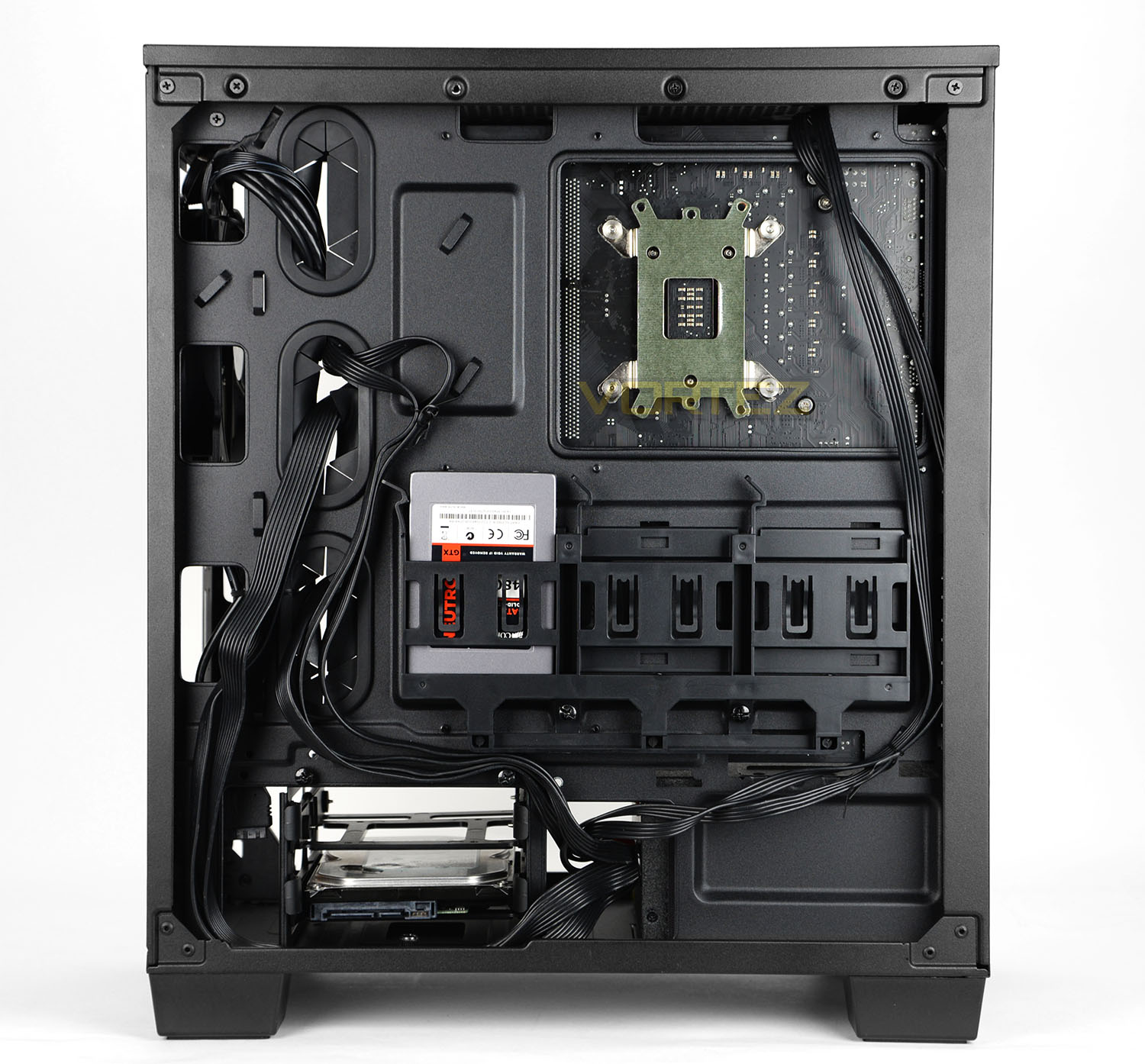
The installation process is an absolute breeze with 400Q thanks to the space and features. The only slight niggle is that the PSU cover needs removing the install the unit – but this is far from cumbersome.
Getting the rest of the kit inside the case is very easy and routing cables is without any problems due to the generous cut-outs on the motherboard tray and hooks placed in relevant locations.
Having the option to house storage drives on the reverse sides is rather handy and since there are tool-less mechanisms used to install them, getting drives in and out is stress-free too.
Overall we’re really pleased with how well-organised and resourceful this case is. Over the page we’ll be checking out the clearance options for key components.
Clearance – CPU Cooler, Graphics, Cable Management, Water
Establishing the clearance limitations inside a case is important to system builders as it helps to confirm which hardware fits inside the chassis.
CPU Cooler
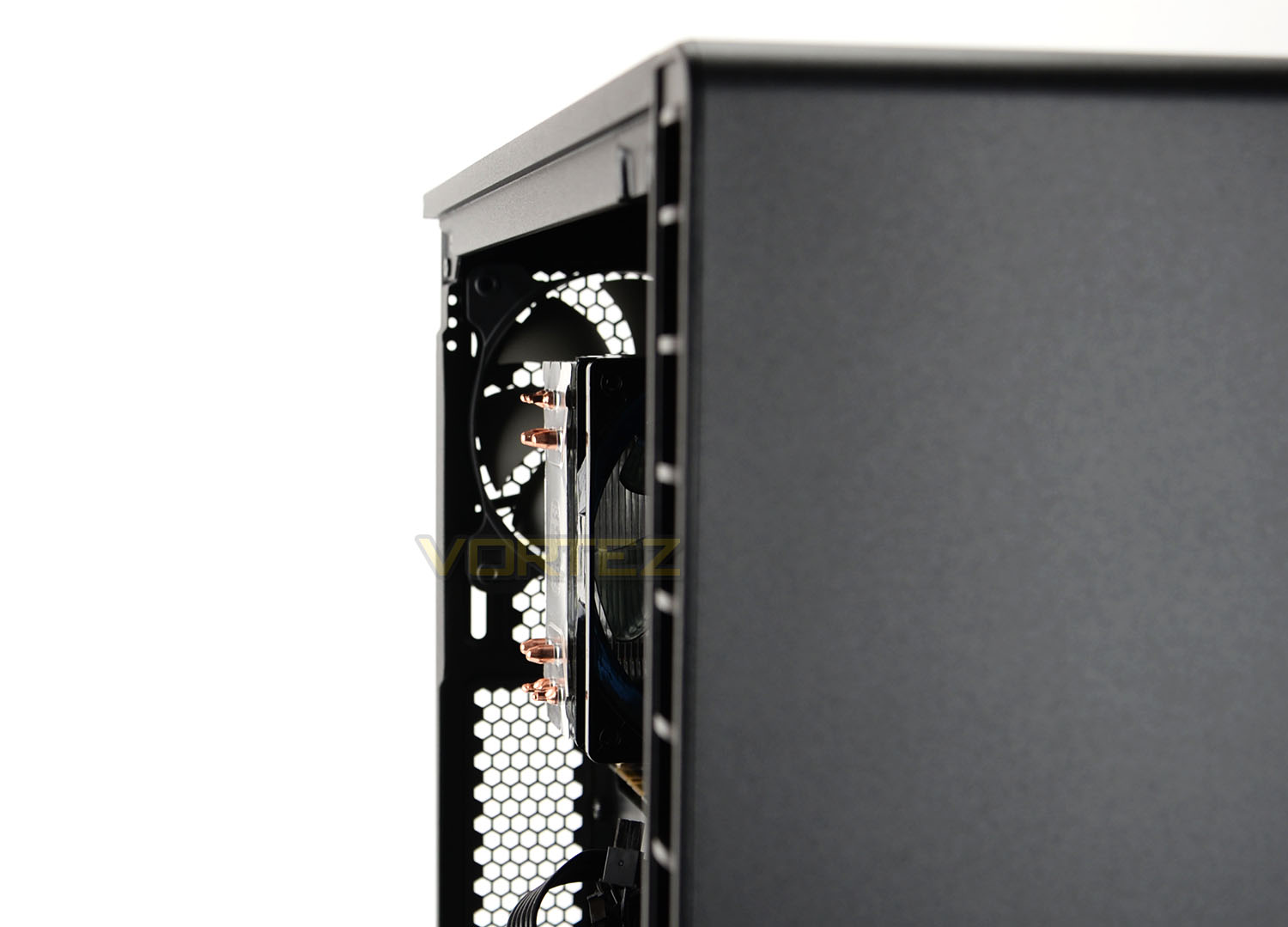
For the CPU Cooler there is approximately 165mm of space for the total height of such hardware. Pictured above is the Cooler Master Hyper 212 EVO which is 159mm in height and you can see there is a little more space available beyond the height of this cooler.
Graphics Card
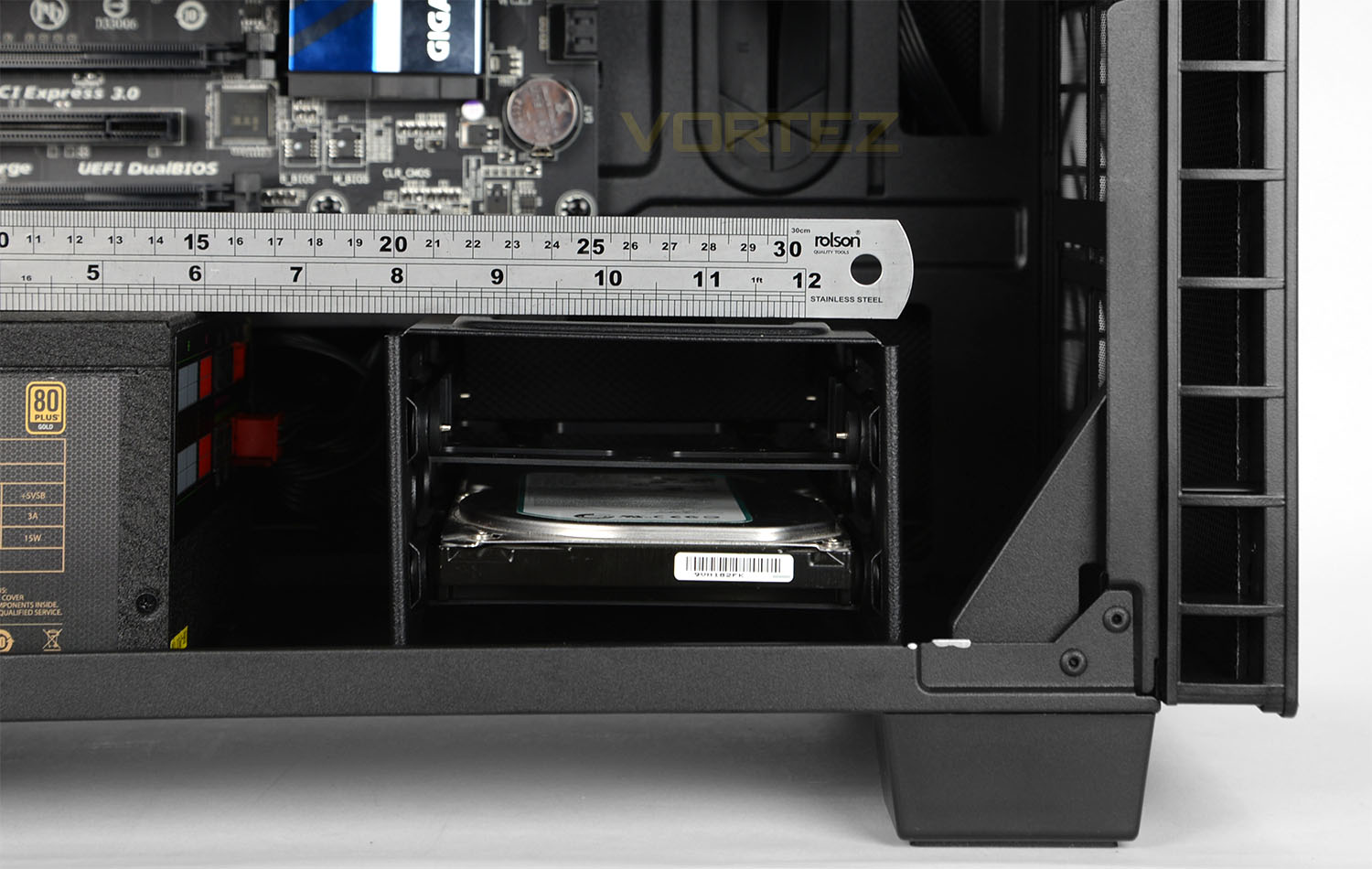
Now since there are no obstructions at the front of the case, 400Q can accommodate multi-GPU configurations. Each card has approximately 370mm of space – this should cover a vast majority of solutions on the market.
Cable Management
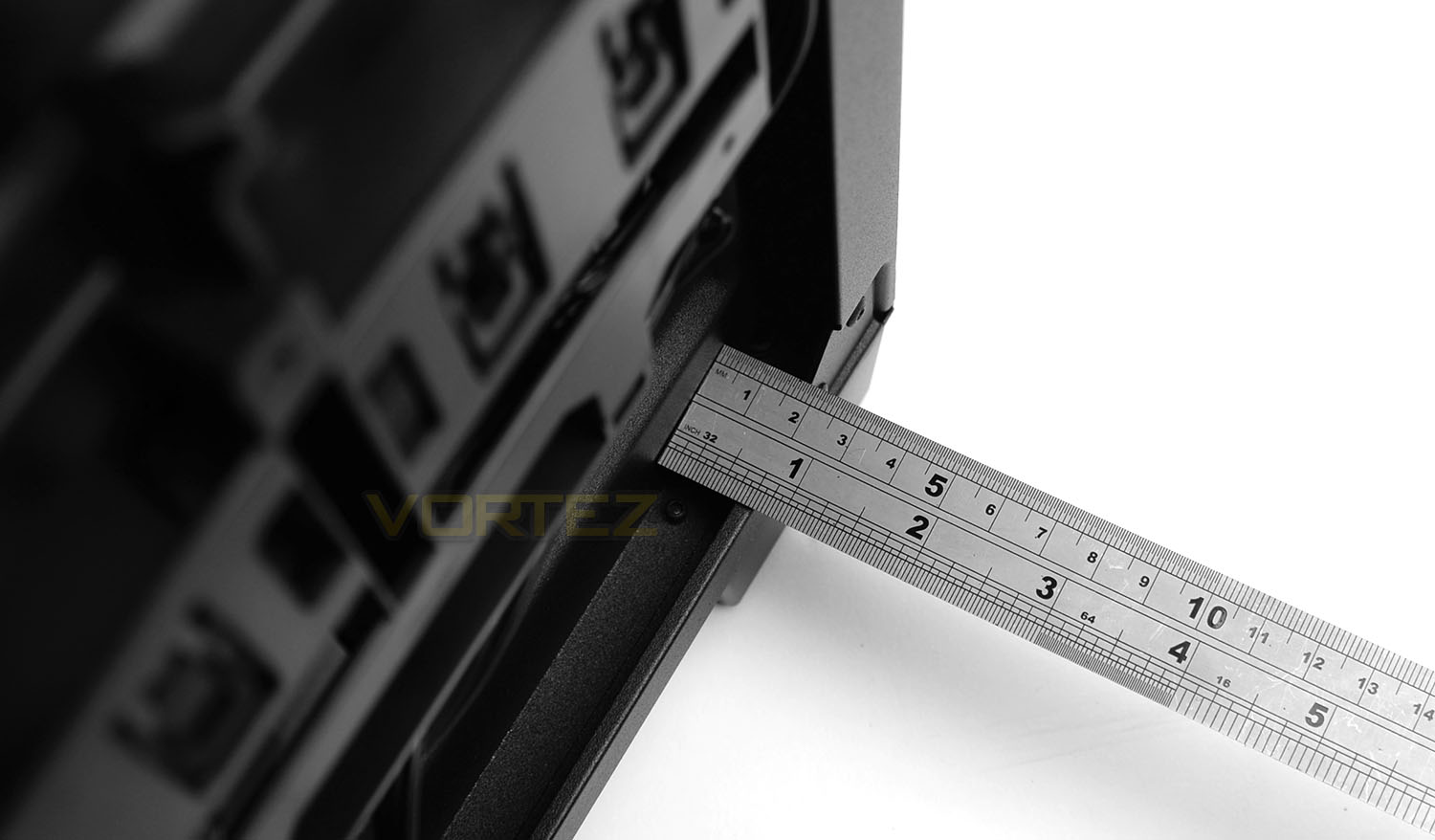
Around the back of the motherboard tray is the area where most of the cables will be routed and in this area we have approximately 18mm of space behind the tray and side panel. There are plenty of cut-outs, hooks and areas to feed this cables so the cable management can be neatly arranged.
Water Cooling
For those wanting to go down the water cooling route, 400Q can accomodate a 240mm radiator at the top of the chassis and the front allows for up to either 280 or 360mm. (Pictures to follow soon).
Thermal Performance Testing
Inside 400Q there two cooling fans which are 140mm in specification. One is an intake (at the front) and the other is an exhaust (at the rear). This push-pull configuration usually yields good results – 400Q should improve on this methodology by offering up a front cooling fan which is in directly alignment to the rear exhaust.
To discover the thermal performance of 40Q we will record idle temperatures after 20 minutes from a cold boot. We will then stress the system and temperatures will again be monitored after 20 minutes have elapsed.
The delta temperatures are recorded for the test with the ambient being subtracted from the reported maximum core temperatures from the test.
System Components
CPU Intel Pentium K G3258 @ 4GHz
Motherboard GIGABYTE Z87X-D3H
CPU Cooler Cooler Master Hyper 212 EVO
Graphics NVIDIA GTX 760
Memory 4GB Kingston HyperX DDR3
HDD Samsung Spinpoint 500GB SATA-II
PSU DeepCool DQ750
Motherboard GIGABYTE Z87X-D3H
CPU Cooler Cooler Master Hyper 212 EVO
Graphics NVIDIA GTX 760
Memory 4GB Kingston HyperX DDR3
HDD Samsung Spinpoint 500GB SATA-II
PSU DeepCool DQ750
Noise
400Q lives up to its intended use. By combining noise damping material and thick, closed off panels the sound is kept low.
Conclusion
It doesn’t surprise us that our first case review of 2016 comes by way of Corsair – this brand is never idle when it comes to product development and since CES is just around the corner, we can expect more than just a few new product announcements over the coming days.
With low-noise being the primary objective, 400Q is adorned with sleek, minimalist and elegant aesthetics. All of the outward facing panels have been furnished with noise reduction material and since the panels are reasonably thick, noise is kept to an absolute minimum.
Inside, Corsair has implemented some innovative features. The layout and design has clearly been carefully mapped out to squeeze the most out of the compact dimensions – storage is all housed behind the motherboard tray and the usual 5.25” drive bay has been omitted to bring about direct airflow for critical components such as the CPU/CPU Cooler.
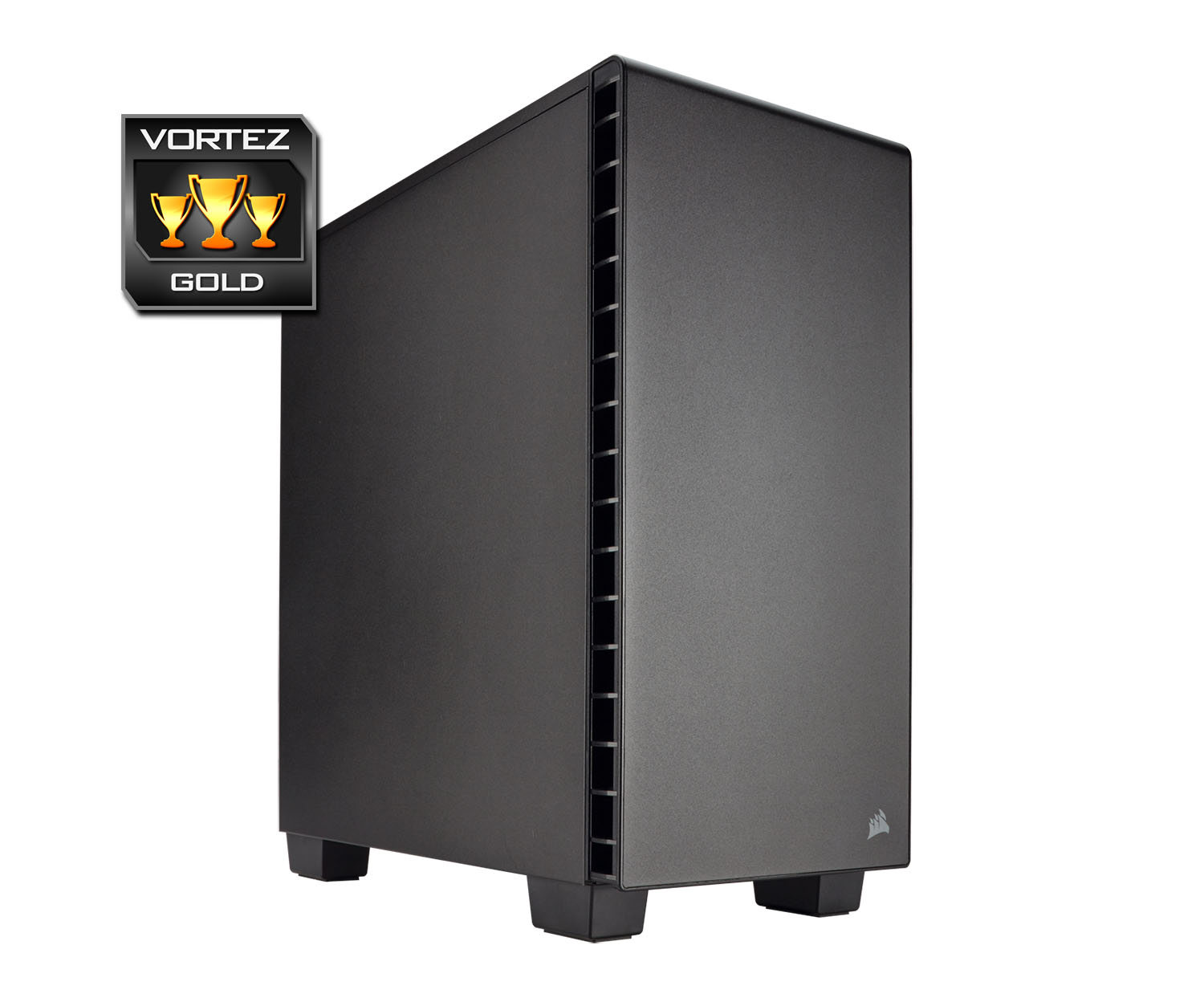
Although we are dealing with fairly tight proportions, we can still install large CPU coolers and long graphics cards. Furthermore, there are no obstructions inside 400Q for multi-GPU configurations so this type of set up is also possible.
Creating a clean and tidy configuration is easy thanks to the plethora of cut-outs, grommets and hooks. Cables can be tied back and even the PSU/storage area lends itself to having plastic shrouds to conceal unsightly hardware.
At a cost of £79.99 GBP / $99 USD – we can vouch for 400Q representing good value for money. This case offers a lot and should tick all of the boxes for system builders and enthusiasts.
400Q achieves exactly what it sets out to; deliver a stealthy enclosure while running super-quiet. This case can accommodate an interesting array of hardware inside its compact dimensions and is jam-packed with useful features!
Pros
+ Stylish inside/out
+ Shrouds for PSU & storage
+ Accommodates lots of hardware
+ Innovative storage options
+ Easy to work with
+ Low-noise
Cons
– Top cover magnets could be stronger
+ Stylish inside/out
+ Shrouds for PSU & storage
+ Accommodates lots of hardware
+ Innovative storage options
+ Easy to work with
+ Low-noise
Cons
– Top cover magnets could be stronger
Click here for an explanation of our awards at Vortez.net.