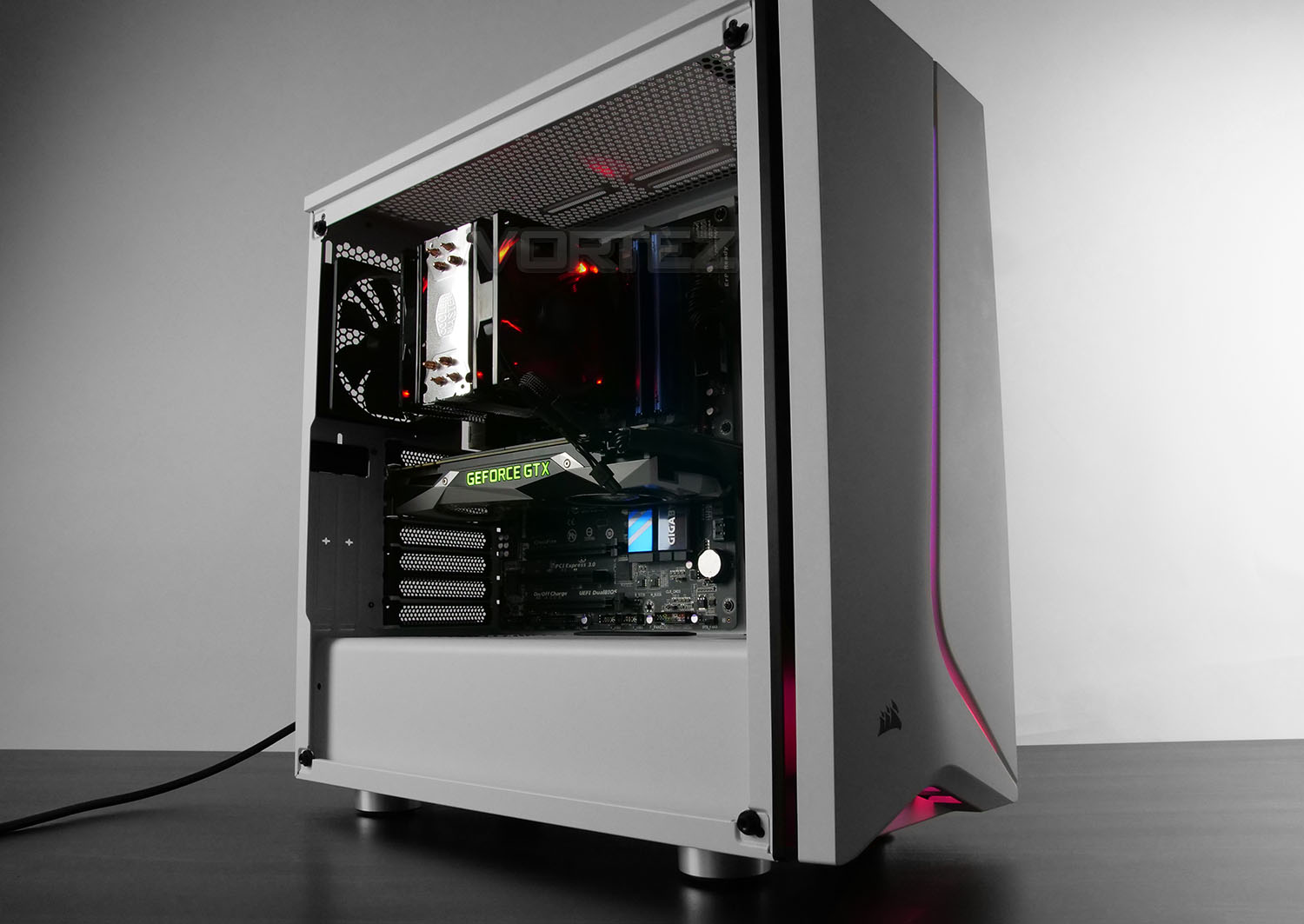
A new mid-tower joins the Carbide Series – SPEC-06 RGB is a computer chassis which promises good build quality, flexible hardware support and of course, RGB functionality!

Product on Review: Carbide Series SPEC-06 RGB
Manufacturer & Sponsor: Corsair
Street Price: UK: £140 AU: $79 US: $89
The Carbide Series has been a highly active range for Corsair – boasting an astounding forty varied models. The portfolio is filled with enclosures which are largely associated with value for money, blending great aesthetics with useful features.
The SPEC-06 RGB was added to the Carbide lineup a few weeks back and this new mid-tower arrives in black or white, with a tempered glass panel and integrated RGB lighting. There is also a non-RGB version which lacks the ability to have the colour adjusted.
Corsair on their SPEC-06 RGB
The CORSAIR Carbide Series SPEC-06 RGB is a compact mid-tower ATX case with distinctive design, built-in RGB lighting and a tempered glass side panel that keeps your PC ahead of the curve.
Technical Specifications
Below are the technical specifications surrounding Corsair’s SPEC-06 RGB.First Look
SPEC-06 is presented in the usual eco-friendly packaging with a simple diagram of the case and some technical details. Inside, the case is covered in a clear sheet of plastic and held in place with polystyrene pillars to ensure safe arrival in transit.
Removing SPEC-06 from the box, we’re immediately met by an elegant and stylish computer chassis. In white, this case brings a fresh and refined aesthetic.
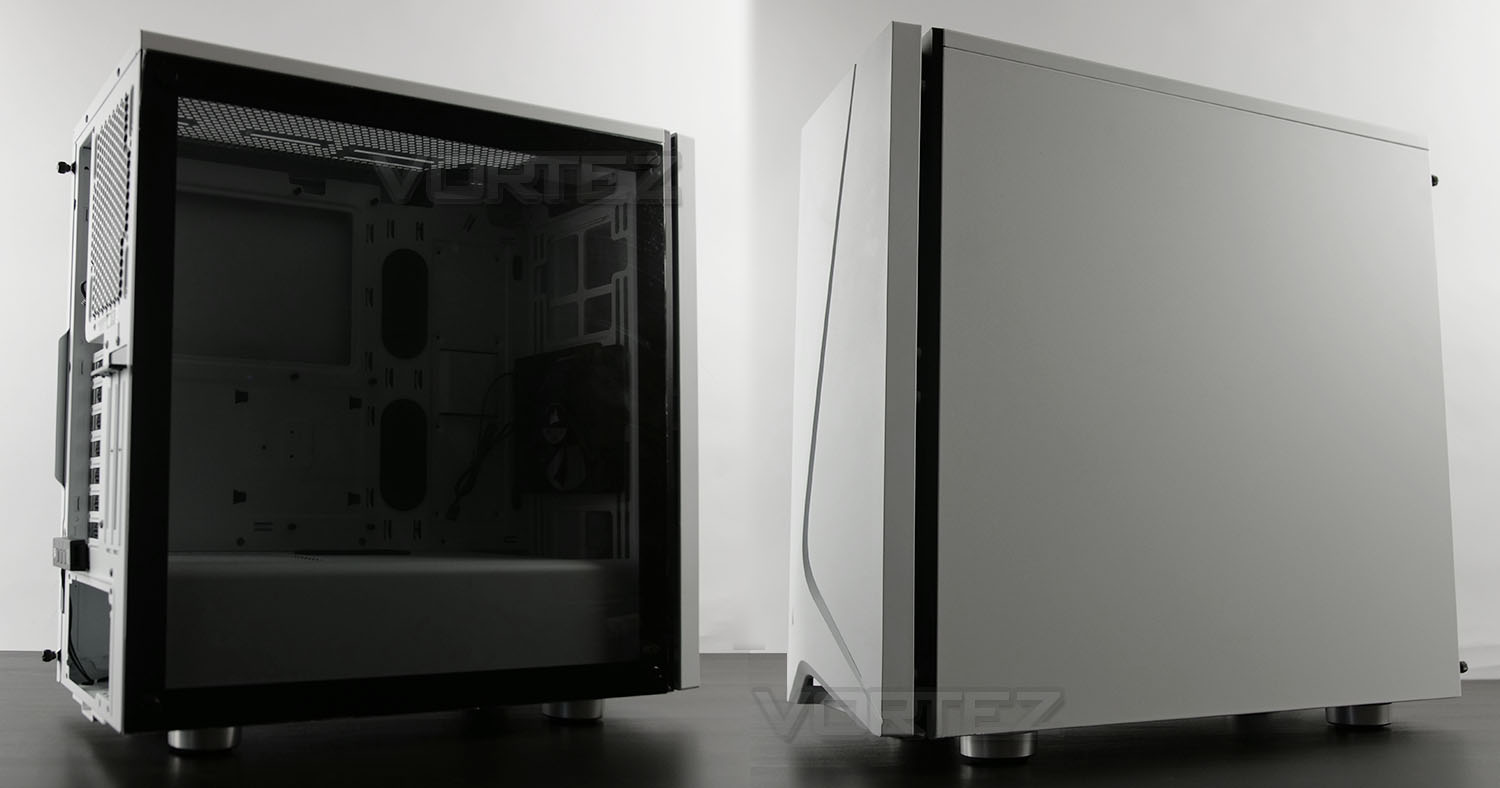
Construction sees this case combine steel, plastic and tempered glass. The prominent side panel features a tempered glass panel with four flat/wide thumbscrews, while the alternate side makes use of steel, is flat and is attached via standard thumbscrews.
Exterior
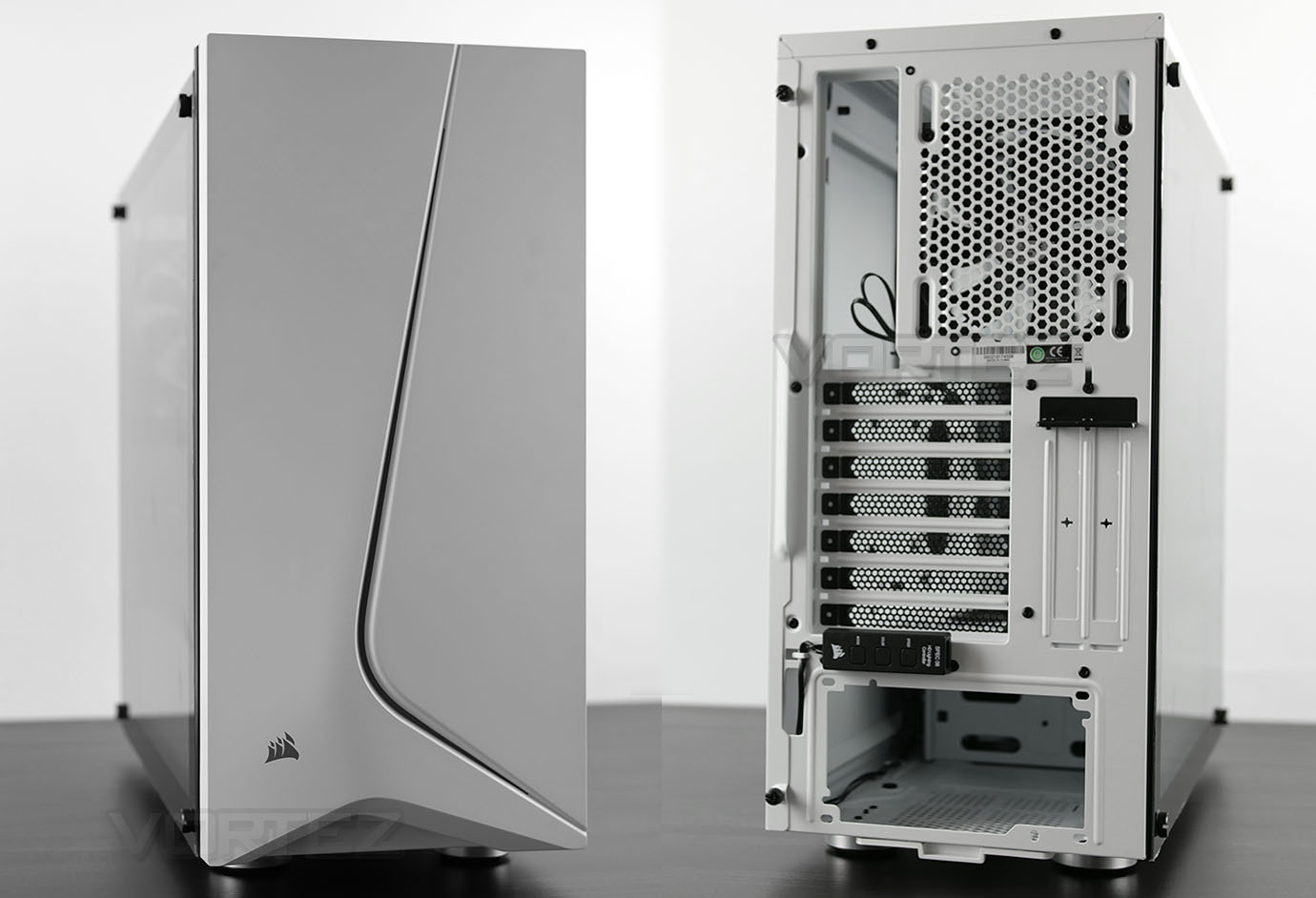
We’ll now move in for a closer look at the external aspects of SPEC-06. The front panel features a plastic fascia with a thin curved stroke which begins at the bottom and spans to the top. Behind this stroke, Corsair has installed an RGB lighting module which works in conjunction with controller at the back of the chassis. Later in the review we’ll provide a demo of how this looks when powered up. This plastic cover can be detached and allows access to the front cooling and a magnetic dust filter.
Around the back, we have an opening at the bottom for installing the PSU, the RGB lighting controller, seven PCI expansion slot covers and perforated mesh to work in conjunction with the 120mm rear exhaust cooling fan. This has vertical mounting points so the fan can be moved up/down.
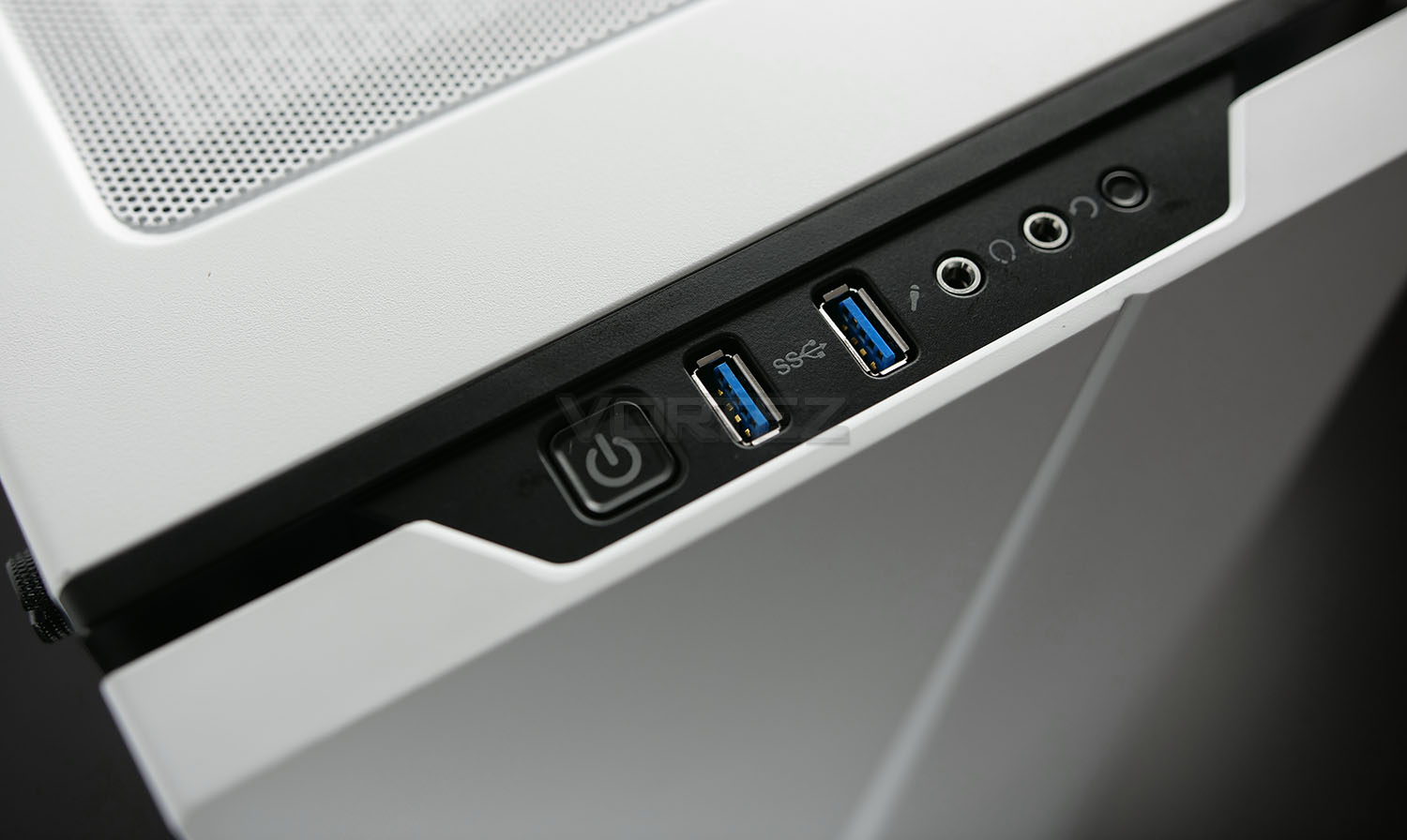
Up at the very top of SPEC-06 we have the front panel connectivity. This includes the following features: power button, twin USB 3.0 ports, headphone/microphone jacks and a reset button. So, fairly basic for most users – we’re somewhat disappointed to see no USB 3.1 functionality though!
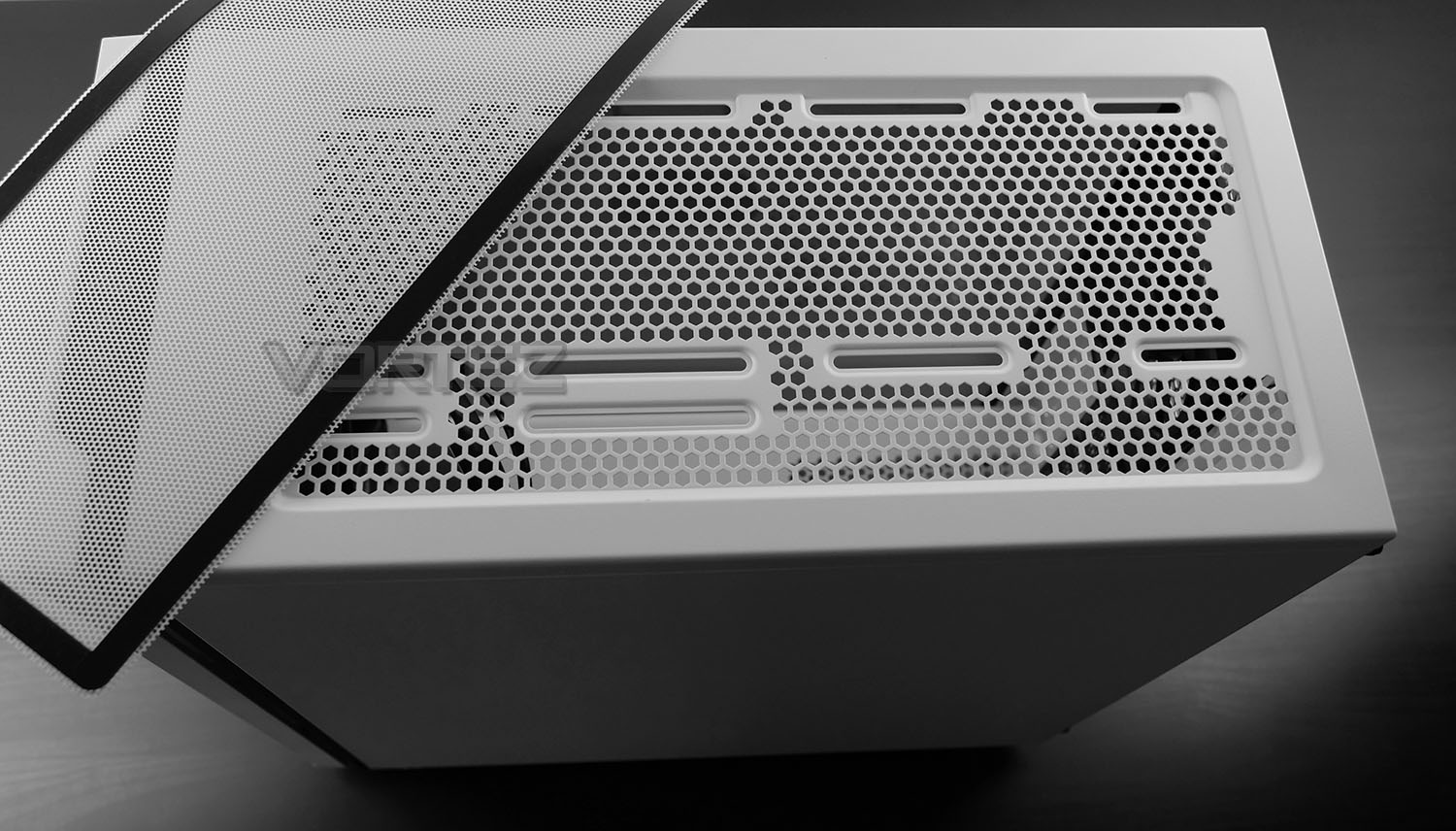
Beyond these ports we have a magnetic dust filter which can be easily removed, and underneath, honeycomb mesh with mounting points for two 120mm fans or a single 140mm fan. Additionally, we can install up to a 240mm radiator at the top too.
Next, we’ll delve inside SPEC-06 for a look at the internal layout and features.
Interior
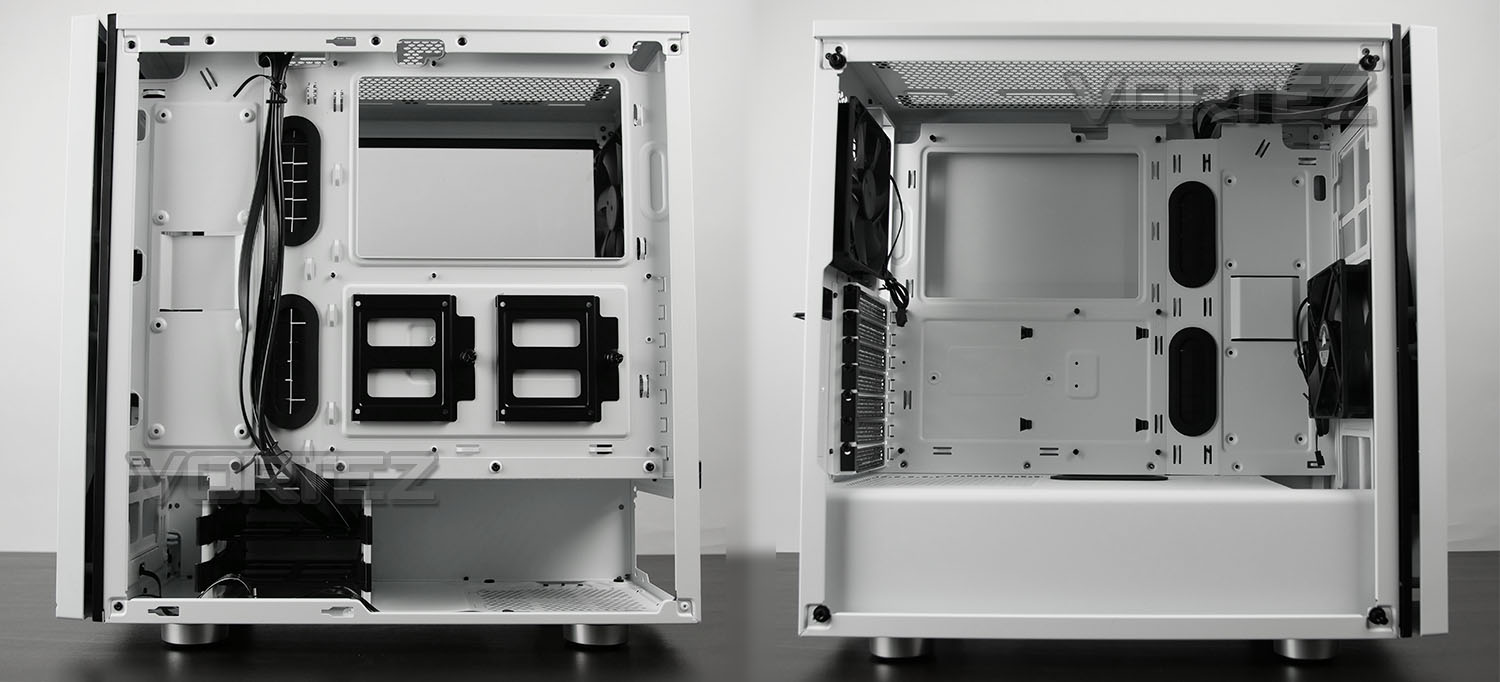
After removing the side panel we can gain a better understanding of the internal layout which follows the standard/conventional design. SPEC-06 can house Mini-ITX, Micro-ATX and ATX motherboards.
There are tool-less features inside which helps with the installation and removal of hardware and there are plenty of cut-outs, rubber grommets and hooks to keep cabling under control.
Storage comes into the form of SSD and HDD support – there are three options for SSDs, two SSD brackets on the back of the motherboard tray, two slots towards the front of the chassis and within the HDD trays in the cage beneath. There are two HDD trays inside the cage, which can house 3.5” or 2.5” drives.
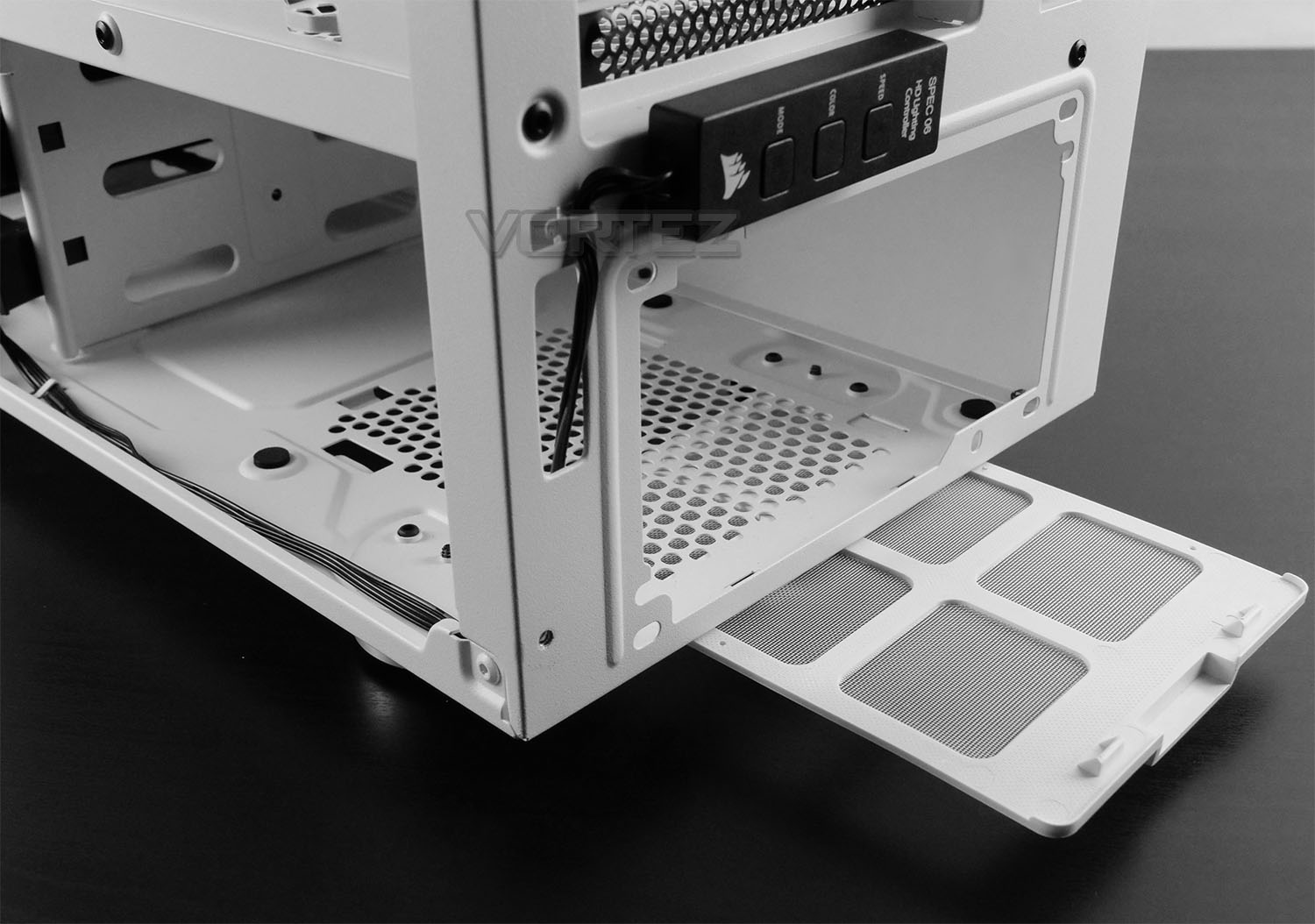
At the bottom of the chassis there is space allocated for installing the PSU. Since the prominent side features a metal shroud, it’s necessary to install the PSU from the alternate side. Corsair includes an easy to remove dust filter underneath which can simply be slid in-out.
Above this there is an RGB lighting controller which allowing the user to adjust the front lighting strip. This module is powered via SATA from the PSU and has buttons to control the mode, color and speed. There are up to seven different lighting modes available.
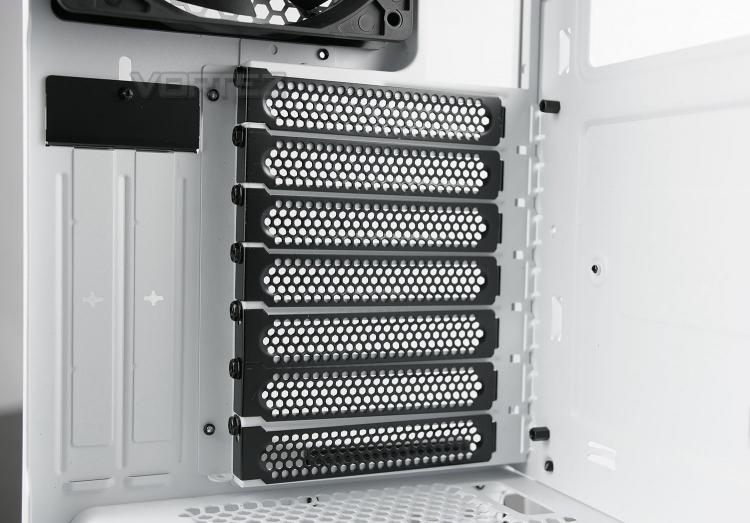
Above the PSU and inside the main chamber we have seven PCI expansion slot covers which are all perforated for ventilation and standard screws are in place to fix the covers. Next to the horizontal covers there are two vertically aligned PCI covers for installing other devices, including the graphics card. (Riser cable is required for this).
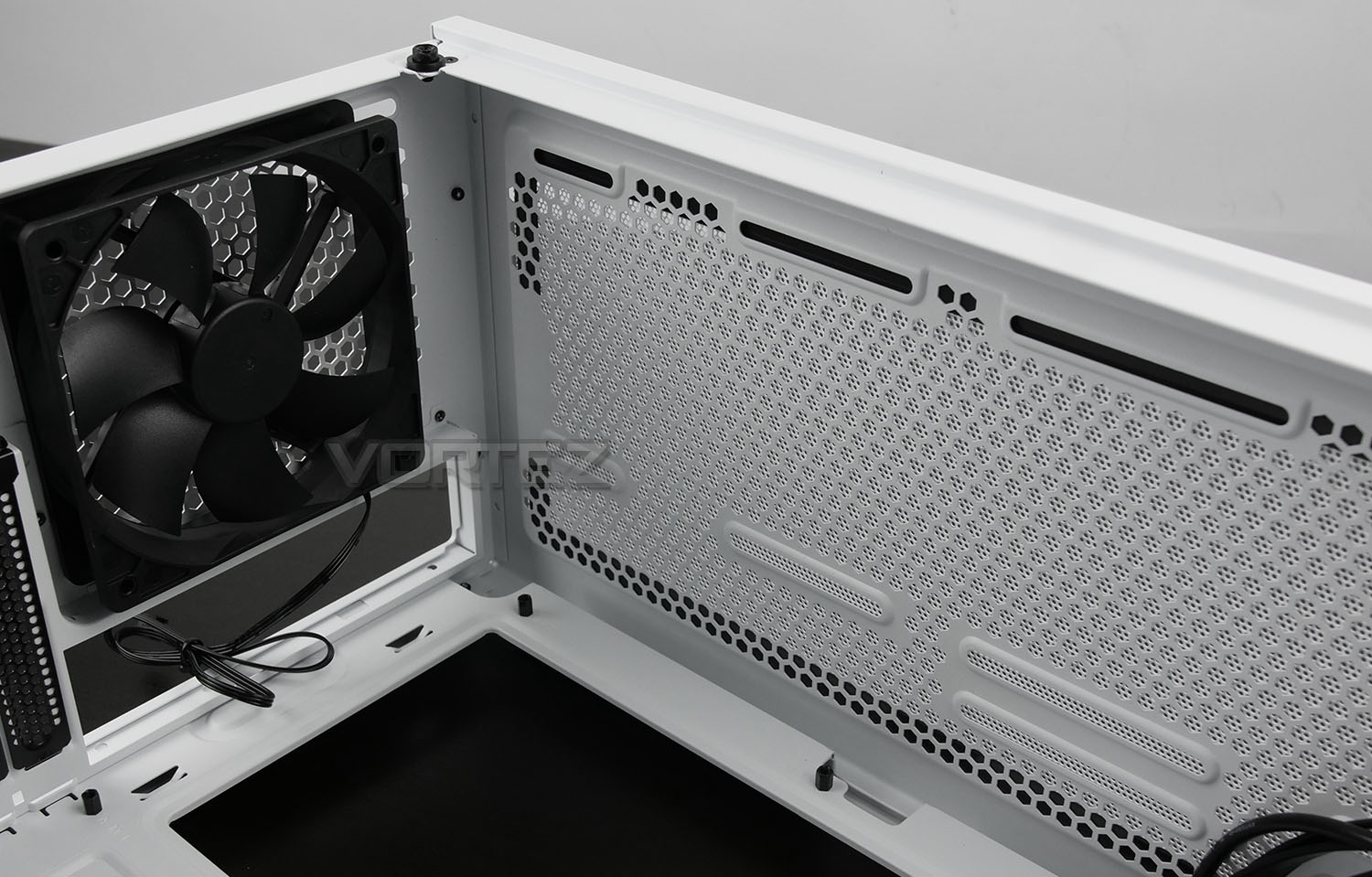
Corsair has included a 120mm rear exhaust fan towards the back of the chassis and as we’ve already mentioned, there are optional slots for installing two 120mm fans or one 140mm fan at the top.
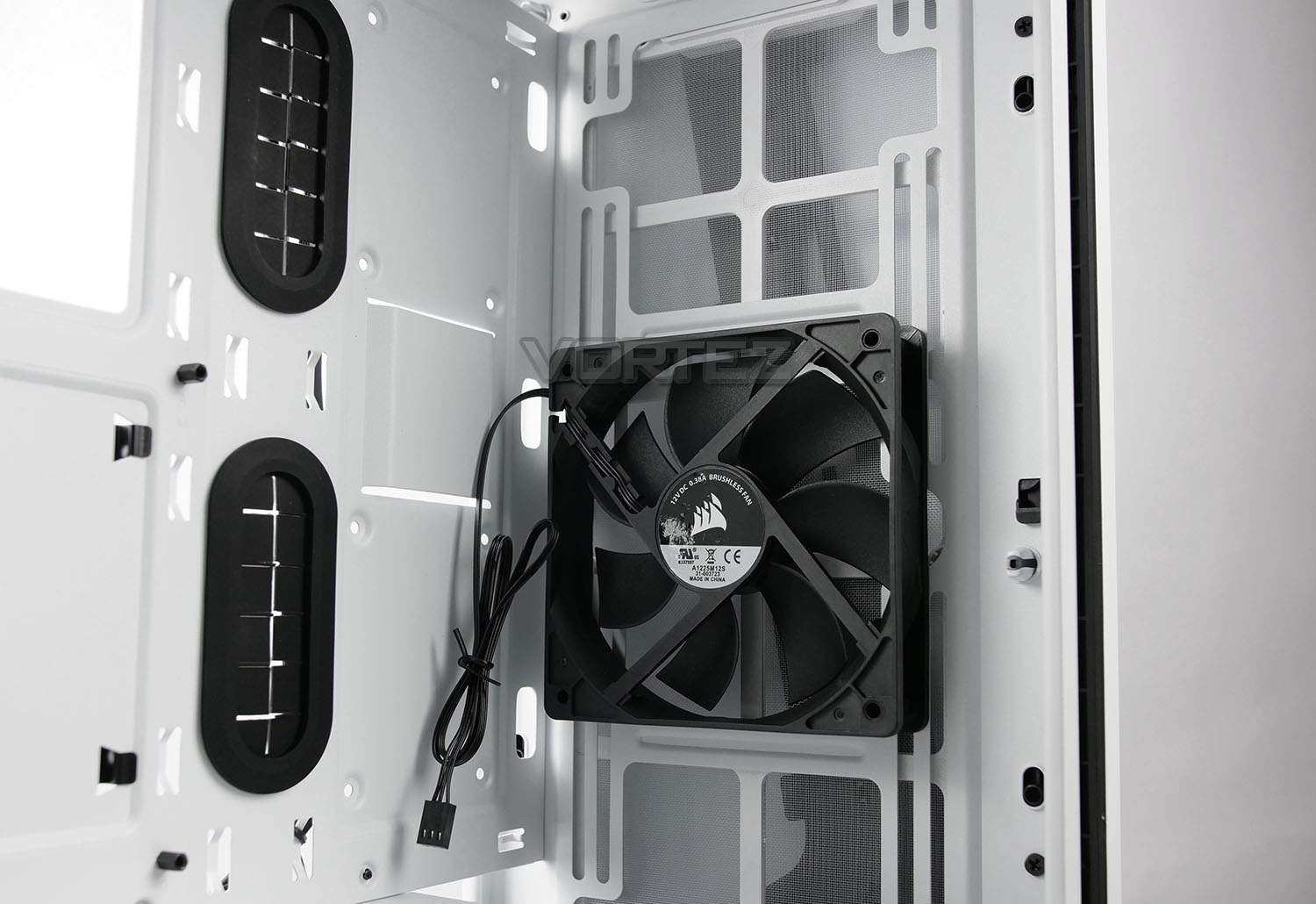
At the front of SPEC-06 there is a pre-installed 120mm fan which is configured to be an intake. As you can see from the picture, there is also adequate space and mounting allocation for adding in more fans – a total of three 120mm or two 140mm fans are supported at the front, which also indicates that radiators up to 360mm are also possible to install.
Installation
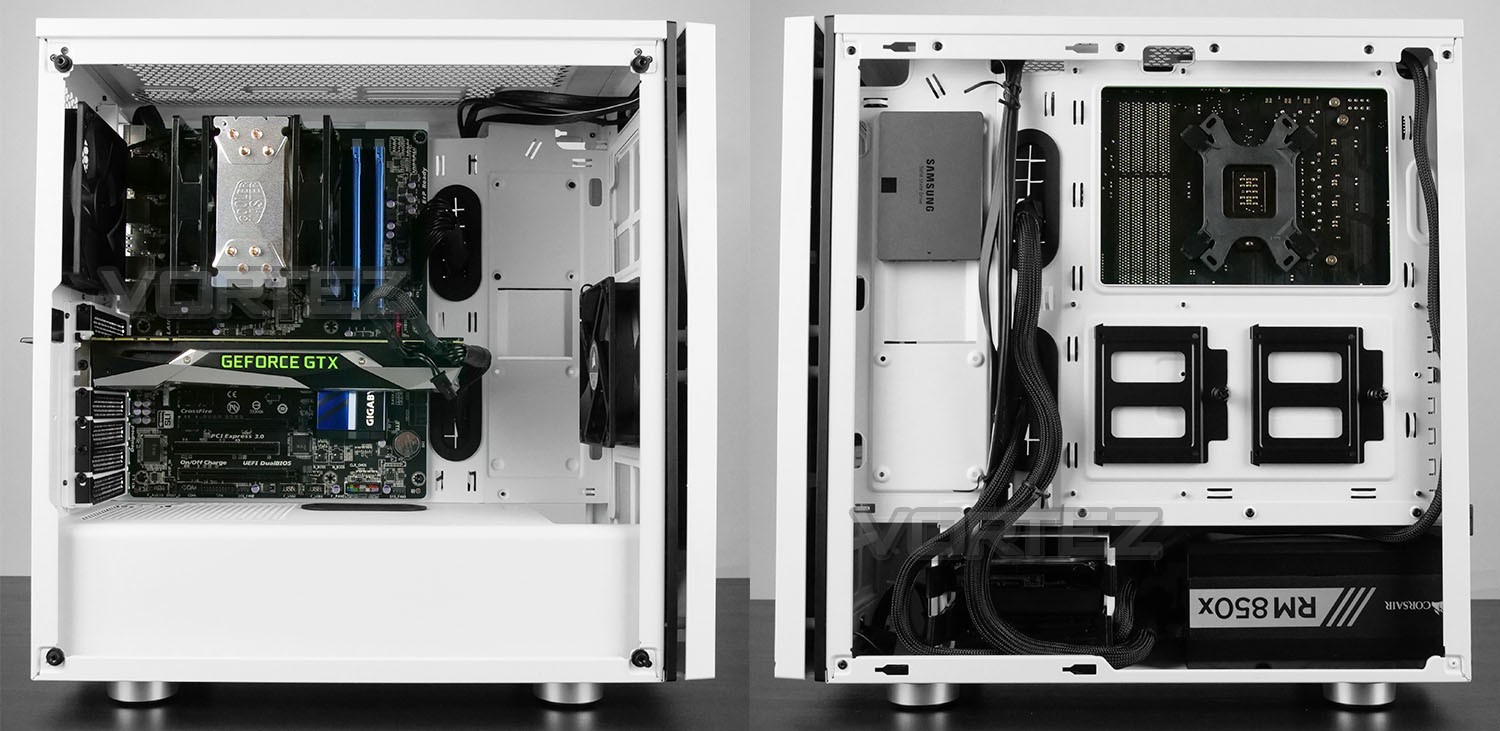
Above, we’ve installed our ATX test system inside SPEC-06 and the entire process went very well indeed. We encountered no hitches and thanks to all of the cut-outs we were able to neatly tuck away cables.
We particularly like the fact that Corsair has chosen to power the RGB lighting module via SATA and avoided Molex. Molex isn’t always easy to connect up and individual wires can pop out if not aligned properly.
Storage can be installed in a number of locations depending on the size – SSDs can be attached to the brackets on the reverse of the motherboard tray or towards the front (as we have done) and 3.5” drives simply pop into the supplied trays.
So, overall, we’re impressed by what the SPEC-06 offers and the configuration looks sleek and elegant once the installation is complete.
Clearance – CPU Cooler, GPU, Cable Management, WC
The clearance options in any computer case is vital for system builders as it determines what will/won’t fit.
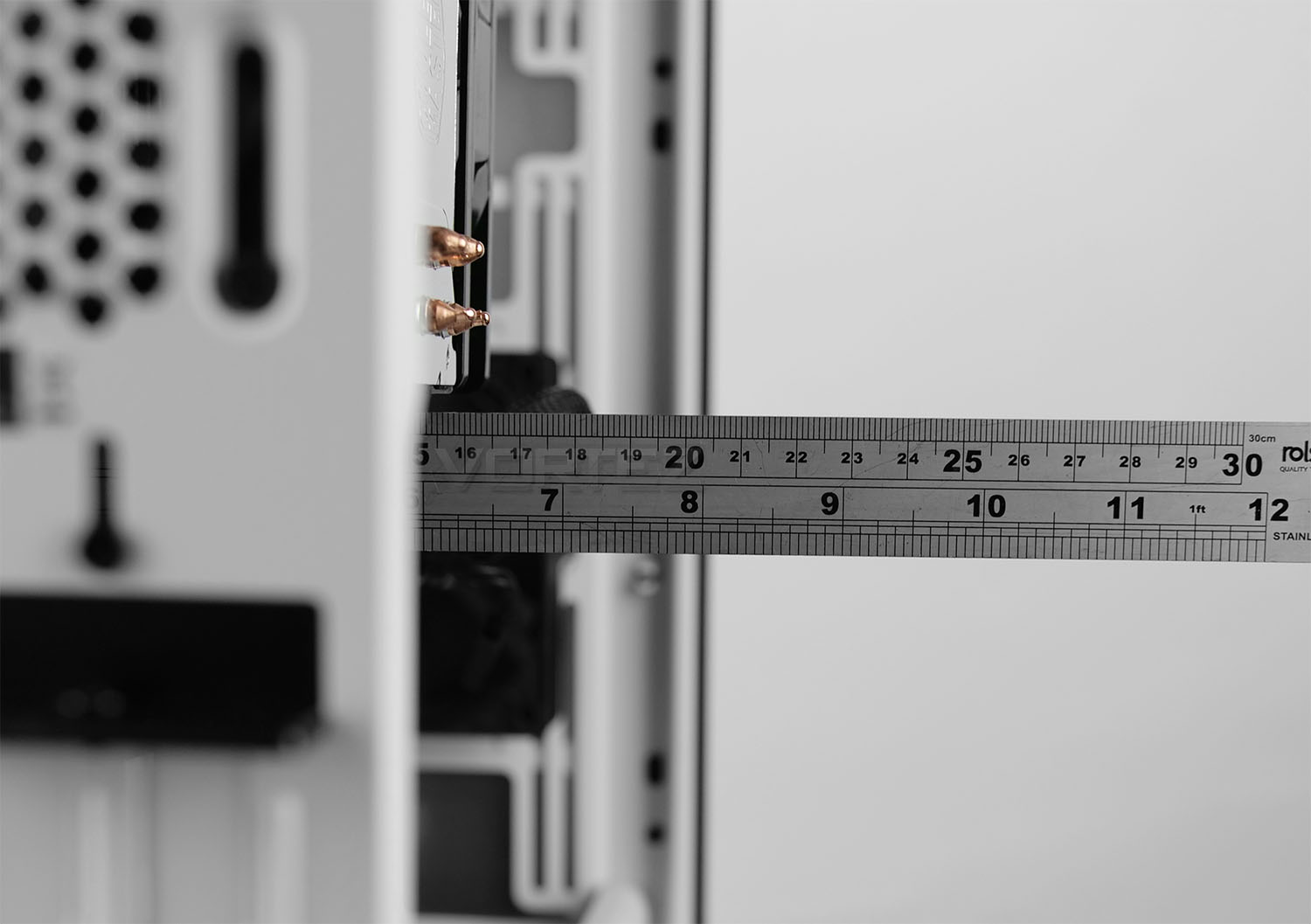
CPU Cooler
For those opting for an air CPU cooler, there is approximately 170mm in height which will cover a wide selection of different solutions – even the larger flagships.
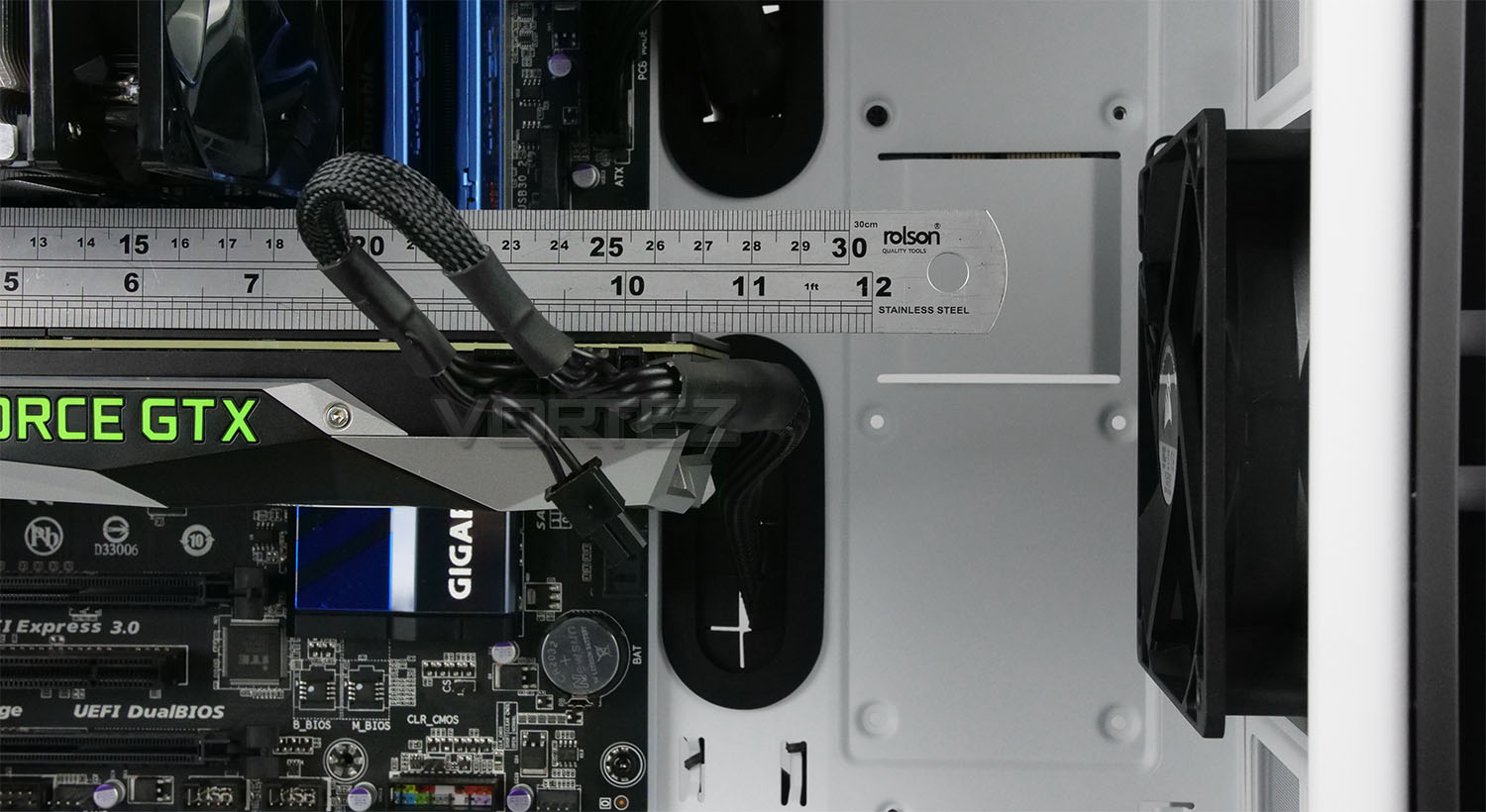
Graphics Card
Turning our attention to the graphics card, there is up to 370mm of space which is more than sufficient for even high-performance offerings. However, if you do intend to install a radiator at the front this will reduce the overall space for the graphics card – providing around 310mm.

Cable Management
The area behind the motherboard tray is crucial for good cable management. The distance between the back of this tray and the side panel is approximately 13mm. This isn’t considered a lot of space, but thankfully there are a number of cavities, cut-outs and hooks which allow us to carefully plan out the cable routing.
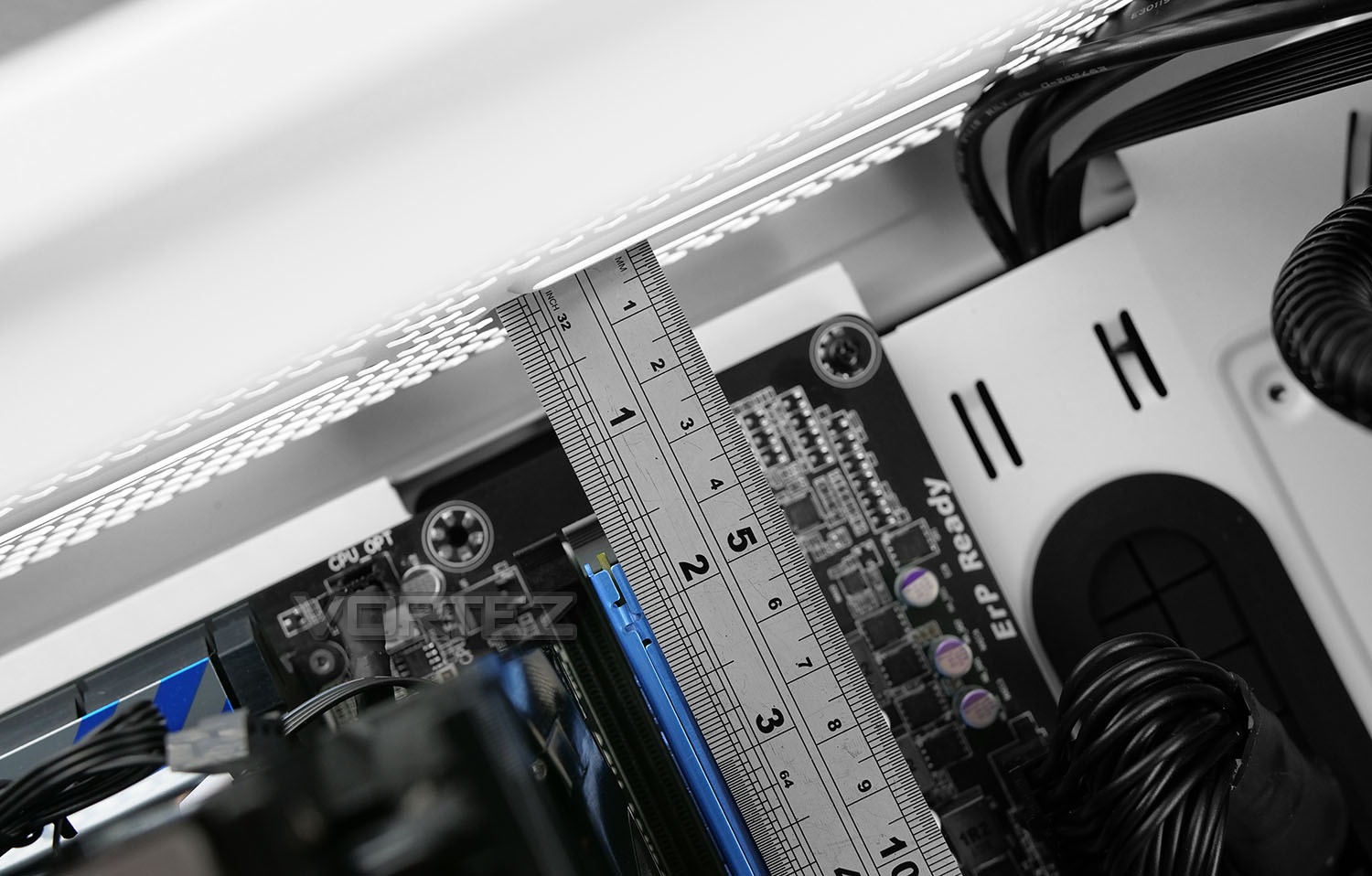
Water Cooling
Water cooling is something which SPEC-06 is capable of housing and we’re pleased to report there are multiple locations to accommodate this. At the back there is allocation for a 120mm radiator, while at the top of the chassis, radiators up to 240mm can be installed. However, there is only 20mm of space between the top of the case and the edge of the motherboard. Corsair has positioned the mounting rails 40mm above the motherboard which should allow the radiator and fan combo to remain unobstructed.
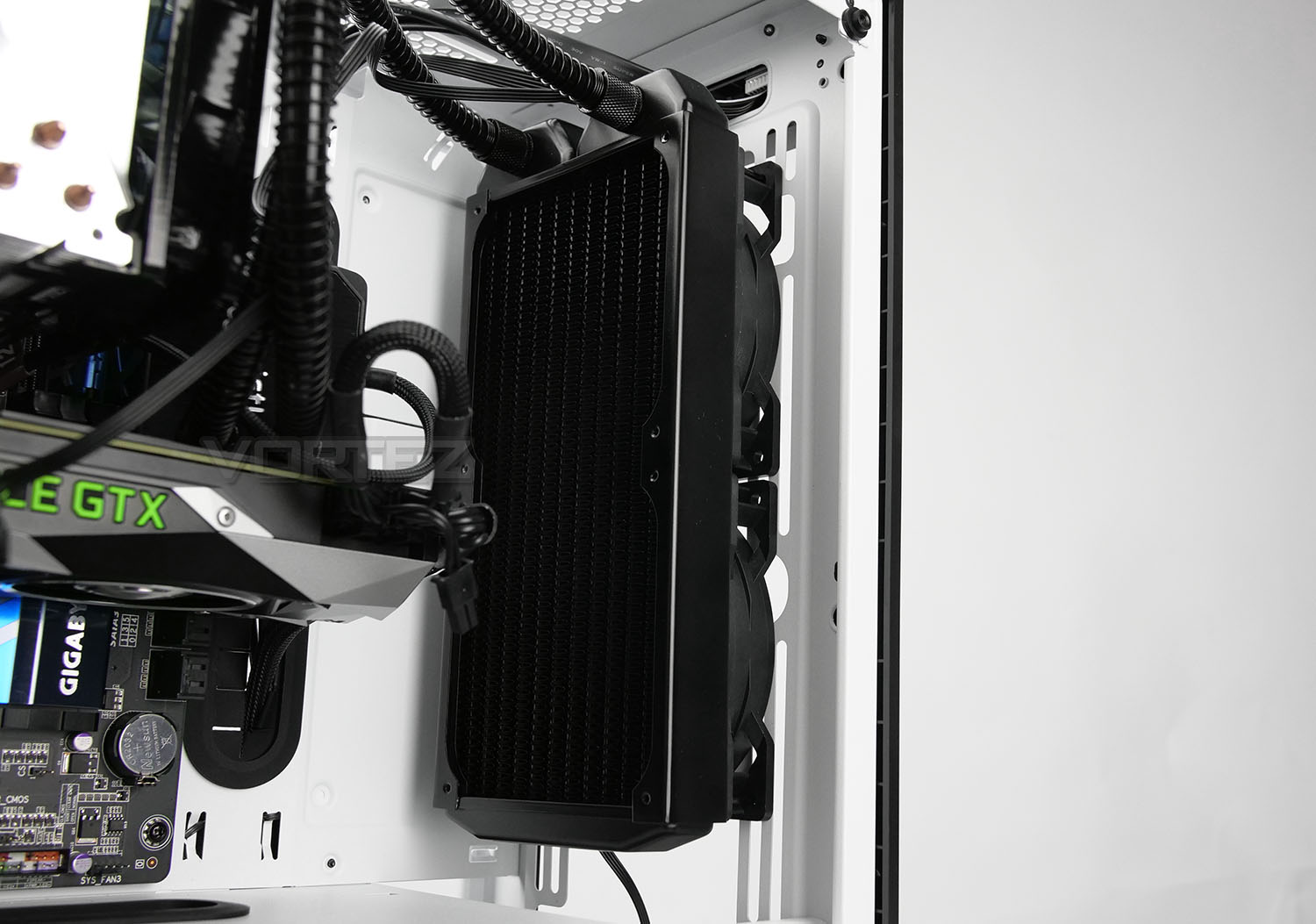
At the front we’re able to attach radiators which are up to 360mm. Pictured we have a 240mm radiator – adding in such a device which reduce the space/clearance for the graphics card.
RGB Lighting Demo
For this review, we’ve produced a video which showcases the RGB lighting on SPEC-06, revealing the different colours and modes available. You can either click the RGB lighting demonstration link or watch the video below. Enjoy!
Thermal Performance Testing
Inside our SPEC-06 we have two cooling fans which are in a push-pull configuration. This type of arrangement usually delivers good results!
To discover the thermal performance of SPEC-06 we will record idle temperatures after 20 minutes from a cold boot. We will then stress the system and temperatures will again be monitored after 30 minutes have elapsed.
For the purpose of accurate analysis, the idle and load temperatures for CPU will be recorded and the range between idle and load will be calculated to determine how efficient cooling is.
NOTE: Ambient temperature is 20C
System Components
CPU Intel Pentium K G3258 @ 4GHz
Motherboard GIGABYTE Z87X-D3H
CPU Cooler Cooler Master Hyper 212 LED Turbo
Graphics NVIDIA GTX 1080 Ti
Memory 4GB Kingston HyperX DDR3
HDD Samsung Spinpoint 500GB SATA-II
PSU Corsair RM850
Motherboard GIGABYTE Z87X-D3H
CPU Cooler Cooler Master Hyper 212 LED Turbo
Graphics NVIDIA GTX 1080 Ti
Memory 4GB Kingston HyperX DDR3
HDD Samsung Spinpoint 500GB SATA-II
PSU Corsair RM850
Noise
We experienced very little noise leakage with SPEC-06 due to the thick tempered glass panel and closed off front panel.
Conclusion
There’s a lot to like about Corsair’s new addition to the Carbide Series. The SPEC-06 is adept in each area of case design and we’d have no qualms in recommending it.
It’s always pleasing to see specific models of cases available in different colours and the choice of black or white gives system builders enough flexibility to double down on aesthetics. The white edition we’ve taken a look at today is elegant in every sense of the word and the smooth RGB stroke on the front panel doesn’t overstep the mark.
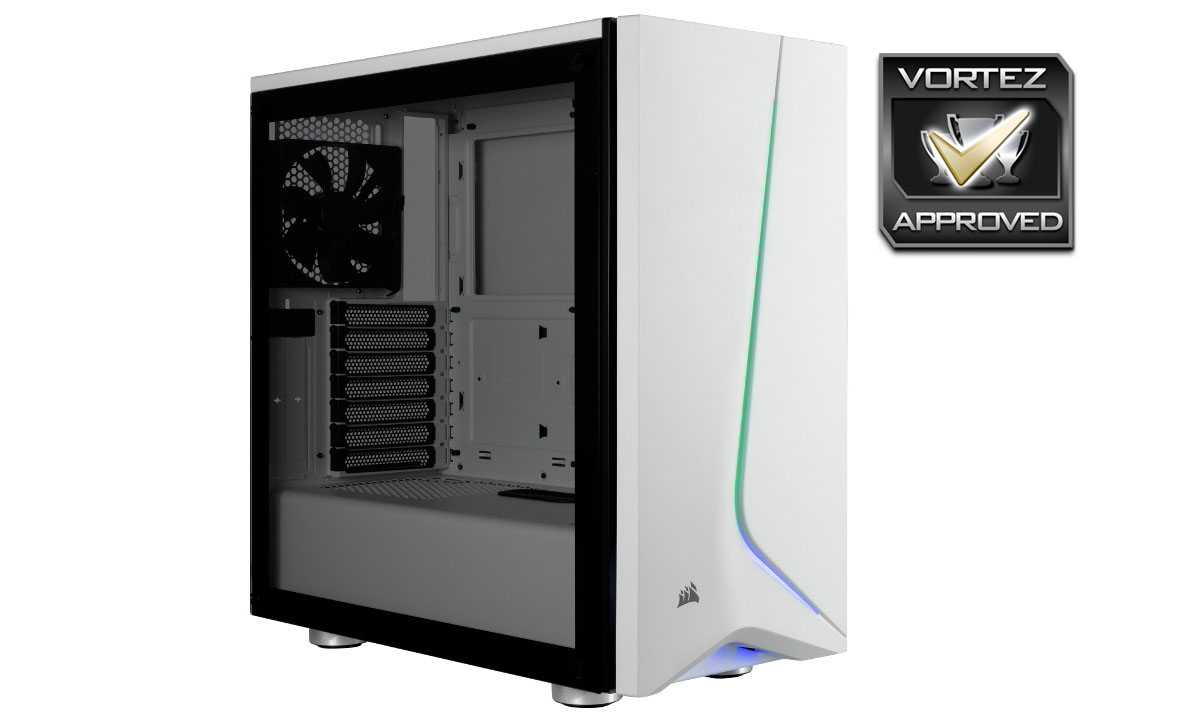
As with previous Corsair cases, the SPEC-06 offers good build quality and we encountered no problems during the installation process. The internal layout and space allows for an assortment of high-end kit to be installed and for those wanting to opt for a closed loop liquid cooler, there are multiple locations to attach such a device.
We were surprised by SPEC-06’s price-tag which sits at UK: £85 AU: $79 US: $89. The inclusion of tempered glass and RGB functionality understandably pushes up the cost but there is some fierce competition in this price-bracket.
If elegance and flexibility are key, Corsair’s new Carbide Series SPEC-06 is a worthy contender for the short-list.
Pros
+ Available in black or white
+ Looks stylish and elegant
+ Good build quality
+ Flexible storage options
+ Includes RGB lighting controller
+ Offers subtle, impressive RGB lighting
+ Can house high-end kit
+ Good cooling performance
Cons
– Cable management can be tough
+ Available in black or white
+ Looks stylish and elegant
+ Good build quality
+ Flexible storage options
+ Includes RGB lighting controller
+ Offers subtle, impressive RGB lighting
+ Can house high-end kit
+ Good cooling performance
Cons
– Cable management can be tough
Click here for an explanation of our awards at Vortez.net.
Stay connected with the Vortez Social Media pages:
Join in with the discussions on Discord