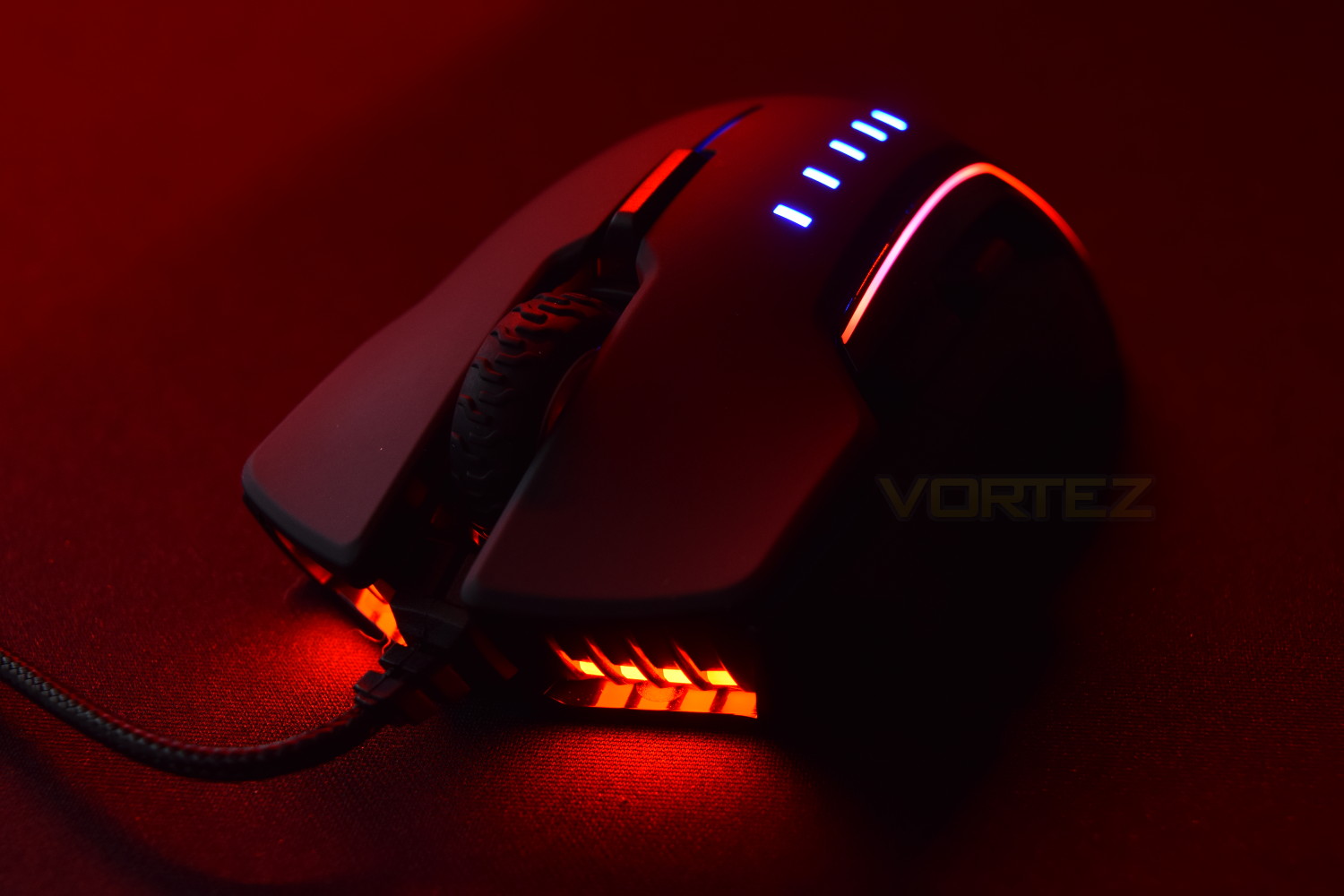
RGB lighting, a custom PixArt 16,000 DPI sensor, interchangeable thumb grips and a £69.99 price tag. Sounds like a great recipe, but does it tick all of the boxes?

Product on Review: Corsair Glaive RGB
Manufacturer: Corsair
Street Price: £69.99/$69.99
The high performance PC components and peripheral manufacturer, Corsair, has released the Glaive RGB, a mouse aimed heavily towards the FPS gamer looking for comfort and performance. Featuring a custom PixArt 16,000 DPI sensor, a trio of interchangeable magnetic thumb grips, OMRON switches and 3-Zone RGB, the Glaive certainly promises a lot.
The Glaive is available in two flavours, black plastic or aluminium, resulting in a different weight and appearance.
“Corsair hardware is regularly featured in showcase “dream systems,” and we have earned the adulation and respect of the press, professional gamers and overclockers, high-end system integrators, and PC enthusiasts worldwide by delivering leading-edge technology backed by renowned service and support.”
Corsair certainly has plenty of experience of putting mice together, with many successes in the past. Let’s see how the Glaive racks up against the competition.
Corsair on the Glaive:
Corsair Glaive RGB was engineered for unrivalled performance and unmatched comfort. Its contoured shape ensures pure comfort, hour after hour of gameplay. Customize for the way you play with interchangeable thumb grips, and experience the control of a mouse that is made for your hand.
Technical Specifications
Warranty: Two years
DPI: 100 DPI – 16000 DPI, 1 DPI steps
Sensor Type: Optical
Mouse Backlighting: 3 Zone RGB
Programmable Buttons: 6
Report Rate Selectable: 1000Hz/500Hz/250Hz/125Hz
On-board Memory: Yes
Weight: 122g (w/o cable)
Mouse Feet: Large PTFE
CUE Software: Enabled
Cable: 1.8m Braided Fiber
Game Type: FPS
Dimensions: 125.8mm x 91.5mm x 44.6mm
DPI: 100 DPI – 16000 DPI, 1 DPI steps
Sensor Type: Optical
Mouse Backlighting: 3 Zone RGB
Programmable Buttons: 6
Report Rate Selectable: 1000Hz/500Hz/250Hz/125Hz
On-board Memory: Yes
Weight: 122g (w/o cable)
Mouse Feet: Large PTFE
CUE Software: Enabled
Cable: 1.8m Braided Fiber
Game Type: FPS
Dimensions: 125.8mm x 91.5mm x 44.6mm
Packaging & First Look
Sporting the typical black and yellow theme of Corsair’s branding, the Glaive dominates the front of the packaging with the important specifications listed clearly to the left.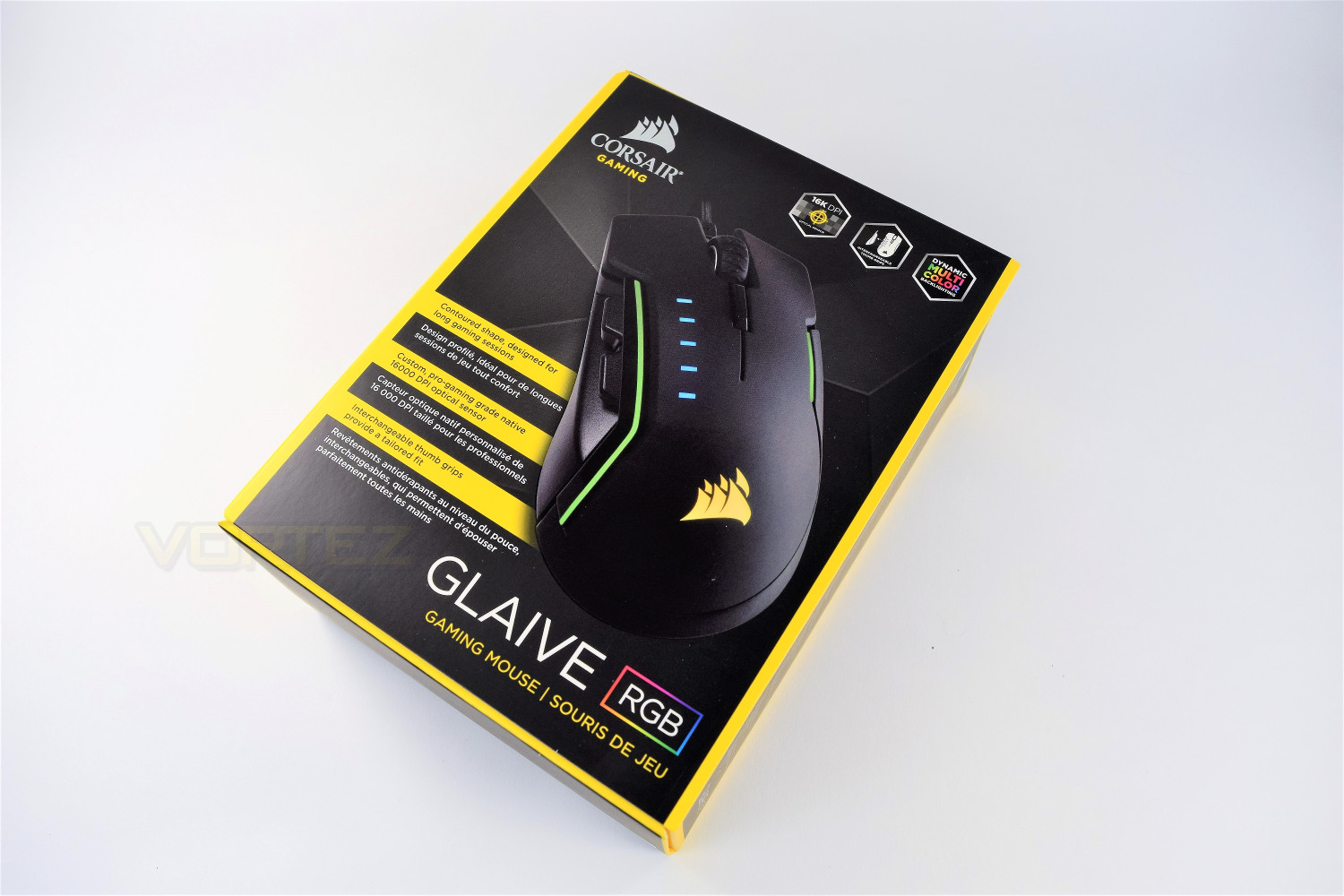
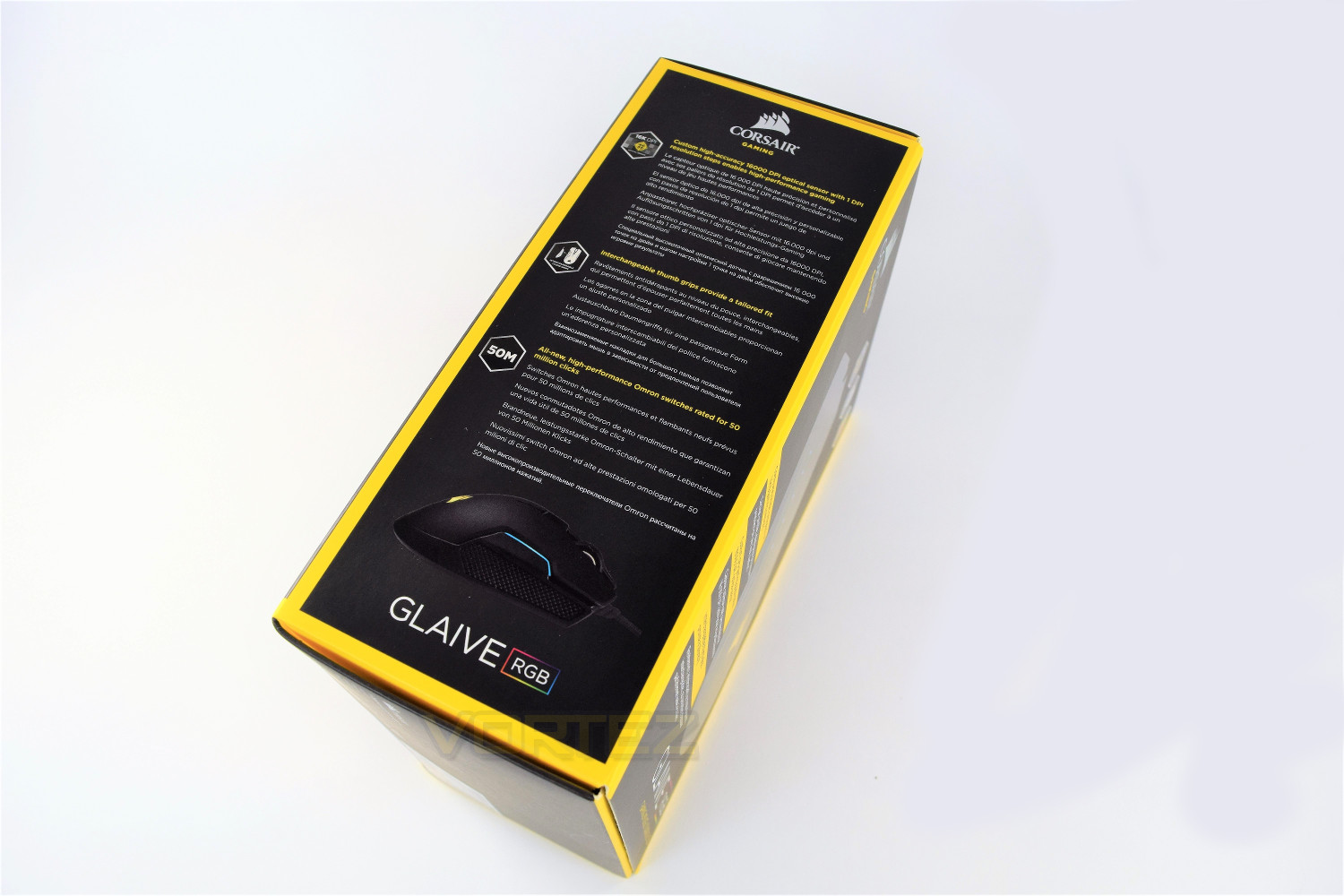
More in-depth on the back, with all areas listed, numbered and explained.
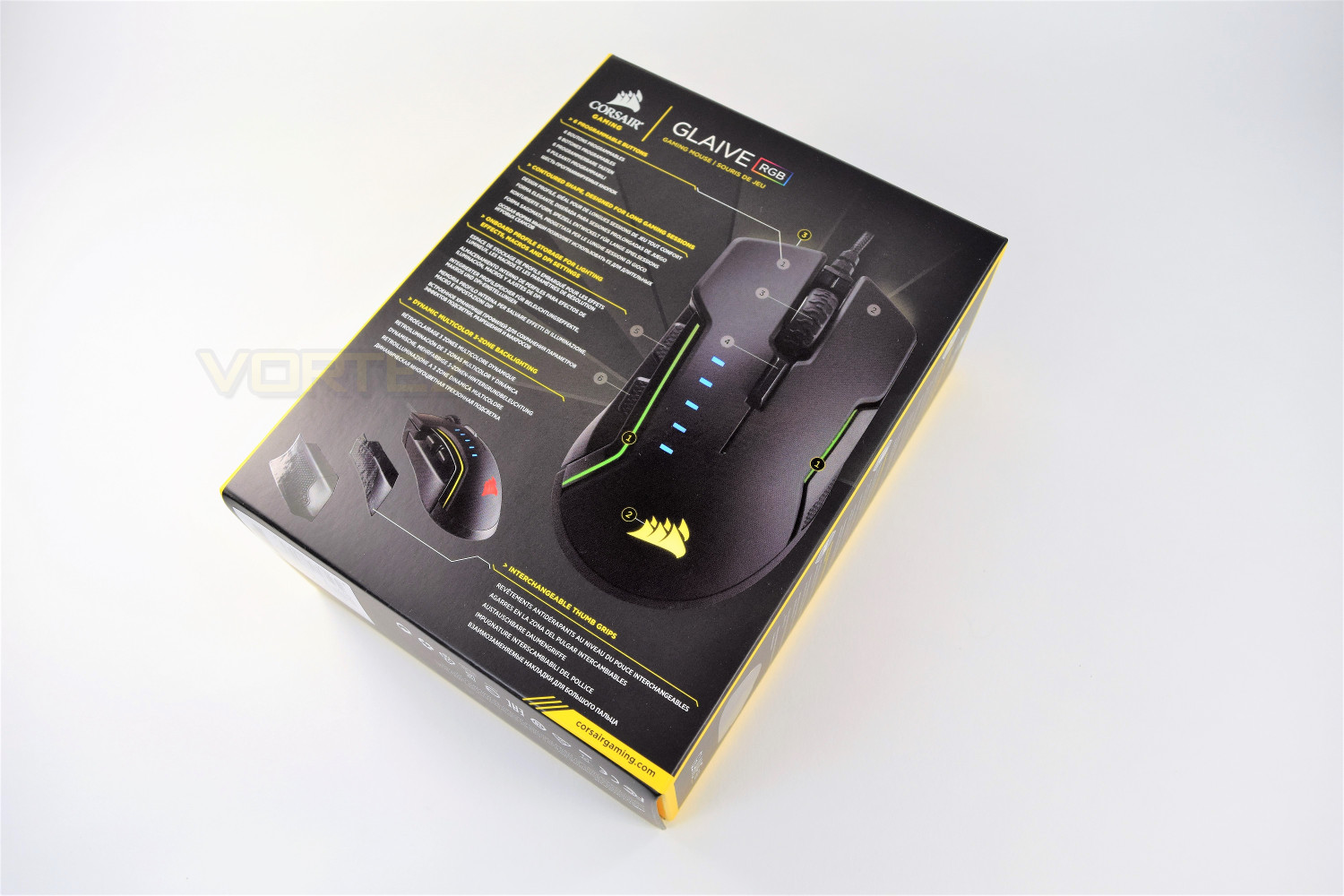
The side of the box explains the OMRON switches chosen by Corsair, along with information regarding the sensor and the thumb grips, which can be swapped easily.
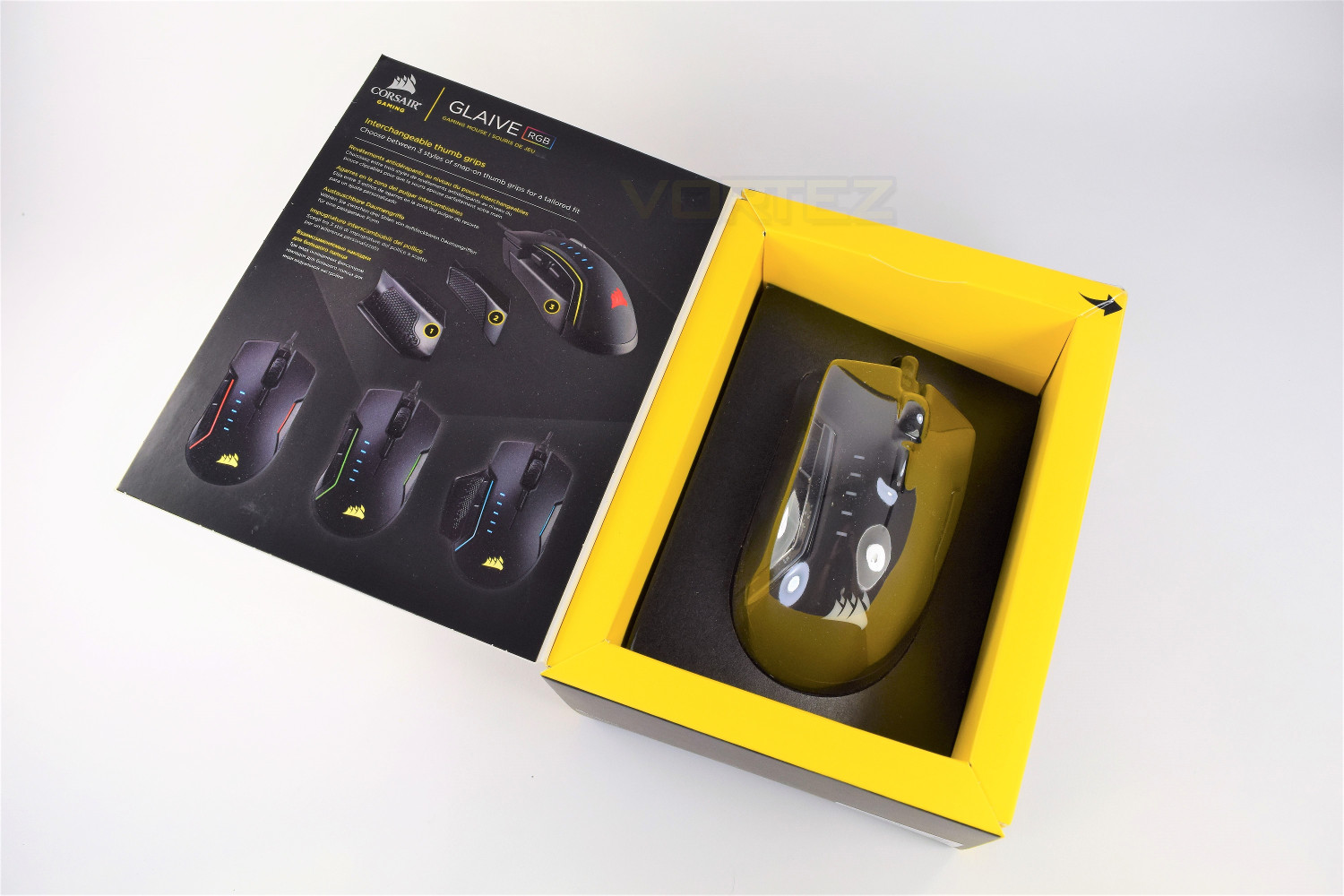
The front of the box is held in place by a magnet, which swings open to reveal the mouse housed behind a thin sheet of moulded plastic. You can get a reasonably accurate feel for the size of the mouse from this.
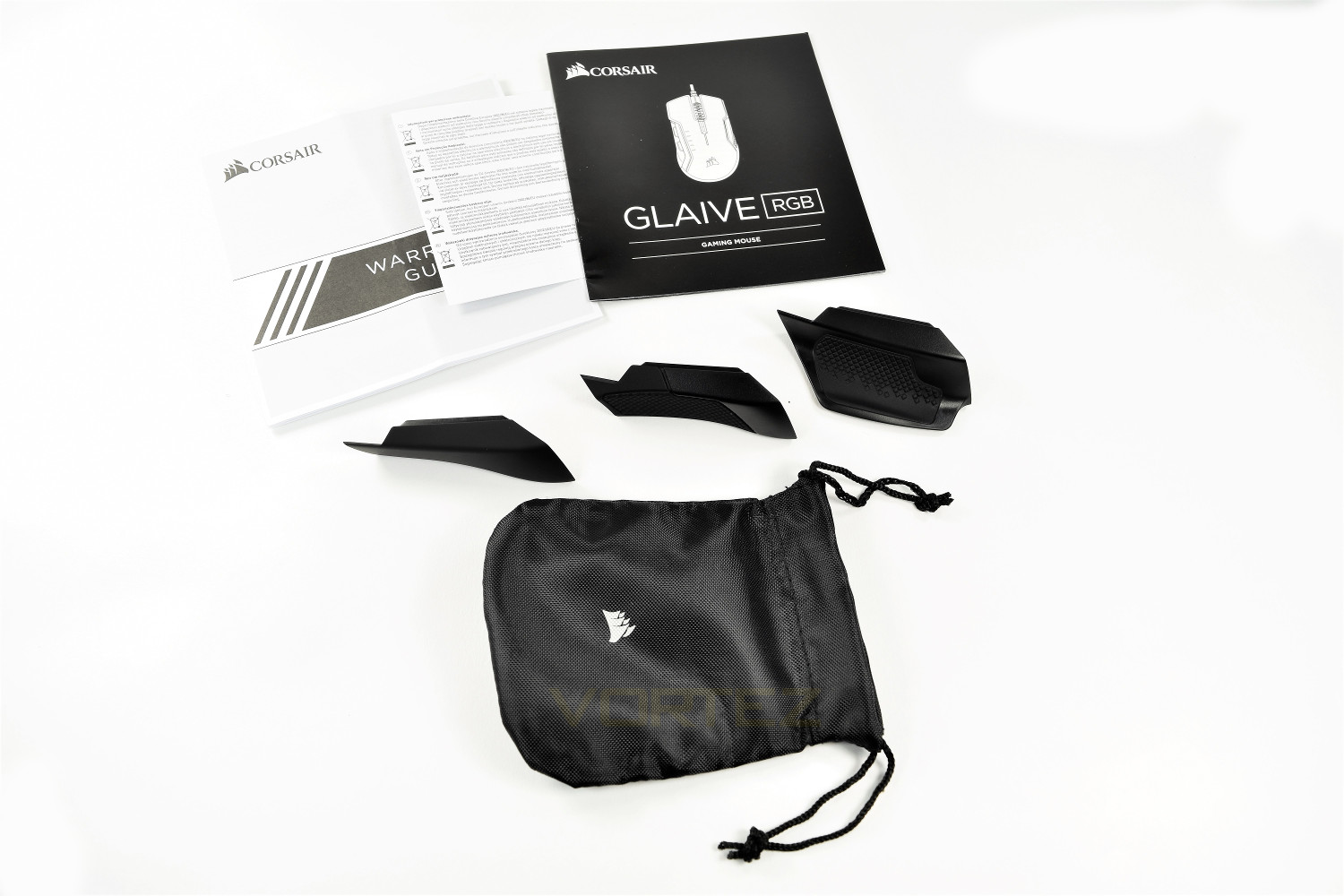
Included within the box are the three thumb grips, a handy Corsair branded storage pouch for the two which you aren’t using, a warranty guide and a brief manual.
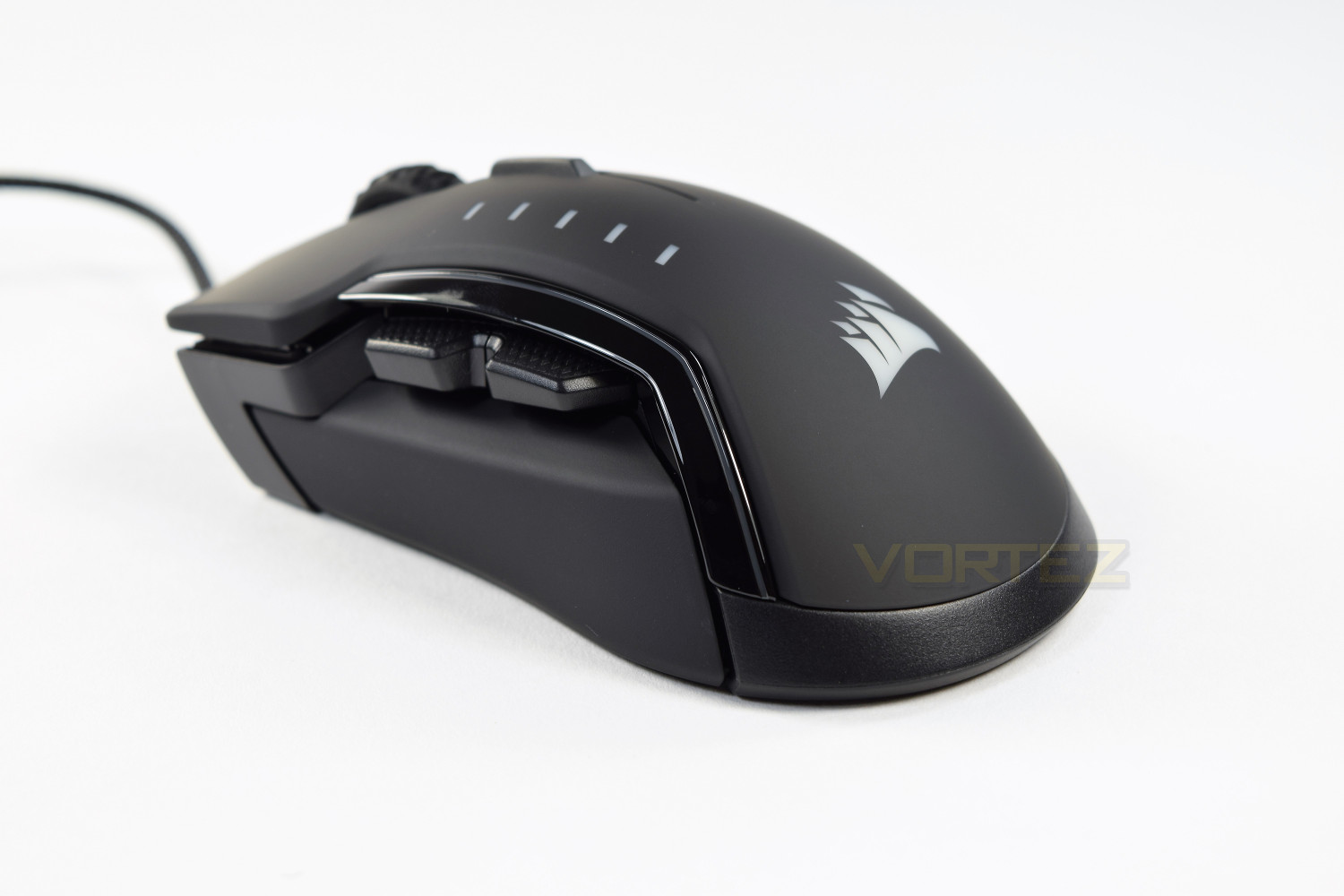
A brief first look at the mouse is promising. The shape and design is beautiful.
Closer Look
The Corsair Glaive is immediately apparent as a premium offering, with an unmistakable sturdiness, a trait that Corsair seems to carry through their product lines well. The build quality is excellent.The Corsair Glaive is designed for the right-handed FPS gamer, featuring a shape sloping off to the right-front and interchangeable magnetic thumb grips.
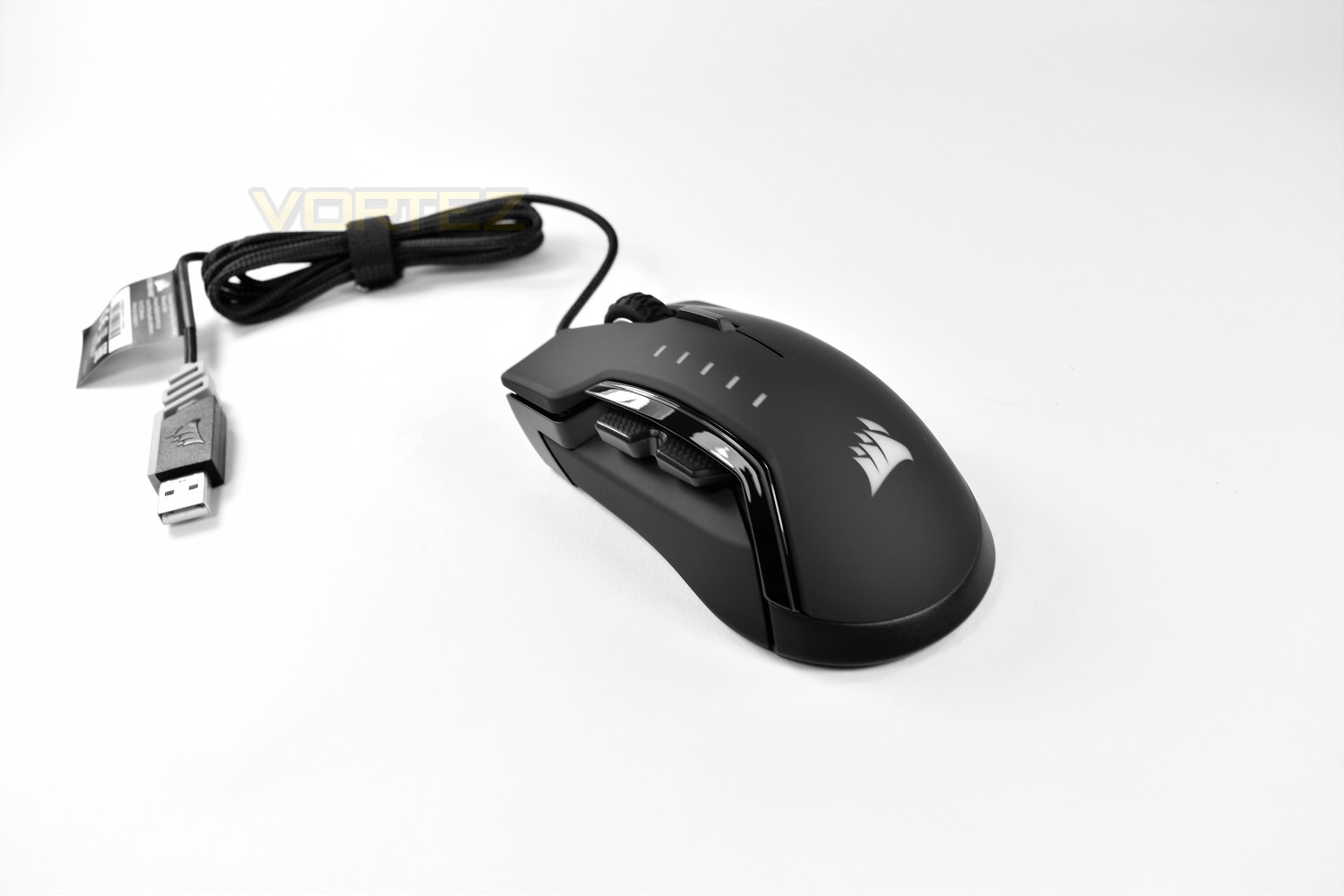
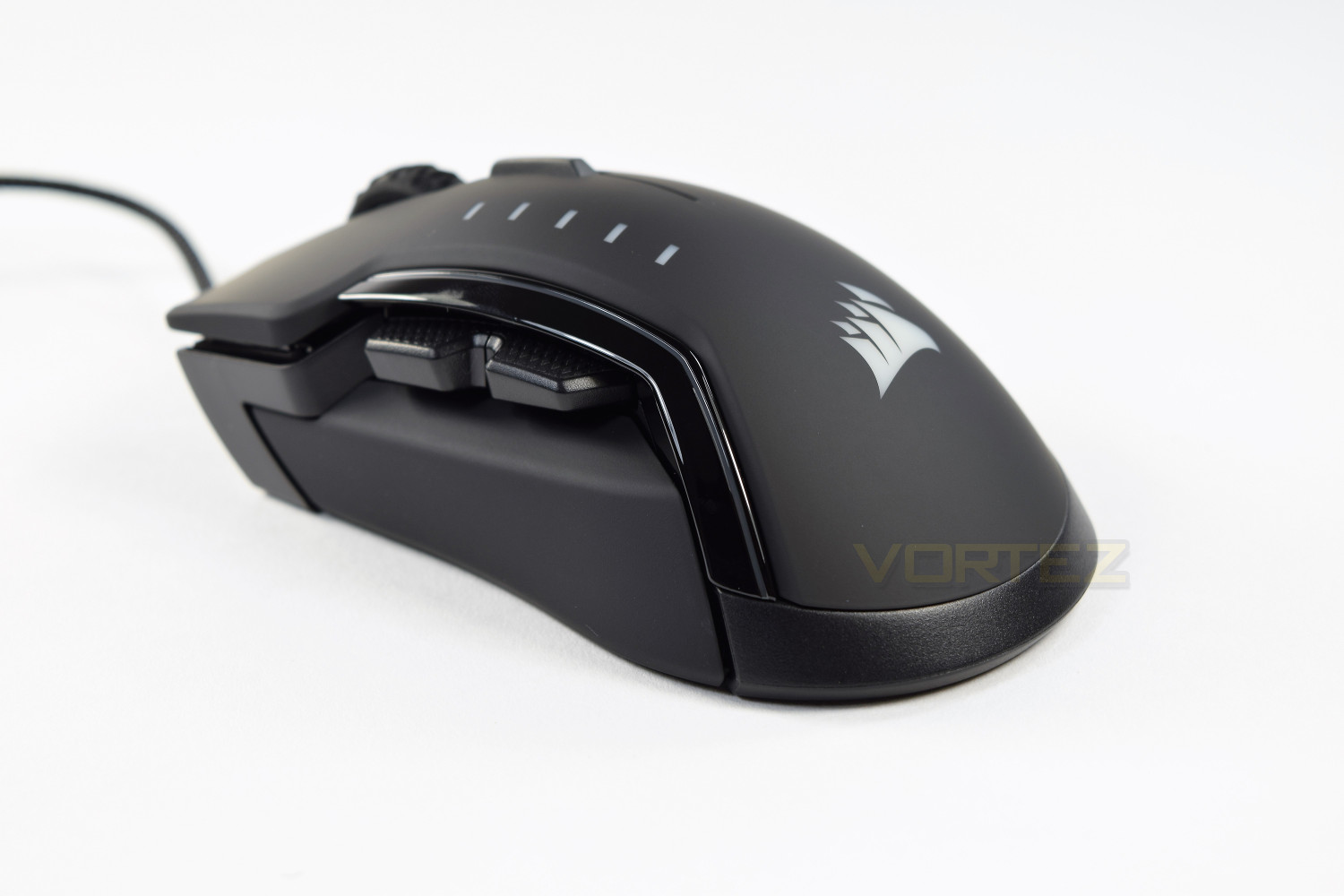
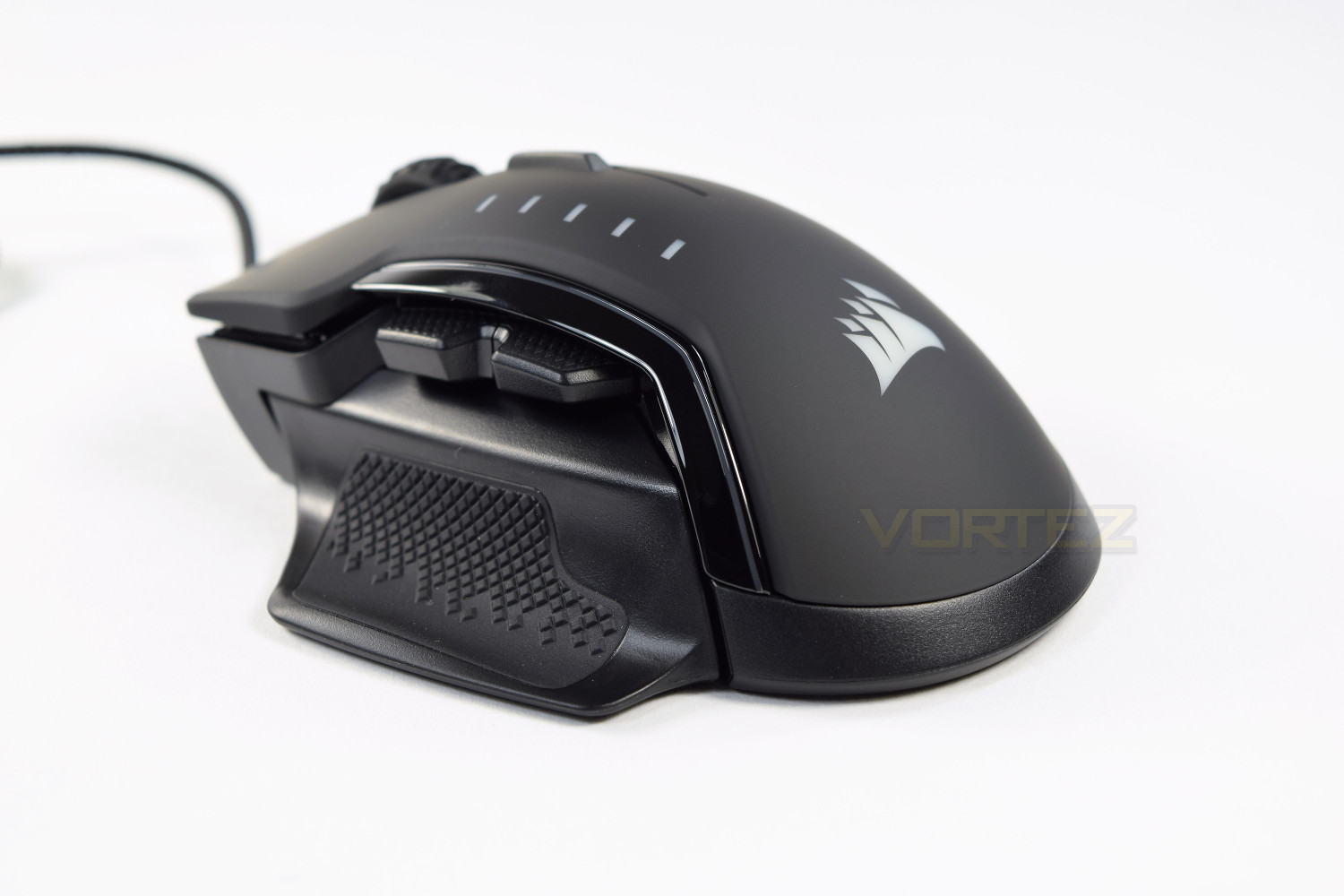
The left side of the mouse houses the interchangeable thumb grips, these are incredibly easy to swap out with a self-locating magnet system aiding the replacement. Above the thumb grip are two programmable buttons, they’re set to ‘back’ and ‘fowards’ within your chosen browser as standard.
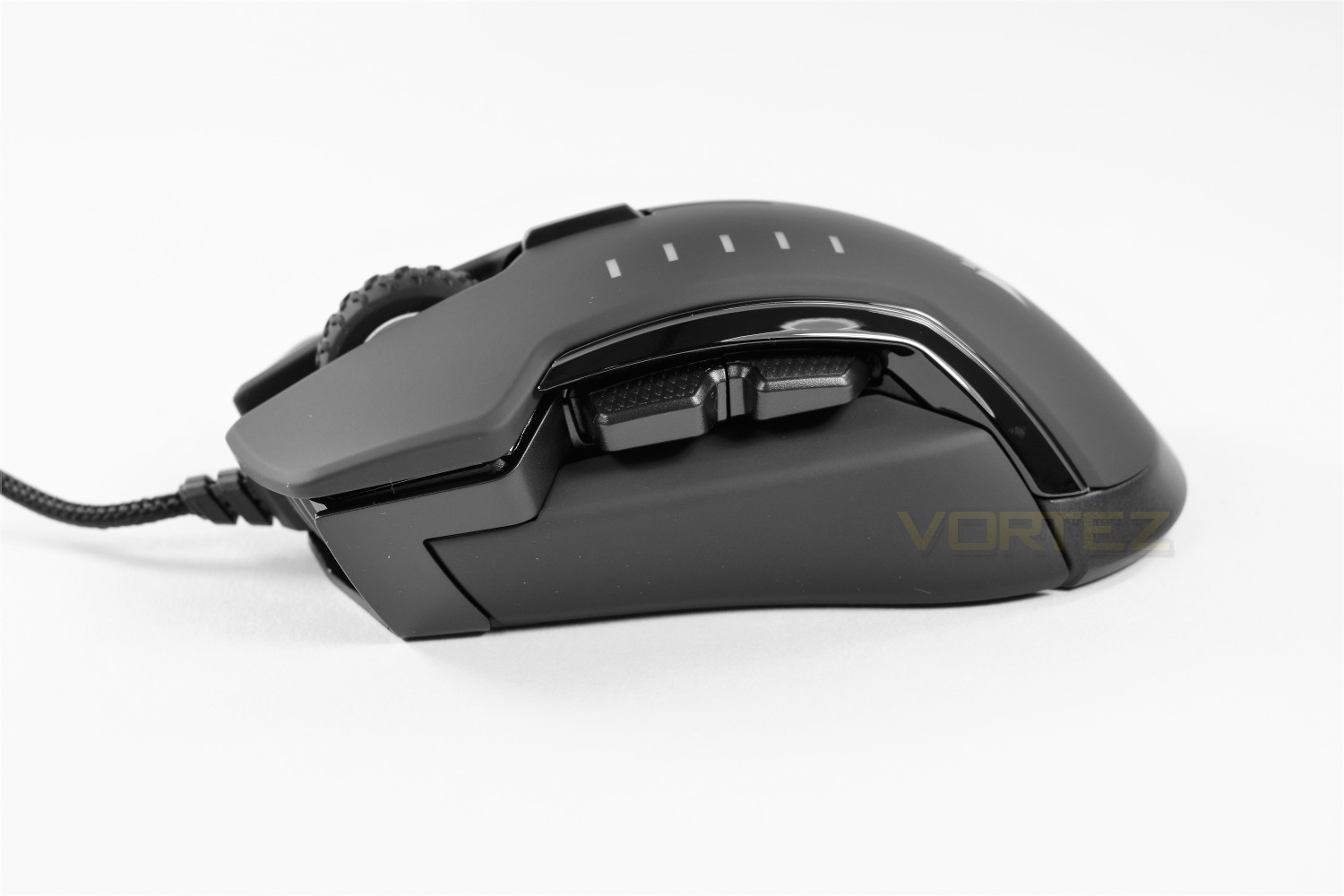
Over on the right hand side we can see a chequered design for pinky grip.
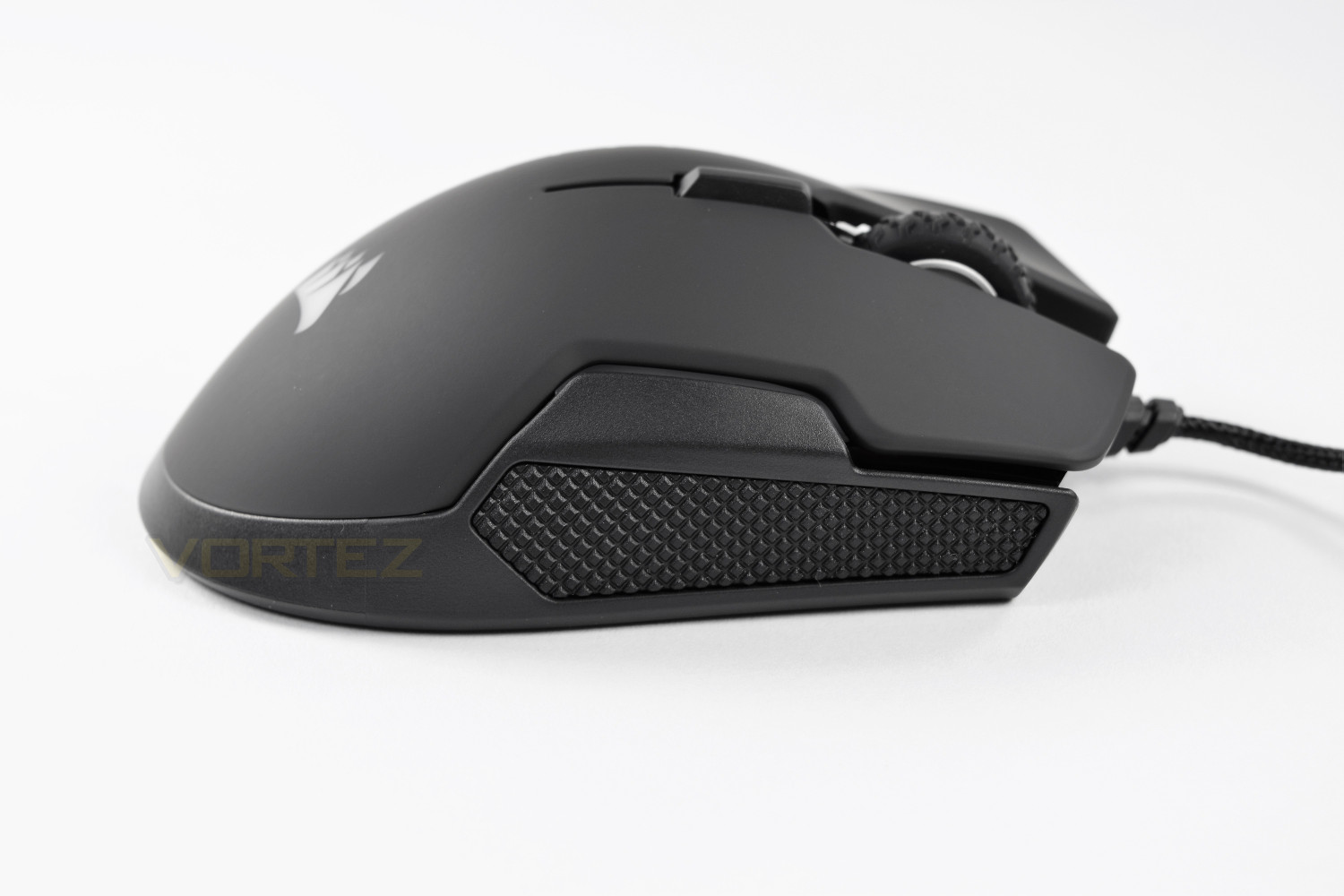
A large scroll wheel, featuring a deep rubber grooved friction strip, wrapped around an aluminium rim. Just above the scroll wheel you will find the DPI selection button, which is displayed on the mouse using blue lights on the top, to the right (As you see the image.)
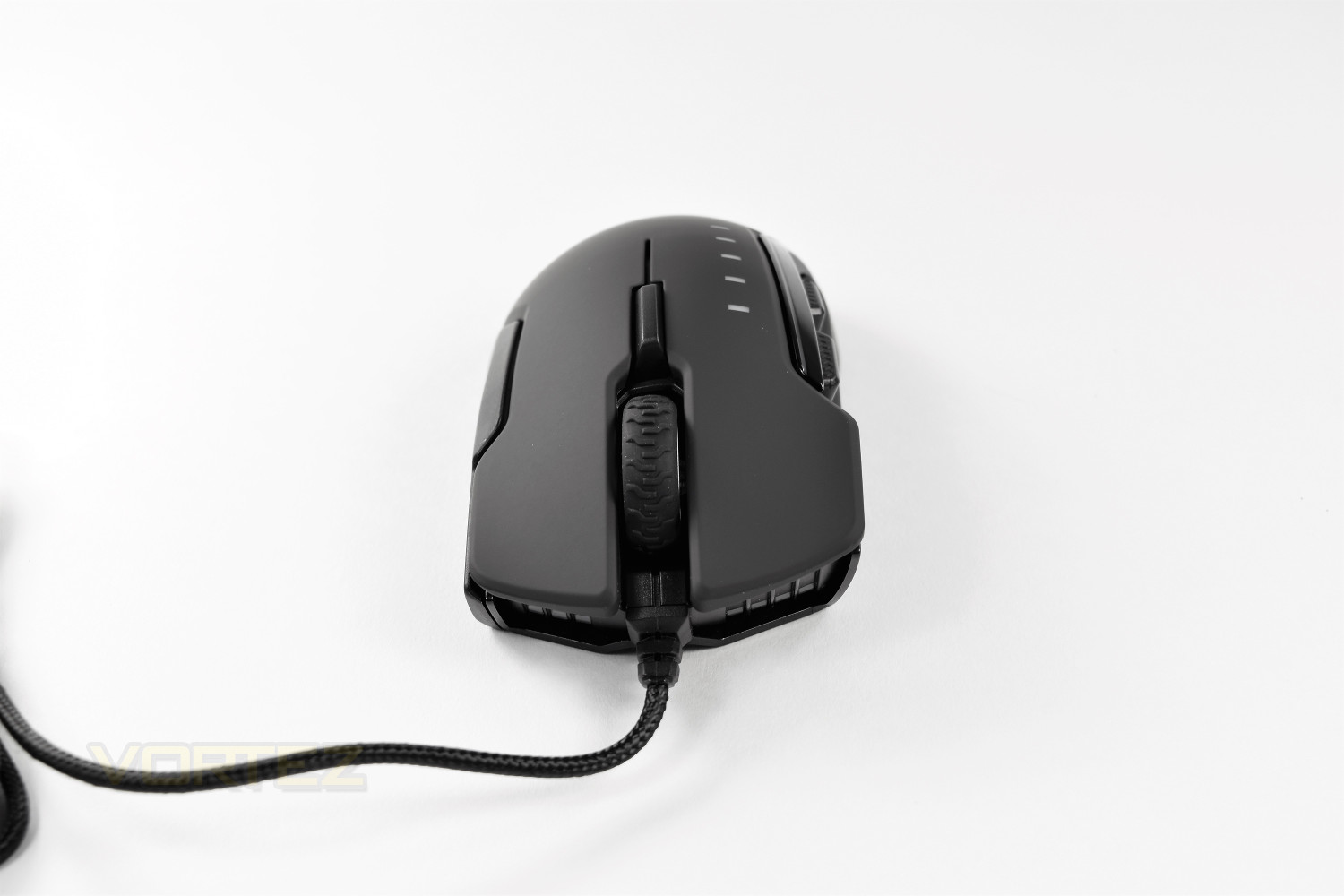
The iconic Corsair ship sail logo adorns the rear of the mouse; once connected to USB, this glows with a choice of 16.8 million colours. The entire top of the mouse’s surface is covered with a textured, soft touch finish in carbon black.

Closer Look (Continued)
The underside of the mouse shows off 2 smaller PTFE feet and two large feet, with the larger feet positioned under the palm, where most of your weight will rest. It’s worth noting that the larger of the 3 thumb grips adds a 5th PTFE glide.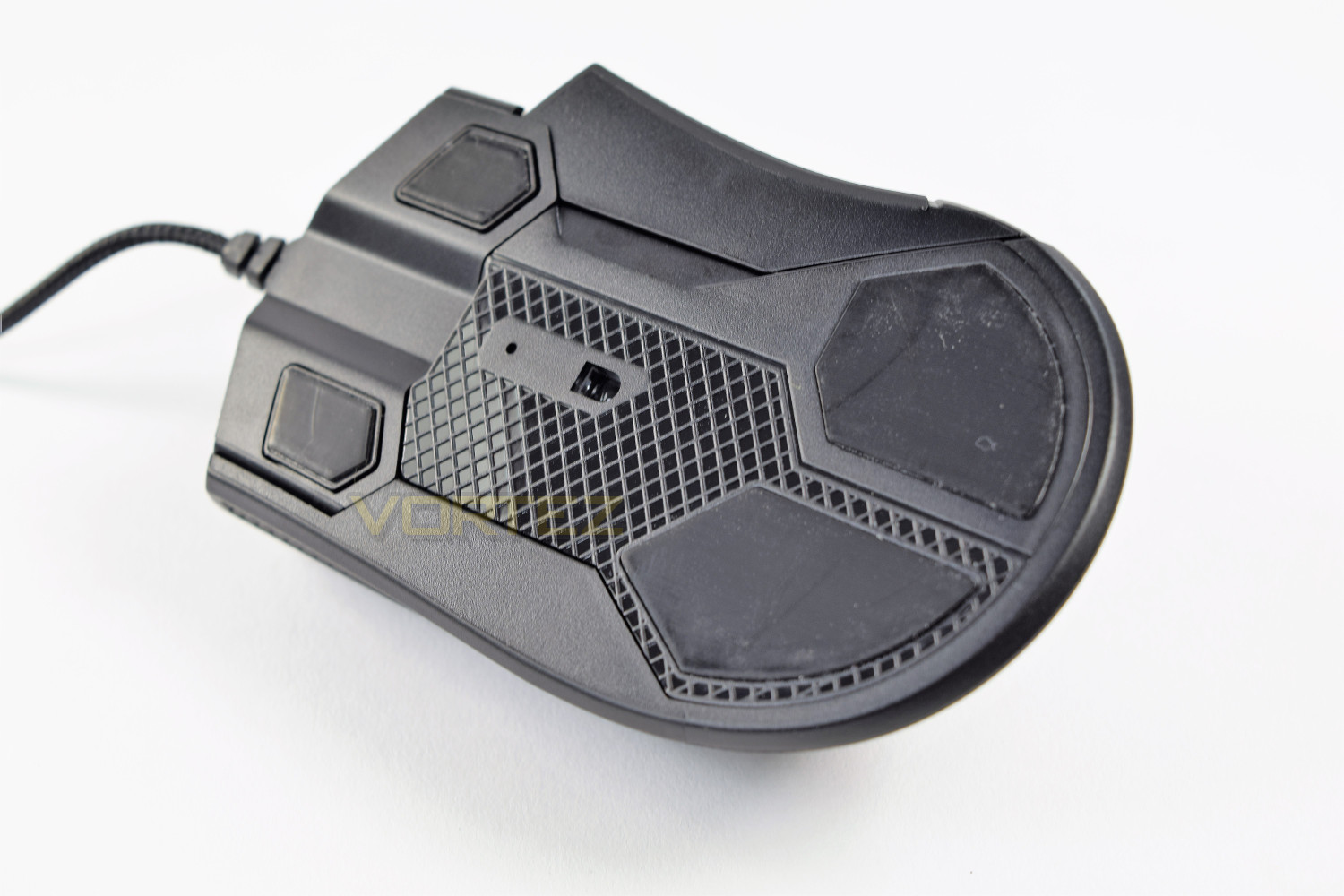
The interchangeable thumb grips change the look and feel of the mouse dramatically, allowing you to tailor the mouse to our individual grip style. Many manufacturers claim a “one size fits all” approach to their styling, but in reality, no such thing exists; Corsair has addressed this by allowing a degree of customization.
We also went to the length of weighing the 3 different grips. Their respective weights, from top to bottom, were 9g, 11g and 14g; therefore they will also slightly affect the dynamic of the mouse.

Performance Testing
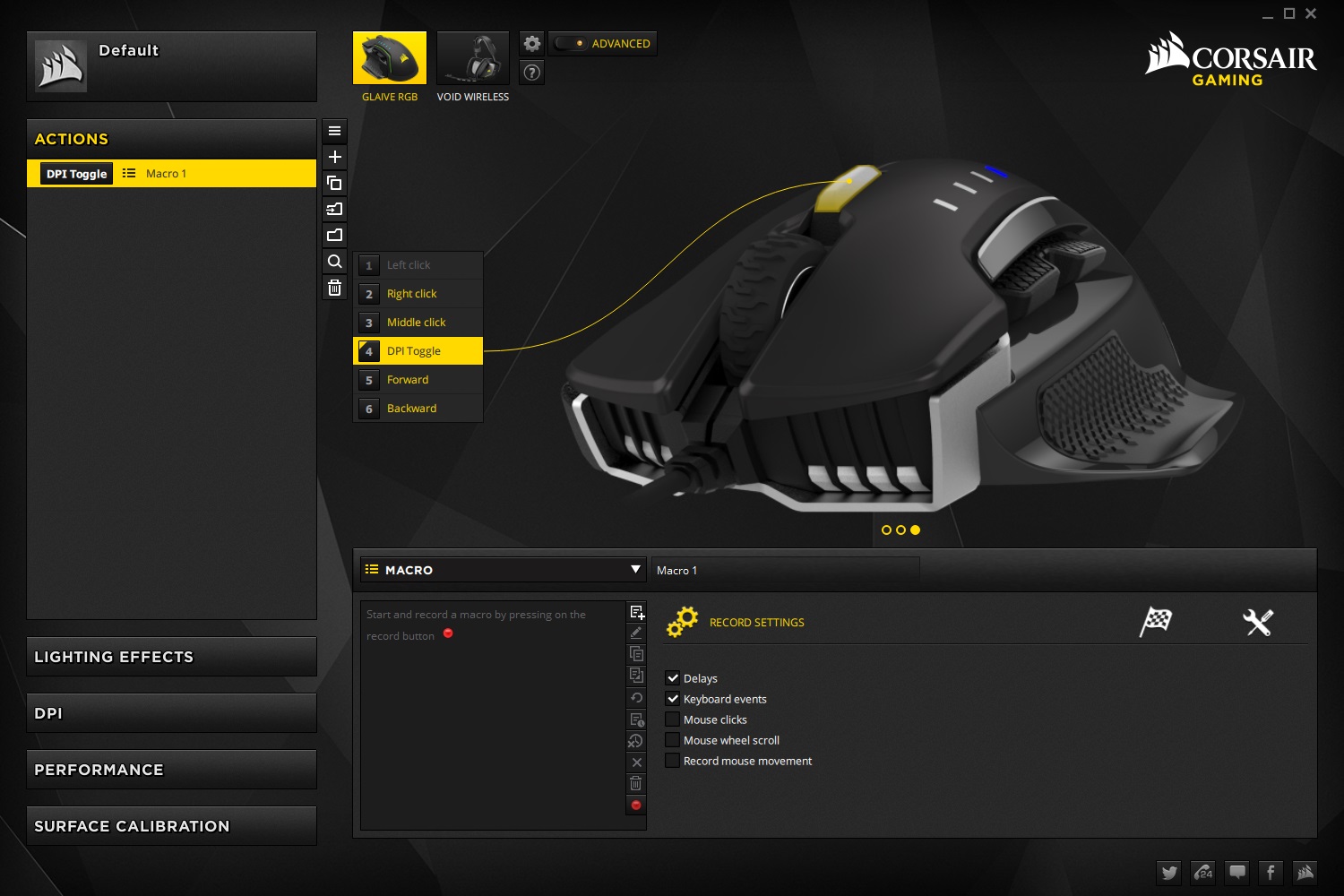
Starting with Corsair’s Utility Engine 2.0 (CUE 2.0) software, we went about setting up various settings on the mouse before continuing anywhere. Corsair have been developing their CUE software for almost 4 years now, resulting in a well polished, very refined experience. The possibilities for customisation are almost endless.The first port of call within the settings is the “Actions” tab, allowing you to assign macros to the mouse buttons, with the exception of left click. You can choose whether or not the mouse is recorded, or only allow keyboard inputs to be reported back, as well as any delays between clicks. There’s no limit to the amount of macros that can be recorded, but only one can be active, per key, at any one time.
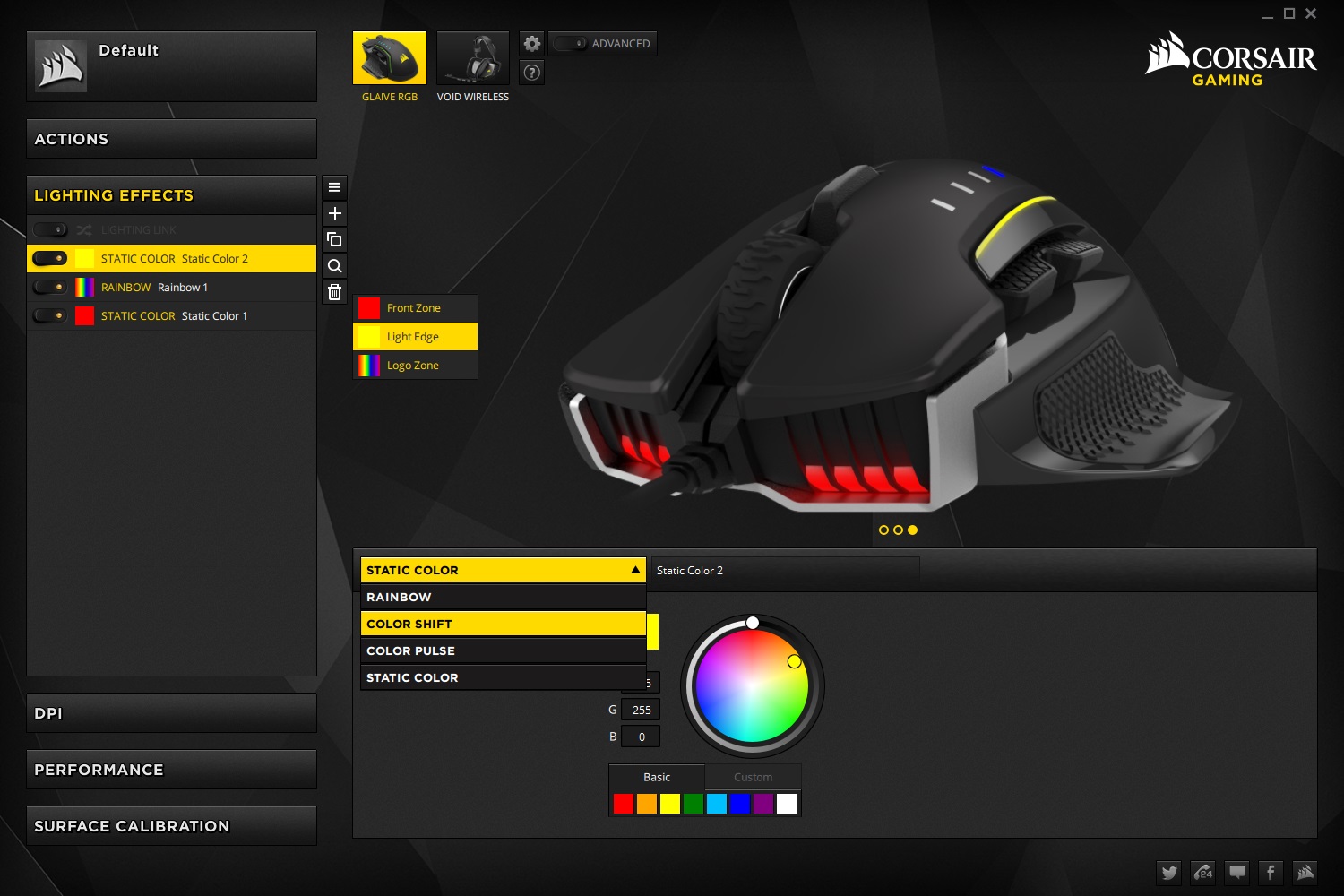
Next up is the fun part, the 16.8M colour RGB lighting. The mouse houses 3 completely separate zones for customisation, which can all be controlled together or have a different effect and colour each. If you own any other Corsair RGB equipped peripherals, they can all be tethered together using the “Lighting Link” function, to sync up their lighting effects. Setting up the lighting is a very easy affair in CUE 2.0. We especially liked the real-time lighting effects within the GUI.
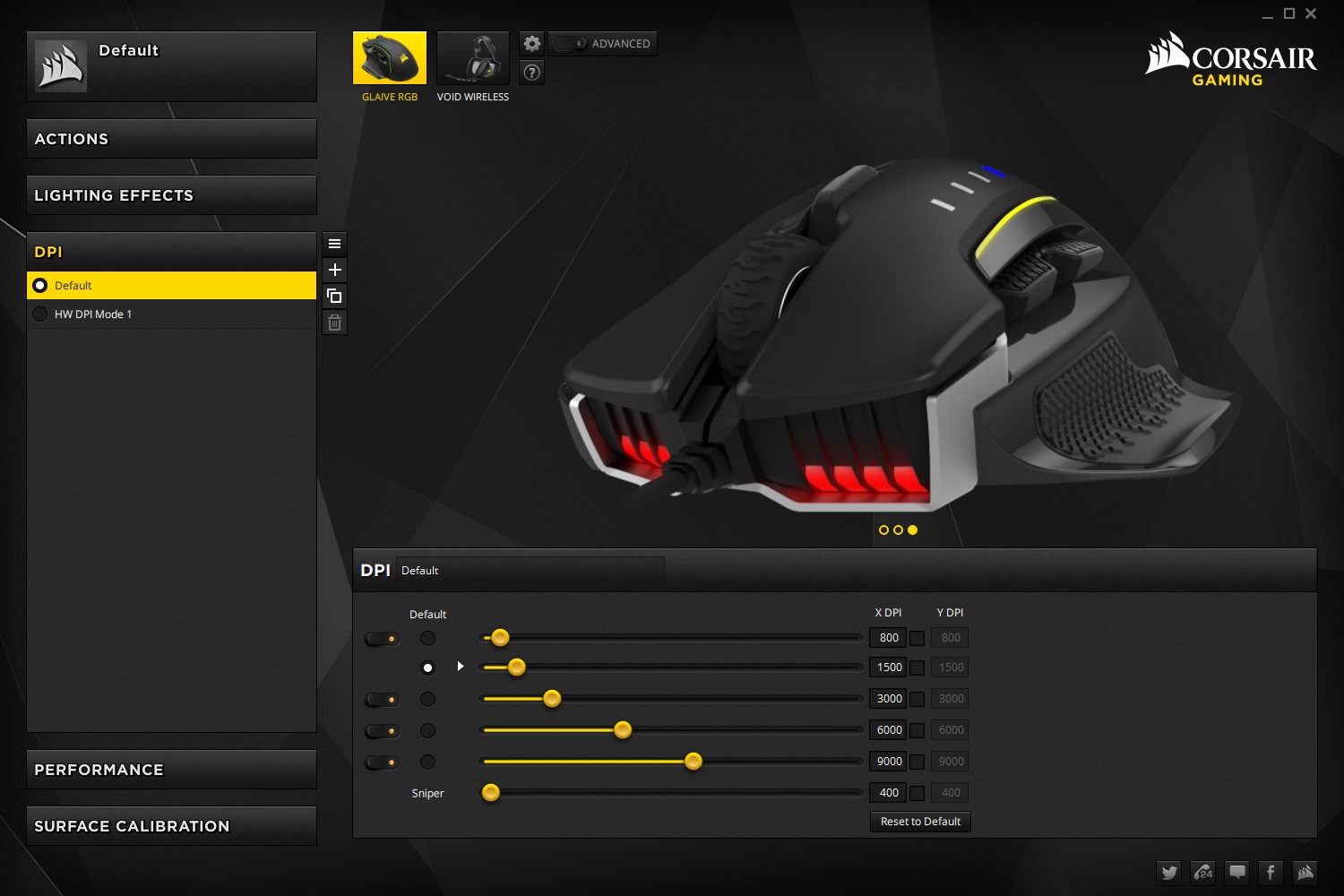
DPI settings are found on the next tab, allowing you to set up to 5 different DPI configurations, which can be toggled using the DPI selector on top of the mouse. The DPI settings can be configured in 1 DPI steps, allowing from 100 all the way to 16,000 DPI through the custom PixArt PMW3367 sensor; the X and Y axis of each setting can be tuned independently, if required. You can quickly observe, at a glance, your current setting on the top of the mouse, displayed through the 5 blue LEDs.
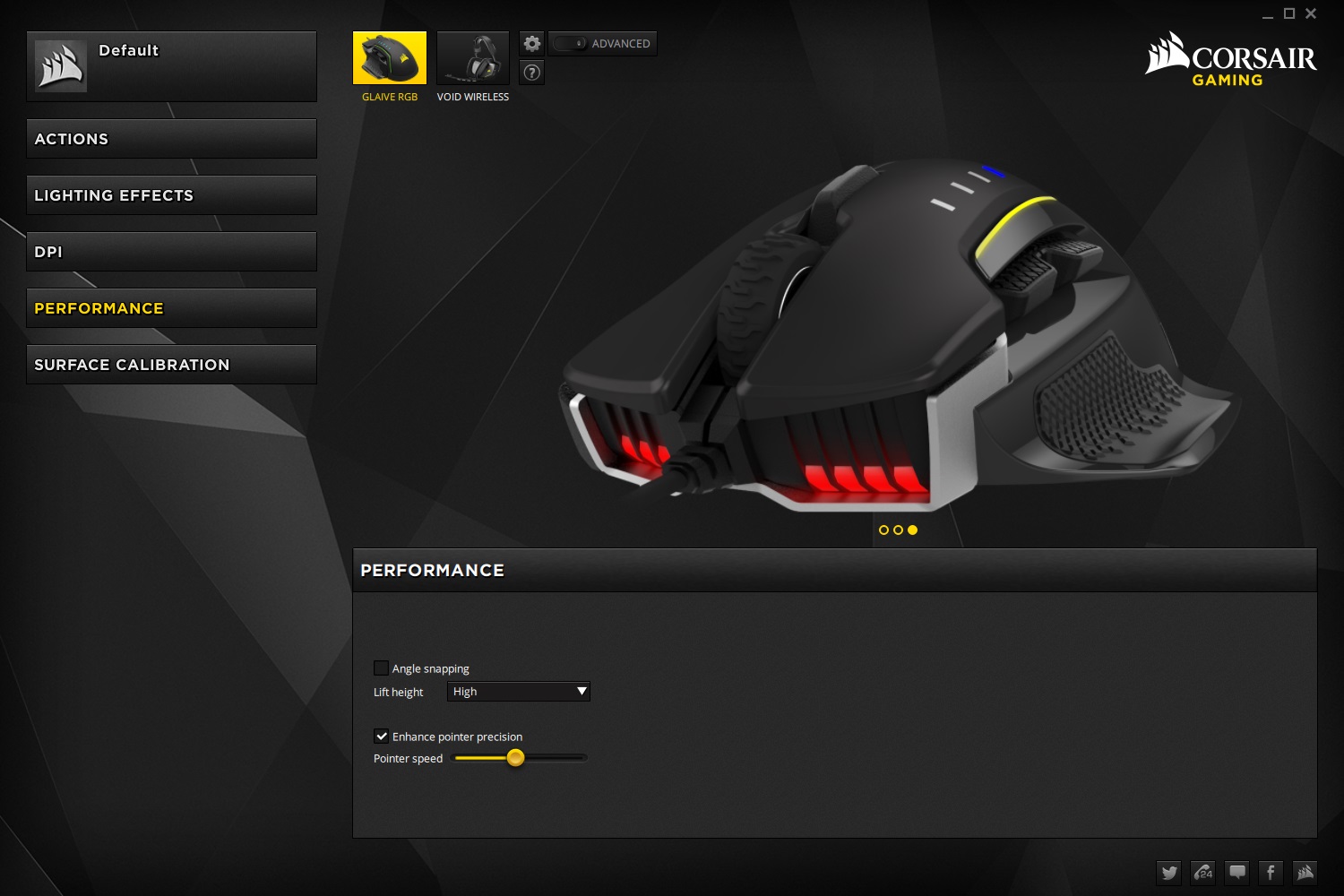
Pointer speed and angle snapping can be adjusted within the next screen, performance, allowing enhanced pointer precision, lift height and more to be adjusted.
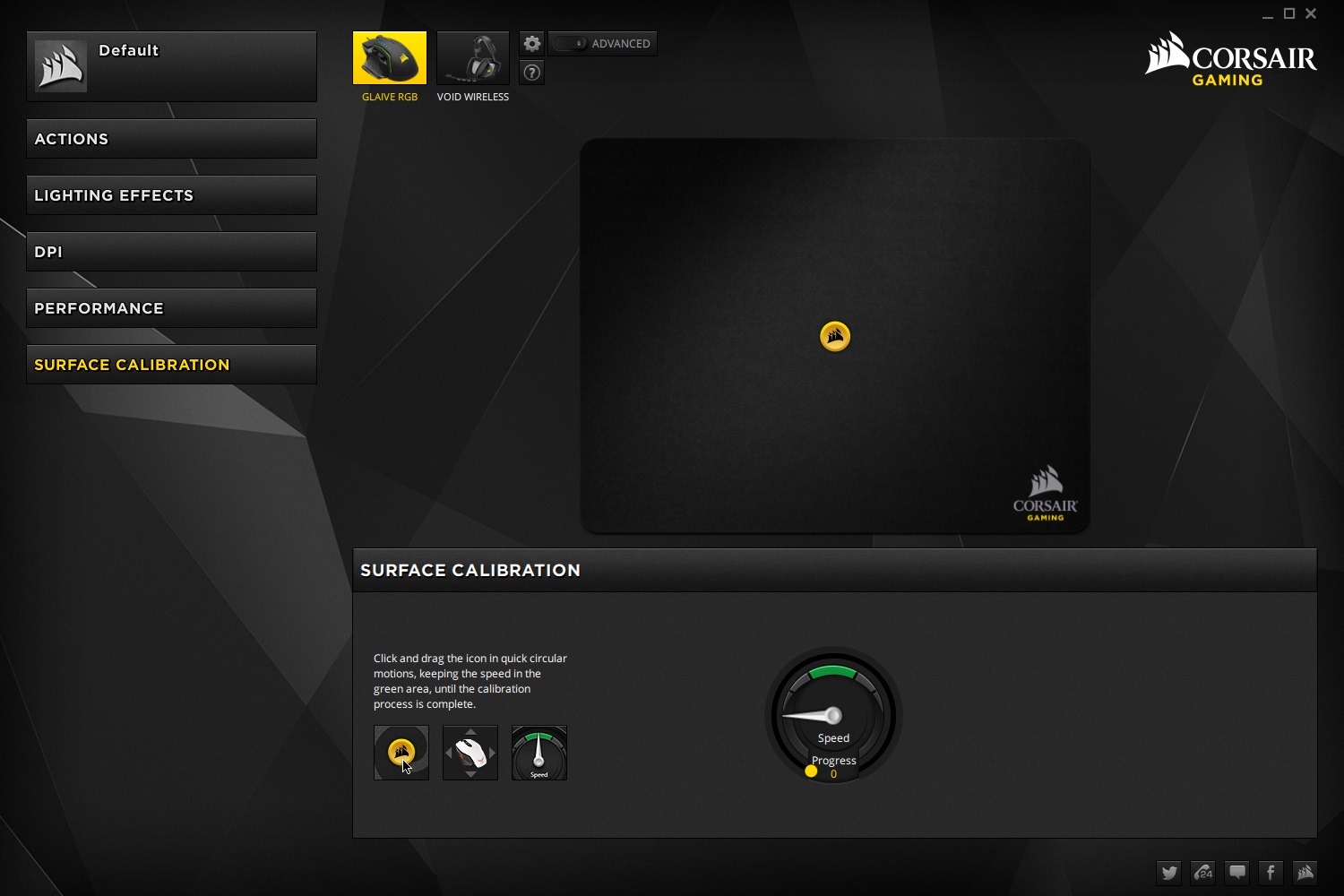
The final screen is the surface calibration, allowing you to get the most from your surface of choice. The process is simple; click and drag the Corsair logo in the centre of the on-screen mouse mat, in a quick circular fashion, with the aim of keeping the readout in the green zone until calibration is complete. This takes around 3-4 seconds.
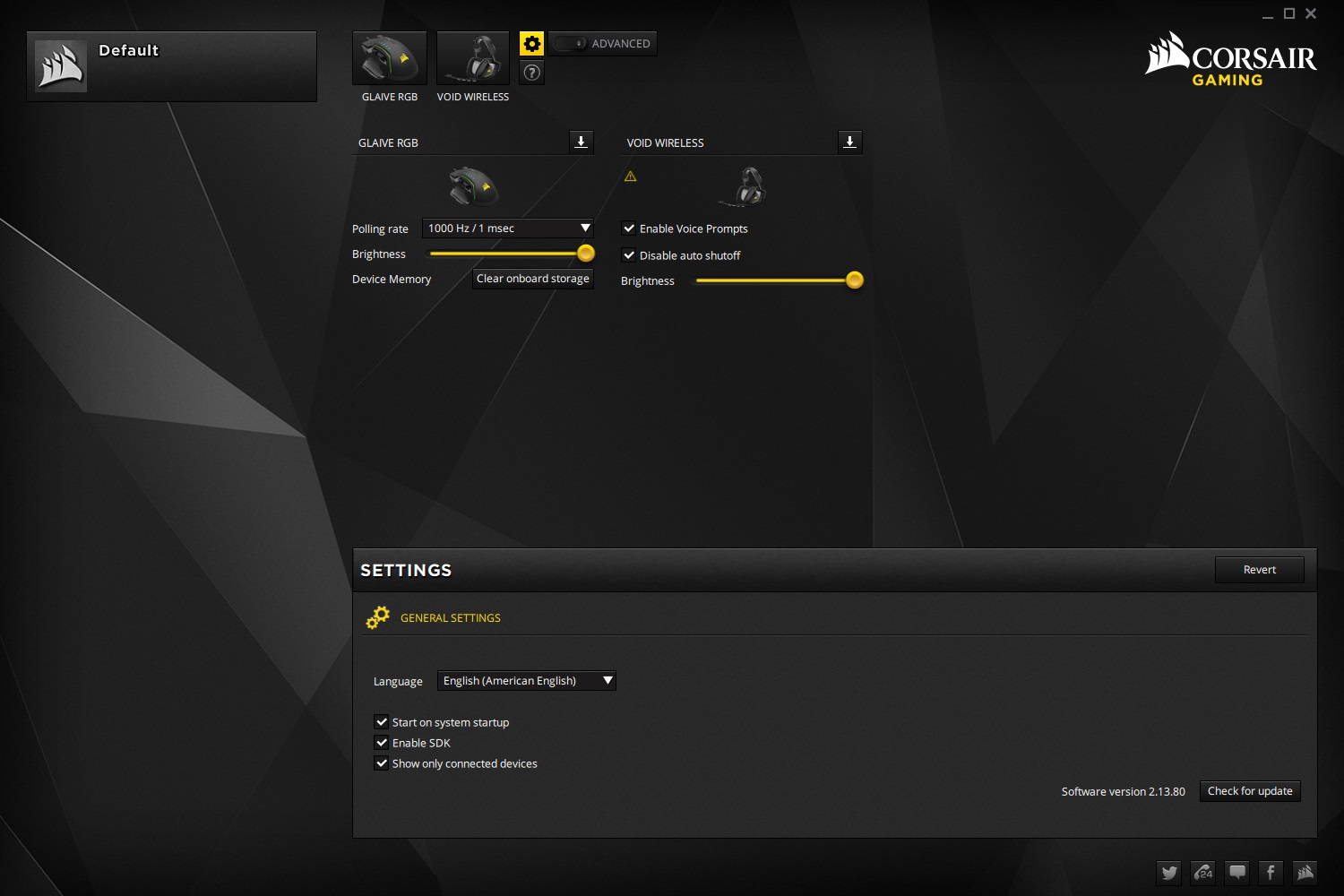
Within the Global Settings there are several options related to the mouse; you can adjust the polling rate from 125Hz (8ms), 250Hz (4ms), 500Hz (2ms) and 1000Hz (1ms) allowing lag free input from the mouse. The brightness of the RGB lighting can be adjusted, with two options, on or off. The device memory can also be cleared, should you run into any issues, or wish to reset the device. Within this screen you can also update the CUE software and the firmware of any supported Corsair devices.
Performance Testing (Continued)
The mouse weighs in at 122g, but the spec’ sheet doesn’t stipulate which thumb grip was used for this measurement, if any at all. As previously mentioned, the different thumb grips alter the weight. At 122g, we felt this was a comfortable weight to be throwing about, which along with the PTFE pads on the under-side, was effortless for long periods.The ability to change the thumb grips massively alters the feel of the mouse, genuinely allowing Corsair to develop this mouse as a “one size fits all” FPS gaming mouse. The overall shape of the mouse has evidently undergone a lot of work and development, resulting in an incredibly comfortable mouse. The buttons above the thumb grip are well placed but are very easily clicked accidentally, especially after typing, when reaching back for the mouse. We would ideally have liked a little extra resistance within the buttons, which would provide some tactile feedback. Speaking of tactile feedback, the OMRON switches used for mouse 1 & 2 are brilliant, responding quickly with a beefy feel to them.
Gaming performance was tested using Battlefield 4 and Crysis 3 for the FPS aspect, along with War Thunder as an alternative gaming style. All 3 games felt fantastic with the Glaive; 3000 DPI was the selected sensor sensitivity, and the larger thumb grip was chosen for a palm grip. Gaming attains a huge tick.
The scroll wheel has a hugely rugged rubber edging strip, which after prolonged use was leaving my middle finger feeling a little numb, not ideal if browsing web pages etc. The actuation is good, with a positive feel, however.
Buried in the bottom of the mouse is the custom designed PMW3367 sensor by PixArt, exclusively developed for Corsair; this isn’t the first time Corsair have used PixArt for their sensors, but we believe this 16,000 DPI sensor could be better refined at the higher DPI settings (10,000+). The mouse was tested on a Corsair MM200 surface, which even after surface calibration, felt jerky and unpredictable. If sticking to 8,000 or less, which we assume you will be, the sensor is excellent with no noticeable issues at all. The sensor performed equally well on a finished wooden surface as well as other mouse mats.
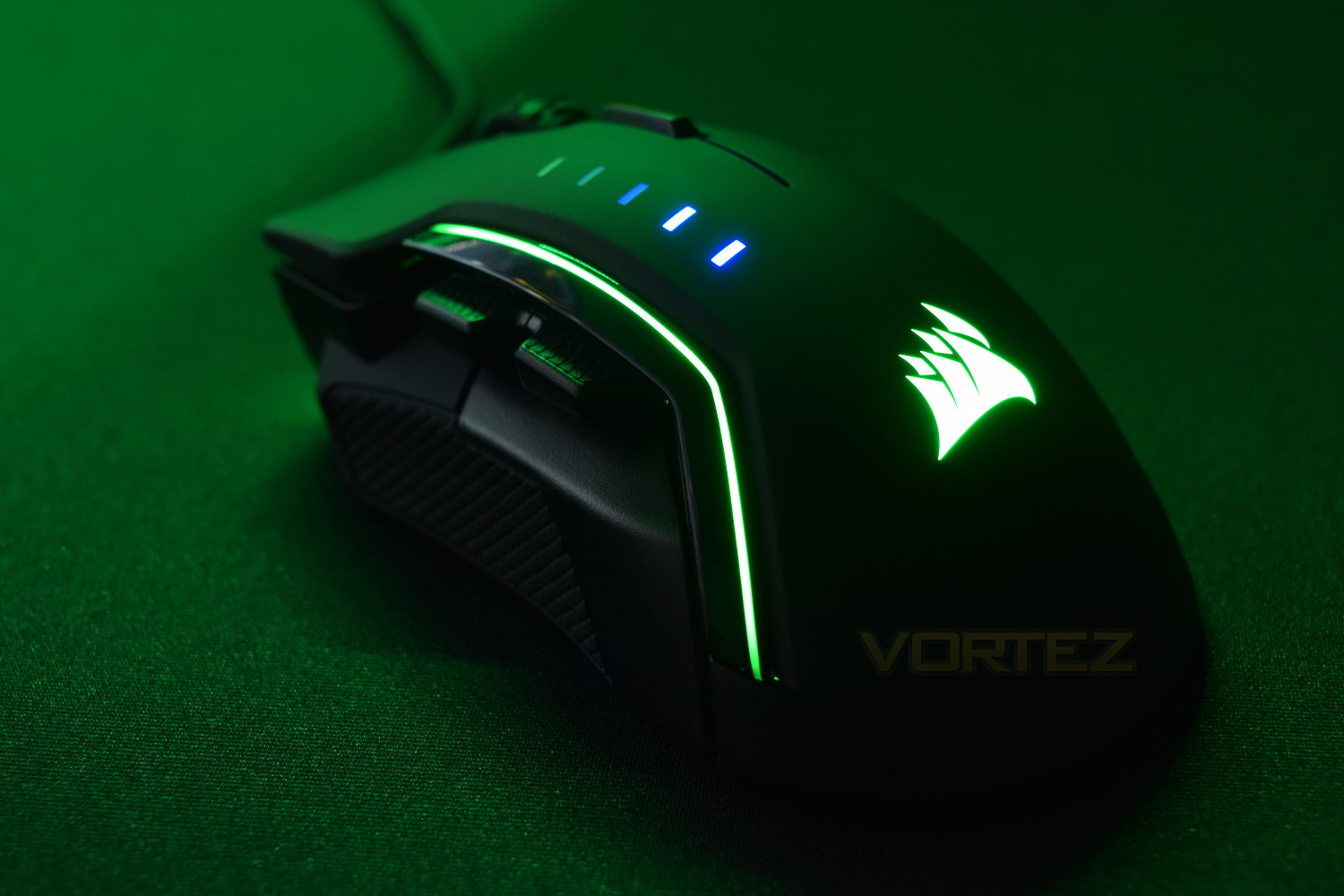
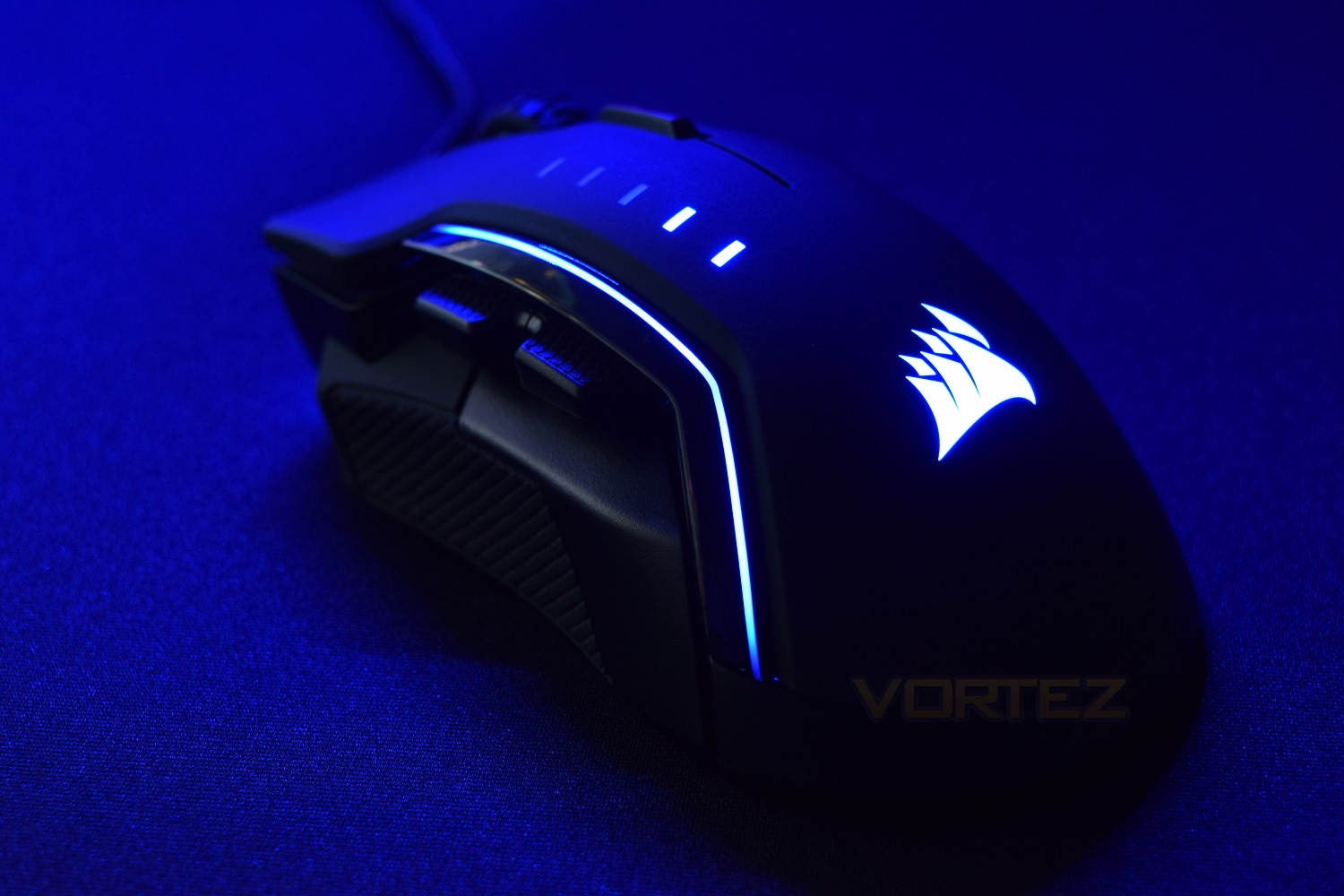
The RGB lighting is, without wanting to sound too harsh, poor. The software is fantastic, allowing all kinds of customisation, but when the reproduction on the mouse isn’t there, it’s rendered almost pointless. White had a blue hue, the pale yellow wasn’t pale yellow and purple was more of a pink colour. Red, blue and green, however, were reproduced reasonably well. The brightness would benefit from a little more “oomph” to help it stand out on your desk. Using this mouse alongside a Corsair VOID RGB wireless headset, with the lighting link set up, highlighted the difference in LEDs used, the headset produced a different colour along most of the spectrum.
Conclusion
Corsair has worked hard to deliver a comfortable mouse, capable of claiming the “one size fits all” title. The ability to swap the thumb grips is excellent, along with the ease of doing so; of course, you will more than likely choose one you prefer and the other two will get lost in a drawer, but it’s a bonus to have the choice. The OMRON switches included under the mouse buttons are brilliant, providing a very tactile click, which along with their predicted lifespan of 50,000,000 clicks, should certainly see you through many a gaming session.The sensor performance may not be perfect at 10,000+ DPI, but the percentage of people who actually utilise that kind of sensitivity is very small, with most sticking to a much lower DPI. We feel it’s important to notify the reader of a small downfall, but also that it realistically doesn’t affect the mouse in any huge way, unless you personally require the higher end of the DPI scale. The ability to change the DPI settings in such granularity is something we’ve not seen before, which adds a nice touch of customisation.
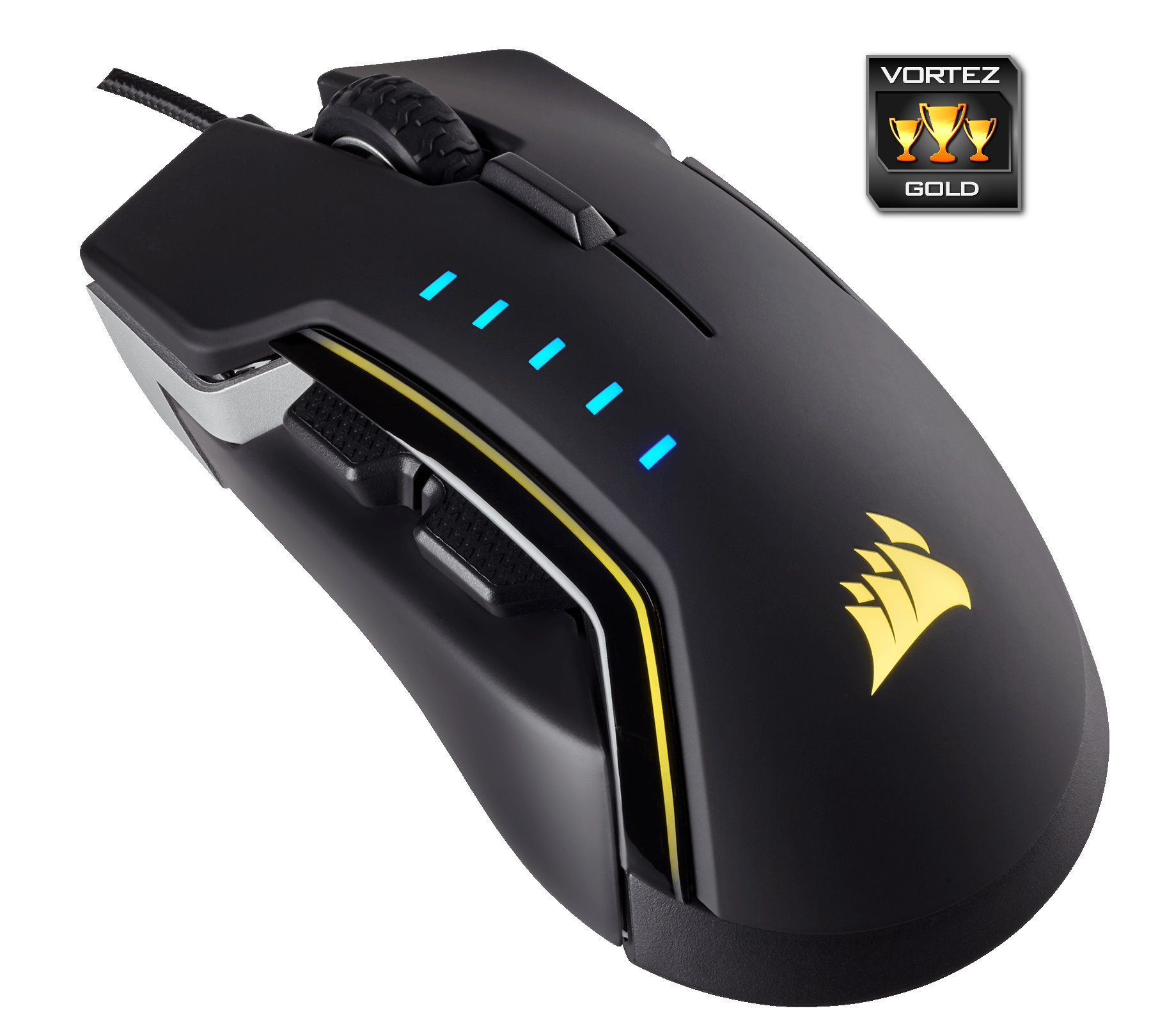
Corsair are seen as one of the RGB lighting kings, producing a plethora of items with the “RGB” tag, however, the lighting on the Glaive is lacking any real ‘oomph,’ with colour reproduction being under par also. This could be an understandable move from Corsair if the mouse was wireless, but with that not being the case, marks have to be deducted; Corsair should do better here.
Corsair’s Utility Engine (CUE) is a great piece of software, which we’ve seen develop over the years. It doesn’t seem to lack anything important, with all included features working without fault, and in real time, without the need to “apply settings” repeatedly.
Despite some downfalls, this is a mouse worthy of the gold award. Priced at £69.99/$69.99, the Corsair Glaive RGB offers all the performance you should expect.
Pros
+ Comfortable shape
+ Interchangeable thumb grips
+ Good sensor performance (below 8,000 DPI)
+ Build quality
+ Appealing design
+ Excellent software
+ OMRON switches feel great
Cons
– Poor RGB lighting
– Jerky sensor performance (above 10,000 DPI)
+ Comfortable shape
+ Interchangeable thumb grips
+ Good sensor performance (below 8,000 DPI)
+ Build quality
+ Appealing design
+ Excellent software
+ OMRON switches feel great
Cons
– Poor RGB lighting
– Jerky sensor performance (above 10,000 DPI)
Click here for an explanation of our awards at Vortez.net.