Looking to up your RGB game or extend your monitor onto the wall? CORSAIR’s iCUE LS100 Smart Lighting Kit brings things to life, check out our verdict.

Product on Review: CORSAIR iCUE LS100 Smart Lighting Kit
Manufacturer: CORSAIR
Street Price: GBP £79.99 / $119.99
CORSAIR, keen to illuminate your battlestation like something you’d find in a theme park, are back with yet another RGB-laden product. Today we’re looking at the CORSAIR iCUE LS100 Smart Lighting Kit which includes everything you need to get you up and running.
The LS100 Lighting Kit is designed to be mounted on the back of your monitor, around the edge of your desk, or frankly wherever you fancy, to provide radiating diffused ambient lighting that can be synchronised with your system, games or media.
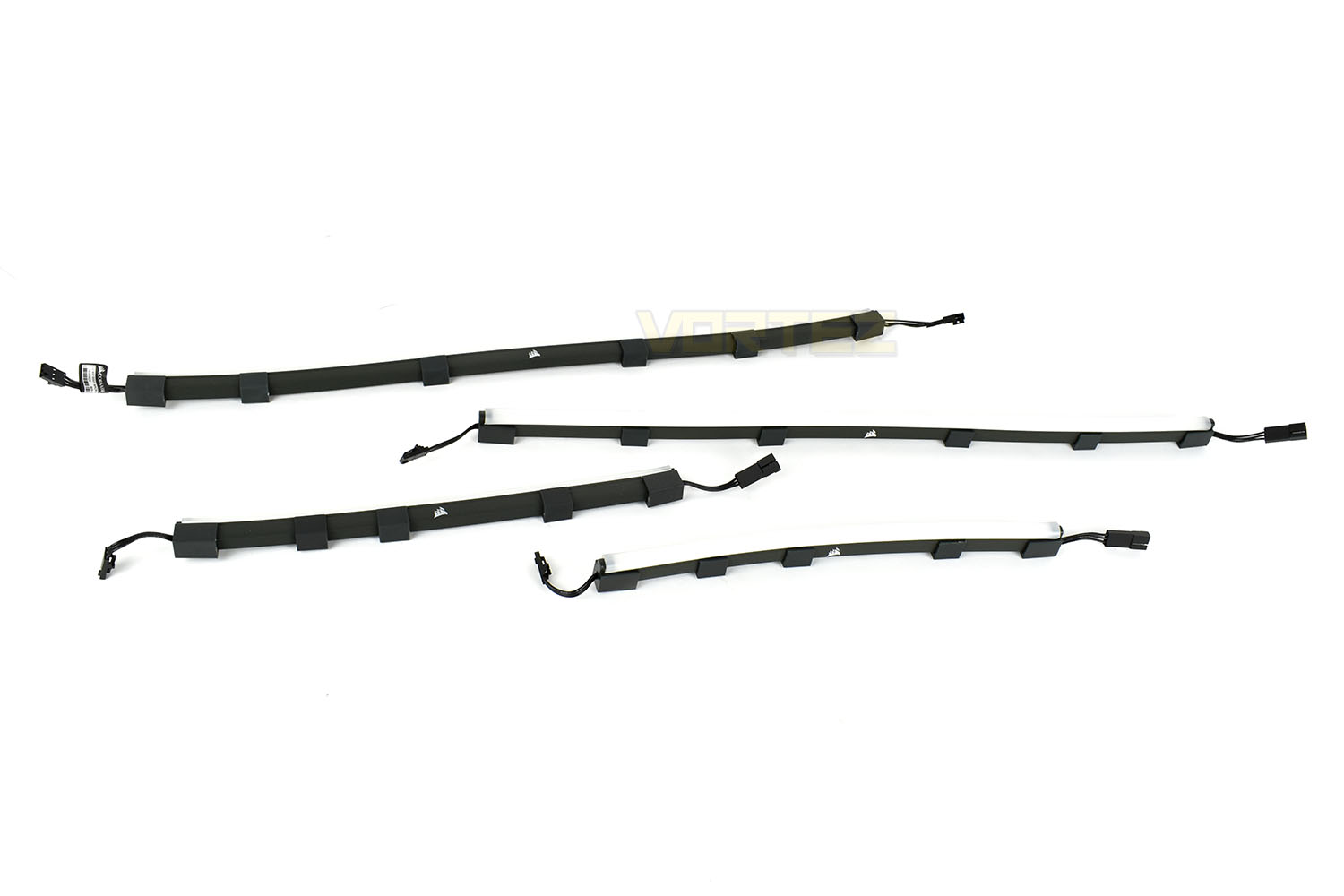
Included within the LS100 kit is a pair of 450mm strips, housing 27 LEDs in each, and a pair of 250mm strips with 15 LEDs per strip. There’s also four 300mm RGB extension strips to give more versatility to your placement options. A two-channel controller is also included so you can drive the lighting via CORSAIR’s iCUE software with a USB connection.
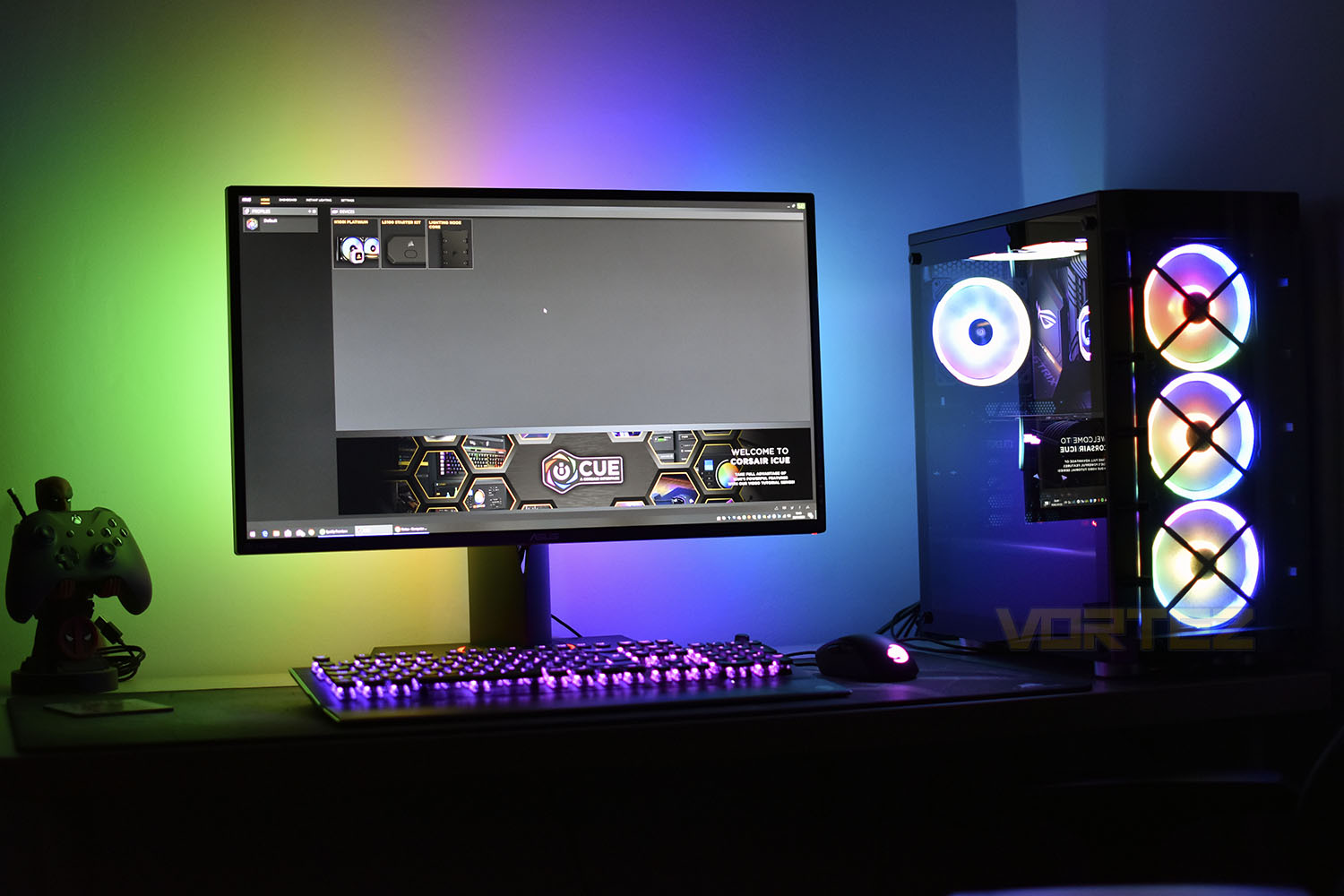
The included RGB strips are, from our experience with another similar kit, about right for a 27” monitor, but if you need more, CORSAIR are happy to oblige. £34.99/$39.99 will get you another two 450mm strips, or for £24.99/$29.99 you can grab another couple of 250mm.
We’ve seen similar kits from Razer and NZXT at roughly the same price with give or take the same length strips and total LED count, so is the CORSAIR LS100 more of the same or does it do enough to set itself apart? Let’s find out.
CORSAIR on the LS100 Smart Lighting Kit:
Extend your RGB lighting beyond your PC with the CORSAIR iCUE LS100 Smart Lighting Strip Starter Kit, radiating diffused ambient lighting that synchronizes with your system, games and media.
Technical Specifications
SPECIFICATIONS
Starter Kit Dimensions (L x W x H) – 403 x 133 x 56mm
Controller Dimensions (L x W x H) – 65 x 38 15mm
AC Adapter – 5V
RGB LED Channel – 2
Max RGB LED Strips per Channel – 138 LED’s per Channel, 192 LED’s Total for 2 Channels Total.
Micro USB Cable – 150cm
Long Lighting Strips (450mm) – x2 (27 LED’s Each)
Short Lighting Strips (250mm) – x2 (15 LED’s Each)
RGB Extension Cable (300mm) – x4
Accessories – 16 Metal Plates, 8 Cable Management Clips
Safety & Agency – FCC, IC DOC, CE, RCM, REACH, CP65, ROHS, WEEE, China RoHS
Manufacturers Warranty – 2 Years
BOX CONTENTS
Corsair LS100 Smart Lighting Controller
AC Power Supply
Micro USB to USB A Cable
2x Short RGB LED Strips (250mm)
2x Long RGB LED Strips (450mm)
RGB Extesnion Cable
Metal Plate with Adhesive Tape
Cable Management Clips
Instruction Manual
Starter Kit Dimensions (L x W x H) – 403 x 133 x 56mm
Controller Dimensions (L x W x H) – 65 x 38 15mm
AC Adapter – 5V
RGB LED Channel – 2
Max RGB LED Strips per Channel – 138 LED’s per Channel, 192 LED’s Total for 2 Channels Total.
Micro USB Cable – 150cm
Long Lighting Strips (450mm) – x2 (27 LED’s Each)
Short Lighting Strips (250mm) – x2 (15 LED’s Each)
RGB Extension Cable (300mm) – x4
Accessories – 16 Metal Plates, 8 Cable Management Clips
Safety & Agency – FCC, IC DOC, CE, RCM, REACH, CP65, ROHS, WEEE, China RoHS
Manufacturers Warranty – 2 Years
BOX CONTENTS
Corsair LS100 Smart Lighting Controller
AC Power Supply
Micro USB to USB A Cable
2x Short RGB LED Strips (250mm)
2x Long RGB LED Strips (450mm)
RGB Extesnion Cable
Metal Plate with Adhesive Tape
Cable Management Clips
Instruction Manual
Packaging & Bundle
The CORSAIR LS100 Smart Lighting Starter Kit is delivered in a long, thin box, due to the nature of the light strips inside. There’s a fancy multi-coloured snake-like image on the front and a brief description. The picture kind of reminds us of those Mega Rainbow Dusts you got from the tuck shop.
On the reverse is some information about what’s in the box, how it works and a small picture of the lighting kit set up on a CORSAIR machine.

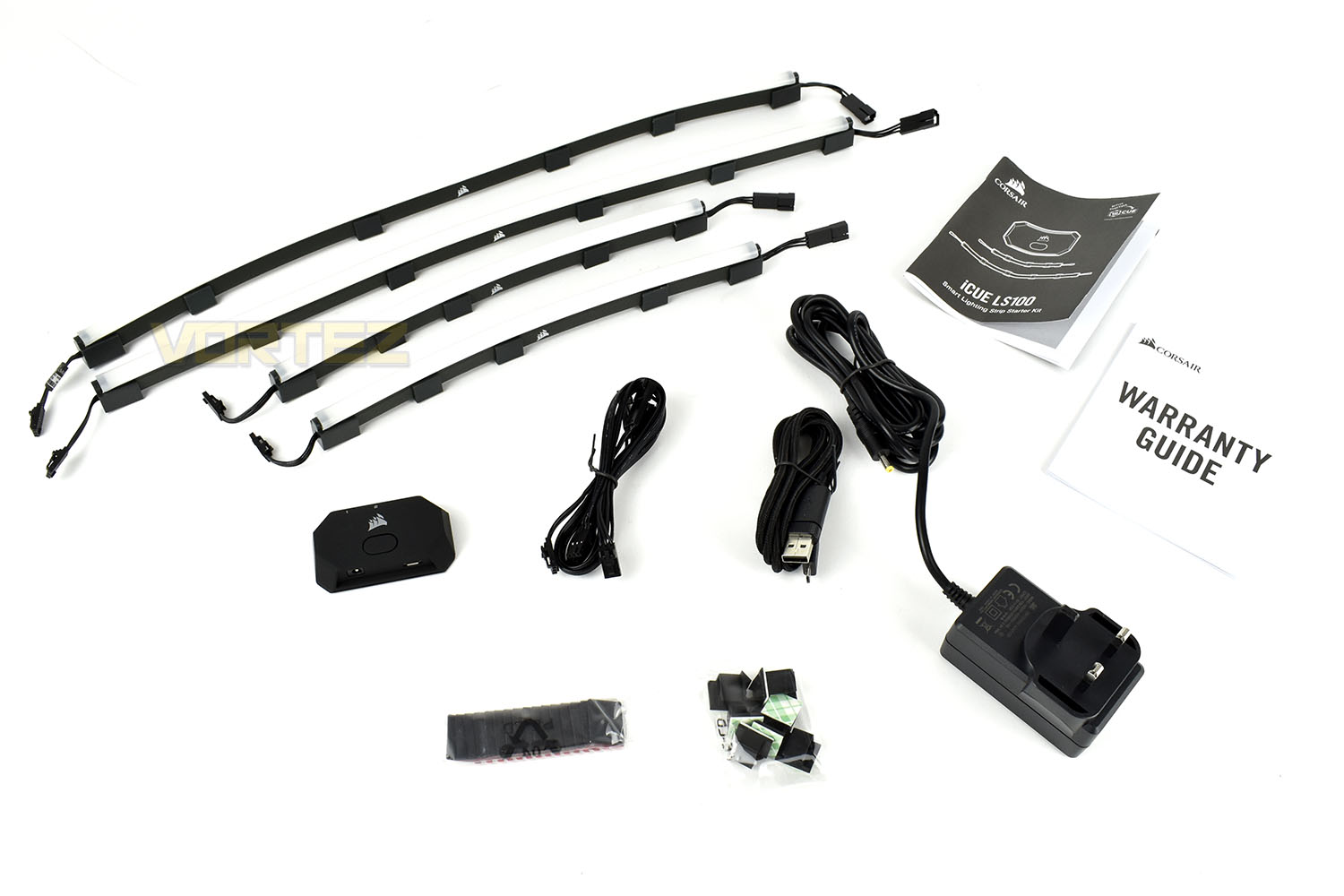
Laying out the contents of the box, you obviously get your 4 light strips and the controller but there’s also 16 sticky-back magnetic mounting plates, 8 sticky-back cable clips, a braided Micro-USB cable, a power cable, 4 RGB extension cables and your instructions/warranty info.
Closer Look
Firstly, having a closer look at the RGB light strips, there are two different lengths. The longer strips are 450mm in length and the shorter are 250mm.Each strip is flexible, to a degree, and features a white tube along the top that diffuses the light to present a more uniform, enjoyable light output without the typical ‘hot spots’ you get from cheaper RGB LED strips. Along the bottom of the strips are rubber holders, which can be moved up and down the length, and are magnetised along the bottom.
The small rubber-coated lighting controller is capable of powering up to 196 LEDs across two channels, with a maximum of 138 on one channel. There’s a total of 84 LEDs included amongst the 4 lighting strips in the box, so the controller is more than capable of handling some additional strips, if you need them.
The button on the top, as far as we can make out, is to turn off the ‘Hardware Lighting’ which kicks into action when the controller no longer detects a link to the CORSAIR iCUE software, such as when the PC is turned off. Handy if you’re placing this in a bedroom, for example, and don’t want 84 LED’s illuminating the wall all night.

A Micro-USB connection is adopted for connecting to the host PC but to supplement the power needs of up to 196 LEDs, an AC adaptor is also required.

To mount the strips onto the back of your monitor or desk, CORSAIR have provided 18 sticky-backed magnetic pads. Peel off the backing and stick it wherever you fancy.

Installation
Installation is a relatively simple affair. The lighting strips, despite their appearance, are somewhat malleable and can be curved around the back of an awkward monitor. We were lucky, however, in that our test monitor, the ASUS ROG PG279Q, is the same model that CORSAIR uses in their installation video.Regardless of that, the strips are almost certainly designed for a 27” monitor but you could make them work on the back of a 24”. We’d not go any smaller than that though.
The controller is relatively small and is easy to find a home for, but the rigidity of the AC adaptor and USB cables will want to pull it off the back of the monitor because of the relatively loose grip provided by the magnetic mounting pads.
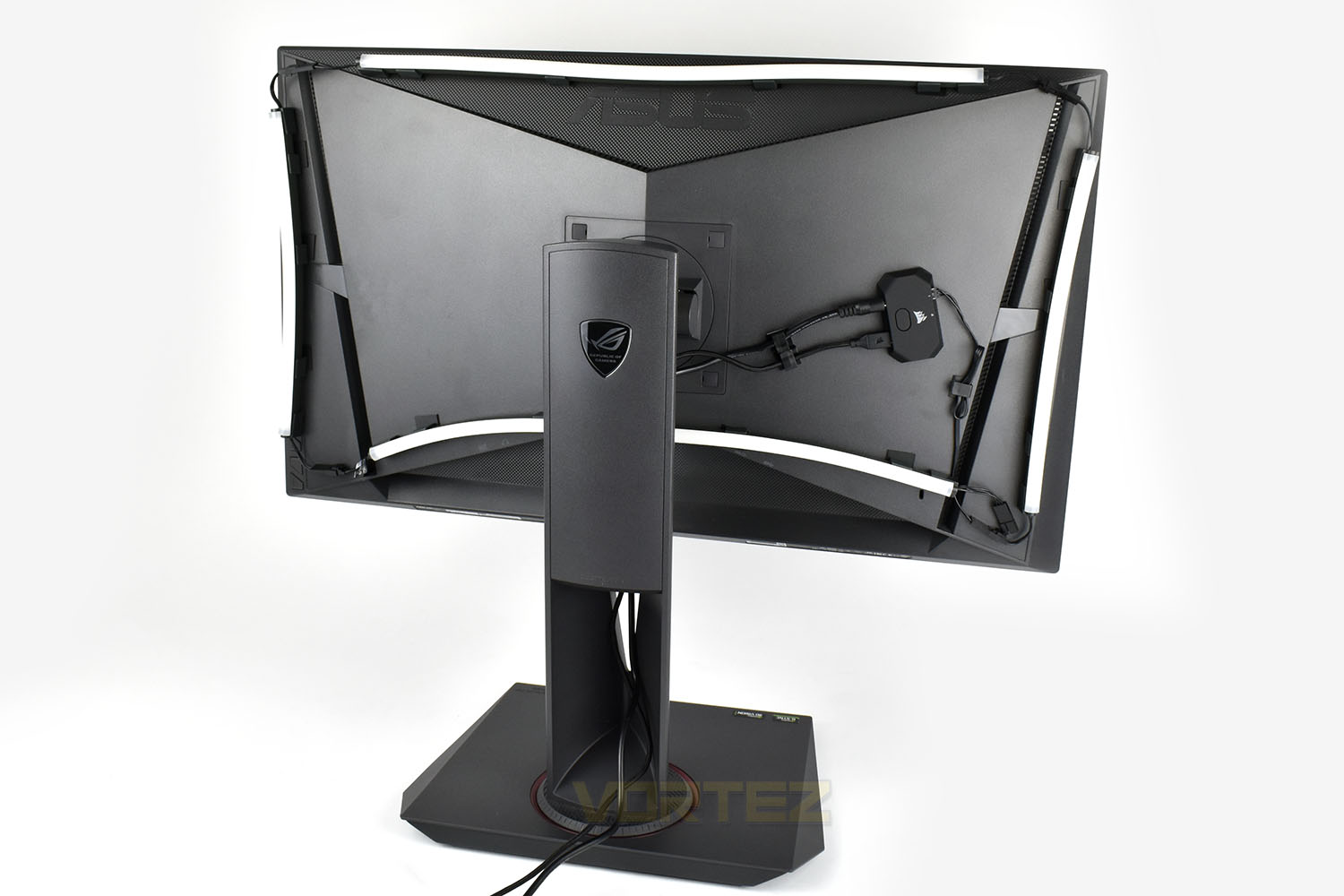
The same can be said of the RGB strips. The magnetic pads are an easy mounting solution but they’re far from strong enough. The monitor controls for this ASUS monitor are on the back of the panel, using those can be enough to dislodge the strips, as can adjusting the monitor in any way.
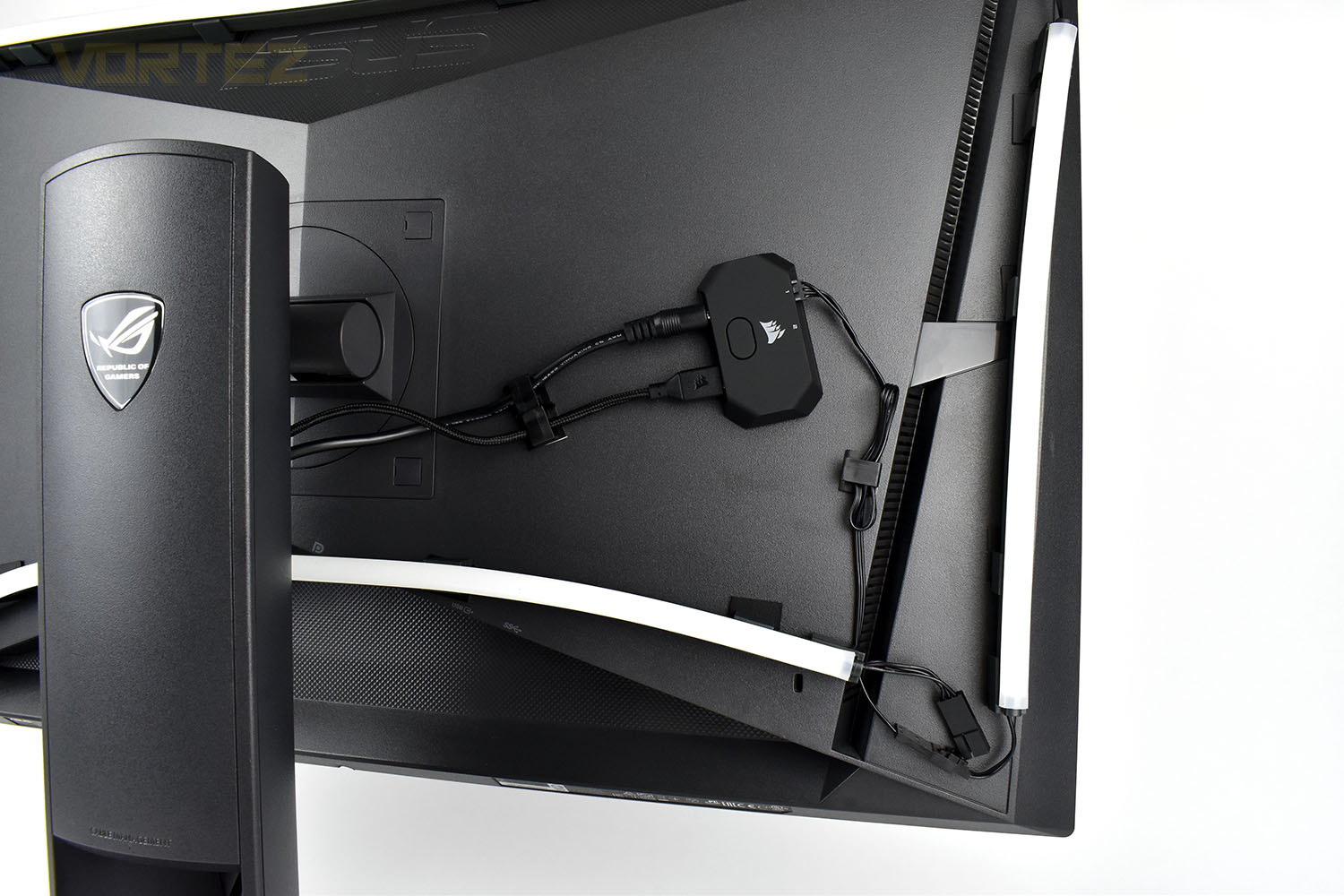
All things considered; the installation is really easy but it’s not strong enough to hold the strips competently.
Software & Lighting
Software
Utilising CORSAIR’s unified software suite, iCUE, the LS100 Smart Lighting Kit can be configured to the Nth degree, including the ability to tie the lighting into the monitor’s output, or choose between mounting it around your desk or on the back of your monitor.
Below is a brief demo of the software.
Lighting
When testing the lighting, we decided to use it on the reverse side of an ASUS ROG PG279Q monitor, as CORSAIR have in their setup demo. Check out our video below.
Conclusion
With the RGB craze showing absolutely no sign of slowing down, the likes of CORSAIR will do well with something like the LS100 kit, which on the whole provides some beautiful and vibrant lighting, backed up by their excellent iCUE software, but it’s not perfect, yet.In terms of illuminating the wall behind your monitor, the LS100 does a fantastic job, better than both the Razer and NZXT kits we’ve tried, by a considerable margin. The white translucent tubes definitely help to distribute the lighting in a more uniform, enjoyable fashion with no noticeable hotspots at all, enabling beautifully smooth transitions in colour that are bright and vibrant. However, when using the media-mode, where the outer edge of the screen is portrayed onto the wall behind, the lighting often felt washed out and lacking any kind of punch. This could probably be fixed with some software updates though.
Installation, as far as we’re concerned, was really easy to do with CORSAIR providing a cracking instruction video and some decent mounting hardware, but the lack of strength within the magnets lets the system down at the final hurdle. That’s definitely something CORSAIR need to take back to the drawing board and refine for the version 2, if such a thing comes about.
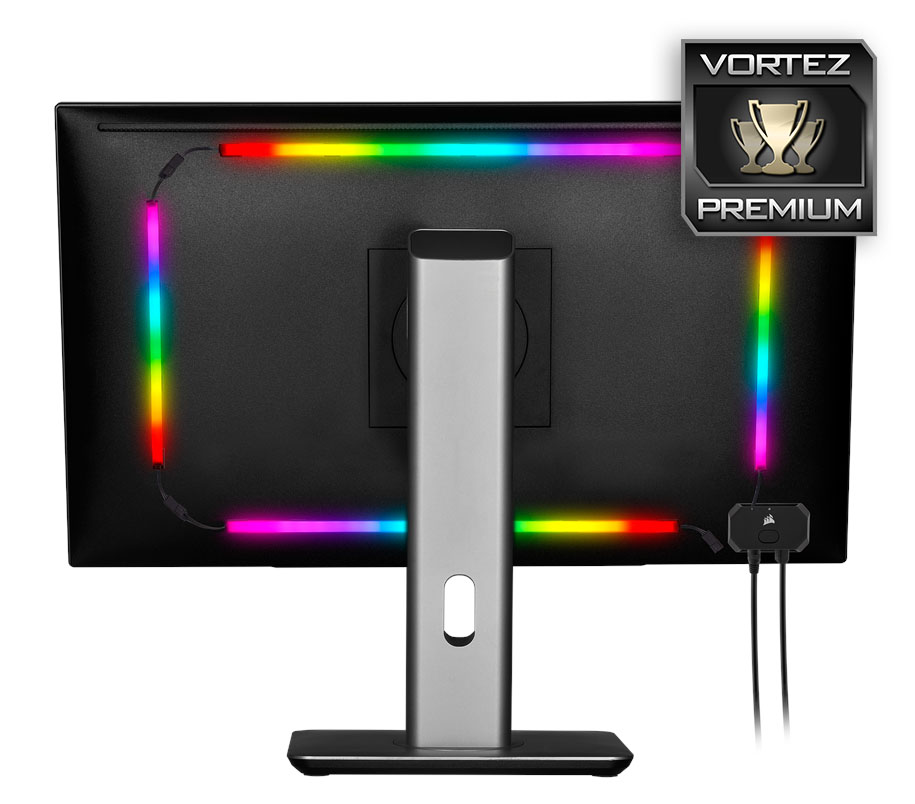
CORSAIR’s got plenty of experience with LED strips but nothing along these lines yet, as a first effort, it’s a cracking stab at it that can provide you with some beautiful lighting effects at your battlestation.
Pros
+ Bright, vivid, brilliantly dispersed lighting
+ Easy to install
+ iCUE software adds plenty of presets and is easy to configure
+ Better and
Cons
– Mounting hardware needs beefing up
+ Bright, vivid, brilliantly dispersed lighting
+ Easy to install
+ iCUE software adds plenty of presets and is easy to configure
+ Better and
Cons
– Mounting hardware needs beefing up
Click here for an explanation of our awards at Vortez.net.
Stay connected with the Vortez Social Media pages:
Join in with the discussions on Discord