With an all new switch from CHERRY and streamlined selection of features, can the rebooted K60 satisfy value-oriented markets?

Product On Review: K60 RGB PRO
Manufacturer: CORSAIR
MSRP (inc. V.A.T. where applicable): UK: £109.99 / EU: €139.99 / US: $89.99 / AUS: $179.00
Introduction
Back in the mists of time (otherwise known as 2011) CORSAIR released the Vengeance K60, a mechanical gaming keyboard that swiftly took the world by storm. It was a time when mechanical keyboards weren’t too common, CORSAIR didn’t have the pedigree in peripherals that they do today, and all it took to get a gamer hot and bothered was a bit of brushed aluminium. Since this design was discontinued the K60 SKU has been on hiatus… until today.
CORSAIR’s brand new K60 RGB PRO ditches the Vengeance branding but not the brushed aluminium aesthetic that made the first of their mechanical keyboards so sought after. Although typically reserved for their premium models, the K60 RGB PRO reintroduces this style to a more affordable price point through a brand new frame and mechanical switch, streamlining it away from other feature-rich members of the K-series.
Success for the new K60 will hinge on the reception of CHERRY’s new VIOLA mechanical switch. VIOLA has been designed from the ground up to be of simpler construction, requiring fewer parts but maintaining keystroke consistency over extended life cycles. CHERRY pitch the VIOLA as an affordable alternative to the MX-series, contributing to the K60 RGB PRO’s more aggressive MSRP.
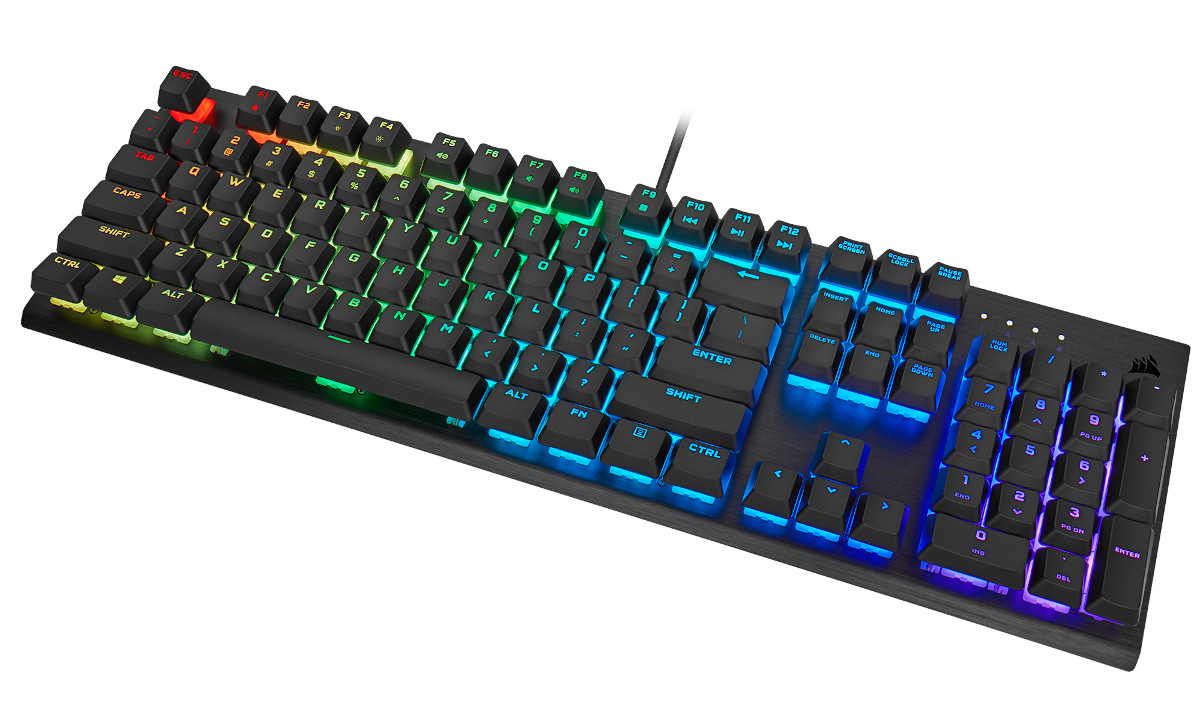
In line with the streamlined feature-set is a new streamlined look. The keyboard does away with the hallmark shaped aluminium ‘lip’ present in the rest of the K-series (most recently the K100 RGB) and keeps the dimensions compact (for one with a full sized layout), perhaps making it more appropriate for office spaces and other professional environments.
While it may lack the most common outward features, the design still supports per-key customisation of both keybinds, macros and RGB lighting, setting it a cut above its near decade-old antecedent. CORSAIR iCUE software handles these features here as it does across their peripheral range, and will need to be leveraged heavily to close the gap to the K60’s more illustrious siblings.
That being said, for the right user the K60 RGB PRO might have just what they need, right out of the box…
CORSAIR on the K60 RGB PRO
The CORSAIR K60 RGB PRO Mechanical Gaming Keyboard is built for both style and substance with a durable brushed aluminum frame and CHERRY VIOLA mechanical keyswitches that let your vivid per-key RGB backlighting shine through.
Joining the VIOLA-equipped SKU is the K60 RGB PRO Low Profile, a sister design that incorporates CHERRY’s MX Low Profile switches and keycaps in the same standard frame. The model arrives at a higher price reflecting these more complex switches, hitting the market at £129.99 in the UK and €149.99 on mainland Europe (both inclusive of V.A.T.). That’s a considerable step up in price, but one that also enjoys the reassurance of a true low profile switch that is more of a known quantity than the VIOLA at this time.
Other regionally-available variants include a non-RGB K60 PRO with VIOLA switches and red LED per-key illumination, and the RGB K60 PRO SE which is equipped with PBT Double-Shot Full-Height keycaps. The price breakdown in US dollars is shown below, but be aware that pricing is not likely to tally up outside of North America.
Technical Specifications
Chassis:- Aluminium, black anodized, brushed finish
Keyswitches:
– 100% CHERRY VIOLA
– Linear (two stage)
Backlight:- Individually lit and per-key programmable LED Colour RGB, 16.8 million colours
Keycaps:- ABS Low Profile
Connectivity:- 1 x USB Type-A
USB Report Rate:- 1000Hz
Matrix:- Full key rollover (NKRO) with 100% anti-ghosting
On-Board Processor:- 32-bit ARM Cortex
Media Keys:- (Shared) F5, F7-F12
Macro Keys:- None
Brightness Key:- F3-4 (Shared)
Windows Lock Key:- F1 (Shared)
Adjustable Height:- Yes, two tilt heights
Palm Rest:- None
iCUE (Software):- Supported in Windows 10 and macOS 10.15
Cable:- 1.82m / 6ft
Dimensions:- 440(L) x 136(W) x 35(H) mm
Weight:- 880g / 1.95lbs
Keyswitches:
– 100% CHERRY VIOLA
– Linear (two stage)
Backlight:- Individually lit and per-key programmable LED Colour RGB, 16.8 million colours
Keycaps:- ABS Low Profile
Connectivity:- 1 x USB Type-A
USB Report Rate:- 1000Hz
Matrix:- Full key rollover (NKRO) with 100% anti-ghosting
On-Board Processor:- 32-bit ARM Cortex
Media Keys:- (Shared) F5, F7-F12
Macro Keys:- None
Brightness Key:- F3-4 (Shared)
Windows Lock Key:- F1 (Shared)
Adjustable Height:- Yes, two tilt heights
Palm Rest:- None
iCUE (Software):- Supported in Windows 10 and macOS 10.15
Cable:- 1.82m / 6ft
Dimensions:- 440(L) x 136(W) x 35(H) mm
Weight:- 880g / 1.95lbs
Cherry Viola Switch
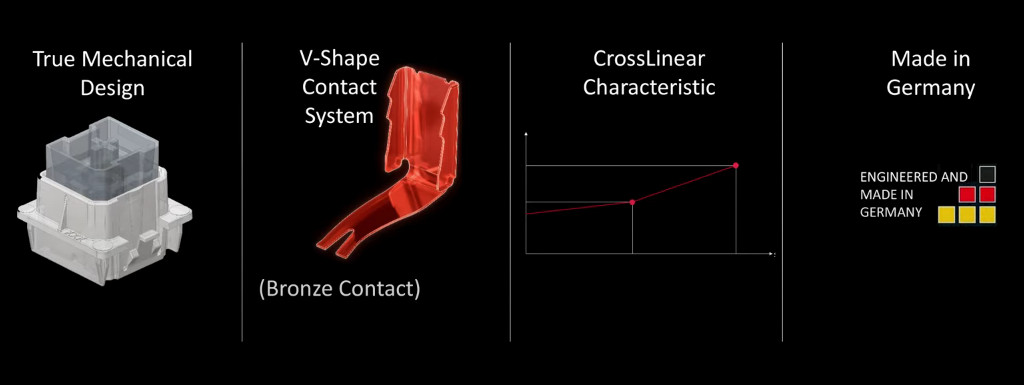
CHERRY unveiled the VIOLA switch at CES 2020, no-doubt ahead of an expected rush of orders from clients. It is pitched as a mainstream value-oriented alternative to their MX-class switches that will compete against counterparts from Kailh and Gateron, offering the benefits of mechanical without the complexity of the MX.
The innovation at the centre of this fully mechanical design is a bronze blade-style contact switch that, along with the spring, housing and stem, is one of only four pieces to the assembly. To put that in context CHERRY MX switches have eight; this simplicity is key to the switch’s reduced cost, but there are ramifications.
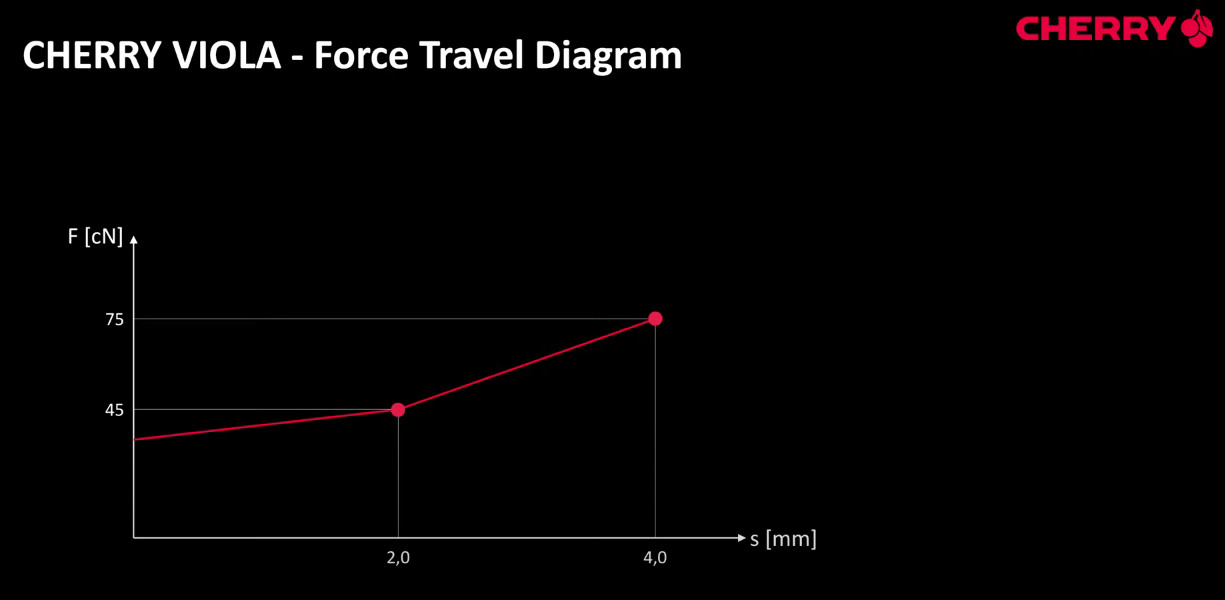
The blade switch introduces a unique force-travel dynamic. Pre-travel is very similar to MX Reds, with a linear pre-travel and actuation point at 45cN. After actuation the linear action is more heavy, requiring 75cN in the end position rather than the ~60cN typical of Reds. This gives it a relatively fast reset compared to MX Reds, though not quite as heavy as MX Blacks.
VIOLA switches have a full profile of 2mm pre-travel and 4mm total travel distance, identical to the rest of the MX line. Although Corsair have opted for the linear style, CHERRY are planning to release others such as Tactile ‘MX Blue’ equivalents. They might be rolled into the K60 RGB PRO options in the future, but that likely depends on demand.
Packaging & First Look
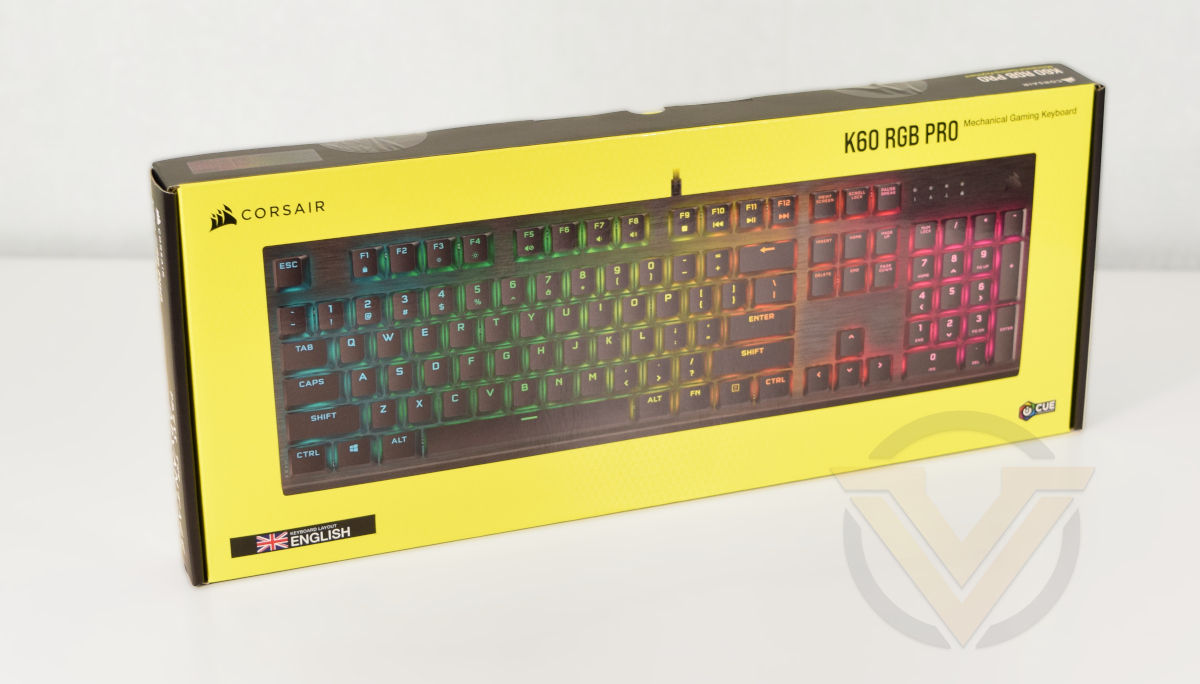
Say whatever you like about their products, CORSAIR do an exceptional job in keeping their packaging and livery consistent across their range. Once again we see the familiar yellow and black colour-scheme on display on this slimline keyboard box, the nature of which is something of a hint as to its rather frugal contents.
While the image shown is of a generic K60 RGB PRO, the front does at least clearly show the keyboard’s actual layout. That’ll be important anywhere the keyboard is sold that straddles regions.
Technical information is displayed on the bottom edge, including the switch type, polling rate, dimensions and NKRO/anti-ghosting features. Here, and the rear, is where you’ll need to look for confirmation of the CHERRY VIOLA switch type. We’re a little perplexed that this isn’t shown on the front too, but that might be due to this being an early production sample.
The keyboard’s more broad features are displayed on the rear, where the keyswitch is much more clear (and described as ‘linear and smooth’). CORSAIR also highlight the requirements, iCUE integration, and per-key customisable lighting.
—
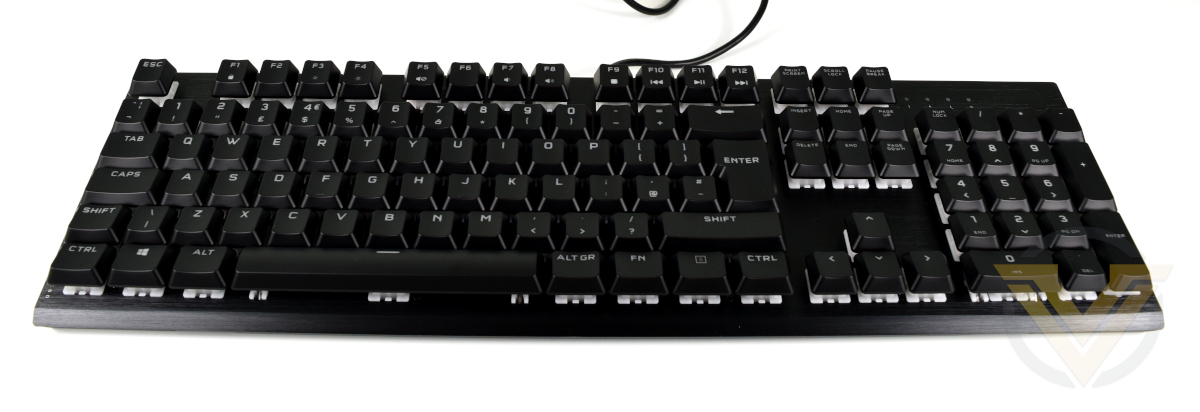
Here’s our first look at the K60 RGB PRO. It’s a compact design from front to back, measuring just over 13cm from front to back rather than 17cm on the vast majority of the rest of CORSAIR’s keyboard range. This is because the new K60 frame dispenses with the characteristic ‘lip’ seen on previous K-series models, including the functionality often located in this zone.
The CORSAIR K-series brushed aluminium frame returns however, adding more than a touch of class to proceedings.
Normally we’d discuss the included accessories here but it’s notable that the the K-series range doesn’t include any. Inside the packaging is just the keyboard, quick-start guide and warranty information; you don’t get so much as a keycap remover. Now there’s a commitment to frugality we can get behind and speaks to the design’s pretensions of affordability.
In other aspects the keyboard is of standard layout – UK in this instance – with no dedicated media or macro keys. A wrist-rest is also absent, and we can confirm that this model is not compatible with the very plush K100 RGB rest.
Closer Look
For the first time the top-right of a CORSAIR keyboard not adorned with media keys, not even a scrolling volume control. Prior full-size and tenkeyless models all included one or more, either as part of the lip at the top of the frame or between the lip and numberpad.
The keyboard does however incorporate four indicator LEDs recessed into the frame: Num Lock, Caps Lock, Scroll Lock and Windows Lock. This latter feature can be customised within iCUE settings, but by default simply disables the Windows key to prevent accidental gameplay interruptions.
As previously indicated, the majority of the F-keys serve an alternative function. The modified by the FN Key (on the bottom row, next to the ALT GR key) the service to toggle the Windows lock, change the keyboard LED brightness, mute audio and otherwise perform the function of typical media keys. In the absence of dedicated keys for the role these offer a fair compromise.
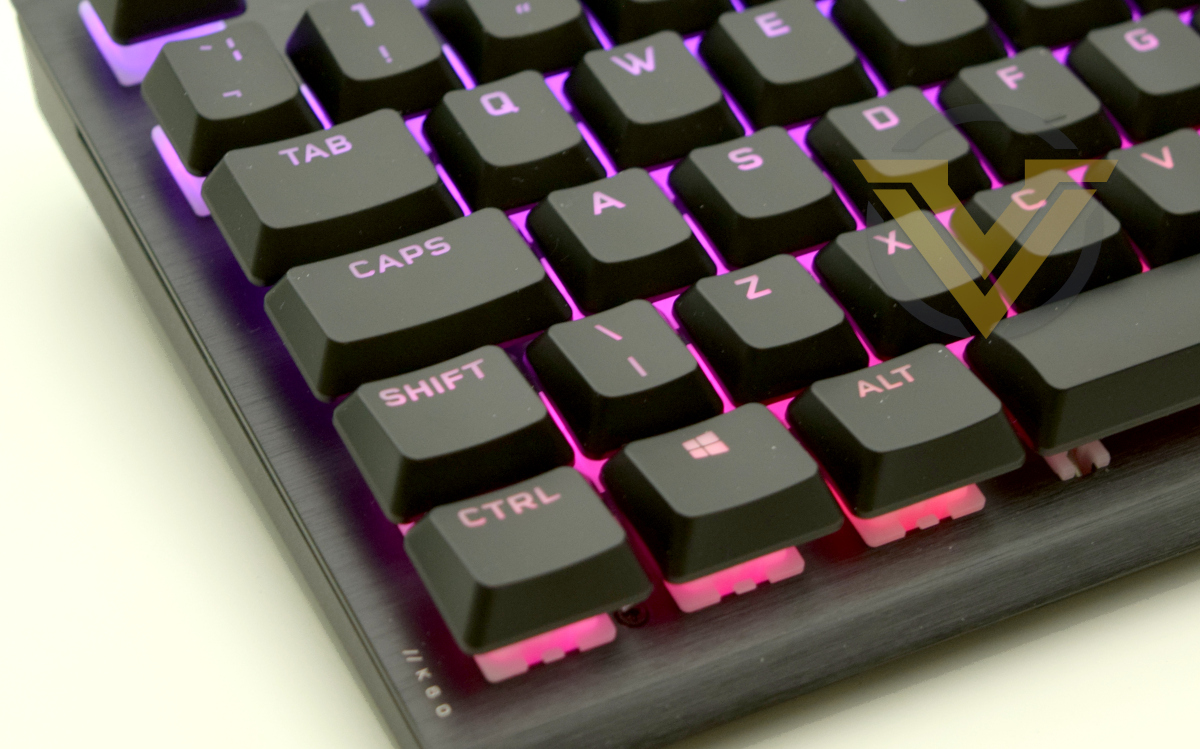
This angle shows two important aspects of the keyboard: the elevation offered by the collapsable feet, and the extent to which the switch housing is exposed by these keycaps. Typical CHERRY MX switch/keycap combinations expose 5mm of switch housing, whereas this combination shows off 7mm. The ideal is to expose more illuminated housing for LED underglow.
This level of exposure on the switch housing is reminiscent of the ROCCAT Vulcan Titan Switches, except with a opaque rather than clear housing.
CORSAIR has opted to utilise low profile ABS keycaps that are roughly half the height of the typical, making the angle at which you type fractionally lower. Each keycap has a smooth finish, and the character is laser etched into the keycap to allow light to glow from above. The typeface used is identical to the K100 RGB and a revision from their prior keyboard generation.
Closer Look (2)
Removing the keycap exposes CHERRY’s VIOLA switch. This model utilises a clear plastic stem and opaque white plastic housing, with the RGB LED obscured by the mechanism.
The design has a superficially similar profile to Kailh Box-type switches, particularly in that the stem is surrounded by a thin square. The switch stem is compatible with existing Cherry MX keycaps and custom keycaps based on the same design.
The flat frame is exceptionally easy to clean due to CORSAIR’s typically flat aluminium frame, and the same can be said for the keycaps themselves. You will need to source a keycap remover yourself however, one is not provided in the retail package.
Flipping over the keyboard, the K60 has a very simple floor without even the limited embellishments of the K100. Two collapsable feet are to the either side of the product label (that includes product number, serial number and certification information), and the only other notable feature are two echelons cut out of the floor at the front.
These cutouts are similar to those on the K100, only longer and more widely spaced. They could be intended for a wrist-rest on another model that re-uses this chassis design.
Finally, the USB cable is non-braided. Due to the lack of USB passthrough only a single USB-A connector is present.
Overall, the K60 RGB PRO appears to exemplify exceptional build quality that’s on a par with the rest of Corsair’s K-series. Nonetheless, the onboard hardware feature-set is very much in the value range.
Software & Lighting
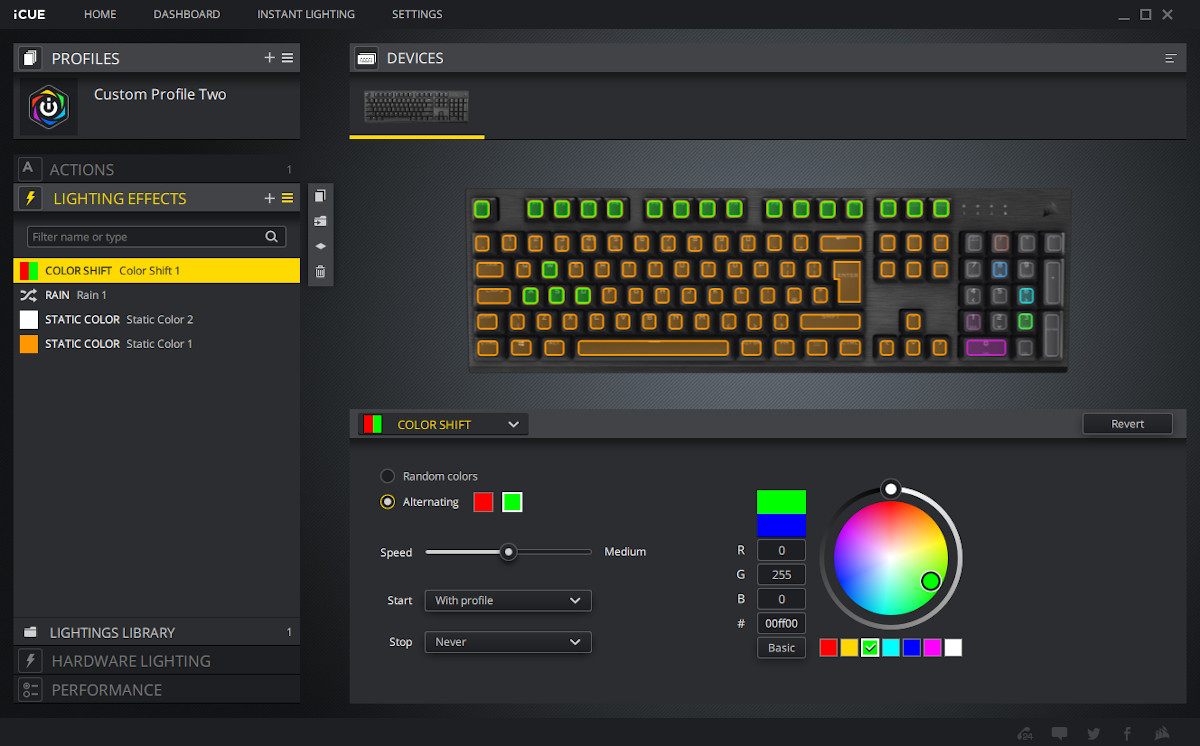
CORSAIR’s iCUE software returns once again for the K60 RGB PRO. Each key has configurable per-key illumination, and a range of multi-layered customisable effects is available when the keyboard is connected to the PC. The software enabled effects can be absurdly complex, with triggerable animations and varying levels of opacity.
Using the Lighting Link section multiple peripherals can be associated and synchronised with the same lighting effect, which is a nice little feature for enthusiasts with a number of CORSAIR peripherals.
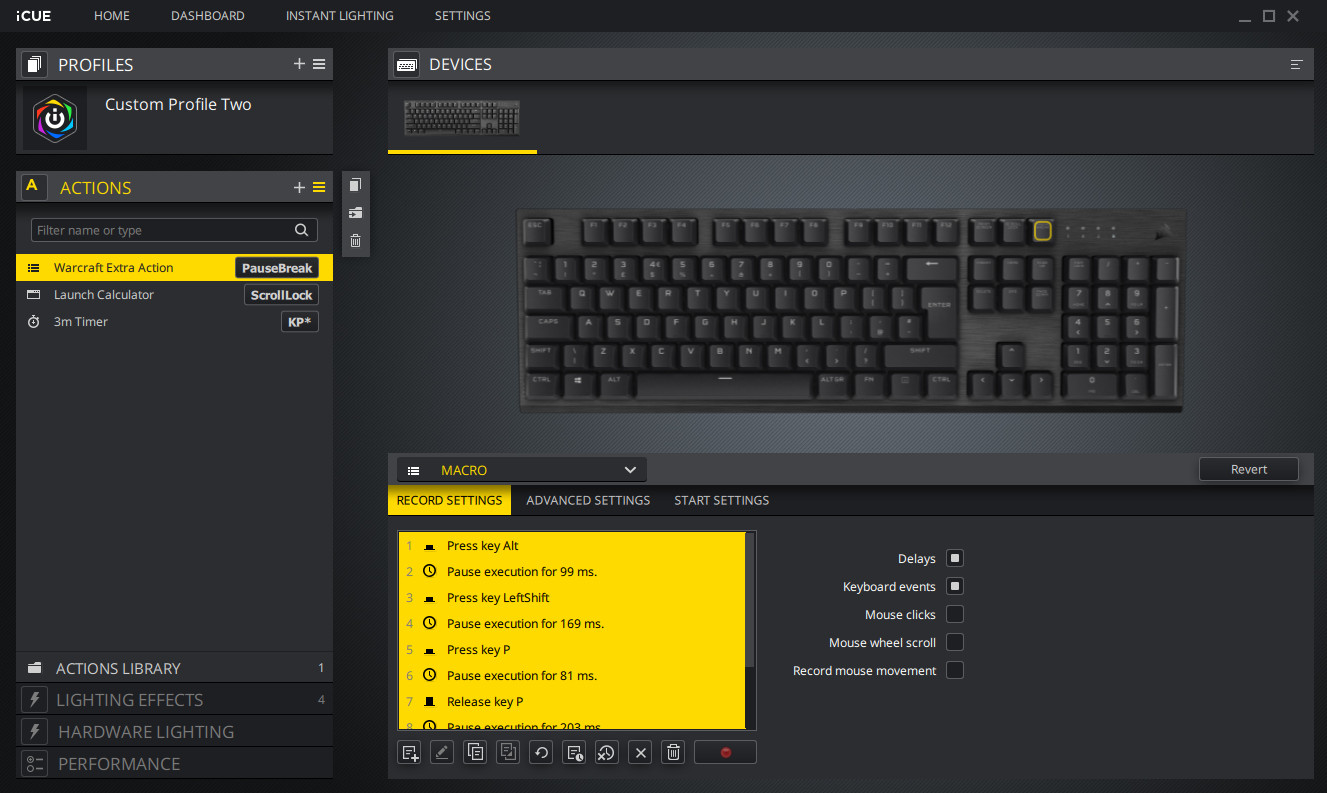
Per-key keybinds are also available through iCUE across the length of the keyboard through the Actions tab. They can be bound to keystroke macros and various pre-selected functions including text insert and mouse buttons. Both lighting and keybinds can be associated with specific software profiles.
Although the customisation features are comprehensive, the K60 is still somewhat hamstrung by the lack of additional ‘auxiliary’ keys (media, macro etc.) that might not be necessary in common usage. The Numberpad is prime fodder as an alternative.
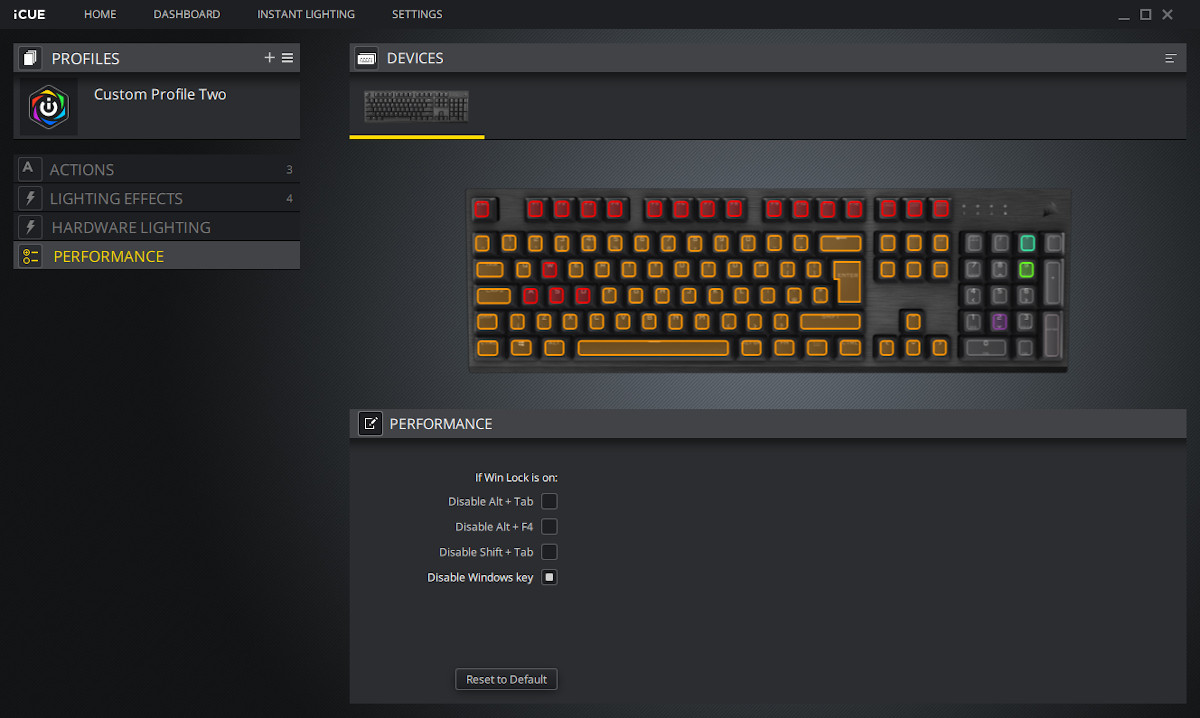
Under the Performance tab we can see a rather limited tool configuring the behaviour of the Windows lock.
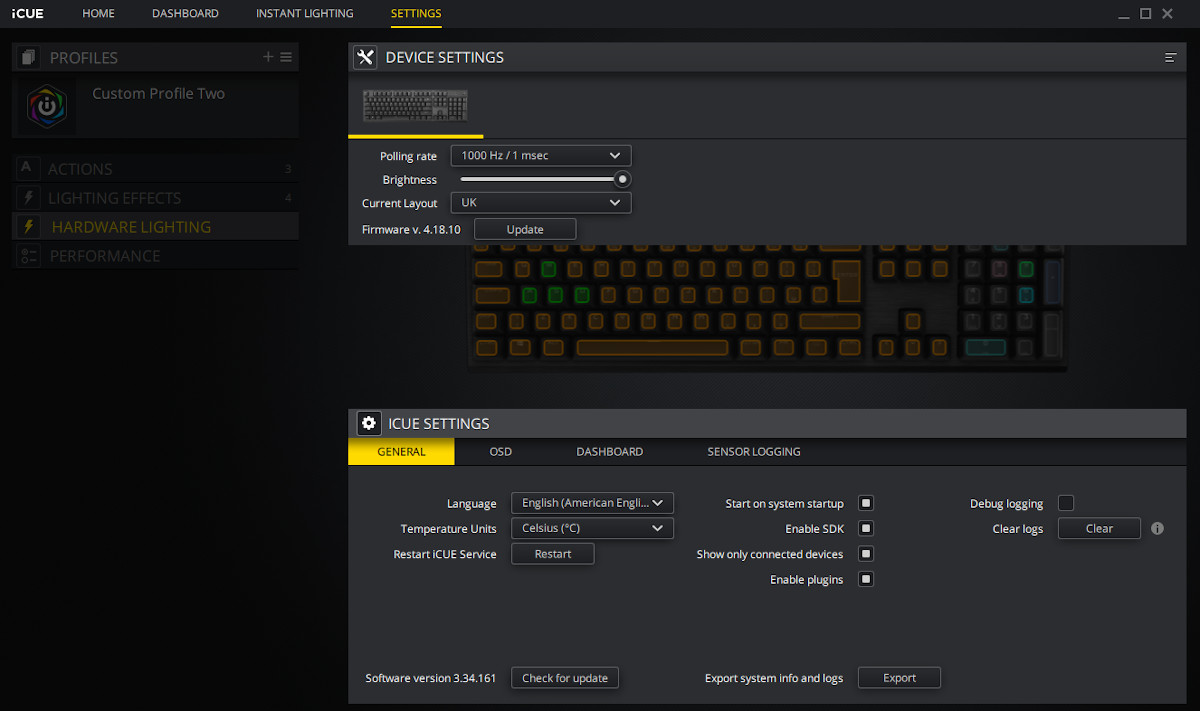
Traversing to the Settings tab, we have a limited selection of options including the polling rate (100Hz -> 1000Hz), LED brightness, and one-click firmware updating.
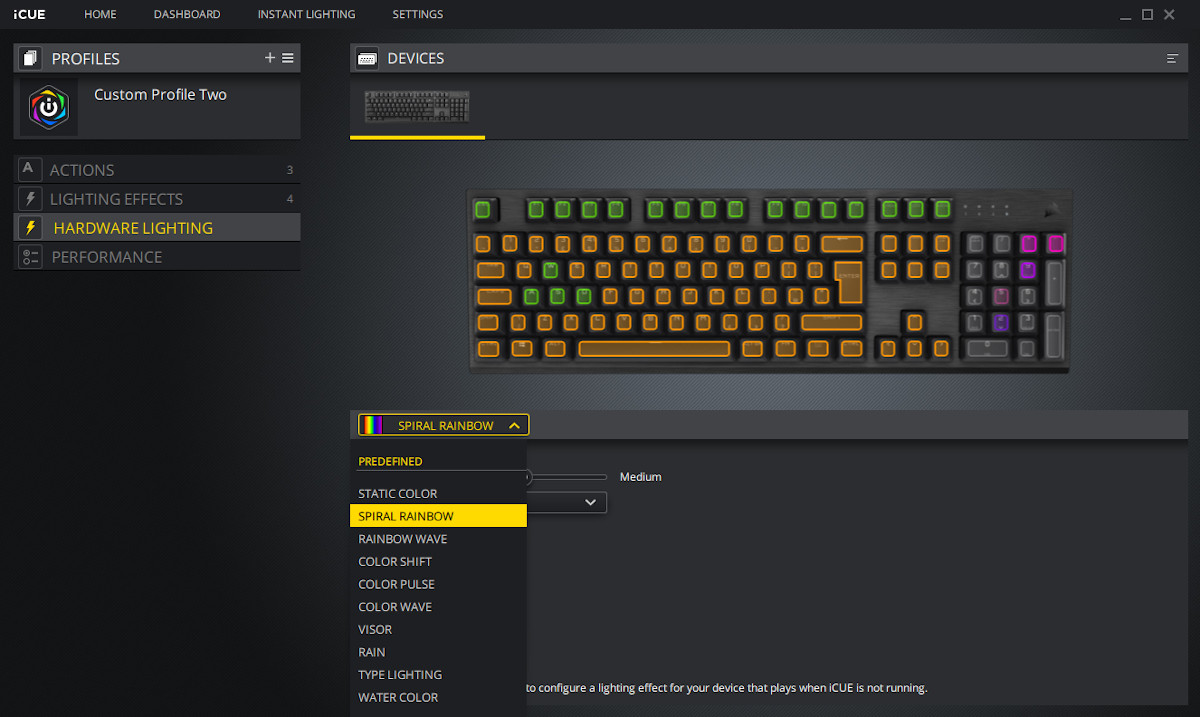
When not connected to the iCUE software the keyboard defaults to the standard lighting effects shown in the Lighting tab, but applied across the whole keyboard. They can be cycled through using Function-modified number keys, but the lack of on-board lighting profiles is in stark contrast to the (significantly more expensive) K100 RGB.
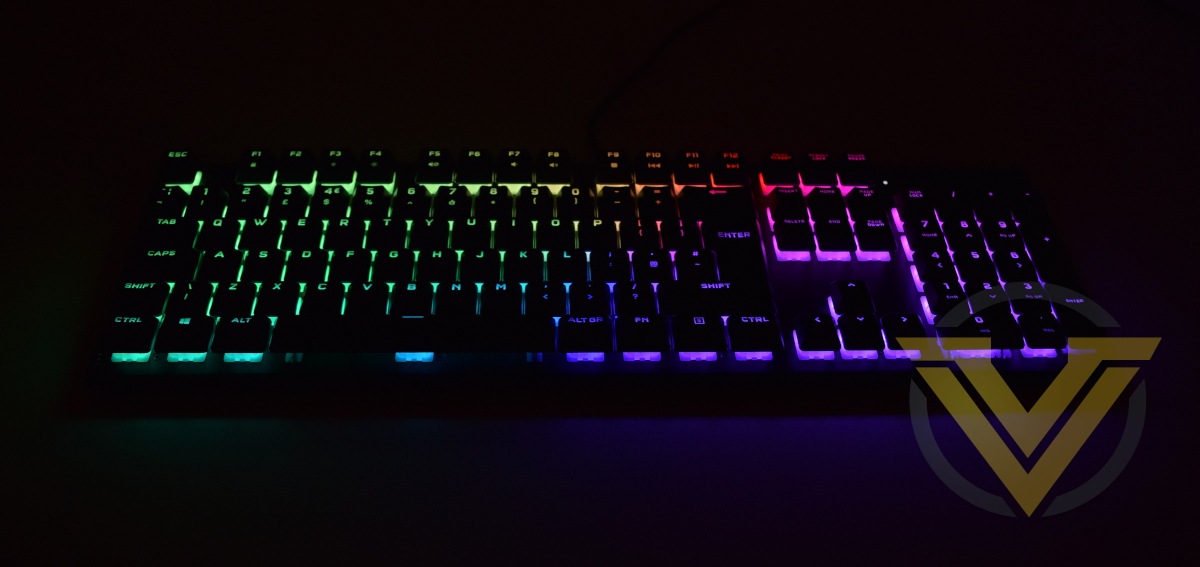
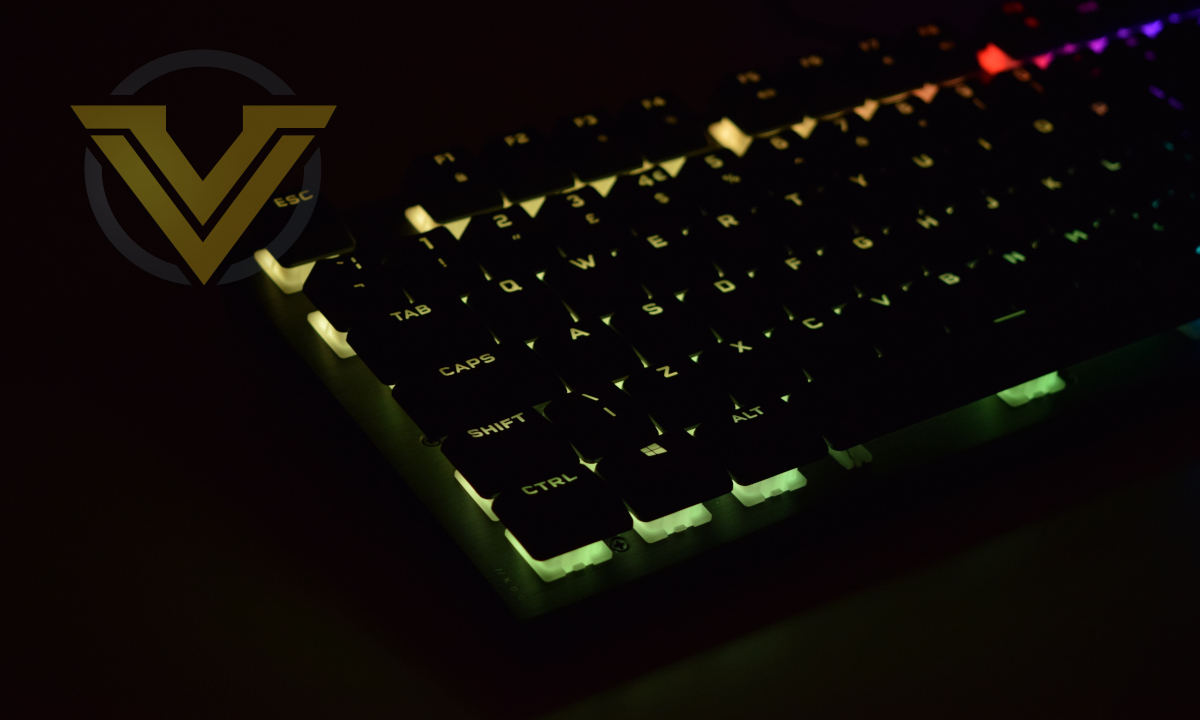
The lighting is very pleasant overall when viewed from above, and only a little overwhelming when viewed at the side. Colours are vibrant but, like the K100 RGB, aren’t quite as bright as we were expecting at maximum levels. We also once again found the ‘white’ RGB configuration to shifted towards blue, but tinkering can get you near to what you’re after.
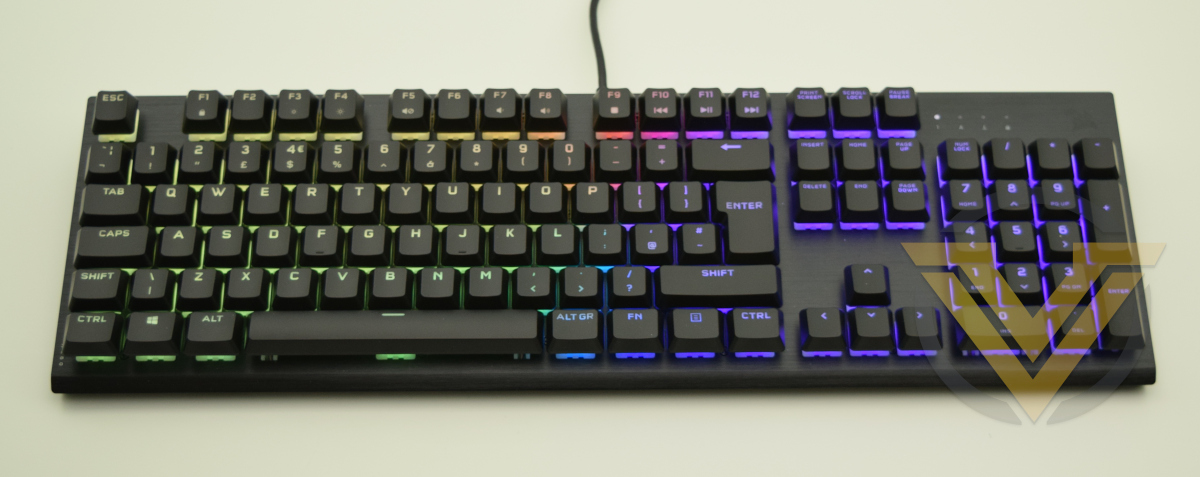
We’d have to say that CORSAIR achieve their goal of dominating underglow lighting. It’s certainly impressive, especially in low lighting conditions, and really belies the relatively affordable price tag this keyboard boasts.
Performance
We’ve had issues in the past with long initial set-up processes on some keyboards, and so it’s a relief to report that the K60 RGB PRO required no time-consuming steps. Plug it in and away you go.
Our first experience of CHERRY’s VIOLA switch is certainly a positive one. There’s always a concern with a ‘value’ switch that there would be some instability, either in the housing or keycap, which would be transmitted through the keystroke. That wasn’t the case here, where even under some considerable punishment the switch remained consistent and reliable in its actuation.
The keycap finish was an interesting choice. They feel quite different from PBT Double-shot types, both being smoother and (paradoxically) more grippy to your fingertips. Typing therefore feels a little more precise with less ‘fat-fingering’ of next-door adjacent keys, but also a little heavier.
Speaking of the key action, the difference in weight compared to MX Reds (and more recently CORSAIR’s OPX designs) is certainly noticeable. Detecting the precise actuation point is difficult, but by the end of the keystroke you can appreciate the difference in force required to complete the travel down the stroke. They’re certainly not as heavy as MX Blacks, but not as far off as you might think.
Those fearing that these might feel more like rubber dome switches can rest assured that, although not identical to Linear MX’s, they still have that reassuring response characteristic of consumer mechanical switches.
One aspect of the VIOLA’s we should mention is that it may be a little more difficult to dampen the keystroke. A common user modification to MX switches is the use of o-rings placed around the switch stem, cushioning the impact when bottoming out. There may be specific o-ring size that can achieve the same effect but we weren’t able to pin it down. For that reason we’re doubly pleased with the relatively heavy keystroke past actuation mitigating against bottoming out at speed.
We’ve always been pleased by the solidity and rigidity of CORSAIR’s keyboard chassis and frame… that’s still the case today. More affordable it might be, but there’s still zero flex to the frame and the weight and quality of its rubber feet keep it rock solid on your desk.
Weaknesses in the K60’s feature set expose themselves when gaming, particularly in dealing with the more complex inputs demanded by MMO’s, MOBA’s and some RPGs. Macros are of great value in this arena, and Macro keys located near the WASD section are ‘force multipliers’. After leaning on dedicated Macro keys for some time it was noticeable how much their lack was felt, leading to relying more on in-game macros and mouse-based button remapping.
By the same token, the more simplistic input requirements of FPS shooters really underscored the fundamentals of the K60. Rock solid on the desk, reassuring responsiveness, a lightweight pre-travel and quick reset on the switch all pay dividends. If you’re primarily this sort of gamer and just jumping on the mechanical bandwagon the K60 seems like a great starting point, especially if your setup is in need of a little more illuminated bling.
Conclusion
CORSAIR are currently a mighty presence towards the highest end of the mainstream mechanical keyboard market, having cultivated a distinctive premium looks and feature set that has migrated down to their membrane models over time. The K60 isn’t their first crack at an ‘affordable’ mechanical keyboard, but it is perhaps their most significant thus far.
The aesthetics and build quality are stunning for a <$90 design, and debuting CHERRY’s VIOLA switches appears to have netted them an initial competitive advantage. It’s still early days for this switch but initial impressions are great, albeit recognising that the feel is still distinct from any MX switch you might have tried.
Credit too must go to the lighting, and COSAIR’s iCUE custom software. The combination is fantastic for imprinting your own personality into your gaming set-up, and it’s extremely easy to use effectively. The underglow effect really works, and might even edge out the deluxe K100 RGB in many preference lists.
CORSAIR have refined the iCUE user experience very effectively, nearly eliminating the intimidation factor every new user feels when approaching software for the first time. A huge part of that is how quickly it’s possible to change things in large or subtle ways, without pausing to ‘load’ lighting profiles or save effects.
Users for whom the keyboard is a statement piece might prefer the full-size K60 RGB PRO SE variant with standard keycaps. The low profile ones look a little odd with the amount of switch housing exposed, although that is very much personal preference.
More broadly, CORSAIR’s style and build quality is once again on full display, now very far down their product stack. Despite being brand new the VIOLA switches don’t detract from the experience, and only take a little getting used to if you already have a background with MX. Keycap compatibility is also a definite plus.
Assessed against a US$89.99 price point that is pretty much where our assessment would end. However the UK and EU pricing is considerably higher even after you consider V.A.T., hitting £109.99 and €139.99 respectively. This same discrepancy is present across the entire K60 PRO range.
In this region that puts it up against much more fully-featured mechanical keyboards from major competitors, such as the ROCCAT Vulcan 100. It’s also much more expensive than the MSI Vigor GK50, a feature-light low profile model that utilises Kailh’s low profile switches.
More critically, it comes within £10 of their own K68 RGB, another mechanical keyboard design but with a comprehensive selection of Cherry MX RGB switches. While indisputably more attractive, you still lose out on a huge number of popular features.
That being said, for many users those features will be approaching irrelevant. They instead need a robust and good looking keyboard at home in front of a gaming PC or in an office, as affordably as possible. The K60 RGB PRO is that keyboard.
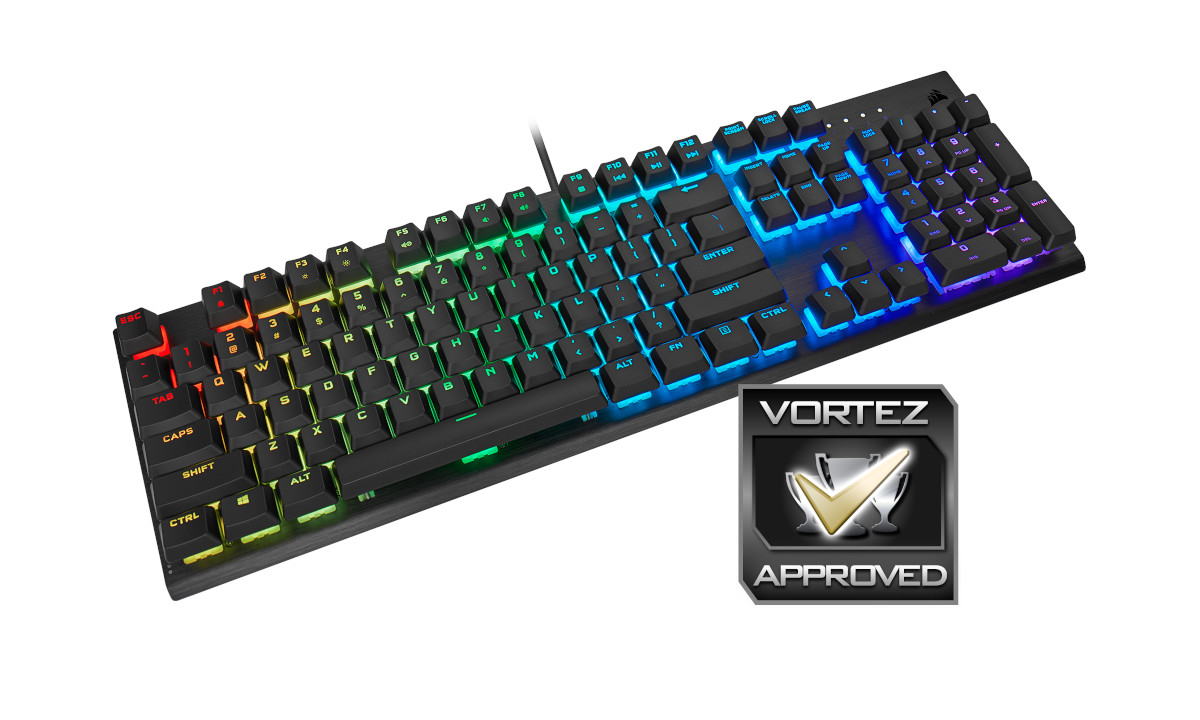
All in all, the K60 RGB PRO earns the Vortez Approved award, but that doesn’t tell the whole story. It’s one of those rare designs that fits a niche which some will dismiss, but others leap on immediately as utterly perfect for them. At the US price of $89.99 it seems like an absolute slam dunk, but regional variations have made it a more difficult recommendation without strongly contemplating cheaper alternatives first.
Caught in what might appear to be no-mans-land in terms of price and features, the K60 RGB PRO is a mechanical gaming keyboard that has a high quality robust design similar to CORSAIR’s own from a much higher MSRP. First impressions of CHERRYS’s VIOLA switches don’t disappoint and are an innovation to keep your eye on, potentially unlocking even more affordable designs with their veteran expertise attached. Although the K60 RGB PRO might not be an ‘everyman’ design, it will absolutely find a receptive audience amongst brushed aluminium lovers as well as gamers going mechanical for the first time.
Pros
+ Attractive looks for home or office
+ Excellent software lighting customisation
+ New CHERRY VIOLA switches
+ Full anti-ghosting/NKRO
+ Impressive software with integration of other iCUE devices
+ Available with additional switch and keycap types
Cons
– Shared media keys
– Limited on-board profile support
– Variable regional pricing; relatively expensive in UK/EU
– Lighting has a slight blue hue
+ Attractive looks for home or office
+ Excellent software lighting customisation
+ New CHERRY VIOLA switches
+ Full anti-ghosting/NKRO
+ Impressive software with integration of other iCUE devices
+ Available with additional switch and keycap types
Cons
– Shared media keys
– Limited on-board profile support
– Variable regional pricing; relatively expensive in UK/EU
– Lighting has a slight blue hue
Click here for an explanation of our awards at Vortez.net.
Stay connected with the Vortez Social Media pages:
Join in with the discussions on Discord