Corsair’s previous K70 units were regarded amongst the industry as an excellent example of the mechanical keyboard, have they managed to improve on that formula with the MK.2?

Product on Review: Corsair K70 RGB RAPIDFIRE MK.2
Manufacturer: Corsair
Street Price: £149.99 / $149.99
The Corsair K70 has been around for a number of years now, with several different variations and improvements in that time, however they were all just small, incremental adjustments not worthy of a new version number. Today, that changes, with the Corsair K70 RGB MK.2.
Though at first glance, it’s difficult to set one apart from the other, the small improvements throughout should make the already-much-loved K70 even more loveable. Corsair have put the K70 through stringent tests and even asked elite-level pro gamers such as Annemunition and Bajheera for feedback and suggestions, as well as relying on the community at large for ideas. Many manufacturers often use the “If it isn’t broken, fix it until it is” mentality when it comes to designing the next revision of popular hardware, while Corsair have strictly kept things as familiar as possible.

Still featuring the Cherry MX key switches, we see the option of Silent, Red, Blue and Brown, which is pretty standard for the K70 series, however with the RAPIDFIRE model, which we have to review today, we get the Cherry MX Speed switch, requiring only 45cN of force and 1.2mm of travel to actuate.
We won’t reveal any further new features here, you’ll have to read on for more.
Corsair on the K70 RGB RAPIDFIRE MK.2:
The CORSAIR K70 RGB MK.2 RAPIDFIRE is a premium mechanical gaming keyboard built to last, with an aluminium frame, CHERRY MX Speed keyswitches and stunning per-key RGB dynamic backlighting.
Technical Specifications
Weight: 1.25kg
Keyboard Backlighting: RGB
Keyboard Layout: NA
HID Keyboard Report Rate: 1000Hz
Key Switches: Cherry® MX Speed
USB Pass-through: USB 2.0 Type-A
Matrix: 104 Keys
Keyboard Connectivity: Wired
Adjustable Height: Yes
Additional coloured and textured keycaps: FPS/MOBA
Media Controls YN: Yes
Keyboard Type Size: K70
Keyboard Product Family: K70
Keyboard Rollover Full Key: (NKRO), 100% anti-ghosting
Size(Full/TKL): Full Size
Wired Connectivity: USB 2.0 Type-A
On-Board Memory: Yes
Number Onboard profiles: 3
WIN Lock: Yes
Media Keys Dedicated Buttons: (Stop, Previous, Play/Pause, Next)
Wrist Rest: Included, detachable, with soft touch finish
Keyboard CUE Software Supported in CUE 2.x
Keyboard Cable Type: Braided
Keyboard Warranty: Two Years
Keyboard Backlighting: RGB
Keyboard Layout: NA
HID Keyboard Report Rate: 1000Hz
Key Switches: Cherry® MX Speed
USB Pass-through: USB 2.0 Type-A
Matrix: 104 Keys
Keyboard Connectivity: Wired
Adjustable Height: Yes
Additional coloured and textured keycaps: FPS/MOBA
Media Controls YN: Yes
Keyboard Type Size: K70
Keyboard Product Family: K70
Keyboard Rollover Full Key: (NKRO), 100% anti-ghosting
Size(Full/TKL): Full Size
Wired Connectivity: USB 2.0 Type-A
On-Board Memory: Yes
Number Onboard profiles: 3
WIN Lock: Yes
Media Keys Dedicated Buttons: (Stop, Previous, Play/Pause, Next)
Wrist Rest: Included, detachable, with soft touch finish
Keyboard CUE Software Supported in CUE 2.x
Keyboard Cable Type: Braided
Keyboard Warranty: Two Years
Packaging & First Look
Nothing new on the packaging, but we can forgive that. We’d much rather they invested the money into the product instead. The large image on the front and concise specifications make for good packaging.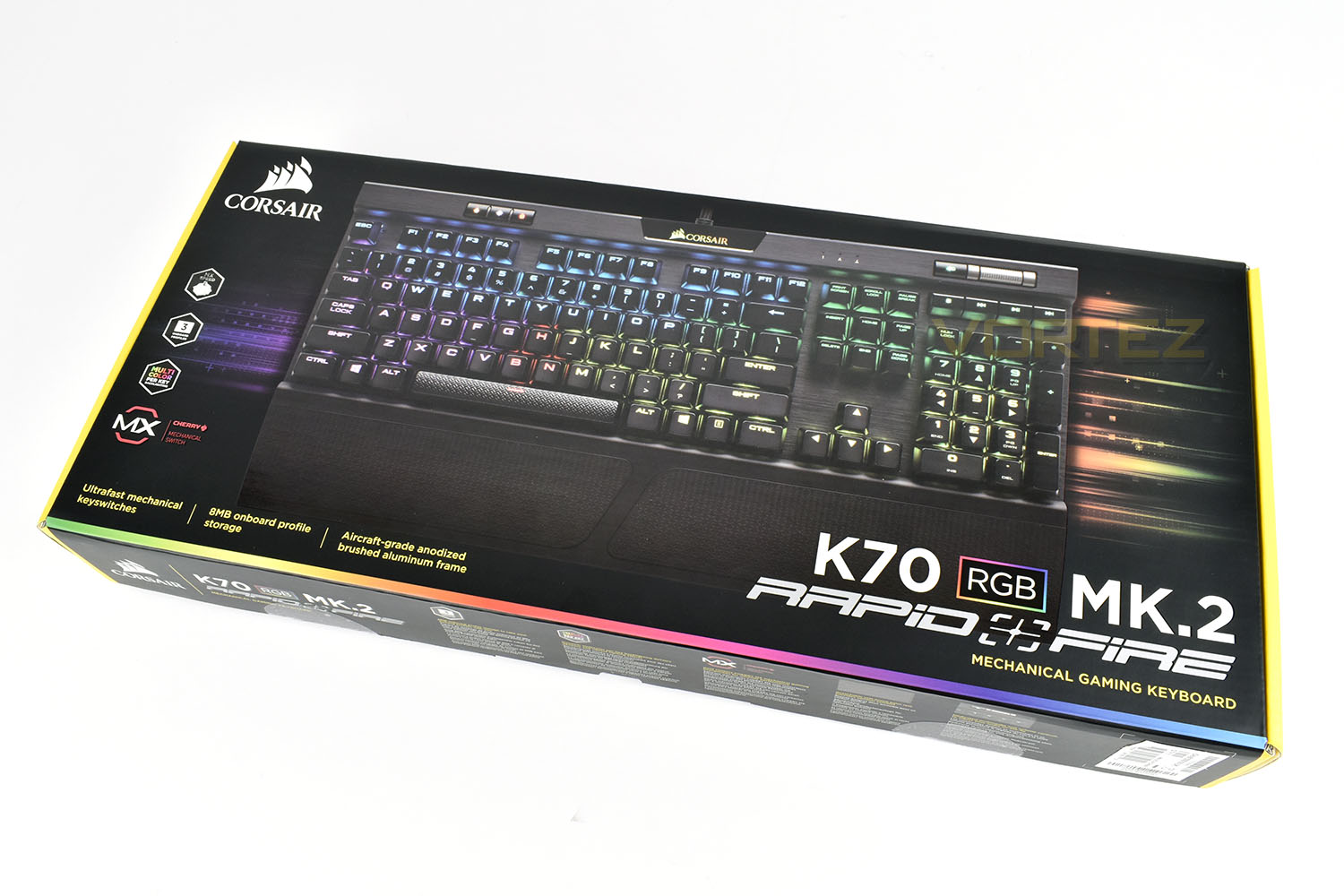
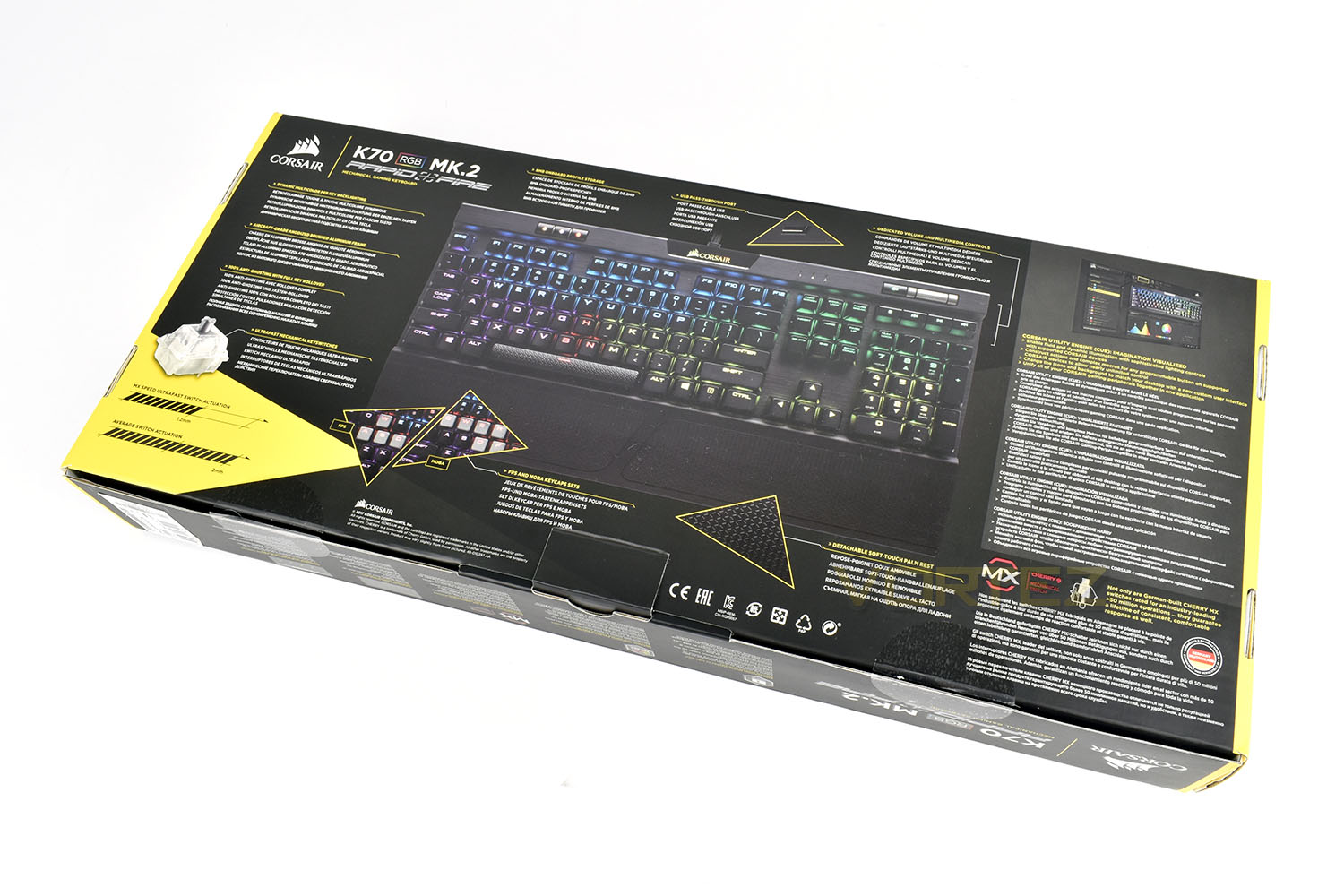
The rear provides masses of information along with illustrations all over the place.
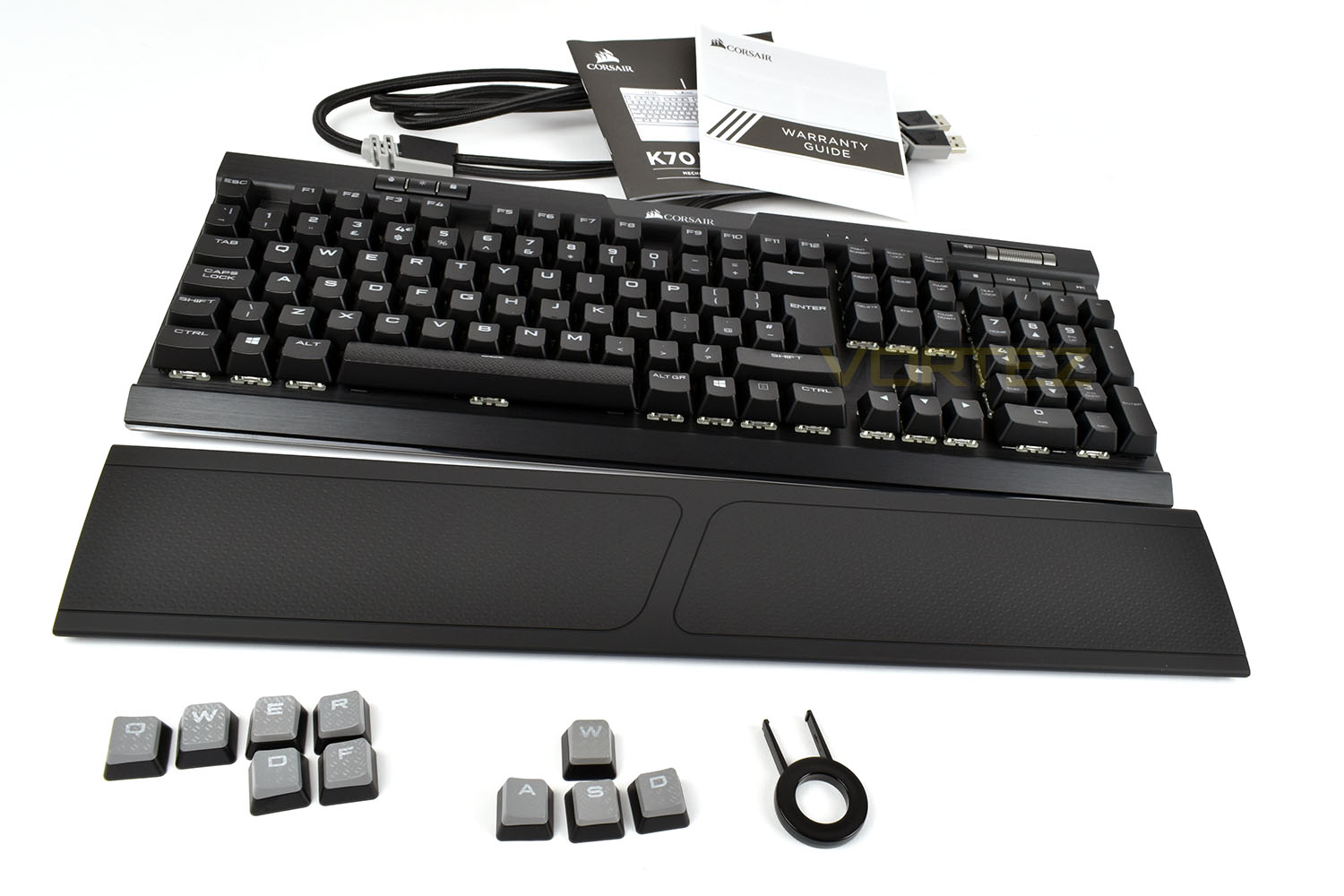
The Corsair K70 RGB MK.2 is packaged with a warranty guide and small instruction booklet, a full-length plastic wrist rest and a packet of tactile keycaps and keypuller.
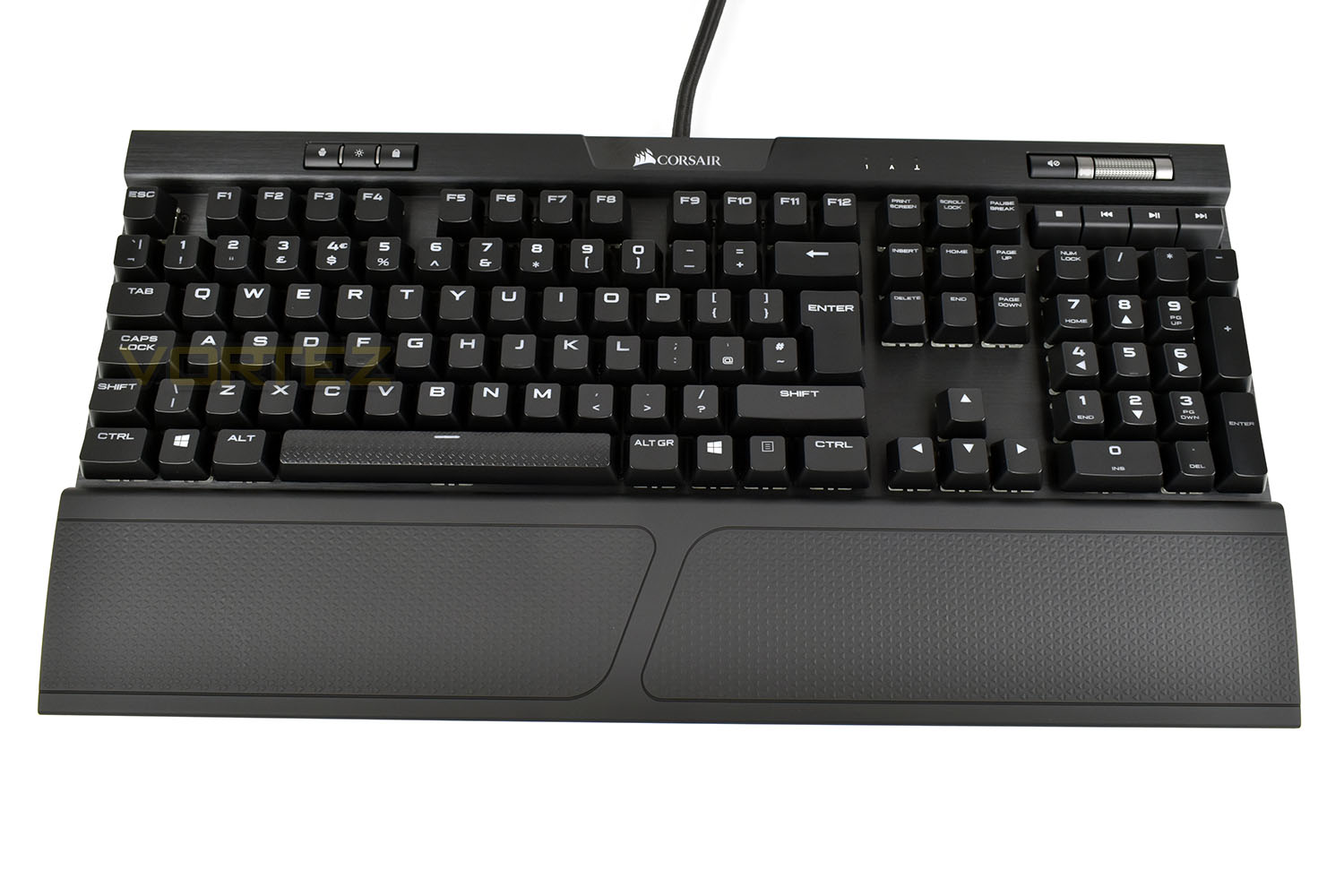
First impressions are difficult with this keyboard, there’s a definite sense of Déjà vu about the K70 MK.2.
Closer Look
You’ll have to bear with us while we show you around the K70 MK.2, the differences aren’t plentiful or groundbreaking, but they are there.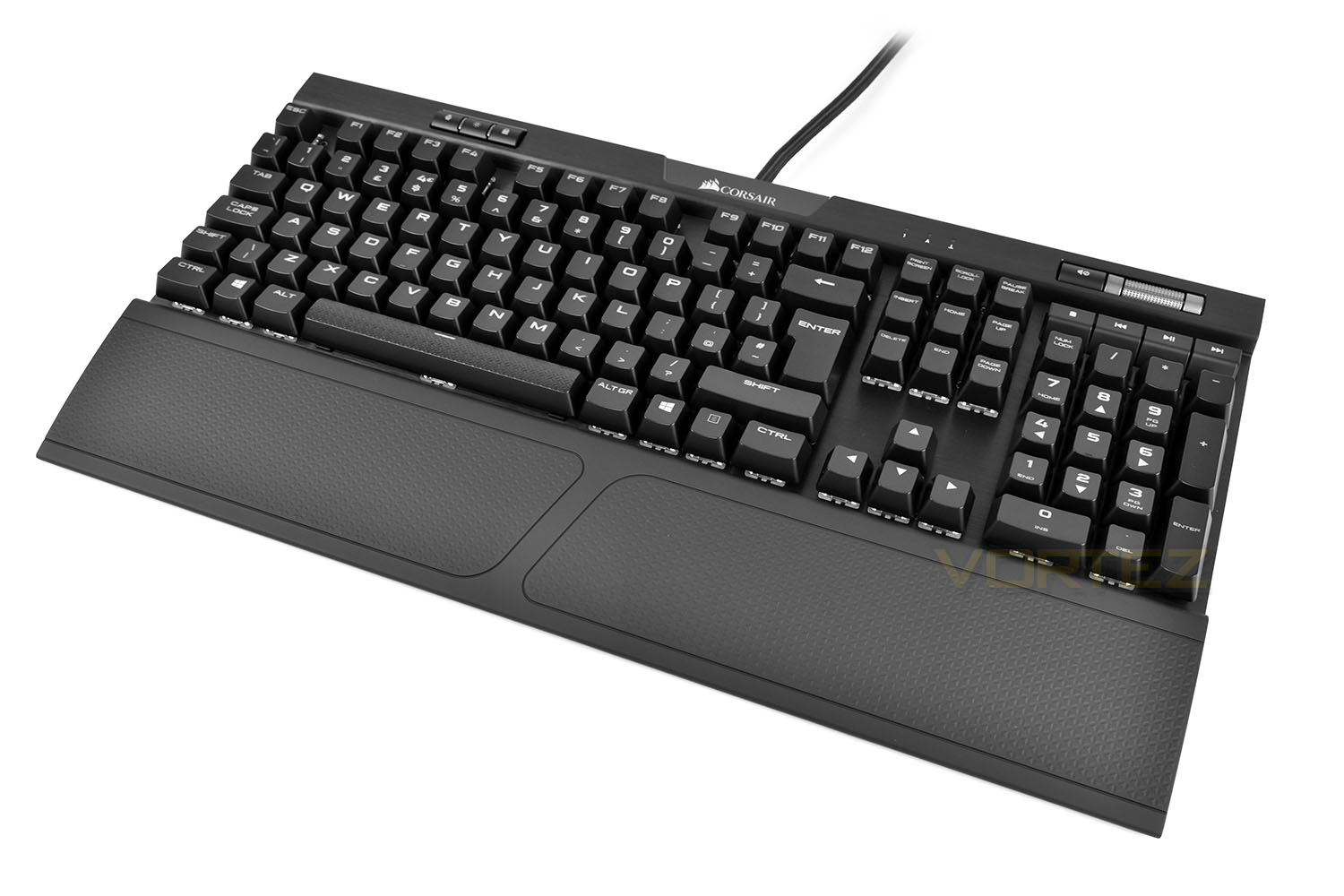
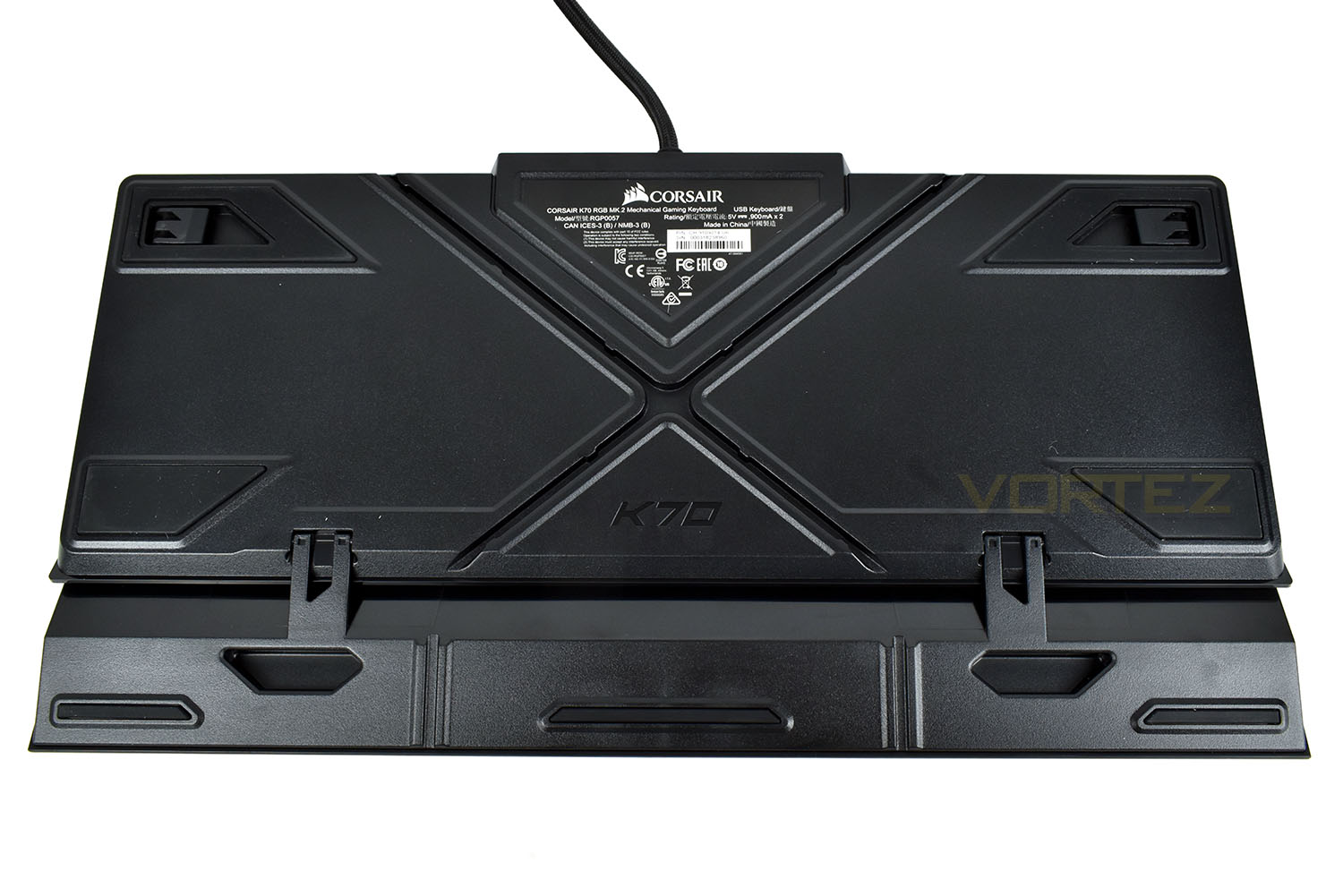
The retractable feet on the underside raise the keyboard up by 12mm and fold out sideways to prevent the keyboard accidently flopping over, the feet at the front have been removed for the MK.2 model. The floating key design has hung around in the MK.2, which is nice to see.
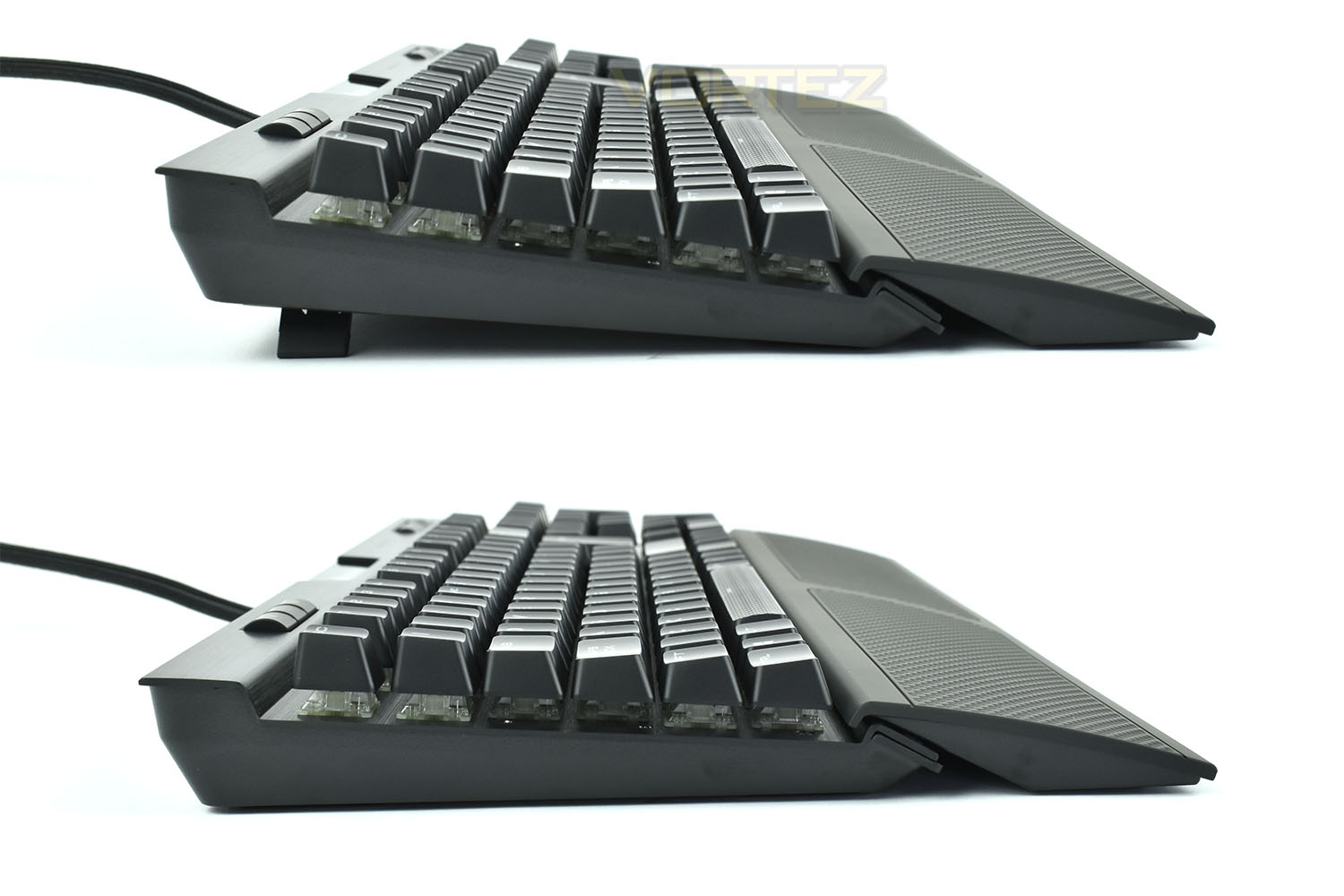
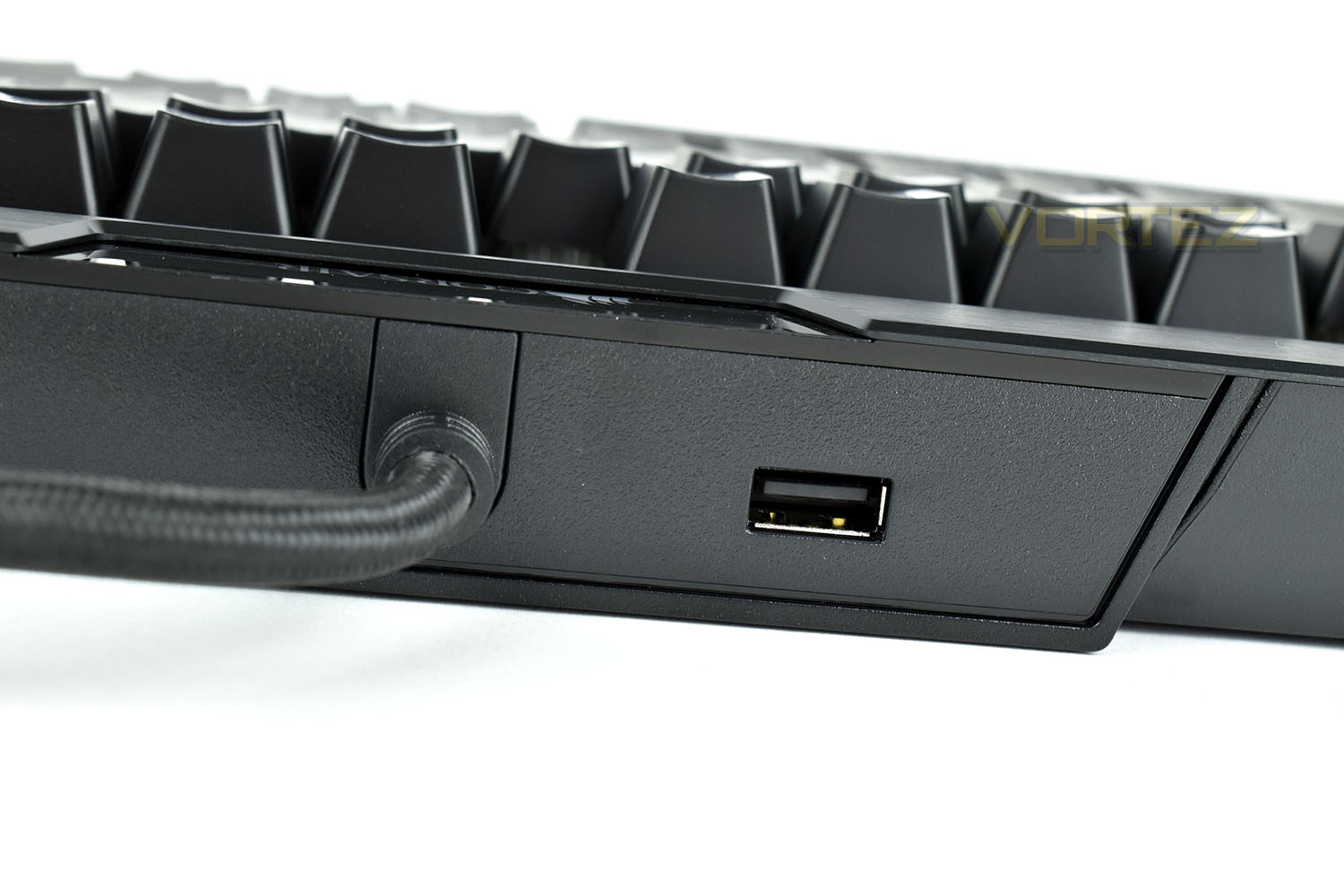
On the rear of the first generation there was a toggle switch dedicated to older systems and compatibility issues caused by higher polling rates, this has been removed, most likely due to a lack of demand. The USB passthrough still remains but that has yet to evolve into a 3.0 port, sticking with only 2.0.
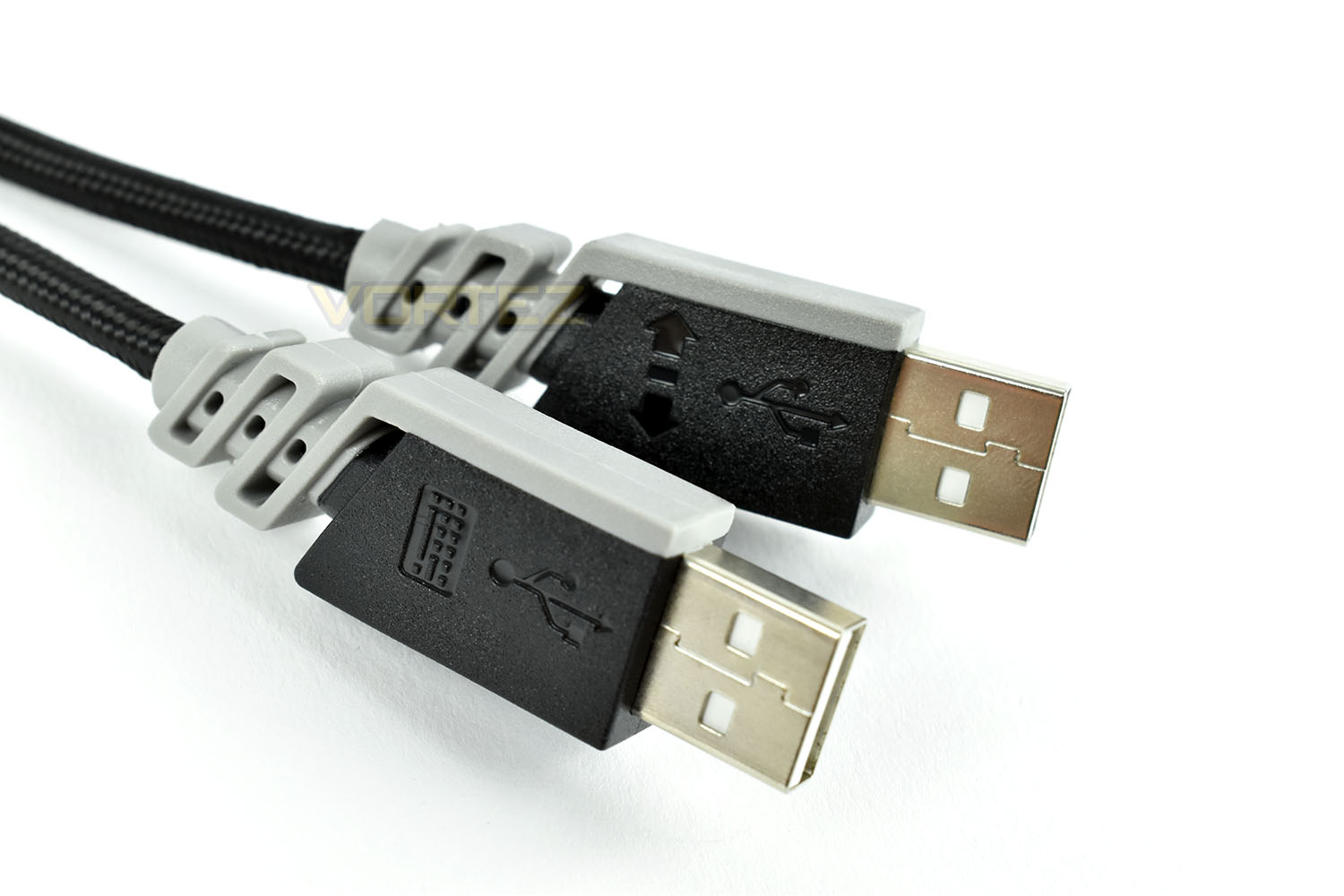
That USB passthrough at least has a secondary USB plug through the single cable, splitting into two around 300mm from the end of the cable. The two plugs are clearly labelled should you only wish to use the keyboard without the passthrough.
On the underside of the keyboard there’s now cable routing, useful for wired headsets and the likes, especially if you decide to use the USB passthrough on the rear. There’s plenty of room for thicker, braided cables and both paths can be used at the same time if you so wish. Using the cross pattern is a good move, allowing adjustability for left and right-handed users.
Rubber grips are plentiful on the underside too, preventing any unwanted movement as best as possible.
Closer Look (Continued)
The Cherry MX Speed is the lightest switch Cherry offer, with the shortest actuation point for those millisecond gains against your opponents. 1.2mm of travel is all it takes, with an actuation force of only 45cN. The stem on the Speed switch is a light grey/silver.
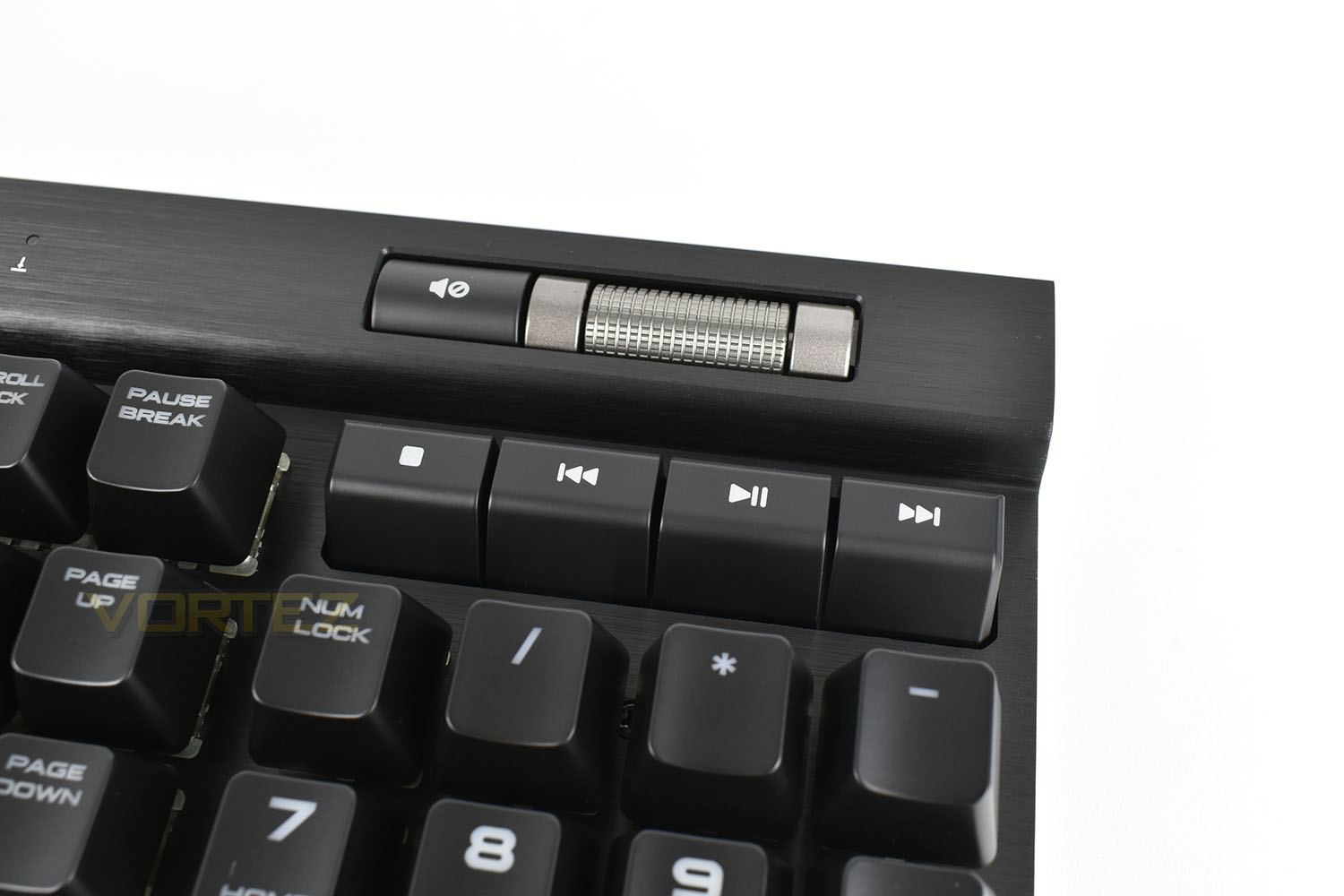
Starting with the media controls in the top-right, the volume roller and mute button remain the same, with a joyous feel to the roller; there’s almost no resistance but a feel of absolute sturdiness. There’s simply no better way to adjust the volume than this.
Directly underneath are the media keys, with Stop, Backwards, Play/Pause and Forwards. Previously these keys were shorter and more difficult to see when using the keyboard from a typical position. Corsair have now raised these keys up to make them more visible.
Carrying along on the top row, there’s the usual Num Lock, CAPS Lock and Scroll Lock indicator LEDs.

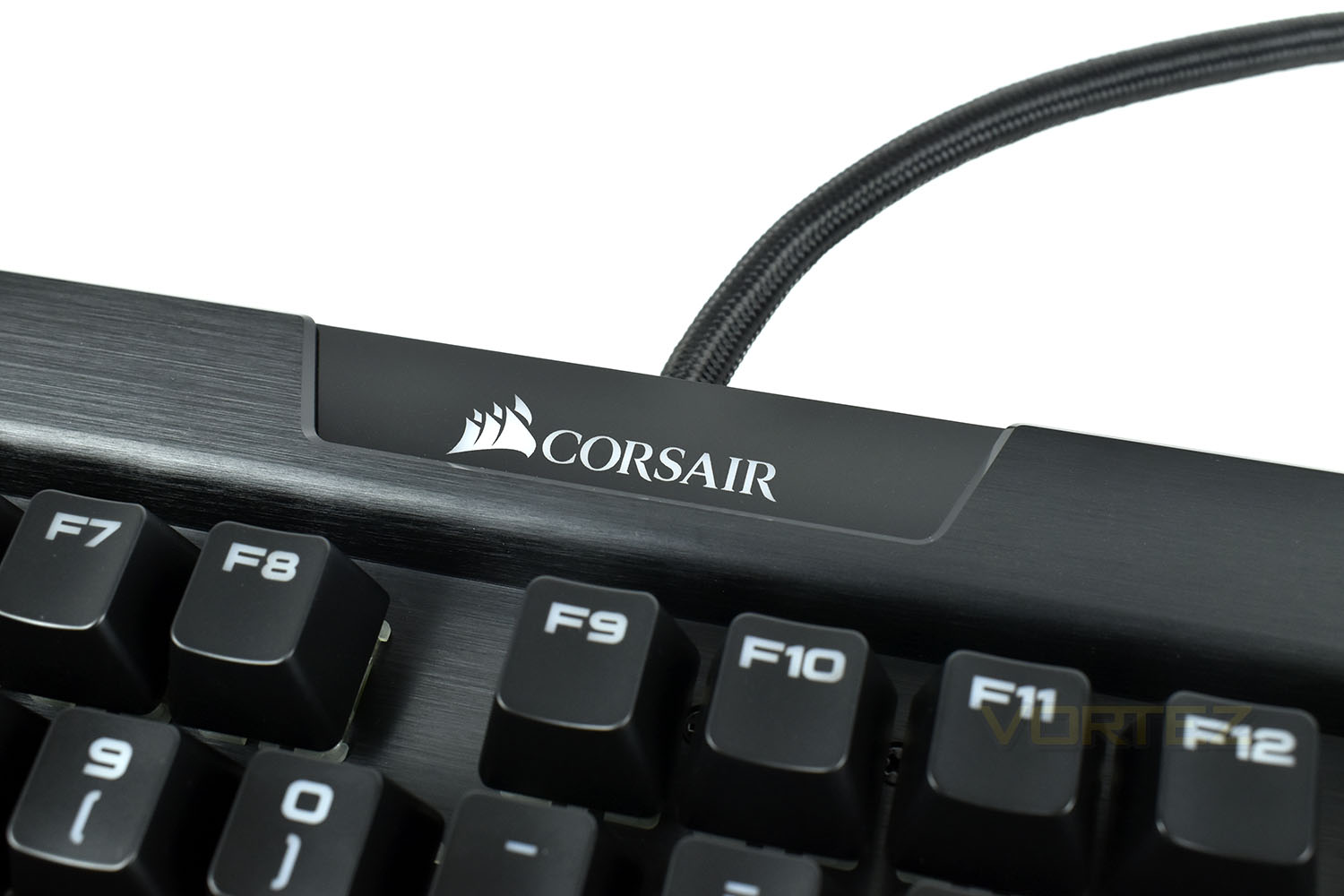
We’ve saw a couple of different iterations of the Corsair logo on the K70 through the years but now they’ve added two-zone RGB backlighting, for added flair and appeal.
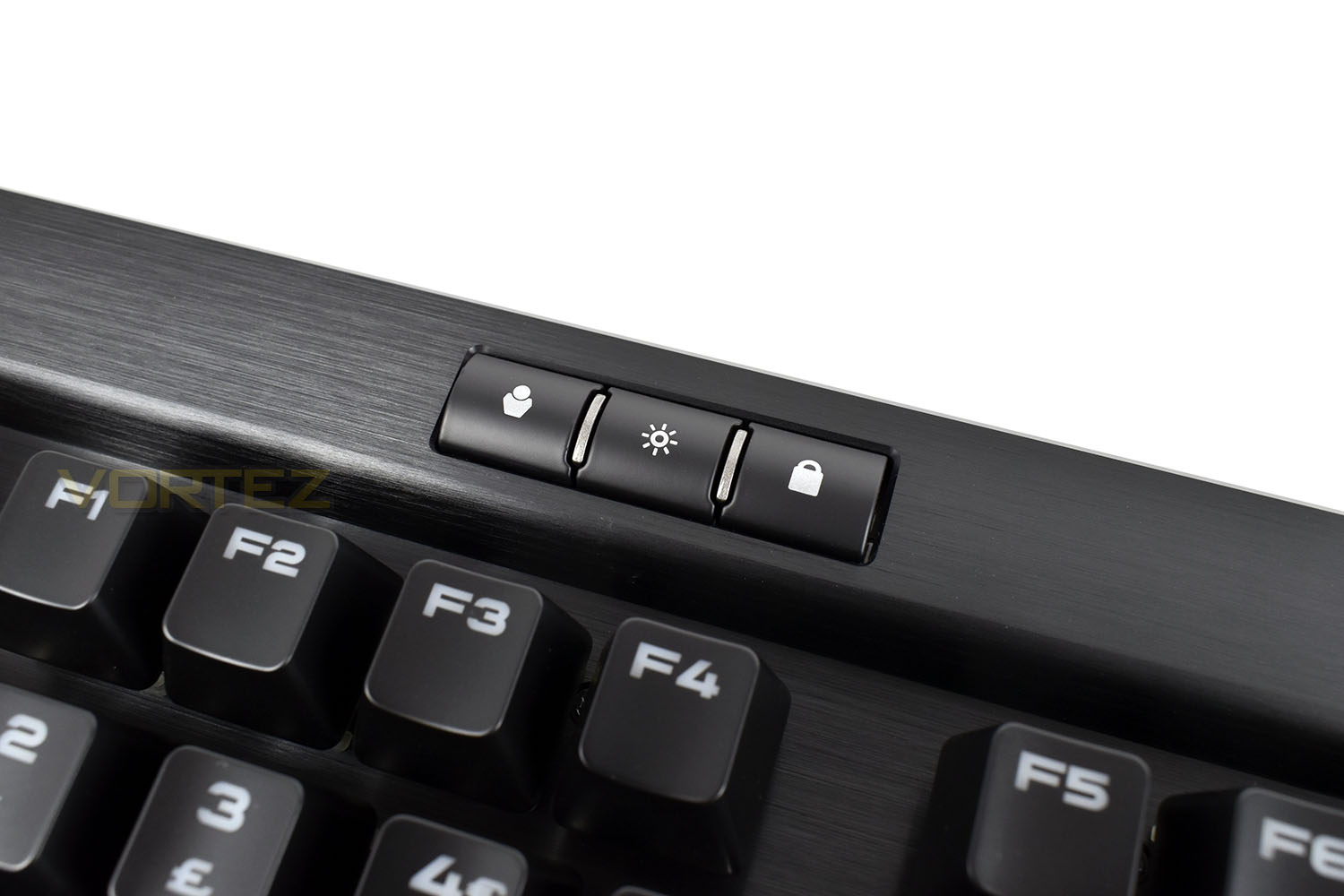
Staying with the top row once more, we find a cluster of three small buttons on the left, one is a dedicated profile switch button, which has been absent from previous K70 keyboards and something Tim Harmer mentioned in his review of the K70.
There’s also a backlight brightness toggle and a lock key for use while gaming to prevent accidental keypresses.
Software
Since our last Corsair reviews, there’s been a complete overhaul of the Corsair Software system, combining both the Corsair LINK and Corsair CUE softwares into a much more streamlined ecosystem. This new piece of kit is called the Corsair iCue and is available to download here.Below is a short two minute clip of the main features you can play around with on the K70 MK.2 within iCue.
Performance Testing
Typically, most gamers moving over to the mechanical keyboard would go with a Cherry MX Red keytswitch, loved for their “happy medium” approach to mechanical key switches, being light enough to use for lengthy essays and online chat forums, while also featuring a short enough actuation distance to be quick in games. Well, with the RAPIDFIRE edition of the K70 MK.2, we’re treat to a Cherry MX Speed switch, requiring the same 45cN of force as a Cherry MX Red, but reacting to a keypress after only 1.2mm of travel; this makes the key quite literally faster, and therefore the name “Speed”. It’s perhaps not as good of an “all-rounder” as a Cherry MX Red or Brown switch, but in terms of raw speed, we found it worked remarkably well. Thankfully, the keyboard is available in a range of different switch types, so visit your local store to try out the different options, if at all possible.In keeping with the gaming theme, Corsair’s included a pair of Gaming keycap sets and a key puller, which add a tactile “chequer plate” effect to the top of the keycap as well as being grey in colour. The spacebar is already decked out with this effect, but there’s no replacement for that key. The two keycap sets are used for MOBA or FPS games.
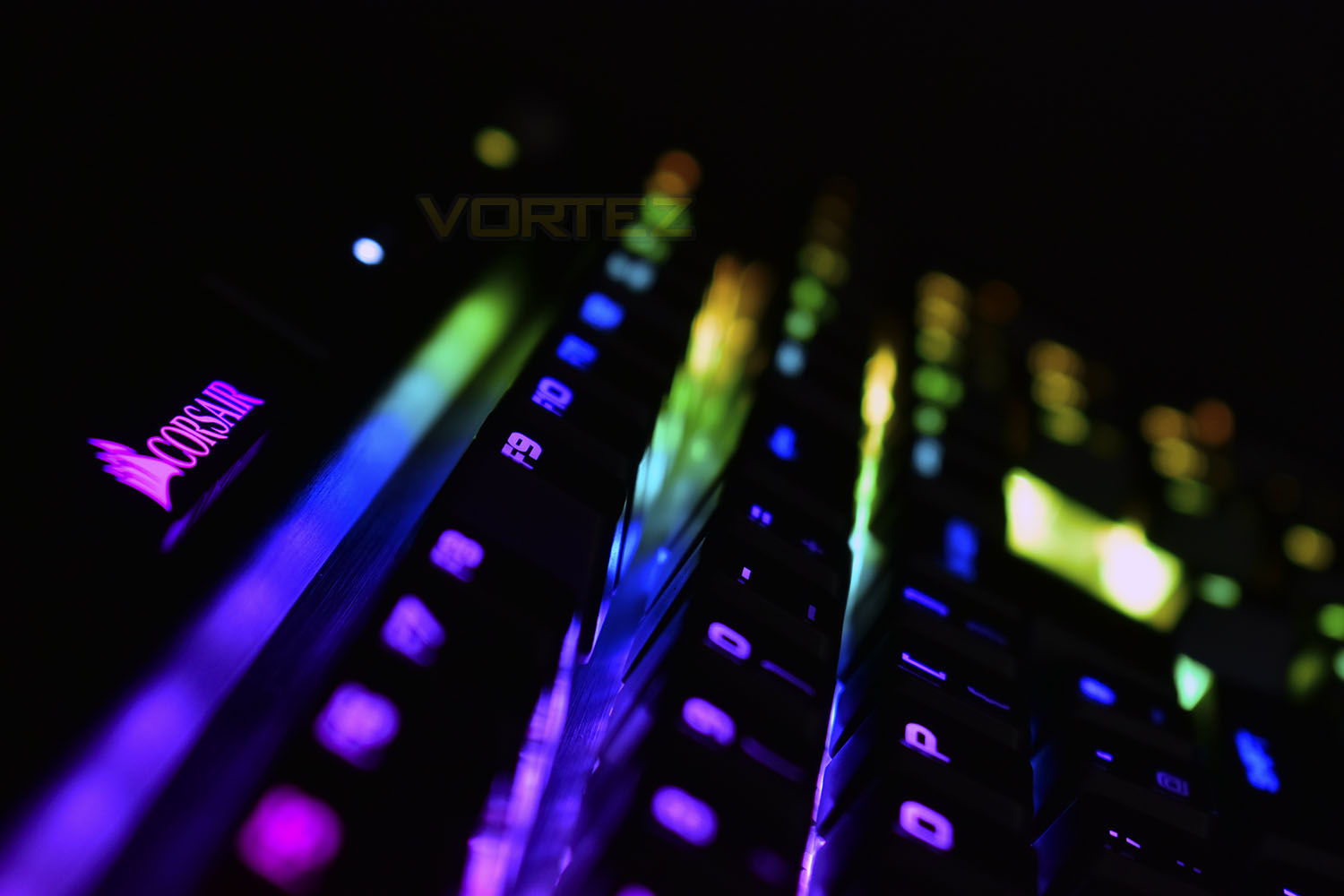
Thanks largely to the aluminium backplate and refined build quality Corsair are best known for, the keyboard feels absolutely rock solid. Every keypress feels completely uniform with no movement in the chassis of the keyboard at all. We’re also impressed with the LEDs used in the key switches as well as secondary buttons placed around the keyboard, all of which replicate the colours equally well and with the same brightness.
The wrist rest, as is the case with all Corsair keyboards so far, is made from a solid piece of textured plastic. While a wrist rest is important to many for comfort, a hard lump of plastic is far from ideal. Perhaps some cushioning could be included in the MK.3.
Media controls is something many manufacturers neglect entirely or add Fn keys to incorporate awkward key combinations to adjust volume or skip tracks. Corsair, on the other hand, have stuck with the trust volume wheel (which we love!) and dedicated media keys, but this time they’ve been raised up a few millimetres so they’re now visible.
When carting your weapons of choice to gaming parties or LAN events, it’s good to know the keyboard can store three distinct profiles onboard, which can be toggled via the dedicated switch on the top row. The 8MB of onboard memory ensures you’ll always have the best chance to relinquish your foes of life.
Conclusion
So, it seems that retaining a perfectly good recipe and tweaking it slightly is the way to go; we’ve found very few issues with the Corsair K70 MK.2, while finding other features we definitely approve of.The cable routing on the underside is excellent, giving headphone and microphone cables and easy route while not being in the way. As is the profile switch, which works independently of the iCUE software and can be moved from one PC to another. Handy if you use different profiles for specific games or pieces of software.
Raising up the media controls makes life much easier if you find your comfortable position to be more horizontal than vertical, especially if you tend to have music playing while enjoying your favourite games – the volume roller still wins our vote, thanks for leaving that exactly where it was Corsair!
The biggest gripe we have is the solid plastic wrist rest, unfortunately it just doesn’t compete with the other keyboards in this category. The Logitech G513, Cooler Master MK750 and Razer Blackwidow Chroma V2 all feature a leatherette, cushioned wrist rest which is far superior for long sessions.
The new iCUE software deserves a tip of the hat as well, unifying Corsair’s vast range of products into one, easy to use application makes sense and with Corsair’s implementation working so well, we cannot complain. Not a single crash, hiccup or problem.
Considering the price has remained the same, and the formula still works incredibly well, in fact even better now, with the improvements; there’s nothing much we can say to put you off purchasing the keyboard unless the lack of a cushioned palm rest puts you off.
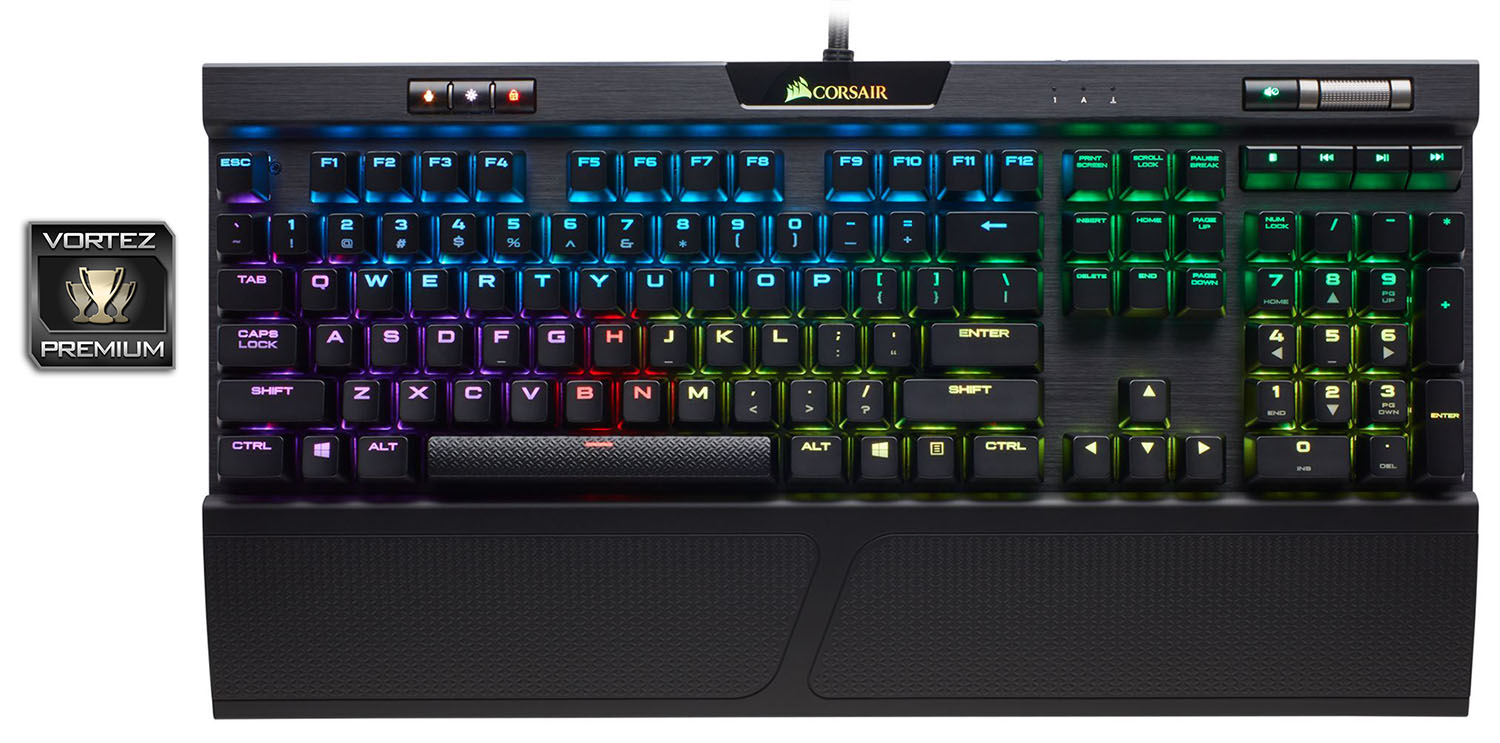
Dedicated media controls, RGB backlighting, blazing-fast mechanical switches and other gaming-orientated features make this a delicious product for any gamer.
Pros
+ Lovely, uniform RGB lighting
+ Dedicated media controls + volume roller
+ Cable routing underneath
+ Has USB 2.0 passthrough
+ Excellent iCUE software
+ Wide choice of Cherry MX key switches available
+ 8MB onboard memory + dedicated profile switch
+ Feels solid
Neutral
+- Plastic wrist rest
+- Pricey
Cons
– Still only USB 2.0 passthrough
– No Macro keys
+ Lovely, uniform RGB lighting
+ Dedicated media controls + volume roller
+ Cable routing underneath
+ Has USB 2.0 passthrough
+ Excellent iCUE software
+ Wide choice of Cherry MX key switches available
+ 8MB onboard memory + dedicated profile switch
+ Feels solid
Neutral
+- Plastic wrist rest
+- Pricey
Cons
– Still only USB 2.0 passthrough
– No Macro keys
Click here for an explanation of our awards at Vortez.net.
Stay connected with the Vortez Social Media pages:
Join in with the discussions on Discord