CORSAIR’s constantly evolving and ever-popular K70 receives another refresh today, this time being equipped with their 8000Hz AXON processor and a removeable Type-C USB cable.

Product on Review: CORSAIR K70 RGB PRO
Manufacturer: CORSAIR
Street Price:
– UK £179.99
– US $169.99
– EU €189.99
– AU $249.00
CORSAIR’s K70 line-up has been around since, what feels like, the dawn of time. The build quality is always up there, pricing is competitive, features are plentiful and the iCUE software adds the icing to the cake, but how do CORSAIR keep evolving this keyboard year after year?
Today we’re going to look at the K70 RGB PRO, equipped with the usual aluminium chassis, Cherry MX keyswitches, custom macro programming, media keys and RGB lighting that you’ve come to expect from any K70 offering, but with so many new features added for the latest version.
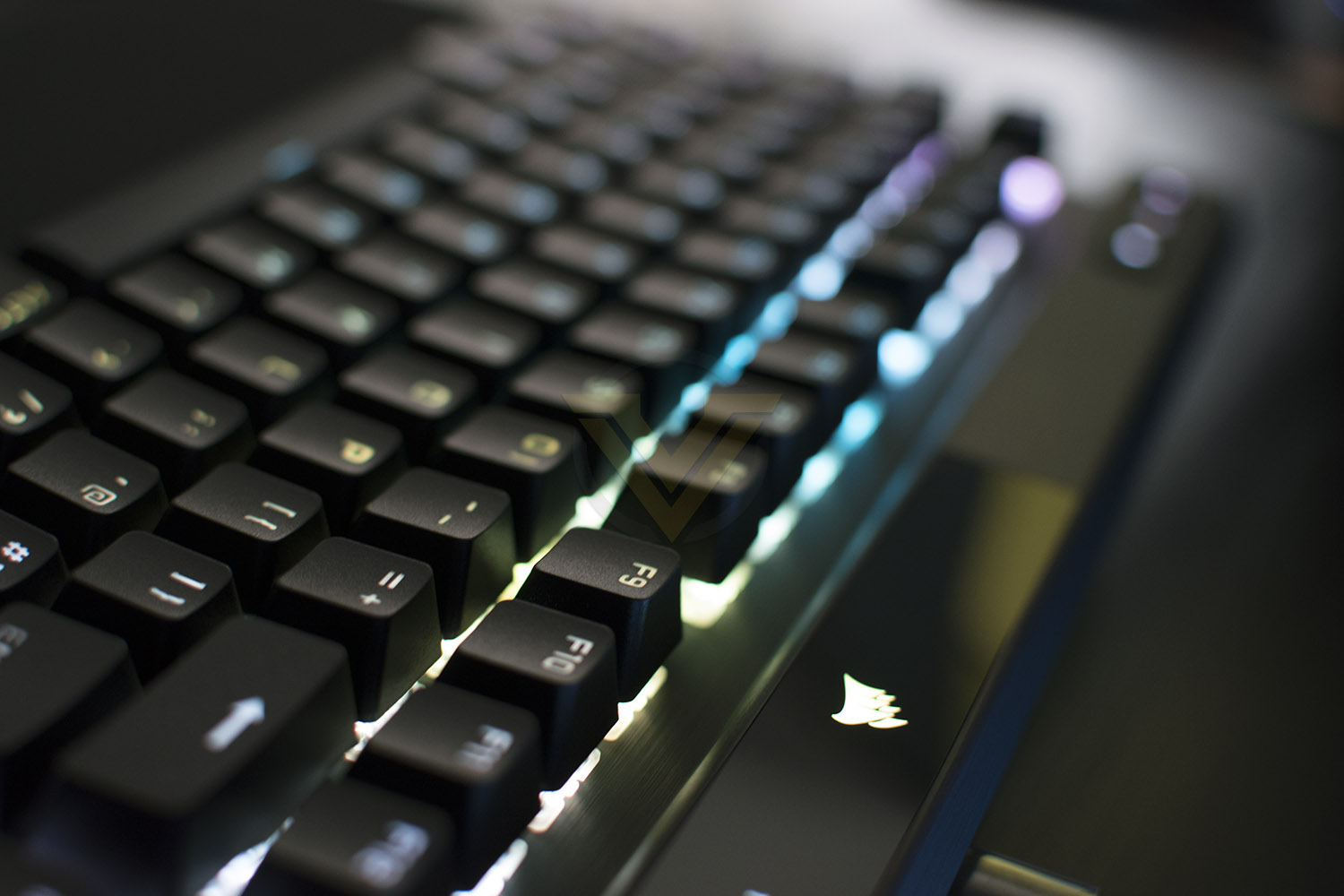
Chief amongst the new features is the CORSAIR Axon Hyper-Processing Technology, this enables an 8000Hz polling rate, 4000Hz key scanning and up to 20 layers of RGB lighting, all processed onboard the keyboard without any slowdowns. We also get features like a removeable Type-C cable, a magnetic soft-touch wrist rest and a tournament switch for eSports players.
Priced at £169.99 in the UK, with your choice of Cherry MX Red, Blue, Brown, SILENT Red or SPEED Silver switches, the keyboard lands right in the ballpark of the upper-end gaming keyboards, so competition will be aplenty. Does the K70 RGB PRO have enough to hold its own? We’ll soon find out.
CORSAIR on the K70 RGB PRO:
The CORSAIR K70 RGB PRO Mechanical Gaming Keyboard delivers an iconic aluminum frame and even better performance, powered by CORSAIR AXON Hyper-Processing Technology and world-renowned CHERRY MX mechanical keyswitches. Win in style with dynamic per-key RGB backlighting, easy to take on the go with a detachable USB Type-C cable. Powerful iCUE software on both PC and macOS enables custom macro programming, key remaps, and more, while dedicated media keys and an aluminum multi-function volume roller offer convenient control over media. With a tournament switch for instant compliance with competition guidelines and onboard storage for up to 50 profiles, the K70 GB PRO is ready to take on any challenge.
Technical Specifications
Form Factor: Full-size with numpad
Chassis: Aluminium, black anodized, brushed finish
Keyswitches: Cherry MX RGB, Mechanical
– Red (Linear) – 45g actuation force, 2.0mm actuation, 4.0mm travel
– Blue (Clicky) – 60g actuation force, 2.2mm actuation, 4.0mm travel
– Brown (Tactile) – 55g actuation force, 2.0mm actuation, 4.0mm travel
– SILENT Red (Linear) – 45g actuation force, 1.9mm actuation, 3.7mm travel
– SPEED Silver (Linear) – 45g actuation force, 1.2mm actuation, 3.4mm travel
Number of keys: 104-108 (depending on regional layout)
Dedicated Macro Keys: No
Onboard Macro Recording: Yes, record and save to FN + key combination
Backlighting: Individually lit and per-key programmable
LED Colour: RGB 16.8 million colours
Keycaps: PBT double-shot keycap set, 1.5mm thick, backlight compatible
Wired Connectivity: USB 3.0 Type-A to Type-C
USB Report Rate: Up to 8,000Hz hyper-polling
Keyscan: 4,000Hz
Matrix: Full key rollover (NKRO) with 100% anti-ghosting
Onboard Memory: 8MB
Onboard profiles: Up to 50 (depending on complexity)
Onboard Lighting: Up to 20 layers of lighting effects
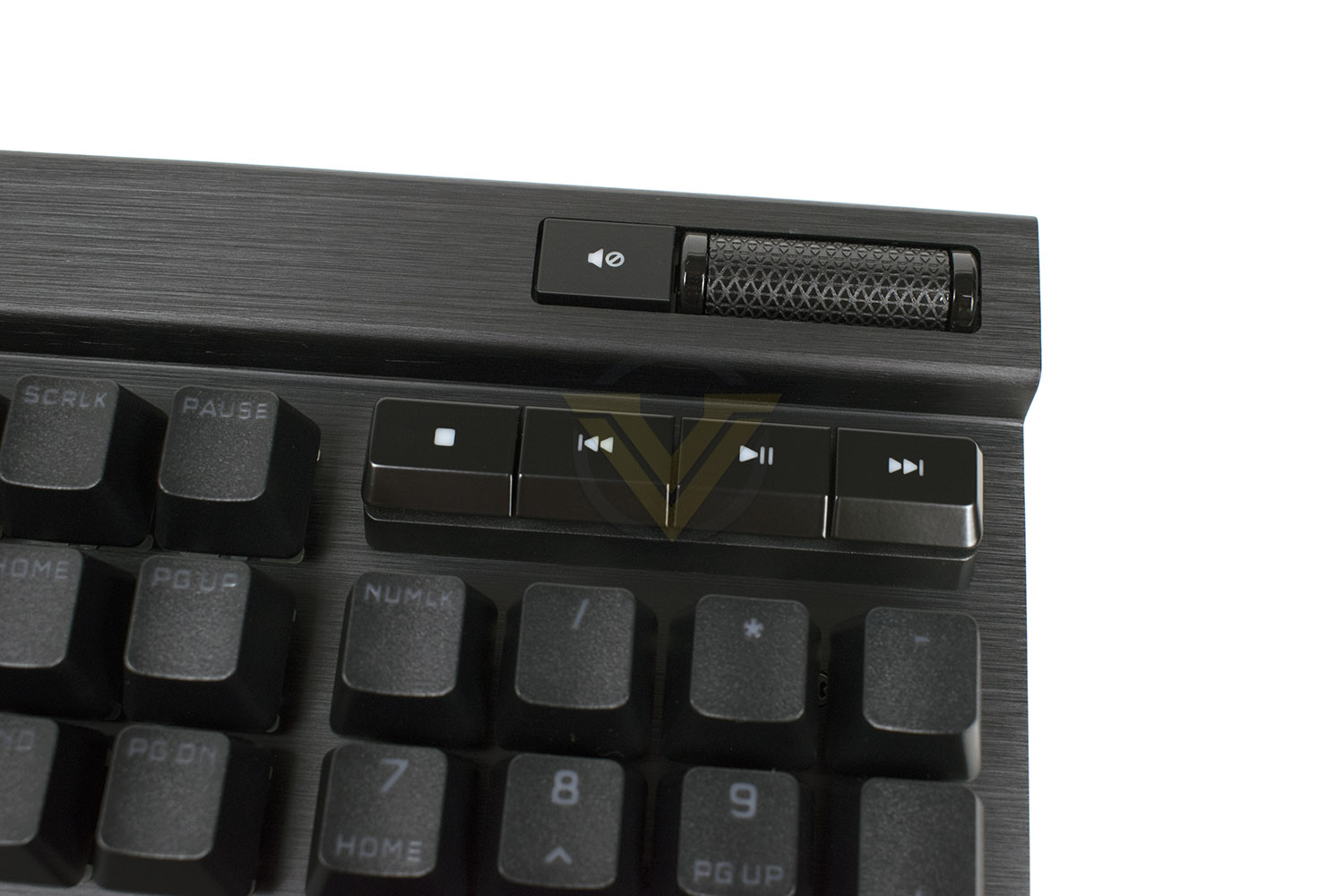
Media Keys: Yes, five dedicated hotkeys (stop, last track, play/pause, next track, mute) and volume roller
Profile Key: Yes
Brightness Key: Yes
Windows Lock Key: Yes
Adjustable Height: Yes, two-stage tilt
Platform Compatibility: Windows PC, Apple Mac, Microsoft Xbox One or Series X|S
iCUE (Software): Supported in Windows 10 and macOS 10.15
Cable: 1.82m / 6ft, USB Type-C to Type-A, detachable, black, braided fibre
Dimensions: 444(L) x 166(W) x 40(H) mm / 17.5(L) x 6.54(W) x 1.58(H) in (without palm rest)
Weight: 1.15kg / 2.54 lbs (without palm rest)
Chassis: Aluminium, black anodized, brushed finish
Keyswitches: Cherry MX RGB, Mechanical
– Red (Linear) – 45g actuation force, 2.0mm actuation, 4.0mm travel
– Blue (Clicky) – 60g actuation force, 2.2mm actuation, 4.0mm travel
– Brown (Tactile) – 55g actuation force, 2.0mm actuation, 4.0mm travel
– SILENT Red (Linear) – 45g actuation force, 1.9mm actuation, 3.7mm travel
– SPEED Silver (Linear) – 45g actuation force, 1.2mm actuation, 3.4mm travel
Number of keys: 104-108 (depending on regional layout)
Dedicated Macro Keys: No
Onboard Macro Recording: Yes, record and save to FN + key combination
Backlighting: Individually lit and per-key programmable
LED Colour: RGB 16.8 million colours
Keycaps: PBT double-shot keycap set, 1.5mm thick, backlight compatible
Wired Connectivity: USB 3.0 Type-A to Type-C
USB Report Rate: Up to 8,000Hz hyper-polling
Keyscan: 4,000Hz
Matrix: Full key rollover (NKRO) with 100% anti-ghosting
Onboard Memory: 8MB
Onboard profiles: Up to 50 (depending on complexity)
Onboard Lighting: Up to 20 layers of lighting effects
Media Keys: Yes, five dedicated hotkeys (stop, last track, play/pause, next track, mute) and volume roller
Profile Key: Yes
Brightness Key: Yes
Windows Lock Key: Yes
Adjustable Height: Yes, two-stage tilt
Platform Compatibility: Windows PC, Apple Mac, Microsoft Xbox One or Series X|S
iCUE (Software): Supported in Windows 10 and macOS 10.15
Cable: 1.82m / 6ft, USB Type-C to Type-A, detachable, black, braided fibre
Dimensions: 444(L) x 166(W) x 40(H) mm / 17.5(L) x 6.54(W) x 1.58(H) in (without palm rest)
Weight: 1.15kg / 2.54 lbs (without palm rest)
Packaging, Bundle & First Look
No surprises here with a black and yellow box. The front of the packaging will give you a decent quick view of the keyboard and show you which keyboard layout it is, as well as which Cherry MX keyswitch type is used.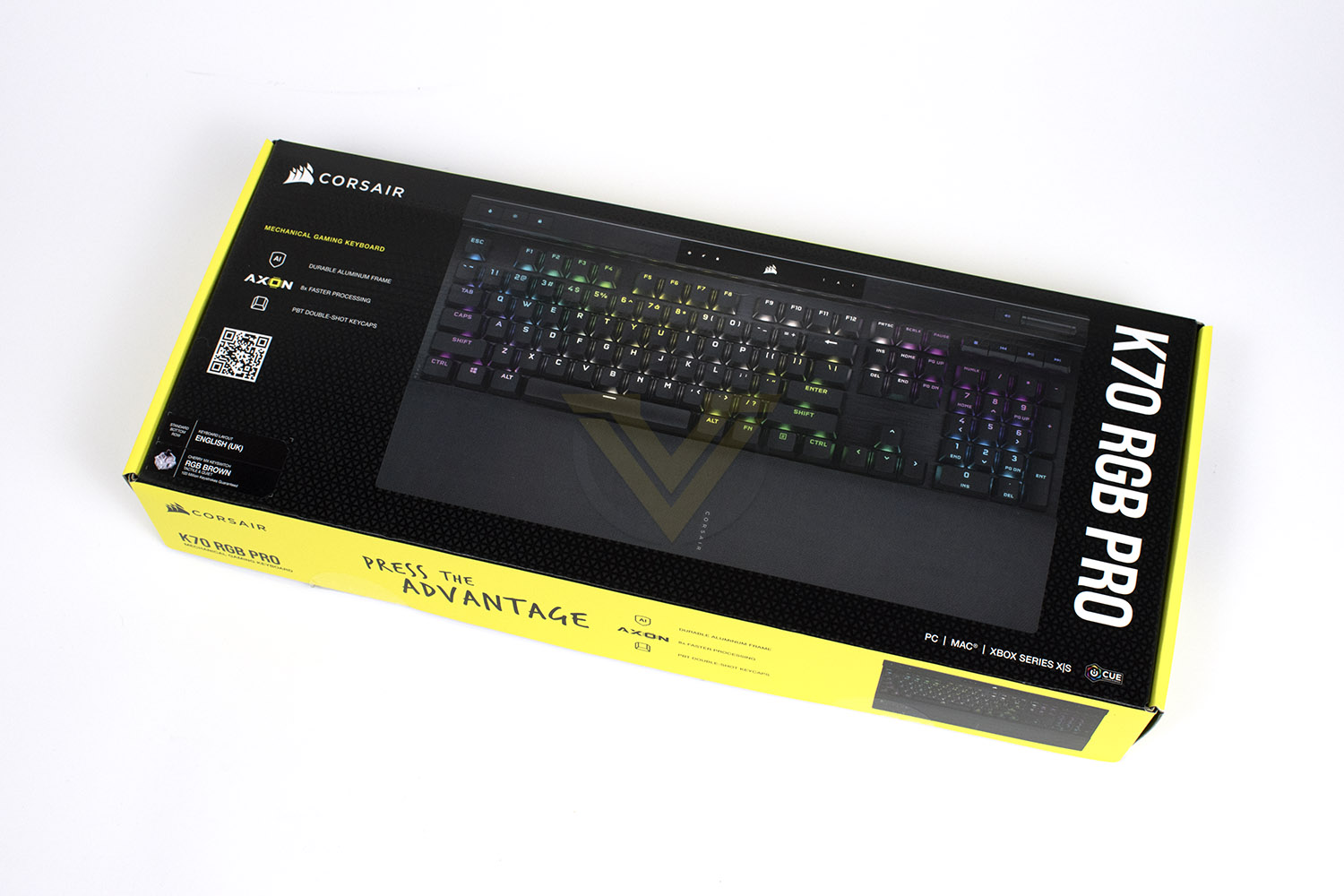
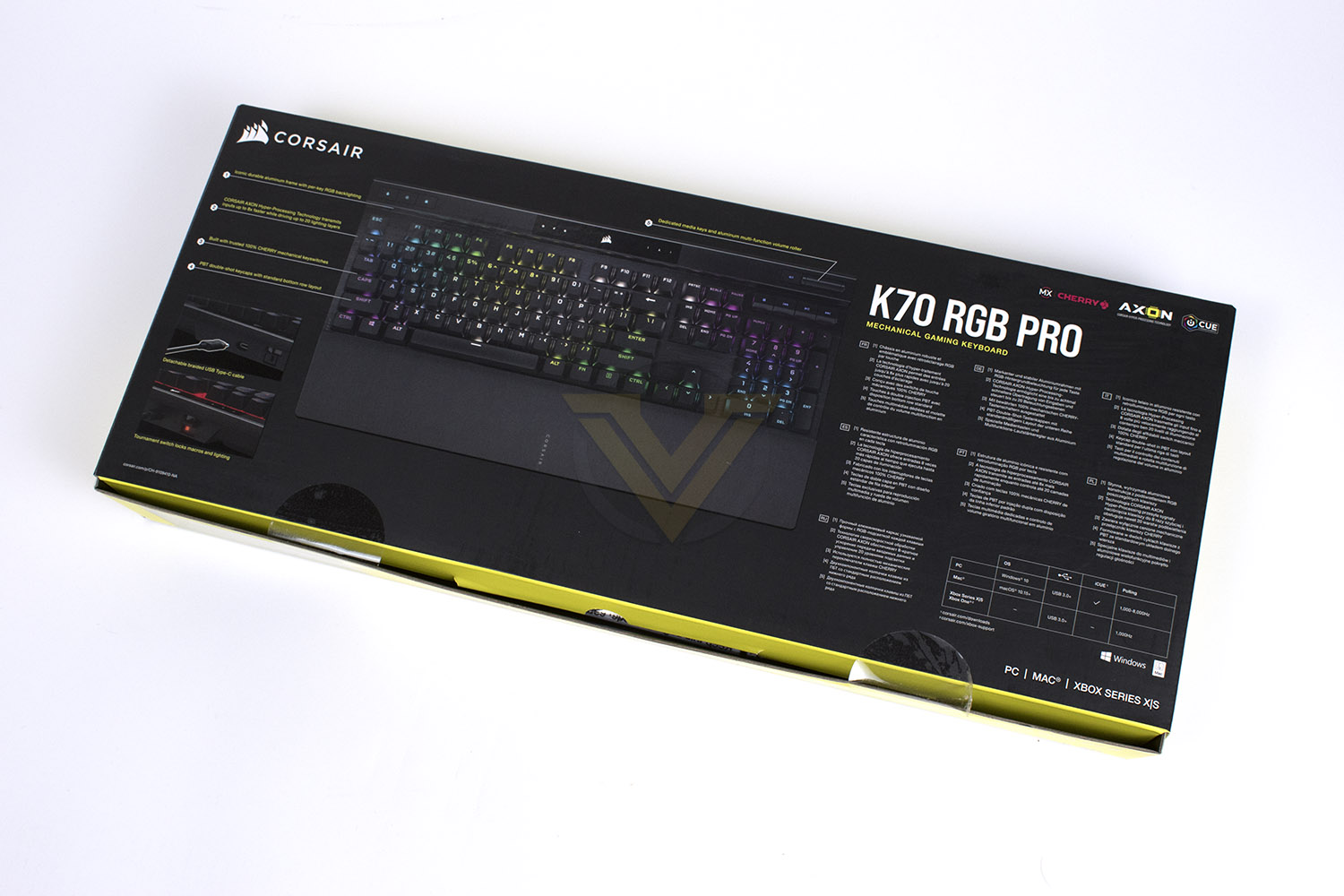
Flipping the box over, here we get a good look at the features and reasons why you’d want to buy the K70 RGB PRO over a competitor product. CORSAIR do a grand job of telling you everything you need to know from the packaging alone.
Included with your new K70 is a couple of booklets, a 1.82m USB Type-A to Type-C braided cable and a soft-touch wrist rest.
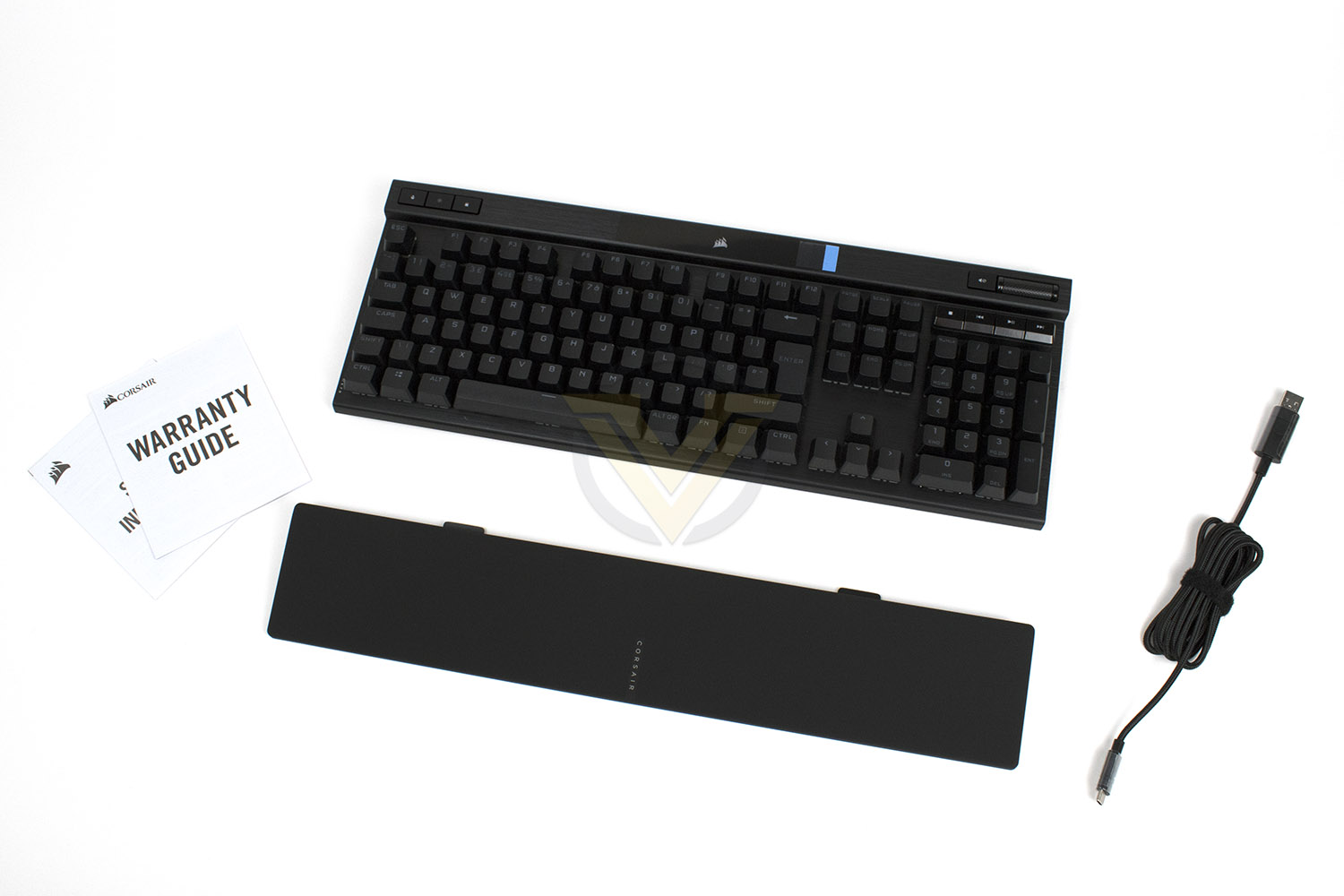
First impressions of the keyboard are very good, the design of the K70 has stood the test of time with the raised forehead at the top and brushed aluminium, it’s all good at the start.
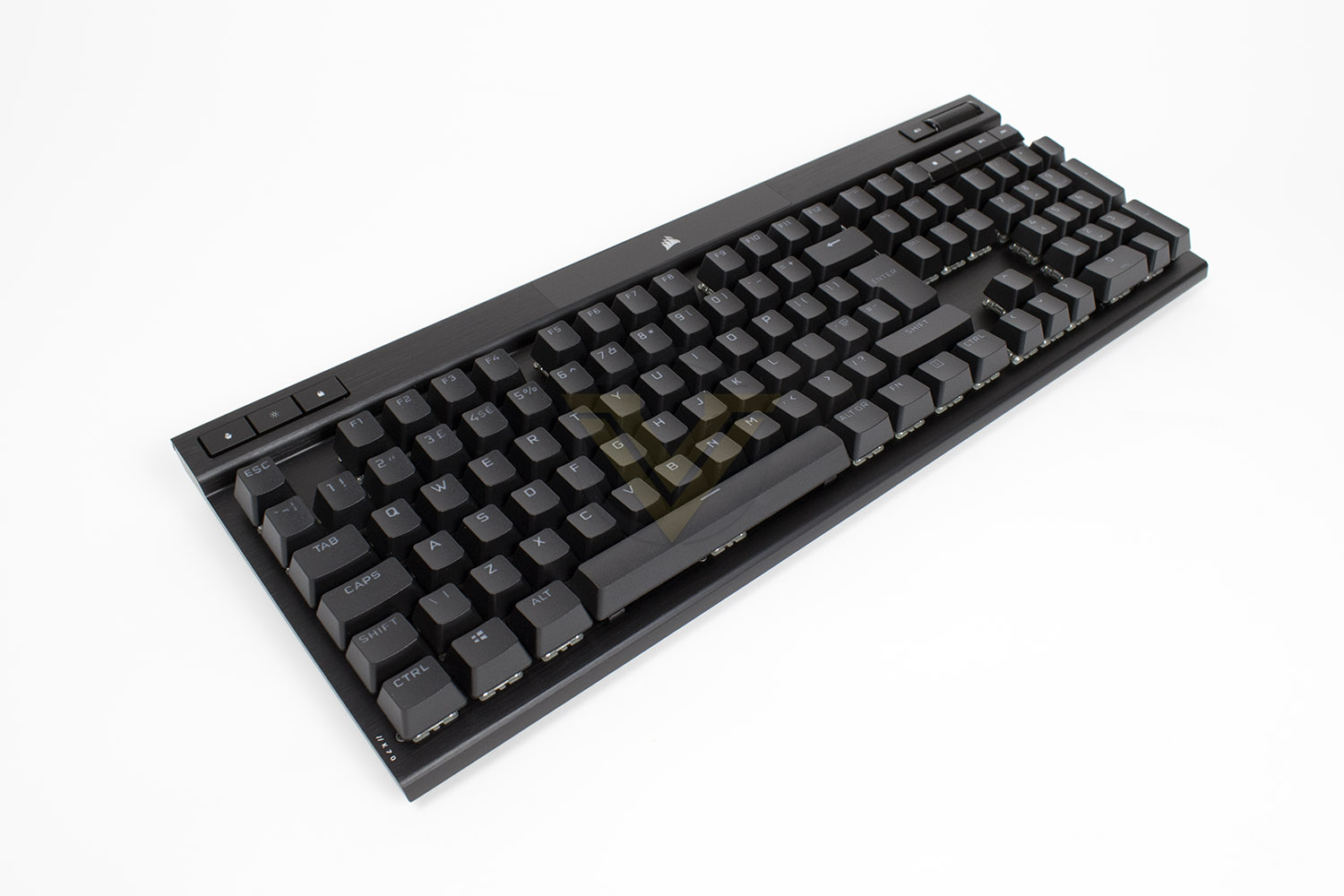
Closer Look
The K70 RGB PRO comes with a standard bottom row, media keys and volume controls in the top-right and specific function keys in the top-left. The rest is pretty much business as usual.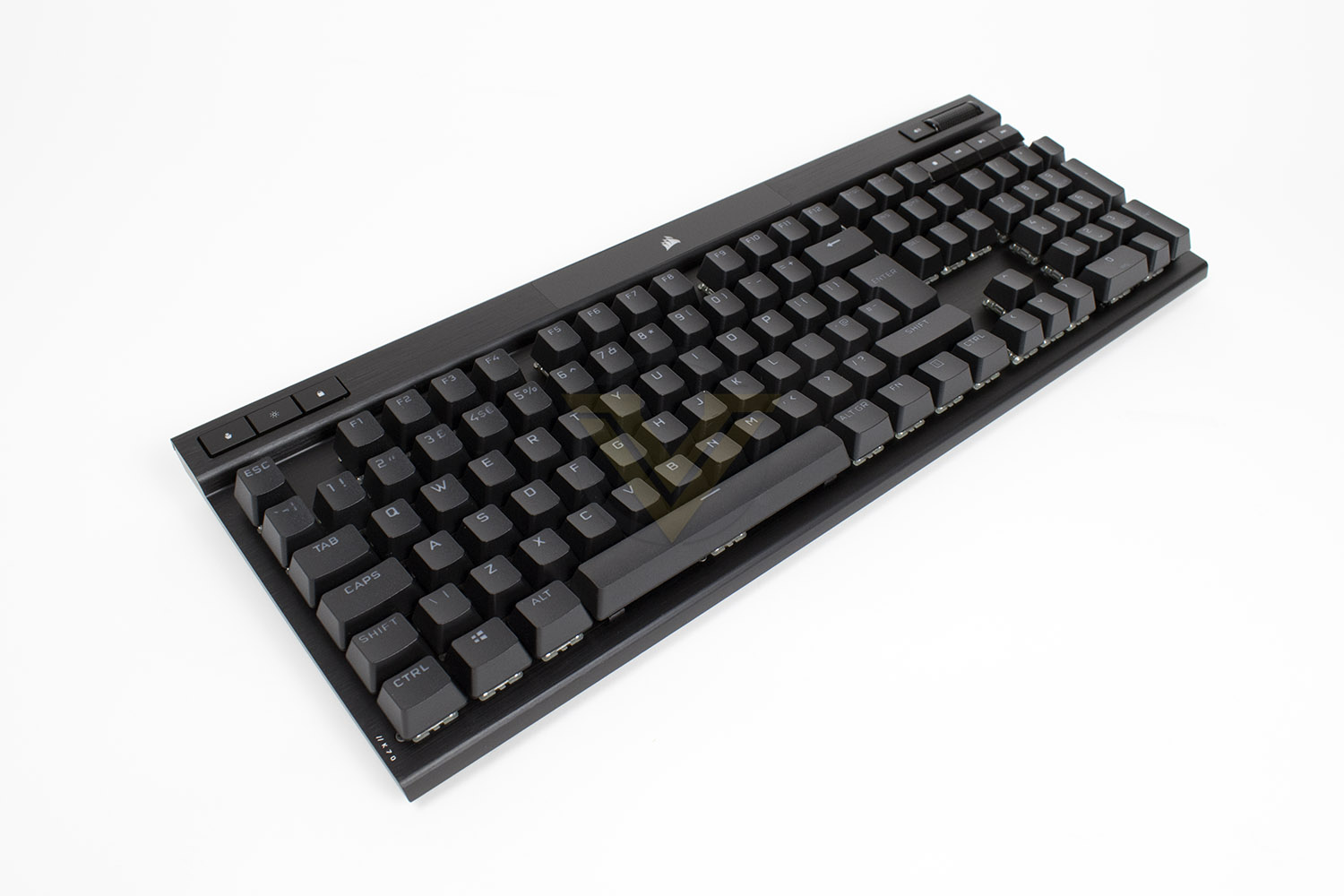
Showing off the new wrist rest. This is held in place using magnets instead of plastic prongs, that you might’ve seen on earlier K70 models.
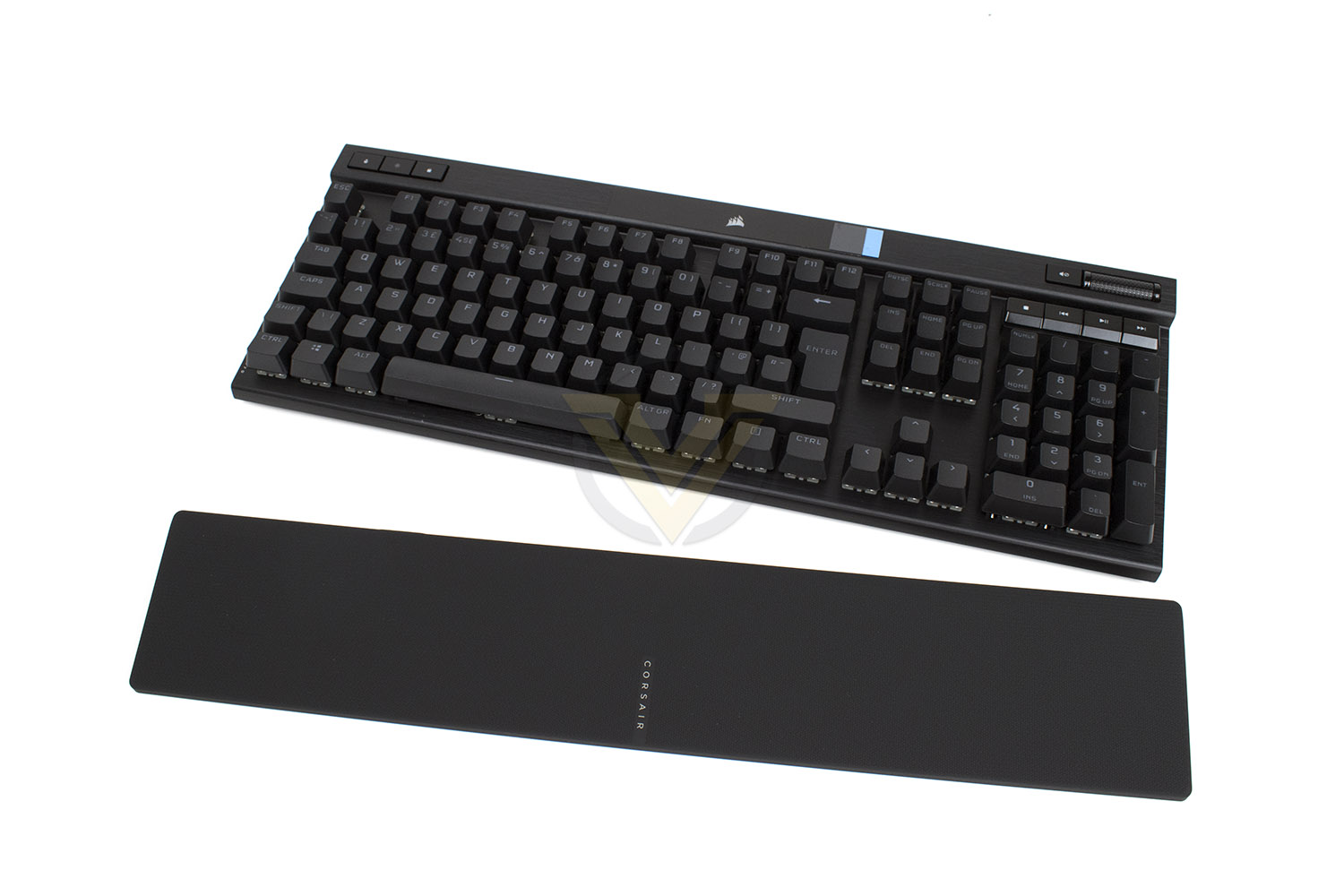
Delving in deeper, the top-right has the volume roller and mute key directly next to it, this is arguably the easiest and most intuitive way to adjust your system volume. Just underneath are the stop, skip back, play/pause and skip forwards buttons.
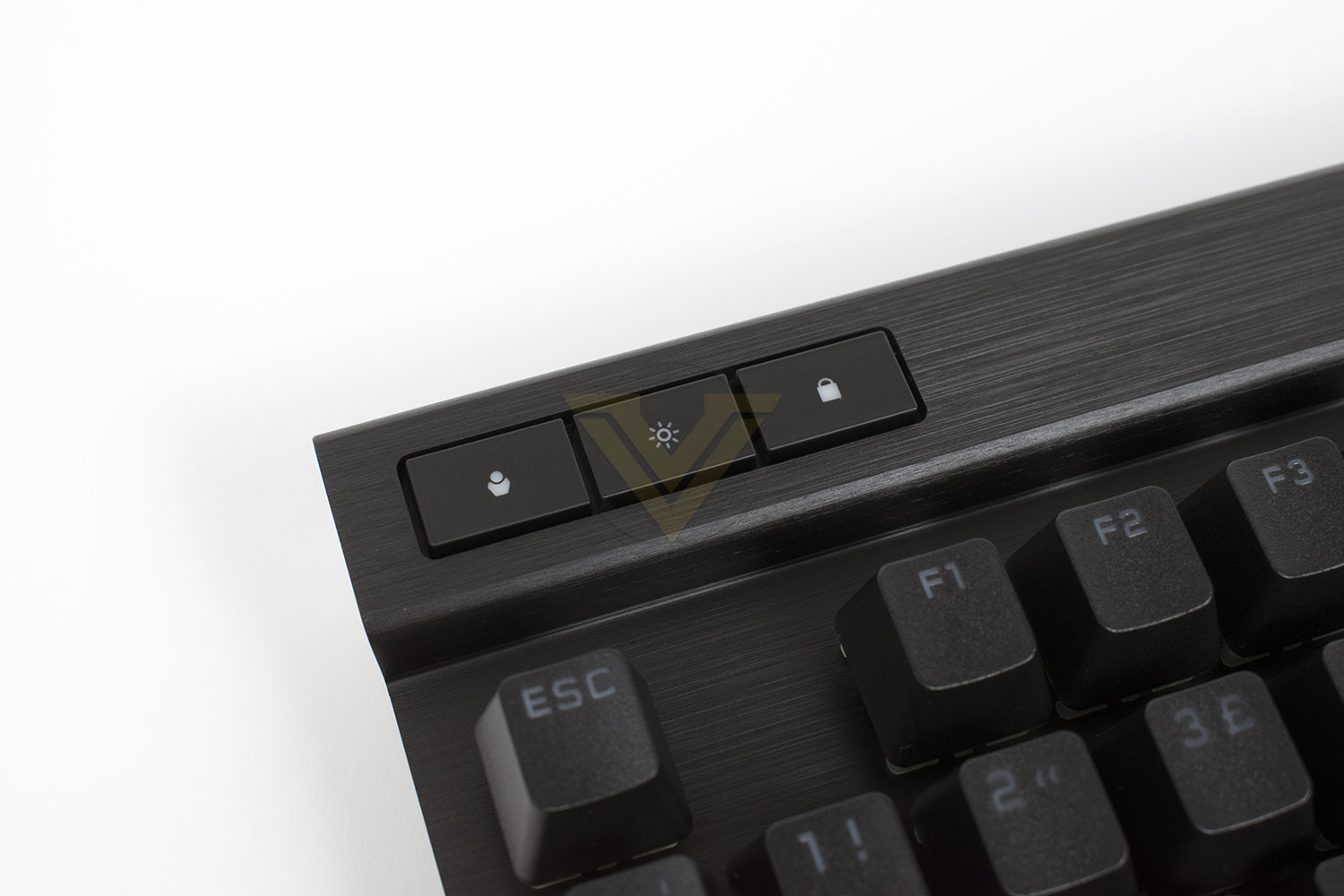
The top-left is home to the profile switcher button, if you wish you assign different lighting profiles, different gaming profiles, or pretty much anything you fancy, that’s the button you’ll use. The middle button adjusts the backlighting brightness in 5 different stages, or off completely. The key to the right enables the game mode which disables various things including the Windows key.
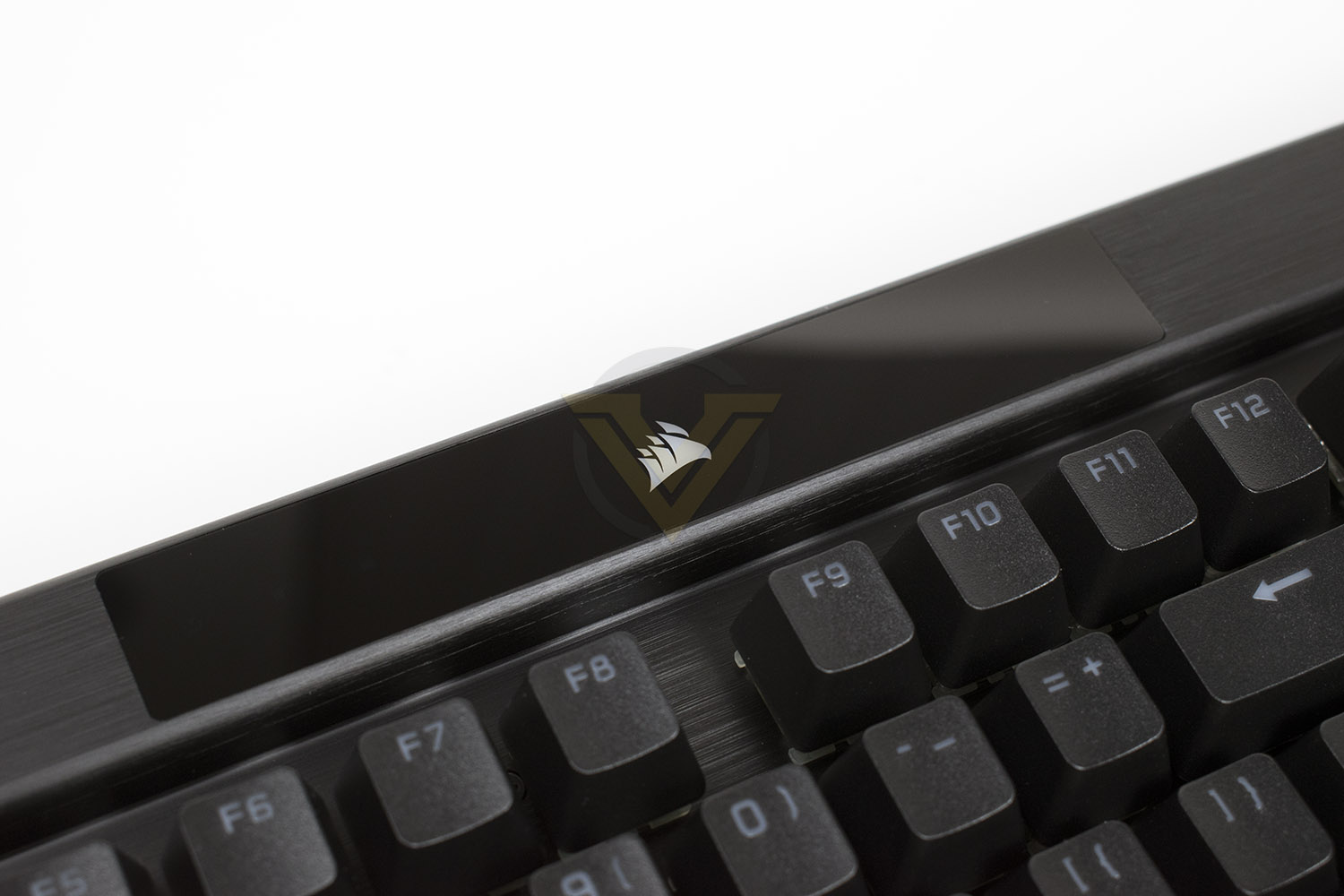
The top middle of the keyboard is now a flush clear plastic panel, equipped with an RGB CORSAIR logo in the centre and various indicator LEDs beside it. This is where you’ll find CAPS Lock, Number Lock and Scroll Lock, as well as indicators for the Macro Recording, a Mute toggle and Game Mode.
Closer Look (Continued)
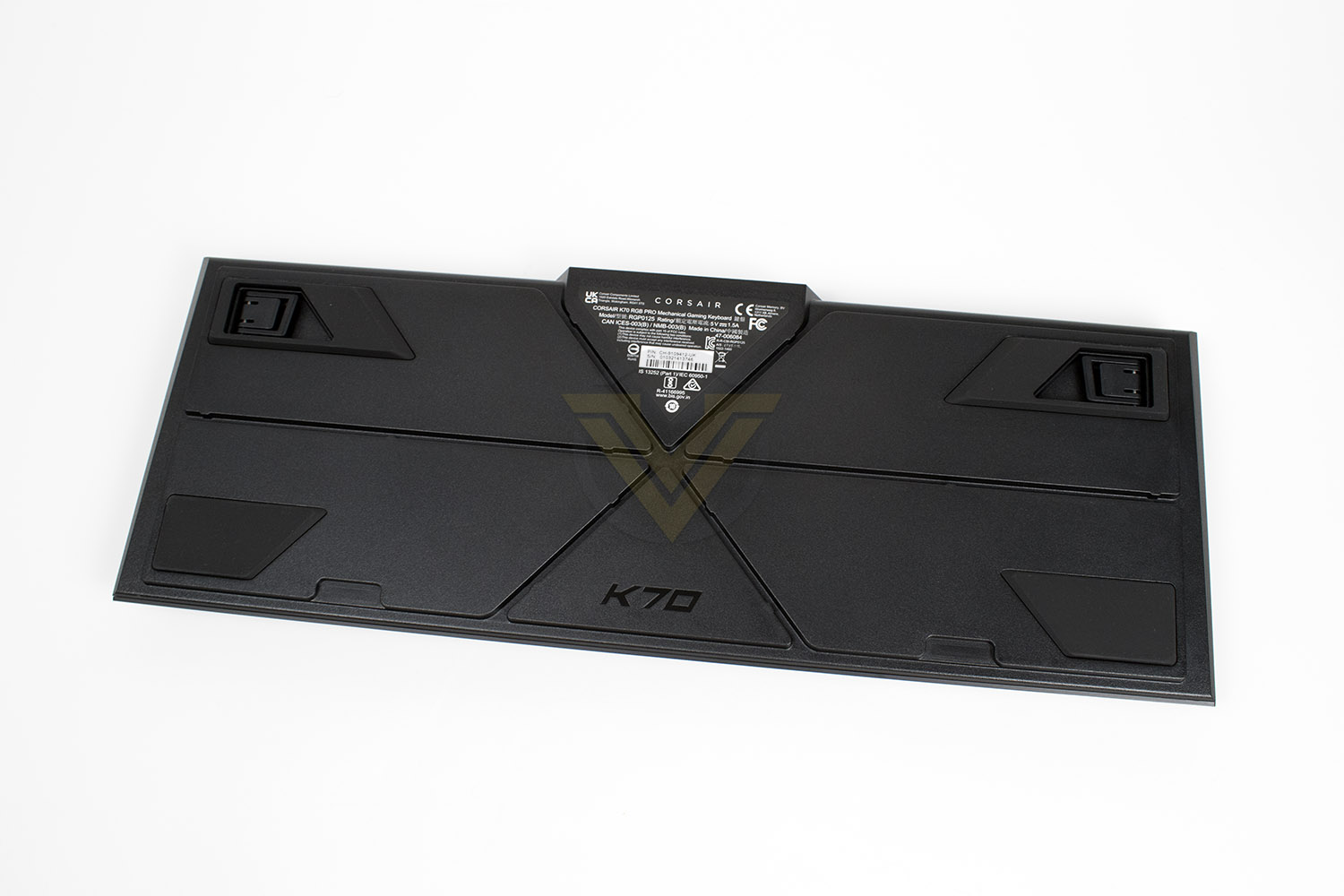
The underside of the keyboard, unlike most others, gives us a fair bit to talk about actually. In the top corners are two separate feet, one inside the other like a Russian doll, giving you three different height options.We also see cable routing in 6 different directions, handy if you want to route your headset or a phone charging cable under your keyboard without risking having it pivot over the cable.
Towards the bottom you’ll see two enormous rubber pads to prevent the keyboard from sliding around, you’ll also notice there are two smell recesses on the bottom edge – this is where the wrist rest’s magnetic system latches onto.
On the top edge of the keyboard, right in the centre, there’s the Type-C connection. CORSAIR obviously provides a cable with the keyboard but there’s nothing to stop you from buying your own personalised cable to match your own style. To the right of the Type-C port is the Tournament Switch, this is used to lock a lot of the keyboard’s functionality away so the keyboard conforms to eSports standards. The latch underneath can be flipped up to lock the switch in place, and expose a red LED so officials can, at a glance, check you’re running the correct mode.

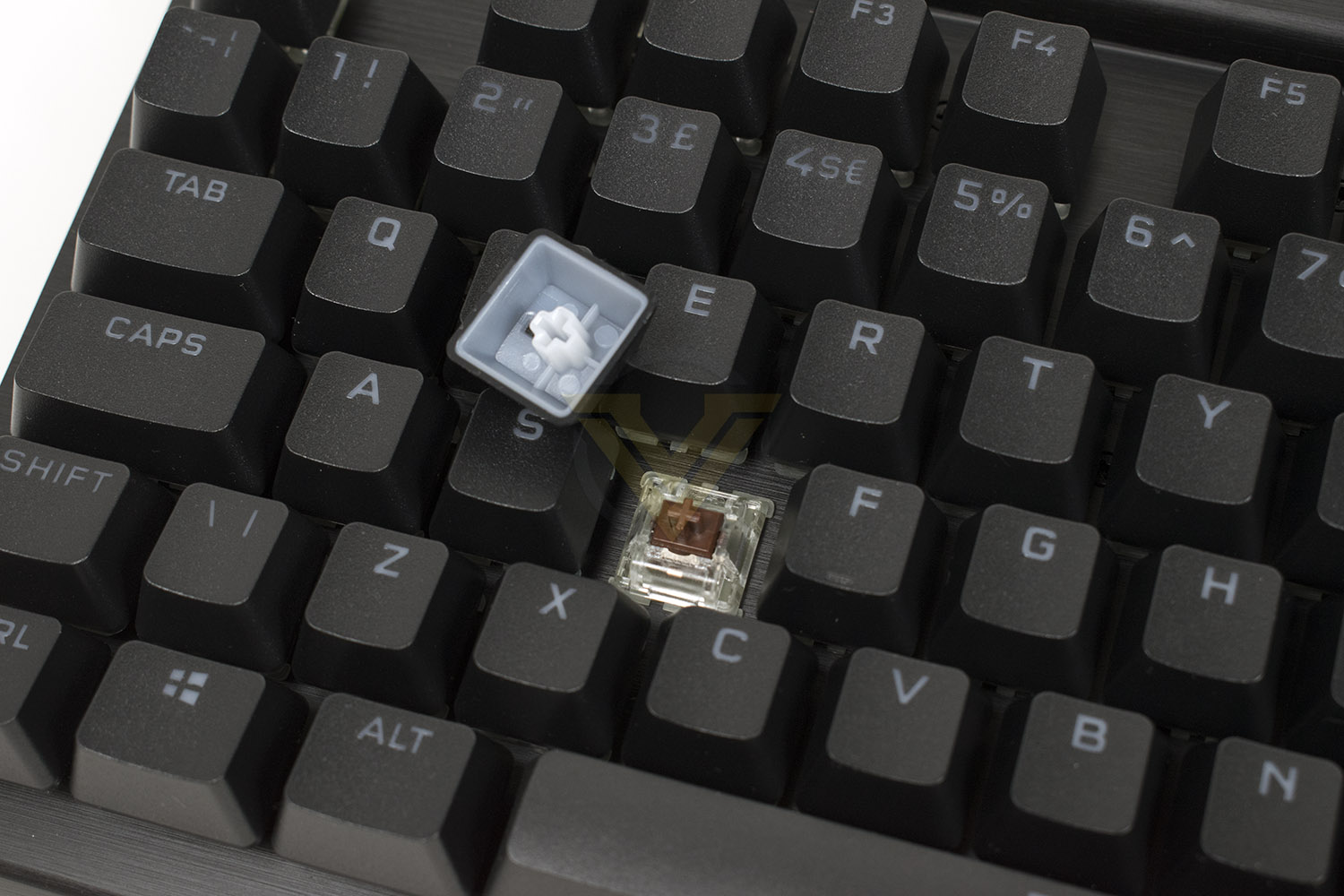
Under every PBT double-shot keycap is a Cherry MX mechanical keyswitch. CORSAIR offers the K70 RGB PRO with Red, Blue, Brown, SILENT Red and SPEED Silver as your five options, with the sample we’re looking at today using the Cherry MX Brown. Your choice of keyswitch doesn’t change anything else about the keyboard, only the feel, sound and response of the keyswitches, but it’s an important choice that you should research individually.
Software
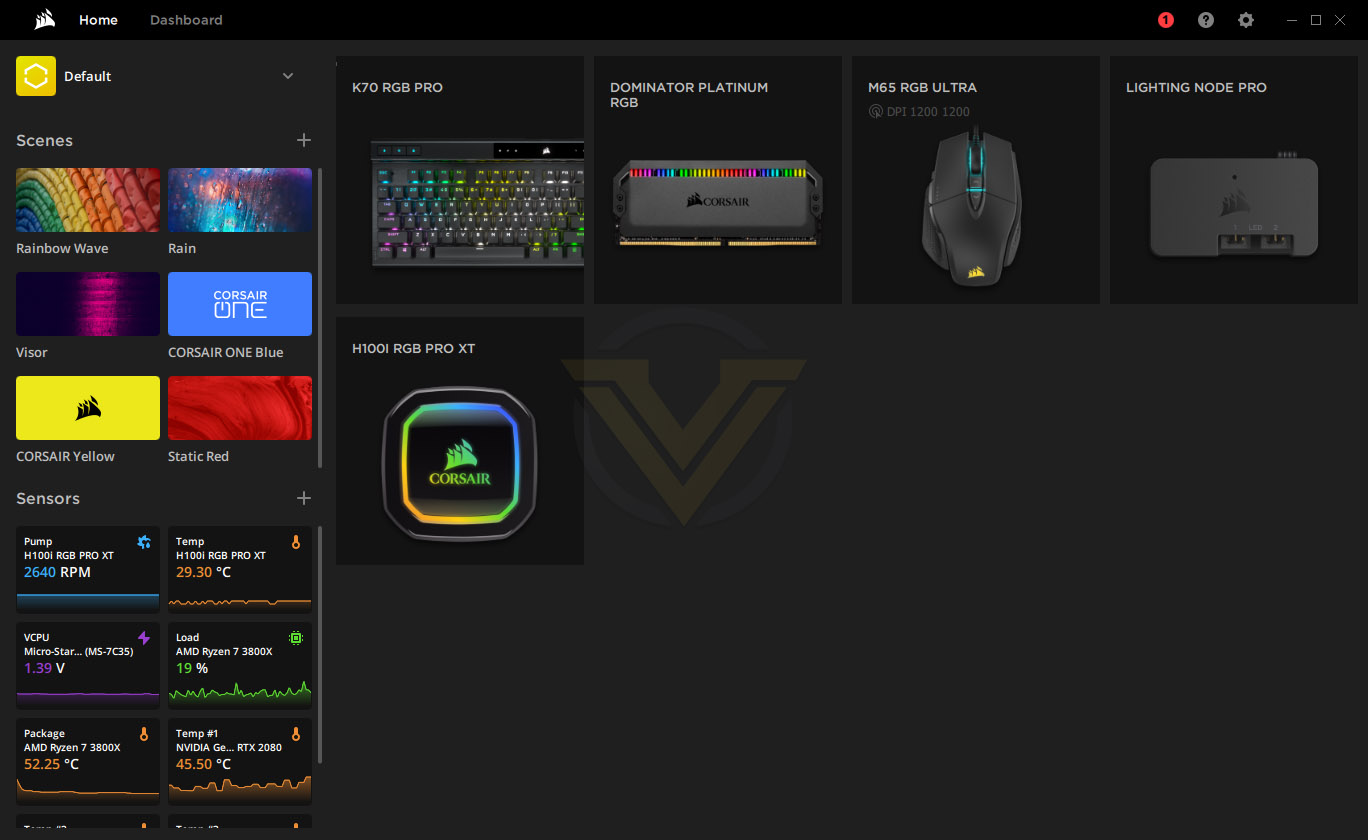
CORSAIR have used the iCUE software suite for what feels like forever now, it undergoes periodic changes and gets constantly improved and tweaked, sometimes for the better but also sometimes for worse.Opening the software, you’re greeted by the home screen. Here you’ll see all of the CORSAIR peripherals connected to the system and as you can see we’re using a few of them. There’s the option to change “Scenes” on the left, which sets up the RGB lighting on all devices at the same time. Under that is “sensors”, where temperatures, fan speeds, voltages and other important system info can be seen at a glance.
Delving into the K70 RGB PRO’s settings, we’re first met by Key Assignments. Here we’re able to adjust the function of specific keys, or add a second layer for better usability. As you can see here, we’ve set up Fn + PrtScr to type out “We hope you’re enjoying this review at Vortez.net”. If Macros are something you use, iCUE has got you covered. Hardware Key Assignments is the same again, but it allows you to load them into the keyboard to be used on other systems.

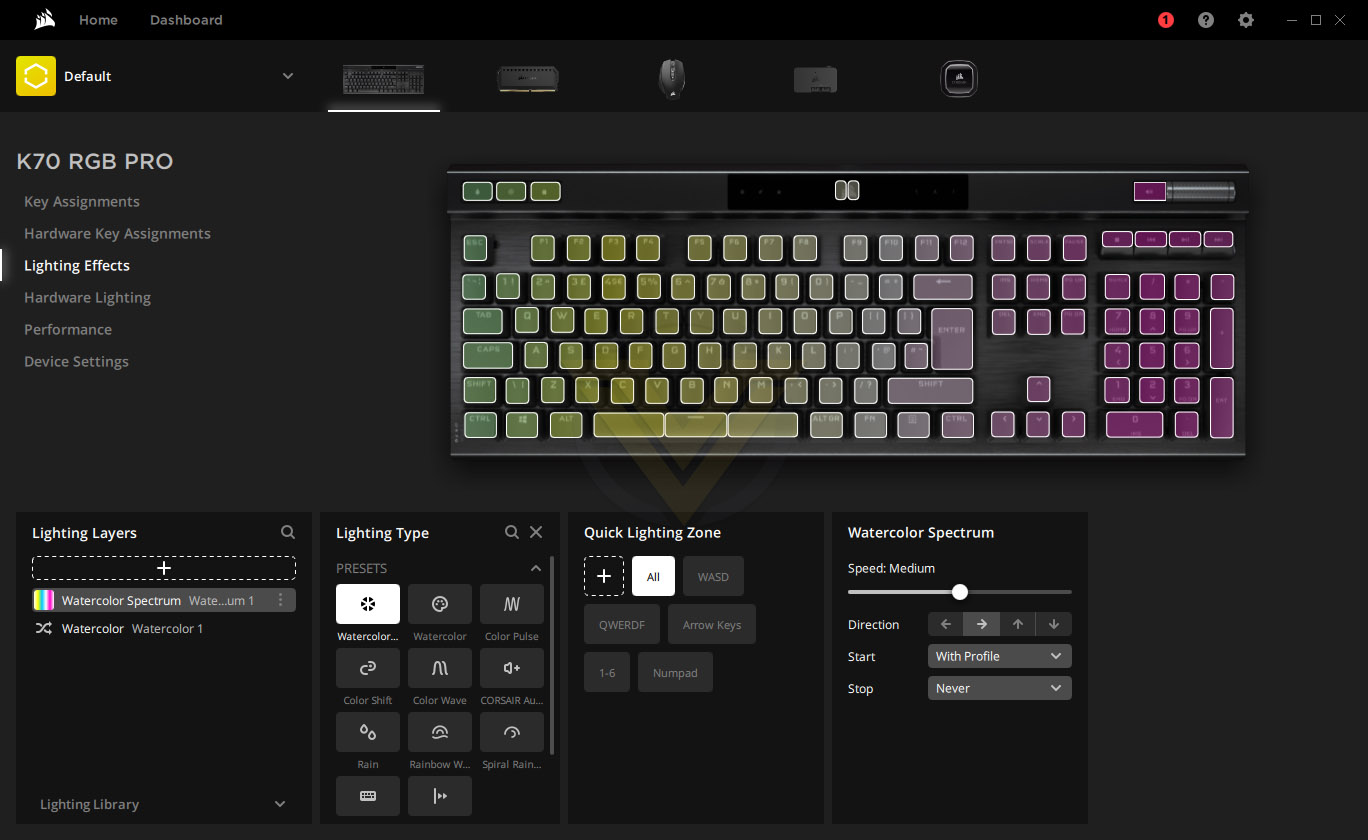
The next page is lighting effects. If you’re not happy with the built-in options, accessed from the home page, here you can jump into the colours and effects as much as you want. We always find CORSAIR’s software is one of the best for setting up lighting, it’s easy to learn and produces some excellent results straight off the bat.
Moving on we get to Performance. Here you’ll find settings to disable certain things, such as Alt + F4, or the Windows key, these things can ruin a gaming session sometimes, so having the ability to turn them off can be very handy.

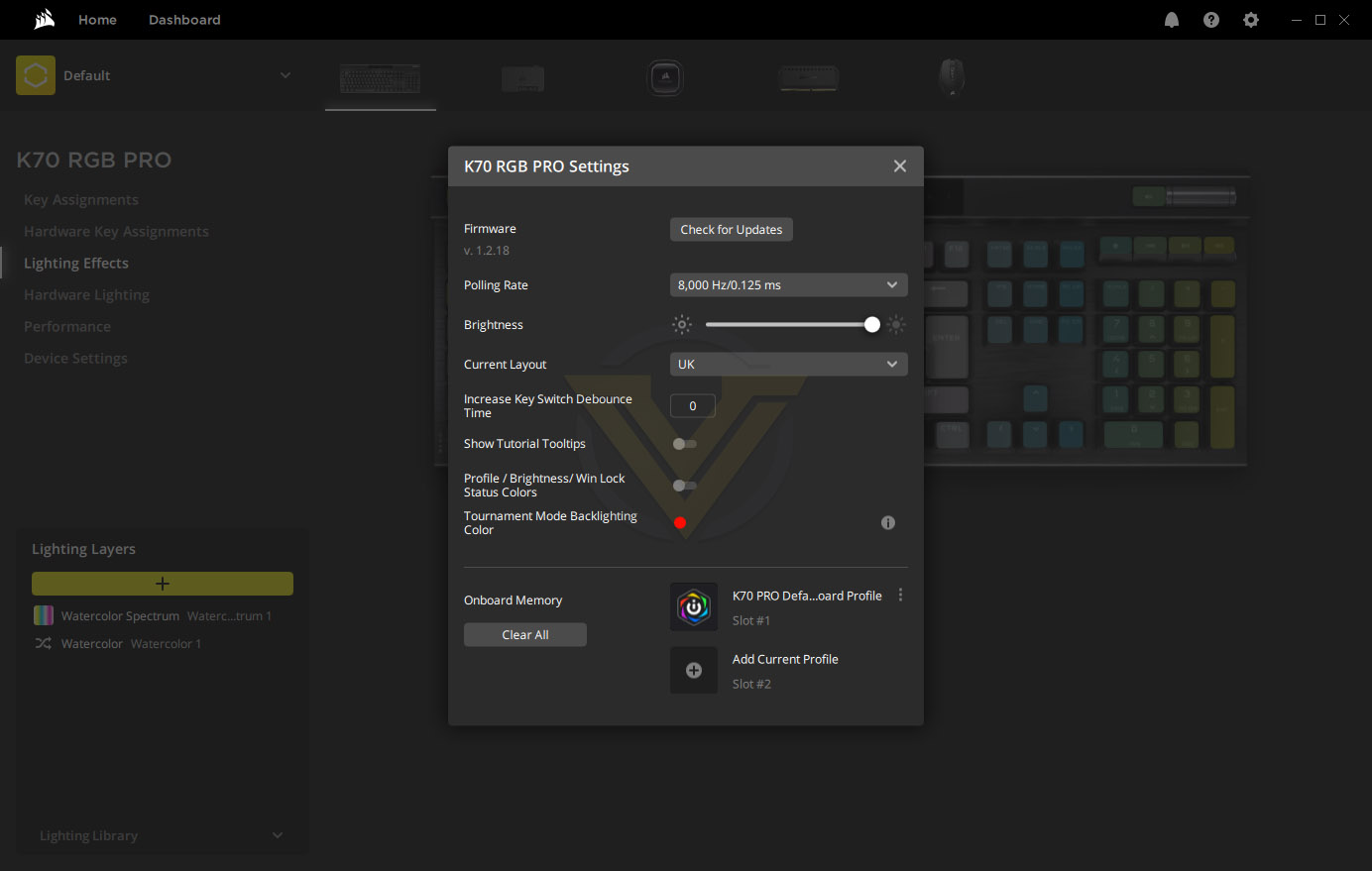
Finally, the Device Settings, this opens up a smaller window. You’ll want to visit here at least once because CORSAIR have defaulted the polling rate to 1000Hz, no point in wasting all those Hertz! You can tweak other settings here as well, but mainly the polling rate.
Overall, we find the software suite to be in a very good place at the moment, but it is certainly one of the more complex and “busier” ones to learn.
Performance Testing
Initial setup of the keyboard is as easy and simple as it should be. Ensure you’re on the latest version of CORSAIR’s iCue software and it’ll do all of the heavy lifting for you. The firmware is updated quickly and everything’s good to go within a moment or two.CORSAIR have the daily usability of their K70 series absolutely nailed at this point. There’s a good range of switch types to choose from, so you can get something noisy, like the MX Blue, if you have particularly thick internal walls, or an MX SILENT Red if you need something quieter, with other options in-between. We opted to go for the Cherry MX Browns and it’s been the perfect choice, they provide lovely tactile feedback but avoid the unnecessary clicking that often accompanies it. The layout of the keyboard hasn’t changed much over the several generations of K70, but when the recipe is already excellent, it doesn’t need any drastic changes. The soft-touch wrist rest helps with daily comfort, straightening your wrist and helping to prevent the associated injuries that can occur from long periods of PC use.
The media keys, in the top left, as well as the volume roller, make day-to-day liveability even better, and the volume roller feels so so nice, it’s perfectly weighted.
Gaming, also an important aspect of any keyboard, especially one at this price-range, needs to perform well. The good news here is that it’s excellent. One of the stand-out features on this new generation of K70 is the 8000Hz polling rate, allowing the keyboard to send your signal to the PC within 0.125ms of you asking it to, an almost unmeasurable amount of time, though we do have some reservations to the actual usefulness of that, especially when the de-bounce process has been completed, at least it’s one less thing to worry about.
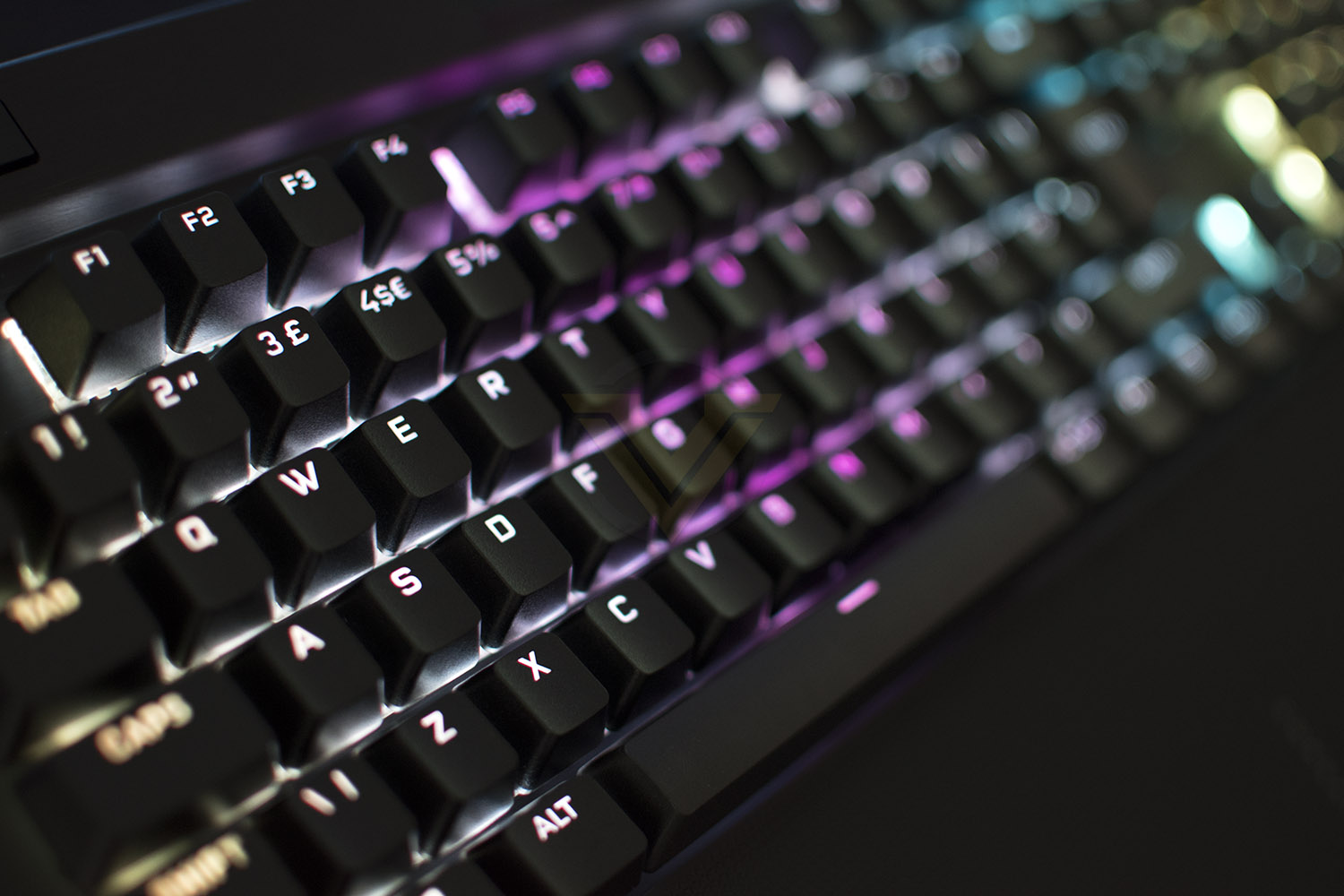
Our Cherry MX Brown key-switches probably aren’t most gamers’ first choice, with their 2mm actuation point and 55cN operating force, these keys are aimed more towards typists with the way they sound and feel, but from where we’re sitting, it doesn’t detract from its gaming ability at all. Tiny Tina’s Wonderlands (a fantastic game, by the way) was loaded up with the aim of testing out the keyboard and straight away it felt natural; even though the keyboard was brand new, it felt like it had been in place for months, which is the best possible thing to expect from a keyboard. It felt no faster than a 1000Hz keyboard, to me, but it can’t be doing any harm and the younger gamers out there may be able to tell the difference (being frank, I’ve probably “lost my edge” at this point).
Build quality, as is to be expected from CORSAIR these days, is solid. Grabbing the keyboard at each end and trying to force it to twist is frankly futile, it barely budges and there are no creaking or cracking noises. The Type-C USB cable clicks into place with a certain feeling of precision, the magnetic wrist-rest locates itself in such a way that is effortless. There are no unnecessary noises, rattles, squeaks or anything of that kind, just a lovely keyboard with a top-notch finish.
The RGB LEDs on this keyboard are a little different to other CORSAIR keyboards that we’ve tested; they’re still as bright and vibrant as they always are but this time around they appear to do “pastel colours” far more accurately, opening up a whole new chapter of colour schemes. The test PC used for this keyboard sports a wide variety of different CORSAIR RGB pieces but none of them can get close to how the K70 RGB PRO portrays the pastel colours. Perhaps in the future we’ll see more of this.
Everyday, the K70 RGB PRO is a great keyboard, with the media keys, familiar layout, easy-to-use software and a beautifully simple design.
Conclusion
CORSAIR possibly have more experience than any other peripherals manufacturer out there, and time after time, that experience shines through.First impressions were great, the packaging is clean and informative, the keyboard was easy to set up and booted up in a beautiful array of pastel colours and the software took care of everything for us straight away.
Using the keyboard for a few weeks, while testing it, we quickly fell in love with the ergonomics of the soft-touch wrist rest and Cherry MX Brown keyswitches; these are fantastic for typing on without being overly loud but also providing decent tactile feedback for some gaming in the evenings. The media keys were angled nicely so they’re visible from almost any seating position, the volume wheel feels lovely to rotate and the RGB lighting is very handy for using the keyboard in dim environments or at night.
CORSAIR’s iCUE is easy to use, everything is laid out exactly where you’d expect to find it, it’s bulging at the seams with features and options, looks great and is light on system resources. There are no complaints from us at all with the software suite.
The RGB lighting really pops on this model, it’s bright as all hell, gives a massively vibrant range of colours and offers some pastel tones that we’ve not seen from any other RGB peripherals yet. It’s something we’ve mentioned in this review time after time but it really does make a big difference to what kind of appearance you can gain.
You aren’t spending £180 on a CORSAIR keyboard without the intention of gaming on it, so what’s it like to game on? Fantastic. Our Cherry MX Browns aren’t the obvious choice for gaming but they were fine, you may gain a slight advantage with an MX Speed or something like that, but which switch type you choose is entirely up to you, and CORSAIR have you covered with several options to choose from. We tested it out with a few games but mostly Tiny Tina’s Wonderlands, it was a joy to use and it felt right at home from the moment the game was booted up, never taking away from the enjoyment of the game.
All things considered, we’ve been unable to find any problems with the keyboard, it does everything well, it’s comfortable to use, looks great, sports a solid build and the software backs everything up remarkably well; there’s really nothing wrong with it.
If you want a capable, robust, RGB gaming keyboard from a reputable brand with a healthy spattering of handy features, the K70 RGB PRO is the keyboard for you.
Pros
+ Solid build quality
+ Good selection of Cherry MX key switch types
+ Lovely RGB lighting
+ Well-equipped software suite
+ Removeable Type-C USB cable
+ Removeable wrist rest
+ Media keys
+ 8000Hz Polling rate
Cons
– None!
+ Solid build quality
+ Good selection of Cherry MX key switch types
+ Lovely RGB lighting
+ Well-equipped software suite
+ Removeable Type-C USB cable
+ Removeable wrist rest
+ Media keys
+ 8000Hz Polling rate
Cons
– None!
Click here for an explanation of our awards at Vortez.net.
Stay connected with the Vortez Social Media pages:
Join in with the discussions on Discord