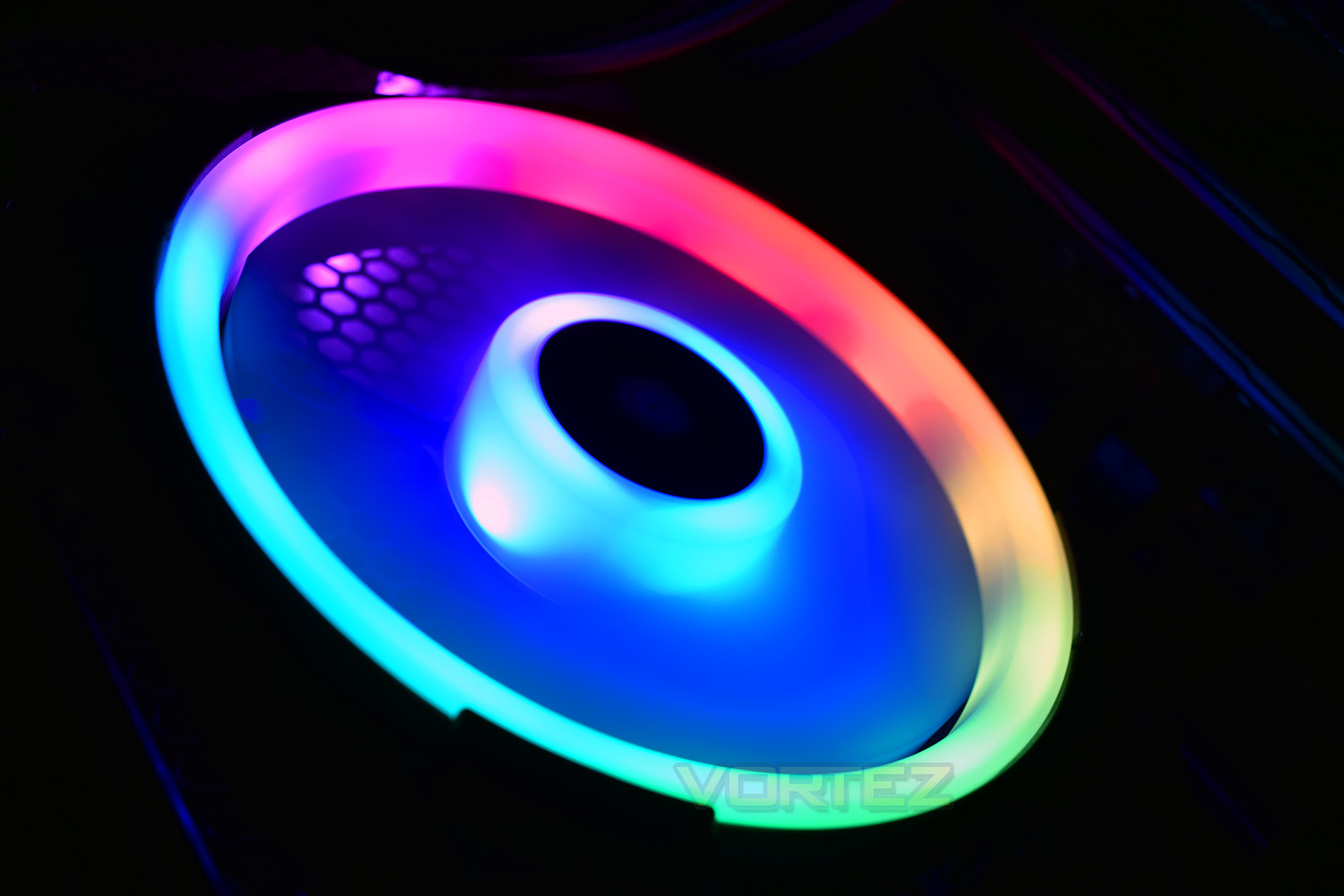
Corsair has improved upon recent iterations of RGB fans with its Corsair LL120 fans, equipped with the Lighting Node PRO for vibrant effects.

Product on Review: Corsair LL120 RGB LED PWM Fan triple-pack
Manufacturer: Corsair
Street Price: £89.99 / $119.99
It’s sometimes amazing when you stop and think about how many different PC industry markets Corsair now cater to. You only have to look so far as our Memory, Case, Keyboard or indeed Cooling review sections to see the huge line of products that they offer. In more recent times, they have even begun shipping their line of pre-built gaming PCs in the ‘Corsair One’.
They have recently launched a new line of cooling fans – the RGB LL Series (Light Loop) – and were kind enough to supply us with one of their 120mm ‘kits’. There are both 120mm and 140mm variants of the fan available individually, as well as kit versions of each which also include a Lighting Node Pro enabling the true RGB functionality when used in conjunction with Corsair’s Link software.
Each fan features 16 independent RGB LEDs, 12 of which are embedded within the frame and the remaining 4 in the inner fan blades. When controlled by the Link software, a multitude of animation schemes and effects can be implemented across the fans that you have connected, and Corsair has chosen to demonstrate the options to good effect via an interactive demo on their product page.
Corsair on the LL120:
“The CORSAIR LL RGB PWM fans combine excellent airflow, low noise operation and 16 brilliant independent RGB LEDs, spread between two separate light loops that encircle the fan and its hub. Pair with an existing LL RGB kit or the CORSAIR Lighting Node PRO to customise lighting with a wide array of vivid effects and patterns. Using an optimised fan blade and PWM control, set the speed of the fan for precise noise and airflow adjustment. Made for those seeking excellent airflow, quiet operation, and powerful lighting, the CORSAIR LL RGB fan puts your PC back in the loop”.
Technical Specifications
Corsair LL120 RGB 120mm Fan
– Fan Size : 120mm x 25mm
– Flow Type : Static Pressure
– Bearing Type : Hydraulic
– LED : RGB
– Operating Voltage : 7V – 13.2V
– PWM Control : Yes
– Airflow : 43.25 CFM
– Static Pressure : 1.61 mmH20
– Sound Level : 24.8 dBA
– Speed : 600 – 1500 +/- 10% RPM
– Fan Size : 120mm x 25mm
– Flow Type : Static Pressure
– Bearing Type : Hydraulic
– LED : RGB
– Operating Voltage : 7V – 13.2V
– PWM Control : Yes
– Airflow : 43.25 CFM
– Static Pressure : 1.61 mmH20
– Sound Level : 24.8 dBA
– Speed : 600 – 1500 +/- 10% RPM
Packaging & Bundle
The packaging of our LL120 RGB kit is very nice indeed. The aesthetic is clear, colourful and just give off the aura of a quality product. Good start Corsair.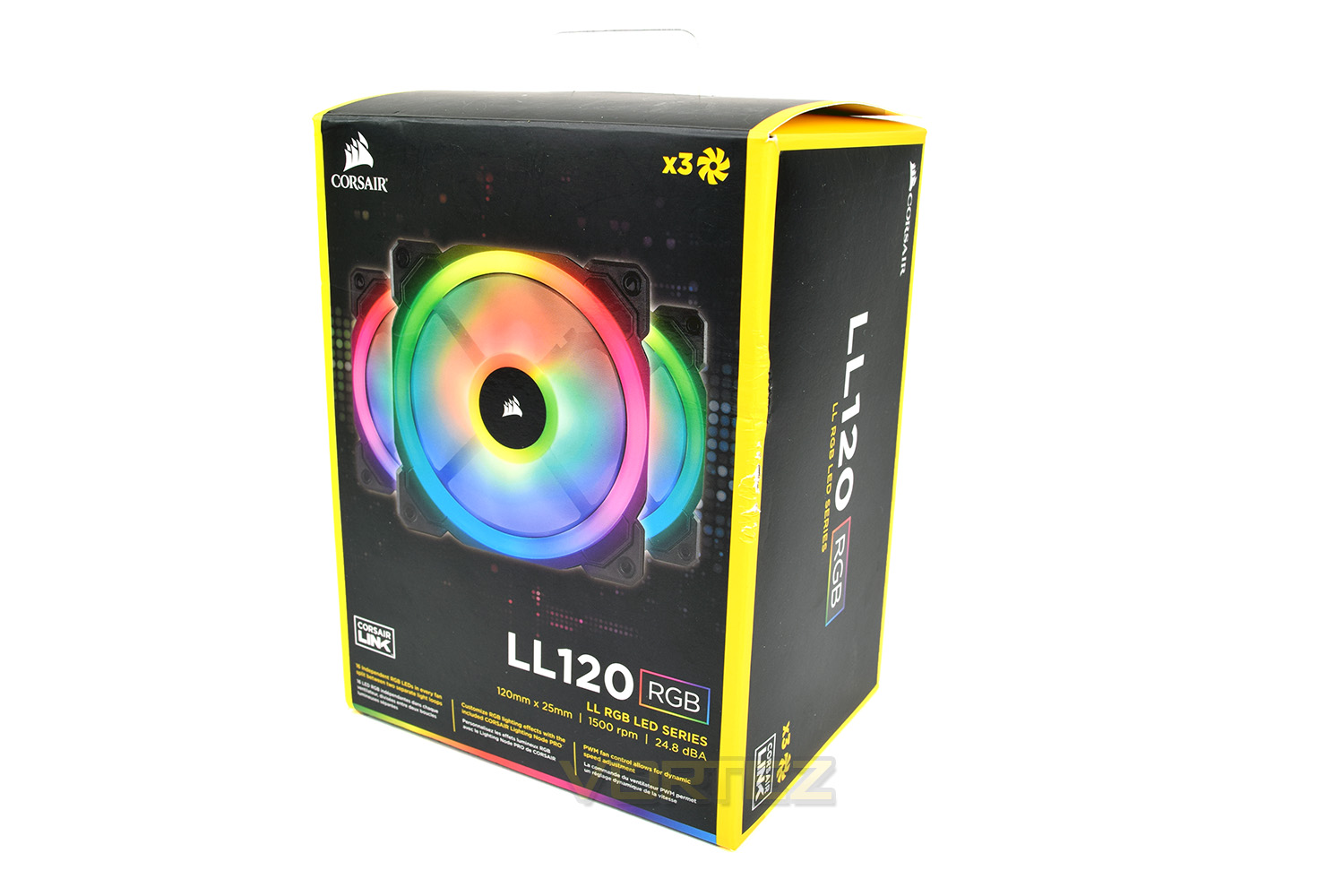
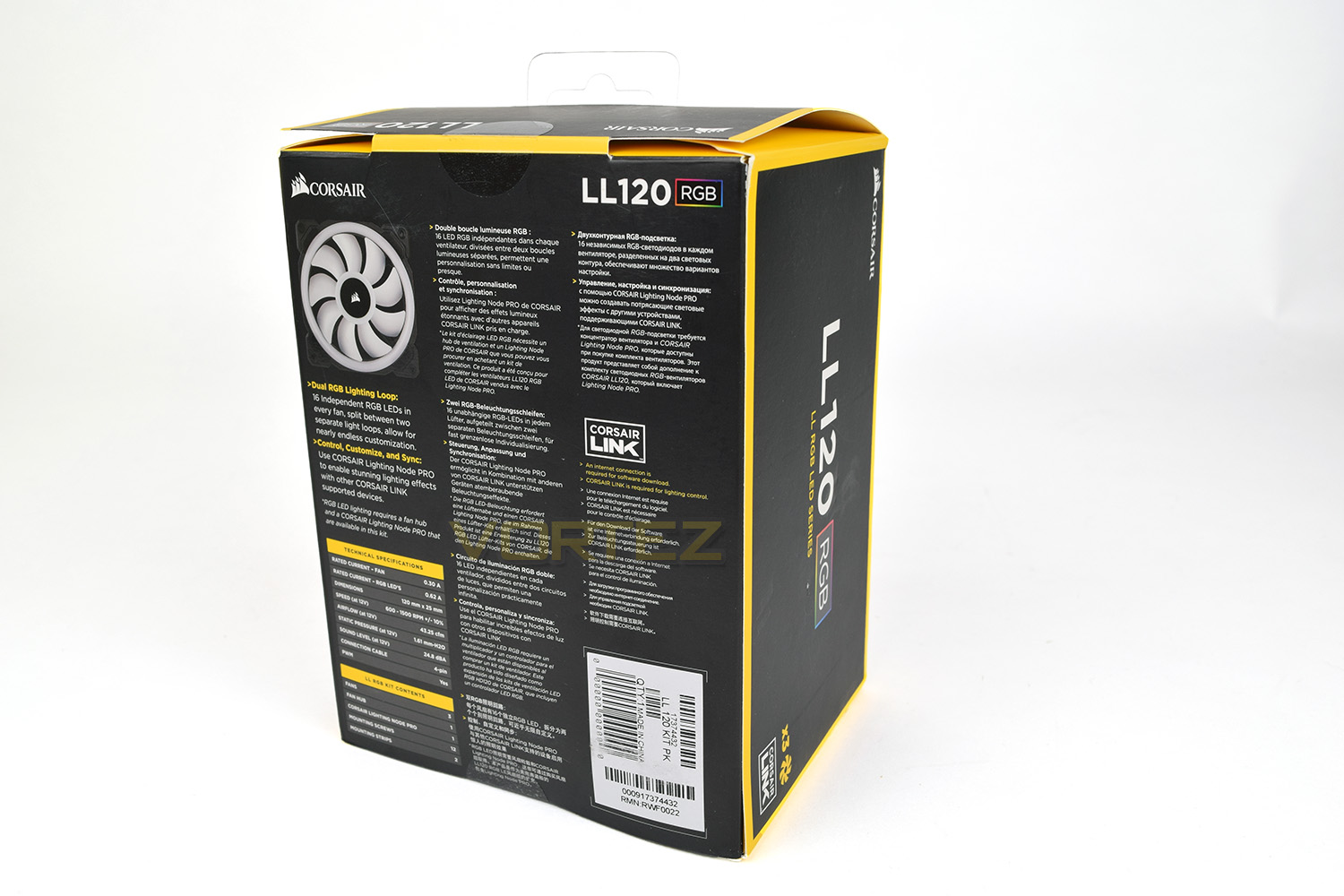
The rear of the box features all of the technical specifications that a user would need and clearly states all items included within the box.
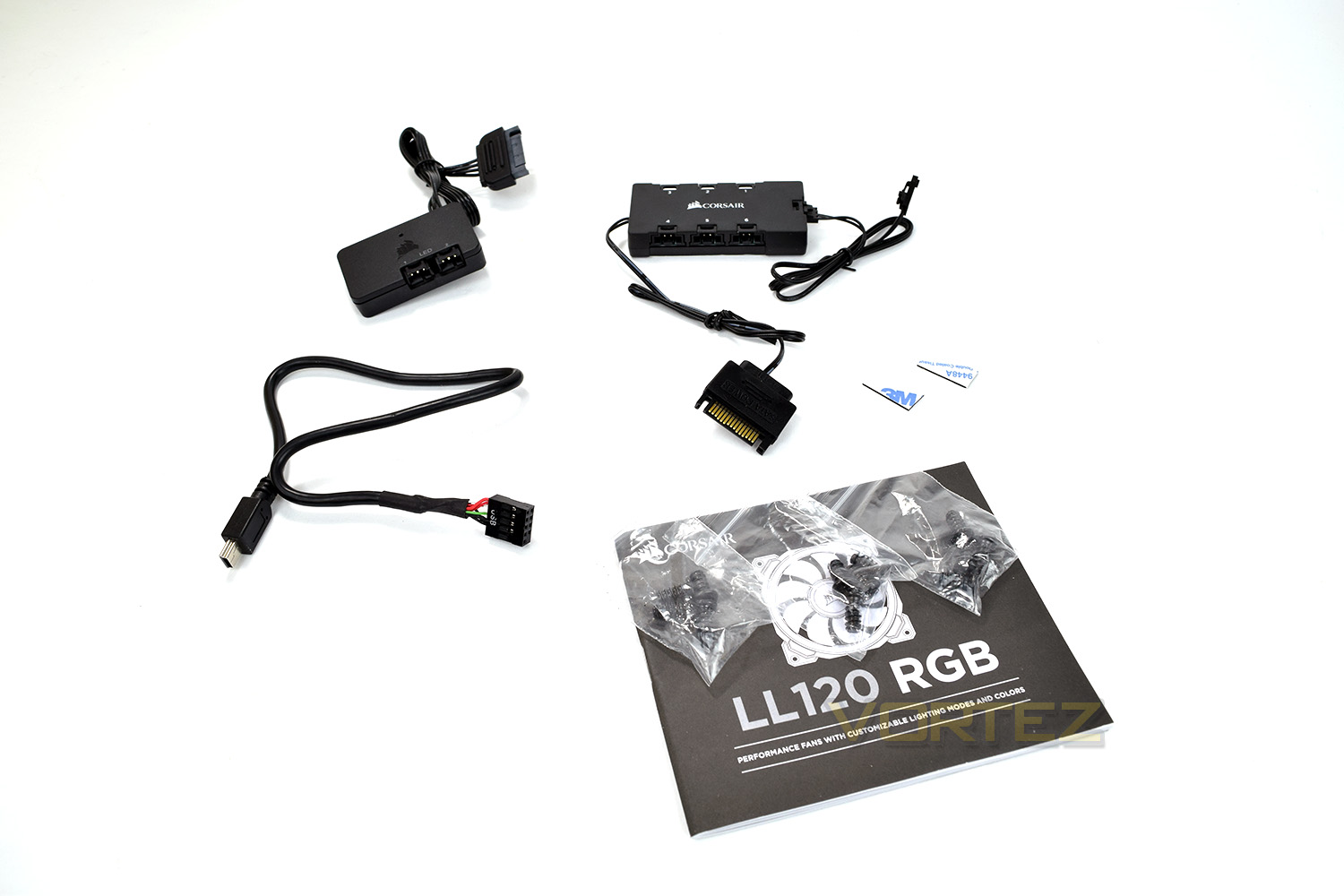
Corsair includes everything required to get you up and running with their customisable RGB-goodness in no time. Along with the user manual and mounting screws required for installation, you will receive the Fan Hub and all-important Lighting Node Pro along with mounting pads for placement within your case.
Closer Look
The blades of the LL120 fans, along with the outer ring, are constructed from a slightly flexible, translucent plastic. This is obviously designed to dissipate the RGB lighting as evenly as possible. The fan features 9 smooth blades with no notches or other kinds of trickery to help shove air around.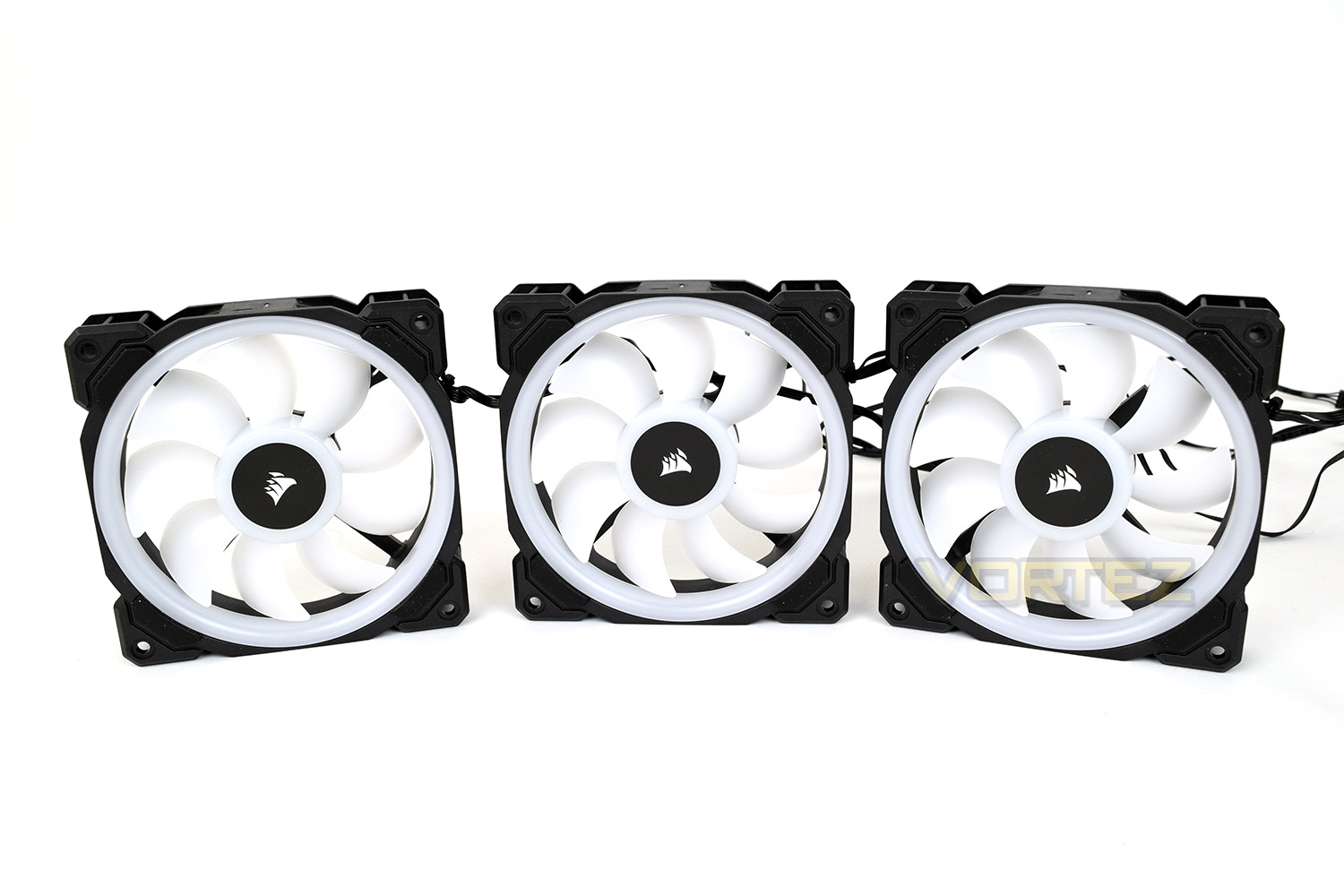
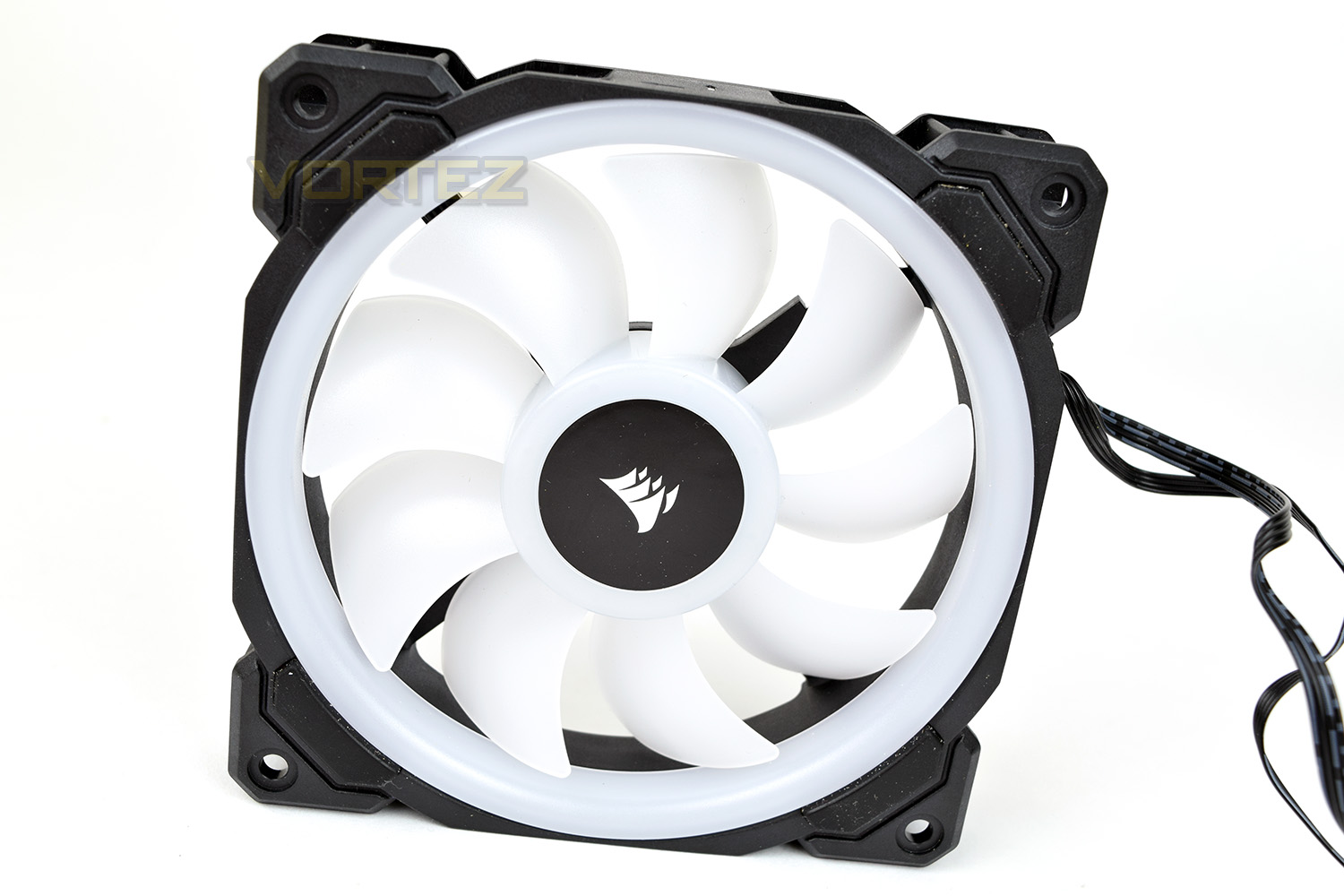
The reverse of the fan is constructed with 4 holding arms to ensure the centre of the fan remains stable, 2 of which are used to route wiring. As you can see, this side isn’t constructed from the white translucent plastic of the front.
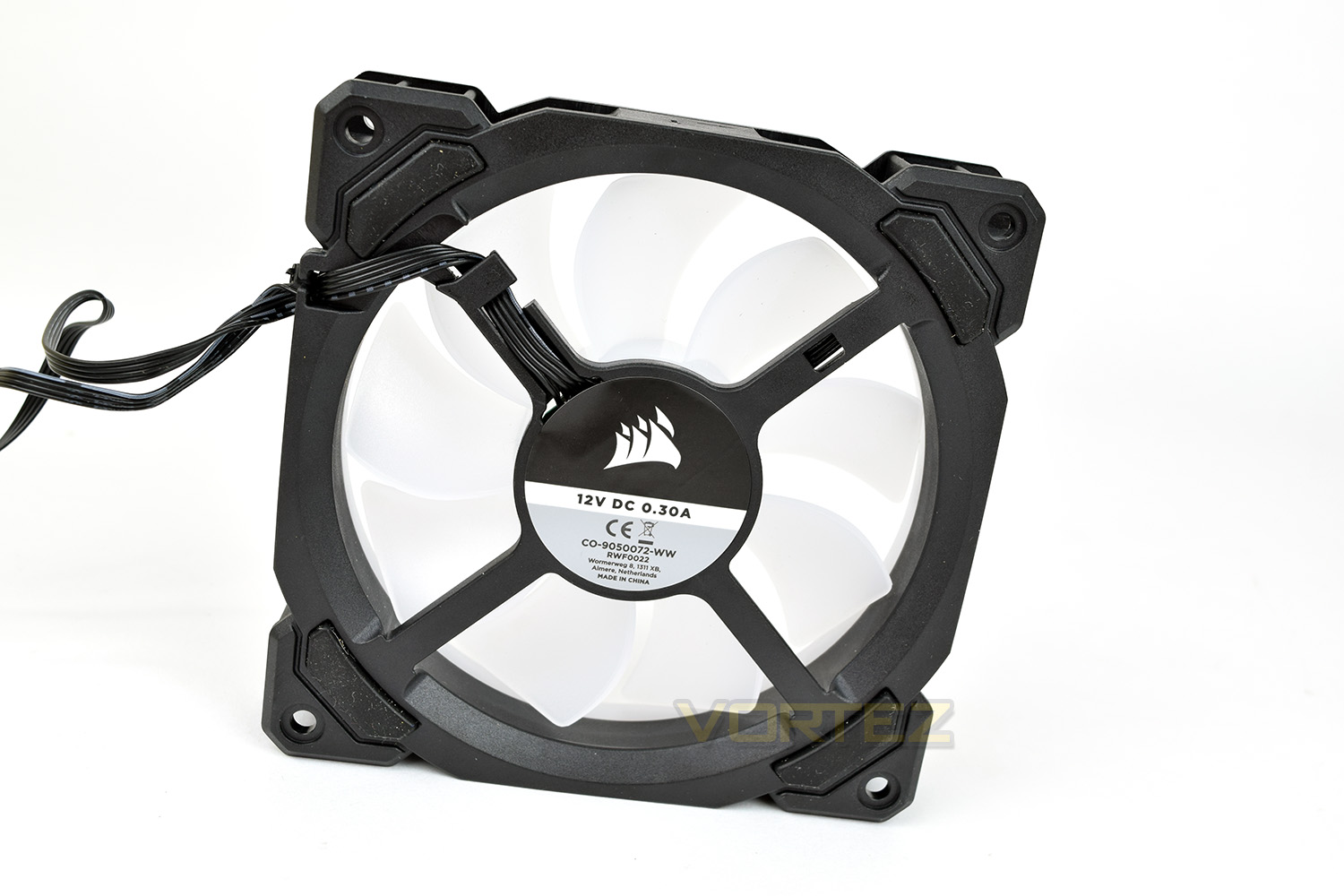
Each corner of the fan, front and back, has a rubber stand-off attached. This will help to minimise any vibration against your case or radiator once installed.
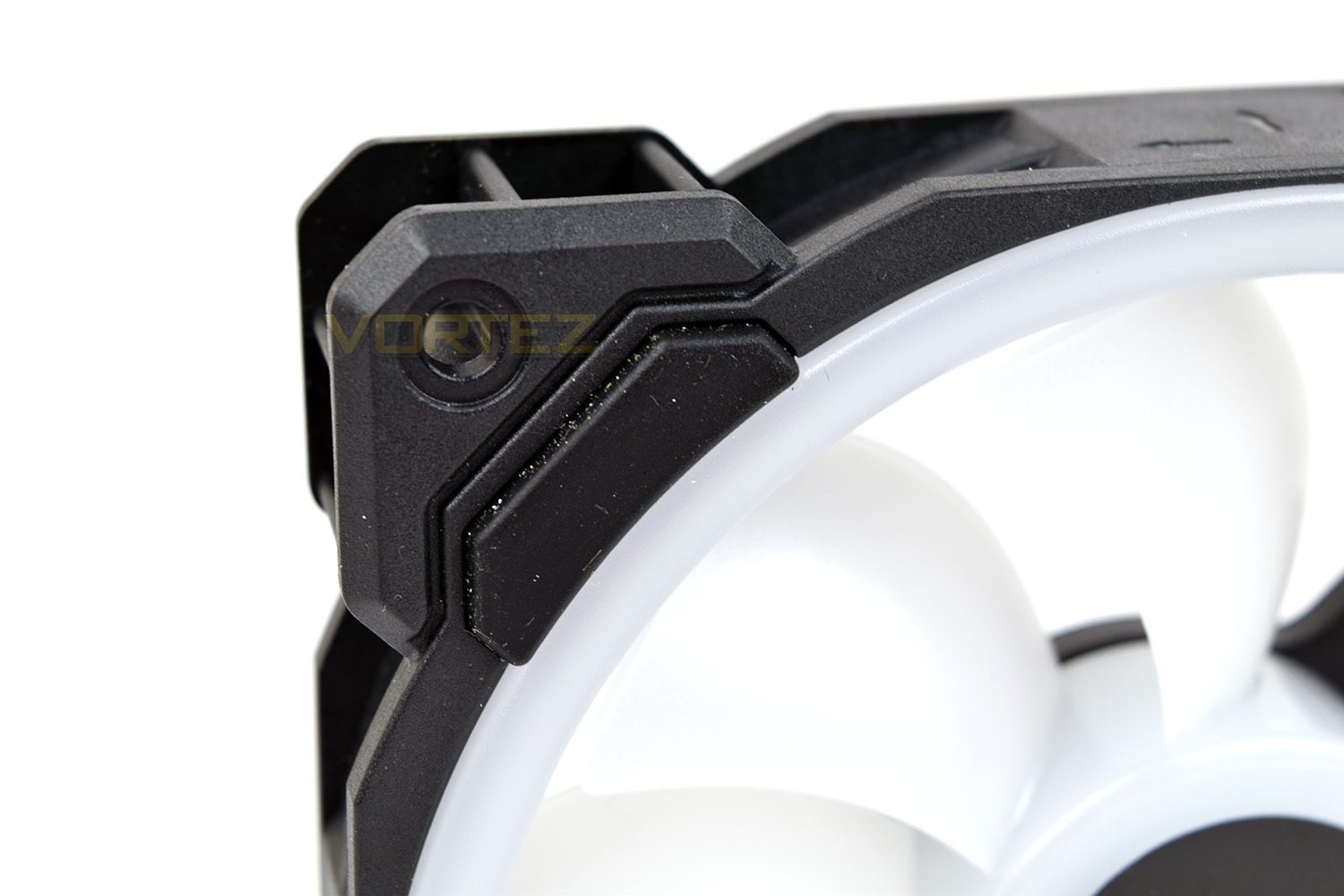
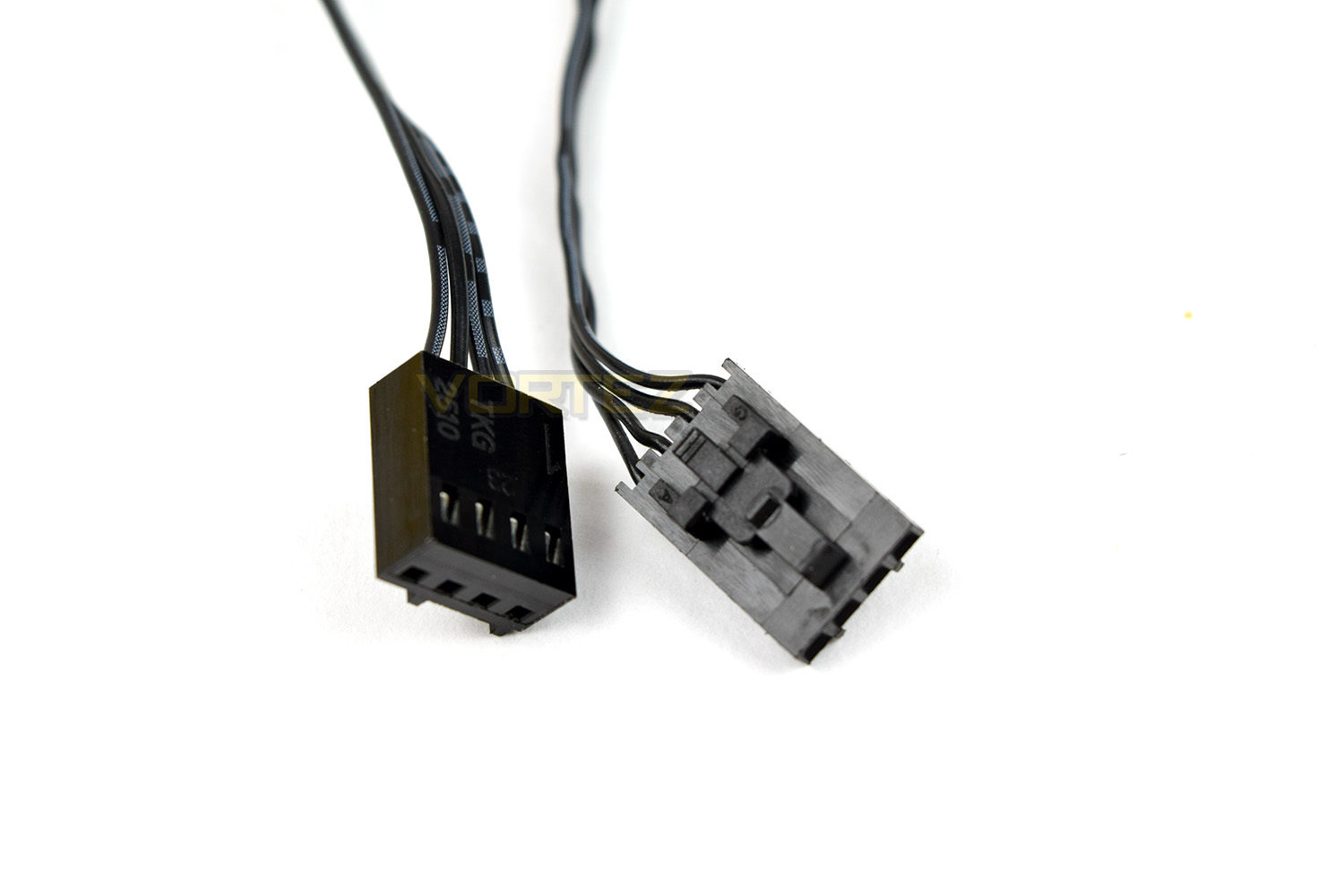
Due to the RGB lighting, each fan comes equipped with 2 separate cables, one of which goes to the Lighting Node, the other to the fan controller. The LL120 uses a 4-pin PWM arrangement to allow accurate speed monitoring and adjustment through software.
Software
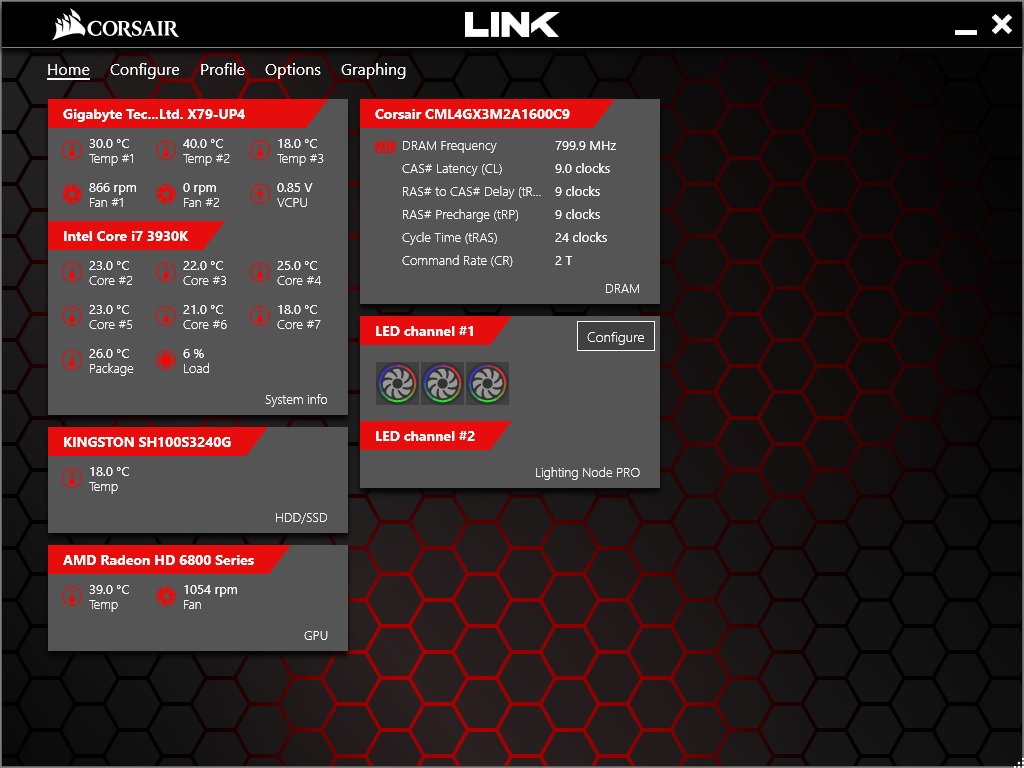
The Corsair LL120 fans utilise the Corsair Link software, a suite developed to incorporate all of your Corsair devices into one convenient package. Fortunately for us, the software is incredibly easy to use, well laid out and very responsive, much better than some other’s we’ve used recently.The software displays information like DRAM Frequency, core temperatures, fan speeds and voltages along with other system information that you may find useful.
Corsair Link will detect that you’re using RGB fans, but it cannot distinguish between the different types available, therefore you need to tell the software which fans are installed to each LED channel to make full use of those lovely lighting loops.
From here, each individual fan can be configured to any colour schemes you like. There are 14 presets loaded into the software. Despite the expensive fans and clunky controller, there doesn’t appear to be any method of individually adjusting the enclosed LEDs, of which there are 14 within each fan, that’s a little disappointing for such an expensive RGB solution.
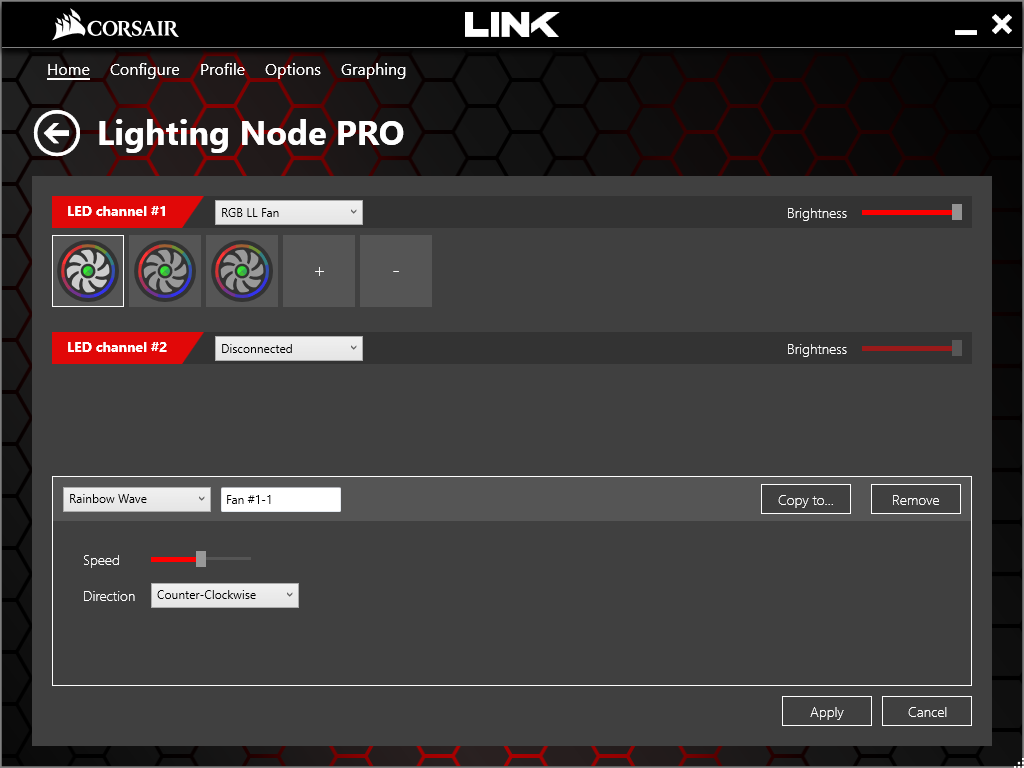
The Corsair Link software gets a thumbs up from us, for sheer ease of use along with a great range of features.
RGB Lighting
We don’t feel that any text is particularly necessary for this page, just soak up the pictures and perhaps take a look at the video featuring a handful of effects.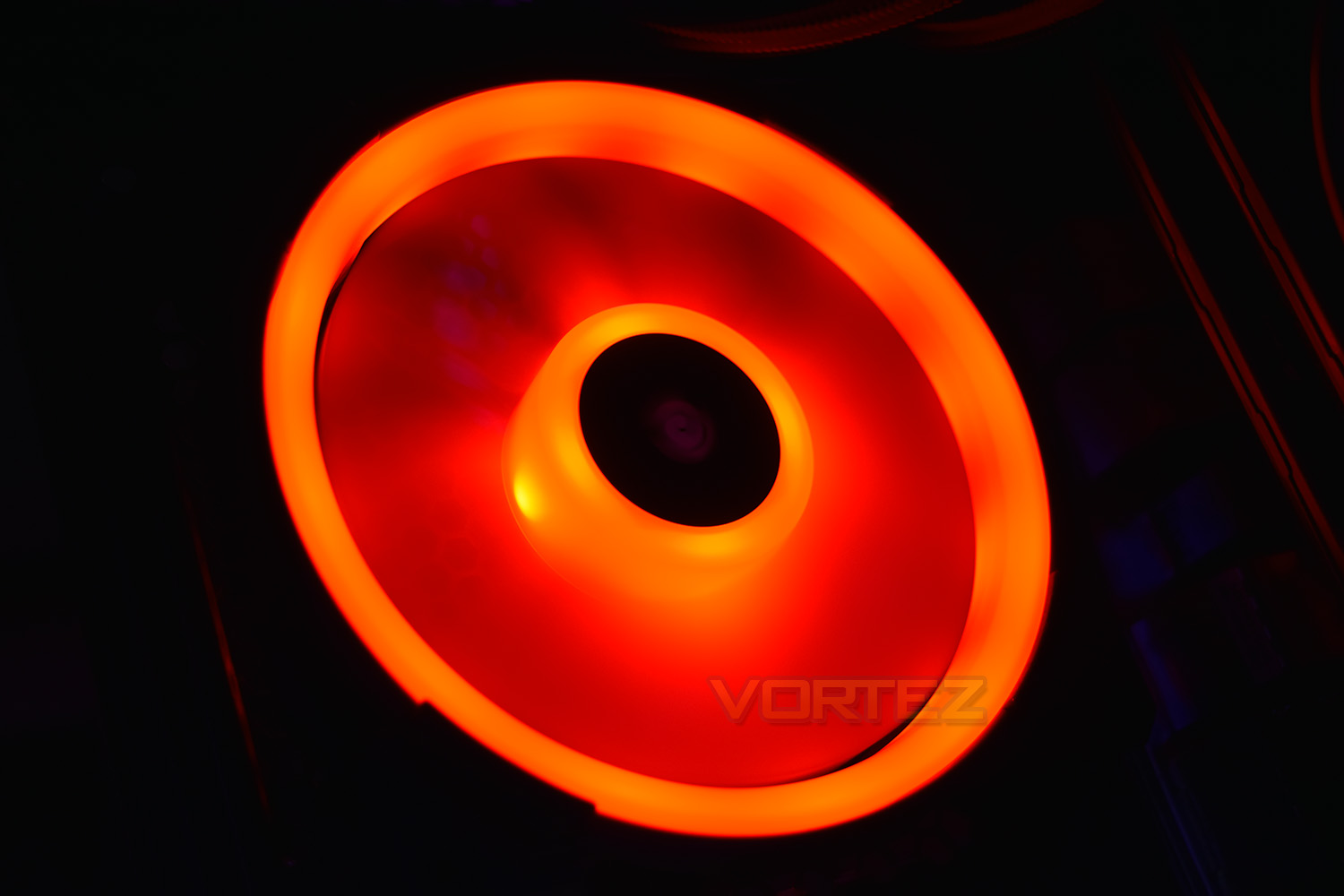
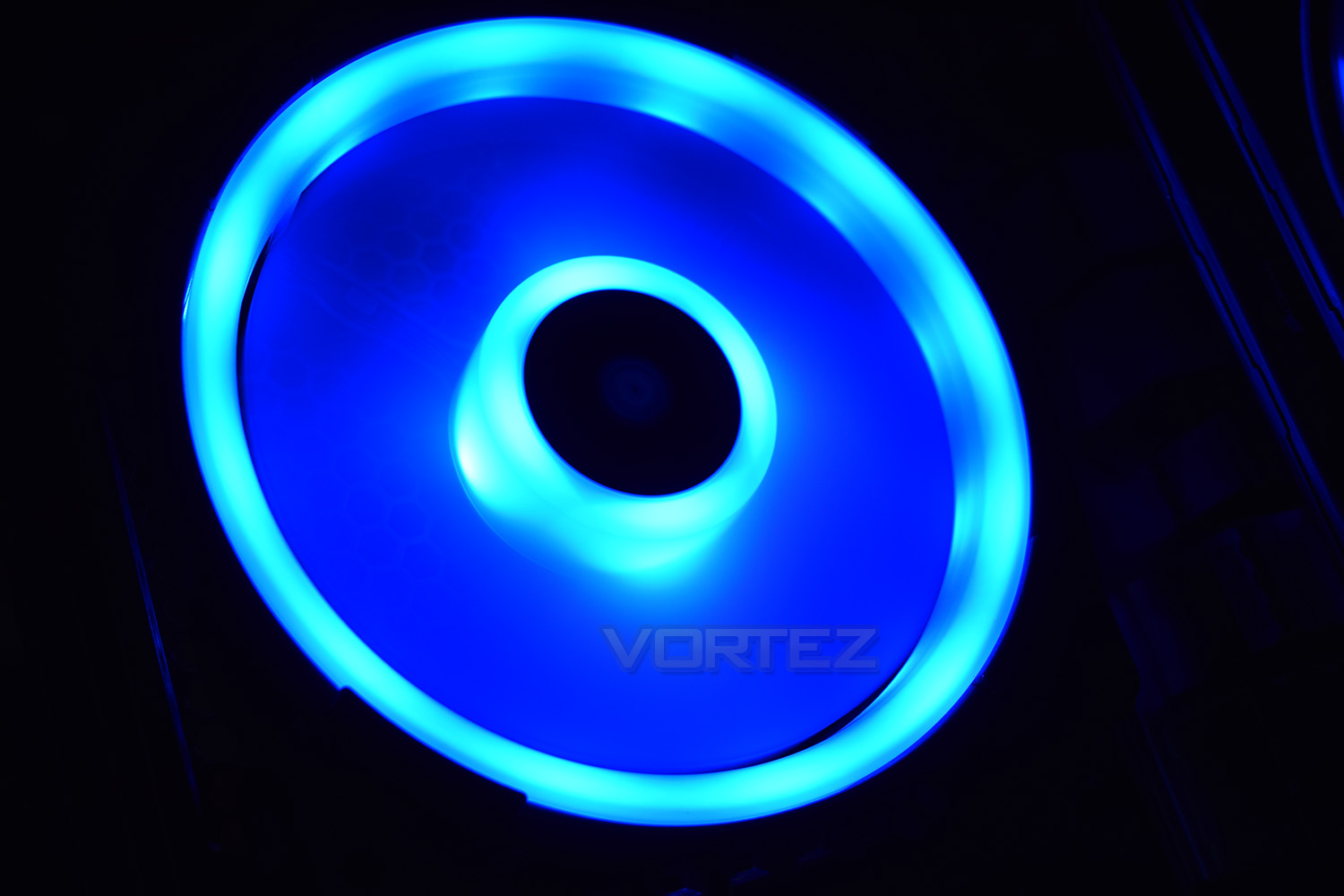
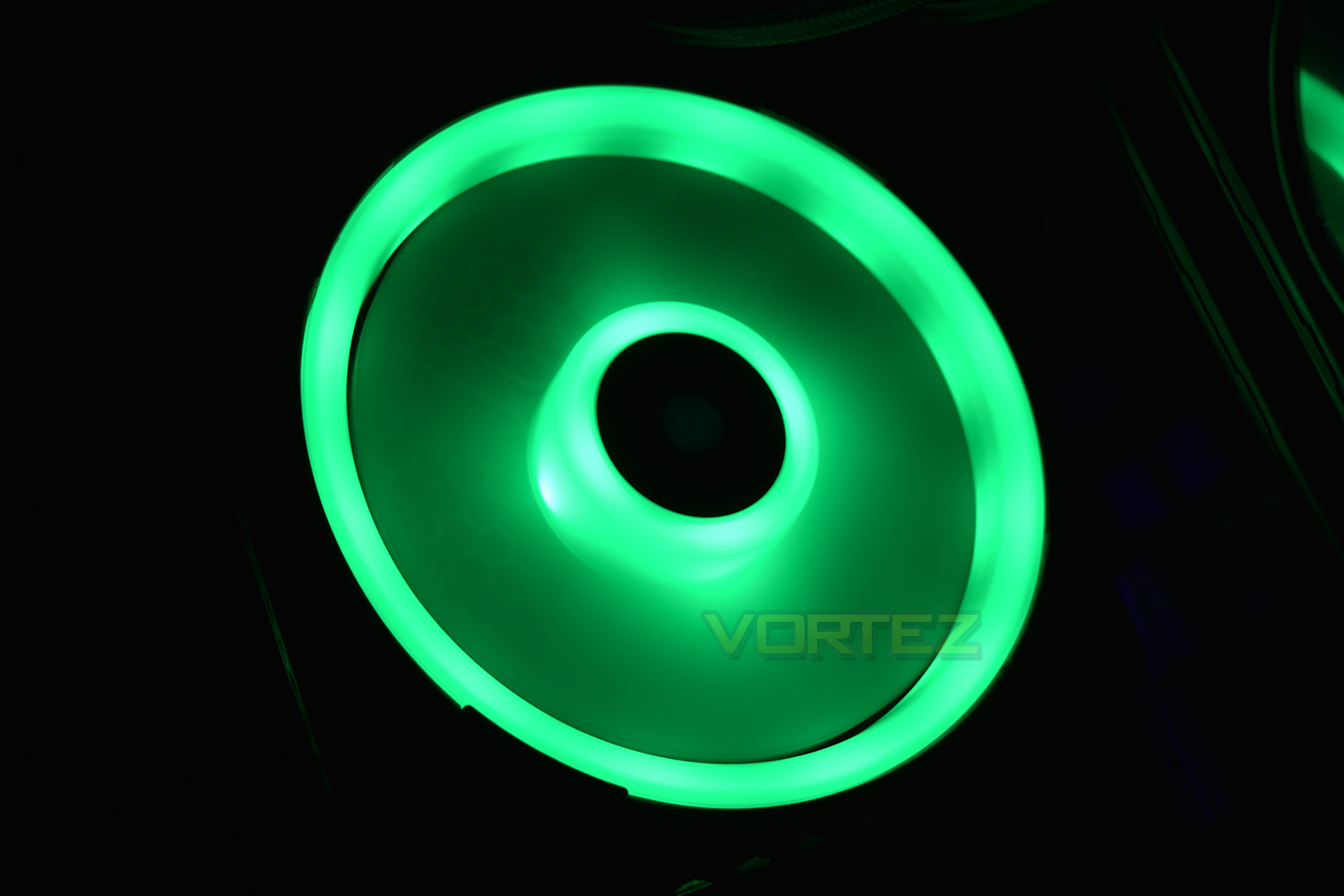
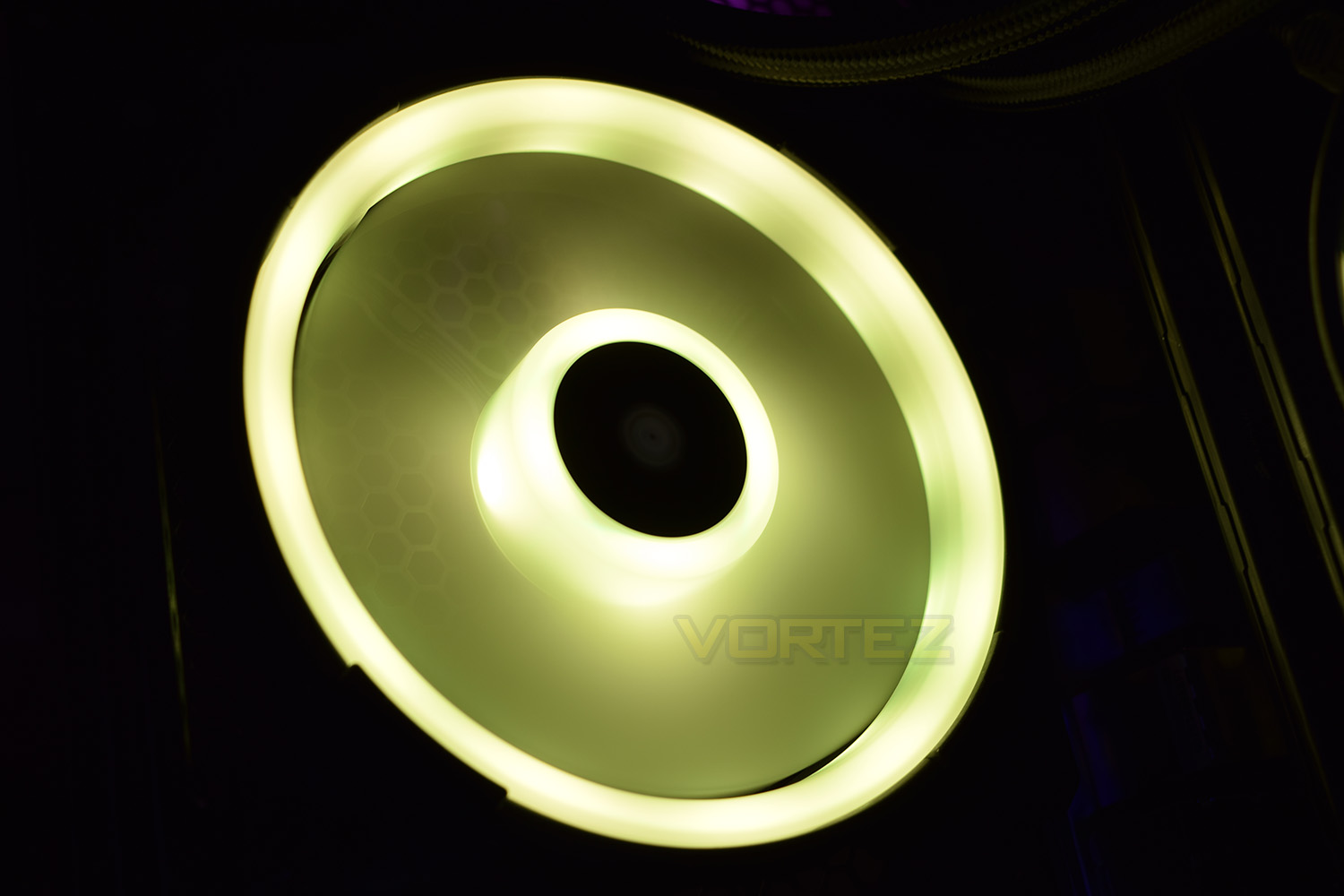
Test Setup & Methodology
We have recently made changes to our cooling department and the associated testing methodology, so please note that the number of results shown will increase over time as we add additional products. We hope that these results will appear clearer to the majority of our readership and look forward to building upon the baselines that we currently have.Processor – Intel Core i7-3930K
CPU Cooler – Corsair H100i Pro RGB
Motherboard – Gigabyte X79-UP4
Memory – 16GB Corsair Vengeance LP 1600MHz CL9
Video Card – Sapphire Radeon HD 6850 1GB
Power Supply – NZXT Hale90 650W
Storage Drive – Kingston HyperX 240GB SATA III SSD
Case – Corsair Carbide 760T
CPU Cooler – Corsair H100i Pro RGB
Motherboard – Gigabyte X79-UP4
Memory – 16GB Corsair Vengeance LP 1600MHz CL9
Video Card – Sapphire Radeon HD 6850 1GB
Power Supply – NZXT Hale90 650W
Storage Drive – Kingston HyperX 240GB SATA III SSD
Case – Corsair Carbide 760T
We test our fans at both 1000 RPM and maximum RPM, or if the fan only has one setting, it’s only included in the maximum RPM graphs.
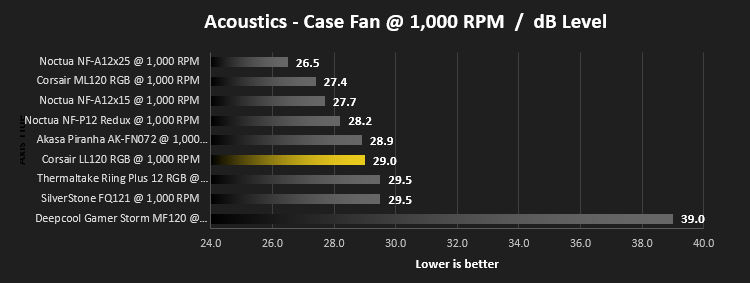
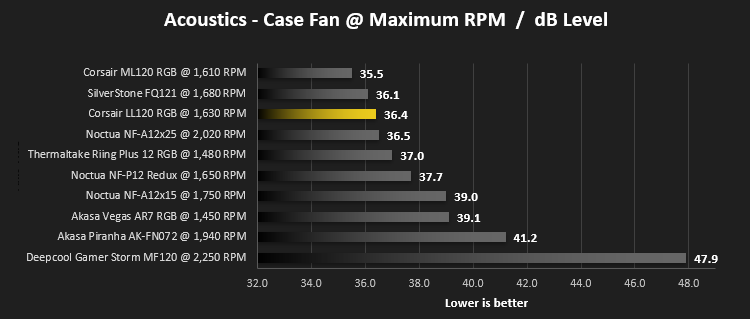
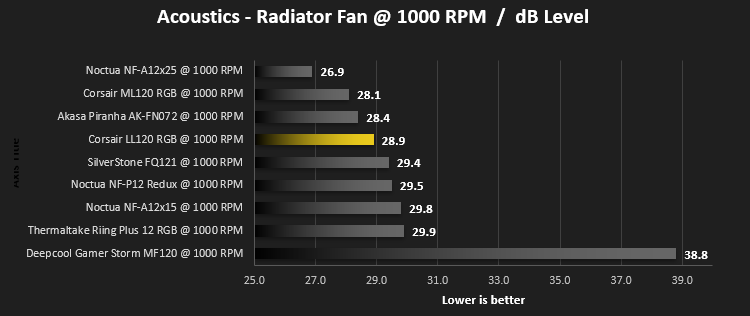
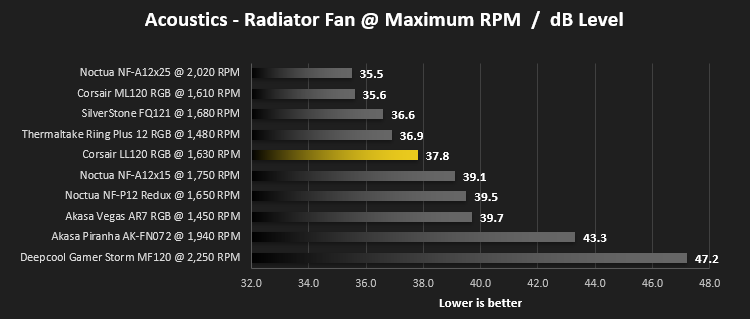
Firstly, we’ll test acoustics, both as a case fan, mounted on the rear of our Corsair Graphite 760T chassis, and as a radiator fan on the Corsair H100i Pro RGB. (with the pump turned down to 1,100 RPM and all other case fans disabled). We measure the average dB(A) noise levels over 60 seconds in a quiet room with an ambient noise level of around 24dB(A). Acoustics are measured from the same point within the case (20cm from the fan), with every effort taken to ensure test parameters are as close as possible during every test.
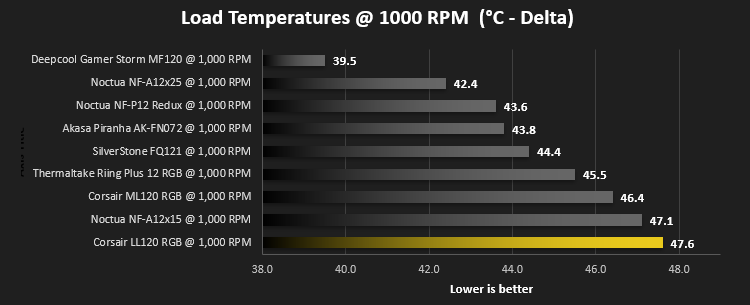
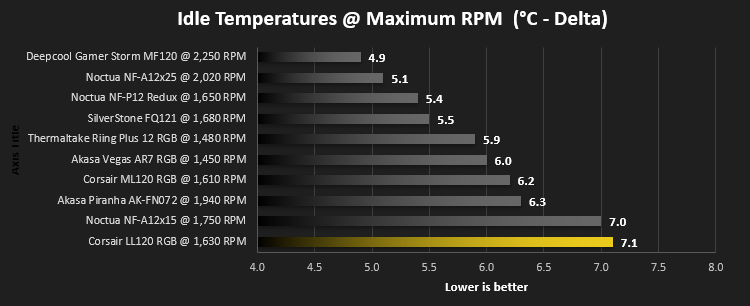
We then test the fan’s performance both at 1000 RPM and maximum RPM by running an AIDA64 20-minute stress test while running only a single 120mm fan on the 240mm radiator of the Corsair H100i Pro RGB. This allows us to test single fans as well as multi packs by only relying on a single 120mm fan. We mount the fan under the radiator, inside the case, blowing through the radiator. We measure the average core temperature over a 60-second period and minus the ambient room temperature from this. That leaves us with a Delta °C measurement which is applied to the graphs. Our average room temperature is kept as close to 21°C as possible, roughly the room temperature of most homes and offices. Obviously, if you live in a warmer climate with warmer room temperatures, you can expect higher temperatures.
To ensure the fans RPM are measured consistently, we use the Noctua NA-FC1 fan control unit, allowing the speed of our fans to be infinitely adjusted and monitored via a nearby header on the motherboard.
Benchmarks – Thermal Results
Firstly, we test the Corsair LL120 at 1000 RPM, both at idle and load.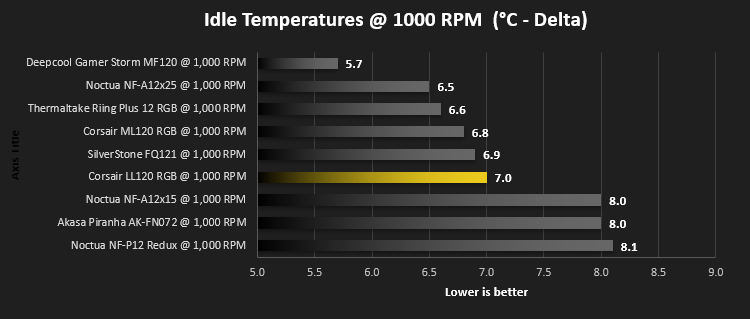
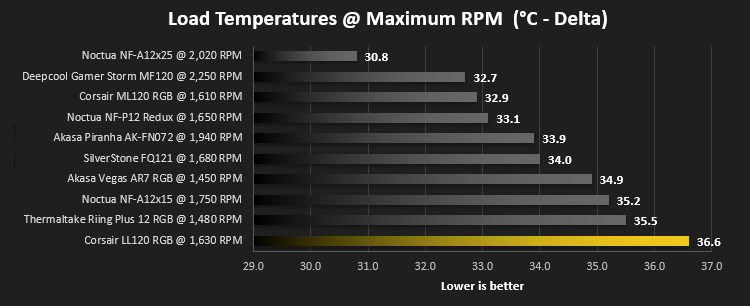
We then turn the fans up to maximum RPM, which is 1,630 RPM according to our Noctua NA-FC1
Benchmarks – Acoustic Results
For testing, we only connected a single LL120 fan to the Noctua NA-FC1 fan control unit to make the results relevant.Due to different characteristics, we feel it’s important to test fans as both case fans and radiator fans, giving you, the reader, a good idea of what to expect in both scenarios. We also test at 1000 RPM and Maximum RPM to see just how loud things can get.
We begin by testing the fans on the rear of our Corsair 760T chassis
We then mount the fan to the Corsair H100i Pro RGB and re-run the tests.
Conclusion
Corsair has seemingly added RGB to the entire range – they either got a great deal on a bucket-load of RGB LEDs or the market is asking for it, either way, it’s here and in full-force.We didn’t know what to think of RGB fans at first. Initially we were a little worried they may have sacrificed performance for vanity, but that doesn’t appear to be the case, the acoustic results are pretty decent, though it’s cooling performance on a radiator does unfortunately leave something to be desired.
Corsair’s Link software is brilliant – the ease of use and overall colour scheme is great, along with the preset colour schemes for the LL120 fans. Unfortunately, there doesn’t appear to be a method of per-LED customisation which may be a hardware limitation – it doesn’t impact the fans hugely but for £90 we had expected to find such a feature.
Speaking of pricing – at £90, the Corsair LL120 trio-pack certainly isn’t cheap, though this does include the Lighting Node Pro and fan hub, capable of powering up to 6 fans, with a theoretical 12 fans being possible with a purchase of a 2nd fan hub.
If you love RGB, what choice do you really have? These are some of the most vibrant and “in your face” case decorations we’ve ever seen – the 16 LEDs equipped to each fan can pump out a huge amount of vibrant, colourful light. These are guaranteed to put a smile on your face if you’re an aficionado of RGB.
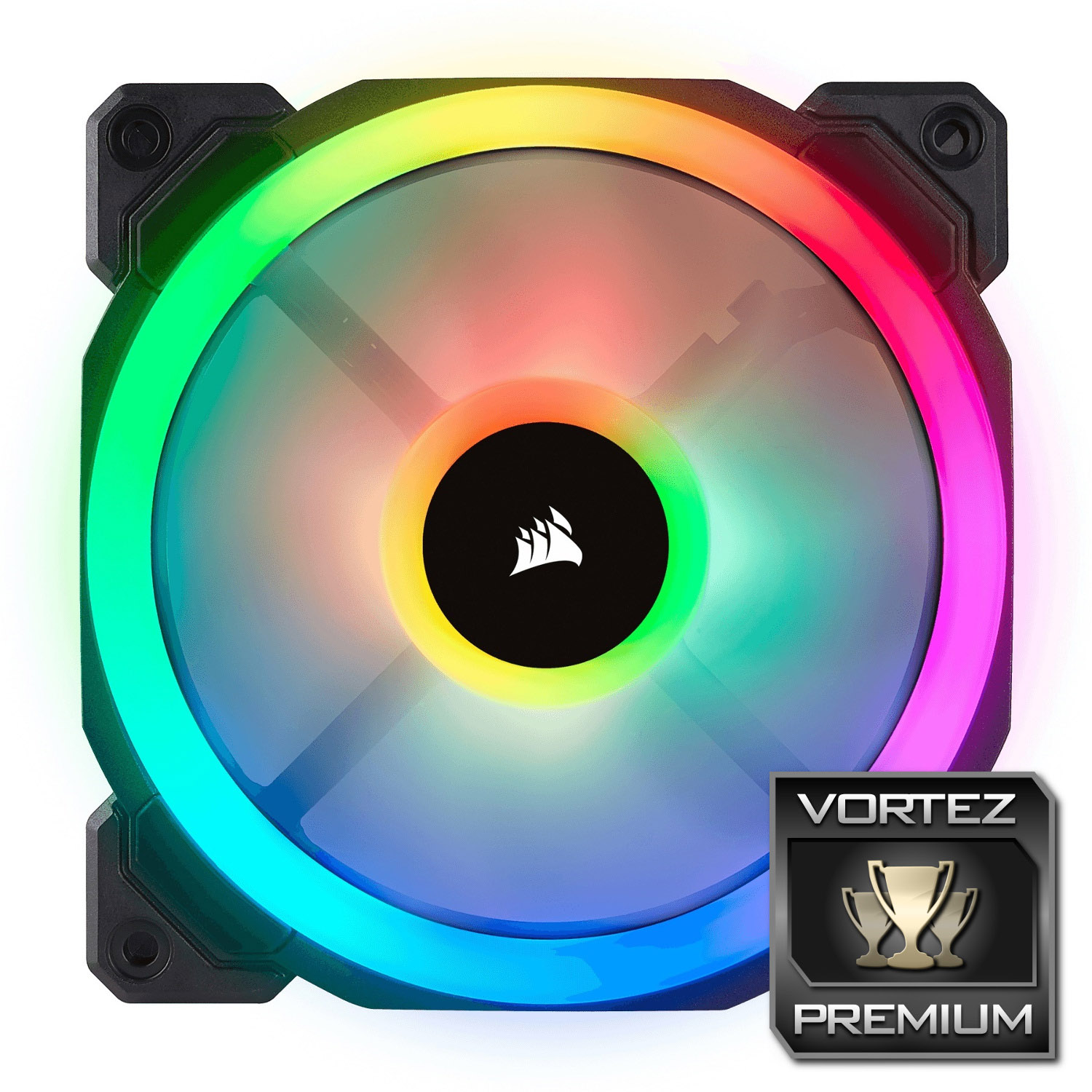
If you’re a fan of RGB [pardon the pun] you can’t go wrong with the LL120 fan set – excellent performance and blindingly bright RGB lighting.
Pros
+ Bright, vibrant lighting
+ Surprisingly good acoustic performance
+ Easy installation
+ Excellent Corsair Link software
+ Rubber corners help prevent vibrations
+ Solid build quality
Cons
– Expensive
– Not the best thermal performance
+ Bright, vibrant lighting
+ Surprisingly good acoustic performance
+ Easy installation
+ Excellent Corsair Link software
+ Rubber corners help prevent vibrations
+ Solid build quality
Cons
– Expensive
– Not the best thermal performance
Click here for an explanation of our awards at Vortez.net.
Stay connected with the Vortez Social Media pages: