CORSAIR’s M65 returns again, this time sporting a 26000 DPI PixArt sensor, 8000Hz polling rate and optical switches, to name but a few of the plentiful features.

Product on Review: CORSAIR M65 RGB ULTRA
Manufacturer: CORSAIR
Street Price:
Wired: USD $109.99 / GBP £69.99 / AUD $99.99
Wireless: USD $129.99 / GBP £109.99 / AUD $199.99
COVID-19 has required people to change their lives immeasurably, finding different ways to entertain themselves, largely due to being stuck in the same four walls for lengthy spells; one of the more popular methods that people have turned to is PC gaming. CORSAIR, keen to provide for this massively increased demand, haven’t slowed down on their R&
 at all, it would seem.
Today we’re looking at the M65 RGB Ultra, in both its wired and wireless guise. This is a shape that you’ll undoubtedly recognise, having been around for a decade now. A tried and tested design that has proven very popular amongst the gaming crowd.
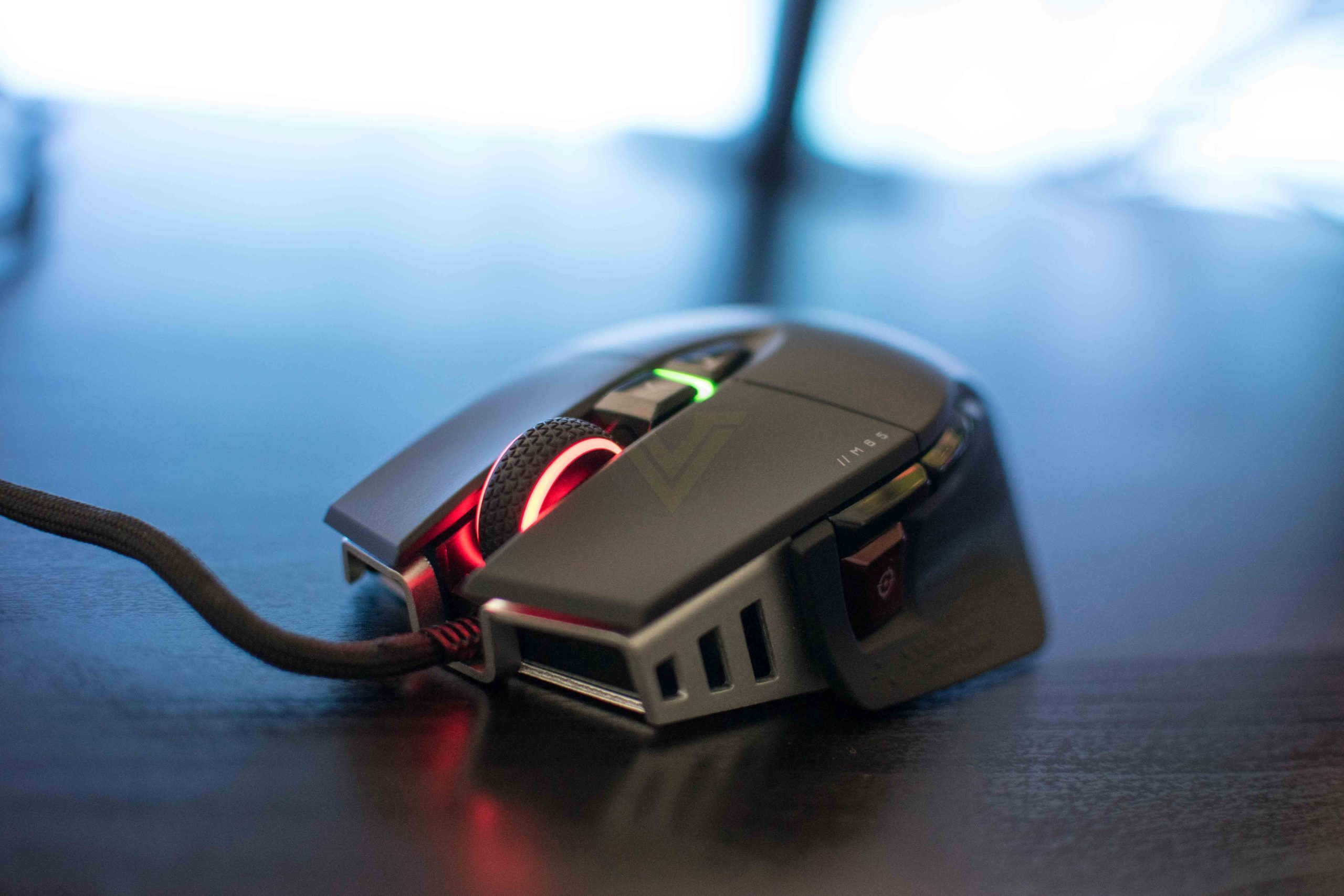
New on the RGB Ultra is an 8000Hz polling rate (2000Hz on the WIRELESS), up from a paltry 1000Hz on the out-going model, which works in tandem with the CORSAIR AXON Hyper-Processing Technology, to improve the responsiveness of the mouse by up to 8 fold. Bolstering the improved reaction times is a 26,000 DPI MARKSMAN optical sensor, developed in conjunction with PixArt, ensuring the highest possible accuracy. Sensor fusion technology is used to detect lift-off at ultra-low distances and optical L/R button switches with QUICKSTRIKE pre-tensioning aim to improve click feel and actuation distance.
With all of these new technologies, more than we can list comfortably here, the M65 RGB Ultra looks to turn things up a notch, but is it all marketing bumf or are we in for a real treat in testing this mouse? Let’s find out.
CORSAIR on the M65 RGB ULTRA:
The CORSAIR M65 RGB ULTRA Tunable Gaming Mouse boasts a durable aluminum frame and pinpoint accuracy powered by a 26,000 DPI MARKSMAN optical sensor and optical OMRON switches. Sensor fusion technology enables ultra-low lift-off detection, while CORSAIR AXON Hyper-Processing Technology transmits those actions up to 8x faster than other gaming mice. With customizable weight between 97g and 115g, a lightweight paracord cable, and CORSAIR QUICKSTRIKE buttons, all your movements and actions register with the utmost speed. Gyro-assisted mouse tilt gestures provide for mapping in-game actions as well as productivity enhancements. Take control with iCUE software to program the M65 RGB ULTRA’s eight buttons, customize its dynamic RGB backlighting, and save your profiles to onboard storage to take on the go. Pick up the M65 RGB ULTRA to make all your clicks count.
Technical Specifications
M65 RGB ULTRA:
Sensor: CORSAIR MARKSMAN, 26,000 DPI with 1 DPI resolution steps, 650 IPS tracking, up to 50G acceleration
Programmable Buttons: 8
Onboard Profiles: 1
Backlight: 2-Zone RGB
USB Report Rate: Up to 8,000Hz hyper-polling
Colour: Black
Mouse Feet: 100% PTFE
Wired Connectivity: USB 2.0 Type-A
Cable: 1.8m / 6ft
iCUE (Software) : Supported
Dimensions: 117.0mm(L) x 77.0mm(W) x 39.0mm(H) / 5.08in(L) x 2.76in(W) x 1.69in(H)
Weight (w/o cable and accessories): 97g / 0.21lbs
Warranty: Two years
Sensor: CORSAIR MARKSMAN, 26,000 DPI with 1 DPI resolution steps, 650 IPS tracking, up to 50G acceleration
Programmable Buttons: 8
Onboard Profiles: 1
Backlight: 2-Zone RGB
USB Report Rate: Up to 8,000Hz hyper-polling
Colour: Black
Mouse Feet: 100% PTFE
Wired Connectivity: USB 2.0 Type-A
Cable: 1.8m / 6ft
iCUE (Software) : Supported
Dimensions: 117.0mm(L) x 77.0mm(W) x 39.0mm(H) / 5.08in(L) x 2.76in(W) x 1.69in(H)
Weight (w/o cable and accessories): 97g / 0.21lbs
Warranty: Two years
M65 RGB ULTRA WIRELESS:
Wireless Connectivity: Hyper-fast, sub-1ms 2.4GHz SLIPSTREAM CORSAIR WIRELESS TECHNOLOGY, Bluetooth® 4.2 + LE
Sensor: CORSAIR MARKSMAN, 26,000 DPI with 1 DPI resolution steps, 650 IPS tracking, up to 50G acceleration
Programmable Buttons: 8
Onboard Profiles: 1
Backlight: 2-Zone RGB
USB Report Rate: Up to 2,000Hz hyper-polling
Colour: Black
Mouse Feet: 100% PTFE
Wired Connectivity: USB 2.0 (Type-A to Type-C cable)
Cable: 1.8m / 6ft
iCUE (Software) : Supported
Dimensions: 117.0mm(L) x 77.0mm(W) x 39.0mm(H) / 5.08in(L) x 2.76in(W) x 1.69in(H)
Weight (w/o cable and accessories): 110g / 0.24lbs
Warranty: Two years
Sensor: CORSAIR MARKSMAN, 26,000 DPI with 1 DPI resolution steps, 650 IPS tracking, up to 50G acceleration
Programmable Buttons: 8
Onboard Profiles: 1
Backlight: 2-Zone RGB
USB Report Rate: Up to 2,000Hz hyper-polling
Colour: Black
Mouse Feet: 100% PTFE
Wired Connectivity: USB 2.0 (Type-A to Type-C cable)
Cable: 1.8m / 6ft
iCUE (Software) : Supported
Dimensions: 117.0mm(L) x 77.0mm(W) x 39.0mm(H) / 5.08in(L) x 2.76in(W) x 1.69in(H)
Weight (w/o cable and accessories): 110g / 0.24lbs
Warranty: Two years
Packaging & First Look
CORSAIR package everything in their trademark black and yellow colour scheme these days, with the M65 RGB ULTRA being no exception. The front of the box shows a life-size picture of the mouse with a fancy triangular pattern in the background. The front gives very little away in terms of specs or features.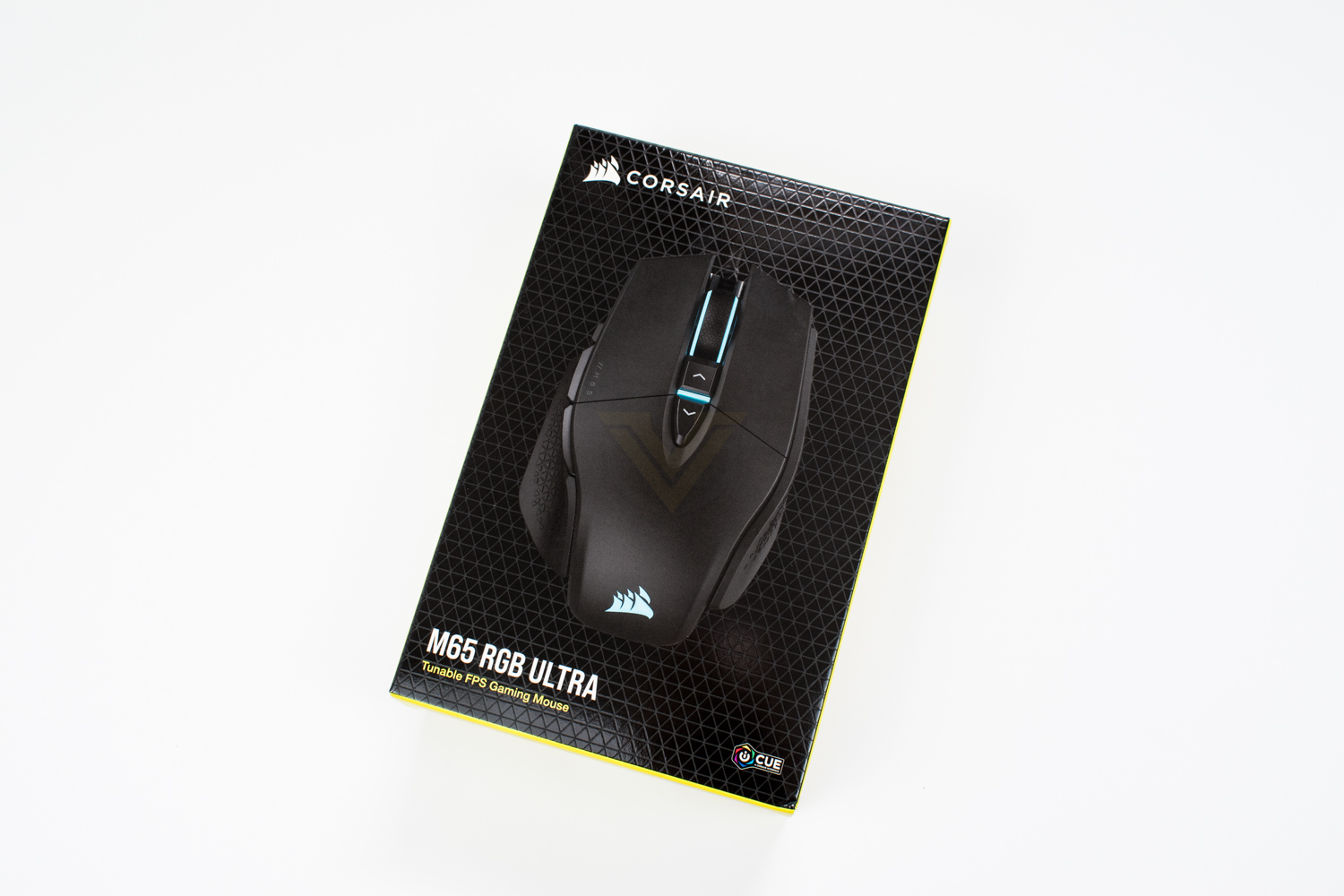
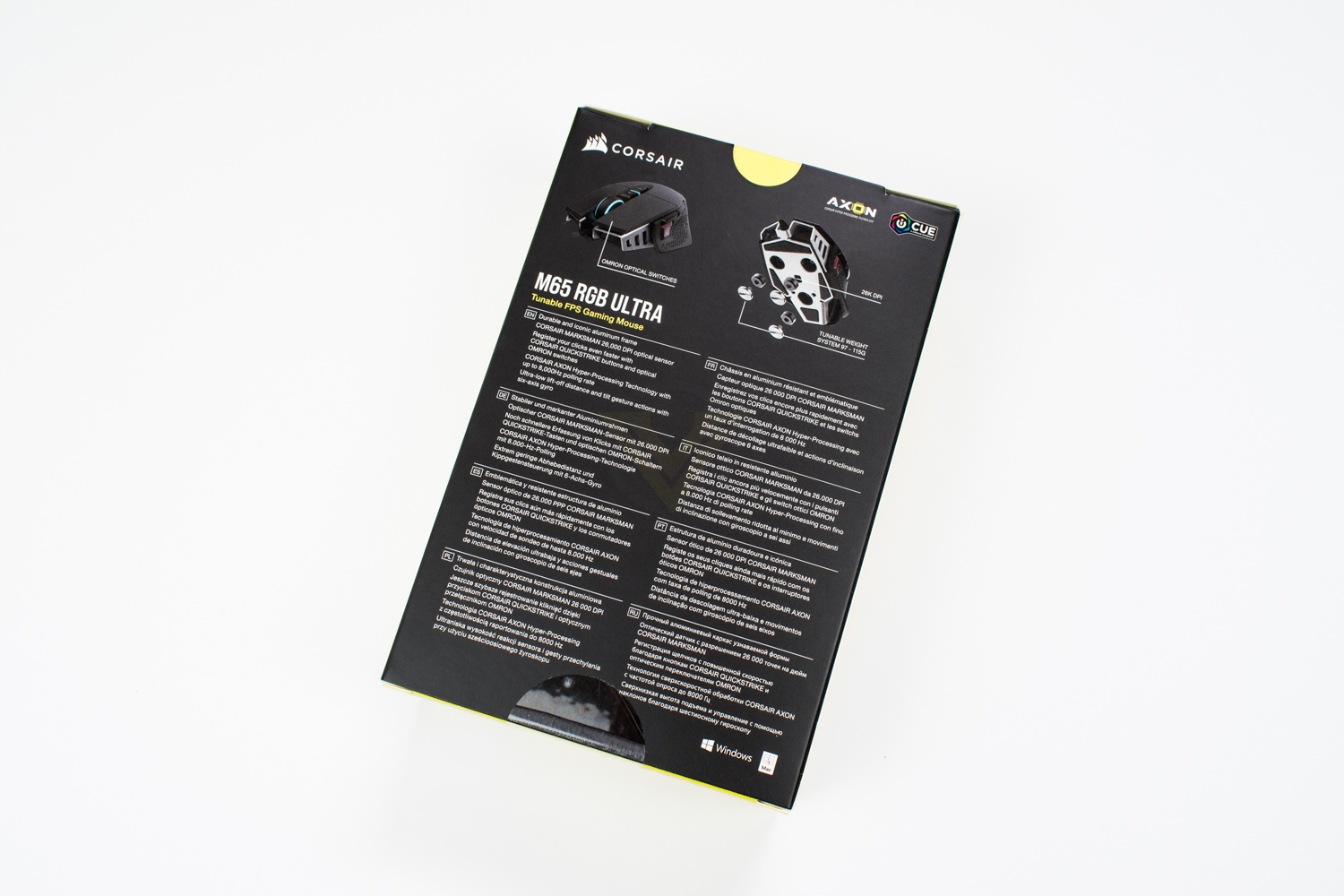
But thankfully the rear shows you most of what you need to know. However, let’s face it, the likelihood of you going into a physical store to buy this mouse is slim, manufacturers rely heavily on their website, and reviews like this, to inform potential customers on the many features they think you want.
Included with the wired mouse are some booklets, one of which shows you the main workings of the mouse if you need that kind of information. There are also three weights that you can chuck into the bottom of the mouse to adjust the weight, if you prefer something a bit heavier.
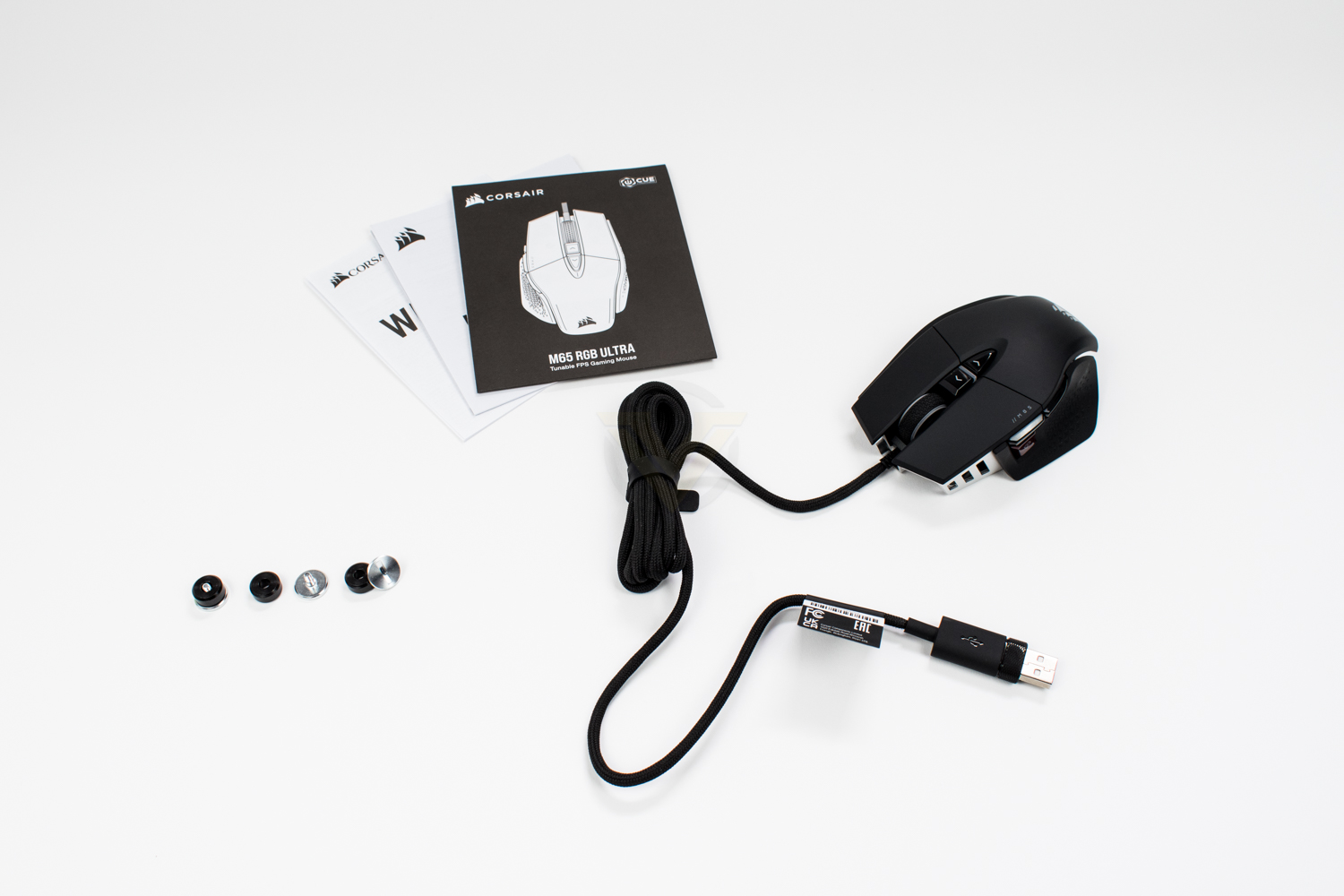
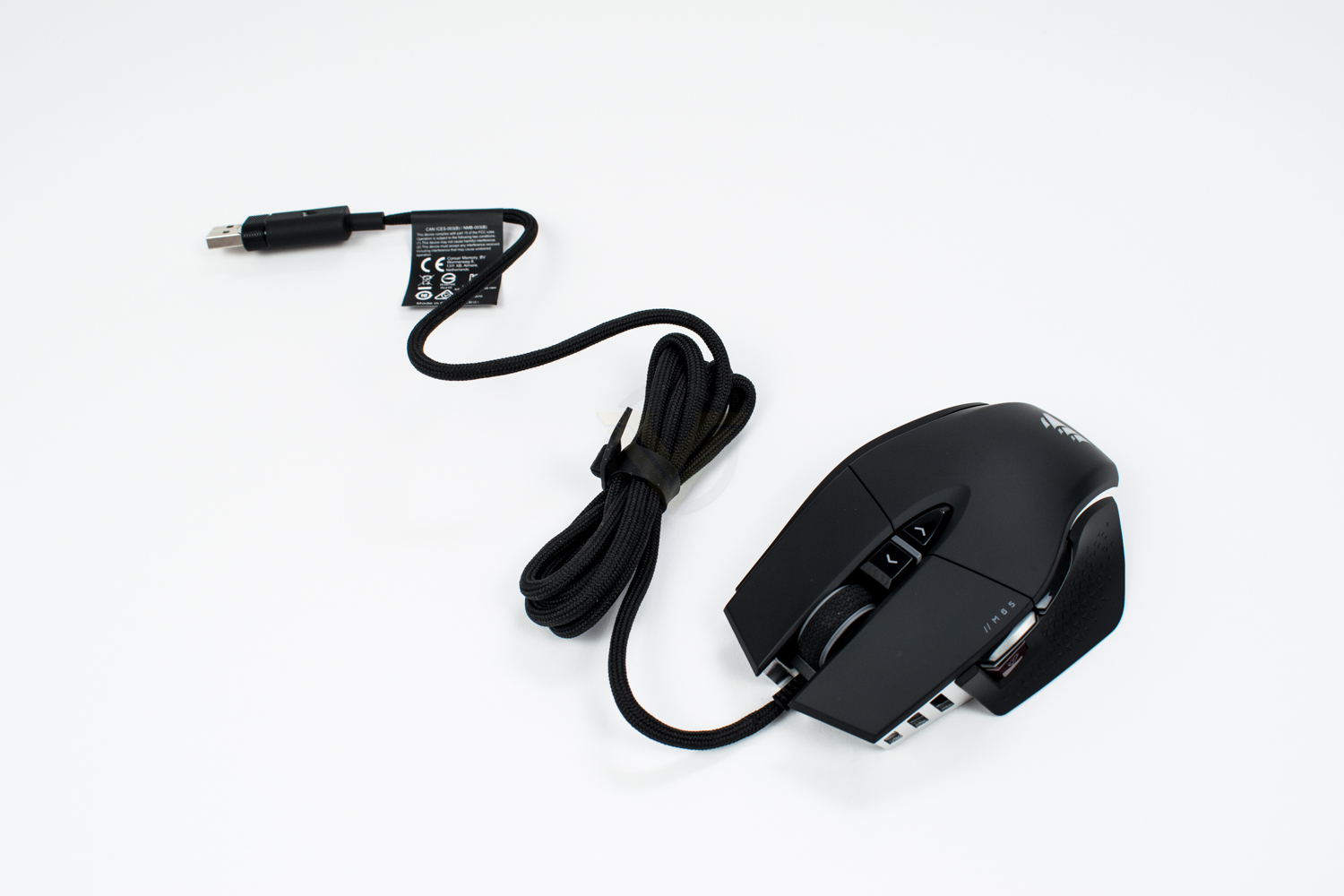
The mouse itself looks, at first glance anyway, identical to the first one they released back in 2011, they really do seem to have taken a leaf out of Porsche’s book on this one.
The wireless version obviously varies a little, with a tiny SLIPSTREAM USB adaptor and a 1.8M long USB Type-A to Type-C cable.
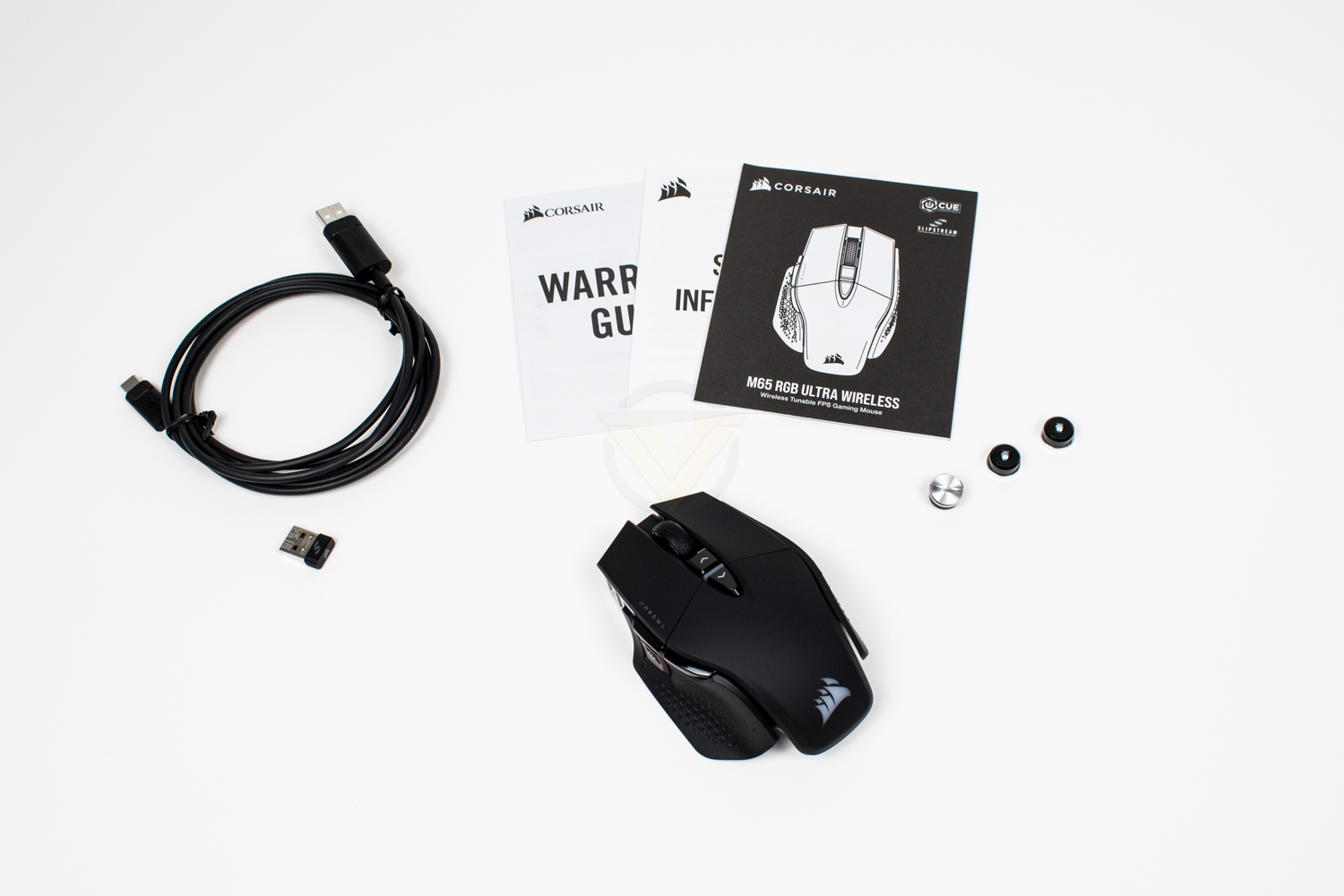
The mouse itself looks, at first glance anyway, identical to the first one they released back in 2011, they really do seem to have taken a leaf out of Porsche’s book on this one.
Closer Look
Since its introduction in 2011, with the CORSAIR M60, the shape of CORSAIR’s flagship FPS mouse hasn’t changed much at all, with incremental upgrades culminating in a highly-regarded gaming mouse.Measuring in at 117mm long, 39mm tall and 77mm wide, this is definitely an average sized mouse, carefully designed to fit the majority of users comfortably.

On the left side of the mouse, CORSAIR have added a “tactical grip” to ensure confident handling, handy for those who get sweaty hands while gaming. There’s also the instantly recognisable Sniper Button, this button, while depressed, lowers the sensitivity of the mouse to a preset level to allow finer mouse control, ultimately bringing about a more accurate shot for those sweet sweet headshots.
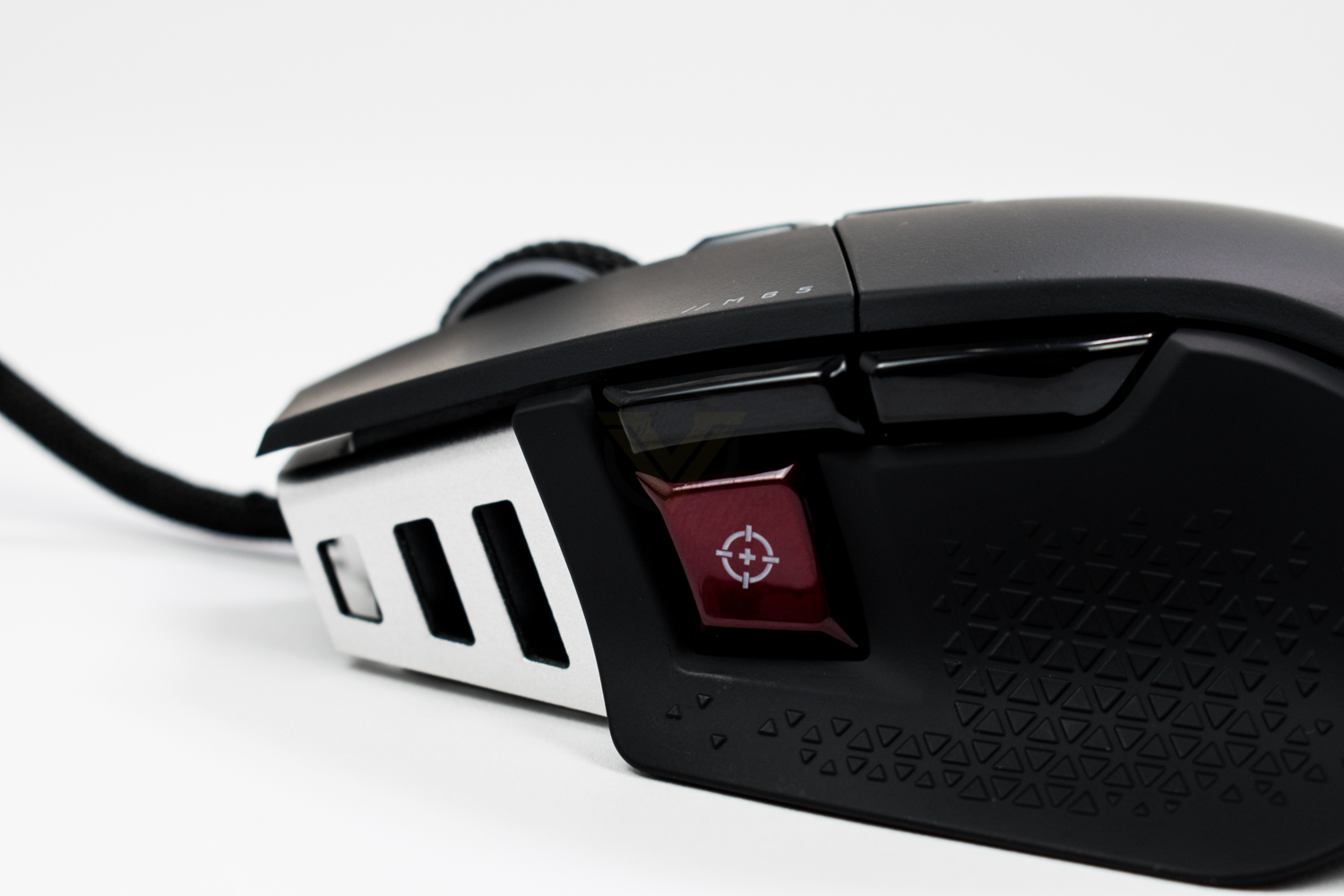
Hiding under the two main mouse buttons are OMRON switches, some of the best in the industry, with a crisp actuation and very respectable lifespan of 20 million clicks. Adding to the responsiveness of the switches is CORSAIR’s QUICKSTRIKE technology, which uses a downward spring loaded force to pre-tension the switch, eliminating the tiny gap between the switch and the lever above it. Further to that, rather than waiting on slow metal contacts, the M65 RGB ULTRA has been equipped with optical switches, removing microseconds from your button press, but with an 8000Hz polling rate on the wired model, every microsecond counts.
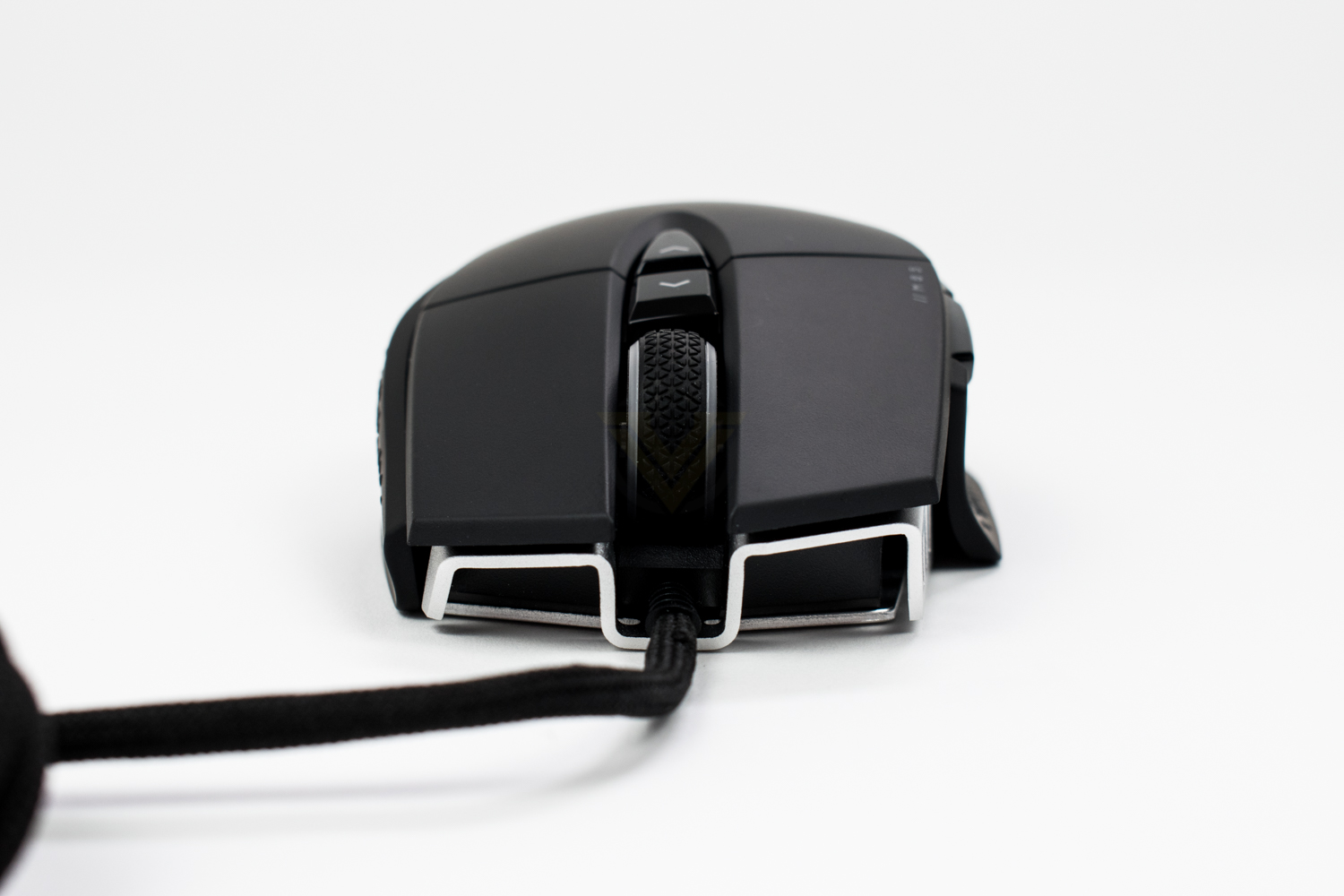
On top of the mouse is a pair of programmable buttons, with the default action being to switch the DPI on the fly, but with the Sniper Button on the left, these can easily be repurposed to provide more frequently used actions.
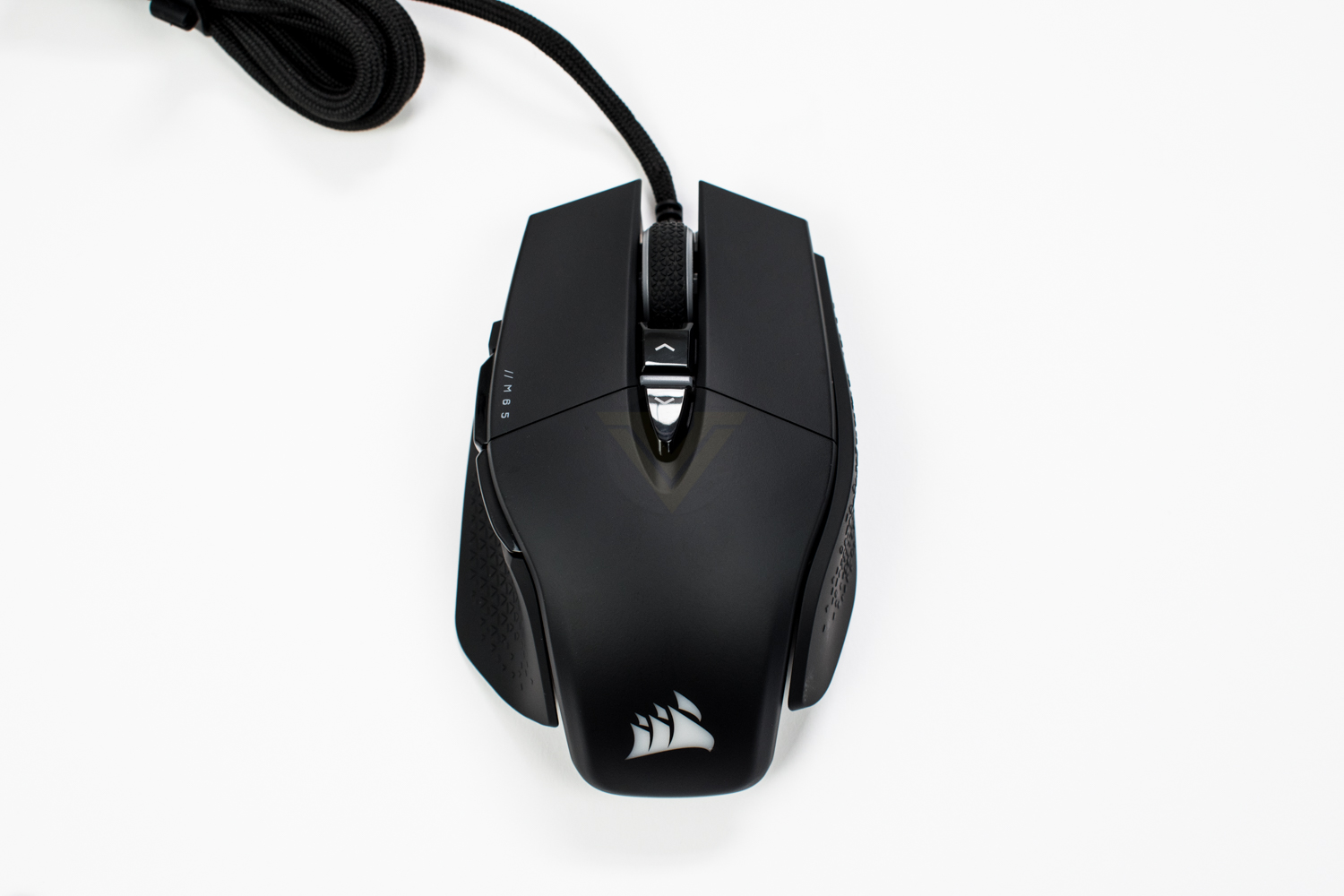
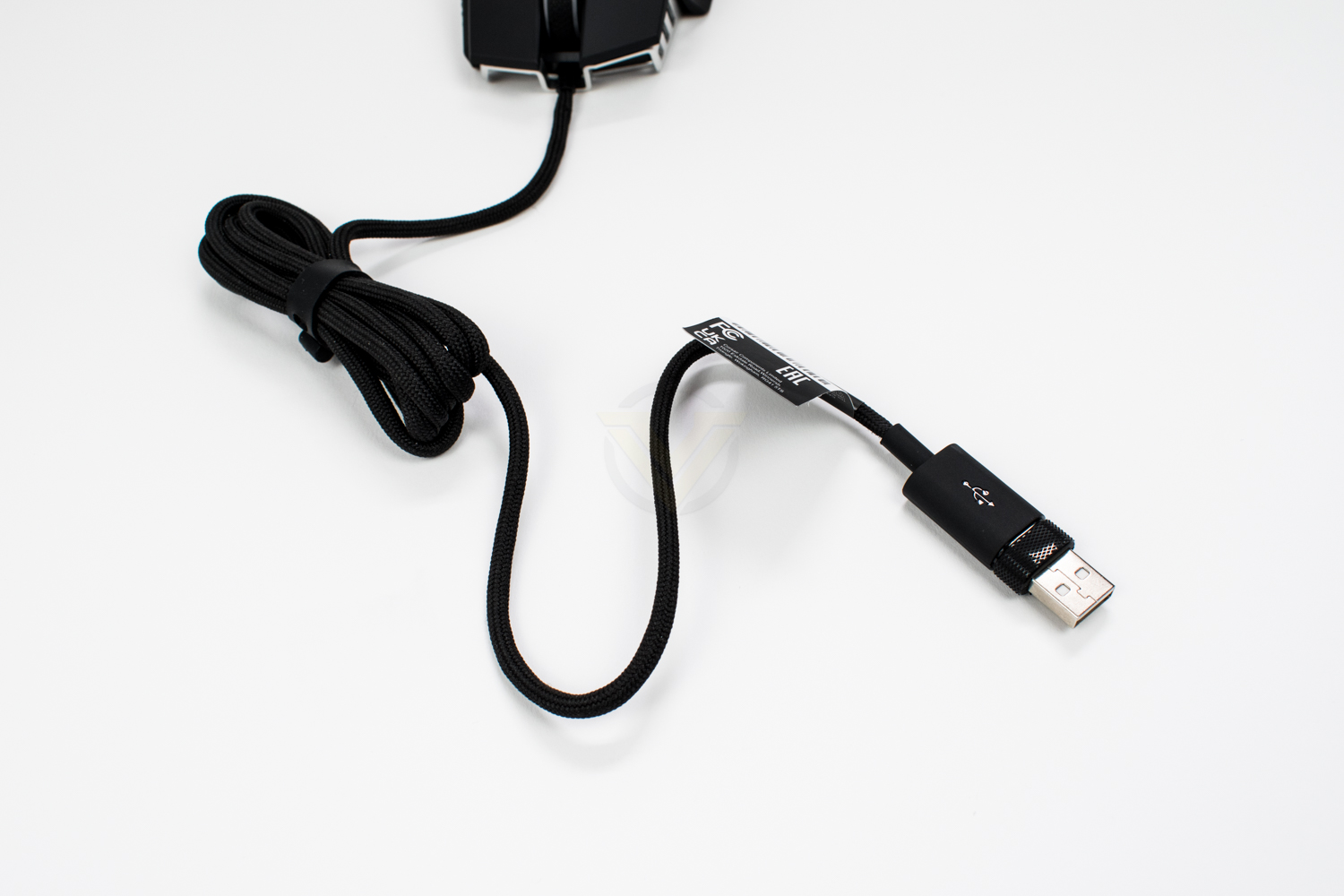
Sprouting out of the front of the mouse is a 1.8M USB cable featuring a thick braid. The cable presents very little in the way of resistance to bending which should come in very handy while gaming; there can be nothing worse than the cable pushing back so you don’t quite pull off the shot!
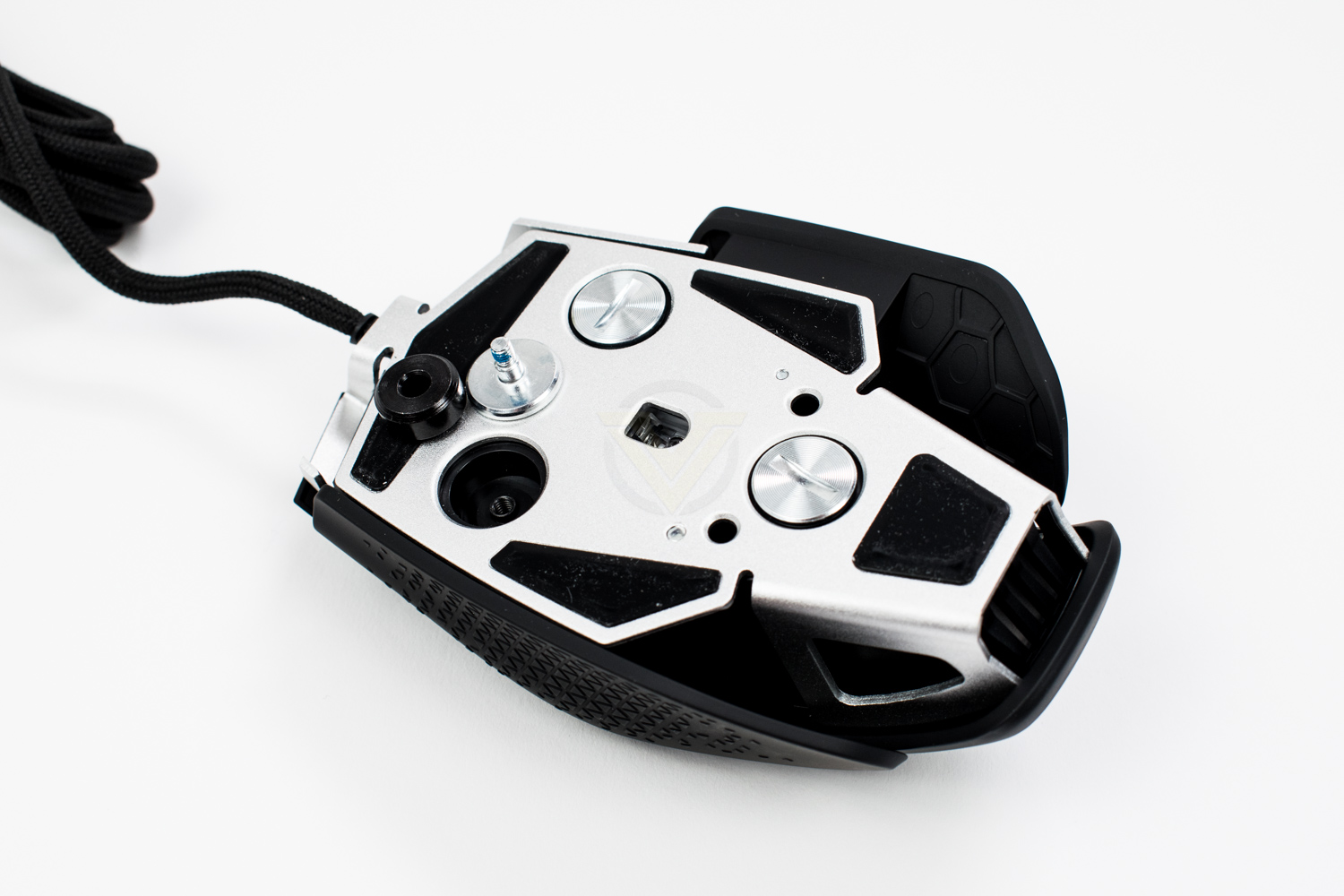
On the underside there are four PTFE pads and three circular recessed sections where the weights can be screwed in to adjust the feel and balance of the mouse, depending on which ones you populate. The empty mouse tips the scales at 97g, but adding in all three weights brings this up to 115g, or 6g each.
The wireless version shares the same chassis and design as the wired version, save for being 13g heavier and lacking the wire, obviously. Another small alteration is the absence of an RGB zone on the scroll wheel as a power-saving technique.
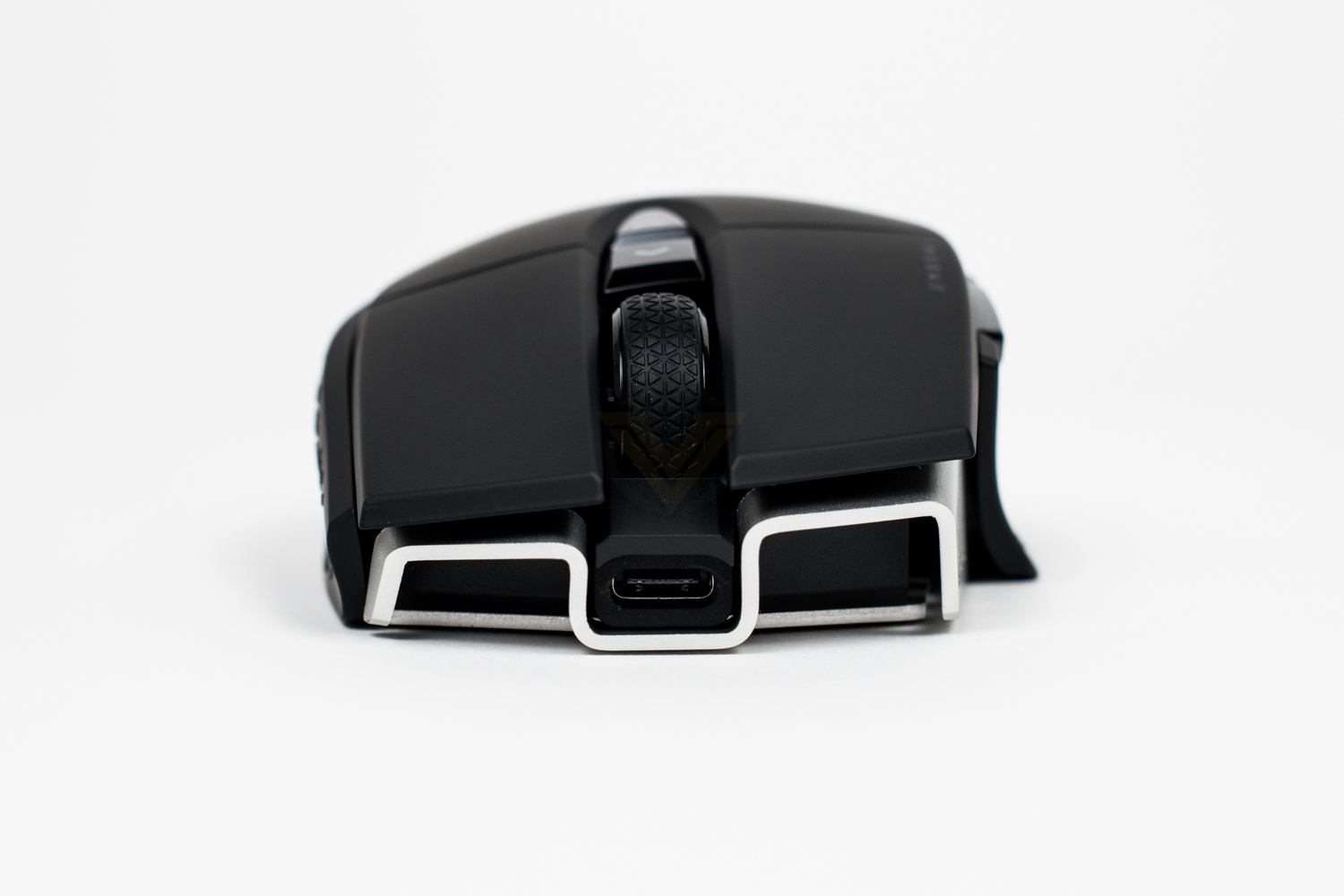
The front of the mouse houses a USB Type-C connection for charging the device, or operating in wired mode if you wish.
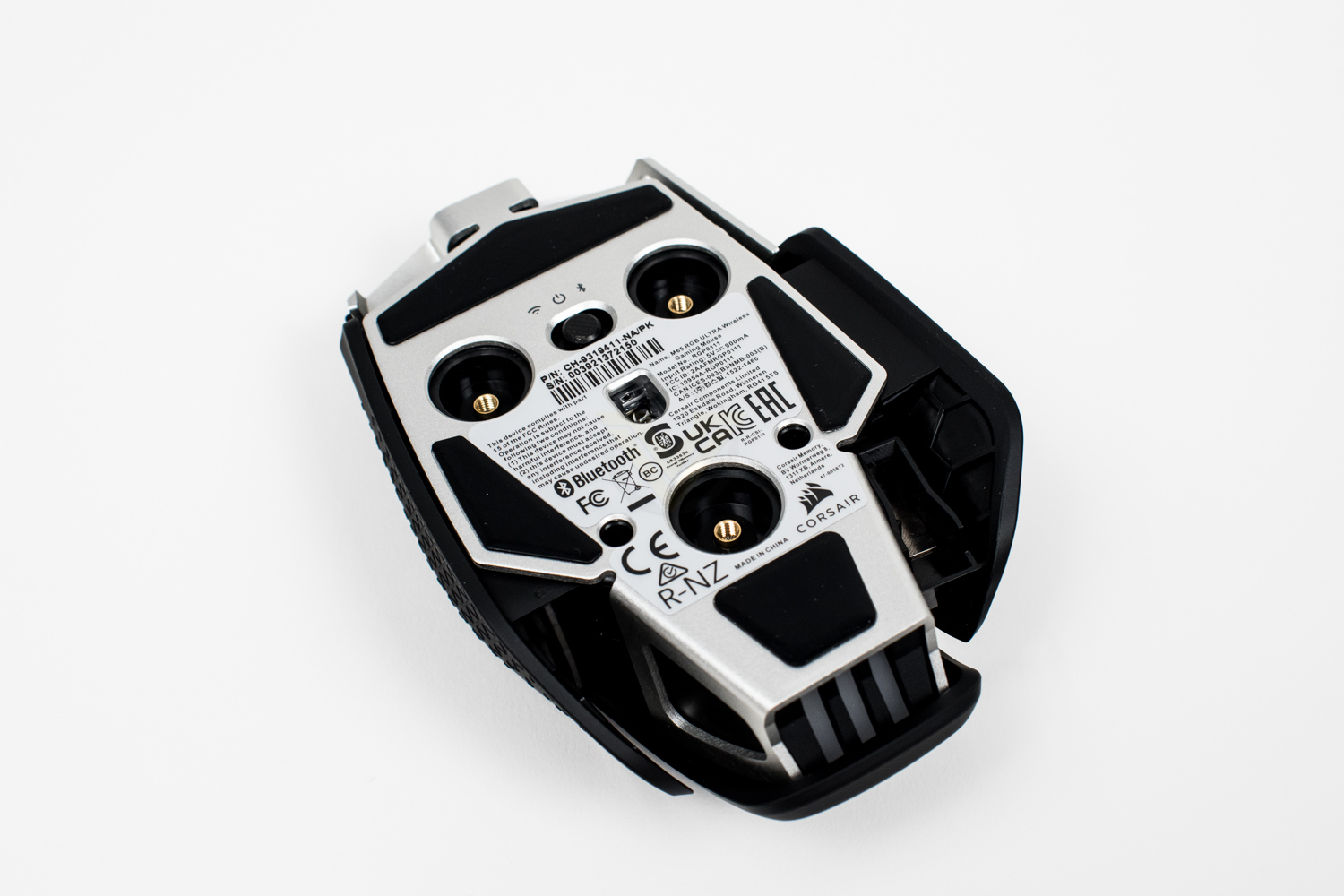
The underside of the device also varies from the wired version. There’s obviously no fixed wire to stick a product label to so the underside of the device has had to suffice. You will also notice the wireless toggle switch at the top, switching to the left for SLIPSTREAM and to the right for Bluetooth.
Software
CORSAIR’s iCUE software has gone through many iterations now, slowly expanding what it can do and improving on how customers interact with it.The installation process isn’t as straight forward as you might hope, if you’re heavily accustomed to the usual process of installing software; there’s far too many colours and buttons that aren’t obvious, it strikes as the usual installer you’d get from freeware where they’re trying to slide something else in from the side without you noticing. Not an excellent start.
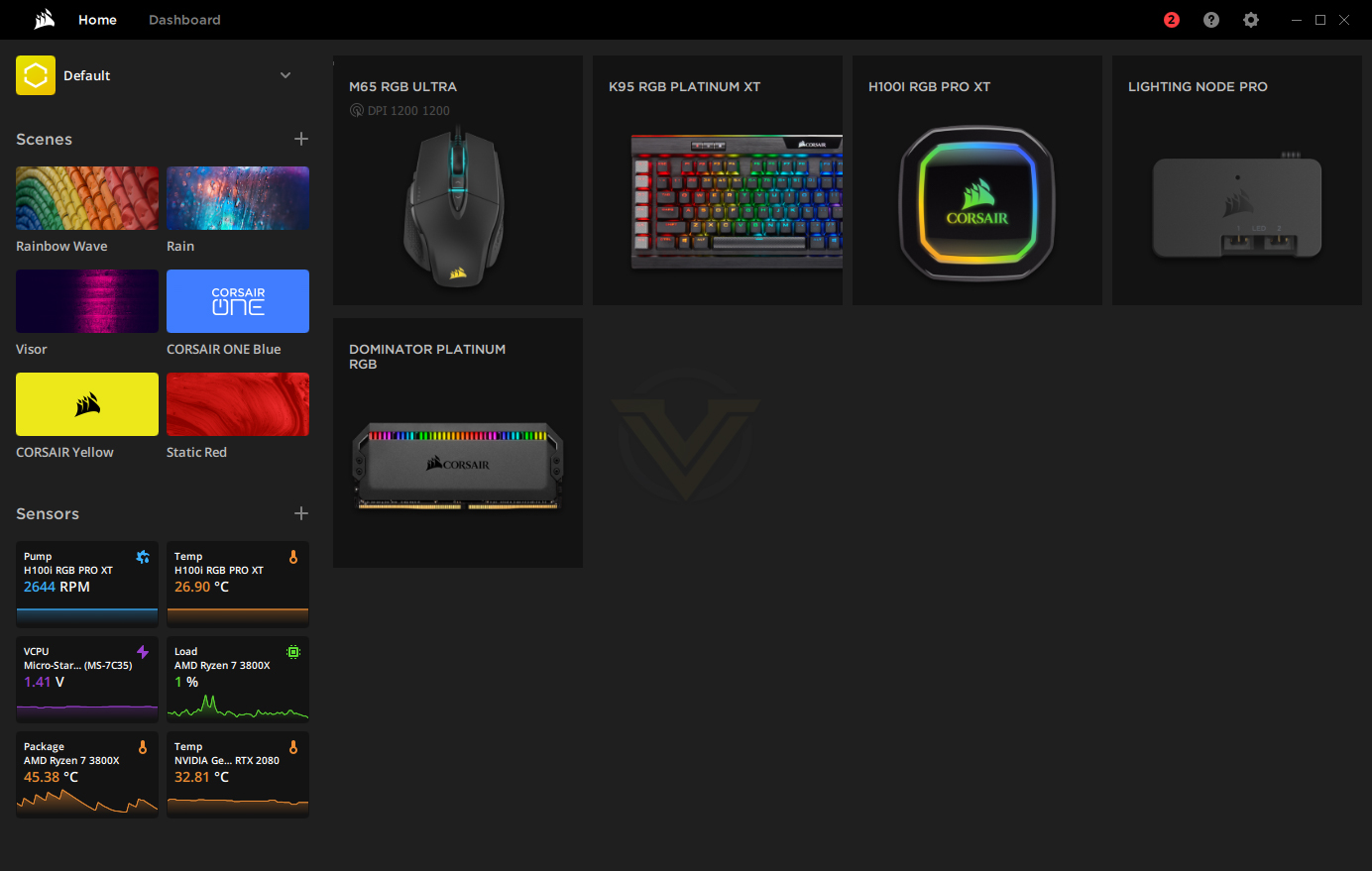
Once we’re into the software, the new layout is very colourful and vibrant but it’s certainly feature-packed. You can change settings for any of your CORSAIR peripherals from here, view some system vitals or apply “Scenes”, which changes the colour scheme and effect of everything with one button.
Starting off with Key Assignments, this section of the driver software allows you to pair a function with any of the buttons on the mouse, including the LMB and RMB if you so wish. If, like myself, you tend to stick your mouse to a certain DPI setting then leave it there, the top buttons on the mouse will find themselves completely unused, instead of wasting them, things like this can be assigned to microphone mute, volume adjustment, page up/down, the world’s your oyster here. Just add a new assignment in the bottom left then drag it onto whichever button you want to assign it to.

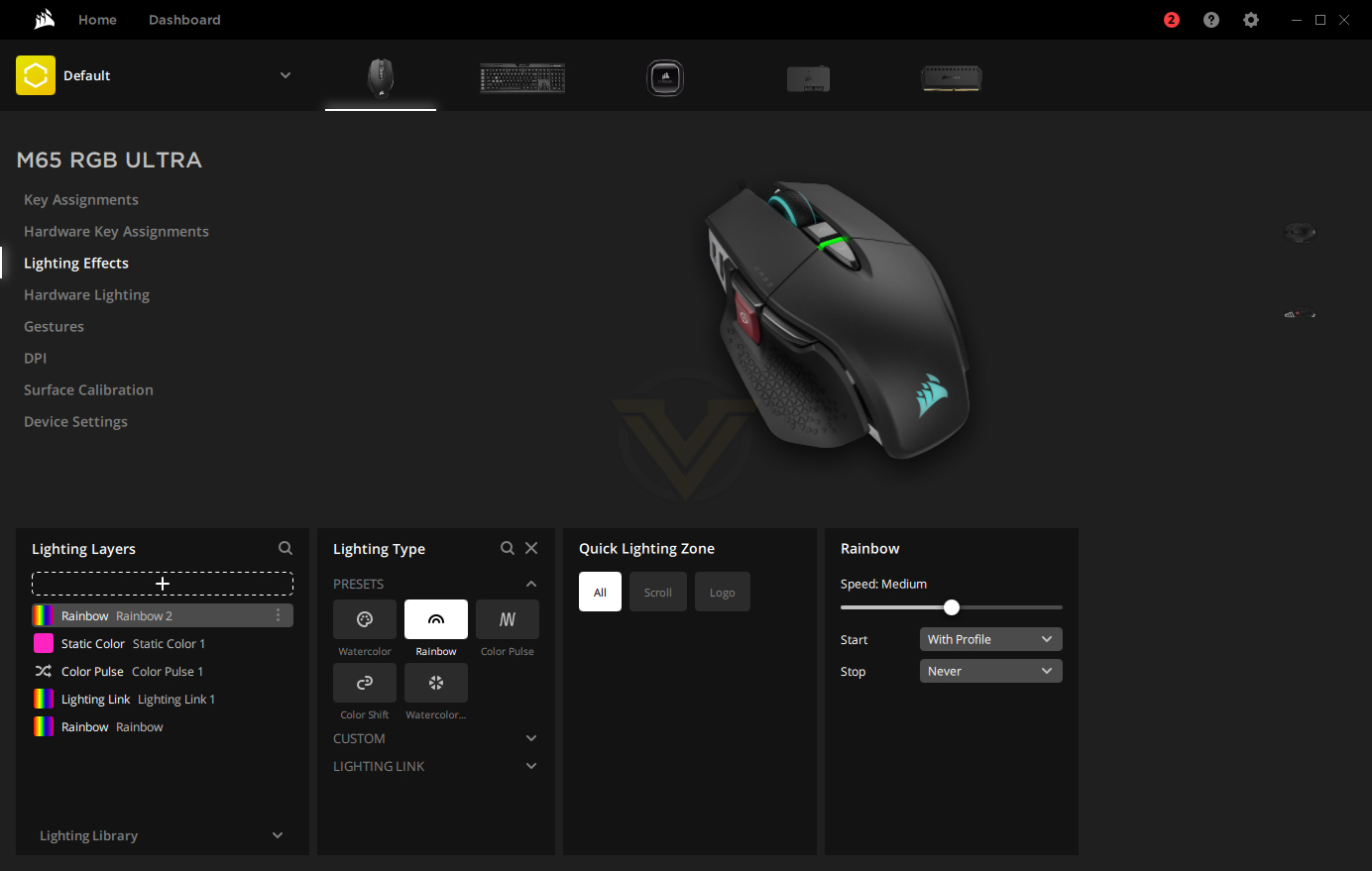
Lighting effects, undoubtedly the most fun of all of the settings, is one part of the software that CORSAIR do very well, there’s loads and loads of options in here so you can definitely find exactly what you’re looking for. Speed, colour, effects, the whole range can be tweaked and adjusted here to your heart’s content.
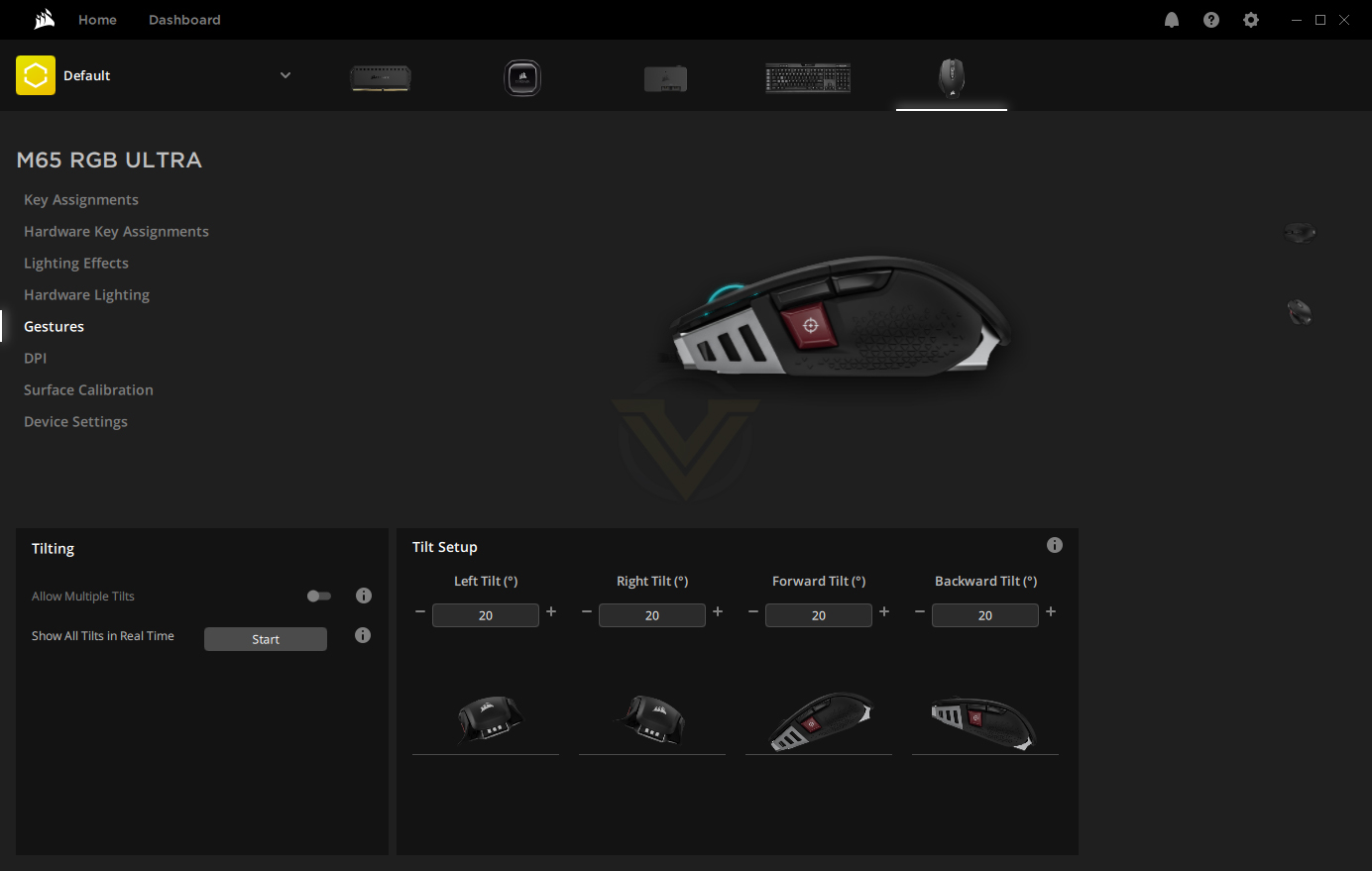
Following the list down, the next big one is gestures. This is something you likely won’t have come across on a mouse before but it certainly holds some promise. Thanks to the accelerometers inside the M65 ULTRA, the device can detect when it’s picked up and tilted; the main function of this is incredibly low lift-off detection but CORSAIR have made good use of the sensors to enable gesture control. The mouse can be tilted in four different directions to trigger preset actions, such as forwards and backwards in your web browser or closing down windows, pretty much anything can be programmed in. The sensitivity of the gestures can also be tweaked, in 10° increments, all the way up to 90°.
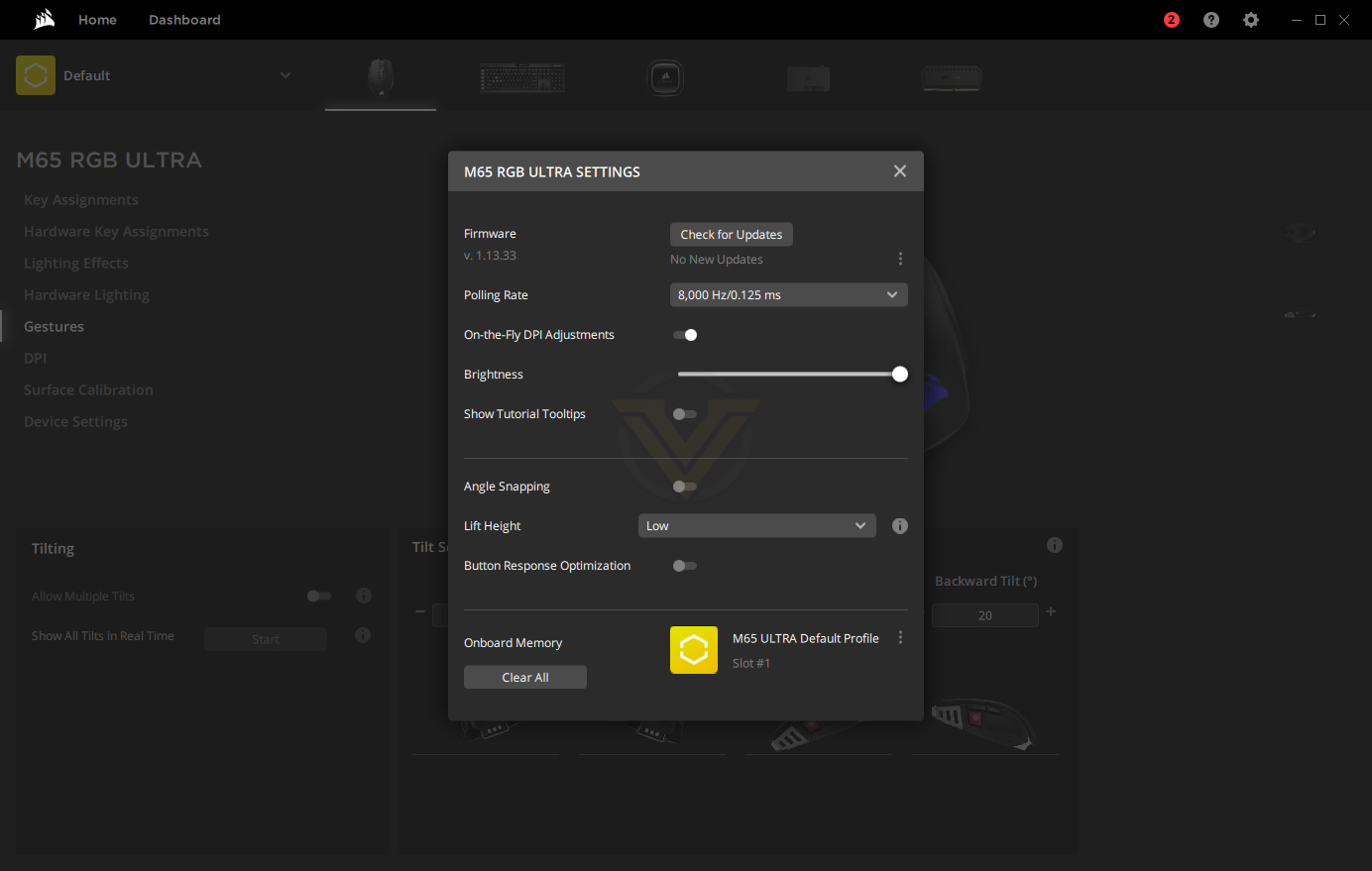
Finally, the particulars of the mouse are tweaked within a smaller settings window. Firmware updates for the onboard processor, polling rate options from 125Hz all the way through to 8000Hz, a toggle for on-the-fly DPI adjustments, RGB brightness slider, angle snapping (which you should always turn off for gaming), lift height adjustment and button response optimisation.
Performance Testing
The crux of a gaming mouse is, you guessed it, gaming performance but it also needs to perform well on a day-to-day basis, especially as more of us than ever before are now working from home, using our PCs for a multitude of different tasks. I’m happy to say that I would comfortably use this mouse on a daily basis, the programmable buttons on top can be given functions such as speakers and microphone mute or volume controls, among many other options, all making your day that tiny bit easier, and the comfortable lightweight design of the mouse is in-no-way fatiguing or difficult to use.The tried and tested design of the M65 has been no accident, with small improvements and tweaks made to the shape, weight and balance of the mouse over the last decade culminating into something that works incredibly well. This time around, CORSAIR have added tactical grip onto the thumb section, just behind the Sniper Button, to ensure you always have a firm grip on your mouse. The aluminium chassis remains largely untouched, offering rock-solid build quality without unnecessary weight ultimately allowing the customer to dictate how heavy the device is, within reason of course. Large PTFE pads on the underside reduce friction so that your intended movement matches the screen perfectly and a very well-engineered cable, with barely any bend resistance at all, ensures you suffer from as few snags or jolts as possible.
Gaming performance ought to be good, you’d have thought anyway, with ridiculous numbers like an 8,000Hz polling rate and 26,000 DPI. The first thing that was immediately noticed are the QUICKSTRIKE buttons, a pre-tensioning system that CORSAIR have developed to remove the minuscule gap between the left and right mouse buttons and their respective switches underneath, they feel more positive and generally all round better, something that we’ll definitely be looking for in other mice from now on (if you’re struggling to imagine what we’re explaining here, put your hand on your mouse and focus on pushing the LMB and RMB, you’ll feel a slight bit of flex before the actuation happens, on this CORSAIR M65, you get none of that whatsoever, absolutely none). Truth be told though, the 26K sensor and 8000Hz polling rates are much harder to notice, we’re firmly within the world of diminishing returns at this point, these features are more of a contest between the different manufacturers than they are to provide real-world improvements, noticing a 1ms delay is hard enough, to then notice a 0.125ms delay is just preposterous; it also leaves you with one less excuse for not executing your opponent.
The primary buttons on the M65 ULTRA do away with the old method, using electrical contacts and clever processing of unwanted signal, opting to equip the device with optical switches instead. These new switches use a beam of light within the switch that, when broken, registers the button press. There are many advantages to this new method, and you’ll also find it within the mechanical keys of some expensive keyboards, the main advantage being a much cleaner signal that can be actuated multiple times without delay, and theoretically a better lifespan as well.
The ability to adjust the weight of the mouse is a nice addition, though it genuinely doesn’t seem to change the feel of the mouse much at all. The quoted figures are 97g base, going up to 115g. The weights are also a bit too complicated and difficult to quickly swap and change, where some mice they can be swapped in a matter of seconds, you need to find yourself a penny or kitchen knife to undo the screws, which can take a good few minutes.

Coming into the review, gesture control was something that excited me quite a bit, using a blend of sensors inside the mouse to accurately gauge the mouse’s current angle. You can assign individual commands to the four main angles, forwards, backwards and side to side. CORSAIR are marketing this as being useful for gaming, with their exact example being a weapon reload, but in practice this isn’t quite so easy. Lifting your mouse from the desk and tilting it in any direction is a simple enough task, but finding the time to do that while you’re being shot at is not easy, nor do you want to take your mouse off the surface at all. For simpler office tasks, such as forwards and backwards in web pages, play/pause on your media application or a quick way to mute your speakers or microphone, it works rather well; there’s obviously a bit of a learning curve with it but once you have the knack, it’s all gravy.
We fired up some games, Call of Duty Modern Warfare, War Thunder and RuneScape, for a decent mixture of genres, to ensure we give the mouse a rounded test out. Within Call of Duty, the M65 performed remarkably well, the sensor is as accurate as they come with no weird behaviour noted at all, the weight and shape of the mouse suited my hybrid palm/claw grip style nicely but it should suit all three major grip types well. The sniper button, which temporarily reduces the sensitivity of the mouse, is positioned absolutely perfectly for my grip, right under the tip of my thumb while I tend to use the last knuckle of my thumb to grip the mouse; the same can’t be said for my partner, however, with it not quite falling so ideally. A one-size-fits-all mouse is the holy grail within this sector but for obvious reasons, will never happen.
War Thunder, especially when flying the planes, requires smooth movements of the mouse with tiny adjustments along the way. The M65 excelled perfectly here, the PTFE pads on the base aided movement nicely with zero friction and the cable, thanks to its super bendy nature, didn’t hinder efforts at all.
RuneScape, being an MMORPG, would benefit from an MMO orientated mouse, but there’s no reason why several of the buttons on the mouse can’t be re-purposed for use with an MMO. It’s comfortable and lightweight so easily capable of being used for lengthy periods of time, which is how MMOs are typically played.
Somewhere that CORSAIR has traditionally done well is with their RGB lighting; they typically provide bright, vibrant LEDs and thanks to their software, it’s super customisable. The M65 ULTRA is no exception, the lighting is punchy with great uniform colours, effects are silky smooth and the fancy three stripe exit at the rear of the mouse gives it a unique style.
All in, it’s easy to see that CORSAIR have had a decade to perfect this design, the overall design and usability of the device is all good from our point of view.
The wireless version gains a few pounds, weighing in at 110g compared to the 97g; while this might sound insignificant, it’s certainly noticeable, and is definitely heavier than most mice within its price range; a large lithium-polymer battery is mostly responsible for the weight gain, with a claimed battery life of up to 120 hours being quite a bit higher than most of the competition, but it doesn’t negate the weight. You can always charge your mouse more often but you can’t remove weight from it.
Battery life is very decent, we got a good 20-25 hours of use out the device before hitting half way, with the RGB lighting turned up to full brightness. Even if you use your PC a lot, you’ll get a week out of this mouse without much bother. Another thing to note is the M65 WIRELESS will let you charge it from a dumb source, like a phone charger; very handy if you already have a Type-C charger on your desk, which I’m sure many already do.
Conclusion
The CORSAIR M65 ELITE scores an almost perfect card, to the point where we find ourselves scratching our heads to come up with some issues so we don’t appear to be on CORSAIR’s payroll.The build quality, as has been the case for some time now, is always a strong point, the aluminium chassis will take years of use without batting an eyelid, every button feels well-engineered and built to last, the adjustable weight system on the bottom screws in beautifully and is perfectly flush with the base of the mouse.
QUICKSTRIKE, a system designed to preload the left and right mouse buttons, is absolutely fantastic. This really does separate the men from the boys and we fully expect other mouse manufacturers to develop their own technology to rival this. Pair that with CORSAIR’s Axon signal processor, an insane 8000Hz polling rate and a 26000 DPI PixArt sensor and you’ve got a real weapon in your hands.
Thanks to a fantastically designed shape, the M65 ULTRA fares well for lengthy spells of typical computer usage, browsing your favourite social media sites, doing some word processing, even working from home, the M65 will certainly not give you any long-term problems.
The wire is slowly working its way away from gaming mice, often presenting a problem for serious gamers with snags and resistance from the cable causing slight deviation from the intended direction of movement; CORSAIR are wise to this potential issue and have developed a cord with so little resistance that you forget it’s there, it bends with the absolute minimum of effort and doesn’t spring back at all.
RGB lighting is all the more important these days, your rig has to look as good as it performs and the M65 won’t let you down here. The LEDs are lovely and bright with smooth transitions and the software makes setting them up a doddle.
Speaking of software, iCUE has gone through a fair few changes over the years, and not all good. We feel like it’s on the way down at the moment, changes are being made for the sake of change but without actually optimising or improving the experience at all. Something we’d suggest to CORSAIR would be a basic/advanced toggle, where you can choose how in-depth the software goes for beginners and advanced users. Setting up macros or monitoring system specs isn’t always necessary and can just confuse the process completely. Non-the-less, the software does a decent job, looks nice and ties together all of your CORSAIR components nicely.
Unfortunately for the WIRELESS version, we have to remove some points for its weight gain, 110g is too heavy for an FPS mouse in 2021, with most of the competition arriving well under 100g these days, especially when compared to its closest rivals, the 74g Razer Viper Ultimate and the 80g SteelSeries Prime Wireless.
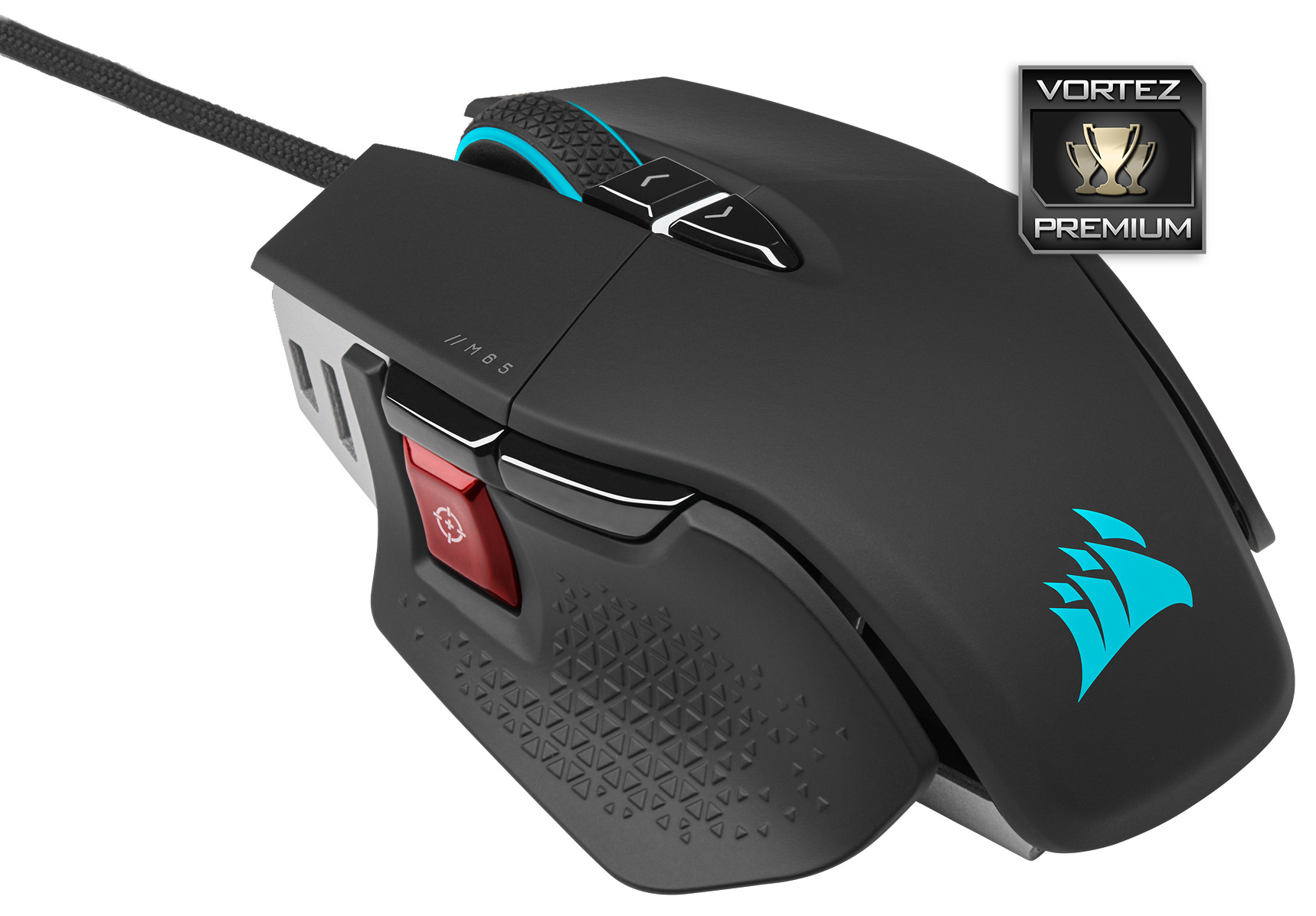
The M65 RGB ULTRA offers a fantastic gaming experience thanks to the immediacy of the QUICKSTRIKE buttons and 8000Hz polling rate, a comfortable shape, bulletproof build quality and a decade of tweaks; the WIRELESS could do with losing some weight though.
Pros
+ Adjustable weight
+ Very flexible cable
+ Tried and trusted design
+ QUICKSTRIKE buttons feel truly excellent
+ Lovely RGB lighting
+ Comfortable for lengthy sessions
+ “Dumb charging” on the wireless model
Cons
– Weight system is fiddly
– iCUE is becoming overly complex
– Gesture controls feel like a gimmick
– Wireless version is quite heavy
– Wireless version loses the 8000Hz polling rate
– Wireless version is expensive
+ Adjustable weight
+ Very flexible cable
+ Tried and trusted design
+ QUICKSTRIKE buttons feel truly excellent
+ Lovely RGB lighting
+ Comfortable for lengthy sessions
+ “Dumb charging” on the wireless model
Cons
– Weight system is fiddly
– iCUE is becoming overly complex
– Gesture controls feel like a gimmick
– Wireless version is quite heavy
– Wireless version loses the 8000Hz polling rate
– Wireless version is expensive
Click here for an explanation of our awards at Vortez.net.
Stay connected with the Vortez Social Media pages:
Join in with the discussions on Discord