Following on from last week, we look at Corsair’s ML120 Pro RGB fans, featuring Magnetic Levitation and customisable RGB lighting, are they worth the £89 price tag?

Product on Review: Corsair ML120 RGB LED PWM Fan triple-pack
Manufacturer: Corsair
Street Price: £89.99 / $119.99
Late last week we looked at the Corsair LL120 fans, designed to look great with 16 RGB LEDs but the performance suffered somewhat due to the construction methods used. That isn’t the case with the ML120 Pro fans in the lab today; Corsair has designed these fans to perform first and look good second.
Generally, you either cheap out and compromise on airflow and noise, or spend more and get a better fan. Corsair has developed the ML range of fans to fit firmly into that second option; even its plain black ML120 Pro comes in at £19.99. That might seem like a lot of money for a 120mm fan, however, the ML stands for Magnetic Levitation. That means no bearings, at all, and very very little wear over the life of the fan. It also means excellent performance, even at low RPMs.
That’s not all with the ML series of fans, the rotors of the fan have been tirelessly engineered to provide the “perfect balance between high static pressure and high airflow”, that should mean these fans will be ideal as intake/exhaust fans, or for use on a CPU cooler or water cooling radiator.
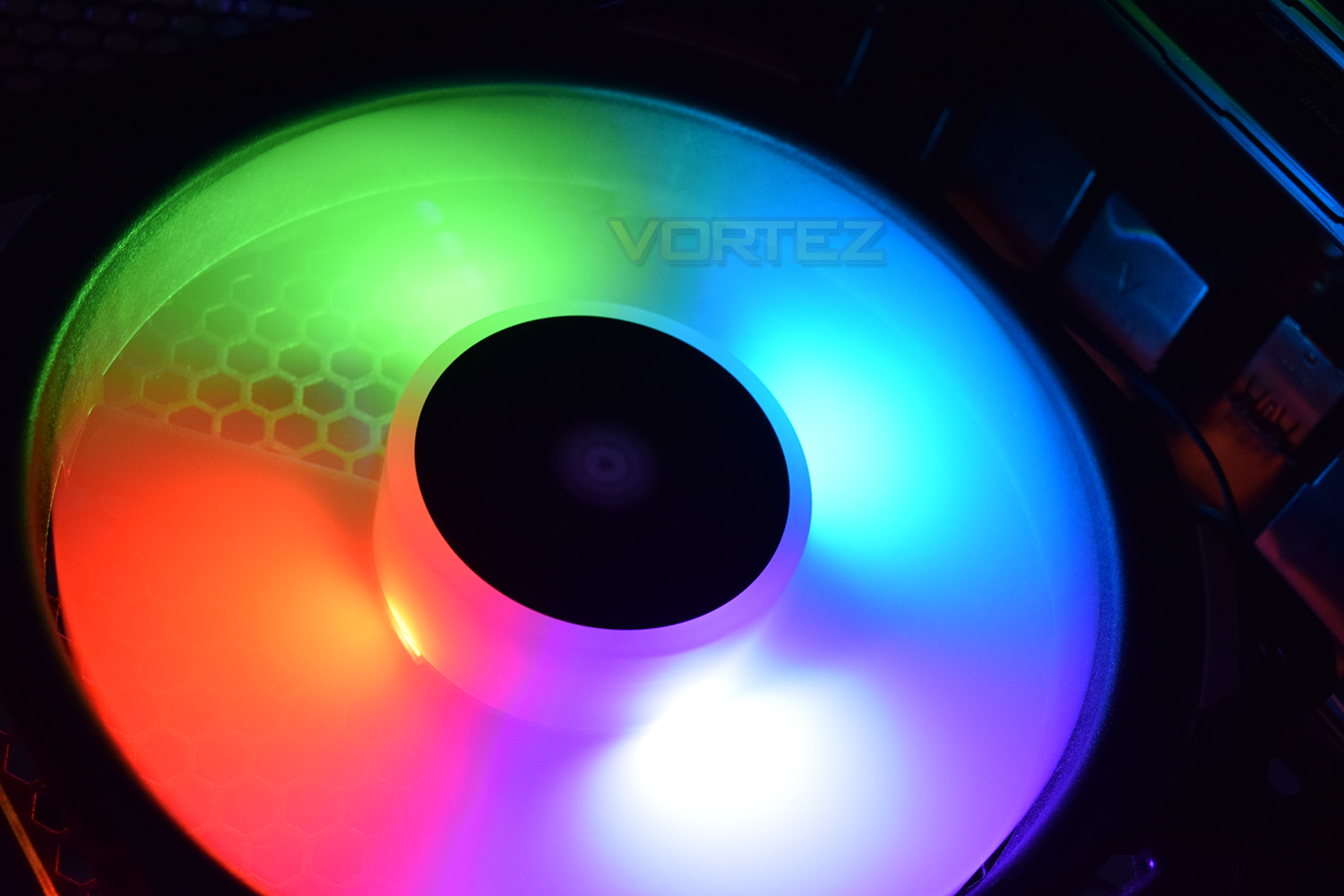
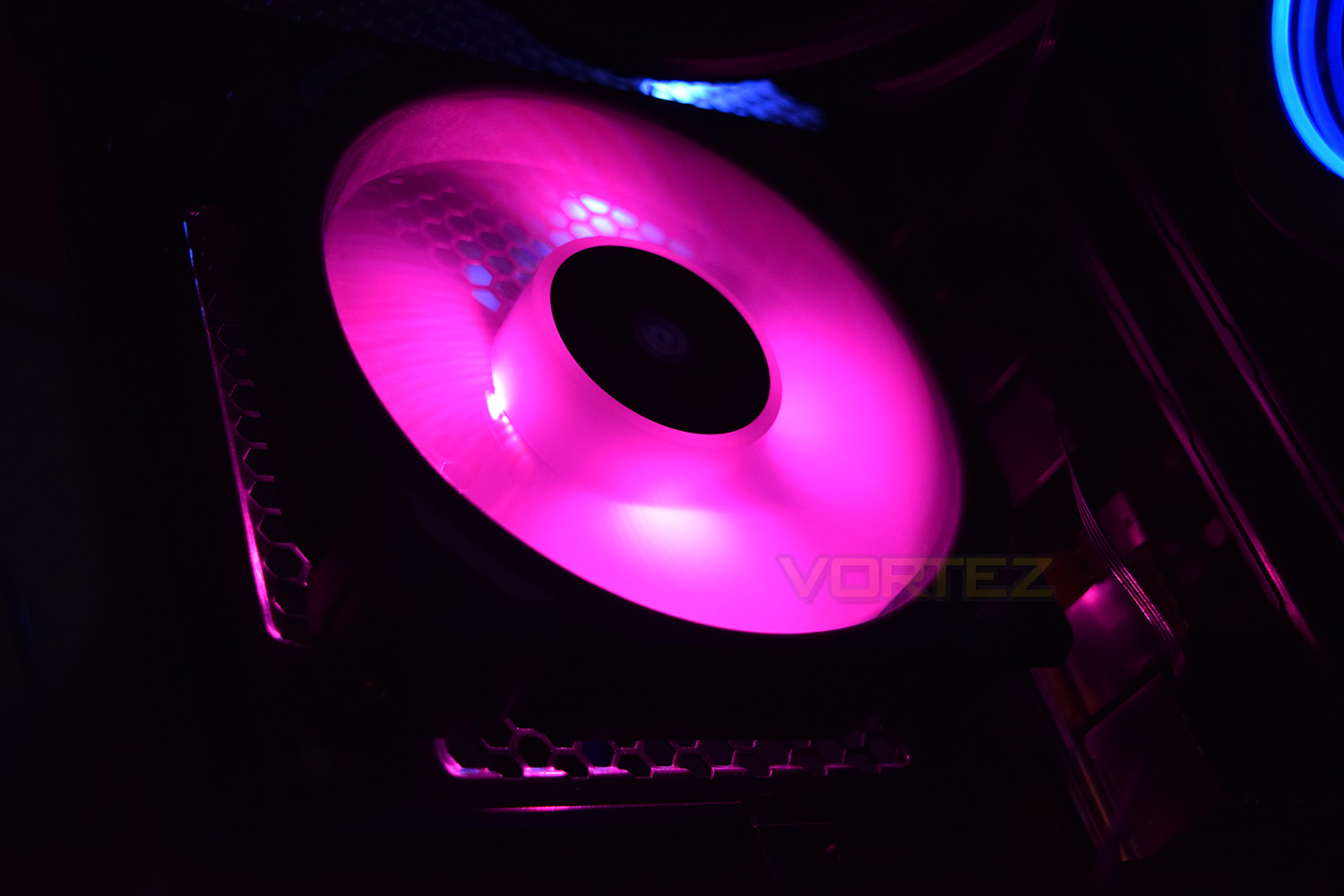
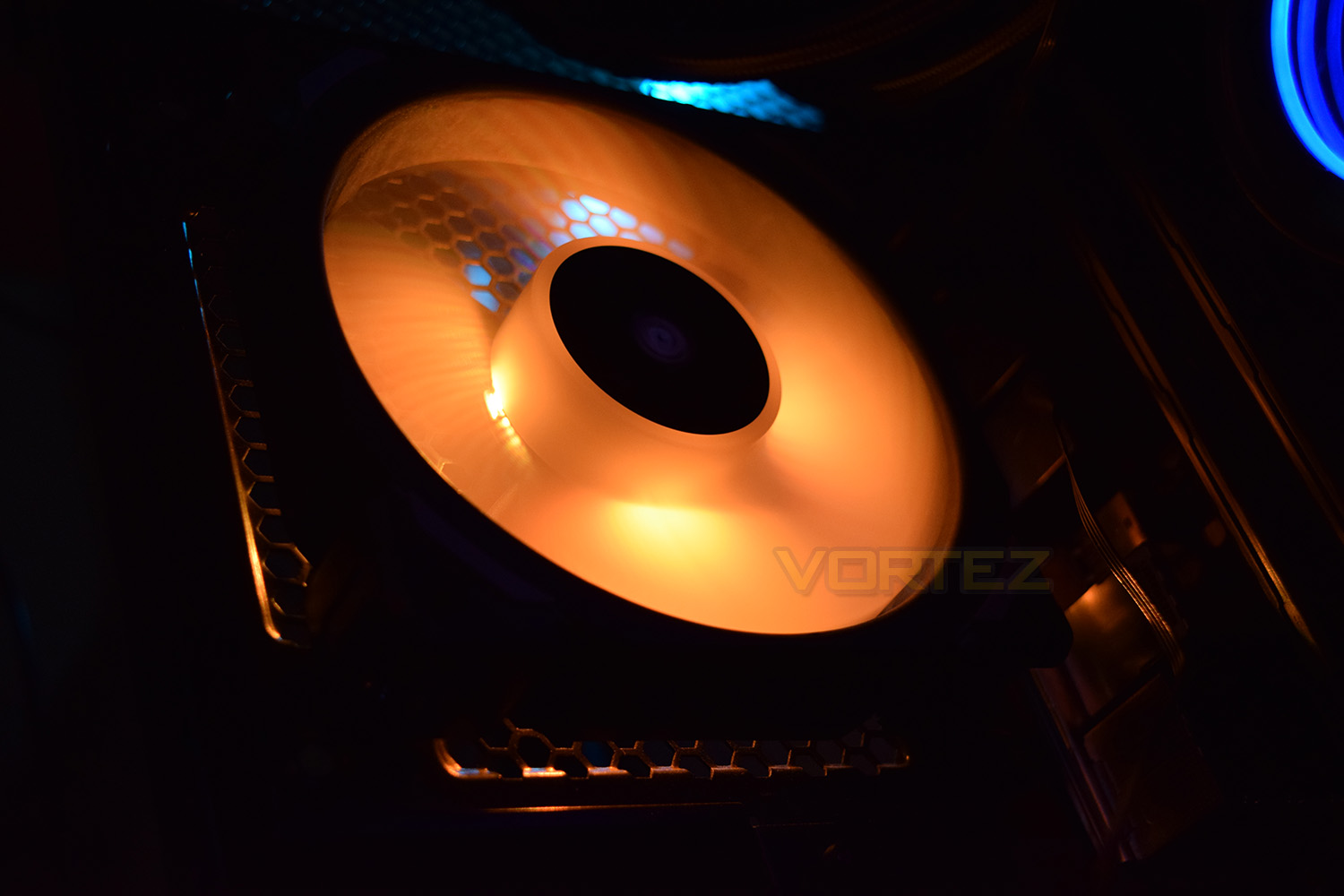
Not forgetting the main feature of the ML120 Pro RGB fans, the lighting is provided by 4 LEDs located at every quarter-turn around the centre hub of the blades. Those lighting effects are providing by the Lighting Node PRO, a small device included with the ML120 Pro RGB package that connects to the Corsair Link software via a USB header.
Corsair on the ML120 Pro RGB:
The CORSAIR ML PRO RGB PWM fan combines unrivaled performance and low noise operation with vibrant RGB lighting controlled in CORSAIR LINK software. By utilizing ultra-low friction magnetic levitation bearing technology, ML PRO RGB can deliver more airflow and higher static pressure at lower noise levels than traditional bearing fans, backed by a long-life five-year warranty. Four hub-mounted RGB LEDs output a vivid blast of light and color, making it easy to match your system’s style, and with a wide control range, it’s easy to equip your PC with quiet cooling, in any color
Technical Specifications
ML120 PRO RGB Specification
Dimensions (mm): 120 x 120 x 25
Rated Voltage – Fan: 12 VDC
Rated Voltage – RGB LEDs: 5 VDC
Operating Voltage – Fan: 10.8 V – 13.2 V
Startup Voltage – Fan: 5 V
Rated Current – Fan: 0.072 A
Rated Current – RGB LEDs: 0.2 A
Speed (rpm): 400-1600 +/- 10%
Airflow (@ rated speed): 47.3 CFM
Static Pressure: 1.78 mm-H2O
Sound Level: 25 dBA
Connection Cable: 4-pin
PWM Control: Yes
Bearing Type: Magnetic Levitation
Cable Length – Fan (mm): 600
Cable Length – RGB LEDs (mm): 600
MTBF – Life Expectation: 60,000 hr @ 40°C
Dimensions (mm): 120 x 120 x 25
Rated Voltage – Fan: 12 VDC
Rated Voltage – RGB LEDs: 5 VDC
Operating Voltage – Fan: 10.8 V – 13.2 V
Startup Voltage – Fan: 5 V
Rated Current – Fan: 0.072 A
Rated Current – RGB LEDs: 0.2 A
Speed (rpm): 400-1600 +/- 10%
Airflow (@ rated speed): 47.3 CFM
Static Pressure: 1.78 mm-H2O
Sound Level: 25 dBA
Connection Cable: 4-pin
PWM Control: Yes
Bearing Type: Magnetic Levitation
Cable Length – Fan (mm): 600
Cable Length – RGB LEDs (mm): 600
MTBF – Life Expectation: 60,000 hr @ 40°C
Packaging & Bundle
In typical Corsair fashion, the ML120 Pro fans arrive in a black and yellow box. The front shows off a stylised image of the product along with a brief breakdown of the features along the bottom.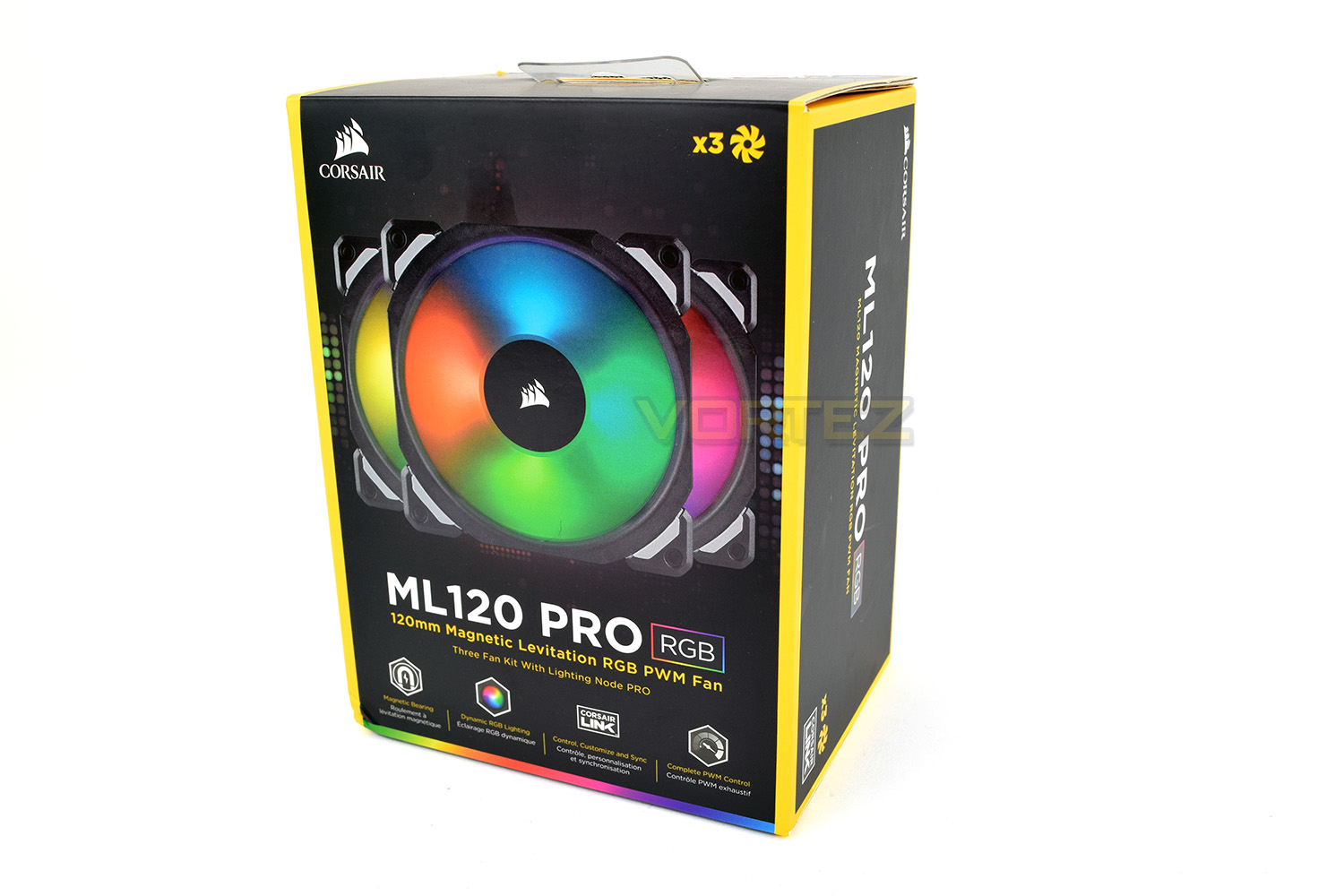
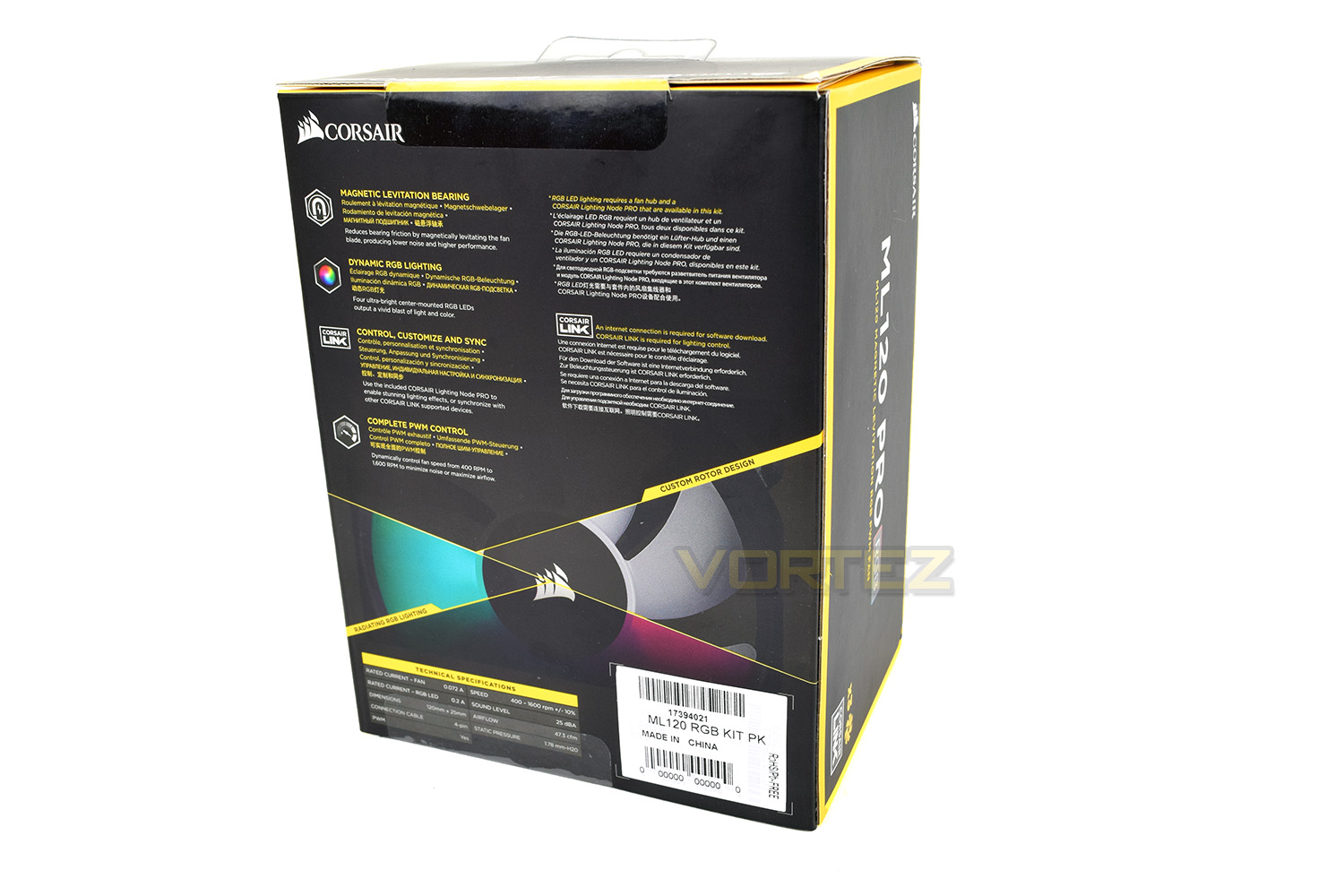
The rear of the box further describes those features while also showing a glimpse of the fan without any fancy RGB lighting.
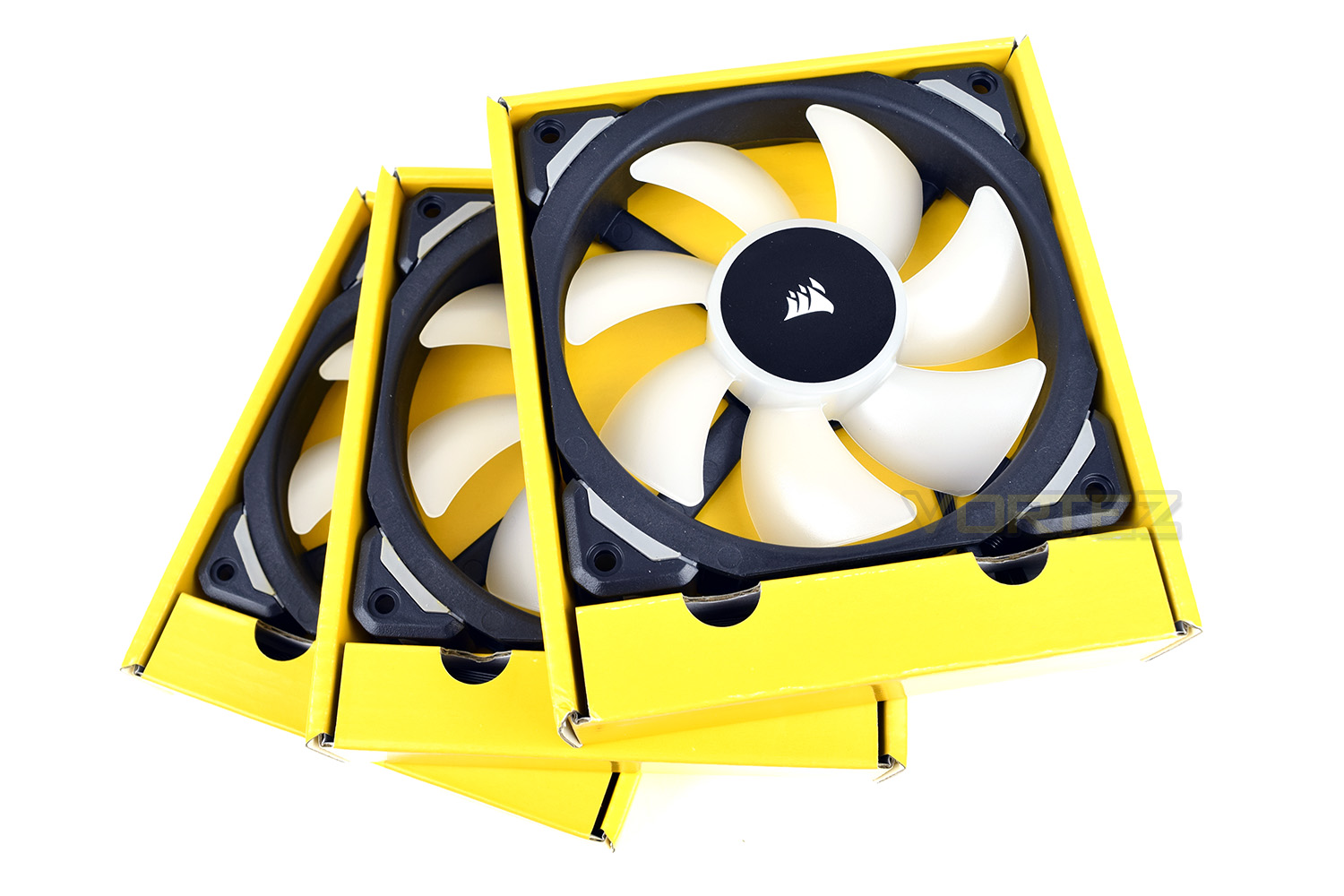
The fans arrive individually packaged within their respective cartons. This will obviously help to ensure the fans arrive without any damage or distortions which could easily effect their performance.
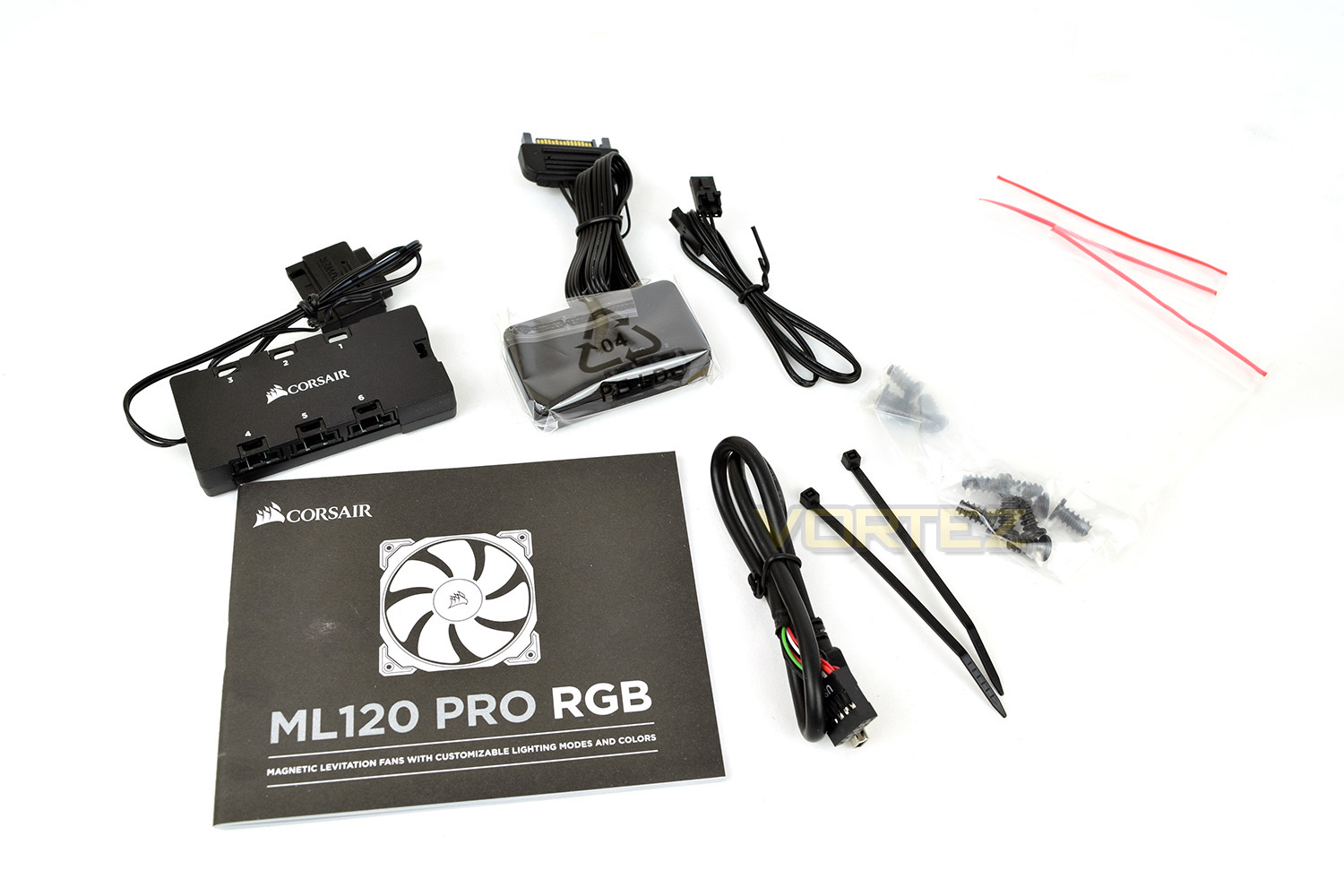
The ML120 fans come equipped with a Corsair Lighting Node Pro and a fan hub to enable RGB lighting effects to be configured through the Corsair Link software. There’s also the USB header, a couple of cable tidies, all relevant screws and an instruction manual included.
Closer Look
Even without the RGB lighting, the Corsair ML120 RGB Pro fans look fantastic – the black and white scheme contrasts incredibly well.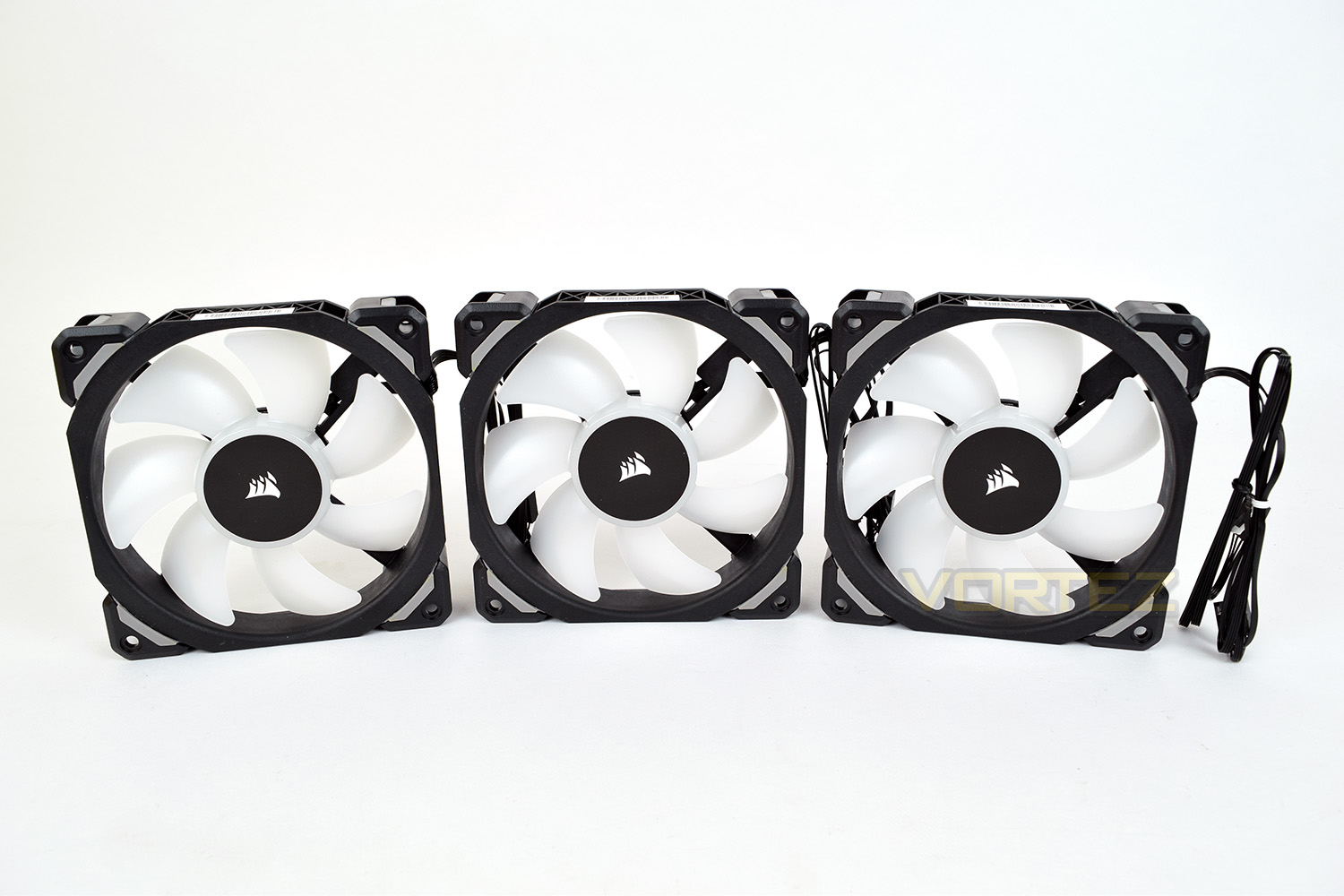
Unlike the LL120 fans, the ML120 doesn’t feature any kind of RGB lighting around the edge of the blade-housing, instead relying only on the 4 LEDs in the central hub.
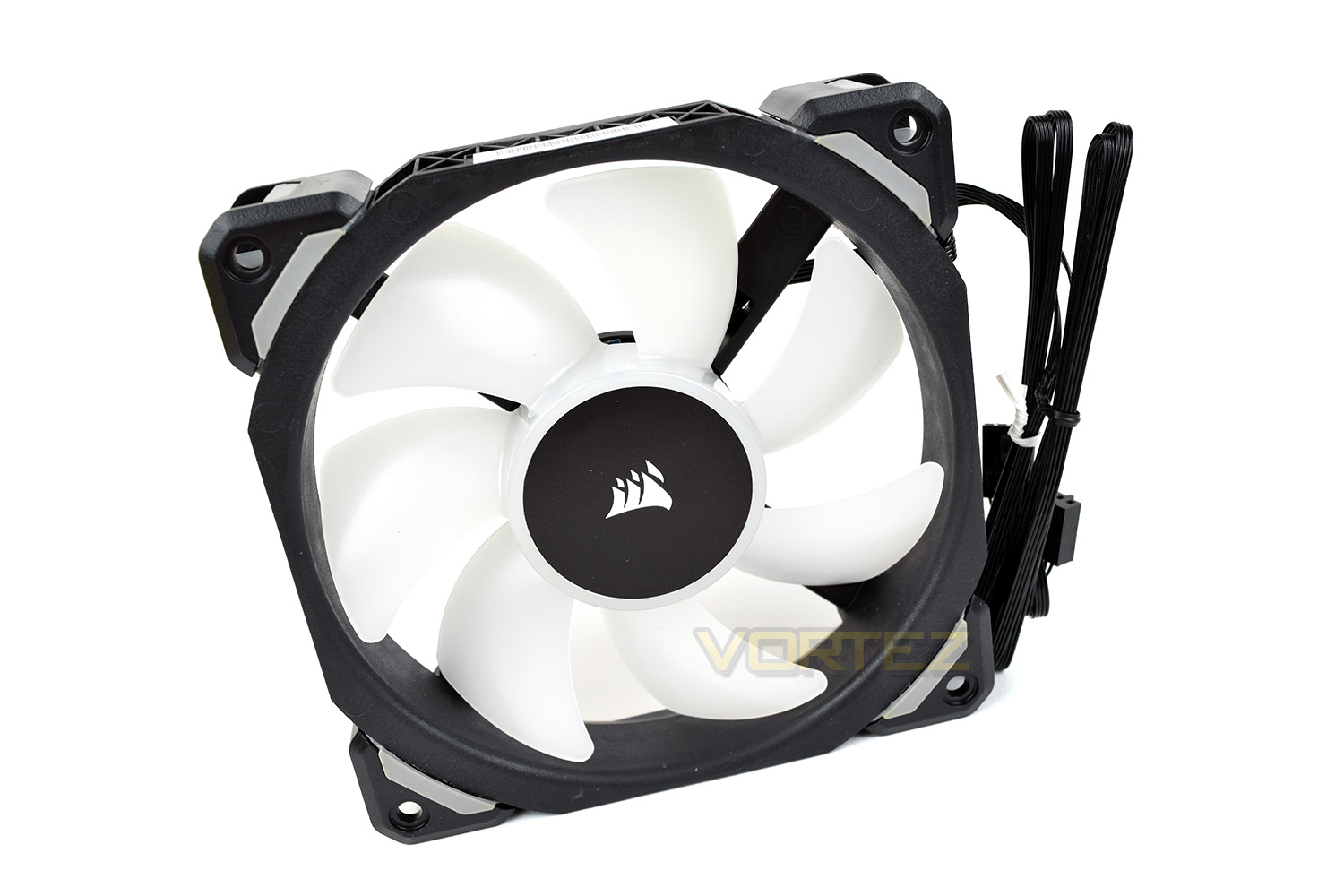
The rear of the fan shows some minor tweaks to the holding arms, in regards to rounded edges and a triangular section, assumedly this helps to improve airflow or reduce noise.
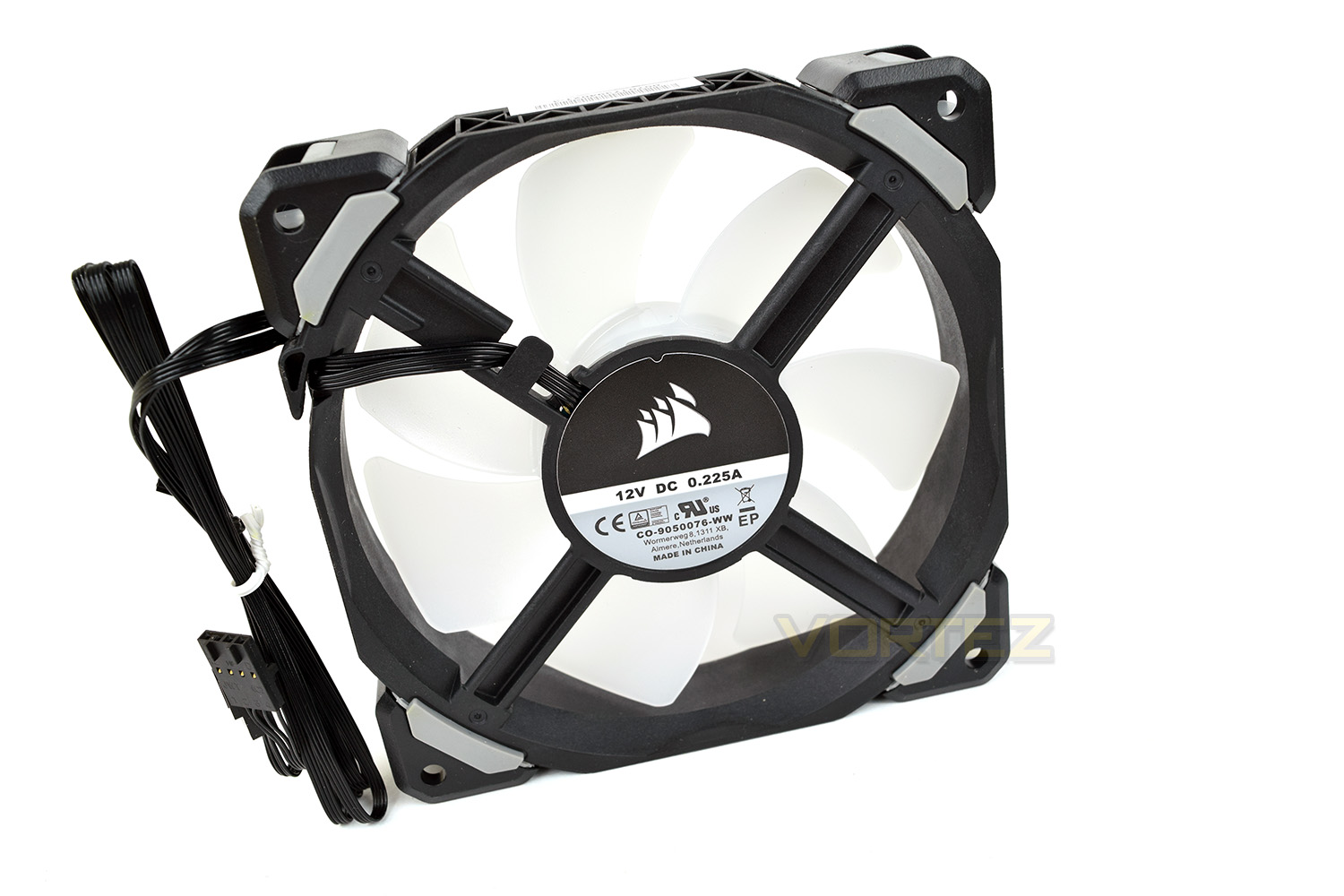
These outer corners are removable and can be exchanged for different colours – there’s no direct plastic contact between the fan and the corner pieces. Sandwiched between the plastic is a piece of rubber to absorb any vibrations – further reducing noise.

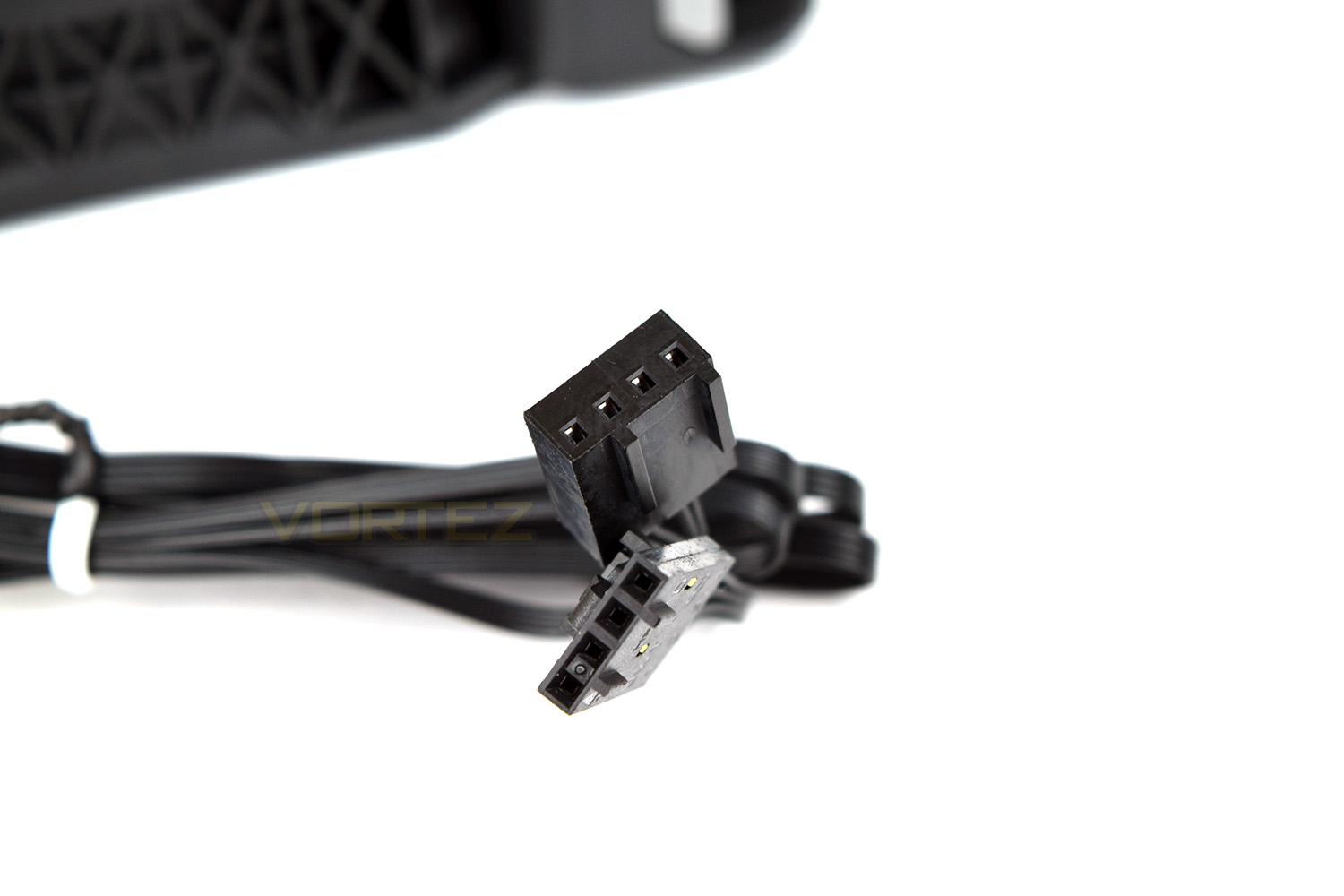
Each fan is connected via two cables, one of which is the standard 4-pin PWM connection, the other hooks up to the Corsair Lighting Node Pro to allow customisation of the RGB lighting.
Software
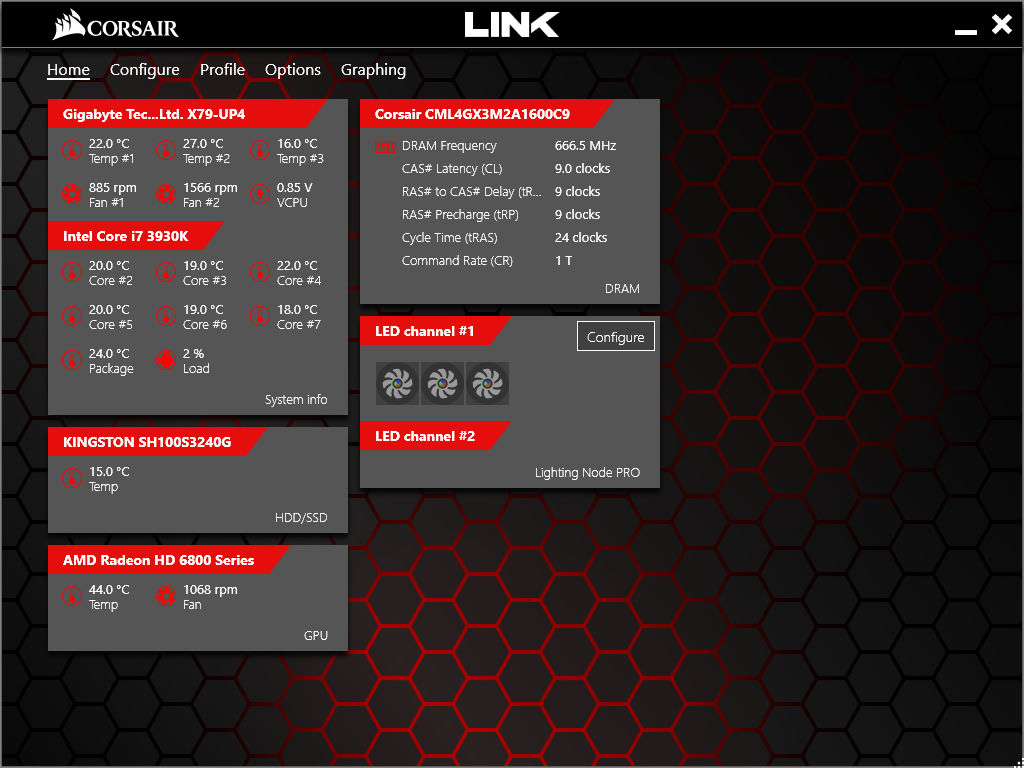
The Corsair Link software takes charge when it comes to the ML120 RGB fans, controlling all of the effects and lighting. This software suite also provides a fairly decent overview of your PC temperatures and frequencies. Most of Corsair’s range is now controlled by Link, which helps to remove clutter from your operating system.From the opening page you are able to see individual core temperatures, along with the GPU and HDDs, it also reports fan speeds and core voltages where available.
To configure the ML120 fans, you are required to update your Corsair Link software to the most recent version (Corsair provided 4.9.2.9 for testing purposes). Unfortunately, due to the way the Lighting Node Pro operates, it’s unable to distinguish which fans are connected to the system, so you are required to input this information yourself; please ensure you select the correct fan or the LEDs may malfunction.
The lighting software is fairly basic, in terms of customisation, only allowing all 4 LEDs to be tuned to the same colour instead of being independent, though there is a reasonable selection of effects to choose from.
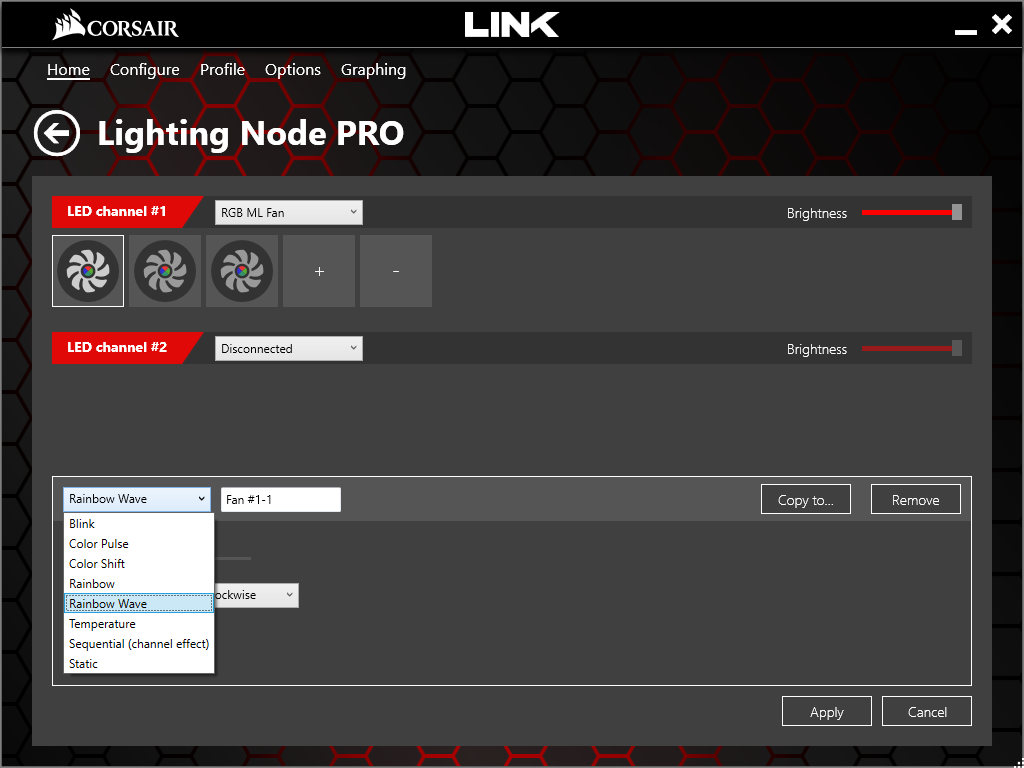
Despite the relevant lack of customisation possible, the overall experience from the software is positive due to the ease of use and simplicity of the layout.
RGB Lighting
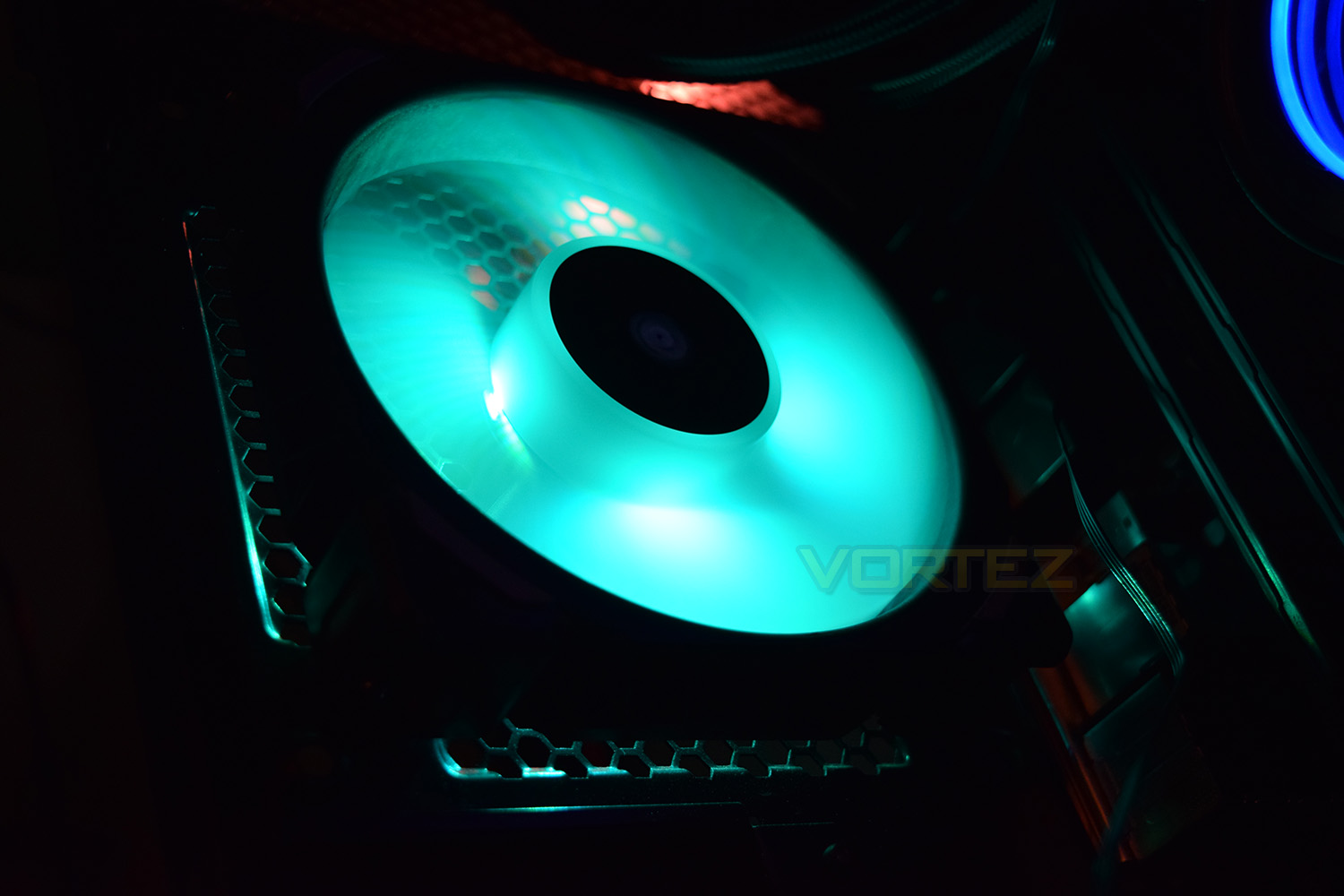
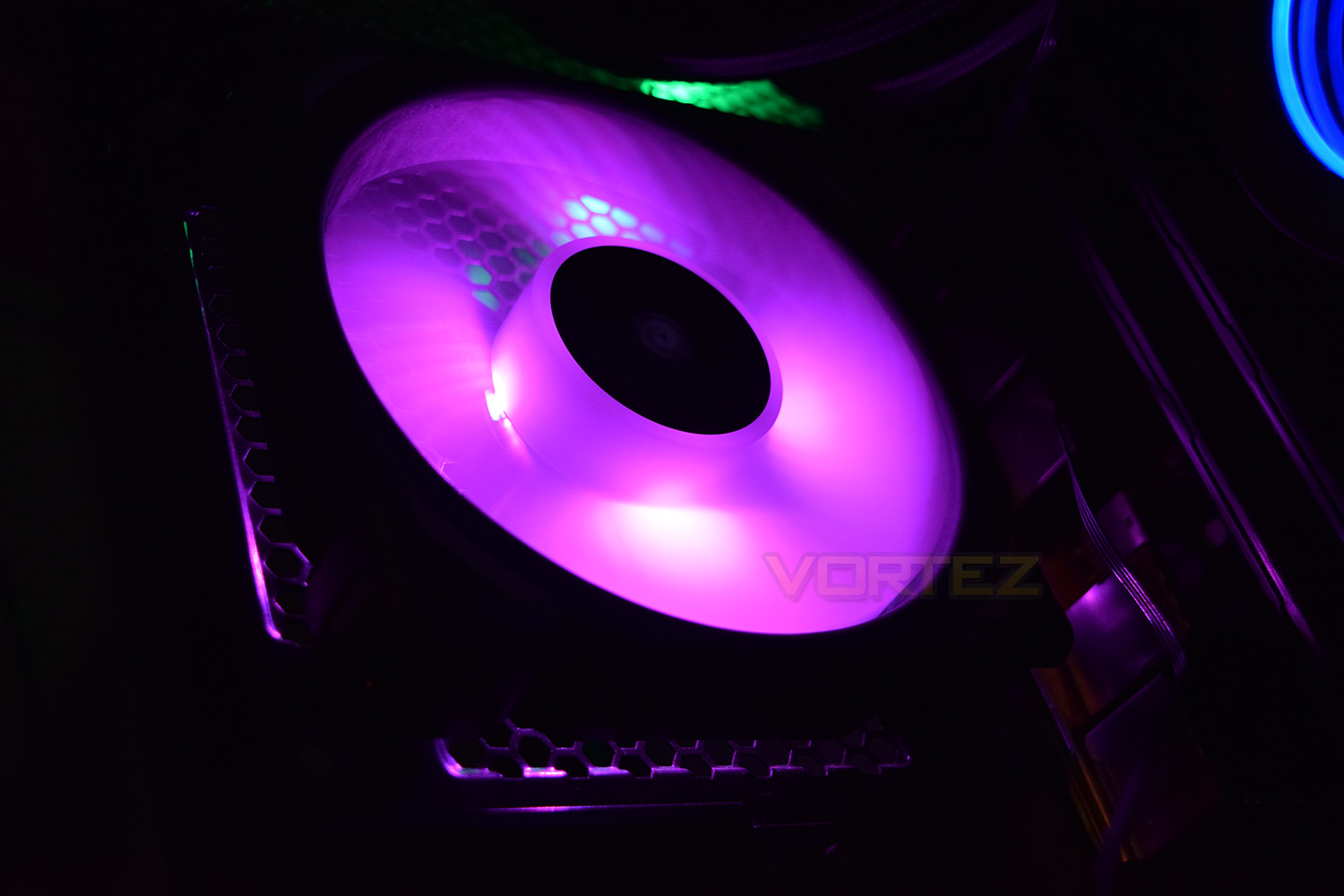
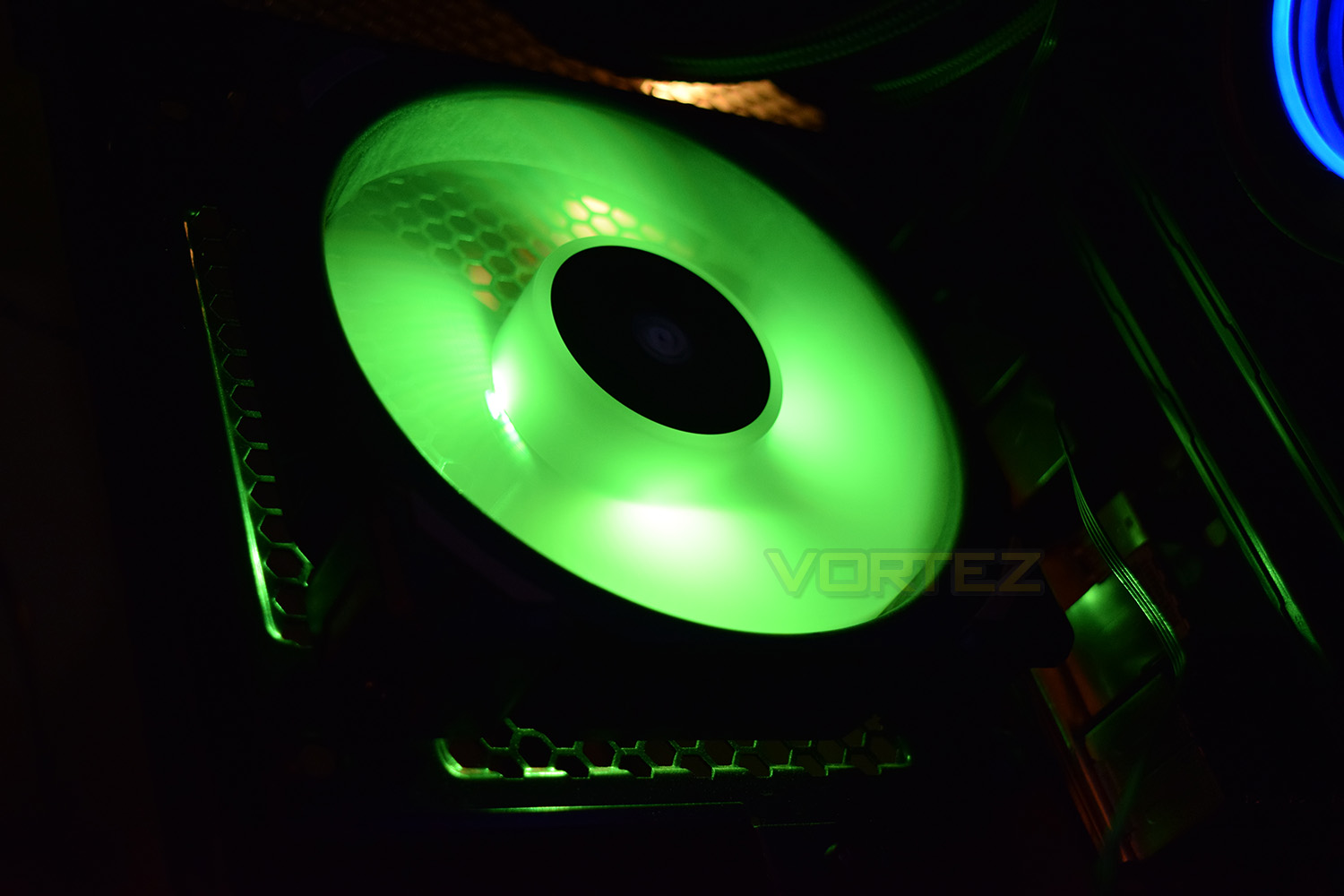
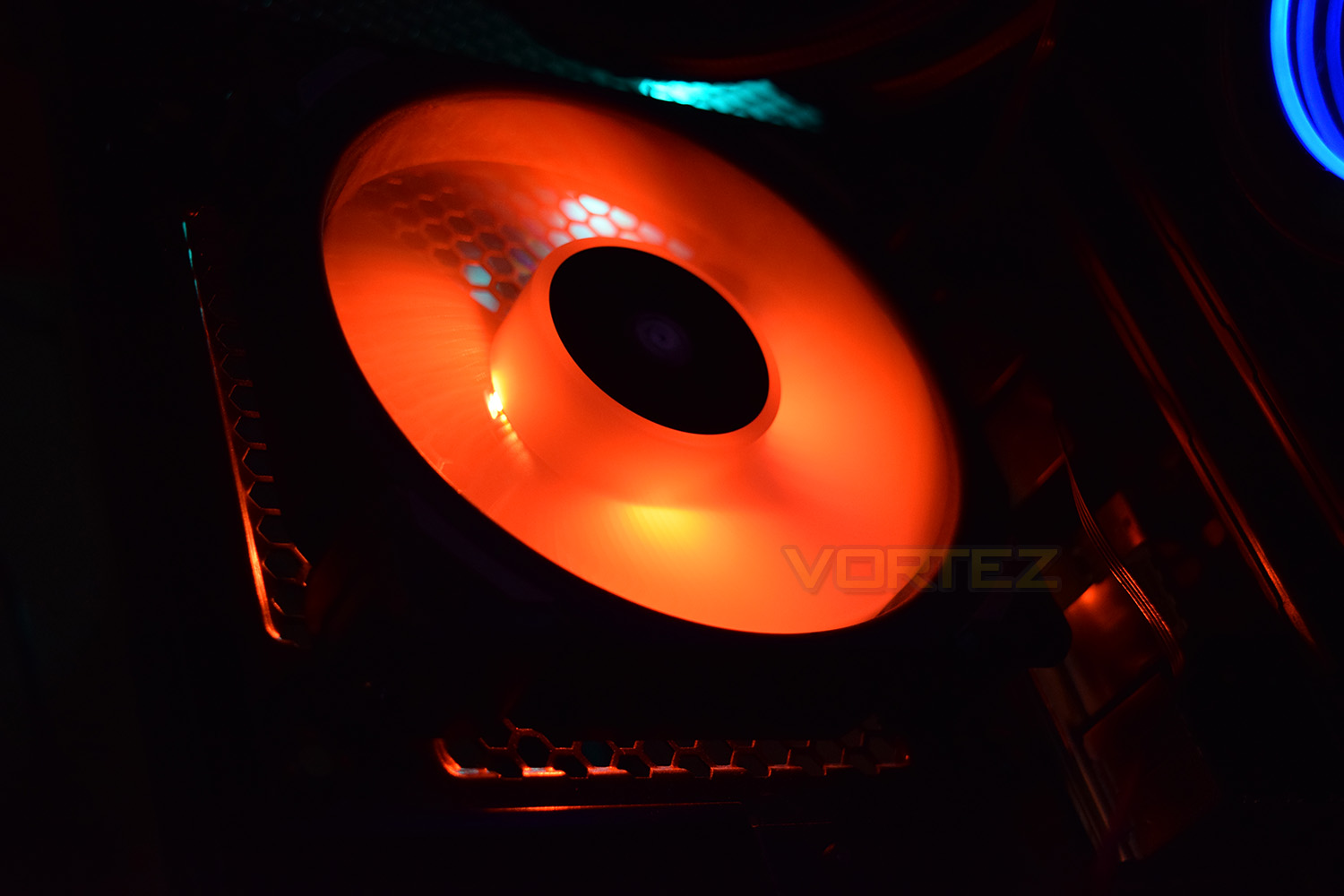
The RGB lighting is provided via a different method to the LL120, which has a loop of LEDs around the outer ring, as well as LEDs embedded into the centre hub. The ML120 Pro houses only 4 LEDs in the centre, however, due to the magnetic levitation bearing system, there is no physical connection therefore the LEDs are mounted onto the body of the fan instead. Unfortunately, this does somewhat spoil the show from certain angles.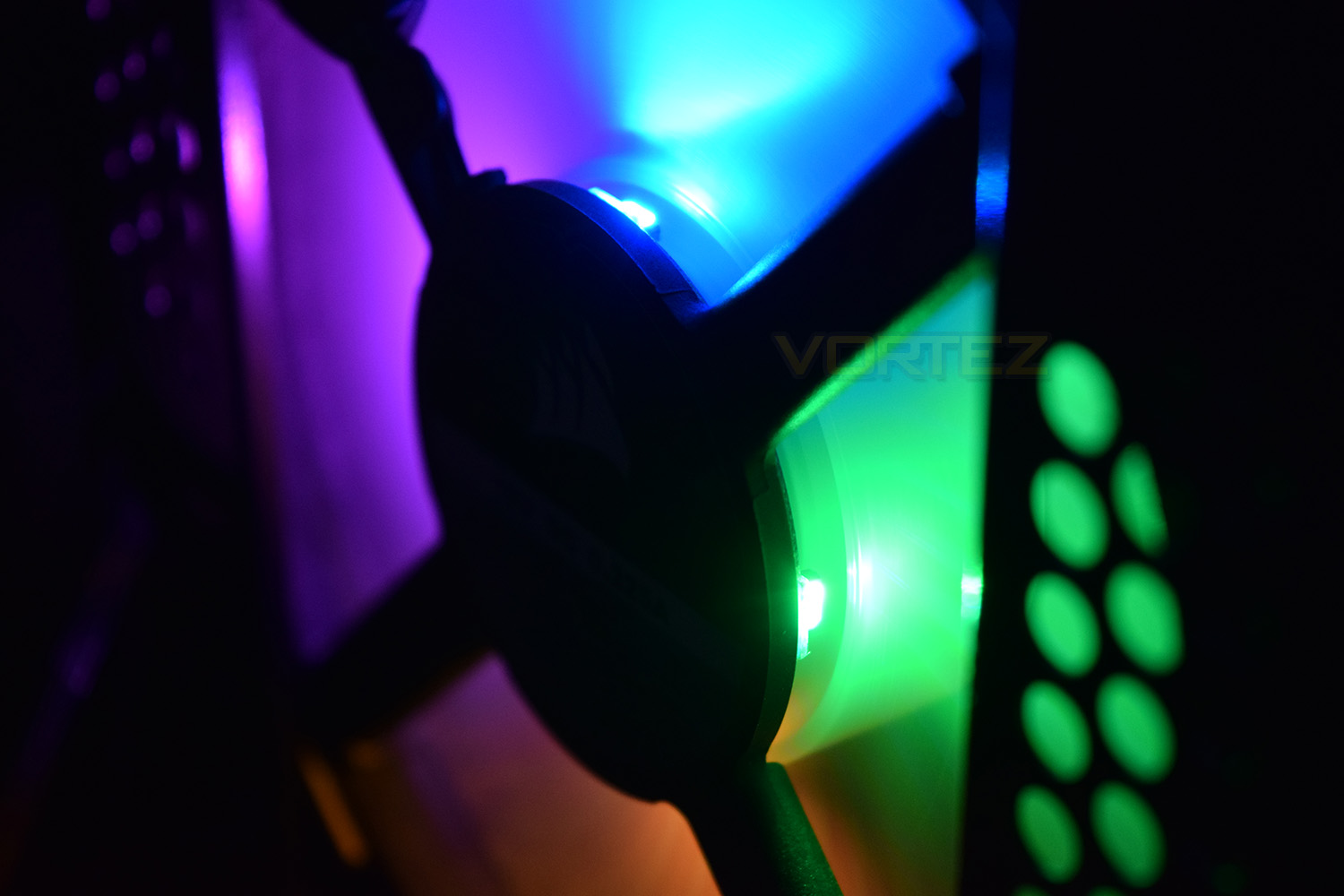
Below, we will provide a selection of images showing off the RGB lighting, along with a short video to help represent the RGB.
Test Setup & Methodology
We have recently made changes to our cooling department and the associated testing methodology, so please note that the number of results shown will increase over time as we add additional products. We hope that these results will appear clearer to the majority of our readership and look forward to building upon the baselines that we currently have.Processor – Intel Core i7-3930K
CPU Cooler – Corsair H100i Pro RGB
Motherboard – Gigabyte X79-UP4
Memory – 16GB Corsair Vengeance LP 1600MHz CL9
Video Card – Sapphire Radeon HD 6850 1GB
Power Supply – NZXT Hale90 650W
Storage Drive – Kingston HyperX 240GB SATA III SSD
Case – Corsair Carbide 760T
CPU Cooler – Corsair H100i Pro RGB
Motherboard – Gigabyte X79-UP4
Memory – 16GB Corsair Vengeance LP 1600MHz CL9
Video Card – Sapphire Radeon HD 6850 1GB
Power Supply – NZXT Hale90 650W
Storage Drive – Kingston HyperX 240GB SATA III SSD
Case – Corsair Carbide 760T
We test our fans at both 1000 RPM and maximum RPM, or if the fan only has one setting, it’s only included in the maximum RPM graphs.
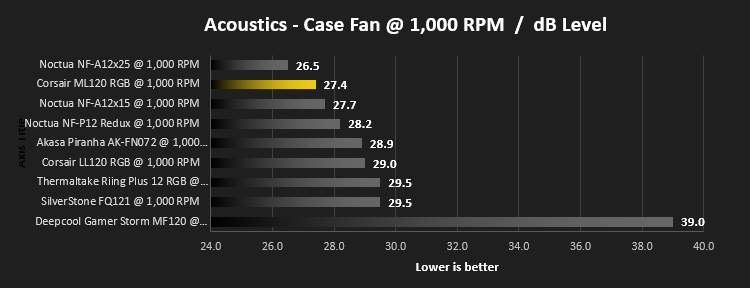
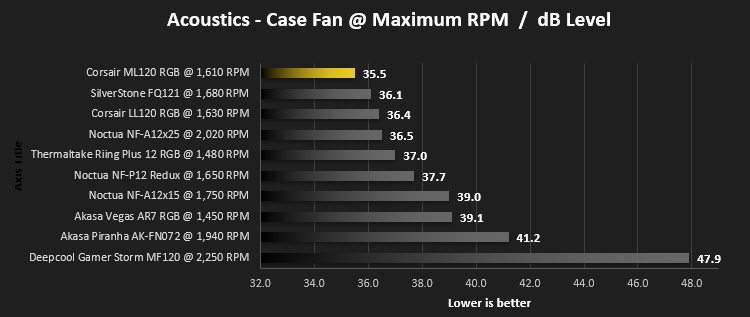
Firstly, we’ll test acoustics, both as a case fan, mounted on the rear of our Corsair Graphite 760T chassis, and as a radiator fan on the Corsair H100i Pro RGB. (with the pump turned down to 1,100 RPM and all other case fans disabled). We measure the average dB(A) noise levels over 60 seconds in a quiet room with an ambient noise level of around 24dB(A). Acoustics are measured from the same point within the case (20cm from the fan), with every effort taken to ensure test parameters are as close as possible during every test.
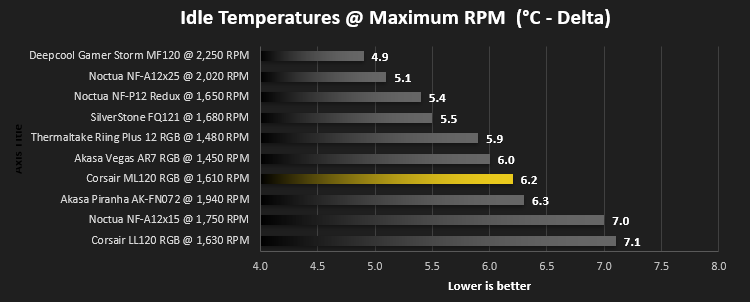
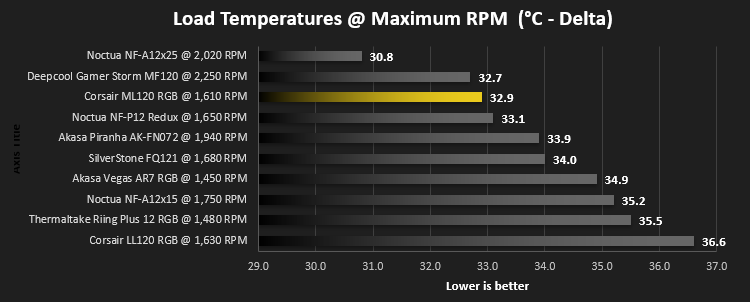
We then test the fan’s performance both at 1000 RPM and maximum RPM by running an AIDA64 20-minute stress test while running only a single 120mm fan on the 240mm radiator of the Corsair H100i Pro RGB. This allows us to test single fans as well as multi packs by only relying on a single 120mm fan. We mount the fan under the radiator, inside the case, blowing through the radiator. We measure the average core temperature over a 60-second period and minus the ambient room temperature from this. That leaves us with a Delta °C measurement which is applied to the graphs. Our average room temperature is kept as close to 21°C as possible, roughly the room temperature of most homes and offices. Obviously, if you live in a warmer climate with warmer room temperatures, you can expect higher temperatures.
To ensure the fans RPM are measured consistently, we use the Noctua NA-FC1 fan control unit, allowing the speed of our fans to be infinitely adjusted and monitored via a nearby header on the motherboard.
Benchmarks – Thermal Results
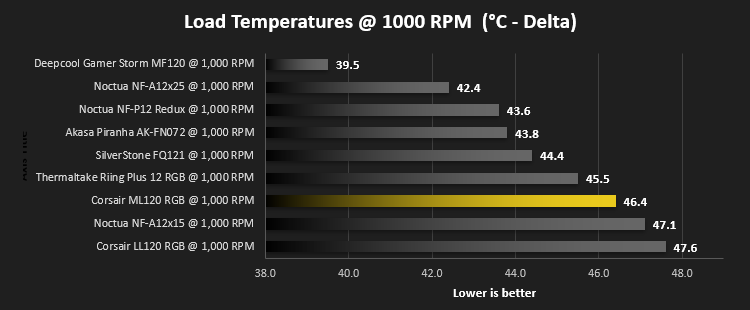
Firstly, we test the Corsair ML120 at 1000 RPM, both at idle and load.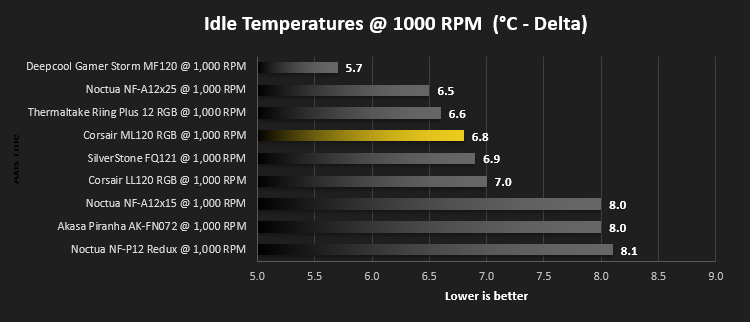
We then turn the fans up to maximum RPM, which is 1,610 RPM according to our Noctua NA-FC1
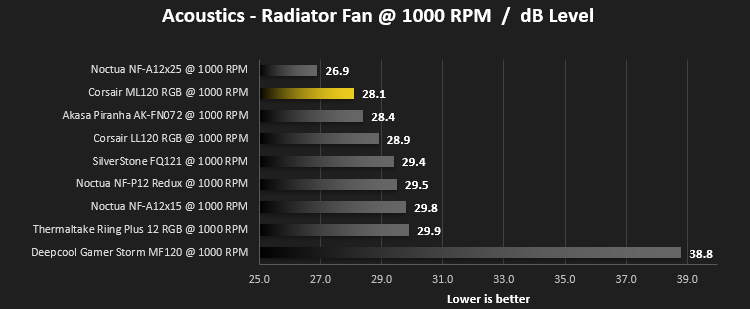
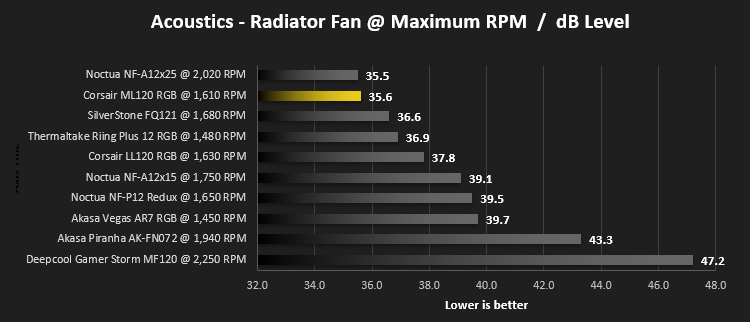
Benchmarks – Acoustic Results
For testing, we only connected a single LL120 fan to the Noctua NA-FC1 fan control unit to make the results relevant.Due to different characteristics, we feel it’s important to test fans as both case fans and radiator fans, giving you, the reader, a good idea of what to expect in both scenarios. We also test at 1000 RPM and Maximum RPM to see just how loud things can get.
We begin by testing the fans on the rear of our Corsair 760T chassis
We then mount the fan to the Corsair H100i Pro RGB and re-run the tests.
Conclusion
Corsair is certainly pushing the boundaries of what is possible with it’s fan technologies, especially with the magnetic levitation fans – the performance is sublime, providing a huge airflow, high static pressure and low noise levels along with RGB lighting is no mean feat.We can get the negatives out of the way first and foremost. Due to the placement of the RGB LEDs, they can, from certain angles, be an eye-sore. This is caused by the design of the magnetic levitation system; basically, performance came first in the design process, which is no bad thing.
The rubber mounting corners are a nifty idea, helping to absorb any unwanted vibrations which could translate into noise on some cheaper or thinner cases. It also opens up the ability of being able to swap the corners for different colours, further customising the look of your system.
At the end of the day, we think Corsair have done a brilliant job of these fans. The Corsair Link software works very well, the fan pushes massive amounts of air while remaining quiet and they look fantastic inside the case.
Like the LL120 fans, if you’re keen on illuminating your case but don’t wish to sacrifice any cooling performance, the ML120 is certainly recommended.
Pros
+ Massive cooling performance
+ Quiet operation
+ RGB lighting
+ Corsair Link software is excellent
+ Easy installation
+ Rubber corners prevent vibrations
+ Rock solid build quality
Cons
– Price
– LEDs can be obtrusive at certain angles
+ Massive cooling performance
+ Quiet operation
+ RGB lighting
+ Corsair Link software is excellent
+ Easy installation
+ Rubber corners prevent vibrations
+ Rock solid build quality
Cons
– Price
– LEDs can be obtrusive at certain angles
Click here for an explanation of our awards at Vortez.net.
Stay connected with the Vortez Social Media pages: