







Corsair have brought to market a M-ATX computer chassis. Will this case from the Obsidian Series impress with its smooth characteristics?

Product on Review: Obsidian 350D
Manufacturer and Sponsor: Corsair
Street Price: £85 (At time of review)
At one time having an ATX based system housed inside a full tower was the only road to harnessing a powerful computer system. In the last few years, various brands (which chiefly include Intel) have brought high-end components to smaller form factors such as M-ATX. This in turn has paved the way for the ability to build a system half the size but with just as much power as an ATX, full tower counter-part. With M-ATX now being prevalent there is demand for this specification of computer chassis and today we will be taking a look at Corsair’s first attempt at such a case.
The Obsidian series needs no introduction; it has been a popular choice amongst enthusiasts for years now. Joining the series is the 350D – a M-ATX case adopting sleek characteristics whilst delivering on great hardware support and cable management.
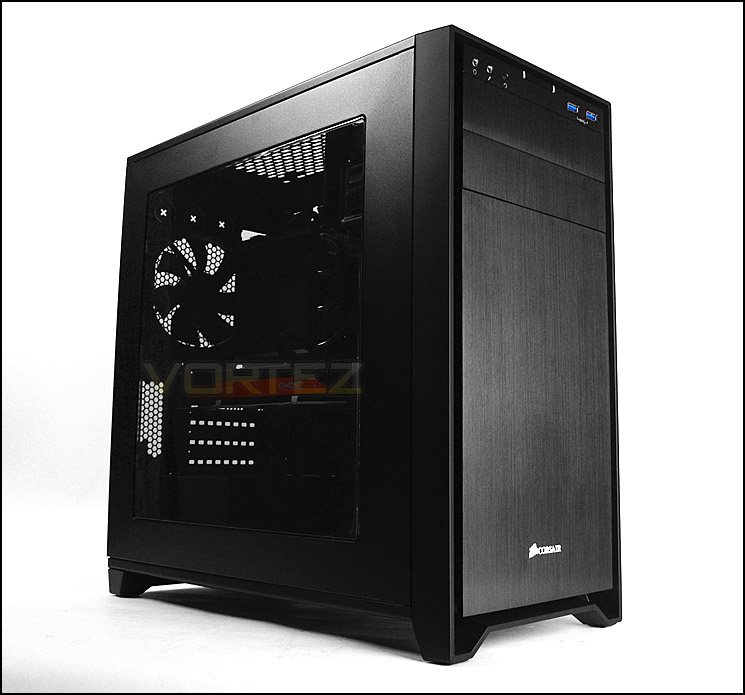
Corsair on their Obsidian 350D
The Obsidian Series 350D Micro ATX PC case is designed for building compact high-performance systems with Micro ATX and Mini ITX motherboards. The compact size is ideal if space is limited, but there’s plenty of room inside for liquid CPU cooling, dual hard drives, dual SSDs, and dual full-length graphics cards.
Like all Obsidian cases, the 350D is designed for fast and neat builds, with tool-free access and drive installation. Smart features like a native 2.5” SSD cage make the most of its small size, and the cooling-focused interior has five fan mounting points, with room for two 240mm radiators.
Like all Obsidian cases, the 350D is designed for fast and neat builds, with tool-free access and drive installation. Smart features like a native 2.5” SSD cage make the most of its small size, and the cooling-focused interior has five fan mounting points, with room for two 240mm radiators.
Technical Specifications
Warranty Two years
Dimension 17.7″ x 8.3″ x 17.3″
MB Support Micro ATX, Mini ITX
Expansion Slots 5
Form Factor Mid-tower
Materials Brushed Aluminum and Steel
Drive Bays Two 2.5”, two 3.5”, and two 5.25” tool free drive bays.
Cooling Front 140mm and rear 120mm cooling fans. Room for up to five fans total.
Front I/O Dual USB 3.0 ports
Power Supply ATX (not included)
Dimension 17.7″ x 8.3″ x 17.3″
MB Support Micro ATX, Mini ITX
Expansion Slots 5
Form Factor Mid-tower
Materials Brushed Aluminum and Steel
Drive Bays Two 2.5”, two 3.5”, and two 5.25” tool free drive bays.
Cooling Front 140mm and rear 120mm cooling fans. Room for up to five fans total.
Front I/O Dual USB 3.0 ports
Power Supply ATX (not included)
Packaging & First Look
350D is packaged within a double-reinforced box which is eco-friendly and recyclable. There is an illustration of the case on the front of the box along with the descriptive blurb. The back details further features and specifications.
Inside, the case is as per usual – covered in a clear plastic sheet and held in place with polystyrene pillars for a safe arrival during transit.
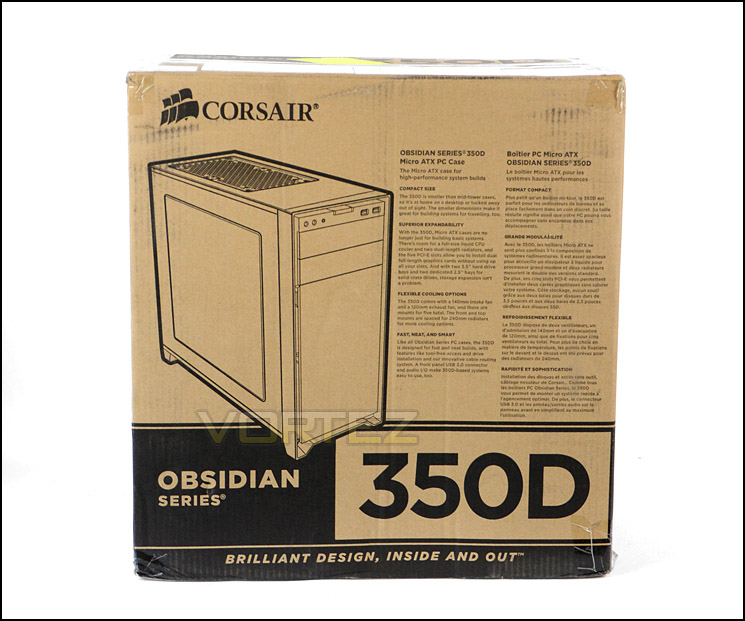
The packaging for 350D
350D is available in two versions; with or without Perspex window. We will be reviewing the Perspex version of the case today – this Perspex window covers a large portion of the prominent side panel, giving a sneak preview inside the system. Over on the alternate side, the side panel is completely solid and with no significant features.
Out of all the cases within the Obsidian line, 350D has characteristics most comparable to 550D. This is the first M-ATX computer chassis and thus is the smallest case Corsair produce within their entire product portfolio and Obsidian series.
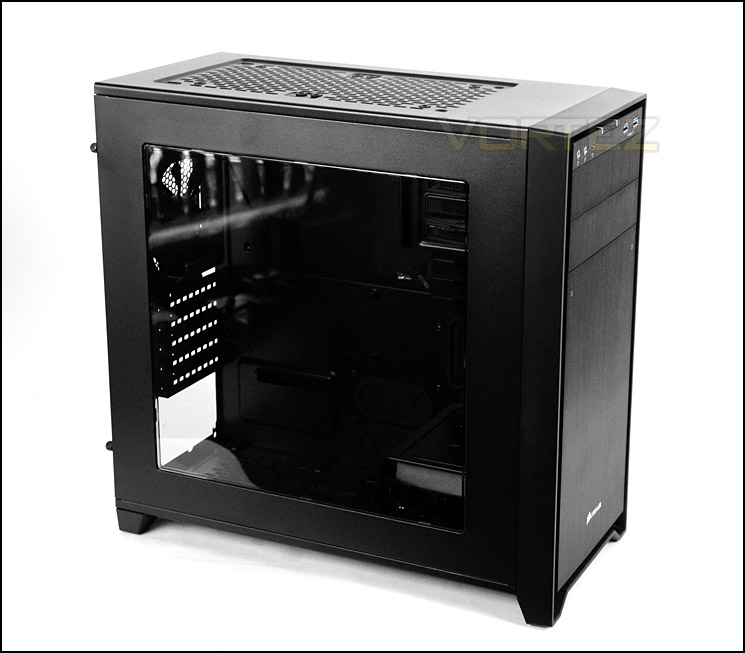
A large Perspex window
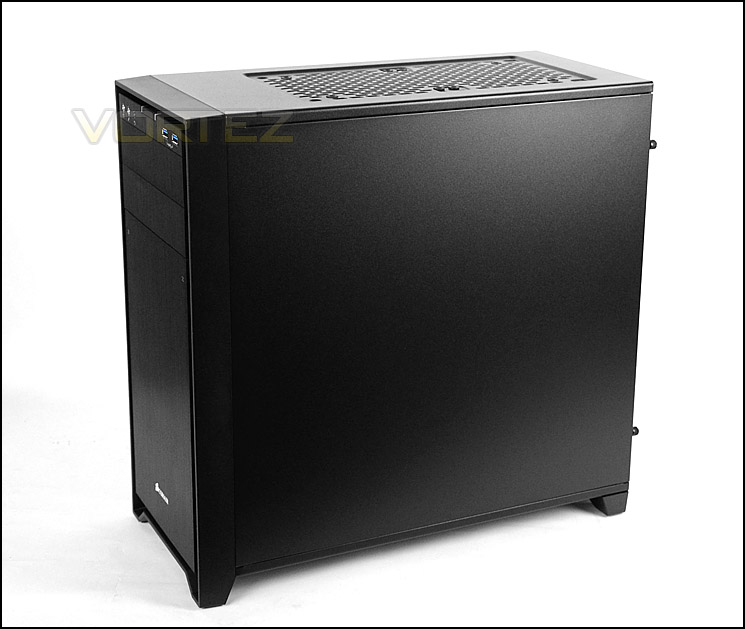
Smooth and professional aesthetics
Exterior
The front of 350D features a brushed aluminium faceplate with the Corsair emblem located at the very bottom. The front panel is detachable, giving access to a dust filter and front cooling fan. At the top, there are dual 5.25” drive bay covers and front panel connectivity can be found on the front side.
Around the back of 350D is an opening at the bottom for the PSU and a total of five ventilated PCI expansion slot covers. Further up there is perforated mesh region which has a 120mm rear exhaust cooling fan attached. At the very top, there are a trio of circular grommets – these grommets are only marked out and are not cut-out.
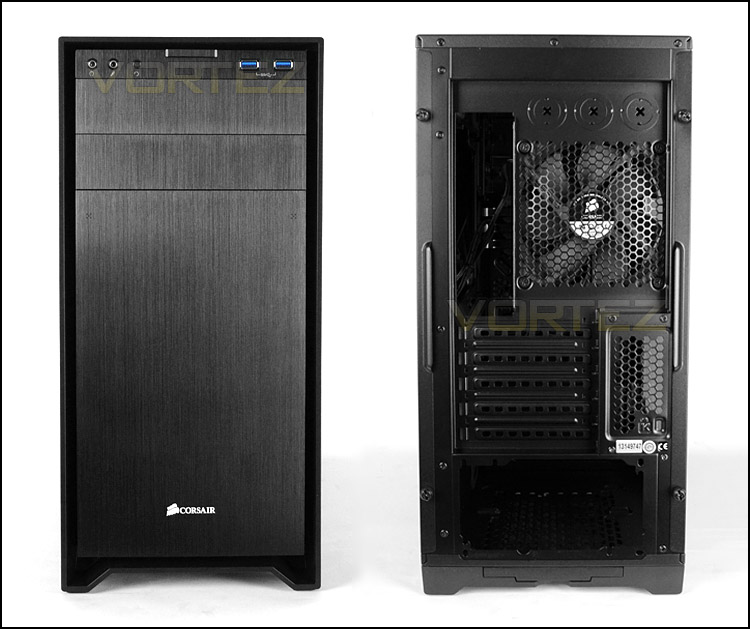
The front and back of 350D
As mentioned previously; the front of 350D is detachable by simply pressing in two pressure pads. Underneath sits a removable dust filter and a 140mm front intake cooling fan.
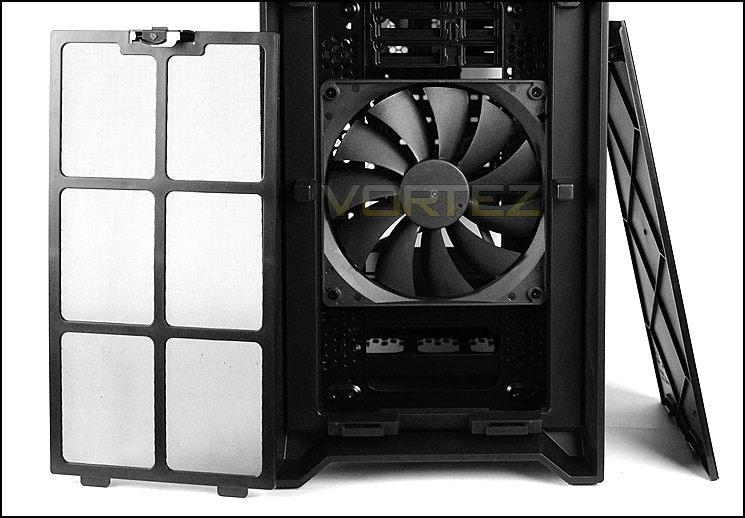
Detachable front with dust filter and cooling fan
Also on the front side are the front panel controls, located at the very top of the chassis. From left to right there is a headphone/mic jack, a reset button, large power button with LED in centre and dual USB 3.0 ports (via internal motherboard header).
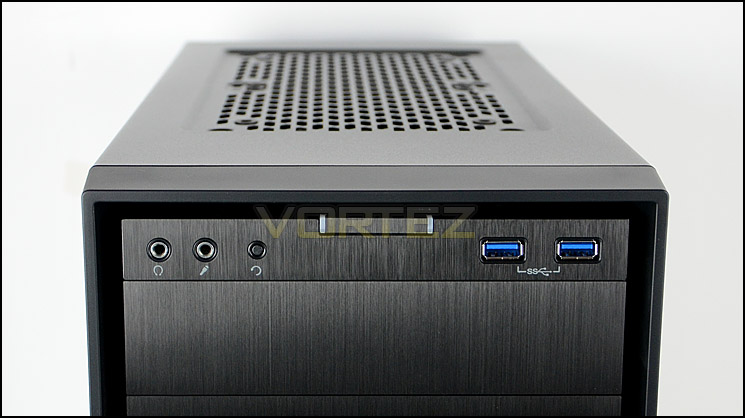
The front panel connectivity
At the very top of 350D, Corsair have given this case a ventilated area which has incisions larger than the usual perforated mesh. This top section can entertain dual 120mm cooling fans but comes with no cooling in this area by default.
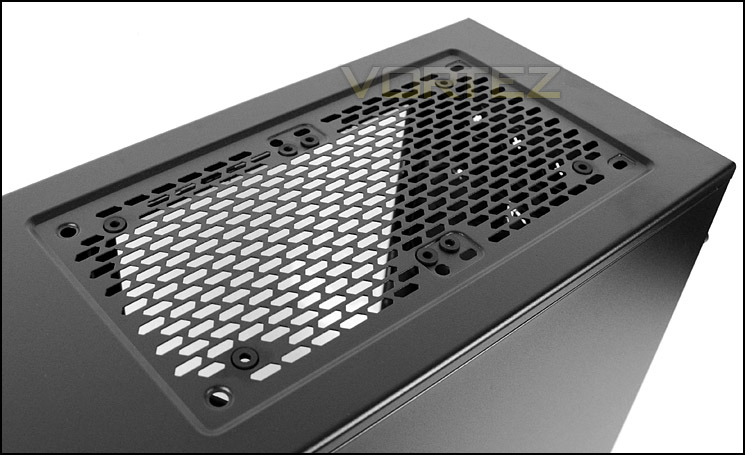
Ventilation at the top and space for dual 120mm fans
On the underside of the case are four rubber pads to prevent 350D from slipping on smooth surfaces. Also on the underside is a removable dust filter for the PSU – this is removable whilst the case is standing upright.
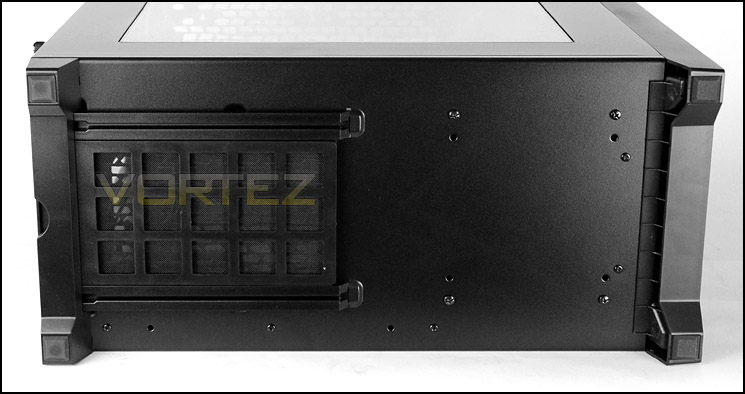
The underside with rubber pads and dust filter[
Interior
Both side panels are fixed into place via dual thumbscrews. Upon removing these side panels are we greeted by a well-laid out internal design which is powder coated black. 350D is specifically designed for M-ATX, but unlike many other M-ATX cases, 350D can house multi-GPUs, big CPU coolers and even water cooled setups too. There are a plethora of features which include many characteristics adopted from the bigger computer cases from Corsair’s famous Obsidian lineup.
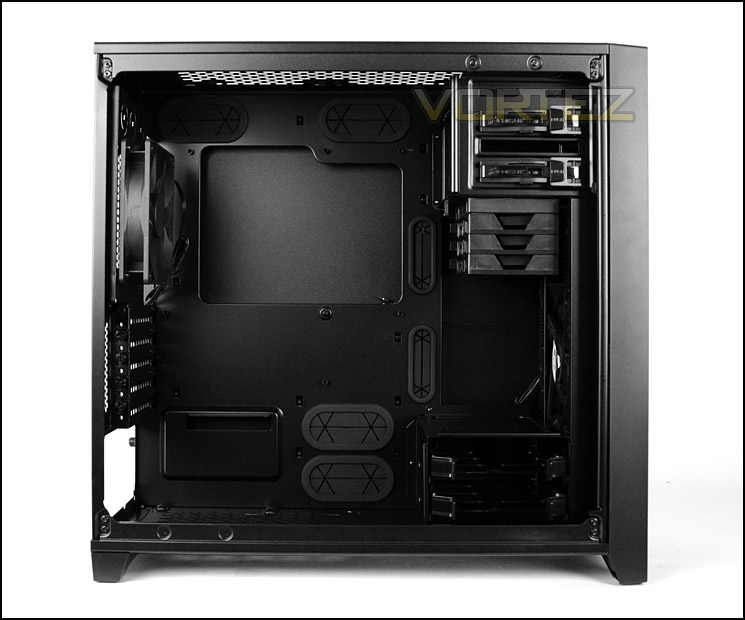
A spacious internal layout
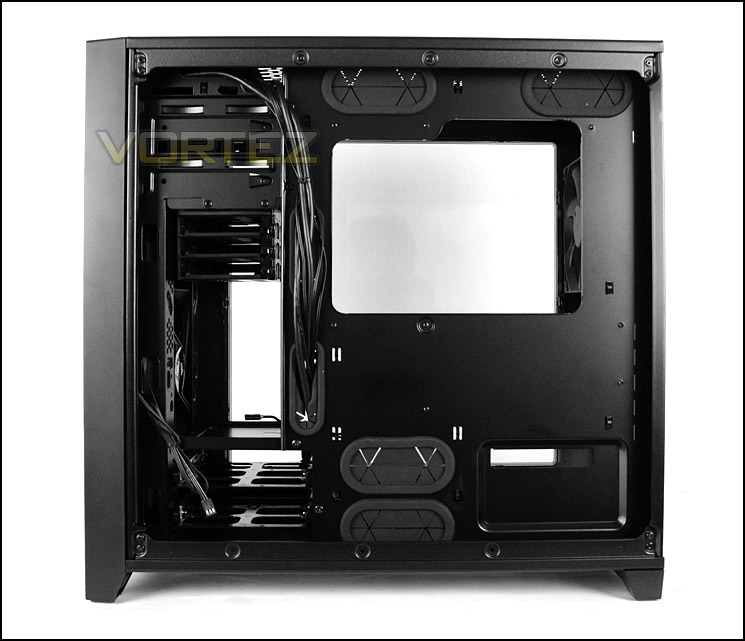
Numerous cable management elements
Moving inside the case for a closer look at the features, we will start with the PSU area. Oddly has no rubber padding for the bottom of installed units. This type of feature should be obligatory nowadays as it assists with preventing scratching and vibrations from the PSU. Underneath there is a removable filter – this pulls out from the rear of the case.
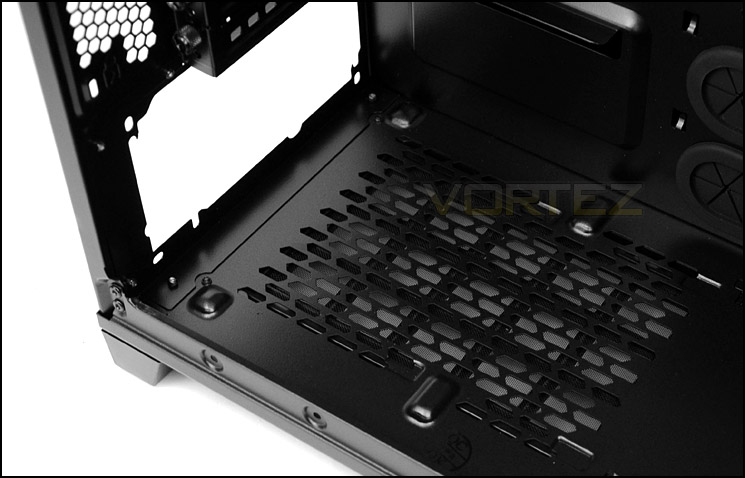
The PSU seating area inside 350D
Along the back of the case sit five PCI expansion slot covers, each with ventilation and respective thumbscrews for easy removal. Directly beside these covers is a section of honeycomb mesh.
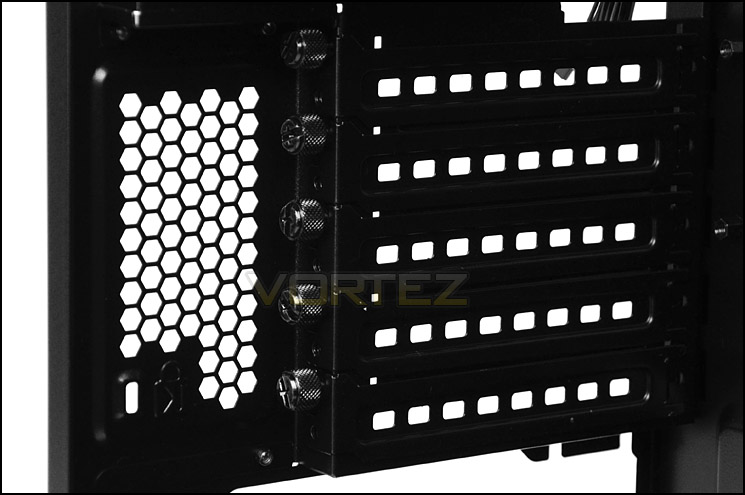
Five PCI expansion slot covers for multi-GPU configurations
Interior (Continued)
Even further up the case and at the top are the cooling options within 350D. Corsair have equipped this case with a 120mm rear exhaust fan and the top region can accommodate dual 120mm cooling fans. Corsair’s all-in-one liquid CPU coolers will of course fit inside 350D and this is something we will look into a little later in the clearance section of the review.
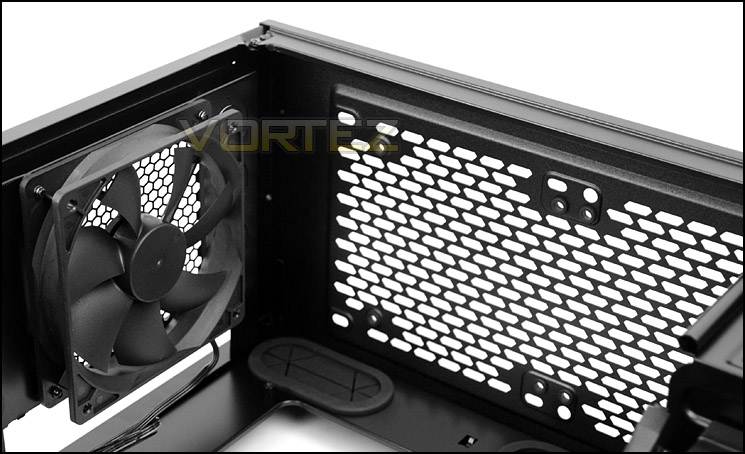
120mm rear exhaust fan and more cooling options at the top
Over on the other side of 350D are two 5.25” drive bays – each come with a tool-free design mechanism for securing drives. The latch simply needs to be flipped to fix the device into place. Beneath the optical drive bay cage is a handy stack of adapters which can house three 2.5” drives. This stack can be completely removed if desired.
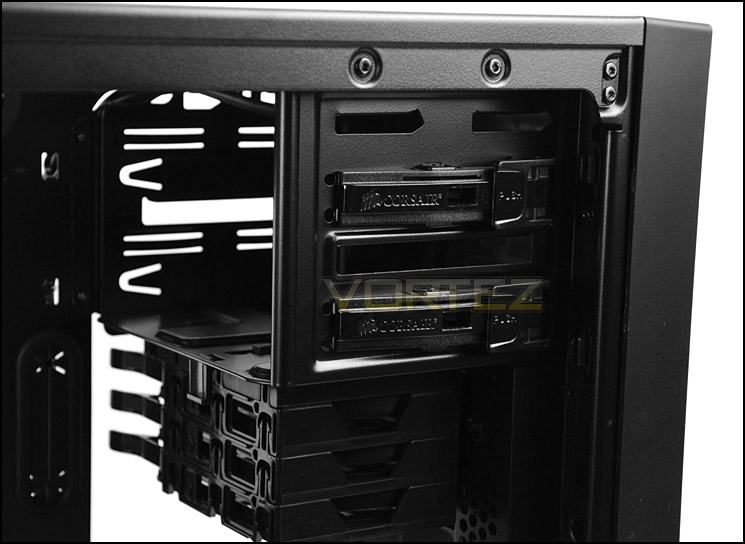
Optical drive bays and 2.5” housing
There is even more HDD storage below too. Corsair have supplied a small HDD cage which can house two 2.5” or 3.5” drives. Also in this area is the 140mm intake cooling fan which brings air into 350D. The cooling fan and HDD cage can be completely removed and replaced with a radiator if desired – more on this later in the clearance section of the review.
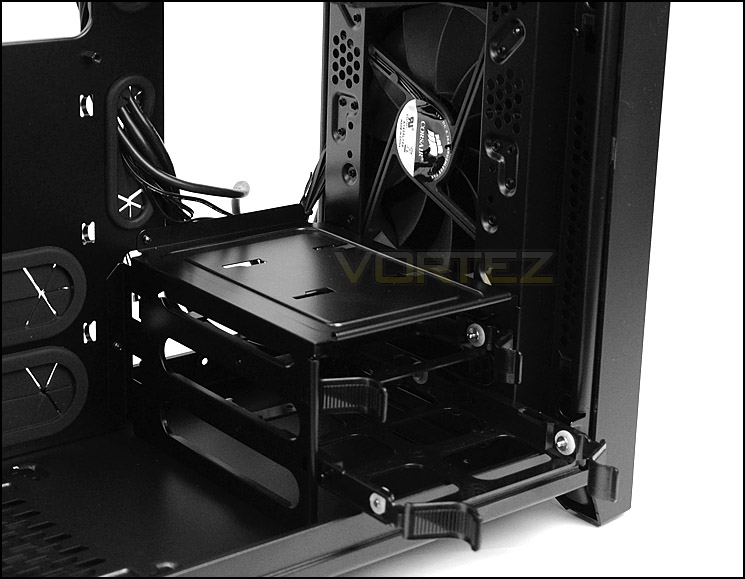
HDD storage for 2.5” and 3.5” drives
Installation
Often the pitfall of working with a M-ATX case is the tight surroundings but not so with the 350D; the installation process is fast and easy thanks to the space found within the chassis and good features to take advantage of such as tool-free mechanisms. Another trait of smaller cases is the inability to properly arrange cables but 350D again has the space and expertise to handle cable management thanks to the numerous grommets and hooks positioned on the motherboard tray.
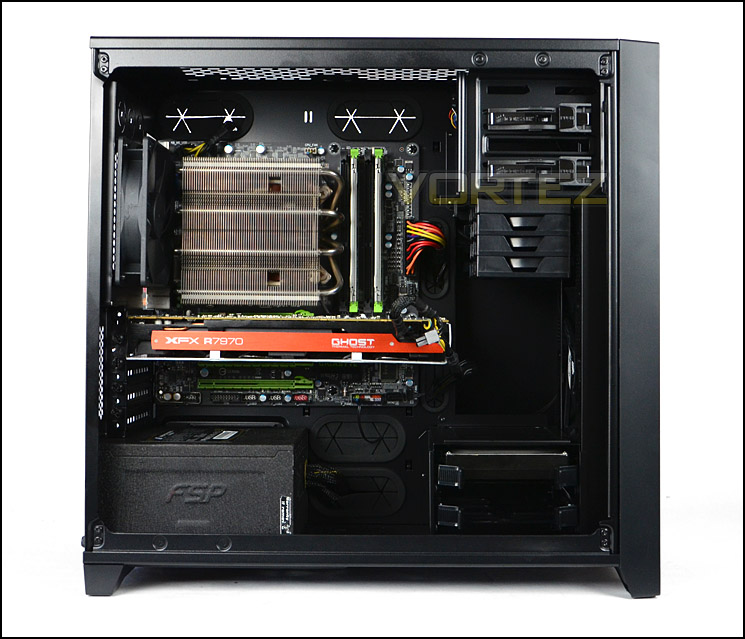
A clean, tidy and hassle-free installation
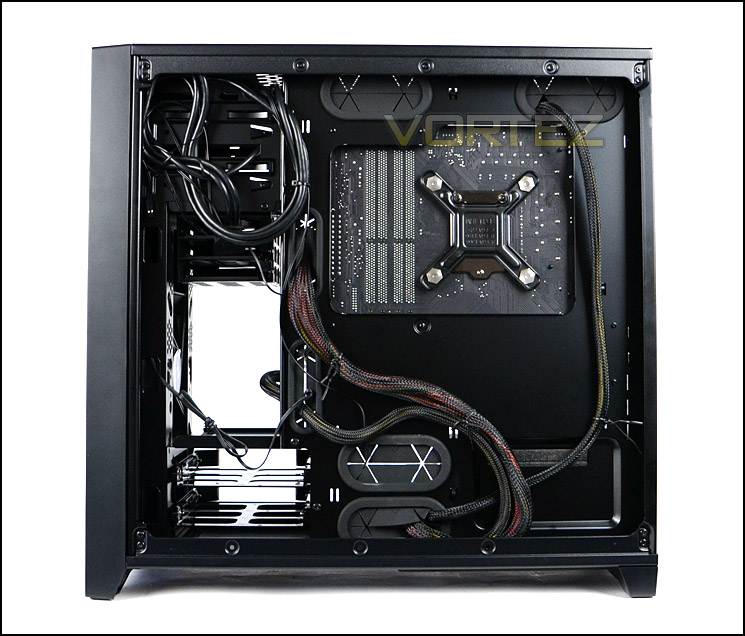
Cable management is easy to control
Both 2.5” and 3.5” drives can be installed within 350D, we have installed a 3.5” drive. The drive simply drops into one of the provided brackets. To install 2.5” drives into the bracket, screws need to be applied to the underside.
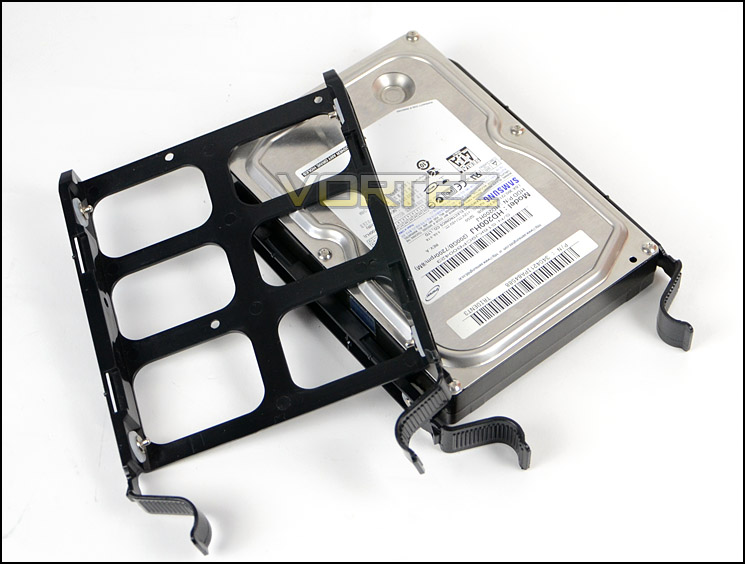
HDD brackets can accommodate 2.5” and 3.5” drives
Clearance – CPU Coolers, GPU, WC, Cable Management
Clearance is an important aspect of case design for the enthusiast as it establishes whether key components will be compatible with a chassis or not.
Though we have used a low-profile CPU cooler with our M-ATX setup, 350D can house tall CPU coolers which extend beyond 160mm in height.
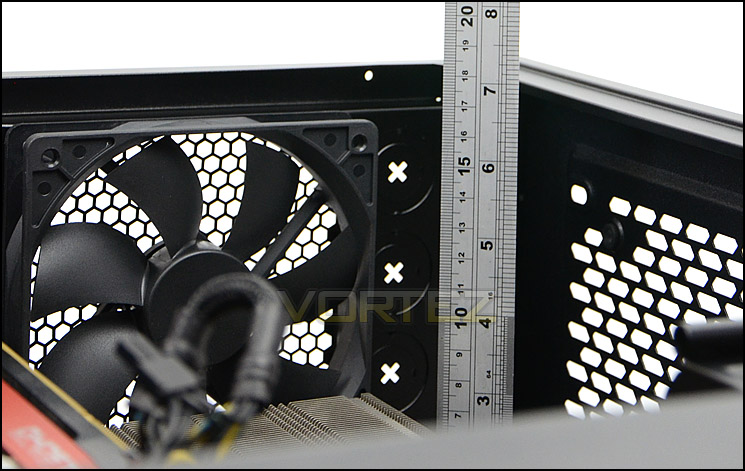
Good clearance for CPU coolers
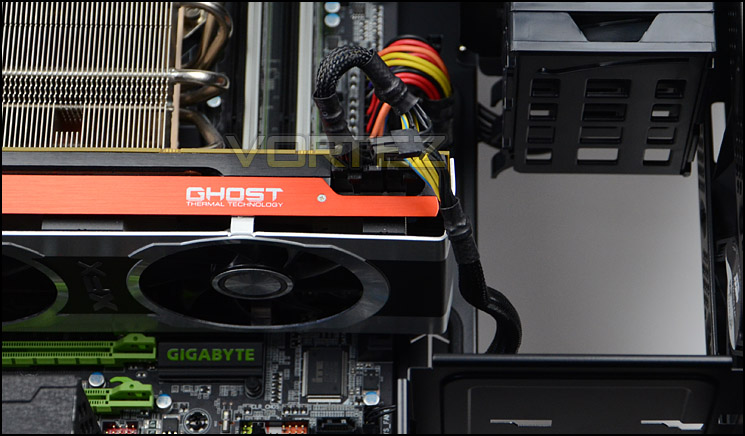
Since 350D only has a lower HDD cage, there is support for big graphics cards. Pictured is XFX HD 7970 DD which is 10.5” – there is sufficient space for anything currently on the market. The lower HDD cage may need to be removed for dual card configurations.
Support for long graphics cards
The eagle eyed amongst you will notice there is significant space at the top of the motherboard tray. Corsair have ensured the mounting holes and space can entertain such coolers as the H100i. There is 4.5cm of clearance above the motherboard, within 350D. (We have placed the H100i on the outer side of the case to illustrate how the radiator lines up to mounting holes).
The HDD cage can also be removed from the inside of the case and the H100i (240mm radiator) can be installed at the front of the chassis – all of the mounting holes line up.
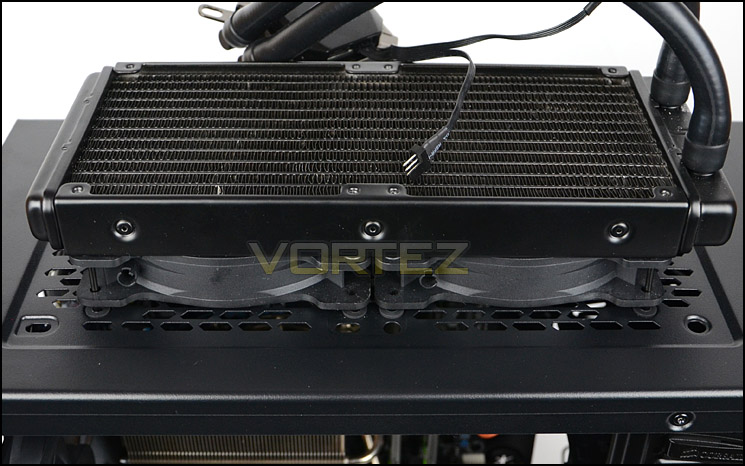
350D can house 240mm radiators
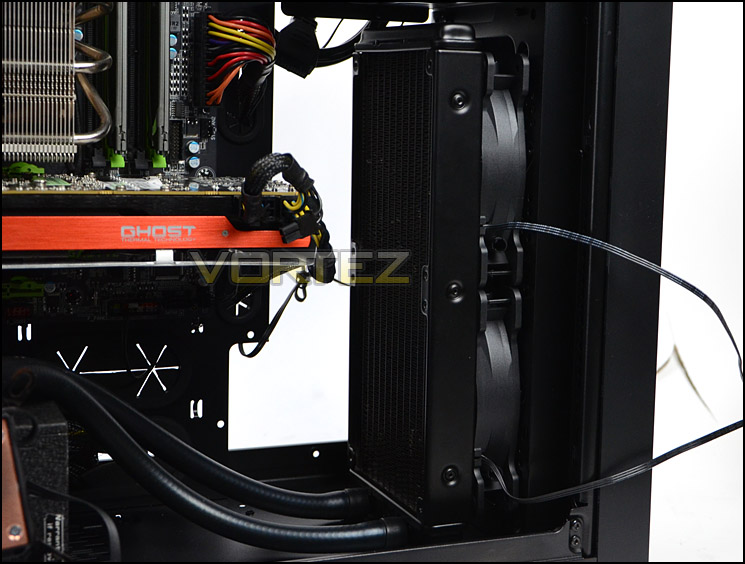
240mm radiator can fit at the front too
Thanks to a generous 2cm of clearance behind the motherboard tray, cable management is a strong-point. Thicker cables and those which are redundant can be routed behind the motherboard tray and pinned back via the hooks.
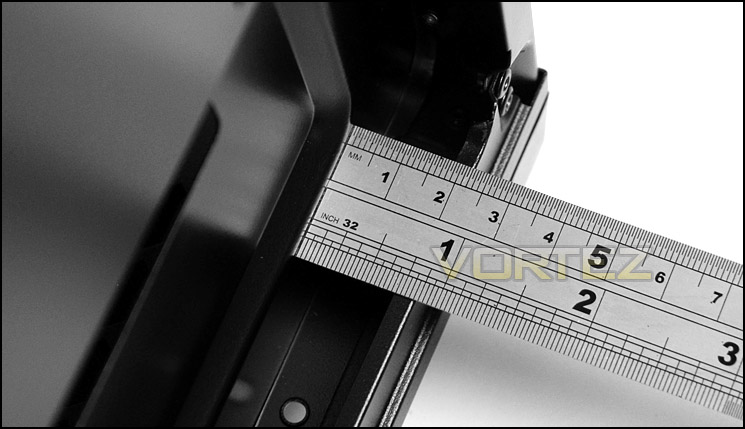
Clearance behind the motherboard tray is generous
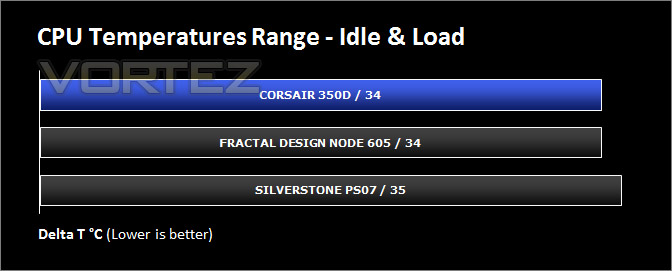
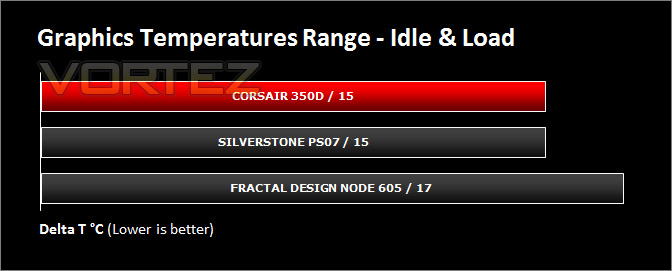
Thermal Performance Testing
Inside 350D there are two cooling fans; a 140mm front intake and a 120mm rear exhaust.
To discover the thermal performance of the 350D we will record idle temperatures after 20 minutes from a cold boot. We will then stress the system and temperatures will again be monitored after 30 minutes have elapsed.
For the purpose of accurate analysis the idle and load temperatures for CPU and motherboard will be recorded and the range between idle and load will be calculated to determine how efficient cooling is.
NOTE: Ambient temperature is 20C
System Components
CPU Intel Core i5 3570K
CPU Cooler Noctua NH-L12
Motherboard GIGABYTE G1 Sniper M3
Graphics XFX HD7970 Black Edition
Memory 4GB Kingston HyperX 1600MHz
HDD Kingston HyperX 240GB
PSU FSP Aurum 650M
CPU Cooler Noctua NH-L12
Motherboard GIGABYTE G1 Sniper M3
Graphics XFX HD7970 Black Edition
Memory 4GB Kingston HyperX 1600MHz
HDD Kingston HyperX 240GB
PSU FSP Aurum 650M
Noise
The cooling fans are audible when the system is powered up but they aren’t deemed as disruptive.
Conclusion
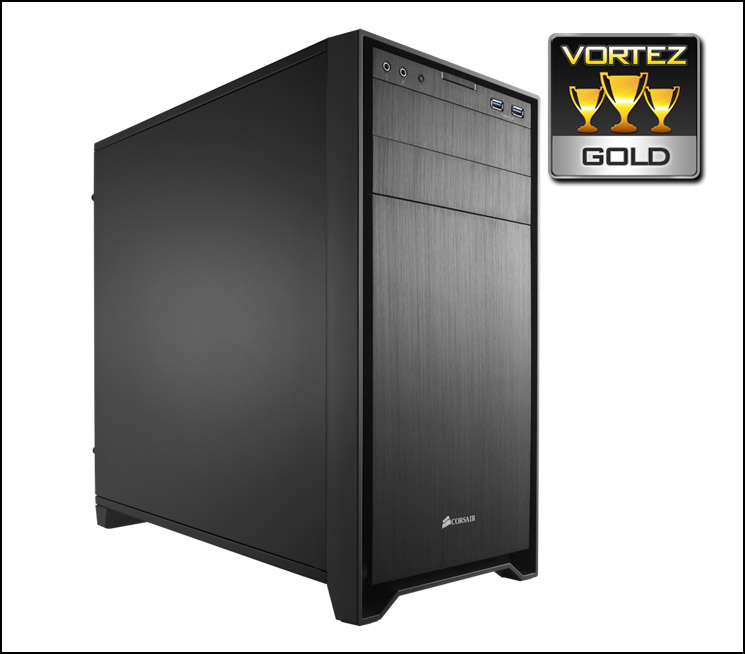
The Obsidian series has always had a strong following not least because of the super clean aesthetics and professional appearance. Being a popular choice for enthusiasts it’s easy to see why Corsair have included their first M-ATX case within this range.
350D is certainly one of the larger M-ATX cases out there and regardless of whether this is seen as a downside or not, the space within the chassis makes way for a plethora of high-end hardware which includes big CPU coolers and long graphics cards.
We were pleased to see that Corsair have furnished 350D with numerous cable management grommets and hooks. Cable management is a particular area where many M-ATX cases fall short, but as you have seen over the preceding pages, 350D is favourable in this department.
Corsair have cleverly priced 350D in a position which will put it directly in the spotlight and declare itself as the key adversary within the M-ATX category. 350D can be purchased for £85, many other cases of the same material, qualities and features are priced close to the £100 mark.
The 350D is Corsair’s first attempt at a M-ATX case and we really like what they have brought to the table. We are sure 350D will establish itself as a firm favourite with enthusiasts who choose to use the smaller form factor but still love the classic Obsidian appearance.
Pros
+ Sleek, professional aesthetics
+ Easy to control cable management
+ Good cooling performance
+ Compatible with big CPU coolers, high-end GPUs
+ Radiator support at top and front
Cons
– Top section is exposed/open
– No padding for PSU
+ Sleek, professional aesthetics
+ Easy to control cable management
+ Good cooling performance
+ Compatible with big CPU coolers, high-end GPUs
+ Radiator support at top and front
Cons
– Top section is exposed/open
– No padding for PSU

Click here for an explanation of our awards at Vortez.net.


