Today we bring you our opinion on Corsair’s latest illuminated cooling fans, the QL-series, available in both 120mm and 140mm variators, with 34 individual LEDs in each fan.

Product on Review: Corsair QL120 RGB
Manufacturer: Corsair
Street Price:
120mm Individual – GBP £29.99 / USD $44.99
120mm Triple Pack – GBP £99.99 / USD $139.99
140mm Individual – GBP £34.99 / USD $49.99
140mm Double Pack – GBP £79.99 / USD $119.99
Corsair, an American hardware manufacturer, are quickly becoming an unrelenting force within the PC industry, originally starting out producing DRAM modules in the mid-90s but now making everything from computer cases, power supplies, watercooling equipment, peripherals, and of course, cooling solutions.
Today we’re looking at their latest RGB fans, the QL-series, which improves upon their LL-series fans in a massive way with more than double the RGB LEDs in each fan. That RGB lighting is also more evenly distributed, with 16 RGB LEDs on the rear (12x outer ring, 4x inner ring) and 18 on the front (12x outer ring, 6x inner ring), for better overall illumination inside and outside of your case.
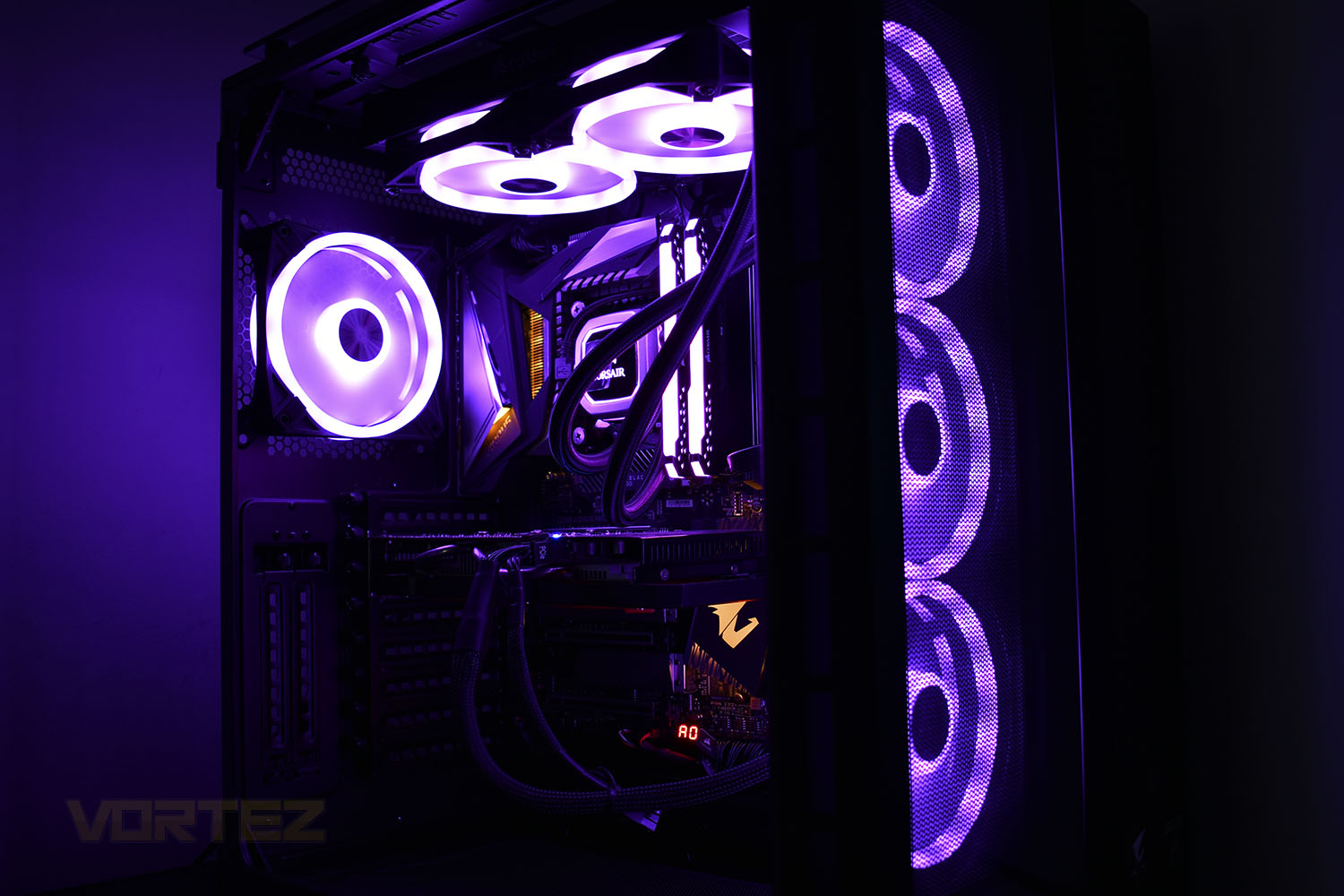
Corsair’s QL-series of fans are available in 120mm and 140mm, with both being available individually, or in multi-packs. The 120mm can be purchased in a triple pack and the 140mm in double packs. Each multi-pack comes with an iCUE Lighting Node CORE which can control up to six of the brand new QL RGB fans, as well as other Corsair RGB fans, through a single USB 2.0 internal header.
Priced similarly to previous triple/double packs of the Corsair ML and LL fans, the QL-series should do well in today’s marketplace, with many users having an insatiable appetite for the rainbow LEDs in their systems. Let’s compare them to previous models as well as the competition and see what’s what.
Corsair on the QL120 RGB:
Give your PC spectacular lighting from any angle with CORSAIR iCUE QL120 RGB PWM fans, equipped with 102 individually addressable RGB LEDs – 34 in each fan – across four distinct light loops.
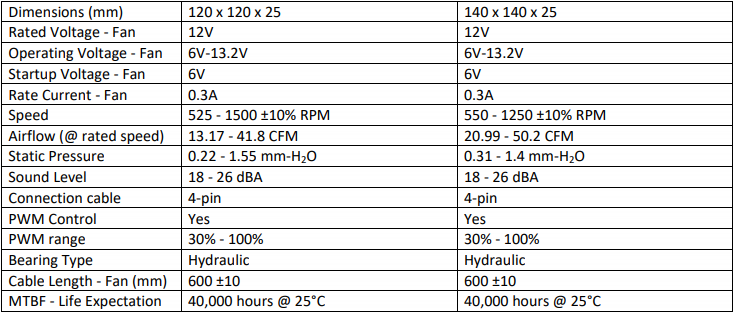
Technical Specifications
Packaging & Bundle
Corsair’s trademark bright yellow with black packaging is present here, using a bright RGB image of the fan on the front of the box. The front is reasonably informative of what’s inside but the full story is on the other side.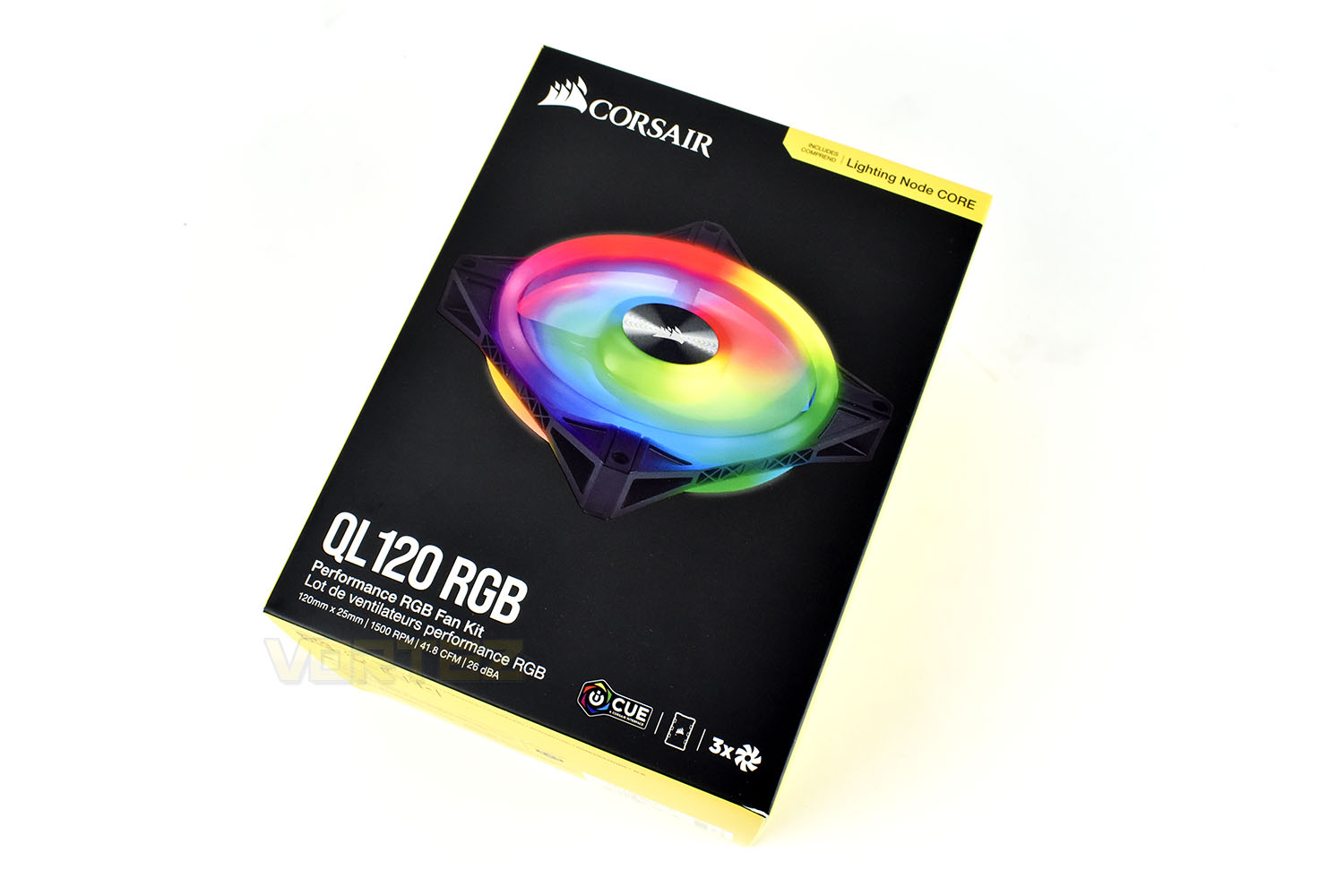
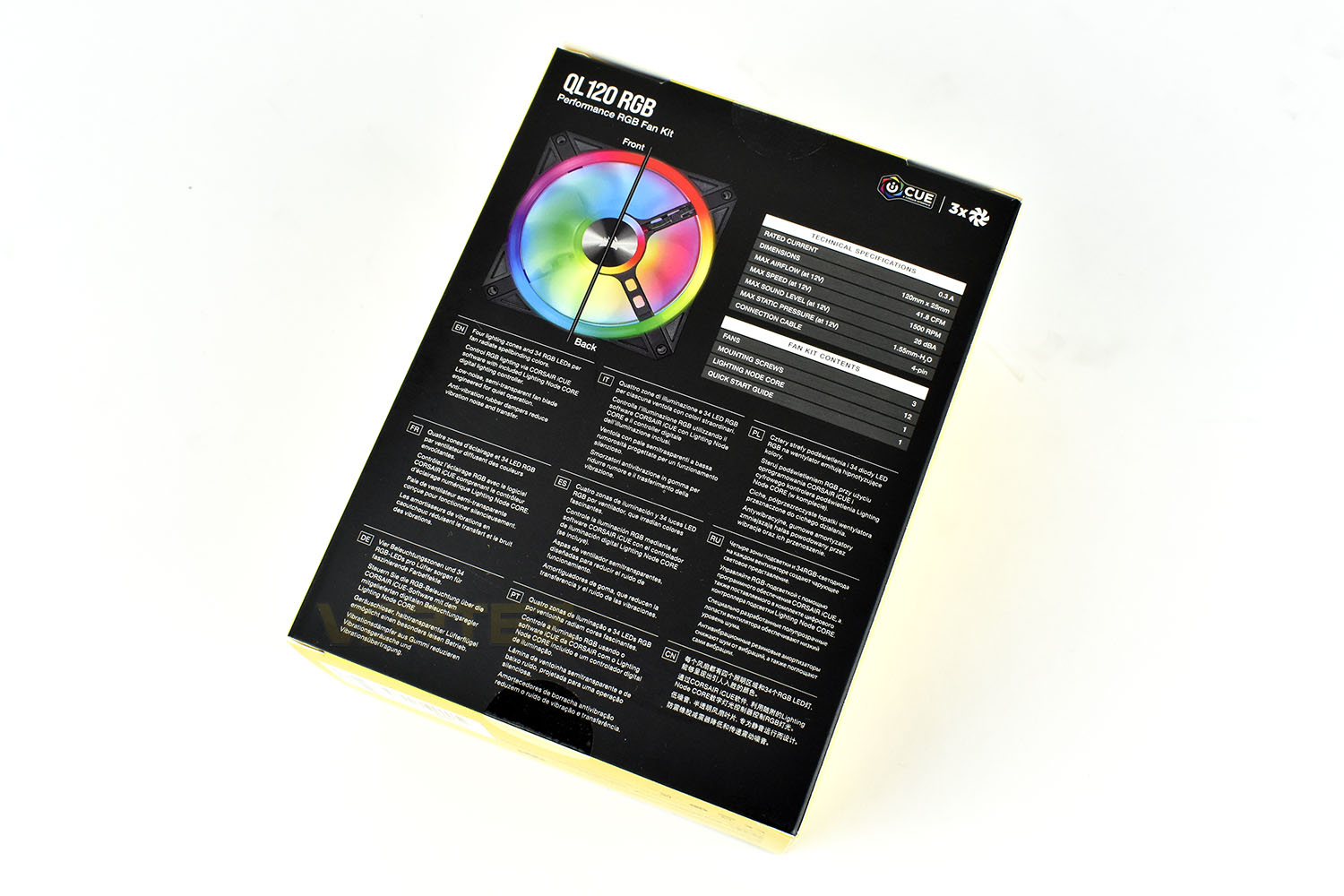
With a specifications table, a 50:50 front:back of the fans and some brief bullet-points, the rear of the packaging does just what it needs to.
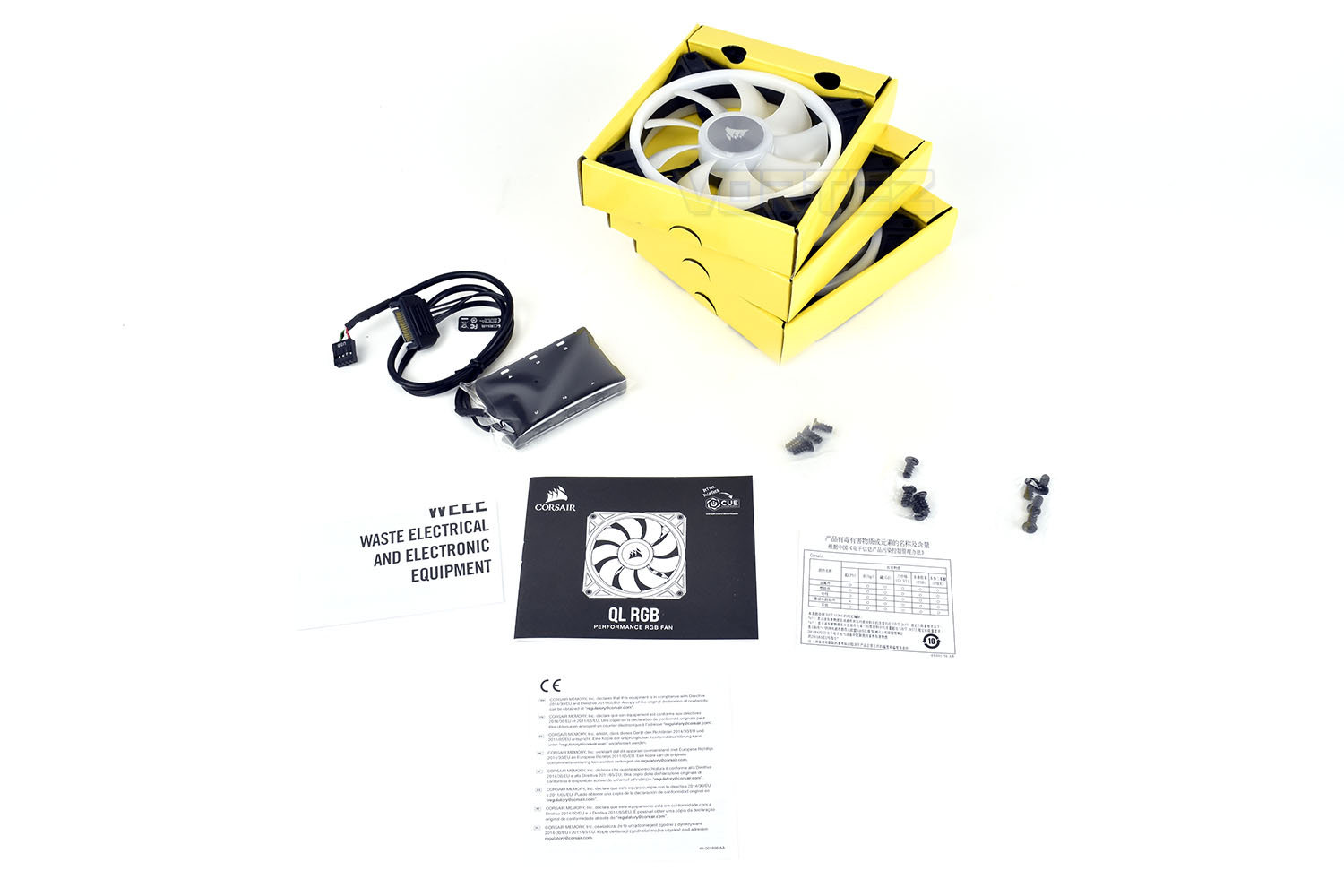
Included in the box is the instruction/warranty leaflets, three small bags of screws, three QL120 RGB fans and the iCUE Lighting Node CORE.
Closer Look
On the face of it, the QL120 doesn’t look too much different to the LL120 but there’s a few small differences that, when accumulated, add up to a big change.One subtle, but significant modification Corsair have made is to switch out the cheap-looking hub stickers for ridged aluminium sail logos. It’s a small change but greatly improves the overall appeal.
They’ve also changed how they bundle the cables together, allowing a bit more slack before the bunch, so you don’t necessarily have to undo the cable tidy that’s already in place. Speaking of which, the RGB lighting and fan control are handled separately on their own cables.
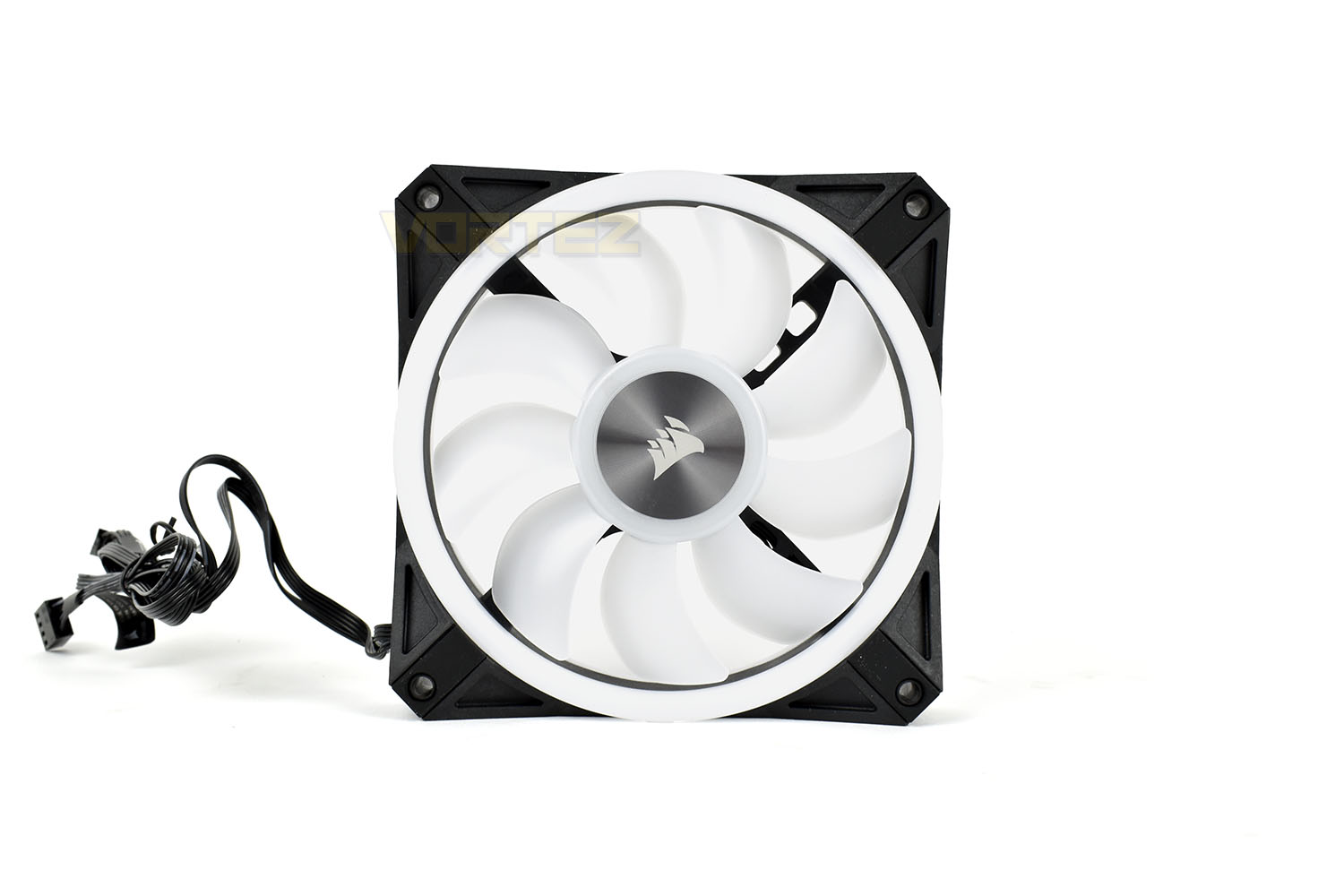
Spinning the fan around, the same aluminium hub logo. Corsair have decided to place the product information on a sticker which is tied around the end of the 4-pin PWM cable instead. If you’re going to the effort of adding in RGB LEDs on both sides, you need to make both sides as equal as possible. The translucent plastic bordering the hub logo will illuminate with four RGB LEDs. The four spokes holding the hub in place have been punched out, seemingly to allow a small amount of additional airflow and to block less light.
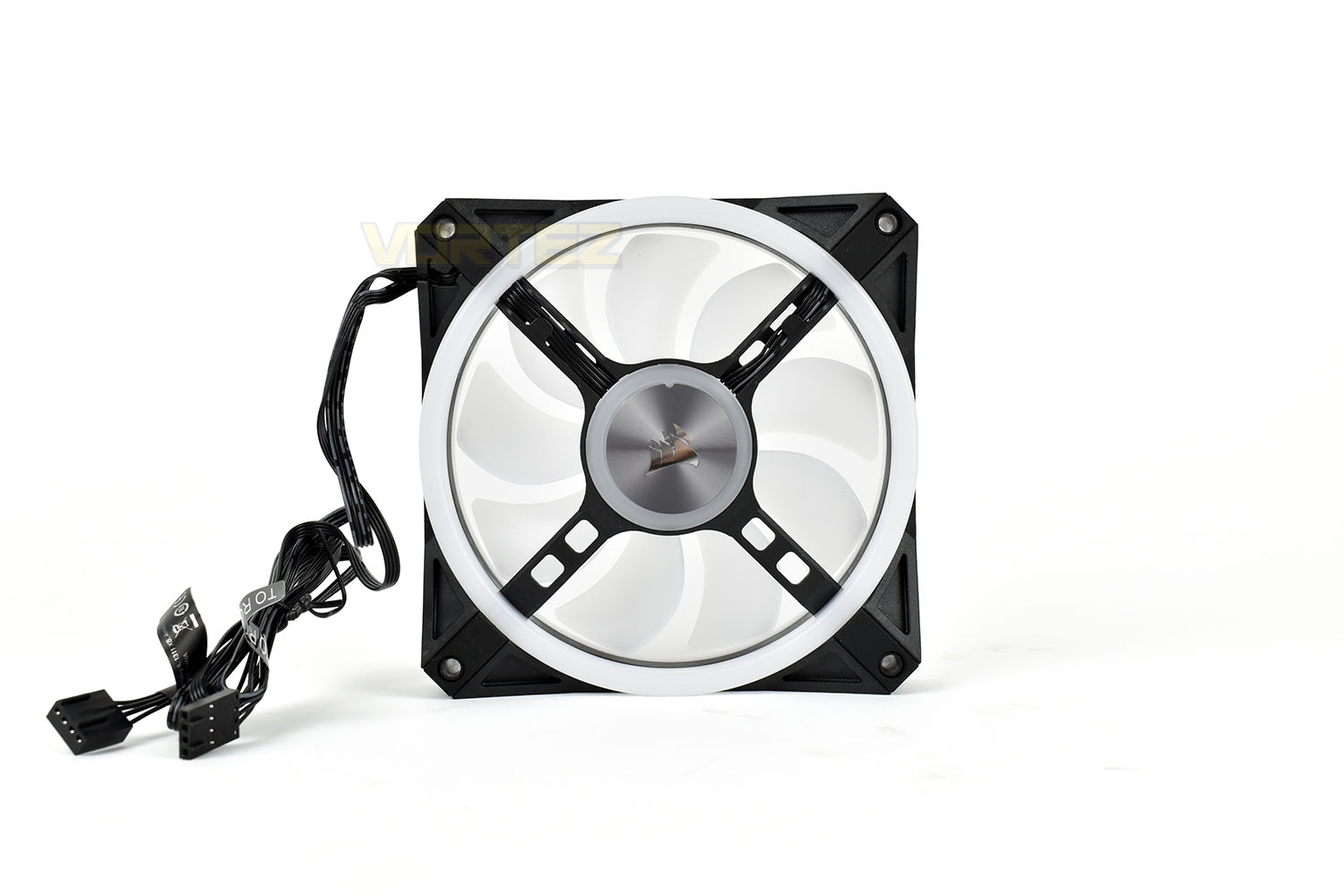
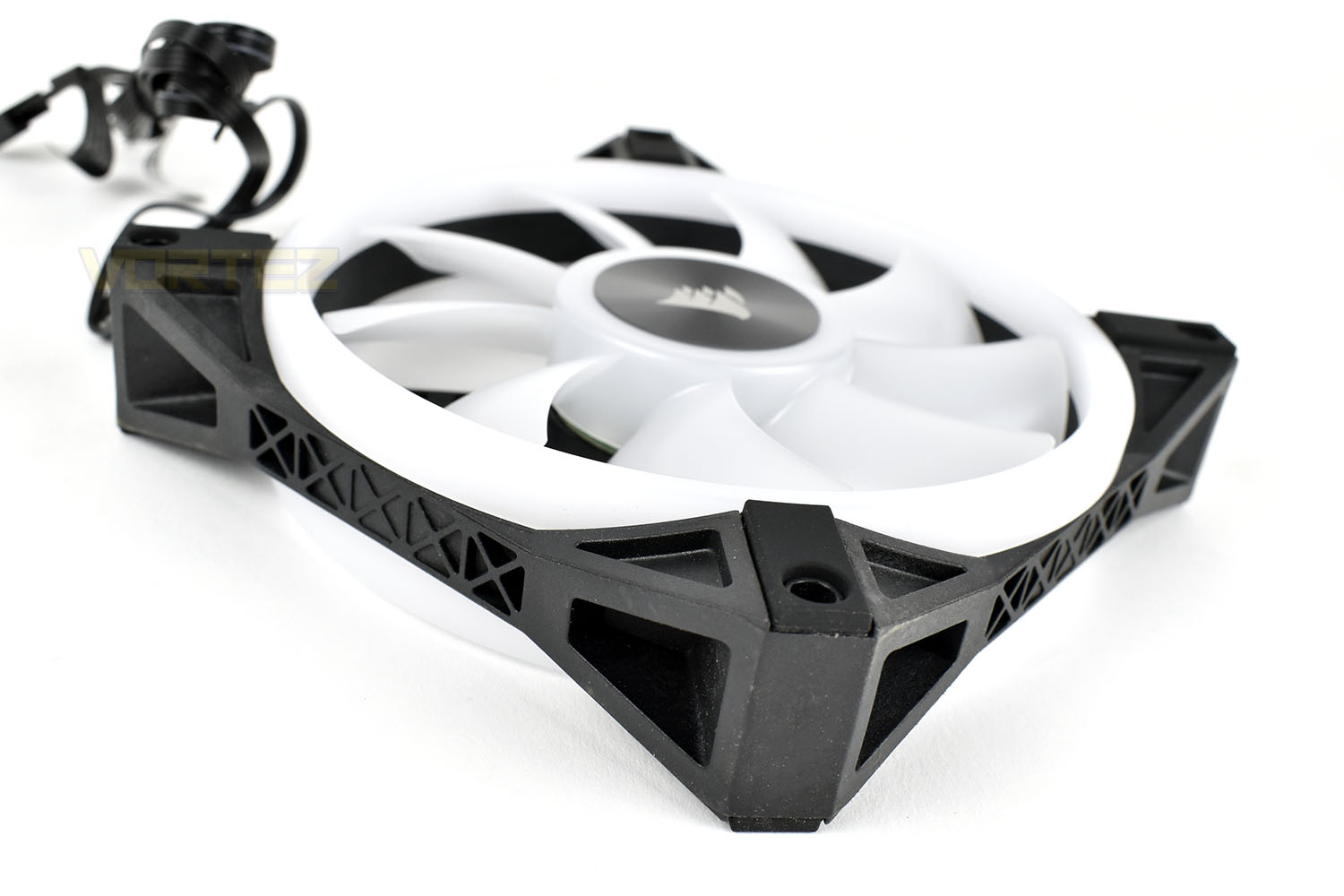
The outer frame of the fan typically hinders the RGB lighting more than anything else, so trimming that back to the bare minimum, with some clever structuring in the plastic, retains a rigid structure but allows more of the RGBs to escape. Corsair have also orientated their rubber pads 90° to the previous LL120 and ML120 fans, allowing them to make contact with the case on more occasions. We found that the previous iteration of the rubber mounting points didn’t always make contact because they weren’t surrounding the screwhole, so changing this is another good move forwards.
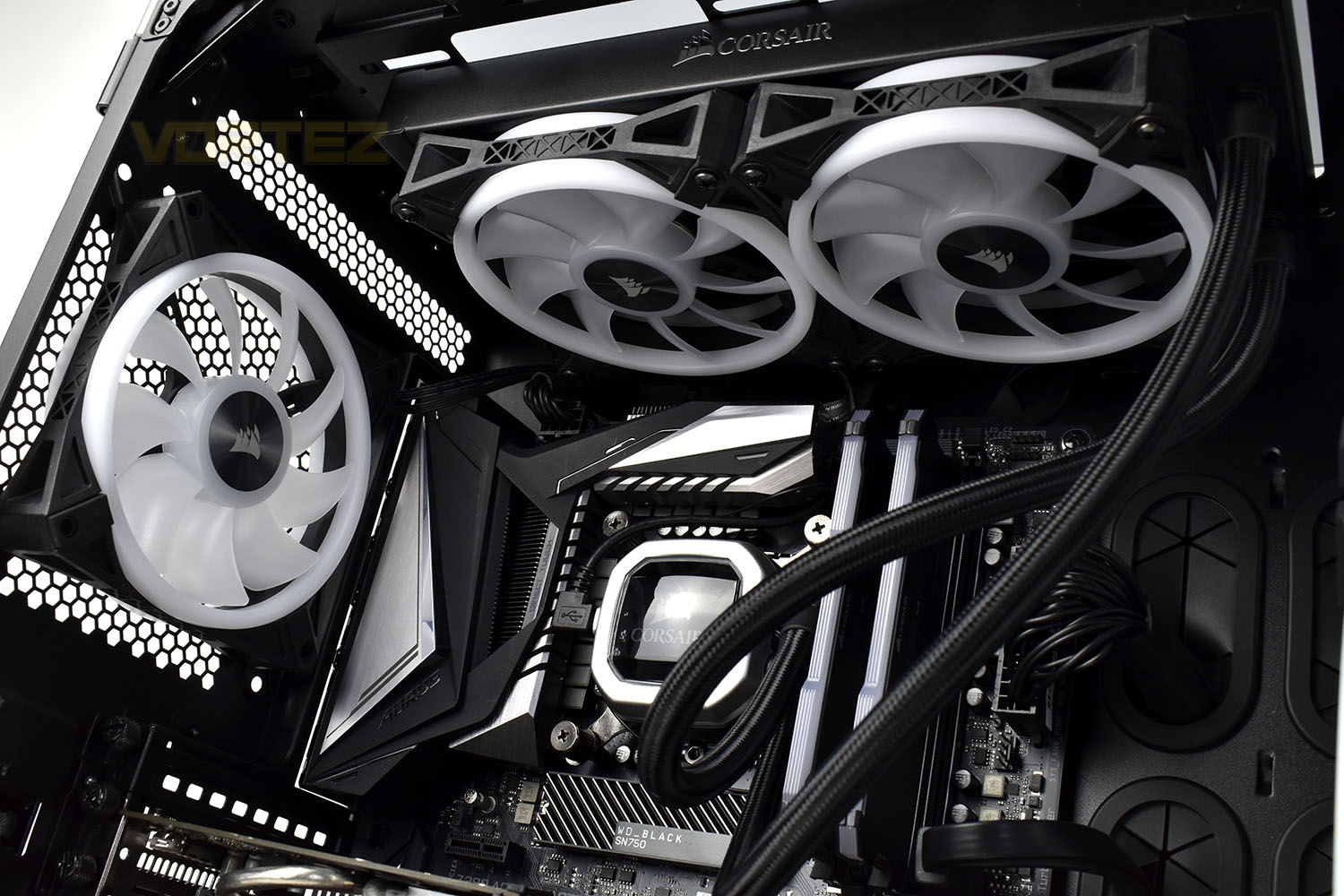
Included with the triple-pack QL120 and double-pack QL140 is a Corsair iCUE Lighting Node CORE, with 6 RGB channels that allows control of all 204 LEDs, if you populate each channel. The SATA power and USB data cables are cabled in directly instead of being detachable like they are on other models.

Even when installed and without being turned on, the fans have a premium appearance but now it’s time to light them up.
RGB Lighting
Below is a demo video of the RGB lighting produced by six QL120 RGB fans installed within a Corsair 680X chassis.Test Setup & Methodology
Due to popular demand, we have retired the long-standing cooling rig that we once used and replaced it with a shiny new system with an Intel Core i7 9700K at its heart. This should benefit you, the reader, in a couple of ways. The first being it can provide you with results on a CPU that is currently available to buy and secondly, the mounting instructions on our installation page will be far more relevant than the outgoing LGA 2066 was, with its pre-installed backplate.We perform two individual testing routines with each CPU cooler that we receive – temperatures and acoustics. The system used is as follows and all tests are performed at stock frequencies.
Processor – Intel Core i7 9700K
Motherboard – GIGABYTE Z390 AORUS MASTER
Memory – Corsair Vengeance RGB PRO 16GB – 2666MHz – C16
Video Card – XFX AMD Radeon RX560
Power Supply – Corsair RM650x
Storage Drive – Western Digital Black SN750 1TB NVMe SSD
Case – Corsair Crystal Series 280X RGB
Monitor ASUS ROG SWIFT PG278Q
Motherboard – GIGABYTE Z390 AORUS MASTER
Memory – Corsair Vengeance RGB PRO 16GB – 2666MHz – C16
Video Card – XFX AMD Radeon RX560
Power Supply – Corsair RM650x
Storage Drive – Western Digital Black SN750 1TB NVMe SSD
Case – Corsair Crystal Series 280X RGB
Monitor ASUS ROG SWIFT PG278Q
We test our fans at both 1000 RPM and maximum RPM, or if the fan only has one setting, it’s only included in the maximum RPM graphs.
Firstly, we’ll test acoustics, both as a case fan, mounted on the rear of our Corsair Graphite 760T chassis, and as a radiator fan on the Corsair H100i Pro RGB. (with the pump turned down to 1,100 RPM and all other case fans disabled). We measure the average dB(A) noise levels over 60 seconds in a quiet room with an ambient noise level of around 24dB(A). Acoustics are measured from the same point within the case (20cm from the fan), with every effort taken to ensure test parameters are as close as possible during every test.
We then test the fan’s performance both at 1000 RPM and maximum RPM by running an AIDA64 20-minute stress test while running only a single 120mm fan on the 240mm radiator of the Corsair H100i Pro RGB. This allows us to test single fans as well as multi packs by only relying on a single 120mm fan. We mount the fan under the radiator, inside the case, blowing through the radiator. We measure the average core temperature over a 60-second period and minus the ambient room temperature from this. That leaves us with a Delta °C measurement which is applied to the graphs. Our average room temperature is kept as close to 21°C as possible, roughly the room temperature of most homes and offices. Obviously, if you live in a warmer climate with warmer room temperatures, you can expect higher temperatures.
To ensure the fans RPM are measured consistently, we use the Noctua NA-FC1 fan control unit, allowing the speed of our fans to be infinitely adjusted and monitored via a nearby header on the motherboard.
Benchmarks – Thermal Results
For thermal results we have all case fans running and only a single 120mm fan on our Corsair H100i Pro RGB radiator. We then measure the thermal results at idle, both at 1000 RPM and maximum RPM:

And then again after a 20 minute Stability Test within AIDA64:


Benchmarks – Acoustic Results
For our acoustic results, all other fans in the case are disabled and the Corsair’s H100i Pro RGB’s pump is turned down to quiet (roughly 1100 RPM) and measure the fan noise at 1000 RPM, both as a case fan and as a radiator fan:

And then again at maximum RPM:


Conclusion
Corsair fans have rarely disappointed us, and with the improvements made on the QL-series of fans, the case is no different here.Kicking off with performance, which we prioritise over the RGB lighting, it was middle of the table for its thermal performance through our Corsair H100i Pro RGB radiator, pretty much the same as the LL120. Acoustics were improved though, particularly when used at 1000 RPM, where the fan topped our radiator chart.
It’ll come as no surprise, if you’ve been keeping up with Corsair’s products recently, that the RGB lighting is nothing short of fantastic. It’s vivid, bright, incredibly fluid between effects and super easy to configure in the Corsair iCUE software. The front and rear rings can be configured separately, or disabled independently if that’s your thing, but then you’d be better off saving some cash and buying the LL120.
Pricing is the key factor at work here. We’ve covered many good fans recently, from Cooler Master, Noctua, Thermaltake and even Corsair. If you need outright cooling performance with RGB lighting, the Corsair ML120 is the way to go, but for a good balance between cooling, noise and illumination, there’s nothing else on the market quite like the QL120.
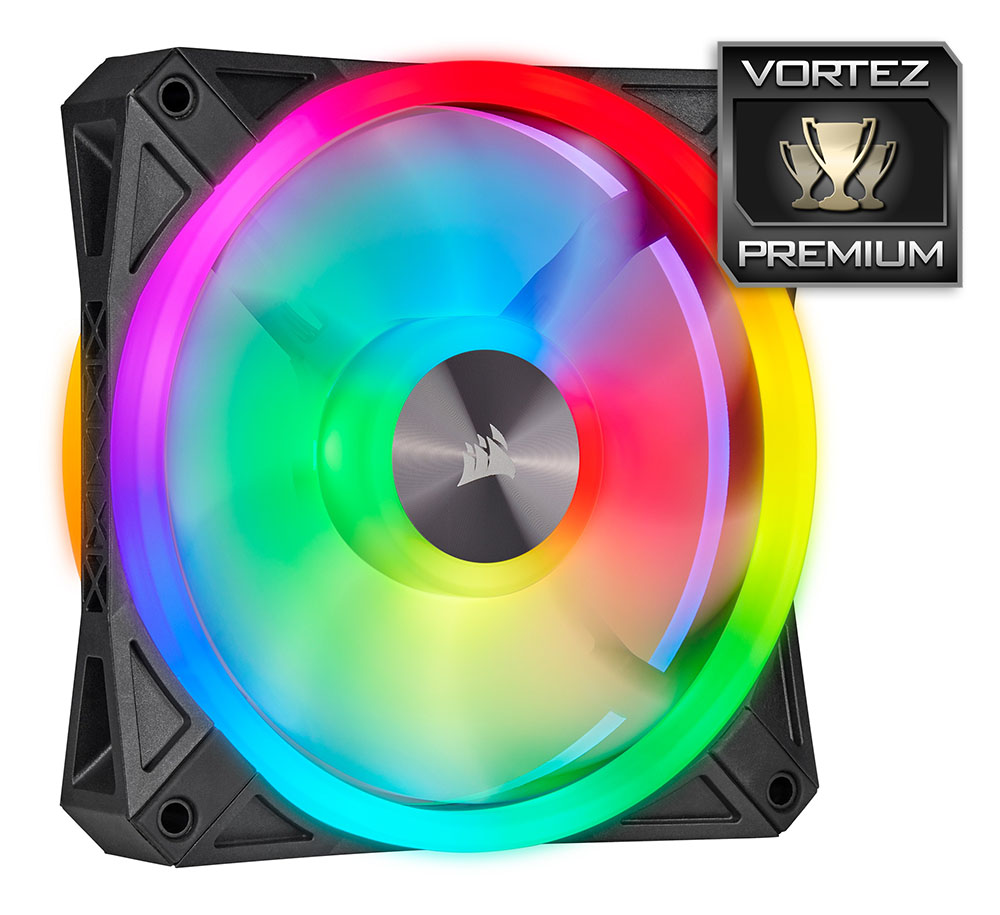
If you evaluate the fan purely on its performance metrics, there are better options available, but the QL120 looks excellent with its RGB lighting and it’s whisper quiet if used at the lower end of the RPM range.
Pros
+ Absolutely stunning RGB illumination
+ Fluid and smooth RGB effects
+ Easy to set up in iCUE
+ Properly orientated rubber pads
+ Look very similar from the front and back
+ Premium look and feel
Neutral
+- Similarly priced to competitors
Cons
– None
+ Absolutely stunning RGB illumination
+ Fluid and smooth RGB effects
+ Easy to set up in iCUE
+ Properly orientated rubber pads
+ Look very similar from the front and back
+ Premium look and feel
Neutral
+- Similarly priced to competitors
Cons
– None
Click here for an explanation of our awards at Vortez.net.
Stay connected with the Vortez Social Media pages: