







A little while ago Corsair acquired Raptor Gaming to bolster their entry level peripherals, we now look to the new HS40 USB gaming headset.

Product on review: Raptor HS40
Manufacturer & Sponsor: Corsair
Street Price: £34.99-39.99 inc VAT
In the past, the Corsair headsets impressed us immensely, since then, the Vengeance branding has been a stronghold in the market for top quality gaming peripherals, though, with some top quality price tags to boot. The strategic move to take over Raptor Gaming gave Corsair a stable of affordable products as well as a new branding initiative for their own line of entry level peripherals.
Reinforcing the Corsair Raptor branding, the HS40 is a reasonably priced closed back USB headset. It comes equipped with 40mm neodymium drivers mounted inside huge plastic sarcophagi and is finished off with the attractive crimson ‘Raptor’ coloured trims.
Overview by Corsair
The Corsair Raptor HS40 gaming headset offers 7.1 surround sound and a noise cancelling microphone in a comfortable, closed back design that’s great for extended gaming sessions. It features 40mm Neodymium audio drivers for better sound quality, and the padded earcups and headband give you the comfort you need to keep your head in the game.
Specifications & Features
Headphones
Frequency Response: 20Hz – 20 kHz
Impedance: 32 Ohms @ 1 kHz
Drivers: 40mm Neodymium
Microphone
Type: Unidirectional noise cancelling
Impedance: 2.2k Ohms
Frequency Response: 100Hz – 10Hz
Sensitivity: -42 dB (± 2 dB)
Cable Length
2.7m / 9’
Frequency Response: 20Hz – 20 kHz
Impedance: 32 Ohms @ 1 kHz
Drivers: 40mm Neodymium
Microphone
Type: Unidirectional noise cancelling
Impedance: 2.2k Ohms
Frequency Response: 100Hz – 10Hz
Sensitivity: -42 dB (± 2 dB)
Cable Length
2.7m / 9’
7.1 Channel Surround Sound
Accurate reproduction of multichannel gaming audio for a tactical advantage.
40mm Neodymium drivers for better audio quality
The large diameter drivers are equipped with high-sensitivity magnets for better sound with lower distortion.
Circumaural, closed-back design
The earcups fit around the ears to help block distracting environmental noise, and the solid outer shell helps prevent bothering others when you’re playing or listening.
Noise cancelling microphone
The microphone automatically screens out background noise, so you can be heard clearly.
Padded earcups and headband
Extra comfort, so you can keep your head in the game longer without your gear getting in the way.
Packaging & Accessories
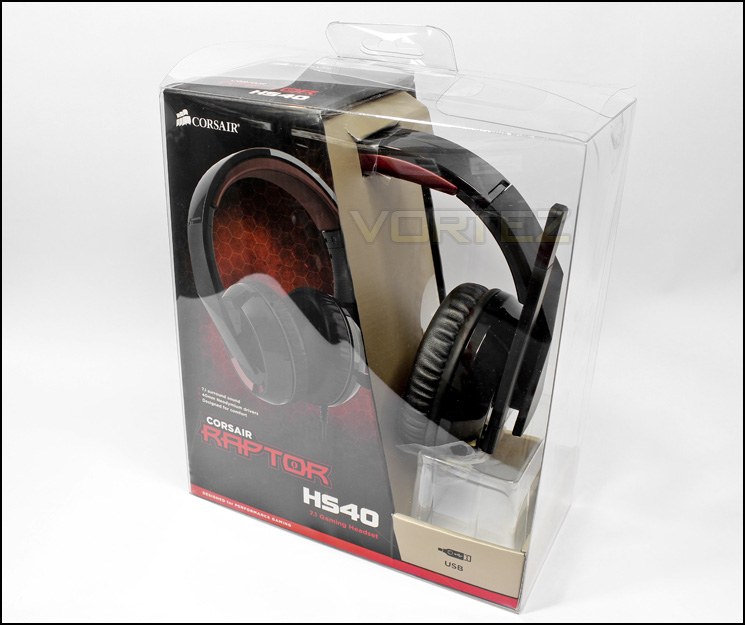
Packaging front
The packaging is a combination of a plastic see-through box with cardboard interior. This allows you to directly see the product you are buying as well as giving you all the information about the product you need.
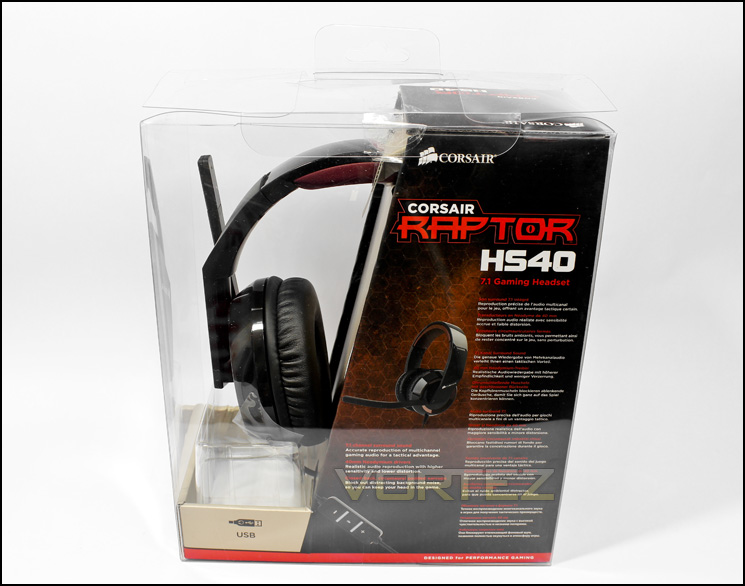
Packaging rear
On the back we see a small image of the product with some features listed in various languages
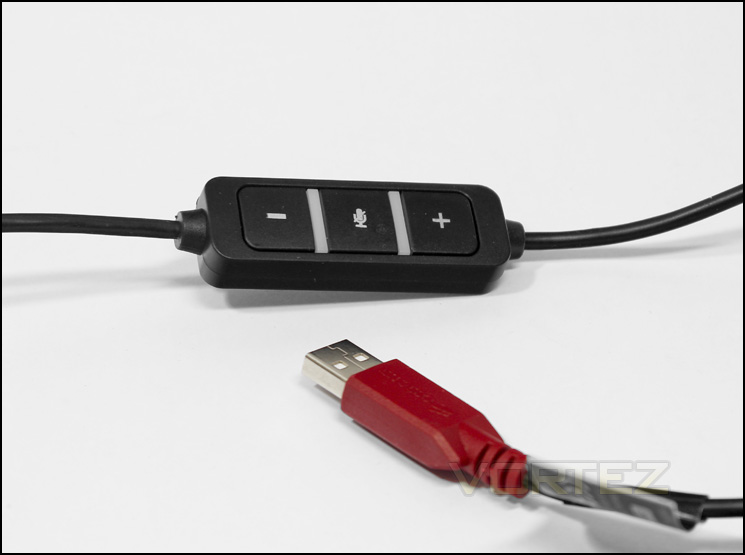
In-line remote and USB connector
The bundle is light, by light read ‘non-existent’, the product is not modular so the cable and microphone is fixed. The in-line remote looks simple and understandable with volume buttons and microphone mute in the centre surrounded by LEDs. The LEDs are blue by default but turn red when muted.
Closer Look
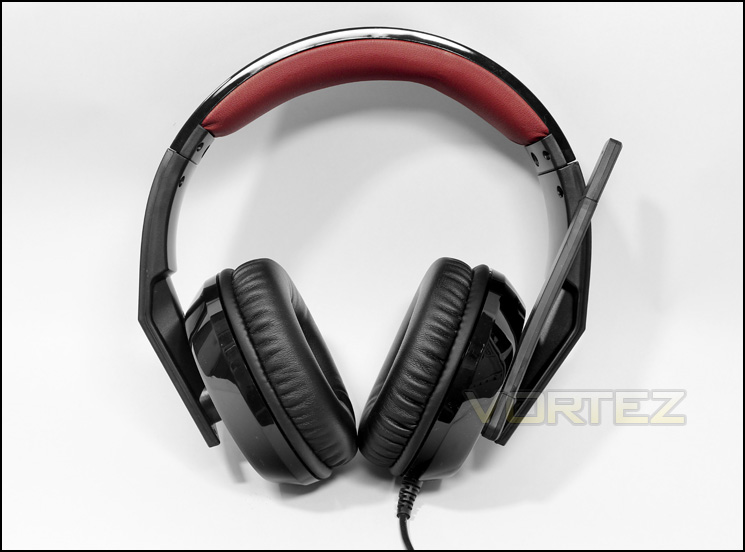
The Corsair Raptor HS40
A typical gaming headset in form with the large fixed boom microphone and the huge ear cups. The black glossy plastic with the crimson trims reflects that understated aggressive aesthetic that appeals to gamers.
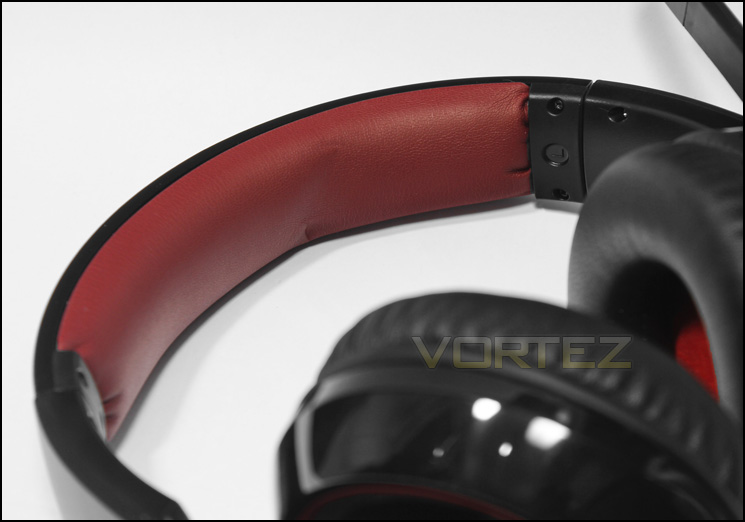
Crimson headband (sounds like the name of a band)
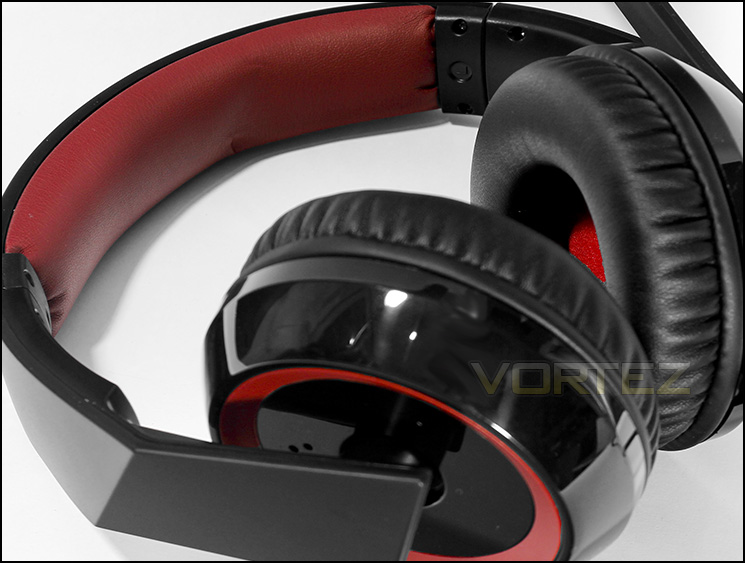
There is a generous portion of soft padding covered in an attractive crimson coloured synthetic material.
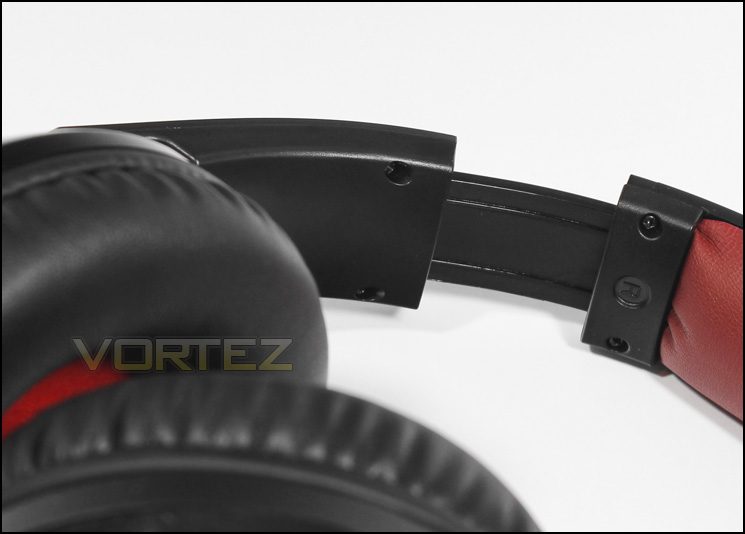
Easy to adjust
The adjustable strap is made of plastic and slides smoothly.
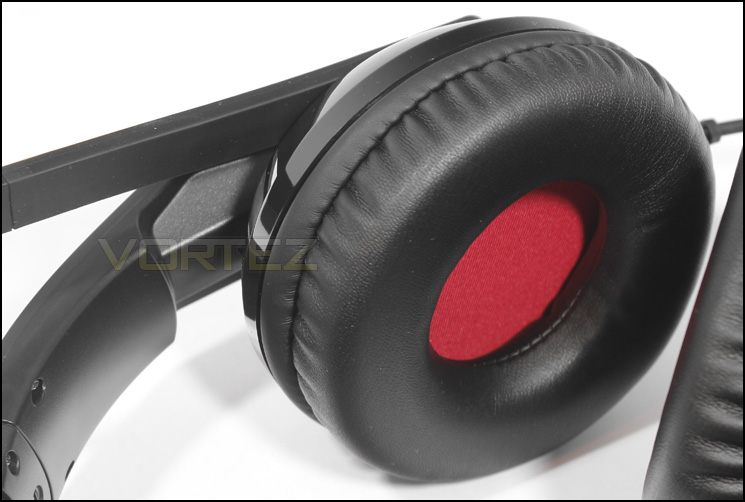
inside the ear cup
The ear cup is surrounded by a thick ring of soft padding, slightly unnecessary considering that the remaining interior of the earcup leaves little room for you ear to enter. On the inside we see a deep red fabric covering the drivers.
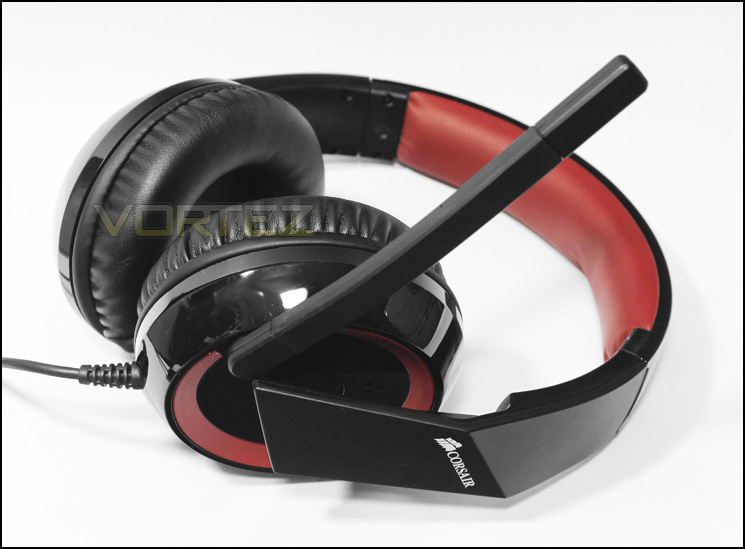
Side view
The large ear cups are connected to the headband via a ball joint that gives flexibility. On the side of the ear cups there three small holes, these are likely to act like a mini bass port. The large arm microphone is slightly flexible and can easily be moved up and down for ease of use.
Software
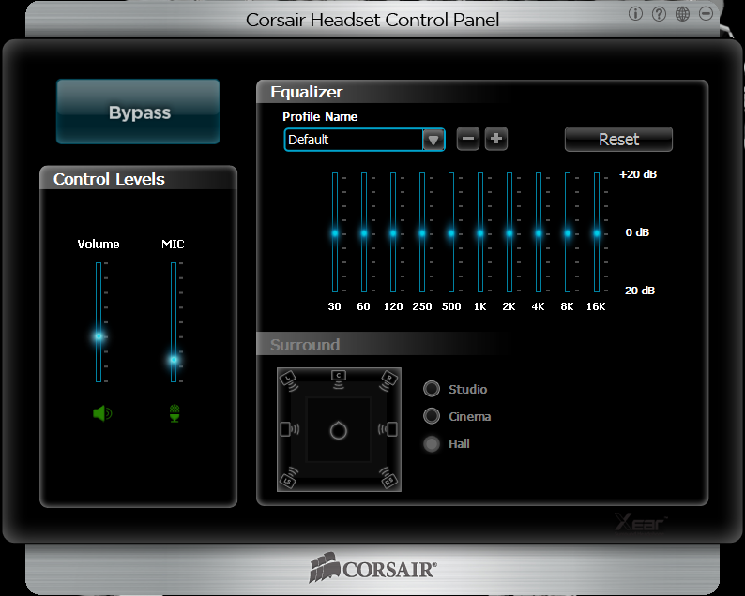
The drivers can be downloaded directly from Corsair and are simple to install. While the interface looks pretty, it is fairly lacking compared to many other USB headsets, we get a basic EQ with a selection of premade settings, as well as a large ‘Bypass’ button that enables the virtual 7.1 surround. Unfortunately there are no other features to the software as well as being limited to ’16bit 48,000KHz’ sample rate.
Performance Testing
Setup, Design & Observations
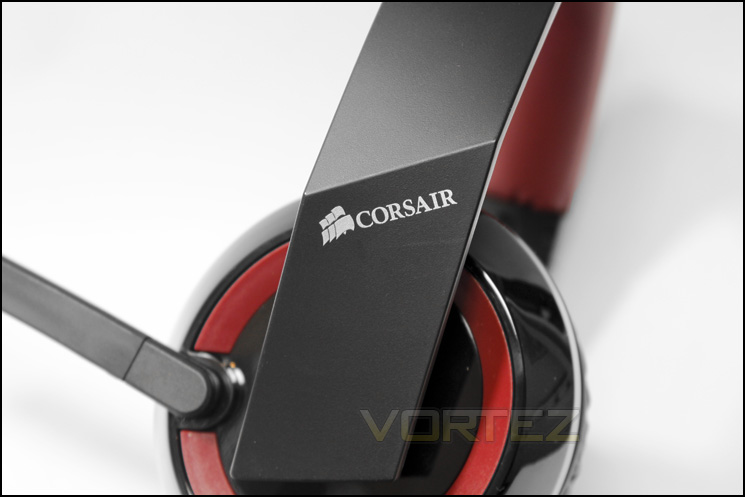
The Raptor HS40 is mostly glossy black plastic which feels light yet durable. Upon wearing the headset, we found that the clamping force was firm but not overly so, enough to cut out a lot of external noise. The soft padding on the ear cups are comfortable but annoyingly they do not surround your ears, rather, squished them like a giant, over-sized on-ear headset. Though the ear padding is soft, it didn’t make up for the diminishing comfort over time and found myself readjusting the headset repeatedly trying to find that ideal comfort zone, once found, the comfort issue is fine, but inconsistent. The mic isn’t as flexible as many would like but should do the trick nicely. Moving down to the inline remote, it seemed a little too close to the headset for easy use. Overall it was simple to set up, plug into a USB port, download and install drivers, all is well.
Multi-Media
Interested to see how well the HS40 handles music, I started with a selection of electronic music from Blackmill and Rameses B and was greeted by a powerful bass intent on vibrating my eyeballs out, combined with clear mids and decent highs it was fairly enjoyable. Mixing it up with some acoustic rock supplied by Tori Amos, the bass was overly prominent competing with the vocals while pushing guitar and piano to the background.
Running through on Battlefield 4, the bass made for intense action, gunfire, explosions and collateral damage sounded awesome, exciting and heart racing. Testing with the 7.1 mode activated and adjusting the sound options accordingly, I found it difficult to sense any directional advantage. The Virtual surround did seem to work in more obvious situations but no better than how one would expect stereo headphones to respond, moreover, the audio quality sank into a large pit of despair, one lined with recycled toilet floor tiles (that were never washed), so a lot of echo was noticed. In summary, the audio definitely caters well for gaming audio, but give the virtual surround a miss.
Microphone
The microphone when at max sensitivity was very sensitive and caused a lot of reverberation as well as picking up a lot of environmental noise which made conversation impossible, at 50% sensitivity, the microphone worked well but still picked up a lot of background noise while performing best when set between 20-30% sensitivity. Once under control, it worked well in game and in voice conversations via Skype and Team Speak.
Conclusion
Choosing an entry headset on a tight budget can seem fairly daunting as you never know what to expect amongst the hoards of cheap looking plastic ‘clackyphones’. However, in a sub £40 market, it is understandable that there are various aspects that need be be juggled to provide the right product at the right price. The HS40 is through and through a headset designed for gamers, the impressive bass with slightly dipped highs is the regular colouring added to audio by many gaming headsets and it makes for some impressive sound and experiences. Though set on that saddle, it does limit your experience in other areas slightly. Another consideration is that the HS40 is a USB headset, not only is it easy to setup, you may experience a boost to your audio quality over an integrated motherboard solution, adding appeal to those without a discrete soundcard or a DAC.
Touching on some criticisms, the comfort factor could be improved a little, most of which could be solved with a little less padding to actually make space for your ears. It would have been pleasant to have included a modular microphone but that can be forgiven considering that this headset is designed for gaming and is not foldable. The idea of using such a large piece of equipment for anything other than ‘leaving it on your desk ready to game’, is slightly ridiculous, so is largely an oversight. The choice to include virtual 7.1 surround sound as a feature and selling point, is a bit of a misnomer. To be entirely brutal the packaging makes several points that the HS40 is a ‘7.1 channel surround sound’ headset, or a ‘7.1 gaming headset’, which is beyond a joke. Firstly, the word ‘virtual’ doesn’t appear once on the packaging so let’s be entirely clear,
‘The Corsair Raptor IS a Stereo Headset that is capable of software emulated, virtual 7.1 output and is not capable of outputting real 7.1 channels of audio.’
Secondly, its implementation of this virtual 7.1 surround is pretty poor and you are better off leaving it disabled.
In the grand scheme of things, the virtual 7.1 surround sound is a nice addition, ‘better to be with than without’ as some may say, but do not be fooled into purchasing this product on those grounds alone, though if you do, you may not be entirely dissatisfied.
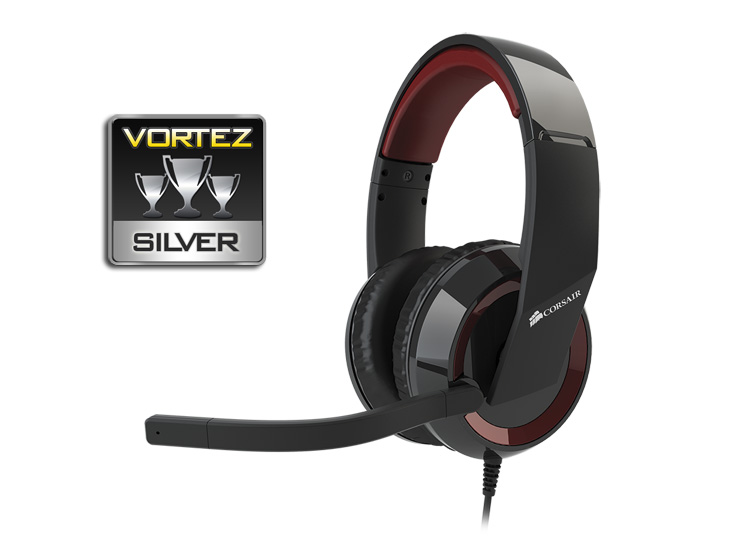
The overall package the HS40 offers is solid and impressive, you get a USB headset that can potentially give you better audio fidelity than you may previously be used to when compared to integrated motherboard solutions, good gaming orientated audio with impressive bass, all at a reasonable price. For these reasons we happily present the Corsair Raptor HS40 our Silver Award.
The Corsair Raptor HS40 is well equipped to bring your gaming experiences to life, the deep bass is a definite strong point that adds intensity and excitement to your gaming sessions.
Pros.
+ Excellent bass
+ Good gaming orientated audio
+ USB, Easy to set up
+ Gamer aesthetic
Cons.
– Not modular
– Poorly implemented virtual 7.1 surround
+ Excellent bass
+ Good gaming orientated audio
+ USB, Easy to set up
+ Gamer aesthetic
Cons.
– Not modular
– Poorly implemented virtual 7.1 surround

Click here for an explanation of our awards at Vortez.net. Thanks to Corsair for providing today’s review sample.


