







Featuring the Pixart PMW3310 optical sensor, capable of up to 5000 DPI. Can this new gaming mouse project you to gaming stardom?

Product On Review: Raptor M45 Gaming Mouse
Manufacturer and Sponsor: Corsair
Street Price: £44.99 GBP / $59.99 USD
The gaming peripheral market is littered with brands and their offerings and therefore, gaining that all important spotlight is especially difficult because of the fierce competition.
Since their entry onto the gaming peripheral scene back in 2011, Corsair has had lots of success, particularly with the prolific Vengeance product lines. But today we are looking at a product from Corsair’s Raptor range, named M45.
Raptor M45 is a gaming mouse aimed at FPS gamers. It utilises the Pixart PMW3310 optical sensor which is capable of up to 5000 DPI and a unique weight system to allow the gamer to choose the specific weight of the mouse. Join us as we explore all of these features and more!
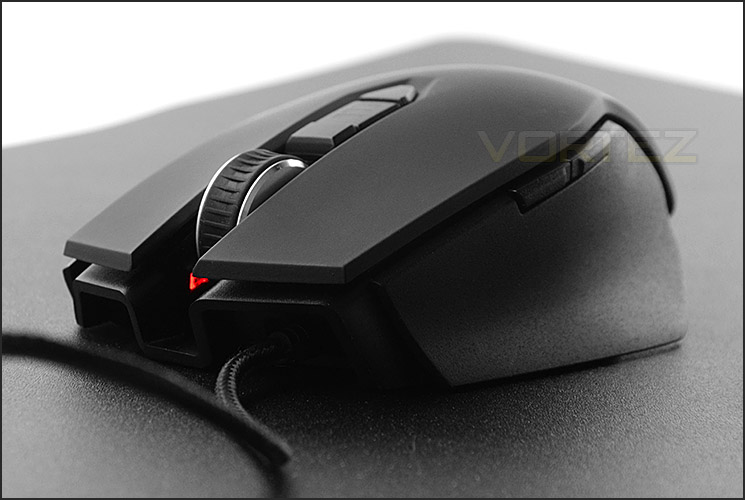
Corsair on their Raptor M45
Corsair Raptor M45 is designed for gaming performance. A powerful gaming-tuned 5,000 DPI optical sensor, fast response time, extra-large PTFE glide pads, and a high-mass scroll wheel put you in command. You can customize it to your play style with the adjustable weight system, and seven programmable buttons put macros and other critical gaming functions just a click away.
Technical Specifications
Sensor
Pixart PMW3310 Optical Sensor
DPI
5,000
Macro Playback
Yes
Programmable Buttons
7
Report Rate
1000/500/250/ 125 Hz
Customizable Weights
Yes (3x 1.5g Screws, 3x 4g Weights, 16.5g Total Adjustability)
Total Mouse Weight
150g
Dimensions
118 x 72 x 39 mm
Warranty
2 Years
Pixart PMW3310 Optical Sensor
DPI
5,000
Macro Playback
Yes
Programmable Buttons
7
Report Rate
1000/500/250/ 125 Hz
Customizable Weights
Yes (3x 1.5g Screws, 3x 4g Weights, 16.5g Total Adjustability)
Total Mouse Weight
150g
Dimensions
118 x 72 x 39 mm
Warranty
2 Years
Packaging & Bundle
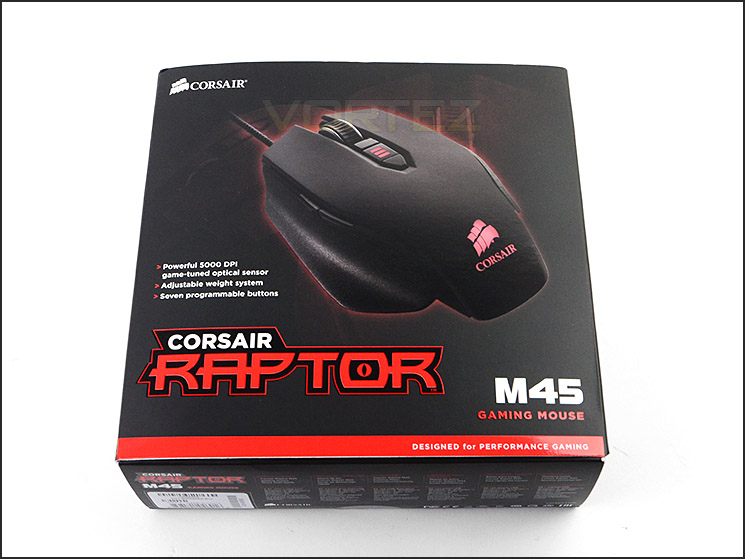
Packaging for M45
M45 is adorned in typical Raptor packaging. This small box has a depiction of the mouse on the front and features a schematic diagram on the reverse with fundamental attributes pinpointed.
Corsair has given M45 a folding cover so that potential buyers can receive a sneak preview of the mouse and for those who are interested, the inside of this cover contains further information.
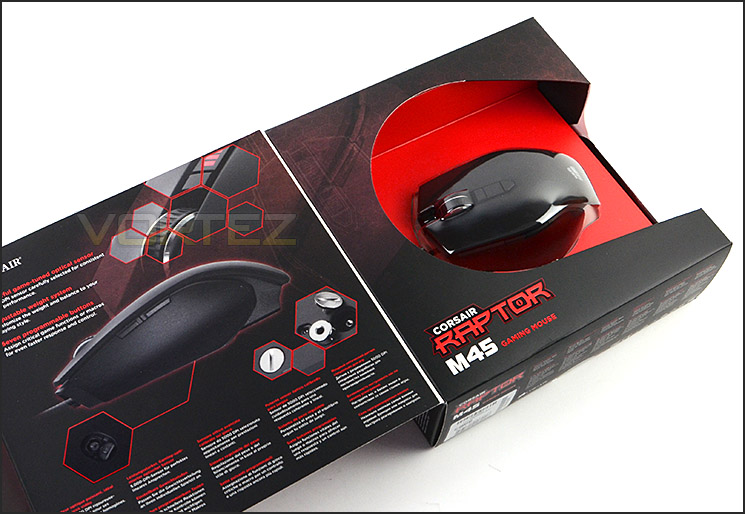
Packaging features folding cover
Accompanying the M45 are just a few items and these are all documentation. They are as follows:
• Raptor M45 Quick Start Guide
• Warranty Guide
• Information Leaflet (Disposal)
Whilst the bundle is quite thin in terms of content inclusion, this helps to bring the costs down somewhat and therefore Corsair can pass this over to the end-user.
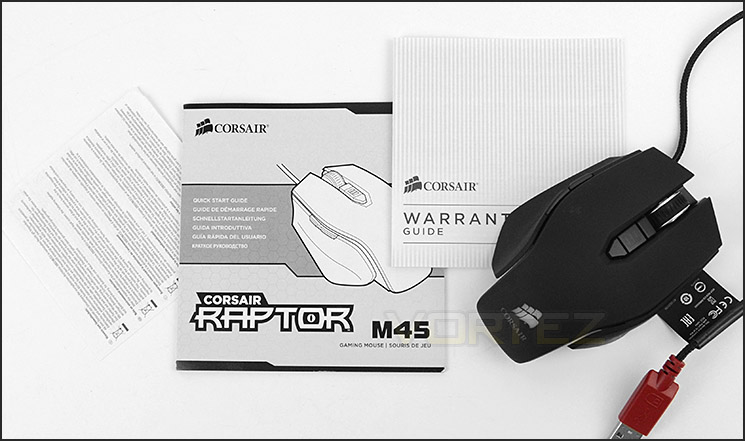
Documentation which is included
Closer Look
Raptor M45 in all its glory
Being primarily designed for FPS usage, M45 is better suited to the claw grip because of its physical dimensions and shape. Unlike other mice which are ambidextrous, M45 is tailored towards right-handed gamers only.
Corsair has used two different material types for M45 – the top is covered in a smooth matt plastic which is durable and soft whilst the sides are adorned in a gritty, non-slip textured material to prevent the hand slipping away from the mouse during extended gaming sessions.
Grainy texture on sides to help with grip
Two buttons for thumb point to right-handed only mouse
M45 has seven programmable buttons and two of these can be found on the left of the mouse. These buttons have been intentionally placed for the thumb to make use of and are customary for most mice nowadays – being typically used as forwards and backwards navigators.
At the front of M45 the cord can be seen trailing from underneath the left mouse button. In the middle there is a large scrolling wheel which has a ridged rubber surface. This scrolling wheel snaps to increments and requires more force than we would usually find on a gaming mouse. Directly above this wheel there is an LED indicator for the DPI sensitivity and two buttons to increase or decrease this setting. The DPI is represented by a simple line and the actual sensitivities can be modified to your liking within the Corsair mouse software.
Looking at the front of M45
The underside of M45
Flipping M45 over and looking at the underside we have plenty of features to talk about. First of all, the cord which gives you connectivity is braided for extra strength and the USB connector is red to help distinguish it from other connectors that might be plugged into your computer.
Corsair has given M45 five PTFE glide pads which are replaceable. These pads are positioned in key areas to assist with smooth and accurate motion.
At the heart of M45 is the Pixart PWM 3310 optical sensor which is optimised for FPS games. This sensor uses Infrared and has detection up to 130 inches per second with 30g of motion detection. DPI is also versatile, allowing sensitivity from 50 to 5000. Corsair state that this sensor is better suited to cloth pads, in the next section of this review we’ll report back on how M45 responds to different surface pads.
Also on the bottom of M45 are a trio of weights which allows the user to choose whether they want the mouse to be light or heavy. A screw helps to conceal the individual weights – each screw is 1.5g whilst the weights are 4g each. We like the idea of being able to customise the mouse in this manner, often mice can be too light or too heavy and the weight cannot be altered but with M45 this isn’t an issue thanks to this handy and innovative set of features.
A trio of weights to customise the heaviness of M45
Software & Performance
Bundled with Corsair’s Raptor M45 is the software to fully customise the gaming mouse. This software is easy to use and contains just three tabs to adjust the settings for M45.
The first tab allows each of the seven programmable buttons to be assigned a command. Macros can be applied to these buttons and various playback options are available too.
Under the ‘Manage Performance’ tab we have the core settings to be adjusted. DPI can be assigned to each of the three DPI profiles and the mouse even has the option to enter “Sniper” mode which has the DPI set very low – this can also be adjusted to preference. We’re pleased to see Lift Off settings making an appearance, this allows you to control how sensitive the sensor is when the mouse is taken off its pad.
On the last tab, profiles can be saved, imported, exported.
Performance
Since Raptor M45 has a unique weight system, you can choose the optimum load for the mouse according to your own personal preference. Having the option to do this is extremely beneficial because you aren’t burdened with a peripheral that is too light or too heavy.
We find M45 is ideal for most hand sizes but of course you will need to be right-handed to take advantage of this mouse. The shape curves perfectly to the hand and is more suited (due to the dimensions) to being a claw grip gaming mouse.
Buttons on M45 are placed in good locations – the thumb navigators on the edge are just right and are also unobtrusive. The option to tweak the DPI on-the-fly is a neat idea, especially since each profile can be modified to the user’s taste. Sometimes low and high sensitivity are required for different games so it helps to have the ability to switch between alternate DPI settings without having to exit a game.
Having two different materials on M45 ensures comfort is adhered to. The soft surface found on the top of the mouse works well for extended periods of time and the grainy texture around the sides helps alleviate any slipping that may occur has the hand gets sweaty.
Our mouse uses an optical sensor and at first we tested its performance with a hardened plastic surface pad – unfortunately we encountered various tracking issues as the sensor found it difficult to interface with the smooth, slightly shiny and glittery surface type. Using such a pad causes the cursor to move on its own and perform unpredictable behaviour. But using a cloth pad changed everything. On the contrary, we found M45 tracking extremely well with absolute precision and accuracy. The glide pads also work well on the cloth pad to provide smooth motion.
We tested M45 in various games and found it to be a reliable gaming peripheral. As Corsair intend, M45 is efficient in the FPS arena and it works well in this genre of game. The “Sniper” feature is especially useful for games which require low sensitivity with this type of weapon.
Conclusion
Having spent plenty of time with the new Raptor M45 we are left in no doubt of its capabilities.
From an aesthetic standpoint we have no qualms in approving the overall styling and design. It looks great on the desk and will combine with other peripherals too, but more importantly the materials used and general build quality is very good. By using multiple textures on the mouse, Corsair can provide the user with both comfort and improved grip.
The implementation of a weight system on this mouse is ingenious and it helps to deliver even more customisation into the hands of the user. With other products you are generally stuck with the mouse being too light or too heavy but with M45 there are three different weights to choose from (5g each – weight 4g and screw 1.5g).
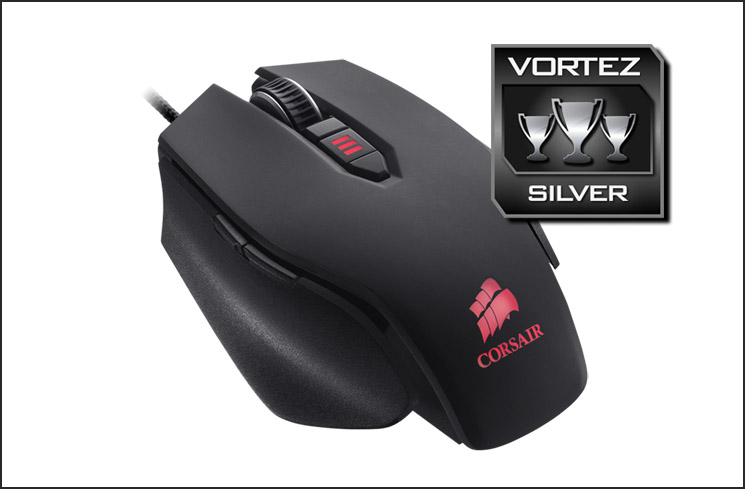
Aimed at FPS gamers, M45 works well in this particular arena. We especially like the idea of having a “Sniper” sensitivity option for those who engage in such activities. Although our mouse tracks and glides extremely well on cloth/smooth pads, we did find it struggling to operate properly on hardened surfaces that have a slight reflection. This could be an issue for a number of gamers and is therefore reflected in the award we have given M45. Although it missed out on gold, it achieves a strong silver.
M45 can be found for approximately £44.99 GBP / $59.99 USD and we believe this to be a reasonable price for what’s on offer. Around this price-range there are quite a few gaming mice with similar features but which lack a customisable weight system or the varied surface textures.
The Raptor M45 is another brilliant creation for Corsair, which clearly shows why they have success in whichever market they enter. M45 is reasonably priced and arrives with plenty of features and customisation which will satisfy the casual and avid gamer.
Pros
+ Aesthetically pleasing
+ Reasonably priced
+ Performs great on cloth pads
+ Great materials & build quality
+ Comfortable after long periods
+ Customisable software
+ On-the-fly DPI switch
+ Customisable weight system
Cons
– Right handed only
– Struggles to track on textured surfaces
+ Aesthetically pleasing
+ Reasonably priced
+ Performs great on cloth pads
+ Great materials & build quality
+ Comfortable after long periods
+ Customisable software
+ On-the-fly DPI switch
+ Customisable weight system
Cons
– Right handed only
– Struggles to track on textured surfaces

Click here for an explanation of our awards at Vortez.net.


