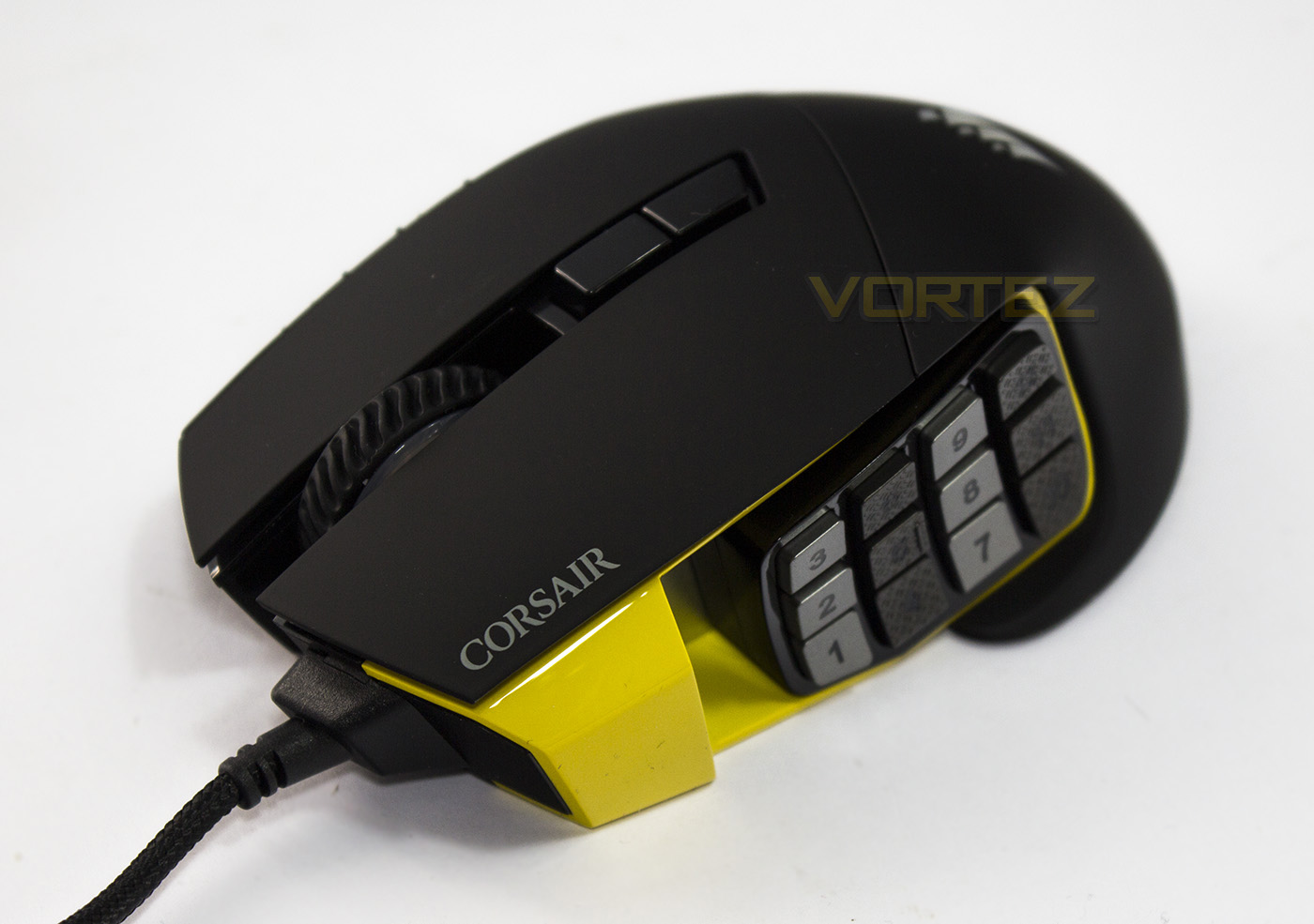
Corsair level-up the Scimitar with an ultra accurate 16000DPI optical sensor. Returning features include the 12 mechanical buttons and key-slide feature, allowing you to adjust the position to your preference.

Product on Review: Corsair Scimitar PRO RGB
Manufacturer and Sponsor: Corsair
Street Price: UK: £79.99, US: $89.99
Taking the next step to improve their impressive Scimitar MMO mouse, Corsair get ultra-accurate with a new 16,000DPI optical sensor, which is something we are pleased to hear especially since our primary concern in our first outing with the Scimitar RGB was its shaky sensor performance.
Returning features including the adjustable 12 mechanical side buttons that have around 8mm movement that can be positioned to suit your preference. This is especially handy to help people using various grips maximise the usability of such a large array of buttons. As it is part of Corsair’s RGB lineup, it features 4 lighting zones (front, wheel, logo, buttons), and an additional customisable profile lighting indicator. You can be sure of the high quality finish and materials used by Corsair, including a metal housing for the buttons, however it has a total weight of 147g, making it on the heavier side of mice.
Overview by Corsair
The SCIMITAR PRO RGB gaming mouse advances your game with the customizable Key Slider™ macro button control system, a native 16000 DPI precision optical sensor, and onboard profile storage.
Technical Specifications
Warranty: Two years
DPI: 1 dpi – 16000 dpi
Sensor Type: Optical
Mouse Backlighting: 4 Zone RGB
Prog Buttons: 17
Report Rate: Selectable 1000Hz/500Hz/250Hz/125Hz
On-board Memory: Yes
Weight: 147g
Mouse Feet: Extra Large PTFE
CUE Software: Enabled
Cable: 1.8m Braided Fiber
Game Type: MOBA, MMO
Dimensions: 119.4mm x 77mm x 42.4mm
DPI: 1 dpi – 16000 dpi
Sensor Type: Optical
Mouse Backlighting: 4 Zone RGB
Prog Buttons: 17
Report Rate: Selectable 1000Hz/500Hz/250Hz/125Hz
On-board Memory: Yes
Weight: 147g
Mouse Feet: Extra Large PTFE
CUE Software: Enabled
Cable: 1.8m Braided Fiber
Game Type: MOBA, MMO
Dimensions: 119.4mm x 77mm x 42.4mm
Packaging & First Look
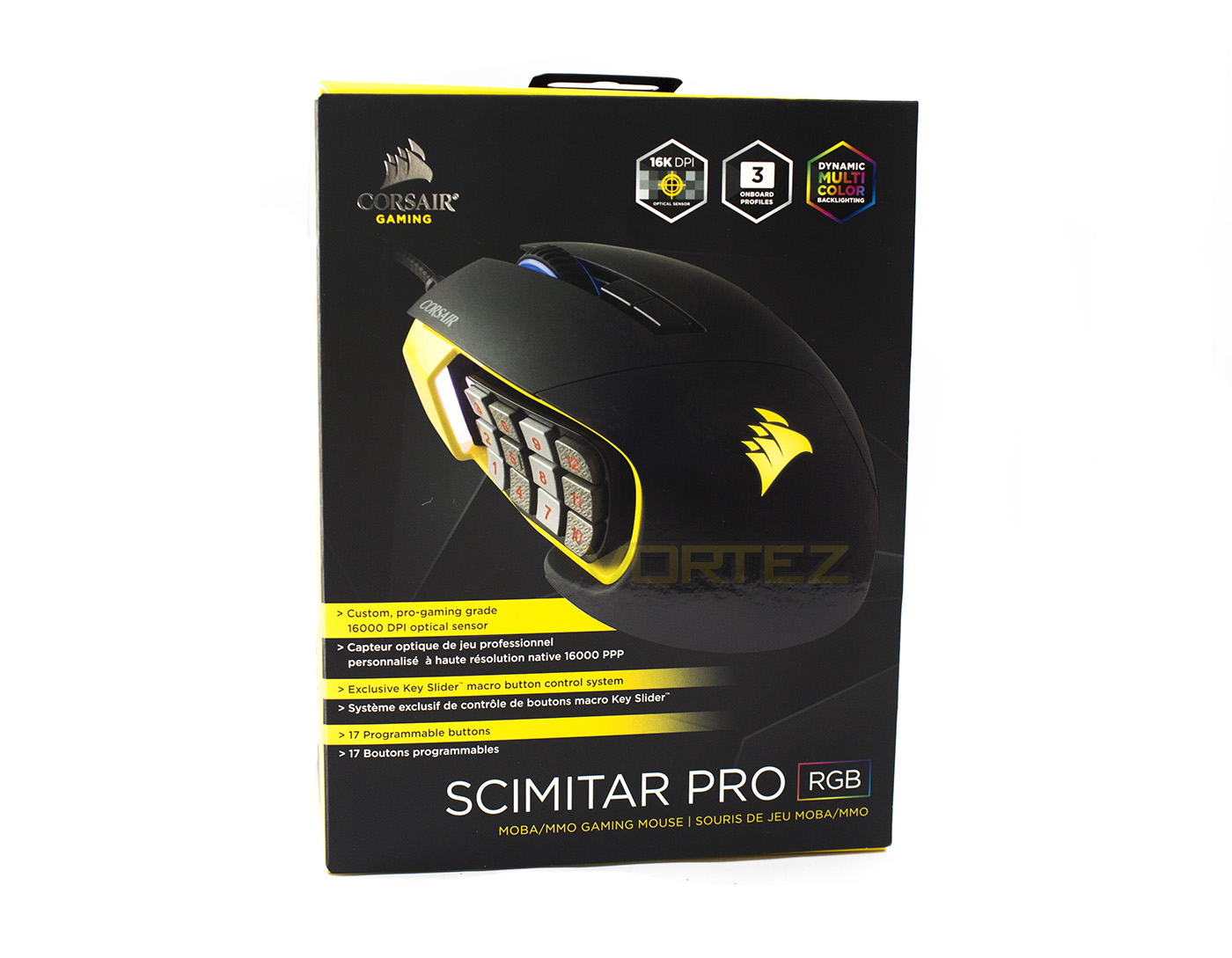
The packaging is clear and easy to identify as a Corsair product, featuring a large image of the product with information of its key features including the improved sensor, dynamic RGB lighting and its adjustable button grid.
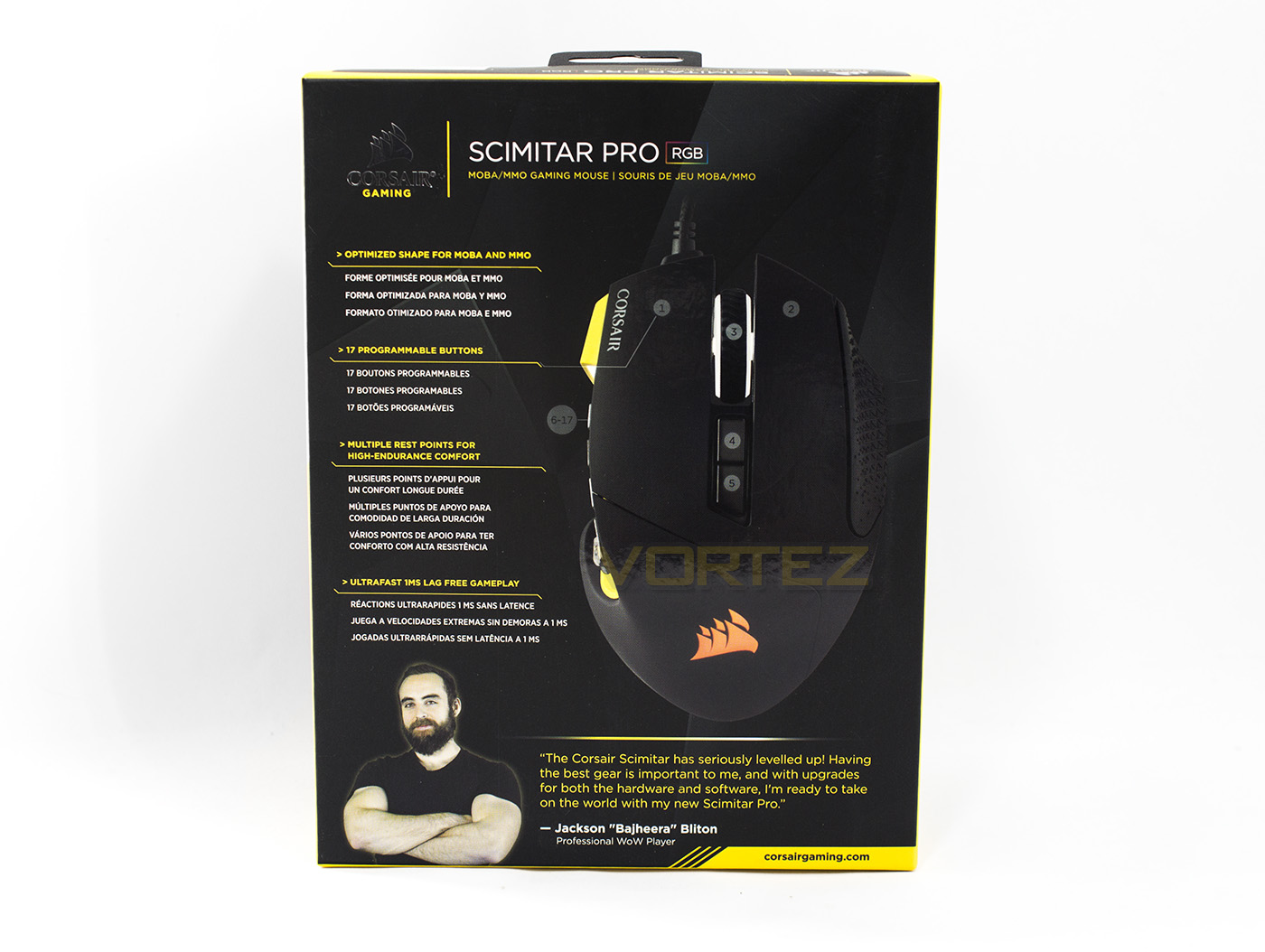
The rear side gives more details about its use as a MMO/MOBA mouse, programmability and ergonomic design.
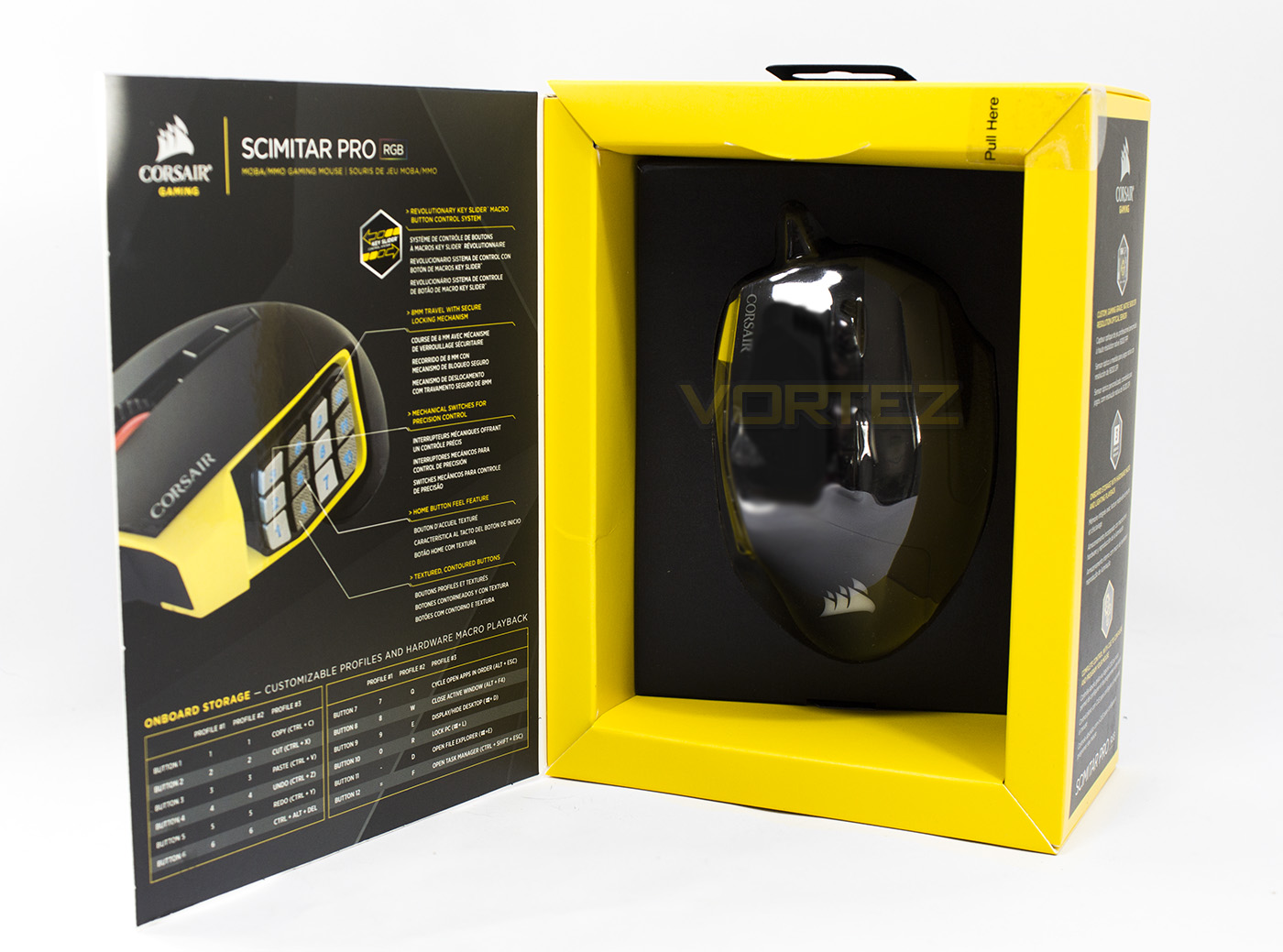
There is an opening front panel that reveals the product inside as well as giving further information about its onboard storage and default profiles.
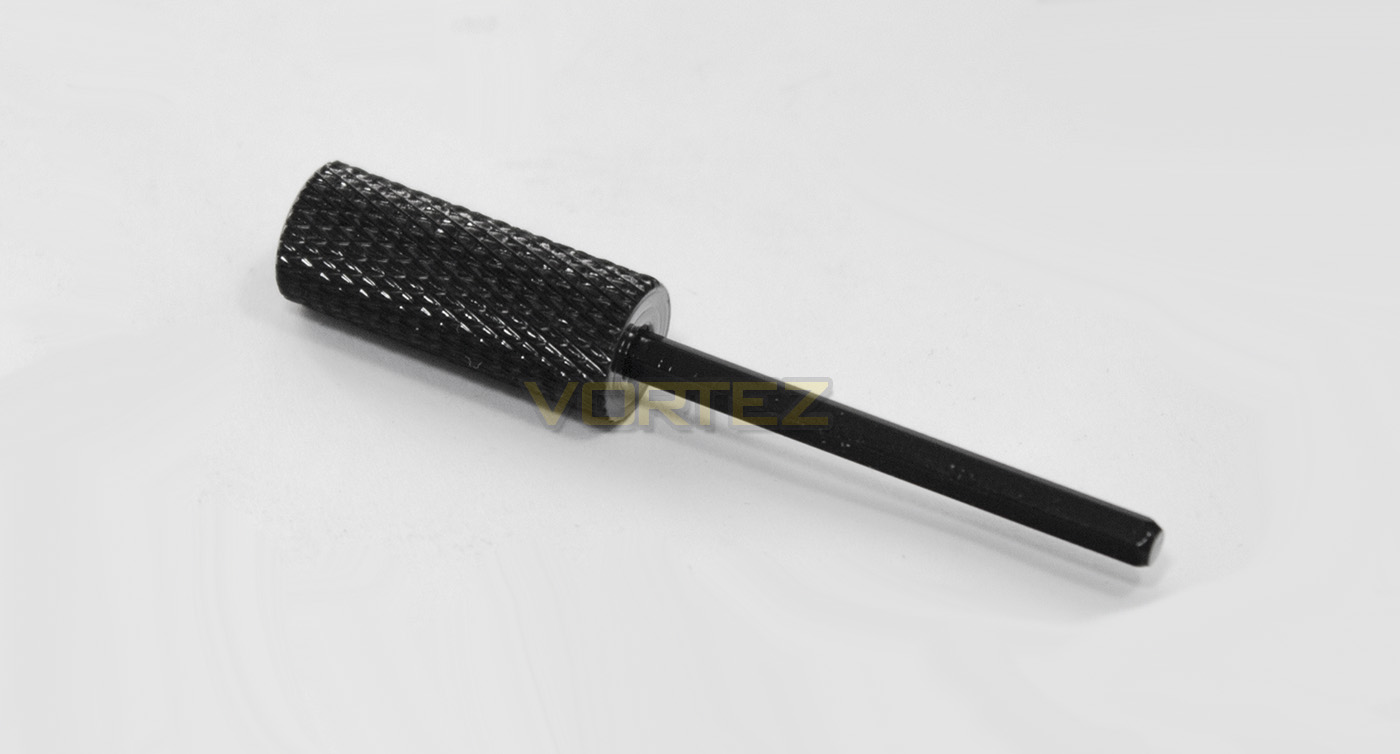
Inside the packaging, Corsair have included a thumb hex key that is used to adjust the position of the 12 mechanical buttons.
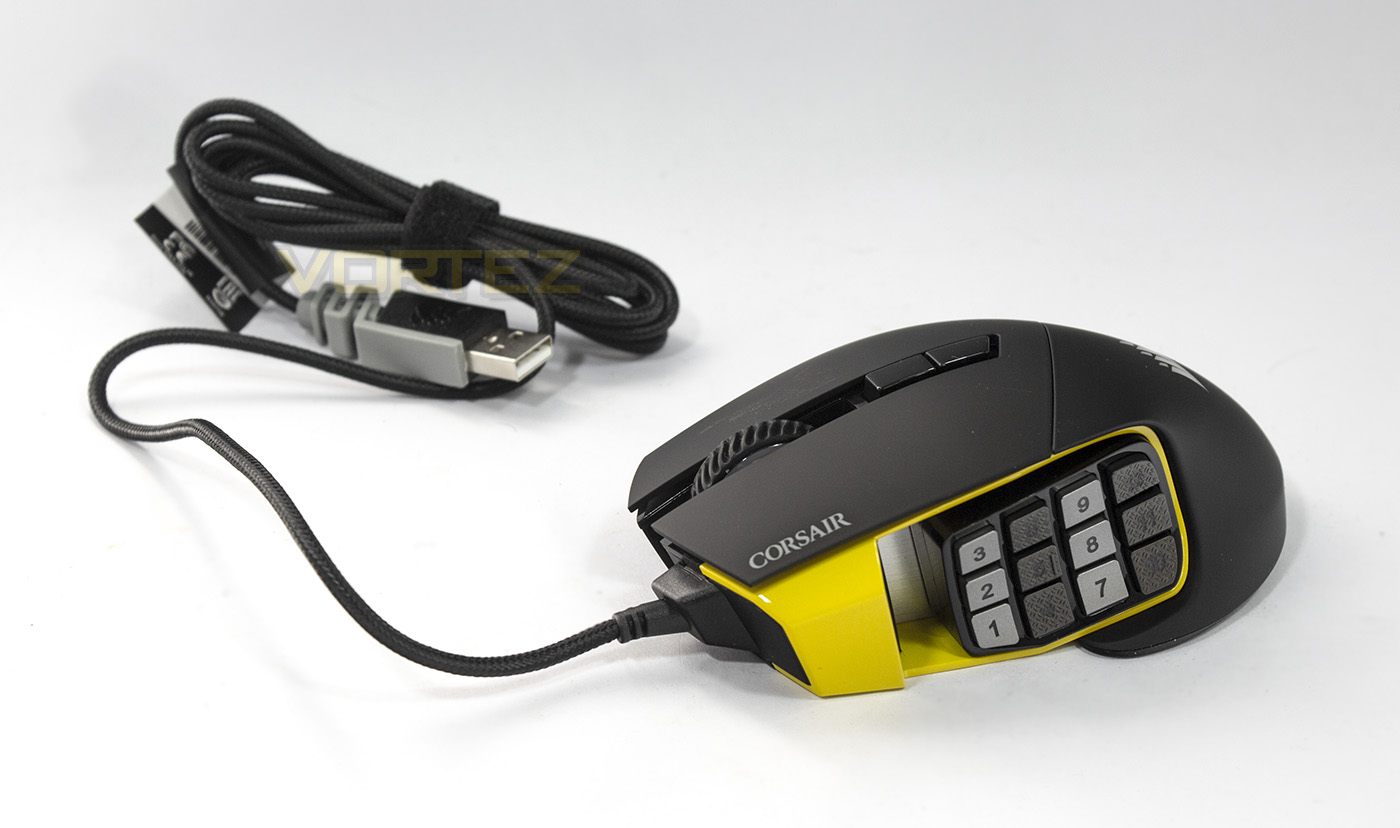
The Scimitar PRO RGB features a 1.8m long braided cable that is moderately flexible and feels of decent quality.
Closer Look
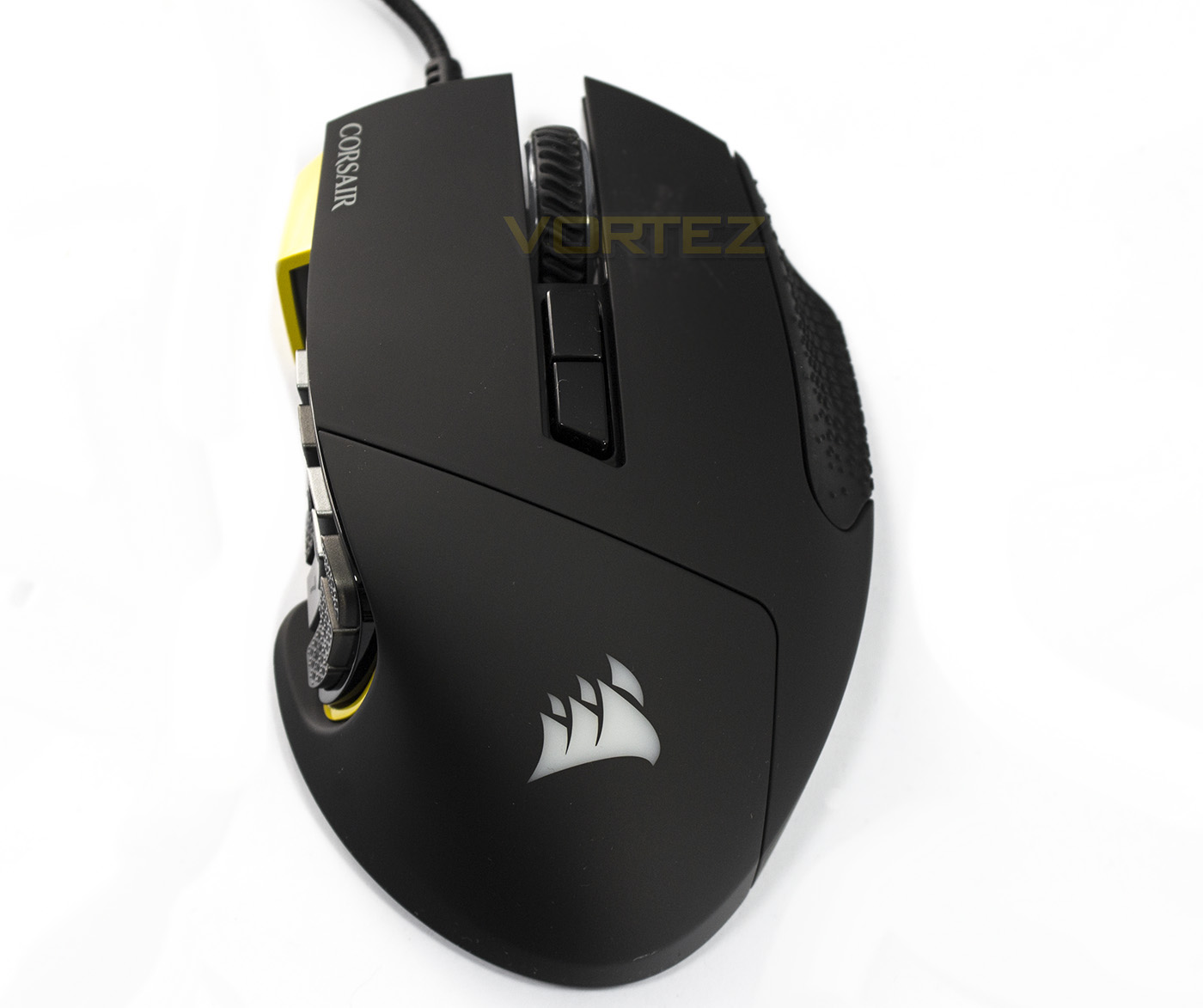
A birds eye view of the Scimitar PRO RGB shows off its ergonomic shame, with curves in place for the thumb, and additional resting places for the third finger. This view gives a good look at the mouse wheel, which has a textured rubber coating for extra grip, as well as the profile and DPI toggle buttons.
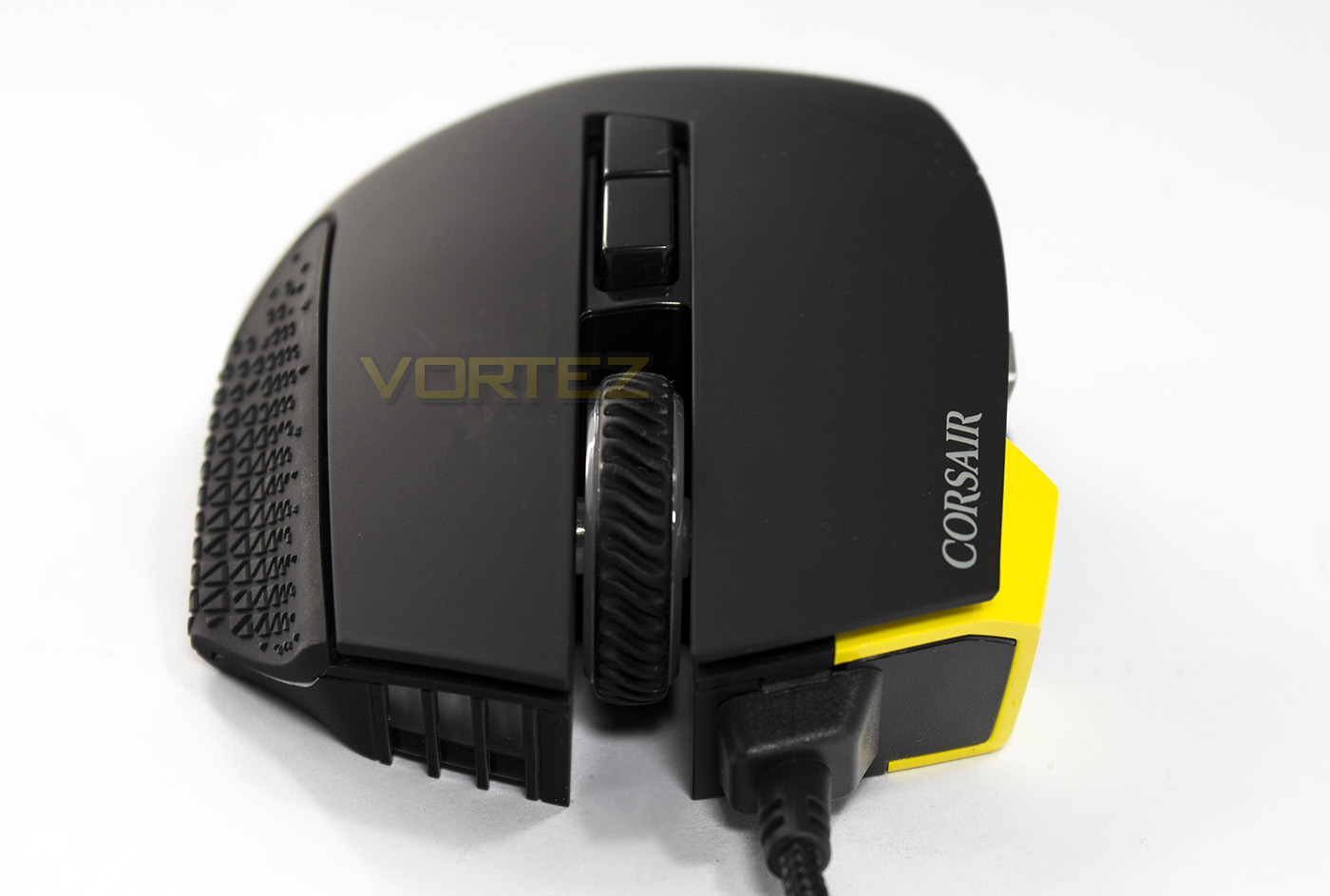
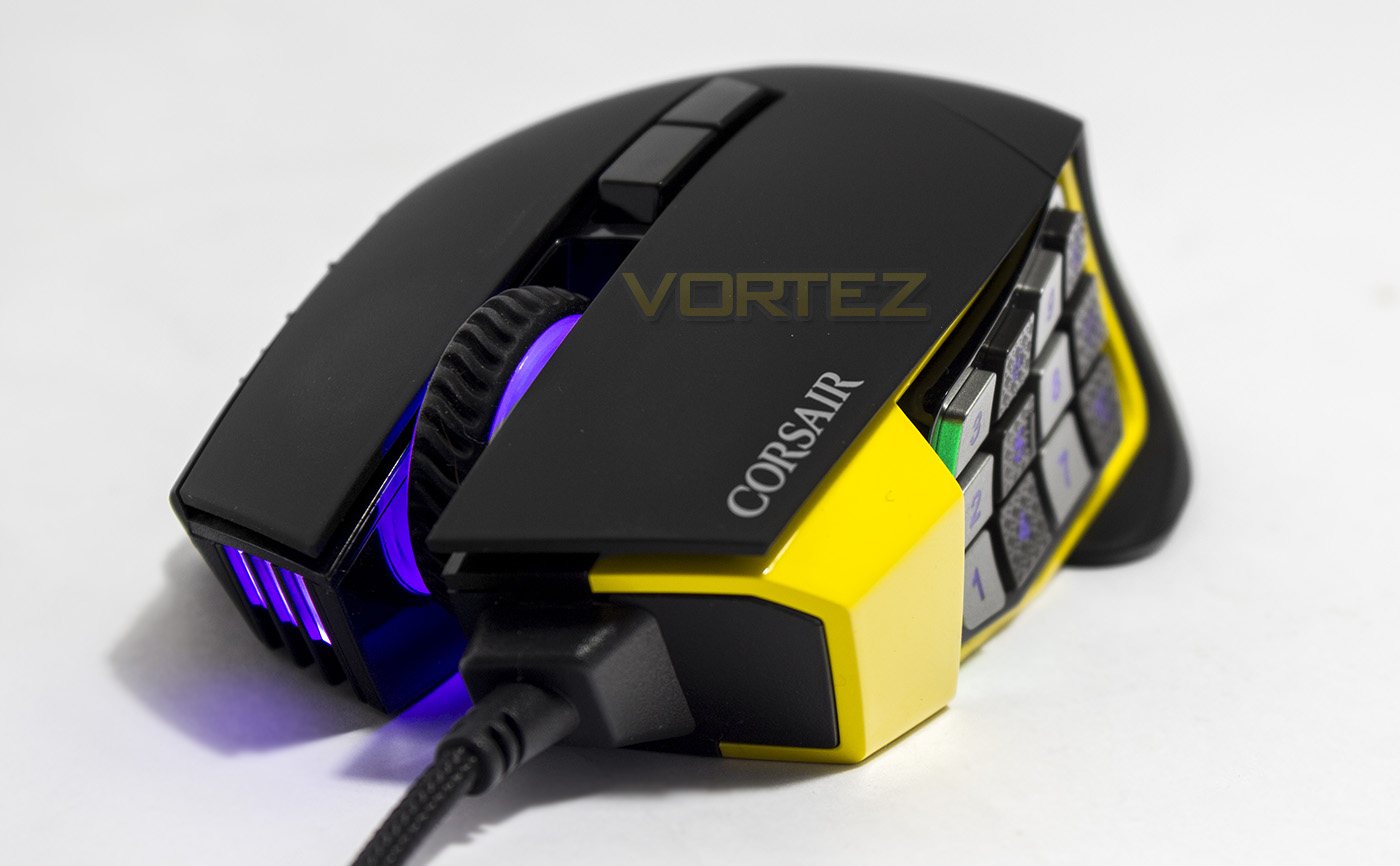
Face on, we get a good look at the open housed mouse wheel, with the cable coming off from the left side of the mouse. On the right side (to our left) is an additional forward facing lighting zone, making up two of the lighting zones (wheel, front).
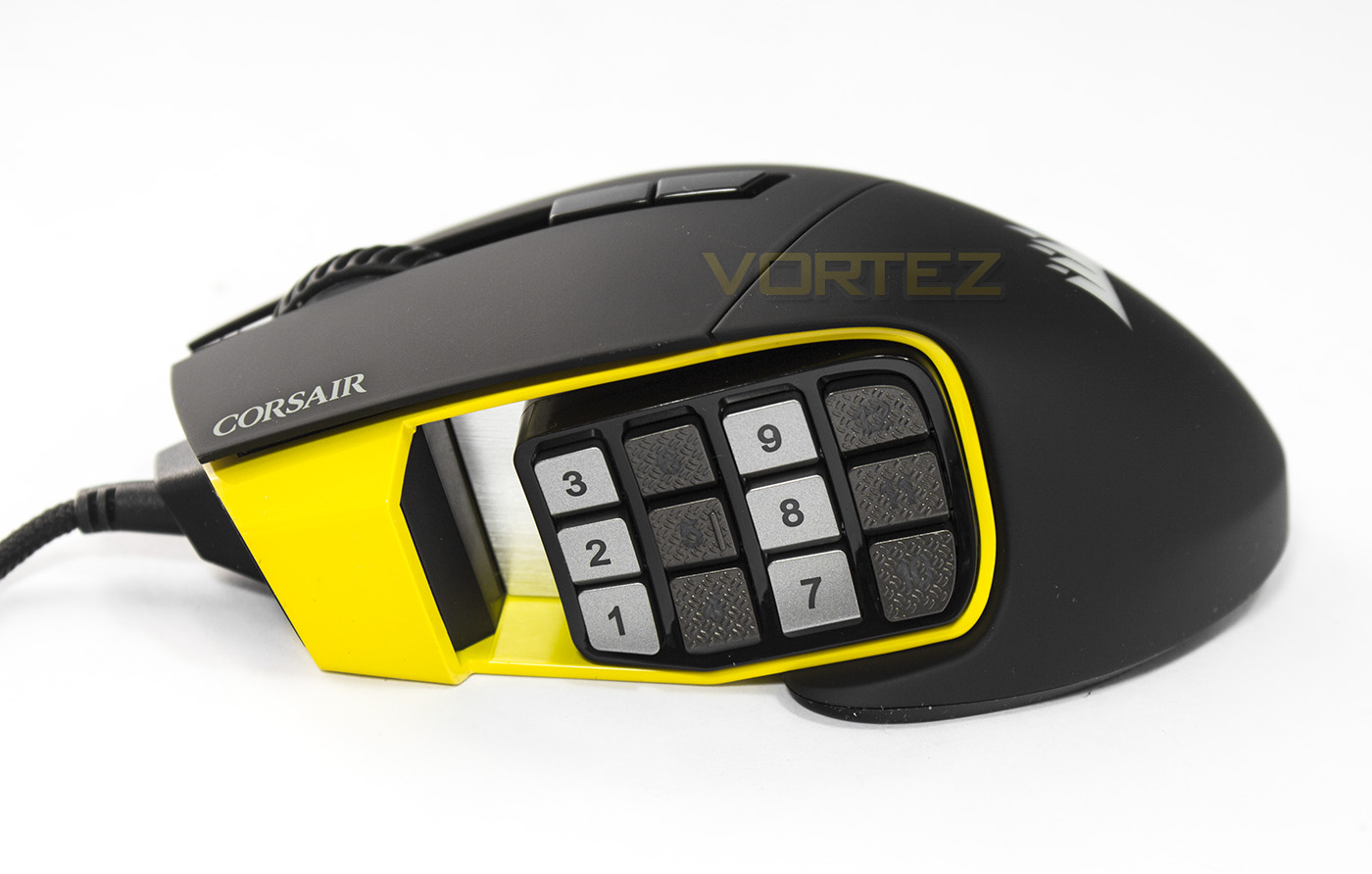
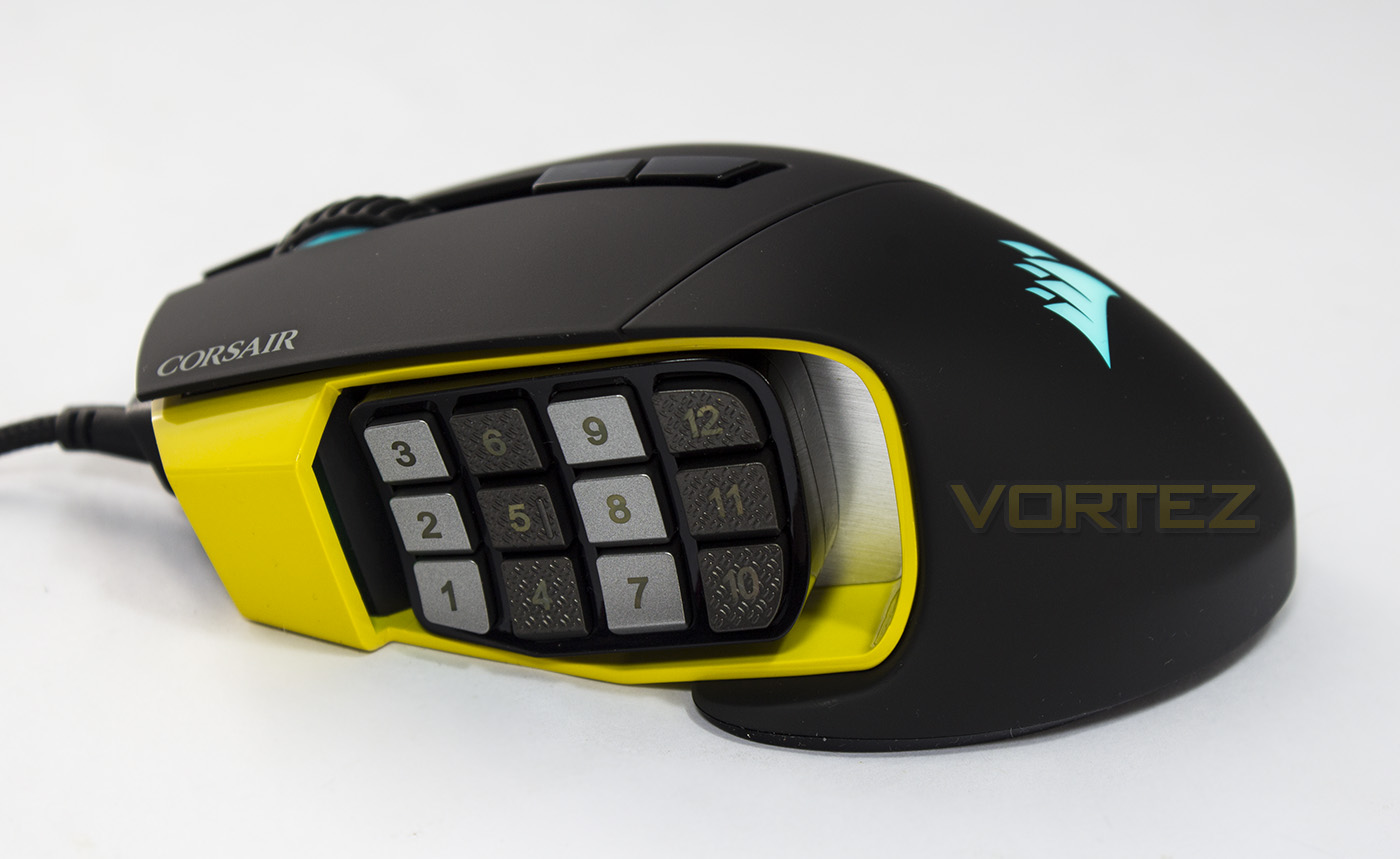
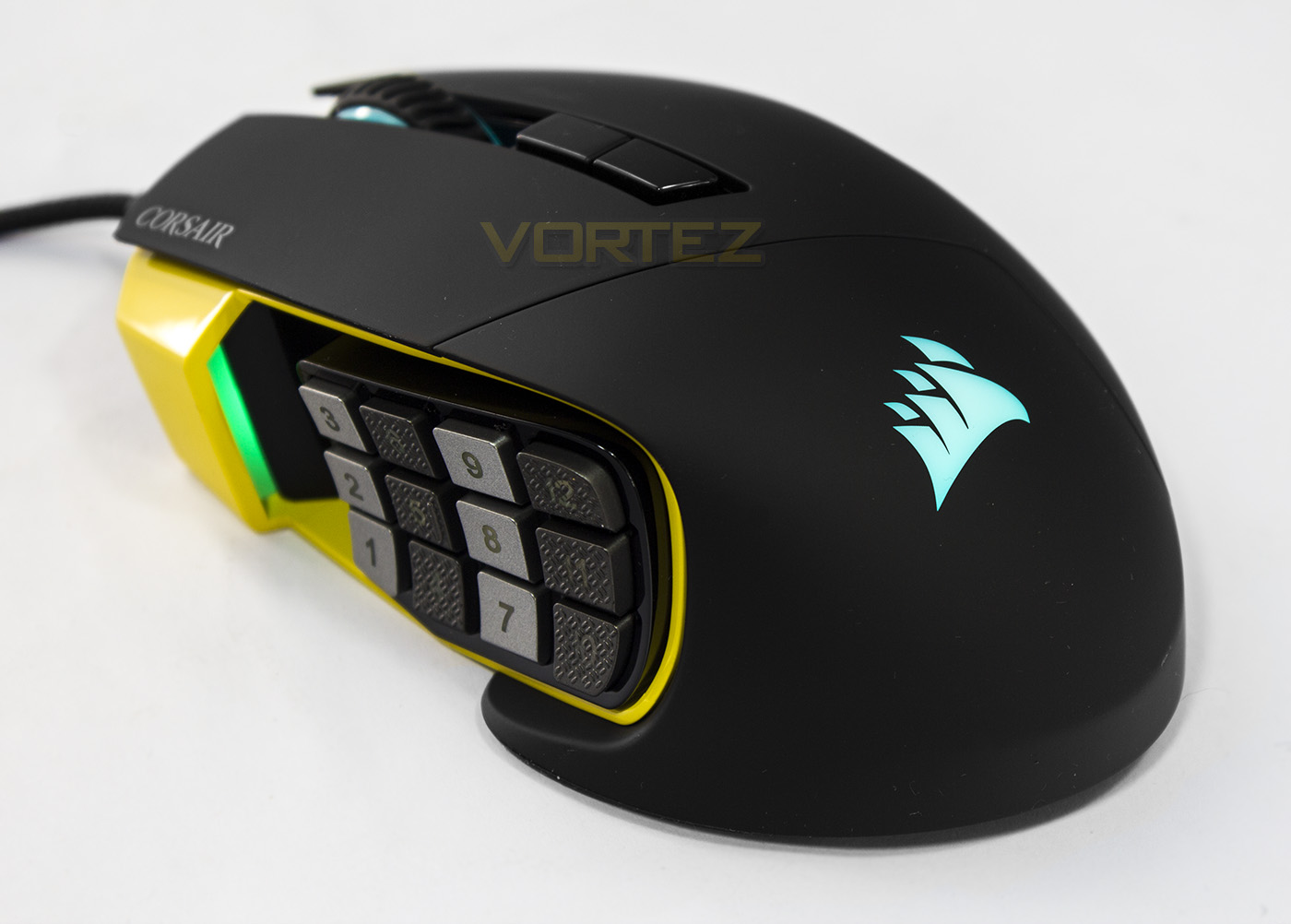
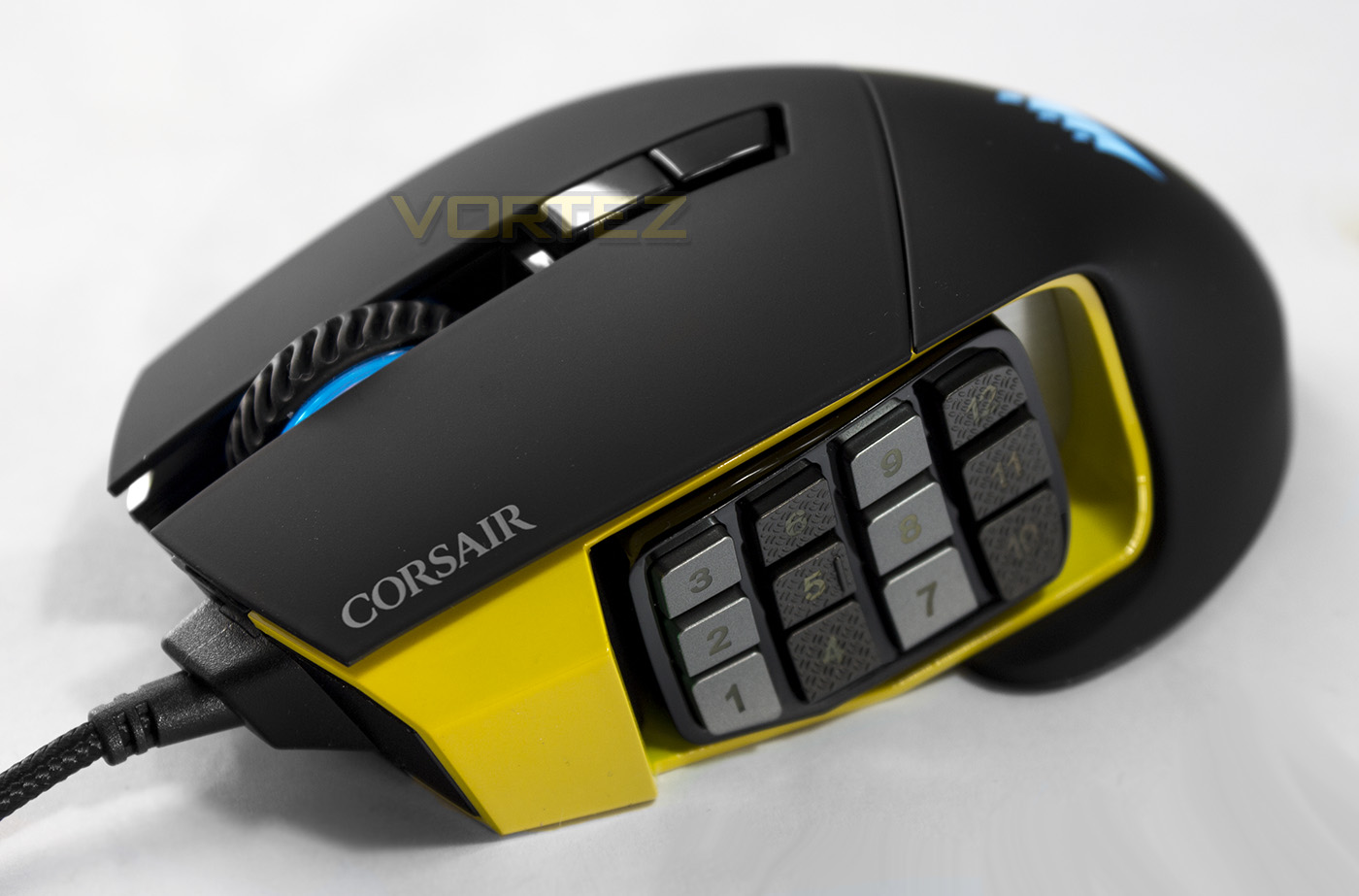
The 12 mechanical side buttons are arranged in a grid, each with a textured surface and can be moved forwards/backwards using the included hex key to loosen the screw on the underside. Just on the left, or to the front of the button grid, is a customisable DPI indicator LED.
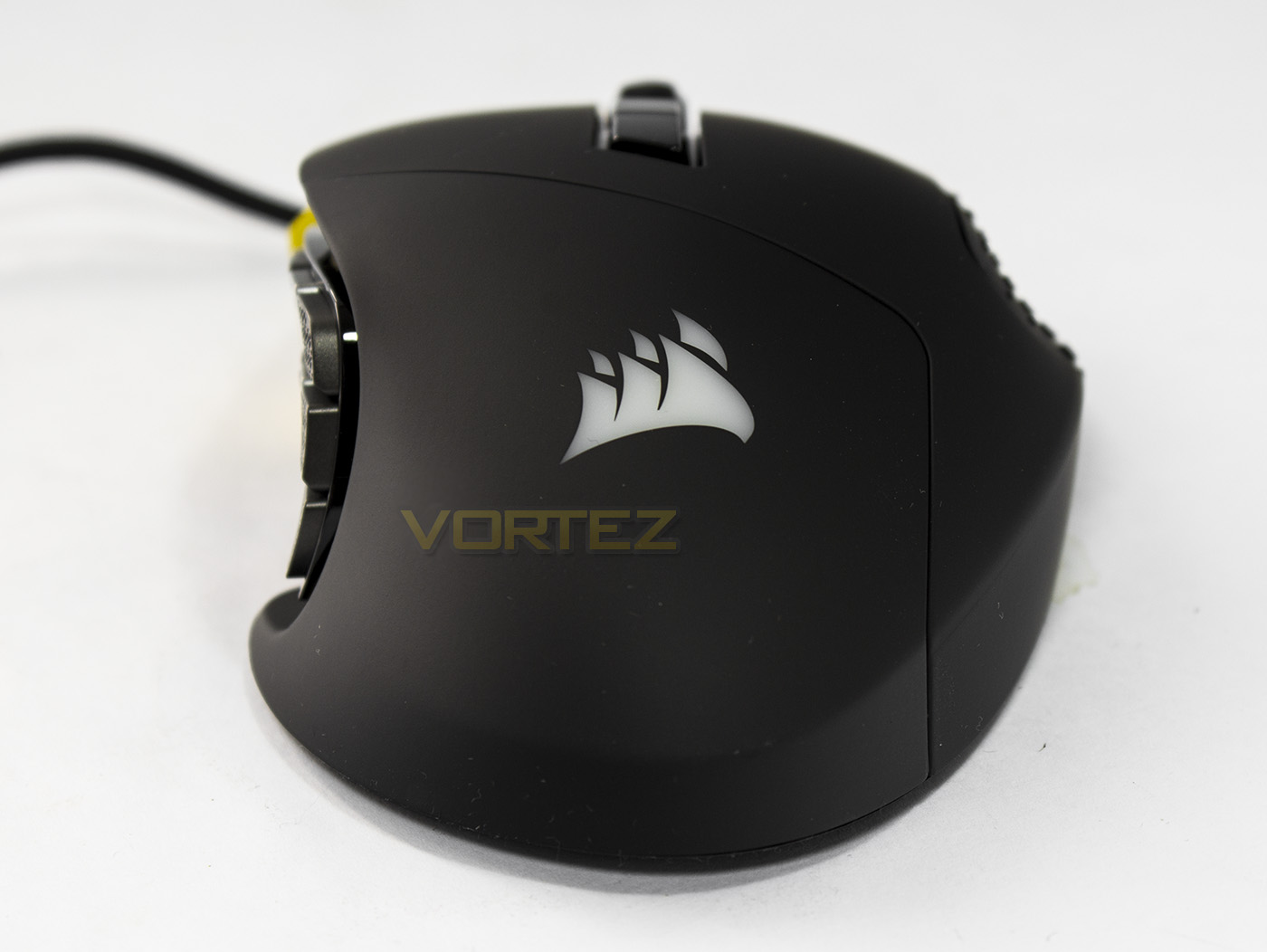
The rear side of the Scimitar PRO RGB has a rather narrow top, but as it is firmly grounded, unlike the Razer Naga Hex V2, it will fit in the palm nicely.
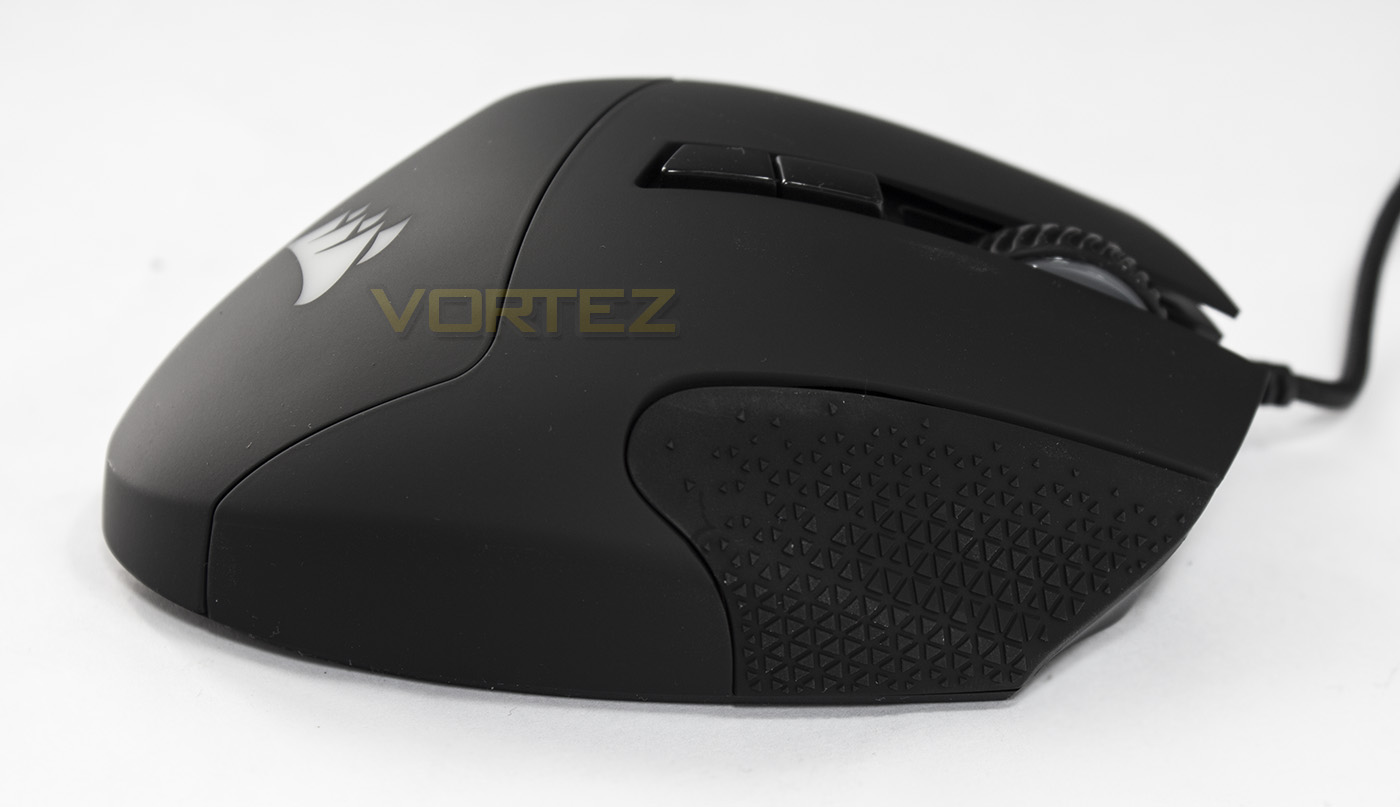
The right side has a resting area for your third finger which is rubberised with an interesting grip pattern.
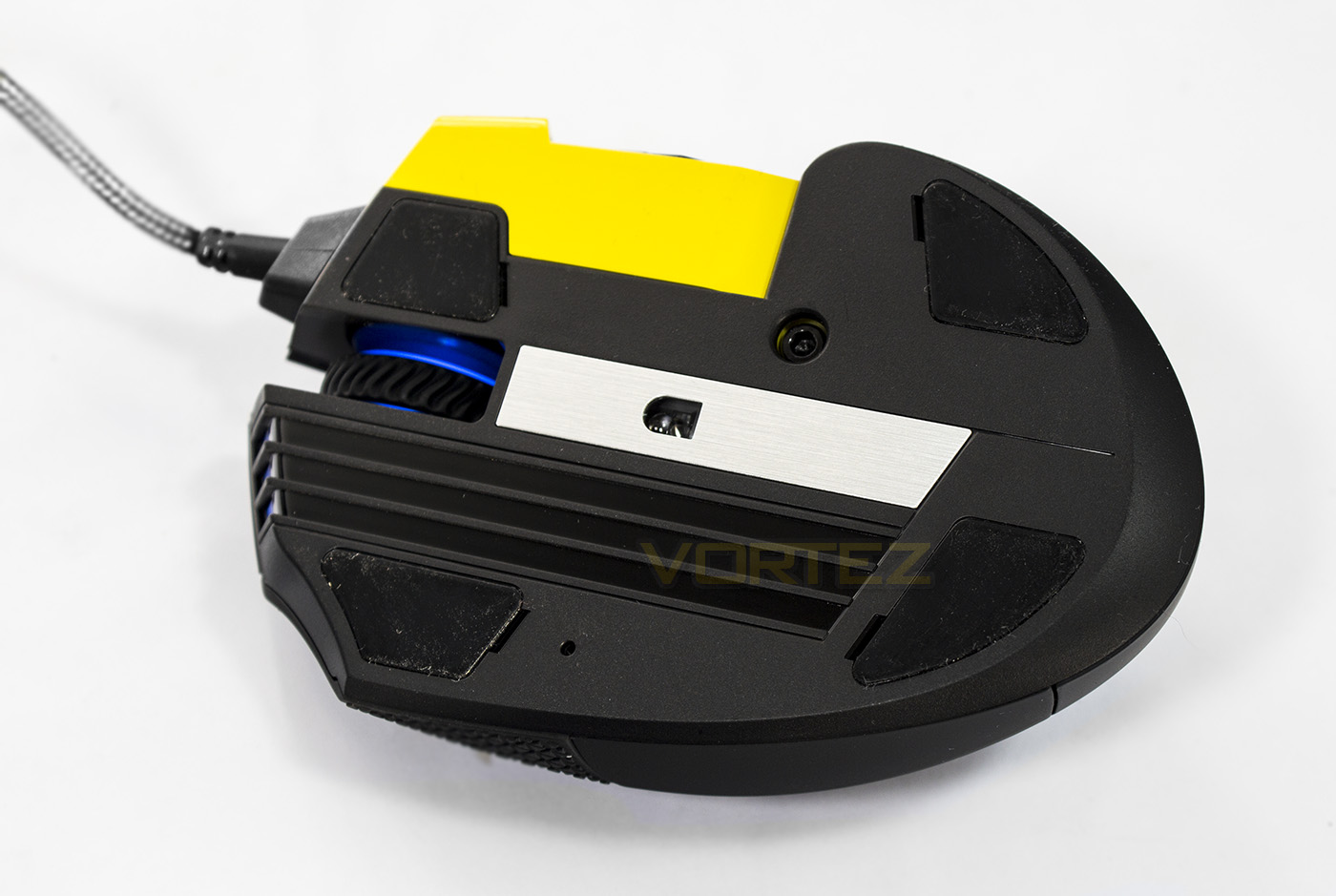
The base is rather wide, but has a noticeably smaller hold for the sensor when compared to the original Scimitar. The sensor is positioned centrally to the grip.
Software & Lighting
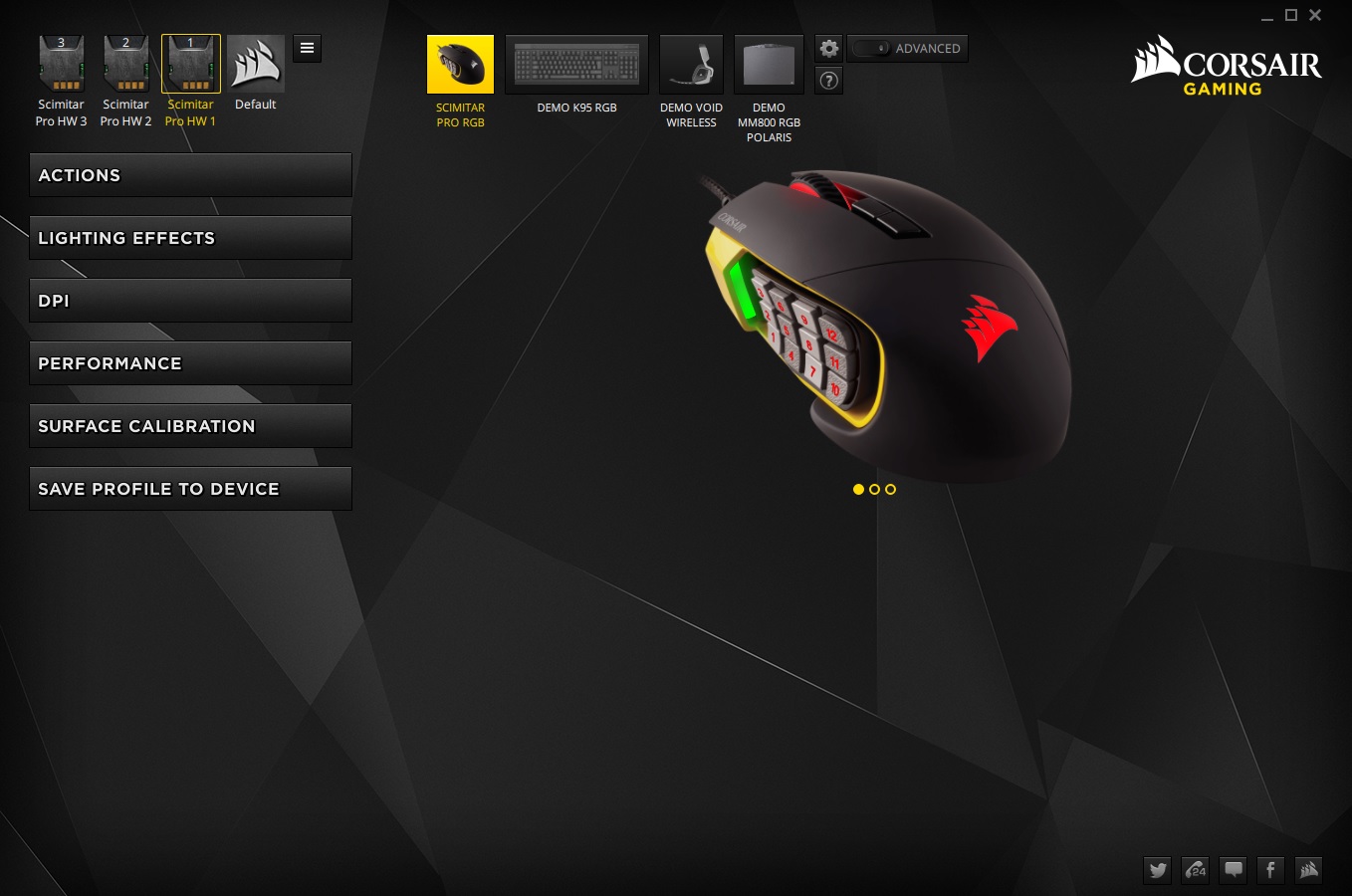
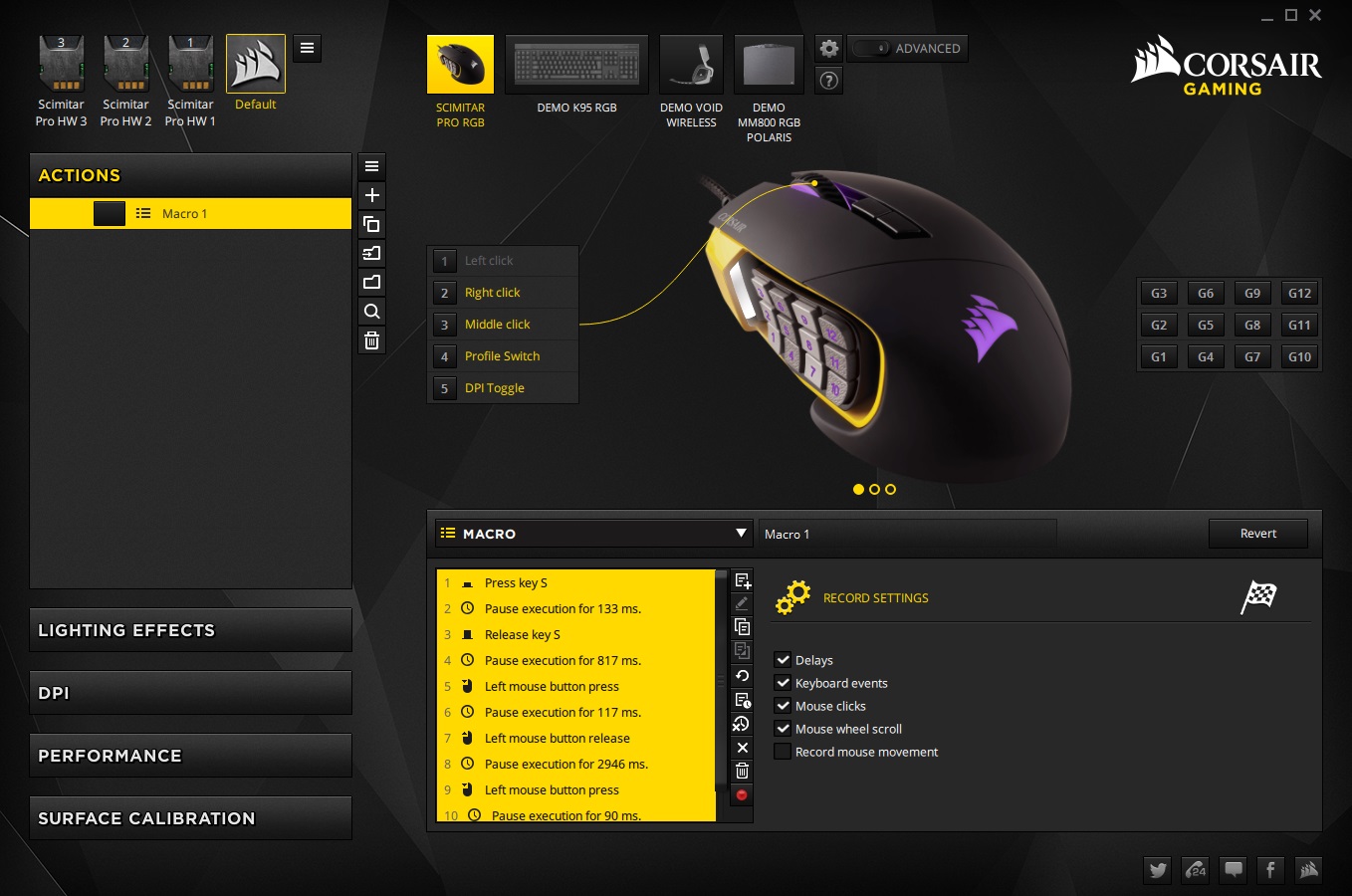
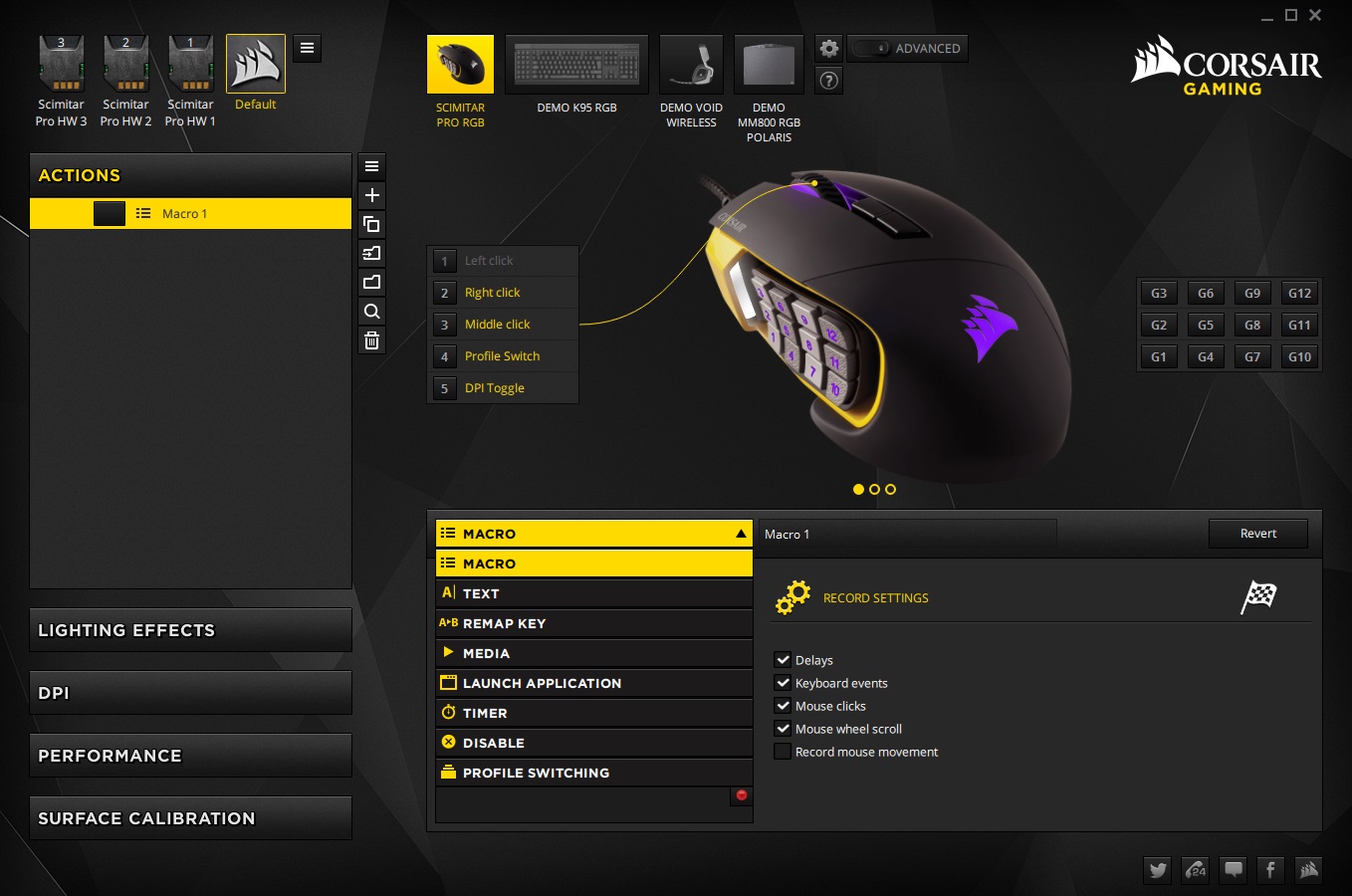
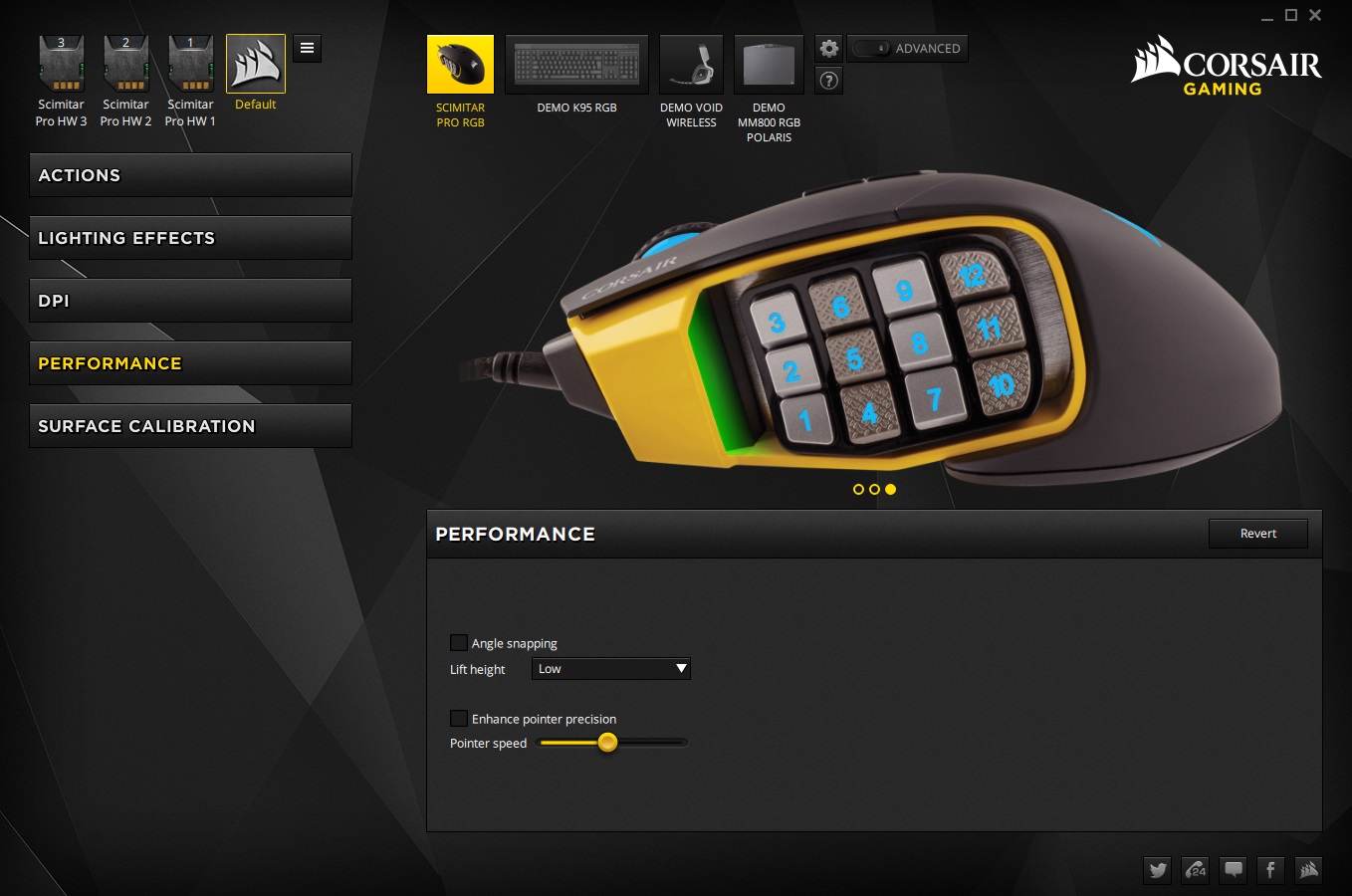
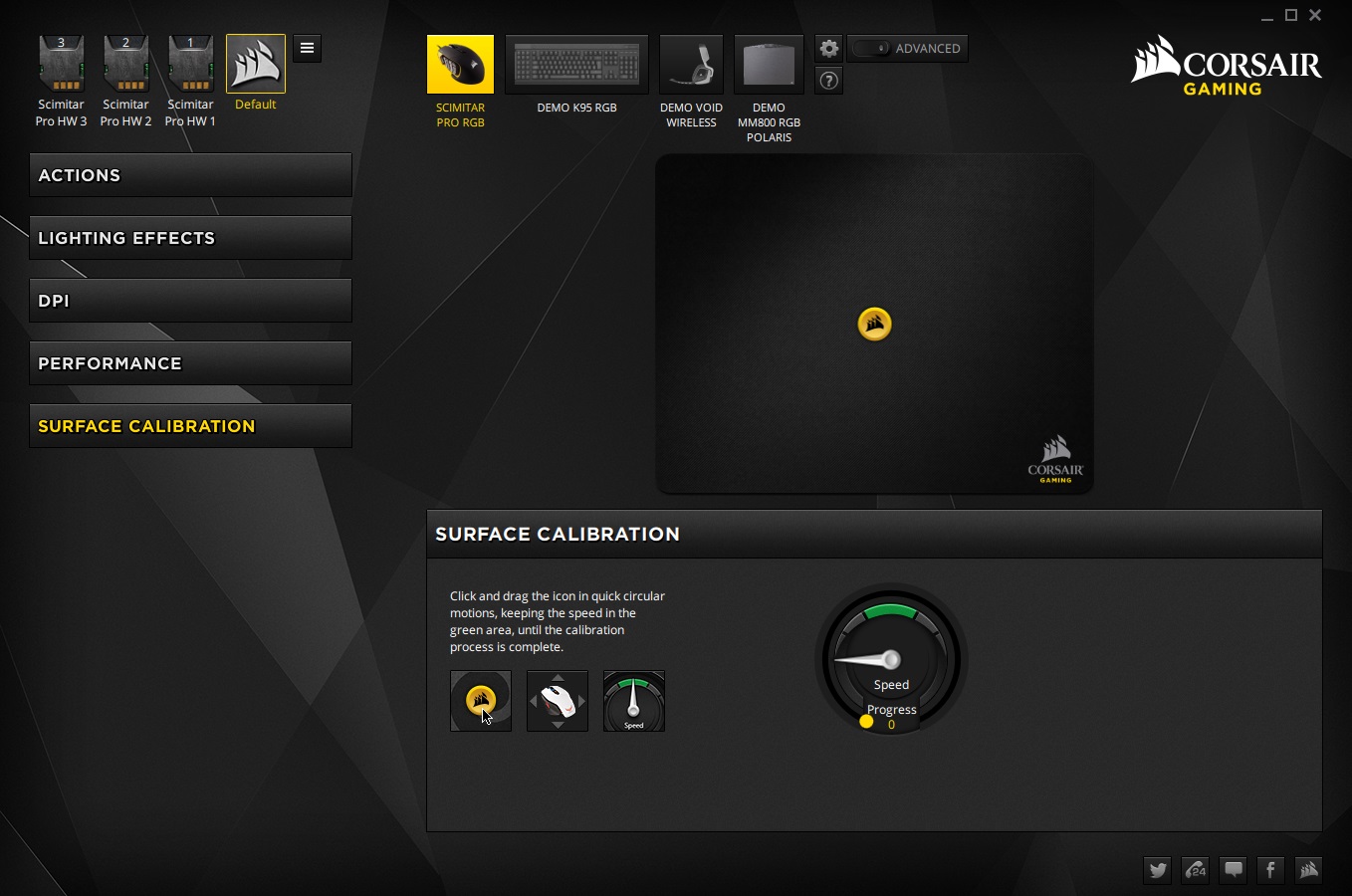
The Scimitar PRO RGB is supported by Corsair’s latest CUE software, which is a huge, huge improvement in regards to the GUI and usability, while not sacrificing any of its complex feature set. You can assign an action to all but the main left-click button, which entails many forms of programmable features including macros, shortcuts, media keys etc. The macro recorder is one of the most complex out there, though you need to ensure you have the keys assigned to be able to record their keystrokes, it can even record mouse movement and position! For your convenience there are 3 included profiles along with a default profile.
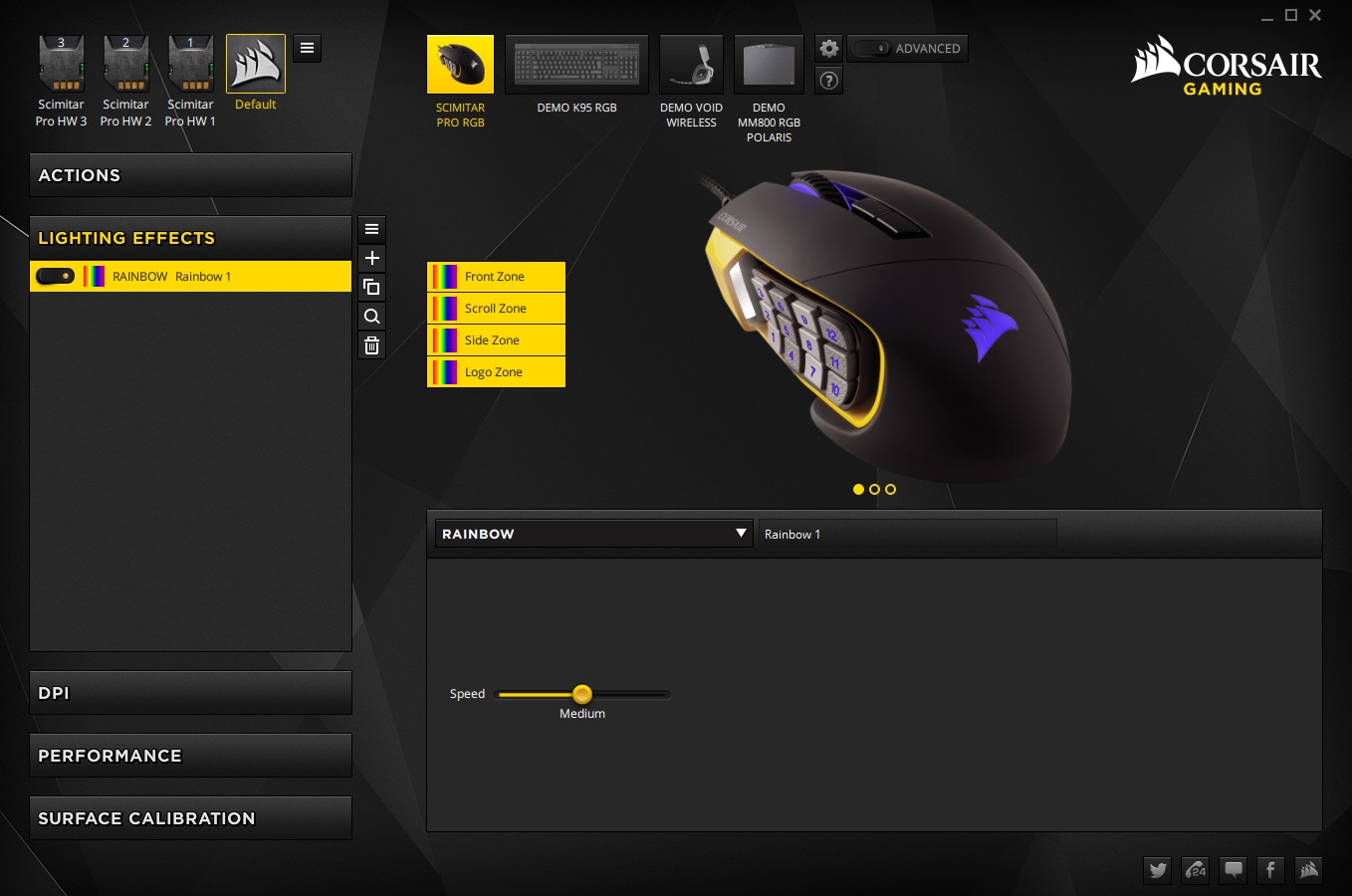
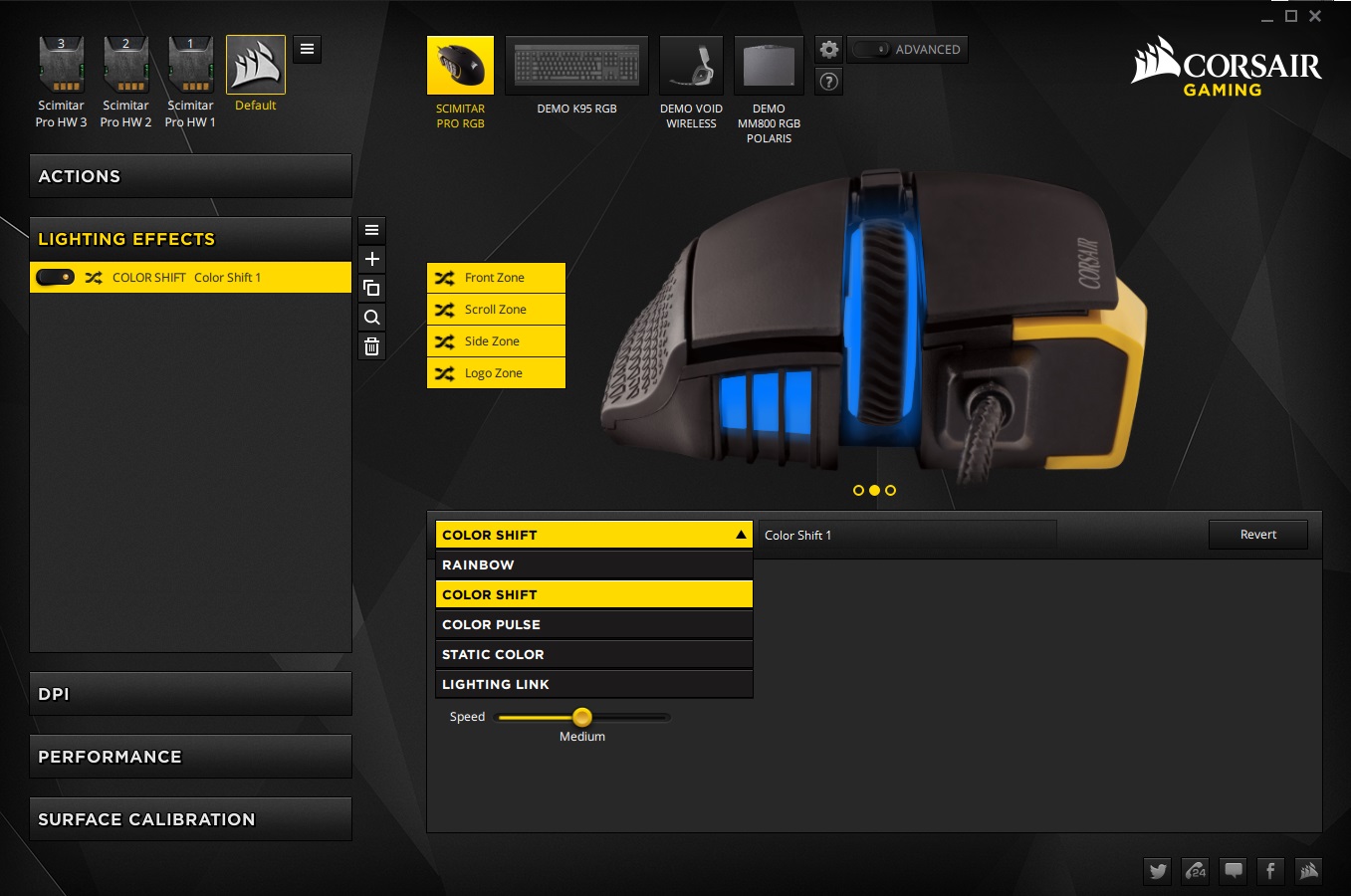
There are various lighting effects including static, breathing, colour shift, pulse, rainbow and lighting link (to sync with other Corsair RGB devices. The mouse has 4 primary lighting zone and the DPI indicator LED which are all customisable. The colours are vivid, bright and attractive, though not quite got the per-key lighting on each of the side buttons yet, its still fun to play with.
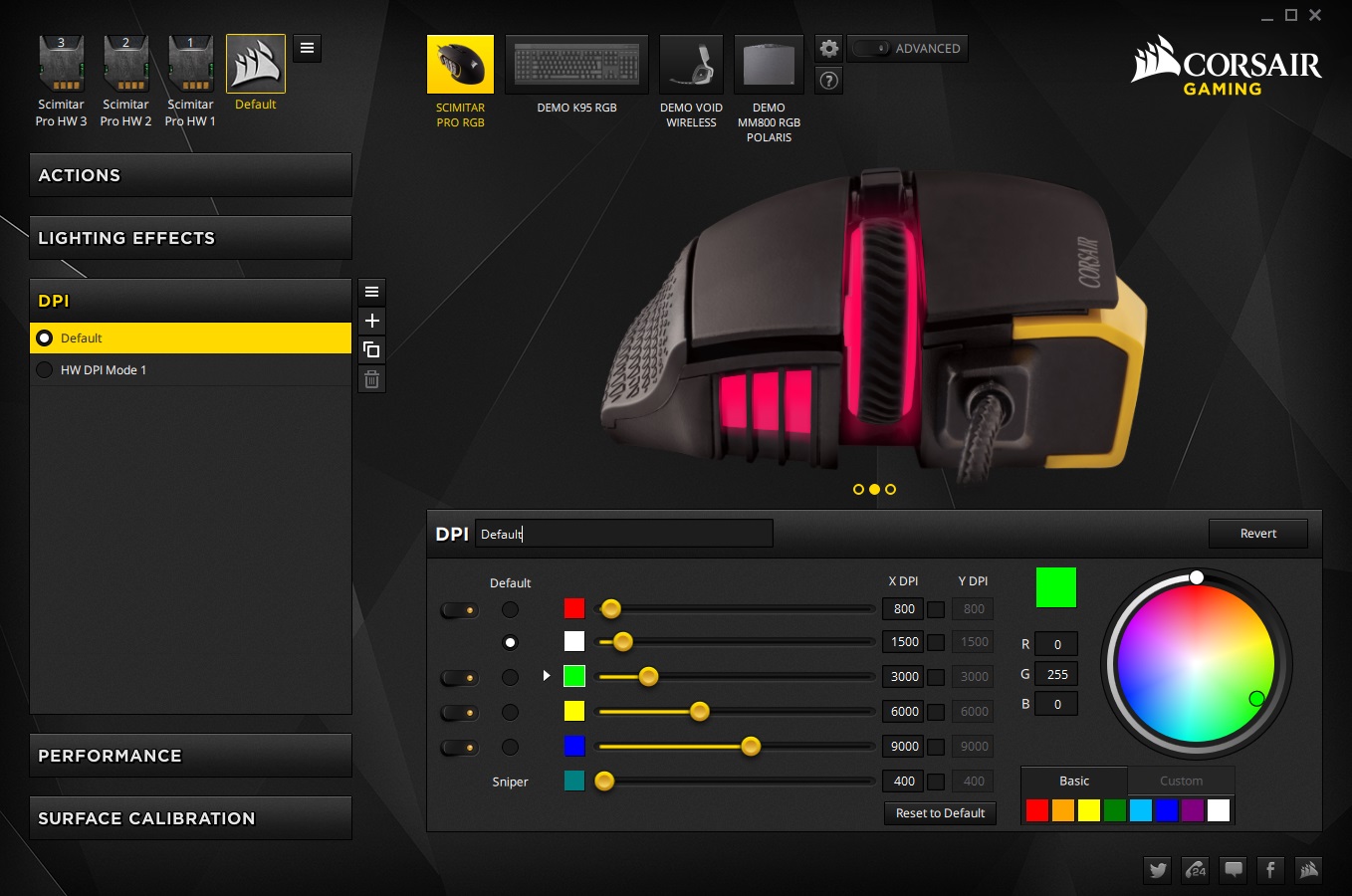
Other features include an adjustable lift-off distance, angle snapping, DPI adjustments including a sniper setting, and surface calibration.
Performance Testing
Setup, Design & Observations
Once you have plugged yourself into a spare USB port, away you go with the default profile. For access to the full feature set of the Scimitar PRO RGB you will need to install the Corsair Utility Engine.
Previously I think I was a little harsh on the comfort of the Scimitar. Though it does favour palm grip users, I found that it is comfortable for all grips types. Despite its heavy weight it is well balanced, meaning its not impossible for finger tippers to get used to it. Using a claw grip, I did notice the pointy butt, but unlike the Razer Naga Hex V2, it doesn’t create any discomfort. The mouse is wide, and deceptively shorter than one would expect. Because of this, I found that I preferred the button grid slid as far forward as it would go, but this will be entirely down to preference, the fact that you can do that is great. Though, there was no improvement with the tactile distinction between each individual key, meaning it feels like a homogeneous carpet of buttons making it rather difficult to tell which button is which while in game, aside from the obvious such as the top/bottom corner buttons.
Each of the primary buttons, the mouse wheel, and adjustment buttons feel of high quality, each giving an ideal response to being clicked.
Performance
Setting the Scimitar PRO RGB to its maximum DPI I found little to no Jitter at any point. Doing a rotation test made the cursor slide a little to the opposite direction to which it was being rotated. So rotating it left resulted in a small slide to the right, and vice-versa. The lift off distance, when set to low is around 1mm which is a nice height to prevent any spinning during re-adjustments. Testing it on various surfaces, we found that it tracked flawlessly on standard black fabric mouse mat, white paper, coloured paper, bare desk and card. It did struggle a little with glossy printed images and reflective surfaces, but this is an unlikely situation for most people.
The customisable keypad, and comfort of the Scimitar PRO as well as its precision made it very fun to use in DOTA2, Eldar Scrolls Online: Tamriel Unlimited, and of course will suit MMO fans perfectly. Thanks to its precision it has no problem doing the odd FPS session too.
Conclusion
On our first outing with the Scimitar RGB mouse, it was easy to dismiss the keyslide feature as a gimmick, but the Scimitar PRO RGB reaffirms that it is useful for ensuring compatibility with the grip styles of the various people wishing to use it. Gone is the slightly jittery implementation of the previous sensor, with now a smooth, and precise 16K DPI sensor that performed flawlessly in our gaming tests. The RGB lighting is attractive and fun, but pales in comparision of the high level of programmability afforded by the CUE software.
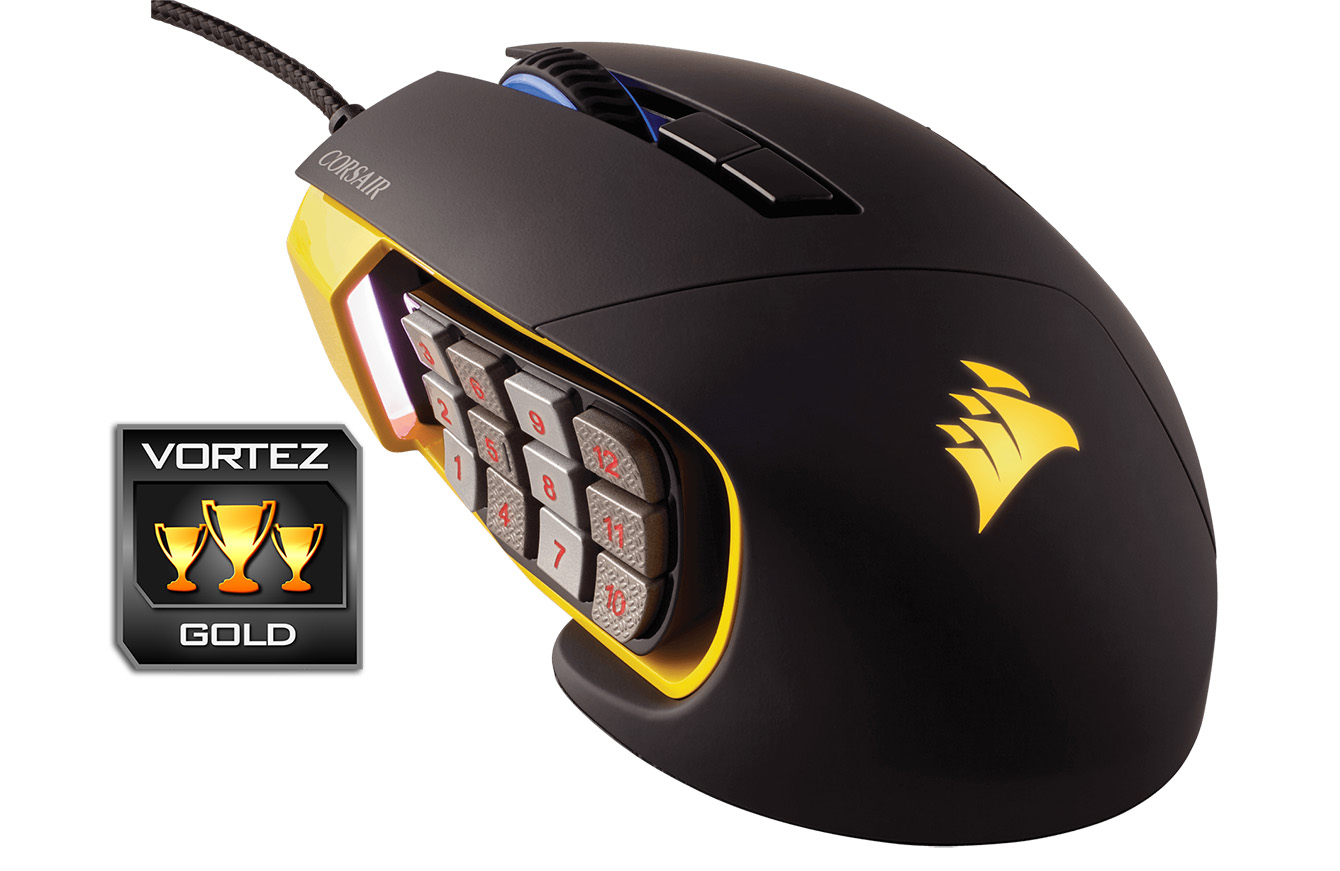
This time round it feels very petty to pick up on any real negatives. Some may not like the shape of the mouse, some may not like the weight. But these are always compromises when you consider that there is an additional 12 mechanical keys strapped to the side, and despite that, Corsair have managed to balance the weight of the side buttons near perfect, enabling a good grip and control in game.
The only thing I can think of is that Corsair need to improve the tactle differentiation of each of the side keys for a better awareness as to which button is which. Aside from that, This could be as close to perfect an MMO mouse can be right now and we have been wholly impressed by what a few subtle tweaks can do. Highly recommended.
The Corsair Scimitar PRO RGB has become a monster gaming mouse, its customisability, comfort, quality and precision make it a must have for any MMO fan.
Pros.
+ Comfortable
+ Available in Yellow or Black designs
+ Precise sensor
+ Top quality Construction
+ Attractive aesthetics + RGB lighting
+ Onboard memory
+ Adjustable key slider
+ NEW CUE GUI!
Cons.
– Side buttons need more differentiation
+ Comfortable
+ Available in Yellow or Black designs
+ Precise sensor
+ Top quality Construction
+ Attractive aesthetics + RGB lighting
+ Onboard memory
+ Adjustable key slider
+ NEW CUE GUI!
Cons.
– Side buttons need more differentiation
Click here for an explanation of our awards at Vortez.net.