The previous generation of the STRAFE keyboard impressed us greatly, so how does a newly revised MK.2 version stand up in today’s market?

Product on Review: Corsdair STRAFE RGB MK.2
Manufacturer: Corsair
Street Price: £149.99 / $139.99
Corsair have completely cemented themselves at the top of the gaming keyboard scene, offering multiple different variations of their keyboards allowing gamers the ultimate in choice when it comes to their favourite past time.
Today we look at the Corsair STRAFE RGB MK.2, a tweaked and improved keyboard with all of the best features being carried over from the previous iteration.
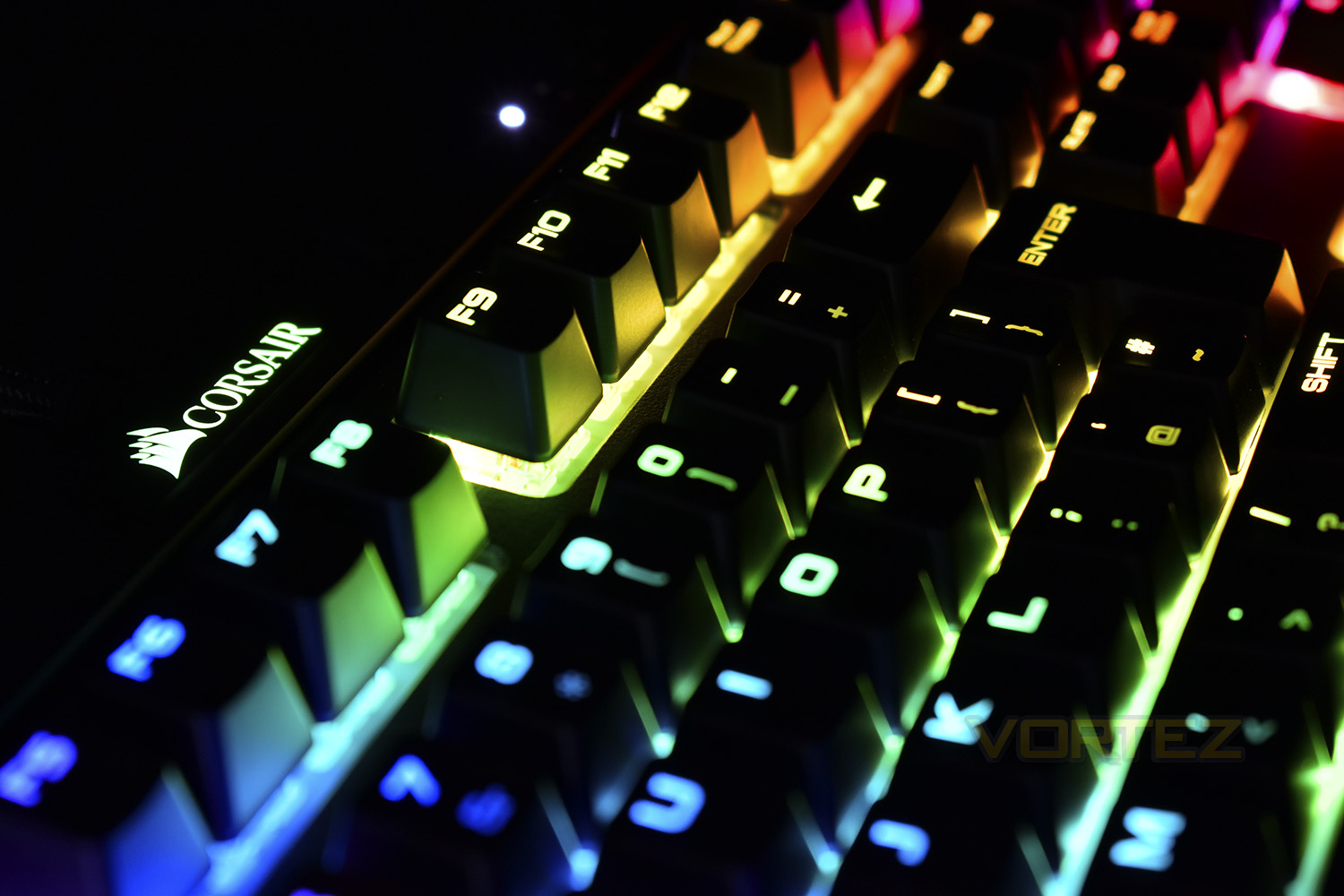
The STRAFE RGB MK.2 arrives at a price point very similar to the K70 RGB MK.2 that we reviewed last week, and also seems to share a lot of the same attributes, so we’ll delve into that a little deep and see why they’re similar in so many ways, and more importantly, find out what’s different.
Our STRAFE RGB MK.2 sample is equipped with the Cherry MX Silent key switches and plenty of other gamer-friendly features, such as Full N-Key Rollover, 1000Hz polling, read on for an in-depth look.
Corsair on the STRAFE RGB MK.2:
The next-generation CORSAIR STRAFE RGB MK.2 mechanical keyboard features 100% CHERRY MX Silent RGB keyswitches for key presses that are up to 30% quieter, alongside 8MB onboard profile storage to take your gaming profiles with you.
Technical Specifications
Weight: 1.46kg
Keyboard Backlighting: RGB
Keyboard Layout: NA
HID Keyboard Report Rate: 1000Hz
Key Switches: Cherry® MX Red/Cherry® MX Silent
USB Pass-through: USB 2.0 Type-A
Matrix: 104 Keys
Keyboard Connectivity: Wired
Adjustable Height: Yes
Additional colored and textured keycaps: FPS/MOBA
Media Controls YN: Yes
Keyboard Type Size: STRAFE
Keyboard Product Family: STRAFE
Keyboard Rollover: Full Key (NKRO), 100% anti-ghosting
Size(Full/TKL): Full Size
Wired Connectivity: USB 2.0 Type-A
WIN Lock: Yes
Media Keys Dedicated Buttons: (Stop, Previous, Play/Pause, Next)
Wrist Rest Included, detachable, with soft touch finish
Keyboard CUE Software Supported in CUE 2.x
Keyboard Cable Type: Braided
Keyboard Warranty: Two Years
Keyboard Backlighting: RGB
Keyboard Layout: NA
HID Keyboard Report Rate: 1000Hz
Key Switches: Cherry® MX Red/Cherry® MX Silent
USB Pass-through: USB 2.0 Type-A
Matrix: 104 Keys
Keyboard Connectivity: Wired
Adjustable Height: Yes
Additional colored and textured keycaps: FPS/MOBA
Media Controls YN: Yes
Keyboard Type Size: STRAFE
Keyboard Product Family: STRAFE
Keyboard Rollover: Full Key (NKRO), 100% anti-ghosting
Size(Full/TKL): Full Size
Wired Connectivity: USB 2.0 Type-A
WIN Lock: Yes
Media Keys Dedicated Buttons: (Stop, Previous, Play/Pause, Next)
Wrist Rest Included, detachable, with soft touch finish
Keyboard CUE Software Supported in CUE 2.x
Keyboard Cable Type: Braided
Keyboard Warranty: Two Years
Packaging & First Look
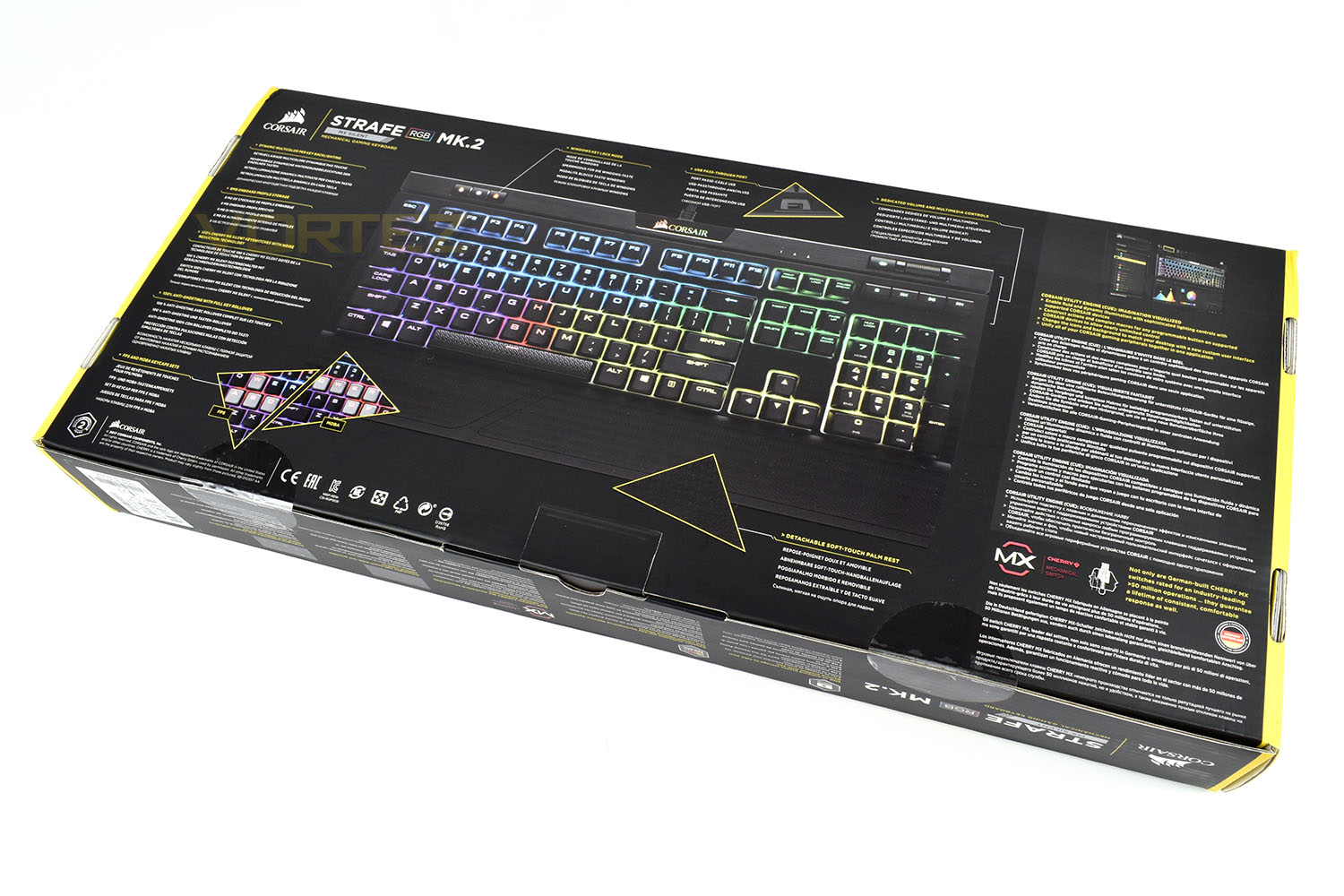
In direct keeping with Corsair’s packaging style, we get the typical black and yellow box with RGB effects. The front shows a detailed picture of the STRAFE MK.2 along with plenty of information about the keyboard.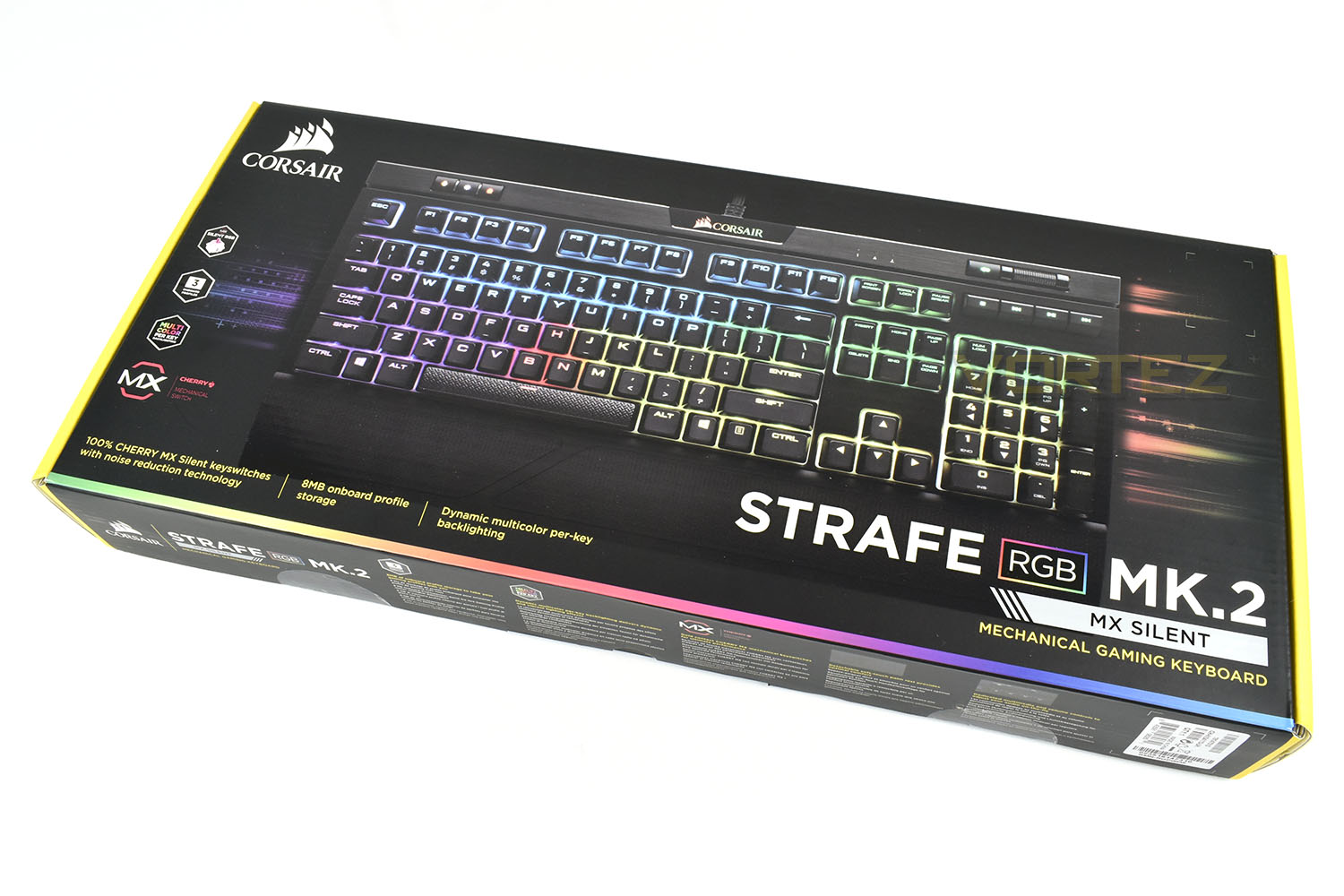
The reverse side is swamped with material, but laid out in a neat manner to help the potential customer find the information they require.
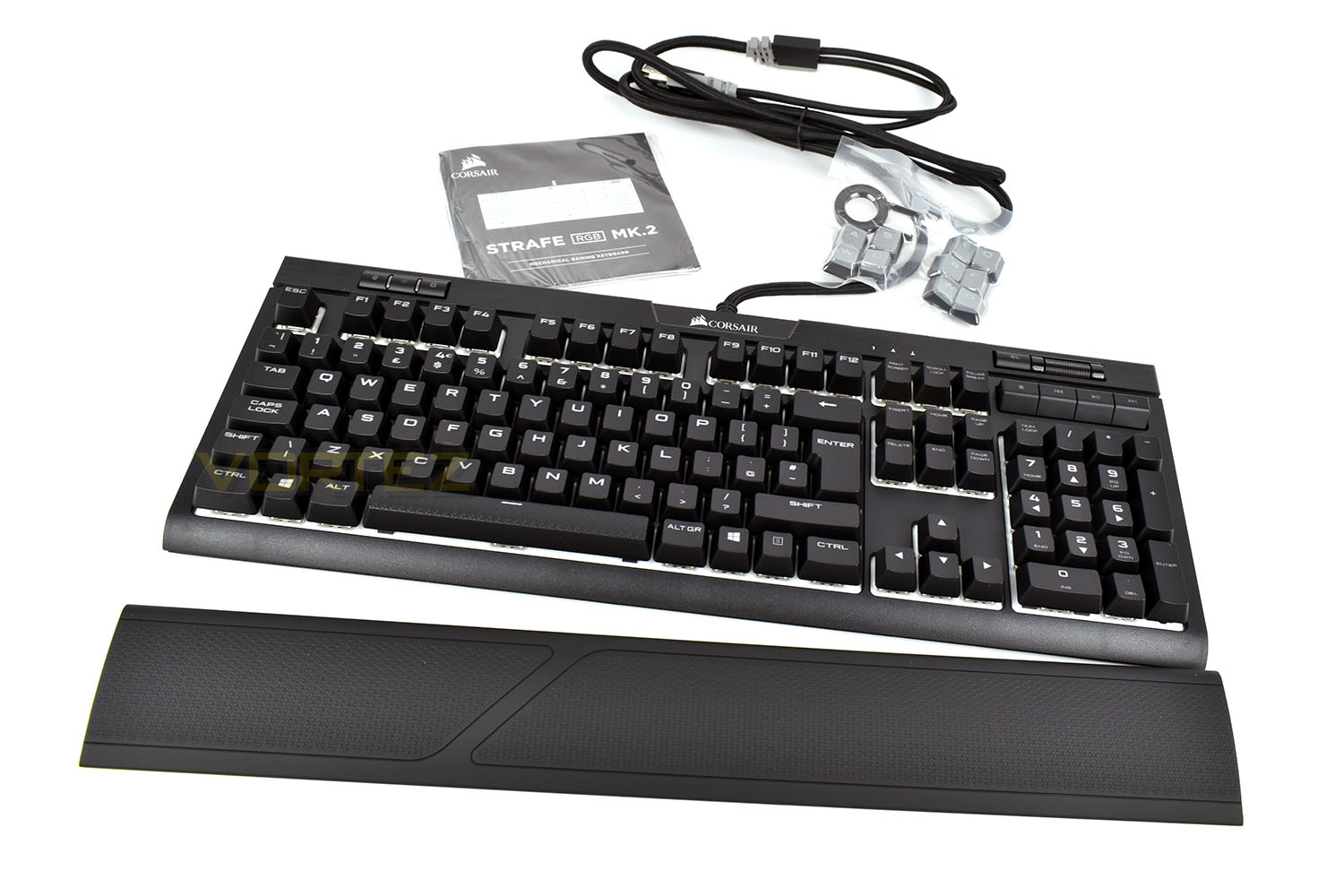
Just like the K70 MK.2, included with the STRAFE MK.2 is a full-length wrist rest, a packet of tactile keycaps for both MOBA and FPS layouts and small instructions/warranty information packet.
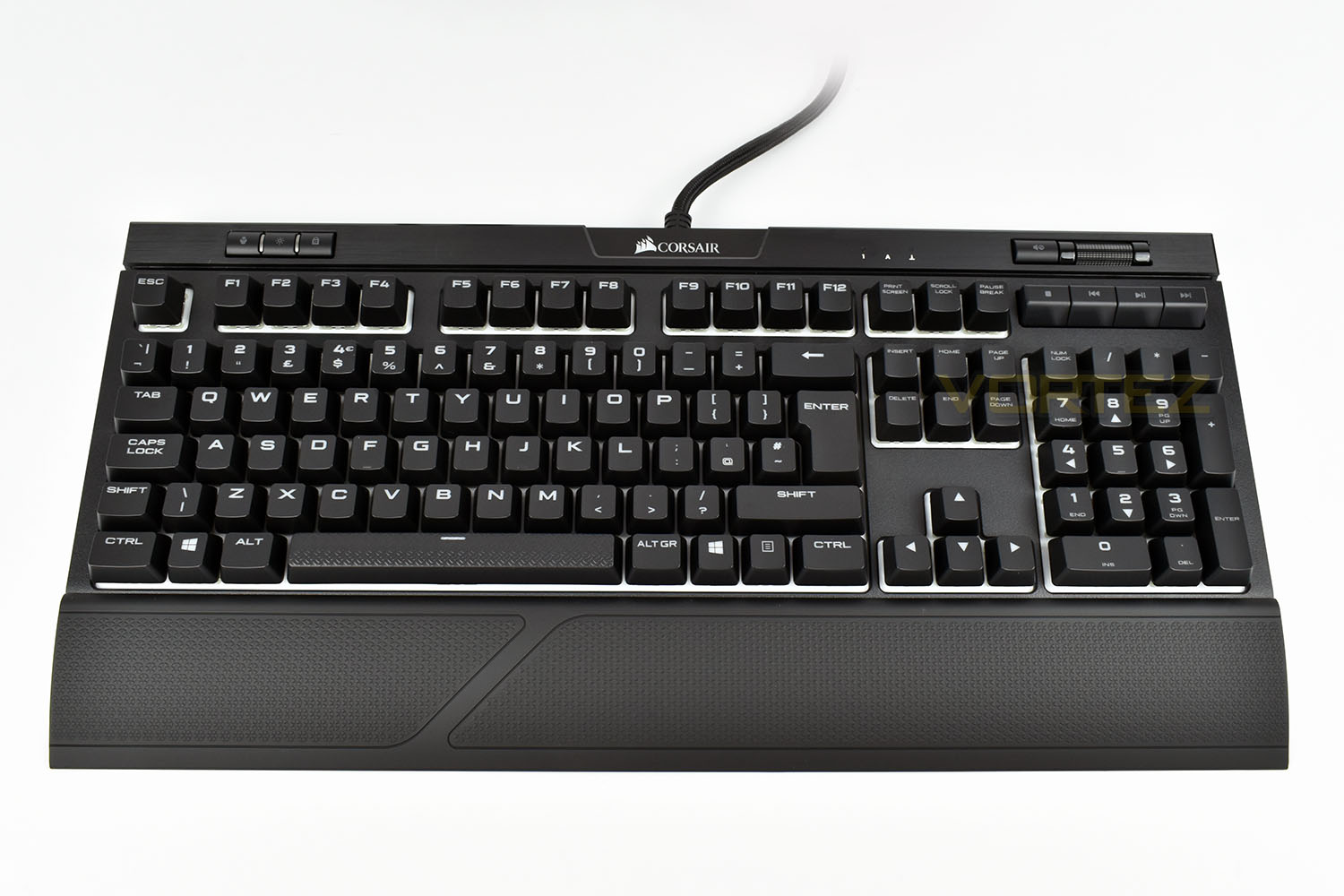
The Corsair STRAFE MK.2 isn’t going to win any beauty contests, with its rather basic appearance, but the font certainly stands out from the crowd and white backing between the keys should accentuate any RGB lighting. Those keen-eyed am
Closer Look
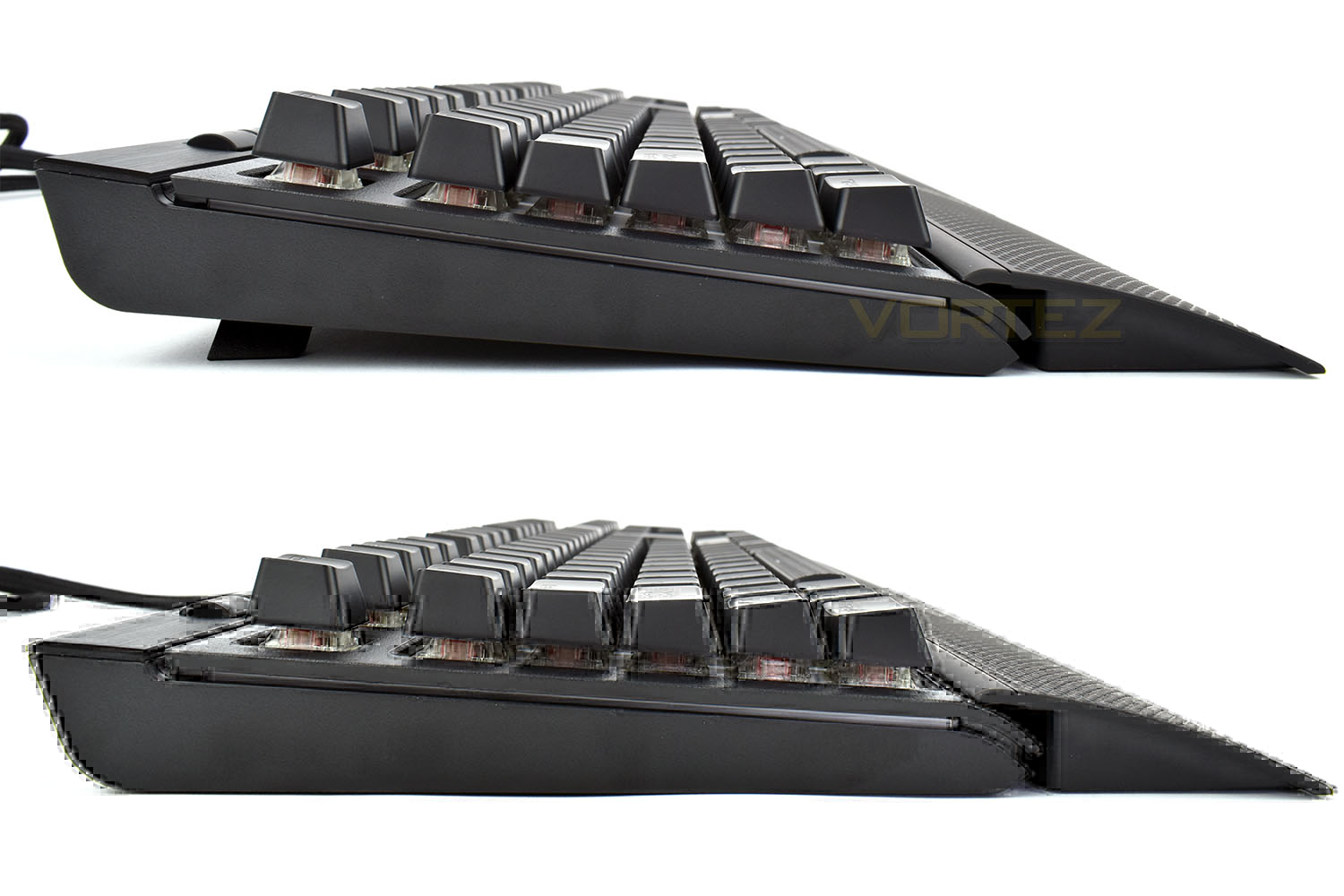
We’ve made previous mention to the similarity to the Corsair K70 RGB MK.2. The layout is almost identical, with some small differences, mainly relating to appearance only.The feet fold out sideways on the underside, which is generally better for overall stability. They raise the keyboard up by around 12mm. This angle helps demonstrate the concealed nature of the Cherry MX key switches. The thin strip just below the plastic faceplate also illuminates when the keyboard is lit.
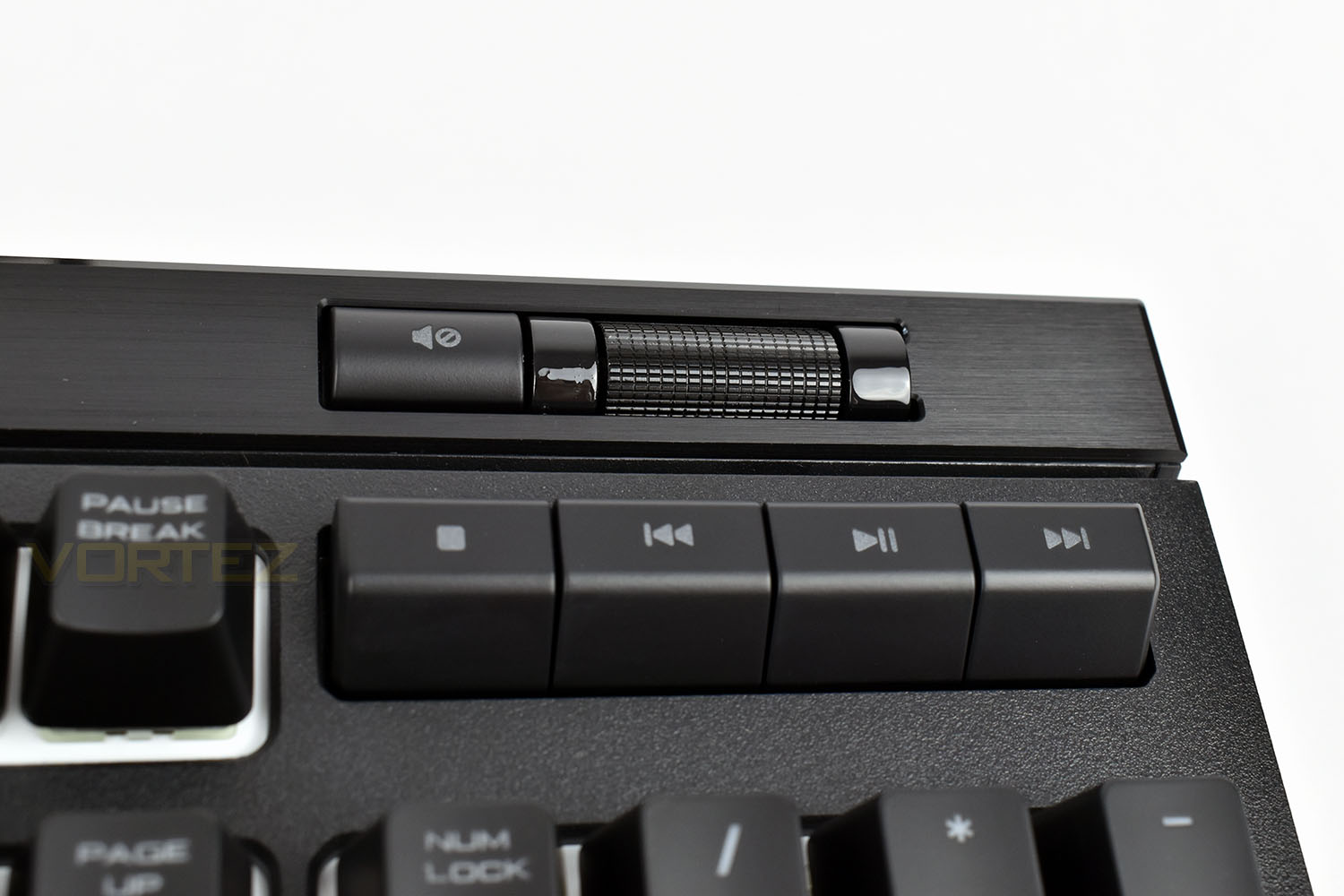
Corsair’s added proper media keys to the top-right of the ‘board, as well as a mute button and dedicated volume roller. This is identical to the system used on the K70.
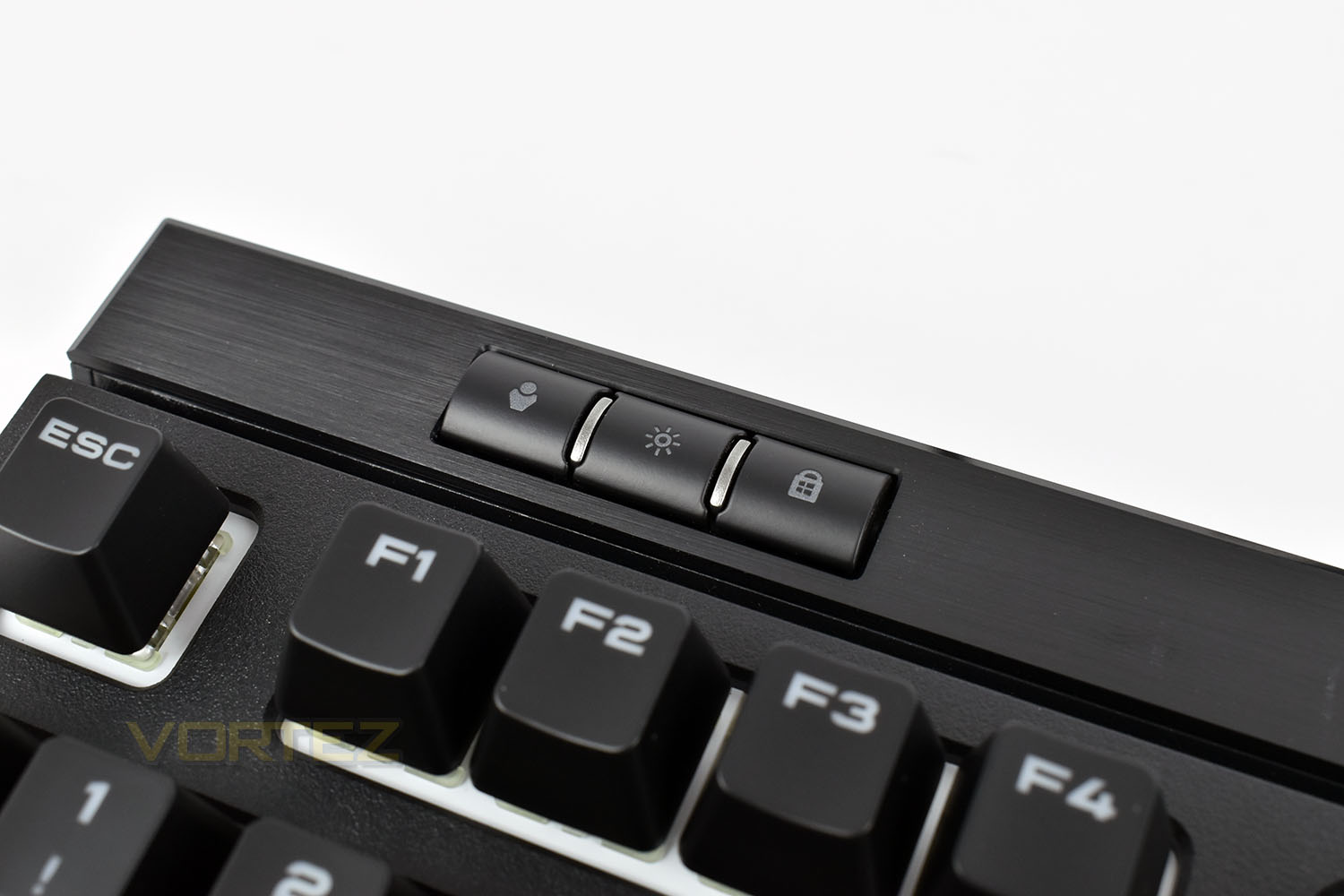
The top-left is home to a dedicated Profile switch, which can be configured within the Corsair iCUE software to work when away from your PC, allowing the keyboard to be consistent irrespective of location. Next to that is the lighting toggle, with off, dim, medium and bright settings then we have the Windows key lock (which can be set up to disable a whole host of specific keys).
Sticking with the top row, the typical LED indicator lights are located just above the Print Screen key. There’s nothing fancy about them, and they’re only the typical white LED with no customisation.

Closer Look (Continued)
Flipping the keyboard over, the base is rather uneventful with four small rubber grips, and nothing on the tips of the flip-up feet. This doesn’t feel like the bottom of a £150 keyboard, no matter which way we look at it.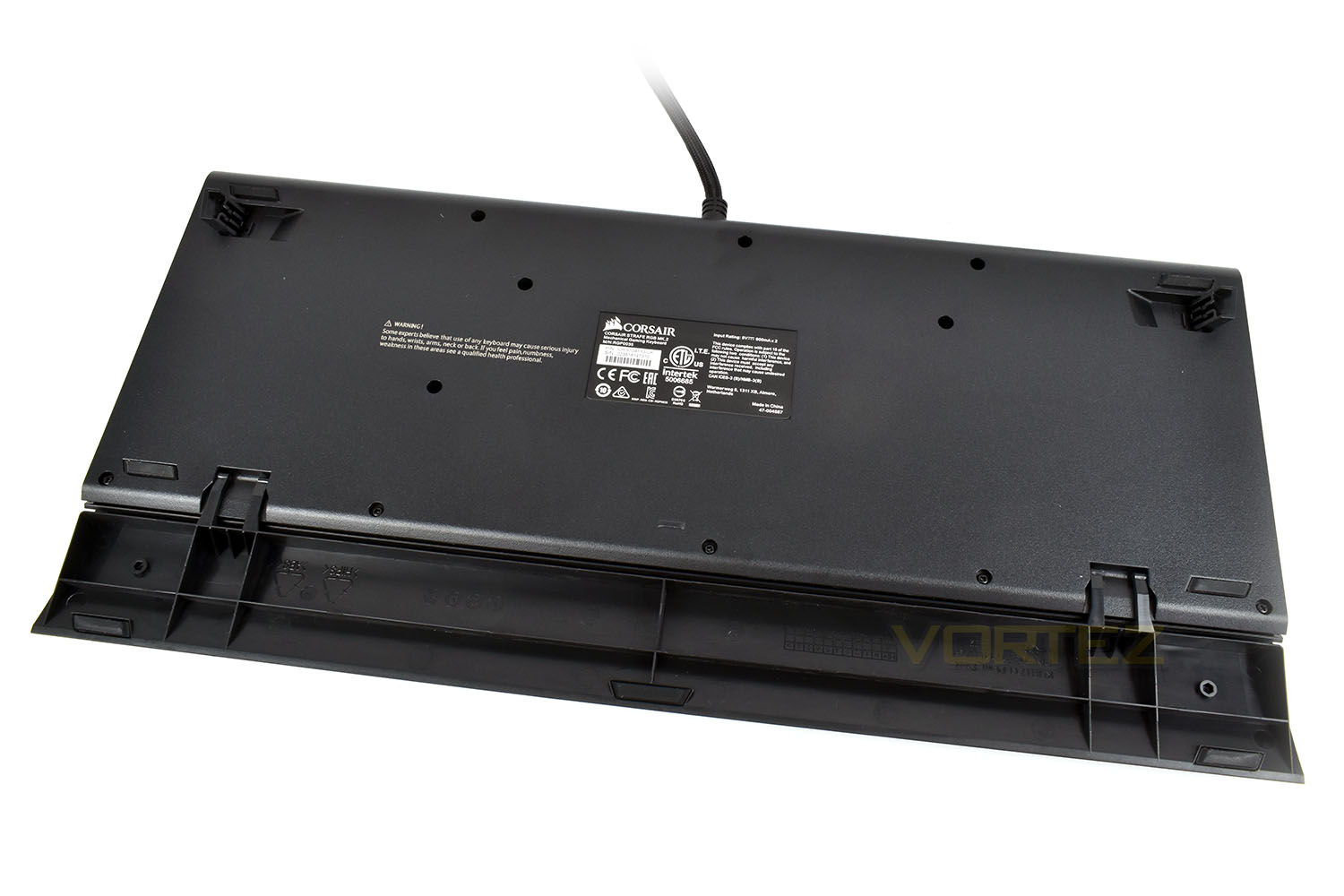
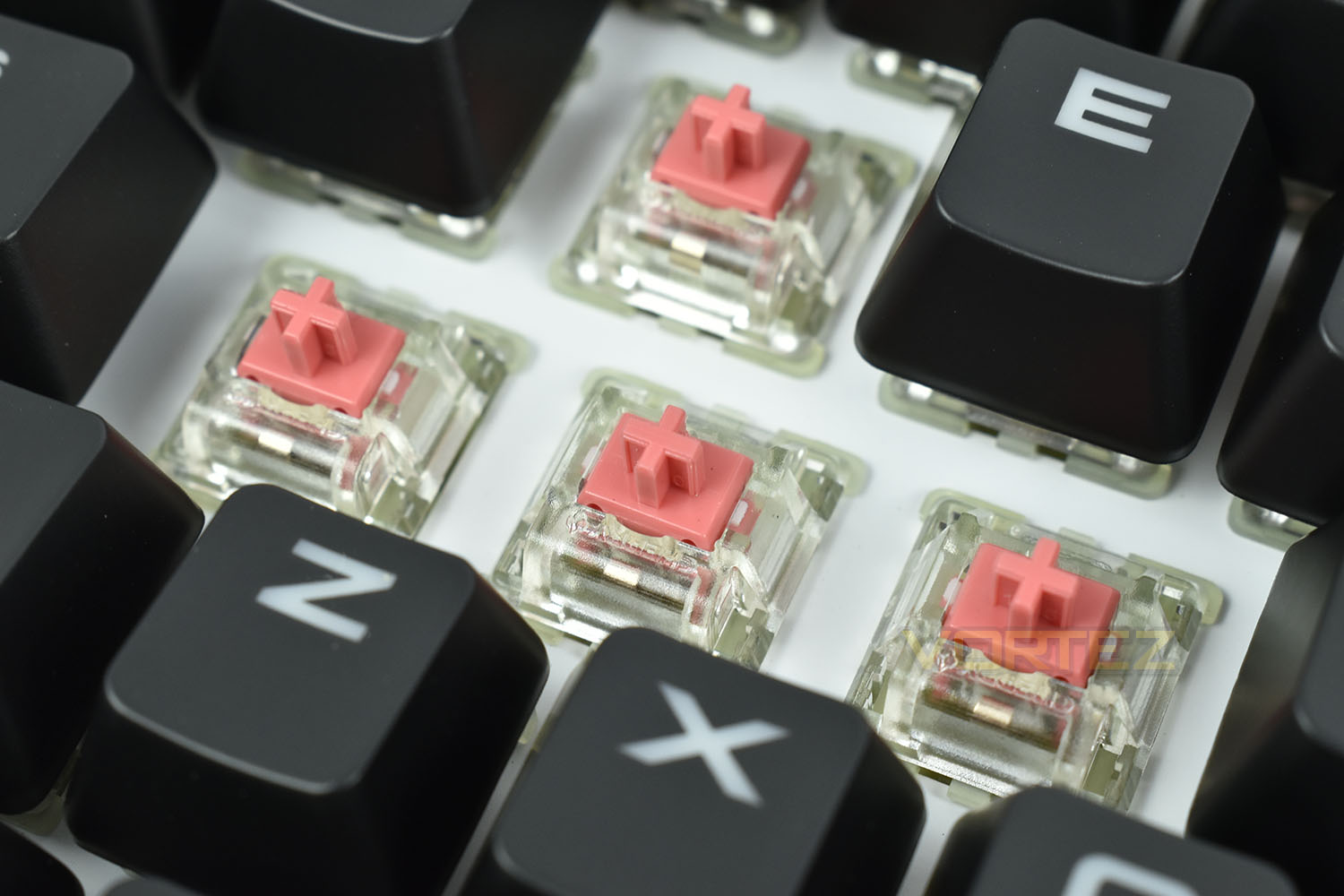
The Cherry MX Silent keys, designed to feel like the Cherry MX Reds with around 30% less noise are handy for streamers with sensitive microphones, or even those who want a feature-packed keyboard at work, where colleagues may grow tired of a Cherry MX Blue keyswitch. The stems are a lovely pink colour.
Included with the STRAFE MK.2 is a pair of textured keycap sets, for FPS and MOBA games, they feature a checker-plate effect like the spacebar.
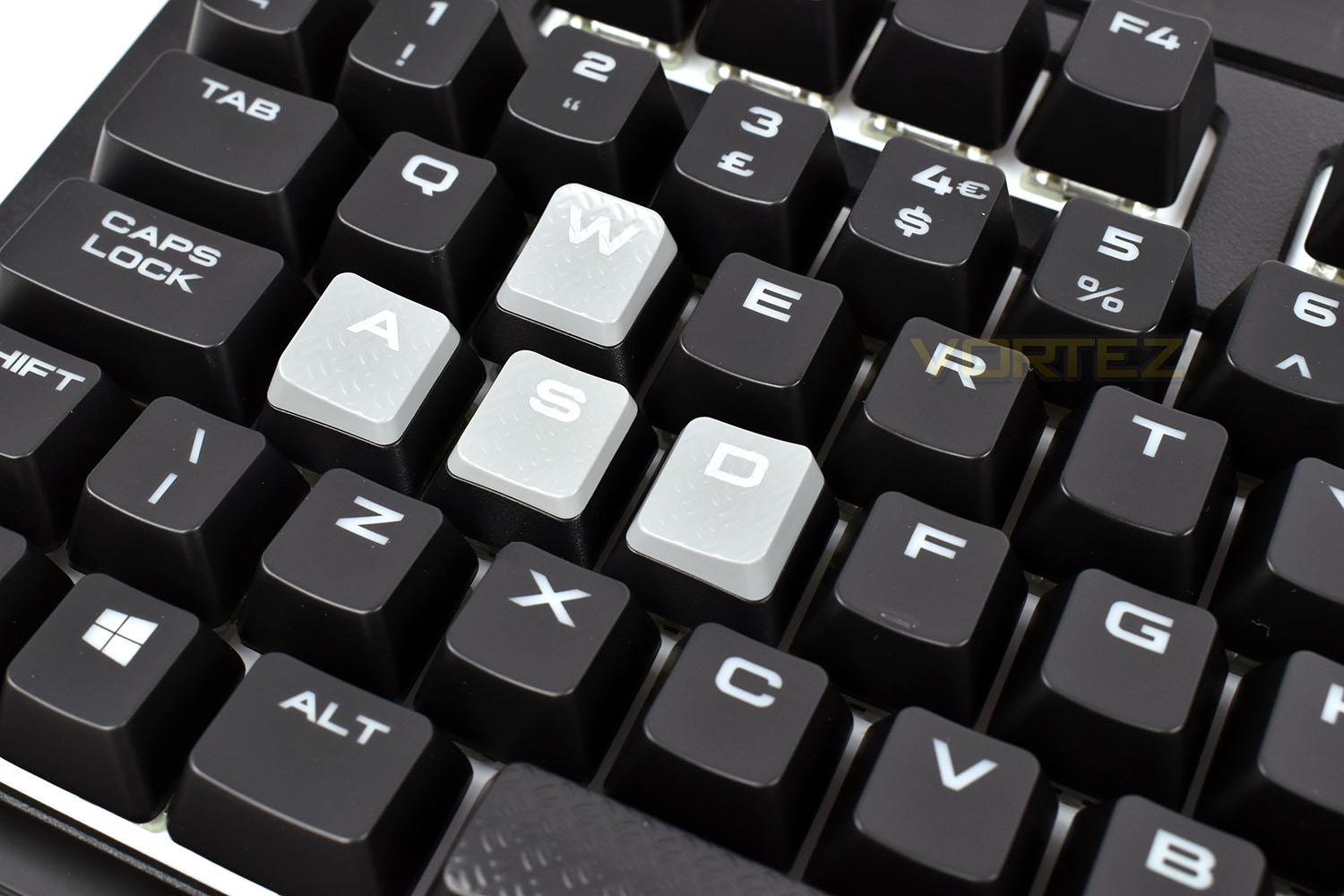
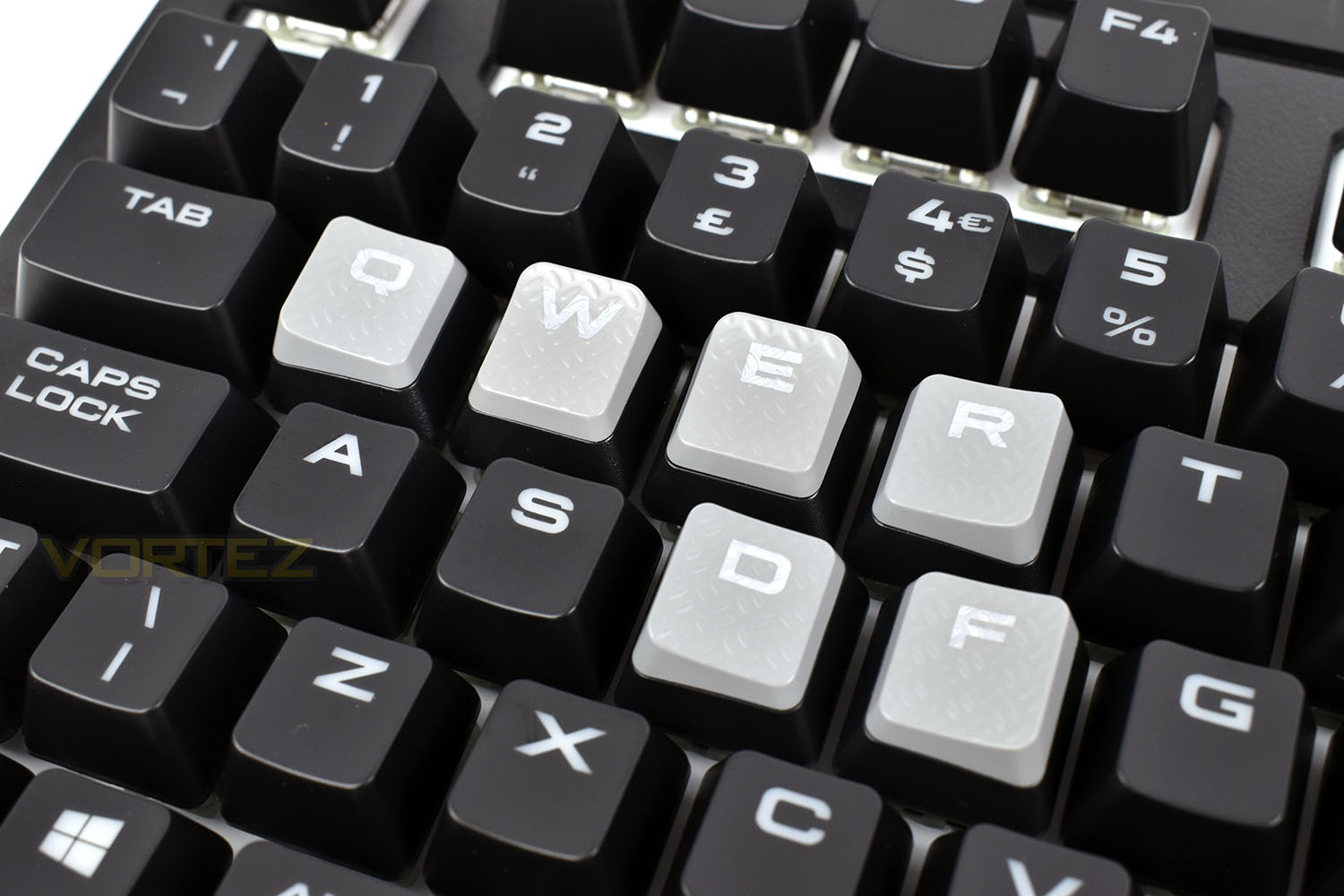
On the rear of the STRAFE, next to the USB cable, we have a USB 2.0 passthrough, which requires it’s own dedicated USB port at the end of the 1.8m cable.
Picture

Software
Corsair’s iCUE software generally receives a positive reception within the gaming community, usually regarded as one of the best pieces of peripheral software out there.Here’s a short clip of the software configuring the Corsair STRAFE RGB MK.2.
Performance Testing
Typically, keyboards of this calibre are purchased with gaming as the main focus, and daily tasks take a bit of a side-line; thankfully, the STRAFE MK.2 performs amazingly well while gaming. The Cherry MX Silent key switches, which are essentially a Cherry MX Red key switch with some additional noise dampening, felt very responsive but lacked any kind of tactile feel whatsoever. If this sounds like your type of mechanical key, we would recommend this over the Red key switch purely for the quieter keyboard. It will also be ideal for those who intend to purchase this keyboard for an office or work environment where colleagues may quickly become annoyed by the tick tack of a Cherry MX Blue or Brown; they’re also suited well for the streamer market, avoiding any annoying noise being picked up by your expensive microphone.Sticking with the gaming tests, swapping out the standard keys for the tactile keycaps, with a chequer plate effect on top, they provide an quantifiable, tangible difference that makes the keys easier to find, while also making the keyboard look a little bit more focussed than your traditional black and white layout.
To help you remain within the game, the Windows Lock key can be configured to block the functions of several keys while active. Alt + Tab, Alt + F4, Shift + Tab and Windows Key can all be disabled with the press of a single button, handy if you take your gaming seriously.
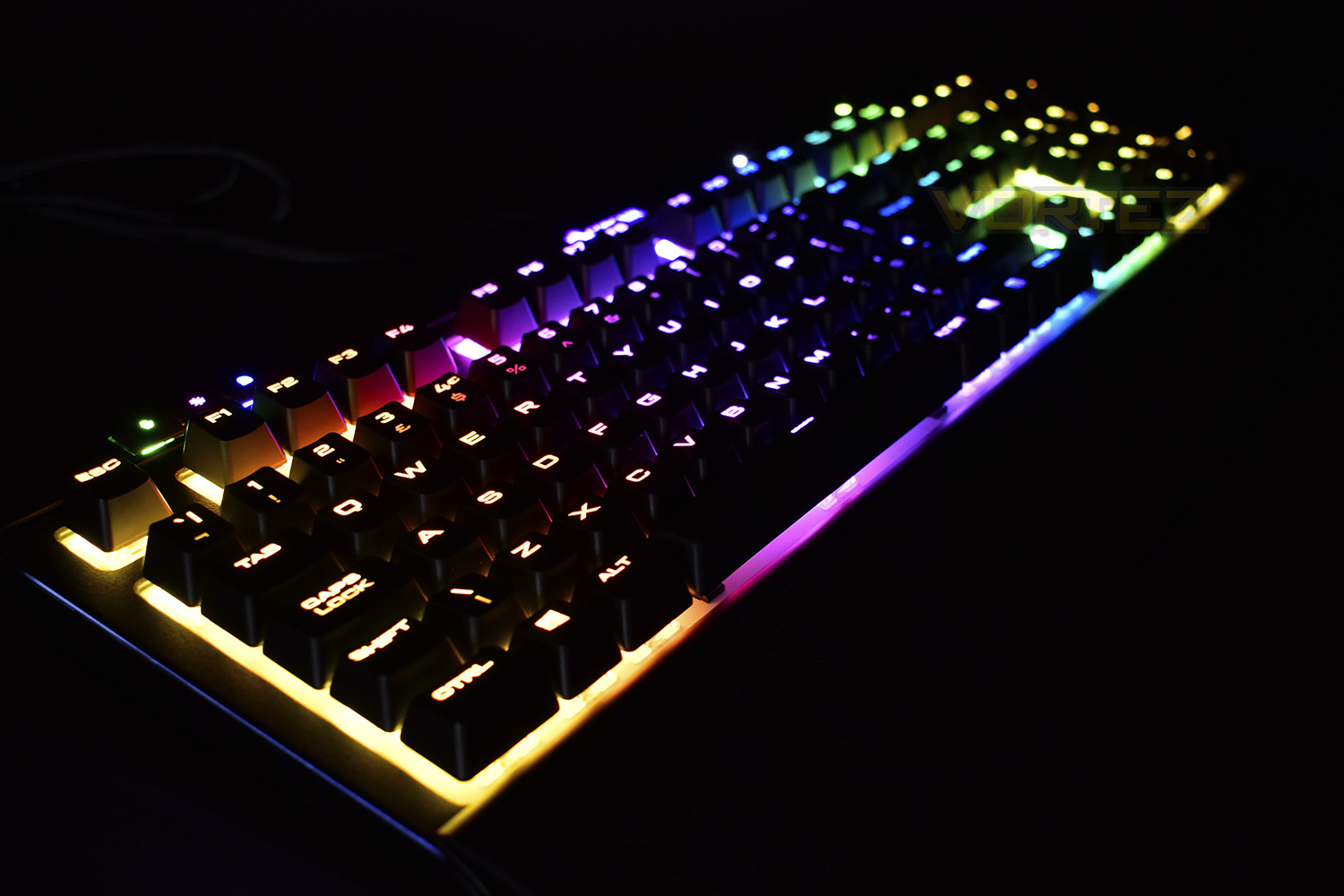
Thanks to that white backing, behind the keycaps, the RGB lighting pops out much more than the K70 equivelant. Thanks to the iCUE software, configuring beautiful lighting effects is no hassle either, with plenty of presets that look awesome. The STRAFE also features lighting on the right and left edges of the keyboard, just beneath the plastic faceplate. This can be illuminated within the settings but can only be configured with white lighting – that’s a shame considering the focus Corsair have placed on the LEDs on the front of the keyboard. They can be toggled on and off independent of the rest of the keys, however.
Media keys, something the original STRAFE lacked. We now get a full plethora of media keys, as well as a mute switch and a beautiful volume wheel. This is something we constantly praise Corsair on for pure ease of use and the excellent tactile feel.
While the STRAFE appears to be made from plastic and perhaps may not have quite the same structural strength as the K70 MK.2 cousin, we can confirm that the STRAFE is just as strong and well-built. The materials used provide a solid base to fully support the abuse a keyboard can receive in a heated online game.
As is the case with any Corsair keyboard, the wrist rest is made from solid plastic, while this isn’t ideal, instead preferring something a little more cushioned, having a wrist rest at all is important for long stints of play, helping to maintain a straight line from the hand, through the wrist, into the arm.
As a final point, one very important feature we’ve seen added to the MK.2 is a profile switch. The 8MB onboard memory can store three entirely separate profiles, with Macros and lighting effects, which can then be used on any computer, even without installing the Corsair iCUE software.
Conclusion
After spending a little while with the STRAFE RGB MK.2, it seems that Corsair’s keyboard department have well and truly earned their bonus this year; they don’t appear to be able to put a foot wrong.Thanks to the solid build quality and vast number of features added, we find it almost impossible to understand how they’ve managed to keep the STRAFE at the same price point as the previous generation. Many of the extras are carried over from the K70 RGB MK.2, however that only furthers the appeal.
The white backing behind the keycaps works very well to help accentuate the RGB LEDs, creating a vibrant display which is better than the K70. The LED strips on the flanks of the ‘board only being illuminated in white is disappointing, but when sat in front of the keyboard you can’t see them anyway.
iCUE, as we’ve previously mentioned, is an epic piece of software, which only seems to get better with each upgrade. The ease of use and vast options make it one of our favourites.
Unfortunately, one thing that needs to be addressed by Corsair is a lack of key switch choice; we currently only see Cherry MX Red and Cherry MX Silent on their website, and with both of those switches already being almost identical, it’s not great. We’d like to see the Speed and Brown switches introduced.
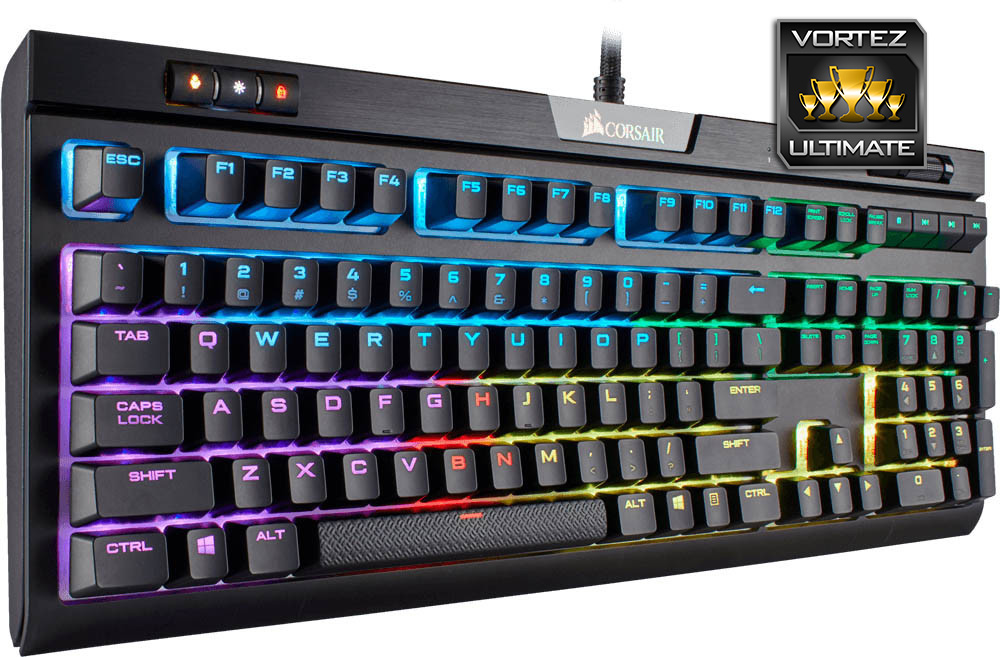
Compared to the previous STRAFE RGB, Corsair really have pulled out all the stops to improve the ‘board, stopping at nothing to create an excellent offering.
Pros
+ Brilliant RGB lighting
+ Solid build quality
+ Same price as previous generation
+ USB passthrough
+ Wrist rest
+ Media keys + volume roller
+ 8MB on-board memory
+ Full N-Key Rollover
Cons
– Lack of choice of Cherry MX Key switches
– Wrist rest is made from plastic
– Lacks the headset wire route on the base
+ Brilliant RGB lighting
+ Solid build quality
+ Same price as previous generation
+ USB passthrough
+ Wrist rest
+ Media keys + volume roller
+ 8MB on-board memory
+ Full N-Key Rollover
Cons
– Lack of choice of Cherry MX Key switches
– Wrist rest is made from plastic
– Lacks the headset wire route on the base
Click here for an explanation of our awards at Vortez.net.
Stay connected with the Vortez Social Media pages:
Join in with the discussions on Discord