







A premium mechanical gaming keyboard aimed at serious and professional gamers. 700K has aluminium construction, LED backlighting and much more!

Product on Review: 700K Gaming Keyboard
Manufacturer: Cougar
Street Price: £99 GBP / $150 USD
A few months ago we had the pleasure of reviewing COUGAR’s 700M gaming mouse and we were rather impressed by their efforts. COUGAR has been channelling all of their efforts into their gaming peripheral product ranges and today we’re looking at a mechanical gaming keyboard which hopes to accompany its gaming counter-part.
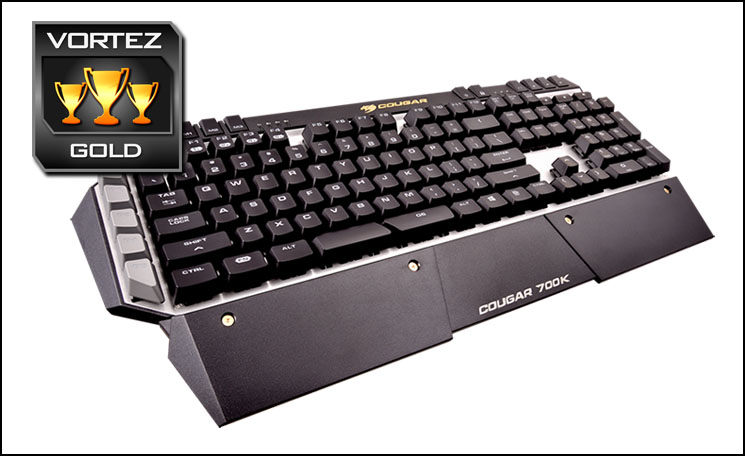
700K is COUGAR’s top of the line mechanical gaming keyboard which comes equipped with Cherry MX black, brown, blue or red switches. COUGAR has furnished this keyboard with a sturdy aluminium panel and armed it with a multitude of customisable features including additional keys, LED backlighting, and N-key rollover.
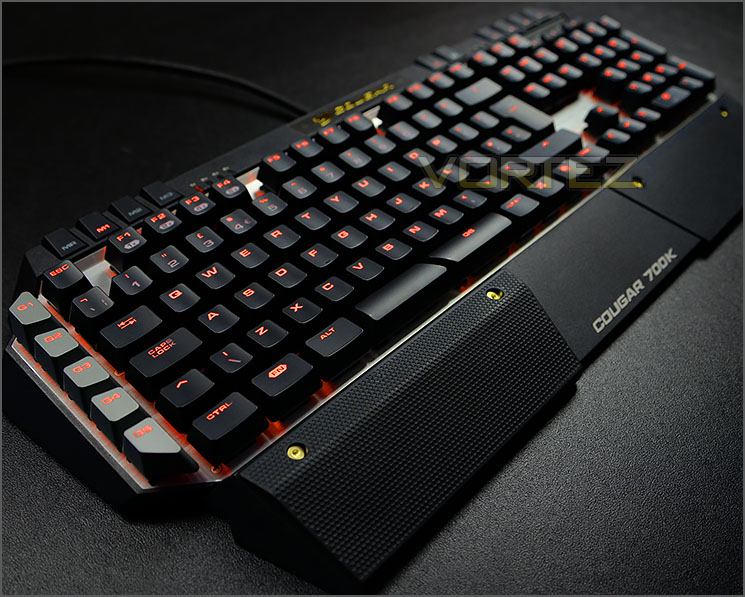
COUGAR on their 700K
COUGAR 700K is a premium mechanical gaming keyboard aimed at serious and professional gamers. Inspired by military “stealth technology”, the design is created from elements of geometric facet; Mechanical key modules are mounted on exposed and bended aluminum structure with premium brushed surface treatments, this structure provides the user with more efficient typing, not to mention a sturdy and strong structural foundation. The ends are then wrapped in a plastic frame to create a protected feel. Intuitive key and button groupings are neatly integrated into the plastic frame. Thereby drawing and driving attention towards key areas and allowing the gamers to concentrate and focus on their competitive matches. An extra FPS palm rest with magnetic attachment on the palm rest area provides great ergonomic support for WASD keys control.
Technical Specifications
Key switch
Cherry MX mechanical
Processor
32-bit ARM Cortex-M0
N-key rollover
Yes
Full key backlight
Yes
Game type
FPS / MMORPG / MOBA / RTS
On-board memory
Yes
Polling rate
1000Hz / 1ms
Repeat rate
1X / 2X / 4X / 8X
On-board memory
Yes
Material
Aluminum / Plastic
Software
COUGAR UIX™ SYSTEM
Additional programmable G-keys
6
Palm rest
Yes
Audio jacks
Yes
USB pass-through
Yes
Interface
Golden-plated USB plug
Cable length
1.8m Braided
Dimension
230(L) X 487(W) X 40(H) mm
Weight
1.2kg
Cherry MX mechanical
Processor
32-bit ARM Cortex-M0
N-key rollover
Yes
Full key backlight
Yes
Game type
FPS / MMORPG / MOBA / RTS
On-board memory
Yes
Polling rate
1000Hz / 1ms
Repeat rate
1X / 2X / 4X / 8X
On-board memory
Yes
Material
Aluminum / Plastic
Software
COUGAR UIX™ SYSTEM
Additional programmable G-keys
6
Palm rest
Yes
Audio jacks
Yes
USB pass-through
Yes
Interface
Golden-plated USB plug
Cable length
1.8m Braided
Dimension
230(L) X 487(W) X 40(H) mm
Weight
1.2kg
Packaging & Bundle
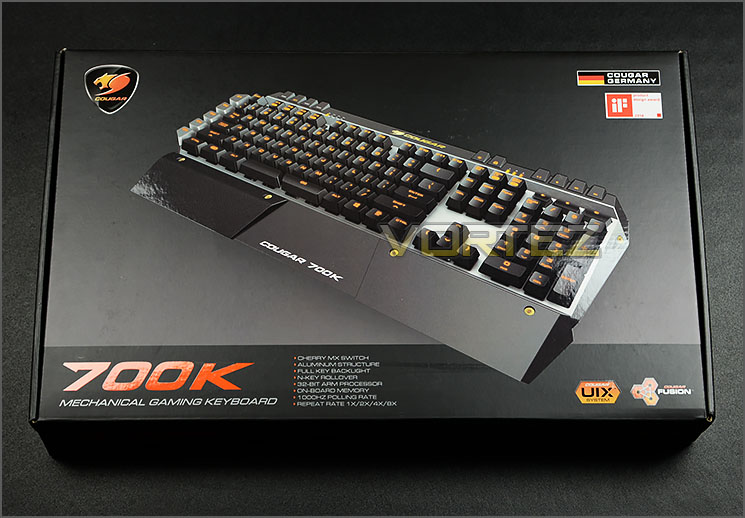
Packaging for 700K
700K arrives in a rather bulky box which is oversized for a keyboard. The front has a picture of the keyboard and contains a short list of the fundamental features. The reverse of this box goes into further detail to explain these features with graphical representation.
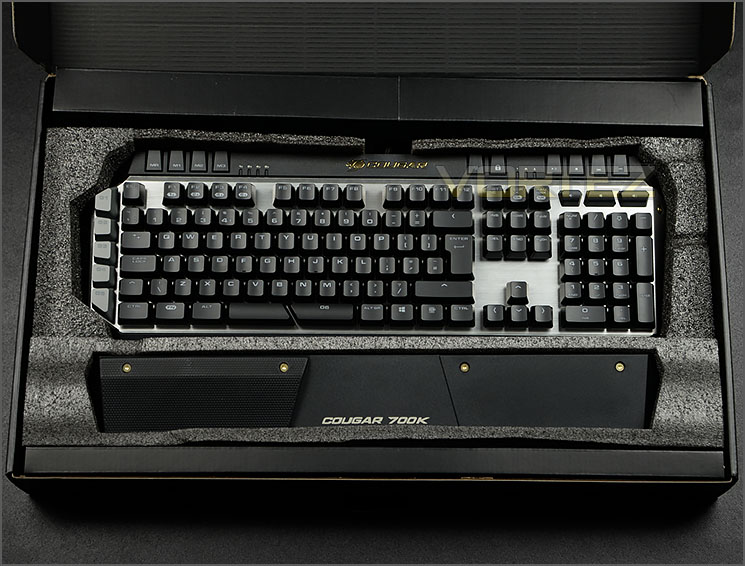
Foam padding inside
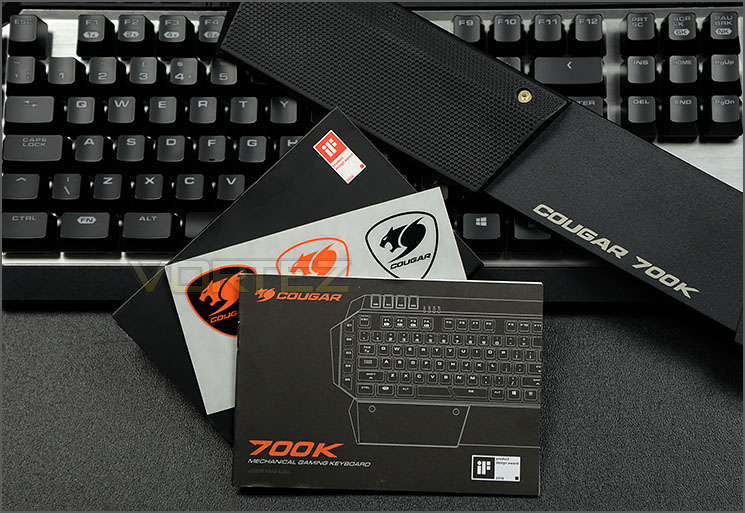
Just a few items included
Opening this box up reveals plenty of padding for protection.
As part of the accessories bundle there are just a few items to make use of. These items are as follows:
• Detachable wrist rest with removable rubber part
• Instructions manual
• COUGAR sticker sheet
Closer Look
Sleek two-tone styling
Being furnished with a brushed aluminium top plate and utilising a two-tone theme makes 700K a rather sleek keyboard. By using aluminium the entire unit is also extremely light at just 1200g – which is surprising, given the size of 700K.
Aluminium construction with a QWERTY layout
This particular model of keyboard is available in a range of different switches. Our sample uses the Cherry MX RGB red switch but gamers can choose from brown, black and blue also.
700K follows a QWERTY layout design with standard keys in the usual places except for a number of additional keys over on the left-side, upper edge and above the numpad section.
700K also supports full-NKRO.
The underside of 700K
The reverse of 700K is plastic and features two folding feet on either side which alters the height of the keyboard. There are also rubber feet towards the front of the keyboard to prevent the unit from slipping on smooth surfaces.
Additional “G” keys on the left-side
Multimedia controls
There are a number of additional buttons on 700K which extend the functionality. On the far left there are a series of “G” keys which can be programmed inside the COUGAR UIX software. Though, having these additional keys can take some getting used to as the G5 key is very close to the CTRL key and accidental presage can initially occur.
Above the F keys there are even more keys to configure and these keys extend along the upper edge. There are buttons to adjust the brightness of the LED backlighting, disable windows key on-the-fly and a plethora of multimedia options too.
Closer Look (Continued)
A closer look at the Cherry MX red switch
Space bar splits into two
700K uses Cherry MX switches – our sample uses the red switch which is more commonly used for gaming. Additional to the switch, we have LED back lighting too which can be individually controlled. The colour of the LED is limited to orange but each individual key can have its light turned on or off – rather than just on/off for the entire set of keys. This allows the user to create their own design.
COUGAR has even given the space bar a “G” key by dividing it into two pieces. By doing this, the space bar can have a customised command applied to it and gamers can use their thumb to quickly access such an option.
Magnetic rubber piece for comfort
Not only does 700K come with a detachable wrest rest which connects to the keyboard and spans the entire length of the unit but COUGAR also include a rubberised piece which can be placed on the left or right side (via magnets which sit on the underside). This can be especially useful for those who use either WASD or arrow keys for playing games because it raises the wrist, providing comfort and avoiding RSI.
Twin USB connectors with braided cabling
700K makes use of a substantially thick braided cable which splits off into four thinner cables. These four cables include two USB connections and audio cables. The secondary USB connection is required to supply power to the two USB ports which are found on the keyboard (giving USB passthrough). 700K also has audio hacks so that headsets can be plugged directly into the keyboard instead of the computer chassis.
Software & Lighting
700K is equipped with a 32-Bit ARM processor which when combined with their UIX software system, offers modifications without any performance lag. UIX is a nicely designed piece of software that gives the gamer the option to fully customise the 700K. As shown in the video below, UIX is easy to access and provides control over such options as profiles, sleep modes, individual key assignment and lighting modification.
Performance
Moving from a standard membrane to a mechanical keyboard and especially one which uses Cherry MX Red switches will feel a rather strange at first and will take some getting used to. Generally this type of switch is more suited to gaming due to the lightness of actuation, but for general usage within windows, typing up documents and web browsing K70 RGB still does a good job – personally I still prefer the Cherry Brown for a better balance between both types of use.
700K follows a QWERTY layout and therefore the keys aren’t placed in obscure locations which is helpful if you are transferring from another keyboard. But, as mentioned previously, having the “G” keys on the left side does take some getting used to as they’re quite close to keys such as left CTRL. One particular niggle we found was the placement of just a single windows key and on the right-side. We’d prefer the windows key on the left so that it’s in close proximity to the left hand when typing.
For both general use and gaming we found the 700K to be a good keyboard to use and we encountered no problems throughout our duration with this unit. The ability to disable the windows key on-the-fly from the button located at the top of the keyboard is a great feature to have, as are the multimedia keys and brightness adjustment.

700K can achieve full NKRO (N-Key Rollover) via USB. We tested whether this claim stood true and sure enough with Aqua’S KeyTest there were no problems with simultaneous presses on the keyboard.
Conclusion
700K isn’t COUGAR’s first attempt at designing a keyboard but previous products in the portfolio have struggled to gain any limelight but we can totally understand why this new offering changes things somewhat.
With striking looks and a sturdy aluminium structure, 700K looks and feels like a high-quality mechanical gaming keyboard. For those who are particular about styling, this keyboard doesn’t disappoint.
Functionality is probably one of 700K’s strongest features. It features an impressive number of additional keys for customisation, multimedia, enhanced keyboard control and has an intuitive software suite to manage all of the options.
Although we don’t have the option to change the colour of the backlighting (It’s fixed to orange) we can control the illumination of each individual key which brings a good level of customisation. COUGAR has also given 700K the ability to run through different animation modes and even activate such modes in a sleep state – after a set period of time has elapsed.
Having a price-tag of £99 GBP / $150 USD, 700K is actually quite reasonably priced. Comparing 700K to rivals around this price stands this keyboard in good stead.
COUGAR has designed an impressive mechanical gaming keyboard in the 700K – we really like the styling, included features and the respective software suite. Compulsive gamers will find this keyboard a worthy contender on the battlefield.
Pros
+ Aesthetically pleasing
+ Aluminium structure
+ Per-key lighting
+ Easy to use software suite
+ Plenty of customisation
+ Full N-KRO
+ On-the-fly buttons – Brightness, Disable Windows Key
+ Independent multimedia buttons
+ Detachable wrist rest and rubber pad
Cons
– Single windows key on right
– LED shade cannot be changed
+ Aesthetically pleasing
+ Aluminium structure
+ Per-key lighting
+ Easy to use software suite
+ Plenty of customisation
+ Full N-KRO
+ On-the-fly buttons – Brightness, Disable Windows Key
+ Independent multimedia buttons
+ Detachable wrist rest and rubber pad
Cons
– Single windows key on right
– LED shade cannot be changed

Click here for an explanation of our awards at Vortez.net.


