Featuring Cherry MX Red switches, RGB backlighting and an aluminium construction, Cougar are keen to follow on from previous successes.

Product on Review: Cougar Attack X3 RGB
Manufacturer: Cougar
Street Price: £124.00 / $109.99
RGB mechanical keyboards are quickly becoming popular amongst the gaming community, allowing the user a responsive and reliable keyboard, in keeping with their chosen colour scheme.
German gaming hardware manufacturer, Cougar, are relatively new to the world of gaming, being founded in 2007, but their short history brings with it a string of awards, including the prestigious iF Product Design Awards 2014. Cougar claim to involve pro gamers in every stage of development, to ensure the product meets the needs of the market as closely as possible.
We’ve previously reviewed Cougar products here at Vortez; they acquired huge praise, being awarded the Vortez Gold and Vortez Amazing Value badges. Obviously, with the previous success from Cougar, we have high expectations of the Cougar Attack X3 RGB.
The keyboard in for review today certainly promises a lot, with mechanical Cherry MX red switches, RGB backlighting, N-Key rollover, and a brushed aluminium face plate.
Cougar on their Attack X3 RGB:
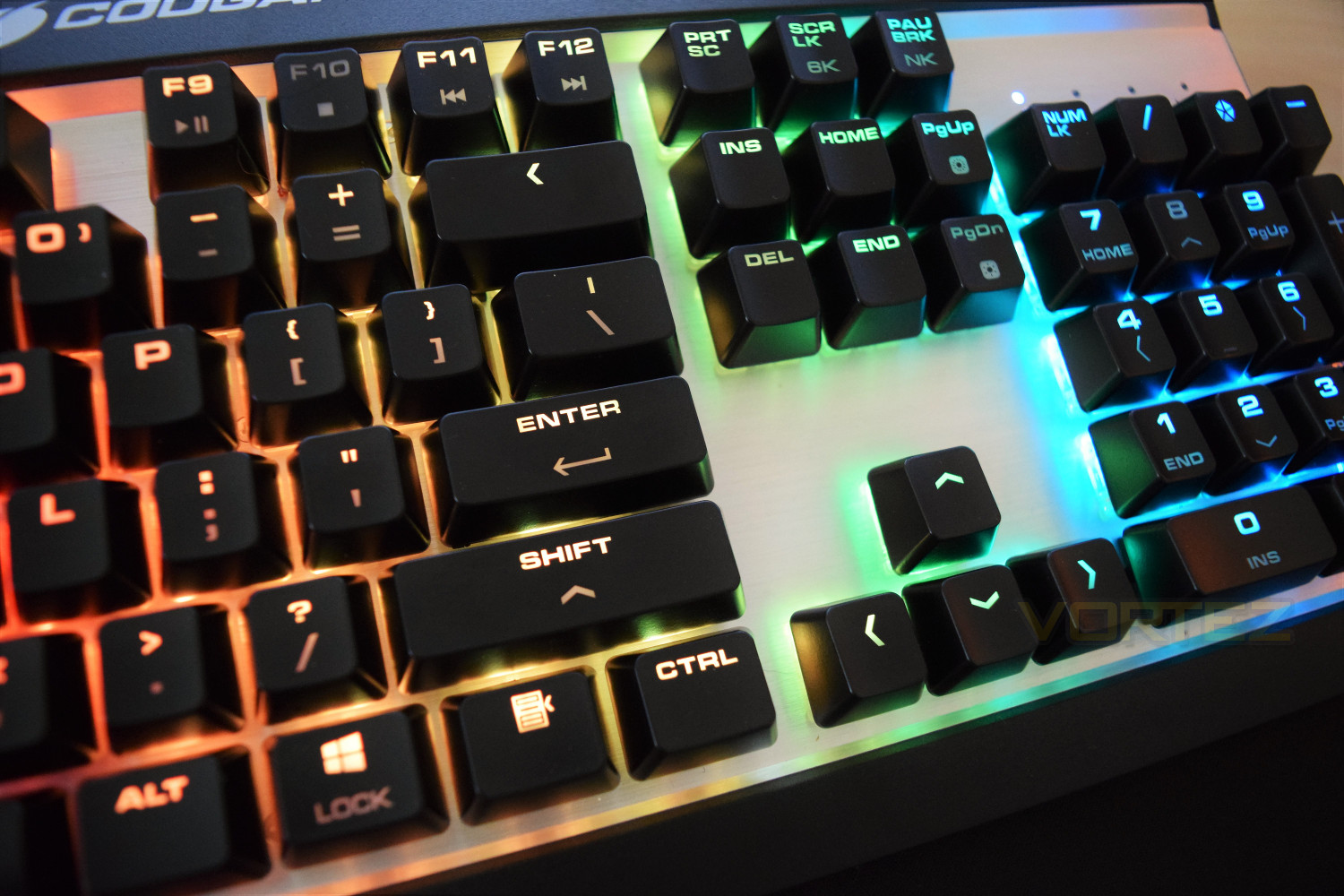
Aluminium face-plate is not only elegant but also durable! The RGB backlights looks more glorious with the aluminium face-plate reflection. It also provides the user with more efficient typing, not to mention a sturdy and strong structural foundation.
Technical Specifications
Product name: Cougar Attack X3 RGB Cherry MX RGB Mechanical Gaming Keyboard
Key switch: Mechanical Cherry MX
N-Key rollover: Yes (USB mode support)
Full key backlight: Yes (16.8 million colours)
Game type: FPS/MMORPG/MOBA/RTS
On-board memory: Yes
Polling rate: 1000Hz / 1ms
Material: Aluminium / Plastic
Interface: USB plug
Cable length: 1.8m Braided
Dimensions: 170mm x 467mm x 40mm
Weight: 0.9kg
System requirements: Windows 7, Windows 8, Windows 10.
Key switch: Mechanical Cherry MX
N-Key rollover: Yes (USB mode support)
Full key backlight: Yes (16.8 million colours)
Game type: FPS/MMORPG/MOBA/RTS
On-board memory: Yes
Polling rate: 1000Hz / 1ms
Material: Aluminium / Plastic
Interface: USB plug
Cable length: 1.8m Braided
Dimensions: 170mm x 467mm x 40mm
Weight: 0.9kg
System requirements: Windows 7, Windows 8, Windows 10.
Packaging & First Look
Vibrant, basic and informative, exactly how you’d expect the product packaging to be. The main features are concisely listed on the bottom right of the packaging.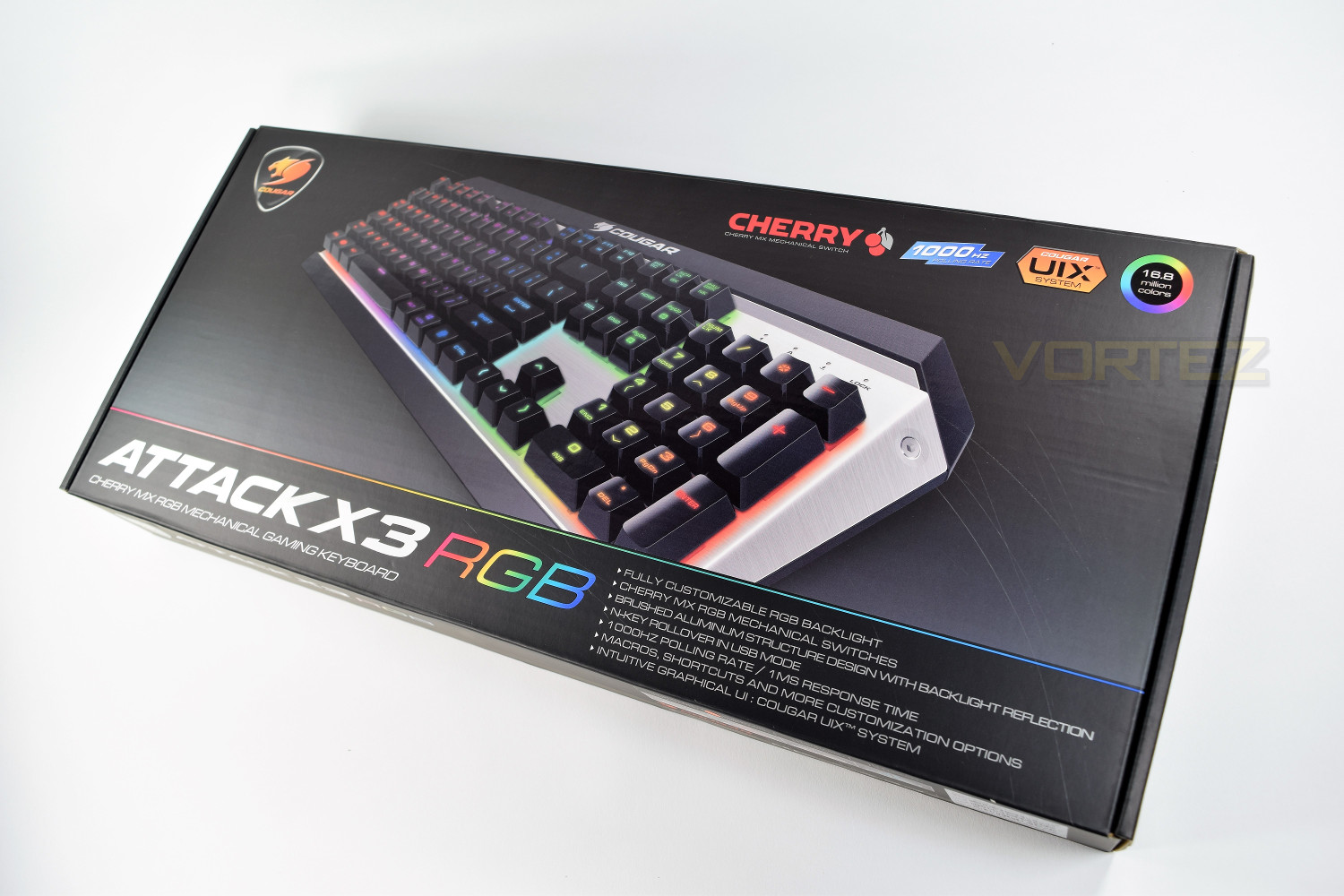
The bottom of the packaging is used primarily to display which Cherry MX switch selection is contained within the box.
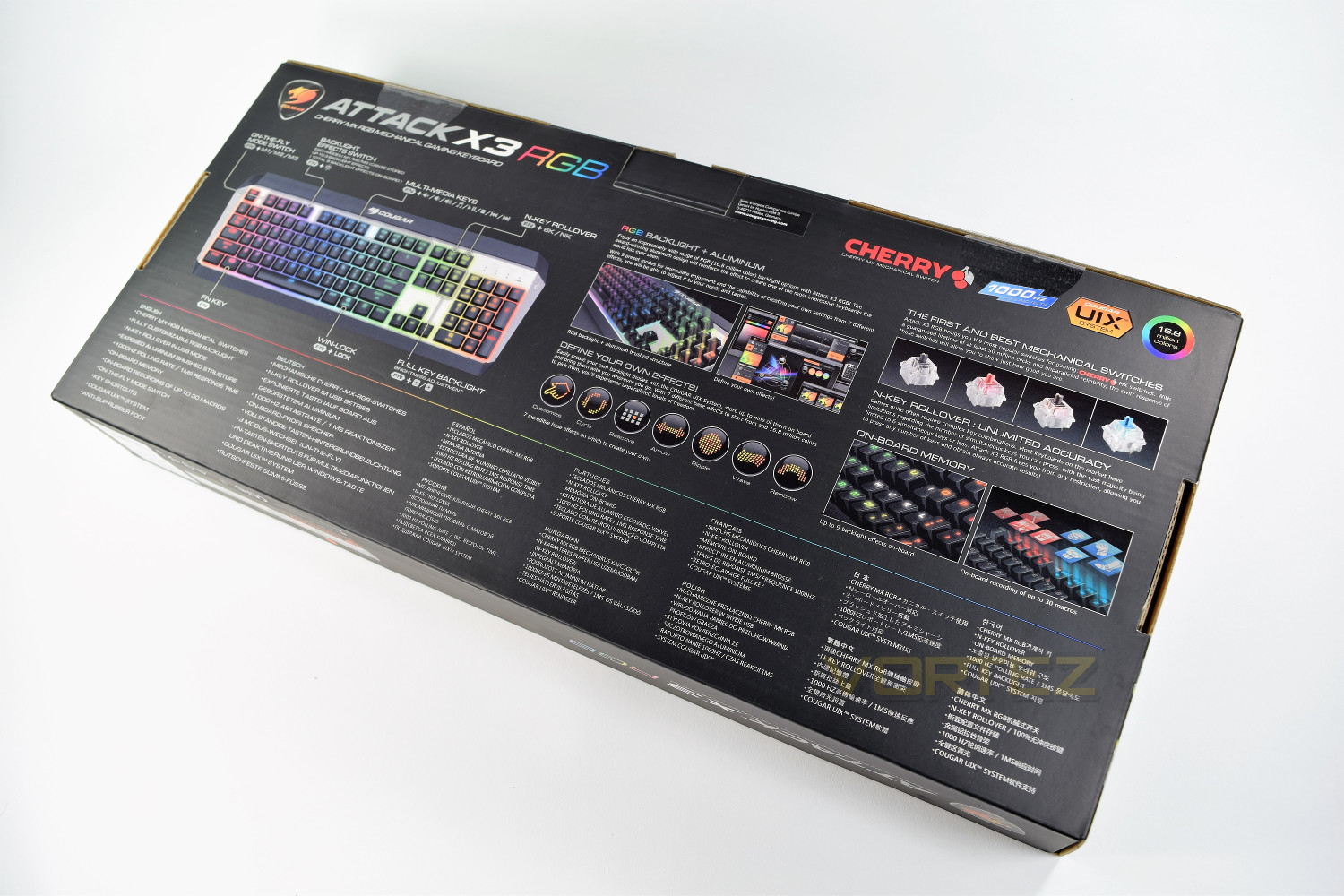
You’ll find all of the features and specifications listed on the rear of the box, along with diagrams and annotations.
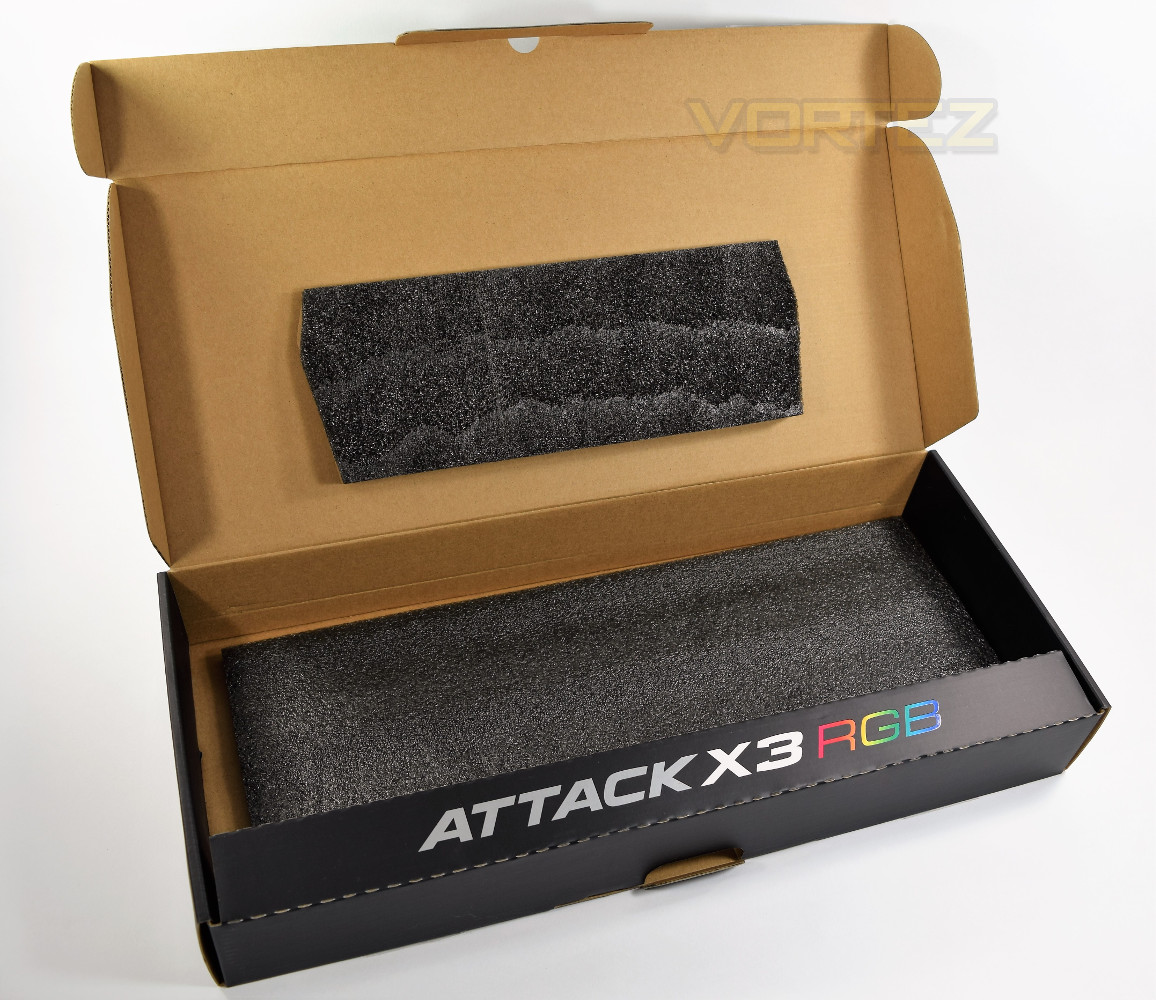
The keyboard is held snugly inside the box via a piece of foam, with a plastic bag protecting the item during transit. Included extras are few and far between, with only a quick start guide inside.
Closer Look
Cougar have gone with a simple design, omitting any kind of dedicated Macro or media keys. The brushed aluminium and dark key caps contrast well. The back and sides of the keyboard are black plastic with the aluminium bolted onto the structure.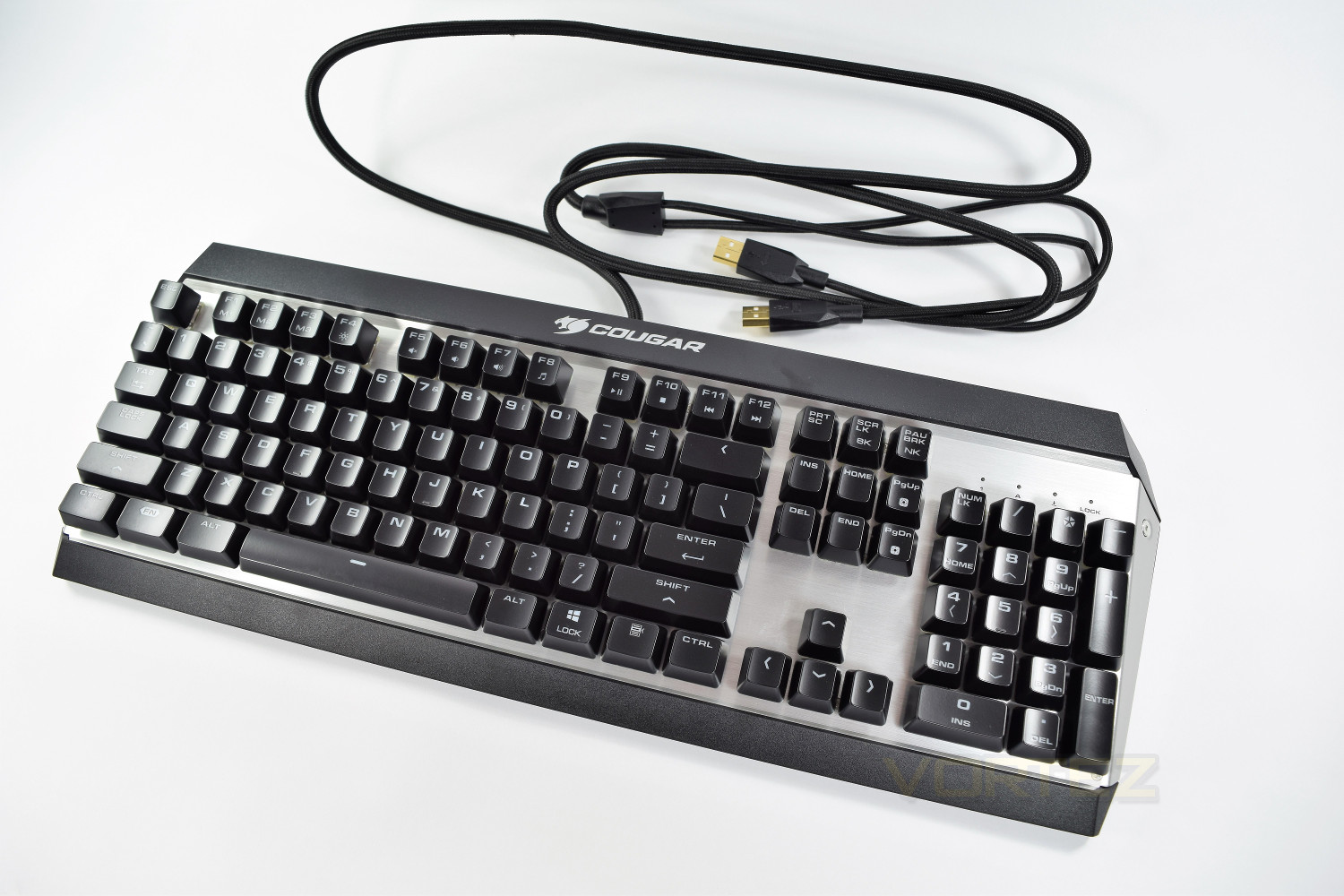
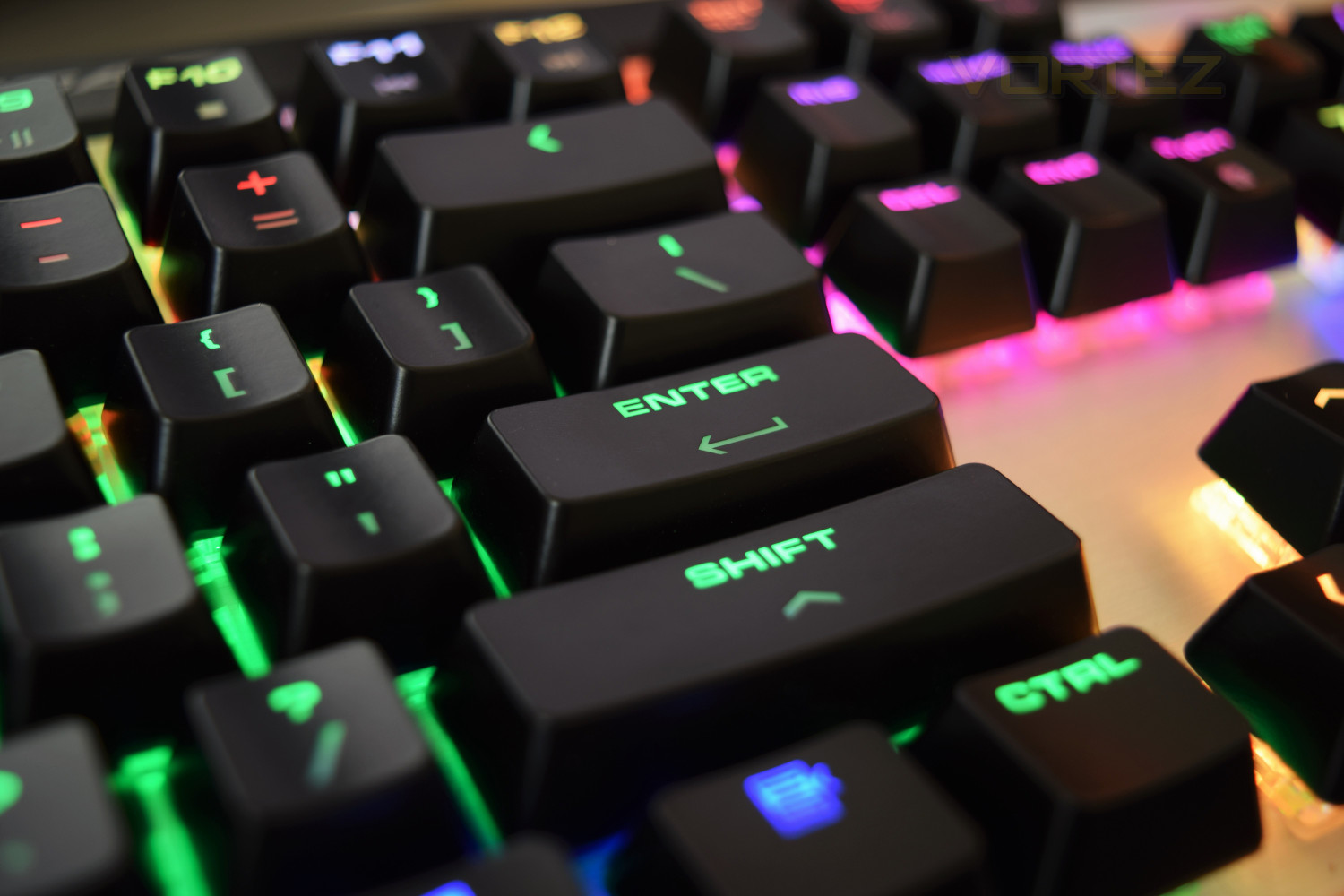
The font and symbols used on the key caps are clear and easy to read, with or without the backlighting. The wide font allows the RGB colours to shine bright. Along with the brushed aluminium reflecting back, this keyboard puts on a beautiful show. This keyboard is currently only available with the standard American layout, which might annoy some U.K users.
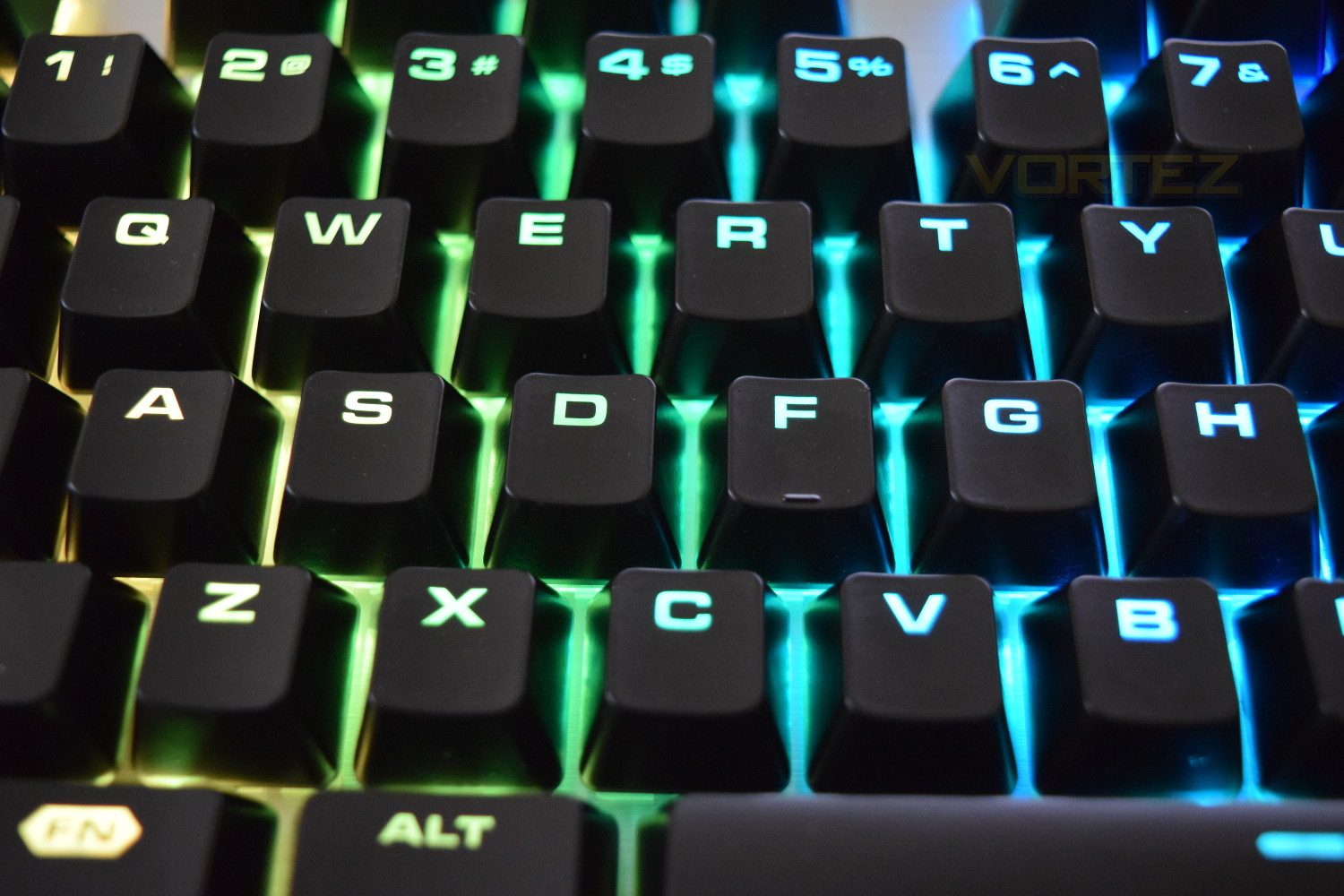
The keyboard features several multi-function keys, activated by holding the Fn key, located at the bottom left. F1 through to F4 control the profiles and RGB lighting effects, F5 to F8 are used as volume controls, with F9-F12 utilised as media keys. Further functions can be found on the print screen and pause break keys, switching between USB and PS/2 mode, with Page Up and Page Down used to adjust backlights brightness. You can switch between 3 different profiles saved within the keyboards on-board memory, with each profile able to save 3 different lighting effects, which can all be customised to a huge degree within the Cougar UIX driver software.
This keyboard bears a single 1.8m braided USB cable, which splits into two at the male end, many would assume this is for a USB pass through, but that isn’t the case. Cougar have told us this is to provide the additional power required by the RGB lighting if the selected USB slot isn’t adequate (UBS2.0 is capable of delivering 0.5A, whereas USB3.0 can provide 0.9A, with dedicated charging versions pushing up to 1.5A). I tried the keyboard on my Gigabyte Z170-K3 (USB3.0) using only the main USB cable and it worked without issue; Cougar do recommend that both plugs are used, so for the purposes of this review, their instructions were followed.
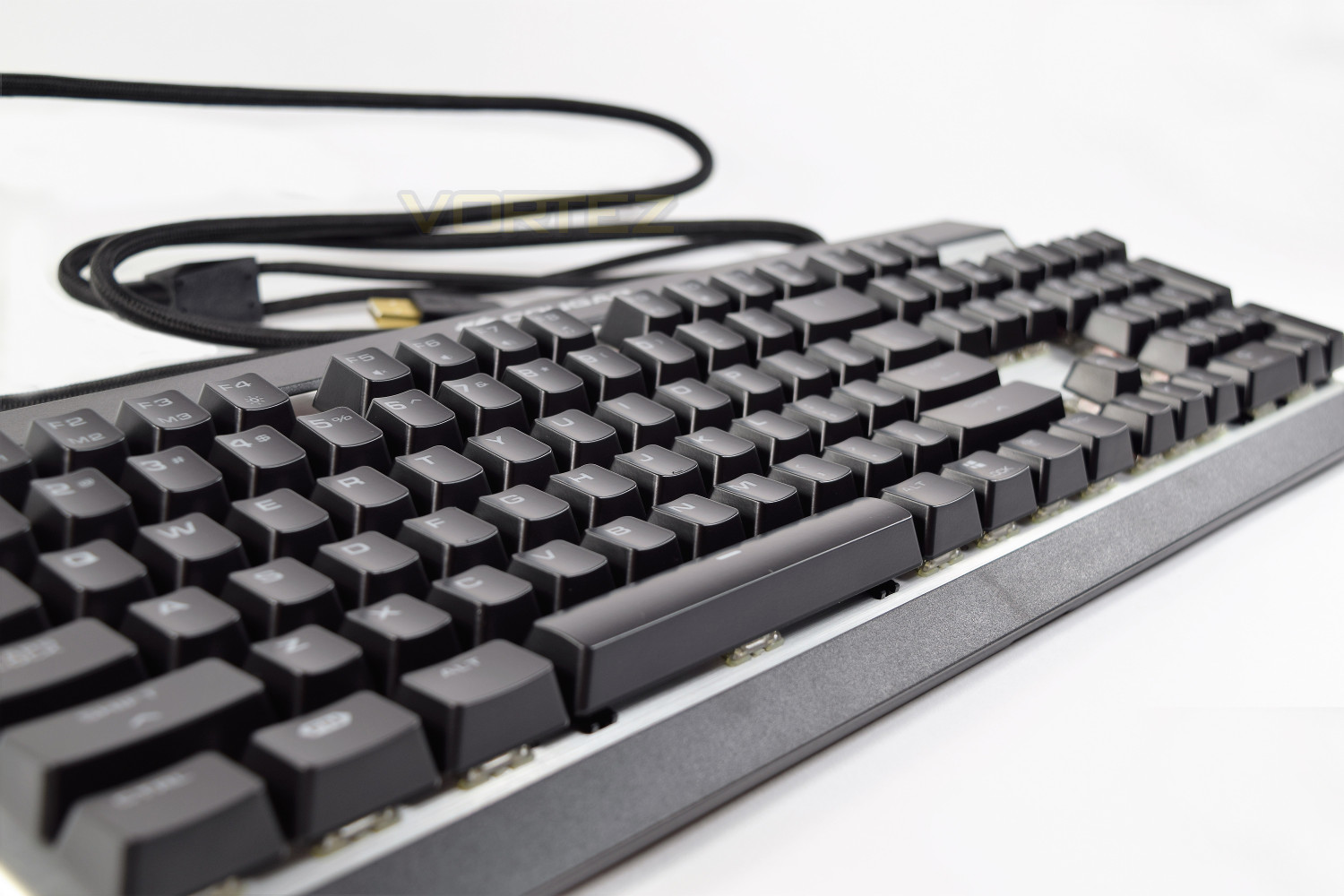
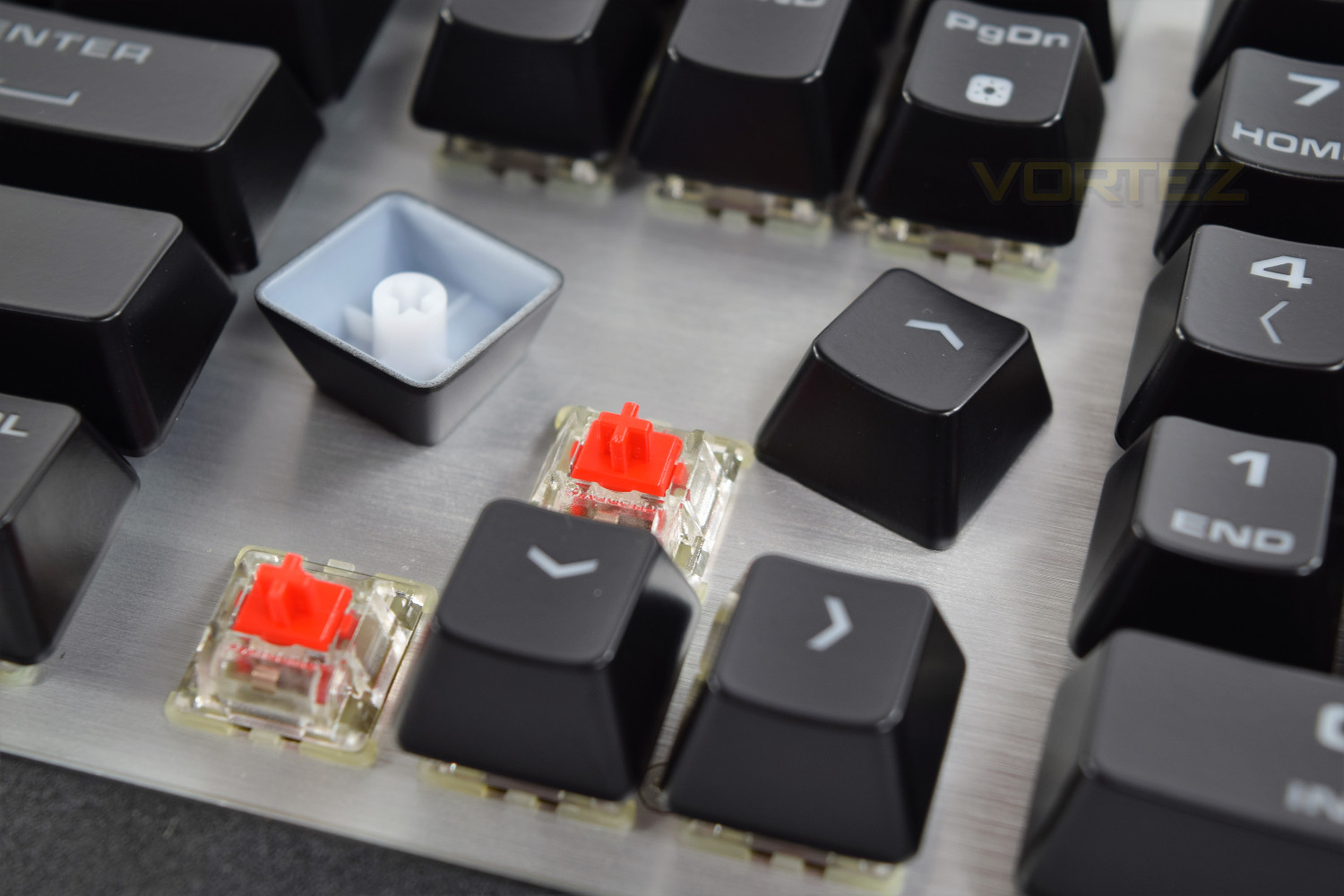
The Mechanical Cherry MX Red keys are clear, to allow for the RGB colour output, the key caps are also raised up away from the keyboard to better show off the lighting, which, along with their easy removal, helps aid inevitable cleaning. The mechanical keys are rated to “at least 50 million clicks.”
Closer Look (Continued)
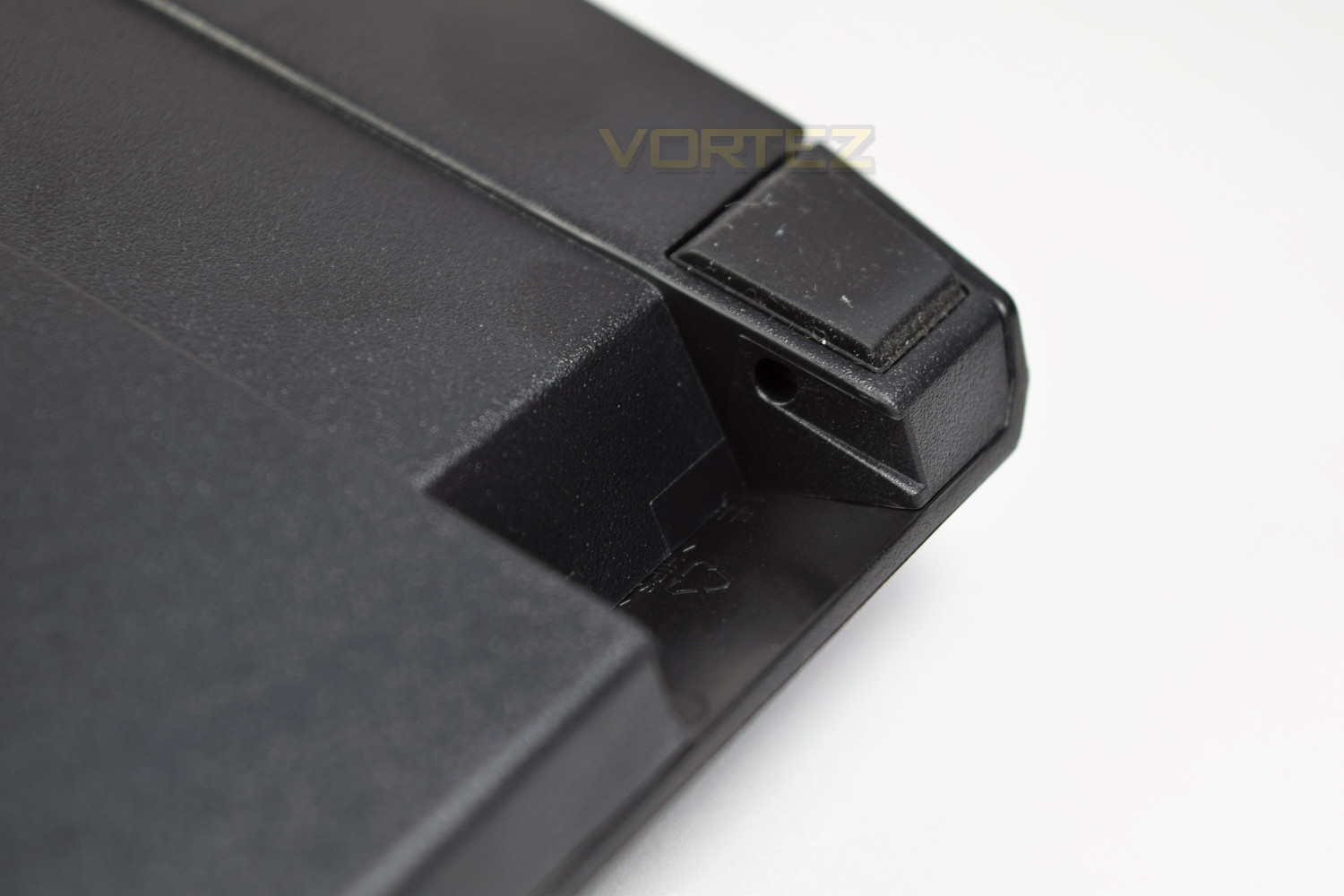
The underside of the keyboard houses two rubber feet, which elevate the top end of the keyboard by 11mm (from 28mm to 39mm). The front of the keyboard also appears to have the provisions for feet or a wrist-wrest, but neither of those have been supplied.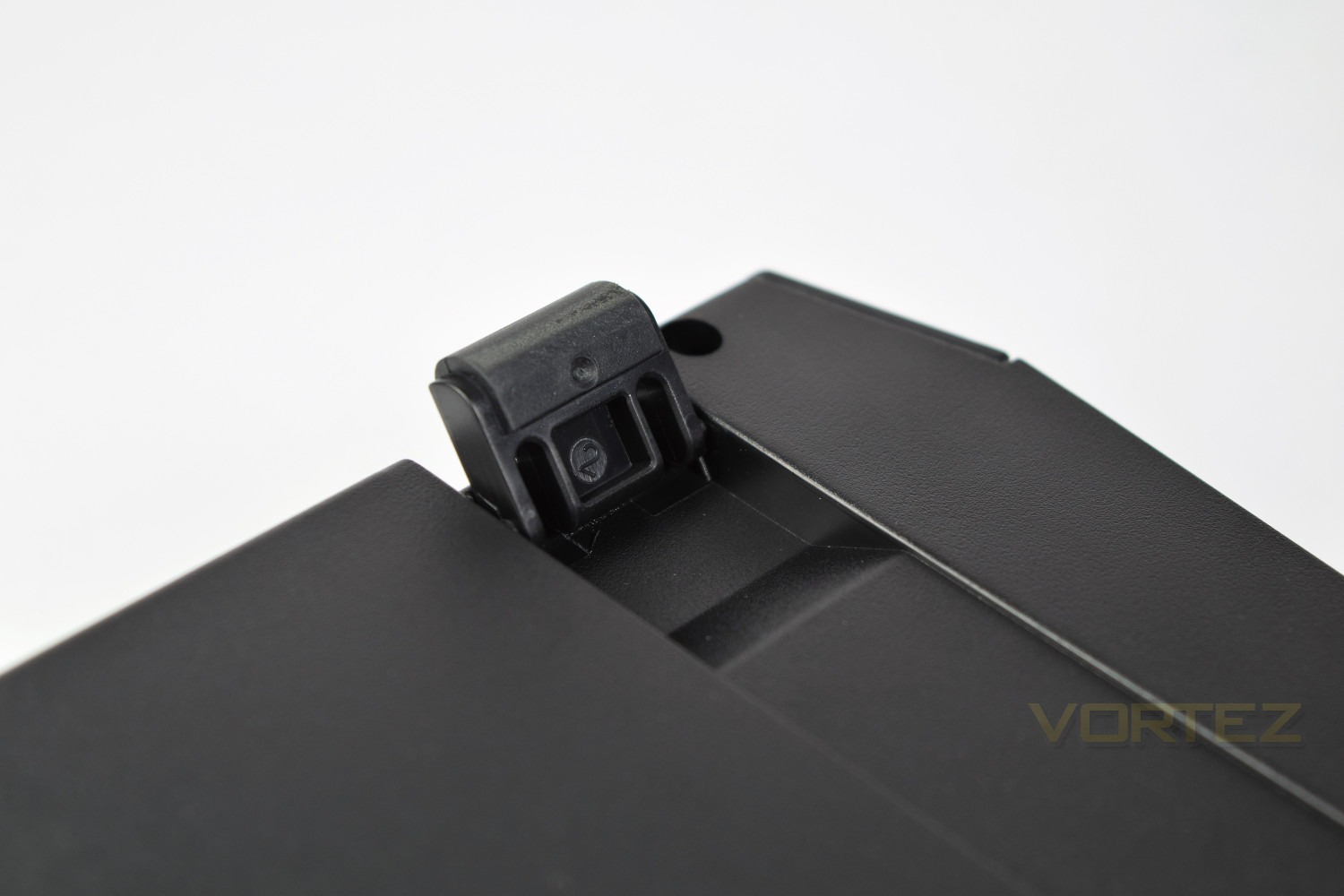
The RGB lighting is brilliant, the key caps look fantastic when lit up. The effects that can be set up using the UiX software are gorgeous, our favourite was the “Rain” effect, showering down random colours at an angle from top to bottom. The scope to change the effects and colours is almost infinite; within the software you can control each key completely independent of each other, with effects or colours.
The half-height Return key is a weird choice, making this vital key more difficult to use.
Software & Lighting
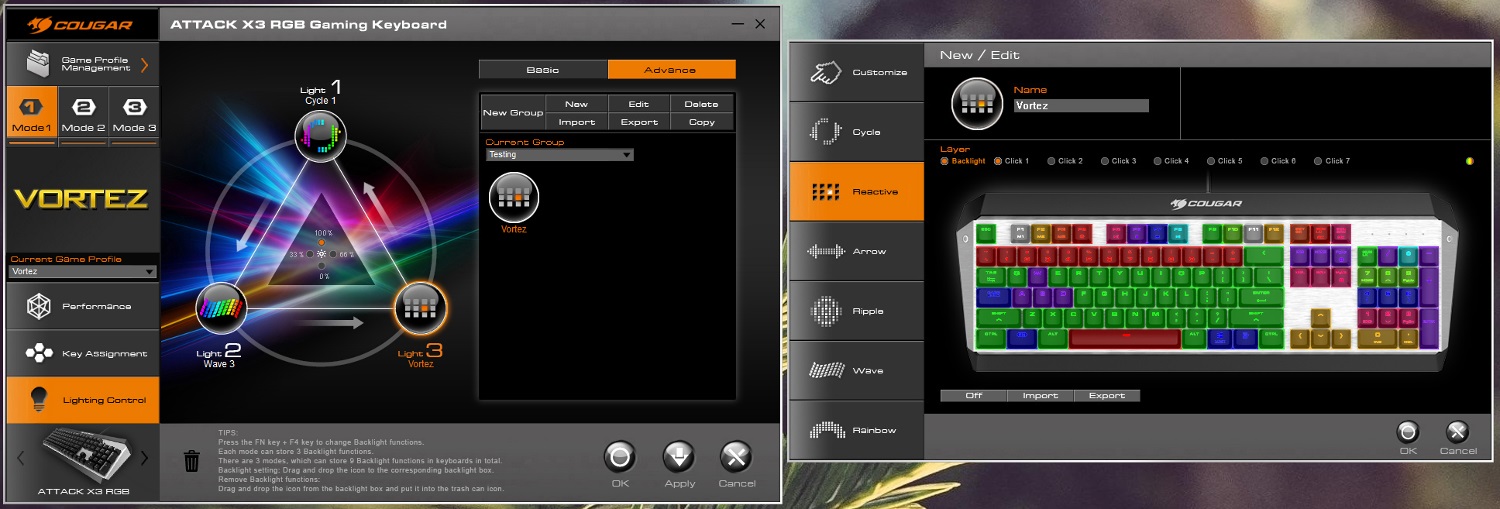
Once downloaded and installed, the drivers will update the firmware on your keyboard to the latest available version. This took less than 20 seconds for us, which is a very reasonable length of time to update the firmware.After opening up the software, you can set up profiles based on different games or events. We chose to go for a Vortez profile, with the logo chosen. First impressions with the software weren’t great, with us struggling to get to grips with certain areas and finding it very unintuitive. Dragging and dropping effects into the sections and being unable to set the keyboard to one colour, without selecting each key individually, seem to be two massive features lacking. The software almost feels as though it’s still in beta. An ability to scale the UI would be handy for users with higher resolution monitors; we tested this on a 3440 x 1440 (34″) monitor and found it difficult to read at its native size.
Updating the onboard memory in the keyboard seems to be an incredibly slow process, taking upwards of two to three minutes if many changes were made. We understand that the keyboard will only hold a small processing capability, but this could surely be streamlined. The keyboard can store 3 profiles, each with 3 backlighting effects; alongside the profiles, the memory can also store up to 30 macros.
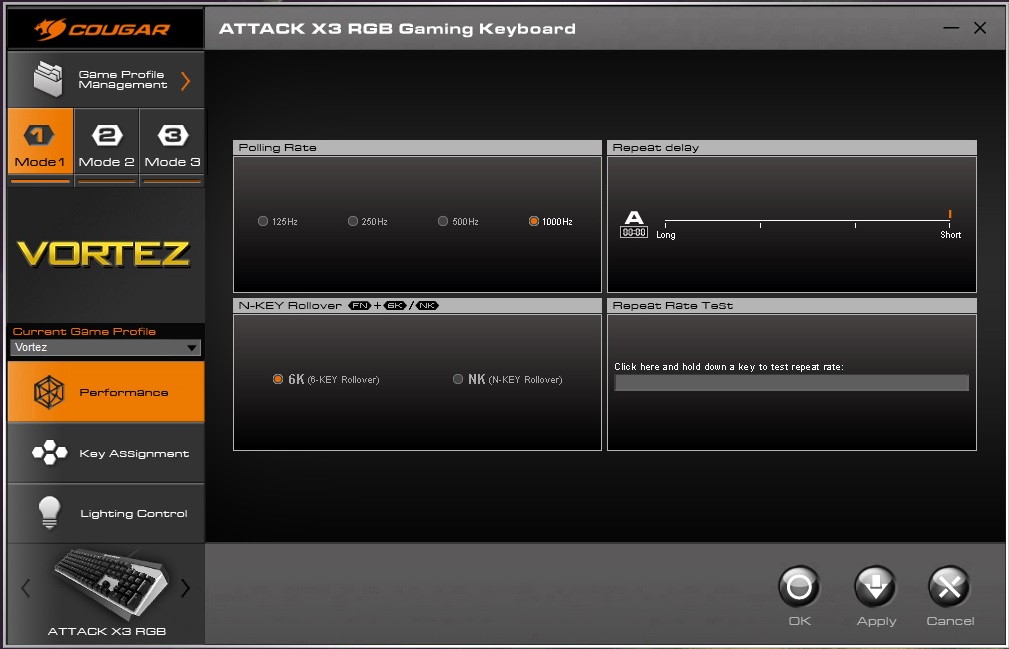
The performance page offers some basic options, including a Polling Rate choice of 125Hz, 250Hz, 500Hz or 1000Hz and the ability to change from 6-Key to N-Key input, there’s also the ability to change the input using the FN + Scroll Lock/Pause Break keys.
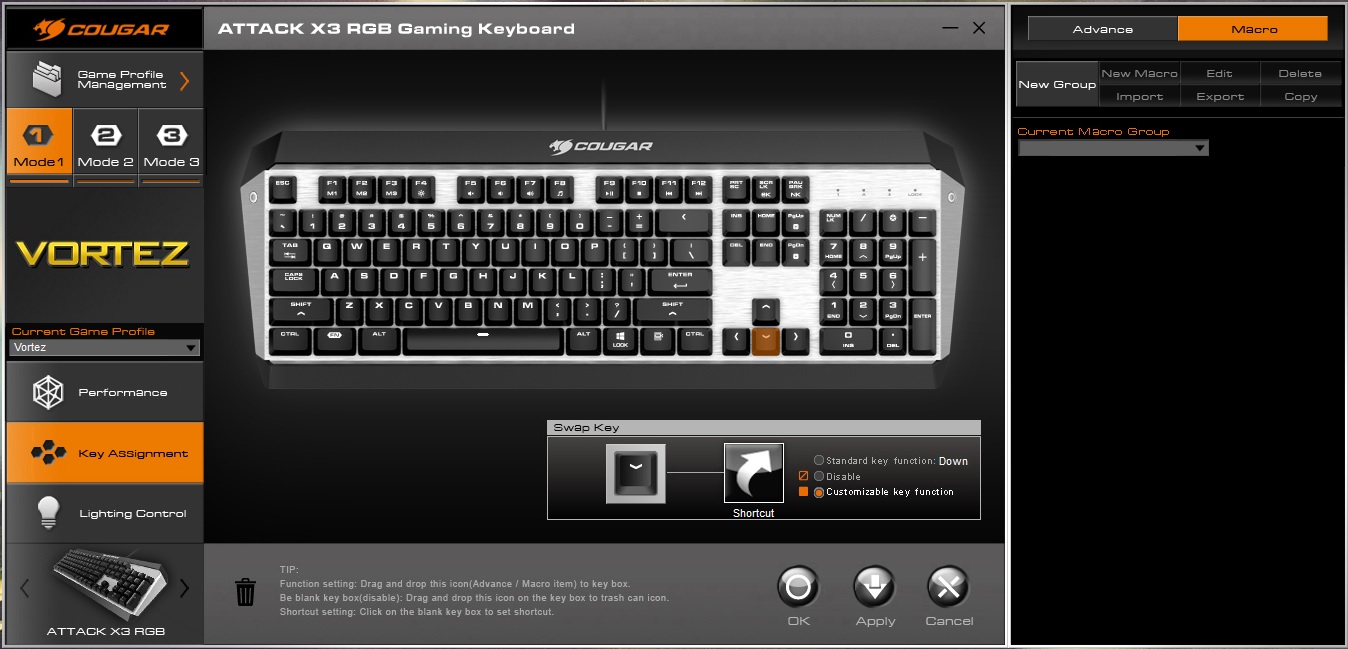
Key assignment is the next page within Cougar’s UiX software; within here you can assign macros and change keys around, dependant on software or gaming requirements.
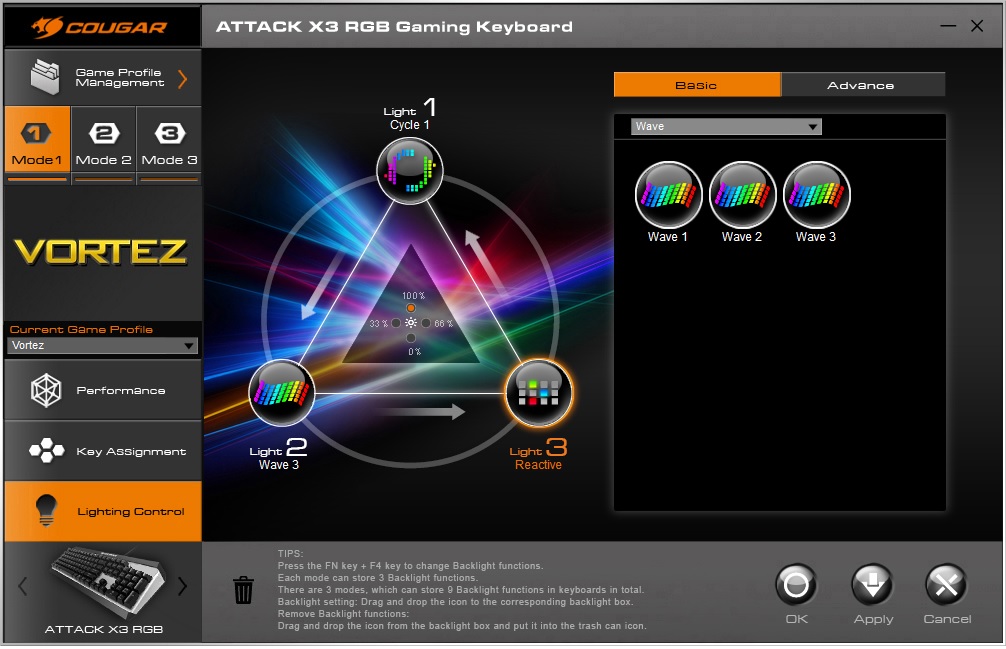
If, like us, you’re most excited about tweaking the lighting, you’ll find this in Lighting Control. Options here aren’t lacking, basic options are available, along side the Advanced tab, which allows keys to have individual effects and colours applied. Again this is another area that could see some large improvements; the ability to change the colour of several keys at the same time and some keyboard shortcuts would be a god-send. Changing 104 keys, one at a time, without any shortcuts, is a long, drawn-out process.
Performance Testing
Now onto the actual keyboard, it’s a strong performer and offers a great deal of features, however there are some areas which we would’ve liked to have seen done differently.The half height Return Key is the biggest issue with this keyboard. We can’t see why Cougar have decided to go with a smaller Return key, to place another key above; a key which you would usually find underneath, and slightly to the left. I found myself pressing the # key after every sentence while typing, because of the placement of the button.
Another big issue we had was the lack of a wrist support; these are pretty standard with any premium keyboard, whether they’re detachable or not, especially a keyboard upwards of £100, but a complete lack of any inclusion strikes us as very odd, and makes the keyboard much less comfortable to use. As previously mentioned, there does appear to be a means of attaching a wrist support, but we’ve been unable to find any way of purchasing this extra.
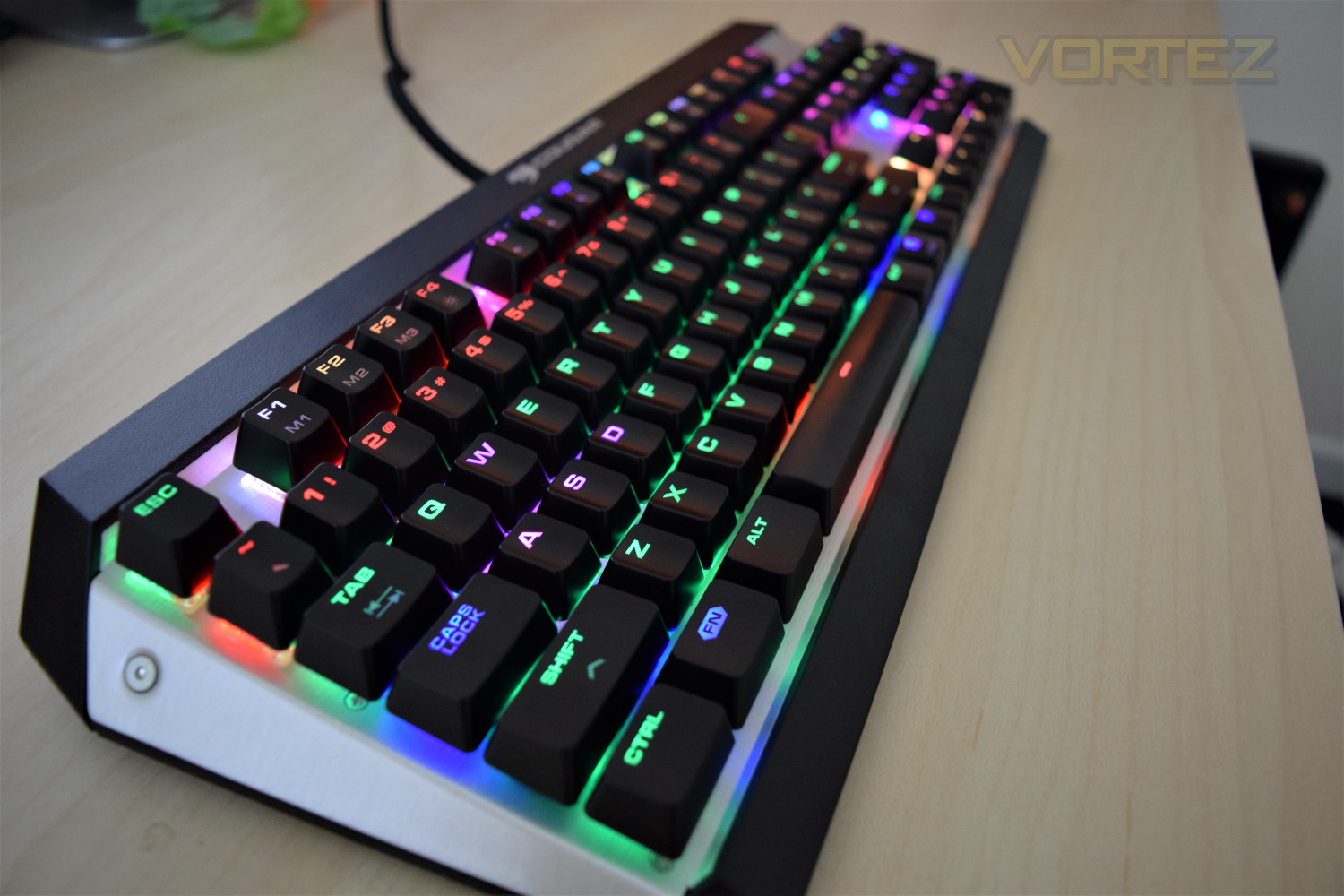
The switches themselves feel brilliant, featuring a great actuation while being reasonably quiet for a Mechanical key. The keys feel rugged, with very little lateral movement under the finger. The key spacing is about right, finding a very short bedding in period.
With the “gaming keys” being enlarged (Control, Shift, Alt etc.) we found this keyboard to be very easy to use in FPS games. There was also absolutely no noticeable lag, at all.
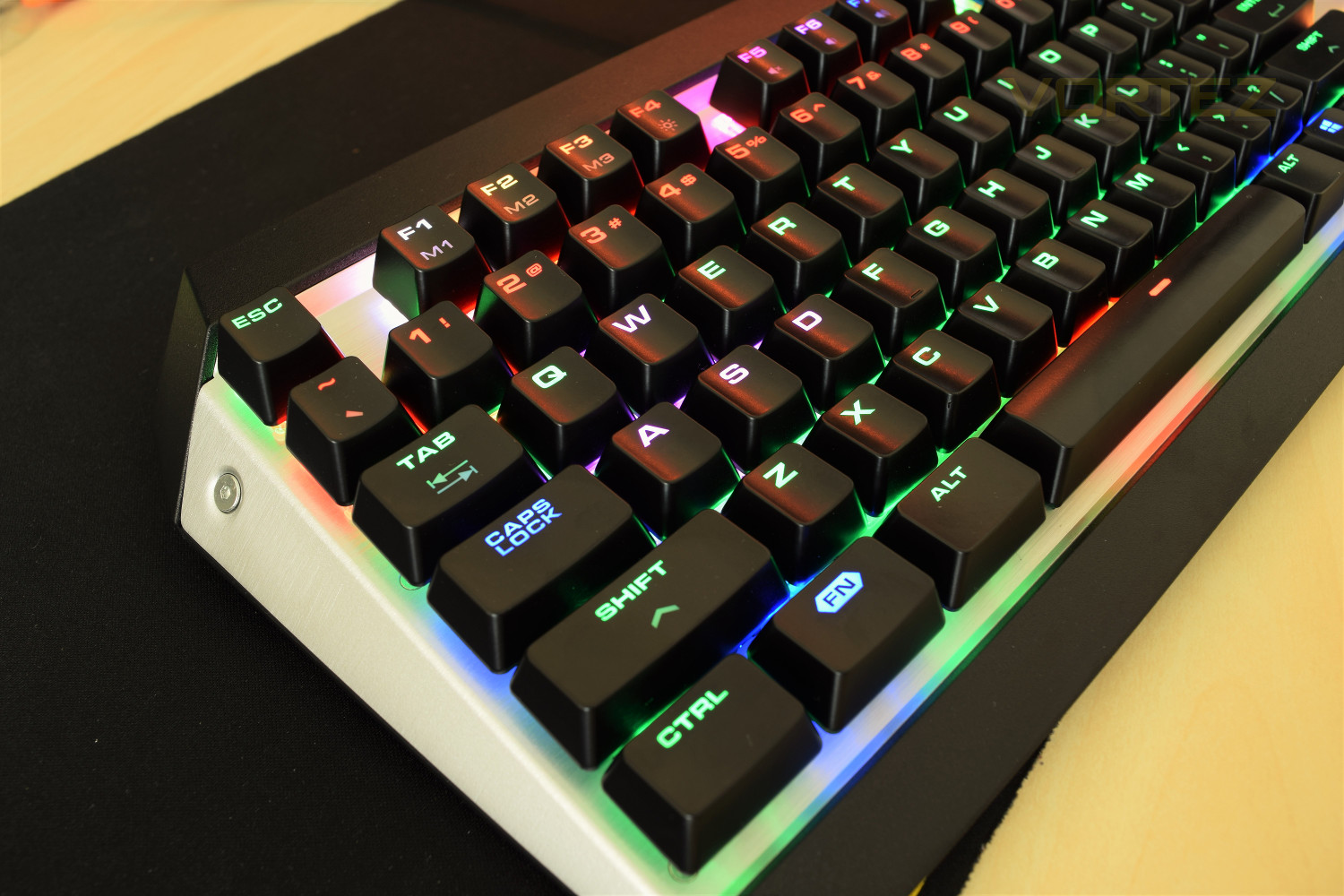
Due largely to the aluminium and plastic construction, the keyboard feels sturdy with no noticeable flex, even with the stand off legs in use.
The FN keys felt well thought out, grouped up intuitively allowing a very short learning period. Dedicated media keys would’ve been preferred, but they’ve done a good job despite their absence.
Conclusion
Cougar have set out to produce the best gaming peripherals on the market, but they’ve forgotten some major points with the Cougar Attack X3 RGB; mainly the lack of an included wrist support, poor Cougar UiX software, the half-height return key and the lack of a UK layout.The lighting and effects are brilliant, allowing users to match any colour scheme they like. The software can be tricky to set up, but once done, the aluminium faceplate and bold font show off the RGB lights to their full extent.
The pricing of this keyboard seems a little out of touch, with other, better established manufacturers offering strong contenders for less money. For £124, I would expect a wrist support, a well-polished software package and dedicated media keys.
A complete lack of USB-passthrough also hurts the appeal of this keyboard, being especially useful for mice and headsets with shorter cables.
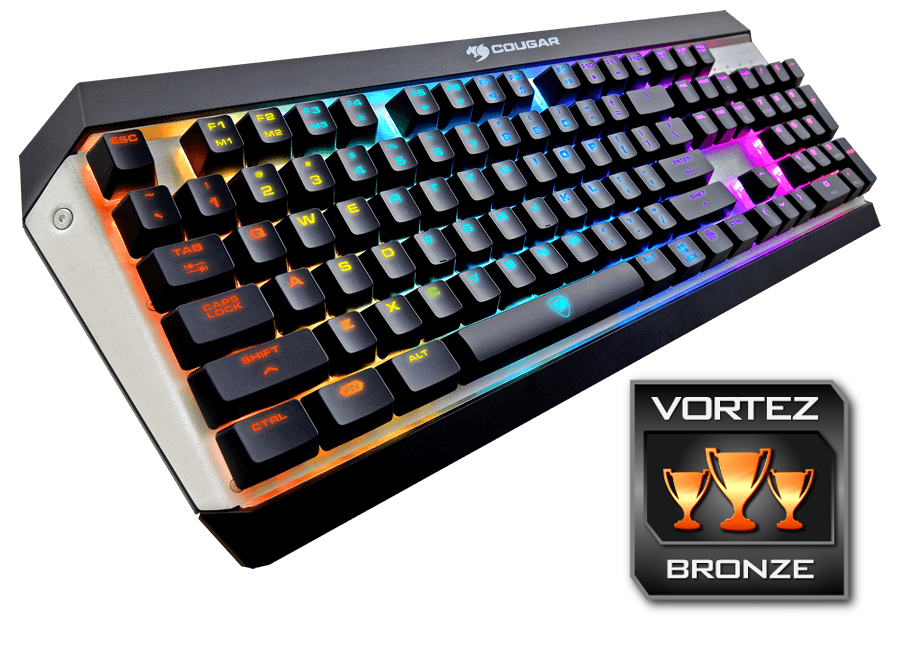
Cougar have made a good effort with this keyboard, but there are several missed opportunities which we feel should’ve been included at this price point.
Pros.
+ Sturdy construction
+ Bright, customisable RGB lighting
+ Cherry MX Red switches
+ Clear key font (with or without backlighting)
Cons.
– Lack of wrist support
– Poor Cougar UiX software
– Only available in US layout
– No USB passthrough
– No dedicated media keys
– Half height Return Key
+ Sturdy construction
+ Bright, customisable RGB lighting
+ Cherry MX Red switches
+ Clear key font (with or without backlighting)
Cons.
– Lack of wrist support
– Poor Cougar UiX software
– Only available in US layout
– No USB passthrough
– No dedicated media keys
– Half height Return Key
Click here for an explanation of our awards at Vortez.net.