The DeathFire combo is an entry-level gaming keyboard and mouse set, featuring hybrid mechanical switches on the keyboard and OMRON switches in the mouse.

Product on Review: Cougar DeathFire Gaming Gear Combo
Manufacturer and Sponsor: Cougar
Street Price: UK: £39.99, US: $49.99
Entry-level gaming sets have long been an overlooked market since the mechanical revolution. It is fair to say that not all gamers have resources to buy a full host of premium gaming peripherals which could easily set you back £250-450 (for keyboard, mouse, headset). So we have taken an interest in what is around for the gamers on a budget. The DeathFire combo from Cougar has just hit the market and we are fortunate enough to get our hands on it on it, especially considering the features for the price. Such as a keyboard that features hybrid mechanical switches. 26 key roll-over and RGB lighting, while the ambidextrous optical mouse is fitted with OMRON switches, the ADNS-5050 sensor and has been given a 1000Hz (1ms) refresh rate.
Available for £39.99, it is fair to say that your wallet will barely feel the dent, however, seated between the Tt eSPORTS sets we have viewed recently, (COMMANDER and CHALLENGER) Cougar will have to finely balance the performance, quality and feature set to find its place between these.
Overview by Cougar
COUGAR DeathFire puts together in a single package everything you need to enjoy gaming. Accuracy, Functionality and Design meet to bring an excellent choice to all kinds of gamers. All the essential functions a gamer needs have been included in DeathFire. Win key lock, media control shortcuts, mouse DPI switching and more functions are ready to make your life easier. DeathFire allows you to play in any environment and customize its appearance through its keyboard and mouse’s 7 color backlight. Control it easily and switch colors on the fly with the dedicated key and shortcut! The DeathFire Keyboard’s Hybrid Mechanical Switches and Anti Ghosting Technology join the mouse’s Adjustable DPI, OMRON Switches and 1000 Hz polling rate to provide quick, accurate and reliable responses for your commands.
Technical Specifications
Product name: COUGAR DEATHFIRE Gaming Keyboard
Key switch: Hybrid mechanical ( 20 MILLION KEYSTROKES )
Anti-ghosting keys: 26 keys
Cable length: 1.6m
Backlight: 7 colors
Dimension: 140(L) X 448(W) X 43(H) mm
Interface: USB plug
Weight 1kg
Product name: COUGAR DEATHFIRE Gaming Mouse
Sensor: ADNS-5050 Optical gaming sensor
Switching: OMRON gaming switches
Resolution: 500 /1000 /1500 / 2000 DPI
Interface: USB plug
Grip type: Ambidextrous
Cable length: 1.6m
Polling rate: 1000Hz / 1ms
Dimension: 116(L) X 65.4(W) X 38(H) mm
Backlight: 7 colors
Weight: 85g
Key switch: Hybrid mechanical ( 20 MILLION KEYSTROKES )
Anti-ghosting keys: 26 keys
Cable length: 1.6m
Backlight: 7 colors
Dimension: 140(L) X 448(W) X 43(H) mm
Interface: USB plug
Weight 1kg
Product name: COUGAR DEATHFIRE Gaming Mouse
Sensor: ADNS-5050 Optical gaming sensor
Switching: OMRON gaming switches
Resolution: 500 /1000 /1500 / 2000 DPI
Interface: USB plug
Grip type: Ambidextrous
Cable length: 1.6m
Polling rate: 1000Hz / 1ms
Dimension: 116(L) X 65.4(W) X 38(H) mm
Backlight: 7 colors
Weight: 85g
Packaging & First Look
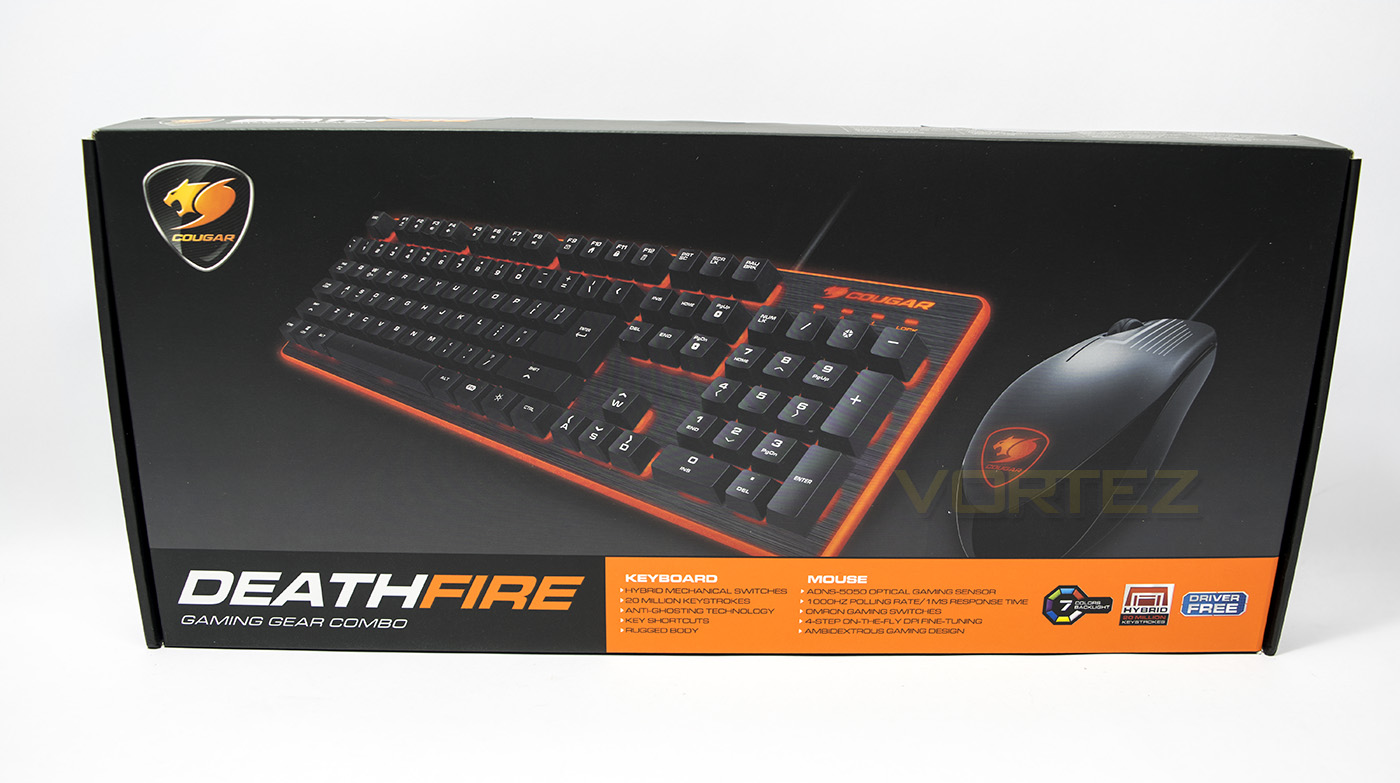
The package is sleek, showing off the Cougar black and orange colours. There is a clear image of the contained products, with a small written list showing the features of each the mouse and keyboard.
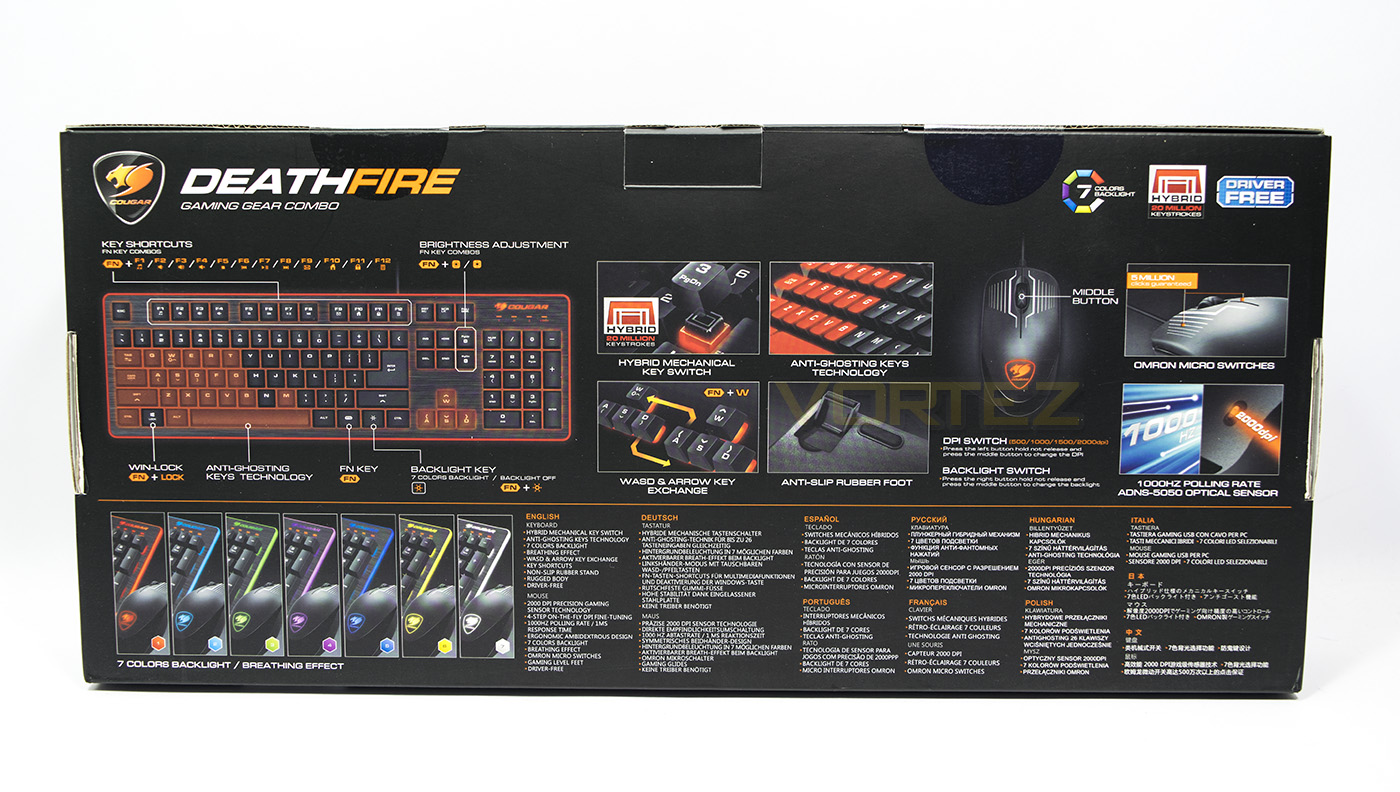
At the back we get a collection of visual diagrams showing off each of the primary functions and features, as well as multi-lingual specifications.
The combo is bundled with a basic fold open manual that explains some of the primary control features of the products, though considering the pricing, you wouldn’t expect much more.
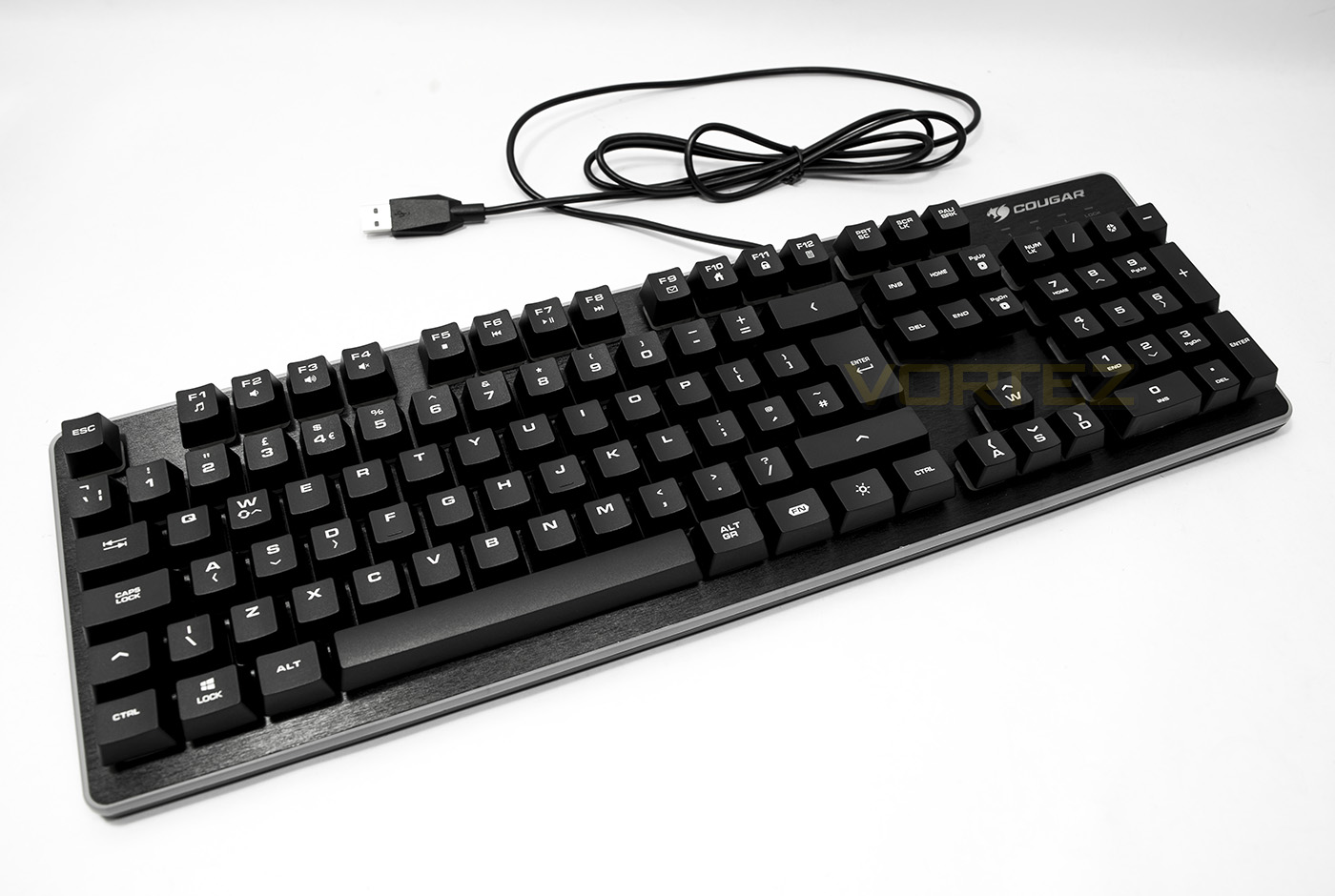
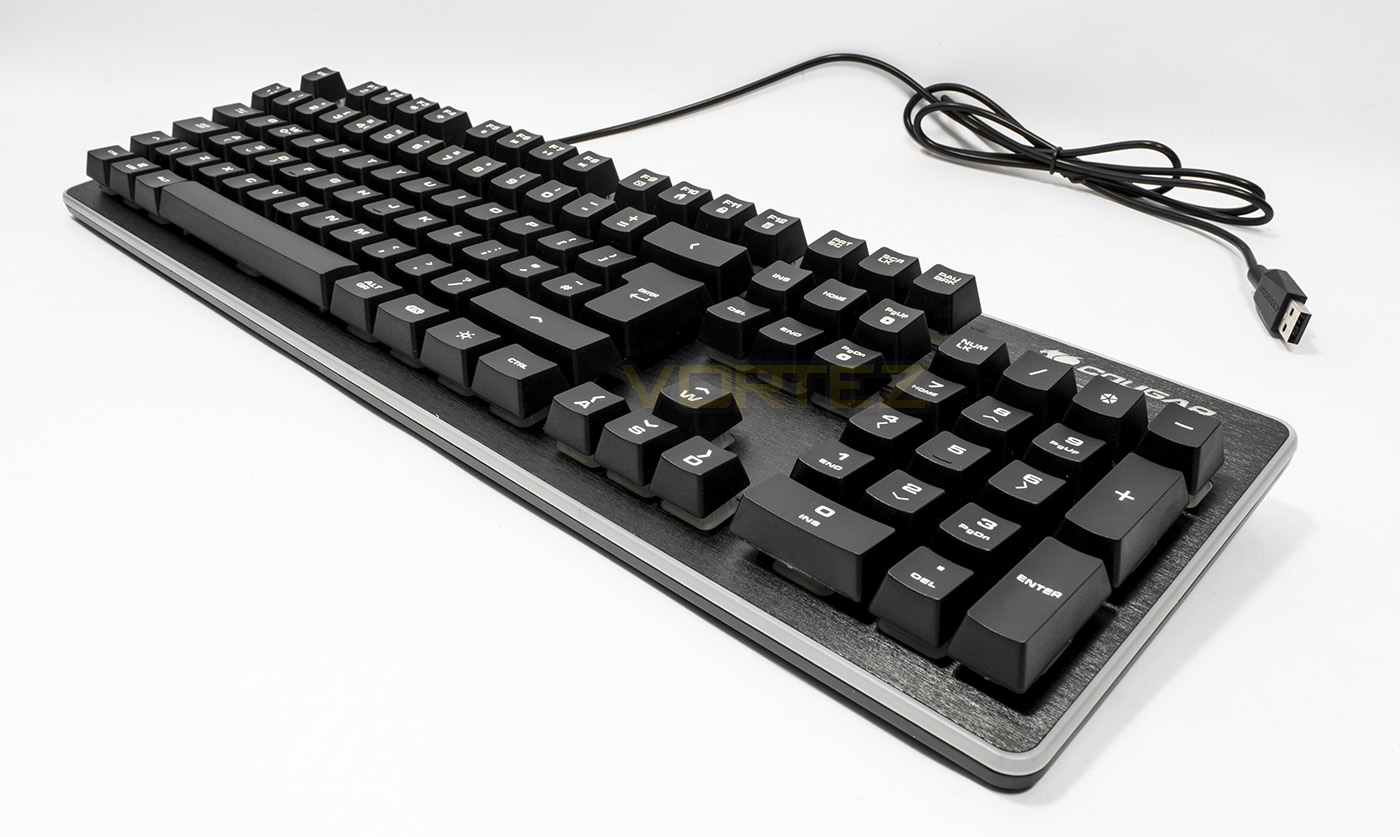
The keyboard itself actually looks rather low-profile and attractive, featuring a plastic top-plate that is made to look like brushed aluminium, while the border of the frame is surrounded by LED lighting. This is a much more attractive and sleek appeal than what is offered by the Tt eSPORTS combos. However, note that the cable is bare plastic and not braided.
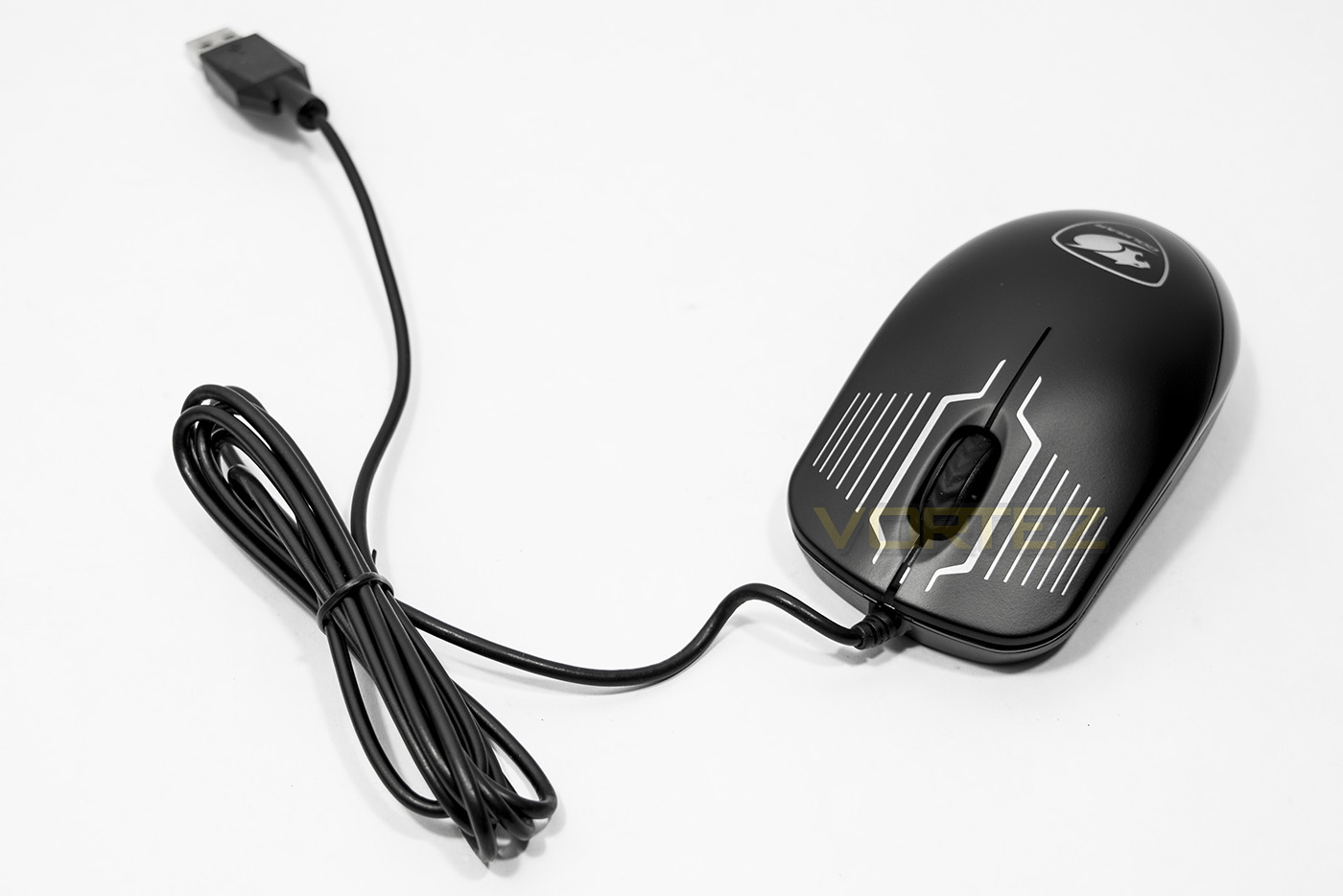
The optical mouse is ambidextrous and only features left and right click and the mouse wheel. There are no side buttons, and the cable again is not braided.
Closer Look: Keyboard
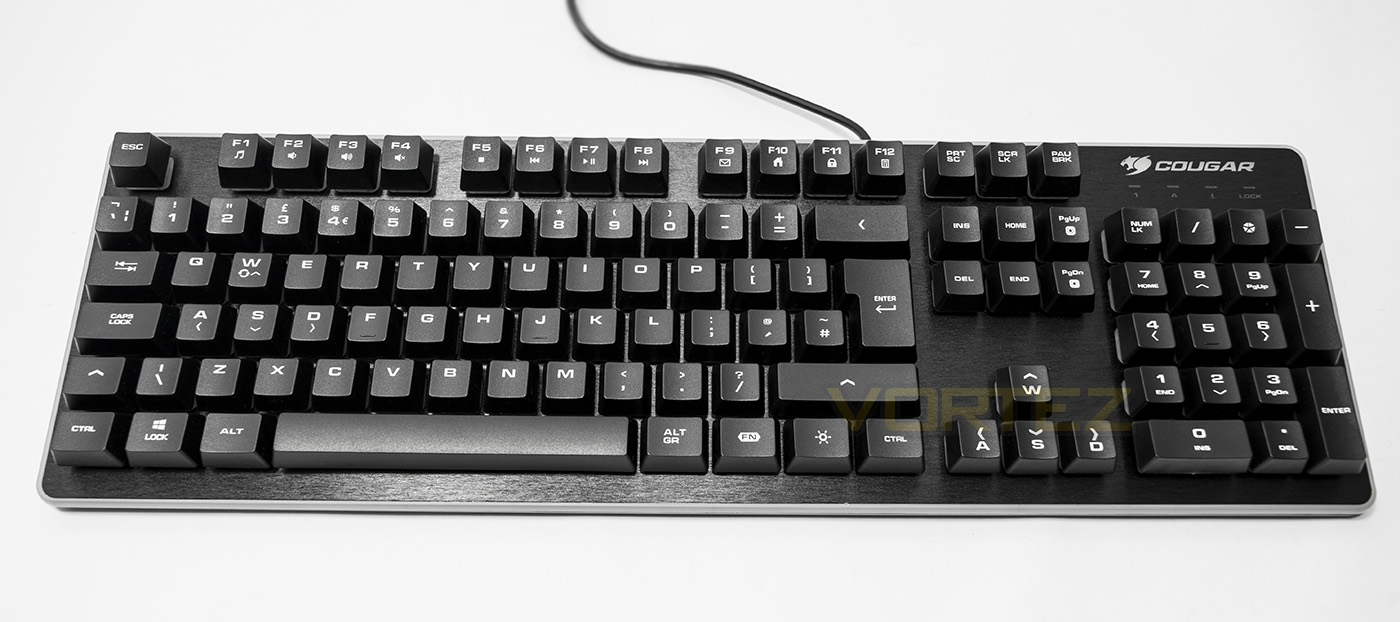
The keyboard itself resembles a mechanical keyboard with the switches set on an exposed top plate. This will make things convenient to clean, while looking attractive.
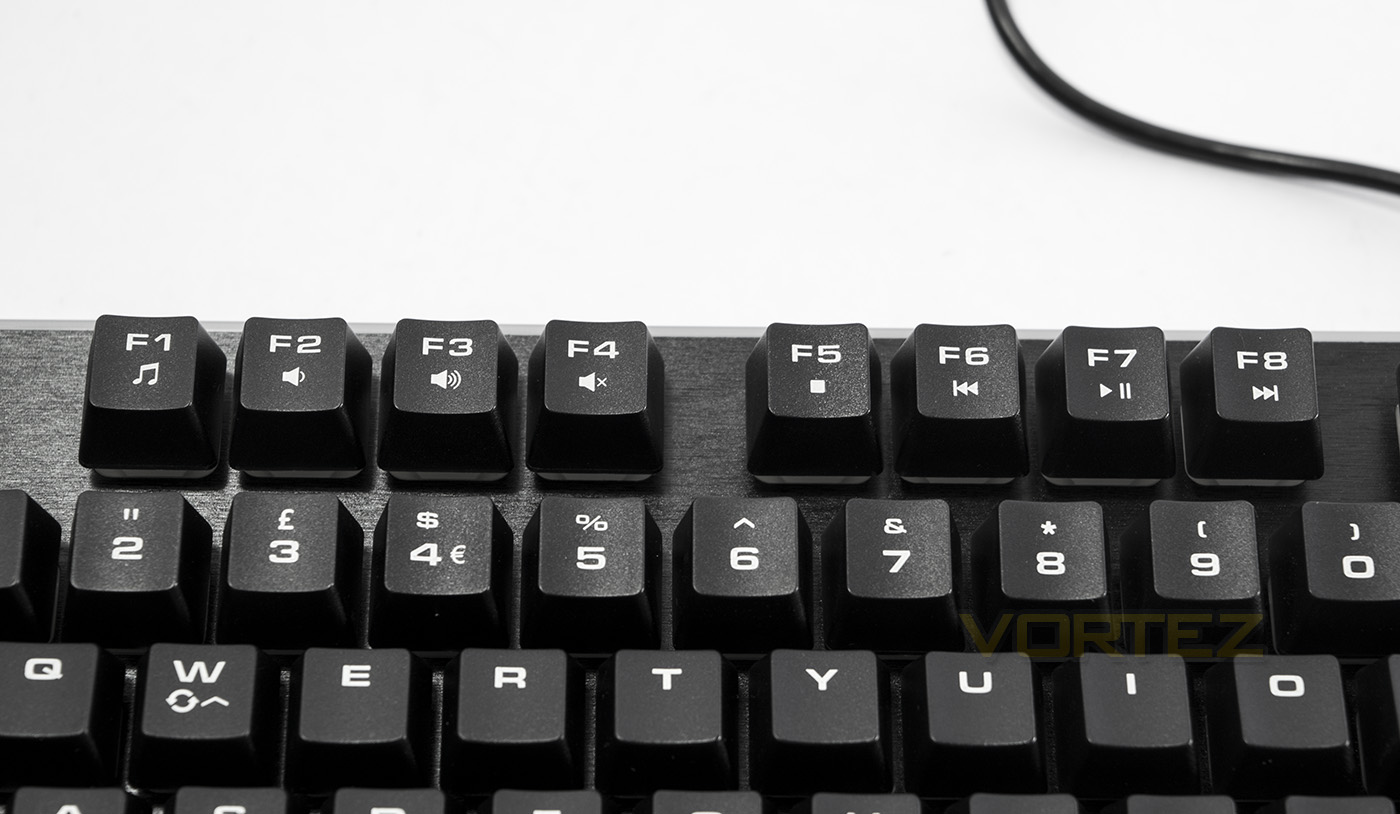
The DeathFire keyboard makes use of FN keys, including open media-player, volume: down, up and mute, stop, skip previous, play/pause, skip next.
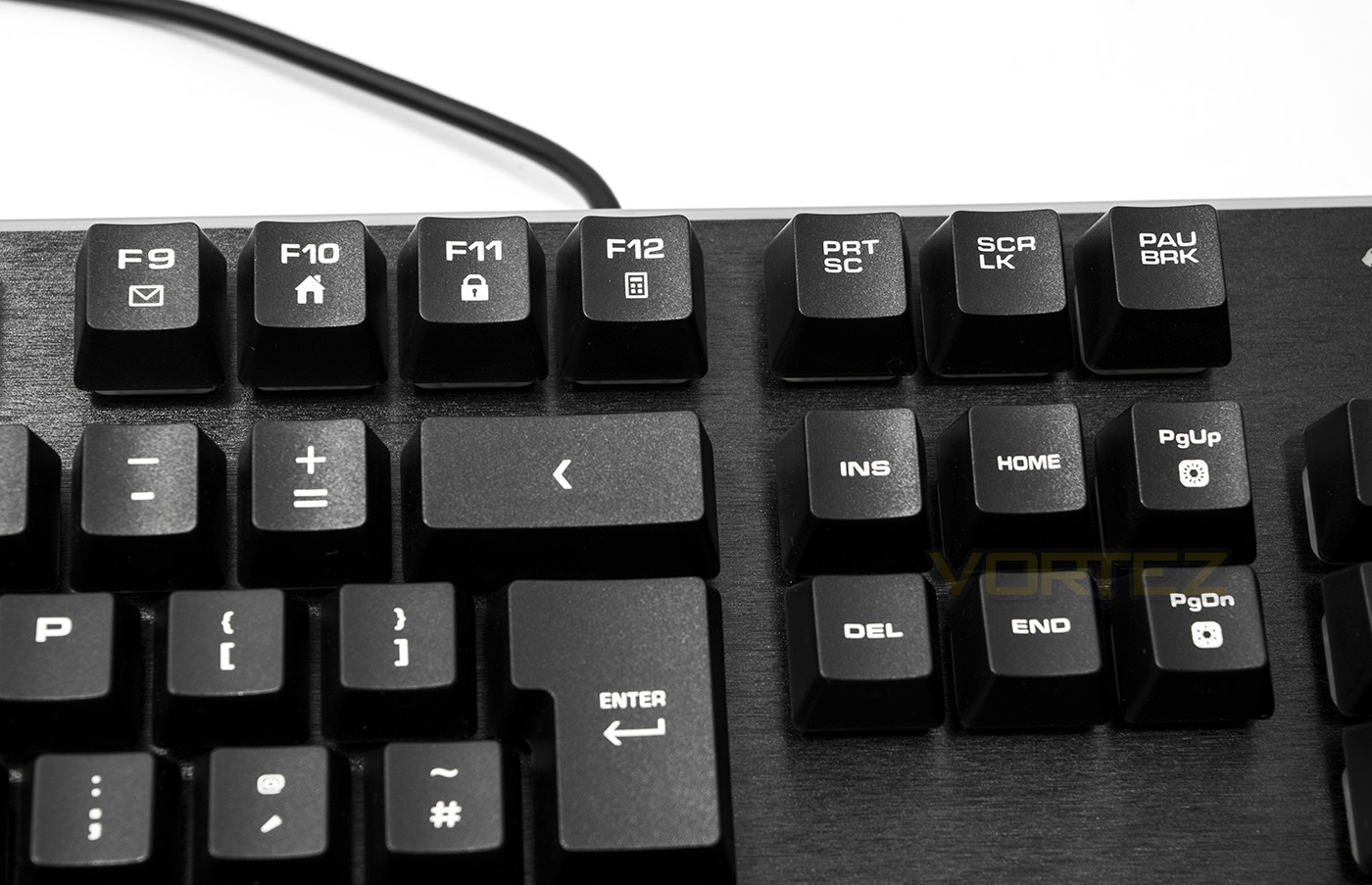
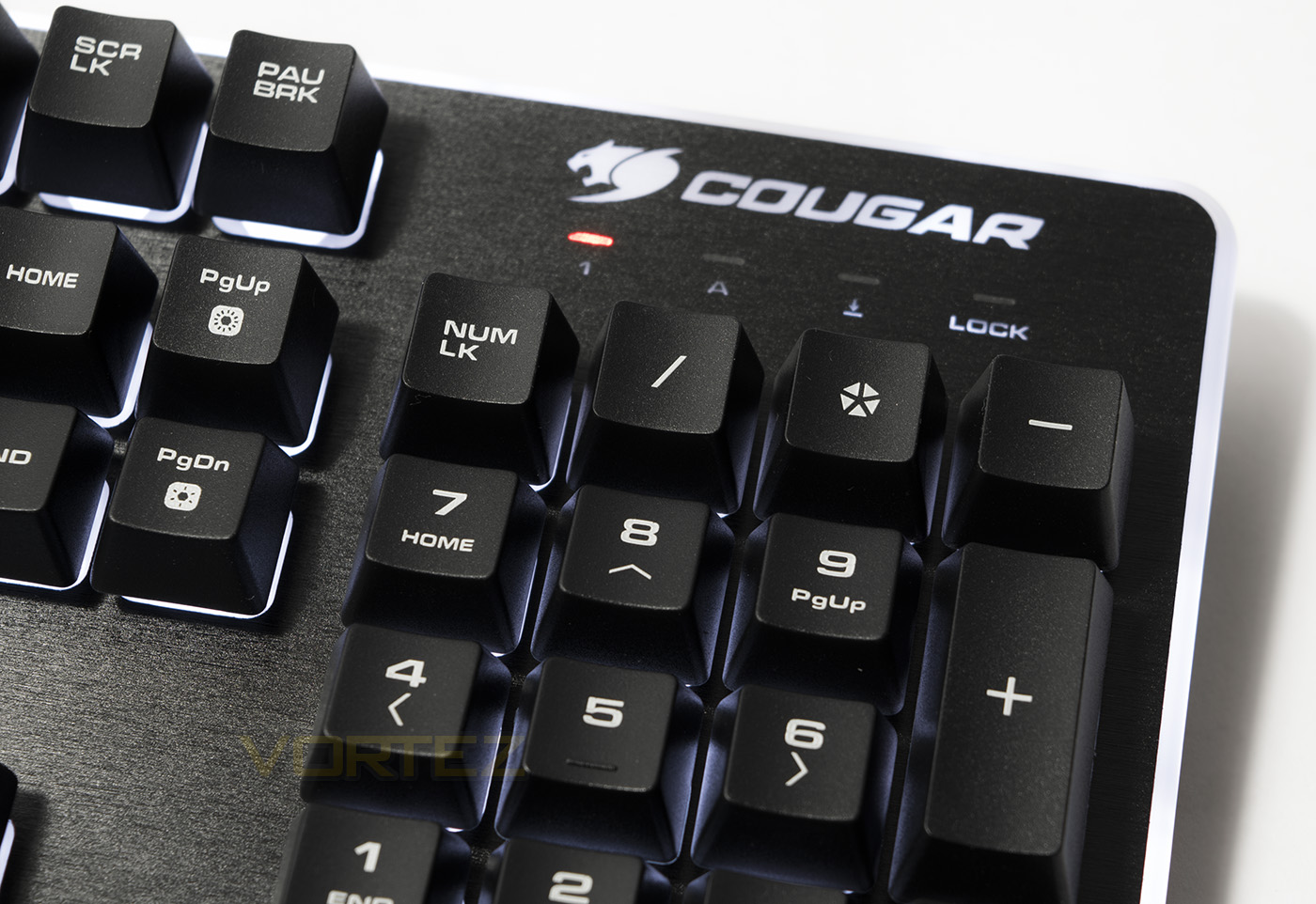
There are more FN keys, this time in the form of shortcuts, open: mail, home page, lock keyboard, and open calculator. PGup and PGdown double up as LED brightness controls.

Using the Fn key you can swap WASD for cursor keys instantly, while Fn + Windows key will lock the Windows key.
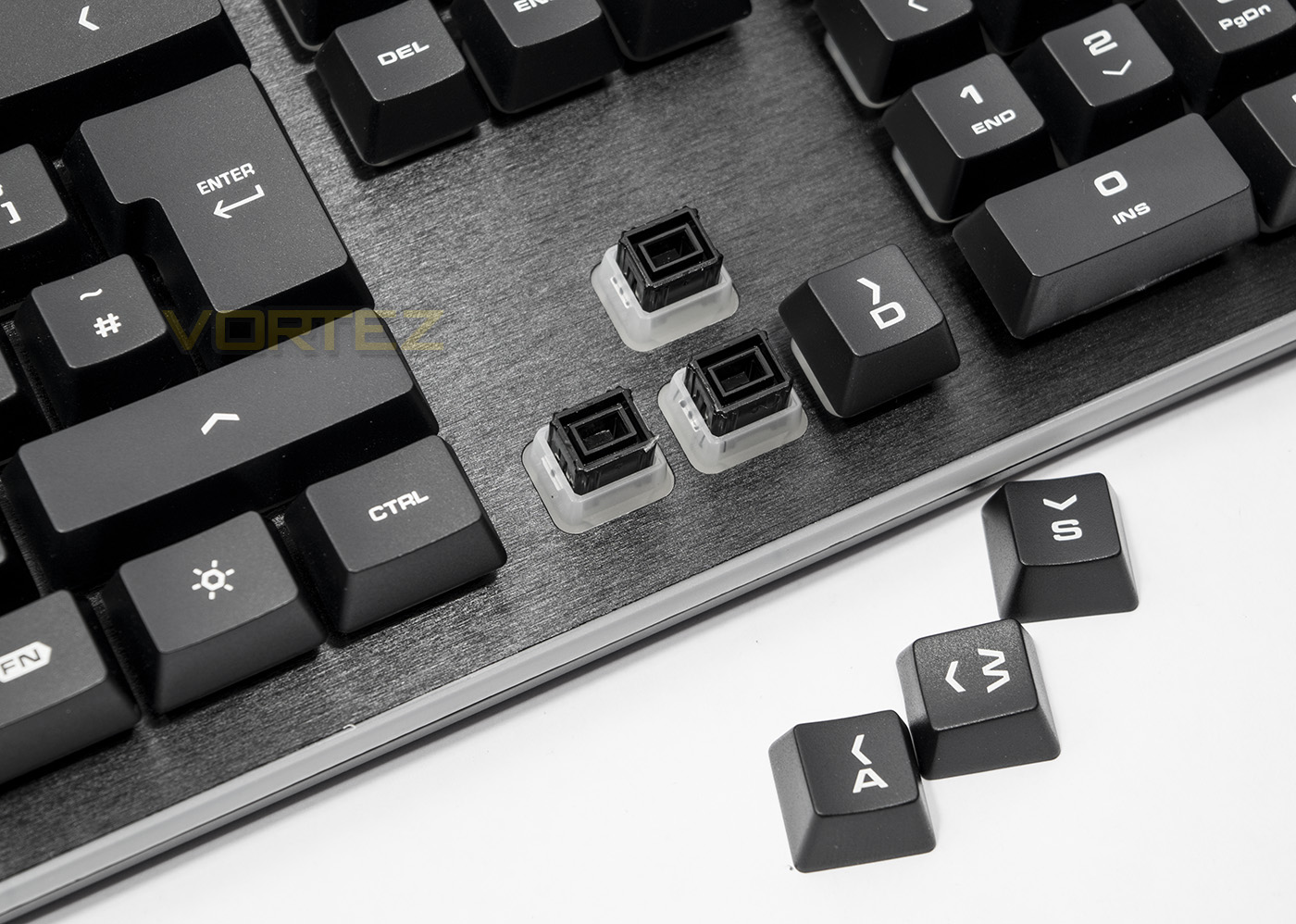
The hybrid mechanical switches look a feel much different to the solutions we observed on the COMMANDER and CHALLENGER combos, though here it appears that the backlighting will not go through the keycaps, making the backlighting relatively pointless.
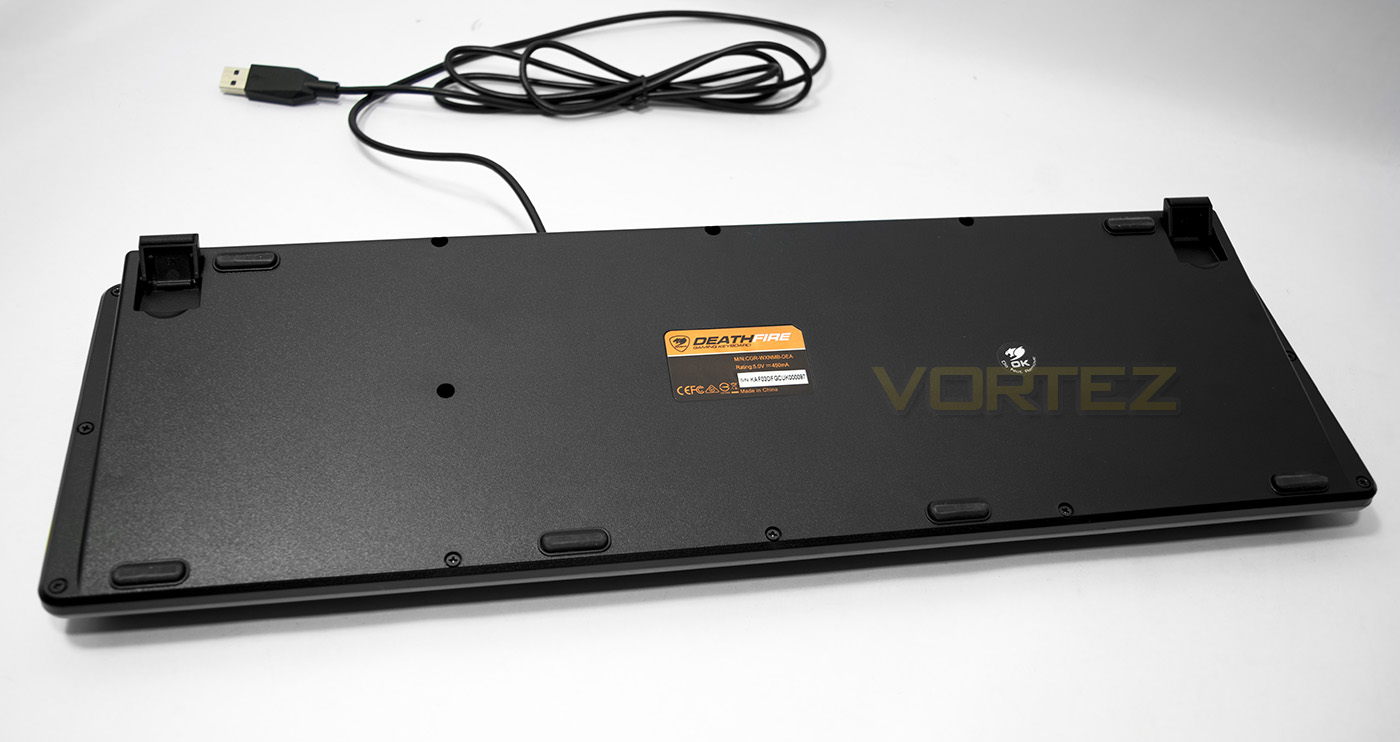
The underside is plain with a few non-slip pads on both the base and the feet.
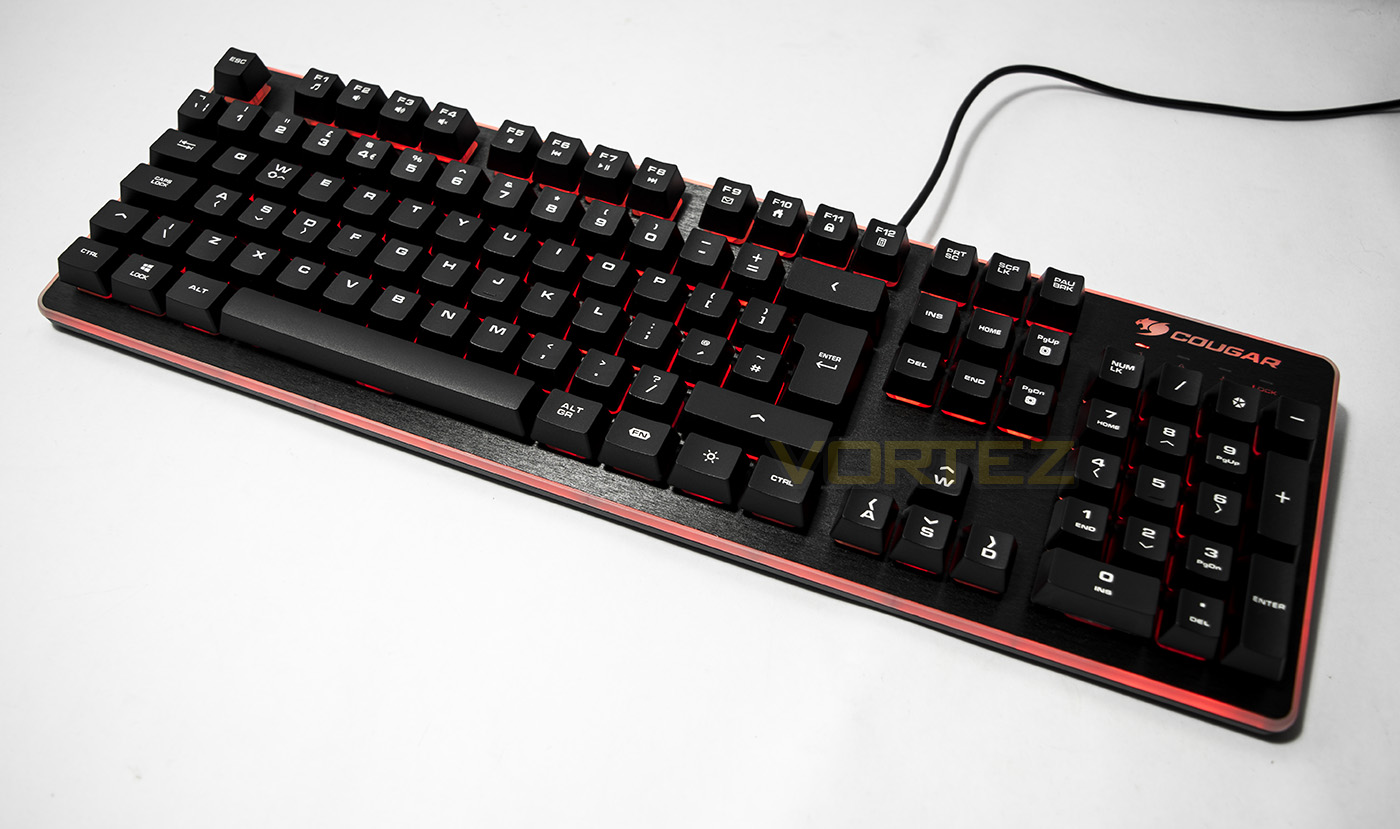
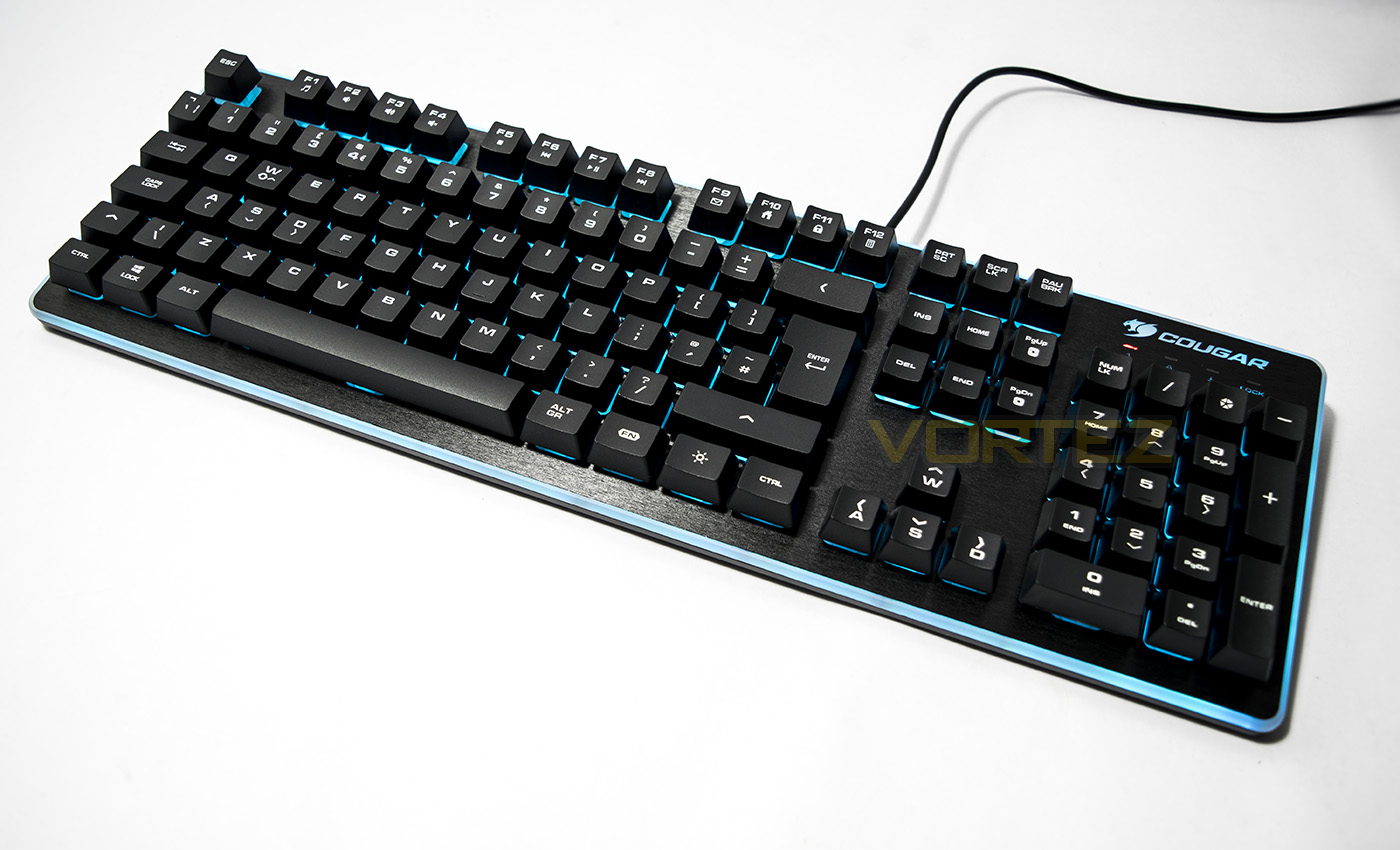
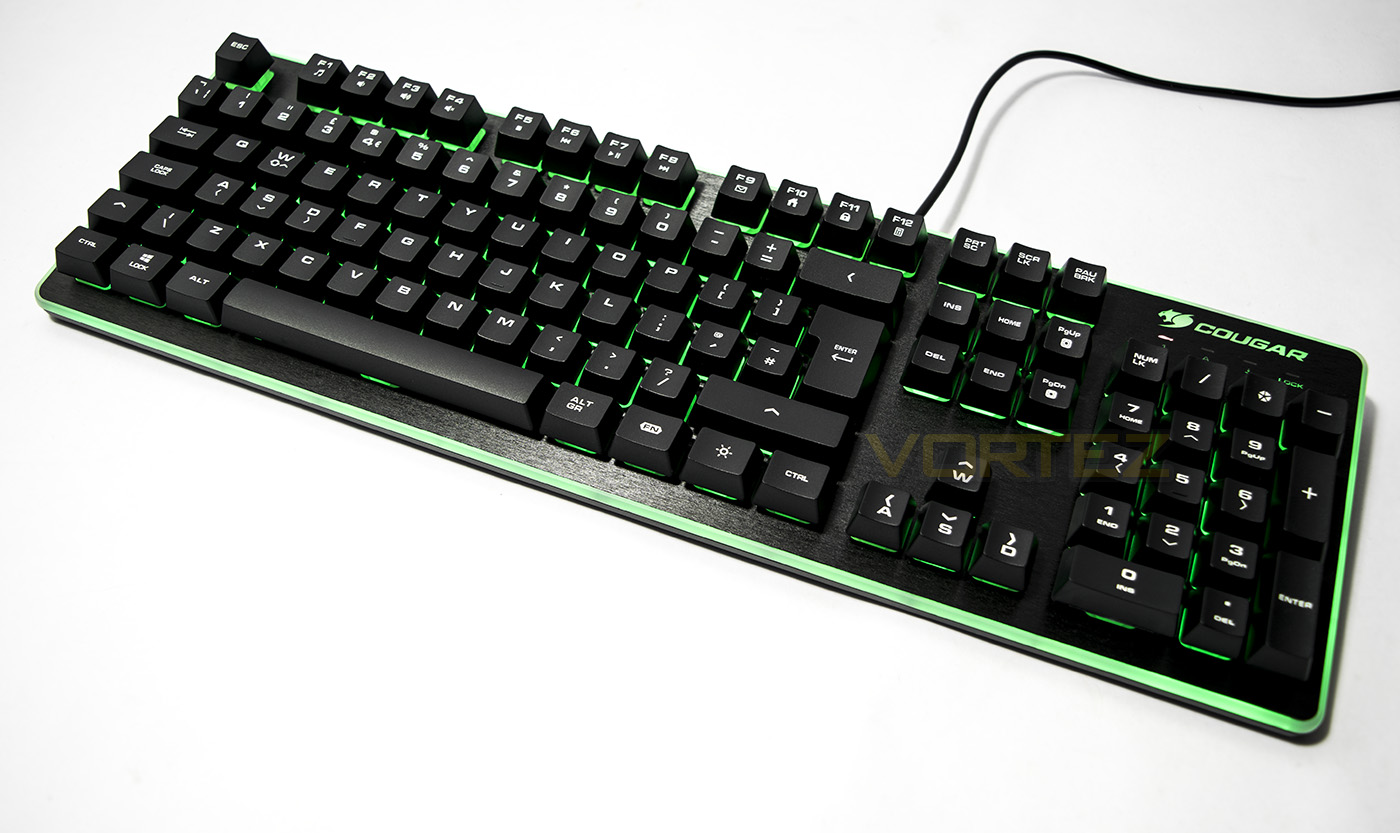
The lighting is vibrant and attractive though disappointing that it doesn’t shine through the keycaps.
Closer Look: Mouse
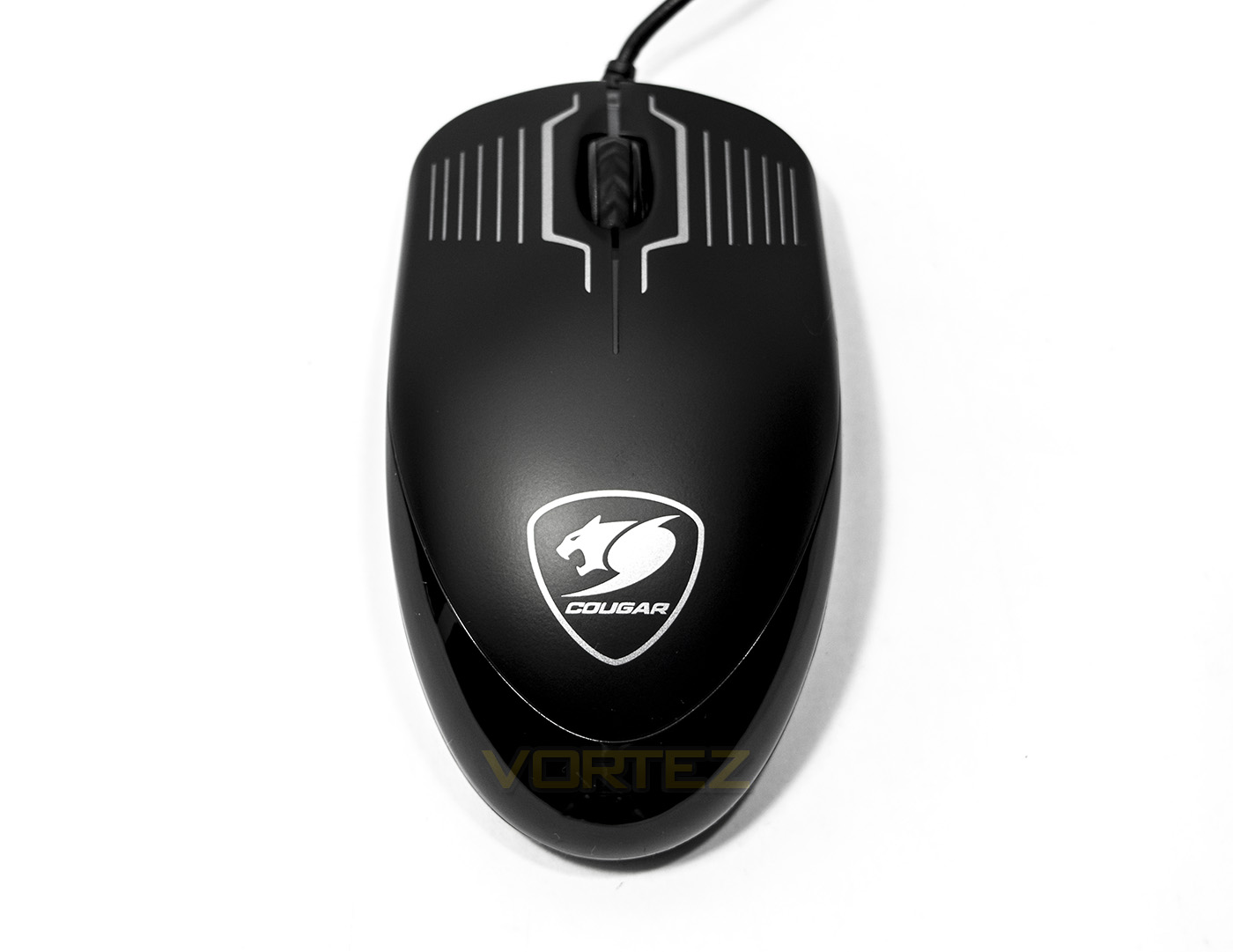
The mouse is a fairly basic shape, lacking any real ergonomics and thus ambidextrous by default.
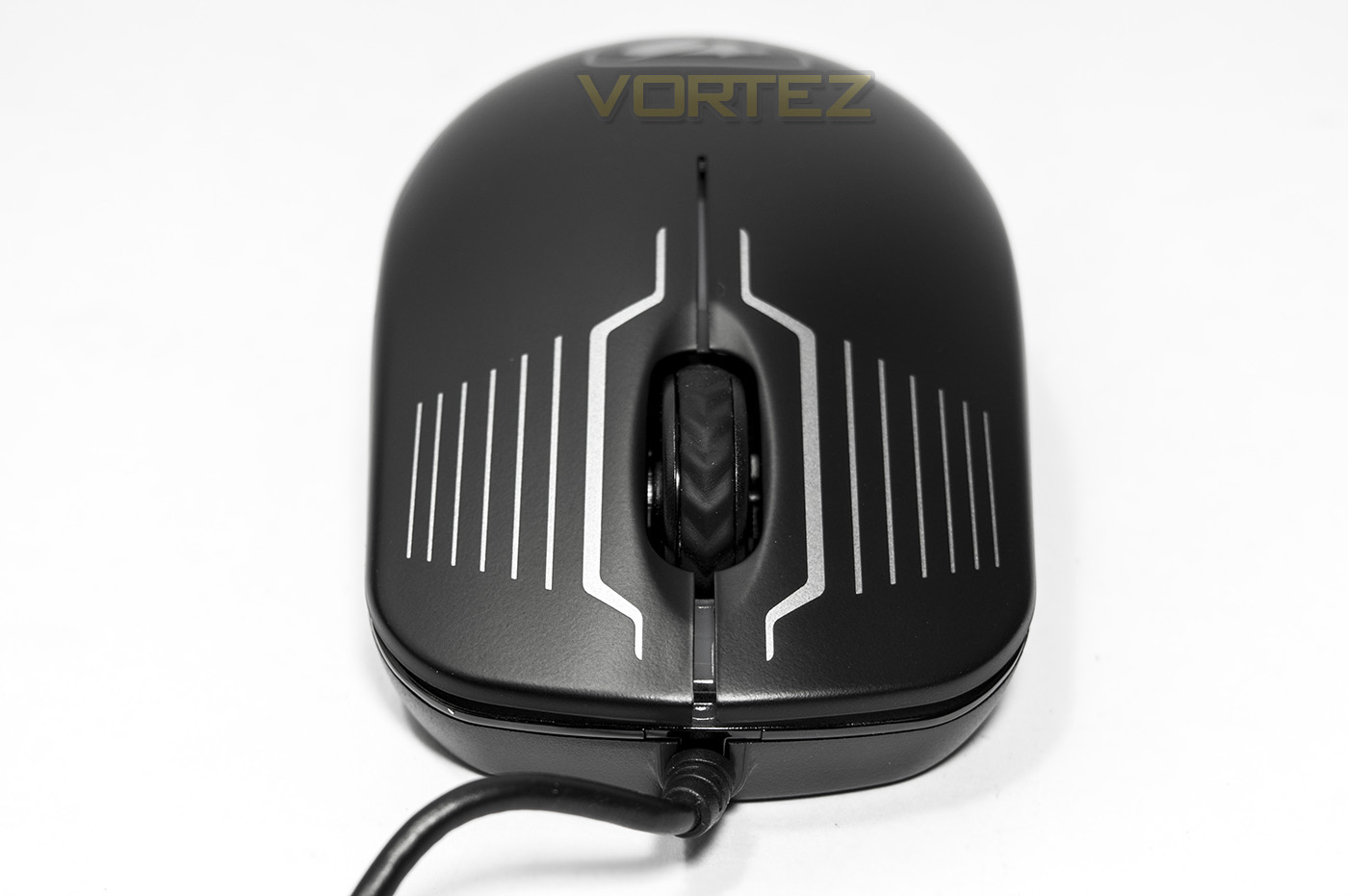
The DeathFire mouse features a rather pointless design on the mouse clicks, but it does break up the otherwise uninspiring design.
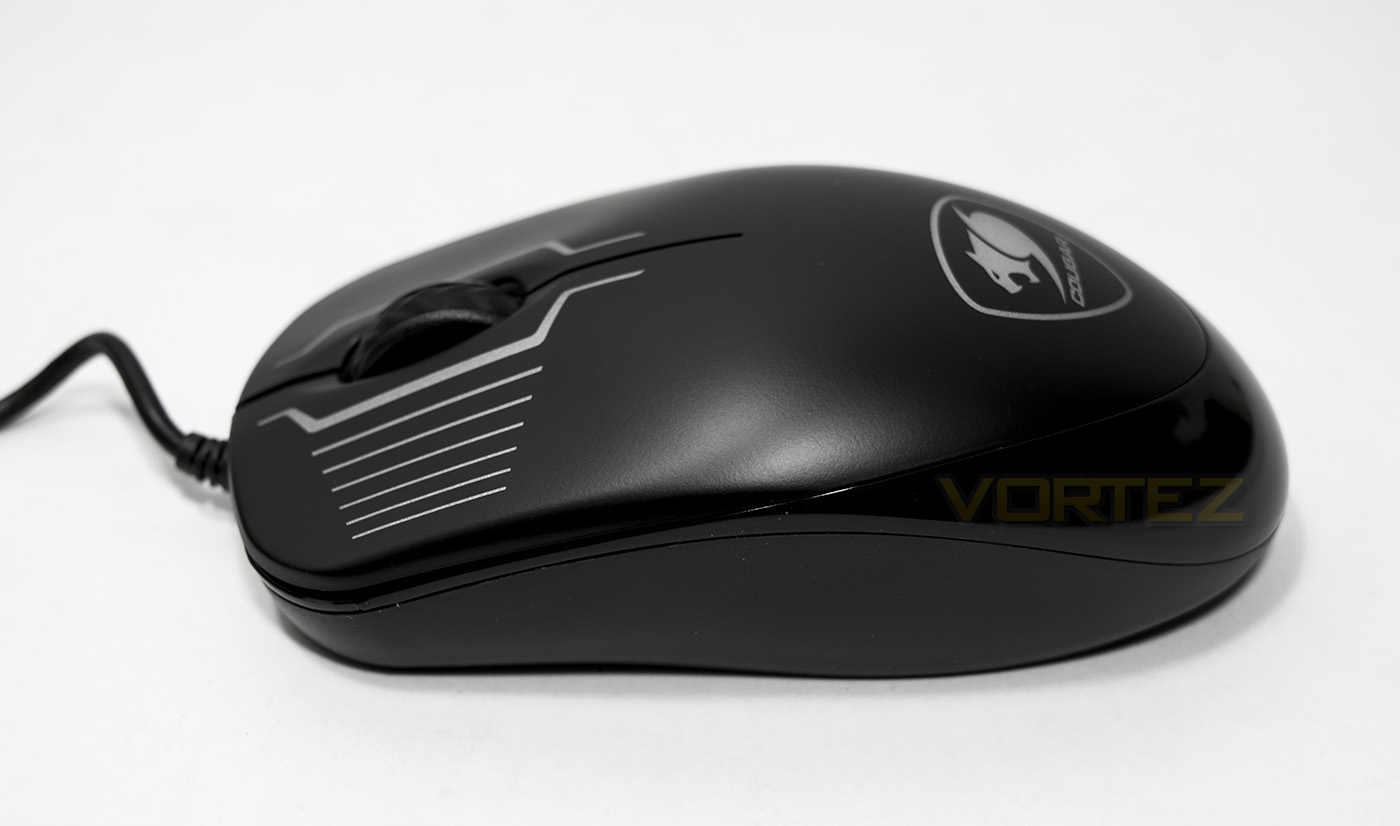
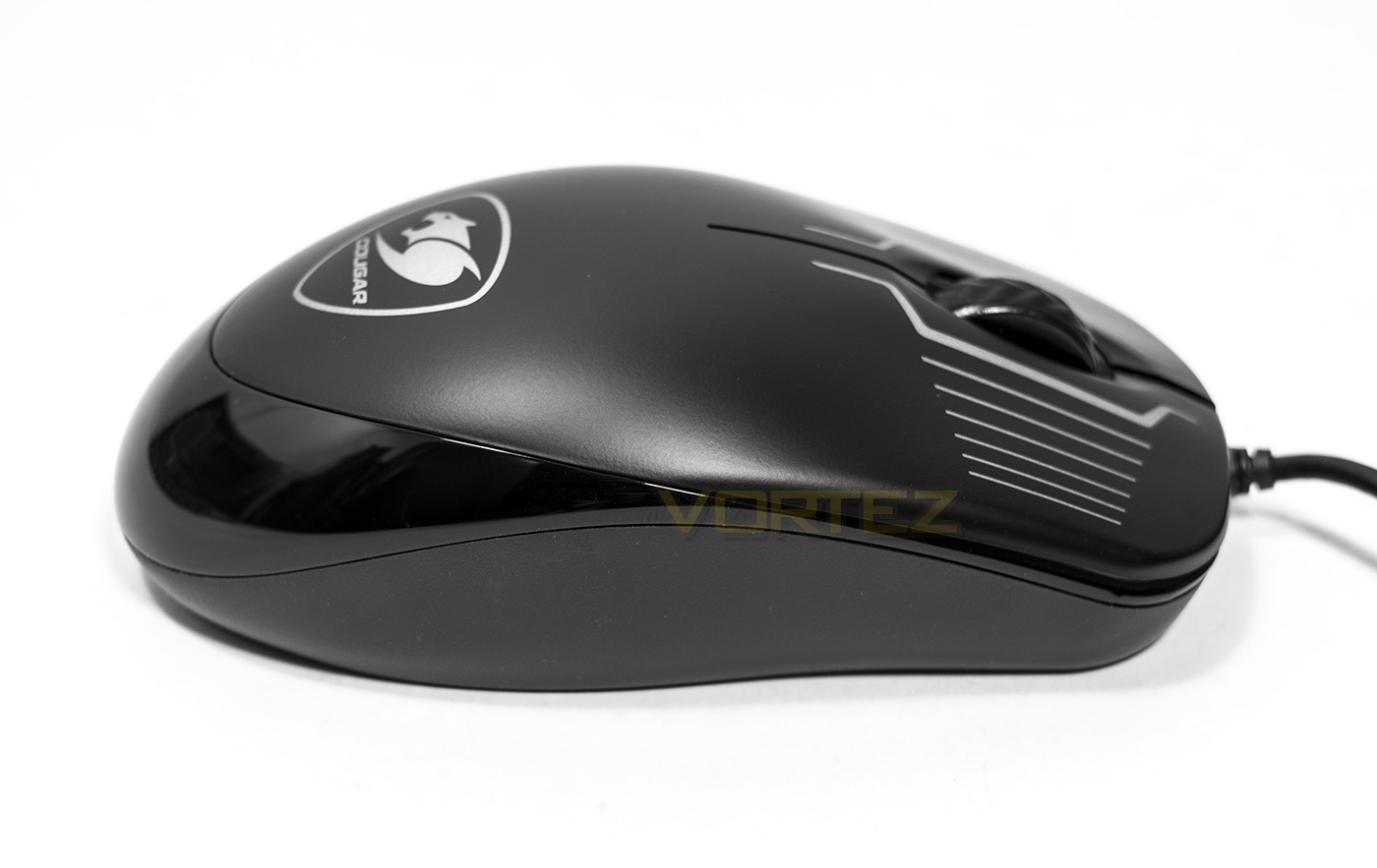
The left and right sides of the mouse are identical and is mostly featureless other than the glossy strip that circles the rear of the mouse.
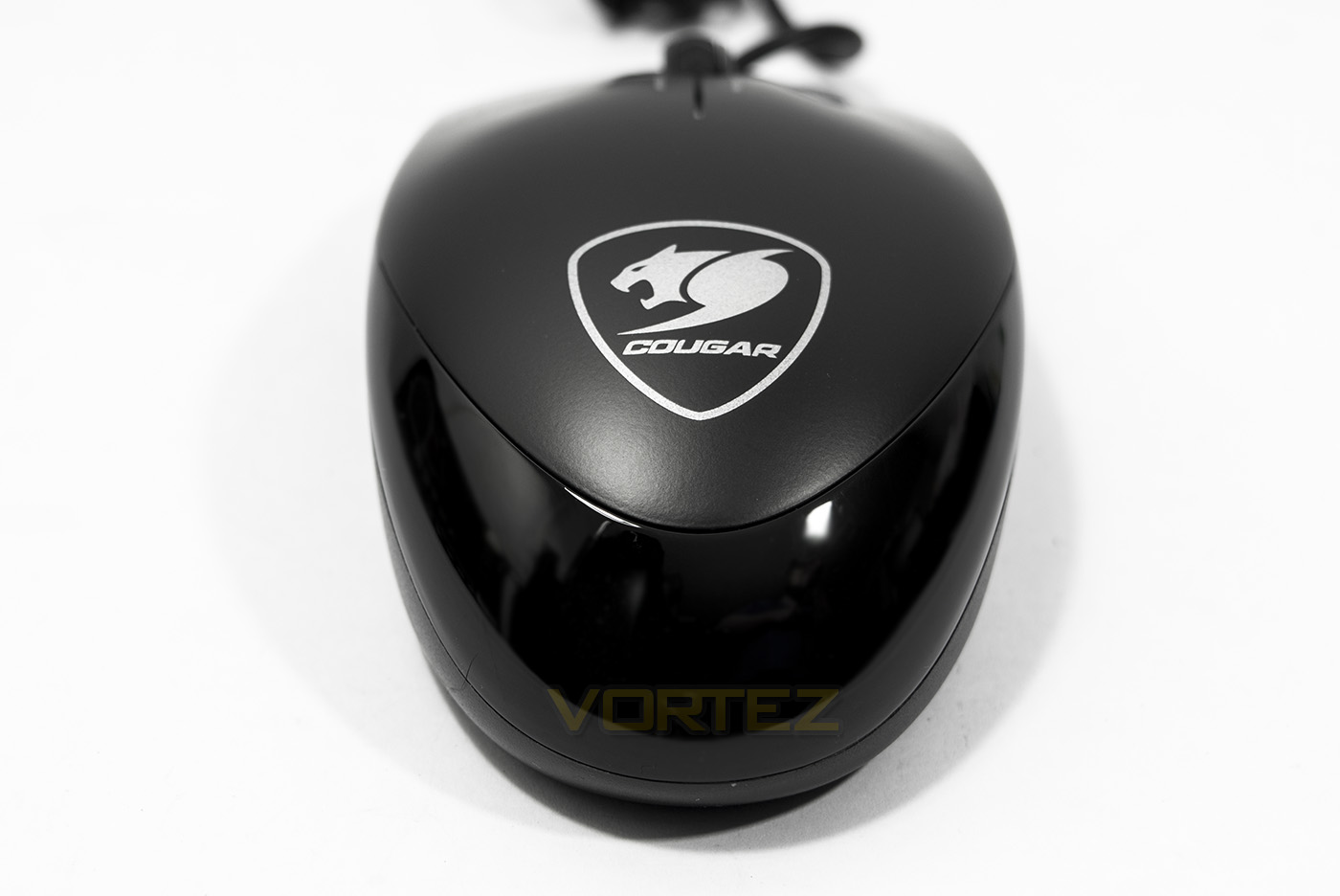
The Cougar logo lights up adding some character to the mouse.
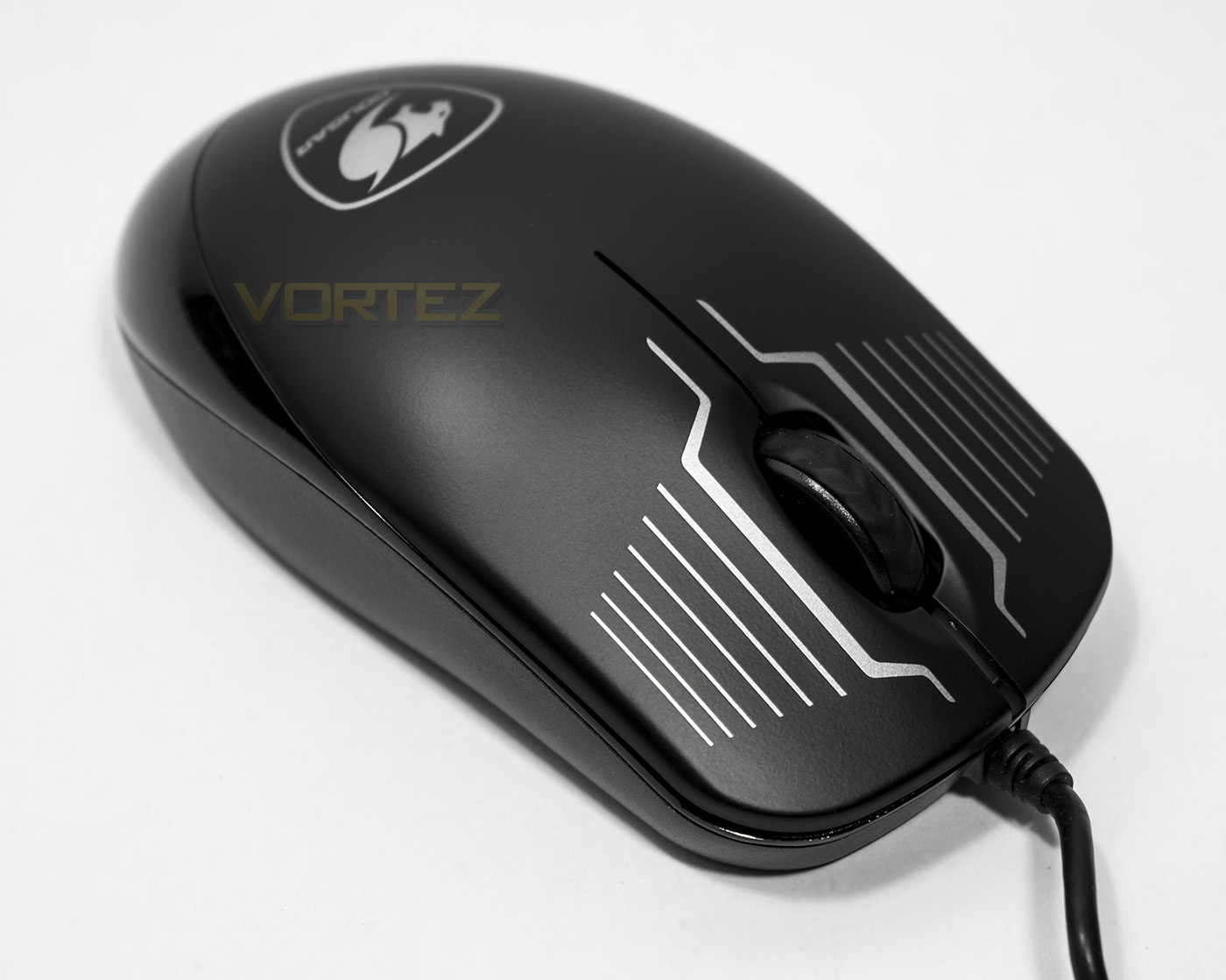
The mouse wheel has a textured rubberised grip and feels fairly strong, though there are no other features such as a DPI button.
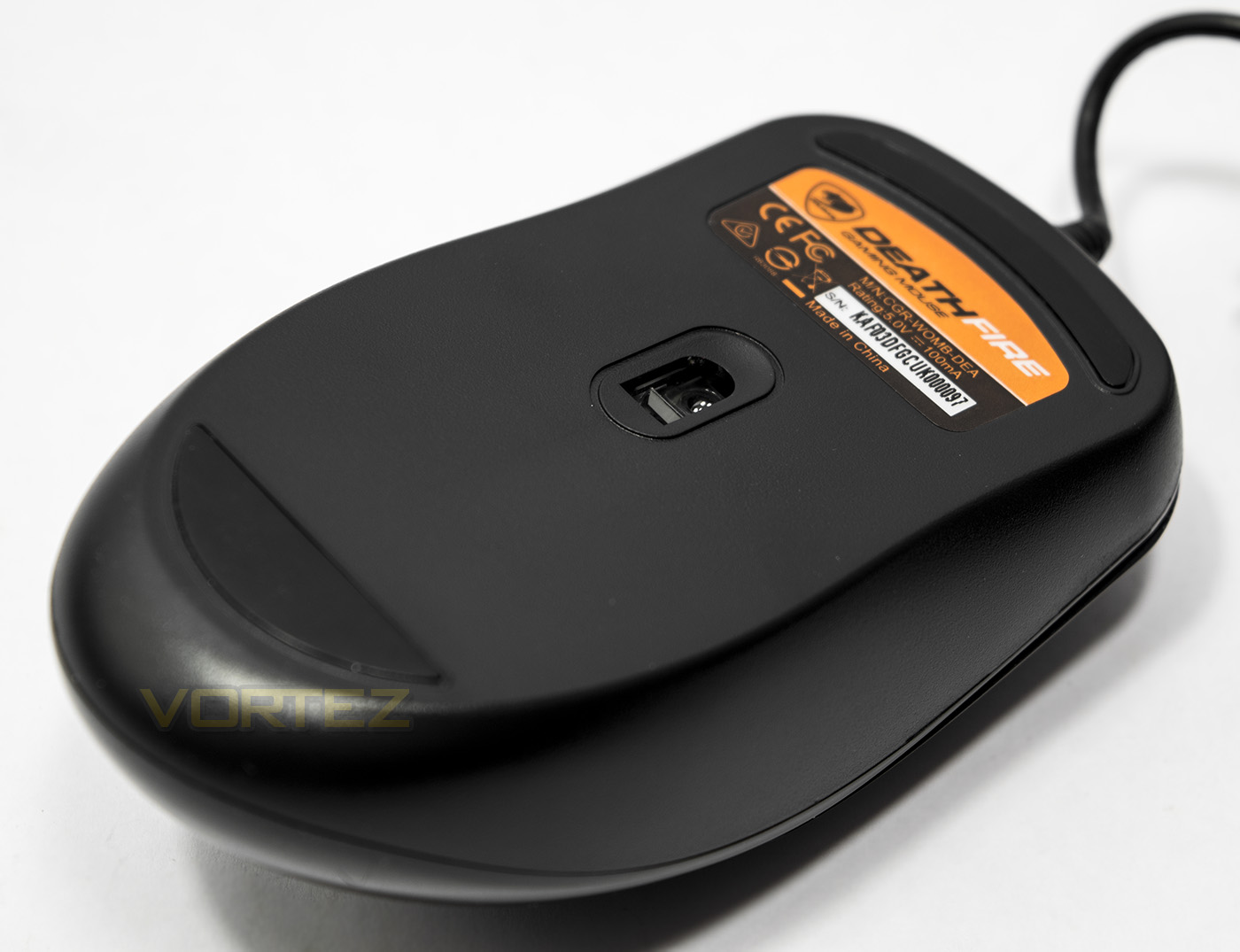
The base has a rear and front slip pad, while the sensor is located slightly forward of the centre of the mouse.
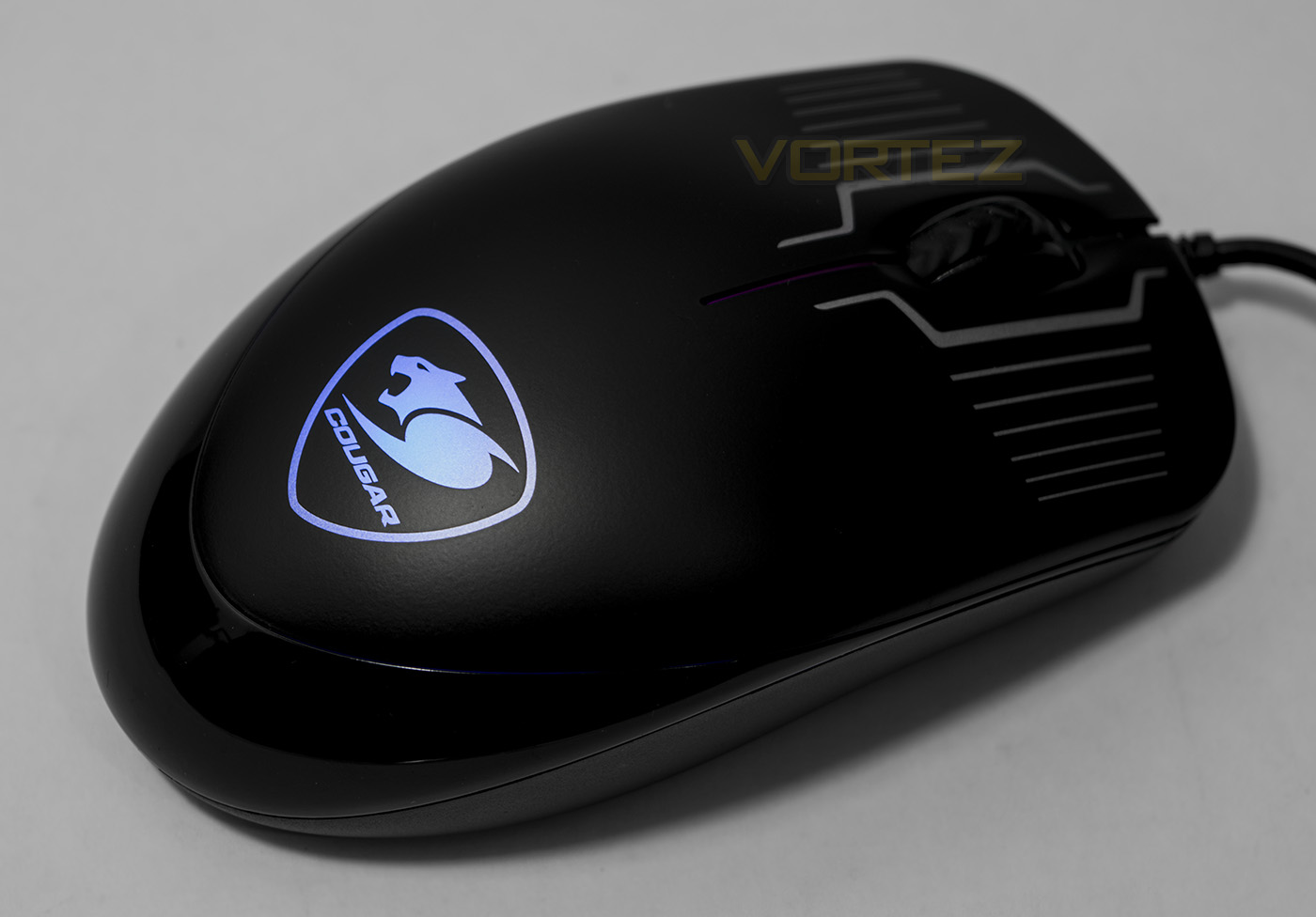
The LED lighting of the mouse is fairly dim, but is displayed rather nicely in low lighting. The mouse is set to a breathing/cycle mode, though you can manually select 1 of 7 colours or alternatively turn the lighting off.
Performance Testing
Setup, Design & ObservationsThe DeathFire keyboard and mouse are driverless which means it is highly convenient to setup, though, this also means there are no advanced features to have control over.
The keyboard feels strong and sturdy, while the hybrid mechanical keys feel rather nice and responsive. The overall aesthetic is actually more attractive than one would imagine, especially considering the style of lighting. At this price you would expect it to look rather, low quality or cheesy, but it genuinely looks good. Though the backlighting doesn’t do what backlighting is supposed to do, which seems a little disappointing. You can adjust the lighting using the Fn key with the lighting key that is located right next to it. You can toggle between one of 7 preset colours (Red, yellow, green, light blue, deep blue, purple and white) or select the breathing mode, which will cycle through all the colours, or turn the lighting off. In use it was mostly comfortable though it did feel rather high and would certainly benefit from using a wrist rest, though this is a significant improvement from the overtly stylised plastic frame as seen in the CHALLENGER Prime combo which felt outright awkward.
The mouse on the other hand, is comfortable for any grip type, though feels just as poorly made no matter what your preference. It seems more like it was more of an after thought after they had used most the budget on the keyboard, and this isn’t just down to the fact it weights just 85g. It is more to do with the tough plasticky feel combined with the tough yet squishy mouse clicks. On a more positive note however, the mouse wheel feels fairly solid. The lighting effects are the exact same as you find on the keyboard, though is much less vibrant, standing out only in low light. To adjust the lighting you hold the mouse wheel down, and press right click to toggle between each setting.
Performance: Keyboard
In games, the keyboard felt fantastic, the hybrid switches really making a difference compared to a standard membrane dome. Though eons away from the responsiveness of true mechanical switches, these do offer a nice half-way home and generally exceed expectation. Though, lacking the ability to adjust the polling rate (none disclosed) it may not quite live up to the level some gamers desire for their games, but overall there were no major concerns.
Performance: Mouse
The mouse has 4 DPI settings that can be changed by holding the mouse wheel and pressing left click. Toggling between 500/1000/1500/2000. Between 500-1500, the performance is generally ok, while at 2000DPI there is noticeable jitter. It is difficult to tell if this is actual jitter, or is caused by a set level of angle snapping, either way it is only slight and is manageable in game. It tracked well on standard matte fabric mouse mat, white paper and even glossy wooden desktop veneer without problem so the ADNS-5050 sensor seems fine across various surfaces.
After a few matches in DOTA2 I felt like I was about to crush the mouse and the stiffness/sponginess of the mouse clicks after a while became tiresome. Though due to the 1ms refresh rate, the pointer remained responsive, and fairly alert, the accuracy/DPI balance in a game like CS:GO some may not please everyone.
Conclusion
The DeathFire combo is another keyboard/mouse set that presents great value and quality for entry-level gaming. The keyboard feels well made and the ‘mechanical feel’ keys are tight and responsive, this makes typing and gaming a joy. Aesthetically, the imitation brushed aluminium does look attractive and is accentuated by the RGB lighting effects.
Despite how much I enjoyed using the keyboard, the mouse is rather disappointing. The clicks are squishy, clearly using cheaper OMRON switches, and it is missing some side buttons (that I rather enjoy). It also has a fair bit of jitter caused by a pre-set level of angle snapping which you can’t change because the DeathFire combo is driverless. With these cost saving measures in place, I wonder if they could have afforded to maybe implement the ADNS-3050 or 3090 sensor over the 5050, which is not a gaming grade sensor. Though on the positive side, the mouse is responsive (1ms refresh), tracks well on various surfaces and isn’t outright terrible.
So we reach a similar conclusion as we did with the slightly more expensive CHALLANGER set from Tt eSPORTS; that is, it seems much of the value is in the keyboard rather than the mouse, and so a more competitive gamer looking for absolute value and performance may be better off looking around for a good deal on a quality gaming mouse like the SteelSeries Rival 100 along with a cheap keyboard. There are some other things to consider also, such as the lack of macros (as found on the Challenger combo), and that the backlighting doesn’t actually light up the keys and so is there purely for visual effect. Though, you could argue that this comparison is a little out of context given that the Challenger Prime combo costs 25% more.
Overall we enjoyed our gaming sessions using the DeathFire combo and it does offer a good balance of performance and quality for the price. Though the reliability of knowing that you are getting a baseline standard for gaming in a single convenient package is its strongest factor and therein lies its true calling.
The Cougar DeathFire combo presents a good quality keyboard along with a well equipped optical mouse, ideal for low-cost gaming.
Pros.
+ Solid keyboard w/ attractive lighting
+ Anti-ghosting keys 26-KRO
+ Smooth hybrid mechanical switches (rated for 20m presses)
+ 1ms refresh on mouse
+ Price
Cons.
– Mouse could be better
– Backlighting doesn’t light up the keys
– No macros
+ Solid keyboard w/ attractive lighting
+ Anti-ghosting keys 26-KRO
+ Smooth hybrid mechanical switches (rated for 20m presses)
+ 1ms refresh on mouse
+ Price
Cons.
– Mouse could be better
– Backlighting doesn’t light up the keys
– No macros
Click here for an explanation of our awards at Vortez.net.